

Page 1
Installation & Operation Manual
tN2 Wiring Center 313
Introduction
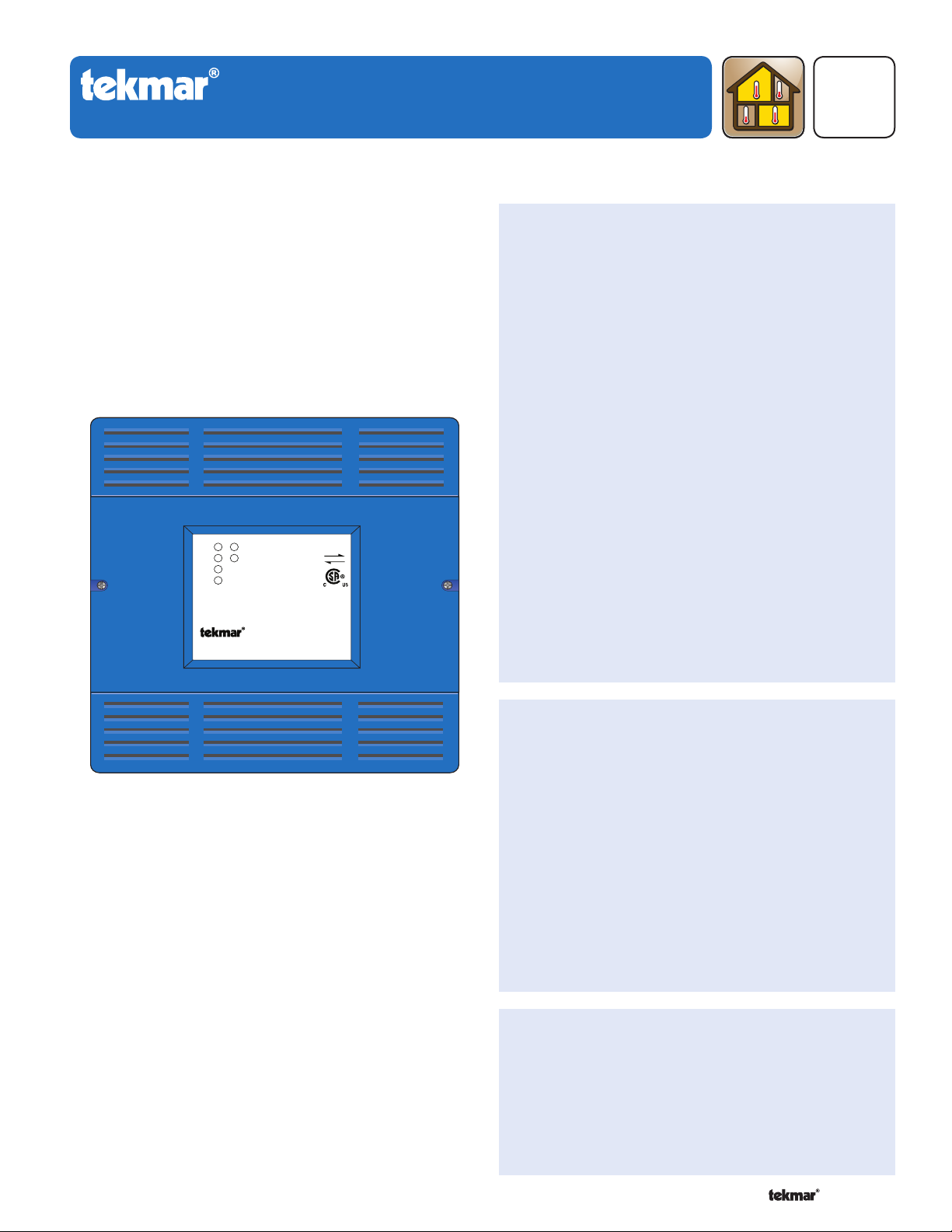
The tekmarNet®2 Wiring Center 313 is designed to operate
up to four zone valves in a hydronic heating system. It
can be mounted in the mechanical room or near a remote
zone manifold, providing a convenient location to wire both
thermostats and zone valves while only requiring two wires
to be run back to the mechanical room. When combined
with tekmarNet®2 Thermostats, all devices communicate
to provide a synchronized end switch that reduces cycling
of equipment.
For use with
Zone 1
Zone 2
Zone 3
Zone 4
Power
End Switch
tN2 thermostats only
tN2
Zoning
Replaces: 11/10
Features
Four 24 V (ac) powered zone outputs
•
For use with tekmarNet
•
Supports two-stage tekmarNet
•
tN4 expansion terminals
•
Isolated end switch
•
115 V (ac) zone group pump output
•
Outdoor sensor input
•
External diagnostic LEDs
•
CSA C US Certified for use in USA and Canada
•
®
2 Thermostats
®
2 Thermostats
D 313
05/11
tN2 Wiring Center 313
Four Zone Valves
Benefi ts
Simple, convenient wiring location
•
Compact enclosure for flexible installation
•
Reduce equipment cycling through the use of
•
tekmarNet®2 Thermostats
Note
Not for use with tekmarNet®4 Thermostats•
1 of 12 © 2011 D 313 - 05/11
Page 2
Table of Contents
---------------------------------------------------------------------------------------
-----------------------------------------------------------------------------------
--------------------------------------------------------------------------------------
Installation ...................................................................... 2
Preparation ................................................................. 2
Physical Dimensions ..................................................3
Installation Location ...................................................3
Rough-In Wiring .........................................................3
Sizing the Transformer ...............................................4
Control Wiring ............................................................4
Testing the Control Wiring ..........................................6
Applic ations .................................................................... 7
User Interface ............................................................... 10
LEDs ........................................................................10
DIP Switches ............................................................ 10
Sequence of Operation ................................................10
tekmarNet® System ..................................................10
Relay Outputs ........................................................... 11
Energy Saving Features ........................................... 11
Troubleshooting ............................................................ 11
Frequently Asked Questions .................................... 11
Technical Data ..............................................................12
Limited Warranty and Product Return Procedure ........12
Getting Started
Congratulations on the purchase of your new tekmarNet
This manual covers the complete installation, programming and sequence of operation for this control. You will also find
instruction on testing, commissioning, and troubleshooting the control and system that it operates.
®
Wiring Center!
Installation
Caution
Improper installation and operation of this control could
result in damage to the equipment and possibly even
personal injury or death. It is your responsibility to ensure
that this control is safely installed according to all applicable
codes and standards. This electronic control is not intended
for use as a primary limit control. Other controls that are
intended and certified as safety limits must be placed into
the control circuit. Do not attempt to service the control.
Refer to qualified personnel for servicing. There are no
user serviceable parts. Attempting to do so voids warranty
and could result in damage to the equipment and possibly
even personal injury or death.
Radio Frequency Interference
The installer must ensure that this control and its wiring are
isolated and/or shielded from strong sources of electromagnetic
noise. Conversely, this Class B digital apparatus complies
with Part 15 of the FCC Rules and meets all requirements of
the Canadian Interference-Causing Equipment Regulations.
However, if this control does cause harmful interference
to radio or television reception, which is determined by
turning the control off and on, the user is encouraged to try
Preparation
Tools Required
tekmar or jeweller screwdriver
•
Phillips head screwdriver
•
Materials Required
(2) #10 x 1” wood screws
•
(2) wire nuts
•
18 AWG LVT solid wire (low voltage connections)
•
Power Required
120 V (ac), 1-phase, 15 A service from circuit breaker
• Power disconnect (optional)•
panel
---------------------------------------------------------------------------------------
-----------------------------------------------------------------------------------
--------------------------------------------------------------------------------------
to correct the interference by re-orientating or relocating
the receiving antenna, relocating the receiver with respect
to this control, and/or connecting the control to a different
circuit from that to which the receiver is connected.
Cet appareil numérique de la classe B respecte toutes
les exigences du Règlement sur le matériel brouilleur du
Canada.
Needle-nose pliers
•
Wire stripper
•
14 AWG solid wire (line voltage connections)
•
tekmar 009 (24 V (ac) transformer)
•
Cable or conduit connectors
•
© 2011 D 313 - 05/11 2 of 12
Page 3

-----------------------------------------------------------------------------------
Physical Dimensions
Front View
5–1/2”
(140 mm)
7/8”
(22 mm)
CL
1–1/8” (30 mm)
5–1/2”
(140 mm)
Side View Back View
Installation Location
When choosing the location for the control, consider the
•
following:
Keep dry. Avoid potential leakage onto the control.
•
RH 90% to 122°F (50°C) in a non-condensing
environment.
Do not expose to operating temperatures beyond 32-
•
122°F (0-50°C).
Provide adequate ventilation.
•
Keep away from equipment, appliances or other sources
•
of electrical interference.
2–1/4”
(57 mm)
1/2” Knock-out (x 4)
Strip wires 1/2 inch (13 mm).
Installed wires are not removable.
12-18 AWG
1/2” x 5/8”
(12 mm x 16 mm)
Knock-out (x 4)
Locate the control near zone valves if possible.
•
Provide easy access for wiring and viewing the
•
Ø 1/8” (3 mm)
313
Zone Group Pump
Zone Power (L)
7/8” x 1/2” (23 mm x 12 mm)
Knock-out (x 4)
control.
Mount approximately 5 ft. (1.5 m) off the finished floor.
•
Install to wall using #10 x 1” wood screws. Wall anchors
•
are recommended when mounting to sheet rock, wallboard or masonry.
Rough-In Wiring
Line Voltage Wiring
In most cases, the control can be mounted directly to a wall
without the need for any line voltage connections.
As an option, the control may be mounted to a 4” x 4”
electrical junction box so that the high voltage electrical
connections for the transformer are safely contained.
For ease of service, the circuit breaker or power disconnect
should be located in reasonably close proximity to the
equipment.
All line voltage wire connections are recommended to
be pulled inside a flexible or solid conduit. Always follow
proper wiring practices, building and electrical codes for
your jurisdiction.
-----------------------------------------------------------------------------------
Each cable must be pulled to the electrical junction box. It
is recommended to label each cable for easy identification.
All line voltage wires should be stripped to a length of 1/2”
(13 mm).
Pull a three conductor 14 AWG cable for the following
equipment:
Circuit Breaker or Power Disconnect (if applicable)
•
Zone Group Pump (if applicable)
•
3 of 12 © 2011 D 313 - 05/11
Page 4

-----------------------------------------------------------------------------------
Low Voltage Wiring
-----------------------------------------------------------------------------------
Each cable must be pulled from the equipment to the
control’s plastic enclosure. All low voltage wiring connections
enter the enclosure through conduit knockouts on the
sides, or through the square knockouts on the rear. It is
recommended to label each cable for easy identification.
All low voltage wires are to be stripped to a length of 3/8”
(9 mm) to ensure proper connection to the control.
Pull two conductor 18 AWG LVT cable, up to 500 feet
(150 m) for the following equipment:
tekmarNet®2 Thermostats
•
tekmarNet®2 House Control (if applicable)
•
-----------------------------------------------------------------------------------
Sizing the Transformer
•
24 V (ac) Power
•
Zone Valves
•
Boiler T-T (If using End Switch)
•
Outdoor Sensor 070 (if applicable)
Pull three conductor 18 AWG LVT cable for the following
equipment:
®
•
tekmarNet
4 Accessories (User Switch, Timer)
The control requires an external transformer. A tekmar
Transformer 009 (or 009K which includes a 4”x 4” electrical
box) can supply up to 40 VA, and includes an in-line fuse
to protect the transformer and control.
In order to correctly size the external transformer, all loads
connected to the control must be taken into account.
When adding up the loads, consider the following:
Thermostats 527, 528, 529, and 530 draw approximately
•
1.3 VA each.
Each zone valve must be sized for peak load. This can be
•
obtained by multiplying the peak current draw (in Amps)
by 24 V (ac).
Zone
Thermostat Load
Zone Valve Load
Total Zone Load
1234
+ +++
Control Wiring
The total power capacity of the power supply should be
larger than the total load of all the devices connected to
the control. This total load must not exceed 99 VA. Multiple
tekmar Transformer 009’s can be wired together to increase
total VA capacity.
The following chart is provided to simplify transformer
sizing:
Transformer
Control
Load (VA)
3
must exceed:
VA
Line Voltage Wiring
-----------------------------------------------------------------------------------
CAUTION: TURN ALL POWER OFF BEFORE PERFORMING ANY WIRING.
Wire the Grounds
Connect the power supply ground and zone group pump
•
ground to the electrical box as shown in Figure 1.
Wire the Neutrals (N)
•
Connect the 115 V (ac) neutral (N) and zone group pump
neutral wires to the 115 V (ac) side of the transformer. Use
a wire nut or approved connector. See Figure 1.
Wire the Power (L)
•
Connect the 115 V (ac) line voltage (L) wire to the 115 V
(ac) side of the transformer and to the Power L wire (red)
of the zone group pump relay. Use a wire nut or approved
connector. See Figure 1.
© 2011 D 313 - 05/11 4 of 12
Wire the Zone Group Pump (L)
Connect the 115 V (ac) line voltage (L) wire from the
•
zone group pump to the Zone Group Pump push-in wire
connector. See Figure 1.
If the zone group pump is not used then cut the rear red
•
and black wires where they exit the enclosure.
Page 5

Figure 1 - Connect
-----------------------------------------------------------------------------------
---------------------------------------------------------------------------------
Line Voltage Wires
Zone Group
Pump
(L, N, Ground)
(red)
Power Source
(L, N, Ground)
Install The Enclosure
The enclosure may be mounted directly to a wall or to
•
an electrical junction box.
Ensure that the high voltage wires are neatly tucked
•
inside the electrical junction box.
Using 2 of the 4 holes in the back of the enclosure, securely
•
fasten it to the electrical junction box with 2 #10 screws as
shown in Figure 2.
Low Voltage Wiring
External Power Supply
It is strongly recommended that a transformer with an in-line
fuse be used in order to protect the transformer from high
currents. The tekmar Transformer 009 includes a fuse.
Connect the 24 V (ac) leads from the transformer to the C
•
and R terminals marked “Input Power” on the 313.
tekmarNet®2 Thermostats
The 313 is designed to operate with tekmarNet®2 Thermostats.
They provide the heating and cooling control for each zone,
and communicate with any other tekmarNet® device on
the system.
Connect the tN2 terminals from each thermostat to the
•
corresponding tN2 terminals for each zone on the 313.
Zone Valves
Wire the zone valves to the C and Vlv terminals on the 313.
•
End switches on zone valves are not required when
•
using the 313.
---------------------------------------------------------------------------------
-----------------------------------------------------------------------------------
Figure 2
tN4 Expansion Terminals
The 313 uses the Expansion tN4 and C terminals to communicate
with additional Wiring Centers, House Controls, and other
tekmarNet® devices.
Connect the tN4 and C Expansion terminals on the 313
•
to the corresponding tN4 and C Expansion terminals of
the additional external device.
Wiring the End Switch
The 313 can operate a single on-off boiler or provide a
demand to a tekmar control.
Connect the X X End Switch terminals on the 313 to the
•
T-T (or R-W) terminals on the boiler.
If required, use the X X End Switch terminals to switch
•
24 V (ac) to power a demand on a tekmar outdoor reset
control.
Wiring the Outdoor Sensor
The 313 has an optional outdoor sensor input.
Wire the outdoor sensor to the Out and Com terminals
•
on the 313.
The outdoor temperature will be displayed on all ther-
•
mostats connected to the 313.
5 of 12 © 2011 D 313 - 05/11
Page 6

-----------------------------
----------------------
----------------------
--------------
--
Two-Stage tekmarNet®2 Thermostat Wiring
-----------------------------------------------------------
A two stage thermostat is automatically detected when
connected to Zone 1 or Zone 3. If there is no tN2 thermostat
connected to Zone 2 or Zone 4, these outputs will automatically
operate the heating equipment for second stage heat.
-----------------------------------------------------------
Testing the Control Wiring
tN2 tN2 tN2 tN2 tN2 tN2 tN2 tN2
Zone 1 Zone 2 Zone 3 Zone 4
Two-Stage Terminal Designation
Zone 1 Zone 3
Stage 1 Stage 2 Stage 1 Stage 2
Testing the Power
If the control Power light does not turn on, check the Input
Power wiring terminals using an electrical multimeter. The
voltage should measure between 21.6 to 26.4 V (ac). If the
voltage is below this range, measure the line voltage side
of the transformer. The voltage should measure between
103.5 to 126.5 V (ac).
Testing the Thermostats
If the thermostat display turns on, this indicates that the
thermostat is operating correctly and there are no electrical
issues. In the event that the display is off, or the display is
cycling on and off, follow this procedure.
1. Remove the tN2 wires from the thermostat.
2. Use an electrical meter to measure DC voltage between
the tN2 terminals.
If the DC voltage is 0 V (dc) for 20 seconds, then there is
an open or short circuit in the tN2 wires. If the DC voltage
is 0 V (dc) for 10 seconds and then is 23 to 24 V (dc) for 5
seconds, this indicates the wiring is correct.
3. Connect the thermostat to the tN2 wires from a zone
on a House Control, Wiring Center, or Zone Manager.
4. If the thermostat display is off, or is cycling on and off,
move the thermostat to the next available zone on the
House Control, Wiring Center, or Zone Manager.
If the thermostat display remains permanently on, there
may be a fault with the previously tried zone on the House
Control, Wiring Center, or Zone Manager.
If the thermostat display continues to be off, or is cycling
on and off, there may be a fault on the thermostat.
If a fault is suspected, contact your tekmar sales representative
for assistance.
Testing the Zone Output
1. Use an electrical test meter to measure the (ac) voltage
between the C and the Vlv terminals for each zone valve
output.
Lower the thermostat temperature setting. When the
•
zone LED is off, the reading should be 0 V (ac) and the
valve should be closed.
Raise the thermostat temperature setting. When the
•
zone LED is on, the reading should be 24 V (ac) + / –
10% and the valve should be open.
-----------------------------
----------------------
----------------------
Note: If power to the zone valve is present but the zone
valve does not operate properly, refer to any troubleshooting
information supplied by the zone valve manufacturer.
Testing tekmarNet®4 Expansion
To test the tN4 Network, check the wires for continuity
and shorts.
1. Disconnect the two tN4 expansion wires (tN4 and C) at
one end and twist them together.
2. Go to the other end of the wires and disconnect
them.
3. Using an electrical test meter, check for continuity.
Resistance should read 0 ohms, or continuity should
produce a tone. If not, this indicates that there are
damaged wires connecting the tN4 control to the 313.
Repair or replace the wires as necessary.
4. Go back to the original end of the wires and, using a
wire nut, cap each expansion wire individually so that
these ends cannot touch another conductor.
5. Go to the other end of the wires and again, test for
shorts. Resistance should be infinite, or O.L. and there
should be no tone. If tone exists or less than 50 000
ohms is found, then the wires are not insulated from
one another. This is generating a short on the wires
connecting the tN4 control to the 313.
6. Replace the damaged wires, test, and reconnect them
to their proper terminals.
Testing The End Switch / Zone Group Pump
If the tN4 expansion terminals are not used to connect the
313 to the system, the end switch may be used.
1. Remove the wires from the end switch terminals.
2. Use an electrical test meter to measure continuity across
the XX end switch terminals on the 313.
When the end switch LED is off, no continuity should
•
be present (no tone).
When the end switch LED is on, continuity should be
•
present (tone).
3. Use an electrical test meter to measure voltage across
the zone group pump hot switch leg and neutral.
When the end switch LED is off, the voltage should be
•
0 V (ac).
When the end switch LED is on, the voltage should be
•
between 103.5 to 126.5 V (ac).
--------------
--
© 2011 D 313 - 05/11 6 of 12
Page 7

Applications
tekmarNet®4 Expansion to House Control A313-1
Description: tN2 Wiring Center 313, four tekmarNet®2 Thermostats, and four zone valves wired into a tekmar tN2 House
Control 400 which controls the boiler, primary pump and DHW pump.
tekmarNet®2
Thermostats
070
400
tekmarNet®2 Thermostats
Z1
Z2Z3Z4
313
tekmarNet
®
Thermostats
2
tN4
Expansion
External
tekmarNet
Expansion to
House Control
L
N
24 V (ac)
Transformer 009
C tN4
®
4
R
C
Zone Valves (Z1 to Z4)
7 of 12 © 2011 D 313 - 05/11
Page 8

End Switch (X-X) To Powered Boiler Demand A313-2
Description: tN2 Wiring Center 313, four tekmarNet®2 Thermostats, and four zone valves wired into a powered boiler
demand input on a device such as a tekmar Boiler Control 260 which controls the primary pump and DHW pump.
070
260
070
Z1
tekmarNet
313
Z2 Z3 Z4
®
2 Thermostats
tekmarNet
®
2 Thermostats
Outdoor Sensor 070
(Optional)
Boiler
Demand
Powered Boiler Demand
(ie. Input into tekmar
Boiler Control 260)
L
N
R
C
24 V (ac)
Transformer 009
© 2011 D 313 - 05/11 8 of 12
Zone Valves (Z1 to Z4)
Page 9

End Switch (X-X) To Boiler Enable (T-T) A313-3
Description: tN2 Wiring Center 313, four tekmarNet®2 Thermostats, and four zone valves wired into the T-T terminals on
the boiler to give an enable. The pump is controlled by the Zone Group Pump output on the 313.
tekmarNet®2 Thermostats
070
313
Z1
Z2Z3Z4
®
tekmarNet
2 Thermostats
Outdoor Sensor 070
(Optional)
T
T
End Switch (X-X)
to boiler enable (T-T)
L
N
R
C
24 V (ac)
Transformer 009
N
(black)
(red)
L
Zone Valves (Z1 to Z4)
313
Zone Group Pump
Power L
G
N
L
115 V (ac)
to pump grounds
9 of 12 © 2011 D 313 - 05/11
Page 10

User Interface
----------------------------
LEDs
ZONE 1
The zone 1 thermostat is calling for heat
and the 24 V (ac) output is energized.
ZONE 2
The zone 2 thermostat is calling for heat
and the 24 V (ac) output is energized.
ZONE 3
The zone 3 thermostat is calling for heat
and the 24 V (ac) output is energized.
ZONE 4
The zone 4 thermostat is calling for heat
and the 24 V (ac) output is energized.
POWER
24 V (ac) is being applied to the Wiring
Center to provide it with power.
END SWITCH
At least one of the zone thermostats are
calling for heat and the end switch relay
output is closed.
Wiring Center 313
Zone 1
Zone 2
Power
End Switch
Zone 3
Zone 4
Zone LED Flashing
The zone has an open or short circuit and communication
to the thermostat on the zone has been interrupted. Check
the wiring between the thermostat and the Wiring Center
for open or short circuits. If the thermostat was intentionally
removed, power the Wiring Center off for 10 seconds.
----------------------------
DIP Switches
Each zone has a corresponding zone group pump DIP
switch. Set the switch to On to operate the zone group pump
output whenever that zone calls for heat. When the DIP
switch is set to off, the zone group pump will not operate
when that zone calls for heat.
Sequence of Operation
tekmarNet® System
tekmarNet® is a family of products that use communication
to operate the HVAC system in a comfortable and efficient
manner. The Wiring Center is a zoning component in
a tekmarNet® system and requires tekmarNet®2 (tN2)
Thermostats to be directly connected to it.
The tekmarNet®4 (tN4) Expansion terminals can link the
Wiring Center with other tekmarNet® components:
House Controls 400, 401, 402, 403 - Provides boiler and
•
DHW control
Section A
Reset Modules 420, 421, 422, 423
•
Boiler Controls 274, 275
•
Wiring Centers 313, 314, 315, 316 - Add additional zones
•
tN4 Thermostats - Add thermostats
•
tN4 Timer 033 - Adds 4 programmable schedules
•
tN4 User Switch 479 - Provides a system override for
•
vacations and holidays
tN4 Setpoint Control 161, 162 - Control hot tubs, pools
•
and more
© 2011 D 313 - 05/11 10 of 12
Page 11

Relay Outputs
-------------------------
----------------
------------------
----------------------------
--------------------------
-------------------------
Section B
End Switch Operation
The End Switch relay (‘XX’) closes and the end switch
LED turns on. The switch remains closed as long as any
zone is calling for heat. This can provide a boiler demand
to a tekmar reset control, or provide a boiler enable to a
boiler’s TT terminals.
If the Wiring Center is connected to a tN4 bus, all
communication messages will pass through the 313’s tN4
expansion connection. tN4 messages are required in order
to create a boiler demand on a device such as a tekmar
House Control 400.
-------------------------
Energy Saving Features
Network Schedules
Adding a schedule to a tekmarNet® system is both easy
and valuable. A Timer 033 provides scheduling with up to
4 events per day for every tekmarNet® Thermostat. Turning
down the room temperatures when they are unoccupied
reduces boiler on-time and energy consumption which
helps save money and the environment.
One-Touch Economy
A User Switch 479 allows for one-touch overrides of the
system. For example, if leaving the building for vacation,
simply press the “Away” button and all the thermostats
will immediately operate at a lower temperature, instead
of having to walk around the building lowering the heating
temperature setting and raising the cooling temperature
setting on each thermostat.
----------------------------
--------------------------
24 V (ac) Zone Relay Operation
When a thermostat calls for heat, it sends a message to
the Wiring Center and the corresponding zone LED turns
on. Power is then supplied to the appropriate zone output
as indicated by the LED.
Zone Group Pump Operation
The zone group pump remains on when any zone is calling
for heat and the corresponding DIP switch is set to ON.
When using thermal actuated zone valves, a 3 minute time
delay can be set on the thermostat to allow the zone valve
to fully open before the zone group pump is activated.
----------------
------------------
Section C
Zone Synchronization
The Wiring Center includes an energy saving feature
called Zone Synchronization. In typical zoned systems, the
thermostats operate on a stand-alone basis. This means
that a zone turns on and off as required without any regard
for other zones. The net effect is random operation of the
zones causing short cycling of the heat source. tekmarNet®
thermostats communicate to ensure that their cycles are
synchronized. Energy is saved by ensuring zones requiring
heat operate on the same cycle, therefore reducing short
cycling of the boiler.
-------------------------
Troubleshooting
Frequently Asked Questions
Symptom Look For...
Power LED is off Power to control
No central
heating
Single zone over
heating
Single zone under
heating
Zone LEDs If there are no green Zone LEDs, there are no thermostats calling for heat.
System in AWAY
LED shows zone on
LED shows zone off
LED shows zone on
LED shows zone off Check the thermostat to see if it is calling for heat (H1 displayed on the screen).
Zone LED flashing
Corrective Action
Use electrical meter to measure 24 V (ac) voltage on input power R and C
terminals.
During AWAY, the thermostats operate at a lower temperature. Locate a ‘User
Switch’ and set to Normal to resume heating.
Thermostats have a differential of +/- 1.5°F (0.8°C) of the temperature setting.
Due to the display rounding numbers up, heating can appear on when the
temperature is 2°F (1°C) above the setting. This is normal operation.
Ensure zone valve terminals measure 0 V (ac). Measuring 0 V (ac) indicates
mechanical zone valve may have failed in the open position. Measuring 24 V
(ac) indicates control relay may have failed.
Ensure zone valve terminals measure 24 V (ac). Measuring 24 V (ac) indicates
mechanical zone valve may have failed in the closed position. Measuring 0 V
(ac) indicates control relay may have failed.
The zone has an open or short circuit and communication to the thermostat on
the zone has been interrupted. Check the wiring between the thermostat and
the Wiring Center for open or short circuits. If the thermostat was intentionally
removed, power the Wiring Center off for 10 seconds.
11 of 12 © 2011 D 313 - 05/11
Page 12

Technical Data
tN2 Wiring Center 313 Four Zone Valves
Literature D313, Q313, C313
Control Microprocessor control. This is not a safety (limit) control.
Packaged weight 1.4 lbs (630 g)
Dimensions 5.5” H x 5.5” W x 2.25” D (140 x 140 x 57 mm)
Enclosure Blue PC+ABS plastic, NEMA type 1
Approvals
Ambient conditions Indoor use only, 32 to 122°F (0 to 50°C), RH 90% Non-condensing
Power supply 24 V (ac) ±10% 60 Hz, 3 VA min, 99 VA max, Class 2
Zone valve load 24 V (ac) 2 A, maximum combined current (zones 1 to 4): 4 A
End switch relay 24 V (ac) 2 A
Zone group pump relay 115 V (ac) 5 A
Sensors NTC thermistor, 10 kΩ @ 77°F (25°C ±0.2°C) ß=3892
–Included None
–Optional Outdoor Sensor 070
Warranty Limited 3 Year
CSA C US, meets class B: ICES & FCC Part 15
Limited Warranty and Product Return Procedure
Limited Warranty The liability of tekmar under this warranty is lim-
ited. The Purchaser, by taking receipt of any tekmar product (“Product”), acknowledges the terms of the Limited Warranty in effect at
the time of such Product sale and acknowledges that it has read
and understands same.
The tekmar Limited Warranty to the Purchaser on the Products sold
hereunder is a manufacturer’s pass-through warranty which the
Purchaser is authorized to pass through to its customers. Under
the Limited Warranty, each tekmar Product is warranted against
defects in workmanship and materials if the Product is installed and
used in compliance with tekmar’s instructions, ordinary wear and
tear excepted. The pass-through warranty period is for a period of
twenty-four (24) months from the production date if the Product is
not installed during that period, or twelve (12) months from the documented date of installation if installed within twenty-four (24) months
from the production date.
The liability of tekmar under the Limited Warranty shall be limited to, at
tekmar’s sole discretion: the cost of parts and labor provided by tekmar
to repair defects in materials and/or workmanship of the defective product; or to the exchange of the defective product for a warranty replacement product; or to the granting of credit limited to the original cost of the
defective product, and such repair, exchange or credit shall be the sole
remedy available from tekmar, and, without limiting the foregoing in any
way, tekmar is not responsible, in contract, tort or strict product liability, for any other losses, costs, expenses, inconveniences, or damages,
whether direct, indirect, special, secondary, incidental or consequential,
arising from ownership or use of the product, or from defects in workmanship or materials, including any liability for fundamental breach of
contract.
The pass-through Limited Warranty applies only to those defective Products returned to tekmar during the warranty period. This Limited Warranty does not cover the cost of the parts or labor to remove or transport
the defective Product, or to reinstall the repaired or replacement Product,
all such costs and expenses being subject to Purchaser’s agreement and
warranty with its customers.
Any representations or warranties about the Products made by Purchaser
to its customers which are different from or in excess of the tekmar Limited Warranty are the Purchaser’s sole responsibility and obligation. Purchaser shall indemnify and hold tekmar harmless from and against any
and all claims, liabilities and damages of any kind or nature which arise
out of or are related to any such representations or warranties by Purchaser to its customers.
The pass-through Limited Warranty does not apply if the returned Product has been damaged by negligence by persons other than tekmar,
accident, fire, Act of God, abuse or misuse; or has been damaged by
modifications, alterations or attachments made subsequent to purchase
which have not been authorized by tekmar; or if the Product was not
installed in compliance with tekmar’s instructions and/or the local codes
and ordinances; or if due to defective installation of the Product; or if the
Product was not used in compliance with tekmar’s instructions.
THIS WARRANTY IS IN LIEU OF ALL OTHER WARRANTIES, EXPRESS
OR IMPLIED, WHICH THE GOVERNING LAW ALLOWS PARTIES TO
CONTRACTUALLY EXCLUDE, INCLUDING, WITHOUT LIMITATION,
IMPLIED WARRANTIES OF MERCHANTABILITY AND FITNESS FOR
A PARTICULAR PURPOSE, DURABILITY OR DESCRIPTION OF THE
PRODUCT, ITS NON-INFRINGEMENT OF ANY RELEVANT PATENTS
OR TRADEMARKS, AND ITS COMPLIANCE WITH OR NON-VIOLATION OF ANY APPLICABLE ENVIRONMENTAL, HEALTH OR SAFETY
LEGISLATION; THE TERM OF ANY OTHER WARRANTY NOT HEREBY
CONTRACTUALLY EXCLUDED IS LIMITED SUCH THAT IT SHALL NOT
EX TEND BEYOND T WENT Y-FOUR (24) MONTHS FRO M TH E PRODU CTION DATE, TO THE EXTENT THAT SUCH LIMITATION IS ALLOWED BY
THE GOVERNING LAW.
Product Warranty Return Procedure All Products that are believed to
have defects in workmanship or materials must be returned, together
with a written description of the defect, to the tekmar Representative
assigned to the territory in which such Product is located. If tekmar
receives an inquiry from someone other than a tekmar Representative,
including an inquiry from Purchaser (if not a tekmar Representative) or
Purchaser’s customers, regarding a potential warranty claim, tekmar’s
sole obligation shall be to provide the address and other contact information regarding the appropriate Representative.
tekmar Control Systems Ltd., Canada, tekmar Control Systems, Inc., U.S.A.
Vernon, B.C. Canada V1B 3K4, 250-545-7749, Fax. 250-545-0650 Web Site: www.tekmarcontrols.com
Product design, software and literature are Copyright © 2011 by:
tekmar Control Systems Ltd. and tekmar Control Systems, Inc.
12 of 12
Head Offi ce: 5100 Silver Star Road,
All specifications are subject to change without notice.
Printed in Canada. D 313 - 05/11.
 Loading...