

Page 1

479_U
03/14
tekmarNet®4 User Switch 479
User Manual
Accessories
Replaces: 05/07
A Watts Water Technologies Company
1 of 4
© 2014 479_U - 03/14
Page 2

The User Switch allows for easy and convenient control of your tN4 heating
and cooling systems. By pressing a single button, you can:
Activate a night setback on the tN4 heating and cooling system.
•
Activate an away override.
•
User Interface
Each button is labeled according to its function.•
Button Label Function
If your thermostats are not using a schedule, they will go into
Occupied (or Day Time) mode when the top button is pressed.
In this case, use the ‘Sun’ label for the top button.
If your thermostats are using a schedule, they will go into
Top
Schedule mode when the top button is pressed. In this case,
use the ‘Clock’ label for the top button.
If some thermostats are using a schedule and some are not,
use the ‘Sun / Clock’ label for the top button.
Middle
Bottom
If you prefer to make custom labels, refer to the label template on the back of the
479_D brochure.
A Watts Water Technologies Company
Away
The Middle button will always put the thermostats into
Unoccupied or Night Time mode.
The bottom button will always put your thermostats into
Away mode.
2 of 4
© 2014 479_U - 03/14
Page 3
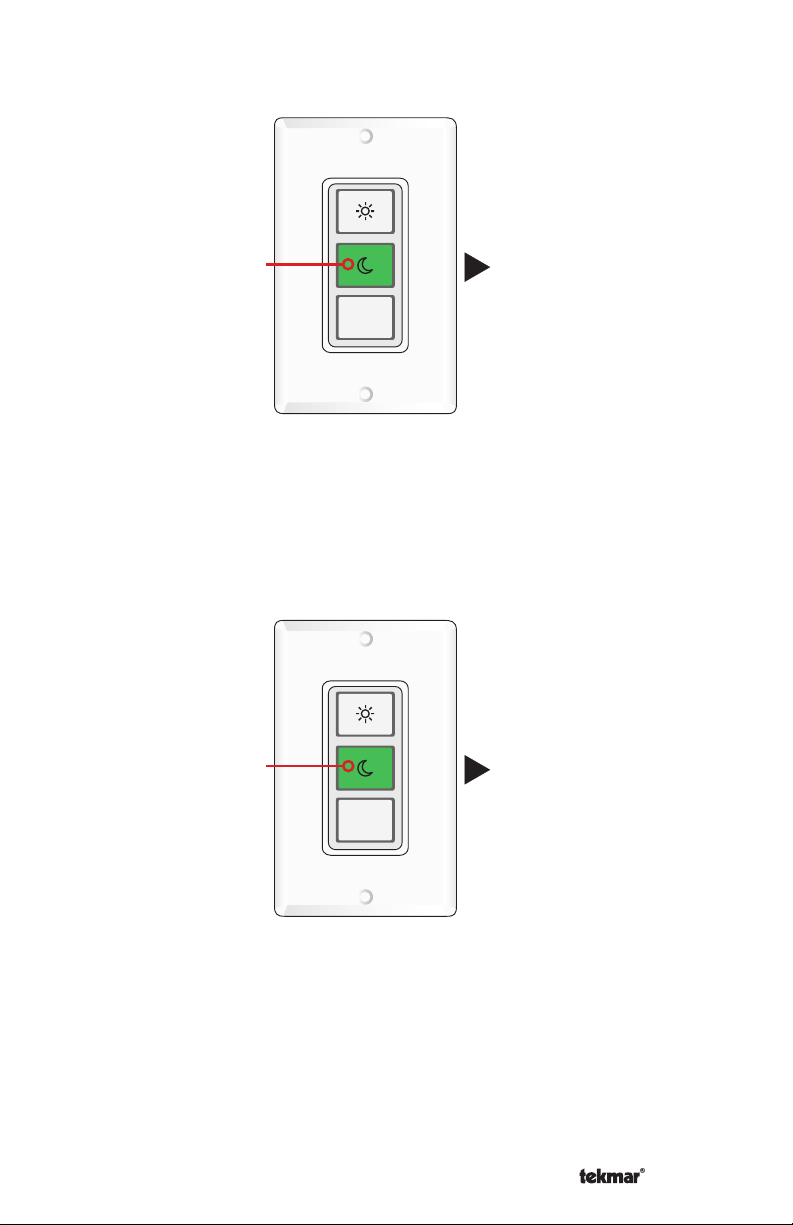
When a button is pressed, the button turns green and the corresponding mode
•
is activated.
Press
Button
Away
When the button is pressed for a second time, that mode is deactivated and the
•
Mode is activated
system returns to the Occupied (Day Time) or Schedule mode.
Press Button 2nd
time to cancel Mode
Away
Returns to Occupied
(Daytime) or Schedule Mode
A Watts Water Technologies Company
3 of 4
© 2014 479_U - 03/14
Page 4
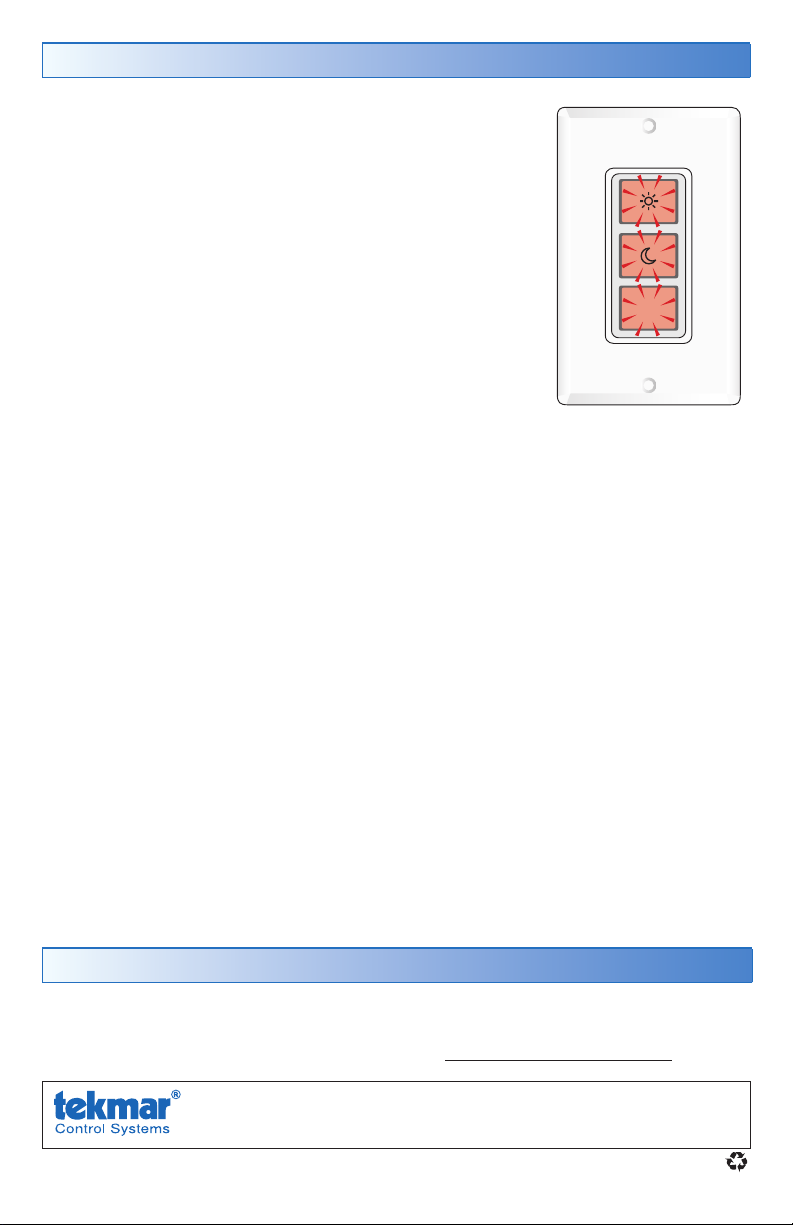
Error Messages
If all 3 buttons begin to flash red together, the user switch
can no longer communicate to the rest of the tN4 controls.
Contact your installer to correct this condition.
Away
More Information
This User Brochure contains standard information on how to make adjustments
to an installed product. More detailed information can be found in this product’s
Installation and Operation Manual (479_D) at www.tekmarControls.com
Product design, software and literature are Copyright ©2014 by tekmar Control Systems Ltd.,
A Watts Water Technologies Company. Head Offi ce: 5100 Silver Star Road, Vernon, B.C.
Canada V1B 3K4, 250-545-7749, Fax. 250-545-0650
All specifications are subject
to change without notice
Web Site
: www.tekmarControls.com
4 of 4 479_U - 03/14.
 Loading...