

Page 1
PR 2-HS Quick guide
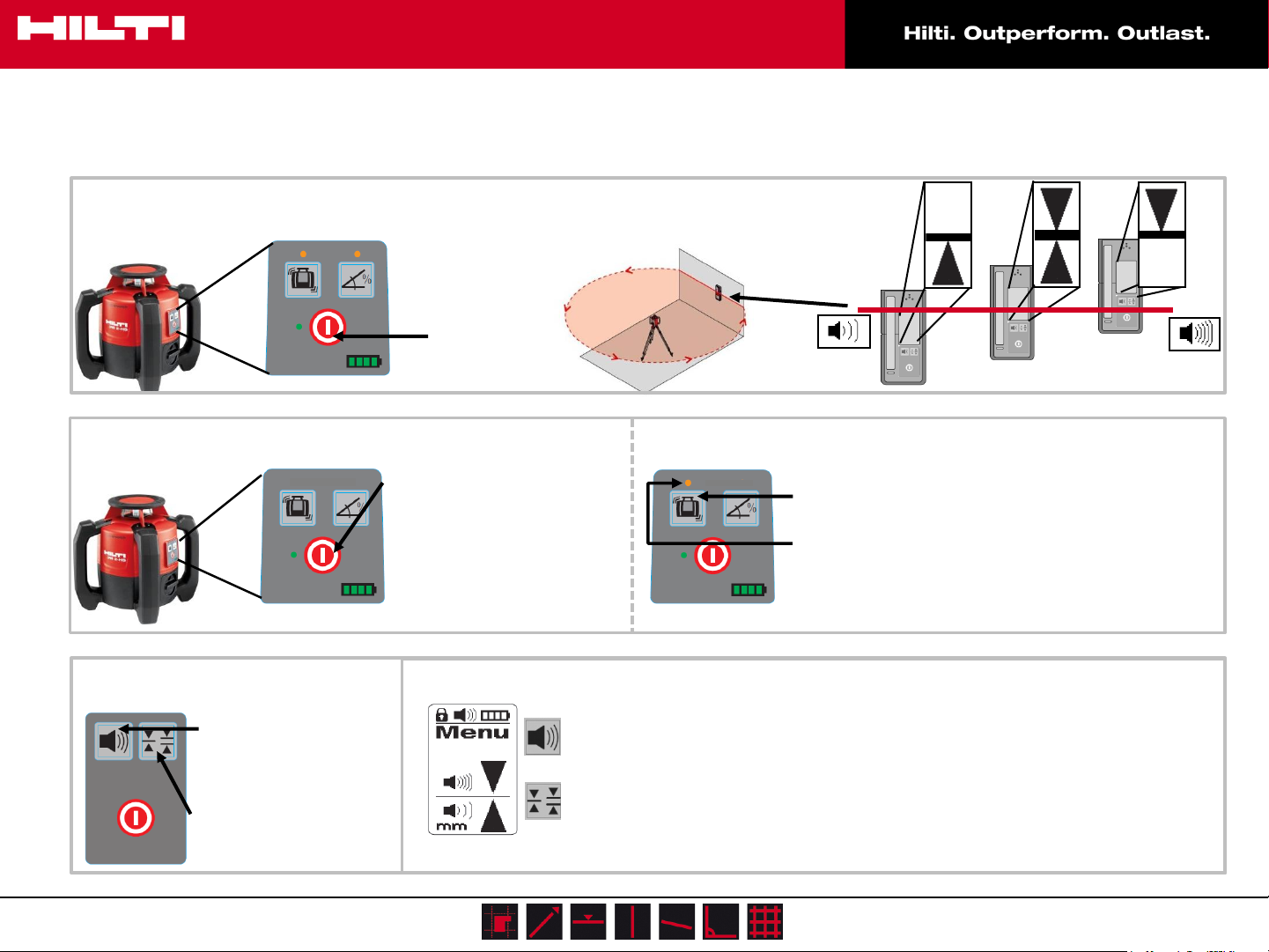
Basic Application
Press ON/OFF
Shock-Mode
PRA 20 Settings
Press to change
Volume (normal/
loud/ off /low)
Press to change
units (1/8 / 1/16 /
off)
Wait for Laser
1. Press ON/OFF
2. Shock-Mode activates
automatically after 2 minutes
3. If rotator is bumped, laser
stops rotating and all LEDs
activate
PRA 20 Menu
Press ON/OFF for 3 sec. to enter
change the sound to beep
more rapidly above the PRA
30 center mark or below
change digital measurement
units from mm (Metric) to
inches (Imperial)
Deactivation:
Slow
beeping
3. Press Shock-Mode button to
deactivate Shock-Mode
4. LED indicates Shock-Mode is
deactivated
Solid beep
Fast
beeping
www.hilti.com.au
PR 2-HS I Quick guide I 2014
1
Page 2
PR 2-HS Quick guide
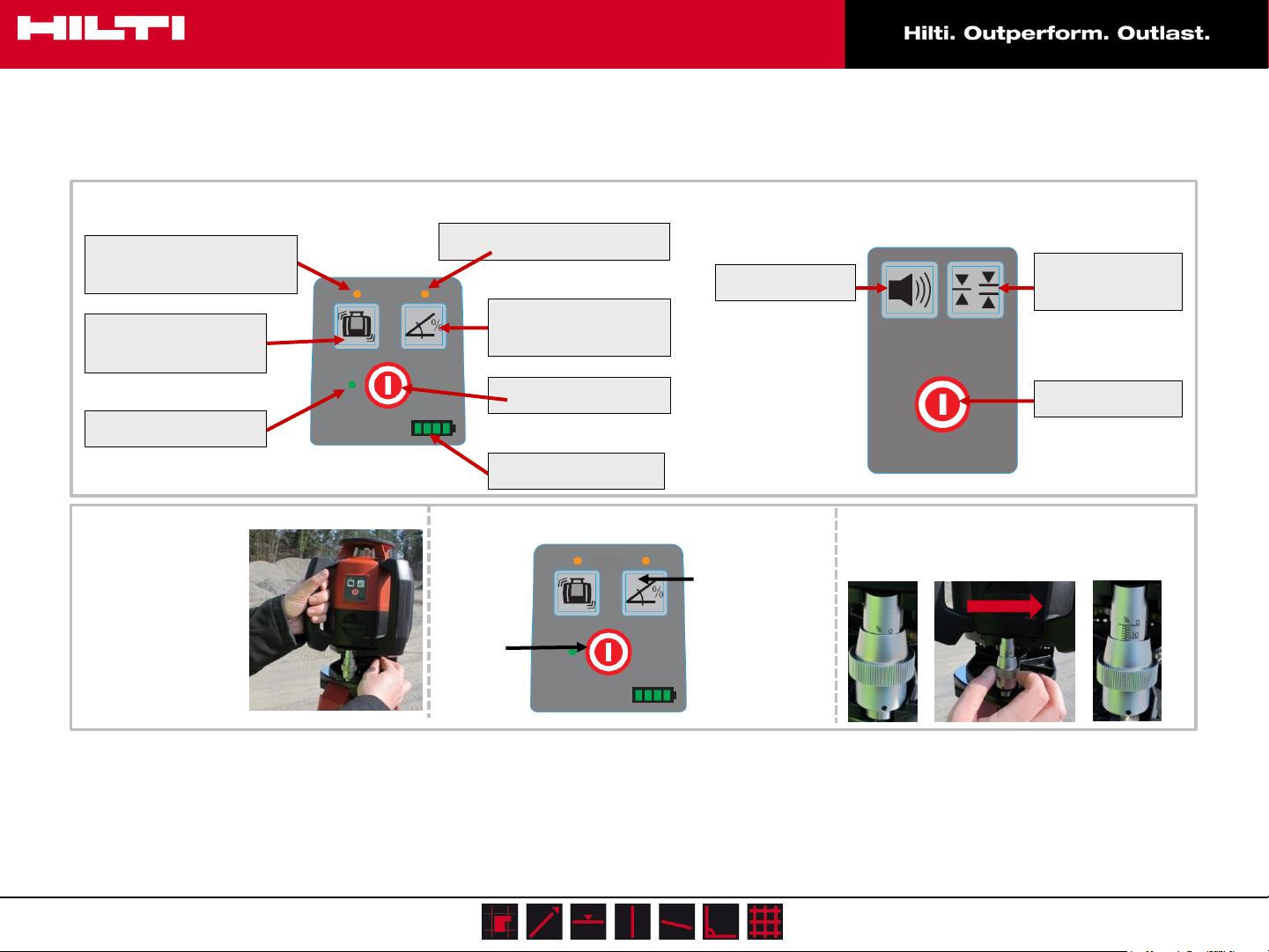
Keyboards:
LED Shock Warning
deactivated
Shock Warning
Button
LED Leveling
Slope
Mount PRA 79
Slope Adapter &
PR 2-HS on Tripod
Set slope adapter
to 0%.
LED Slope Mode On
Slope Mode
Button
On/Off
Battery Status
1. Press
ON/OFF
Volume
2. Press Slope
Mode key
3. Wait for
leveling
Units
(cm/mm)
On/Off
When laser starts to rotate, turn slope
screw on slope adapter to set desired
inclination.
* Read the operating instructions before the tool is used for the first time
www.hilti.com.au
PR 2-HS I Quick guide I 2014
2
 Loading...