

Page 1

Horizons
PC Manual Interior
Front Cover
Horiz_PC_MBManInt 9/12/03 11:32 AM Page 1
Page 2
Horiz_PC_MBManInt 9/12/03 11:32 AM Page 2
Page 3
2 3
Introduction
WELCOME TO HORIZONS!
A new world has risen among role-playing games, one that will usher in the next era of
online play. It is an immense world where fantasy and reality blur — an epic expanse
where thousands of online players create and seek out their own Horizons.
Welcome to the real-time world of Istaria, a boundless fantasy frontier offering a level of
detail never before witnessed. Amid gorgeous landscapes, a diverse population builds and
protects homes, villages and lives.
This land of possibility offers a staggering array of choices ranging from race to physical
attributes to career selection. But one astounding option hovers far above the rest: the
opportunity to play, for the first time, as a Dragon.
It is a world where fantasies will be realized… of master craftsmen, established guild leaders
and majestic winged beasts. Weaponry will be built and enchanted. Horrific evil will be
confronted. Heroes will be made.
A new world has risen. It has no equal.
Quick Start
THE README FILE
The Horizons CD-ROM contains a ReadMe file where you can view both the License
Agreement and updated information about the game. We strongly encourage you to take the
time to read this file in order to benefit from changes made after this manual went to print.
To view this file, double-click the ReadMe icon in the Horizons directory found on your
hard drive (usually C:\Program Files\Artifact Entertainment\Horizons). You can also view
the ReadMe file by first clicking on the Start button on your Windows® taskbar, then on
Programs, then on Artifact Entertainment, then on Horizons, and then on ReadMe.
SYSTEM REQUIREMENTS
Operating System: Windows®98/Me/2000/XP
(Windows®2000 or XP recommended)
Processor: Pentium®III 850 MHz or AMD Athlon 850 MHz
(Pentium®4 1.4 GHz or AMD Athlon 1.4 GHz recommended)
Memory: 256 MB RAM (512 MB RAM recommended)
Hard Disk Space: 2 GB Free
CD-ROM Drive: 8X Speed or faster
Video: GeForce®2 video card
(GeForce®3 video card recommended)*
Sound: Windows®98/Me/2000/XP-compatible sound card*
Internet Connection: 56 Kbps dial-up modem connection
(DSL or Cable Modem connection recommended)
DirectX®: DirectX®version 8.1b (included) or higher
* Indicates device should be compatible with DirectX®version 8.1b or higher.
Table of Contents
Introduction . . . . . . . . . . . . . . . . . . . . . . . . . . . . . . . . . . . . . . . .3
Quick Start . . . . . . . . . . . . . . . . . . . . . . . . . . . . . . . . . . . . . . . . .3
The ReadMe File . . . . . . . . . . . . . . . . . . . . . . . . . . . . . . . .3
System Requirements . . . . . . . . . . . . . . . . . . . . . . . . . . . .3
Horizons Online Help . . . . . . . . . . . . . . . . . . . . . . . . . . . .4
Installation . . . . . . . . . . . . . . . . . . . . . . . . . . . . . . . . . . . . .4
Account Creation . . . . . . . . . . . . . . . . . . . . . . . . . . . . . . .4
Server Selection . . . . . . . . . . . . . . . . . . . . . . . . . . . . . . . . .5
Your First Character . . . . . . . . . . . . . . . . . . . . . . . . . . . . . . . . . .6
Character Creation Screen . . . . . . . . . . . . . . . . . . . . . . . .6
Race . . . . . . . . . . . . . . . . . . . . . . . . . . . . . . . . . . . . . . . . . .6
Statistics . . . . . . . . . . . . . . . . . . . . . . . . . . . . . . . . . . . . .11
Starting Town . . . . . . . . . . . . . . . . . . . . . . . . . . . . . . . . .12
Welcome to Istaria . . . . . . . . . . . . . . . . . . . . . . . . . . . . . . . . . .12
Main Game Screen . . . . . . . . . . . . . . . . . . . . . . . . . . . . .12
Keyboard Commands . . . . . . . . . . . . . . . . . . . . . . . . . . .16
Communication . . . . . . . . . . . . . . . . . . . . . . . . . . . . . . .16
Items and Equipment . . . . . . . . . . . . . . . . . . . . . . . . . . .17
Trading . . . . . . . . . . . . . . . . . . . . . . . . . . . . . . . . . . . . . . .18
Binding and Recalling . . . . . . . . . . . . . . . . . . . . . . . . . . .18
Character Advancement . . . . . . . . . . . . . . . . . . . . . . . . . . . . . .19
Experience and Levels . . . . . . . . . . . . . . . . . . . . . . . . . . .19
Schools . . . . . . . . . . . . . . . . . . . . . . . . . . . . . . . . . . . . . .19
Practicing a Craft . . . . . . . . . . . . . . . . . . . . . . . . . . . . . .20
Combat . . . . . . . . . . . . . . . . . . . . . . . . . . . . . . . . . . . . . .21
Magic . . . . . . . . . . . . . . . . . . . . . . . . . . . . . . . . . . . . . . . .23
Communities . . . . . . . . . . . . . . . . . . . . . . . . . . . . . . . . . . . . . .25
Buying and Owning Land . . . . . . . . . . . . . . . . . . . . . . . .25
Guilds . . . . . . . . . . . . . . . . . . . . . . . . . . . . . . . . . . . . . . . .25
Getting Help . . . . . . . . . . . . . . . . . . . . . . . . . . . . . . . . . . . . . . .27
Artifact Customer Support . . . . . . . . . . . . . . . . . . . . . . .27
Atari Technical Support . . . . . . . . . . . . . . . . . . . . . . . . .28
Atari Web Sites . . . . . . . . . . . . . . . . . . . . . . . . . . . . . . . .29
Credits . . . . . . . . . . . . . . . . . . . . . . . . . . . . . . . . . . . . . . . . . . . .30
End-User License Agreement . . . . . . . . . . . . . . . . . . . . . . . . . .33
Horiz_PC_MBManInt 9/12/03 11:32 AM Page 2
Page 4
5
5. Enter the contact name and address for the account.
6. Select the amount of time you wish to sign up for Horizons.
7. Click on “Finish” to submit your account information.
You will be redirected to iBill’s web site to enter your payment information. After verifying
that your billing information is correct, click on the “Secure Purchase” button to complete
the transaction.
SERVER SELECTION
Each server in Horizons represents a separate world that differs slightly from the others.
In addition to a distinct population of players, each world has been shaped by unique
events that will provide a playing experience that differs slightly from others.
4
HORIZONS ONLINE HELP
Horizons is a constantly evolving game. In order to keep up-to-date with the latest
enhancements, you will need to visit our web site at http://horizons.istaria.com. Here,
you will find detailed information about the game, any new enhancements, news and
features. See “Getting Help” on page 27 for more information.
INSTALLATION
1. Start Windows®98/Me/2000/XP.
2. Insert the Horizons Disc 1 into your CD-ROM drive.
3. If AutoPlay is enabled, a title screen should appear. If AutoPlay is not enabled, or the
installation does not start automatically, click on the Start button on your Windows
®
taskbar, then on Run. Type D:\Setup and click on OK. Note: If your CD-ROM drive is
assigned to a letter other than D, substitute that letter.
4. Follow the remainder of the on-screen instructions to finish installing the Horizons
CD-ROM game.
5. Once installation is complete, click on the Start button on the Windows®taskbar and
choose Programs Files/Artifact Entertainment/Horizons to start the game.
Installation of DirectX
®
The Horizons CD-ROM requires DirectX®8.1b or higher in order to run. If you do not
have DirectX®8.1b or higher installed on your computer, click “Yes” when asked if you
would like to install it.
ACCOUNT CREATION
1. Connect to the Internet and use a web browser to go to the Horizons web site
(http://horizons.istaria.com). Click on the “Create Account” link.You will see instructions
for completing the account creation process. Click “Next” after each step to proceed.
2. Read and accept the End-User License Agreement.
3. Enter the CD Key located on the inside front cover of the manual. This CD Key is
unique to your copy of Horizons and is required to sign up for the game.
4. Enter your user information.
● Your e-mail address will be both your unique username in our system and the
primary method by which we will keep you informed of new updates, game
information and events.
● Your display name is used to identify your account to other players, if you choose
to make it public.
● Your password must be at least seven characters long and should contain a
combination of letters and numbers.
Horiz_PC_MBManInt 9/12/03 11:32 AM Page 4
Page 5
7
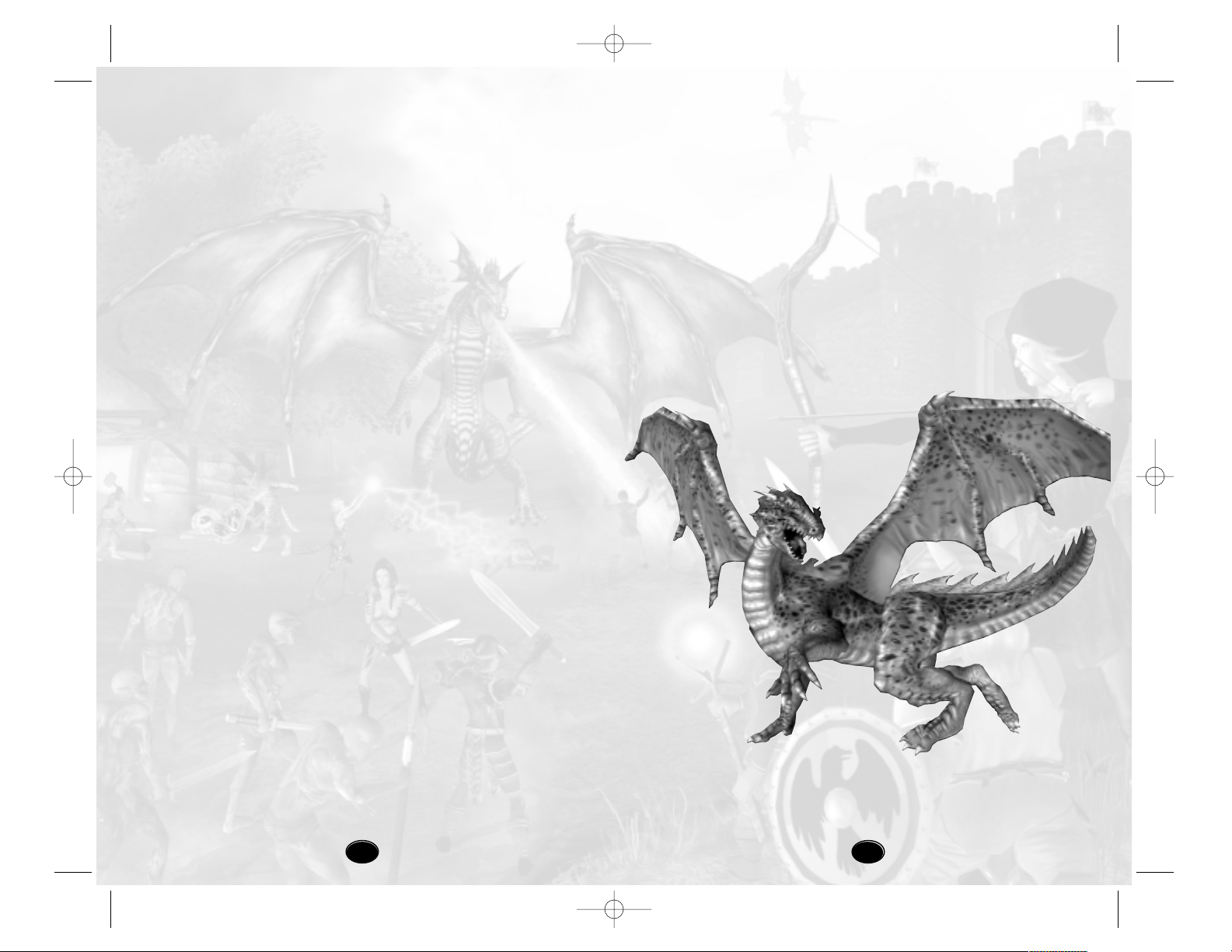
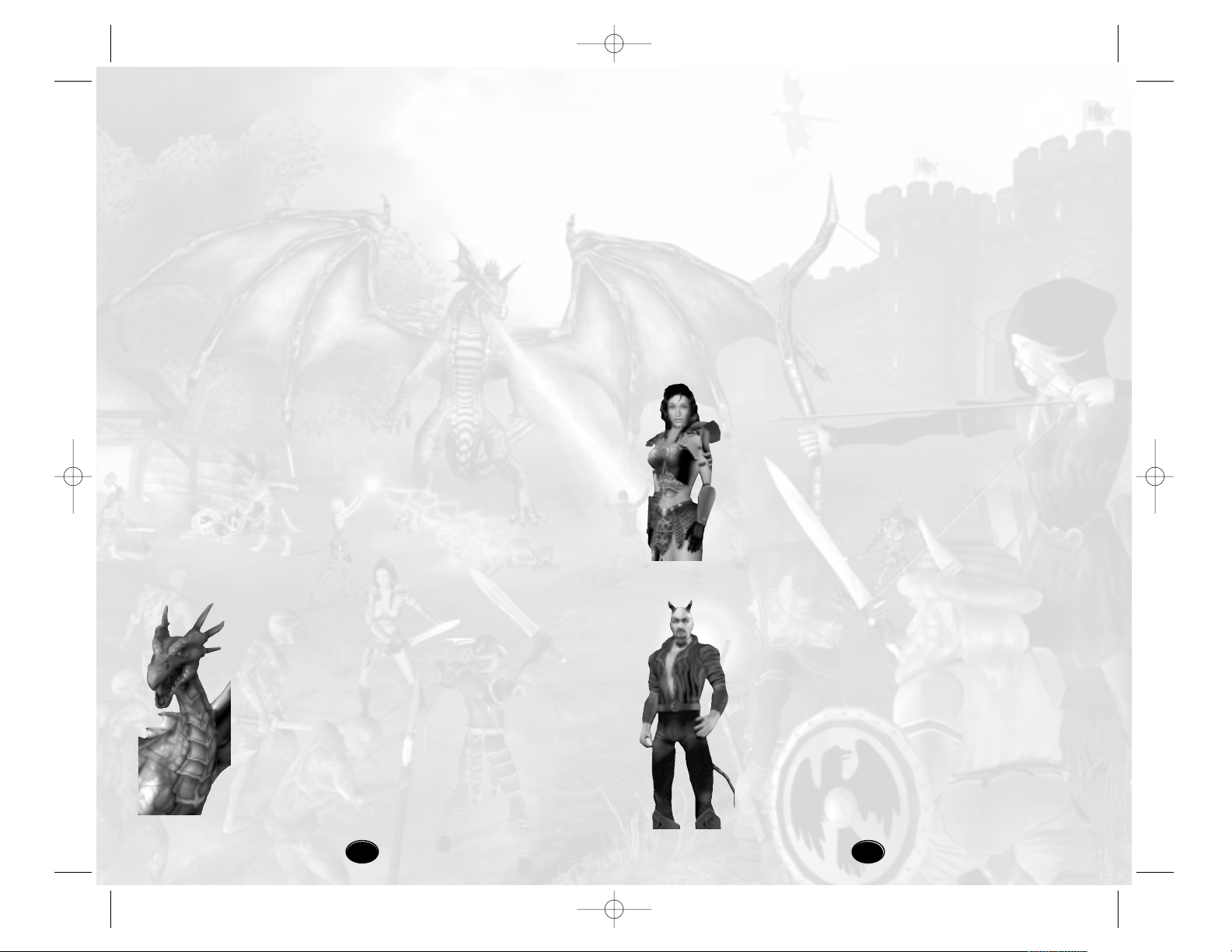
Dragons also have natural breath weapons. Most Dragons spew fire, and some older specimens can breathe other forms of energy. The age of a Dragon dictates the potency and
type of its breath weapon. Dragons shun the use of conventional tools, relying instead on
their innate powers of magic.
Dragons hoard gold and treasures. The presence of some types of magical items within a
Dragon’s hoard will provide a magical boost to the owner’s powers.
For centuries, the Dragons have endured what outsiders call the “Great Schism” between
the two major Dragon society factions: the Lunus and the Helian. The Lunus are the warriors of Dragon society and share a great mistrust and dislike for the other Living Races,
especially the Humans. It is this mutual dislike for the Humans that has fostered cooperation between the Lunus and the Fiends. The Helians are the scholars and mages of
Dragon society. Less xenophobic, the Helians maintain a somewhat open dialogue with
the Humans, the Dwarves and the free city of Tazoon.
The Dragons remain two distinct cultures and, even though the menace of the Undead
Hordes might occasionally force them to work together, there is little chance that the
Dragons will reunite under a single banner anytime soon.
Humans
It is widely believed that the Humans were one of the first races of Istaria —
created by Istara, the Goddess of Creation, to occupy the world that she
created and named in her own honor. Humans are outgoing and social,
and they get along with most of the Living Races.
The Humans of Istaria best represent the two opposite attributes of the
Living Races: the potential to create Utopia and the equal potential for
self-destruction. It was a single act of Human self-sacrifice that gave the
Living Races of today a fighting chance against the onslaught of the
Withered Aegis. It was also, however, a single Human’s lust for power that
brought the world to the brink of oblivion.
As the “Children of Istara,” Humans are known for their tremendous survival skills and
adaptability, even under the least hospitable of conditions.
Fiends
The Fiends are an offshoot of the Human race, although they have long
surrendered any association with the Humans. Their race began with a
cadre of Human sorcerers and necromancers who were exiled from
Human culture. This exile was not a gentle one, and wars raged
between the two sides, culminating in the exiled embracing a new
deity, Niatha Moraven, the Goddess of Vengeance and Power. With the
power of a deity behind them, the exiled were able to resettle in the
frigid lands of northern Aradoth, far from Human society. Niatha
Moraven marked her new followers by making them strikingly beautiful but,
in turn, gave them bestial features such as horns and tails. To this day,
the Fiends pay fealty to Niatha Moraven, whom they call the Mother
of the Fiends.
6
Your First Character
CHARACTER CREATION SCREEN
After you set up your account, it’s time to create a character and begin exploring your
fantasies in the world of Istaria. There are a number of ways to differentiate your characters
from others in the game. Species and gender offer the most obvious differences, but you can
also customize skin tone, hairstyle, hair color, facial features, body size, and more.
Note: You may have up to five characters in a single Horizons account.
1. After logging on to the Horizons web site (http://horizons.istaria.com), select your
server and click on “Add Character.”
2. Select a race by clicking on the left or right arrows.
3. Select a gender and click on “Continue.”
4. Using the arrows and sliders, customize the appearance of your character by changing
the hair, face, eyes, head, height, muscularity, portliness and other details.
5. Select Continue and enter a first and last name for your character. Note: Be advised
that Horizons has a Naming Policy, which you can find in the policies section of the
Knowledge Base (see page 27 for more information about the Knowledge Base).
6. Select “Play.”Your character will arrive on one of the Spirit Isles in Istaria, ready to
begin a new life.
RACE
Your choice of race won’t limit any elements of gameplay — unless you opt to play as a
Dragon. Dragons have their own schools and skills, as well as unique rules regarding
items, abilities and activities.
Each race has its own unique strengths and weaknesses. Regardless of the race you
choose, however, the flexible skill-based system in Horizons allows you to explore virtually any role in the game without having to create a separate character.
Dragons
The Dragons of Istaria are an enigmatic, ancient race whose existence
predates the earliest written records. Dragons have always held themselves outside of the affairs of the other Living Races; only recently did
both factions of Dragon society begin active cooperation with the
“naka-duskael,” which, roughly translated from the Dragon tongue,
means “unscaled.”
Dragons are the largest race — the eldest are at least twice the size
of other races — and once Dragons reach a certain age, they achieve
the gift of flight. A Dragon’s skin is covered with thick scales that offer
better protection than most armors worn by the Living Races. This
natural armor increases in effectiveness with age. Dragons will also
change appearance after certain rites of passage. They are the only
Istarian race whose appearance can change with the passing of time.
Horiz_PC_MBManInt 9/12/03 11:32 AM Page 6
Page 6
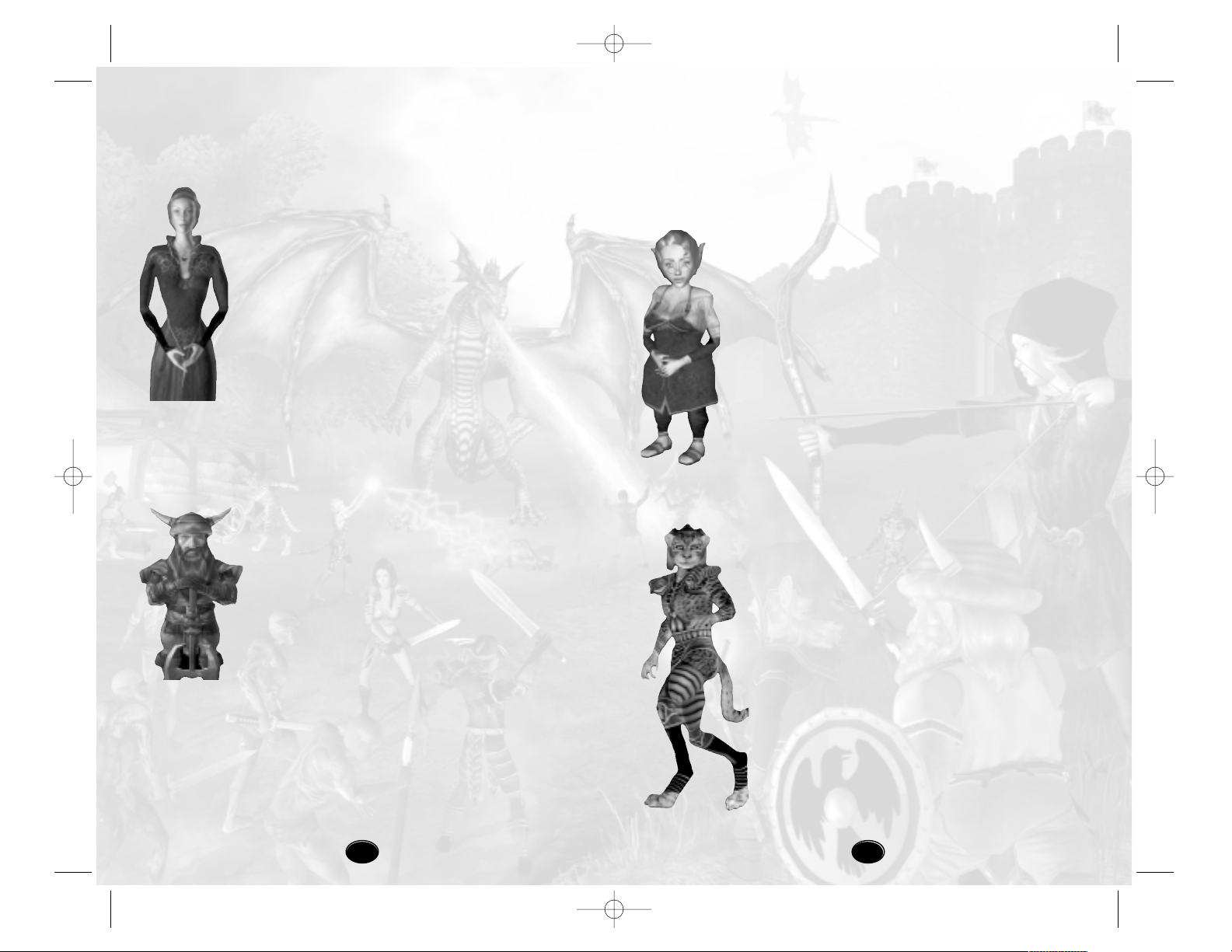
9
Gnomes, whom the Dwarves consider to be kindred spirits who have merely lost their way.
Dwarven males are known to keep meticulously groomed beards throughout most of
their lives. A Dwarf’s station within his clan may be identified by beard length and
grooming. A clean-shaven chin, while not unheard of, is a sign that a Dwarf is either
changing his station within the clan or perhaps trying to “change his luck in life.”
Dwarves, by nature, are a superstitious people and will go out of their way to adhere to
rituals “proven” to bring good fortune to themselves and their kin.
Gnomes
The race of Gnomes may well represent the future of Istaria. While they are
not typically known as dedicated practitioners of the arcane, they are the
one race taking the forces of magic in a new direction — along the path of
technology.The Gnomes seem adept at shaping and binding the forces of
magic for the purpose of powering great and exotic machinery and devices.
Most Gnomes pay fealty to Istara, the Goddess of Creation, though they
prefer to bestow upon her the moniker “Mother of Invention.” Gnomes
strive to keep excellent relations with all other societies in Istaria; they
are one of the strongest proponents of the newfound unity among the
Living Races.
Gnomes are roughly as tall as Dwarves, though usually less broad through
the shoulders. Gnomes are not naturally burly, but their frames support a
wide range of physical characteristics, from brawny to portly. Their heads
seem to be a bit large in proportion to the rest of their bodies. This, coupled
with the general appearance of bewilderment and excitement common to the Gnomish
countenance, often gives Gnomes a comical look. Both males and females have a wide
variety of eye and hair colors, as well as skin tones.
Saris
The Saris are a proud race that originated from feline stock. Saris have
existed for many years on Lesser Aradoth, sharing the island with the oft-
ostracized Sslik, with whom they cohabit in relative peace.
The Saris have been one of the largest contributors of materiel and
manpower to the Living Races during the Age of Lamentations. This
is not surprising, as the foundations of Saris thought and civilization
stand in stark contrast to those of the Withered Aegis.The Saris are an
extremely spiritual race, and the tampering with and exploitation of
souls is a direct violation of their most firmly held beliefs.
Making their home on the more remote reaches of the continent,
the Saris have enjoyed the luxury of maintaining their way of life
in relative safety from the Withered Aegis. Those races hit hardest
by the Lament, especially the Elves, bear some animosity against
the Saris because of this. The Saris’ slight air of superiority certainly
does not help matters in this regard, yet their assistance against
the Withered Aegis is never turned away when offered.
8
Because Fiends have spent generations living in the frozen wastes of the north, they are
not bothered by the harsh climes, and they thrive where others would find the cold
unbearable. Although all Fiends are creatures of physical beauty, this beauty is merely a
pleasing countenance masking what history shows as a sinister nature… it is said there is
good reason they are called the Fiends.
Elves
Historians believe that the ancient Elves of Istaria were a gentle and mystical
race, one that was in tune with the forces of nature. While today’s Elves do
exhibit significant mystical prowess, the Elven race is far from what one
might call gentle. Elven society is highly structured, and based around
service to the Elven race. All Elves are required to enlist in the Elven
Army and serve for a minimum of 10 years.
Physically, Elves share the same build as Humans, though, on average,
they are slightly taller and lankier, with fairer skin. Elves have an acute
sense of hearing; their trademark pointed ears are shaped to channel sound
quite efficiently. Elves typically exhibit superior balance and dexterity; many
of Istaria’s famed scouts and explorers have been Elves. Elves are also
renowned for their superior ranged combat skills, especially archery.
The Elves believe that the rigid structure of their society allowed them to hold out as
long as they did against the Withered Aegis before their home of Feladan was sundered
during the onslaught of the Undead Horde. The surviving Elves maintain their society
from their exiled home of Tazoon.
Elves are generally in favor of cooperation among the Living Races against the Withered
Aegis, but they try to retain their own ways whenever possible.
Dwarves
Dwarven society and culture is one of the richest in tradition and history,
but is also one of the most closed among the Living Races. Legend
places the creation of the Dwarves at the time of the Age of the Gods.
Brobbet, the God of Honor, created the Dwarves to enforce his
justice upon the Prime.
Dwarven society is structured around the principles of justice and
honor above all things, even at what some might consider the cost of
being compassionate and forgiving. The Dwarven clans, though often
fractured and argumentative amid their own political machinations,
rally around a single credo they refer to as Brobbet’s Divine Mandate:
“Without honor, there is no justice; without justice, there is no future.”
Physically, Dwarves are short and stocky.They are known for their superior strength and
resilience. Dwarves excel in all fields of endeavor but tend to gravitate toward the roles of
Warriors and Healers. A false stereotype exists that Dwarves are incapable arcanists; while
Dwarves prefer to achieve ends through strength and physical exertion, there are several
highly adept Dwarven mages in Istaria.
The unwillingness of other Living Races to adhere to Brobbet’s Divine Mandate makes
the Dwarves’ relations with them merely cordial, at best. Of notable exception are the
Horiz_PC_MBManInt 9/12/03 11:32 AM Page 8
Page 7
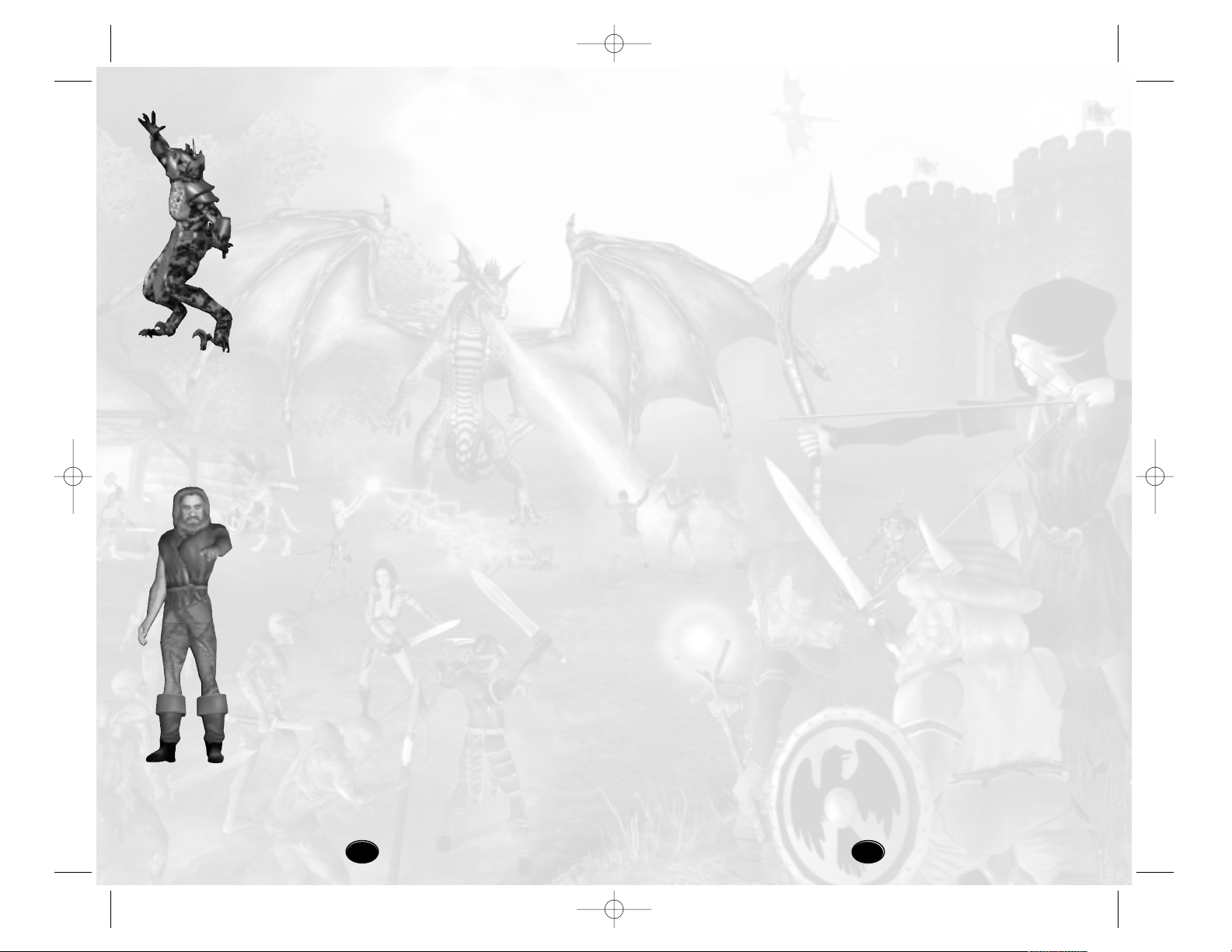
11
STATISTICS
Every character has statistics that help define how that character can react to events and
perform actions in the world. A character with high Strength, for example, does more
damage in physical combat. A high Dexterity score gives a character a bonus to hit and
dodge in battle.
Health
When you take damage in combat, your Health is temporarily decreased. If it drops to
zero, you die, but various spells and potions can bring your Health back up again. With
the passage of time, your Health will slowly increase to its maximum again.
Armor
Armor reduces the amount of damage a character takes in combat. The higher your character’s Armor statistic, the less damage he or she will take from both melee and magical
attacks.
There are some forms of assault — called ethereal attacks — that ignore the standard
Armor rating. There is a separate statistic, called Ethereal Armor, that defends against
such attacks.
Strength – Strength helps a character deal more damage in both melee and ranged
combat. The higher a character’s Strength, the more damage he or she will deal in
physical combat.
Dexterity – Dexterity helps a character connect and avoid blows in both close and
ranged combat. The higher a character’s Dexterity, the more likely he or she will succeed
in hitting and dodging.
Power – Power augments the strength of spells in magical combat. The higher a character’s
Power, the more damage his or her spells will deal.
Focus – Focus improves the accuracy and avoidance of spells in magical combat. The
higher a character’s Focus, the more likely that his or her spells will hit and that the
enemy’s spells will miss.
The primary differences in characters’ abilities are determined by the schools in which
the characters have gained levels. Each school grants different special abilities and
improves different skills. Characters can also gain unique abilities through quests and
events. Statistics can be increased temporarily through the use of equipment and spells.
10
Sslik
The Sslik are a reptilian race that, with the exception of the Dragons, exhibit
the most alien physiology in comparison to the other Living Races. The
most prominent of these features is their asexual nature — the species is
completely lacking in gender. All Sslik are able to lay eggs and hatch
their young.
The Sslik have always been nomadic, and are often treated as outcasts
by the other races. Their arrival in the jungles of southern Aradoth
Minor during the Age of the Warrior-King was not a peaceful one
— the Sslik were hunted down by most of the other Living Races
and, even to this day, are considered by some to be barbarians and savages.
After being expelled from all other lands, the Sslik sought refuge in
one of the most inhospitable regions of Istaria. The Saris were the
first race to treat the Sslik as anything resembling equals and, to this
day, the Sslik and Saris share a mutual trust and sense of cooperation.
In what may be a very interesting twist of fate, the Sslik have been spared the brunt of
the Withered Aegis assault due to the race’s location on Lesser Aradoth. The Sslik’s former
persecutors, however, have endured many hardships on the main continent during the
Age of Lamentation. The Sslik, while eager to help the Living Races during this time of
need, make no secret that the cruelty they suffered at the hands of others has not been
forgotten. Now that the Sslik are in a much stronger position than other Living Races,
only time will tell if they seek a path of enlightenment as their Saris friends teach, or a
path of vengeance against their former persecutors.
Half-Giants
If conventional lore is true, the Half-Giants of Istaria are distant
relatives of the Humans. Legend tells of the genesis of the Half-
Giants during the end of the Age of the Gods, when Humans began
settling the frigid, mountainous regions of Northern Aradoth. In
order to survive the harsh winters in the mountains, only the heartiest
of stock would survive. Over time, the Humans were no longer Human;
instead, they were much larger and more physically robust.
While it is entirely possible that the Half-Giants might trace their heredity
through Giants, it is also possible that they are simply the product of
their solitary environment. This kind of solitary life is reflected in their
dealings with others — throughout most of recorded history, Half-Giant
civilization has kept to itself.
Half-Giant society stresses the judicious use of their tremendous
physical powers, especially in regard to other races. This, coupled with
their relative safe distance from the corruption of Aradoth by the
Withered Aegis, has given the Half-Giants a pivotal role in today’s
politics of the Living Races. They represent a vast, untapped power
from which a unified Istaria might draw to put down the rise of the Withered Aegis.
Horiz_PC_MBManInt 9/12/03 11:32 AM Page 10
Page 8
13
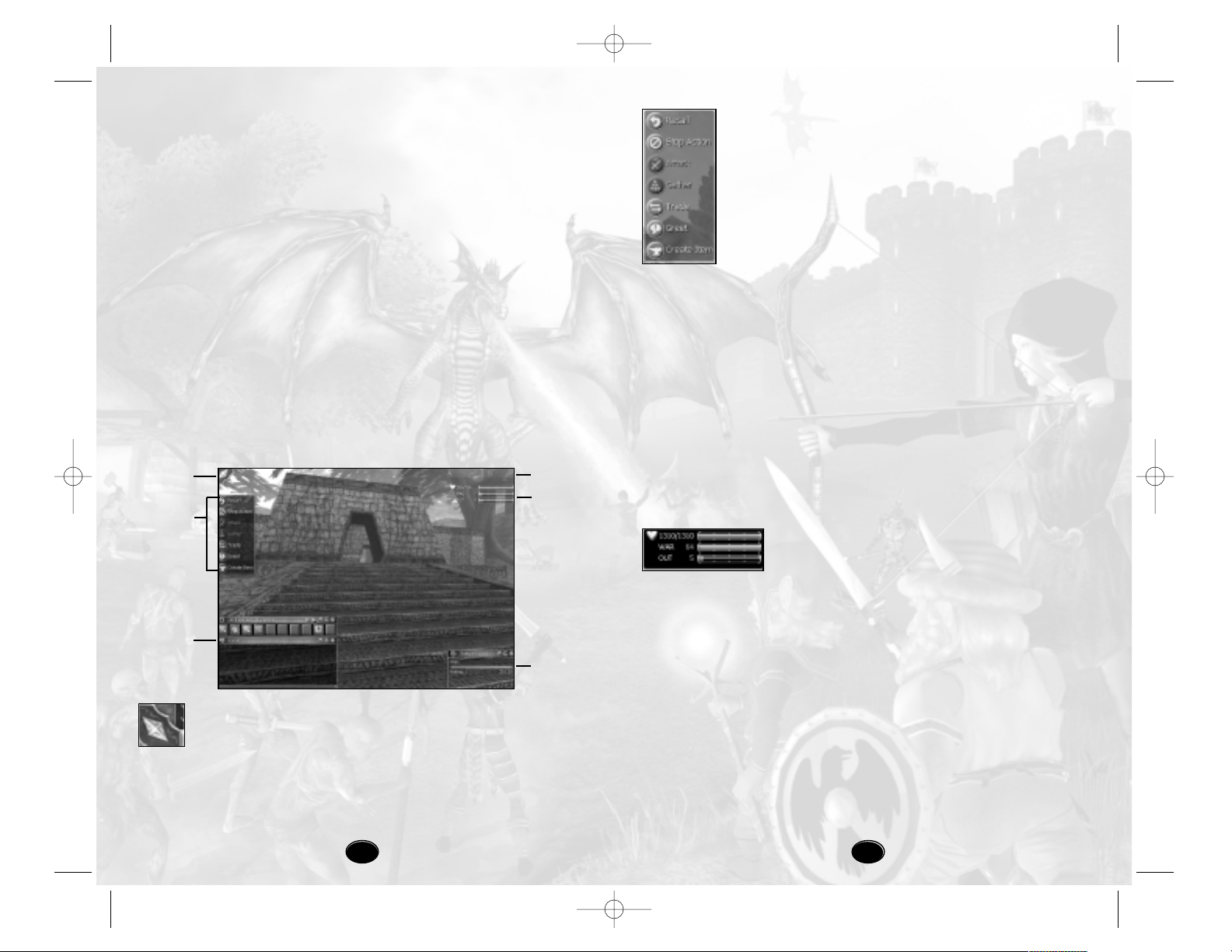
Action Window
The Action window contains buttons for some of the most frequently
used commands in the game. Simply click on an icon in the Action
window to perform that action.
● The Recall button will quickly teleport your character back to his or
her bind point, which is typically just inside your home city (see
“Binding and Recalling” on page 18).
● The Stop Action button will stop various continual actions (such as
Attack) or those that have a delay (such as Recall).
● The Attack button will initiate combat with your target. Your character will continue to
attack the intended target until one of you dies or you click on the Stop Action button.
● When you have a resource targeted, and you are standing close enough with the proper
tool in your hand, clicking on the Gather button will make your character gather
resources.
● The Trade button is used to exchange money or items with another player or with
certain NPCs (non-player characters) in the game, such as Pawn Brokers.
● The Greet button is used to interact with an NPC for when you want to, say, join a
trade or adventure school, or talk about a quest. Select an NPC and click on the Greet
button to initiate communication. This initial dialogue will often explain the NPC’s
function and contain highlighted and underlined text. You can click on the underlined
text to continue the dialogue or perform an action (such as joining a school).
● The Create Item button provides a quick way to create items, provided you are near a
suitable machine and you have the formula, the proper resources and the correct tool.
Status Window
The Status window provides a quick and easy way to view your
character’s current Health and experience. The red bar indicates
Health — when it’s full your character is at full Health, and
when it’s empty your character is dead (see “Death and Resurrection” on page 23). The
turquoise bar shows how far your character has progressed toward the next level in his or
her current Adventure school. The purple bar shows progress in your current Craft school.
Compass
The center of the compass indicates the direction your character is facing.
Latency Window
This meter shows the extent to which Internet latency may be affecting your gameplay.
12
STARTING TOWN
Every character gets his or her start on one of the many Spirit Isles off the coast of the
main continent. These are relatively safe places, where you can practice early fighting and
craft skills, and get a better feel for some of the challenges that lie ahead.
The Spirit Isles contain all of the starting adventure and craft schools, as well as their
respective trainers. On a basic level, these islands also have the machines and resources
you will need to practice basic trades, as well as plenty of creatures and monsters against
whom you can sharpen your fighting skills. Once you are ready to face bigger challenges,
you can teleport from the Spirit Isles to other areas of Istaria. But, be warned: once you
leave the shelter of the Spirit Isles, you can never return to their shores.
Welcome to Istaria
MAIN GAME SCREEN
The Horizons interface contains a variety of customizable windows, all of which are
accessible by clicking on the Launch Button located in the upper-left corner of the
screen. The game windows contain information about your character and the world
around you, as well as buttons you can click on to perform actions.
In addition to the windows shown in the screenshot below, there are a number of other
windows you can open using the Launch Button. Check the Knowledge Base for details
about functionality for all windows, as well as updated information about the game.
Launch Button
Click here to open a menu of all the windows available in the Horizons user
interface. To access any window, left-click on the Launch Button, then move
your mouse cursor over a selection and left-click to open it.
Compass
Status
Window
Target
Window
Launch
Button
Actions
Window
Chat
Window
Horiz_PC_MBManInt 9/12/03 11:32 AM Page 12
Page 9

15
Guild Window
The Guild window allows you to pass information among your guild mates, and provides
tools for creating, maintaining and managing a guild (see “Guilds” on page 25).
Equipment Window
The Equipment window displays the items your character is currently
wearing, as well as empty slots that you can potentially fill with
equipment.
Trade Window
The Trade window lets you trade money and goods with players and
NPCs. (For more information, see “Trading” on page 18.)
Options Window
The Options window lets you customize Horizons to your needs,
including keyboard commands, and video and sound options.
Group Window
The Group window displays the status of all members in your group.
It also provides a convenient way to target group members. (See
“Grouping,” on page 22.)
Right-Click Menus
The Horizons interface enables you to perform actions, or get information about virtually
any object or window, by right-clicking on it. Right-click on a window, for example, to
change its properties. Right-click on an item in your Inventory to perform actions related
to that item. Right-click on a Shrine to bind to it. Most every item in the game has a
right-click menu associated with it — experiment to discover them all.
14
Hotkey Window
The Hotkey window lets you assign actions — such as casting spells, performing
special abilities and even equipping weapons — to a single click or keystroke. There
are ten banks of ten hotkey slots each. You can assign an item, ability or spell to a
hotkey slot by “dragging and dropping” it from another window. Activate a hotkey
either by pressing the corresponding number key on your keyboard or by clicking on
the button in the Hotkey window. Click on the arrow buttons in the Hotkey window
to move between hotkey banks.
Chat Window
The Chat window displays chat messages, as well as
information and messages about the game environment (see “Communication” on page 16).To speak to
other players, type a message into the bar at the bottom
of the Chat window and press the Enter key. Right-click on the window and select
Modify Channels to control the types of messages displayed in this window.
Chat Messages: Atari does not monitor,control, endorse, or accept responsibility for the content of
chat messages. You are strongly encouraged not to give out identity or other personal information
through chat message transmissions. Kids, check with your parent or guardian if you are concerned
about any chat you receive.
Target Window
The Target window displays information about the object, player or creature that you
have targeted.
Character Window
The Character window lets you view your character’s current
stats, skills, schools, defenses, experience levels and special
abilities.
Inventory Window
The Inventory window displays all of the items in your character’s
backpack. (For more information, see “Inventory” on page 17.)
Spells Window
The Spells window shows all of your character’s
known spells. Use the Filter and Search functions
to pinpoint a particular spell or group of spells.
Formula Window
The Formula window allows you to search, filter,
and group formulas in the same fashion that
you manage your spells (see above). Provided you have the appropriate resources, tool
and machine, you can create an item by simply right-clicking on a particular formula.
Horiz_PC_MBManInt 9/12/03 11:32 AM Page 14
Page 10

17
ITEMS AND EQUIPMENT
Inventory
You can open your Inventory by selecting it from the Launch
Button, or by pressing the I key (default keyboard command).
In this window, you can see your money supply and all of the
items you are carrying. There are multiple views that display
your inventory; by default, your Inventory will be displayed in
Grid view. List view will display the items you are carrying in
text form and will allow you to sort by name, type or size.
Right-click on any item to examine it, delete it or equip it.
You may also scribe spells, formulas and techniques by
right-clicking on them in your inventory window.
Double-clicking on certain types of items has other effects: it may activate formulas or
magical items, or open containers, for example. The “Up One Level” button will return the
view from, say, the contents of a container to the contents of your backpack (or the next
container up the chain of a nested set of containers).
Acquiring New Equipment
When you join one of the basic schools, the trainer will give you all of the basic equipment
you will need to begin that career. You can purchase other items, such as more advanced
formulas, from the Pawn Broker. Throughout the game, however, most of the equipment
you acquire will be player-made, produced either by yourself or by others in the game.
Most of the more advanced formulas and techniques will be obtained by fighting the
undead monsters in the game.
Vault
If you find yourself overburdened, or if your backpack is full to bursting, you might want
to consider placing some items in the Vault. To open your own personal Vault space,
stand near a Vaultkeeper NPC (there is at least one in every major town), click on the
Launch Button and select Vault.You can then drag items back and forth between your
Inventory and the Vault until you are satisfied with the distribution of your belongings.
Money
There are four types of currency used in Horizons:
● Copper Coin – basic monetary unit
● Silver Coin – worth 1,000 copper coins
● Gold Coin – worth 1,000 silver coins
● Mythril Coin – worth 1,000 gold coins
Your current money supply is displayed at the bottom of your Inventory window. Money
in Horizons has no weight, and it stays with your character at all times. You cannot drop
it or deposit it into the Vault, but you can use it to buy basic items from the Pawn
Broker, and give or trade it to other characters via the Trade window.
16
KEYBOARD COMMANDS
Once you assign an action to a key in the Options window, you can trigger that action by
simply pressing the appropriate key on the keyboard. There is a default configuration of
keyboard commands (summarized in the table below); however, you can reassign any of
these commands in the Options window. To assign a key to an action, click on the box
pertaining to the action you want to reassign, and then press the new key.
COMMUNICATION
Chatting With Other Players
To chat with another player in your immediate vicinity, click the bar at the bottom of the
chat window, type your message, and then press the Enter key. You can also activate the
chat bar by pressing the Enter key at any time.
If you wish to send a message to a player who is in the game but not currently nearby,
activate the chat bar and type: /tell [character-name] [message]. For example, to say
“Hello” to a character named Alfred, type: /tell Alfred Hello.
If you wish to block messages from a certain character (because of harassment or other
issues), type: /ignore [character-name].You can access your ignore list at any time by
selecting the “Player Lists” option from the Launch Button.
Check the Knowledge Base for a complete list of chat commands.
Chat Messages: Atari does not monitor,control, endorse, or accept responsibility for the content of
chat messages. You are strongly encouraged not to give out identity or other personal information
through chat message transmissions. Kids, check with your parent or guardian if you are concerned
about any chat you receive.
Talking to Non-Player Characters (NPCs)
When you target an NPC in the game and then click on the Greet button, you will initiate
a conversation with that NPC. Different NPCs will give you different options: Pawn
Brokers will buy and sell items, Bankers will allow you to store and retrieve items from a
personal vault, and other NPCs may offer you directions for starting a rewarding quest.
MOVEMENT KEY
Move Forward Up Arrow
Move Backward Down Arrow
Turn Left Left Arrow
Turn Right Right Arrow
Walk/Run Toggle Shift
AutoRun NumLock
Camera Tilt Up Page Up
Camera Tilt Down Page Down
Toggle First- or Third-Person Camera NumPad Enter
Inventory Window I
Equipment Window E
Character Window C
Horiz_PC_MBManInt 9/12/03 11:32 AM Page 16
Page 11

19
Shrine to which you bound yourself. Be careful, though! Once you Recall, there is no way to
return to your last location — except the hard way. Also, Recalling for the purpose of
escaping combat does not usually work. The process of recalling takes more time when you
are fighting, so if you are in truly dire straits, you will probably die before the Recall takes effect.
In the unfortunate instance that your character dies, you can return — revived and at full
Health — to your bind point by clicking on the Recall button (see “Death and Resurrection,”
page 23).
Character Advancement
EXPERIENCE AND LEVELS
As your character performs certain actions related to his or her active schools, he or she
will gain experience points in those schools. For example, a character will gain experience
in his or her Adventure School by killing monsters. A character that is currently a member
of the Scholar school will gain experience in that school if he or she creates a spell. When
your character gains enough experience in a school, he or she will advance to the next
level. This may increase stats and some related skills, and may even grant new abilities.
Some skills are common to more than one school, and the character’s effective skill level
is the highest level that he or she has achieved in any school that offers that skill. For
instance, a Level 5 Blacksmith might have 40 skill points in Metalworking. If that character
changes to the Outfitter school, which also has Metalworking as one of its related skills,
that character’s Metalworking skill is still 40. As the character advances in the Outfitter
school, that character’s Metalworking skill will remain at 40 until he or she reaches the level
at which an Outfitter’s Metalworking skill surpasses 40. In a similar fashion, a character's
effective fighting capability is acquired via the adventure school in which he or she has
earned the most levels.
SCHOOLS
There are seven basic schools. Each school falls into one of two categories: Adventure
and Craft. Your character can join a school at any time by targeting one of the trainers in
your starting town, clicking on the Greet button and agreeing to join by clicking on the
appropriate responses.
Adventure Schools
Warrior – Warriors are the guys you want standing between you and your
enemy.Warriors can wield most weapons and wear most armor, which provides
them with unmatched choice in the roles they wish to play.
Cleric – Clerics have the ability to tap into life magic to mend the wounds of
their companions. However, they aren’t merely observers in combat, they also
possess the melee skills to fight the hordes of the undead. Clerics learn healing
and augmentation spells.
Scout – Scouts gather information about the enemy and give that information to
their companions. They are also masters of the bow.
Mage – Mages channel the destructive forces of flame, ice and energy to damage
their enemies.
18
TRADING
You can use your Trade window to exchange money
and items with other players and NPCs in the game.
To initiate a trade, click on a target and then click
on the “Trade” button in your Action window. This
will open a Trade window. To sell an item, click on
the “Your Items” tab in the Trade window and
then double-click, or click and drag, an item from
“Your Items” into “Items Giving.”
To buy an item from a Pawn Broker, click on the “Their Items” tab to view the list of items
for sale. Double-click, or click and drag, an item from “Their Items” into “Items Receiving.”
You can pay for Pawn Broker goods using money or barter. Click on the “Your Items” tab
and double-click or click and drag items to “Items Giving” and the Pawn Broker will
assess your items. If your items are worth more than those currently in “Items Receiving,”
an amount of money will be displayed in “Items Receiving.” If they are worth less, an
amount of money will be displayed in “Items Giving.”
Once you are satisfied with the offer, click on “Approve.” Click on “Cancel” at any time
to cancel the trade.
Trading Items When You Are Not Available
Consigners are NPCs who will hold your items for a fee, and make them available to
other players for purchase. For a small percentage of the sale, a Consigner will handle the
sale even if you aren’t present in the area or have logged off. If you’d like the item back
after you’ve given it to the Consignment NPC, you can reclaim it at no additional charge.
When a player purchases your item, you will be notified of the purchase, and the coin
will automatically be placed in your inventory.
BINDING AND RECALLING
You can “bind” your character to any location that contains a bind point. Bind points
take the form of Shrines that are found in most inhabited regions. Binding allows you to
“Recall” your character to that point at any time by clicking on the “Recall” button.
This is a great tool, as you can bind your characters
to your favorite city, where you can easily return
for trading, meeting friends and such. It is also
convenient to bind at points that are close to
where you plan to engage in combat; if the
unforeseeable happens, you won’t find yourself
halfway across the continent.
Binding is very simple. Move your character to
a Shrine and target it; then right-click on it and
select Bind from the pop-up menu.
Recalling is also quite easy. Click the “Recall”
button once and you will be teleported to the last
Horiz_PC_MBManInt 9/12/03 11:32 AM Page 18
Page 12

21
Resource nodes can be stationary, such as iron ore veins or
oak trees, or they can be mobile like sheep or deer. Other
resources come from slain monsters, and are usually collected
by adventurers, who bring them back to town and trade
them for new items.
For example, assume you have a beginning character who is
a member of the Blacksmithing school. You can mine for Copper and Tin Ore by equipping a
Training Mining Pick, targeting a Copper and Tin Ore Vein, moving very close to it, and
then clicking on the “Gather” button.
Turning this raw ore into a weapon or a piece of armor requires a few more steps, but it
is a simple process. The tutorial that is available after character creation explains this
process in detail; we highly recommend that everyone take advantage of this tutorial.
Customizing your Wares
Techniques are earned abilities that can be applied during the creation of an item. These abilities allow you to modify an item during its creation in order to give it additional powers. You
cannot apply Techniques to all items, but you can apply multiple Techniques to some items.
The more powerful the resulting item, the more skill and resources it takes to create the
item, and the more skill the item’s owner must have in order to wield such power.
COMBAT
Introduction
As you explore the wilderness of Istaria, you will come across hostile creatures and find
yourself fighting for the experience, some occasional loot, or simple survival. Although
different adventure classes have different strengths and abilities, the same combat rules
apply for all classes.
Melee Combat
To battle a creature, you must first select it by clicking on
it. Then, click on the Attack button in the Action window
to initiate combat.
If your character is wielding a melee weapon, such as a
sword or an axe, he or she will automatically close to melee
range.At that point your character will make one attack; if
successful, the monster will take a specific amount of dam-
age, depending on the weapon you have equipped. After a
certain delay — depending again upon what weapon you are wielding — your character will
make another attack. Melee combat continues until either you or your target is slain, or until
you end the combat by running away or clicking on the Stop Action button.
Ranged Combat
If you are equipped with a ranged weapon (such as a bow
or crossbow), clicking on the Attack button will cause you
to fire that weapon as soon as the target is within range.
In ranged combat, just as in melee combat, the damage
done and the delay between shots are functions of your
weapon, and combat will continue until one combatant is
slain or the battle is otherwise broken off.
20
Craft Schools
Scholar – Scholars learn the skills of spellcrafting, quarrying, and stoneworking.
Outfitter – Outfitters learn to make armor and other clothing from cloth, leather
and metal. Some Outfitter skills include clothworking, which involves making cloth
items from organic resources to be used in other trade skills, and armorcrafting, the
skill of making custom armor from common and precious metal resources.
Blacksmith – Blacksmiths forge most of the weapons in Istaria. Blacksmith skills
include fletching (creating bows), woodcrafting (creating items and weapons from
common and precious woods) and weaponcrafting (creating melee and ranged
weapons from common and precious metals).
Your character can belong to the Adventure or Craft categories simultaneously, but can
only follow one school within a particular category at any one time. For example, he or
she can be a Scout, a Blacksmith/Scout or a Blacksmith, but not a Scout/Mage, simultaneously.Your character can spend time as a Scout, however, and then become a Mage,
which could provide advanced skills in each career path.
Characters advance in their chosen school by performing actions in the world that relate
to that school. Adventurers kill things, tradespeople make things and everyone can go on
quests. All of these activities provide experience, which increases your character’s level in
his or her current school. Increasing level in your school grants you higher skill ranks, as
well as increasing your statistics and special abilities. All of these will make your character
better at what he or she does.
You are free to change schools at any time simply by finding a trainer in the school that
you wish to join.
Prestige Schools
In addition to the seven basic schools, characters can join Prestige Schools. For admission,
these specialized schools often require the completion of a quest or sufficient knowledge
of specific skills. Examples of Prestige Schools include Alchemist, Armorer, Carpenter and
Ranger. Little is known about some Prestige Schools, since membership in them is a
secret of the school.
PRACTICING A CRAFT
Once your character joins a Craft school and receives his or her starting equipment from
the school trainer (see Schools on page 19), you can immediately start practicing the
skills associated with that school. The first step is to go out and gather resources.
Gathering Resources
There are many types of resources in Istaria. Any tradesperson with the proper tools and
experience can gather these resources by equipping the tool, targeting the resource node,
getting close enough to it, and then clicking on the “Gather” button (located in the
Actions window). Higher skill levels allow you to gather rarer resources, and to gather
them in larger quantities.
Horiz_PC_MBManInt 9/12/03 11:32 AM Page 20
Page 13

23
Death and Resurrection
When your character dies (which is bound to happen occasionally if you choose to brave
the wilds of Istaria), a couple of things can happen. If you have a Cleric friend in the area
who is able to resurrect your character, you can remain in the spot where you died until
he or she revives you. You can also press the Recall button on the Actions window and
reappear at your bind point with all items intact and no lost experience or skills.
Whichever method you choose, your character will gain a Death Point and will be temporarily weakened. The amount of time your character remains in this weakened state
will depend on the number of Death Points your character has accumulated. Death
Points dissipate through player actions, such as quests, and with the passage of time.
MAGIC
Magic skills are grouped within schools exactly like combat skills and tradeskills. Spell
effects range from Fire Bolts and Lightning Blasts to healing and protection enchantments.
In order to cast a spell, a character must first obtain the spell from a tradesperson, quest
reward or trainer, and then add it to his or her Spellbook. That character must meet the
minimum skill or other requirements in order to cast that spell; then, casting is as easy as
clicking on the spell icon.
Each spell is associated with one of eight magic skills, outlined below. Your chance of successfully casting a spell on an opponent is determined by your skill level with that particular
type of spell, modified by your character’s Focus score.Your opponent’s Magic Defense skill
level (modified by his Focus score) will decrease your chance of landing a spell on him.
Each magic skill has its own unique character and visual style, but several magic skills
may accomplish the same task (such as healing or damaging) in slightly different ways.
Magic Skills
Energy – In general, Energy magic will do more damage than spells from other skills.
Energy magic includes bolts and area-effect spells.
Flame – Flame magic includes single-target and area-effect damage spells, damage-overtime spells and shields that damage the attacker.
Spirit – Spirit magic affects a target’s soul directly. Spirit spells can cause ethereal damage
(not reduced by armor) or can cause hit point transfers.
Augmentation – Augmentation magic enchants a character. Most spells that provide
long-term benefits to a character’s attributes are Augmentations.
Life – Life magic is for healing. Most regenerative, curing and resurrection spells originate
from this circle.
Nature – Nature magic includes a variety of effects based on natural phenomena. Root,
snare, lesser healing, and protection spells can all be found in Nature magic.
Ice – Ice magic contains spells that slow the opponent as they cause damage.
Blight – Blight magic includes enchantments that lower a creature’s statistics. Blight
spells can be used to weaken a monster’s attacks or reduce its ability to defend itself.
22
Magical Combat
Magical combat works in a very similar fashion to other
forms of combat. Each offensive spell has a range (which
may be melee range) and once the target is selected, the
magical combat can be initiated either by using an
assigned Hotkey or by double-clicking the desired spell
in your Spellbook.
Special Combat Abilities
As your character gains ranks in various Adventure schools, he or she will gain special
abilities. These will be found under the Abilities tab of the Character window. Many
special abilities are passive, but some are active and can be dragged to the Hotkey bank
like spells. To use an active special ability during combat, click on the hotkey to which
you assigned it. The ability’s effect will occur, and the hotkey button will be grayed out
for a certain period of time while the ability “recharges.”
Most special abilities are school-specific, meaning they cannot be used by a character
who has transferred to a school that doesn’t offer that ability. For instance, a Scout gains
Power Shot upon attaining a certain level. If that character switches to the Healer school,
Power Shot will no longer be available to him. If he later rejoins the Scout school, he will
once again able to use the Power Shot ability.
Grouping
Although there are certain activities in the game that you can (and probably will) do alone,
grouping with other players is one of the best ways to experience the mysteries of Istaria.
Sometimes — when facing formidable opponents, for example — grouping is the only way
to go. A group can be any combination of characters, and can be formed for any purpose.
Perhaps you’ve heard about a certain monster that’s guarding a horde of precious
resources.Your friend, a master Blacksmith, needs these rare gems for a new generation
of weapons she wants to build. So, you gather a group of able Warriors, Clerics, Mages
and Scouts to try and clear the way to the prized resources.
Group Experience
While you’re in a group, experience for defeating monsters is split among group members.
After a monster is killed, the game divides the experience points among all the group
members based on several factors, including each character’s rating and the monster’s
rating. Every group member receives a percentage of the total experience for killing that
monster. One result of this system is that lower-rated characters receive a smaller percentage of experience when grouped with high-rated characters. In other words, if you
want the best “bang for your buck” when battling in a group, choose group members
whose ratings are close to yours.
Your Health
As monsters attack you and cause damage, your health will diminish temporarily. This is
displayed graphically by the red status bar on both your Character window and your
Status window. As long as your health remains above zero, you can continue to fight or
run normally, and if you survive the battle, healing will occur naturally in a few minutes.
Of course spells, potions, and other items can hurry this healing process.
Horiz_PC_MBManInt 9/12/03 11:32 AM Page 22
Page 14

25
Communities
BUYING AND OWNING LAND
As a Horizons player, you are entitled to own one plot of land in Istaria per account. Land
plots are available throughout Istaria, from the outskirts of settled towns to the wild
frontier.You can purchase a land plot at the plot itself. You can also sell your plot, either
to another player or back to the local government, in order to buy a new plot.
Developing Your Property
Once you own a plot of land, you can build (or contract other players to build) structures
on that property, including houses, shops, gardens, mines and more. You can place these
structures anywhere on the plot. You can also destroy your buildings to make room for
newer, better ones.
GUILDS
A Guild is like a club: it has a leader, ranked members, events and awards. The leader
(Guild Master) can assign duties, responsibilities and management tasks to other Guild
members who act as officers. A Guild can also have general members with no duties.
Guilds can represent people with similar interests, e.g. combat, quests, magic, and more.
Joining a Guild allows you to play and learn with like-minded people, perhaps with more
experience than yourself. Guild members can offer support, group activities and a community-based approach to the world.
In Horizons, we allow the creation of Ranks (a tier system through which members can
progress), the assignment of Command Groups to Ranks, Events (a broadcast coordination
tool) and Awards for members. The Guild system also gives members detailed information
about other members in the Guild.
Any character in Horizons can form a Guild, but certain requirements must be met before
the Guild can be named.
To name your Guild, you must have a minimum number of members and pay a fee.
Open the Guild Interface and click on the “Set Guild Name” button. A dialogue box will
appear. Type the name into the box and then click on “OK.”
To join a Guild, you must be invited by a Guild Master or a Guild member who has the
right to make invitations.
To quit a Guild, open the Guild Interface and click the “Quit Guild” button.
24
Acquiring New Spells
You can sometimes purchase new spells from NPCs such as Pawn Brokers. However, players
with skills gained from certain Craft schools — namely the Scholar and Spellcrafter
schools — will create most spells.
Your Spellbook is your central repository for all of the magical spells learned in your
career. For more information on how to use the Spellbook, see the Horizons Knowledge
Base online.
Horiz_PC_MBManInt 9/12/03 11:33 AM Page 24
Page 15

27
Getting Help
There are several in-game avenues open to players who may have gameplay question or
technical problems.
Other Players
One of your best resources for help is other players! Your fellow players may have
encountered a problem similar to yours, or they may simply have more experience with
the format of the game. Don’t be afraid to ask. There are lots of friendly people out there.
We encourage our players to always ask questions and to help fellow players.
Help Button
For questions pertaining specifically to the interface, the Help button in any given window is a valuable resource. The Help button looks like a question mark and is located in
the title bar of each window near the Close button. (You may have to select Show Title in
the window’s properties in order to make the title bar visible.) Click on the Help button
to start a short tutorial about that window, similar in appearance to the tutorial dialogs
you see just after character creation.
ARTIFACT CUSTOMER SUPPORT
Help In Game
To contact Customer Support from within the game, please select Support from the list
of options in the Launch Button.
Help Via The Internet
Up-to-the minute information regarding Horizons can be found 24 hours a day, 7 days a
week via the Internet at:
http://horizons.istaria.com
To contact Customer Support from the web site, please go to:
http://support.istaria.com
From the support web site, you can initiate a live chat session with a Customer Support
Representative, submit your question through a webform, or search for the answer to
your question in our Knowledge Base.
Knowledge Base
Another great resource for information about Horizons is the Knowledge Base. The
Knowledge Base answers commonly asked questions about all sorts of Horizons topics,
from basic questions about getting started to more advanced questions an experienced
player may have about the world of Istaria. The Knowledge Base is constantly updated to
answer new questions as they develop.
You can access the Knowledge Base on the Horizons web site at:
http://support.istaria.com
Problems with Installation
If you have problems with the installation of Horizons, please contact Atari Technical
Support (see next page). Once the game is successfully installed, please direct all inquiries
to Artifact Entertainment through one of the methods listed above.
26
The Guild Window
Click the Launch Button and select Guild to access
the Guild window, also known as the Guild Manager. The
Guild Manager is your resource for general information
about your Guild and other Guild members. You can
also access a calendar of Guild events and view the
Guild’s structure.
The Guild Manager defaults to the Info page. Here,
you will find the name of the Guild, its total number of
members, the number of members currently online in
the world of Istaria and the name of the Guild leader. Additionally, you can view any
mission statement, message of the day or Guild quote that has been added by those
with that right. Lastly, there is a place for a link to a Guild Website, if applicable.
The Members page contains information about the name of each member, the level in
both the Adventurer and Crafting schools to which they currently belong, their rank, title
and any points earned. You can also see which members are online.
There is a calendar page that keeps track of any Guild events. The name, time and date of
each event is listed, as well as the event’s creator and description. When an event is highlighted, the description of the event is shown.
To learn about the ranking system of the Guild to which you belong, go to the Guild
Structure page. Listed here are all ranks, as well as the male, female and neuter titles
associated with them. You can also view a list of available command groups for each rank.
A command group contains a list of commands that each Guild member is permitted to use.
Note: You can sort all categories listed on the Members, Calendar and Structure pages in
ascending or descending order.
Horiz_PC_MBManInt 9/12/03 11:33 AM Page 26
Page 16

29
Product Return Procedures in the United States & Canada
In the event our technicians at (425) 951-7106 determine that you need to forward
materials directly to us, please include a brief letter explaining what is enclosed and why.
Make sure you include the Return Merchandise Authorization Number (RMA#) supplied
to you by the technician, and your telephone number in case we need to call you. You
will receive the mailing address when the technician gives you the RMA#. Any materials
not containing this RMA# will be returned to you unprocessed.
Warranty Policy in the United States & Canada
If our technicians determine that the product storage medium is found to be defective
within ninety (90) days of original purchase, (unless otherwise provided by applicable
law), Atari will replace the item free of charge, to the original purchaser, if the item is
accompanied by the original dated receipt and packaging.
ATARI WEB SITES
To get the most out of your new game, visit us at:
http://www.us.atari.com
To send e-cards to your friends, download wallpapers or get access to other free stuff,
visit our Freebies section at:
www.us.atari.com/freebies
If you would like to chat with other gamers, as well as developers, visit our Community
Forum area at:
www.ataricommunity.com
Kids, check with your parent or guardian before visiting any web site.
Chat Messages: Atari does not monitor,control, endorse, or accept responsibility for the content of
chat messages. You are strongly encouraged not to give out identity or other personal information
through chat message transmissions. Kids, check with your parent or guardian if you are concerned
about any chat you receive.
Use of Atari web sites is subject to terms and conditions, which you can access at:
www.us.atari.com/terms_of_service.asp
28
ATARI TECHNICAL SUPPORT (U.S. & CANADA)
Help Via the Internet
Up-to-the-minute technical information about Atari products is generally available
24 hours a day, 7 days a week via the Internet at:
http://www.atarisupport.com
Through this site you’ll have access to our FAQ (Frequently Asked Questions) documents,
our FTP (File Transfer Protocol) area where you can download patches if needed, our
Hints/Cheat Codes if they’re available, and an E-Mail area where you can get help and
ask questions if you do not find your answers within the FAQ .
Note: In the event we must send you a Hint Sheet, FAQ document, patch or update disc
via E-mail, we may require verifiable consent from a parent or guardian in order to protect
children’s privacy and safety online. Consent Forms are available at the web site listed above.
Help Via Telephone in the United States & Canada
For phone assistance, call Atari Technical Support at (425) 951-7106. Our Interactive
Voice Response system is generally available 24/7, providing automated support solutions
immediately.
Great News! We’ve improved our Automated Systems so that you can get product-specific
Troubleshooting help more quickly. All you need to do is enter the product’s Part # when
prompted to do so. This will take you directly to all of our known issues and solutions for
this title. The product’s Part # is located in several places (on the CD label, package and/or
plastic disc case) and is usually identified by a number such as 04-12345. When prompted
by the Automated System, enter the last five digits of your product’s Part #. (For example,
Part # 04-12345 would require that you enter the “12345” portion of the number for that
product.) Note: Some products simply feature a five-digit Part # without an “04-” prefix.
Live support is generally available Monday through Friday, 8:00 AM until 6:00 PM (Pacific
Time). Note: We may be closed on major holidays.
Before making your call, we ask that you be at your computer, have the following information
available, and be ready to take notes:
● System Make and Model
● Processor Type
● Operating System, including version number if possible (such as Windows® 98;
Windows® Me)
● RAM (Memory)
● Video and sound card data and drivers
● Any screen or error messages you’ve encountered (and where)
Horiz_PC_MBManInt 9/12/03 11:33 AM Page 28
Page 17

31
Casey Robinson
3D Artist/FX Artist
Gordon Selley
Release Management/Client Tools Engineer
Rick Simmons
Director of Engineering
Steve Snow
Producer
Ben Spees
Lead Client Engineer
Jeremy Statz
Lead World Developer
Ya n S u n
Server Engineer
Chris Szabo
Solutions Provider/Database and Web Specialist
Paul Tanganelli
Client Engineer
Steve Tobias
Simulation Engineer
Mark Vargas
World Master
Rex Wells
World Administrator
Dan Whittaker
World Master
Tyler Williams
3D Artist
Teri Woodruff
Controller/HR Manager
Philip Worobey
Lead Marketing Artist
Migo Wu
Environmental Texture Artist/3D Artist
Richard Wu
Database Tools Developer
Daqing Yang
Simulation Engineer
Luping Zhu
Server Engineer
Contract Team Members
Eric Speier
Music Composition
Yan Dai
Betty Evans
Trevor Fields
Scott Harris
Todd Hill
Justin Michel
Keith Miller
Rich Seibel
Gene Selzler
Spencer Timon
Dan Troesser
Steven Walker
Mark Wood
OCI
Interns
Isaac Benevidez
Megan O’Rourke
Nothing Can Repay
The support from the families and friends of
the Horizons Team.
Very Special Thanks To
Larry Allen, Brandon Beck, Dennis Beck, Ronald
Beck, Larry Elmore, Bart Ferris, David Forrest,
Greg Forrest, Goodwin Gaw, Richard Jones,
Marc Merrill, Richard G Merrill, Rick Merrill Jr.,
Geoffrey Selzer, John Selzer, Howard Sherman,
Sela Ward, Greg Yurkovich, NC Interactive, Inc.
Norman Williams
Special Thanks To
Richard Aihoshi, David Allen (original author of
Horizons), Jason Asser, Steve Bellerson, Davide
Berruto, Scott Blinn, James Brown, Marylee
Bryning , Rick Burklund, Matthews Burroughs,
Jr., Jace Carlson, John Carlson, Sr.,Amy Cerny,
Mike Cerny, Clement Choblet, Jeremy Dixon,
Dustin Dobson, Marvin Donald, Mathew
Dudley, Matt Festa, Mario Gallego, Jason Hall,
Hai Huang, Shayne Hudson, Chuck Jacobi,
Scott James, John Julien Jr., Gregg Kantz, David
Kimball, Alez Leboucher, Justin Leingang,
Stephane LeRoy, Eitan Levy, Dina Mastbaum,
Douglas Metz, Cristophe Michel, Matt Milizia,
Eddy Moussa, Jesper Myrfors, Corey Pelton,
Irena Pereira, Elvis Perry, David Pirnazar, Eric
Resendiz, Doug Shuler, Ron Spencer, Gina
Stapley, Keelan Stuart,Anthony Waters, Ken
Whitman, James Winburn,Timothy Wunder,
Daniel Yoon, Adam Young,
Grateful Acknowledgement For
Business Support
ATI
Bender/Helper Impact
Digital Bros/Game Network
Intel
NTT/Verio
Nvidia
Winsonic Holdings Team
30
Credits
Horizons Team
Jeremy Altavilla
Server Engineer
Matt Bagley
GIS Analyst / Build Administrator
Efren Baruela
Customer Service Representative
Tony Bertapelli
3D Graphics Engineer
Wes Bigelow
Client Engineer
David Bowman
Co-President/Creative Director
Anthony Bracamonte
Design Assistant
Jane Bradley
Art Director
Joe Carlson
World Developer
Monika Carlson
Director of Customer Service/Quality Assurance
Shawn F. Carnes
Designer
Jason Caylor
3D Artist and Animator
Mark Damico
3D Artist
Anthony D'Antonio
World Developer
Kristen De Meza
World Master
Daniel Donze
General Counsel
Faylene Ellis
Administrative Assistant
Steve Escalante
Director of Marketing and Business
Development
Andrew Gerard
User Interface Artist
Daniel Gerard
Quality Assurance
Noel Graham
Web Master/Marketing Artist
Tony Grandlich
Production Assistant
Chris Gray
Systems/Network Administrator
Jeff Gully
World Administrator
Amy Hartman
World Master
Elaine Hultgren
Lead Concept Artist
Ken Johnson
World Master
James Jones
Co-President/Chief Operating Officer
William (Todd) Jones
Assistant Producer/Director of Audio/Musical
Contributions/Trailer Master
Michael Kime
World Developer
Jason Krueger
Lead Animator/Modeler
Adrian LaVallee
Simulation Engineer
Chris Luckenbach
Assistant Art Director/Lead Technical Artist
Chris Lynch
World Master
Bryan Macdonald
Quality Assurance Lead
Alexandre “Warzod” Matte
Quality Assurance/Voice Talent
Susan G. McManus
Database Engineer
Sean Meyer
Customer Service Representative
Ryan Mitchell
FX Programmer/Artist
Eilis Monahan
World Master
Lill Ohman
Texture Artist
Leanne Pacek
Production Assistant/3D Artist
David Pemberton
Quality Assurance
Jeff Perales
Lead Texture Artist
Michael Peter
Sound Engineer/Music Composer
Paul Peterson
Uber Designer
Ryan Rice
World Master/Editor
Mike Roberts
Server Architect
Horiz_PC_MBManInt 9/12/03 11:33 AM Page 30
Page 18

End-User License Agreement (“EULA”) for Horizons™:
Empire of Istaria
™
IMPORTANT — READ CAREFULLY: PLEASE BE SURE TO CAREFULLY READ AND UNDERSTAND ALL OF THE
TERMS AND CONDITIONS, INCLUDING ALL RIGHTS AND RESTRICTIONS, IN THIS AGREEMENT. PART I OF THE
AGREEMENT (THE EULA) IS DESCRIBED BELOW, AND IS ALSO PRESENTED UPON INITIAL INSTALLATION OF THE
ENCLOSED SOFTWARE (the “Software”). PART II OF THE AGREEMENT (THE RULES OF CONDUCT) SHALL BE PRESENTED UPON INITIAL INSTALLATION OF THE SOFTWARE AND WHENEVER YOU LOGIN TO THE GAME SERVER.
BOTH PARTS MA Y ALSO BE VIEWED SEPARATELY ONLINE AT HTTP://HORIZONS.IST ARIA.COM. YOU MUST ACCEPT
BOTH PARTS OF THIS AGREEMENT BEFORE INSTALLING THE ENCLOSED SOFTWARE OR OTHERWISE USING THIS
PRODUCT. YOU WILL BE ASKED TO REVIEW THE EULA AND THE RULES OF CONDUCT EACH TIME YOU LOGIN TO
PLAY THE GAME. YOU MUST ACCEPT OR NOT ACCEPT BOTH PARTS OF THE AGREEMENT AT THAT TIME.
This Agreement (the “Agreement”) includes both the EULA (which generally covers the physical CD-ROM itself, the
box, its contents and the Game’s initial installation routine and general rules) and the Rules of Conduct (which covers
the specific rules governing your play of and participation in the Game). The Agreement sets forth all the terms pursuant to which Artifact Entertainment, Inc. and Atari, Inc. and their affiliated companies (collectively, “we” or “us” or
“our”) offer you (“you” or “your”) access to and use of the Software, the HORIZONS: Empire of Istaria Massively
Multiplayer Online Role-playing Game (the “Game”), the CD-ROM Game disc (the “CD-ROM”) and any materials
accompanying any of the foregoing (the “Documentation”). The Software, Game, CD-ROM and Documentation are
collectively referred to as the “Product”.
PART I. EULA
By clicking the “I Do Not Accept” button, you decline our offer and the terms of this Agreement. If you do not accept
the terms of this Agreement, you must immediately (1) not install (or uninstall) or use the Software and any other materials associated with the Game, (2) completely delete all copies of the Software and all related files from your computer and (3) promptly return the Software in its protective covering, all other enclosed materials and the original sales
invoice to the place of purchase for a refund or exchange, subject to the return policy of the retailer. If you so decline,
any refund by the retailer of the price you paid to use the Product will be your sole and exclusive remedy and our sole
and exclusive liability in connection with the Product. Except as may be otherwise stated in this Agreement, once you
click the “I Accept” button (as described below), you are no longer entitled to any refund in connection with your purchase of the Product.
By clicking the “I Accept” button, you acknowledge that you have read this Agreement, understand it and agree to be
bound by all of its terms and conditions and any amendments thereto. Acceptance of this Agreement, however, does not
automatically enable you to play the Game. Instead, by accepting this Agreement and completing the installation process,
you are permitted to access the Game’s on-line file servers (the “System”). Once on the System, you will need to establish a personal Account (the “Account”). It is only through the establishment of an Account and your earlier acceptance
of this Agreement that you may enter the role-playing game world of Istaria and you are entitled to play the Game.
The terms of the EULA and/or Rules of Conduct may be modified by us at any time. You will be notified when you
login to play the Game whether there have been any changes to either the EULA or the Rules of Conduct. You are
responsible to review any such modifications. By using the Product or playing the Game following any such modifications, you agree to be bound by such modifications. Also, each and every time you access an Account, play, or enter
or reenter the Game, you shall accept the terms and conditions of the EULA and Rules of Conduct then in effect.
1. To play the Game, you must (i) purchase the HORIZONS: Empire of IstariaGame CD-ROM, which includes all the
initial electronic Software required for the Game, (ii) have a fully-paid and valid Account, (iii) have an Internet connection (which is not provided with the Game or otherwise by us) to access your Account, and (iv) have all the applicable or required hardware and software to operate the Game. In addition to any fees described herein, you are responsible for paying all applicable taxes and for all computer hardware, software, service and other costs you may incur in
order to access your Account and otherwise play the Game. BY ACCEPTING THIS AGREEMENT, YOU ACKNOWLEDGE THAT ONLINE GAMES SUCH AS THE GAME ARE DYNAMIC AND EVOLVE OVER TIME AND, ACCORDINGLY,
THE SYSTEM REQUIREMENTS TO PLAY THIS GAME AND/OR TO ACCESS YOUR ACCOUNT MAY CHANGE OVER
TIME, AND THAT YOU MAY NEED TO UPGRADE YOUR COMPUTER (OR OBTAIN A NEW SYSTEM) IN ORDER TO
33
32
Ata ri
Jason Bell
Sr. V.P. of Creative Development
Cynthia Woll
Executive Producer
Steve Allison
V.P. of Brand Marketing
Jean Raymond
Director of Brand Marketing
Richard Iggo
Brand Manager
Kristine Keever
Director of Marketing Communications
Steve Martin
Director of Creative Services
Elizabeth Mackney
Director of Editorial & Documentation Ser vices
Charlie Rizzo
Art Director
Morgan Tomaiolo
Graphic Designer
Kurt Carlson
Documentation Specialist
Norm Schrager
Copywri ter
Michael Gilmartin
Director of Publishing Support
Michael Craighead
Director of Quality Assurance, North America
Ken Ford
I.T. Manager/Western Region
Michael Vetsch
Manager of Technical Support
Kurt Boutin
Senior Q.A. Testing Manager
Randy Lee
Bill Carroll
Donny Clay
Jeff Loney
Chuck Nunez
Dave Strang
Q.A. Testing Managers
Daniel Frisoli
Jason Cordero
Lead Testers
Chris Salings
Mike Romatelli
Brandon Smith
Jeff Tolleson
Assistant Lead Testers
Mike Murphy
Tom Andrade
Clement Cherlin
Scotte Kramer
Marshall Clevesey
Patricia Jean Cody
Sam Mansour
Testers
Dave Strang
Compatibility Lab Supervisor
Randy Buchholz
Compatibility Test Lead
Jason Cordero
Mark Florentino
Chris McQuinn
Cuong Vu
Compatibility Analysts
Brandon Smith
Senior PR Manager
Jon Nelson
Director, Online
Kyle Peschel
Senior Producer, Online
Gerald “Monkey” Burns
Senior Programmer, Online
Sara Borthwick
Online Marketing Manager
Horiz_PC_MBManInt 9/12/03 11:33 AM Page 32
Page 19

included by reference, in this Agreement. By accepting this Agreement, you acknowledge that it is at our sole discretion
to determine whether a breach of this Agreement has occurred and to decide what, if any, appropriate disciplinary
action(s) may be taken. Should we choose to terminate this Agreement, you will immediately lose access to the
Account and the System for the duration of the suspension and/or the balance of any prepaid subscription time without refund. Additionally, we may terminate this Agreement if we decide, at our sole discretion, to discontinue offering
the Game and/or access to our System, in which case we may provide you with a prorated refund of any prepaid subscription amounts remaining. Upon termination of this Agreement, you must destroy and completely delete from your
computer, if applicable, any and all copies of the Software and Documentation and any Character Variations (as defined in
paragraph 12 below). All provisions of this Agreement as to warranties, disclaimer of warranties, limitation of liability,
remedies and damages will survive termination.
7. As an additional condition to this Agreement, you agree to abide by and follow the Rules of Conduct (the “Rules”)
within Part II: Rules of Conduct. These Rules govern basic player interaction and the flow of activities within the Game
and the online role-playing world of Istaria. YOU MUST AGREE TO OBSERVE AND ABIDE BY THESE RULES OF CONDUCT IN ORDER TO PLAY THE GAME. Failure to respect the rights of others while playing the Game is prohibited;
serious or repeated violations of these Rules may be regarded as a breach of this Agreement and may result in disciplinary actions being taken against you, up to and including immediate termination of your Account without refund.
The Rules are incorporated by reference in this Agreement. A copy of the Rules (as it existed at the time your CD-ROM
was published) is contained on the CD-ROM disc in a document entitled “HORIZONS Rules of Conduct.” The current
version of the Rules, with any relevant modifications of your copy, may be viewed online at http://horizons.istaria.com.
We reserve the right to amend or otherwise change the Rules at any time; you will be notified when you log on if there
have been any changes made to the Rules since your last gaming session ended.
8. Within the Rules we have adopted several other policies relating to your play of the Game. These policies cover
such subjects as our position on harassment, privacy, Account security, naming and possible disciplinary actions and
procedures (among others). We may modify these policies at any time, at our sole discretion. These online gaming
policies are incorporated by reference in this Agreement. YOU MUST AGREE TO ABIDE BY THESE POLICIES IN
ORDER TO PLAY THE GAME. Copies of these policies (as they existed at the time your CD-ROM was published) are
included on the CD-ROM disc in a file folder entitled “Player Policies.” The current version of these policies, with any
relevant modifications, may be viewed online at http://horizons.istaria.com.
9. Subject to the terms of this Agreement, we hereby grant to you a non-exclusive, non-transferable (except as expressly
provided in this paragraph), revocable license to use the Software in the manner described in the Documentation solely
in accordance with the terms and conditions of this Agreement. The Software may be used solely in connection with
playing the Game (via an Internet connection) using an authorized and fully paid Account. Your license only includes
your rights to: (i) install and use the Software on a single computer; (ii) make and maintain one copy of the Software
for backup only, provided that both the original and copy of the Software are kept in your possession; (iii) establish a
single online Account with the designated service provider in order to play the Game; (iv) subject to this Agreement,
permanently transfer all your rights under this Agreement, provided you retain no copies, you transfer all of the
Software (including all component parts, the media and printed materials and any upgrades), the recipient reads and
accepts this Agreement, and you notify Artifact (in writing, or by facsimile) at the following address of such transfer
with five (5) days of such transfer:
Artifact Entertainment, Inc.
P.O. Box 20158
Mesa, Arizona 85277-0158
Fax: 480-218-1225
YOU MAY NOT TRANSFER ACCOUNTS OR SUBSCRIPTIONS TO THE GAME, ONLY THE PHYSICAL SOFTWARE AND
ACCOMPANYING DOCUMENTATION. WE MAY AMEND THIS AGREEMENT AT ANY TIME AND IN OUR SOLE
DISCRETION. Amendments shall be communicated to you at the time you log into your Account. Such amendments
will be considered fully effective whenever the notification announcement is made available for your review and if you
continue to play the Game after such time.
35
KEEP PLAYING. WE ARE NOT RESPONSIBLE FOR ANY COSTS YOU MA Y INCUR IN ORDER TO CONTINUE ACCESSING YOUR ACCOUNT OR PLAYING THE GAME.
2. It is necessary to establish an Account with us in order to play the Game. ACCOUNTS ARE AVAILABLE TO ADULT
INDIVIDUALS ONLY, or in their discretion, their minor child. If you are a minor, your parent(s) or guardian(s) must
complete the registration process, in which case they take full responsibility for all user obligations under this
Agreement. By clicking the “I Accept” button and providing us with a valid credit card number, you represent that you
are an adult and that you are accepting this Agreement, on either your behalf or for your child. You may not transfer
or share your Account with anyone, except as expressly set forth in this paragraph and in Paragraph 9. If you are a
parent or guardian of a minor, you may permit one child to use the Account instead of yourself (in which case, you may
not use the Account). You are liable for all activities conducted through this Account and parents or guardians are
liable for the activities of their child. Corporations, associations, partnerships, joint ventures, limited liabilities or other
businesses or entities are not eligible to open or procure Accounts.
3. Upon registering for an Account, you must select a password. You may not disclose your password to any third
party nor may you allow anyone else to use your Account, except as expressly set forth in paragraph 2. No representative, employee or customer support member will ever ask you for your password, either by telephone or e-mail, and
you should not disclose it if asked to do so. You are responsible for safeguarding the confidentiality of your password
and you are solely responsible for any damage, harm, lost or deleted characters or items, etc. resulting from your disclosure of your password. You bear sole responsibility for any damage that occurs to your Account, your characters
or their in-Game possessions in the event your password is disclosed or you allow someone else access to your
Account. WE ARE NOT LIABLE FOR ANY FINANCIAL DAMAGE, EMOTIONAL DISTRESS OR OTHER LOSS YOU MAY
SUFFER OR FOR ANY SUBSEQUENT LOSS OR DAMAGE TO YOUR ACCOUNT, CHARACTERS AND ANY IN-GAME
POSSESSIONS AS A RESULT OF DISCLOSING YOUR PASSWORD OR ALLOWING A THIRD PARTY TO USE YOUR
ACCOUNT.
4. In order to obtain an Account, you also will be required to choose both a login name and a player name. We encourage
you to use a pseudonym, especially if you are a minor. You may choose almost any name (subject to our Rules of
Conduct “Naming Policy”) so long as it does not infringe or violate anyone’s trademarks, publicity rights or other proprietary rights. We have adopted a Naming Policy that governs the choice and selection of login names and player
names. The current version of the Naming Policy, along with any relevant modifications of your copy, may be viewed
online at http://horizons.istaria.com. We reserve the right to modify this Naming Policy at any time, without prior
notice, and we may alter login names and player names in order to comply with this policy. The Naming Policy and
its relevant guidelines are incorporated into this Agreement (in Part II: Rules of Conduct) by reference.
5. Fees and billing procedures in connection with your use of the Product are described at http://horizons.istaria.com
(the “Game Website”), which you must read prior to opening an online Account. These fees and billing procedures are
incorporated in this Agreement by reference and are subject to change at any time. All fees are stated in U.S. Dollars
unless otherwise specified. All fees are prepaid and except as expressly provided herein, are nonrefundable. Upon
your acceptance of this Agreement, we have the right to automatically charge your credit card the appropriate Account
fees (plus any applicable taxes that we are required by law to collect), and you authorize us to do so. Thereafter, each
time your Account comes up for renewal, we have the right to automatically charge your credit card with the then-current renewal fee (plus any applicable taxes), and you authorize us to do so. If we are unable to process your credit
card at a renewal period, your Account may be immediately terminated, at our discretion. In the event that we choose
to make a prepaid game card or authorization number available (a “key card”) within the Game box, the procedures and
online game time associated with such a key card will be set forth on the Game Website. We are under no obligation
to make a key card available for the Game.
6. This Agreement is effective until terminated. You may terminate this Agreement at any time by destroying the
Software, or you may terminate your Account at any time through the Account registration system. If you terminate
your Account while any key card time remains, your Account will be closed when the key card time period ends, and
you will not be billed a renewal fee. If you terminate your Account during any subscription cycle, your Account will be
closed at the end of the then-current cycle, and you will not be billed again unless you affirmatively reopen the Account.
We do not give full or partial refunds for subscription periods that you have purchased. This Agreement will terminate
automatically without notice from us if you fail to comply with any provisions of this Agreement. We may terminate
this Agreement (including your Software license and your Account) and/or suspend your Account immediately, and
without notice, if you breach this Agreement or violate any of the conditions set forth either explicitly or implicitly, or
34
Horiz_PC_MBManInt 9/12/03 11:33 AM Page 34
Page 20

or communications networks or devices, and events beyond our direct and reasonable control shall not constitute our
breach of warranty of this Agreement.
15. You may not buy, sell, transfer (except as expressly provided in paragraph 9) or auction (or host, facilitate or act
as a broker or intermediary, compensated or otherwise, for others to buy, sell, transfer (except as expressly provided
in paragraph 9) or auction) any Account or any online Game characters, items, credits or copyrighted material. This
includes all intellectual property owned or controlled by us or our licensors or affiliates. YOU MAY NOT TRANSFER
OR ATTEMPT TO TRANSFER ANY OF OUR RIGHTS, TITLE OR INTEREST, IN OR TO THE PRODUCT , INCLUDING, BUT
NOT LIMITED TO, THE SOFTWARE, THE GAME, THE GAME CONTENTS, OR THE SYSTEM AND ANY SUCH
ATTEMPTED TRANSFER SHALL BE VOID AND NOT BE BINDING ON US. THE PROCEEDING NOTWITHSTANDING,
ANY NON-SANCTIONED TRANSFER OR ATTEMPTED TRANSFER OF AN ONLINE ACCOUNT SHALL BE ENTIRELY AT
THE RISK OF THE PARTIES TO SUCH A TRANSACTION, AND IN NO CIRCUMSTANCES SHALL WE BE HELD
RESPONSIBLE OR LIABLE TO YOU OR TO ANY THIRD PARTY FOR ANY ACTS, OMISSIONS, STATEMENTS, REPRESENTATIONS, DEFAULTS OR LIABILITIES OF THE PARTIES CONNECTED TO SUCH A TRANSACTION. THIS DISCLAIMER SHALL BE CONSIDERED INDEPENDENT OF ANY OTHER LIMITATIONS ON LIABILITY SET FORTH HEREIN.
16. By accepting this Agreement, you acknowledge and agree that your Account and all attributes of it, including any
and all guilds, groups, titles, online characters (including all objects, currency and items acquired, developed or delivered by or to the character over the course of Game play) and any information downloaded from, uploaded to, accessible
from, or associated with the System and the Game, including any Character Variations (see paragraph 12), constitute
“Game Content” and that all Game Content is our sole and exclusive property, including any and all copyright and intellectual property rights in, to, or associated with any and all of the same. As such, you agree hereby irrevocably and permanently assign to us any and all right, title and interest you may have, including copyrights, in or to any and all files,
data, or information associated with any guild, groups, titles, characters or other attributes of your Account, together with
all objects, currency and items acquired, developed or delivered by or to any characters in your Account.
17. Acceptance of this Agreement and establishment of an Account does not entitle you to any subsequent releases of
the Software, any expansions or similar ancillary products. Though we may update, modify, or otherwise enhance the
Software version you purchased at any time, we incur no obligations to furnish such updates to you pursuant to this
Agreement.
18. As the holder of a valid, full-paid Account, you may add content to the System in various forms, such as online
messages and chat, and communications in Game-supported chat rooms and similar user-to-user areas (collectively,
“User Content”). The following terms and conditions apply to any User Content you create, communicate or post to
the System. Your User Content shall not: (i) infringe upon the intellectual property, proprietary, privacy or publicity
rights of any third party; (ii) violate any law, rule or regulation or this Agreement or the spirit of it; (iii) be defamatory,
indecent, obscene, pornographic or harmful to minors; or (iv) contain any viruses, Trojan horses, worms, disabling
code, time bombs, cancelbots or other computer programming or routines that are intended to damage, detrimentally
interfere with, monitor, decrypt, intercept or expropriate any system, data or information. We may take any action we
deem appropriate with respect to any User Content that we believe, in our sole discretion, may expose us or our affiliates to liability, or otherwise damage our relationship and/or access to ISPs, suppliers, licensors, licensees or other
users of the System, Product or Game. As to all User Content, you hereby exclusively grant and irrevocably assign to
us all rights of any kind or nature without limitation and including all ancillary and subsidiary rights (such as merchandising and interactive media rights) in any language and media now known or hereafter developed. These rights
are granted to us exclusively, perpetually, worldwide, royalty-free and irrevocably, and they may be assigned or fully
sublicensed (through multiple tiers) by us. We may exercise all intellectual property rights in, and to, all or any part
of any User Content, in any language or any medium now known or hereafter developed, subject only to those restrictions and limitations imposed by or under applicable law. We do not, as a matter of policy, prescreen all User Content
nor do we evaluate or bear any risk associated with the accuracy, completeness or usefulness of any Game or User
Content; we do, however, reserve the right to remove any User Content at any time which we deem to be harmful, offensive or otherwise in violation of law or this Agreement.
19. We cannot, and do not, ensure privacy regarding any communications you make while online in the Game, whether
through private in-game messaging or in open “chat,” or in chat rooms. You should never provide any personally
identifiable or private information to any other player while in the Game and you acknowledge that we are not responsible for the consequences of any such disclosure by you. Furthermore, you understand that, while we may actively
monitor all in-Game communications to order to enforce reasonable compliance with our various gaming policies and
10. You may not: (i) copy (other than once for back-up) , sell, rent, loan, lease, sublicense, transfer (except as expressly
provided in paragraph 9), distribute, publicly display, create derivative works or otherwise commercially exploit all or
any portion of the Software; (ii) delete or obscure any copyright, trademark or other proprietary notice on the Software
or Documentation; (iii) attempt to reverse engineer, disassemble, decompile, modify or reproduce the Software unless
specifically authorized to do so by us or as explicitly allowed hereunder or by applicable law; (iv) transmit the Software
from one computer over a network, by telephone or electronically using any means, except as expressly allowed in the
course of your network multi-player use of the Software over authorized networks; or (v) use any backup copy of the
Software for any purpose other than to replace the original copy in the event it is destroyed or becomes defective. Note:
The Software may contain licensed management technology that you are prohibited from circumventing and/or disabling. Any attempt to do so will be considered a breach of this Agreement and may subject you to disciplinary actions,
up to and including suspension of your Account without refund and immediate banning from the Game and the System.
11. The Product, including the Software, artwork, music and other components included in the Product, is protected
by copyright laws and international copyright treaties, as well as other intellectual property laws and treaties. We retain
all rights, title and interest, including, without reservation, ownership of all intellectual property rights relating to, or
residing within the Product or System (including, but not limited to, the Software, any Character Variations (as defined
in paragraph 12), images, photographs, animations, video, music, text and “applets” incorporated therein, and any
printed materials accompanying the Software, code, programs, routines, subroutines, objects, files, data, online characters (including all items, currency, objects, attributes and appearances comprising or associated with the character),
Accounts and any and all information uploaded to, downloaded from, accessible through, or associated with the
System and the Game, including, but not limited to, all graphics, sound effects, music, animation-style video and text,
some or all of which may have been developed by us or provided to us under license from independent content
providers (collectively, the “Game Content”) and all other aspects of the Product), which are and shall remain, as
between you and us, owned by us or our licensors. This includes all updates to and copies of the foregoing as well
as any character data contained within or connected to the Game. By accepting this Agreement, you acknowledge that
you have not and will not attempt to acquire or obtain any intellectual property or other rights, including any right of
exploitation, of any kind relating to, in or concerning the Product or the System or any portion or component of either,
including, but not limited to, the artwork, music or other components of the Game. This includes the accompanying
CD-ROM, the box, the box contents and Documentation, the Game itself or the network System, including, without limitation, any character(s), item(s), coin(s) or other material or property exclusively owned by us.
12. You may not attempt to modify the Software in any way in order to change Game play. This includes, but is not
limited to, the use of any sort of game-hacking/altering/cheating software or tools as well as any scripting or macroing tools, hardware or software, whether created by you or obtained from a third party. Should you modify or attempt
to modify the Software, we are not responsible for, nor under any obligation to fix, any resulting damage done to your
Account files or any denigration of your ability to play the Game. Any unauthorized modification of the Software is
grounds for immediate disciplinary action, up to and including cancellation of your Account and permanent banning
from the Game. Subject to this Agreement, including, but not limited to the below restrictions, you may modify the
appearance or attributes of the Game’s online characters and/or their items (“Character Variations”). Your Character
Variations: (i) must not contain modifications to any executable file; (iii) must not infringe or violate the rights of any
third party, or contain any libelous, defamatory or other illegal material, material that is scandalous or invades the
rights of privacy or publicity of any third party; (iv) must not contain any trademarks, copyright-protected work or other
property of any third party; and (v) may not be commercially exploited by you, including but not limited to making such
Character Variations available for sale or as part of a pay-per-play or timesharing service.
13. You may not attempt to play the Game on any server that is not controlled or authorized by us, or our designees,
nor may you create, host, link to, use or provide any server emulator or other site where the Game may be played. Any
attempt to post or distribute any utilities, emulators or other software tools related to the Game without our express
written permission is strictly prohibited.
14. We are not liable for any delay or failure to perform resulting from any causes beyond our reasonable ability to control.
We cannot, and do not, promise or ensure that you will be able to access your Account whenever and wherever you
want. By accepting this Agreement, you acknowledge that there may be extended periods of time when you cannot
access your Account and that you will not hold us liable for such periods of System inaccessibility. Failures to access
your Account consistent with any standards applicable to the on-line information services industry, interruptions of
service caused by scheduled or emergency downtime, needs for maintenance, failures of equipment, computer programs
36 37
Horiz_PC_MBManInt 9/12/03 11:33 AM Page 36
Page 21

OFFICERS, DIRECTORS, EMPLOYEES OR AGENTS TO ENFORCE THE TERMS HEREIN; HOWEVER, THE FOREGOING
SHALL NOT PRECLUDE US AND/OR OUR LICENSORS FROM SEEKING ANY INJUNCTIVE RELIEF. Some states do
not allow for the limitation of liability for incidental or consequential damages, so the foregoing limitations of liability
may not apply to you.
23. You will indemnify and hold harmless, us and our subsidiaries and affiliates, and our and their directors, officers,
employees and agents from and against any and all damages, liability, judgments, expenses, settlements or costs of
any kind incurred or suffered in connection with any claim of any kind regarding your play or misplay of the Game, use
or misuse of the System or any other act or omission by you in connection with this Agreement or our offer or provision
of the Product or System or any portion or component of either, including, but not limited to, any action or inaction by
us related to the Rules of Conduct or any provision of this Agreement or your compliance or failure to comply therewith.
24. General Terms and Conditions: This Agreement is governed in all respects by the laws of the United States of
America and the State of New York, exclusive of its conflicts of law provisions. The exclusive venue for litigation
regarding or arising from this Agreement is New York County, New York and you agree to submit to the jurisdiction of
the courts of New York County , New York for any such litigation If any part of this Agreement is determined to be invalid
or unenforceable pursuant to applicable law including, but not limited to, the warranty disclaimers and liabilitylimitations
as set forth above, then the invalid or unenforceable provision will be deemed superseded by a valid, enforceable
provision that most closely matches the intent of the original provision and the remainder of this Agreement shall continue
in effect. This Agreement and all references herein constitutes the entire agreement between you and us with respect
to the subject matter herein, and it supersedes all prior or contemporaneous communications or proposals, whether
electronic, oral or written, between you and us.
25. We respect the intellectual property rights of others, and require that users of the Software and the Game do the
same. If you believe that your work has been copied in a way that constitutes copyright infringement, please forward
the following information to the Copyright Agent named below:
● Your address, telephone number, and email address;
● A description of the copyrighted work that you claim has been infringed;
● A description of where the alleged infringing material is located;
● A statement by you that you have a good faith belief that the disputed use is not authorized by you, the copyright
owner, its agent, or the law;
● An electronic or physical signature of the person authorized to act on behalf of the owner of the copyright interest;
and
● A statement by you, made under penalty of perjury, that the above information in your notice is accurate and that
you are the copyright owner or authorized to act on the copyright owner’s behalf.
Address of Copyright Agent:
General Counsel
Atari, Inc.
417 Fifth Avenue
New York, NY 10016
Horizons © 2003 Artifact Entertainment, Inc. All rights reserved. All trademarks are the property of their respective
owners. Developed, Operated, Hosted and Maintained by Artifact Entertainment. Powered by the Evolution Engine™.
Windows and DirectX are either registered trademarks or trademarks of Microsoft Corporation in the United States
and/or other countries.
Pentium is a trademark or registered trademark of Intel Corporation or its subsidiaries in the United States and other
countries.
09123
39
the Rules, you may still encounter players, or receive online in-Game communications, you may deem to be insulting,
demeaning, offensive, obscene, threatening, or harassing. You are free to, and indeed encouraged, to report any such
communications you receive or instances of inappropriate behavior to us. Support can be contacted either in-game,
or from the support.istaria.com website. We will investigate all claims and should we determine, in our sole discretion,
that there has been a violation of this Agreement, including the Rules, we will take the appropriate and necessary disciplinary actions. As such, you acknowledge that we may need to disclose personally identifiable information to appropriate third parties, law enforcement or other authorized entities if, in our sole discretion, we believe it necessary to
investigate problems, answer inquiries, or comply with legal proceedings. You also understand that, by playing our
Game and accessing our network System, personally identifiable information and personal communications may be
unlawfully intercepted or accessed by third parties. By accepting this Agreement, you acknowledge that YOU HAVE
NO EXPECTATION OF PRIVACY IN ANY SUCH ONLINE COMMUNICATIONS AND YOU EXPRESSLY CONSENT TO
THE MONITORING OF ANY SUCH ONLINE COMMUNICATIONS YOU SEND AND RECEIVE.
20. W
ARRANTY DISCLAIMERS
TO THE “FULLEST EXTENT” PERMISSIBLE UNDER APPLICABLE LAW, EXCEPT FOR THE EXPRESS WARRANTY SET
FORTH IN PARAGRAPH 21 BELOW, WE EXPRESSLY DISCLAIM ALL WARRANTIES OR CONDITIONS OF ANY KIND,
EXPRESS, IMPLIED OR STA TUTOR Y, INCLUDING AND WITHOUT LIMIT ATION, THE IMPLIED WARRANTIES OR CONDITIONS OF MERCHANTABILITY AND FITNESS FOR A PARTICULAR PURPOSE AND TITLE AND NON-INFRINGEMENT. EXCEPT FOR THE EXPRESS WARRANTY SET FORTH IN PARAGRAPH 21 BELOW, WE DO NOT WARRANT,
GUARANTEE OR MAKE ANY REPRESENTA TION REGARDING THE USE OR THE RESULTS OF THE USE OF THE PRODUCT
IN TERMS OF ITS CORRECTNESS, ACCURACY , RELIABILITY, CURRENTNESS OR OTHERWISE. SOME JURISDICTIONS
DO NOT ALLOW THE EXCLUSION OF OR LIMITATIONS ON IMPLIED WARRANTIES, SO THE ABOVE EXCLUSIONS
AND LIMITATIONS MAY NOT APPLY TO YOU.
21. You are aware and agree that use of the Product, including the Software and the CD-ROM on which it is recorded
is at your sole risk. The Product is supplied “AS IS.” Unless otherwise provided by applicable law, we warrant solely
to the original purchaser of the Product that the Product will be free from defects in materials and workmanship under
normal use for ninety (90) days from the date of purchase. This warranty is void if the defect has arisen through accident, abuse, neglect or misapplication. If the Product fails to conform to this warranty, you may, as your sole and
exclusive remedy and our sole and exclusive liability, obtain a replacement free of charge, or a refund, at our sole discretion, if you return the defective Product. (Follow the Product Return Procedures described in the manual accompanying the Software.) We do not warrant that the Product, its operations or its functions will meet your requirements
or produce any desired results, or that the use of the Product will be without interruption or error. We make no promise that the Game or Software will work properly with any peripheral device including, but not limited to, memory
card(s), network adaptors and modems. We and/or our suppliers make no representations about the suitability, reliability, availability, timeliness, lack of viruses or other potentially harmful components or accuracy of the information,
services, Account, Game, content or Software. We cannot and do not promise or guarantee that the operation of the
System, your access to the System, or your ability to use the Software will be uninterrupted or error-free. These warranty disclaimers outline your specific legal rights. You may have other legal rights depending upon your jurisdiction.
22. LIMIT
ATION OF LIABILITY
IN NO EVENT SHALL WE OR OUR LICENSORS OR SUPPLIERS, OR OUR OR THEIR PARENTS OR AFFILIATES, OFFICERS,
DIRECTORS, EMPLOYEES OR AGENTS BE HELD LIABLE TO YOU OR TO ANY THIRD PARTY FOR ANY CONSEQUENTIAL, INCIDENTAL, SPECIAL, RELIANCE, PUNITIVE OR INDIRECT DAMAGES, HOWEVER CAUSED (INCLUDING
NEGLIGENCE OR PERSONAL INJURY), OR ANY DAMAGES WHATSOEVER (INCLUDING, WITHOUT LIMITATION,
DAMAGES FOR INJURY TO PERSON OR PROPERTY, FOR LOSS OF PROFITS, BUSINESS INTERRUPTION, LOSS OF
BUSINESS INFORMATION OR DATA, LOSS OF PRIVACY, FAILURE TO MEET ANY DUTY AND NEGLIGENCE) ARISING
OUT OF OR IN ANY WAY RELATED TO THE USE OR INABILITY TO USE THE PRODUCT, ON ANY THEORY OF
LIABILITY, WITHOUT LIMITATION, ARISING OUT OF OR IN CONNECTION WITH YOUR ACCOUNT, THE SOFTWARE,
THE GAME, THE GAME CONTENT, THE USER CONTENT, THE DOCUMENTATION OR ANY OTHER ASPECT OF THE
PRODUCT, THE SYSTEM OR THIS AGREEMENT, EVEN IF ANY SUCH PARTY HAD BEEN ADVISED OF THE POSSIBILITY OF SUCH DAMAGES. IN NO EVENT WILL OUR LIABILITY FOR DAMAGES ARISING OUT OF ANY KIND OF
LEGAL CLAIM WITH RESPECT THIS AGREEMENT EXCEED THE AMOUNT YOU ACTUALLY PAID FOR THE USE OF
THE PRODUCT. YOU AGREE TO WAIVE ANY RIGHT TO EQUITABLE RELIEF INCLUDING, WITHOUT LIMITATION,
INJUNCTIVE RELIEF AGAINST US, OR OUR LICENSORS OR SUPPLIERS, OR OUR OR THEIR PARENTS OR AFFILIATES,
38
Horiz_PC_MBManInt 9/12/03 11:33 AM Page 38
Page 22

Notes
41
Notes
40
Horiz_PC_MBManInt 9/12/03 11:33 AM Page 40
Page 23

Notes
43
Notes
42
Horiz_PC_MBManInt 9/12/03 11:33 AM Page 42
Page 24

Notes
45
Notes
44
Horiz_PC_MBManInt 9/12/03 11:33 AM Page 44
Page 25

Horizons
PC Manual Interior
Back Cover
46
Horiz_PC_MBManInt 9/12/03 11:33 AM Page 46
 Loading...