

Page 1
R
4...._05_CDP 515 MP3 03.12.2001 10:32 Uhr Seite 1
Bedienungsanleitung/Garantie
Instrucciones de servicio/Garantía
Istruzioni per l’uso/Garanzia
Instruction Manual/Guarantee
Instrukcja obsługi/Gwarancja
A használati utasítás/Garanflie
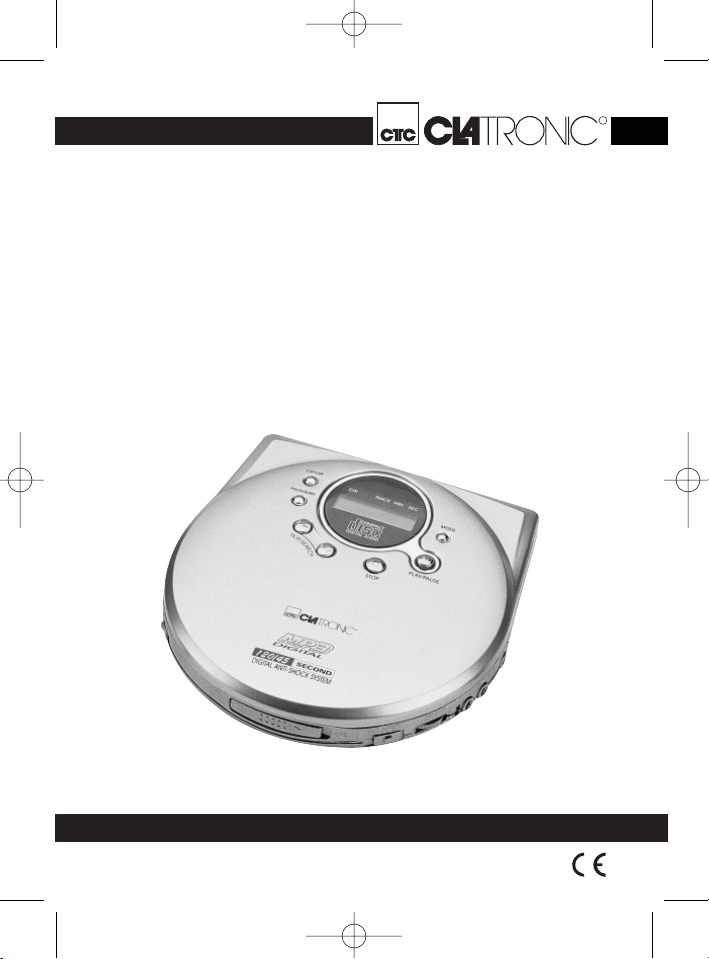
Tragbarer CD-Spieler
Compact-Disc portable
Lettore portabile CD
Portable CD Player
Przenośny odtwarzacz CD
Aparat de reda CD portabil
CDP 515 MP3
Page 2
4...._05_CDP 515 MP3 03.12.2001 10:32 Uhr Seite 2
D
Um das Risiko von Feuer oder einem elektrischen Schlag zu vermeiden, sollten
Sie das Gerät nicht Regen oder Feuchtigkeit aussetzen. Das Gerät nicht in
unmittelbarer Nähe von Wasser betreiben (z.B. Badezimmer, Schwimmbecken,
feuchte Keller).
Verwenden Sie das Gerät nur für den vorgesehenen Zweck.
Das Gerät ausschließlich an eine vorschriftsmäßig installierte Steckdose
anschließen. Achten Sie darauf, dass die angegebene Spannung mit der Spannung
der Steckdose übereinstimmt.
Bei Verwendung von externen Netzteilen auf die richtige Polarität und Spannung
achten, Batterien stets richtigherum einlegen.
Das Gerät so aufstellen, dass vorhandene Lüftungsöffnungen nicht verdeckt werden.
Niemals das Gehäuse des Gerätes öffnen. Durch unsachgemäße Reparaturen
können erhebliche Gefahren für den Benutzer entstehen. Bei Beschädigung des
Gerätes, insbesondere des Netzkabels, das Gerät nicht mehr in Betrieb nehmen,
sondern von einem Fachmann reparieren lassen. Netzkabel regelmäßig auf
Beschädigungen prüfen.
Ein defektes Netzkabel darf nur vom Hersteller, unserem Kundendienst oder einer
ähnlich qualifizierten Person durch ein gleichwertiges Kabel ersetzt werden, um
Gefährdungen zu vermeiden.
Benutzen Sie das Gerät längere Zeit nicht, ziehen Sie den Netzstecker aus der
Steckdose, bzw.entnehmen Sie die Batterien.
Diese Symbole können sich ggfs. auf dem Gerät befinden und sollen Sie auf folgendes hinweisen:
Diese Sicherheitsschalter sollten auf keinen Fall überbrückt oder manipuliert werden, sonst besteht die Gefahr, dass Sie sich dem Laser-Licht aussetzen.
Allgemeine Sicherheitshinweise
Das Blitz-Symbol soll den Benutzer auf Teile im Inneren des Gerätes hinweisen, die gefährlich hohe Spannungen führen.
Das Symbol mit Ausrufezeichen soll den Benutzer auf wichtige
Bedienungs- oder Wartungs-Hinweise in den Begleitpapieren hinweisen.
Geräte mit diesem Symbol arbeiten mit einem „Klasse 1-Laser“ zur
Abtastung der CD. Die eingebauten Sicherheitsschalter sollen verhindern,
dass der Benutzer gefährlichem, für das menschliche Auge nicht sichtbarem Laserlicht ausgesetzt wird, wenn das CD-Fach geöffnet ist.
2
Page 3

4...._05_CDP 515 MP3 03.12.2001 10:32 Uhr Seite 3
Inbetriebnahme des Gerätes
Batterie einlegen
1. Öffnen Sie das Batteriefach auf der Rückseite.
2. Legen Sie 2 Batterien 1,5 V, Type AA ein. Achten Sie auf richtige Polarität
(Siehe Batteriefachboden bzw. Aufprägung an der Außenseite).
3. Wird das Gerät längere Zeit nicht benutzt, nehmen Sie bitte die Batterien aus
dem Gerät, um ein "Auslaufen" von Batteriesäure zu vermeiden.
4. Ein Batteriesymbol im Display weist darauf hin, dass die Batterien ausgetauscht
werden sollten. Wechseln Sie immer den kompletten Batteriesatz aus, erneuern
Sie nicht nur eine Batterie.
Achtung: Batterien gehören nicht in den Hausmüll. Bitte geben Sie verbrauchte
Batterien bei zuständigen Sammelstellen oder beim Händler ab. Werfen Sie
Batterien niemals ins Feuer.
Netzteilbetrieb
Sie haben die Möglichkeit das Gerät auch über ein Steckernetzteil zu betreiben.
1. Stecken Sie das Steckernetzteil in eine vorschriftsmäßig installierte
Schutzkontaktsteckdose 230 V, 50 Hz.
2. Verbinden Sie den CD-Player mit dem Steckernetzteil, indem Sie den Stecker
des Netzteiles in die DC 4,5 V-Buchse einstecken.
3. Bei der Verwendung eines Netzteils (DC 4,5V/600mA) achten Sie bitte auf die
richtige Polung gemäß der Aufschriften am CD Player.
Allgemeine Bedienung
Schalterfunktionen:
Für die Schalterpositionen gilt ON = Eingeschaltet, OFF = Ausgeschaltet.
BASS BOOST: Dient der verstärkten Tiefton-Wiedergabe.
CHARGE: Schaltet die Ladefunktion bei angeschlossenem, externen
Netzteil ein. Bitte beachten Sie, dass im Batteriefach keine
Batterien eingelegt sind. Es besteht Explosionsgefahr!
Verwenden Sie nur geeignete Akkus!
HOLD: Sperrt die Funktionen aller Tasten am Gerät, als Schutz vor
unbeabsichtigter Auslösung einer Taste.
VOLUME: Dient der Abstimmung der Lautstärke.
LINE OUT: Zum Anschluss an z.B. eine Stereo-Anlage.
DC IN 4,5V: Zum Anschluss eines Netzadapters (nicht im Lieferumfang).
PHONES: Zum Anschluss eines Kopf- oder Ohrhörers.
OPEN: Zum Öffnen des CD Fachs.
D
3
Page 4

4...._05_CDP 515 MP3 03.12.2001 10:32 Uhr Seite 4
Ausschalten
D
Sie schalten das Gerät aus, indem sie die Stop/Off Taste 1x,
bei laufendem Gerät 2x, drücken bzw. etwa 30 Sekunden nicht mehr bedienen.
CD’s abspielen
1. Öffnen Sie mit der Taste OPEN das CD Fach.
2. Legen Sie eine CD mit dem Etikett nach oben so auf den Zentrierkegel, dass
diese einrastet. Schließen Sie das CD Fach.
3. Drücken Sie die PLAY/PAUSE Taste, um die CD wiederzugeben. Die CD wird
vom ersten Titel an, abgespielt. Das aktuelle Lied wird im Display angezeigt.
4. Um eine CD zu entnehmen, drücken Sie die STOP/OFF Taste, öffnen den CD
Deckel mit der OPEN Taste und heben die CD vorsichtig ab.
Halten Sie den CD Deckel stets geschlossen.
Wiedergabe von Musik im MP3-Format
Sie haben die Möglichkeit mit diesem Gerät Musikstücke im MP3-Format wiederzugeben. Das Gerät unterstützt außerdem die gängigen CD-Typen: CD-RW, CD-R.
Beschreibung der CD Tasten
• PLAY/PAUSE: Sie können die Wiedergabe kurz unterbrechen. Nochmaliges
Drücken der Taste setzt die Wiedergabe an derselben Stelle fort.
• SKIP/SEARCH (I I): Mit diesen Tasten können Sie zum nächsten bzw.
vorherigen Titel springen. Halten Sie die Taste gedrückt, setzt ein Musiksuchlauf
ein.
• STOP/OFF: Die CD wird angehalten. Nochmaliges Drücken schaltet das Gerät
aus.
• ESP/DIR: Deaktiviert / aktiviert die Anti-Schock Funktion bei eingelegter AudioCD. Ebenso dient diese Taste, bei eingelegter MP3 CD, als Auswahltaste zum
Wechsel der auf der CD angelegten Ordner.
• MODE: Folgende Funktionen können Sie mit der MODE-Taste auswählen:
1 X drücken = „REPEAT ONE“: Der aktuelle Titel wird ständig wiederholt
2 X drücken = „REPEAT ALL“: Die aktuelle CD wird ständig wiederholt
3 X drücken = „INTRO“: Alle Titel werden für 10 Sekunden wiedergegeben
4 X drücken = „RND“: Alle Titel werden nacheinander in einer zufälligen
5 X drücken = Alle Funktionen sind aufgehoben. Der normale Abspielbetrieb
Funktionen im Wiedergabemodus bei einer MP3-CD:
1 x drücken = Der aktuelle Titel wird ständig wiederholt.
2 x drücken = Der aktuell ausgewählte Ordner (das Album) wird ständig
Reihenfolge wiedergegeben
wird fortgesetzt.
wiedergegeben.
4
Page 5
4...._05_CDP 515 MP3 03.12.2001 10:32 Uhr Seite 5
3 x drücken = Die ganze CD wird ständig wiederholt.
4 X drücken = „INTRO“: Alle Titel werden für 10 Sekunden wiedergegeben
5 X drücken = „RND“: Alle Titel werden nacheinander in einer zufälligen
Reihenfolge wiedergegeben
6 X drücken = Alle Funktionen sind aufgehoben. Der normale Abspielbetrieb
wird fortgesetzt.
Programmierte Wiedergabe
1. Drücken Sie die PROGRAM Taste. (Nicht im Wiedergabe-Modus)
2. Im Display erscheint der abzuspeichernde Titel und der aktuelle Speicherplatz.
Bitte beachten Sie: Bei eingelegter MP3 CD blinkt auf der linken Seite des
Displays zusätzlich "00". Sie können hier mit den SKIP/SEARCH Tasten den
gewünschten Ordner (Album) auswählen. Drücken Sie erneut die PROGRAM
Taste, um zum nächsten Menüpunkt (Titelangabe) zu gelangen.
3. Wählen Sie mit der SEARCH Taste den gewünschten Titel aus und drücken Sie
erneut die PROGRAM Taste.
4. Die Anzeige im Display wechselt auf Speicherplatz P-02.
5. Wählen Sie mit der SEARCH Taste den nächsten Titel aus und drücken Sie
erneut die PROGRAM Taste.Wiederholen Sie den Vorgang, bis Sie alle Titel
ausgewählt haben. – Sie können bis zu 64 Titel programmieren.
6. Drücken Sie die PLAY/PAUSE Taste. Die Wiedergabe wird gestartet.
Das Gerät stoppt automatisch, nachdem alle programmierten Titel wiedergegeben
wurden. Die programmierte Reihenfolge bleibt im Speicher enthalten bis die CD
aus dem CD Fach entnommen wird bzw.das Gerät ausgeschaltet wird. Um die programmierte Reihenfolge erneut wiederzugeben, drücken Sie die PLAY/PAUSE
Taste.
Dieses Gerät entspricht den einschlägigen CE-Richtlinien und
ist nach den neuesten sicherheitstechnischen Vorschriften gebaut.
Technische Änderungen vorbehalten!
Garantie
Wir übernehmen für das von uns vertriebene Gerät eine Garantie von 24 Monaten
ab Kaufdatum (Kassenbon).
Innerhalb der Garantiezeit beseitigen wir unentgeltlich die Mängel des Gerätes oder
des Zubehörs*), die auf Material- oder Herstellungsfehler beruhen, durch Reparatur
oder, nach unserem Ermessen, durch Umtausch. Garantieleistungen bewirken
weder eine Verlängerung der Garantiefrist, noch beginnt dadurch ein Anspruch auf
eine neue Garantie!
Als Garantienachweis gilt der Kaufbeleg. Ohne diesen Nachweis kann ein kostenloser Austausch oder eine kostenlose Reparatur nicht erfolgen.
D
5
Page 6

4...._05_CDP 515 MP3 03.12.2001 10:32 Uhr Seite 6
Im Garantiefall geben Sie bitte das Grundgerät in der Originalverpackung zusammen
D
mit dem Kassenbon an Ihren Händler.
*) Zubehörteile unterliegen der gesetzlichen Gewährleistungspflicht ( 6 Monate)
und führen nicht zum kostenlosen Umtausch des kompletten Gerätes. In diesem
Fall nicht das Gerät, sondern nach Absprache mit unserem Kundendienst, nur das
defekte Zubehörteil einschicken bzw. bestellen! Glasbruchschäden sind grundsätzlich kostenpflichtig!
Sowohl Defekte an Verbrauchszubehör bzw. Verschleißteilen (z.B. Motorkohlen,
Knethaken, Antriebsriemen, Ersatzfernbedienung, Ersatzzahnbürsten, Sägeblättern
usw.), als auch Reinigung, Wartung oder der Austausch von Verschleißteilen, fallen
nicht unter die Garantie und sind deshalb kostenpflichtig!
Die Garantie erlischt bei Fremdeingriff.
Nach der Garantie
Nach Ablauf der Garantiezeit können Reparaturen kostenpflichtig vom entsprechenden Fachhandel oder Reparaturservice ausgeführt werden.
Service
Verschleißteile (soweit diese nicht vom Fachmann ausgewechselt werden müssen),
Ersatzkannen, Staubsaugerfilterbeutel usw. können Sie mit Angabe des Gerätetyps
unter folgender Telefon-Hotline bestellen:
0 21 52 / 2006 – 666
Für die Bestellung via Internet haben wir für Sie folgende e-mail-Adresse
eingerichtet:
Interessieren Sie sich für weitere Clatronic-Produkte?
Besuchen Sie doch einmal unsere Homepage unter
www.clatronic.de oder www.clatronic.com
hotline@clatronic.de
6
Page 7
4...._05_CDP 515 MP3 03.12.2001 10:32 Uhr Seite 7
Indicaciones generales para su seguridad
Vd. no debe dejar expuesto el aparato ni a la lluvia ni a la humedad, a fin de disminuir así el riesgo de incendio o de sacudida eléctrica.
Por tanto, no debe utilizar el aparato cerca de agua – por ejemplo, cerca de la
bañera, de una piscina o de un sótano húmedo.
Utilice el aparato únicamente para la finalidad para la que ha sido construido.
El aparato se ha de conectar únicamente a una caja de toma de corriente instalada
reglamentariamente. Cerciórese de que la tensión indicada concuerda con la tensión de la caja de enchufe.
Preste atención a que sea correcta la polaridad cuando se empleen fuentes de alimentación externas. Las pilas se han de introducir siempre correctamente.
El aparato se ha de dejar puesto de modo que no se tapen los orificios de aireación existentes.
Jamás se abrirá la carcasa del cuerpo del aparato. Las reparaciones mal hechas
pueden generar considerables peligros para el usuario.
En caso de estar deteriorado el aparato, en especial el cable de conectar a red, ya
no se ha de poner más en servicio el aparato, sino que se hará que lo repare un
especialista. Controle periódicamente el cable de conexión a red para ver si se ha
deteriorado.
Sólo el fabricante, nuestro servicio posventa o un técnico con una cualificación
similar pueden cambiar un cable defectuoso por otro similar, para evitar todo tipo
de riesgo.
Saque de la toma de corriente la clavija de conectar a la red o bien quite las pilas
cuando no se vaya a usar el aparato durante largo tiempo.
Estos símbolos pueden encontrarse en caso dado en el aparato, y son para indicar
lo siguiente:
El símbolo del rayo advierte al usuario que hay componentes internos del
aparato que pueden tener tensiones peligrosamente altas.
El símbolo con el signo de exclamación advierte al usuario que hay
instrucciones de manejo y de mantenimiento importantes en la documentación que va adjunta.
Aparatos que llevan puesto este símbolo operan con un ”Lector Clase 1”
para explorar el CD. Los interruptores de seguridad incorporados sirven
para impedir que el usuario esté expuesto a luz láser invisible peligrosa
para la vista del usuario cuando está abierto el compartimiento del CD.
Bajo ningún concepto se ha de hacer un puenteado sobre estos interruptores de
seguridad ni deben ser manipulados. De hacerlo, existe el peligro de que Vd. esté
expuesto a la luz láser.
E
7
Page 8

4...._05_CDP 515 MP3 03.12.2001 10:32 Uhr Seite 8
E
Funcionamiento de batería
1. Abrir el compartimiento de las pilas situado en la cara posterior.
2. Introduzca 2 baterías de 1,5V, tipo AA. Tenga atención con la polaridad correcta
3. Si el aparato no se utiliza durante largo tiempo, saque las pilas para evitar todo
4. Un símbolo de batería en el visualizador indica que se debería cambiar las
Atención: Las baterías no se deben tirar a la basura doméstica. Por favor lleve las
baterías usadas a sitios especiales de recogida o a su concesionario.
Nunca tire las baterías al fuego.
Funcionamiento del aparato de alimentación
También tiene la posibilidad de utilizar el aparato a través de un convertidor de clavija.
1. Introduzca el aparato de alimentación en una caja de enchufe de contacto de
2. Conecte el reproductor de CD con el aparato de alimentación introduciendo la
3. Al utilizar un adaptador (DC 4,5V/600mA), tenga atención con la polaridad cor-
Puesta en funcionamiento del aparato
(vea la indicación en el suelo del compartimento de baterías o la estampación
en la parte exterior).
„derrame" del ácido de pilas.
baterías. Siempre cambie todas las baterías de una vez, no cambie solamente
una batería.
protección 230 V, 50 Hz e instalada por la norma.
clavija del aparato de alimentación en el conector DC 4,5 V.
recta según las indicaciones del CD-Player.
Manejo general
Funciones de los interruptores:
Para las posiciones de los interruptores vale: ON = conectado, OFF = desconectado.
BASS BOOST: sirve para intensificar la reproducción de sonidos bajos.
CHARGE: conecta la función de carga en caso de una fuente de
HOLD: Bloquea las funciones de todas las teclas del aparato como
VOLUME: Sirve para ajustar el volumen.
LINE OUT: Para la conexión, por ejemplo, a un equipo estereofónico.
DC IN 4,5 V: Para la conexión de un adaptador de red (no incluido en el
PHONES: Para la conexión de auriculares en casco o de un auricular en el
OPEN: Para abrir la cámara de discos compactos.
8
alimentación externa conectada. Tenga en cuenta que en este
caso no debe haber pilas en el compartimento de pilas (¡peligro
de explosión!). ¡Utilice exclusivamente acumuladores (pilas)
adecuados!
protección contra todo accionamiento involuntario de una tecla.
alcance del suministro).
pabellón de la oreja.
Page 9
4...._05_CDP 515 MP3 03.12.2001 10:32 Uhr Seite 9
¿Cómo parar el aparato?
Puede desconectar el aparato presionando una vez la tecla Stop/Off. Si el aparato
está en marcha, debe presionar dos veces la tecla o no tocar el aparato durante
aprox. 30 segundos.
Reproducción de discos compactos
1. Abra la cámara para discos compactos apretando la tecla OPEN.
2. Coloque un disco compacto con la etiqueta hacia arriba sobre la espiga de
centraje hasta que encaje. Cierre luego la cámara.
3. Pulse la tecla PLAY/PAUSE para la lectura del disco compacto. Éste será
reproducido a partir del primer título. La canción actual es visualizada en el
display.
4. Para sacar un disco compacto, apriete la tecla STOP/OFF, abra la tapa con la
tecla OPEN y extraiga cuidadosamente el disco compacto.
Mantenga siempre cerrada la tapa de la cámara para discos compactos.
Reproducción de música en formato MP3
Tiene usted la posibilidad de reproducir con este aparato música en formato MP3.
El aparato apoya, por lo demás, los tipos convencionales de discos compactos:
CD-RW, CD-R.
Descripción de las teclas CD:
• PLAY/PAUSE: Permite la interrupción breve de la reproducción. Pulsando esta
tecla de nuevo, la reproducción continuará a partir de este mismo punto.
• SKIP/SEARCH (I I): Estas teclas permiten adelantarse hasta la pieza
siguiente o retroceder hacia la anterior. Al mantener la tecla apretada, empieza
la busca de una canción.
• STOP/OFF: Se para el CD. En caso de presionar nuevamente, se desconecta
el aparato.
• ESP/DIR: Desactiva/activa la función anti-choque con Audio-CD insertado. Esta
tecla sirve asimismo, con disco compacto MP3 insertado, como tecla de
selección para cambiar las carpetas creadas en el disco compacto.
• MODE: Siguientes funciones puede elegir con el botón MODE
1 x presionar = “REPEAT ONE” el título actual se repite continuamente.
2 x presionar = “REPEAT ALL” el disco actual se repite continuamente.
3 x presionar = “INTRO” todos los títulos se reproducen por 10 segundos.
4 x presionar = “RND” todos los títulos se reproducen uno tras otro en un
5 x presionar = Todas las funciones se han anulado. El funcionamiento normal
orden casual.
de reproducción continuará.
E
9
Page 10

4...._05_CDP 515 MP3 03.12.2001 10:32 Uhr Seite 10
Función en el modo de reproducción de un disco compacto MP3:
E
1 x presionar = Se repite permanentemente el título actual.
2 x presionar = Se reproduce permanentemente la carpeta elegida (el álbum).
3 x presionar = Se repite permanentemente el disco compacto entero.
4 x presionar = “INTRO” todos los títulos se reproducen por 10 segundos.
5 x presionar = “RND” todos los títulos se reproducen uno tras otro en un
6 x presionar = Todas las funciones se han anulado. El funcionamiento normal
Reproducción programada
1. Pulse la tecla PROGRAM (no en el modo de reproducción).
2. En el display aparece el título a almacenar y el lugar de almacenamiento
actual.
Por favor tenga atención: Cuando el CD MP3 está introducido, parpadea en la
parte izquierda del visualizador adicionalmente la indicación “00“. Con las
teclas Skip/Search puede elegir el archivador (álbum) deseado. Presione de
nuevo la tecla PROGRAM, para llegar al siguiente punto del menú (título).
3. Elija con la tecla SEARCH el título deseado y presione de nuevo la tecla PROGRAM.
4. La indicación en el visualizador cambia al puesto de memoria P-02.
5. Elija con la tecla SEARCH el próximo título y presione de nuevo la tecla PROGRAM. Repita el procedimiento hasta que haya elegido todos los títulos.Puede
programar hasta 64 títulos.
6. Presione la tecla Play/Pausa. Se inicia la reproducción.
El aparato para automáticamente después de la reproducción de todos los títulos
programados. El orden programado se conserva en la memoria hasta que se
saque el disco compacto de su compartimento o bien hasta desconectarse el
aparato. Para reproducir nuevamente el orden programado, pulse la tecla
PLAY/PAUSE.
orden casual.
de reproducción continuará.
Este aparato responde a las directivas de CE para la supresión de interferencias y
la seguridad de baja tensión y ha sido construido según las últimas prescripciones
de seguridad técnica.
No reservamos el derecho de efectuar modificaciones técnicas.
10
Page 11

4...._05_CDP 515 MP3 03.12.2001 10:32 Uhr Seite 11
Garantía
Para el aparato comercializado por nosotros nos responsabilizamos con una
garantía de 24 meses a partir de la fecha de compra (factura de compra).
Durante el período de garantía nos encargamos gratuítamente de los defectos del
aparato y de los accesorios*), que se hayan originado por defectos del material o
de la fabricación. Dependiendo de nuestra estimación se realizará una reparación
o un cambio. ¡Los servicios de garantía no prolangan la garantía, ni se incia por
ello un período nuevo de garantía!
Como comprobante para la garantía es válido la factura de compra. Sin este comprobante no se podrá realizar un cambio o una reparación gratuíta.
En el caso de garantía lleve el aparato base en el embalaje original y la factura de
compra a su concesionario.
*) Los accesorios se someten a la obligación legal de cambio (6 meses) y no conllevan al cambio gratuíto del aparato entero.¡En este caso no se debería envíar el
aparato entero, sino, trás ponerse en contacto con su concesionario, solamente
enviar o pedir el accesorio defecto! ¡Respecto a roturas de cristal no se hará cargo
el fabricante !
Defectos en los accesorios de uso o en las piezas de desgaste (p.ej. escobillas de
carbón del motor, varillas amasadoras, correas de transmisión, mando a distancia
de repuesto, cepillos de dientes de repuesto, hojas de sierra etc.), como también la
limpieza, mantenimiento o el recambio de piezas de desgaste no recaen en la
garantía e irán al cargo del cliente!
En caso de intervención ajena se expira la garantía.
Después de la garantía
Después de haber expirado la garantía se pueden realizar las reparaciones por el
concesionario o por el servicio de reparaciones. Los gastos irán al cargo del cliente.
E
11
Page 12

4...._05_CDP 515 MP3 03.12.2001 10:32 Uhr Seite 12
I
Per evitare il rischio di incendio o di scosse, non si deve mai tenere l’apparecchio
sotto la pioggia o in ambienti umidi. Quindi non usare l’apparecchio nelle immediate
vicinanze di acqua, per esempio in prossimità di una vasca, di una piscina o in una
cantina umida.
Utilizzare l’apparecchio solo per l’uso previsto.
Collegare l’apparecchio esclusivamente ad una presa installata a norma. Fare
attenzione a che la tensione indicata corrisponda alla tensione della presa. Se si
impiegano alimentatori esterni, fare attenzione all’esattezza di polarità e di tensione, inserire le batterie sempre correttamente.
Collocare l’apparecchio in modo che le aperture per l’aerazione esistenti non vengano coperte.
Non togliere mai la protezione dell’apparecchio. Riparazioni non a regola d’arte
possono causare notevoli pericoli per l’utente. Se l’apparecchio presenta danni,
soprattutto nella zona del cavo di collegamento, non metterlo più in funzione, ma
farlo riparare prima da un esperto. Esaminare regolarmente il cavo di collegamento
alla rete per verificare che non ci siano danni.
Un cavo di collegamento difettoso può essere sostituito con un cavo equivalente
solo dal produttore, dal nostro servizio assistenza o da persone similmente qualificate, al fine di evitare pericoli.
Se l’apparecchio non viene usato per un periodo di tempo prolungato, togliere il
blocchetto alimentatore dalla presa ovvero estrarre le batterie.
Questi simboli possono trovarsi eventualmente sull’apparecchio e rimandano ai
seguenti elementi:
Questi interruttori di sicurezza non devono mai essere cavallottati né manipolati
perché altrimenti sussiste il rischio di esposizione alla luce del laser.
Avvertenze generali per la sicurezza
Il simbolo del lampo fa presente all’utente la presenza di pezzi all’interno
dell’apparecchio che possono produrre alte tensioni pericolose.
Il simbolo con il punto esclamativo fa presente all’utente la presenza di
importanti avvertenze per l’uso e la manutenzione nei fogli di accompagnamento dell’apparecchio.
Gli apparecchi dotati di questo simbolo lavorano con un „Laser classe 1“
per riprodurre i CD. Gli interruttori di sicurezza integrati hanno lo scopo di
impedire che l’utente venga esposto alla luce non visibile del laser, pericolosa per l’occhio umano, aprendo lo scomparto per i CD.
12
Page 13

4...._05_CDP 515 MP3 03.12.2001 10:32 Uhr Seite 13
Messa in funzione dell' unità
Funzionamento a batterie
1. Aprire il vano batterie sulla parte posteriore
2. Inserire 2 batterie da 1,5 V, tipo AA. Fare attenzione alla polarità corretta (v.
fondo vano batterie o scritta incisa sul lato esterno).
3. Si el aparato no se utiliza durante largo tiempo, saque las pilas para evitar todo
„derrame" del ácido de pilas.
4. Quando nel display compare il simbolo delle batterie, queste devono essere
sostituite. Sostituire sempre il set completo, non sostituire mai un’unica batteria
Attenzione: non gettare le batterie nei rifiuti domestici. Buttare le batterie usate
negli appositi contenitori o restituirle al negoziante. Non buttare mai le batterie nel
fuoco.
Funzionamento alimentatore
È possibile usare l’apparecchio anche senza alimentatore.
1. Inserire la spina dell'alimentatore in una presa con contatto di terra regolarmente installata da 230 V, 50 Hz.
2. Collegare il lettore CD all'alimentatore inserendo la spina dell'alimentatore nella
presa DC da 4,5 V.
3. Se si usa un alimentatore (DC 4,5V/600mA), fare attenzione che i poli siano
inseriti correttamente, conformemente alle scritte sul lettore CD.
Uso generico
Funzioni tasti:
Per la posizione del selettore vale ON = acceso, OFF = spento.
BASS BOOST: serve per la riproduzione più intensa dei toni bassi.
CHARGE: attiva la funzione di carica nel caso di alimentatore esterno
collegato. Fare attenzione che non ci siano batterie nel vano
batterie. Pericolo di esplosione! Usare solo accumulatori
adeguati!
HOLD: blocca le funzioni di tutti i tasti dell’apparecchio per evitare
un’attivazione involontaria degli stessi.
VOLUME: per la regolazione del volume.
LINE-OUT: per il collegamento, per esempio, ad un impianto stereo.
DC IN 4,5 V: per il collegamento di un adattatore di rete
(non accluso alla fornitura).
PHONES: per il collegamento di cuffie o auricolari.
OPEN: per aprire il vano CD.
I
13
Page 14

4...._05_CDP 515 MP3 03.12.2001 10:32 Uhr Seite 14
Spegnere
I
Spegnere l’ apparecchio, premendo il tasto Stop/Off 1 volta, se l’ apparecchio è in
funzione premere 2 volte, oppure non metterlo in uso per circa 30 secondi.
Ascolto CD
1 Aprire il vano CD, con il tasto OPEN.
2 Appoggiare un CD sulla lente con l’etichetta rivolta verso l’alto, in modo che sia
inserito. Chiudere il vano CD.
3 Premere i tasti PLAY/PAUSE per riprodurre il CD. Il CD partirà con il primo
brano. Il visore indica sempre il brano musicale attualmente riprodotto.
4 Per prelevare un CD premere il tasto STOP/OFF, aprire il coperchio del vano
CD con il tasto OPEN e sollevare con cautela il CD.
Tenere il vano CD sempre chiuso!
Riproduzione di musica nel formato MP3
Con questo apparecchio è possibile riprodurre CD nel formato MP3. Inoltre con
l’apparecchio si possono riprodurre i tipi di CD correnti: CD-RW, CD-R.
Descrizione dei tasti CD:
• PLAY/PAUSE: La ripetizione può essere interrotta. Premendo nuovamente il
tasto, si rimette in funzione la ripetizione allo stesso punto di prima.
• SKIP/SEARCH (I I): Con questi tasti si può ripetere il brano successi-
vo o quello precedente. Tenendo premuto il tasto, si mette in funzione una ricerca dei brani.
• STOP/OFF: Il CD si ferma. Premendo ancora una volta, si spegne l' unità.
• ESP/DIR: disattiva/attiva la funzione anti-shok con il CD audio inserito. Questo
tasto serve parimenti come selettore per passare da un album all’alto quando è
inserito un CD MP3.
• MODE: Si possono scegliere le seguenti funzioni con il tasto MODE:
Premere 1 volta = "REPEAT ONE" il brano attuale si ripete continuamente
Premere 2 volte = "REPEAT ALL" il CD attuale si ripete continuamente
Premere 3 volte = "INTRO" ogni brano viene ripetuto per 10 secondi
Premere 4 volte = "RND" ogni brano viene ripetuto in una seguenza casuale
Premere 5 volte = tutte le funzioni sono annullate.
Funzionamento nella modalità di riproduzione con un CD MP3
Premere 1 volte = si riproduce continuamente il brano attuale.
Premere2 volte = si riproduce continuamente l’album selezionato.
Premere 3 volte = si riproduce continuamente tutto il CD
Premere 4 volte = "INTRO" ogni brano viene ripetuto per 10 secondi
Premere 5 volte = "RND" ogni brano viene ripetuto in una seguenza casuale
Premere 6 volte = tutte le funzioni sono annullate.
14
La riproduzione normale continua.
La riproduzione normale continua.
Page 15

4...._05_CDP 515 MP3 03.12.2001 10:32 Uhr Seite 15
Riproduzione programmata
1. Premere il tasto PROGRAM (Non nella modalità di riproduzione).
2. Nel display appare il brano da memorizzare e la posizione di memoria attuale.
Per cortesia fare attenzione: quando è inserito il CD MP3, sul lato sinistro del
display lampeggia anche „00“. Qui si può selezionare l’album desiderato con i
tasti SKIP/SEARCH. Premere di nuovo il tasto PROGRAM per passare alla
voce di menù successiva (brano).
3. Con il tasto SEARCH selezionare il brano desiderato e premere di nuovo il
tasto PROGRAM.
4. Il display segnala la posizione di memoria P-02.
5. Con il tasto SEARCH selezionare il brano successivo e premere di nuovo il
tasto PROGRAM. Ripetere la procedura finché avete selezionato tutti i brani. Si
possono programmare fino a 64 brani.
6. Premere il tasto Play/Pause. La riproduzione ha inizio.
Quando tutti i brani programmati sono stati riprodotti l’apparecchio si blocca automaticamente. La successione programmata rimane in memoria finché il CD viene
prelevato dal relativo vano o si spegne l’apparecchio. Per riprodurre di nuovo la successione programmata premere il tasto PLAY/PAUSE.
Questo apparecchio corrisponde alle norme CE per i disturbi radio e la sicurezza
contro le correnti a basso voltaggio ed è stato costruito in base alle più recenti
norme tecniche di sicurezza.
Con riserva di apportare modifiche tecniche.
Garanzia
Per l’apparecchio da noi messo in commercio ci assumiamo una garanzia di
24 mesi dalla data di acquisto (scontrino).
Durante la garanzia noi ci impegniamo ad eliminare gratuitamente i guasti dell’apparecchio o degli accessori*), dovuti a difetti di materiale o di fabbricazione, riparandoli o, a nostra discrezione, sostituendoli. Le prestazioni in garanzia danno luogo a
una proroga della garanzia né danno diritto ad una nuova garanzia!
Per la garanzia è sufficiente lo scontrino di acquisto. Senza questo scontrino non
sussiste il diritto né ad una sostituzione né ad una riparazione gratuita.
In caso di garanzia consegnare al vostro rivenditore l’apparecchio base nell’imballaggio originale unitamente allo scontrino.
*) Gli accessori sottostanno all’obbligo di garanzia legale (6 mesi) e la loro sostituzione non comporta la sostituzione gratuita di tutto l’apparecchio. In questo caso
non inviare tutto l’apparecchio ma, d’intesa con il nostro servizio assistenza, ordinare / inviare solo l’accessorio difettoso! Le sostituzioni di pezzi in vetro sono sempre
a pagamento!
I
15
Page 16

4...._05_CDP 515 MP3 03.12.2001 10:32 Uhr Seite 16
La riparazione di pezzi d’uso ovvero soggetti a logoramento (cursori, ganci impa-
I
statori, cinghie di trasmissione, telecomandi di ricambio, spazzolini di ricambio,
lame di seghe ecc.) come anche operazioni di pulizia e manutenzione o la sostituzione di pezzi soggetti a logoramento non rientrano nella garanzia e quindi sono a
pagamento!
La garanzia si annulla nel caso di intervento da parte di terzi.
Dopo la garanzia
Al termine della garanzia le riparazioni possono essere eseguite dietro pagamento
dal corrispettivo negozio specializzato o servizio riparazioni.
16
Page 17

4...._05_CDP 515 MP3 03.12.2001 10:32 Uhr Seite 17
General safety instructions
To avoid the risk of fire or an electric shock, you should not expose the device to
rain or moisture. Consequently, do not use the device in the immediate vicinity of
water - for example near a bath tub, a swimming pool or in a damp cellar.
Use the device only for the intended purpose.
Only connect the device at a properly installed plug socket. Pay attention that the
specified voltage corresponds to the voltage of the plug socket.
When using external mains supply, pay attention to the correct polarity and voltage.
Always place the batteries in the correct direction.
Assemble the device in such a way that the available ventilation openings are not
covered.
Never open the housing of the device. Incorrect repairs can constitute a considerable risk for the user. Should the device become damaged, in particular the mains
supply cable, do not operate the device any longer, but rather have it repaired by an
expert. Check the mains supply cable regularly for damage.
For safety reasons a broken or damaged mains lead may only be replaced by an
equivalent lead from the manufacturer, our customer service department or a
similary qualified person.
If the device is not used for a longer period, remove the plug connector from the
plug socket or take out the batteries.
These symbols may be found on the machine and are intended to indicate the
following:
The lightning symbol should advise the user of parts in the inside of the
device which carry dangerously high voltage levels.
The symbol with an exclamation mark should advise the user of important
operation or maintenance instructions in the accompanying documentation.
Devices bearing this symbol work with a „class 1 laser“ for tracing the CD.
The built-in safety switches should prevent the user being exposed to dangerous laser light, which is invisible to the human eye, when the CD compartment is opened.
Under no circumstances should these safety switches be bypassed or manipulated,
as this could result in a danger of exposure to the laser light.
GB
Commissioning the device
Battery Mode
1. Open the battery compartment on the rear side.
17
Page 18

4...._05_CDP 515 MP3 03.12.2001 10:32 Uhr Seite 18
2. Insert 2 1.5V AA type batteries. Match the polarities correctly (see the inside of
GB
the battery compartment or the marking on the outside).
3. If the device is not used for a long period of time, remove the batteries to avoid
the „spilling“ of battery acid.
4. A battery symbol on the display indicates that the batteries need to be changed.
Always change the battery set completely, do not change just one battery.
Warning: batteries are not to be disposed of together with domestic wastes.
Dispose of the used batteries at the relevant collection bin or at your dealer’s.
Never throw batteries into the fire.
AC Adapter Mode
You can also use the device with an adapter.
1. Insert the AC adapter into a duly installed 230V/50Hz protective contact outlet.
2. Connect the CD player to the AC adapter by connecting the jack of the adapter
into the 4.5V/DC socket.
3. When using an adapter (4.5V DC/600 mA) match the polarities correctly as
indicated on the CD player.
General Operating
Switch Functions:
The switch has the following positions: ON and OFF.
BASS BOOST: it improves the playback of the basses.
CHARGE: The charging function is activated when connected to an
HOLD: it blocks the functions of all the device’s keys to protect against
VOLUME: it sets the volume.
LINE OUT: it is used for example to connect the device to a stereo system.
DC IN 4.5V: it is used for the connection of a mains adapter (not supplied).
PHONES: For the connection of headphones or earphones.
OPEN: to open the CD deck.
Switching off
The machine is switched off by pressing the Stop/Off button once, or twice if one of
the devices is still running. It will also switch off automatically if not operated for
approx. 30 seconds.
Playing CD’s
1. Open the CD deck with the OPEN key.
external mains line. Make sure that there are no batteries in the
battery compartment. Danger of explosion! Use only appropriate
rechargeable batteries!
their accidental activation.
18
Page 19

4...._05_CDP 515 MP3 03.12.2001 10:32 Uhr Seite 19
2. Insert a CD with the label facing up on the centering cone and snap it into
place. Close the CD deck cover.
3. Press the PLAY/PAUSE button to start the playback. The CD starts from the first
track. The current track is visualized on the display.
4. To remove a CD, press the STOP/OFF key, open the CD deck with the OPEN
key and take out the CD carefully.
Always keep the CD deck cover closed.
Playing Music in MP3 Format
You can also play music in MP3 format with this device.The device also supports
common CD types: CD-RW, CD-R.
Description of the CD buttons:
• PLAY/PAUSE: You can briefly interrupt the playing. Renewed pressing of the
button will re-start the playing from the same place.
• SKIP/SEARCH (I I): Using this button you can jump to the next or pre-
vious title. If the button is kept pressed down, the machine starts to search
through the tracks.
• STOP/OFF: The CD is stopped. By pressing once again, the unit is switched
off.
• ESP/DIR: It activates/deactivates the anti-shock function for the inserted
audio CD.This key can also be used a selection key to change the change CD
directory
• MODE: The following functions can be selected with the MODE key:
Press once = „REPEAT ONE“: the current track is repeated
continuously;
Press a second time = „REPEAT ALL“: the whole CD is played continuously;
Press a third time = „INTRO“: all the tracks are played 10 seconds each;
Press a fourth time = „RND“: all the tracks are played one after other at
random.
Press a fifth time = all the functions are reset.
The normal play mode is resumed.
Functions in Playback Mode for an MP3 CD:
Press once = The current track is played continuously.
Press a second time = The current directory (album) is played continuously.
Press a third time = The whole CD is played continuously.
Press a fourth time = „INTRO“: all the tracks are played 10 seconds each;
Press a fifth time = „RND“: all the tracks are played one after other at
random.
Press a sixth time = all the functions are reset.
The normal play mode is resumed.
GB
19
Page 20

4...._05_CDP 515 MP3 03.12.2001 10:32 Uhr Seite 20
Programmed Playback
GB
1. Press the MSC/PROG key. (Not in playback mode)
2. The track to be saved and the current memory slot appear on the display.
Please note: If an MP3 CD is inserted, „00“ flashes also on the left hand of the
display.You can select the desired directory (Album) with the SKIP/SEARCH
keys. Press the PROGRAM key again to go to the next menu item (track entry).
3. Select the desired track with the SEARCH button and press the PROGRAM key
again.
4. The display changes to memory slot P-02.
5. Select the next track with the SEARCH key and press the PROGRAM key
again. Repeat the procedure until all the desired tracks are selected.You can
program up to 64 tracks.
6. Press the Play/Pause key.The playback starts.
The device stops automatically once the entire sequence of programmed tracks is
completed. The programmed sequence remains in the memory until the CD is
taken out of the CD deck or until the device is switched off. In order to play the programmed sequence again, press the PLAY/PAUSE key.
This appliance conforms with the CE directives for radio interference suppression
and low-voltage safety and has been built to meet current safety requirements.
Subject to technical changes without prior notice!
Guarantee
The device supplied by our Company is covered by a 24 month guarantee starting
on the date of purchase (receipt).
During the life of the guarantee any fault of the device or its accessories *) ascribable to material or manufacturing defects will be eliminated free of charge by repairing or, at our discretion, by replacing it. The guarantee services do not entail an
extension of the life of the guarantee nor do they give rise to any right to a new
guarantee!
Proof of the guarantee is provided by the proof of purchase. Without proof of
purchase no free replacement or repair will be carried out.
For repairs or replacement during the life of the guarantee return the device in its
original packing together with the proof of purchase to your dealer.
*) Accessories are subject to the legally envisaged guarantee obligation (6 months)
and do not entitle to the free replacement of the entire device. In this case, only the
faulty accessory will be sent in or ordered with the agreement of our customer service! Damages to glass parts are not free of charge!
20
Page 21

4...._05_CDP 515 MP3 03.12.2001 10:32 Uhr Seite 21
Defects to consumables or parts subject to wearing (e.g. motor pistons, kneading
blades, drive shafts, spare remote control, spare toothbrushes, saw blades, etc.) as
well as cleaning, maintenance or the replacement of said parts are not covered by
the guarantee and hence are to be paid!
The guarantee lapses in case of unauthorized tampering.
After the expiry of the guarantee
After the expiry of the guarantee repairs can be carried by the competent dealer or
repair service against the payment of the ensuing costs.
GB
21
Page 22

4...._05_CDP 515 MP3 03.12.2001 10:32 Uhr Seite 22
Ogólne wskazówki związane z bezpieczną obsługą
PL
Urządzenie chronić należy przed deszczem i wilgocią, aby zapobiec groźbie
pożaru lub porażeniu prądem. Nie należy go więc używać w pobliżu wody, a
więc przykładowo w pobliżu wanny, basenu lub w zawilgoconej piwnicy.
Urządzenie należy używać tylko zgodnie z jego przeznaczeniem.
Urządzenie należy podłączyć tylko i wyłącznie do przepisowo zamontowanego
gniazdka.
Proszę zwrócić uwagę na to, żeby podane napięcie zgadzało się z napięciem w
gniazdku.
W przypadku używania oddzielnych zasilaczy należy zwrócić uwagę na biegunowość i napięcie, baterie muszą zostać włożone do urządzenia zgodnie z oznaczoną biegunowością.
Urządzenie należy w taki sposób ustawić, żeby istniejące otwory wentylacyjne
nie zostały przykryte.
Nigdy nie wolno otwierać obudowy urządzenia. Niefachowo przeprowadzone
naprawy mogą być groźne w skutkach dla użytkownika. Przy uszkodzeniu
urządzenia, w szczególności kabla sieciowego, urządzenie nie może być
używane dopóki nie zostanie naprawione przez osobę z wymaganymi uprawnieniami. Przewód zasilający należy regularnie sprawdzać,czy nie jest uszkodzony.
W razie awarii proszę nie naprawiać urządzenia samemu lecz skorzystać z
pomocy autoryzowanego specjalisty.Jeżeli przewód zasilający nieodłączalny
ulegnie uszkodzeniu, to powinien on być wymieniony u wytwórcy lub w specjalnym zakładzie naprawczym albo przez wykwalifikowaną osobę w celu uniknięcia zagrożenia.
Jeżeli urządzenie nie będzie przez dłuższy czas używane, należy wyciągnąć
wtyczkę z gniazdka lub wyjąć baterie.
Poniższe symbole mogą znajdować się na urządzeniu i mają zwracać Państwa
uwagę na:
Symbol błyskawicy ma zwrócić uwagę użytkownika na znajdujące się
we wnętrzu urządzenia części, które są pod niebezpiecznie wysokim
napięciem.
Symbol z wykrzyknikiem ma zwrócić uwagę użytkownika na znajdujące
się w załączonych dokumentach ważne wskazówki związane z
obsługą i konserwacją urządzenia.
Urządzenia z tym symbolem używają do odczytywania dźwięku z płyty
kompaktowej „Lasera klasy ą“. Wbudowany wyłącznik bezpieczeństwa
ma zapobiec temu, żeby użytkownik w czasie otwierania kieszeni odtwarzacza płyt kompaktowych został poddany niebezpiecznemu dla
ludzkich oczu oddziaływaniu niewidocznego światła lasera.
22
Page 23

4...._05_CDP 515 MP3 03.12.2001 10:32 Uhr Seite 23
Wyłącznika tego nie należy w żadnym wypadku zmostkować lub też przy nim
manipulować, ponieważ grozi to niebezpieczeństwem, że użytkownik poddany
zostanie oddziaływaniu niebezpiecznego dla ludzkich oczu niewidocznego
światła lasera.
Użytkowanie urządzenia
Zasilanie z Baterii
1. Z tyłu urządzenia należy otworzyć kieszeń na baterie.
2. Proszę umieścić w środku dwie baterie 1,5 V, typ AA. Proszę pamiętać o
prawidłowej polarności (patrz spód kieszeni na baterie ewent. wytłoczenie
na stronie zewnętrznej).
3. Jeżeli nie będą Państwo przez dłuższy czas korzystać z urządzenia proszę
wyjąć z niego baterie, aby zapobiec „wyciekowi” kwasu akumulatorowego.
4. Symbol baterii na wyświetlaczu oznacza, że należy wymienić baterie. Proszę
zawsze wymieniać cały komplet, a nie tylko jedną baterię.
Uwaga: Baterii nie należy wrzucać do zwykłych domowych śmieci. Zużyte
baterie proszę oddać do punktu zbiórki odpadów specjalnych lub do punktu
sprzedaży. Nigdy nie wrzucaj baterii do ognia.
Zasilanie z sieci
Istnieje możliwość zasilania urządzenia poprzez zasilacz z wtyczką.
1. Proszę połączyć element z wtyczką podłączenia do przepisowo zainstalowanego sprawnego, gniazda wtyczkowego (230V, 50 Hz).
2. Proszę połączyć odtwarzacz CD z elementem z wtyczką podłączenia do
sieci wsuwając wtyczkę do gniazdka DC 4,5 V.
3. Przy korzystaniu z zasilacza (DC 4,5V/600mA) proszę pamiętać o
prawidłowej polarności, zgodnie z informacją na odtwarzaczu CD.
Ogólne informacje dotyczące obsługi
Funkcje przełączników:
W przypadku przełączników obowiązuje zasada ON = włączony,
OFF = wyłączony.
BASS BOOST: służy do wzmocnienia podczas odtwarzania tonów niskich.
CHARGE: włącza funkcję ładowania w przypadku podłączonego,
zewnętrznego zasilacza. Proszę pamiętać, aby z kieszeni na
baterie wyjąć baterie. Niebezpieczeństwo wybuchu! Proszę
stosować tylko odpowiednie akumulatory!
HOLD: blokuje funkcje wszystkich przycisków urządzenia, jako
zabezpieczenie przed nieumyślnym włączeniem przycisku.
VOLUME: służy do regulacji siły głosu.
PL
23
Page 24

4...._05_CDP 515 MP3 03.12.2001 10:32 Uhr Seite 24
LINE OUT: do podłączenia np. urządzenia stereofonicznego.
PL
DC IN 4,5V: do podłączenia adaptera sieci (nie zawarty w dostawie).
PHONES: do podłączenia słuchawek zwykłych lub miniaturowych.
OPEN: do otwierania kieszeni CD.
Wyłączenie
Urządzenie wyłączyć naciskając 1 x przycisk Stop/Off, 2 x jeżeli urządzenie
działa, lub nie obsługując urządzenia przez około 30 sekund.
Odtwarzanie CD
1. Proszę otworzyć kieszeń CD przy pomocy przycisku OPEN.
2. Proszę włożyć CD na centralny stożek etykietą do góry w taki sposób, aby
dysk osiadł stabilnie. Proszę zamknąć kieszeń CD.
3. Proszę nacisnąć przycisk PLAY/PAUSE, a rozpocznie się odtwarzanie CD.
Odtwarzanie CD rozpocznie się od pierwszego utworu. Na wyświetlaczu
pojawi się aktualnie odtwarzany utwór.
4. Aby wyjąć CD proszę nacisnąć przycisk STOP/OFF otworzyć pokrywę CD
przy pomocy przycisku OPEN i delikatnie unieść CD. Proszę pamiętać, aby
zawsze zamykać pokrywę CD.
Odtwarzanie muzyki w formacie MP3
Urządzenie to zostało wyposażone w funkcję odtwarzania utworów muzycznych
w formacie MP3. Poza tym urządzenie to wspomaga również odtwarzanie
innych typów CD: CD-RW, CD-R.
Opis przycisków odtwarzacza do płyt kompaktowych:
• PLAY/PAUSE: odtwarzanie może zostać na krótko przerwane. Ponowne
naciśnięcie klawisza rozpocznie odtwarzanie płyty w tym samym miejscu.
• SKIP/SEARCH (I I): przy pomocy tego klawisza można przeskaki-
wać do następnego względnie poprzedniego tytułu. Po wciśnięciu przycisku
rozpoczyna się proces przeszukiwania skali odbiornika.
• STOP/OFF: CD zostaje zatrzymane. Ponowne naciśnięcie przycisku
wyłącza urządzenie.
• ESP/DIR: dezaktywuje / aktywuje funkcję anty- szok przy włożonym CDaudio. Przycisk ten służy również w przypadku MP3 CD jako przycisk
wyboru dla zmiany ustawionego na CD albumu.
• MODE: Przy pomocy przycisku PLAY/MODE mogą Państwo wybierać
następujące funkcje:
Naciśnięcie 1x = „REPEAT ONE” aktualnie odtwarzane nagranie będzie
Naciśnięcie 2x =
stale powtarzane.
„REPEAT ALL” aktualnie odtwarzane CD będzie stale
powtarzane
24
Page 25

4...._05_CDP 515 MP3 03.12.2001 10:32 Uhr Seite 25
Naciśnięcie 3x = „INTRO” wszystkie nagrania będą odtwarzane przez 10 sek.
Naciśnięcie 4x = „RND” zostaną odtworzone wszystkie nagrania w przy
padkowej kolejności
Naciśnięcie 5x = dezaktywacja wszystkich funkcji.
Kontynuacja zwykłego trybu odtwarzania.
Funkcje w trybie odtwarzania dla MP3-CD:
Naciśnięcie 1x = stałe powtarzanie aktualnie odtwarzanego utworu.
Naciśnięcie 2x = stałe powtarzanie aktualnie wybranego albumu.
Naciśnięcie 3x = stałe powtarzanie całego CD.
Naciśnięcie 4x = „INTRO” wszystkie nagrania będą odtwarzane przez 10 sek.
Naciśnięcie 5x = „RND” zostaną odtworzone wszystkie nagrania w przy
padkowej kolejności
Naciśnięcie 6x = dezaktywacja wszystkich funkcji.
Kontynuacja zwykłego trybu odtwarzania.
Odtwarzanie zaprogramowane
1. Proszę nacisnąć przycisk PROGRAM (nie w trybie odtwarzania)
2. Na wyświetlaczu pojawi się wprowadzany do pamięci utwór i aktualne miejsce zapisu.
Proszę pamiętać: przy włożonym MP3 CD z lewej strony wyświetlacza miga
dodatkowa informacja "00". Tutaj mogą Państwo przy pomocy przycisków
SKIP/SEARCH wybrać żądany album. Proszę ponownie nacisnąć przycisk
PROGRAM, aby przejść do następnego punktu menu (wprowadzanie
tytułów utworów).
3. Przy pomocy przycisku SEARCH proszę wybrać żądany utwór i nacisnąć
ponownie przycisk PROGRAM.
5. Wskaźnik na wyświetlaczu pokaże numer zapisu w pamięci P-02.
6. Przy pomocy przycisku SEARCH proszę wybrać następny utwór i ponownie
nacisnąć przycisk PROGRAM. Proszę powtarzać tę czynność do momentu
wybrania wszystkich utworów . – Mogą Państwo zaprogramować do 64
utworów.
7. Proszę nacisnąć przycisk Play/ Pauza. Uruchomione zostaje odtwarzanie.
Po odtworzeniu wszystkich zaprogramowanych utworów urządzenie samoczynnie się zatrzyma. Zaprogramowana kolejność utworów zostanie w pamięci
dopóki CD nie zostanie wyjęte z kieszeni ewent. urządzenie nie zostanie
wyłączone. Aby ponownie odtworzyć zaprogramowane utwory proszę nacisnąć
przycisk PLAY/PAUSE.
PL
Niniejsze urządzenie odpowiada wymaganiom normy bezpieczeństwa
użytkowania oraz spełnia wymagania dyrektywy niskonapięciowej i
kompatybilności elektromagnetycznej.
Zastrzega się prawo do zmian technicznych!
25
Page 26

4...._05_CDP 515 MP3 03.12.2001 10:32 Uhr Seite 26
PL
Przyznajemy 24 miesięcy gwarancji na produkt licząc od daty zakupu.
W tym okresie będziemy bezpłatnie usuwać w terminie 14 dni od daty dostarczenia wadliwego sprzętu z kartą gwarancyjną do miejsca zakupu wszystkie uszkodzenia powstałe w tym urządzeniu na skutek wady materiałów lub wadliwego
wykonania, naprawiając oraz wymieniając wadliwe części lub (jeśli uznamy za stosowne) wymieniając całe urządzenie na nowe.
Sprzęt do naprawy powinien być dostarczony w komplecie wraz z dowodem
zakupu oraz z ważną kartą gwarancyjną do sprzedawcy w miarę możliwości w
oryginalnym opakowaniu lub innym odpowiednim dla zabezpieczenia przed uszkodzeniem. W razie braku kompletnego opakowania fabrycznego, ryzyko uszkodzenia sprzętu podczas transportu do i z miejsca zakupu ponosi reklamujący.
Naprawa gwarancyjna nie dotyczy czynności przewidzianych w instrukcji obsługi,
do wykonania których zobowiązany jest użytkownik we własnym zakresie i na
własny koszt.
Gwarancja nie obejmuje:
• mechanicznych, termicznych, chemicznych uszkodzeń sprzętu i wywołanych
nimi wad,
• uszkodzeń powstałych w wyniku działania sił zewnętrznych takich jak wyładowania atmosferyczne, zmiana napięcia zasilania i innych zdarzeń losowych,
• nieprawidłowego ustawienia wartości napięcia elektrycznego, zasilanie z nieodpowiedniego gniazda zasilania,
• sznurów połączeniowych, sieciowych, żarówek, baterii, akumulatorów,
• uszkodzeń wyrobu powstałych w wyniku niewłaściwego lub niezgodnego z
instrukcją jego użytkowania, przechowywania, konserwacji, samowolnego
zrywania plomb oraz wszelkich przeróbek i zmian konstrukcyjnych dokonanych
przez użytkownika lub osoby niepowołane,
• roszczeń z tytułu parametrów technicznych wyrobu, o ile są one zgodne z
podanymi przez producenta,
• prawidłowego zużycia i uszkodzeń, które mają nieistotny wpływ na wartość
lub działanie tego urządzenia.
Karta gwarancyjna bez pieczątki sklepu, daty sprzedaży, nie wypełniona, źle
wypełniona, ze śladami poprawek, nieczytelna wskutek zniszczenia, bez
możliwości ustalenia miejsca sprzedaży oraz dołączonego dowodu zakupu jest
nieważna.
Korzystanie z usług gwarancyjnych nie jest możliwe po upływie daty ważności
gwarancji. Gwarancja na części lub całe urządzenie, które są wymieniane kończy
się, wraz z końcem gwarancji na to urządzenie.
Wszystkie inne roszczenia, wliczając w to odszkodowania są wykluczone chyba, że
prawo przewiduje inaczej. Roszczenia wykraczające poza tą umowę nie są
uwzględniane przez tą gwarancję.
Gwarancja oraz zawarte w niej warunki obowiązują na terenie Rzeczpospolitej
Polskiej.
WARUNKI GWARANCJI
26
Page 27

4...._05_CDP 515 MP3 03.12.2001 10:32 Uhr Seite 27
Indicaflii de siguranflæ generale
Ca sæ evitafli pericolul de foc sau de øoc electric, sæ nu punefli aparatul la ploaie
sau la umezealæ. Sæ nu folosifli aparatul în apropierea apei - de exemplu în
apropierea unei cadei de baie, unui bazin de înot sau o pivniflæ umedæ.
Folosifli aparatul numai pentru scopul fabricat.
Bægafli aparatul numai în prizæ care a fost instalat reglementar. Avefli grijæ ca
tensiunea înscrisæ este coresppunzætoare cu tensiunea de la prizæ.
Dacæ folosifli piese de reflea externe, sæ avefli grijæ ca sæ aibæ polaritatea potrivitæ,
bateriile sæ le bægafli întotdeauna în direcflia corectæ.
Sæ deplasafli aparatul dumneavoastræ în totdeuna aøa, ca øliflurile de aerisire sæ
nu fie acoperite.
Sæ nu deschidefli nici o datæ carcasa aparatului. Prin reparaturi necalificate se
mæreøte pericolul pentru pentru persoana care foloseøte aparatul. Dacæ se stricæ
aparatul, mai deosebit cablul, atuncea sæ nu mai folosifli aparatul, ci sæ-l ducefli la
un specialist sæ-l reparæ. Sæ controlafli cablul regular ca sæ constatafli dacæ este
defect.
Un cablu defect nu este voie sæ-l reparafli dumneavoastræ ci sæ-l dafli la fabricant, la
serviciul de reparat al nostru sau la o persoanæ în alcelaøi fel de calificatæ care
schimbæ acest cablu defect. De calificarea acesta este nevoie ca sæ se evitæ
pericolul de accidentare.
Dacæ nu folosifli aparatul mai mult timp, atuncea sæ-l scoatefli din prizæ, sau sæ-i scoatefli bateriile.
Simbolele care sînt eventual înscrise pe aparat, sînt înscrise ca sæ væ indicæ la
urmætoarele feluri:
Simbulul pentru fulger indicæ pe piese din înæuntrul aparatului care sînt
sub mare tensiune.
Simbolul cu semnul de exclamare væ dæ atenflia pe indicaflii importante pe
hîrtiile adæugate ca conflin indicafliile de siguranflæ sau indicaflii de îngrijirea
aparatului.
Aparate cu simbolul acesta lucreazæ cu un "clasa 1-laser" care
exploreazæ datele de pe CD. Întrerupætoarele de siguranflæ care sînt
montate, sînt ca sæ evitæ ca oamenii sæ nu ajungæ în contact cu razele
laser, care nu se væd cu ochiul uman øi sînt foarte periculoase, cînd se
deschide sertarul de CD.
Nu este voie ca acestea întrerupætoare sæ fie conciliate sau manipulate deoarece în
alt fel se mæreøte pericolul de a se expune razelor laser.
RO
27
Page 28

4...._05_CDP 515 MP3 03.12.2001 10:33 Uhr Seite 28
RO
Utilizare cu baterii
1. Deschidefli compartimentul din spate pentru baterii.
2. Introducefli 2 baterii tip AA de 1,5 V. Atenflie la polaritate (vezi interiorul comparti-
mentului pentru baterii respectiv inscripflia din exterior).
3. În cazul în care aparatul nu va fi folosit pentru mai multæ vreme, scoatefli bateri-
ile din aparat, pentru a evita „scurgerea“ lor.
4. Simbolul bateriei de pe ecran indicæ faptul cæ bateriile ar trebui înlocuite. Înlocuifli întotdeauna setul întreg de baterii øi nu doar una singuræ.
Atenflie: Nu aruncafli bateriile în gunoiul menajer. Bateriile folosite trebuie predate în
locurile colectoare corespunzætoare sau comerciantului. Nu aruncafli bateriile în foc.
Conectarea la reflea
Aparatul poate fi folosit øi conectat la reflea.
1. Conectafli la o reflea cu protecflie instalatæ regulamentar de 230 Vj 50 Hz.
2. Conectafli CD-Player-ul introducând øtecherul în mufa de 4,5 V CC.
3. În cazul folosirii unui cablu (CC 4,5 V/600mA) verificafli polaritatea corectæ con-
form inscripfliei pe CD Player.
Punerea în funcfliune a aparatului
Deservire generalæ
Funcfliile comutatorului:
Pentru pozifliile comutatorului sunt valabile ON = pornit, OFF = oprit.
BASS BOOST: Pentru redarea cu tonuri joase.
CHARGE: Porneøte funcflia de încærcare de la o reflea externæ. Nu læsafli
HOLD: Blocheazæ funcfliile tuturor tastelor de la aparat, ca protecflie
VOLUME: Putefli regla volumul.
LINE OUT: Pentru conectarea la spre ex. o instalaflie stereo.
DC IN 4,5 V: Pentru conectarea unui adaptor de reflea (nu este livrat).
PHONES: Pentru conectarea cæøtilor.
OPEN: Pentru deschiderea compartimentului pentru discuri.
bateriile în compartimentul pentru baterii. Pericol de explozie!
Folosifli doar acumulatori adecvafli!
împotriva folosirii nedorite.
Oprirea
Putefli opri aparatul apæsând tasta Stop/Off 1 datæ respectiv de 2 ori, dacæ aparatul
funcflioneazæ, sau nefolosind aparatul timp de aprox. 30 secunde.
Ascultarea discurilor
1. Deschidefli compartimentul pentru discuri cu ajutorul tastei OPEN.
28
Page 29

4...._05_CDP 515 MP3 03.12.2001 10:33 Uhr Seite 29
2. Punefli un disc cu eticheta îndreptatæ în sus pe conul de centrare. Închidefli compartimentul pentru discuri.
3. Apæsafli tasta PLAY/PAUSE, pentru redarea discului. Discul va fi redat începând
cu primul titlu. Melodia curentæ va fi afiøatæ pe ecran.
4. Pentru a scoate un disc, apæsafli tasta STOP/OFF, deschidefli capacul cu ajutorul
tastei OPEN øi scoatefli discul.
fiinefli capacul CD-ului permanent închis.
Redarea MP3-urilor
Cu acest aparat avefli posibilitatea redærii MP3-urilor. Aparatul recunoaøte de altfel
øi celelalte tipuri de discuri: CD-RW, CD-R.
Descrierea tastelor CD-ului
• PLAY/PAUSE: Putefli întrerupe redarea.
Apæsând din nou aceeaøi tastæ redarea va fi continuatæ din acelaøi punct
• SKIP/SEARCH (I I): Cu ajutorul acestor taste putefli særi la urmætorul
titlu respectiv la cel anterior. Dacæ flinefli tasta apæsatæ va începe procesul de
cæutare a melodiilor.
• STOP/OFF: Discul va fi oprit. Apæsând încæ o datæ aceeaøi tastæ oprifli aparatul.
• ESP/DIR: Dezactiveazæ/activeazæ funcflia antiøoc la discul audio. Aceastæ tastæ
poate fi folositæ în cazul MP3-urilor ca tastæ de alegere pentru schimbarea ordinii discului.
• MODE: : Cu aceastæ tastæ putefli alege urmætoarele funcflii:
Apæsând 1 datæ = „REPEAT ONE“: Titlul curent va fi reluat permanent
Apæsând de 2 ori = „REPEAT ALL“: Discul curent va fi reluat permanent
Apæsând de 3 ori = „INTRO“: Toate titlurile vor fi redate pentru 10 secunde
Apæsând de 4 ori = „RND“: Toate titlurile vor fi redate în ordine aleatorie
Apæsând de 5 ori = Toate funcfliile sunt øterse. Se va continua
Funcflii la redarea unui MP3:
Apæsând 1 datæ = Titlul curent va fi repetat permanent.
Apæsând de 2 ori = Ordinea curentæ (albumul) va fi repetatæ permanent.
Apæsând de 3 ori = Întregul disc va fi redat permanent.
Apæsând de 4 ori = „INTRO“: Toate titlurile vor fi redate pentru 10 secunde
Apæsând de 5 ori = „RND“: Toate titlurile vor fi redate în ordine aleatorie
Apæsând de 6 ori = Toate funcfliile sunt øterse. Se va continua
Redarea programatæ
1. Apæsafli tasta PROGRAM (Nu în modus redare)
2. Pe ecran va fi afiøat tilul care trebuie memorat øi locul actul de memorare.
Atenflie: In cazul in care afli introdus un MP3, în partea stânga a display-ului va
redarea normalæ.
redarea normalæ.
RO
29
Page 30

4...._05_CDP 515 MP3 03.12.2001 10:33 Uhr Seite 30
clipi afiøajul „00“. Cu ajutorul tastelor SKIP/SEARCH putefli alege albumul dorit.
RO
Apæsafli din nou tasta PROGRAM pentru a junge la urmætorul punct din meniu
(urmætorul titlu).
3. Alegefli cu ajutorul tastei SEARCH titlul dorit øi apoi apæsafli din nou tasta PROGRAM.
4. Afiøajul de pe ecran se va schimba în P-02.
5. Alegefli cu ajutorul tastei SEARCH urmætorul titlu øi apæsafli din nou tasta PRO-
GRAM. Reluafli procedeul pânæ când afli ales toate titlurile. - Putefli programa
pânæ la 64 de titluri.
6. Apæsafli tasta Play/Pause. Va începe redarea.
Aparatul se va opri automat dupæ ce toate titlurile programate au fost redate.
Ordinea programatæ ræmâne memoratæ pânæ când discul este scos din compartiment resp. pânæ când aparatul este oprit. Pentru a reda din nou ordinea programatæ, apæsafli tasta PLAY/PAUSE.
Aparatul acesta este corespunzætor cu directivele-CE respective øi este fabricat
dupæ indicafliile de siguranflæ cele mai noi!
Schimbæri technice sînt rezervate!
Garanflie
Acordæm pentru aparatul nostru o garanflie de 24 de luni începând cu data
achiziflionærii (bon de casæ).
Pe durata perioadei de garanflie remediem gratuit defecfliunile aparatului sau ale
accesoriilor*) rezultate ca urmare a unor defecfliuni din fabricaflie, reparând sau, în
funcflie de aprecierea noastræ, înlocuind aparatul. Reparafliile în garanflie nu duc la
prelungirea teremenului de garanflie øi nici la obflinerea unei noi garanflii!
Pentru a beneficia de garanflie, cumpærætorul este obligat sæ prezinte chitanfla/factura originalæ de cumpærare a aparatului. Færæ aceastæ dovadæ nu se poate efectua
înlocuirea sau reparaflia gratuitæ a aparatului.
Pentru a beneficia de reparaflii în garanflie, clientul se va adresa reprezentantului firmei predând aparatul în ambalajul sæu original împreunæ cu bonul de casæ.
*) Accesoriile se încadreazæ în obligafliile legale de garanflie (6 luni) øi nu implicæ
înlocuirea gratuitæ a aparatului. În acest caz nu trimitefli resp. comandafli aparatul,
ci dupæ o consultare în prealabil cu serviciului nostru cu clienflii, doar accesoriul
defect! Deteriorærile componentelor din sticlæ trebuie plætite!
Atât defectele de la accesoriile funcflionale resp. componetele care se uzeazæ (de
ex. paleta de fræmântat, curea de distribuflie, telecomandæ de rezervæ, periufle de
dinfli de rezervæ, pânza de fieræstræu) cât øi curæflarea, întreflinerea sau înlocuirea
componentelor care se uzeazæ, nu untræ sub incidenfla garanfliei øi de aceea trebuie
plætite!
Garanflia dispare în cazul intervenfliei stræine.
30
Page 31

4...._05_CDP 515 MP3 03.12.2001 10:33 Uhr Seite 31
Post-garanflie
Dupæ scurgerea teremenului de garanflie reparafliile pot fi efectuate gratuit de cætre
service-ul autorizat.
RO
31
Page 32

4...._05_CDP 515 MP3 03.12.2001 10:33 Uhr Seite 32
Technische Daten
Modell: CDP 515 MP3
Kopfhörerbuchse: 3,5 mm Klinkenstecker Stereo
Line-Out-Buchse: 3,5 mm Klinkenstecker Stereo
Batterien: 2 x 1,5 V, Typ AA
Netzadapter-Buchse: 4,5 V DC, Polarität + Schutzklasse:
Dieses Gerät entspricht den CE-Richtlinien.
Bitte führen Sie das ausgediente Gerät
einer umweltgerechten Entsorgung zu.
ΙΙ
D-47906 Kempen/Germany · Industriering Ost 40
Internet: http://www.clatronic.de · email: info@clatronic.de
Stünings, Krefeld • 11/01
 Loading...