

Page 1

AP-45
INDEX
MAY. 2005
AP-45
ELECTRONIC KEYBOARD
Ver.1 : July. 2005
Page 2

CONTENTS
Specifications ---------------------------------------------------------------------------------------------- 1
Block Diagram --------------------------------------------------------------------------------------------- 2
Circuit Description --------------------------------------------------------------------------------------- 3
Printed Circuit Boards ---------------------------------------------------------------------------------- 5
Disassembly ------------------------------------------------------------------------------------------------ 9
Diagnostic Program------------------------------------------------------------------------------------ 16
Exploded View ------------------------------------------------------------------------------------------- 19
Parts List--------------------------------------------------------------------------------------------------- 21
Schematic Diagrams----------------------------------------------------------------------------------- 25
Page 3

SPECIFICATIONS
GENERAL
Keyboard: 88 piano keys (with touch response)
Polyphony: 64 notes, maximum
Tones: 16
Layer: Adjustable volume
Split: Split point, adjustable volume
Digital Effects: Reverb (8 types), Chorus (8 types), Brilliance
Demo Tunes
Number of Tunes: 16
Playback: Repeat (all tunes, one tune)
Song Memory
Operations: Real-time recording, playback
Number of Tracks: 2 (Track A, Track B)
Capacity: Approximately 8,000 notes (total of 2 tracks)
Memory Backup: Built-in lithium battery (Battery Life: Approximately 5 years)
Music Library
Number of Tunes : 50
Playback: All song repeat, specific song
Part Off: L, R
Pedals: Damper, Soft, Sostenuto
Other Functions
Metronome: Beat (6 types), Tempo (
Touch Select: 3 types, off
Transpose: 1 octave (F to C to F)
Tuning: A4 = 440.0Hz ±50 cents (adjustable)
Temperament: 7 types
Baroque pitch
MIDI: 16 multi-timbre receive
Input/Output
Headphones: Stereo standard jacks x 2
LINE OUT (R, L / MONO): Standard jacks x 2
Output Impedance; 1.1K
Output Voltage; 1.3V (RMS) MAX
MIDI (OUT) (IN)
Speakers: ø 16 cm x 2, ø 5 cm x 2 (Output: 20 W + 20 W)
Power Supply: AP-45 : 120V
AP-45V : 220-240V
Power Consumption: AP-45 : 60W
AP-45V : 60W
Dimensions
Digital Piano (without stand)
:136.9 x 43.9 x 23.0 cm (53 15/16 x 17 5/16 x 9 1/16 inch)
Digital Piano: 137.9 x 44.8 x 83.8 cm (54 5/16 x 17 10/16 x 33 inch)
Weight
Digital Piano (without stand)
:approximately 34.0 kg (75.0 lbs)
Digital Piano: approximately 46.0 kg (101.4 lbs)
= 30 to 255)
• Design and specifications are subject to change without notice.
• AP-45 has hardwired power cords.
• AP-45V has detachable power cords.
— 1 —
Page 4

)
PEDAL
Reset IC
RN5VD2BAA
IC 13
SOFT
SOSTE
DAMP
Keyboard PCB
(MPCK-KYA3)
Keyboard PCB
(MPCK-KYA1)
MPU
uPD703107AGJ148UEN
LSI 6
BLOCK DIAGRAM
KC0 ~7
5VD0~7
5VD8~15
S00
LR00
CK00
LR01
FI0 ~10
SI0 ~10
Keyboard PCB
(MPCK-KYB2)
3VD0 ~ 15
CA1 ~ 17
Mute
IC 7
IC 8
CA1 ~ 4
Keyboard
Controller
TC190C020AF
LSI 1
RAM (256KB)
D442012AGYBB55XMJH
LSI 5
CONSOLE PCB (M430-CNA1
SW/LED Controller
uPD65881GK
(IC301)
LEDs Buttons
ROM (8MB)
MR27V6402G-0A3TP-N
LSI 2
RAM (256KB)
D442012AGYBB55XMJH
LSI 4
MA0 ~ 21
MD0 ~ 15
EA0 ~ 15
ED4 ~ 19
MAIN PCB (JCM428-MA1M)
FU403 FU402 FU401
TRANSFORMER
TE-427-1M1: 120V
TE-427-2M1: 240V
TRANSFORMER
uPD914AGM-3ED
Power Supply
IC402(NJM78M05FA)
IC403(NJM78M15FA)
DSP
LSI 3
VD5(5V)
VA15(15V)
CA1 ~ 6
3VD0 ~ 15
SYCK1
D0
WCK
D/A Converter
PCM69BU/2K
IC 2
Filter
IC 1
Filter
IC 405
Filter
IC 404
LEDs Buttons
CONSOLE PCB
(M430-CNA2)
MASETR
VOLUME
BRILLIANCE
CONSOLE PCB
(M430-CNA3)
CN305
FU1
POWER PCB
(M420-ACA1)
SW1
SUB PCB (M430-PSA1)
SP
— 2 —
Power Amp.
LM4765T
IC401
HEADPHONE
LINE OUT
SUB PCB (M430-PSA2)
SP
MIDI
IN OUT
Page 5

CIRCUIT DESCRIPTION
KEY MATRIX
KC0 KC1 KC2 KC3 KC4 KC5 KC6 KC7
FI0 A01 A0#1 B01 C11 C1#1 D11 D1#1 E11
SI0 A02 A0#2 B02 C12 C1#2 D12 D1#2 E12
FI1 F11 F1#1 G11 G1#1 A11 A1#1 B11 C21
SI1 F12 F1#2 G12 G1#2 A12 A1#2 B12 C22
FI2 C2#1 D21 D2#1 E21 F21 F2#1 G21 G2#1
SI2 C2#2 D22 D2#2 E22 F22 F2#2 G22 G2#2
FI3 A21 A2#1 B21 C31 C3#1 D31 D3#1 E31
SI3 A22 A2#2 B22 C32 C3#2 D32 D3#2 E32
FI4 F31 F3#1 G31 G3#1 A31 A3#1 B31 C41
SI4 F32 F3#2 G32 G3#2 A32 A3#2 B32 C42
FI5 C4#1 D41 D4#1 E41 F41 F4#1 G41 G4#1
SI5 C4#2 D42 D4#2 E42 F42 F4#2 G42 G4#2
FI6 A41 A4#1 B41 C51 C5#1 D51 D5#1 E51
SI6 A42 A4#2 B42 C52 C5#2 D52 D5#2 E52
FI7 F51 F5#1 G51 G5#1 A51 A5#1 B51 C61
SI7 F52 F5#2 G52 G5#2 A52 A5#2 B52 C62
FI8 C6#1 D61 D6#1 E61 F61 F6#1 G61 G6#1
SI8 C6#2 D62 D6#2 E62 F62 F6#2 G62 G6#2
FI9 A61 A6#1 B61 C71 C7#1 D71 D7#1 E71
SI9 A62 A6#2 B62 C72 C7#2 D72 D7#2 E72
FI10 F71 F7#1 G71 G7#1 A71 A7#1 B71 C81
SI10 F72 F7#2 G72 G7#2 A72 A7#2 B72 C82
NOMENCLATURE OF KEYS
A#1A#0 G#1F#1D#1C#1 A#6G#6F#6D#6C#6
C1 D1 E1 F1 G1 A1 B1A0 B0
C2 D2 E2 F2 G2 A2 B2 C3 D3 E3 B6A6G6F6E6D6 C7
F#3G#3A#3 C#4D#4 F#4G#4A#4 C#5D#5 F#5G#5A#5
D#3
C#3A#2G#2F#2D#2C#2
F3 G3 A3 B3 C4 D4 E4 F4 G4A4 B4 C5 D5 E5 F5 G5 A5 B5
— 3 —
C#7
C6
A#7G#7F#7D#7
B7A7G7F7E7D7 C8
Page 6

BUTTON MATRIX
SI0
SI1
SI2
SI3
SI4
SC0
SC1
SC2
SC3
CONTROL
REVERB
CHORUS
PIANO1
KEY LED MATRIX
LDH0
LDL0
LDL1
LDL2
REVERB
CHORUS
PIANO1
PIANO2
ELE PIANO1
HARPSICHORD
PIPE ORGAN1
LDH1
PIANO2
ELE PIANO1
HARPSICHORD
STRINGS1
SYNTH PAD1
ACOUSTICBASS
VARIATION
LDH2
PIPE ORGAN1
STRINGS1
SYNTH PAD1
LDH3
ACOUSTICBASS
VARIATION
SPLIT
SPLIT
MEMORY
RECORD
TRACK A
LDH4
MEMORY
RECORD
TRACK A
TRACK B
START/STOP
SONG
METRONOME
LDH5
TRACK B
SONG
METRONOME
— 4 —
Page 7

MAIN PCB JCM428-MA1M
PRINTED CIRCUIT BOARDS
— 5 —
Page 8

SUB PCB M430-PSA1
JACK PCB M430-JKA2SUB PCB M430-PSA2 JACK PCB M430-JKA1
POWER SUPPLY PCB M420-ACA1
— 6 —
Page 9

CONSOLE PCB M430-CNA1
CONSOLE PCB M430-CNA2
CONSOLE PCB M430-CNA3
— 7 —
Page 10

KEY PCB MCPK-KYA1
KEY PCB MCPK-KYB2
KEY PCB MCPK-KYA3
— 8 —
Page 11

DISASSEMBLY
1. Remove six screws on the back of the main unit, and then remove the top board.
2. Remove five screws and metal bracket.
3. Remove the key cover.
— 9 —
Page 12
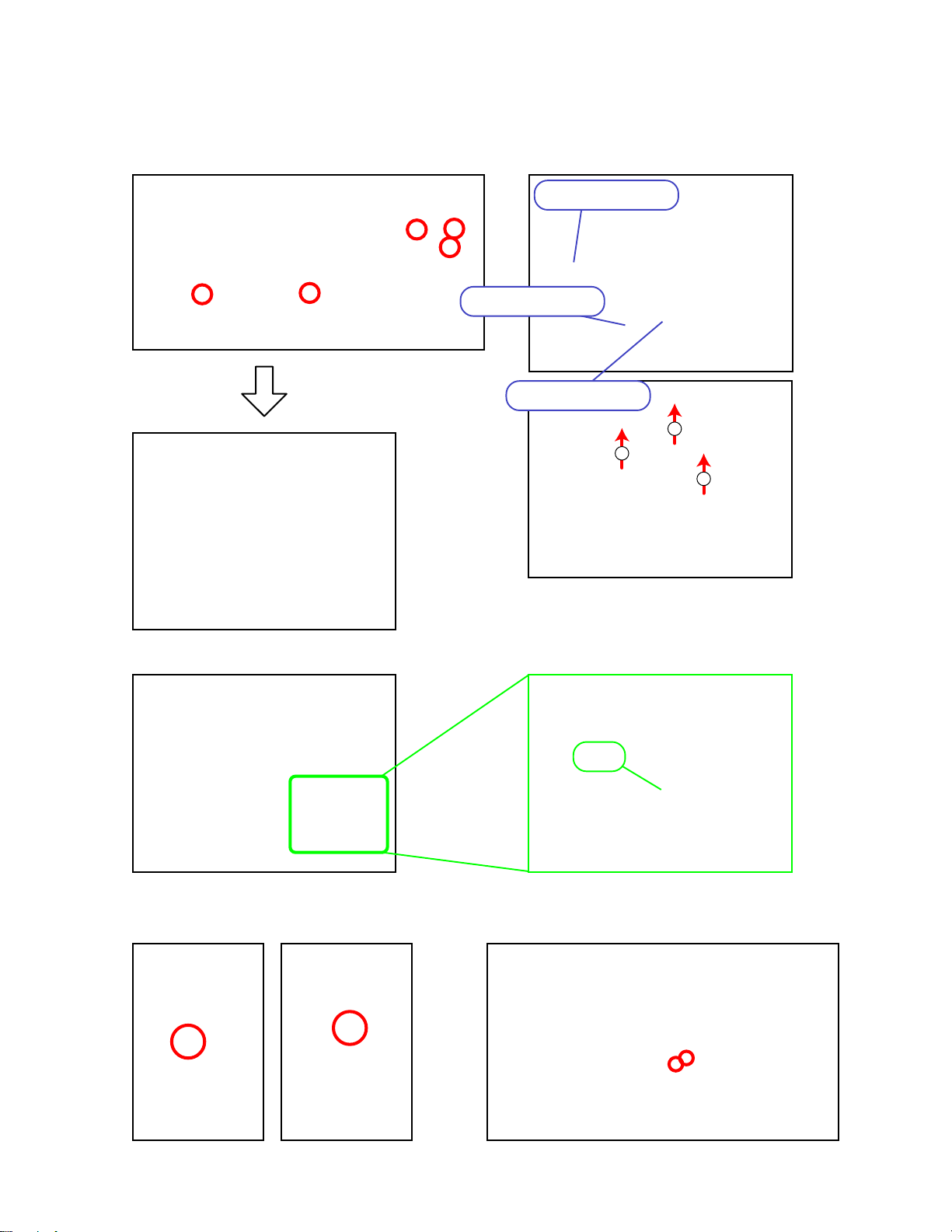
■ To remove the main PCB (JCM428-MA1M) and the pedal connector.
4. Remove five screws.
5. Remove three connectors.
6. Remove the main PCB and pedal connector.
Connector (CC)
Connector (CB)
Connector (CA)
2
1
1
Note: Pay attention to the direction of the pedal connector while assembling.
■ To remove the panel part.
7. Remove four screws.
1 Pin
— 10 —
Page 13

8. Remove the connector (CN405) on the PCB (M430-PSA1).
Connector (CN405)
9. Remove the console panel part.
Remove two screws on the power switch, and then remove the power switch.
Note: Organize cables and wires while assembling.
■ To remove the console PCBs (M430-CNA1, M430-CAN2, and M430-CNA3).
10. Remove four screws on the PCB (M430-CNA1).
11. Remove four screws on the PCB (M430-CNA2).
12. Remove three screws on the PCB (M430-CNA3).
13. Remove PCBs (M430-CNA1), (M430-CNA2) and (M430-CNA3).
PCB (M430-CNA1)
PCB (M430-CNA2)
PCB (M430-CNA3)
— 11 —
Page 14

■ To remove the sub PCB (M430-PSA1/PSA2), the power PCB (M420-ACA1) and the transformer.
14. Remove seven connectors on the sub PCB (M430-PSA1/PSA2).
15. Remove nine screws on the sub PCB (M430-PSA1/PSA2).
Connector (CN405,CN406,CN407)
Connector(CN401,CN402,CN403,CN404)
16. Remove four screws on the transformer.
17. Remove four connectors on the power PCB (M420-ACA1).
Connector (CN8)
18. Remove the sub PCB (M430-PSA1/PSA2), the power PCB (M420-ACA1), and the transformer.
Power PCB (M420-ACA1)
Sub PCB (M430-PSA1/PSA2)
■ To remove the speaker (only on one side is described below.)
19. Remove two screws and the smaller size of the speaker.
— 12 —
Page 15

20. Remove four screws on the speaker cover, and then remove the bigger size of the speaker.
■ To remove the smart media (M429-SMA1) and the LCD PCB (M419-LCA1).
21. Remove two screws and jack PCB (M430-JKA1).
■ To remove POWER LED PCB (M430-JKA2).
22. Remove six screws on the bottom, and then remove the front board.
23. Remove two screws on the PCB (M430-JKA2), then remove the PCB (M430-JKA2).
— 13 —
Page 16

■ To remove the POWER LED PCB (M429-PSA4).
24. Remove six screws on the speaker stand, then remove the speaker stand.
25. Remove 26 screws on the bottom.
26. Remove three screws on the surface.
27. Make the case and the keyboard apart.
— 14 —
Page 17

28. 1 Pull the hammer, and 2 Remove the key from the hammer.
1
2
28. Insert the edge of the tweezers as shown in “a” part of the figure below, and then remove the keys.
a
30. Remove eight rubber keys.
31. Remove 32 screws and the key PCB.
* Precautions while assembling the rubber keys.
1 One key has the different length from others.
2 The number of pins on the upper side and lower side are different.
3 Make sure pins are fitted securely.
7 pin
8 pin
1
4 pin
22
3 pin
— 15 —
Page 18

DIAGNOSTIC PROGRAM
■ Initial Setting
1. Connect the AC adaptor.
2. Connect the Pedal.
3. VOLUME slider: MAX
4. BRILLIANCE slider: CENTER
■ How to start diagnostic program
1. Press “Power” button while holding down “CHORUS” and “GRAND PIANO 1” buttons.
* All LED are lit for a moment when diagnostic program is activated.
2. Release “CHORUS” and “GRAND PIANO 1” buttons.
3. After diagnostic program is activated, RAM/ROM check and LED check are performed
automatically.
“CHORUS” button “GRAND PIANO 1” button
“Power” button
RAM/ROM check : Confirmation tone C4,E4,G4 sounds.
LED check : 2 groups of LED lamps having 9 LED in each group flash alternately.
■ Diagnostic program
1. Brilliance slider check.
1 Press “SETTING” button.
* Make sure confirmation tone C4,E4,G4, sound.
2 Which LED is lit depends on where the slider is located.
3 B Set brilliance slider for “MELLOW”.
* “GRAND PIANO 1” LED is lit.
4 Set brilliance slider for “BRIGHT”.
* “VARIATION” LED is lit.
5 Set brilliance slider at the center.
* “PIPE ORGAN 1” LED is lit.
— 16 —
Page 19

2. Button check
* Button check must be completed to exit.
1 Press “SETTING” button.
* Make sure confirmation tone C4,E4,G4 sound.
2 Press buttons following the order below.
* Make sure confirmation tone C4 sound.
* LED above button is lit.
* Confirmation tone C4,E4,G4 sound after finishing to press all buttons.
1 2 3 4 5 6 7 8 9 10 11 12 13 14 15 16 17 18 19 20
3. Pedal check
Press “SETTING” button twice to exit from pedal check and transfer to headphone check.
*
1 Press “SETTING” button.
* Confirmation tone C4,E4,G4 sound.
2 Press “DAMPER” pedal.
* Make sure confirmation tone C4 sounds.
3 Press “SOSTENUTO” pedal.
* Make sure confirmation tone E4 sounds.
* “SONG MEMORY” LED is lit.
4 Press “SOFT” pedal.
* Make sure confirmation tone G4 sounds.
* “SPLIT” LED is lit.
Soft pedal
Sostenuto pedal
Damper pedal
4. Headphone check.
1 Press “SETTING” button.
* Make sure confirmation tone C4,E4,G4 sound.
* “GRAND PIANO 1” LED is lit.
2 Connect the headphone to the jack.
* “GRAND PIANO 1” is unlit. / “GRAND PIANO 2” is lit.
3 Remove the headphone from the jack.
* “GRAND PIANO 2” is unlit. / “GRAND PIANO 1” is lit.
4 Perform headphone check for the other jack as the procedure
described above.
— 17 —
Page 20

5. MIDI check
* MIDI cable is essential to perform MIDI check.
1 Connect MIDI cable.
2 Press “SETTING” button.
* Make sure confirmation tone C4,E4,G4 sound.
3 Press “A4” key.
*Confirmation tone C4 sounds.
*Make sure confirmation tone C4,E4,G4 sound twice.
4 Remove MIDI cable.
C4 A4 C5 C6C2 C3 C7C1A0 C8
6. Diagnostic program is finished.
— 18 —
Page 21

21
EXPLODED VIEW
22
4
11
18
17
15
16
9
10
19
7
20
1
2
8
9
10
6
3
7
5-1
8
12
13
5
14
— 19 —
Page 22

24
23
40
41
39
45
43
42
47
29
31
32
33
34
35
25
46
38
28
27
37
30
26
36
44
x4
x6
x1
48
49
x2
x2
50
51
52
— 20 —
Page 23

PARTS LIST
AP-45
Notes: This parts list does not include the cosmetic parts,
which parts are marked with item No. "R-X" in the
exploded view.
Contact our spare parts department if you need
these parts for refurbish.
1. Prices and specifications are subject to change
without prior notice.
2. As for spare parts order and supply, refer to the
"GUIDEBOOK for Spare parts Supply",
published seperately.
3. The numbers in item column correspond to the
same numbers in drawing.
— 21 —
Page 24

N Item Parts Code Parts Name Specification Q
MAIN PCB
N 1 1020 0300
CB
CA 3501 7259
BT1 1005 2229
D3
D1
D4
Q2
Q4
Q1
Q3
IC5
IC11
IC12
IC6
N
IC4
IC14
IC13
IC3
IC7,IC8
IC1
LSI3
LSI1
IC2
LSI2
LSI4,LSI5
RC9 2845 6492
RC1,RC2,RC3,
RC4,RC5,RC6,
RC7
X2
X3
3501 5551
2390 2576
2360 2856
1004 7442
6930 0342
6930 0298
2259 2764
6940 9403
1002 1357
1004 7438
2105 6083
1004 0647
1004 0865
6930 9991
6930 9990
2105 5712
1004 7449
6932 4101
2105 6576
1004 7445
1005 4502
2012 5987
1000 8350
1008 7836
1008 7835
2845 6456 NETWORK/R-C EZAST62AAAJ 7 AD C
PCB ASSY/MA1M TK-RJM502154*002 1 DT A
CONNECTOR B8B-PH-K-S
CONNECTOR 30FMZ-BT
BATTERY CR2032/1HF1
DIODE RB501V-40TE-17
DIODE UDZTE-175.6B
DIODE HZU2.7B2TRF
TRANSISTOR 2SD1664T100R
TRANSISTOR 2SC4081T106R
TRANSISTOR 2SB1188T100Q
TRANSISTOR 2SA1576AT106R
OSCILATOR DSX151GA-22.5792M
OSCILATOR CSTCR5M00G35-R0
IC TC7WU04FU(TE12L)
IC TC7SH08FU(TE85L)
IC TC7SH04FU(TE85L)
IC TC7SET08FU(TE85L)
IC TC7SET04FU(TE85L)
IC TC7S04FU(TE85L)
IC RN5VD28AA-TR
IC RN5RF33BA-TR
IC TC74LCX245FT(EL)
IC NJM2068MD(T1)
LSI UPD914AGM-3ED
LSI TC190C020AF-001
LSI PCM69BU/2K
LSI MR27V6402G-0A3TP-N
LSI D442012AGYBB55XMJH
NETWORK/R-C EZAST63AAAJ
PS1 PCB
N 2 1020 0301
N 2 1020 0302
CN409
D420
J401
J402
L404
L401,402,403
D419
Q407
D405-408
D401-404
FU401
FU401
FU402,403
FU402,403
IC401
IC404,405
1008 1222
6932 3623
6932 5081
6932 5358
1005 7360
1005 6228
1007 9928
1007 9927
1004 7403
1003 6785
1005 2231
1005 4029
1005 2230
1005 4030
1004 3418
2121 0072
PCB ASSY/PSAJ TK-RJM505799*001 1 CR B
PCB ASSY/PSAE TK-RJM505800*001 1 CV B
CONNECTOR HDC-052S-02 1 AF X
PHOTO COUPLER PC900V0NSZX 1 AF X
CONNECTOR JY-6314-01-030 1 AB X
CONNECTOR JY-6314-01-130 1 AA X
COIL R2318-RB53-856396 1 BB X
COIL R2318-RB53-856397 3 AB X
DIODE 1SS133TA 1 AA X
TRANSISTOR KTC3199GR-AT 1 AA X
DIODE 1N5401-EP 4 AA X
DIODE 2A02B 4 AA X
FUSE 51MS010L 1 AC C
FUSE 50T010H 1 AC C
FUSE 51MS040L 2 AC C
FUSE 50T040H 2 AC C
IC LM4765T 1 BC X
IC NJM2068DD 2 AD X
PRICE
CODE
R Remarks
1AAX
1AFX
1AGC
1ABX
1AAX
1AAX
1ACX
1AAX
1ABX
1AAX
1ASX
1ACX
1ADX
1AAX
1AAX
1ACX
1AEX
1ABX
1ACX
1AEX
2AFX
1ACX
1CKX
1BCX
1BAX
1BQX
2BIX
1ABC
120V
240V
120V
240V
120V
240V
- 22 -
Page 25

N Item Parts Code Parts Name Specification Q
IC402
IC403
D417
D409-412,414
D413
D415,416
D418,421
Q403,404
Q401,402,405,
406
2114 5796
2114 5794
1008 0347
1007 9928
1008 5189
1013 2124
1007 9929
1002 5042
1007 9927 TRANSISTOR KTC3199GR-AT 4 AA X
IC NJM78M05FA 1 AE X
IC NJM78M15FA 1 AE X
DIODE 1A2TA 1 AA X
DIODE 1SS133TA 5 AA X
DIODE DZ5.6BSBTA 1 AA X
DIODE DZ8.2BSBTA 2 AA X
DIODE SRT14TA 2 AA X
TRANSISTOR 2SD1468STPR 2 AA X
MAIN CASE UNIT
3 1016 4284 PCB ASSY/ACA1U TK-RJM503880*001
3 1016 4286 PCB ASSY/ACA1E TK-RJM503882*001
N 4 1020 0305 PCB ASSY/JKA1 TK-RJM505801*001
J1,J2 1012 6045 CONNECTOR JY-6360*04-090
5 1016 4278 CORD ASSY/AC TK-RJM503864*002
5 1010 0792 CORD SET INQ.1258(1)
5 1004 5706 CORD SET EC2NC-M001A
5 1004 5707 CORD SET BC2NC-M001A
5-1 1016 4279 INLET ASSY/AC TK-RJM503865*001
6 1005 4031 TRANSFORMER TE-427-1M1
6 1005 4032 TRANSFORMER TE-427-2M1
7 3831 1094 SPEAKER S05JH46A
8 1004 7602 SPEAKER S16J75A
9 1004 7589 NET M441191-1
N 10 1020 3284 COVER/SPEAKER RJM505465-001V01
N 11 1020 0310 CASE ASSY/MIDDLE TK-RJM505496*001
N 12 1020 2786 BOARD/FRONT RJM505410-001V01
N 13 1019 6297 BRACKET RJM505578-001V01
N 14 1020 0306 PCB ASSY/JKA2 TK-RJM505802*001
CONSOLE UNIT
N 15 1020 1221 PANEL/CONSOLE RJM505397-001V01
N 16 1020 0304 PCB ASSY/CAN TK-RJM505803*001
IC301
X301
D312-D318
Q307-309
Q301-306
SW313-SW320
D301-311
SW301-312
VR301
VR302
1015 9709
1009 3909
2370 1416
1004 7532
1004 7535
1009 6077 SWITCH
2370 1416
1009 6077
1004 7472
1004 7473
LSI UPD65881GK-1019ETA 1 AS C
RESONATOR CSBLA1M00J58-B0 1 AC X
LED SLZ-190B-03-T2 7 AA X
TRANSISTOR 2SC5720(TPE4) 3 AA X
TRANSISTOR RN2205(TPE4) 6 AA X
SKQNADD010 8 AA X
LED SLZ-190B-03-T2 11 AA X
SWITCH SKQNADD010 12 AA X
VARIABLE R RS30H1110C95B54 1 AD X
VARIABLE R RS30H1210C95B14 2 AE X
17 1016 4307 SW ASSY/PW K-RJM503866*001
N 18 1020 3292 BUTTON/PW M340318-002V01
N 19 1020 3285 KNOB/SW RJM505434-001V01
N 20 1020 0311 GUIDE ASSY/SLIDE TK-RJM505502*001
N 21 1020 0308 BOARD ASSY/TOP TK-RJM505495*001
N 22 1020 0307 COVER ASSY/KEY TK-RJM505494*001
PRICE
CODE
1BAC
1AZC
R Remarks
120V
240V
1AUC
2AEX
1AMC
1APC
1AMC
1BDC
1AHC
1CWC
1CWC
120V
Korea
Korea/EU
UK
240V
120V
240V
2ATC
2BLC
2AFX
2AEX
1DRC
1BHC
1AXC
1AGC
1BRC
1CHC
CNA1
CNA1
CNA1
CNA1
CNA1
CNA1
CNA2
CNA2
CNA3
CNA3
1ARC
1AAC
2AAC
1ACC
1CSC
1CYC
- 23 -
Page 26

N Item Parts Code Parts Name Specification Q
KEYBOARD UNIT
N 23 1020 0309 KEY UNIT TK-RJM505330*001
24 1016 4305 CHASSIS ASSY TK-RJM504180*001
25 1013 5317 BLACK KEY RJM502797-001V01
36 AC X
26 1013 5426 WHITE KEY/CEGB RJM502862-001V01
27 1013 5427 WHITE KEY/DFA RJM502863-001V01
28 1013 5428 WHITE KEY/B RJM502794-001V01
29 1013 5429 WHITE KEY/SA RJM502795-001V01
30 1013 5430 WHITE KEY/SC RJM502796-001V01
31 1013 5435 HAMMER ASSY/W1 TK-RJM503155*001
32 1013 5436 HAMMER ASSY/W2 TK-RJM503216*001
33 1013 5437 HAMMER ASSY/W3 TK-RJM503217*001
34 1013 5438 HAMMER ASSY/W4 TK-RJM503218*001
13 AL C
13 AL C
13 AL C
13 AL C
35 1013 5439 HAMMER ASSY/B1 TK-RJM503219*001
36 1013 5440 HAMMER ASSY/B2 TK-RJM503220*001
37 1013 5442 HAMMER ASSY/B3 TK-RJM503221*001
38 1013 5443 HAMMER ASSY/B4 TK-RJM503222*001
N 39 1017 5767 CABLE N30385B1B05-UL2896
40 1013 3656 KEY RUBBER RJM502920-001V01
41 1013 3635 KEY RUBBER RJM502921-001V01
42 1013 3488 PCB ASSY/KYA TK-RJM503365*001
43 1013 3482 PCB ASSY/KYB TK-RJM503366*001
PRICE
CODE
R Remarks
1EDB
1DKC
7ATX
7AQX
1AGX
1AJX
1AJX
9AKC
9AKC
9AKC
9AKC
1ALC
7AKC
1AGC
1BIX
1BCX
STAND
44 1017 4864 SCREW SET TK-RJM504673*001
N 45 1020 0312 BOARD ASSY/LEFT TK-RJM505488*001
1ARC
1CNC
N 46 1020 0313 BOARD ASSY/RIGHT TK-RJM505489*001 1 CN C
N 47 1020 2776 BOARD ASSY/BACK RJM505400-001V01
N 48 1020 0314 BOARD ASSY/PEDAL TK-RJM505490*001
N 49 1020 0315 BOARD ASSY TK-RJM505492*001
50 1016 4314 PEDAL ASSY TK-RJM503901*002
51 1016 4049 HARNESS SMR-4P-155-M420
52 1019 3291 ADJUSTER FL-20
1CHC
1CXC
1CLC
1CCC
1AJC
1ADC
ACCESSORIES
N - 1020 0316 STAND/MUSIC TK-RJM504667*002
Notes : Q - Quantity per unit
R - Rank
1CMC
- 24 -
Page 27

MAIN PCB JCM428-MA1M
SCHEMATIC DIAGRAMS
— 25 —
Page 28

SUB PCB M430-PSA1
— 26 —
Page 29

SUB PCB M430-PSA2
— 27 —
Page 30

POWER SUPPLY PCB M420-ACA1
— 28 —
Page 31

CONSOLE PCB M430-CNA1
— 29 —
Page 32

CONSOLE PCB M430-CNA2
— 30 —
Page 33

CONSOLE PCB M430-CNA3
— 31 —
Page 34

Keyboard PCB MPCK-KYA1
— 32 —
Page 35

Keyboard PCB MPCK-KYB2
— 33 —
Page 36

Keyboard PCB MPCK-KYA3
— 34 —
Page 37

Ver.1 : July. 2005
CAUTION is added. (CONTENTS)
CASIO COMPUTER CO.,LTD.
Overseas Service Division
6-2, Hon-machi 1-Chome
Shibuya-ku, Tokyo 151-8543, Japan
 Loading...