

Page 1
Omni®
Digital
Vacuum Gauge
MADE IN U.S.A . Y E L L O W J AC K E T. C OM
For best results, clean the sensor with mineral spirits.
Visit us at www.TestEquipmentDepot.com
Operating Instructions:
1. Press the ON/OFF button to power on the gauge.
To manually power off the gauge, press and hold the ON/OFF button until the screen displays the “YJ” logo.
2.
3.
To change a setting:
• Tap the corresponding button to highlight the current setting.
•
Continue to tap this button until the desired value is displayed.
•
Press and hold this button to confirm the new setting. The
ighlighting will disappear when the setting has been confirmed.
h
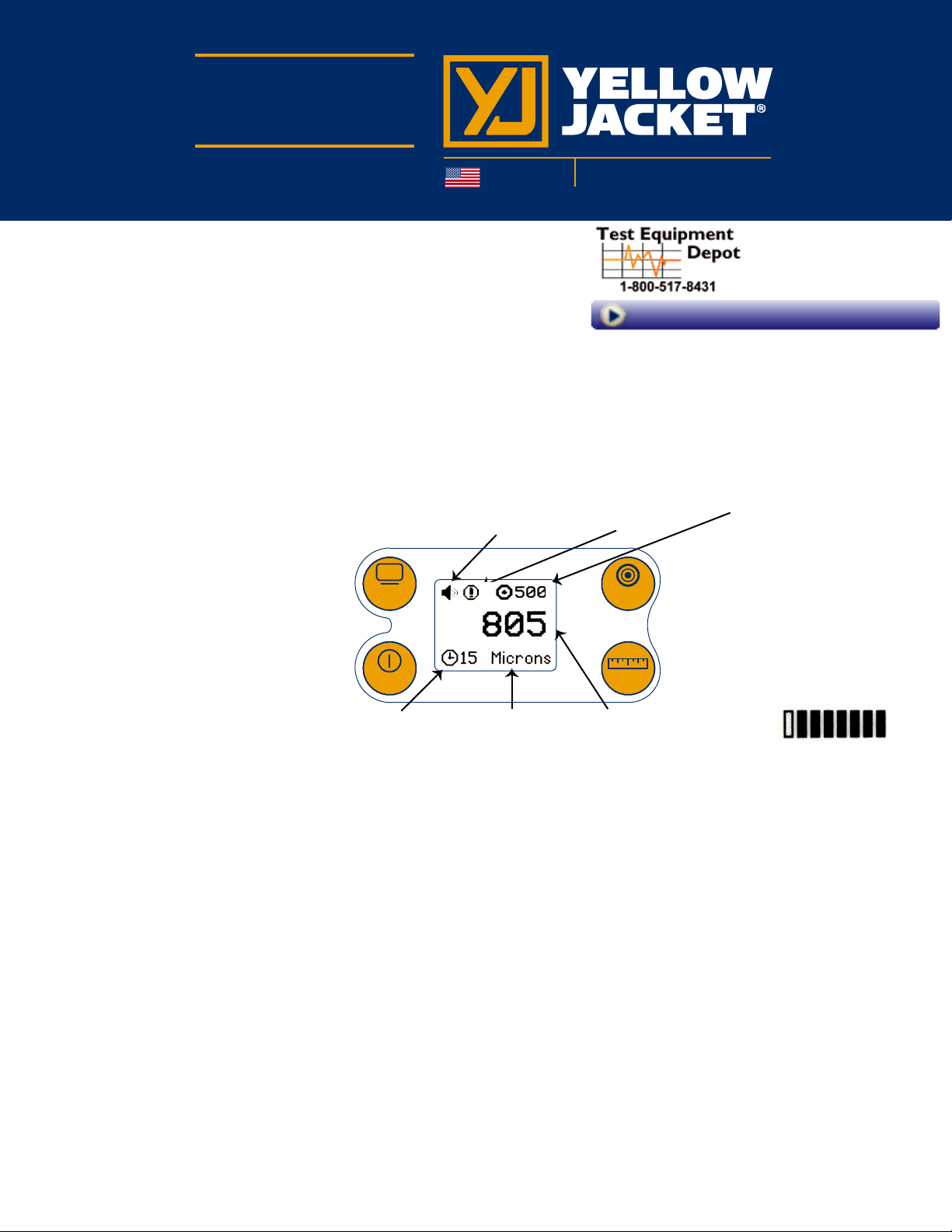
Audio
Notification
Notification
Icon
99 Washington Street
Melrose, MA 02176
Phone 781-665-1400
Toll Free 1-800-517-8431
Target Vacuum
Level
*DISPLAY - Select from several notifica-
tion options. To change the background,
press and hold for three seconds to
inverse LCD mode.
*ON/OFF - Power on and off, select
from four dif
ferent auto-off timer settings.
DISPLAY TARGET
Omni™ Vacuum Gauge
Auto-Off Timer
(in minutes)
Vacuum
Unit
Vacuum Level (displays bar
graph until deep vacuum reached)
*TARGET - Select from five
preset vacuum level targets.
*UNITS
UNITSON/OFF
dif
- Select from four
ferent vacuum units.
Test Equipment Depot - 800.517.8431 - 99 Washington Street Melrose, MA 02176
TestEquipmentDepot.com
 Loading...