

Page 1

BLUETOOTH®-LAUTSPRECHER /
BLUETOOTH® SPEAKER / ENCEINTE BLUETOOTH®
SLB 10 A1
BLUETOOTH®-LAUTSPRECHER
Bedienungsanleitung
ENCEINTE BLUETOOTH
Mode d’emploi
GŁOŚNIK BLUETOOTH
Instrukcja obsługi
®
®
BLUETOOTH® REPRODUKTOR
Návod na obsluhu
BLUETOOTH® SPEAKER
Operating instructions
BLUETOOTH®-LUIDSPREKER
Gebruiksaanwijzing
BLUETOOTH® REPRODUKTOR
Návod k obsluze
IAN 330701_2001
Page 2

DE / AT / CH Bedienungsanleitung Seite 1
GB / IE Operating instructions Page 37
FR / BE Mode d’emploi Page 73
NL / BE Gebruiksaanwijzing Pagina 113
PL Instrukcja obsługi Strona 149
CZ Návod k obsluze Strana 185
SK Návod na obsluhu Strana 221
Page 3

Quick
Start
Guide
Page 4

Inhaltsverzeichnis
Einführung ........................................3
Informationen zu dieser Bedienungsanleitung .....................3
Urheberrecht ..............................................3
Hinweise zu Warenzeichen ...................................3
Bestimmungsgemäße Verwendung .............................4
Verwendete Warnhinweise und Symbole .........................5
Sicherheit .........................................7
Grundlegende Sicherheitshinweise .............................7
Gefahr von Gehörschäden ................................. 10
Hinweise zur Funkschnittstelle ................................ 10
Teilebeschreibung/Bedienelemente ................. 11
Inbetriebnahme ................................. 12
Auspacken .............................................. 12
Lieferumfang prüfen ....................................... 12
Internen Akku laden ....................................... 13
SLB 10 A1
DE│AT│CH
│
1 ■
Page 5

Bedienung und Betrieb ............................ 15
Lautsprecher mit einem Bluetooth
®
-Gerät koppeln .............. 15
NFC-Funktion ............................................ 17
TWS-Funktion ............................................ 19
BassBoost-Funktion verwenden ............................... 21
Sprachassistenten aktivieren ................................. 21
Anruf annehmen/beenden .................................. 21
Bedienung der Tasten ...................................... 22
AUX IN-Betrieb ........................................... 23
Fehlersuche ..................................... 25
Reinigung ...................................... 27
Lagerung bei Nichtbenutzung ...................... 27
Entsorgung ..................................... 28
Gerät entsorgen .......................................... 28
Verpackung entsorgen ..................................... 29
Anhang ........................................ 30
Technische Daten .........................................30
Vereinfachte EU-Konformitätserklärung ........................ 31
Garantie der Kompernaß Handels GmbH ...................... 32
Service ................................................. 35
Importeur ............................................... 35
■ 2 │ DE
│AT│
CH
SLB 10 A1
Page 6

Einführung
Informationen zu dieser Bedienungsanleitung
Herzlichen Glückwunsch zum Kauf Ihres neuen Gerätes.
Sie haben sich damit für ein hochwertiges Produkt entschieden.
Die Bedienungsanleitung ist Bestandteil dieses Produkts.
Sie enthält wichtige Hinweise für Sicherheit, Gebrauch und Entsorgung.
Machen Sie sich vor der Benutzung des Produkts mit allen Bedien- und
Sicherheits hinweisen vertraut. Benutzen Sie das Produkt nur wie beschrieben
und für die angegebenen Einsatzbereiche. Bewahren Sie die Bedienungsanleitung immer als Nachschlage werk in der Nähe des Produkts auf.
Händigen Sie bei Weiter gabe oder Verkauf des Produktes an Dritte alle
Unterlagen inkl. dieser Bedienungsanleitung mit aus.
Urheberrecht
Diese Dokumentation ist urheberrechtlich geschützt. Jede Vervielfältigung,
bzw. jeder Nachdruck, auch auszugsweise, sowie die Wiedergabe der
Abbildungen, auch im veränderten Zustand ist nur mit schriftlicher Zustimmung des Herstellers gestattet.
Hinweise zu Warenzeichen
■ Die Bluetooth® Wortmarke und das Bluetooth® Logo sind
eingetragene Warenzeichen der Bluetooth SIG, Inc. (Special Interest
Group), jegliche Verwendung der Warenzeichen durch die Kompernaß
Handels GmbH erfolgt im Rahmen einer Lizenz.
SLB 10 A1
DE│AT│CH
│
3 ■
Page 7

■ USB ist ein eingetragenes Warenzeichen von
USB Implementers Forum, Inc.
■ NFC ist ein Markenzeichen oder eingetragenes Markenzeichen von
NFC Forum, Inc. in den Vereinigten Staaten und anderen Ländern.
■ Das SilverCrest Warenzeichen und der Handelsname sind Eigentum
des jeweiligen Inhabers.
Alle weiteren Namen und Produkte können die Waren zeichen oder eingetragene Warenzeichen ihrer jeweiligen Eigentümer sein.
Bestimmungsgemäße Verwendung
Dieser Lautsprecher ist ein Gerät der Unterhaltungselektronik und dient zur
Wiedergabe von Audiodateien welche via Bluetooth® oder 3,5mmKlinkenkabel zugespielt werden können.
Dieses Gerät dient außerdem zum Aufladen von mobilen Geräten, die
standardmäßig über einen USB-Anschluss aufgeladen werden.
Eine andere oder darüber hinausgehende Benutzung gilt als nicht
bestimmungsgemäß. Das Gerät ist nicht zur Verwendung in gewerblichen
oder industriellen Bereichen vorgesehen. Ansprüche jeglicher Art wegen
Schäden aus nicht bestimmungsgemäßer Verwendung, unsachgemäßen
Reparaturen, unerlaubt vorgenommener Veränderungen oder Verwendung
nicht zugelassener Ersatzteile sind ausgeschlossen. Das Risiko trägt allein
der Benutzer.
■ 4 │ DE
│AT│
CH
SLB 10 A1
Page 8

Verwendete Warnhinweise und Symbole
In der vorliegenden Bedienungsanleitung werden folgende Warnhinweise
verwendet (falls zutreffend):
GEFAHR
Ein Warnhinweis dieser Gefahrenstufe kennzeichnet eine
gefährliche Situation.
Falls die gefährliche Situation nicht vermieden wird, wird dies zu
schweren Verletzungen oder zum Tode führen.
► Die Anweisungen in diesem Warnhinweis befolgen, um die Gefahr
von schweren Verletzungen oder des Todes zu vermeiden.
WARNUNG
Ein Warnhinweis dieser Gefahrenstufe kennzeichnet eine
mögliche gefährliche Situation.
Falls die gefährliche Situation nicht vermieden wird, kann dies zu
schweren Verletzungen oder zum Tode führen.
► Die Anweisungen in diesem Warnhinweis befolgen, um die Gefahr
von schweren Verletzungen oder des Todes zu vermeiden.
SLB 10 A1
DE│AT│CH
│
5 ■
Page 9

VORSICHT
Ein Warnhinweis dieser Gefahrenstufe kennzeichnet eine
mögliche gefährliche Situation.
Falls die gefährliche Situation nicht vermieden wird, kann dies zu
Verletzungen führen.
► Die Anweisungen in diesem Warnhinweis befolgen, um Verletzungen
von Personen zu vermeiden.
ACHTUNG
Ein Warnhinweis dieser Gefahrenstufe kennzeichnet einen
möglichen Sachschaden.
Falls die Situation nicht vermieden wird, kann dies zu Sachschäden
führen.
► Die Anweisungen in diesem Warnhinweis befolgen, um Sachschäden
zu vermeiden.
HINWEIS
► Ein Hinweis kennzeichnet zusätzliche Informationen, die den Umgang
mit dem Gerät erleichtern.
■ 6 │ DE
│AT│
CH
SLB 10 A1
Page 10

Sicherheit
In diesem Kapitel erhalten Sie wichtige Sicherheitshinweise im Umgang
mit dem Gerät. Dieses Gerät entspricht den vorgeschriebenen Sicherheitsbestimmungen. Ein unsachgemäßer Gebrauch kann zu Personen- und
Sachschäden führen.
Grundlegende Sicherheitshinweise
Beachten Sie für einen sicheren Umgang mit dem Gerät die folgenden
Sicherheitshinweise:
■ Kontrollieren Sie das Gerät vor der Verwendung auf äußere sichtbare
Schäden. Nehmen Sie ein beschädigtes oder heruntergefallenes Gerät
nicht in Betrieb.
■ Bei Beschädigung der Kabel oder Anschlüsse lassen Sie diese von
autorisiertem Fachpersonal oder dem Kundenservice austauschen.
■ Dieses Gerät kann von Kindern ab 8 Jahren und darüber sowie von
Personen mit verringerten physischen, sensorischen oder mentalen
Fähigkeiten oder Mangel an Erfahrung und Wissen benutzt werden,
wenn Sie beaufsichtigt oder bezüglich des sicheren Gebrauchs des
Gerätes unterwiesen wurden und die daraus resultierenden Gefahren
verstehen. Kinder dürfen nicht mit dem Gerät spielen. Reinigung und
Benutzer-Wartung dürfen nicht von Kindern ohne Beaufsichtigung
durchgeführt werden.
SLB 10 A1
DE│AT│CH
│
7 ■
Page 11

■
GEFAHR! Verpackungsmaterialien sind kein Kinderspielzeug!
Halten Sie alle Verpackungsmaterialien von Kindern fern.
Es besteht Erstickungsgefahr!
■ Schützen Sie das Ladekabel vor heißen Oberflächen und scharfen Kanten
und achten Sie darauf, dass es nicht straff gespannt oder geknickt wird.
■ Stellen Sie das Gerät immer auf eine stabile und gerade Fläche.
Bei Stürzen kann es beschädigt werden.
■ Die Oberflächen von Möbeln enthalten möglicherweise Bestandteile,
die den Gummifuß des Gerätes angreifen und aufweichen können.
Legen Sie gegebenenfalls eine Unterlage unter den Gummifuß des
Gerätes.
■ Lassen Sie Reparaturen am Gerät nur von autorisiertem Fachpersonal
oder dem Kundenservice durchführen. Durch unsachgemäße Reparaturen können Gefahren für den Benutzer entstehen. Zudem erlischt der
Garantieanspruch.
■ Defekte Bauteile dürfen nur gegen Original-Ersatzteile ausgetauscht
werden. Nur bei diesen Teilen ist gewährleistet, dass sie die Sicherheitsanforderungen erfüllen.
■ Nehmen Sie keine eigenmächtigen Umbauten oder Veränderungen an
dem Gerät vor.
■ Öffnen Sie niemals das Gehäuse des Gerätes. Es befinden sich keine
zu wartenden Teile im Inneren. Des Weiteren verlieren Sie Ihren
Garantie anspruch.
■ Führen Sie keine Fremdkörper in Öffnungen des Gerätes ein.
■ 8 │ DE
│AT│
CH
SLB 10 A1
Page 12

■ Das Gerät ist für den Außenbereich geeignet und bei geschlossener
Schutzabdeckung der Anschlussbuchsen gegen Strahlwasser aus
allen Richtungen (IPX5) geschützt. Tauchen Sie das Gerät niemals
unter Wasser.
■ Laden Sie das Gerät nur in trockener Umgebung.
■ Während des Ladevorgangs kann sich das Gerät erwärmen. Legen Sie
das Gerät während des Ladevorgangs an einem gut belüfteten Ort hin
und decken Sie es nicht ab.
WARNUNG! Betreiben Sie das Gerät nicht in der Nähe von offenen
■
Flammen (z.B. Kerzen) und stellen Sie keine brennenden Kerzen auf
oder neben das Gerät. So helfen Sie Brände zu vermeiden.
■ Setzen Sie das Gerät nicht direktem Sonnenlicht oder hohen Tempera-
turen aus. Anderenfalls kann es überhitzen und irre parabel beschädigt
werden.
■ Betreiben Sie das Gerät niemals unbeaufsichtigt.
WARNUNG! Das Gerät besitzt einen integrierten Lithium-Ionen-
■
Akku. Eine falsche Handhabung von Lithium-Ionen-Akkus kann zu Feuer,
Explosionen, Auslaufen gefährlicher Stoffe oder anderen Gefahrensituationen führen! Das Gerät darf nicht ins offene Feuer geworfen
werden.
WARNUNG! Wenn Sie am Gerät ungewöhnliche Geräusche,
■
Brand geruch oder Rauchentwicklung feststellen, schalten Sie das Gerät
sofort aus und trennen alle angeschlossenen Kabelverbindungen.
Lassen Sie das Gerät durch einen qualifizierten Fachmann überprüfen,
bevor Sie es erneut verwenden.
SLB 10 A1
DE│AT│CH
│
9 ■
Page 13
Gefahr von Gehörschäden
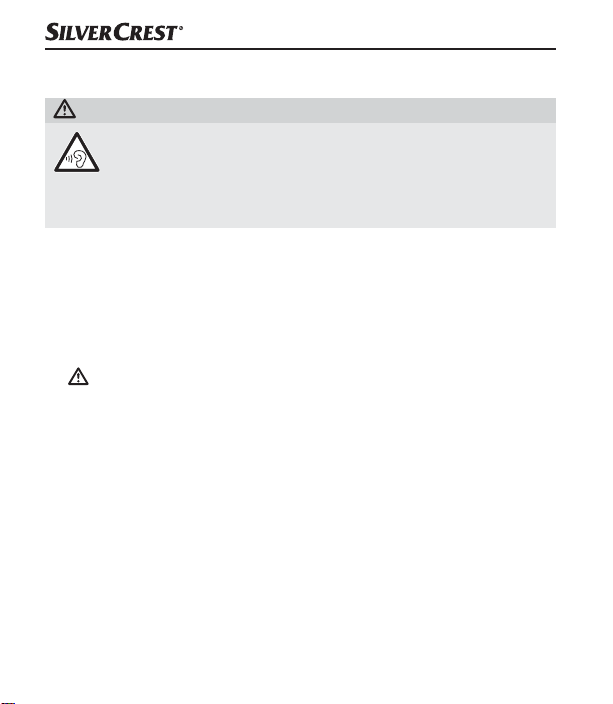
WARNUNG
Gefahr durch extreme Lautstärke!
Laute Musik kann zu Gehörschäden führen.
► Vermeiden Sie extreme Lautstärken, insbesondere über längere
Zeiträume, wenn Sie das Gerät benutzen.
Hinweise zur Funkschnittstelle
■ Schalten Sie das Gerät aus, wenn Sie sich in einem Flugzeug, in einem
Krankenhaus, einem Operationssaal oder in der Nähe eines medizinischen Elektroniksystems befinden. Die übertragenen Funkwellen können
empfindliche Geräte in Ihrer Funktion beeinträchtigen.
■ WARNUNG! Halten Sie das Gerät mindestens 20cm von einem
Herzschrittmacher oder einem implantierten Defibrillator fern, da sonst
die ordnungsgemäßen Funktionen des Herzschrittmachers oder des
implantierten Defibrillators durch Funkwellen beeinträchtigt werden
können.
■ Die übertragenen Funkwellen können Störgeräusche in Hörgeräten
verursachen.
■ Bringen Sie das Gerät mit eingeschalteter Funkkomponente nicht in
die Nähe entflammbarer Gase oder in eine explosionsgefährdete
Umgebung (z.B. Lackiererei), da die übertragenen Funkwellen eine
Explosion oder Feuer auslösen können.
■ 10 │ DE
│AT│
CH
SLB 10 A1
Page 14

■ Die Reichweite der Funkwellen ist abhängig von Umwelt- und Umge-
bungsbedingungen.
■ Bei Datenverkehr über eine drahtlose Verbindung ist es auch unberech-
tigten Dritten möglich, Daten zu empfangen.
Teilebeschreibung/Bedienelemente
(Abbildungen siehe Ausklappseite)
1 Taste
2 Mikrofon
3 Taste
4 Taste
5 Taste
6 Taste
7 Taste
8 TWS-LED
9 Betriebs-/Lade-LED
0 Schutzabdeckung
q Micro-USB-Ladebuchse (DC IN)
w 3,5mm-Klinkenbuchse (AUX IN)
e Ladekabel (USB Typ A auf Micro-USB)
r 3,5mm-Klinkenkabel (3,5mm auf 3,5mm)
t Kurzanleitung (Symbolbild)
z Bedienungsanleitung (Symbolbild)
SLB 10 A1
DE│AT│CH
│
11 ■
Page 15

Inbetriebnahme
Auspacken
♦ Entnehmen Sie alle Teile und die Bedienungsanleitung aus der
Verpackung.
♦ Entfernen Sie sämtliches Verpackungsmaterial.
Lieferumfang prüfen
(Abbildungen siehe Ausklappseite)
Der Lieferumfang besteht aus folgenden Komponenten:
▯ Bluetooth®-Lautsprecher
▯ Ladekabel e (USB Typ A auf Micro-USB)
▯ 3,5mm-Klinkenkabel (3,5mm auf 3,5mm) r
▯ Kurzanleitung t
▯ Diese Bedienungsanleitung z
HINWEIS
► Prüfen Sie die Lieferung auf Vollständigkeit und auf sichtbare Schäden.
► Bei einer unvollständigen Lieferung oder Schäden infolge mangel-
hafter Verpackung oder durch Transport wenden Sie sich an die
Service-Hotline (siehe Kapitel Service).
■ 12 │ DE
│AT│
CH
SLB 10 A1
Page 16

Internen Akku laden
ACHTUNG
► Laden Sie den Lautsprecher nur in trockenen Innenräumen.
► Aufgrund der hohen Stromaufnahme, muss ein USB-Netzteil zur Ladung
des Lautsprechers verwendet werden. Laden Sie den Lautsprecher
nicht an einem USB-Anschluss eines PCs oder Notebooks.
► Verwenden Sie zum Laden des Lautsprechers nur USB-Netzteile mit
einer Ausgangsspannung von 5V und einem Ausgangsstrom von
mindestens 900mA.
► Verwenden Sie ausschließlich das mitgelieferte Ladekabel e zum
Laden des Lautsprechers!
► Entfernen Sie unbedingt das Ladekabel e nach Beendigung des
Ladevorgangs!
Vor der Verwendung des Lautsprechers muss der integrierte Akku vollständig
geladen werden.
♦ Öffnen Sie die Schutzabdeckung 0.
♦ Verbinden Sie den USB Typ A-Stecker des Ladekabels e mit einem
geeigneten USB-Netzteil (nicht im Lieferumfang enthalten).
♦ Verbinden Sie den Micro-USB-Stecker des Ladekabels e mit der
Micro-USB-Ladebuchse q des Lautsprechers.
♦ Entfernen Sie nach Beendigung des Ladevorgangs das Ladekabel e
vom Lautsprecher und schließen die Schutzabdeckung 0.
SLB 10 A1
DE│AT│CH
│
13 ■
Page 17

HINWEIS
► Die Betriebs-/Lade-LED 9 leuchtet während des Ladevorgangs
orange. Wenn der Akku vollständig geladen ist, erlischt die
Betriebs-/Lade-LED 9.
► Bei voll aufgeladenem Akku ist eine Musikwiedergabe von bis zu
12Stunden bei mittlerer Lautstärke möglich. Die Wiedergabezeit
kann je nach Nutzung schwanken.
► Bei niedrigem Batteriestatus, ertönt, je nach Nutzung, ca. 10-60Minuten
bevor der Akku erschöpft ist ein Signalton. Alle weiteren 10Minuten
ertönt erneut ein Signalton. Die Betriebs-/Lade-LED 9 blinkt alle
15Sekunden orange. Wenn die Akkuleistung erschöpft ist, schaltet
sich der Lautsprecher automatisch ab. Ein Signalton ertönt und die
Betriebs-/Lade-LED 9 erlischt. Wenn der Akku vollständig erschöpft ist,
dauert es ca.4 Stunden, um den Akku wieder vollständig aufzuladen.
■ 14 │ DE
│AT│
CH
SLB 10 A1
Page 18

Bedienung und Betrieb
Lautsprecher mit einem Bluetooth®-Gerät koppeln
HINWEIS
► Wenn Sie den Lautsprecher mit einem Bluetooth
darf die 3,5mm-Klinkenbuchse w nicht belegt sein.
®
-Gerät koppeln,
♦ Stellen Sie sicher, dass der Lautsprecher ausgeschaltet ist und das
Bluetooth
®
-Gerät eingeschaltet ist.
♦ Stellen Sie das Bluetooth®-Gerät so ein, dass es nach Bluetooth®-
Geräten sucht. Eine detaillierte Beschreibung dazu finden Sie in der
Bedienungsanleitung Ihres Bluetooth®-Gerätes.
♦ Halten Sie die Taste 1 für ca. 3Sekunden gedrückt, um den Laut-
sprecher einzuschalten. Es ertönt unmittelbar eine Signaltonfolge und
die Betriebs-/Lade-LED 9 blinkt zweimal gleichzeitig blau und orange.
Anschließend blinkt die Betriebs-/Lade-LED 9 abwechselnd orange
und blau. Die Bluetooth
®
-Funktion ist jetzt automatisch aktiviert.
♦ Wählen Sie aus der Liste der gefundenen Geräte Ihres Bluetooth®-
Gerätes den Eintrag SLB10A1 und geben Sie, falls nötig, den Code
0000 ein, um die beiden Geräte zu koppeln. Eine aufsteigende Signaltonfolge ertönt und die Betriebs-/Lade-LED 9 blinkt alle 3Sekunden
zweimal blau, wenn die Verbindung erfolgreich hergestellt wurde.
♦ Starten Sie die Wiedergabe am Bluetooth®-Gerät.
SLB 10 A1
DE│AT│CH
│
15 ■
Page 19

♦ Halten Sie die Taste
1 erneut für ca. 3Sekunden gedrückt,
um den Lautsprecher auszuschalten und die Bluetooth®-Funktion zu
deaktivieren. Es ertönt eine Signaltonfolge. Die Betriebs-/Lade-LED 9
blinkt zweimal gleichzeitig blau und orange und erlischt danach.
HINWEIS
►
Wenn Sie die Kopplung zwischen dem Lautsprecher und Ihrem
Bluetooth
®
-Gerät nicht innerhalb von 6Minuten herstellen, schaltet sich der Lautsprecher automatisch aus. In diesem Fall müssen Sie
den Laut sprecher zuerst wieder einschalten, bevor Sie eine erneute
Kopplung starten.
®
► Wenn der Lautsprecher während des Bluetooth
-Betriebs durchgängig keine Signale empfängt, schaltet sich der Laut sprecher nach
ca.10Minuten automatisch aus.
► Der Lautsprecher verbindet sich beim nächsten Einschalten automa-
tisch wieder mit dem zuletzt verbundenen Bluetooth
®
-Gerät. Wenn
Ihr Bluetooth®-Gerät sich nicht automatisch wieder mit dem Lautsprecher verbindet, müssen Sie die Verbindung manuell herstellen.
Eine detaillierte Beschreibung dazu finden Sie in der Bedienungsanleitung Ihres Bluetooth®-Gerätes.
■ 16 │ DE
│AT│
CH
SLB 10 A1
Page 20

HINWEIS
► Wenn Sie den aktuell verbundenen Lautsprecher mit einem anderen
Bluetooth
®
-Gerät verbinden möchten, müssen Sie zuerst die
Taste 6 drücken, um das aktuell verbundene Bluetooth®Gerät vom Lautsprecher zu trennen. Alternativ deaktivieren Sie die
Bluetooth
®
-Funktion am verbundenen Bluetooth®-Gerät. Eine
absteigende Signaltonfolge ertönt und die Betriebs-/Lade-LED 9
blinkt abwechselnd orange und blau. Der Laut sprecher ist sofort
bereit, um mit einem anderen Bluetooth®-Gerät gekoppelt zu
werden.
NFC-Funktion
Mit der NFC-Funktion (engl. Near Field Communication) können
Sie schnell und einfach eine Bluetooth®-Verbindung herstellen.
HINWEIS
Die NFC-Funktion zum Herstellen einer Bluetooth
niert nur unter folgenden Voraussetzungen:
► Ihr Bluetooth®-Gerät ist weniger als 1cm vom NFC-Schriftzug an
der Oberseite des Lautsprechers entfernt.
► Der Lautsprecher ist nicht über Bluetooth
Bluetooth
®
-Gerät verbunden.
♦ Stellen Sie sicher, dass der Lautsprecher eingeschaltet ist.
®
-Verbindung funktio-
®
mit einem anderen
SLB 10 A1
DE│AT│CH
│
17 ■
Page 21

®
♦ Schalten Sie an Ihrem Bluetooth
detaillierte Beschreibung dazu finden Sie in der Bedienungsanleitung
Ihres Bluetooth
♦ Halten Sie Ihr Bluetooth
®
-Geräts.
®
-Gerät die NFC-Funktion ein. Eine
-Gerät, in geringem Abstand (weniger als
1cm), über den NFC-Schriftzug, an der Oberseite des Lautsprechers.
Alternativ können Sie Ihr Bluetooth®-Gerät auch direkt auf den NFC-
Schriftzug an der Oberseite des Lautsprechers legen.
♦ Bestätigen Sie den Verbindungsaufbau, wenn eine entsprechende
Meldung im Display Ihres Bluetooth®-Geräts erscheint.
♦ Ihr Bluetooth®-Gerät wird automatisch über Bluetooth® mit dem
Lautsprecher verbunden. Eine aufsteigende Signaltonfolge ertönt und
die Betriebs-/Lade-LED 9 blinkt alle 3Sekunden zweimal blau, wenn
die Verbindung erfolgreich hergestellt wurde.
Sie können nun den Lautsprecher verwenden, um Musik von Ihrem
Bluetooth
®
-Gerät kabellos über den Lautsprecher anzuhören.
■ 18 │ DE
│AT│
CH
SLB 10 A1
Page 22

TWS-Funktion
Die TWS-Funktion („True Wireless Stereo“ [Echtes kabelloses Stereo])
ermöglicht die Kopplung zweier Lautsprecher.
Mit einem zweiten Lautsprecher des gleichen Typs SLB10A1 (IAN 330701)
besteht die Möglich keit über die TWS-Funktion beide Lautsprecher miteinander zu koppeln und als Stereo-Lautsprecher-System zu verwenden.
Der linke Lautsprecher ist dabei der Hauptlautsprecher der mit einem
Bluetooth
Bluetooth®- Gerät empfangenen Audiosignale an den rechten Lautsprecher.
Ein zweiter Lautsprecher kann unter www.lidl.de erworben werden. Bei
fehlender Verfügbarkeit können Sie alternativ einen weiteren Lautsprecher
unter www.kompernass.com erwerben.
TWS-Modus einschalten
HINWEIS
► Wenn Sie den TWS-Modus einschalten, darf keine Bluetooth
♦ Schalten Sie beide Lautsprecher ein.
♦ Drücken Sie kurz die Taste
linker Lautsprecher fungieren soll. Ein Signalton ertönt und die
TWS-LED 8 blinkt während der Kopplung schnell grün.
®
- Gerät verbunden ist. Dieser Lautsprecher überträgt die vom
®
-
Verbindung zwischen einem Lautsprecher und einem Bluetooth®Gerät bestehen.
7 an dem ersten Lautsprecher, der als
SLB 10 A1
DE│AT│CH
│
19 ■
Page 23

♦ Wenn die Kopplung beider Lautsprecher erfolgreich war, ertönt ein
Signalton. Der TWS-Modus ist eingeschaltet.
♦ Die TWS-LED 8 des linken Lautsprechers leuchtet grün.
♦ Die TWS-LED 8 des rechten Lautsprechers blinkt grün.
®
♦ Koppeln Sie den linken Lautsprecher mit einem Bluetooth
®
♦ Starten Sie die Wiedergabe am Bluetooth
-Gerät.
- Gerät.
HINWEIS
► Wenn Sie die Kopplung zwischen beiden Lautsprechern nicht
innerhalb von 6Minuten herstellen, schalten sich die Lautsprecher
automatisch aus. In diesem Fall müssen Sie die Laut sprecher zuerst
wieder einschalten, bevor Sie eine erneute Kopplung starten.
► Achten Sie darauf, den linken und rechten Lautsprecher für die Wieder-
gabe richtig zu positionieren.
► Die Tasten für die Wiedergabe funktionieren an beiden Lautsprechern.
TWS-Modus ausschalten
♦ Drücken Sie kurz die Taste
7 an einem der Lautsprecher, um den
TWS-Modus auszuschalten. Ein Signalton ertönt und die TWS-LED 8
erlischt bei beiden Lautsprechern. Die Wiedergabe wird im laufenden
Betrieb über den linken Lautsprecher fortgesetzt.
■ 20 │ DE
│AT│
CH
SLB 10 A1
Page 24

BassBoost-Funktion verwenden
Mit der BassBoost-Funktion können Sie die Bass-Wiedergabe erhöhen.
♦ Halten Sie die Taste
BassBoost-Funktion einzuschalten. Es ertönen zwei Signaltöne.
♦ Halten Sie die Taste
BassBoost-Funktion auszuschalten. Es ertönt ein Signalton.
4 für ca. 2Sekunden gedrückt, um die
4 für ca. 2Sekunden gedrückt, um die
Sprachassistenten aktivieren
Das Mikrofon 2 im Lautsprecher fungiert als Erweiterung des Mikrofons in
Ihrem Bluetooth®-Gerät. Sie können auf die Sprachsteuerungsfunktionen
Ihres Bluetooth®-Geräts zugreifen, um z.B. Anrufe zu tätigen oder um
sich Informationen aus dem Internet zu beschaffen.
♦ Drücken Sie zweimal kurz auf die Taste
tenten zu aktivieren. Gegebenenfalls müssen Sie einen Sprachassistenten auf Ihrem Bluetooth®-Gerät wählen. Sie hören einen Signalton,
wenn Ihr Sprachassistent aktiv ist.
4, um Ihren Sprachassis-
Anruf annehmen/beenden
Sie können mit dem Lautsprecher Anrufe des verbundenen Bluetooth®Geräts annehmen und beenden. Bei einem eingehenden Anruf, wird die
Musikwiedergabe unterbrochen.
♦ Drücken Sie kurz die Taste
nehmen.
♦ Drücken Sie kurz die Taste
Die Musikwiedergabe wird fortgesetzt.
4, um den eingehenden Anruf anzu-
4, um den Anruf zu beenden.
SLB 10 A1
DE│AT│CH
│
21 ■
Page 25

Bedienung der Tasten
Taste Funktion
► Einschalten: 3 Sekunden gedrückt halten
► Ausschalten: 3 Sekunden gedrückt halten
► Lautstärke erhöhen: Kurz drücken/Bei Erreichen
der maximalen Lautstärke ertönt ein kurzer Signalton
► Nächster Titel: 2 Sekunden gedrückt halten
► Play/Pause: Kurz drücken
► BassBoost-Funktion ein-/ausschalten: 2 Sekunden
gedrückt halten
► Sprachassistenten aktivieren: 2× kurz drücken
► Anruf annehmen/beenden: Kurz drücken
► Lautstärke verringern: Kurz drücken
► Aktuellen Titel neu beginnen: 2 Sekunden gedrückt
halten
► Vorheriger Titel: Wenn der aktuelle Titel neu beginnt,
sofort erneut 2 Sekunden gedrückt halten
► Bluetooth®-Funktion aktivieren: Kurz drücken
(Ein Signalton ertönt)
► Bluetooth
Kurz drücken, um die Bluetooth®-Verbindung zu trennen
(Ein Signalton ertönt)/ Eine erneute Kopplung mit einem
Bluetooth®-Gerät ist sofort möglich
®
-Verbindung trennen/herstellen:
■ 22 │ DE
│AT│
CH
SLB 10 A1
Page 26

Taste Funktion
► TWS einschalten: Kurz drücken
► TWS ausschalten: Kurz drücken
AUX IN-Betrieb
ACHTUNG
► Verwenden Sie den Lautsprecher im AUX IN-Betrieb ausschließlich in
trockenen Innenräumen und mit dem mitgelieferten 3,5mm-Klinkenkabel r.
Sie können Musik von einem, mit dem 3,5 mm-Klinkenkabel r angeschlossenen, tragbaren Audiogerät wiedergeben.
♦ Stellen Sie sicher, dass der Lautsprecher ausgeschaltet ist.
♦ Öffnen Sie die Schutzabdeckung 0.
♦ Schließen Sie das Audiogerät mittels des 3,5 mm-Klinkenkabels r an
die 3,5 mm-Klinkenbuchse w des Lautsprechers an.
♦ Halten Sie die Taste
sprecher einzuschalten. Es ertönt eine Signaltonfolge und die Betriebs-/
Lade-LED 9 leuchtet blau.
♦ Starten Sie die Wiedergabe am Audiogerät und stellen Sie am Audio-
gerät die Lautstärke auf einem moderaten Pegel ein.
♦ Stellen Sie anschließend die gewünschte Lautstärke mit der Taste
bzw. Taste
5 am Lautsprecher ein.
1 für ca. 3 Sekunden gedrückt, um den Laut-
3
SLB 10 A1
DE│AT│CH
│
23 ■
Page 27

♦ Drücken Sie kurz die Taste
4, um die Musikwiedergabe stumm
zuschalten. Drücken Sie erneut kurz die Taste 4, um die Stummschaltung aufzuheben.
♦ Wenn Sie den AUX IN-Betrieb nicht mehr verwenden, entfernen Sie
das 3,5 mm-Klinkenkabel r vom Lautsprecher und schließen die
Schutzabdeckung 0.
HINWEIS
► Wenn Sie bei der Wiedergabe von Audiodateien via Bluetooth
das 3,5 mm-Klinkenkabel r an den Lautsprecher anschließen,
wechselt dieser automatisch zum AUX-Eingang. Die Bluetooth®Verbindung wird auch dann unterbrochen, wenn Sie nur ein 3,5 mmKlinkenkabel an den Lautsprecher anschließen.
► Im AUX IN-Betrieb ist es nicht möglich mit der Taste
3 bzw.
Taste 5 zum nächsten/vorherigen Titel zu wechseln. Es ist auch
nicht möglich mit der Taste 4 die Musikwiedergabe zu starten
bzw. zu pausieren.
► Wenn der Lautsprecher während des AUX IN-Betriebs durch gängig
keine Signale empfängt, schaltet sich der Lautsprecher nach ca.
10Minuten automatisch aus.
®
■ 24 │ DE
│AT│
CH
SLB 10 A1
Page 28

Fehlersuche
Der Lautsprecher lässt sich nicht mit einem kompatiblen
Bluetooth®-Gerät koppeln
♦ Stellen Sie sicher, dass am Bluetooth
Verbindung aktiviert ist. Bei angeschlossenem 3,5mm-Klinkenkabel r
wird die Bluetooth
®
-Verbindung unterbrochen.
♦ Stellen Sie sicher, dass der Lautsprecher eingeschaltet ist.
♦ Wenn Sie mehrere Bluetooth
dass eine zuvor hergestellte Verbindung getrennt wurde. Es könnte
sich noch ein zuvor gekoppeltes Bluetooth®-Gerät in Reichweite
befinden.
♦ Stellen Sie sicher, dass der Lautsprecher maximal 10Meter vom
Bluetooth
®
-Gerät entfernt ist und sich keine Hindernisse oder elektro-
nische Geräte dazwischen befinden.
Sie können den Lautsprecher nicht einschalten
♦ Der integrierte Akku des Lautsprechers ist eventuell leer. Laden Sie den
Akku wieder auf.
Sie können nicht alle beschriebenen Funktionen verwenden
♦ Je nach verwendetem Bluetooth
kann dies möglich sein. Versuchen Sie den Softwarestand zu aktualisieren oder ggf. ein anderes Bluetooth®-Gerät zu verwenden.
®
-Gerät die Bluetooth®-
®
-Geräte verwenden, stellen Sie sicher,
®
-Gerät und dessen Software stand
SLB 10 A1
DE│AT│CH
│
25 ■
Page 29

Sie hören keinen Ton aus dem Lautsprecher
♦ Die Lautstärke des Lautsprechers steht auf minimaler Lautstärke.
Erhöhen Sie die Lautstärke.
♦ Im AUX IN-Betrieb ist der Lautsprecher bzw. das externe Audiogerät
stumm geschaltet. Heben Sie die Stummschaltung auf.
♦ Im AUX IN-Betrieb ist das 3,5 mm-Klinkenkabel r nicht korrekt verbunden.
Prüfen Sie die Kabelverbindung.
HINWEIS
► Wenn Sie mit den vorstehend genannten Schritten das Problem
nicht lösen können, wenden Sie sich bitte an die Service-Hotline
(siehe Kapitel Service).
■ 26 │ DE
│AT│
CH
SLB 10 A1
Page 30

Reinigung
ACHTUNG
► Halten Sie die Schutzabdeckung 0 während der Reinigung
geschlossen.
► Stellen Sie sicher, dass bei der Reinigung keine Feuchtigkeit in den
Lautsprecher eindringt, um eine irreparable Beschädigung des Lautsprechers zu vermeiden.
► Verwenden Sie keine ätzende, scheuernde oder lösungsmittelhaltige
Reinigungsmittel. Diese können die Oberfläche des Lautsprechers
angreifen.
♦ Reinigen Sie den Lautsprecher ausschließlich mit einem leicht ange-
feuchteten Tuch.
Lagerung bei Nichtbenutzung
♦ Lagern Sie den Lautsprecher an einem trockenen und staubfreien Ort
ohne direkte Sonneneinstrahlung.
♦ Bei längerer Lagerung sollte der integrierte Akku voll geladen werden,
um die Lebensdauer zu verlängern. Laden Sie den inte grierten Akku bei
längerer Nichtbenutzung regelmäßig nach. Dies ist zur Schonung des
Akkus erforderlich.
SLB 10 A1
DE│AT│CH
│
27 ■
Page 31
Entsorgung
Gerät entsorgen
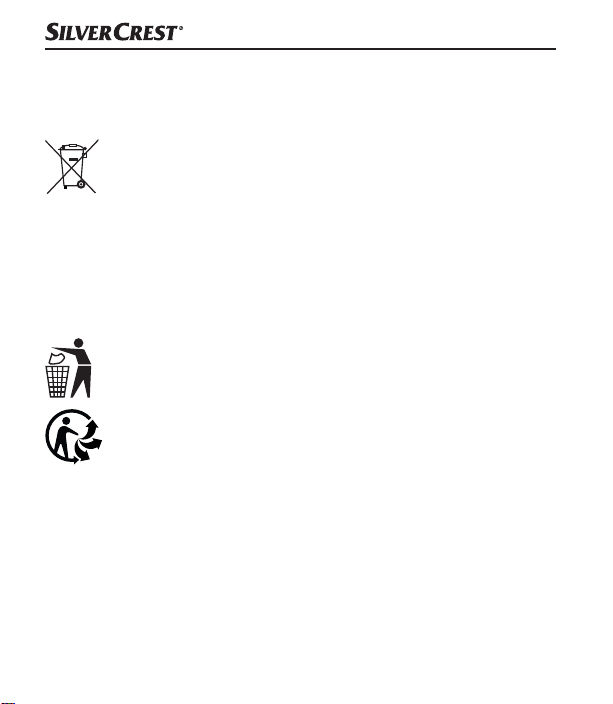
Das nebenstehende Symbol einer durchgestrichenen Mülltonne
auf Rädern zeigt an, dass dieses Gerät der Richtlinie 2012/19/EU
unterliegt. Diese Richtlinie besagt, dass Sie dieses Gerät am
Ende seiner Nutzungszeit nicht mit dem normalen Haushaltsmüll entsorgen
dürfen, sondern in speziell eingerichteten Sammelstellen, Wertstoffhöfen
oder Entsorgungsbetrieben abgeben müssen. Der eingebaute Akku kann
zur Entsorgung nicht ausgebaut werden.
Diese Entsorgung ist für Sie kostenfrei. Schonen Sie die Umwelt
und entsorgen Sie fachgerecht.
Möglichkeiten zur Entsorgung des ausgedienten Produkts erfahren
Sie bei Ihrer Gemeinde- oder Stadtverwaltung.
Das Produkt ist recycelbar, unterliegt einer erweiterten Hersteller-
verantwortung und wird getrennt gesammelt.
■ 28 │ DE
│AT│
CH
SLB 10 A1
Page 32
Verpackung entsorgen
Die Verpackungsmaterialien sind nach umweltverträglichen und
entsorgungstechnischen Gesichtspunkten ausgewählt und
deshalb recyclebar. Entsorgen Sie nicht mehr benötigte
Verpackungsmaterialien gemäß den örtlich geltenden Vorschriften.
Entsorgen Sie die Verpackung umweltgerecht. Beachten Sie die
Kennzeichnung auf den verschiedenen Verpackungsmaterialien
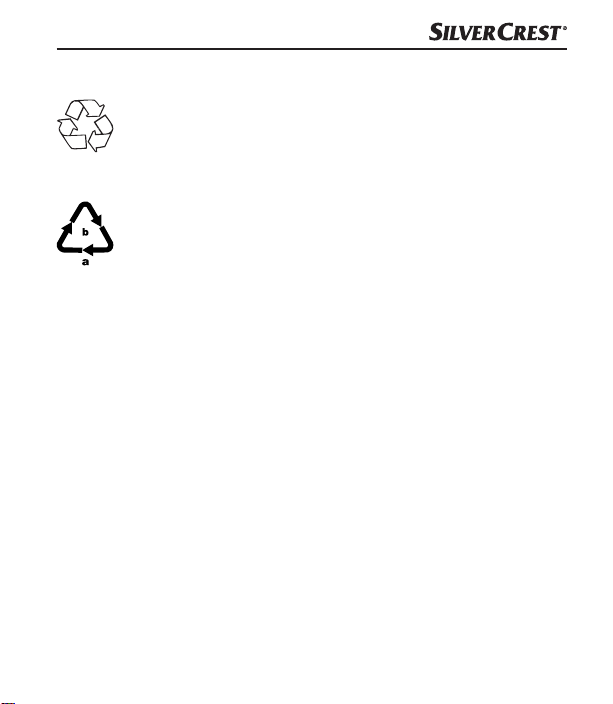
und trennen Sie diese gegebenenfalls gesondert. Die Verpackungsmaterialien sind gekennzeichnet mit Abkürzungen (a) und Ziffern
(b) mit folgender Bedeutung: 1–7: Kunststoffe, 20–22: Papier und Pappe,
80–98: Verbundstoffe.
SLB 10 A1
DE│AT│CH
│
29 ■
Page 33
Anhang
Technische Daten
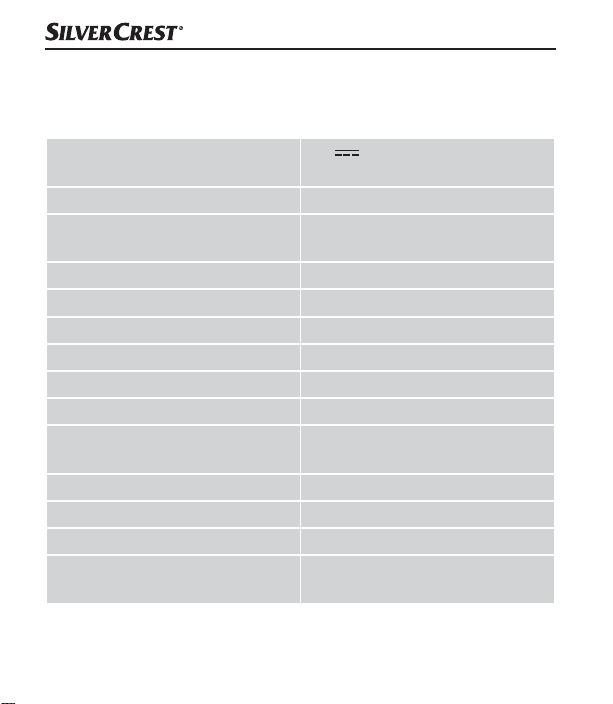
Betriebsspannung, -strom
®
Bluetooth
-Spezifikationen Version 5.0 (bis zu 10 m Reichweite)
Unterstützte Bluetooth
®
-Profile
5 V (Gleichstrom),
900 mA über USB-Ladebuchse
A2DP*, HSP, HFP, AVRCP (*wenn
vom Bluetooth®-Gerät unterstützt)
Frequenzband 2,4 GHz
Sendeleistung < 10 dBm
Ausgangsleistung 1 × ca. 10 W RMS @ 10 % THD
Impedanz 3 Ω
Frequenzbereich 20–20.000 Hz
Integrierter Akku (Lithium-Ionen) 3,7 V / 2000 mAh (7,4 Wh)
Betriebszeit
ca. 12 h (Musikwiedergabe bei
mittlerer Lautstärke)
Ladezeit ca. 4 h
Betriebstemperatur +15 °C bis +35 °C
Lagertemperatur 0 °C bis +40 °C
Luftfeuchtigkeit
(keine Kondensation)
■ 30 │ DE
│AT│
CH
≤ 75 %
SLB 10 A1
Page 34
IPX5 (Schutz gegen Strahlwasser
Schutzart
Maße (∅ × H) ca. 8,1 × 15,0 cm
Gewicht ca. 400 g
aus allen Richtungen bei geschlossener Schutzabdeckung 0)
Vereinfachte EU-Konformitätserklärung
Hiermit erklärt die Kompernaß Handels GmbH, dass der
Funkanlagentyp Bluetooth®-Lautsprecher SLB 10 A1 den
grundlegenden Anforderungen und den anderen relevanten Vorschriften
der RE-Richtlinie 2014/53/EU und der RoHS-Richtlinie 2011/65/EU
entspricht.
Die vollständige EU-Konformitätserklärung ist unter folgender Internetadresse
verfügbar: https://dl.kompernass.com/330701_DOC.pdf.
SLB 10 A1
DE│AT│CH
│
31 ■
Page 35

Garantie der Kompernaß Handels GmbH
Sehr geehrte Kundin, sehr geehrter Kunde,
Sie erhalten auf dieses Gerät 3 Jahre Garantie ab Kaufdatum. Im Falle
von Mängeln dieses Produkts stehen Ihnen gegen den Verkäufer des
Produkts gesetzliche Rechte zu. Diese gesetzlichen Rechte werden durch
unsere im Folgenden dargestellte Garantie nicht eingeschränkt.
Garantiebedingungen
Die Garantiefrist beginnt mit dem Kaufdatum. Bitte bewahren Sie den
Kassenbon gut auf. Dieser wird als Nachweis für den Kauf benötigt.
Tritt innerhalb von drei Jahren ab dem Kaufdatum dieses Produkts ein
Material- oder Fabrikationsfehler auf, wird das Produkt von uns – nach
unserer Wahl – für Sie kostenlos repariert, ersetzt oder der Kaufpreis
erstattet. Diese Garantieleistung setzt voraus, dass innerhalb der Dreijahresfrist das defekte Gerät und der Kaufbeleg (Kassenbon) vorgelegt und
schriftlich kurz beschrieben wird, worin der Mangel besteht und wann er
aufgetreten ist.
Wenn der Defekt von unserer Garantie gedeckt ist, erhalten Sie das reparierte oder ein neues Produkt zurück. Mit Reparatur oder Austausch des
Produkts beginnt kein neuer Garantiezeitraum.
■ 32 │ DE
│AT│
CH
SLB 10 A1
Page 36

Garantiezeit und gesetzliche Mängelansprüche
Die Garantiezeit wird durch die Gewährleistung nicht verlängert. Dies gilt
auch für ersetzte und reparierte Teile. Eventuell schon beim Kauf vorhandene Schäden und Mängel müssen sofort nach dem Auspacken gemeldet
werden. Nach Ablauf der Garantiezeit anfallende Reparaturen sind
kostenpflichtig.
Garantieumfang
Das Gerät wurde nach strengen Qualitäts richtlinien sorgfältig produziert
und vor Auslieferung gewissenhaft geprüft.
Die Garantieleistung gilt für Material- oder Fabrikationsfehler. Diese Garantie erstreckt sich nicht auf Produktteile, die normaler Abnutzung ausgesetzt
sind und daher als Verschleißteile angesehen werden können oder für
Beschädigungen an zerbrechlichen Teilen, z. B. Schalter, Akkus oder Teile,
die aus Glas gefertigt sind.
Diese Garantie verfällt, wenn das Produkt beschädigt, nicht sachgemäß
benutzt oder gewartet wurde. Für eine sachgemäße Benutzung des
Produkts sind alle in der Bedienungsanleitung aufgeführten Anweisungen
genau einzuhalten. Verwendungszwecke und Handlungen, von denen in
der Bedienungsanleitung abgeraten oder vor denen gewarnt wird, sind
unbedingt zu vermeiden.
Das Produkt ist nur für den privaten und nicht für den gewerblichen Gebrauch
bestimmt. Bei missbräuchlicher und unsachgemäßer Behandlung, Gewaltanwendung und bei Eingriffen, die nicht von unserer autorisierten Serviceniederlassung vorgenommen wurden, erlischt die Garantie.
SLB 10 A1
DE│AT│CH
│
33 ■
Page 37
Abwicklung im Garantiefall
Um eine schnelle Bearbeitung Ihres Anliegens zu gewährleisten, folgen Sie
bitte den folgenden Hinweisen:
■ Bitte halten Sie für alle Anfragen den Kassenbon und die Artikelnummer
(z.B.IAN123456_7890) als Nachweis für den Kauf bereit.
■ Die Artikelnummer entnehmen Sie bitte dem Typenschild am Produkt,
einer Gravur am Produkt, dem Titelblatt der Bedienungsanleitung
(unten links) oder dem Aufkleber auf der Rück- oder Unterseite des
Produktes.
■ Sollten Funktionsfehler oder sonstige Mängel auftreten, kontaktieren Sie
zunächst die nachfolgend benannte Serviceabteilung telefonisch oder
per E-Mail.
■ Ein als defekt erfasstes Produkt können Sie dann unter Beifügung des
Kaufbelegs (Kassenbon) und der Angabe, worin der Mangel besteht
und wann er aufgetreten ist, für Sie portofrei an die Ihnen mitgeteilte
Serviceanschrift übersenden.
Auf www.lidl-service.com können Sie diese und viele weitere
Handbücher, Produktvideos und Installationssoftware
herunterladen.
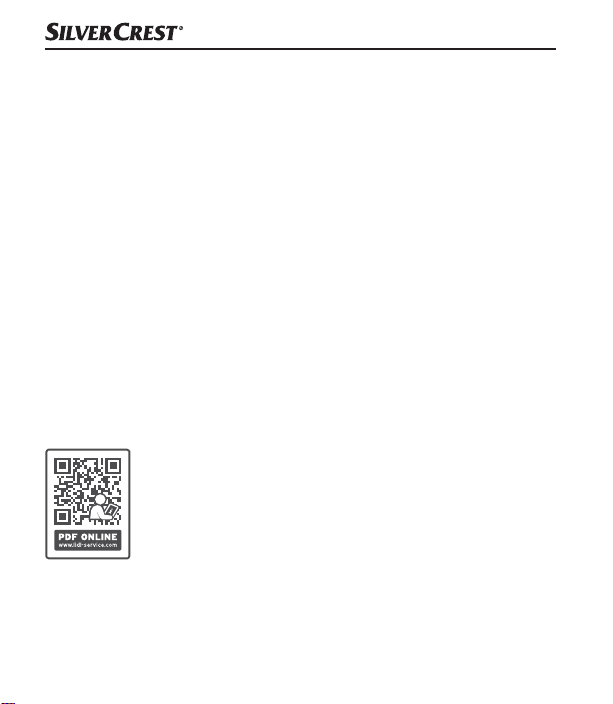
Mit diesem QR-Code gelangen Sie direkt auf die Lidl-ServiceSeite (www.lidl-service.com) und können mittels der Eingabe
der Artikelnummer (IAN)330701_2001 Ihre Bedienungsanleitung öffnen.
■ 34 │ DE
│AT│
CH
SLB 10 A1
Page 38
Service
Service Deutschland
Tel.: 0800 5435 111
(kostenfrei aus dem dt. Festnetz/Mobilfunknetz)
E-Mail: [email protected]
Service Österreich
Tel.: 0820 201 222
(0,15 EUR/Min.)
E-Mail: [email protected]
Service Schweiz
Tel.: 0842 665566
(0,08 CHF/Min., Mobilfunk max. 0,40 CHF/Min.)
E-Mail: [email protected]
IAN 330701_2001
Importeur
Bitte beachten Sie, dass die folgende Anschrift keine Serviceanschrift ist.
Kontaktieren Sie zunächst die benannte Servicestelle.
KOMPERNASS HANDELS GMBH
BURGSTRASSE 21
44867 BOCHUM
DEUTSCHLAND
www.kompernass.com
SLB 10 A1
DE│AT│CH
│
35 ■
Page 39

■ 36 │ DE
│AT│
CH
SLB 10 A1
Page 40

Contents
Introduction ..................................... 39
Information about these operating instructions ................... 39
Copyright ............................................... 39
Notes on trademarks ...................................... 39
Proper use ..............................................40
Warnings and symbols used ................................ 41
Safety ......................................... 43
Basic safety instructions .................................... 43
Risk of hearing damage ....................................46
Notes on the radio interface ................................ 46
Parts description/operating components ............. 47
Use ............................................ 48
Unpacking .............................................. 48
Check package contents ................................... 48
Charging the internal battery ................................ 49
SLB 10 A1
GB│IE
│
37 ■
Page 41

Handling and operation ........................... 51
Pairing the speaker with a Bluetooth
®
device ................. 51
NFC function ............................................ 53
TWS function ............................................ 55
Using the BassBoost function ................................ 57
Activating voice control .................................... 57
Accepting/ending a call ...................................57
Using the buttons ......................................... 58
AUX IN mode ............................................ 59
Troubleshooting ................................. 61
Cleaning. . . . . . . . . . . . . . . . . . . . . . . . . . . . . . . . . . . . . . . . 63
Storage when not in use .......................... 63
Disposal ........................................ 64
Disposal of the device ..................................... 64
Disposal of the packaging .................................. 65
Attachment ..................................... 66
Technical data ........................................... 66
Simplified EU declaration of conformity ........................ 67
Kompernass Handels GmbH warranty ........................ 68
Service ................................................. 71
Importer ................................................ 71
■ 38 │ GB
│
IE
SLB 10 A1
Page 42
Introduction
Information about these operating instructions
Congratulations on the purchase of your new device.
You have selected a high-quality product. The operating
instructions are part of this product.
They contain important information about safety, usage and disposal.
Before using the product, please familiarise yourself with all operating and
safety instructions. Use the product only as described and for the range
of applications specified. Keep these operating instructions as a reference
and store them near the product. Please pass on all documentation incl.
these operating instructions to any future owner(s) if you sell this product
or give it away.
Copyright
This documentation is protected by copyright. Any copying or reproduction,
including in the form of extracts, or any reproduction of images (even in
a modified state), is permitted only with the written authorisation of the
manufacturer.
Notes on trademarks
■ The Bluetooth® logotype and Bluetooth® logo are registered
trademarks of Bluetooth SIG, Inc. (Special Interest Group). Any use
of the trademarks by Kompernaß Handels GmbH is made under the
provisions of a licence.
SLB 10 A1
GB│IE
│
39 ■
Page 43

■ USB is a registered trademark of USB Implementers Forum, Inc.
■ NFC is a registered trademark of NFC Forum, Inc. in the USA and
other countries.
■ The SilverCrest trademark and the retail name are the property of their
respective owner.
All other names and products may be trademarks or registered trademarks
of their respective owner.
Proper use
This speaker is a consumer electronics device and can be used to play
back audio files which can be transferred via Bluetooth® or 3.5 mm
jack cable.
This device can also be used to charge mobile devices which are charged
via a USB port.
The device is not intended for any other purpose nor for use beyond the
scope described. The device is not intended for use in commercial or
industrial environments. The manufacturer accepts no responsibility for
damage caused by failure to observe these instructions, improper use or
repairs, unauthorised modifications or the use of unapproved replacement
parts. The risk is borne solely by the user.
■ 40 │ GB
│
IE
SLB 10 A1
Page 44
Warnings and symbols used
The following warnings are used in these operating instructions
(where applicable):
DANGER
A warning at this hazard level indicates a hazardous
situation.
Failure to avoid this hazardous situation will result in serious injuries
or death.
► Follow the instructions on this warning label to avoid the risk of death
or serious injury.
WARNING
A warning at this hazard level indicates a potentially
hazardous situation.
Failure to avoid this hazardous situation could result in serious injuries
or death.
► Follow the instructions on this warning label to avoid the risk of death
or serious injury.
SLB 10 A1
GB│IE
│
41 ■
Page 45
CAUTION
A warning at this hazard level indicates a potentially
hazardous situation.
Failure to avoid this hazardous situation could result in injuries.
► Follow the instructions in this warning notice to prevent injuries.
CAUTION
A warning at this hazard level indicates a risk of property
damage.
Failure to avoid this situation could result in property damage.
► Follow the instructions in this warning notice to prevent property
damage.
NOTE
► A note provides additional information which makes handling the
device easier for you.
■ 42 │ GB
│
IE
SLB 10 A1
Page 46

Safety
This section contains important safety instructions for handling the device.
This device complies with the statutory safety regulations. Improper use
may result in personal injury and property damage.
Basic safety instructions
To ensure safe operation of the device, follow the safety guidelines set
out below:
■ Check the device for visible external damage before use. Do not
operate a device which has been damaged or dropped.
■ If the cables or connections are damaged, have them replaced by
authorised specialists or Customer Service.
■ This device may be used by children aged 8 years and above and by
persons with limited physical, sensory or mental capabilities, or lack of
experience and knowledge, provided that they are under supervision
or have been told how to use the device safely and are aware of the
potential risks. Do not allow children to play with the device. Cleaning
and user maintenance tasks may not be carried out by children unless
they are supervised.
SLB 10 A1
GB│IE
│
43 ■
Page 47

■
DANGER! Do not allow children to play with the packaging
material!
Keep all packaging materials away from children.
There is a risk of suffocation!
■ Protect the charging cable from hot surfaces and sharp edges and
ensure that it is not stretched tight or kinked.
■ Always place the device on a stable and level surface.
It can be damaged if dropped.
■ Some furniture surfaces may contain components which can corrode
and soften the rubber feet on the device. If necessary, place a mat
under the device's rubber foot.
■ The device should only be repaired by authorised specialist personnel
or the customer service department. Improper repairs can result in
hazards for the user, and will also invalidate any warranty claim.
■ Defective components must always be replaced with original replace-
ment parts. Compliance with the safety requirements can only be
guaranteed by using these replacement parts.
■ Do not make any unauthorised modifications or alterations to the
device.
■ Never open the device housing. There are no parts inside the device
which require user maintenance. In addition, this will invalidate the
warranty.
■ Do not insert any foreign objects into the openings on the device.
■ 44 │ GB
│
IE
SLB 10 A1
Page 48

■ The device is suitable for outdoor use and is protected against water
jets from all directions (IPX5) as long as the protective cover of the
connection sockets is closed. Never immerse the device in water.
■ Charge the device only in a dry environment.
■ The device may heat up while it is charging. Place the device in a
well-ventilated location during the charging process and do not cover it.
WARNING! Do not operate the device close to naked flames (e.g.
■
candles) and do not place burning candles on or next to the device.
This will help to prevent fires.
■ Do not expose the device to direct sunlight or high temperatures.
Otherwise, it may become overheated and irreparably damaged.
■ The device must never be left unattended during use.
WARNING! The device has an integrated lithium-ion battery.
■
Mishandling lithium-ion batteries can cause fires, explosions, leakage
of dangerous chemicals or other hazards! Do not throw the device into
an open fire.
WARNING! If you notice any unusual noises, a burning smell or
■
smoke, turn off the device immediately and disconnect any connected
cables. Have the device checked by a qualified specialist before using
it again.
SLB 10 A1
GB│IE
│
45 ■
Page 49
Risk of hearing damage
WARNING
Risks due to extremely high volume levels!
Loud music can lead to hearing damage.
► Avoid listening to music at an extremely high volume, especially over
long periods of time, when using this device.
Notes on the radio interface
■ Switch off the device if you are in an aeroplane, hospital, operating
theatre or in the vicinity of a electronic medical system. The transmitted
radio waves can affect the functionality of sensitive devices.
■ WARNING! Keep the device at least 20 cm away from a pace-
maker or implanted defibrillator, as the proper functioning of the pacemaker or the implanted defibrillator could be affected by radio waves.
■ The transmitted radio waves can cause noise interference in hearing
aids.
■ Do not use the device with the radio components switched on in the
presence of flammable gases or in a potentially explosive atmosphere
(e.g.in a paint shop), as the transmitted radio waves can cause an
explosion or ignite a fire.
■ 46 │ GB
│
IE
SLB 10 A1
Page 50

■ The range of the radio waves is dependent on the environment and the
ambient conditions.
■ Data transmissions via a wireless connection can be intercepted by
unauthorised third parties.
Parts description/operating components
(See fold-out page for illustrations)
1 button
2 Microphone
3
button
4
button
5
button
6
button
7
button
8 TWS LED
9 Operating/charging LED
0 Protective cover
q Micro-USB charging port (DC IN)
w 3.5 mm jack socket (AUX IN)
e Charging cable (USB type-A to micro-USB)
r 3.5 mm jack cable (3.5 mm to 3.5 mm)
t Quick start guide (symbol)
z Operating instructions (symbol)
SLB 10 A1
GB│IE
│
47 ■
Page 51

Use
Unpacking
♦ Remove all parts and the operating instructions from the packaging.
♦ Remove all packaging material.
Check package contents
(See fold-out page for illustrations)
The following components are included in delivery:
▯ Bluetooth® speaker
▯ Charging cable e (USB type-A to micro-USB)
▯ 3.5 mm jack cable (3.5 mm to 3.5 mm) r
▯ Quick start guide t
▯ These operating instructions z
NOTE
► Check the package for completeness and signs of visible damage.
► If the delivery is incomplete or damage has occurred as a result of
defective packaging or during transport, contact the service hotline
(see section Service).
■ 48 │ GB
│
IE
SLB 10 A1
Page 52

Charging the internal battery
CAUTION
► Charge the speaker only in dry interior rooms.
► Due to the high power consumption, the speaker must be charged
using a USB mains adapter. Do not charge the speaker from the USB
port of a PC or notebook.
► Use only USB mains adapters with an output voltage of 5V and an
output current of at least 900mA to charge the speaker.
► Use only the supplied charging cable e to charge the speaker!
► Always disconnect the charging cable e when charging is complete!
Before using the speaker, the integrated battery must be completely charged.
♦ Open the protective cover 0.
♦ Connect the USB type-A connector of the charger cable e to a suitable
USB mains adapter (not supplied).
♦ Connect the micro-USB plug of the charging cable e to the micro-USB
charging port q on the speaker.
♦ When charging is complete, remove the charging cable e from the
speaker and close the protective cover 0.
SLB 10 A1
GB│IE
│
49 ■
Page 53

NOTE
► The operating/charging LED 9 lights up orange during charging.
When the battery is fully charged, the operating/charging LED 9
switches off.
► When the battery is fully charged, you can play back music for
around 12hours at a medium volume. The playback time may vary
depending on usage.
► When the battery charge status is low, you will hear a single beep
around 10–60 minutes before the battery is exhausted. The speaker
will continue to beep every 10 minutes. The operating/charging LED9
flashes orange every 15seconds. When the battery is exhausted,
the speaker turns off automatically. You will hear a beep and the
operating/charging LED 9 goes out. If the battery is completely
exhausted, it will take about 4 hours to fully recharge the battery.
■ 50 │ GB
│
IE
SLB 10 A1
Page 54

Handling and operation
Pairing the speaker with a Bluetooth® device
NOTE
► If you want to pair the loudspeaker with a Bluetooth
3.5 mm jack socket w should not be occupied.
♦ Ensure that the speaker is switched off and the Bluetooth
switched on.
♦ Set the Bluetooth® device so that it scans for other Bluetooth®
devices. A detailed description of how to do this can be found in the
operating instructions for your Bluetooth® device.
♦ Press and hold the button 1 for about 3 seconds to switch the speaker
on. You will immediately hear a series of beeps, and the operating/
charging LED 9 will simultaneously flash blue and orange twice in a
row. The operating/charging LED 9 then flashes alternately orange
and blue. The Bluetooth
®
function is now activated automatically.
♦ Select the entry SLB10A1 from the list of found devices on your
Bluetooth® device and, if required, enter the code 0000 to connect
the two devices. You will hear a rising series of beeps, and the operating/
charging LED 9 will flash blue every 3seconds once the connection
has been successfully established.
♦ Start playback on the Bluetooth® device.
®
device, the
®
device is
SLB 10 A1
GB│IE
│
51 ■
Page 55

♦ Press and hold the
button 1 again for about 3 seconds to switch
the speaker off and deactivate the Bluetooth® function. You will hear
a series of beeps. The operating/charging LED 9 flashes blue and
orange twice simultaneously and then goes out.
NOTE
►
If you do not establish a connection between the speaker and your
Bluetooth
®
device within 6 minutes, the speaker will switch off
automatically. In this case, you will have to switch the speaker back
on before restarting the pairing process.
®
► If the speaker stops receiving a signal while in Bluetooth
mode,
the speaker will switch off automatically after around 10minutes.
► The next time you turn on the speaker, it will connect automatically
to the last-connected Bluetooth
®
device. If your Bluetooth®
device does not reconnect to the speaker automatically, you will
have to re-establish the connection manually. A detailed description
of how to do this can be found in the operating instructions for your
Bluetooth® device.
■ 52 │ GB
│
IE
SLB 10 A1
Page 56
NOTE
► If you want to connect the currently connected speaker to another
Bluetooth
®
device, start by pressing the button 6 to discon-
nect the currently connected Bluetooth® device from the speaker.
Alternatively, you can deactivate the Bluetooth® function on the
connected Bluetooth
®
device. You will hear a descending series
of beeps and the operating/charging LED 9 will flash alternatively
orange and blue. The speaker is now ready to be paired with
another Bluetooth® device.
NFC function
The NFC function (Near Field Communication) can be used
to establish a Bluetooth® connection quickly and easily.
NOTE
Using the NFC function to establish a Bluetooth
works under the following conditions:
► The Bluetooth® device is less than 1 cm from the NFC logo on the
top of the speaker.
► The speaker is not connected to another Bluetooth
Bluetooth
®
.
♦ Make sure that the speaker is switched on.
®
connection only
®
device via
SLB 10 A1
GB│IE
│
53 ■
Page 57

®
♦ Activate the NFC function on your Bluetooth
description of how to do this can be found in the operating instructions
for your Bluetooth
♦ Hold the Bluetooth
®
device.
®
device less than 1 cm from the NFC logo on the
device. A detailed
top of the speaker. Alternatively, you can lay your Bluetooth® device
directly onto the NFC logo on the top of the speaker.
♦ Confirm the connection once the corresponding message appears on
the display of your Bluetooth® device.
♦ Your Bluetooth® device is automatically connected to the speaker via
Bluetooth®. You will hear a rising series of beeps, and the operating/
charging LED 9 flashes blue every 3seconds once the connection has
been successfully established.
You can now use the speaker to listen to music from your Bluetooth
®
device wirelessly.
■ 54 │ GB
│
IE
SLB 10 A1
Page 58
TWS function
The TWS ("True Wireless Stereo") function allows you to connect two
speakers to each other.
If you purchase a second loudspeaker of the same type SLB10A1
(IAN 330701), you will be able to connect both loudspeakers to each
other and use them as a stereo loudspeaker system.
The left speaker functions as the main speaker and is connected to a
Bluetooth
Bluetooth® device to the right speaker.
You can purchase a second loudspeaker at www.kompernass.com.
Switching on TWS mode
NOTE
► Do not switch on TWS mode if there is already a Bluetooth
♦ Switch on both speakers.
♦ Briefly press the
to use as the left speaker). You will hear a beep and the TWS LED 8
flashes green rapidly during pairing.
®
device. This speaker transmits the sound coming from the
connection between a speaker and a Bluetooth® device.
button 7 on the first speaker (the one you want
®
SLB 10 A1
GB│IE
│
55 ■
Page 59

♦ If the two speakers have paired successfully, you will hear a beep.
The TWS mode is switched on.
♦ The TWS LED 8 on the left speaker lights up green.
♦ The TWS LED 8 on the right speaker flashes green.
®
®
device.
device.
♦ Pair the left speaker with a Bluetooth
♦ Start playback on the Bluetooth
NOTE
► If you do not pair the two speakers within 6 minutes, the speakers
will turn off automatically. If this happens, you will have to switch the
speakers back on again before restarting the pairing process.
► Make sure you position the left and right speakers correctly for
playback.
► The playback buttons work on both speakers.
Switching off TWS mode
♦ Briefly press the
button 7 on one of the speakers to deactivate
TWS mode. You will hear a beep and the TWS LED 8 goes out on
both speakers. Playback is resumed via the left speaker.
■ 56 │ GB
│
IE
SLB 10 A1
Page 60

Using the BassBoost function
You can use the BassBoost function to increase the bass playback.
♦ Press and hold the
BassBoost function on. You will hear two beeps.
♦ Press and hold the
BassBoost function off. You will hear a beep.
button 4 for about 2seconds to switch the
button 4 for about 2seconds to switch the
Activating voice control
The microphone 2 in the speaker acts as an extension of the microphone
in your Bluetooth® device. This means you can access the voice control
functions on your Bluetooth® device, for example, to make calls or
obtain information from the Internet.
♦ Press the
You may need to select the voice control on your Bluetooth® device.
You will hear a beep when your voice control is active.
button4 briefly two times to activate your voice control.
Accepting/ending a call
You can answer and end calls from the connected Bluetooth® device
using the speaker. When an incoming call is received, the music playback
is paused.
♦ Press the
♦ Press the
Music playback is resumed.
button 4 briefly to accept the incoming call.
button 4 briefly to end the call.
SLB 10 A1
GB│IE
│
57 ■
Page 61
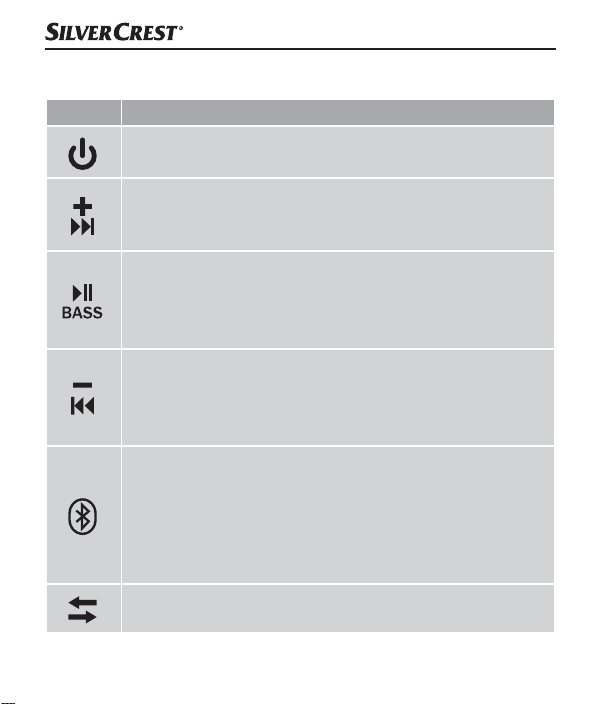
Using the buttons
Button Function
► Switching on: press for 3 seconds
► Switching off: press for 3 seconds
► Increase volume: press briefly. When you reach the
maximum volume, you will hear a short beep.
► Next track: press for 2 seconds
► Play/Pause: press briefly
► Switch BassBoost function on/off: press for 2 seconds
► Activate voice control: press 2x briefly
► Accept/end call: press briefly
► Reduce volume: press briefly
► Restart current track: press for 2 seconds
► Previous track: if the current track restarts, press again
for 2 seconds
► Activate Bluetooth® function: press briefly
(you will hear a beep)
► Disconnecting/establishing a Bluetooth
press briefly to disconnect the Bluetooth® connection
(the device will beep). You can connect to another
Bluetooth® device immediately.
► Switching on the TWS: press briefly
► Switching off the TWS: press briefly
®
connection:
■ 58 │ GB
│
IE
SLB 10 A1
Page 62
AUX IN mode
CAUTION
► Use the speaker in AUX IN mode only in dry indoor environments
and with the supplied 3.5 mm jack cable r.
You can listen to music from a portable audio device connected via the
3.5mm jack cable r.
♦ Make sure that the speaker is switched off.
♦ Open the protective cover 0.
♦ Use the 3.5 mm jack cable r to connect the audio device to the
3.5 mm jack socket w on the speaker.
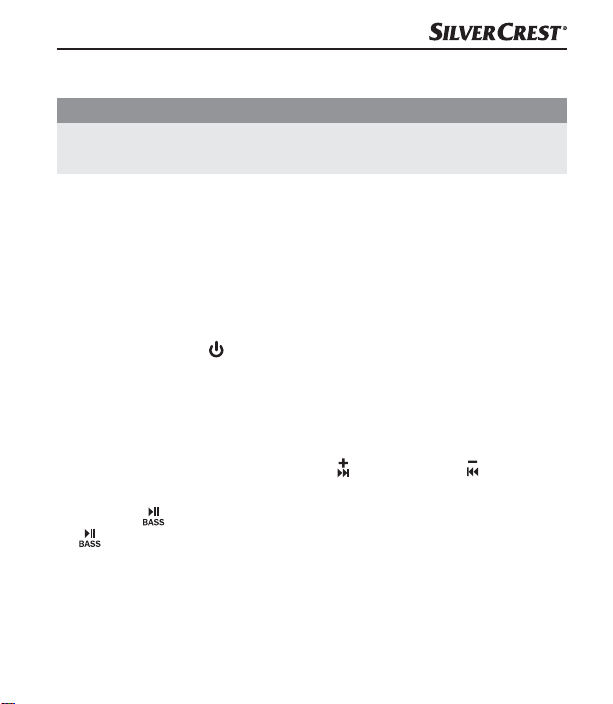
♦ Press and hold the
speaker on. You will hear a beep and the operating/charging LED 9
lights up blue.
♦ Start playback on the audio device and set the volume to a moderate
level on the audio device.
♦ Then set the desired volume using the button 3 or the button 5
on the speaker.
♦ Press the
button 4 again briefly to unmute the speaker.
♦ If you are no longer using the speaker in AUX IN mode, disconnect
the 3.5 mm jack cable r from the speaker and close the protective
cover0.
button 1 for about 3 seconds to switch the
button 4 briefly to mute the music playback. Press the
SLB 10 A1
GB│IE
│
59 ■
Page 63
NOTE
► If you connect the 3.5 mm jack cable r to the speaker during the
playback of audio files via Bluetooth
®
, it will switch playback
automatically to the AUX input. The Bluetooth® connection is also
stopped if you simply connect a 3.5 mm jack cable to the speaker.
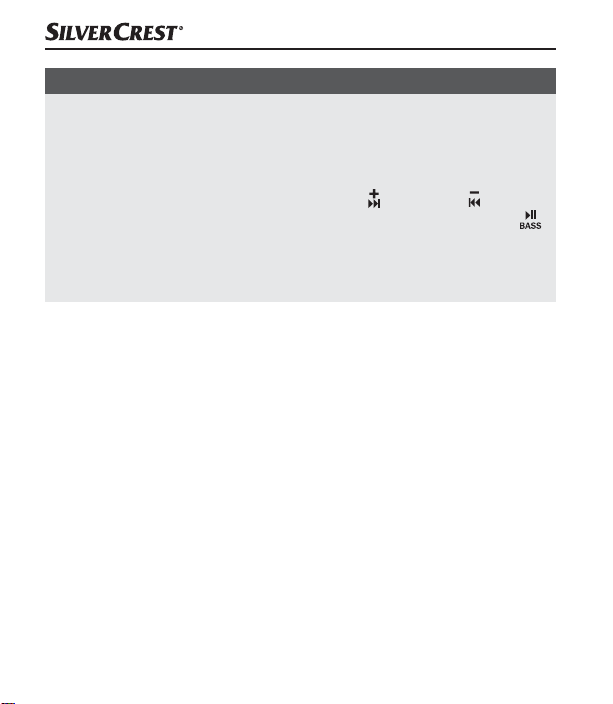
► In AUX IN mode, it is not possible to use the
button 3 or button 5
to jump to the next/previous title. It is also not possible to use the
button 4 to start or pause music playback.
► If the speaker stops receiving a signal while in AUX IN mode, the
speaker will switch off automatically after 10minutes.
■ 60 │ GB
│
IE
SLB 10 A1
Page 64

Troubleshooting
The speaker cannot be paired with a compatible Bluetooth®
device
♦ Make sure that the Bluetooth
Bluetooth® device. When a device is connected via a 3.5 mm
jack cabler, the Bluetooth
♦ Make sure that the speaker is switched on.
♦ If you use several Bluetooth
connection is disconnected. There may be a previously paired
Bluetooth® device in range.
♦ Make sure that the speaker is no more than 10 metres from the
Bluetooth
®
device and that no obstacles or electronic devices are
placed between them.
You cannot switch on the speaker
♦ The integrated battery in the speaker is empty. Recharge the battery.
You cannot use all of the described functions
♦ This may be down to your Bluetooth
software. Try updating the software or using a different Bluetooth®
device.
®
function is activated on the
®
function is deactivated.
®
devices, ensure that any previous
®
device and its current
SLB 10 A1
GB│IE
│
61 ■
Page 65

You hear no sound from the speaker
♦ The volume of the speaker is set to minimum.
Increase the volume.
♦ In AUX IN mode, the speaker or the external audio device is muted.
Unmute the speaker/audio device.
♦ In AUX IN mode, the 3.5 mm jack cable r is not correctly connected.
Check the cable connections.
NOTE
► If you cannot solve the problem with the solutions given above,
please contact the Service Hotline (see section Service) .
■ 62 │ GB
│
IE
SLB 10 A1
Page 66

Cleaning
CAUTION
► Keep the protective cover 0 closed during cleaning.
► To avoid irreparable damage to the speaker, ensure that no moisture
gets into the speaker during cleaning.
► Do not use caustic, abrasive or solvent-based cleaning materials.
These could damage the surfaces of the speaker.
♦ Clean the speaker only with a slightly damp cloth.
Storage when not in use
♦ Store the speaker in a clean, dry, dust-free location out of direct
sunlight.
♦ For long-term storage, the integrated battery should be fully charged
to extend its operating life. During extended periods of non-use, you
should top up the battery charge regularly. This is necessary to prolong
the battery life.
SLB 10 A1
GB│IE
│
63 ■
Page 67
Disposal
Disposal of the device
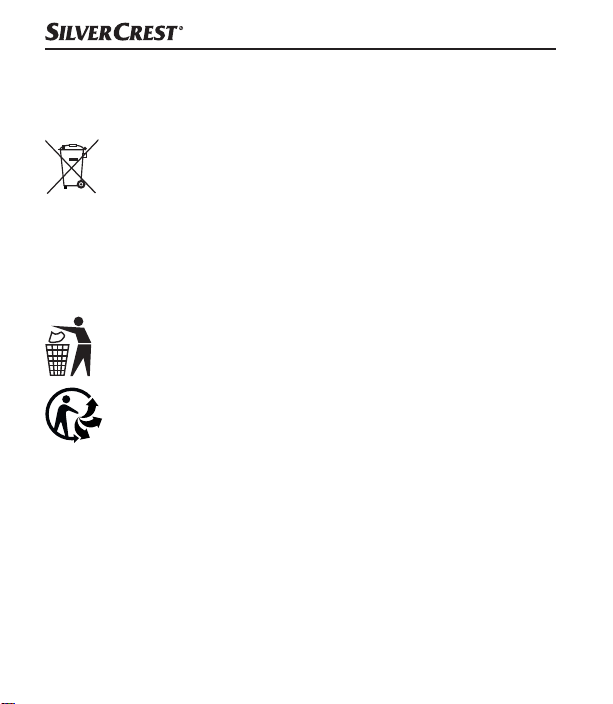
The adjacent symbol of a crossed-out dustbin means that this
device is subject to Directive 2012/19/EU. This directive states
that this device may not be disposed of in the normal household
waste at the end of its useful life, but must be handed over to a specialised
collection location, recycling depot or disposal company. The integrated
rechargeable battery in this device cannot be removed for disposal.
This disposal is free of charge for the user. Protect the environment
and dispose of this device properly.
Your local community or municipal authorities can provide
information on how to dispose of the product.
The product is recyclable, subject to extended producer
responsibility and is collected separately.
■ 64 │ GB
│
IE
SLB 10 A1
Page 68
Disposal of the packaging
The packaging materials have been selected for their environmental friendliness and ease of disposal and are therefore
recyclable. Dispose of packaging materials that are no longer
needed in accordance with applicable local regulations.
Dispose of the packaging in an environmentally friendly manner.
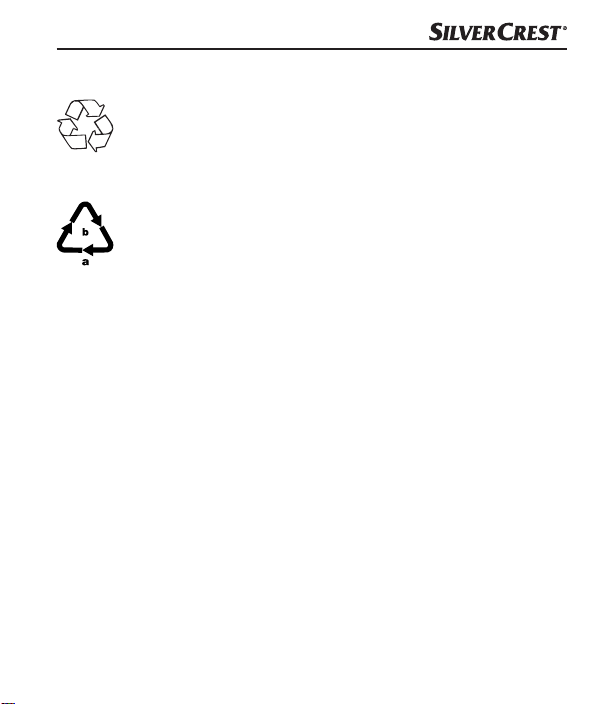
Note the labelling on the packaging and separate the packaging
material components for disposal if necessary. The packaging
material is labelled with abbreviations (a) and numbers (b) with the
following meanings: 1–7: plastics, 20–22: paper and cardboard,
80–98: composites.
SLB 10 A1
GB│IE
│
65 ■
Page 69
Attachment
Technical data
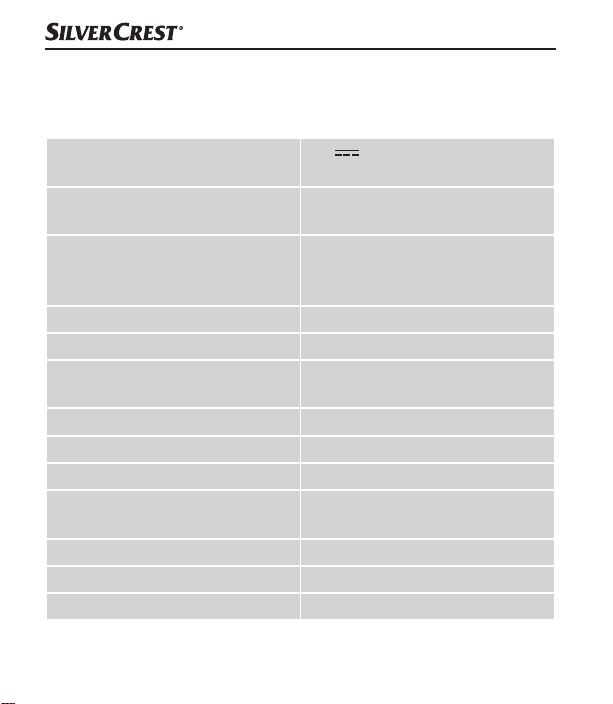
Operating voltage/current
®
Bluetooth
Supported Bluetooth
specifications
®
profiles
5 V (DC),
900 mA via a USB charging port
Version 5.0
(range of up to 10 metres)
A2DP*, HSP, HFP, AVRCP
(*if supported by the Bluetooth®
device)
Frequency band 2.4 GHz
Transmission output < 10 dBm
Output power
1 × approx. 10 W RMS @ 10%
THD
Impedance 3 Ω
Frequency range 20–20,000 Hz
Integrated battery (lithium-ion) 3.7 V / 2000 mAh (7.4 Wh)
Operating time
approx. 12 hrs (music playback
at a medium volume)
Charging time approx. 4 hrs
Operating temperature 15°C to 35°C
Storage temperature 0°C to 40°C
■ 66 │ GB
│
IE
SLB 10 A1
Page 70
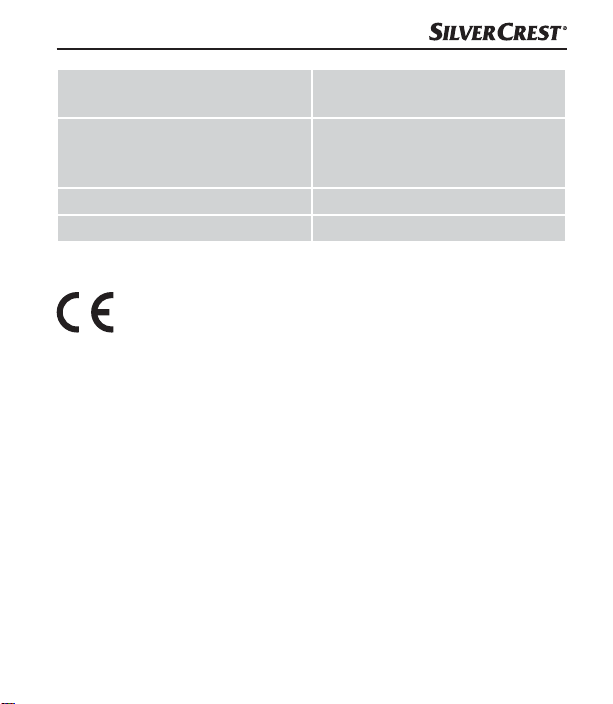
Relative humidity
(no condensation)
Protection class
Dimensions (∅ × H) approx. 8.1 × 15.0 cm
Weight approx. 400 g
≤ 75%
IPX5 (protection against water
jets from any direction with the
protective cover 0 closed)
Simplified EU declaration of conformity
Kompernaß Handels GmbH hereby declares that the radio
system Bluetooth® Speaker SLB 10 A1 complies with the
essential requirements and other relevant regulations of the RE Directive
2014/53/EU and the RoHS Directive 2011/65/EU.
The complete EU Declaration of Conformity is available at the following
Internet address: https://dl.kompernass.com/330701_DOC.pdf.
SLB 10 A1
GB│IE
│
67 ■
Page 71

Kompernass Handels GmbH warranty
Dear Customer,
This appliance has a 3-year warranty valid from the date of purchase.
If this product has any faults, you, the buyer, have certain statutory rights.
Your statutory rights are not restricted in any way by the warranty described below.
Warranty conditions
The warranty period starts on the date of purchase. Please keep your
receipt in a safe place. This will be required as proof of purchase.
If any material or manufacturing fault occurs within three years of the date
of purchase of the product, we will either repair or replace the product for
you or refund the purchase price (at our discretion). This warranty service
requires that you present the defective appliance and the proof of purchase
(receipt) within the three-year warranty period, along with a brief written
description of the fault and of when it occurred.
If the defect is covered by the warranty, your product will either be repaired
or replaced by us. The repair or replacement of a product does not signify
the beginning of a new warranty period.
■ 68 │ GB
│
IE
SLB 10 A1
Page 72

Warranty period and statutory claims for defects
The warranty period is not prolonged by repairs effected under the warranty.
This also applies to replaced and repaired components. Any damage and
defects present at the time of purchase must be reported immediately after
unpacking. Repairs carried out after expiry of the warranty period shall be
subject to a fee.
Scope of the warranty
This appliance has been manufactured in accordance with strict quality
guidelines and inspected meticulously prior to delivery.
The warranty covers material faults or production faults. The warranty does
not extend to product parts subject to normal wear and tear or to fragile
parts which could be considered as consumable parts such as switches,
batteries or parts made of glass.
The warranty does not apply if the product has been damaged, improperly used or improperly maintained. The directions in the operating
instructions for the product regarding proper use of the product are to be
strictly followed. Uses and actions that are discouraged in the operating
instructions or which are warned against must be avoided.
This product is intended solely for private use and not for commercial purposes. The warranty shall be deemed void in cases of misuse or improper
handling, use of force and modifications / repairs which have not been
carried out by one of our authorised Service centres.
SLB 10 A1
GB│IE
│
69 ■
Page 73
Warranty claim procedure
To ensure quick processing of your case, please observe the following
instructions:
■ Please have the till receipt and the item number
(e.g.IAN123456_7890) available as proof of purchase.
■ You will find the item number on the type plate on the product, an en-
graving on the product, on the front page of the operating instructions
(below left) or on the sticker on the rear or bottom of the product.
■ If functional or other defects occur, please contact the service depart-
ment listed either by telephone or by e-mail.
■ You can return a defective product to us free of charge to the service
address that will be provided to you. Ensure that you enclose the proof
of purchase (till receipt) and information about what the defect is and
when it occurred.
You can download these instructions along with many other
manuals, product videos and installation software at
www.lidl-service.com.
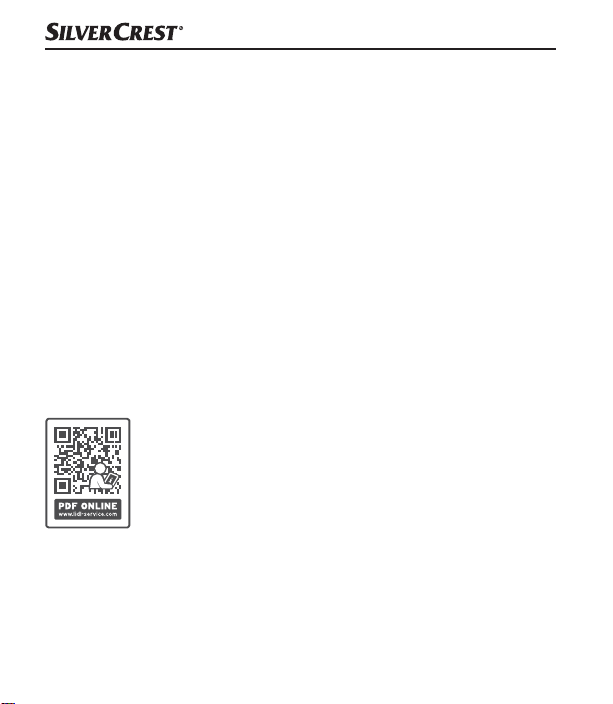
This QR code will take you directly to the Lidl service
page (www.lidl-service.com) where you can open your
operating instructions by entering the item number
(IAN)330701_2001.
■ 70 │ GB
│
IE
SLB 10 A1
Page 74
Service
Service Great Britain
Tel.: 0800 404 7657
E-Mail: [email protected]
Service Ireland
Tel.: 1890 930 034
(0,08 EUR/Min., (peak))
(0,06 EUR/Min., (off peak))
E-Mail: [email protected]
IAN 330701_2001
Importer
Please note that the following address is not the service address. Please
use the service address provided in the operating instructions.
KOMPERNASS HANDELS GMBH
BURGSTRASSE 21
44867 BOCHUM
GERMANY
www.kompernass.com
SLB 10 A1
GB│IE
│
71 ■
Page 75

■ 72 │ GB
│
IE
SLB 10 A1
Page 76

Table des matières
Introduction ..................................... 75
Informations relatives à ce mode d'emploi ...................... 75
Droits d'auteur ........................................... 75
Remarques sur les marques ................................. 75
Utilisation conforme ....................................... 76
Avertissements et symboles utilisés ............................ 77
Sécurité ........................................ 79
Consignes de sécurité fondamentales ......................... 79
Risque de lésions auditives .................................. 82
Remarques concernant l'interface radio ........................ 82
Description des pièces/éléments de commande ....... 83
Mise en service .................................. 84
Déballage .............................................. 84
Vérification du matériel livré ................................. 84
Charger la batterie interne .................................. 85
SLB 10 A1
FR│BE
│
73 ■
Page 77

Utilisation et fonctionnement ....................... 87
Appairer le haut-parleur à un périphérique Bluetooth
®
.......... 87
Fonction NFC ............................................ 89
Fonction TWS ............................................ 91
Utiliser la fonction BassBoost ................................ 93
Activer l'assistant vocal ..................................... 93
Prendre un appel/y mettre fin ............................... 93
Utilisation des touches ..................................... 94
Mode AUX-IN ........................................... 95
Recherche de défauts ............................. 97
Nettoyage ...................................... 99
Rangement en cas de non-utilisation ................ 99
Recyclage ..................................... 100
Recyclage de l'appareil ...................................100
Recyclage de l'emballage .................................101
Annexe ....................................... 102
Caractéristiques techniques ................................ 102
Déclaration de conformité UE simplifiée ......................103
Garantie pour Kompernass Handels GmbH pour la Belgique ..... 104
Garantie pour Kompernass Handels GmbH pour la France .......107
Service après-vente ......................................112
Importateur ............................................. 112
■ 74 │ FR
│
BE
SLB 10 A1
Page 78
Introduction
Informations relatives à ce mode d'emploi
Toutes nos félicitations pour l'achat de votre nouvel appareil.
Vous venez ainsi d'opter pour un produit de grande qualité.
Le mode d'emploi fait partie intégrante de ce produit.
Il contient des remarques importantes concernant la sécurité, l'utilisation
et le recyclage. Avant d'utiliser le produit, veuillez vous familiariser avec
toutes les consignes d'utilisation et avertissements de sécurité. N'utilisez le
produit que conformément aux descriptions et pour les domaines
d'utilisation prévus. Conservez toujours le mode d'emploi comme ouvrage
de référence à proximité du produit. Lors de la transmission ou de la vente
du produit, remettez tous les documents y compris ce mode d'emploi.
Droits d'auteur
Cette documentation est protégée par des droits d'auteur. Toute reproduction ou réimpression, même partielle, y compris la reproduction des illustrations, même modifiées, n'est autorisée qu'avec l'accord écrit du fabricant.
Remarques sur les marques
■ La marque verbale Bluetooth® et le logo Bluetooth® sont des
marques déposées de Bluetooth SIG, Inc. (Special Interest Group),
toute utilisation des noms de marque par la société Kompernaß
Handels GmbH a lieu dans le cadre d'une licence.
SLB 10 A1
FR│BE
│
75 ■
Page 79

■ USB est une marque déposée d'USB Implementers Forum, Inc.
■ NFC est une marque déposée ou une marque de NFC Forum, Inc. aux
États-Unis et dans d'autres pays.
■ La marque SilverCrest et le nom commercial appartiennent au proprié-
taire respectif.
Tous les autres noms et produits peuvent être les marques ou les marques
déposées de leurs propriétaires respectifs.
Utilisation conforme
Ce haut-parleur est un appareil électronique grand public et sert à restituer
des fichiers audio pouvant lui être envoyés via Bluetooth® ou via un
câble jack de 3,5 mm.
Cet appareil est de plus destiné à recharger les appareils mobiles qui sont
chargés d'ordinaire via un port USB.
Tout usage autre ou dépassant ce cadre est réputé non conforme. Cet
appareil n'est pas conçu pour être utilisé dans des secteurs commerciaux
ou industriels. Les prétentions de toute nature pour dommages résultant
d'une utilisation non conforme, de réparations inappropriées, de modifications réalisées sans autorisation ou du recours à des pièces de rechange
non autorisées sont exclues. L'utilisateur assume seul la responsabilité des
risques encourus.
■ 76 │ FR
│
BE
SLB 10 A1
Page 80
Avertissements et symboles utilisés
Les avertissements suivants (si pertinents) sont utilisés dans le présent mode
d'emploi:
DANGER
Un avertissement à ce niveau de danger signale une
situation dangereuse.
Si la situation dangereuse n'est pas évitée, cela entraîne des blessures
graves ou la mort.
► Les instructions stipulées dans cet avertissement doivent être respectées
pour éviter tout risque de blessures graves, voire de mort.
AVERTISSEMENT
Un avertissement à ce niveau de danger signale une
situation potentiellement dangereuse.
S'il est impossible d'éviter la situation dangereuse, cela peut entraîner
des blessures graves ou la mort.
► Les instructions stipulées dans cet avertissement doivent être respectées
pour éviter tout risque de blessures graves, voire de mort.
SLB 10 A1
FR│BE
│
77 ■
Page 81
ATTENTION !
Un avertissement à ce niveau de danger signale une
situation potentiellement dangereuse.
Si la situation dangereuse n'est pas évitée, elle peut entraîner des
blessures.
► Les instructions stipulées dans cet avertissement doivent être suivies
pour éviter des blessures aux personnes.
ATTENTION
Un avertissement à ce niveau de danger signale un risque
éventuel de dégâts matériels.
Si la situation n'est pas évitée, elle risque d'entraîner des dégâts matériels.
► Les instructions stipulées dans cet avertissement doivent être suivies
pour éviter des dégâts matériels.
REMARQUE
► Une remarque comporte des informations supplémentaires facilitant
la manipulation de l'appareil.
■ 78 │ FR
│
BE
SLB 10 A1
Page 82

Sécurité
Ce chapitre contient des consignes de sécurité importantes visant la
manipulation de l'appareil. Cet appareil est conforme aux consignes de
sécurité prescrites. Toute utilisation non conforme peut entraîner des
dommages corporels et des dégâts matériels.
Consignes de sécurité fondamentales
Veuillez vous conformer aux consignes de sécurité ci-dessous afin de
garantir une utilisation en toute sécurité de l'appareil:
■ Avant d'utiliser l'appareil, vérifiez que celui-ci ne présente aucun dégât
extérieur visible. Ne mettez pas en service un appareil endommagé ou
ayant chuté.
■ Si les câbles ou les raccordements sont endommagés, faites-les remplacer
par le personnel technique agréé ou le service après-vente.
■ Cet appareil ne peut être utilisé par des enfants - à partir de 8 ans -
et par des personnes ayant des capacités physiques, sensorielles ou
mentales réduites ou un manque d'expérience et de connaissances, qu'à
condition d'être surveillés ou d'avoir reçu des instructions concernant
l'utilisation de l'appareil en toute sécurité et d'avoir compris les dangers
qui en résultent. Les enfants ne doivent pas jouer avec l'appareil.
Le nettoyage et la maintenance utilisateur ne doivent pas être réalisés
par des enfants s'ils ne sont pas surveillés.
SLB 10 A1
FR│BE
│
79 ■
Page 83

■
DANGER! Les matériaux d'emballage ne sont pas des jouets pour
les enfants!
Tenez tous les matériaux d'emballage éloignés des enfants.
Il y a risque d'étouffement!
■ Protégez le câble de chargement des surfaces chaudes et des arêtes
vives et veillez à ce qu'il ne soit pas tendu ou plié.
■ Placez toujours le produit sur une surface stable et plate.
En cas de chute, celui-ci risque d'être endommagé.
■ Les surfaces de meubles peuvent contenir des composants pouvant at-
taquer le pied en caoutchouc de l'appareil et le ramollir. Le cas échéant,
placez une garniture sous le pied en caoutchouc de l'appareil.
■ Confiez les réparations sur l'appareil exclusivement à du personnel
spécialisé agréé ou au service après-vente. Toute réparation non
conforme peut entraîner des risques pour l'utilisateur. À cela s'ajoute
l'annulation de la garantie.
■ Les pièces défectueuses doivent être remplacées impérativement par
des pièces de rechange d'origine. Seules ces pièces garantissent la
satisfaction des critères de sécurité.
■ N'apportez aucune transformation ou modification sur l'appareil de
votre propre initiative.
■ N'ouvrez jamais le boîtier de l'appareil. Il n'y a pas de pièces à entretenir
à l'intérieur. Outre cela, vous perdez tout droit à garantie.
■ N'introduisez aucun corps étranger dans les orifices de l'appareil.
■ 80 │ FR
│
BE
SLB 10 A1
Page 84

■ L'appareil convient à l'emploi à l'extérieur et est protégé contre les
projections d'eau depuis toutes les directions (IPX5) lorsque le cache de
protection des prises de raccordement est fermé. N'immergez jamais
l'appareil sous l'eau.
■ Ne chargez l'appareil que dans un environnement sec.
■ L'appareil peut chauffer pendant l'opération de chargement. Pendant le
chargement, posez l'appareil à un endroit bien aéré et ne le recouvrez
pas.
AVERTISSEMENT! N'utilisez pas l'appareil à proximité de flammes
■
nues (parex. bougies) et ne posez pas de bougies allumées sur ou
près de l'appareil. Vous contribuerez ainsi à éviter les incendies.
■ N'exposez pas l'appareil au rayonnement direct du soleil ou à des
températures élevées. Il peut sinon se produire une surchauffe et l'appareil risque d'être définitivement endommagé.
■ N'utilisez jamais l'appareil sans surveillance.
AVERTISSEMENT! L'appareil contient une batterie lithium-ions inté-
■
grée. Une manipulation incorrecte des batteries lithium-ions peut entraîner
un incendie, des explosions, une fuite de substances dangereuses ou
d'autres situations dangereuses! Il ne faut pas jeter l'appareil au feu.
AVERTISSEMENT! Si vous constatez des bruits inhabituels, une
■
odeur de brûlé ou un dégagement de fumée sur l'appareil, débranchez-le immédiatement et débranchez également toutes les connexions
de câbles. Faites contrôler l'appareil par un spécialiste qualifié avant
de le réutiliser.
SLB 10 A1
FR│BE
│
81 ■
Page 85
Risque de lésions auditives
AVERTISSEMENT
Risques représentés par un volume extrême!
Un niveau de musique élevé peut entraîner des lésions auditives.
► Lorsque vous utilisez l'appareil, évitez tout volume extrême, en
particulier sur des périodes prolongées.
Remarques concernant l'interface radio
■ Éteignez l'appareil si vous vous trouvez dans un avion, un hôpital, une
salle d'opération ou à proximité d'un système électronique médical. Les
ondes radio transmises peuvent perturber le fonctionnement d'appareils
sensibles.
■ AVERTISSEMENT! Maintenez l'appareil à au moins 20cm d'un
stimulateur cardiaque ou d'un défibrillateur implanté pour éviter que
les ondes radio ne viennent perturber le fonctionnement correct du
stimulateur ou du défibrillateur implanté.
■ Les ondes radio transmises peuvent engendrer des bruits perturbateurs
dans les prothèses auditives.
■ N'approchez pas l'appareil avec les composants radio allumés à
proximité de gaz inflammables ou d'un environnement à risque d'explosion (atelier de peinture par exemple) car les ondes radio transmises
peuvent provoquer une explosion ou un départ de feu.
■ 82 │ FR
│
BE
SLB 10 A1
Page 86

■ La portée des ondes radio dépend des conditions environnementales
et de la présence d'éventuels obstacles.
■ Lorsque des données empruntent une liaison sans fil, il y a un risque
que des tiers non autorisés les interceptent.
Description des pièces/éléments de commande
(Figures: voir le volet dépliant)
1 Touche
2 Microphone
3 Touche
4 Touche
5 Touche
6 Touche
7 Touche
8 LED TWS
9 LED de service/de chargement
0 Cache de protection
q Port de chargement micro USB (DC IN)
w Prise jack de 3,5 mm (AUX IN)
e Câble de chargement (USB type A vers micro-USB)
r Câble jack de 3,5 mm (3,5 mm vers 3,5 mm)
t Guide de démarrage rapide (image symbolique)
z Mode d'emploi (image symbolique)
SLB 10 A1
FR│BE
│
83 ■
Page 87

Mise en service
Déballage
♦ Sortez toutes les pièces et le mode d'emploi de l'emballage.
♦ Retirez tous les matériaux d'emballage.
Vérification du matériel livré
(Figures: voir le volet dépliant)
Le matériel livré comprend les éléments suivants:
▯ Enceinte Bluetooth
▯ Câble de chargement e (USB type A vers micro-USB)
▯ Câble jack de 3,5 mm (3,5 mm vers 3,5 mm) r
▯ Guide de démarrage rapide t
▯ Ce mode d'emploi z
REMARQUE
► Vérifiez si la livraison est complète et ne présente aucun dégât
apparent.
► En cas de livraison incomplète ou de dommages résultant d'un
emballage défectueux ou du transport, veuillez vous adresser à la
hotline du service après-vente (voir le chapitre Service après-vente).
®
■ 84 │ FR
│
BE
SLB 10 A1
Page 88

Charger la batterie interne
ATTENTION
► Ne chargez le haut-parleur que dans des pièces intérieures sèches.
► En raison du courant absorbé élevé, il faut utiliser un bloc d'alimenta-
tion USB pour charger le haut-parleur. Ne chargez pas le haut-parleur
via un port USB d'un PC ou d'un ordinateur portable.
► Pour charger le haut-parleur, utilisez uniquement des blocs d'alimen-
tation USB offrant une tension de sortie de 5 V et un courant de
sortie d'au moins 900 mA.
► Utilisez exclusivement le câble de chargement e livré pour charger le
haut-parleur !
► Débranchez impérativement le câble de chargement e une fois
l'opération de chargement terminée!
Avant d'utiliser le haut-parleur, la batterie intégrée doit être entièrement
chargée.
♦ Ouvrez le cache de protection 0.
♦ Branchez la fiche USB type A du câble de chargement e à un bloc
d'alimentation USB adapté (non livré d'origine).
♦ Branchez la fiche micro-USB du câble de chargement e dans le port
de chargement micro-USB q du haut-parleur.
♦ Une fois l'opération de chargement terminée, retirez le câble de charge-
ment e du haut-parleur et fermez le cache de protection 0.
SLB 10 A1
FR│BE
│
85 ■
Page 89

REMARQUE
► La LED de service/de chargement 9 est allumée en orange pendant
l'opération de chargement. Lorsque la batterie est entièrement chargée,
la LED de service/de chargement 9 s'éteint.
► Lorsque la batterie est entièrement chargée, la durée de lecture de
musique à volume moyen peut atteindre 12 heures. La durée de
lecture peut varier en fonction de l'utilisation.
► Lorsque la batterie faiblit, un signal sonore retentit, en fonction de
l'utilisation, env. 10-60 minutes avant que la batterie ne soit entièrement vide. Un signal sonore retentit à nouveau toutes les 10 minutes.
La LED de service/de chargement 9 clignote en orange toutes les
15 secondes. Lorsque la batterie est vide, le haut-parleur s'éteint
automatiquement. Un signal sonore retentit et la LED de service/de
chargement 9 s'éteint. Une fois la batterie entièrement déchargée, il
faut env. 4 heures pour la recharger complètement.
■ 86 │ FR
│
BE
SLB 10 A1
Page 90
Utilisation et fonctionnement
Appairer le haut-parleur à un périphérique Bluetooth
REMARQUE
► Lorsque vous appairez le haut-parleur à un périphérique Bluetooth
la prise jack de 3,5 mm w ne doit pas être occupée.
®
®
,
♦ Assurez-vous que le haut-parleur est éteint et que le périphérique
Bluetooth
®
est allumé.
♦ Réglez le périphérique Bluetooth® de façon à ce qu'il cherche les
périphériques Bluetooth®. Vous trouverez une description détaillée
dans le mode d'emploi de votre périphérique Bluetooth®.
♦ Maintenez la touche 1 appuyée pendant env. 3 secondes pour
allumer le haut-parleur. Une séquence sonore retentit immédiatement
et la LED de service/de chargement 9 clignote simultanément deux
fois en bleu et orange. La LED de service/de chargement 9 clignote
ensuite en alternance en orange et en bleu. La fonction Bluetooth
est maintenant activée automatiquement.
♦ Choisissez, dans la liste des appareils trouvés par votre périphérique
Bluetooth®, l'entrée SLB 10 A1 et entrez si nécessaire le code 0000
pour appairer les deux appareils. Une séquence sonore croissante
retentit et la LED de service/de chargement 9 clignote deux fois toutes
les 3 secondes en bleu si la liaison a bien été établie.
♦ Démarrez la lecture sur le périphérique Bluetooth®.
SLB 10 A1
FR│BE
│
®
87 ■
Page 91

♦ Maintenez à nouveau la touche
1 appuyée pendant env. 3 secondes
pour éteindre le haut-parleur et pour désactiver la fonction Bluetooth®.
Une séquence sonore retentit. La LED de service/de chargement 9
clignote simultanément deux fois en bleu et orange puis s'éteint.
REMARQUE
►
Si l'appairage entre le haut-parleur et votre périphérique Bluetooth
n'a pas lieu dans les 6 minutes, le haut-parleur s'éteint automatiquement. Dans ce cas, vous devez d'abord rallumer le haut-parleur
avant de démarrer un réappairage.
®
► Si en mode Bluetooth
le haut-parleur ne reçoit pas un signal
en continu, le haut-parleur s'éteint automatiquement au bout de
10 minutes env.
► Lors de l'allumage suivant, le haut-parleur s'appaire automatiquement
avec le périphérique Bluetooth
®
connecté en dernier. Si votre
périphérique Bluetooth® ne s'appaire pas à nouveau automatiquement avec le haut-parleur, vous devrez établir la liaison manuellement. Vous trouverez une description détaillée dans le mode
d'emploi de votre périphérique Bluetooth®.
®
■ 88 │ FR
│
BE
SLB 10 A1
Page 92
REMARQUE
► Si vous voulez connecter le haut-parleur actuellement relié à un autre
périphérique Bluetooth
®
, il faut commencer par appuyer sur la
touche 6 pour déconnecter le périphérique Bluetooth® actuellement connecté au haut-parleur. Vous pouvez également désactiver la
fonction Bluetooth
®
sur le périphérique Bluetooth® connecté. Une
séquence sonore décroissante retentit et la LED de service/de chargement 9 clignote en alternance en orange et en bleu. Le haut-parleur
est de suite prêt à être appairé à un autre périphérique Bluetooth®.
Fonction NFC
La fonction NFC (angl. Near Field Communication) vous
permet d'établir rapidement et facilement une connexion
Bluetooth®.
REMARQUE
La fonction NFC pour établir une connexion Bluetooth
uniquement dans les conditions suivantes :
► Votre périphérique Bluetooth® se trouve à moins de 1 cm du sigle
NFC sur le dessus du haut-parleur.
► Le haut-parleur n'est pas connecté avec un autre périphérique
Bluetooth
®
via Bluetooth®.
♦ Assurez-vous que le haut-parleur est allumé.
®
fonctionne
SLB 10 A1
FR│BE
│
89 ■
Page 93

®
♦ Activez la fonction NFC sur votre périphérique Bluetooth
verez une description détaillée à ce sujet dans le mode d'emploi
de votre périphérique Bluetooth
♦ Tenez le périphérique Bluetooth
®
.
®
tout près (à moins de 1 cm) du
. Vous trou-
sigle NFC sur le dessus du haut-parleur. Vous pouvez également tenir
votre périphérique Bluetooth® directement sur le sigle NFC sur le
dessus du haut-parleur.
♦ Confirmez l'établissement de la connexion lorsqu'un message adéquat
apparaît sur l'affichage du périphérique Bluetooth®.
♦ Votre périphérique Bluetooth® se connecte automatiquement via
Bluetooth® au haut-parleur. Une séquence sonore croissante retentit
et la LED de service/de chargement 9 clignote deux fois toutes les
3 secondes en bleu si la liaison a bien été établie.
Vous pouvez maintenant utiliser le haut-parleur pour écouter de la musique
sans câble depuis votre périphérique Bluetooth
®
via le haut-parleur.
■ 90 │ FR
│
BE
SLB 10 A1
Page 94
Fonction TWS
La fonction TWS ("True Wireless Stereo" [Stéréo réelle sans fil]) permet
l'appairage de deux haut-parleurs.
Avec un deuxième haut-parleur de même type SLB 10 A1 (IAN 330701),
il est possible d'appairer les deux haut-parleurs via la fonction TWS et de
les utiliser comme un système de haut-parleurs stéréo.
Le haut-parleur gauche est ici le haut-parleur principal qui est associé à un
périphérique Bluetooth
reçus par le périphérique Bluetooth® au haut-parleur droit.
Il est possible d'acheter un second haut-parleur sur www.lidl-shop.be. S'il
n'est pas disponible sur ce site, vous pouvez à titre d'alternative acheter un
haut-parleur supplémentaire sur www.kompernass.com.
Activer le mode TWS
REMARQUE
► Lorsque vous activez le mode TWS, il ne doit exister aucune liaison
Bluetooth
®
♦ Allumez les deux haut-parleurs.
♦ Appuyez brièvement sur la touche
destiné à faire office de haut-parleur gauche. Un signal sonore retentit
et la LED TWS 8 clignote rapidement en vert pendant l'appairage.
♦ Une fois l'appairage des deux haut-parleurs réussi, un signal sonore
retentit. Le mode TWS est activé.
®
. Ce haut-parleur transmet les signaux audio
entre un haut-parleur et un périphérique Bluetooth®.
7 sur le premier haut-parleur,
SLB 10 A1
FR│BE
│
91 ■
Page 95

♦ La LED TWS 8 du haut-parleur gauche s'allume en vert.
♦ La LED TWS 8 du haut-parleur droit clignote en vert.
♦ Appairez le haut-parleur gauche à un périphérique Bluetooth
®
♦ Démarrez la lecture sur le périphérique Bluetooth
.
REMARQUE
►
Si l'appairage entre les deux haut-parleurs n'a pas lieu dans les 6
minutes, les haut-parleurs s'éteignent automatiquement. Dans ce cas,
les haut-parleurs doivent d'abord être rallumés avant de démarrer un
réappairage.
► Pour la lecture, veillez à positionner correctement les haut-parleurs
gauche et droit.
► Les touches de lecture fonctionnent sur les deux haut-parleurs.
Désactiver le mode TWS
♦ Appuyez brièvement sur la touche
7 sur l'un des haut-parleurs pour
désactiver le mode TWS. Un signal sonore retentit et la LED TWS 8
s'éteint sur les deux haut-parleurs. En mode continu, la lecture se
poursuit à l'aide du haut-parleur gauche.
®
.
■ 92 │ FR
│
BE
SLB 10 A1
Page 96

Utiliser la fonction BassBoost
La fonction BassBoost vous permet de hausser le rendu des basses.
♦ Maintenez la touche
allumer la fonction BassBoost. Deux signaux sonores retentissent.
♦ Maintenez la touche
éteindre la fonction BassBoost. Un signal sonore retentit.
4 appuyée pendant env. 2 secondes pour
4 appuyée pendant env. 2 secondes pour
Activer l'assistant vocal
Le microphone 2 dans le haut-parleur fait office d'extension du microphone dans votre périphérique Bluetooth®. Vous pouvez accéder aux
fonctions de commande vocale de votre périphérique Bluetooth®, pour
passer par exemple des appels ou pour vous procurer des informations sur
Internet.
♦ Appuyez deux fois brièvement sur la touche
assistant vocal. Vous devez le cas échéant sélectionner un assistant
vocal sur votre périphérique Bluetooth®. Vous entendez un signal
sonore lorsque votre assistant vocal est actif.
4 pour activer votre
Prendre un appel/y mettre fin
Vous pouvez prendre et mettre fin à des appels avec le haut-parleur du
périphérique Bluetooth® connecté. La lecture de la musique est interrompue lors d'un appel entrant.
♦ Appuyez brièvement sur la touche
♦ Appuyez brièvement sur la touche
La lecture de la musique reprend.
4 pour prendre l'appel entrant.
4 pour mettre fin à l'appel.
SLB 10 A1
FR│BE
│
93 ■
Page 97
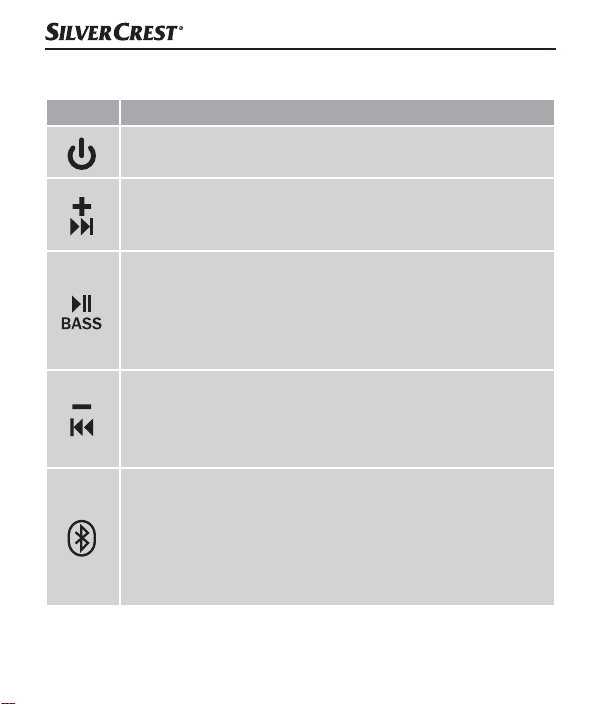
Utilisation des touches
Touche Fonction
► Allumer: Maintenir appuyée pendant 3 secondes
► Éteindre: Maintenir appuyée pendant 3 secondes
► Augmenter le volume: Appuyer brièvement / Une fois
le volume maximum atteint, un court signal sonore retentit
► Titre suivant: Appuyer pendant 2 secondes
► Lecture/Pause: Appuyer brièvement
► Allumer/éteindre la fonction BassBoost:
Appuyer pendant 2 secondes
► Activer l'assistant vocal: Appuyer brièvement 2x
► Prendre un appel/y mettre fin: Appuyer brièvement
► Baisser le volume: Appuyer brièvement
► Reprendre le titre actuel: Appuyer pendant 2 secondes
► Titre précédent: Lorsque le titre actuel reprend, maintenir
à nouveau immédiatement appuyée pendant 2 secondes
► Activer la fonction Bluetooth®:
Appuyer brièvement (un signal sonore retentit)
► Couper/établir la liaison Bluetooth
Appuyer brièvement pour couper la liaison Bluetooth®
(un signal sonore retentit) / Un nouvel appairage avec un
périphérique Bluetooth® est immédiatement possible
®
:
■ 94 │ FR
│
BE
SLB 10 A1
Page 98
Touche Fonction
► Allumer TWS: Appuyer brièvement
► Éteindre TWS: Appuyer brièvement
Mode AUX-IN
ATTENTION
► Utilisez le haut-parleur en mode AUX IN exclusivement dans des
espaces intérieurs secs et avec le câble jack de 3,5 mm r fourni.
Vous pouvez écouter la musique d'un périphérique audio portable relié
par câble jack de 3,5 mm r.
♦ Assurez-vous que le haut-parleur est éteint.
♦ Ouvrez le cache de protection 0.
♦ Raccordez le périphérique audio avec le câble jack de 3,5 mm r à la
prise jack de 3,5 mm w du haut-parleur.
♦ Maintenez la touche
allumer le haut-parleur. Une séquence sonore retentit et la LED de
service/de chargement 9 s'allume en bleu.
♦ Lancez la lecture sur le périphérique audio et réglez le volume sur un
niveau modéré.
♦ Réglez ensuite le volume souhaité à l'aide de la touche 3 ou la
touche
5 sur le haut-parleur.
1 appuyée pendant env. 3 secondes pour
SLB 10 A1
FR│BE
│
95 ■
Page 99
♦ Appuyez brièvement sur la touche
4 pour mettre la lecture
de la musique en sourdine. Appuyez à nouveau brièvement sur la
touche 4 pour supprimer la sourdine.
♦ Si vous n'utilisez plus le mode AUX IN, retirez le câble jack de 3,5 mm r
du haut-parleur et fermez le cache de protection 0.
REMARQUE
► Si lors de la restitution de fichiers audio via Bluetooth
®
vous
raccordez un câble jack de 3,5 mm r au haut-parleur, ce dernier
commute automatiquement sur l'entrée AUX. La liaison Bluetooth®
est également interrompue si vous ne raccordez qu'un câble jack de
3,5 mm au haut-parleur.
► En mode AUX IN, il n'est pas possible de passer au titre suivant/
précédent avec la touche
3 ou la touche 5. Il n'est pas non
plus possible de lancer la lecture de la musique avec la touche 4
ou de l'arrêter temporairement.
► Si en mode AUX IN le haut-parleur ne reçoit pas un signal en continu,
le haut-parleur s'éteint automatiquement au bout de 10 minutes env.
■ 96 │ FR
│
BE
SLB 10 A1
Page 100

Recherche de défauts
Impossible d'appairer le haut-parleur avec un périphérique
compatible Bluetooth
♦ Assurez-vous que la liaison Bluetooth® est activée sur le périphérique
Bluetooth®. Si un câble jack de 3,5 mm r est raccordé, la liaison
Bluetooth
®
est coupée.
♦ Assurez-vous que le haut-parleur est allumé.
♦ Si vous utilisez plusieurs périphériques Bluetooth
la connexion précédemment établie a été coupée. Il se pourrait qu'un
périphérique Bluetooth® appairé précédemment se trouve encore à
portée.
♦ Assurez-vous que le haut-parleur se trouve au maximum à 10 mètres du
périphérique Bluetooth
nique ne se trouve entre les deux.
Vous n'arrivez pas à allumer le haut-parleur
♦ Il est possible que la batterie intégrée du haut-parleur soit vide.
Rechargez la batterie.
Vous ne pouvez pas utiliser toutes les fonctions décrites
♦ Cela peut arriver en fonction du périphérique Bluetooth
de sa version logicielle. Essayez d'actualiser la version logicielle ou si
nécessaire d'utiliser un autre périphérique Bluetooth®.
®
®
, assurez-vous que
®
et qu'aucun obstacle ou appareil électro-
®
utilisé et
SLB 10 A1
FR│BE
│
97 ■
 Loading...