

Page 1
User Instructions
Smart Wi-Fi Lamps APP Instructions
Please read these instructions and retain them for future reference.
Important information
It is recommended that the fittings are installed by a qualified
electrician ensuring the installation complies with current IEE
wiring regulations & local building control.
These products are designed for connection to a 220-240V mains supply.
Always switch off mains supply before installation.
Smart Life APP Instrucons:
1. Download Smart Life APP - Scan the QR code on the right to download
the Smart Life APP. You can also search "Smart Life" in either App Store
or Google Play to install the APP.
2. Register a Smart Life account and sign in the app - You will be prompted
to enter your mobile number or email address to register. The system
automacally recognises your country / area. You can also select your
country code. Note: If you use a Mobile number you will be sent a text
message with your confirmaon code to complete your account registraon.
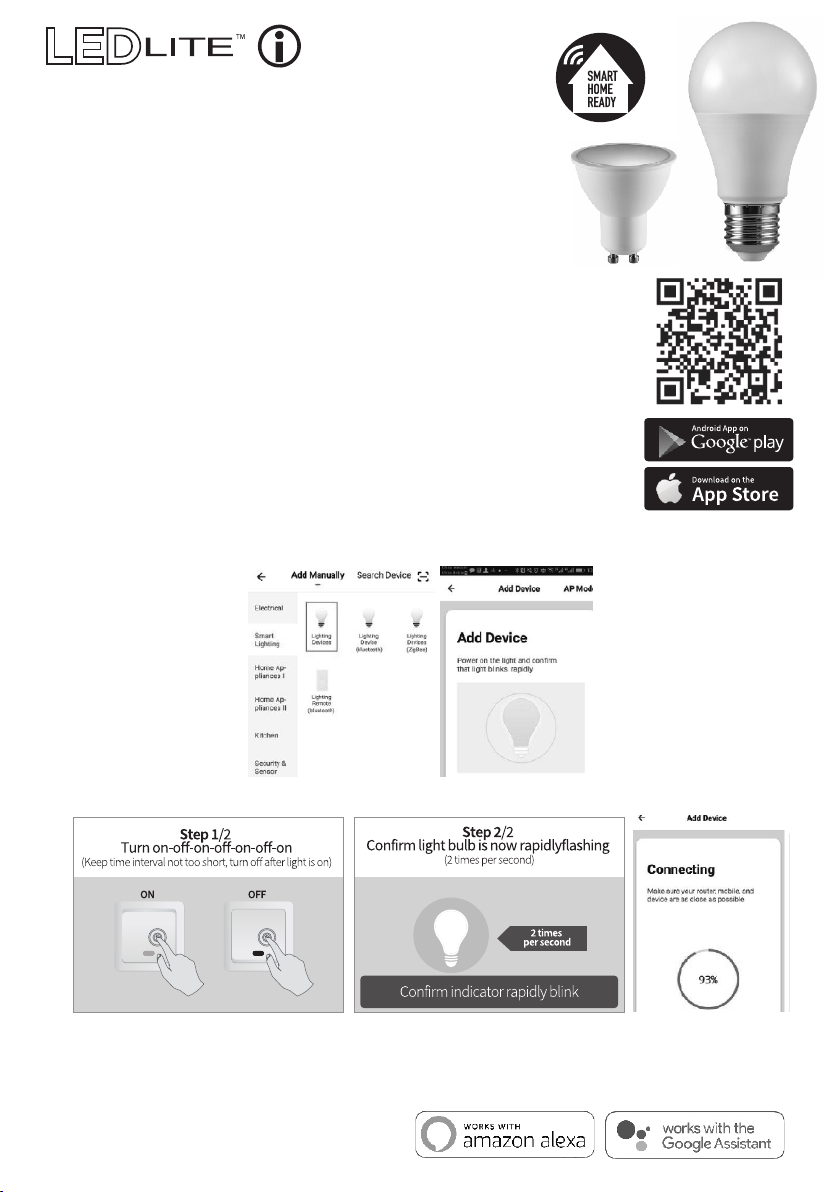
3. Add lamp to Smart Life APP - Tap the icon "+" on the top corner of "My device" page, choose your
device type - Smart lighng, then follow the instrucons in the APP to connect the lamp.
The lamp needs to be set to flash rapidly. Please follow the 2 steps below:
4. Enter Wi-Fi password, then connect. Make sure your router, mobile and lamp are as close as possible.
5. Aer connecon, the lamp will appear in your list and you can control it from anywhere in the world.
You can also rename the lamp and group more lamps.
Compable with Amazon Alexa and Google Home
 Loading...