

Page 1
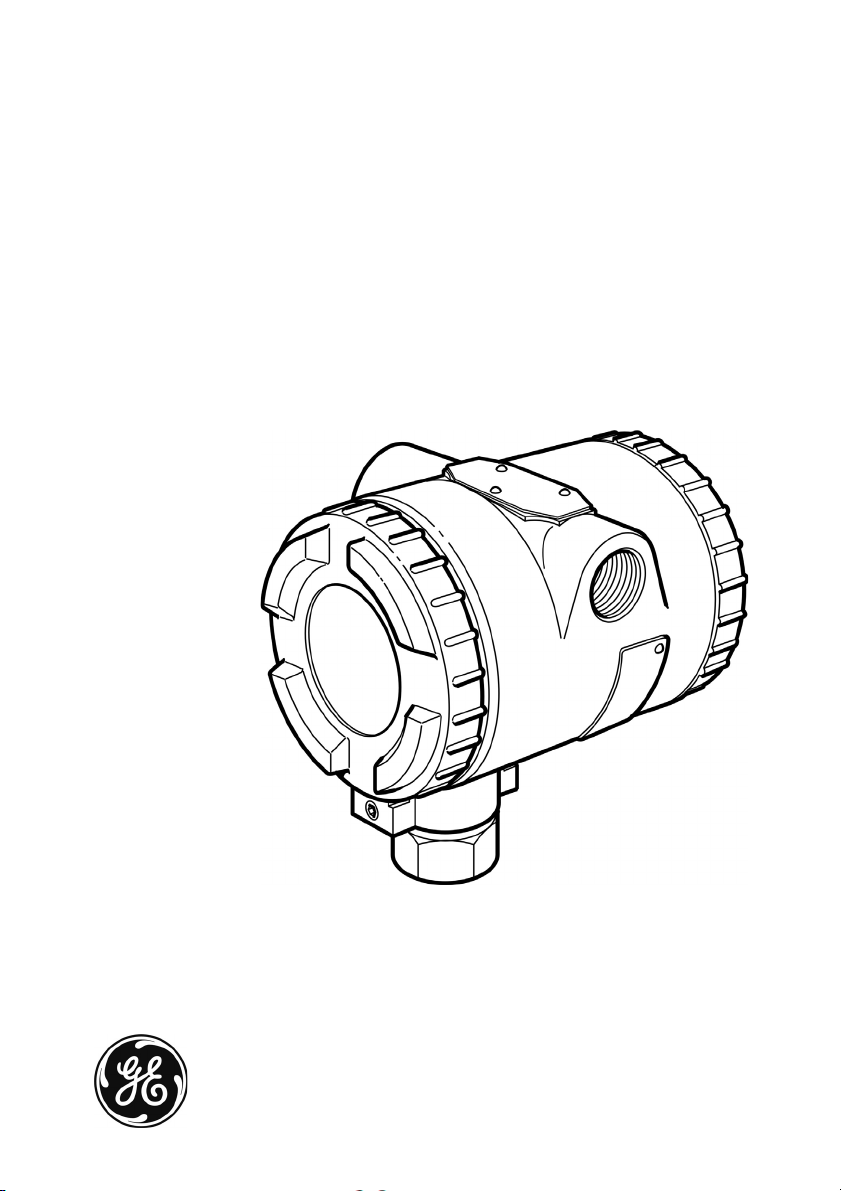
GE Infrastructure
Sensing
Druck RTX 1000H series
HART® Pressure transmitter
User manual - KA297
Page 2

Page 3

Customer service
Visit our web site: www.gesensing.com
Publication: KA297 Issue 2
© 2004 General Electric Company. All rights reserved.
Page 4

Page 5

RTX 1000H series user manual
Safety
To use this equipment safely, you must use the data and procedures in these
publications:
• The “Calibration data and instructions” for the equipment
• The applicable CSA or FM Approvals 'Control Drawing'
(Hazardous or Classified areas only)
• This user manual
These publications contain instructions to operate the equipment and maintain
it in a safe condition. To prevent damage or injury:
• Obey all warnings and cautions.
• Use the equipment only for the specified applications.
• Operate the equipment only in the specified limits.
To install and use the equipment, use only approved engineers who have the
necessary skills and qualifications.
Hazardous (Classified) areas
Some versions of this equipment are certified for use in hazardous (classified)
areas. For these versions, GE supplies 'Control Drawings' with additional
installation data. The 'Control Drawings' are:
• CSA 'Control Drawing' - KA337
• FM Approvals 'Control Drawing' - KA253
Trademarks
All product names are trademarks of their respective companies.
i KA297 Issue 2
Page 6

RTX 1000H series user manual
Abbreviations
The abbreviations in this publication are as follows:
Note: Abbreviations are the same in the singular and plural.
a absolute pressure
A/D analog to digital
AWG American wire gage
CSA Canadian Standards Association
D/A digital to analog
DAC digital to analog convertor
DIN Deutsche Industrie Norm
DIP dual inline package
DPM digital pressure module
°C degrees Celsius
°F degrees Fahrenheit
EEPROM electrically erasable programmable read-only memory
EMC electromagnetic compatibility
FM Factory Mutual Approvals
FS full-scale
g gage pressure
®
HART
HHC hand held communicator
in inch (")
O inches of water
inH
2
IS intrinsically safe
kg kilogram
lb pound
LCD liquid crystal display
LRL lower range limit
LRV lower range value
m meter
mA milliampere
highway addressable remote transducer
KA297 Issue 2 ii
Page 7

RTX 1000H series user manual
max maximum
mbar millibar
µF microfarads
mH millihenry
min minimum/minute
mm millimeter
MWP maximum working pressure
MSDS materials specification data sheet
NAMUR Normenarbeitsgemeinschaft für Mess- und Regeltechnik
(An association of users of process control technology)
PCB printed circuit board
psi pound-force per square inch
PTFE polytetrafluoroethylene
PV primary variable
RH relative humidity
RTX Rangeable Transmitter
s seconds
sg specific gravity
TSL terminal straight line
URL upper range limit
URV upper range value
Vvolt
V d.c. volts direct current
Ω ohm
iii KA297 Issue 2
Page 8

RTX 1000H series user manual
Table of Contents
Page
Safety ......................................................................................................... i
Abbreviations ........................................................................................... ii
Table of Contents ..................................................................................... iv
1 DESCRIPTION ...................................................................................... 1-1
1.1 Introduction .................................................................................. 1-1
1.2 About the Electronics Housing ..................................................... 1-1
1.3 Identification Codes ..................................................................... 1-3
2 TECHNICAL DATA .............................................................................. 2-1
2.1 Pressure Ranges ......................................................................... 2-1
2.2 Environment Data ........................................................................ 2-1
2.3 Performance Data ........................................................................ 2-1
2.4 Physical Data ............................................................................... 2-5
3 INSTALLATION .................................................................................... 3-1
3.1 Introduction .................................................................................. 3-1
3.2 Special Tools and Equipment ...................................................... 3-1
3.3 Location and Mounting ................................................................. 3-2
3.4 To Rotate the LCD Module Thru 90° ........................................... 3-2
3.5 To Rotate the Housing ................................................................. 3-3
3.6 Impulse Piping ............................................................................. 3-3
3.7 The Transmitter Pressure Connections ....................................... 3-4
3.8 Liquid Level Measurement ........................................................... 3-6
3.9 Electrical Data .............................................................................. 3-7
3.10 System Checks ............................................................................ 3-10
KA297 Issue 2 iv
Page 9

RTX 1000H series user manual
Page
4 OPERATION ......................................................................................... 4-1
4.1 General ........................................................................................ 4-1
4.2 Manual Configuration Facilities .................................................... 4-2
4.3 Manual Configuration - Calibration .............................................. 4-3
4.4 Manual Configuration - LCD ........................................................ 4-6
5 MAINTENANCE .................................................................................... 5-1
5.1 General ........................................................................................ 5-1
5.2 Fault Finding ................................................................................ 5-2
5.3 Returned Goods Procedure ......................................................... 5-4
Safety Precautions ....................................................................... 5-4
Important Notice ........................................................................... 5-4
Customer service ......................................................................... Back cover
v KA297 Issue 2
Page 10

RTX 1000H series user manual
Illustrations
1-1 General view ................................................................................ 1-1
1-2 Transmitter schematic diagram .................................................... 1-2
2-1 Range limits ................................................................................. 2-1
2-2 Dimensions (Transmitter) ............................................................. 2-5
2-3 Dimensions (Optional mounting bracket) ..................................... 2-6
3-1 LCD module - Turn thru 90° ......................................................... 3-2
3-2 Housing locking screws ............................................................... 3-3
3-3 Piping arrangements .................................................................... 3-5
3-4 Open tank level measurement ..................................................... 3-6
3-5 Power and load requirements ...................................................... 3-7
3-6 Electrical conduit configuration .................................................... 3-9
3-7 Transmitter connections ............................................................... 3-9
4-1 Display - Normal operation .......................................................... 4-1
4-2 Location of DIP switches and push buttons ................................. 4-2
4-3 Calibration set-up for safe areas .................................................. 4-3
4-4 LCD - Range selection ................................................................. 4-5
4-5 Selection sequence - LCD configuration ...................................... 4-6
Page
5-1 Fault finding from the output signal .............................................. 5-2
Tables
1-1 Identification codes ...................................................................... 1-4
3-1 Wire resistance ............................................................................ 3-8
4-1 DIP switch operation .................................................................... 4-2
5-1 LCD alarm/error codes ................................................................. 5-3
KA297 Issue 2 vi
Page 11

RTX 1000H series user manual
1 DESCRIPTION
1.1 Introduction
The Druck RTX 1000H series is a process pressure transmitter that measures
the pressure of liquid, gas or vapor and gives an analog output proportional to
the applied pressure. The transmitter is available in a compact and lightweight
metal housing with facilities for direct mounting to pipeline installations. The
type of housing is specified in the order.
The transmitter uses the HART
®
communication. The HART
protocol gives easy access to the process data
and makes it possible to adjust the transmitter operation. For example: to make
accurate adjustments to the zero and span. There are also push-buttons and
switches on the electronics module to adjust the transmitter operation.
1.2 About the Electronics Housing (Figure 1-1)
The electronics housing contains a digital pressure module (DPM), electronics
module, connecting cables and the terminal block.
®
protocol to give digital two-way
end-cap (with
access to the
terminal block)
electronics
housing
electrical
conduit entry
certification
label (If fitted)
process pressure
connection
Figure 1-1: General view
1-1 KA297 Issue 2
name
plate
end-cap
(with access to the
electronics module)
housing locking
screw
Page 12

RTX 1000H series user manual
KA297 Issue 2 1-2
Figure 1-2: Transmitter schematic diagram
Page 13

RTX 1000H series user manual
Digital Pressure Module (DPM) - (Figure 1-2)
The sensing element in the DPM is constructed from a micro-machined silicon
diaphragm assembly bonded to a stainless steel or Hastelloy body. A Hastelloy
isolation diaphragm and silicone fluid isolates the sensing element from the
process media.
The sensor piezo-resistors, diffused into the surface of the silicon diaphragm,
produce a signal in response to applied pressure. The accuracy of the sensor
element is enhanced by measuring the residual errors over its operating
temperature and pressure range and applying digital compensation in the
transmitter electronics.
Electronics Module (Figure 1-2)
The electronics module uses microprocessor technology to give a compact
circuit with the minimum of components. The module produces an extremely
stable signal unaffected by changes in ambient temperature.
The HART
HART
®
communication module gives digital two-way communications. The
®
protocol gives easy access to the process data and makes it possible
to adjust the transmitter configuration from any point in the loop.
An optional LCD module shows the applied pressure value in two ways:
• as a % of calibrated span represented by a bar graph
• as a value in the applicable engineering units.
The LCD shows the Primary Variable (PV) value for the applied pressure. The
LCD value is not affected by the re-range facilities.
1.3 Identification Codes (Table 1-1)
Table 1-1 shows the identification codes for the transmitter. Before you install
the transmitter, use this table to make sure that the data on the transmitter is
correct.
1-3 KA297 Issue 2
Page 14

RTX 1000H series user manual
Table 1-1: Identification codes
RTX 10 Base Model Number
Code Diaphragm Process Wetted Body Fill Fluid
00 Hastelloy C 316 stainless steel Silicone oil
10 Hastelloy C Hastelloy C Silicone oil
20 Inconel 625 * Inconel 625 * Silicone oil
Code Output
H 4 - 20 mA + HART®
Code Max Span Min Span Notes
07 0 - 30 psi 0 - 0.3 psi Gage or absolute
10 0 - 100 psi 0 - 1 psi Gage or absolute
13 0 - 300 psi 0 - 3 psi Gage or absolute
16 0 - 1,000 psi 0 - 10 psi Gage or absolute
18 0 - 3,000 psi 0 - 30 psi Sealed gage or absolute
22 0 - 10,000 psi 0 - 100 psi Sealed gage or absolute
24 0 - 20,000 psi ** 0 - 200 psi Sealed gage or absolute
Code Type
A Absolute
G Gage (sealed gage for ranges above 1,000 psi)
Code Process Connection
1G½ female
2 ½-14 NPT female
3 G½ male to BS EN 837-1 (DIN 16288)
4 ½ NPT male
5 9/16" tube Autoclave Engineers medium pressure,
SF562CX20 female ***
Code Electrical Entry
N ½-14 NPT female (via adaptor)
Example identification code
Code Electronics Housing End-caps
0 Aluminum Alloy Aluminum Alloy
S Stainless Steel Nickel plated
Code Approvals
0 Safe area
F FM & CSA IS / Explosionproof
/ Division 2
Code Options
0None
LH Digital indicator
B Bracket mounting
T DIN 3.1B material certificate
aluminum bronze
RTX10 00 H 07 G 2 N 0 0 0
* Only available with range code 24, process connection code 5. Not available with CSA
or FM approval.
** Range code 24 (0-20,000 psi) only applies to RTX 1020 models.
*** Process connection code 5 (autoclave fitting) only applies to range code 24.
KA297 Issue 2 1-4
Page 15

RTX 1000H series user manual
2 TECHNICAL DATA
2.1 Pressure Ranges
The transmitter is supplied in one of the standard (zero based) ranges or it can
be calibrated to any acceptable intermediate span. Refer to Table 1-1.
The transmitter label shows the factory calibrated range and the maximum
working pressure (MWP). The upper range limit (URL) = MWP.
2.2 Environment Data
Service .............................................................................. Liquid, gas or vapor
Pollution Degree.............................................................................................. 2
Installation (over-voltage) Category ....................................................................... II
Temperature
ambient (Not CSA or FM approved)........... -40°F to +185°F (- 40°C to +85°C)
(LCD Option) ........................................ -4°F to +158°F (- 20°C to +70°C)
ambient (CSA or FM approved) ................................. minimum: - 40°F (-40°C)
.........................................maximum: Refer to the product approval label.
process...................................................... -40°F to +248°F (- 40°C to +120°C)
compensated.............................................. -40°F to +185°F (- 40°C to +85°C)
Humidity limit
......................................................................................................0 - 100% RH
2.3 Performance Data
Range adjustment
0
(psi a)
Minimum span
(URV - LRV): ≥ 1% URL URL
LRV (or URV) URV (or LRV)
-15
(psi g)
Lower range value (LRV) = 4 mA pressure value
Upper range value (URV) = 20 mA pressure value
Figure 2-1: Range limits
Figure 2-1 shows the limits for range adjustment. For example:
Span: The minimum span available for a 30 psi device is 0.3 psi (100:1
down-ranging).
2-1 KA297 Issue 2
Page 16

RTX 1000H series user manual
Zero offset: A 30 psi (MWP) gage device can give 4 to 20 mA in the range
-15 psi to 30 psi. For example: If the span is 0.3 psi, 4 to 20 mA is available
anywhere in the range up to a maximum zero offset of 29.7 psi (calibrated
range = 29.7 to 30 psi).
Accuracy
For a calibrated span ≥ 10% of URL: 0.075% Terminal Straight Line (TSL).
For a calibrated span < 10% of URL: (0.025% + 0.005 [URL/Span] %TSL.
These values include non-linearity, hysteresis and repeatability.
Long term stability
At standard reference conditions, the maximum change in calibration is not
more than 0.2% URL in a five year period.
Time response
Update rate (Compensated pressure reading)....................................... 100ms
Damping (DIP switch selection) ..............0.1 or 1 s to reach 63% of final value
Damping (HART
Temperature effects
For the compensated temperature range, the maximum output deviation from
the room temperature calibration at 73.4°F (23°C):
0.1% configured span + 0.2% reading + 0.1% URL
(where the reading is expressed as % of the configured span)
Mounting position effect
Negligible effect.
Alarm/Error conditions (NAMUR NE 43 compliant)
Alarm output (< 3.6 or > 21 mA).......... DIP Switch selected option (Table 4-1)
Under range ......................................................................... 3.8 mA minimum
Over range ......................................................................... 20.5 mA maximum
An optional LCD module shows the applicable alarm/error data (Table 5-1). If
the pressure is not between the upper or lower range limits, the pressure value
on the display will flash.
®
adjusted) .................. 0.1 to 30 s to reach 63% of final value
(This function is always in operation)
KA297 Issue 2 2-2
Page 17

RTX 1000H series user manual
Turn-on time
......................................................................................................... 2 seconds
Electronics housing
Material .................................... Aluminum alloy with polyester powder coating
or ...................... Stainless steel with nickel plated aluminum bronze end-caps
Environmental protection ........................................................................... IP67
CSA/FM approved units ............................................................ NEMA 4X
Overpressure
These pressure values will not degrade performance:
.................................. 4 x URL (2,000 psi max) for ranges: 30 psi to 1,000 psi
...................... 2 x URL (13,000 psi max) for ranges: 3,000 psi to 10,000 psi
........................................................................ 30,000 psi for 20,000 psi range
Pressure containment
These pressures may damage the sensor but there is no leakage of the
process media.
......................... 6 x URL (3,000 psi max) for ranges: 30 psi to 1,000 psi gage
................................................... 3,000 psi for ranges up to 1,000 psi absolute
....... 20,000 psi for ranges: 3,000 psi to 10,000 psi sealed gage and absolute
........................................................................ 30,500 psi for 20,000 psi range
Process media
A liquid, gas or vapor compatible with a fully welded assembly that includes:
• A Hastelloy C276 diaphragm, and a body that is made of either
316 stainless steel or Hastelloy C276. Complies with NACE MR-01-75.
• Inconel 625 (20,000 psi range, range code 24 only).
Sensor fill fluid
........................................................................................................ Silicone oil
2-3 KA297 Issue 2
Page 18

RTX 1000H series user manual
Output current
(two wire configuration) ..................................................................... 4 - 20 mA
®
The output is proportional to the calibrated pressure range. The HART
signal is superimposed on the output.
Supply voltage (at the terminals)
Safe area................................................................................... 12 to 35 V d.c.
Hazardous (Classified) area............................................... minimum: 12 V d.c.
..................................... maximum: Refer to Control Drawing KA253 or KA337
for the applicable conditions
®
HART
receive impedance data
Transmitter equivalent resistance (Rx) ................................................... 40 KΩ
Transmitter equivalent capacitance (Cx).................................................. 13 nF
digital
KA297 Issue 2 2-4
Page 19

RTX 1000H series user manual
2.4 Physical Data
Electrical/Process connections
............................................................................................. Refer to Table 1-1
Dimensions
.................................................................................... Refer to Figure 2-2, 2-3
Weight (without options)
Aluminum housing............................................................... ≈ 2.51 lb (1.14 kg)
Stainless steel housing ................................................................. ≈ 5.95 lb (2.7 kg)
Options
• Digital indicator: polarity sign + 5 digits, bar graph, and units
- Aluminum option ................................................. Add ≈ 0.35 lb (0.16 kg)
- Stainless steel option............................................ Add ≈ 0.66 lb (0.3 kg)
• Mounting bracket/bolts (stainless steel)
• Material traceability for pressure containment parts to EN10204 3.1B
≈ 4.61"
(117* mm)
3.19"
(81 mm)
≈ 4.21"
(107 mm)
*LCD indicator option: 5.43" (138 mm)
Dimensions in inches (millimeters) - illustrations not to scale
Figure 2-2: Dimensions (Transmitter)
2-5 KA297 Issue 2
≈ 3.62"
(92 mm)
Page 20

RTX 1000H series user manual
(a) Example -
Panel mounting
6.5"
(165 mm)
(b) Examples -
Horizontal pipe
mounting
2.8"
(70 mm)
4.4"
(113 mm)
Dimensions in inches (millimeters)
- illustrations not to scale
3.2"
(82 mm)
4.4"
(113 mm)
(c) Example -
Vertical pipe
mounting
Figure 2-3: Dimensions (Optional mounting bracket)
KA297 Issue 2 2-6
0.8"
(20 mm)
2.8"
(70 mm)
Page 21

RTX 1000H series user manual
3 INSTALLATION
Note: If the equipment is certified for use in a hazardous (classified)
area, refer to the applicable “Control Drawing” for additional data.
3.1 Introduction
The following procedures detail the correct installation of the unit.
Use qualified plant installation personnel and follow good engineering practice
at all times.
WARNINGS:
1. Observe appropriate local safety instructions.
2. Before installation, examine all fittings and equipment for damage
and make sure that all equipment is to the correct pressure rating.
3. Use the identification code on the transmitter to make sure that it
has the correct specification for the installation (refer to Table 1-1).
3.2 Special Tools and Equipment
The following special tools and equipment are required.
Note: Equivalent substitutes can be used.
Special tools
• Applicable torque wrench
• Druck UPS-II [to measure current output]
• Multimeter [to measure loop resistance]
Materials
• Piping - the necessary length and rating depends on the distances
• Fittings to connect the above items including (but not limited to):
- Pipe tee (steam or high temperature liquid)
- Pipe fittings
• Pipe compound or Teflon tape (where local piping codes allow)
• Loctite PST sealant
3-1 KA297 Issue 2
Page 22

RTX 1000H series user manual
3.3 Location and Mounting (Figure 3-3)
Although designed to withstand harsh industrial environments, the transmitter
should be located to minimize the following:
• Vibration
• Ambient temperature fluctuations
• Physical impact or shock
3.4 To Rotate the LCD Module Thru 90° (Figure 3-1)
If applicable, use the following procedure to turn the optional LCD module in the
electronics housing.
LCD cable
spacer (x4)
Power
cables
DPM
cables
screw/washer (x4)
connector
LCD
cable
access hole to release
the LCD module
end-cap
LCD module
Figure 3-1: LCD module - Turn thru 90°
1. Isolate the power supply to the transmitter.
2. Remove the end-cap.
3. Insert an applicable tool into the access hole and release the first leg of
the LCD module. Then carefully release the module.
4. To disconnect the LCD cable, release the clamp on the LCD cable
connector and carefully remove the cable.
5. Remove each screw/washer (x4).
6. Turn the PCB thru 90° until the screw holes align with the spacers again.
7. Tighten each screw/washer (x4) back in position, but make sure that
there is not too much force on the cables, and that they are not caught.
KA297 Issue 2 3-2
Page 23

RTX 1000H series user manual
8. Reconnect the LCD cable.
9. With the LCD module at the correct angle, push the module into the new
position until the legs are fully engaged.
10. Attach the end-cap.
3.5 To Rotate the Housing (Figure 3-2)
CAUTION: Do not rotate the electronics housing on the transmitter more
than 180 degrees relative to the pressure connection.
Two locking screws (hexagon socket screws) lock the electronics housing to
the sensor body. To rotate the housing, loosen both of the screws and rotate
the housing. When the angle is correct, tighten the screws.
Note: Do not remove the locking screws.
locking screws
(hexagon socket screws)
Figure 3-2: Housing locking screws
3.6 Impulse Piping (Figure 3-3)
The purpose of arranging impulse piping for the specific application is to
maintain a single phase of fluid in the piping and transmitter. Liquid applications
should maintain a liquid state and allow any air or gas formation to travel up
and away from the transmitter. Gas applications should allow the formation of
liquids to drain down and away from the transmitter.
The pipe or tubing used for connection must be rated for continuous operation
at the pipeline designed pressure and temperature. Threaded pipe fittings
create voids (where air can be trapped) and increase the possibility of leaks.
When installing the connecting tubing or impulse piping, the following apply:
• Horizontally installed impulse piping must slope at least 1" per foot
(approximately 75 mm per meter). For liquid and steam applications the
piping must slope down towards the transmitter. For gas applications the
piping must slope down away from the transmitter.
• Impulse piping should be kept as short as possible and maintained at
ambient temperature avoiding fluctuations and gradients.
3-3 KA297 Issue 2
Page 24

RTX 1000H series user manual
• Installations outdoors for liquid or saturated gas service may require
insulation and heat tracing to prevent freezing.
• For installations where the transmitter is more than 6 feet (1.8 m) from
the tapping, the impulse piping must be supported to prevent sagging
and vibration.
• Impulse piping must be located in protected areas or against walls or
ceilings. If routed across a floor, protective coverings or kick plates must
be used. High temperature piping or equipment should be avoided.
• Appropriate pipe sealing compound rated at the design piping
temperature must be used on all threaded connections. When making
threaded connections between stainless steel fittings, Loctite PST
Sealant is recommended.
3.7 The Transmitter Pressure Connections
The recommended connection uses a two-valve manifold connected between
the transmitter and the process pressure. Before connecting the transmitter
remove the protection caps and carefully inspect the sealing face and threaded
bore of the connection for damage.
Liquid service connections (Figure 3-3a)
Liquid measurement connections should be made to the side of the process
line to avoid deposits of sediment. The transmitter should be mounted beside
or below the connection so that gases vent into the process line.
Gas service connections (Figure 3-3b)
Gas measurement connections should be made to the top or side of the
process line. The transmitter should be mounted beside or above the
connection allowing any liquid to drain into the process line.
Steam service connections (Figure 3-3c)
Steam measurement connections should be made to the side of the process
line. The transmitter should be mounted below the connection so that the piping
remains filled with condensate. Live steam must not come into contact with the
transmitter; to prevent this the lines should be filled with water or condensate.
KA297 Issue 2 3-4
Page 25

RTX 1000H series user manual
two-valve
manifold
two-valve
manifold
(a) Liquid service (b) Gas service
two-valve
manifold
set length for
cooling
(c) Steam service
Figure 3-3: Piping arrangements
3-5 KA297 Issue 2
plugged tee-piece
for sealing fluid
(water, condensate)
Page 26

RTX 1000H series user manual
3.8 Liquid Level Measurement
Gage pressure transmitters can be used to measure liquid level in an open or
vented tank by measuring the hydrostatic pressure head. The head pressure
can be calculated by multiplying the liquid height above the transmitter
diaphragm by the specific gravity of the liquid.
The tank's volume and shape does not affect the head pressure. If the
transmitter is mounted below the zero point (minimum level) of the measured
range, zero suppression will be required.
maximum level
sg = 1.1
20
zero
suppression
200"
minimum level
40"
Figure 3-4: Open tank level measurement
Calculations
Min. level = (40" x 1.1) inH2O
=44" inH
Max level = ([40 + 200] x 1.1) inH
= (240 x 1.1) inH
=264 inH
Range = 44 to 264 inH
(Span = 220 inH
O
2
O
2
O
2
O
2
O)
2
mA
4
44
O
2
inH
O
2
2640
KA297 Issue 2 3-6
Page 27

RTX 1000H series user manual
3.9 Electrical Data
Note: If the equipment is certified for use in a hazardous (classified)
area, refer to the applicable “Control Drawing” for additional data.
WARNING: Switch off and isolate the power supply before connecting or
disconnecting the transmitter.
CAUTIONS:
1. The transmitter uses DC power in a 2-wire system to control current
through a resistive load.
2. Do not apply more than 35 Volts to the loop circuit. The transmitter
may be damaged.
General
The electrical installation must comply with local wiring codes and standards.
To get the full performance from the transmitter, carefully choose the wiring
scheme to be used and take care connecting the transmitter.
Power and maximum load (Figure 3-5)
The total loop resistance must include the connection wire resistance.
e
M
i
x
a
r
m
u
m
c
n
a
t
s
i
s
e
Operating
region
Note:
For HART® operation,
the minimum loop
resistance is 250 Ω.
No HART®
Resistive Loop Load - Ohms
Loop DC Power - Volts
Operation
Figure 3-5: Power and load requirements
3-7 KA297 Issue 2
Page 28

RTX 1000H series user manual
Wire selection (Table 3-1)
To get the best EMC performance, use shielded twisted pair cable for the field
wiring.
• Select a wire gage for the required total length so the transmitter
operates within the load requirements.
• When using external power supplies, make sure the connection polarity
allows current to flow into the +ve terminal and out of the -ve terminal.
Refer to Figure 3-7.
Table 3-1: Wire resistance
AWG Wire Diameter Loop Resistance
Inches mm Ohms/Foot Ohms/Meter
16 0.0508 1.291 0.0082 0.0264
18 0.0403 1.024 0.0128 0.0418
20 0.0320 0.812 0.0204 0.0666
22 0.0254 0.644 0.0322 0.1060
24 0.0201 0.511 0.0514 0.1680
Note: The typical values for resistance per length are doubled as the
circuit is a direct current loop.
Electrical conduit (Figure 3-6)
Use electrical conduit in accordance with local wiring codes. The electronics
housing has two threaded holes for electrical conduit connections. The
configuration in Figure 3-6 prevents moisture getting into the housing. If conduit
is not used, use the correct cable gland/plugs to seal the housing.
KA297 Issue 2 3-8
Page 29

RTX 1000H series user manual
Plug
min: 2"
(50 mm)
Flex Conduit
Conduit
Tee
Figure 3-6: Electrical conduit configuration
Electrical connections (Figure 3-7)
The transmitter is a 2-wire loop powered device. The marks +ve and -ve
identify the polarity of the connection terminals.
A label in the transmitter shows how to use the third terminal to measure the
output current from the transmitter. In hazardous (classified) areas, do not use
this third terminal.
To Drain
250 Ω
Note:
For HART® operation,
the minimum loop
HART® - HHC
Power
supply
resistance is 250 Ω.
Figure 3-7: Transmitter connections
Because the transmitter circuit is isolated from the housing, one of the signal
wires (+ve or -ve) can be earthed (grounded) if necessary.
3-9 KA297 Issue 2
Page 30

RTX 1000H series user manual
3.10 System Checks
Leak test
Before the system is filled and/or commissioned, do a leak test with
compressed air (or other inert compressed gas) or water. The minimum test
pressure must be equal to the normal operating pressure. The maximum
pressure is the MWP.
• Apply pressure at a convenient point on the system.
• Apply an applicable leak test solution to the impulse piping, valves,
transmitter connections and joints.
• Look for a continuous stream of bubbles.
• Bleed the system.
• Do all the necessary repairs, and test the system again.
• Return the system to the original configuration.
Transmitter test
Connect the necessary instruments to monitor the pressure signal. If
necessary, connect a milliammeter to measure the output from the transmitter.
• Apply power to the transmitter.
• Apply the applicable pressure.
• Monitor the pressure signal.
Refer to the 'Operation' section for the procedures to set up and operate the
transmitter.
KA297 Issue 2 3-10
Page 31

RTX 1000H series user manual
4 OPERATION
Note: If the equipment is certified for use in a hazardous (classified)
area, refer to the applicable “Control Drawing” for additional data.
4.1 General
CAUTION: DO NOT over-pressurize the system.
Pressure ranges
The transmitter label shows the factory calibrated range and the maximum
working pressure (MWP).
Start up procedure
When power is supplied to the transmitter, the output is set to the applicable
alarm level (Refer to Table 4-1). When the start up sequence is complete, the
output changes to give the applicable process value.
During start up, the display (if applicable) shows the parameter data for the
transmitter. This includes:
1. SOFTWARE: Software version
2. UNITS: Pressure units
3. URV: Upper Range Value + applicable units
4. LRV: Lower Range Value + applicable units
5. TRANSFER: Shows that the transmitter uses a linear transfer function
6. DAMPING: Damping value in seconds
7. EE PROTECT: Write protect status (on/off)
8. ALARM: Specified alarm level (high: > 21 mA, low: < 3.6 mA)
When the start up sequence is complete, the display shows the PV value for
the applied pressure and the applicable units (Figure 4-1).
PV value
Figure 4-1: Display - Normal operation
Alarm/Error conditions
Refer to the 'Maintenance' section.
Bar graph
(0%: 4 mA, 100%: 20 mA)
Applicable units
4-1 KA297 Issue 2
Page 32

RTX 1000H series user manual
4.2 Manual Configuration Facilities (Figure 4-2)
The manual configuration facilities (DIP switches and push buttons) are in the
electronics module. To get access to the electronics module:
1. Remove the end-cap (with access to the electronics module).
2. If applicable, release the LCD module to get access to the DIP switches.
- Insert an applicable tool into the access hole, and release the first leg
of the LCD module. Then carefully release the module.
DIP switches
1 to 4
Access hole to release
Push buttons:
- span (S)
- zero (Z)
Optional LCD module
with push buttons span
(S) and zero (Z)
the LCD module
Figure 4-2: Location of DIP switches and push buttons
Table 4-1: DIP switch operation
DIP
Switch
1 Write Protection To prevent accidental
2 Alarm level To use the high NAMUR
3 Damping To use the ON_Damping
4 Not used - -
Function Set ON Set OFF
changes to the EEPROM
values.
alarm (> 21 mA) when there
is a transmitter fault.
factor. Default = 1 s
KA297 Issue 2 4-2
1) To change values for
span and zero.
2) To set up the display - if
applicable.
To use the low NAMUR
alarm (< 3.6 mA) when there
is a transmitter fault.
To use the OFF_Damping
factor. Default = 0.1 s
Page 33

RTX 1000H series user manual
4.3 Manual Configuration - Calibration
To get accurate results, do the calibration in conditions where the pressure and
temperature are stable.
Equipment
• A precision pressure calibrator such as the Druck DPI 605 or
DPI 610/615. The accuracy of the supplied pressure must be better than
±0.075%.
• In safe areas, a 12 to 35 Volt DC power supply (separate or part of
another system)
• Fittings and tubing as required
Excitation voltage and
4 mA to 20 mA signal
Transmitter
Precision Pressure
Calibrator
Figure 4-3: Calibration set-up for safe areas
Calibration ranges
Set any span value from 1 - 100% of the URL. Refer to the 'Technical Data'
section.
4-3 KA297 Issue 2
Page 34

RTX 1000H series user manual
Procedure to adjust the range (No LCD)
1. Set DIP switch 1 to OFF (write protect - OFF).
2. To set the pressure for the lower range value (LRV):
a. Press the S and Z buttons together, and supply the LRV pressure.
b. To set the LRV, press the Z button.
3. To set the pressure for the upper range value (URV):
a. Press the S and Z buttons together, and supply URV pressure.
b. To set the URV, press the S button.
4. To prevent accidental changes to the new values, set DIP switch 1 to
ON.
To leave the set up procedure without saving a value:
• Press the S and Z buttons together OR
• Do not press the buttons for 25 seconds.
If a value is not in the applicable range, the value is ignored.
KA297 Issue 2 4-4
Page 35

RTX 1000H series user manual
Procedure to adjust the range (LCD option) - (Figure 4-4)
Note: The push buttons on the LCD module only work when it is
attached to the PCB.
1. Set DIP switch 1 to OFF (write protect - OFF).
2. Press S and Z together: 3. Press Z:
Figure 4-4: LCD - Range selection
4. To set the pressure for the lower range value (LRV):
a. Supply the applicable LRV pressure.
b. Press the Z button.
5. To set the pressure for the upper range value (URV):
a. Supply the applicable URV pressure.
b. Press the S button.
6. To prevent accidental changes to the new values, set DIP switch 1 to
ON.
Note: The LCD shows the PV value for the applied pressure. The LCD
value is not affected by the re-range facilities. Refer to the
'Description' section.
To leave the set up procedure without saving a value:
• Press the S and Z buttons together OR
• Do not press the buttons for 25 seconds.
If a value is not in the applicable range, the display shows error code 00. The
specified value is ignored.
4-5 KA297 Issue 2
Page 36

RTX 1000H series user manual
4.4 Manual Configuration - LCD (Figure 4-5)
There are three items to set up for the optional LCD: the pressure units, the
decimal point position, and the display contrast.
Note: The push buttons on the LCD module only work when it is
attached to the PCB.
1. Set DIP switch 1 to OFF (write protect - OFF).
2. Press S and Z together: 3. Press S:
Figure 4-5: Selection sequence - LCD configuration
4. UNITS: Use the S and Z buttons to step through the available units.
Wait 5 seconds or press S and Z together to go to the DECIMAL display.
5. DECIMAL: Use the S and Z buttons to move the decimal position. There
is a maximum number of decimal places for each unit.
Wait 5 seconds or press S and Z together to go to the CONTRAST
display.
6. CONTRAST: Use the S and Z buttons to adjust the contrast.
Wait 5 seconds or press S and Z together to return to normal operation.
7. To prevent accidental changes to the new values, set DIP switch 1 to
ON.
KA297 Issue 2 4-6
Page 37

RTX 1000H series user manual
5 MAINTENANCE
Note: If the equipment is certified for use in a hazardous (classified)
area, refer to the applicable “Control Drawing” for additional data.
5.1 General
The transmitter contains no moving parts and requires a minimum of
maintenance.
Visual inspection
• Inspect the transmitter for damage and corrosion. Any damage to the
transmitter must be assessed. If the housing is no longer sealed against
water and/or dust, the transmitter must be replaced.
Cleaning
• Clean the transmitter case with a damp lint-free cloth and mild detergent.
• Corrosion must be removed and the area of corrosion cleaned and, if
necessary, neutralized.
• If the product has been in contact with hazardous or toxic materials, obey
all the applicable MSDS references and precautions when handling.
5-1 KA297 Issue 2
Page 38

RTX 1000H series user manual
5.2 Fault Finding
If the measured pressure goes above URV or goes below LRV, the output
signal will saturate at the following values:
LRV - - URV
fault
indication
← →
2 mA
3.6 mA
-2.5%
Fault indications
If there is a specified fault condition, the transmitter output changes to the
specified NAMUR alarm level. The alarm level is set by the position of
DIP switch 2 (refer to Table 4-1).
If applicable, the optional display shows an alarm code to help identify the fault.
Table 5-1 shows some of the codes. If there are several fault conditions, the
alarm code is the sum of all the applicable codes.
not
allowed
3.8 mA
-1.25%
under
range
4 mA
0.00%
normal signal range over
20 mA
100%
range
20.5 mA
103.15%
not
allowed
21 mA
106.25%
Figure 5-1: Fault finding from the output signal
fault
indication
22 mA
KA297 Issue 2 5-2
Page 39

RTX 1000H series user manual
Table 5-1: LCD alarm/error codes
Code Possible cause To correct the error
Too much positive or negative pressure. Supply pressure in the specified limits
02
ALARM
ALARM
ALARM
ERROR
DPM error Power off, wait 25 seconds, then power
DPM data not received Power off, wait 25 seconds, then power
04
LCD adjustment has loosened the DPM
cable connection on the PCB.
LCD adjustment has loosened the DPM
08
cable connection on the PCB.
Configuration error. The range is not in
the specified limits for the device.
00
Configuration error. DIP switch 1 set to
ON (Write protect).
If you cannot identify the code or the fault condition does not change, contact
an approved service agent.
Over/under range
If the measured pressure goes above or below the set range of the transmitter,
the electronics module causes the transmitter output to change.
When the measured pressure is under range, the transmitter output continues
below the 4.0 mA level until it reaches 3.8 mA (Figure 5-1). When the
measured pressure is over range, the transmitter output continues above the
20.0 mA level until it reaches 20.5 mA (Figure 5-1).
If applicable, the optional display will also show a flashing pressure value.
for the device.
on again.
on again.
Examine the DPM cable connection
(Figure 3-1).
Examine the DPM cable connection
(Figure 3-1).
Refer to section 2 for the specified
range limits.
Set DIP switch 1 to OFF, then follow the
procedures in Section 4.
5-3 KA297 Issue 2
Page 40

RTX 1000H series user manual
5.3 Returned Goods Procedure
To repair or calibrate the transmitter, return it to the applicable GE Service
Department.
To contact our Service Department, select “Contact Us’” on the web site:
www.gesensing.com, and get a Returned Material Authorization (RMA)
number.
Please supply these details:
Product (i.e. RTX 1000H)
Pressure range
Serial number
Details of defect/work to be undertaken
Calibration traceability requirements
Operating conditions
Safety Precautions
To prevent possible injury when we receive the product, you must also tell us if
the product has been in contact with hazardous or toxic materials. Please
supply the applicable MSDS references and precautions.
Important Notice
Service or calibration by unauthorized sources will affect the warranty and may
not guarantee further performance. If the equipment has “Hazardous
(Classified) area” approval, the approval will also be invalid.
KA297 Issue 2 5-4
 Loading...