

Page 1

Touchstone™ TM522G/H
Telephony Modem
QUICK
INSTALL
GUIDE
Page 2
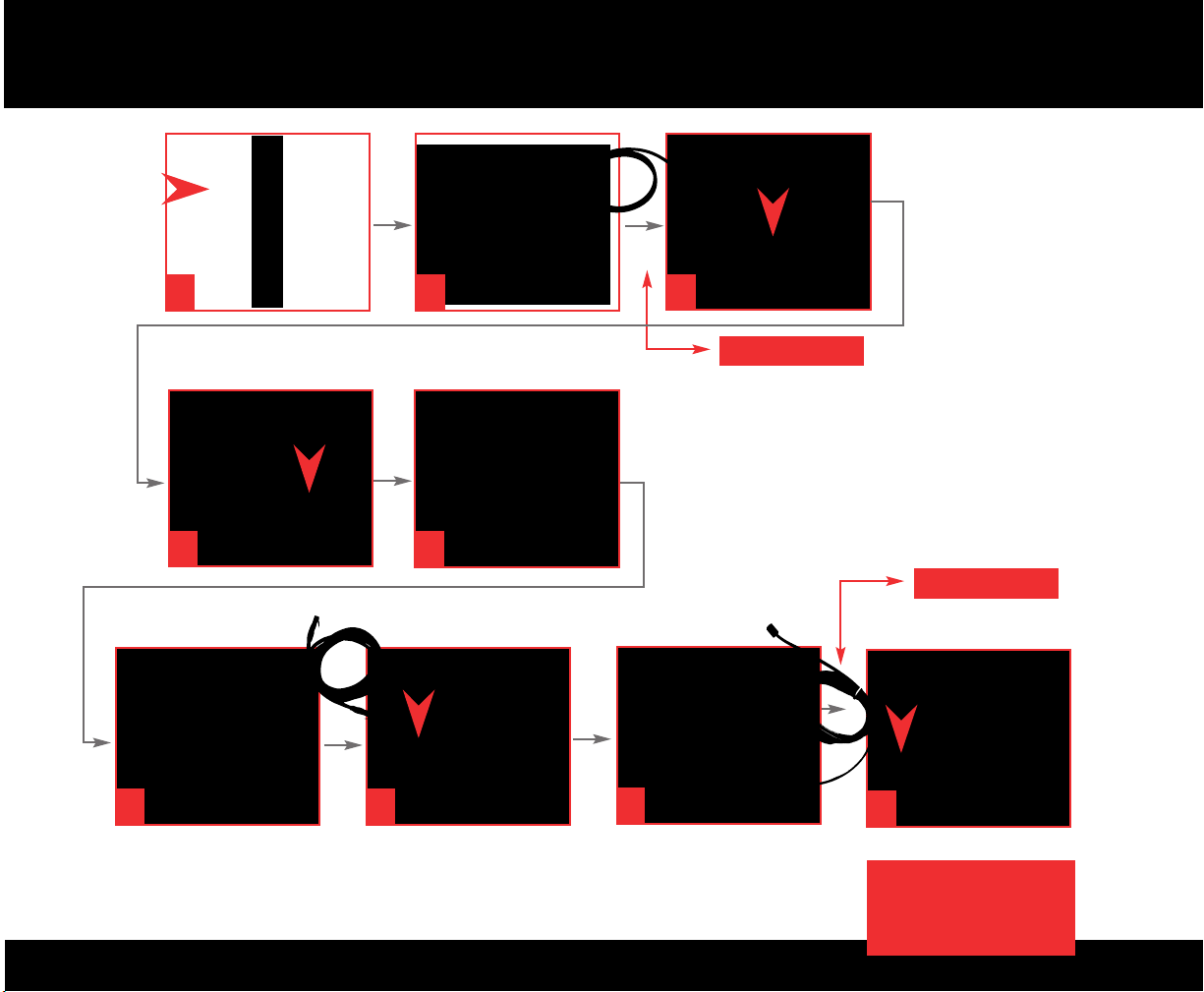
INSTALLATION
START
1
4
6
2
5
5
7
3
NOT INCLUDED
NOT INCLUDED
8
9
* Connection to house
telephone wiring requires
professional installation
Page 3
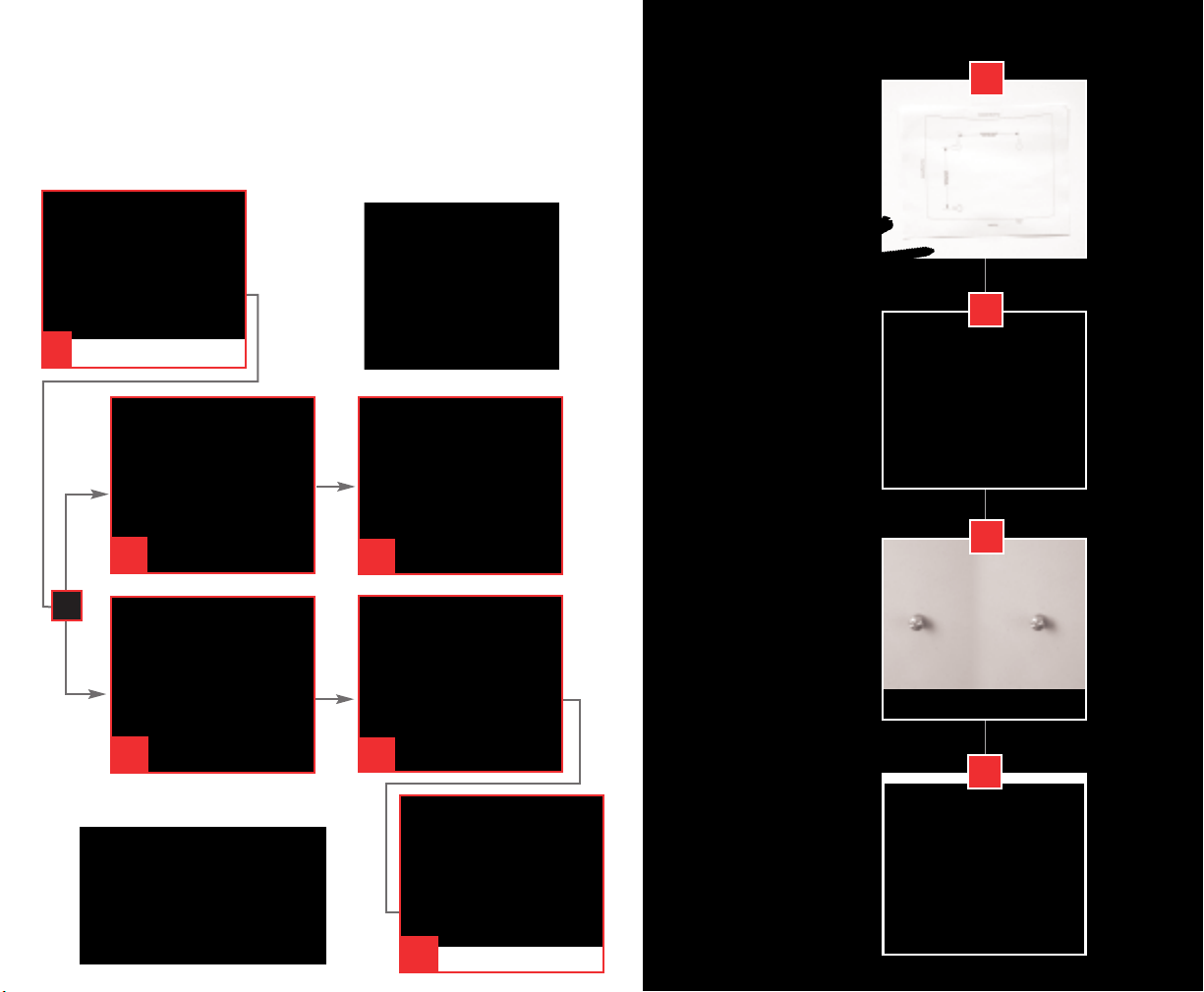
BATTERY
INSTALLATION
For mounting
on drywall:
1
MOUNTING
1
OR
2a
2a
(Optional Accessory)
2.2 Ah battery
2b
2b
• Two #6 screws
(included)
• Two 1/4”(6mm)
drywall anchors
(not included)
• Drill with
1/4”(6mm) bit
(not included)
For mounting
on plywood
or studs:
• Two 1”(25mm)
wood screws–
diameter of screw
heads must be
between 3 /1 6”
and 1/4”(4.5mm
and 6mm)
(not included)
2
3
4
4.4 Ah battery
• Drill with
1/8”(3mm) bit
(not included)
3
Page 4

WALL-MOUNTING
INSTRUCTIONS
For wall mounting your Telephony Modem, select a location within 5 ft (1.6m) of an electrical outlet.Check that the selected electrical
outlet cannot be interrupted via a wall switch. When connecting the Telephony Modem to your computer,use the supplied cables. Remember to leave sufficient clearance between
the bottom of the telephony modem and the floor or shelving.
Para montaje en la pared de vuestro Modem de Telefonía, seleccione el lugar con un alcance para conexión eléctrica en un rango de 5 pies o 1.6 m.Verifique que la conexión
eléc
trica no este sujeto a interrupción de servicio por algún interruptor de pared.Utilice los cables proporcionados en el momento de la conexión de vuestra computadora con el
Modem de Telefonía. Recuerde de tener suficiente espacio libre entre la parte inferior del modem de telefonía y el piso o estantería.
Pour le montage mural de votre Modem de téléphonie,choisissez un endroit à moins de 1.6m d'une prise de courant. Vérifiez que la prise choisie ne soit pas contrôlée par
in
terrompteur mural. En reliant le Modem de téléphonie à votre ordinateur,employez les câbles
fournis. Laissez un dégagement suffisant entre le fond du modem de téléphonie et le plancher ou ou l’étagère.
Voor wandmontage van de Telefonie Modem, kies een locatie op maximaal 1,6m van een stopcontact. Het netsnoer moet zijn aangesloten op een stopcontact zonder schakelaar
. Gebruik de bijgeleverde kabels voor de verbinding tussen de Telefonie Modem en de computer. Zorg dat er voldoende ruimte is tussen de onderkant van de Telefonie Modem en
de vloer / wand.
Para a montagem do seu Modem Telefônico junto a parede, selecione um local com até 1.6m (5 ft) da tomada.Verifique que a tomada elétrica selecionada não seja acionada
por um in
teruptor de luz.Quando conectar o seu Modem Telefônico ao seu computador, utilise os cabos fornecidos.Lembre-se de deixar um espaço entre a parte de baixo do Modem
Telefônico e o piso ou divisória.
Page 5
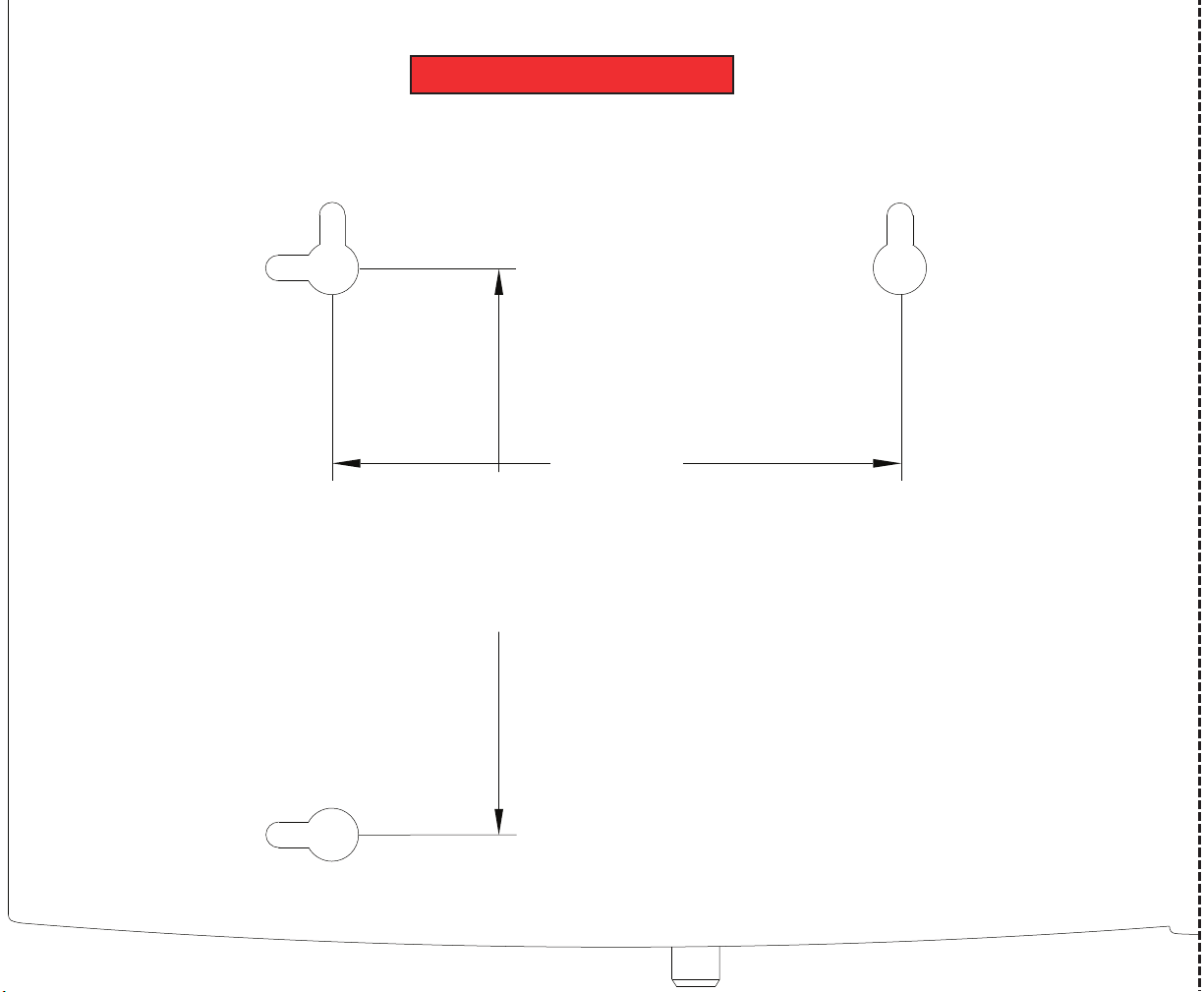
4“
(102 mm)
Horizontal
Mount
4“
(102 mm)
Ver tical
Mount
WALL MOUNTING
TEMPLATE
Cut along the dotted line and tape to wall.
#
Page 6

Touchstone™ TM552G/H Telephony Modem
Quick Install Guide
©2006 ARRIS International, Inc.
Patents Pending. All rights reserved.
All information contained in this document is subject to
change without notice.
ARRIS reserves the right to make changes to equipment
design or program components, as progress in engineering,
manufacturing methods, or other circumstances may
warrant.
ARRIS, the ARRIS logo and Touchstone are trademarks of
ARRIS International Inc. All other trademarks are the
property of their respective holders.
ARSVD01054
Draft 1.2
www.arrisi.com
 Loading...