

Page 1
Fratelecom Ltd.
Quick Start Guide
Setting up your LINKSYS PAP2 Phone Adaptor for Use with
Fratelecom’s ITSP Service
Fratelecom ITSP Service provides a flexible and cost-effective alternative for making long-distance and
international phone calls. If you are a Linksys PAP2 user, you may now enjoy our service by properly
configuring some of the settings on your phone.
A. Before You Start
Before you start, please make sure you have the followings provided by Fratelecom. If not, please
contact [email protected]
•12-digit ITSP account
•6-digit password
Please follow the steps below to configure your Linksys PAP2. For other settings, please refer to your
Linksys operation manual.
B. Configurations from Web Browser
1. Select a computer which is able to connect to your Linksys PAP2. Open the web browser and on
the address bar type your Linksys PAP2 web administration address such as
“http://192.168.2.159/admin/” where 192.168.2.159 is the IP address assigned to Linksys PAP2.
Note: When accessing, “ /admin/ ” must be followed by the IP address in order to log in Linksys’
VoIP Web Server successfully.
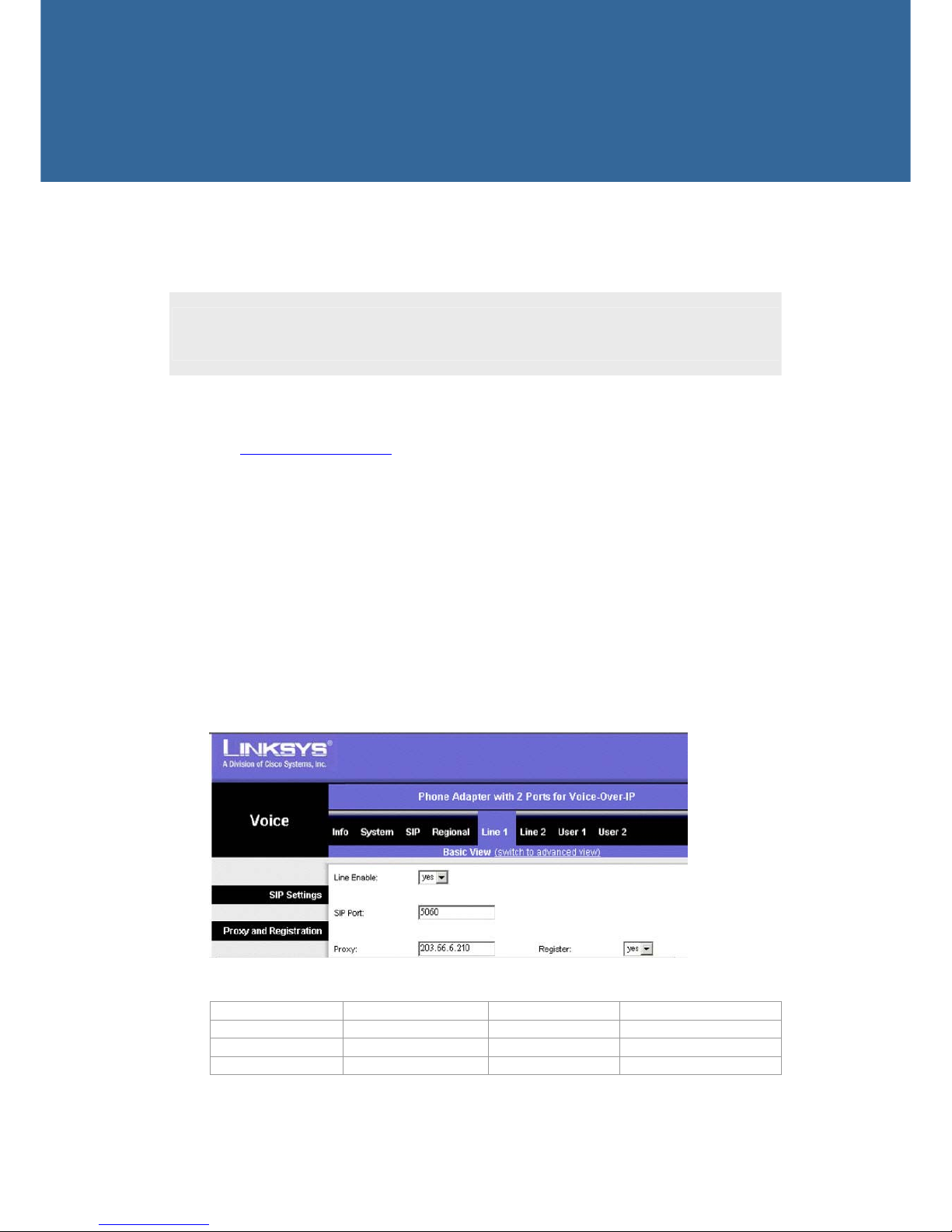
2. On the Main Menu, click Line 1 to access to the setup page as follows.
3. On the Line 1 Setup Page, set the following items.
SIP Port 5060 User ID Same as your auth ID
Proxy 203.66.6.210 Use Auth ID Yes
Password 6-digit password Preferred Codec G723
Auth ID 12-digit ITSP account
1
Page 2
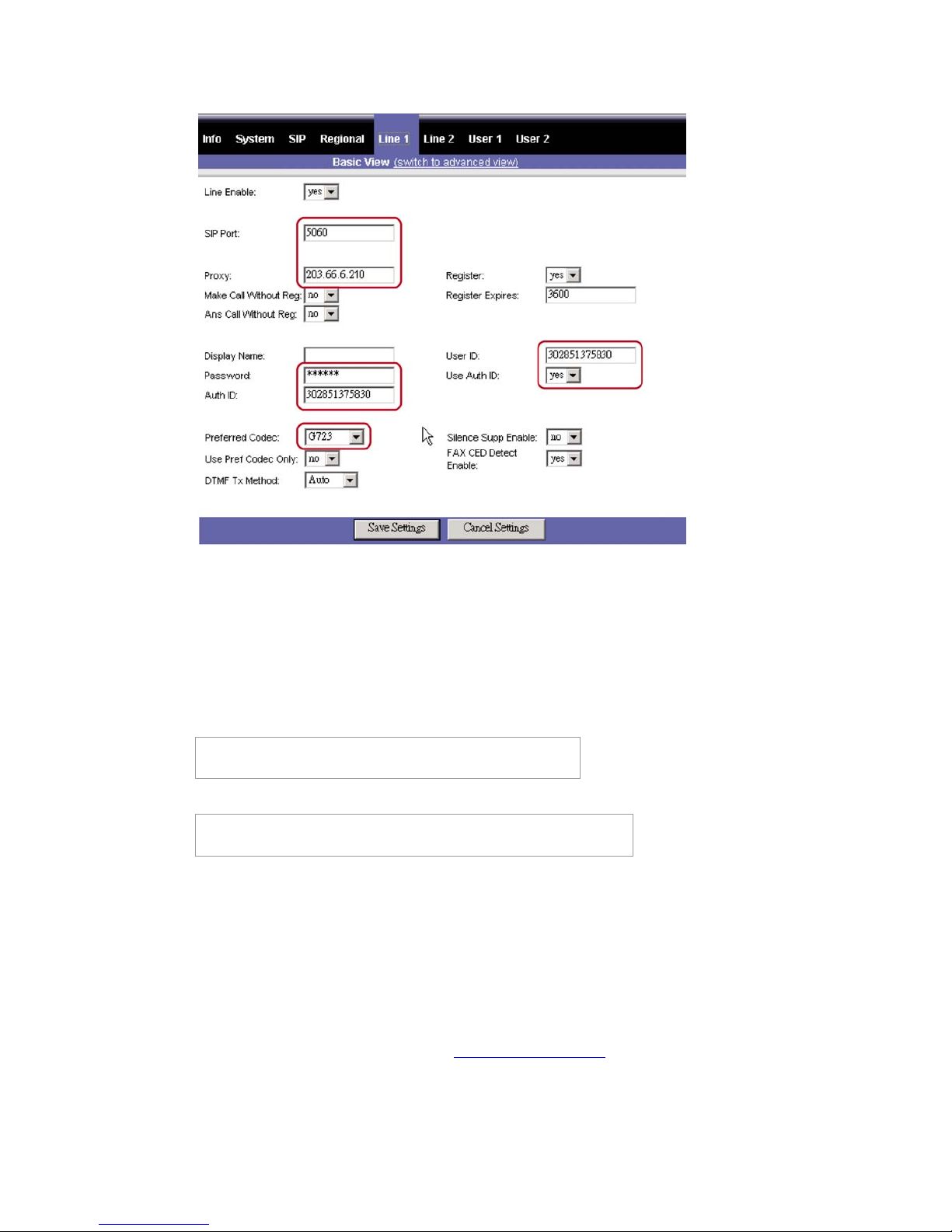
4. After you complete the settings above, click “Save Settings” to save and then reboot your PAP2
device.
Note: LINKSYS PAP2 device provides two RJ11 FXS ports (Line 1, 2). If you need to use Line 2
port, please follow the same steps above to configure the settings of Line 2.
C. Make Device to Phone Calls
You can make long-distance or international calls to any country covered by Fratelecom’s ITSP service.
Make a call to U.S.:
[U.S. country code]+[U.S. area code]+[U.S. telephone number]
1 909 5551234
Make a call to Taiwan:
[Taiwan country code]+ [Taiwan area code]+[Taiwan telephone number]
886 2 88881234
D. Check Your ITSP Account Balance
You may check your account balance right from your device. Fratelecom ITSP Service provides an IVR
(Interactive Voice Response) system to prompt you the real-time balance. Please follow the steps below
to check your balance.
1. Make sure your Linksys PAP2 is connected to the Internet.
2. Pick up the telephone handset connected to your Linksys PAP2.
3. Press “ *88# “ from the dial pad. You will be prompted the balance of your ITSP account.
If your account balance is zero, please contact [email protected]
2
Page 3
3
E. Check Your Account Information and Call Records
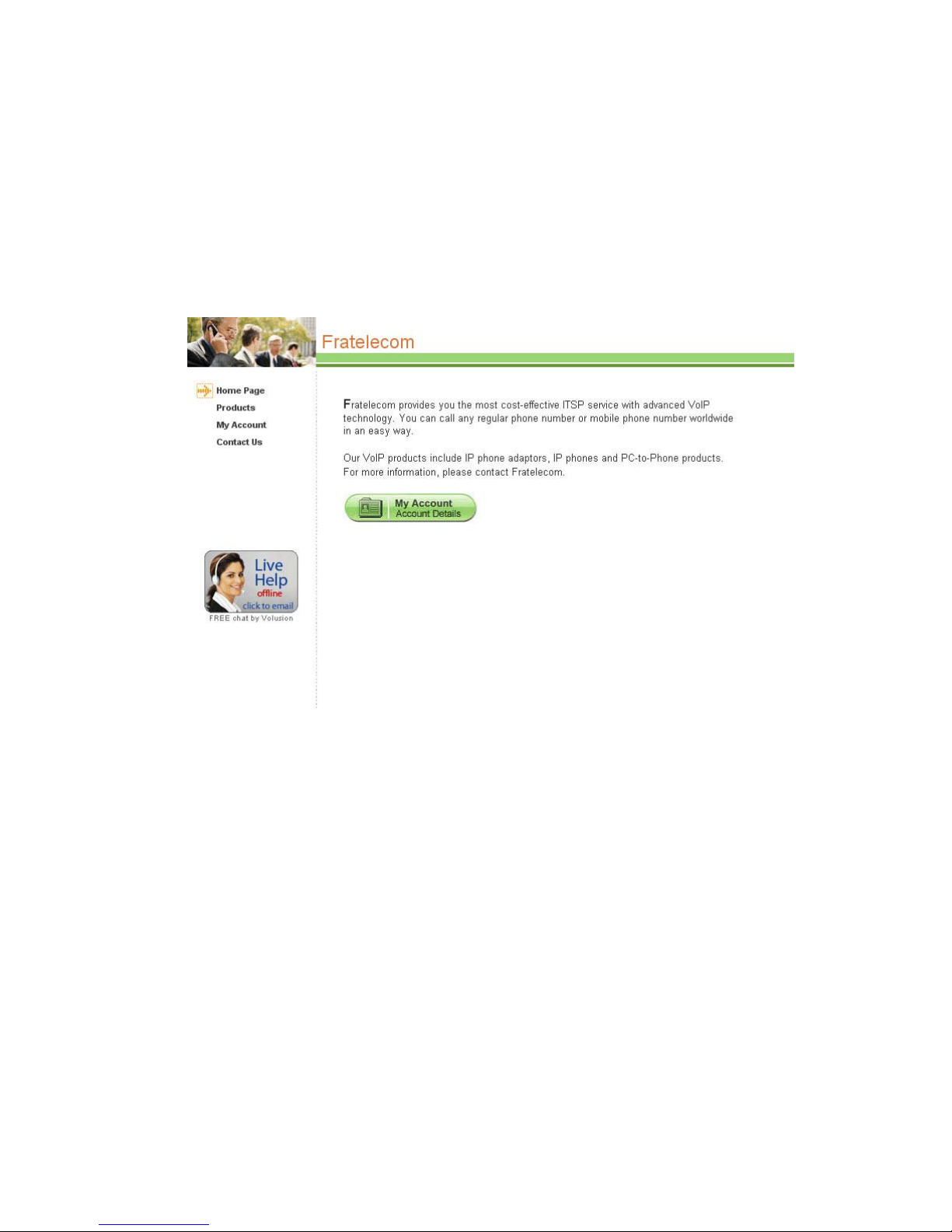
You may also check your account details from Fratelecom website http://www.fratelecom.info/ after
you login "My Account." If you are using ITSP account, please input correct ITSP account number and
security code to login. If you are using 6-digit device ID account, please input device ID number,
4-digit password and security code to login. Please contact us if you don’t know your password of
6-digit device ID. After you login successfully, you can check Calling Detail Record, Transaction
Record, balance status, calling rates and change password.
 Loading...