

Page 1
Contents of Package:
• DFE-538TX Fast Ethernet Adapter
• Quick Install Guide
• CD-ROM, which includes driver software
If any of the above items are missing, please contact your reseller.
TURN OFF the computer and
unplug the power cord.
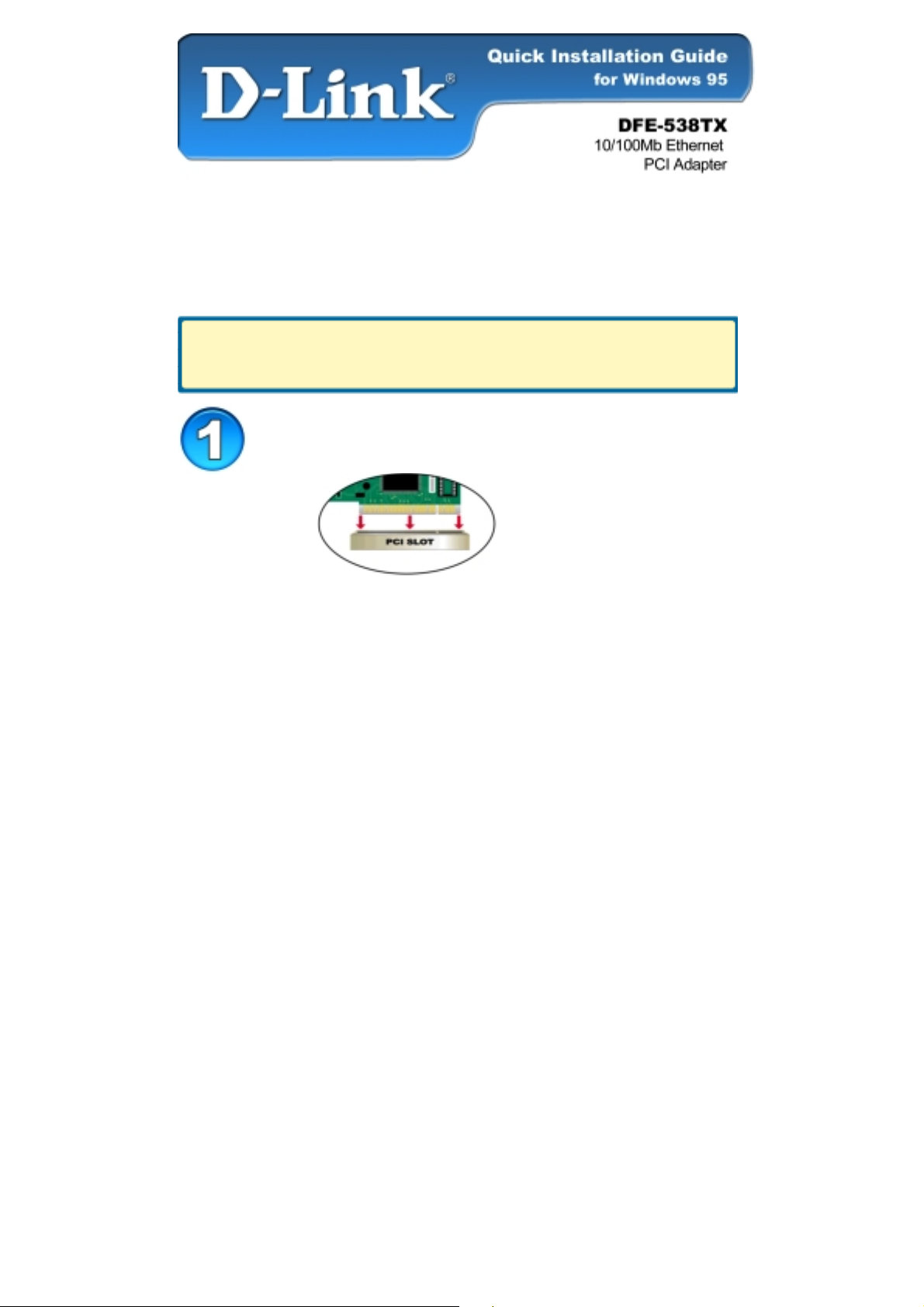
Installing the DFE-538TX into the
computer’s PCI slot
Note: To avoid static electric charges, please touch an unpainted screw on the
outside of the power supply before installing or working with the DFE-538TX.
• Turn off your computer and unplug the power cord.
• Remove the back cover of your computer. (Refer to your computer’s
manual if needed.)
• Locate an available PCI slot. PCI slots are usually white or cream
colored.
• Remove the backplate (the small piece of metal that covers the opening
for the PCI card on the back cover that you just removed.)
• Insert the DFE-538TX carefully and firmly into the PCI slot.
• Secure the DFE-538TX with the screw from the backplate.
• Replace your computer’s cover.
Page 2
Installing the Drivers
• TURN ON the computer.
• Insert the CD that came with your purchase
of the DFE-538TX into the CD-ROM drive.
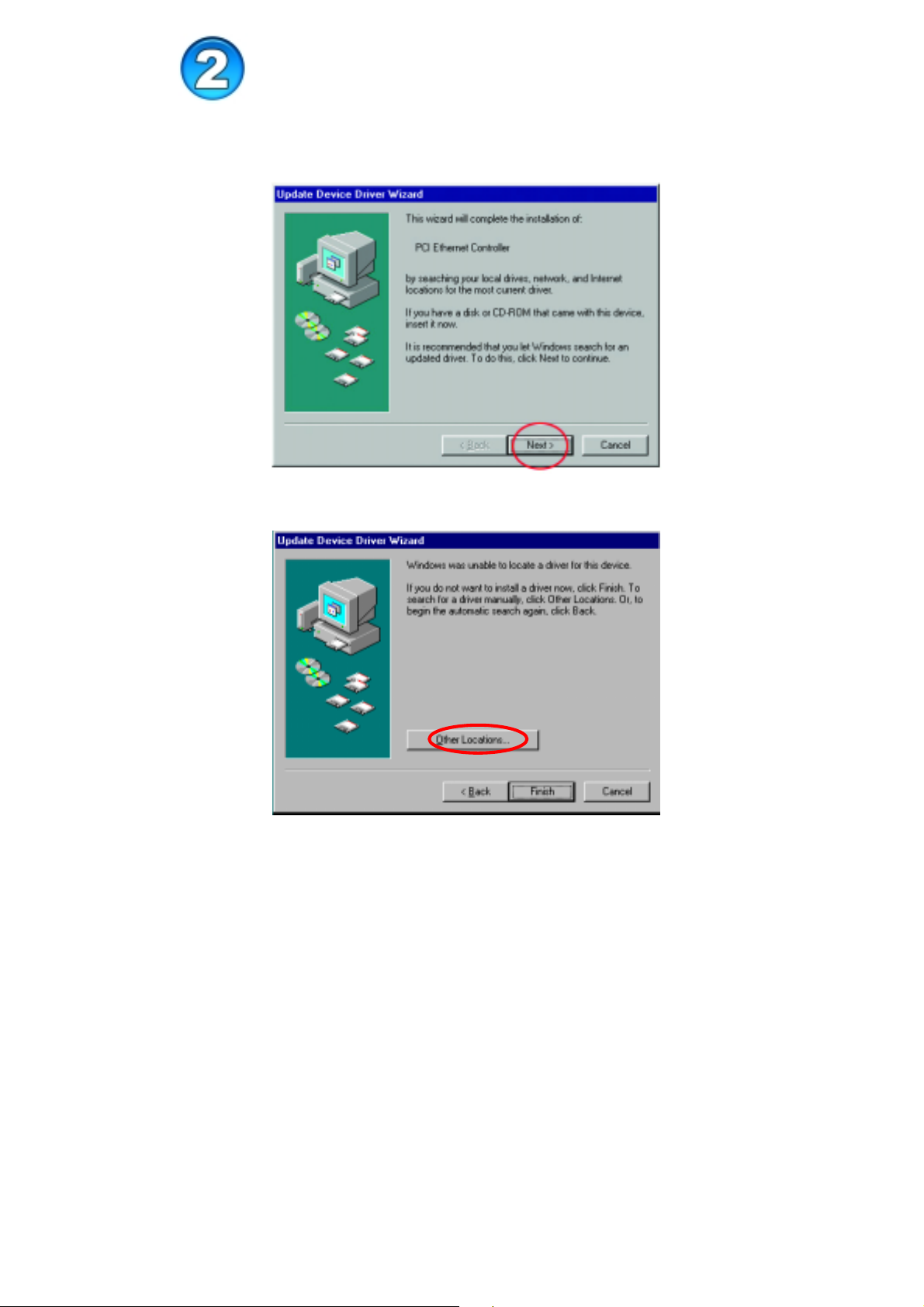
Click Next
Click “Other Locations”
Page 3

Type in “E:\win95.” (In the example, “E” represents your CD-ROM drive.)
Click OK
Click “Finish” to complete the installation.
(If Windows prompts you to “Reboot,”
click “Yes” in the prompt window to restart your computer.)
Page 4

Technical Support
You can find the most recent software and user
documentation on the D-Link website.
D-Link provides free technical support for customers
within the United States for the duration of the
warranty period on this product.
U.S. customers can contact D-Link technical support
through our web site or by phone.
D-Link Technical Support over the Telephone:
(877) 453-5465
24 hours a day, seven days a week
D-Link Technical Support over the Internet:
http://support.dlink.com
 Loading...