

Page 1
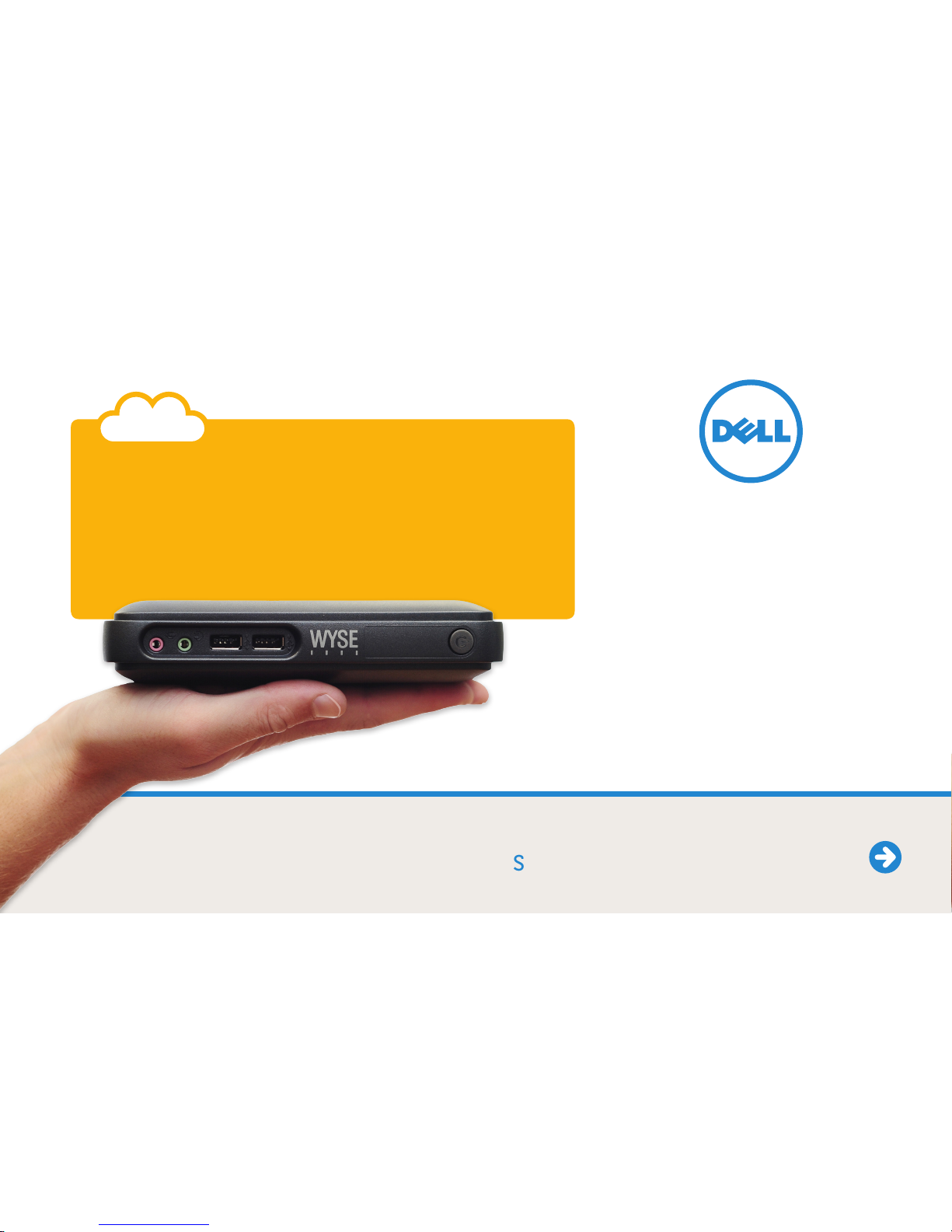
Small size. Big performance. Here:
Dell Wyse C class
Dell Wyse C class:
Your desktop just got bigger
Wyse
Page 2
ContactStart Technical PrintModels
Small size.
Big performance.
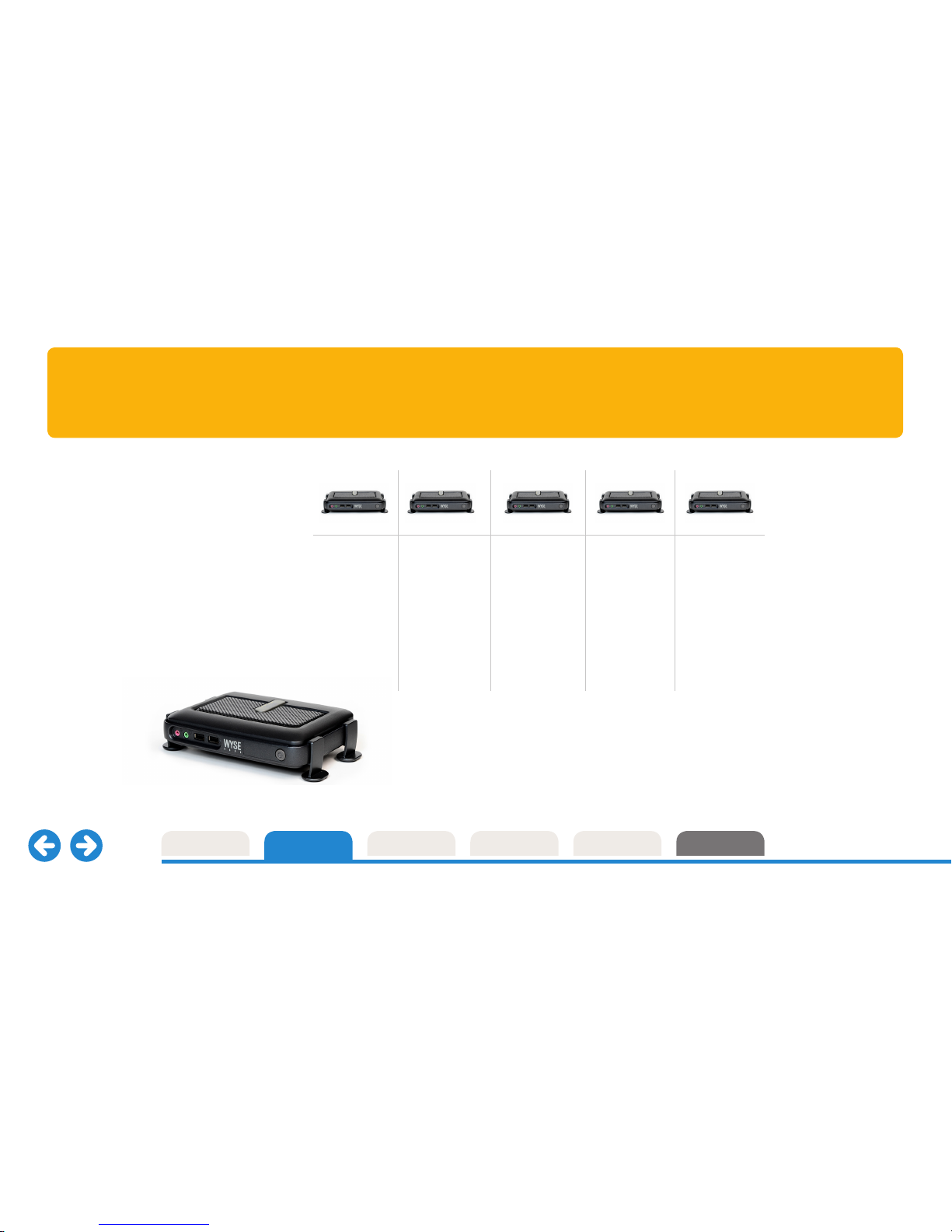
Meet the Dell Wyse C class.
Combining small size and excellent
performance, it sets a new benchmark
in cloud client computing.
Seven models are available featuring:
Dell Wyse ThinOS
TM
, Microsoft Windows CE,
Dell Wyse enhanced SUSE Linux,
Windows Embedded Standard 2009 and
Windows Embedded Standard 7 operating
systems – and Dell Wyse WSM.
Features
Dell Wyse
C10LE
Featuring the
blisteringly
fast Dell Wyse
ThinOS designed
for high security
environments.
Dell Wyse
C30LE
Windows CE 6 –
Microsoft’s
componentized
real-time operating
system for small
footprint devices.
Dell Wyse
C50LE
Flexibility and
security in an
easy to manage
Linux platform.
Dell Wyse
C90LEW
Take advantage
of the power
of Microsoft
Windows
Embedded
Standard 2009.
Dell Wyse
C90LE7
Harnesses
the rich user
experience
of Microsoft
Windows
Embedded
Standard 7.
Introducing the Dell Wyse C class
dellwyse.com
Page 3
Compact, clever, capable.
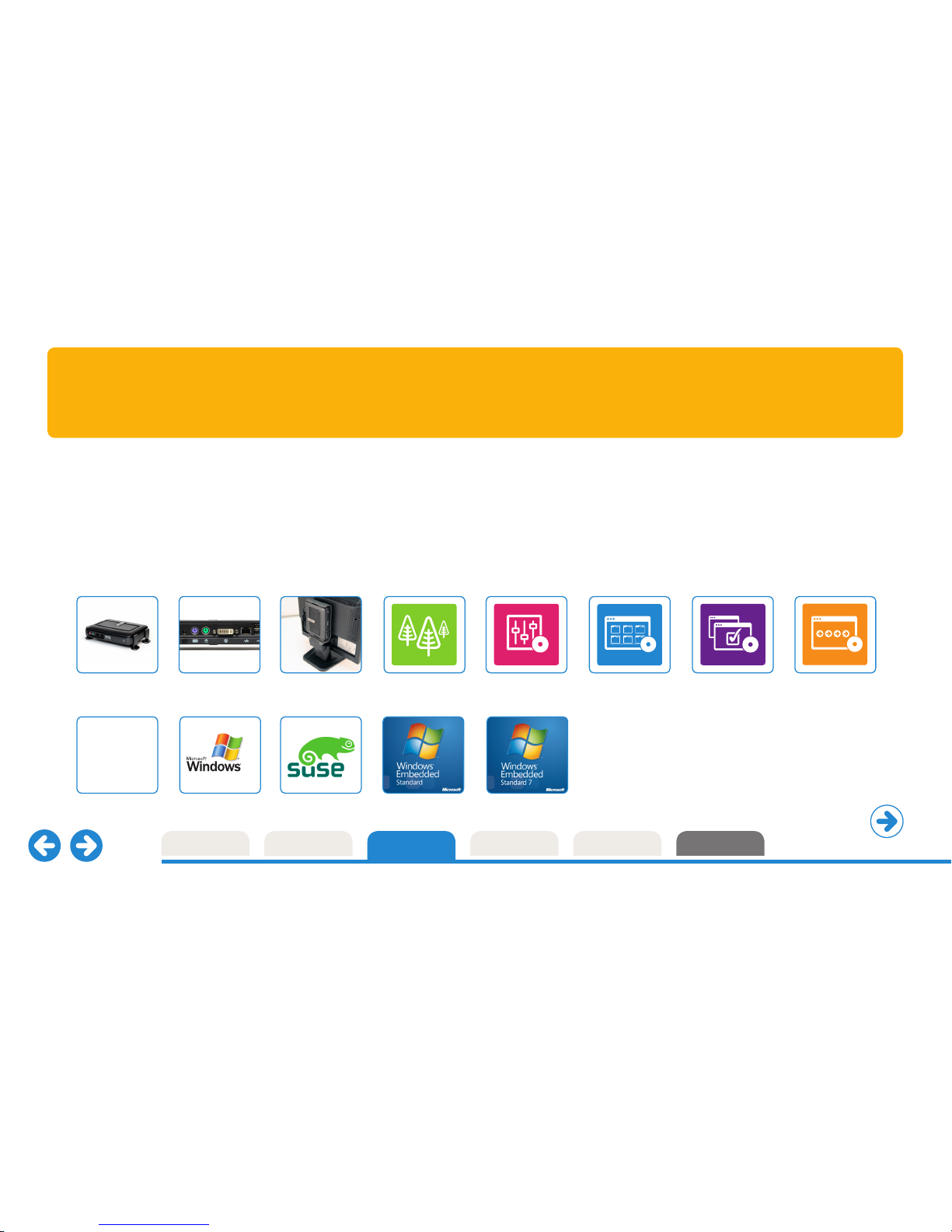
Creating highly productive, fully functional and compact cloud client computing
desktops has never been easier. C class features full support for the Dell Wyse TCX™
Suite of virtualization software – that includes multiple display support, multimedia &
Flash playback, rich audio and USB peripheral connectivity – and Dell Wyse WSM™
cloud PC provisioning software delivering a full PC experience.
Connectivity
Performance
Mounting options
Microsoft Windows CE
CE
Dell Wyse enhanced
SUSE LinuxDell Wyse ThinOS
Dell
Wyse
ThinOS
Cool performance. Cooler workspaces.
Designing these levels of high processing and graphics performance into such
a compact space hasn’t been at the expense of energy consumption and heat
emissions either. Each C class draws under 7 watts of power – creating cooler
working environments – in every respect.
Learn more. Simply click the datasheets below.
Green Management
User experience
acceleration
User experience
optimization
Cloud PC provisioning
Microsoft Windows
Embedded Standard 2009
Microsoft Windows
Embedded Standard 7
ContactStart Technical PrintModels Features
Features Dell Wyse C class
Take a tour of
the C class
dellwyse.com
Page 4
ContactStart Technical PrintModels Features
Performance
Continue tour
High performance.
Inside out.
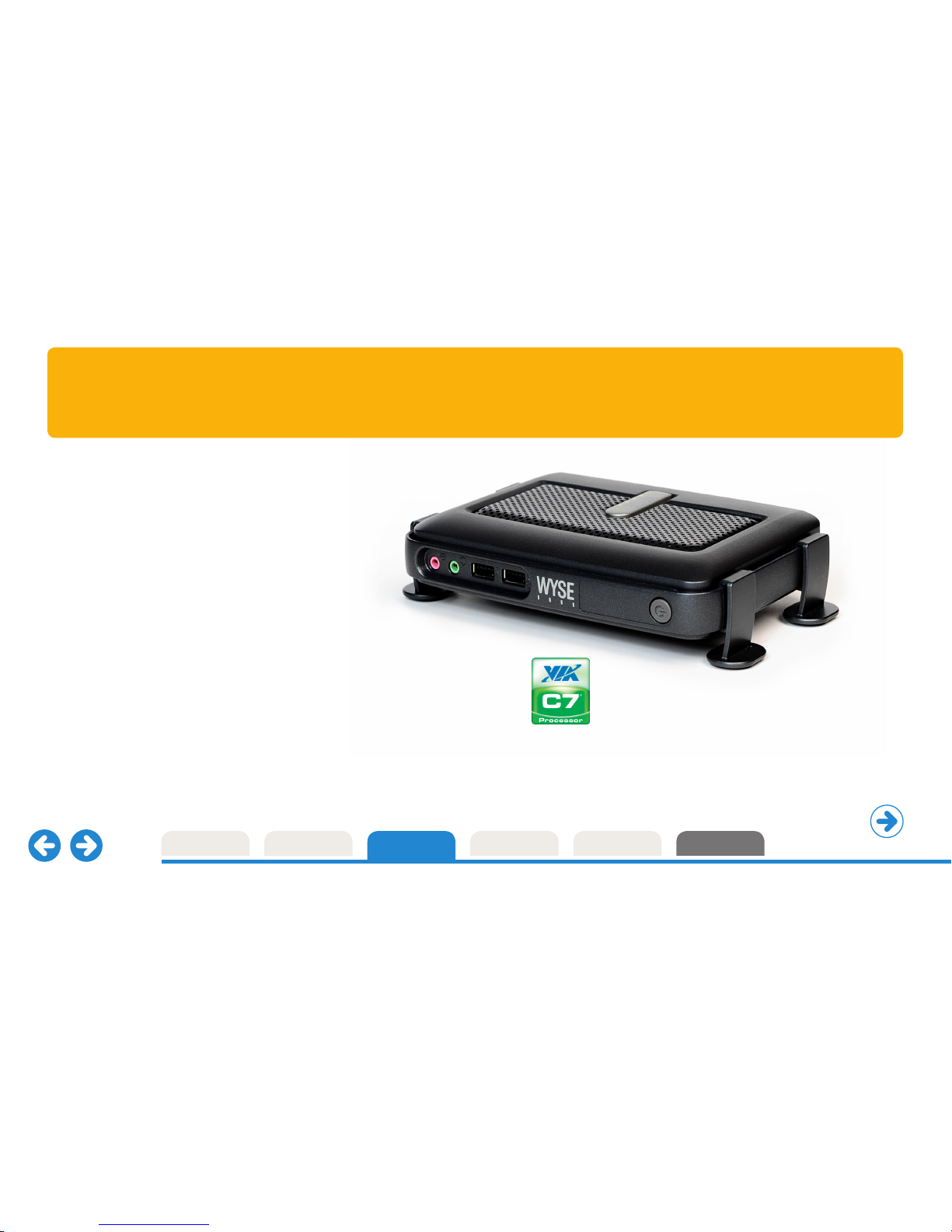
Inside every compact, Dell Wyse C class lies a
punchy VIA C7 1 GHz processor and an advanced
hardware media accelerator delivering rich multimedia
and video playback up to 1080p HD resolution.
Outside, you’ll find advanced DVI-I display
connectivity for one or two displays, four free
USB 2.0 ports, PS/2 ports for keyboard and mouse,
gigabit Ethernet and optional WiFi (b/g/n) support.
C class supports the Dell Wyse TCX software suite
of user-experience enhancements and WSM
cloud PC provisioning software.
VIA C7 1 GHz
processor
Plus advanced best
performance per
watt hardware
media accelerator
dellwyse.com
Page 5
ContactStart Technical PrintModels Features
Connectivity Dell Wyse C class family
Continue tour
Well connected
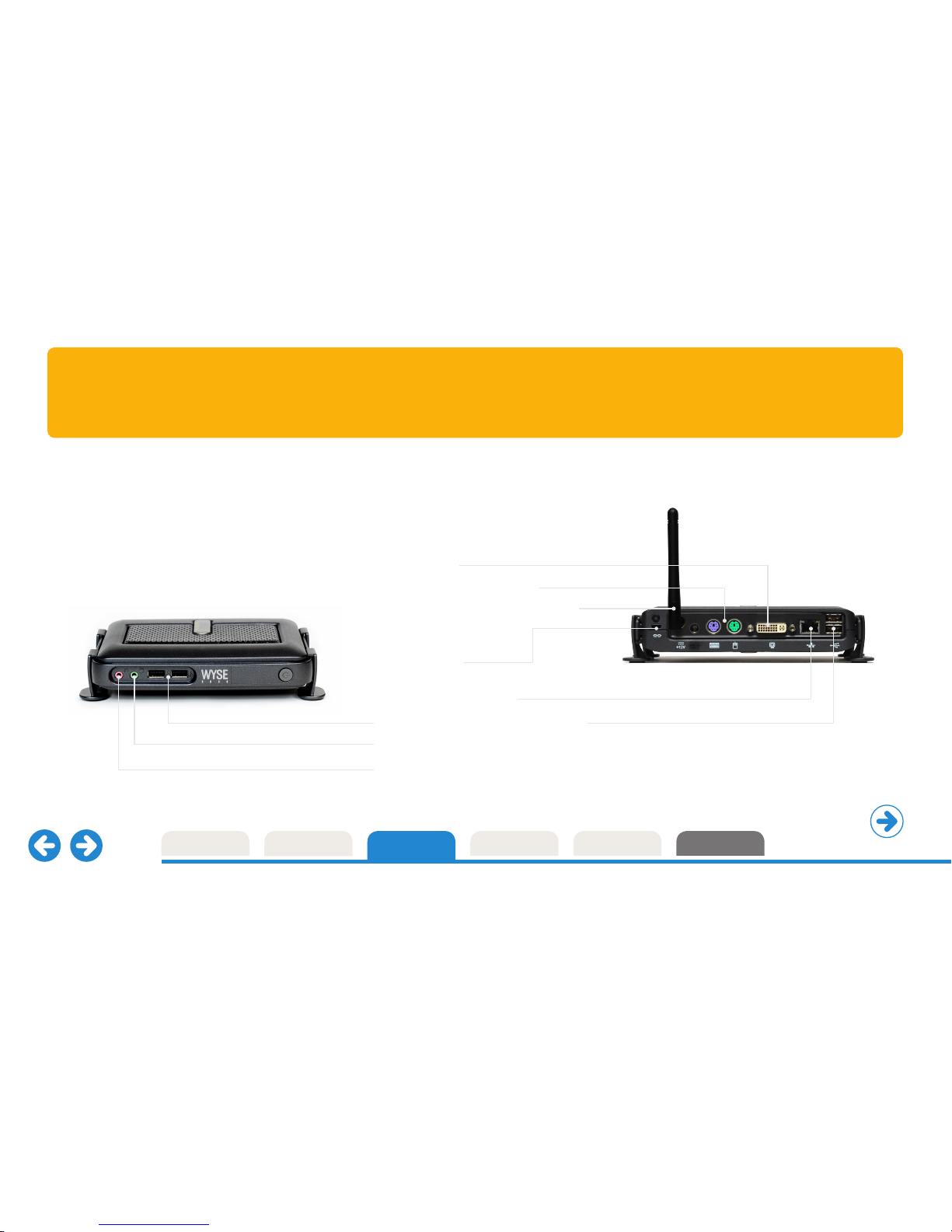
Dell Wyse C10LE, C30LE, C50LE, C90LEW and C90LE7 thin clients
DVI-I Video output
Two PS/2 ports for keyboard and mouse
Wi-fi antenna connector for optional 802.11 b/g/n*
Kensington lock slot
10/100/1000 Base-T ethernet port
Four available external USB 2.0 ports (2 front; 2 back)
Audio out: 1/8-inch mini jack, 16 bit stereo
Audio in: 1/8-inch mini jack, 8 bit stereo microphone
* C10LE factory option supports 802.11 a/b/g/n
internal wireless (dual-band, dual antenna) with
2 front USB ports and no rear USB ports.
C50LE does not support wireless connectivity.
dellwyse.com
Page 6
ContactStart Technical PrintModels Features
Mounting options
Continue tour
Fits around you
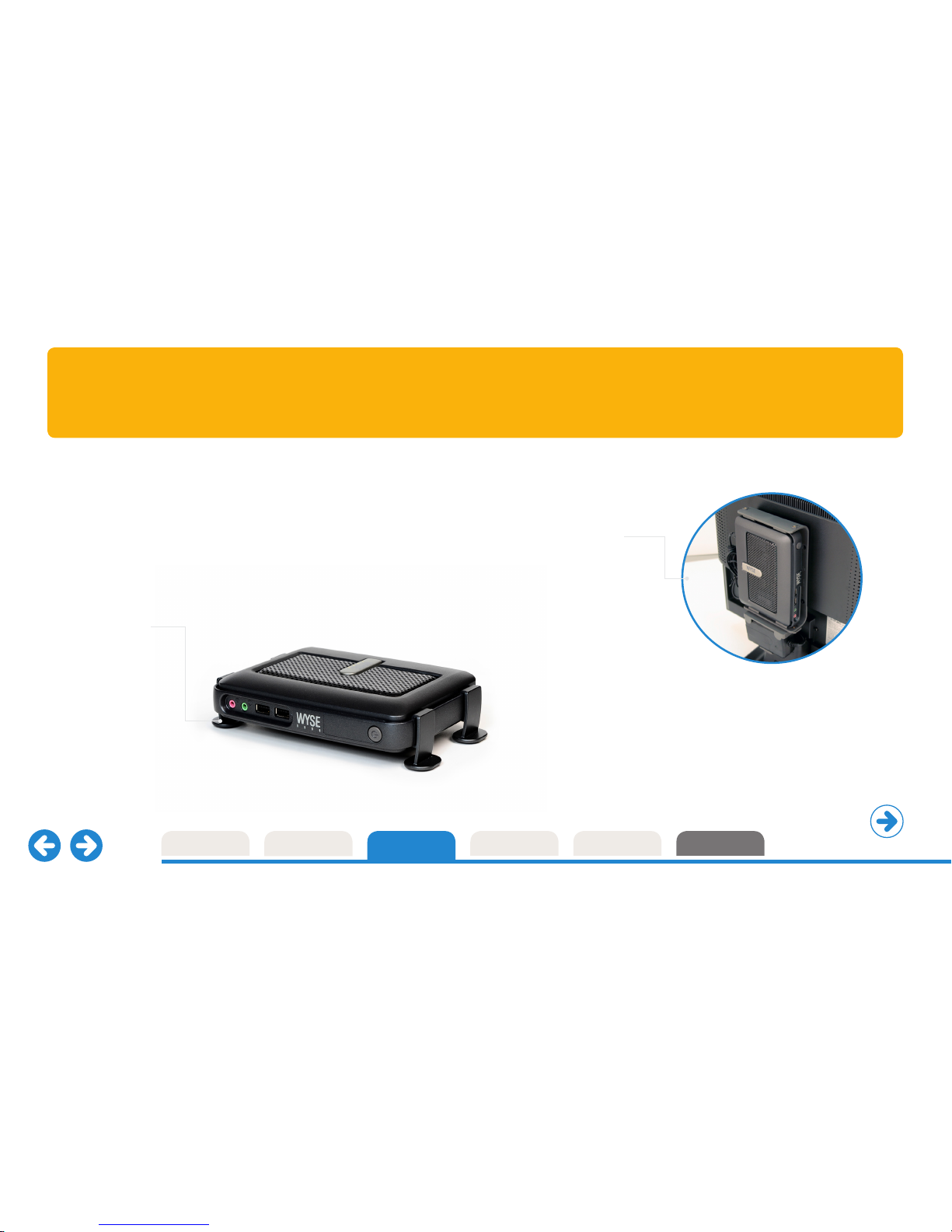
On the desk or out of sight; Dell Wyse C class fits around you.
Every C class thin client includes a monorail mount that lets you choose
how and where to fit it: horizontally, vertically, directly to walls, under
desks... and even fitted discretely to the rear of standard desktop displays.
Back of monitor or
wall mounting
An optional VESA mount bracket
enables mounting to the rear of
a monitor (this requires the four
industry standard mounting points
to be free). The same bracket can
be used for wall mounting.
Desktop
Sturdy feet for
simple horizontal
desktop installation.
dellwyse.com
Page 7
ContactStart Technical PrintModels Features
Desktop-computing Without compromise
Start the tour again
* Average power usage with device connected
to 1 keyboard, 1 PS/2 mouse, and 1 monitor.
That’s Dell Wyse
EarthSmart
™
computing
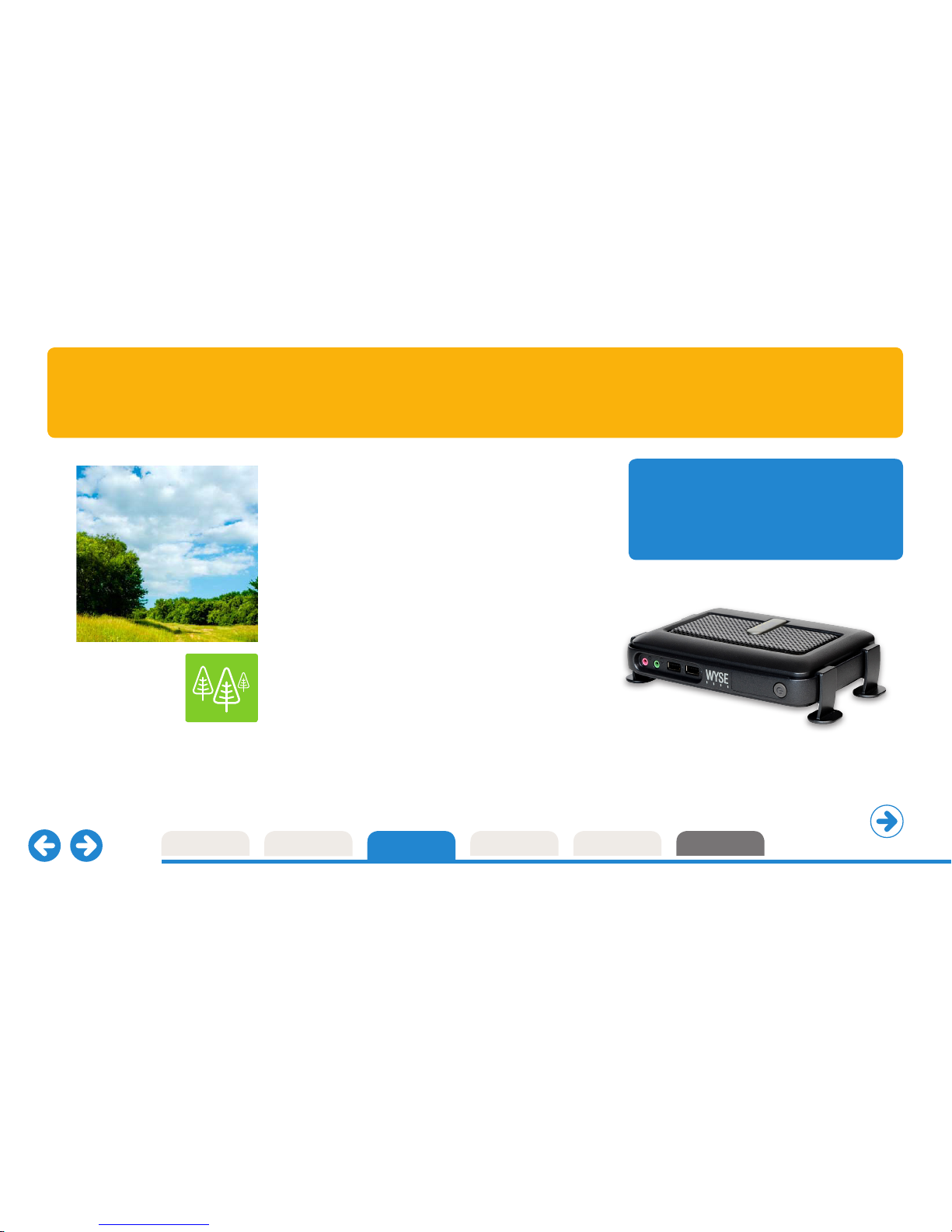
Every Dell Wyse C class model is EnergyStar certified, a recognized sign
of energy eciency. Through our EarthSmart computing initiative we
are committed to helping organizations implement a greener computing
strategy – one that delivers a more ecient and productive computing
experience for your users with a positive eect on energy wastage,
heat and carbon emissions.
Energy ecient
Each fanless C class cloud client draws just under 7 watts* of power
and creates very little heat as a result – contributing to cooler, quieter
user work environments, a greatly reduced carbon footprint and huge
savings in energy costs when compared to equivalent PC desktops.
Dell Wyse has introduced an ISO 14001 based environmental
management system and WEEE recycling processes, and all
products meet stringent RoHS Dell Wyse requirements.
dellwyse.com
More information
Download carbon calculators, fact sheets
and white papers from here:
www.dellwyse.com/green
Page 8
ContactStart Technical PrintModels Features
Thin client management Dell Wyse Device Manager
Continue tour
Dell Wyse Device Manager (WDM) addresses key management
requirements for deploying powerful thin clients. With its centralized
management and administration WDM helps IT departments deliver
eective remote thin client support while minimizing end user downtime.
Security is assured with HTTPS based imaging, updates and downloads.
WDM delivers organization-wide benefits:
Operations Centralized management.
Collect and organize asset information.
Administration Health status reports.
Automated client settings.
Update client firmware and add applications.
End User IT Costs Easy, eective remote support.
Create custom scripts and packages.
Minimize downtime Restart or reset thin clients in less than a minute.
Enforce policies. Minimize user errors.
At a glance features
• Security
HTTPS based imaging / updates
Fully encrypted network trac
Delegated admin access (MS AD) support
• No-Hassle deployment
Complete device imaging / patching / updates
Bandwidth throttling for eciency / reliability
Software updates and add-ons
• Device administration and monitoring
Device health status / reporting
Remote shadowing / control
Default device configuration
• Reduce end user IT costs
Reduce energy consumption with scheduled up/down times
• Scalability
Distributed architecture
Microsoft SQL database support
Multiple remote repository support
• Complete asset visibility
Automated device discovery
Detailed hardware asset information
Installed software asset information
dellwyse.com
Page 9
ContactStart Technical PrintModels Features
Cloud PC Provisioning Dell Wyse WSM
Continue tour
Enterprise computing from the cloud is here.
Whatever you want. Wherever you need it.
That’s the thinking behind Dell Wyse WSM. It’s a dynamic on-demand
streamed computing environment where everyone gets their preferred
operating systems, applications, user data and documents: Wherever they
are and whenever they need them.
And Dell Wyse WSM goes beyond the traditional VDI model too – with full
support for mobile workers and remote branch oces. Dell Wyse WSM
eectively changes the rules on what’s possible and opens up the benefits
of high performance desktops to enterprise users: Wherever they are.
Better than a PC could ever be
With Dell Wyse WSM users – such as those in the financial or retail
industries – are given a fresh computer with their chosen PC operating
system, applications and files all preloaded and ready-to-go, every time
they sit down and start-up their powerful desktop devices known as
Dell Wyse ‘cloud PCs’.
Dell Wyse cloud PCs feature powerful processors that enable them to run
full PC operating systems and applications locally, while keeping their
documents and data secure on central Dell Wyse WSM servers. Enabling
existing PC users to continue to use all their familiar operating systems
and applications seamlessly - but with greater reliability and better
overall performance than a full PC - with the result that many users
don’t even realize they’re using a cloud PC.
And - better still, Dell Wyse WSM features a highly secure, robust and
resilient network design that’s ideal for remote oces and mission
critical deployments such as the defense industry.
With everything managed, updated, configured remotely
and securely, Dell Wyse WSM is everything a PC promises.
Minus the headaches.
dellwyse.com
Page 10
ContactStart Technical PrintModels Features
User experience optimization Dell Wyse TCX Suite
Continue tour
Dell Wyse TCX delivers an optimal
user experience in one software suite.
The TCX suite enriches the user experience by removing the limitations previously
associated with thin clients. It enhances, not replaces, key protocols like ICA/HDX and
RDP by adding key features to help make each more valuable.
with Dell Wyse Collaborative Processing Architecture
Multi-display
Ensures application
windows and dialog boxes
are multi-monitor aware
when using more than
one monitor.
USB Virtualization
Enables plug and play peripheral
support for virtual desktop
environments.
• Redirect and use local USB
devices in virtual desktops.
• Deploy virtual desktops to
knowledge workers with special
device access needs.
• Enable a broad set of USB
peripherals including webcams
and headsets.
Multimedia acceleration
Streamlines the delivery of video and
audio content to the local client for a rich
user experience within a thin client
computing architecture.
• Accelerates Mpeg1, Mpeg2, WMV,
Mpeg4 Part 2, AC3, AAC, MP3, WAV,
WMA media types.
• Collaborative Processing Architecture
enhances server scalability, and
network utilization by o-loading
multimedia rendering to the client.
Flash redirection
Flash redirection helps thin client
users to experience excellent Flash
video performance. Flash redirection
allows web-based Flash video
content to be fetched directly by the
Dell Wyse thin client from the source
where it is played locally. Users get
outstanding Flash video performance
while the VDI host system runs
more eciently.
Bi-directional sound
Enables bi-directional audio in
virtual desktop environments,
enabling solutions such as
VOIP, digital dictation or voice
recognition to be deployed.
dellwyse.com
Page 11
ContactStart Technical PrintModels Features
Virtualization software Dell Wyse Virtual Desktop Accelerator
Continue tour
Removing the barriers of network latency.
Dell Wyse Virtual Desktop Accelerator (VDA) enables virtualized desktop
and thin computing environments to be deployed to areas where network
latency has, to date, presented operational barriers. Now, with VDA,
more users can receive the full benefits of Dell cloud client computing –
with outstanding PC experience over virtualized desktops.
VDA is a software-only solution for Dell Wyse thin clients and
supported PCs that delivers exceptional user experience for the
allocated network bandwidth by neutralizing the eects of network
latency and packet loss. Making ‘thin’ suitable for more remote-site,
branch, or field-based users.
VDA works with instead of replacing existing RDP and ICA
protocols, and is designed to oer significant acceleration over
certain capacity-constrained WAN links.
At a glance features
• Software-only acceleration of virtual desktops
and applications
• Accelerates existing Citrix ICA and Microsoft
RDP protocols
• Works on WANs and ‘fat, long pipes’
• Accelerates connections to Citrix XenApp,
Citrix XenDesktop, VMware View and Microsoft
Terminal Server and Microsoft Hyper-V VDI
• Enhances Dell Wyse TCX software suite functionality
across wide-area networks
• Enables Dell Wyse Collaborative Processing
Architecture across wide-area networks
• Administrator console provides control of maximum
bandwidth per connection
• Leverages built-in security of underlying protocols
(128-bit encryption for RDP and ICA).
dellwyse.com
Page 12

ContactStart Technical PrintModels Features
Operating systems Dell Wyse ThinOS 7.1
Continue tour
Dell Wyse ThinOS is the most secure, management-free
solution for cloud and virtual computing environments
with built-in support for the latest infrastructures including
Citrix, Microsoft, VMware and other vendors.
Fast. Simple. Secure.
This fast, purpose-built cloud client computing platform boots up in seconds, updates
itself automatically, and provides IT managers with simple, scalable administration to suit
their organization’s needs. Security is assured too as there’s no published API – giving you
an environment that’s immune from viruses and malware.
Management is simple with time consuming tasks such as software and configuration
updates automated via central file servers (ftp, http, and https) where Dell Wyse thin clients
can check-in for their updates. So, whether you have 100, 1000, or 10,000 devices, rolling
out a new update is as easy as dropping a file onto your file server.
New Zero Launchpad optimizes virtual desktop deployments
By harnessing the power of the Dell Wyse Zero engine, ThinOS delivers fast and
secure virtual desktops with user experiences based upon an individual’s access levels.
Logging on is fast and easy too with no double desktop dramas. There’s just one
screen for inputting credentials before users are immediately presented with their assigned
desktop(s). Finally, the Dell Wyse Zero toolbar gives advanced users the option to switch
between multiple virtual desktops or modify local settings (e.g. display resolution)–
all without leaving their virtual desktop environment.
Innovative, user-oriented
and productive features
Instant-on, simple access for users
• The Zero launchpad and Zero toolbar adapt
to provide simple and advanced access
depending on user privileges.
• With class-leading boot-up times, users are
ready to login in seconds.
Automated Management
• ThinOS enables simple, scalable
device management from day one without
the need for complex management software.
• For enterprise management ThinOS
features complete integration with
Dell Wyse Device Manager.
Security
• Featuring an unpublished API and no
local file system, ThinOS is inherently
secure providing maximum security
against malware and viruses.
• Secure remote access using Citrix Access
Gateway (CSGEE mode) or VMware Security
Server, including dual factor authentication
with RSA SecureID.
Industry best Citrix HDX, View,
and RDP in a non-windows client
• Support for latest HDX features including
ICA UDP audio, accelerated multimedia playback,
USB webcam remoting, new audio codecs for
VoIP, dual factor authentication, etc.
• Dell Wyse is the only vendor with an RDP 7.1
compatible client on non-windows OS –
other vendors use RDESKTOP (based on RDP 6.x)
• ICA and RDP performance outperforms other
non-windows clients by 3x (on comparable hardware).
• Enhance existing protocols further with Dell Wyse TCX
(i.e. multicasting, high latency optimization, USB
redirection into terminal server, etc)
dellwyse.com
Page 13
ContactStart Technical PrintModels Features
Operating systems Microsoft Windows CE
Continue tour
Microsoft Windows CE gives you a PC-like experience
on the desktop, with local terminal emulation so you can
run most legacy applications.
By combining this small and fast operating system with firmware
components, Dell Wyse is able to reduce boot times and increase
protection against viruses, trojan horses, and other malware.
The result is a simply more secure solution that provides the flexibility
to add standard peripherals, from printers to scanners to USB thumb
drives. However these peripherals can only be connected under access
controlled by the IT administrator.
Small, fast and secure
Dell Wyse-enhanced Microsoft Windows CE is
ideal for departments and organizations that want
a Microsoft end-to-end solution, and support for
Citrix ICA, Microsoft RDP, VMware View, Ericom
PowerTerm WebConnect, Ericom PowerTerm
InterConnect Terminal Emulation as well as a
local browser, plus standard connections to
peripherals and add-ons.
CE
dellwyse.com
Page 14
ContactStart Technical PrintModels Features
Operating Systems Dell Wyse enhanced SUSE Linux
Continue tour
Dell Wyse enhanced SUSE Linux Enterprise is a simple, secure,
and easy to manage platform designed for customers looking
for flexibility and support of the latest protocols (ICA, PCoIP,
RDP, etc) without the need for a Windows-based thin client.
Simple “Hands-O” Management.
Deploying, managing, and updating Dell Wyse enhanced SUSE Linux is easy. Utilizing Dell Wyse’s
established automatic update and configuration approach, management tasks can be handled
centrally and easily without any management software required.
Updating 1 or 1,000 thin clients is as simple as dragging and dropping a file into a folder.
For customers that desire a little more hands-on approach (such as asset tracking, reporting,
etc) then integration with Dell Wyse Device Manager is built-in.
Security.
Dell Wyse enhanced SUSE Linux is designed with security in mind. IT Managers are able to provide
a locked-down experience, smartcard login to virtual environments, VPN connectivity, and
leverage a read-only file system that helps protect against data loss, theft and virus attacks.
Enterprise-quality
Linux optimized by Dell Wyse
Dell Wyse enhanced SUSE Linux is the only enterprise-quality Linux
platform optimized for thin computing, created by combining the security
and flexibility of SUSE Linux with Dell Wyse’s cloud client computing
leadership and innovation in user experience and simplified management.
Additionally, SUSE Linux Enterprise is the only Linux platform to protect
customers from potential IP infringement suits as it is jointly indemnified
by SUSE Linux and Microsoft.
Flexible, Multi-Protocol Support.
Being built from a standard enterprise-quality Linux distribution means the
Dell Wyse enhanced SUSE Linux supports a wide range of protocols and
infrastructures straight-out-of-the-box including Citrix, Microsoft, VMware
and Ericom PowerTerm InterConnect Terminal Emulation – allowing you
to mix-and-match connections from a single image.
That’s Dell Wyse enhanced SUSE Linux.
The only enterprise-quality Linux platform optimized by Dell Wyse for
thin client computing.
dellwyse.com
Page 15
ContactStart Technical PrintModels Features
Operating Systems Microsoft Windows Embedded Standard 2009
Continue tour
Running Windows Embedded Standard on Dell Wyse thin
clients oers IT departments the ability to deploy fully functional
desktop clients with better manageability and significantly
lower total cost of ownership than personal computers.
Dell Wyse Windows Embedded Standard 2009-based thin clients can run 32 bit Microsoft
Windows applications, either locally or from servers, with the inbuilt flexibility to add and support
a host of desktop peripherals with permission from the IT administrator.
Full support is provided for RDP 7.0, Citrix ICA 12.x, VMware View 4.6, Ericom PowerTerm
WebConnect, Ericom PowerTerm InterConnect Terminal Emulation and Internet Explorer 8.
In addition, all Dell Wyse Windows Embedded Standard 2009 thin clients include support of
Windows Embedded Device Manager, allowing the device to be managed by Microsoft’s central
management system for Windows-based devices, System Center Configuration Manager*.
Secure write-protected thin client desktops
This robust and flexible operating system is further enhanced by the Dell Wyse file-based
Write Filter that enables you to protect the files, folder and/or entire volumes from accidental
changes or user customization. On rebooting, the thin client simply returns to its original state
thus preventing any possible damaging modification either from users or malware.
Dell Wyse customized
image support
Dell Wyse technicians are prepared to help you customize Windows Embedded
Standard 2009 to your exact requirements in order to create custom-built images
for subsequent enterprise-wide deployment, management and update through
Dell Wyse Device Manager.
Contact your Dell Wyse Partner for further details
dellwyse.com
Page 16
ContactStart Technical PrintModels Features
Operating Systems Microsoft Windows Embedded Standard 7
Continue tour
New Windows Embedded Standard 7 delivers a wealth of
enhanced deployment, user experience and management
benefits to Dell Wyse desktops, mobiles and thin clients
deployed across an organization’s virtualized network.
Rich user experience
Wherever they are – deskbound or mobile – with Microsoft Windows Embedded Standard 7 your
users can benefit from the rich user experience of the Aero interface and the power, familiarity and
reliability of the Windows 7 operating system in a highly customizable and componentized form.
Full support is provided for Remote Desktop Protocol (RDP) 7.1 with RemoteFX technology to
provide seamless connectivity to Windows Server 2008 R2 and virtual desktop infrastructure
scenarios. The Dell Wyse-enhanced Windows Embedded Standard 7 platforms include additional
features supporting the latest Citrix Online Plug-in and VMware View 4.6 to fit the needs of your
most sophisticated users and making it an optimum OS for organizations wanting broad support
for cloud computing and desktop virtualization. Citrix Online Plug-in provides the HDX user
experience and View 4.6 provides localization and Virtual Printing.
The platform also features additional Windows technology innovations to drive rich, immersive
user experiences, including Internet Explorer 8. There’s full support and built-in flexibility too,
to add and support a host of desktop peripherals with permission from the IT administrator.
In addition, all Dell Wyse Windows Embedded Standard 7 thin clients include support of
Windows Embedded Device Manager, allowing the device to be managed by Microsoft’s central
management system for Windows-based devices, System Center Configuration Manager.
Easy to manage and deploy
Now, with Windows Embedded Standard 7, deploying 32-bit capable thin clients is easier and more
manageable than ever before and reflects the direct working relationship between Dell Wyse and
Microsoft. The support for Domain Join and group policies through Active Directory, help with
management and integration of thin clients into existing desktop management infrastructures.
Dell Wyse Configuration Manager (WCM) oers unprecedented simplicity to the management
of virtual desktops by allowing IT departments to auto-configure thin clients running Dell Wyseenhanced Windows Embedded Standard. By automating the deployment of Windows Embedded
Standard thin clients throughout a private cloud WCM oers multiple benefits to organizations:
reducing the need to do imaging, deploying custom images and fast configuration updates.
Client devices are updated with the latest configuration settings for VDI connections (RDP, Citrix,
VMware View), device settings and OS configuration automatically when devices startup.
Dell Wyse Device Manager (WDM) addresses key management requirements. With its centralized
management and administration, WDM helps IT departments deliver eective remote thin client
support while minimizing end user downtime. In addition, the Dell Wyse USB Firmware Tool allows
IT and Customer Service sta to quickly and easily image the devices directly.
Enterprise-wide consistency
Windows Embedded Standard 7 and Dell Wyse
provide the ideal, cost eective opportunity to
deploy a consistent, high performance operating
system across Dell Wyse cloud clients.
dellwyse.com
Page 17
Microsoft Windows
Embedded Standard 2009
Microsoft Windows
Embedded Standard 7
ContactStart PrintModels Features
Technical Dell Wyse C class specifications
Technical
Dell Wyse C class is available across a variety of operating systems featuring the
speed of Dell Wyse ThinOS, the functionality of Microsoft Windows CE, the security
of Dell Wyse enhanced SUSE Linux thin clients, the advanced capabilities of Microsoft
Windows Embedded Standard 2009, the rich user experience of new Microsoft
Windows Embedded Standard 7 and the provisioning power of Dell Wyse WSM.
C class specifications Microsoft Windows CE
CE
Dell Wyse enhanced
SUSE LinuxDell Wyse ThinOS
Dell
Wyse
ThinOS
Learn more.
Simply click the datasheets below.
dellwyse.com
Cloud PC provisioning
Page 18
ContactStart PrintModels Features
Hardware specifications Dell Wyse C class family
Technical
Processors VIA C7 1GHz
Memory C10LE: 128MB Flash / 512MB RAM DDR2 (Dell Wyse ThinOS)
C30LE: 128MB Flash / 512MB RAM DDR2 (Windows CE)
C50LE: 1GB Flash / 1GB RAM DDR2 (Dell Wyse enhanced SUSE Linux)
C90LEW: 2GB Flash / 1GB RAM DDR2 (Windows Embedded Standard 2009)
C90LE7: 4GB Flash / 2GB RAM DDR2 (Windows Embedded Standard 7)
Configurable up to 4GB Flash, up to 2GB RAM
Graphics VIA VX855
Display VESA monitor support with Display Data Control (DDC) for automatic
setting of resolution and refresh rate bpp
Single: up to 1920x1200@60Hz; color depth: 8, 15, 16, 24 or 32 bpp
Dual: up to 1920x1200@60Hz; color depth: 8, 15, 16, 24 or 32 bpp
Dual monitors support high-resolution displays.
Dual monitors require optional monitor splitter cable (sold separately).
Dual displays with the optional splitter cable provides 1 digital display and
1 analog display
Networking/Comm 10/100/1000 Base-T Gigabit Ethernet
Optional Cisco CCX certified 802.11 b/g/n internal wireless (single antenna) or
C10LE: Optional 802.11 a/b/g/n internal wireless (dual-band, dual antenna;
this configuration provides 2 front USB ports and no rear USB ports).
C50LE: wireless connectivity not available
Security compliance
Security protocols supported for both wireless, and 802.1x network
based authentication: C10LE: EAP-TLS; EAP-LEAP; EAP-PEAP, EAP-MSCHAPv2,
EAP-GTC; C10LE: WEP; WPA Personal; WPA2 Personal; WPA Enterprise;
WPA2 Enterprise
I/O peripheral support One DVI-I port, DVI to VGA (DB-15) adapter included
Dual-video support with optional DVI-I to DVI-D plus VGA-monitor
splitter cable (sold separately)
Four USB 2.0 ports (2 on front, 2 on back), two PS/2 ports
Audio Output: 1/8-inch mini jack full 16 bit stereo, 48 KHz sample rate
Input: 1/8-inch mini jack, 8 bit microphone
Included Enhanced PS/2 keyboard with Windows Keys
PS/2 optical mouse
Factory options Cisco CCX certified 802.11 b/g/n internal wireless (single antenna) or
C10LE: 802.11 a/b/g/n internal wireless (dual-band, dual antenna;
this configuration provides 2 front USB ports and no rear USB ports)*
Mountings Horizontal stand
Optional VESA mounting bracket
Device security Built-in Kensington security slot (cable sold separately)
Dimensions Height: 1.38 in (34 mm) Width: 6.94 in (177 mm)
Depth: 4.75 in (121 mm) Weight: 1.34 lbs (610 g)
Shipping weight 8 lbs. (3.6kg)
Power Worldwide auto-sensing 100-240 VAC, 50/60 Hz.
Energy Star V.5.0 compliant power supply
Power consumption Average power usage with device connected to 1 keyboard with
1 PS/2 mouse and 1 monitor: under 7 watts
Temperature range Horizontal position: 50° to 95° F (10° to 35° C)
Vertical position, power button up: 50° to 104° F (10° to 40° C)
Storage: 14° to 140° F (-10° to 60° C)
Humidity 20% to 80% condensing
10% to 95% non-condensing
Certifications Ergonomics: German EKI-ITB 2000, ISO 9241-3/-8
Safety: cULus 60950, TÜV-GS, EN 60950
RF Interference: FCC Class B, CE, VCCI, C-Tick
Environmental: WEEE, RoHS Compliant
Energy Star® compliant, EPEAT Silver
Warranty
Three-year limited hardware warranty.
Optional WyseChoice extensions and upgrades at www.wyse.com/warranties.
dellwyse.com
Page 19
ContactStart PrintModels Features
Software specifications Dell Wyse ThinOS 7.1
Technical
Citrix HDX ready client - UDP Audio - User roaming
ICA 12 compatible
- Improved media flow control - HDX Mediastream
- HDX plug-n-play - HDX Realtime
- Flash (server rendered) - HDX Broadcast (Branch Repeater)
- Progressive Display - Seamless Windows
- HDX IntelliCache - Desktop Restart (XenDesktop)
- Sess ion reliab ility - Smartcard authentication & redirection
- Access Gateway Support (direct LDAP or RSA authentication)
- Support for L-shaped desktop (and other rotated monitor set up)
- Granular control on HDX USB redirected devices
RDP 7.1 - Optimized for Windows 7 - Support for Microsoft RDS broker
compatible client - Rich Multimedia (TS MMR) (including RemoteApp)
- Up to 32-bit color depth connections - RDP7 Multimedia
- RDP7 Bi-directional audio - True Multi-Monitor Support
- Flash Video support (with TCX) (incl. rotation)
- Broad USB Support (with Dell Wyse TCX) - Network Level Authentication (NLA)
- Smartcard authentication and redirection
- WAN Acceleration (with Dell Wyse VDA)
VMware View - Smartcard Authentication - SSL Tunneling
4.5 client
- SecureID Authentication - Restart VM
- Multimedia Support (with TCX) - Broad USB Support (with TCX)
- Bi-directional Audio (with TCX) - Flash Video Support (with TCX)
- WAN Acceleration (with VDA)
Roaming smart card Enables smart card users to not only roam from station to station but also
vendor support
access the same virtual environment regardless of which station they are
connecting from. ThinOS provides ‘out-of-the-box’ smart card support for
vendors such as Aladdin, and ActiveIdentity – supported within Citrix, VMware
and Microsoft environments. Users benefit from secure login and roaming desktop
support so they can access their environments from any suitably equipped
Dell Wyse thin computing environment. DoD CAC supported.
Dell Wyse TCX Suite Dell Wyse TCX Suite virtualization software works with and enhances
HDX and RDP protocols featuring:
- Multimedia: giving users the power to run rich multimedia files formats
- Multi-Display: windows and dialog boxes behave the way users
expect across multiple displays.
- USB Virtualizer: client attached US B devices are visible to virtual desktops
applications, and administrators, even on terminal servers!
- Rich Sound: receive and transmit high quality audio without compromise.
- Flash Acceleration: helps users to experience improved Flash performance.
Dell Wyse Virtual Neutralizes the eects of network latency and packet loss, making ‘thin’
Desktop Accelerator
more suitable for more remote-site, branch, or field-based users by
boosting RDP and ICA performance up to 20 times on networks with latencies
up to and exceeding 300ms and at least 768kbps bandwidth.
Management Fast booting, scalable administration includes simple drag and drop
made easy placement of firmware, automatic updates via file server and full integration
with Dell Wyse Device Manager.
Security built in - With no published API ThinOS is inherently secure from viruses and malware.
- ThinOS includes robust wired and wireless 802.1x support, with
secure encryption for simple installation and management.
- DoD CAC supported.
- Although there is no local file system, certifications and configuration data
can be stored locally. Leveraging AES 128 bit encryption, with a random
number generator, any local data will be secure.
Server OS - Citrix XenDesktop 4.0 – 5.5
Infrastructure support
- Citrix XenApp 4.5 – 6.5
- Citrix Presentation Server
- Microsoft Windows Terminal Server 2003 & 2008/R2
- VMware View 4.0 – 5.0
- Support for other leading VDI brokers (Quest Software etc)
dellwyse.com
Page 20
ContactStart PrintModels Features
Software specifications Microsoft Windows CE 6.0 WFR3
Technical
Firmware features 1 GHz Via C7 Processor
Memory 128MB Flash / 512MB RAM
Firmware features
Microsoft Windows CE 6.0 WFR3
Microsoft Internet Explorer 6.0 resident:
HTML, JavaScript, XML, Active X as custom
Citrix ICA 10.x resident
Citrix Web Interface
RDP 6.0 resident
VMware View Client Resident
CCID compliant Smart Card Readers support
Ericom PowerTerm InterConnect Terminal Emulation
Ericom PowerTerm WebConnect client
Jetcet 5.0
Media Player 9.0
Terminal Services Advanced Client (TSAC)
ThinPrint ICAVC and Thinprint RDP
VNC support in CE 6.0
WinCE 6 eStar B category certification
Server OS Citrix XenApp / Citrix Presentation Server
Infrastructure support
Citrix XenDesktop
VMware View
Ericom PowerTerm WebConnect
Microsoft Windows Terminal Server 2003 / 2008
Set-up and User interface
configuration
Boot from local flash
Protocol support TCP/IP, DNS, DHCP, PXE, PPP, PC/SC and ISO-7816
smart-card support
Management Remote management, configuration and upgrades through
Dell Wyse Device Manager
Send messages
Complete image upgrade
Wake terminal remotely (Wake-on LAN)
Terminal configuration (IP information, etc)
Remote screen shadowing of entire desktop (Dell Wyse Remote Shadow)
Reporting
Altiris deployment via add-on
Wireless support 802.11 b/g/n support with internal wireless adapter
IEEE 802.1X
WEP, WPA, and WPA-2 wireless authentication
Internal WiFi default encryptions: MD5, PAP, TLS
Supports USB wireless adapters from:
Cisco, D-Link, Netgear, US Robotics, Trendware
dellwyse.com
Page 21
ContactStart PrintModels Features
Software specifications Dell Wyse enhanced SUSE Linux
Technical
Firmware features Dell Wyse enhanced SUSE Linux based on SLED 11 SP2
Automatic Central Configuration (text-based INI’s)
Automatic Upgrades (FTP, HTTP, HT TPS)
Secure, read-only file system with lockdown abilities
Dell Wyse RDP client (RDP7 Compatible)
Citrix Online Plugin 11.2 client (ICA 12.1) w/ HDX Mediastream,
Plug-n-Play, Realtime, etc.
VMware View Client 1.6 support
Ericom PowerTerm InterConnect Terminal Emulation
Ericom PowerTerm WebConnect
Cisco, Juniper, Nortel, IPSEC VPN Support (Add-ons)
Local/Remote Printing support (CUPS, LPR/LPD, Samba, ThinPrint,etc)
Web-based applications (Firefox, Flash, JAVA,etc)
XDMCP / SSH
Server OS Citrix XenApp / Citrix Presentation Server
Infrastructure support
Citrix XenDesktop
VMware View
Microsoft Windows Terminal Server 2003 & 2008
Keyboard language 100+ Keyboard Layouts supported locally (English, German, Spanish, French,
support
Italian, Dutch, Chinese, Japanese, Turkish)
Management Automatic, “hands-o” configuration and upgrading of thin clients without the
need for device management software. Optionally, administrators can choose
to integrate with Dell Wyse Device Manager (WDM) for more hands-on control:
- Complete image upgrade
- Wake terminal remotely (Wake-on LAN)
- Remote screen shadowing of entire desktop (VNC)
- Asset management and reporting
Wireless support WPA Personal, WPA2 Personal, WPA Enterprise
WPA Enterprise Authentication support
PEAP/TLS: PAP/MSCHAP/MSCHAPV2 support
Dell Wyse TCX Suite Advanced support for innovative Dell Wyse TCX Suite virtualization software
that both works with and enhances ICA and RDP (instead of replacing them) featuring:
- Multimedia acceleration - the power to run rich multimedia files
formats utilizing Dell Wyse Collaborative Processing Architecture (CPA) that
intelligently redirects the necessary processing tasks between the thin client
and the server.
- Multi-display - ensures that windows and dialogue boxes behave the
way users expect when using more than one monitor.
- USB Virtualization - makes thin client-attached USB devices visible to virtual
desktops and applications, with full IT control.
- Bi-directional sound - enables virtual desktops and applications to
receive and transmit high quality audio without compromise.
- Flash acceleration - helps users of thin clients to experience improved
Flash performance.
Dell Wyse Virtual Dell Wyse VDA works with instead of replacing existing RDP and ICA
Desktop Accelerator
protocols, and is designed to oer significant acceleration over certain
capacity-constrained WAN links.
dellwyse.com
Page 22
ContactStart PrintModels Features
Software specifications Microsoft Windows Embedded Standard 2009
Technical
Firmware features Microsoft Windows Embedded Standard 2009
Microsoft Internet Explorer 8.0 resident: HTML, JavaScript, XML,
Active X Sun JRE, Media Player, Citrix Web Interface
RDP 7.0 resident
Citrix Online Plugin 12.x resident
VMware View 4.6 client resident
Ericom PowerTerm InterConnect Terminal Emulation
Ericom PowerTerm WebConnect client
Windows Media Player 11, .NET 3.5
Server OS Citrix XenApp / Citrix Presentation Server / Citrix XenDesktop
Infrastructure Support
VMware View
Ericom PowerTerm WebConnect
Microsoft Windows Terminal Server 2003 & 2008
Application Framework .Net 3.5
Security File Based Write Filter (FBWF)
Microsoft Baseline Security Analyzer (MBSA)
Set-up and Boot from local flash
Configuration
Microsoft Windows Embedded Standard 7 user interface languages:
U.S, Optional add-ons
Keyboard language U.S. English (standard), French, German, Spanish, U.K. English,
support
40 other languages included
Protocol Support TCP/IP, DNS, DHCP, PXE
Management Remote management, configuration, and upgrades through Dell Wyse Device Manager
Complete image upgrade
Wake terminal remotely (Wake-on LAN)
Terminal configuration (IP information, name, etc.)
Remote screen shadowing of entire desktop (Dell Wyse Remote Shadow)
Reporting, Asset management / SMS / Altiris
Native Windows Embedded Device Manager support for management via
System Center Configuration Manager
Wireless support 802.11 a/b/g/n support with dual band external wireless adapter or single
band internal wireless adapter option
WPA-2, WEP, WPA wireless authentication
PEAP-GTC wireless authentication protocol with optional
Juniper Odyssey Client
Supports PC-Card wireless adapters* from: Cisco, D-Link, Netgear,
US Robotics, Trendware
Plug-ins Adobe Flash Player / Adobe Shockwave
Microsoft Silverlight
Dell Wyse TCX Suite Advanced support for innovative Dell Wyse TCX Suite of virtualization software that
both works with and enhances ICA and RDP (instead of replacing them) featuring:
- Multimedia acceleration - the power to run rich multimedia files formats
utilizing Dell Wyse Collaborative Processing Architecture (CPA) that intelligently
redirects the necessary processing tasks between the thin client and the server.
- Multi-display - ensures that windows and dialogue boxes behave the way
users expect when using more than one monitor.
- USB Virtualization - makes thin client-attached USB devices visible to virtual
desktops and applications, with full IT control.
- Bi-directional sound - enables virtual desktops and applications to receive
and transmit high quality audio without compromise.
- Flash acceleration - helps users of thin clients to experience improved
Flash performance.
Dell Wyse Virtual Dell Wyse VDA works with instead of replacing existing RDP and ICA
Desktop Accelerator
protocols, and is designed to oer significant acceleration over certain
capacity-constrained WAN links.
*requires hardware support
dellwyse.com
Page 23
ContactStart PrintModels Features
Software specifications Microsoft Windows Embedded Standard 7
Technical
Firmware features Microsoft Windows Embedded Standard 7
Microsoft Internet Explorer 8.0 resident: HTML, JavaScript, XML, Citrix Web Interface
Microsoft RDP 6.1 client (Protocol 7.1 Supported) with RemoteFX technology
Citrix Online Plugin 12 resident (ICA 12) with HDX
Citrix XenDesktop
VMware View 4.6 client resident
Ericom PowerTerm InterConnect Terminal Emulation
Windows Media Player 12
Server OS Citrix XenApp / Citrix Presentation Server
Infrastructure support
Citrix XenDesktop
VMware View
Microsoft Windows Terminal Server 2003 & 2008 R2
MSFT VDI
Security File Based Write Filter (FBWF)
Set-up and Boot from local flash
configuration
Microsoft Windows Embedded Standard 7 user interface languages:
U.S, Optional add-ons
Keyboard language U.S. English (standard), French, German, Spanish, U.K. English,
support
40 other languages included
Protocol support TCP/IP, DNS, DHCP, PXE
Management Auto-configuration with Dell Wyse Configuration Manager
Remote management, configuration, and upgrades through
Dell Wyse Device Manager
Complete image upgrade
Terminal configuration (IP information, name, etc.)
Reporting, Asset management
Simple USB imaging solution with Dell Wyse USB Firmware Tool
Native Windows Embedded Device Manager support for management via
System Center Configuration Manager
Wireless support 802.11 a/b/g/n support with dual band external wireless adapter or single
band internal wireless adapter option
WPA-2, WEP, WPA wireless authentication
PEAP-GTC wireless authentication protocol with optional
Juniper Odyssey Client
Supports PC-Card wireless adapters* from: Cisco, D-Link, Netgear,
US Robotics, Trendware
Plug-ins Adobe Flash Player
Microsoft Silverlight
Dell Wyse TCX Suite Advanced support for innovative Dell Wyse TCX Suite virtualization software
that both works with and enhances ICA and RDP (instead of replacing
them) featuring:
- Multimedia acceleration - the power to run rich multimedia files
formats utilizing Dell Wyse Collaborative Processing Architecture (CPA)
that intelligently redirects the necessary processing tasks between the
thin client and the server.
- Multi-display - ensures that windows and dialogue boxes behave the
way users expect when using more than one monitor.
- USB Virtualization - makes thin client-attached USB devices visible
to virtual desktops and applications, with full IT control.
- Bi-directional sound - enables virtual desktops and applications to
receive and transmit high quality audio without compromise.
- Flash acceleration - helps users of thin clients to experience improved
Flash performance.
Dell Wyse Virtual Dell Wyse VDA works with instead of replacing existing RDP and ICA
Desktop Accelerator
protocols, and is designed to oer significant acceleration over certain
capacity-constrained WAN links.
*requires hardware support
dellwyse.com
Page 24
ContactStart PrintModels Features
Software specifications Dell Wyse WSM
Technical
Device hardware Windows XP Pro
requirements
- Minimum processor speed 800 MHz (1GHz or higher is recommended)
- Mind. 256 MB (1GB or higher is recommended)
Vista and Windows 7
- Minimum processor speed 1 GHz (1.5GHz or higher is recommended)
- Mind. 1 GB (2GB or higher is recommended)
- Flash size/local storage – none needed. If the device has flash it can be used
as a local cache for oine mode.
Server Minimum processor speed 1GHz (3GHz or higher is recommended).
requirements
Server Operating System: Windows XP Pro SP3, Windows Server 2003,
Windows Server 2008 and 2008 R2
Network Server Lan Speed = Minimum 100Mbps (1Gbps and up is recommended)
requirements
Device Lan Speed = Minimum 10Mbps (100 Mbps full duplex is recommended)
Operating systems Microsoft Windows XP
supported
Microsoft Windows Vista
Microsoft Windows 7
Databases supported Microsoft SQL 2005 and 2008 (Server and Express Editions)
Built-in high availability - Database availability using SQL clustering.
- Built-in server high availability through WSM Server Grouping feature.
- Server to Server Fail-over Capability.
Fast and easy - Installing Dell Wyse WSM is simply a matter of running a single, graphical installer.
installation
- The installer checks for all the prerequisite components before installation.
Web-based admin - Allows IT administrators to access Dell Wyse WSM from any browser.
console
- Control the entire installation from a central location.
- Dramatically simplifies administration, saving IT time and user downtime.
- Wizards to guide the user through specific tasks.
Operation system - Imaging tool simplifies the process of creating an OS image for the
and application
specific hardware configuration and an application image for all
imaging tools hardware configurations.
- All OS and application images are ready for deployment once created,
no further modifications needed.
Application subscription Use flexible application deployment methods:
management
- Auto-subscribed applications are ready for use when user logs in for
the first time.
- Manual subscriptions allow users the flexibility to use applications only
when needed.
- Mandatory subscriptions that cannot be unsubscribed by users.
Protected System Drive - Allows administrators to protect the system drive from end user initiated updates.
- Prevents changes to operating system drive except by administrators,
helping stop viruses, spyware, or malware from infecting the device.
dellwyse.com
WSM (continued)
Page 25
ContactStart PrintModels Features
Software specifications Dell Wyse WSM (continued)
Technical
Device hardware - Dell Wyse WSM provides an on-demand operating system to Dell Wyse cloud
streaming
PCs or diskless PCs on the network.
- Innovative technology makes each Dell Wyse cloud PC or diskless PC think
there is a virtual hard disk attached to the device.
- Only those bits needed for the normal device operation are sent in order to
reduce network trac.
- Operating-system images can be shared across multiple devices, making
management easier.
Flexible boot options - Each device can boot from four operating system image assignments.
- Administrators can assign or let users choose which operating system
they want to boot.
- First disk mode for the default OS image to boot from every time device
starts up.
- First available mode to boot from the first responding server in order to
balance loads.
Application license - Dell Wyse WSM provides the infrastructure to collect information about the
management and application license-usage across the enterprise. This information allows IT
metering organizations to save money associated with application licenses.
- Licenses can be stored for all the applications deployed. It also enforces
license compliance.
- Types of licenses that can be controlled include:
1) Time-based licenses (valid for X days).
2) Number of concurrent users.
Modes of operation Dell Wyse WSM allows administrators to choose modes of operation for the OS:
- Private Mode - for administration of operating system images.
- Shared Mode - has two additional modes of normal operation:
1) Volatile - returns desktop to pristine state after a device reboot.
2) Persistent - remembers any user settings after a device reboot.
Remote servers - IT administrators can deploy multiple remote servers to improve scalability
for scalability of the overall solution.
- Central management of remote servers allows easy deployment of the
solution across dierent geographic locations.
Comprehensive - Easy ad-hoc reporting based on flexible parameters.
reporting
- Reports are delivered through HTML, giving you the flexibility to output
in any form.
- License-metering reports can be used to make proactive purchasing decisions.
- License-audit reports can be used for compliance purposes.
Desktop Dell Wyse WSM works with Dell Wyse D, Z, and X class cloud PCs
as well as with existing thin clients, diskless PCs and virtual-desktop systems.
dellwyse.com
Page 26
Start PrintModels Features Technical
Contact Dell Wyse.
Wyse
Dell Wyse oers cloud client
computing sales, service and
support expertise around the
globe. Click for contact details.
Contact
About Dell
Dell Inc. (NASDAQ: DELL) listen s to customers and deliver s
innovative technology and ser vices that give them the power
to do more. For more information, visit w ww.dell.com
Dell Wyse
3471 North First Street,
San Jose,
CA 95134-1801
Visit our website at:
http://www.dellwyse.com or
send email to: [email protected]
Dell Wyse Sales
1-800-438-9973
International customers please dial:
00 1 408 473 1200
Dell Wyse Support Portal
Dell Wyse Support Portal provides a fast and
accurate way to communicate interactively
with Dell Wyse Customer Support, and helps
us respond to your requests more quickly.
http://support.wyse.com/selfservice.html
©2013 The Dell W yse logo and referen ces are trademarks of D ell Wyse. Other pro duct names menti oned herein are for id entification
purposes on ly and may be tradema rks and/or registered tra demarks of their re spective compani es. All specificati ons are subject to chan ge
without notice . Whilst we make ever y eort to ensure the accur acy of the details , specifications , models, image s and benefits featu red in
this datashe et, we cannot be held re sponsible for any err ors and/or omissions . If you have any queries re garding Dell Wyse p roducts please
contact your au thorized regional D ell Wyse Partner. Som e features require supp ort by server op erating system and p rotocol.
Approved final 090713.
dellwyse.com
Page 27
Dell Wyse C class
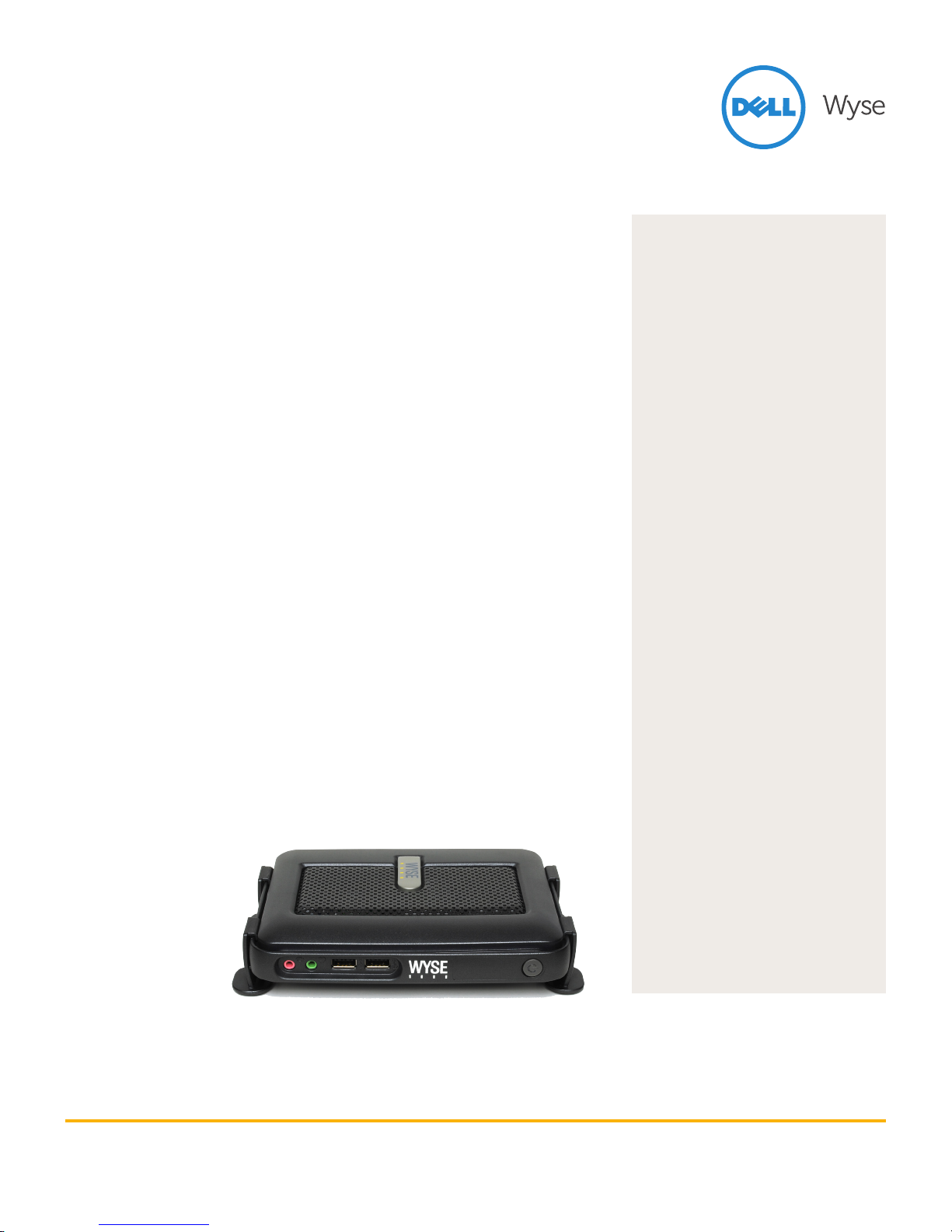
High performance
Inside every compact Dell Wyse C class
lies a punchy VIA C7 1 GHz processor
and an advanced hardware graphics
accelerator delivering rich multimedia
and video playback up to 1080p
HD resolution.
Outside, you’ll find advanced
DVI-I display connectivity for one
or two displays, four free USB 2.0
ports, PS/2 ports for keyboard and
mouse, gigabit Ethernet and
optional WiFi (b/g/n) support.*
Fits around you
On the desk or out of sight; C class fits
around you. With a monorail mount that
lets you choose how and where to fit it:
horizontally, vertically, directly to walls,
under desks... and even fitted discretely
to the rear of standard desktop displays.
Compact, clever, capable
Creating highly productive,
fully functional and compact virtual
desktops has never been easier.
* C10LE factory option supports 802.11 a/b/g/n internal
wireless (dual-band, dual antenna) with 2 front USB
ports and no rear USB ports. C50LE does not support
wireless connectivity.
Each C class features full support
for the Dell Wyse TCX™ Suite of
user enhancements – that includes
multiple display support, multimedia
playback, rich bi-directional audio,
Flash acceleration and USB peripheral
connectivity – and Dell Wyse WSM™
cloud PC provisioning software
delivering a rich PC experience.
Cool performance,
Cooler workspaces
Designing these levels of high
processing and graphics performance
into such a compact space hasn’t been
at the expense of energy consumption
and heat emissions either. Each
C class draws under 7 watts of
power – creating cooler working
environments – in every respect.
Choice of
operating systems
Seven models are available featuring
Dell Wyse ThinOS, Windows CE,
Windows Embedded Standard 2009
and 7, Dell Wyse enhanced SUSE Linux
and WSM.
At a glance
Performance
VIA C7 1 GHz processor and advanced
hardware graphics accelerator for rich
multimedia and video playback up to
1080p HD resolution.
Connectivity
Advanced DVI-I display connectivity for
one or two displays, four free USB 2.0 ports,
PS/2 ports for keyboard and mouse, gigabit
Ethernet and optional WiFi (b/g/n) support.
Mounting options
Horizontal standing desktop feet. Can be
mounted to walls and backs of monitors.
Energy ecient
Draws under 7 watts of power when
connected to one keyboard, PS/2 mouse
and monitor.
Management
Features Dell Wyse Device Manager
software (workgroup edition).
Virtualization
Delivers the best user experience through
full support for the TCX Suite of virtualized
desktop enhancement software and VDA
– acceleration software that reduces the
eects of network latency.
Dell Wyse WSM provisioning software
Provides compact, energy ecient and
productive cloud PCs with all the dynamic
user experience of PCs – without their
risks and complexities.
Dell Wyse ThinOS
Featuring the blisteringly fast ThinOS
designed for high security environments.
Dell Wyse enhanced SUSE Linux thin client
The only enterprise-quality Linux that’s
optimized for cloud client computing.
Microsoft CE 6
Componentized real-time operating
system for small footprint devices.
Microsoft Windows Embedded Standard
2009 and 7 Take advantage of the power
of Windows Embedded Standard 2009
and the rich user experience of
Windows Embedded Standard 7.
Small size, big performance
Page 28
Specification Dell Wyse C class
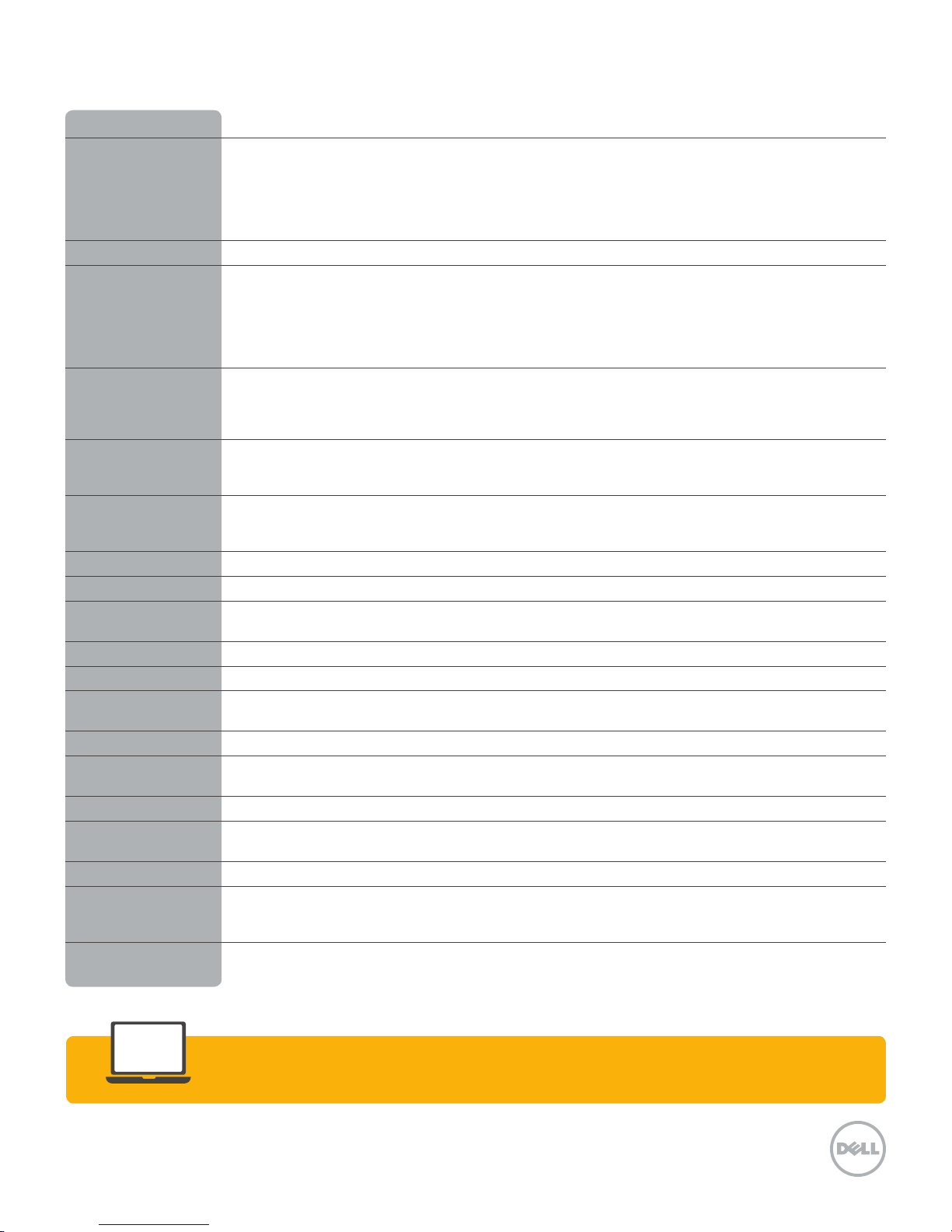
Processors VIA C7 1GHz
Memory C10LE: 128MB Flash / 512MB RAM DDR2 (Dell Wyse ThinOS)
C30LE: 128MB Flash / 512MB RAM DDR2 (Windows CE)
C50LE: 1GB Flash / 1GB RAM DDR2 (Dell Wyse enhanced SUSE Linux)
C90LEW: 2GB Flash / 1GB RAM DDR2 (Windows Embedded Standard 2009)
C90LE7: 4GB Flash / 2GB RAM DDR2 (Windows Embedded Standard 7)
Configurable up to 4GB Flash, up to 2GB RAM
Graphics VIA VX855
Display VESA monitor support with Display Data Control (DDC) for automatic setting of resolution and refresh rate bpp
Single: up to 1920x1200@60Hz; color depth: 8, 15, 16, 24 or 32 bpp
Dual: up to 1920x1200@60Hz; color depth: 8, 15, 16, 24 or 32 bpp
Dual monitors support high-resolution displays.
Dual monitors require optional monitor splitter cable (sold separately).
Dual displays with the optional splitter cable provides 1 digital display and 1 analog display
Networking/Comm 10/100/1000 Base-T Gigabit Ethernet
Optional Cisco CCX certified 802.11 b/g/n internal wireless (single antenna) or C10LE: Optional 802.11 a/b/g/n
internal wireless (dual-band, dual antenna; this configuration provides 2 front USB ports and no rear USB ports).
C50LE: wireless connectivity not available
Security compliance Security protocols supported for both wireless, and 802.1x network based authentication: C10LE: EAP-TLS;
EAP-LEAP; EAP-PEAP, EAP-MSCHAPv2, EAP-GTC; C10LE: WEP; WPA Personal; WPA2 Personal;
WPA Enterprise; WPA2 Enterprise
I/O peripheral support One DVI-I port, DVI to VGA (DB-15) adapter included
Dual-video support with optional DVI-I to DVI-D plus VGA-monitor splitter cable (sold separately)
Four USB 2.0 ports (2 on front, 2 on back), two PS/2 ports
Audio Output: 1/8-inch mini jack full 16 bit stereo, 48 KHz sample rate, Input: 1/8-inch mini jack, 8 bit microphone
Included Enhanced PS/2 keyboard with Windows Keys / PS/2 optical mouse
Factory options Cisco CCX certified 802.11 b/g/n internal wireless (single antenna) or C10LE: 802.11 a/b/g/n internal wireless
(dual-band, dual antenna; this configuration provides 2 front USB ports and no rear USB ports)
Mountings Horizontal stand / Optional VESA mounting bracket
Device security Built-in Kensington security slot (cable sold separately)
Dimensions Height: 1.38 in (34 mm) Width: 6.94 in (177 mm)
Depth: 4.75 in (121 mm) Weight: 1.34 lbs (610 g)
Shipping weight 8 lbs. (3.6kg)
Power Worldwide auto-sensing 100-240 VAC, 50/60 Hz.
Energy Star V.5.0 compliant power supply
Power consumption Average power usage with device connected to 1 keyboard with 1 PS/2 mouse and 1 monitor: under 7 watts
Temperature range Horizontal position: 50° to 95° F (10° to 35° C), Vertical position, power button up: 50° to 104° F (10° to 40° C)
Storage: 14° to 140° F (-10° to 60° C)
Humidity 20% to 80% condensing 10% to 95% non-condensing
Certifications Ergonomics: German EKI-ITB 2000, ISO 9241-3/-8, Safety: cULus 60950, TÜV-GS, EN 60950
RF Interference: FCC Class B, CE, VCCI, C-Tick
Environmental: WEEE, RoHS Compliant, Energy Star® compliant, EPEAT Silver
Warranty
Optional WyseChoice extensions and upgrades at www.wyse.com/warranties.
Three-year limited hardware warranty.
Learn more: Contact Dell Wyse at [email protected] or call 1-800-438-9973
Dell Wyse
dellwyse.com
3471 North First Street
San Jose, CA 95134-1801
Visit our website at:
http://www.dellwyse.com
Or send email to: [email protected]
Dell Wyse Sales
1-800-438-9973
 Loading...