

Page 1

Owner's Manual for your
A to Z
Online Version for Part No. 01 410 155 137 - © 09/99 BMW AG
BMW Business CD Car Radio.
For your listening enjoyment.
Page 2

2n
Online Version for Part No. 01 410 155 137 - © 09/99 BMW AG
Page 3

This Owner's Manual is intended to familiarize you with the details of your BMW car
Online Version for Part No. 01 410 155 137 - © 09/99 BMW AG
radio. In addition, we recommend that you read the instructions for using the car
radio in the vehicle Owner's Manual. In it, you will receive helpful information for
reception and playing quality.
We wish you an enjoyable listening experience.
BMW AG
Page 4

2n
Online Version for Part No. 01 410 155 137 - © 09/99 BMW AG
Notes on this Owner's Manual
In order for you to use and enjoy your
car radio with a minimum of delay, the
first chapter contains an overview of the
displays and controls, as well as information about frequently used functions.
You will find specific topics most
quickly by referring to the "Index" at the
end of the manual, while information
concerning the technology and the care
of this unit may be found in the chapter
on "Technical features in detail."
The car radio and the instructions can
be regarded as a single unit: Whenever
the radio itself guides you through the
various functions, these details are not
repeated in the manual. The same applies to self-explanatory screen displays.
© 1999 BMW AG
Munich, Germany
Reprints, including excerpts, are only allowed
with the express written authorization of
BMW AG, Munich, Germany.
Order no. 01 41 0 155 137
US English X/99
Printed in Germany
Printed on environmentally friendly paper
(bleached without chlorine, suitable for recycling).
Should you sell your BMW at a later
date, please remember to pass this
Owner's Manual on to the next owner –
it represents a legally-required element
of the vehicle.
Status at time of printing
The advanced technological features
and high quality standard of BMW
equipment are maintained by an ongoing development process. This may
lead to discrepancies between the information in this Owner's Manual and
the actual equipment installed in or on
the car. Nor can errors and omissions
be entirely ruled out. You are therefore
asked to appreciate that no legal claims
can be entertained on the basis of the
data, illustrations or descriptions in this
manual.
Symbols used
These sections contain vital infor-
mation – please read the accompanying text passages carefully, both
for your own safety and to prevent
damage to your vehicle or to your car
<
radio.
These passages contain informa-
tion on special and unique features of your vehicle.
Indicates the end of a note.
<
*
Indicates special equipment, country-
specific equipment and optional extras.
If you have additional questions, your
BMW center will be glad to advise you.
<
Page 5

3
Online Version for Part No. 01 410 155 137 - © 09/99 BMW AG
Displays and controls 4
Displaying the time 7
Sound quality 7
Operation from the MFL 8
Overview
Radio
CD
CDIndex OverviewRadioTechnology
Technical features in detail
Index
Page 6
4
Online Version for Part No. 01 410 155 137 - © 09/99 BMW AG
Displays and controls
ra9us319
Page 7

Displays and controls
Online Version for Part No. 01 410 155 137 - © 09/99 BMW AG
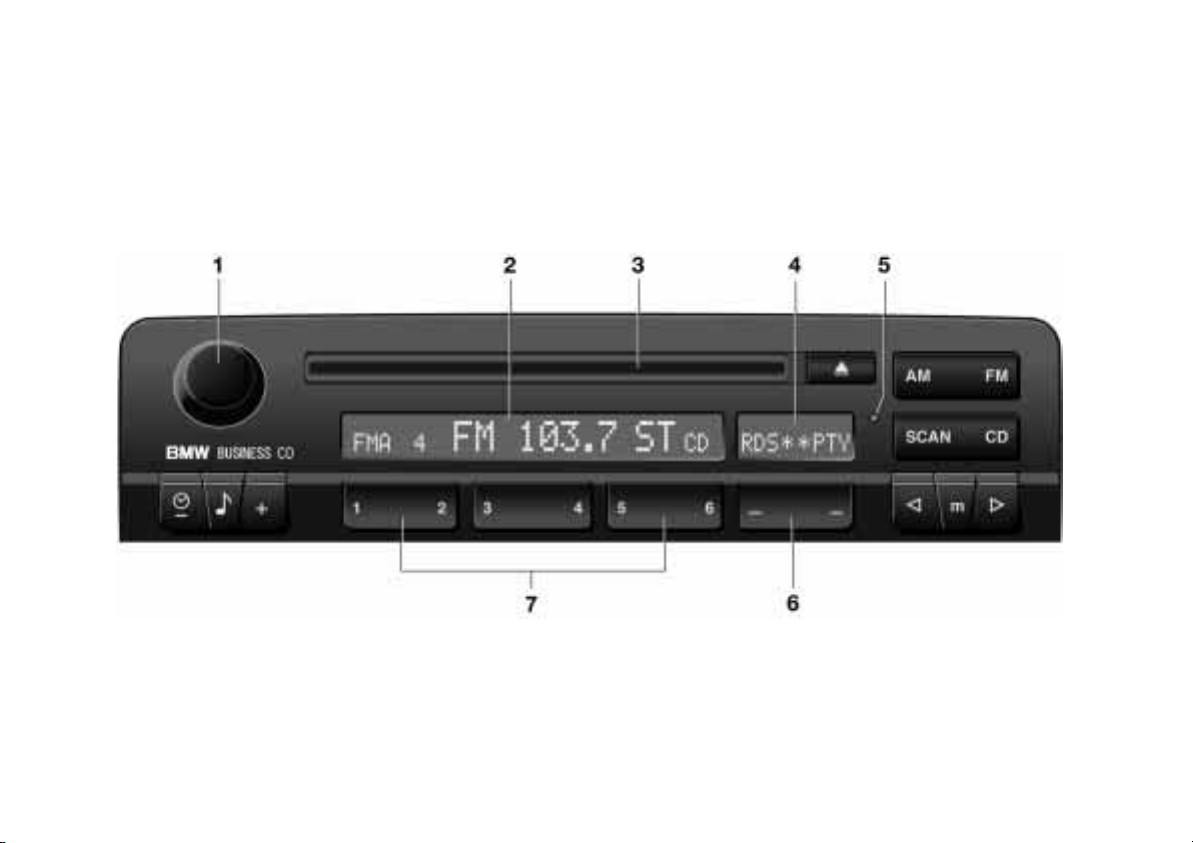
1 Rotary knob for volume adjustments
and On/Off switch:
>
Press to turn the unit on and off
>
Turn to adjust the volume for the
radio and CD
2 Display: Display for frequency band,
radio station for RDS stations,
program, frequency, CD functions
and volume adjustments
3 CD compartment
4 Display of the variable key functions.
Assigned functions and selection
options are displayed above the key,
depending on the operating mode
5 Indicator lamp for anti-theft
protection
6 Function key for radio and CD modes
7 Station keys for the radio mode.
CD direct selection keys in the CD
changer mode.
5
OverviewRadio
CDIndex
Technology
Page 8

6
Online Version for Part No. 01 410 155 137 - © 09/99 BMW AG
Displays and controls
Listening to the radio
Changing the frequency band:
FM: With each touch actuation, you can
change between the FMI, FMII and FMA
(AUTOSTORE) FM memory areas.
AM: With each touch actuation, you
can change between the AM and AMA
(AUTOSTORE) AM memory areas.
RDS* PTY
Press left:
Switches the RDS function on/off.
Press right.
The radio program type will be
displayed for a few seconds.
Station keys:
There are 18 storage positions for
FM stations and 12 for AM stations.
Searching for a track or a station
Search mode for radio and CD operation.
Radio mode: Switch on the manual
search mode with frequency display.
Each actuation of the search mode keys
changes the frequency in specificallydefined increments.
CD mode: Switch on the manual search
mode.
You can initiate fast forward or reverse
by pressing the search mode keys.
Press left:
SCAN search, switching on/off.
RND
Changing modes
Press right:
To switch from the radio mode to the
CD mode and to select between the CD
and CD changer modes.
CD ejection
Adjusting sound quality
Call up sound quality adjustment and
select between: bass, treble, fader,
balance and flat.
Sound quality adjustment:
Press left/right or continue to hold.
CD mode:
Press left to switch Random play on/off.
Page 9

Displaying the time
Online Version for Part No. 01 410 155 137 - © 09/99 BMW AG
Sound quality
7
You can overlay the time in the radio
display.
Press left briefly.
Display:
When switching on the radio or when
switching over to another function, the
time briefly disappears. The current
radio operating mode is shown in the
display.
To clear the time from the display again:
Press left briefly.
To set clock, refer to the vehicle
Owner's Manual.
<
Midrange settings for bass, treble,
fader and balance.
Press and hold for more than 2 seconds
Display:
Changing the sound quality
The principle of sound quality adjustment is explained for changing the bass
tones.
OverviewRadio
Press.
Display:
To change the setting:
CDIndex
Press left/right or continue to hold.
To select the other sound quality set-
tings, press the respective center key.
Technology
Page 10

8
Online Version for Part No. 01 410 155 137 - © 09/99 BMW AG
Operation from the MFL
You can perform the following radio and
CD functions safely and comfortably
from the multifunction steering wheel
(MFL).
Adjusting volume
Changing to the next station
or track
Change to the next station in the
selected frequency band (FMI, FMII,
FMA, AM and AMA) or to the next music
selection:
>
Press briefly.
Fast search mode (radio) or fast
forward/reverse (CD):
>
Press and hold the key.
Page 11

9n
Online Version for Part No. 01 410 155 137 - © 09/99 BMW AG
Selecting a station by name 10
Sampling and selecting 11
Storing and retrieving a
station 11
Overview
Radio
CD
CDIndex OverviewRadioTechnology
Technical features in detail
Index
Page 12
10n
Online Version for Part No. 01 410 155 137 - © 09/99 BMW AG
Selecting a station by name
When the RDS function is activated,
RDS stations will be displayed with their
names during FM reception.
RDS* PTY
Press left in order to activate RDS.
RDS is displayed with an asterisk.
Call up PTY (program type)
Some radio stations broadcast the station's program type - news, sports, jazz,
etc. - via RDS (Radio Broadcast Data
System).
Call up PTY:
RDS* PTY
Press right.
The program type will be displayed for a
few seconds.
If the specific station does not provide
PTY recognition, "NO PTY" will appear
in the display.
Automatic PTY display:
RDS* PTY
Press and hold right until "PTY-AUTO"
appears in the display.
For every change of station, or if the
station changes the program type, the
type will appear automatically for a few
seconds in the display.
Switching off PTY:
RDS* PTY
Press and hold right until "PTY-MAN"
appears in the display.
PTY is also used for warnings in
the event of a catastrophic
occurrence. If the station broadcasts
this program type, "ALERT" appears in
the display.
<
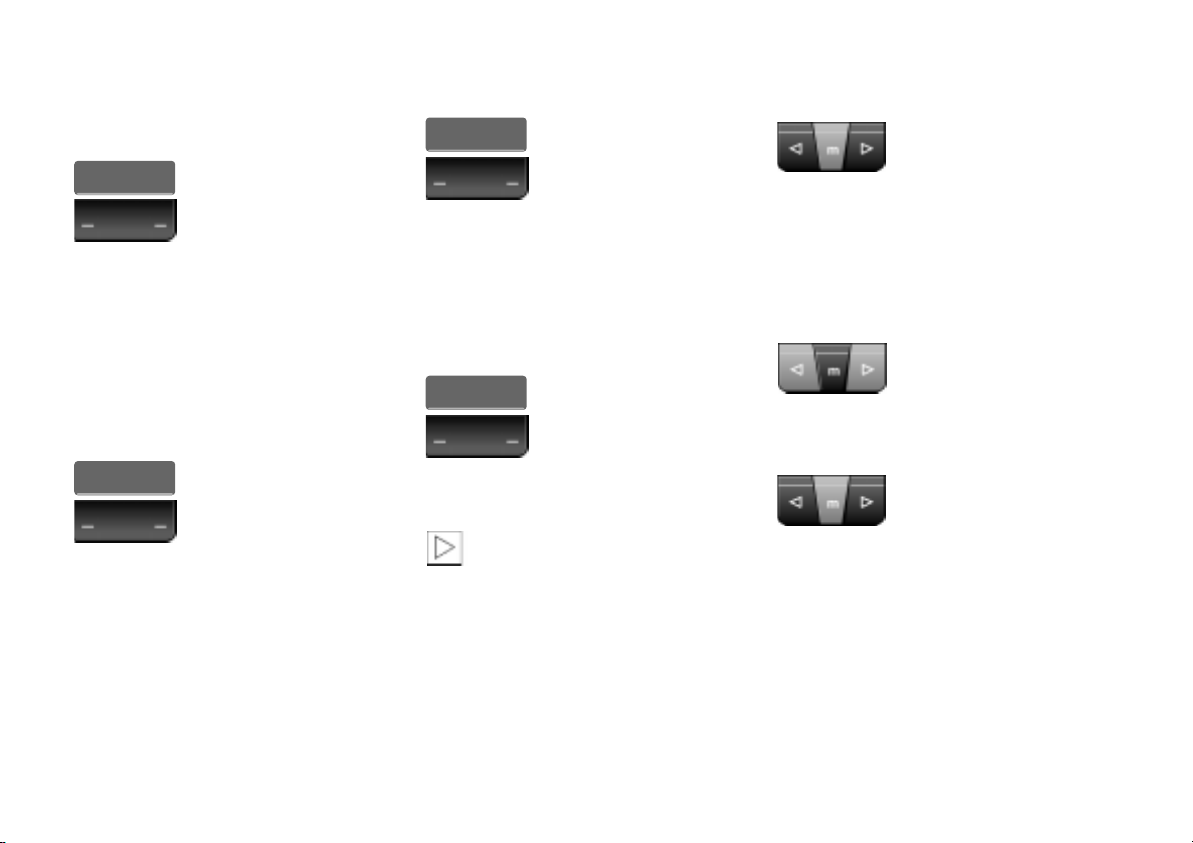
Automatic station selection
Press left/right or continue to hold.
The search mode begins with the
frequency that was last set. The search
mode is stopped as soon as a station is
located.
Manual station selection
Press the "m" key:
"MAN" appears in the display next to
the frequency.
Press left/right or continue to hold.
Every actuation changes the frequency
in specifically-defined increments.
If you press and hold the key, you can
rapid advance through the frequency
band.
Page 13
Sampling and selecting Storing and retrieving a station
Online Version for Part No. 01 410 155 137 - © 09/99 BMW AG
11n
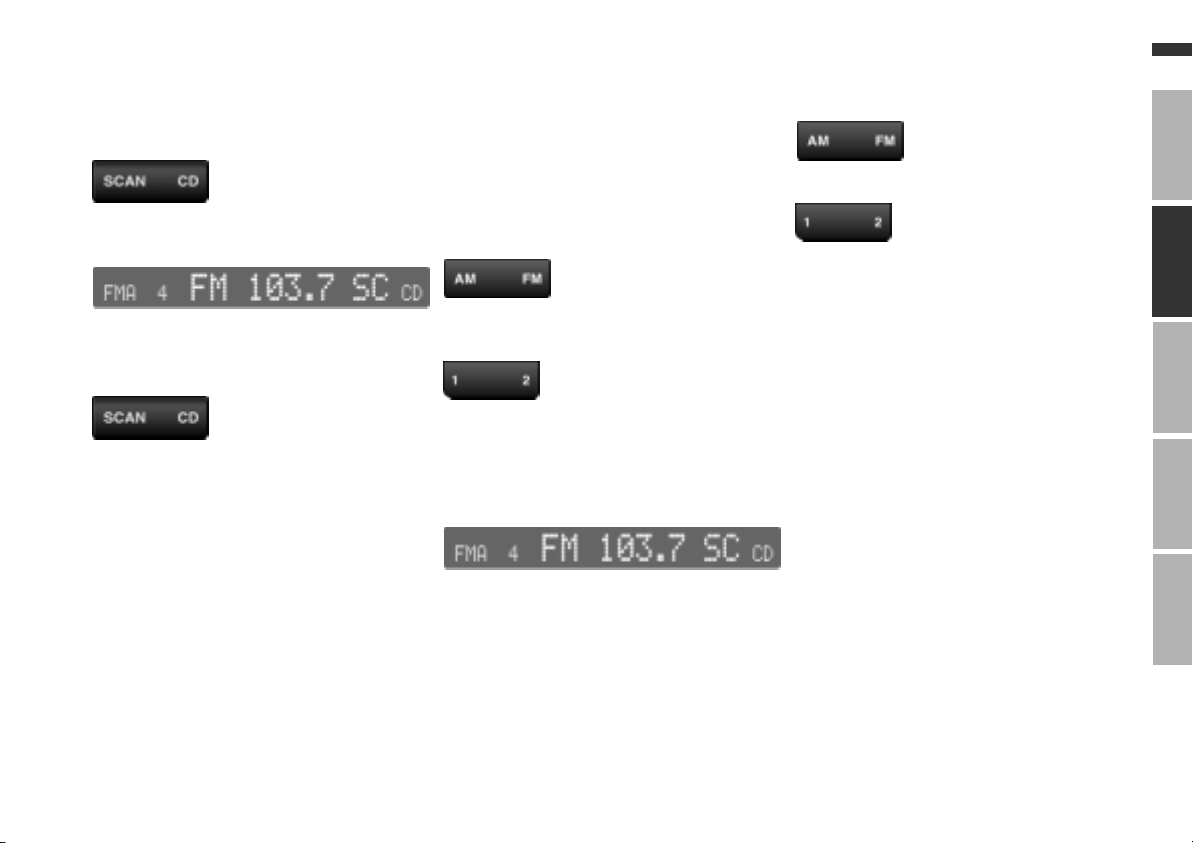
With the SCAN search mode, you can
briefly play all stations in the reception
range.
Press left.
Display:
If you wish to continue listening to the
station currently playing:
Press left once again.
Storing
You can store 18 FM stations and
12 AM stations.
The FM and AM reception ranges are
divided into different memory areas
(FMI, FMII, FMA and AMA) in order to
expand the storage capability.
Select the frequency band and adjust
the station.
Continue to press one of the station
keys until the station is heard once
again after a brief pause.
The selected key number will appear in
the left of the display.
If this key had been previously assigned, the old data stored there will be
displayed briefly, and then the new frequency or the new program will appear.
Storing is completed when the station
which has been set can be heard again.
Retrieving
Select the frequency band.
Press the station key (1, for instance).
OverviewRadio
CDIndex
TV
Technology
Page 14
12n
Online Version for Part No. 01 410 155 137 - © 09/99 BMW AG
Storing and retrieving a station
Automatic storing
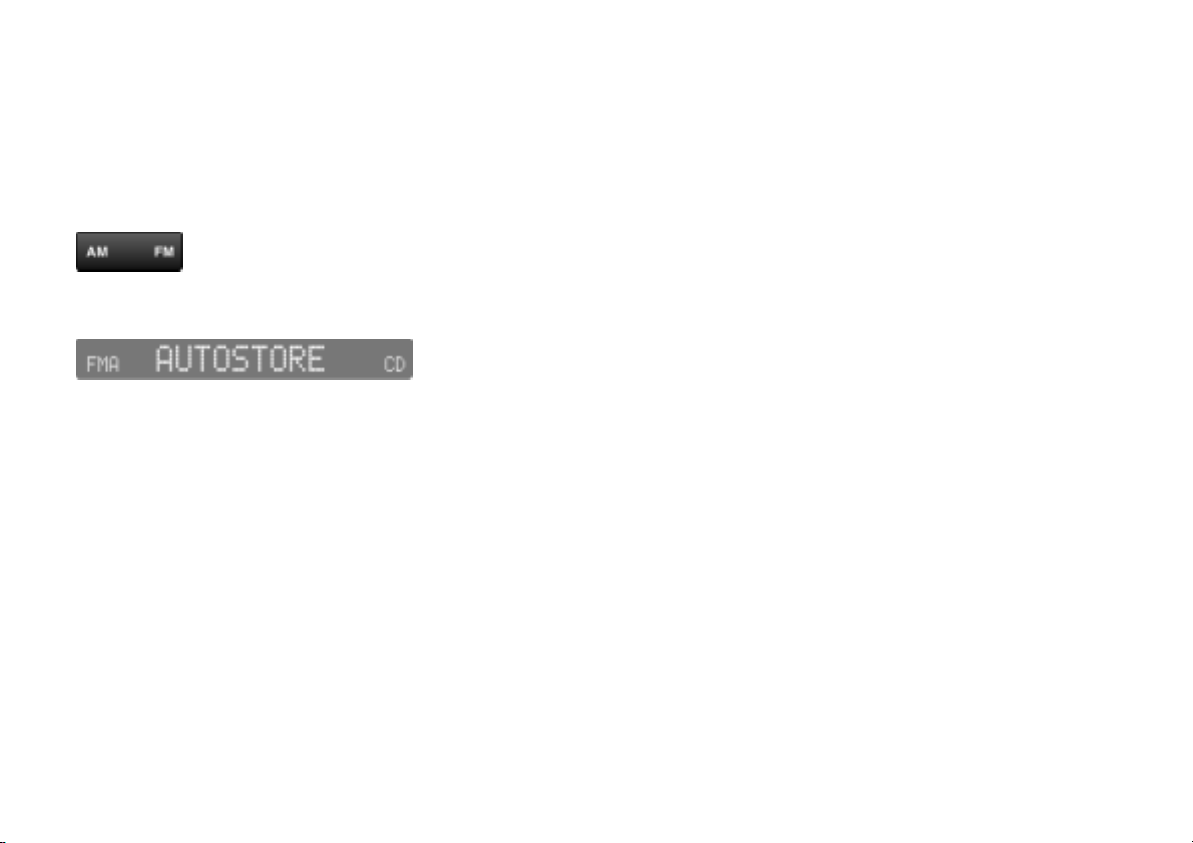
You can automatically store the 6 strongest FM and AM stations in the FMA
memory area for FM (AUTOSTORE)
and the AMA memory area for AM
(AUTOSTORE).
Press and hold left/right.
Display:
The system switches automatically to
the FM memory area (FMA) or to the AM
memory area (AMA). The station stored
under station key 1 will be retrieved.
Page 15

13n
Online Version for Part No. 01 410 155 137 - © 09/99 BMW AG
Starting and stopping 14
Music selection search 14
Random Play 15
CD mode 16
Mode displays 16
CD changer 17
Overview
Radio
CD
CDIndex OverviewRadioTechnology
Technical features in detail
Index
Page 16
14n
Online Version for Part No. 01 410 155 137 - © 09/99 BMW AG
Starting and stopping Music selection search
Starting
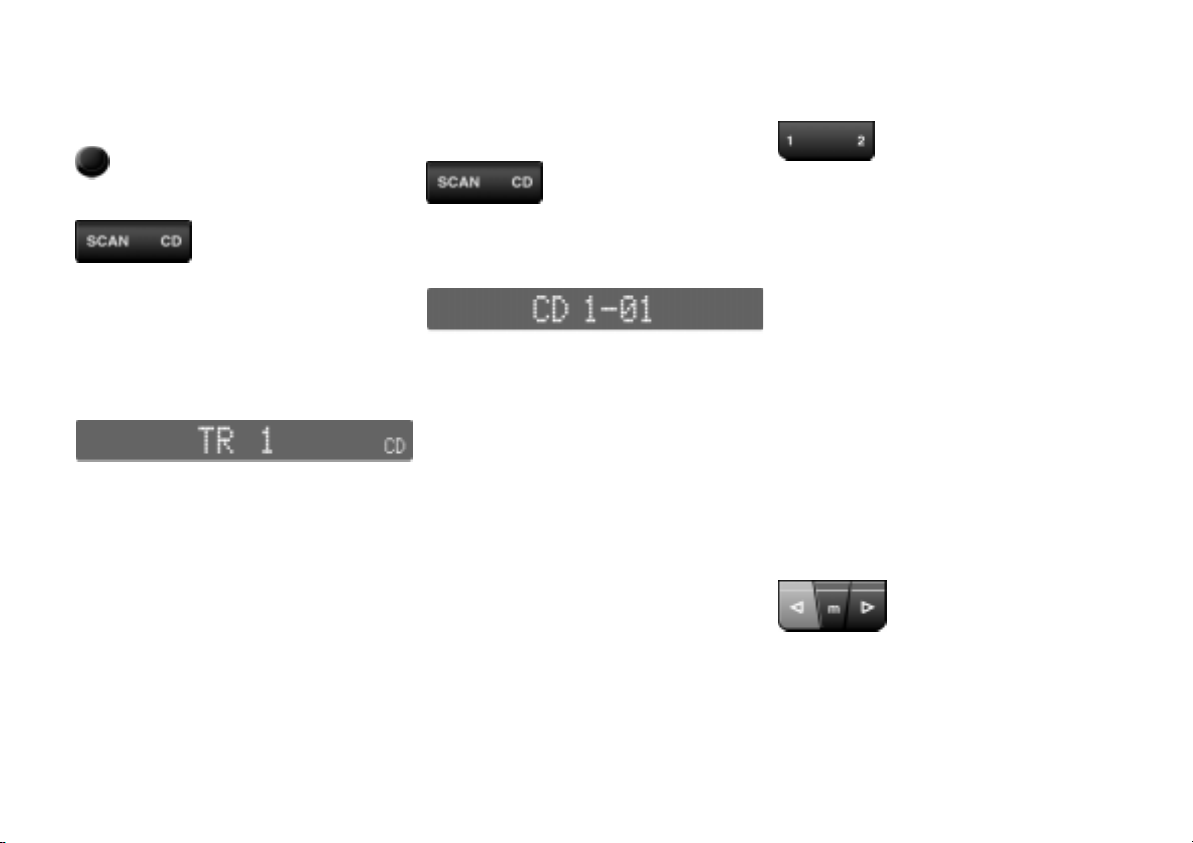
Switch the unit on:
Press right once.
The CD mode is shown in the display.
After a few seconds, play will begin at
the position where the CD was last interrupted.
Display:
Stopping
Switch to radio or switch the unit off.
If a CD changer* is installed in your vehicle, the following controls are available for its operation.
Press right.
For example, you will see in the display:
The CD from magazine compartment 1
of the changer is played (play begins
with the first track - 01).
Selecting a CD
Press the key which corresponds to the
magazine compartment of the CD
changer (1...6) for the CD number you
wish, or press the CD key in order to
return to the internal deck.
The selected CD begins to play from
the first track. At the end of the last
track, the next CD will be selected.
In the internal CD deck mode, the CD
will be repeated from the first track.
If the messages CD CHECK, NO
MAGAZINE, NO DISCS or HIGH TEMP
are displayed, refer to page 16.
Fast forward/reverse
The principle of fast forward and
reverse will be explained with fast
forward as an example.
First press "m" and then press and hold
right until you wish to stop the fast
forward.
Page 17
Music selection search Random Play
Online Version for Part No. 01 410 155 137 - © 09/99 BMW AG
15n
Forward/reverse track search
The principle for the forward/reverse
track search will be explained with the
forward track search as an example.
Press right or press and hold until the
desired track number appears in the
display.
Sampling and selecting
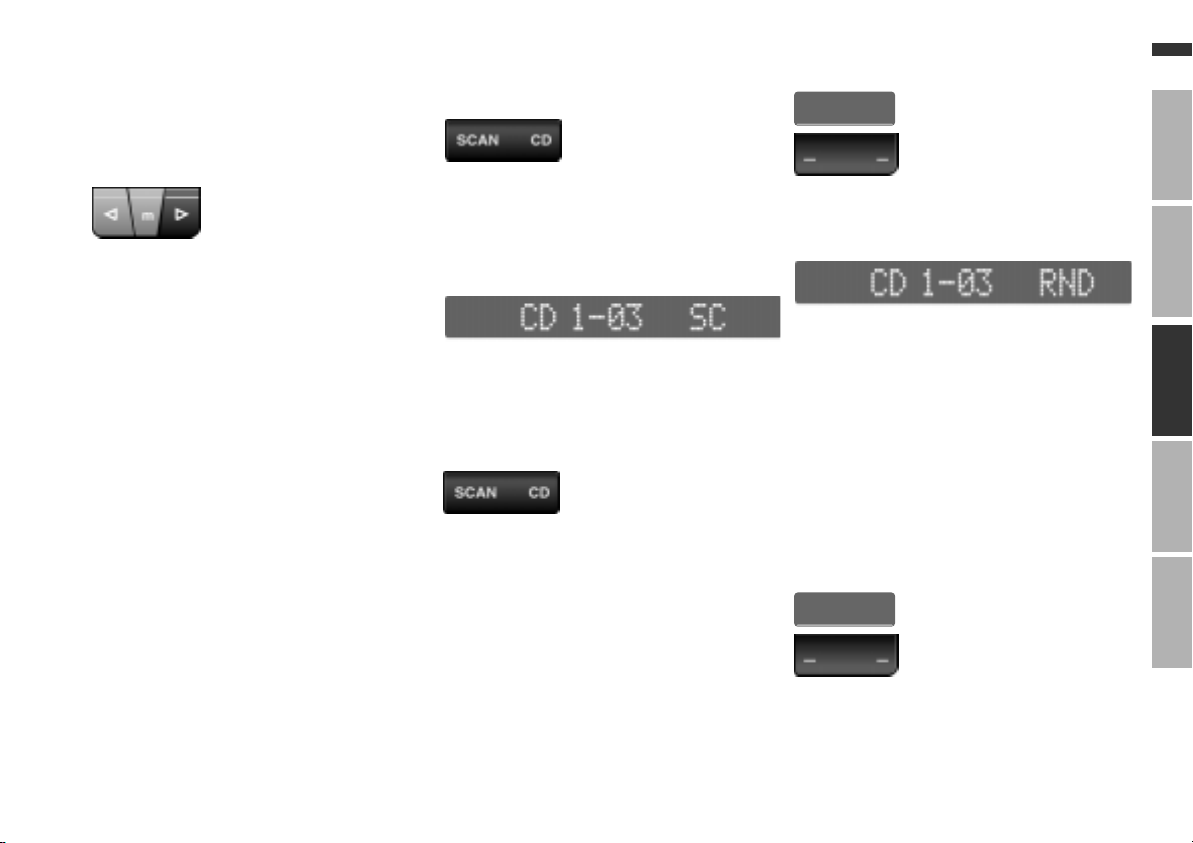
Press left briefly.
You can briefly initiate play of all the
tracks of the selected CD by using the
SCAN search mode.
Display:
When the end of the CD is reached, the
selection on the first track will begin
playing once again.
To cancel the SCAN search mode:
Press left briefly or select another
function.
RND*
Press left. RND is displayed with an
asterisk.
Display:
In the Random Play mode, the music
selections of all CDs will be played in a
random order.
The current number of the CD and of
the track will be shown in the display.
The keys for the track search and for
fast forward/reverse can be used during
Random Play. If you wish, you may skip
over a selection which you do not want
to hear in this manner.
To exit the Random Play mode:
RND*
OverviewRadioTechnology
CDIndex
TV
Press left or select another function.
Page 18

16n
Online Version for Part No. 01 410 155 137 - © 09/99 BMW AG
CD mode Mode displays
Operating temperatures
Operate the CD changer only at
7
temperatures from 32
7
(0 6 to +60 6). Operation out-
140
side this range may lead to malfunctions.
Even if the unit is switched off, it should
not be exposed to temperatures out-
7
side a range of 13
6).<
to +85
to 185 7 (-25 6
to
Atmospheric humidity
A high level of humidity inside the unit
may cause the laser beam focusing lens
to fog over and prevent the CD from
being played.
Precautions when using laser
equipment
The CD changer is a Class 1 laser
product.
Do not remove the cover from the
housing. Do not operate the unit
with a damaged cover. If you do so,
there is a risk of severe eye injuries
from the invisible laser beams.
Repairs or maintenance work must be
carried out by qualified service experts
<
only.
NO DISCS
The magazine is empty.
NO MAGAZINE
A magazine has not been inserted.
CD CHECK
Appears when the contents of the
CD magazine are being read.
HIGH TEMP
The operating temperature is too high.
Once normal operating temperature has
been reached again, play will be automatically resumed.
CD
A CD has been inserted in the internal
deck.
Page 19
CD changer
Online Version for Part No. 01 410 155 137 - © 09/99 BMW AG
*
Installation location
The BMW CD changer for 6 CDs is
located in the luggage compartment.
17n
OverviewRadioTechnology
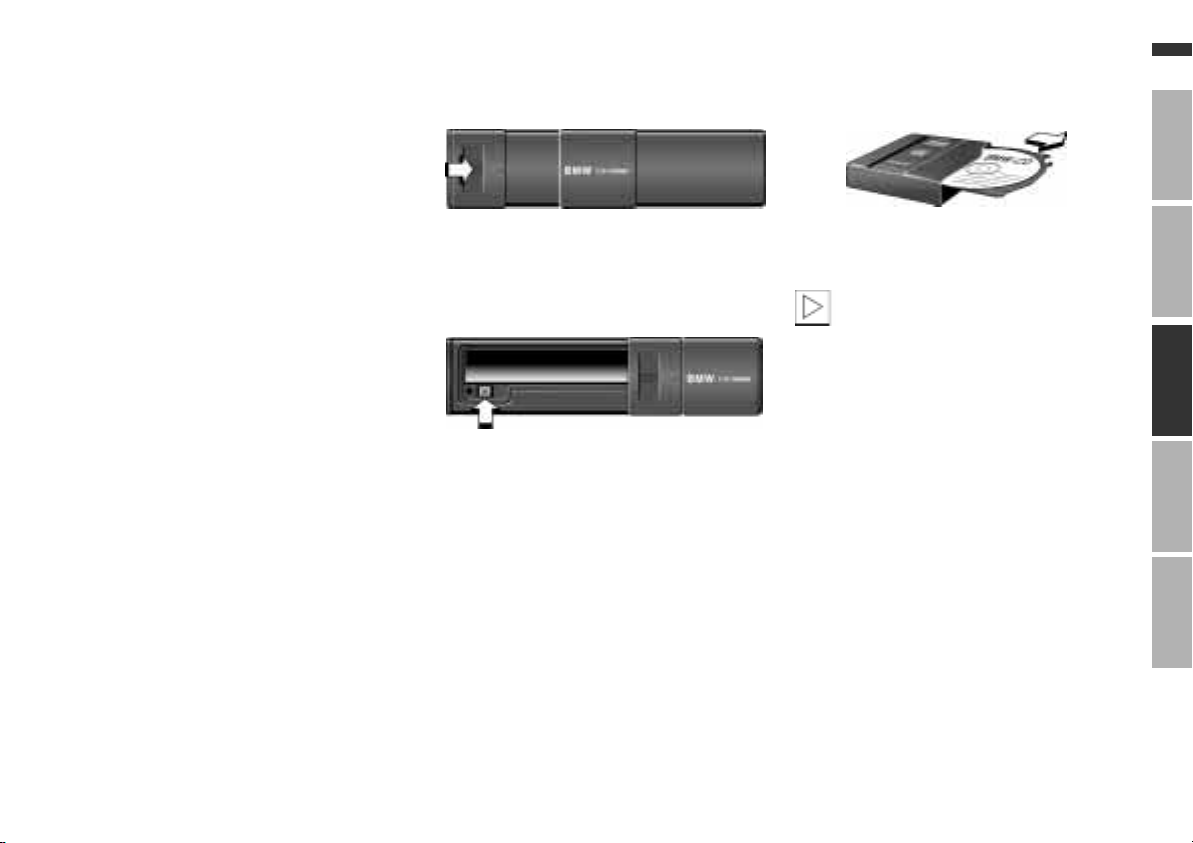
Removing the CD magazine
To open: Push the door to the right.
Press the key: The magazine will slide
out and can then be removed.
Loading/unloading CD magazine
When adding CDs to or removing
them from the CD magazine, hold
them only at the edge and do not touch
the reflective sensing area.
The CD compartments are numbered
the same as the CD station keys.
To load CDs, slide them into a CD
compartment with the label-side facing
upward.
To unload, pull the slide out as depicted
in the illustration and remove the CD.
It is not recommended to play CD
singles with an adapter. The CDs or the
adapter could jam in the CD changer.
Suitable magazines for CD singles are
commercially available.
<
CDIndex
TV
Page 20
18n
Online Version for Part No. 01 410 155 137 - © 09/99 BMW AG
CD changer
*
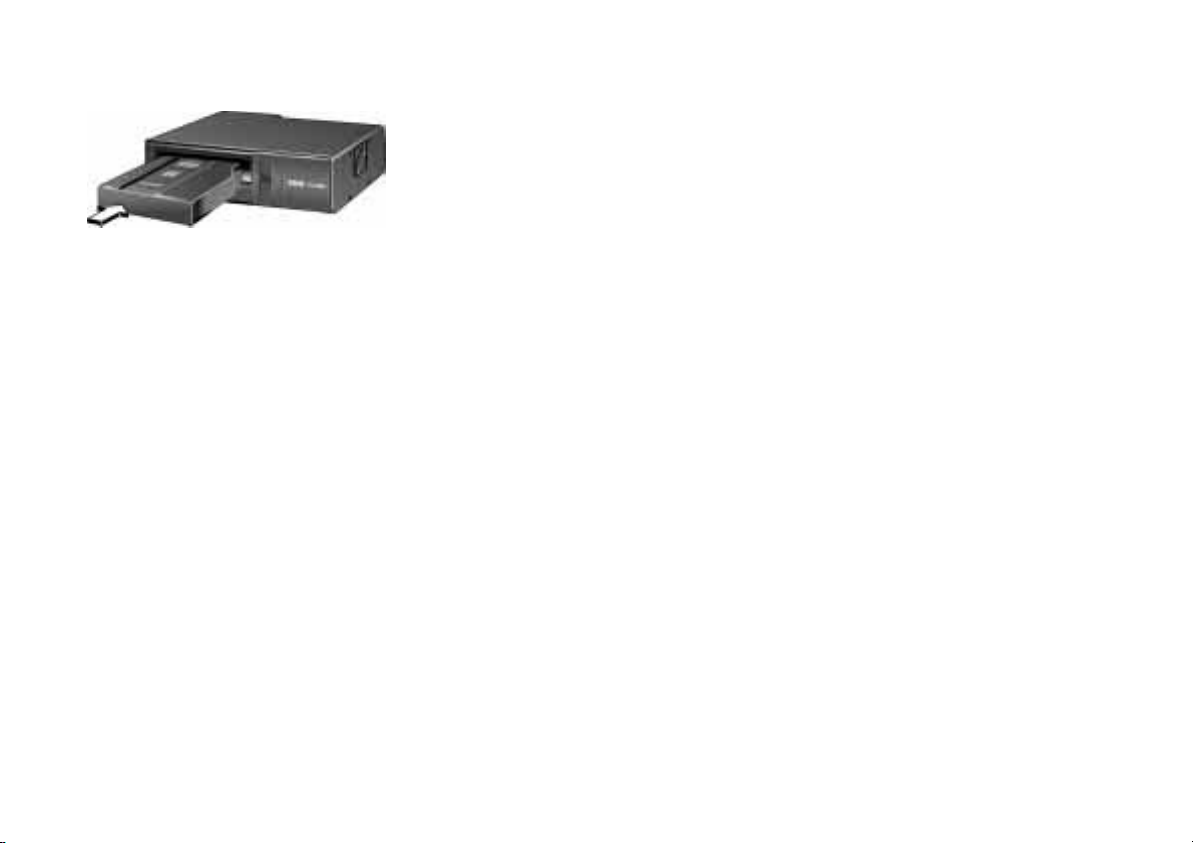
Inserting the CD magazine
>
Slide the door to the right
>
With the arrow pointing toward the
CD changer, push the CD magazine
fully in
>
Close the door.
Page 21

19n
Online Version for Part No. 01 410 155 137 - © 09/99 BMW AG
Anti-theft protection20
RDS (Radio Broadcast Data
System)20
Cleaning the unit21
Handling CDs 21
Radio muting21
Overview
Radio
CD
CDIndex OverviewRadioTechnology
Technical features in detail
Index
Page 22

20n
Online Version for Part No. 01 410 155 137 - © 09/99 BMW AG
Anti-theft protection RDS (Radio Broadcast Data System)
The device has automatic anti-theft
protection. Manual input of a security
code or other entries are not required.
Receiving RDS stations
RDS (Radio Broadcast Data System) is
a transmission and reception system in
the VHF (FM) range.
If a station that broadcasts RDS information is received, the station name
appears in the display following an
evaluation of the RDS signals.
You can receive additional information
such as the program type (PTY) via
RDS.
However, the reception of RDS data is
only possible under favorable reception conditions. If reception is weak or if
there is interference, it may be some
time before a station name and PTY are
once again available.
Page 23
Cleaning the unit Handling CDs Radio muting
Online Version for Part No. 01 410 155 137 - © 09/99 BMW AG
21n
For cleaning, use a clean cloth which
has been moistened slightly with water.
Do not use chemicals or household cleansers. Keep fluids and
liquids of all kinds away from the ra-
<
dio.
A CD has a protective coating on both
sides. In spite of this, take the following
precautions:
>
Always hold the CD at the outer
edge, and avoid fingerprints or dust,
scratches or moisture on the reflective side of the CD
>
Do not write on CDs or affix labels to
them
>
Every now and then, or before playing, clean the CDs. To do this, wipe
the reflective (signal) side of the CD
with a suitable cleaning cloth (commercially available), working in
straight lines from the center outwards.
Do not use solvents or abrasive
cleansers. Do not use the cleaning
agents or antistatic sprays which are
designed for use with records.
CDs which have condensed mois-
>
ture on them (from large temperature
differences, for instance) may not
function properly when they are
played.
<
As soon as you initiate or accept a telephone call, the radio volume is automatically switched to a lower level.
Display:
OverviewRadio
CDIndex
TV
Technology
Page 24

22n
Online Version for Part No. 01 410 155 137 - © 09/99 BMW AG
Page 25

23n
Online Version for Part No. 01 410 155 137 - © 09/99 BMW AG
Everything from A to Z 24
Overview
OverviewRadio
Radio
CD
CDIndex
Technical features in detail
Technology
Index
Page 26

Everything from A to Z
Online Version for Part No. 01 410 155 137 - © 09/99 BMW AG
A
Adjusting volume 8
AM 11
AMA 11
Anti-theft protection 20
Automatic anti-theft
protection 20
Automatic station selection
multifunction steering
wheel 8
radio key 10
Automatic storing 12
AUTOSTORE 12
C
CD 18
CD changer 17, 18
installed position 17
CD CHECK 16
CD compartment 5
CD ejection 6
CD handling 21
CD magazine
inserting 17
loading/unloading 17
removing 17
CD mode
starting 14
stopping 14
Changing to the next
station 8
Cleaning agents 21
Cleaning the unit 21
Controls 4
D
Displays 4, 5
F
Fast search mode 8
FM 11
FMA 11
H
HIGH TEMP 16
Humidity 16
I
Indicator lamp for anti-theft
protection 5
K
Keys 5
M
Manual station selection 10
Mid-range settings 7
Multifunction steering wheel
(MFL) 8
Music selection search 14
N
NO DISCS 16
NO MAGAZINE 16
Notes on this Owner's
Manual 2
O
Operating 16
Operating temperatures 16
Operation via the MFL 8
P
Precautions when using
laser equipment 16
R
Radio muting 21
Random Play 15
RDS - Radio Broadcast Data
System 20
Repairs 16
RND 15
Rotary knob 5
S
Sampling 11, 15
Selecting a CD 14
Selecting a station 10
Station
retrieving 11
storing 11
Station keys 5
Symbols used in this
manual 2
T
Temperature range 16
Time 7
Track search 15
Page 27

Online Version for Part No. 01 410 155 137 - © 09/99 BMW AG
01 41 0 155 137 US-En
The Ultimate Driving Machine
 Loading...