

Page 1

Model 795 Digital Staff
Workstation
Intended Use
The 3M™ Model 795 Digital Staff Workstation is designed and tested for use in processing
identification tags and barcodes. The workstation:
1. Reads item identification or barcode information from existing media and passes it to the
library terminal connected to the library circulation system, and
2. Secures or unsecures 3M™ Tattle-Tape™ Strips in items as required.
The product has not been tested or proven safe for other uses.
Quick Start Guide
This Quick Start Guide will help you get to know your Digital Staff Workstation as quickly as
possible. The Quick Start contains:
§ General warnings, cautions, and safety information
§ Information to help you get started
§ An outline of what is included on the Digital Staff Workstation CD
Please review this document before you begin.
Staff Workstation Operations
The 3M Model 795 Digital Staff Workstation is designed to process library items with digital
identification tags and/or bar codes. The workstation allows you to perform the following tasks:
§ Check-in and check-out (includes securing/unsecuring and sending item IDs)
§ Secure only and un-secure only (turn an item’s security strip on or off)
§ Send ID only (read and send an item ID to the library circulation system)
§ Verify (confirm that security strips have been secured or un-secured)
§ Read tags and display item IDs only (without securing the items or sending the IDs to the
library circulation system)
Conversion Operations
The 3M Model 795 Digital Staff Workstation can also read barcode labels on library items
(books, video cassettes, etc.), convert that information, and then program the information onto a
3M Brand Digital Identification D1 Tag.
75-0500-4449-6 09/15/00 Copyright © 2000, 3M. All rights reserved.
Page 2
3M™ Model 795 Digital Staff Workstation Quick Start Guide
Warning Statements and Safety Instructions
Explanation of Labels and Symbols
Refer to accompanying documents.
Risk of electric shock. Refer all servicing to manufacturer.
WARNING
§ This equipment contains high voltage. Risk of electric shock. Do not remove protective
panels. Only certified 3M technicians should service this equipment.
§ Make sure power is off before disconnecting monitor. If power is not off, the monitor will be
damaged.
§ Possibility of personal injury. The operation of the Staff Workstation involves repeated body
movements. To minimize any possibility of injury, avoid prolonged repetitive movements,
rest when becoming fatigued, and, when possible, alternate job functions with other people.
Avoid any awkward reaching for library items.
§ Possibility of counter top mounted Staff Workstations tipping over. Ensure that the on-
counter mounting skirt is secured to the counter top with 3M Command Adhesive strips.
§ Danger of explosion if internal lithium battery is incorrectly replaced. Replace the battery
only with the same or equivalent type recommended by the manufacturer. Dispose of used
batteries according to the manufacturer’s instructions.
§ Dispose of this product and components according to the manufacturer’s directions and
local disposal regulations to avoid hazards and harm to the environment.
CAUTION
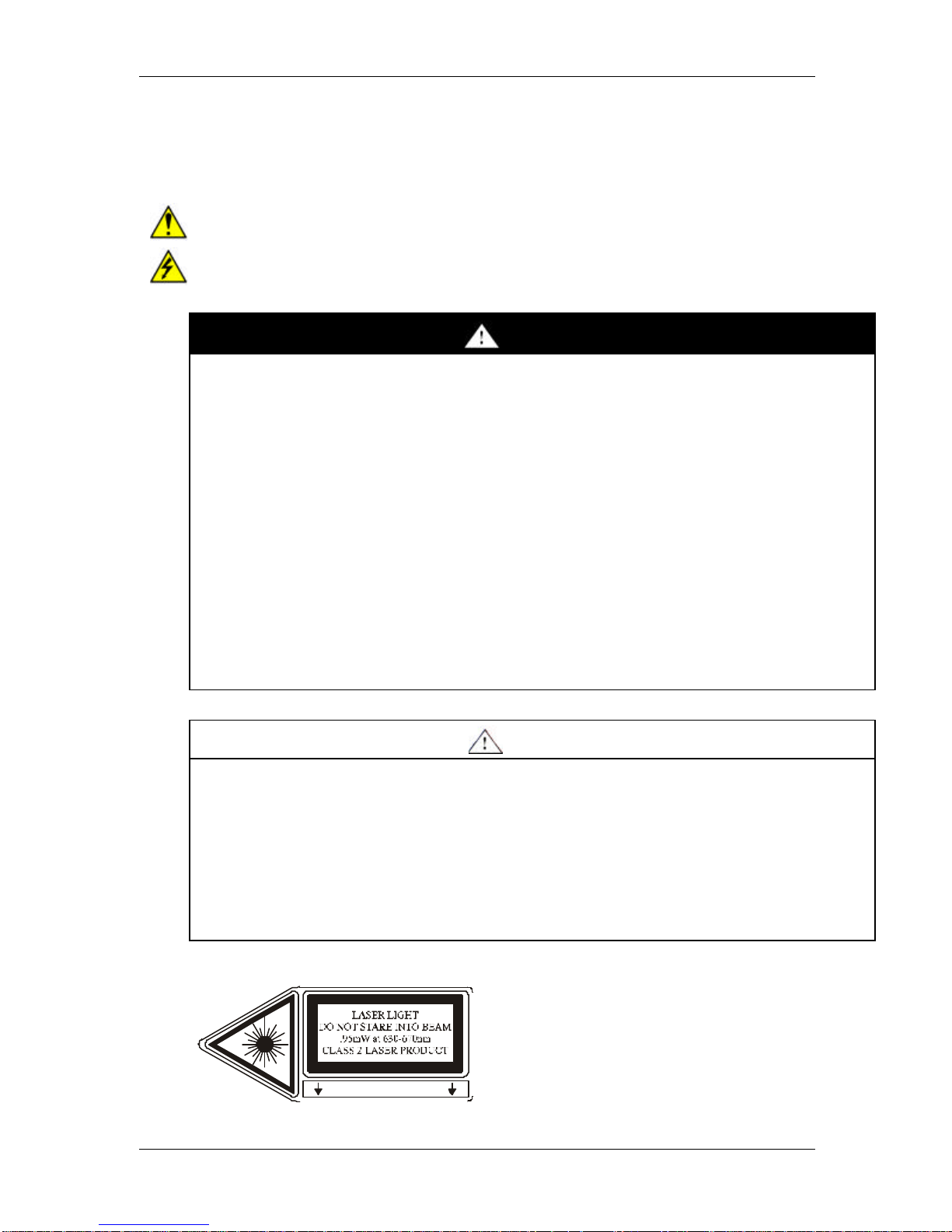
§ This product contains laser devices. Do not allow the scanner laser beam to reflect off a
shiny, mirror-like surface into anyone’s eyes. Observe the labels on the unit.
§ Possibility of personal injury. The Staff Workstation weighs 70 pounds (32 Kg). Attempting
to lift the Staff Workstation may cause personal injury. To avoid any possibility of injury, the
Staff Workstation should be lifted by more than one person. The Staff Workstation should
be lifted more with the leg muscles and less with back and arm muscles.
§ Using controls or adjustments or performing procedures other than those specified herein
may result in hazardous laser light exposure.
LASER APERTURE
2
Page 3

3M™ Model 795 Digital Staff Workstation Quick Start Guide
EMC Compliance USA and Canada
FCC Radio Frequency Rules and Regulations
This equipment has been tested and found to comply with the limits for a Class A device, pursuant
to Part 15 of the FCC Rules. These limits are designed to provide reasonable protection against
harmful interference when the equipment is operated in a commercial environment. This equipment
generates, uses, and can emit radiated radio frequency energy and, if not installed and used in
accordance with the instruction manual, may cause harmful interference to radio communications.
Operation of this equipment in a residential area is likely to cause harmful interference in which
case the user will be required to correct the interference at his own expense.
FCC Intentional Radiator Certification
FCC ID: Pending
This equipment contains an intentional radiator approved by the FCC under the FCC ID number
shown above. This device complies with Part 15 of the FCC Rules. Operation is subject to the
following two conditions: (1) this device may not cause harmful interference, and (2) this device
must accept any interference received, including interference that may cause undesired
operation.
NO MODIFICATIONS. Modifications to this device shall not be made without the written consent
of The 3M Company. Unauthorized modifications may void the authority granted under Federal
Communications Commission Rules permitting the operation of this device.
Industry Canada Radio Frequency Rules and Regulations
This Class A digital apparatus meets all requirements of the Canadian Interference-Causing
Equipment Regulations.
Cet appareil numerique de la classe A respecte toutes les exigences du Reglement sur le
materiel brouilleur du Canada.
CANADA: Pending
Operation is subject to the following two conditions: (1) this device may not cause interference,
and (2) this device must accept any interference received, including interference that may cause
undesired operation of the device.
EMC Compliance Europe
This equipment complies with the requirements of the RTTE and EMC directives.
0678
3
Page 4

3M™ Model 795 Digital Staff Workstation Quick Start Guide
FCC ID: __________
This device complies with Part 15 of the FCC Rules. Operation is subject to the
and (2) this device must accept any interference received, including interference
795_QuickStart_02
This product complies with
0678
110 W
2.5/1.5 A
100-120V/200-240 VAC
St. Paul, Minnesota 55144-1000
L
Safety Label Locations
LASER APERTURE
21 CFR Subchapter J,
IEC 60825-1:1977
and EN 60825-1:1996
Model 795 Staff Workstation
50/60 Hz
S/N:
3M Library Systems
following two conditions: (1) this device may not cause harmful interference,
that may cause undesired operation.
CANADA __________
This Class A digital apparatus meets all requirements of the Canadian
Interference-Causing Equipment Regulations.
Cet appareil numerique de la classe A respecte toutes les exigences du
Reglement sur le materiel brouilleur du Canada.
4
Page 5

3M™ Model 795 Digital Staff Workstation Quick Start Guide
795_Cust_Install_08
Getting Started
Physical Installation
The customer is completely responsible for the physical installation of the 3M Model 795 Digital
Staff Workstation. Refer to the Customer In-counter Installation Instructions for detailed
instructions on how to cut a mounting hole and install the Model 795 Digital Staff Workstation.
These instructions are packed in a flat, cardboard container along with a metal template.
Important:
§ All electrical installation and electrical connections are to be completed by a 3M factory-
trained service technician. Do not connect the power cord to the power source!
§ The customer installation must be complete before calling a 3M Service Technician to
complete the electrical and checkout portions of the installation. The two types of physical
installations are described below.
§ It is very important that you determine the optimal location before attempting to install the
795 Digital Staff Workstation.
In-counter Installation
An in-counter installation provides a
processing surface that is flush with
the circulation counter. This type of
installation requires the customer to
cut a mounting hole in the circulation
counter. Once the hole is cut, the
customer uses the mounting brackets
to secure the workstation upper unit
to the counter.
On-counter Installation
An on-counter installation includes a
molded-plastic skirt that holds the
workstation upper unit. The skirt is
secured to the counter top with 3M
Command Adhesive strips.
The cable from the workstation
upper unit is routed out through the
back of the molded-plastic skirt. The
cable must go over the edge of the
counter or through the counter to the
electronics enclosure.
Figure 1 : You should be absolutely sure of the location before
attempting an in-counter installation.
795_Cust_Install_09
Figure 2 : An on-counter installation allows you to experiment with
various locations before attempting an in-counter installation.
5
Page 6

3M™ Model 795 Digital Staff Workstation Quick Start Guide
Related Documents
Customer In-counter Installation Instructions
Refer to the Customer In-counter Installation Instructions for detailed instructions on how to cut
a mounting hole and install the Model 795 Digital Staff Workstation. These instructions are
packed in a flat, cardboard container along with a metal template.
Model 795 Digital Staff Workstation Operator’s Guide
Refer to the Model 795 Digital Staff Workstation Operator’s Guide for detailed instructions on
how to set up and operate the Model 795 Digital Staff Workstation. This manual is shipped with
the Digital Staff Workstation.
Digital Staff Workstation Software
The Staff Workstation CD contains software that allows library staff to:
§ Change the configuration of the Staff Workstation system
§ Run the Staff Workstation demonstration software
§ Access on-line help
On-line Help
The Digital Staff Workstation software includes on-line documentation. The information you
need is already loaded onto the Staff Workstation’s internal computer.
To access the Staff Workstation on-line help, click the button on the main Staff
Workstation screen.
Starting the Digital Staff Workstation
1. Switch the power switch (located on the large electronics enclosure box) to the ON position.
§ The software will take a few seconds to load. A splash screen will appear above the main
Staff Workstation screen during startup and will remain visible for at least three seconds.
2. The main Staff Workstation screen appears.
3. Refer to the Model 795 Digital Staff Workstation Operator’s Guide for detailed instructions
on how to set up and operate the Model 795 Digital Staff Workstation.
6
 Loading...