

Page 1
Traveler DC-55
A
+2.0
01800
5
M5M
5 Mega Pixel Digital Camera and Kit
QUICK SET-UP GUIDE
Easy steps to getting started
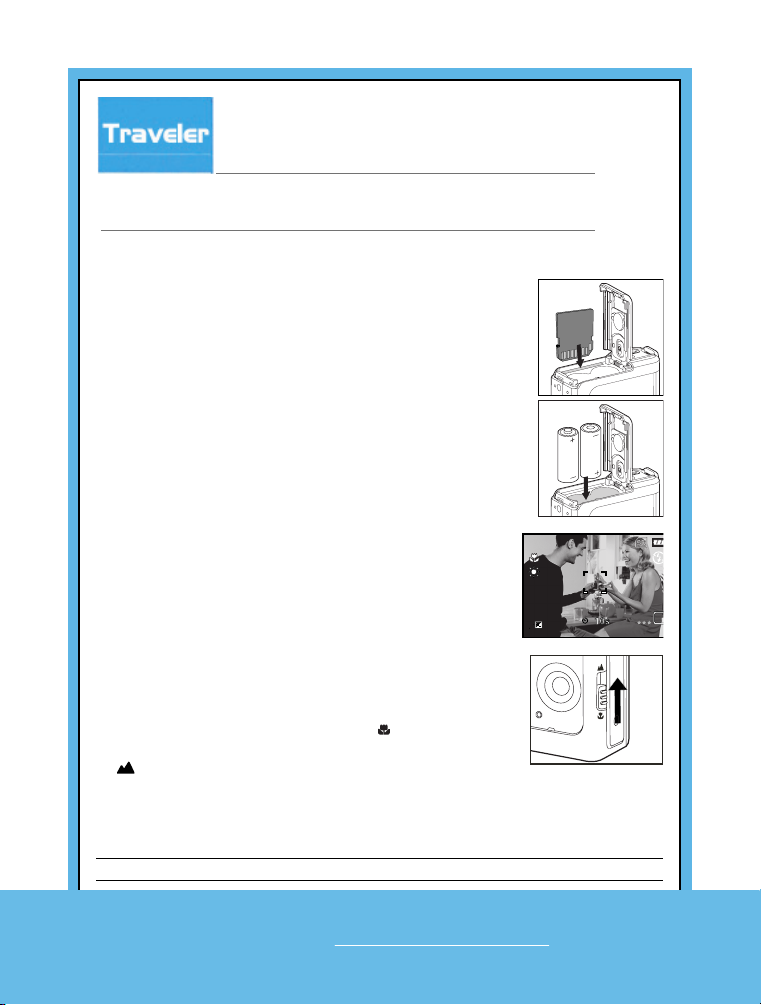
Installing the Batteries/
1. Make sure the camera is turned off.
2. Open the battery/SD card cover.
3. Insert the batteries/SD card in the correct orientation as shown in the illustrations.
4. Close the battery/SD card cover.
Shooting Images
1. Slide the lens cover open until it clicks to turn on the camera.
2. Compose the image on the monitor screen so that the main subject is within the focus frame.
3. Press the shutter button to capture the image.
Using the macro function
Your camera includes a macro function for close up
photography.
To activate it slide the focus switch to the [ ] symbol.
To return to normal photography mode slide the focus switch
to [ ].
SD Memory Card
Scene Mode Selection
Mode Description
1. A Auto Select this mode to adjust point-and-shoot action.
H e l pl i n e N o . U K / I r e l a n d 0 0 8 0 0 / 7 8 7 7 2 3 6 8
Web Support www.Traveler-service.com/uk
Page 2
Mode Description
2. Sport
Select this mode when you want to photograph
fast-moving subjects.
3. Night
Select this mode when you want to capture people with
an evening or night scene background.
4. Portrait
Select this mode when you want to capture an image that
makes the person stand out against a defocused (blurred)
background.
5.
Landscape Select this mode to capture sharp, vivid images with
infinite focus
6. Backlight
Select this mode when you want to capture images with
the light coming from behind the object.
Using the Flash
1. Slide the lens cover open until it clicks to turn on the camera.
2. Hold down / until your desired flash mode
3. Compose your scene and press the shutter button.
Viewing Images
1. Slide the lens cover open until it clicks to turn on the camera.
2. Press the button.
The last recorded image appears on the LCD monitor.
3. Use or to select the desired images.
To view the previous image, press the button.
To view the next image, press the button.
4. To exit from playback mode, press the or (MODE) button.
Deleting Images/Movie Clips
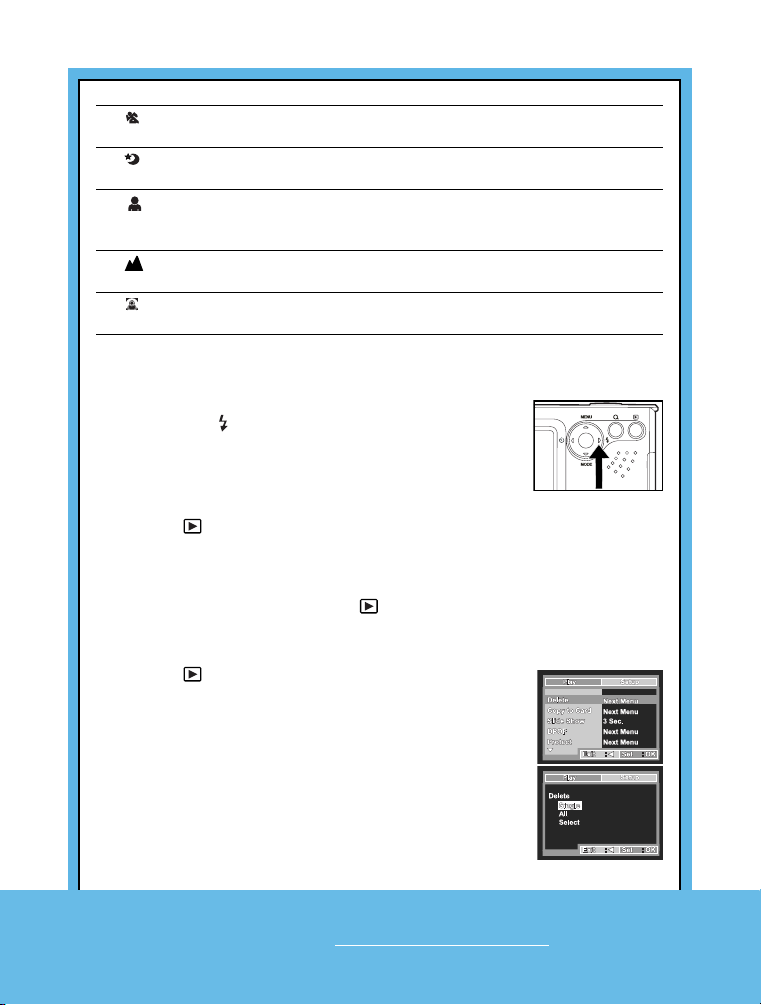
1. Press the button.
2. Select the image you want to erase with the / buttons.
3. Press the / MENU button.
4. Select [Delete] with the / buttons, then press the OK button.
The deletion menu is displayed.
5. Select [Single] or [All] with the / buttons, then press the OK
button.
Single: Erases the selected image or the last image.
All:Erases all of the images on the SD memory card except for
the protected images.
Select: Erases a number of selected images.
6. Select [Execute] with the / buttons, then press the OK
button.
OK
Helpl i ne N o . UK / Ire l and 0 080 0 / 78 7 7 23 6 8
Web Support www.Traveler-service.com/uk
 Loading...