

Page 1

www.bestsound-technology.co.uk
Life sounds brilliant.
SecureEar™
User Guide
Page 2

3
Content
Content
Your SecureEar 4
Intended use 5
General notes on safety 6
Handling batteries 8
Inserting and removing the SecureEar 10
Turning your SecureEar on and off 11
Adjusting the volume 12
Changing the program (optional) 13
Maintenance and care 14
Troubleshooting 16
Technical information 17
Disposal information 18
Page 3
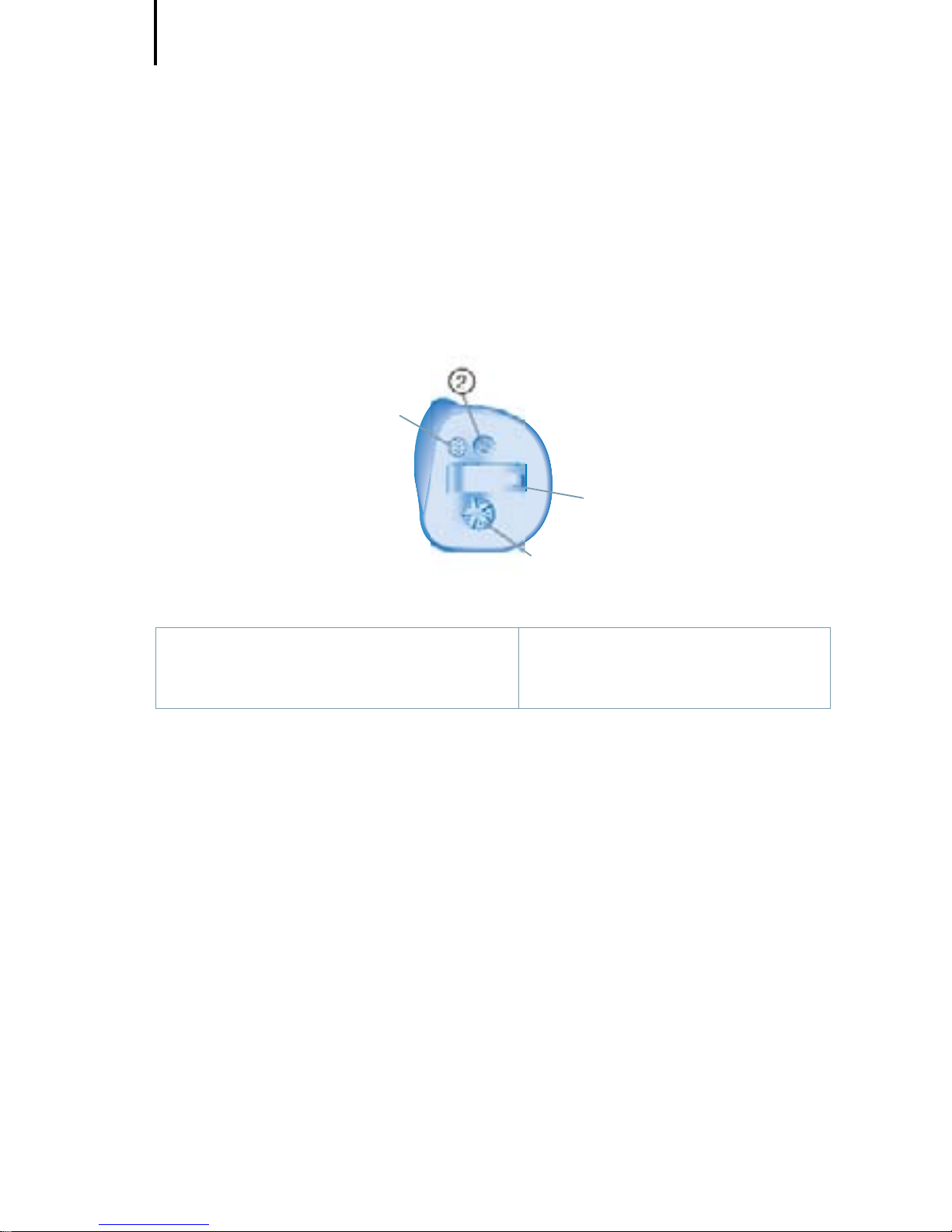
Your SecureEar
4
SecureEar
(battery type: 312)
ࡳࡳ
ࡵ
ࡵ
ࡶࡶ
① Microphone
② Program button (optional)
③ Battery compartment
④ Volume control
Each SecureEar can be identified by the serial number
located on the outside of the instrument.
Your SecureEar
Page 4
Intended use
5
SecureEar is intended to protect the hearing while being
able to communicate normally or hear better. To ensure
the best possible protection it has to be used constantly in
noisy situations.
Read and follow the instructions of this user guide to
avoid injuries and to protect the SecureEar from damage.
If SecureEar is not operated and maintained according
to the instructions in this user guide, the protection
properties of the SecureEar can be severely impaired.
Symbols:
Be aware of information marked with the warning symbol
WARNING, CAUTION or NOTICE!
WARNING points out a situation that could lead to
serious injuries, CAUTION indicates a situation that
could lead to minor and moderate injuries.
NOTICE indicates possible property damage.
Advice and tips on how to handle your device better.
Instruction. Indicates that something has to be done.
Intended use
Page 5

General notes on safety
6
NOTICE
Your SecureEar are sensitive to extreme heat, high
humidity, strong magnetic fields
(> 0.1T), X-rays and mechanical stress.
X Do not expose your SecureEar to extreme
temperature or high humidity.
X Do not leave them in direct sunlight.
X Do not wear them in the shower or when you
apply make-up, perfume, aftershave, hairspray
or suntan lotion.
X Do not wear your SecureEar when you are
exposed to short-waves, a strong magnetic
field, a high frequency field or X-rays.
X Do not place your SecureEar in a microwave
oven.
WARNING
Choking hazard!
Your SecureEar contain small parts which can be
swallowed.
X Keep SecureEar, batteries and accessories out
of reach of children and mentally disabled
persons.
X If parts have been swallowed consult a
physician or hospital immediately.
General notes on safety
Page 6

General notes on safety
7
NOTICE
Leaking batteries damage the SecureEar.
X Turn the SecureEar off when not in use to
preserve the battery.
X Remove batteries when the instruments are not
in use for a prolonged period of time.
NOTICE
X To avoid environmental pollution, do not throw
batteries into household trash.
X Recycle or dispose of batteries according to
national regulations or return them to your
Hearing Care Professional.
WARNING
Risk of explosion!
X Do not use your SecureEar in explosive
atmospheres (e. g. in mining areas).
Page 7
Handling batteries
8
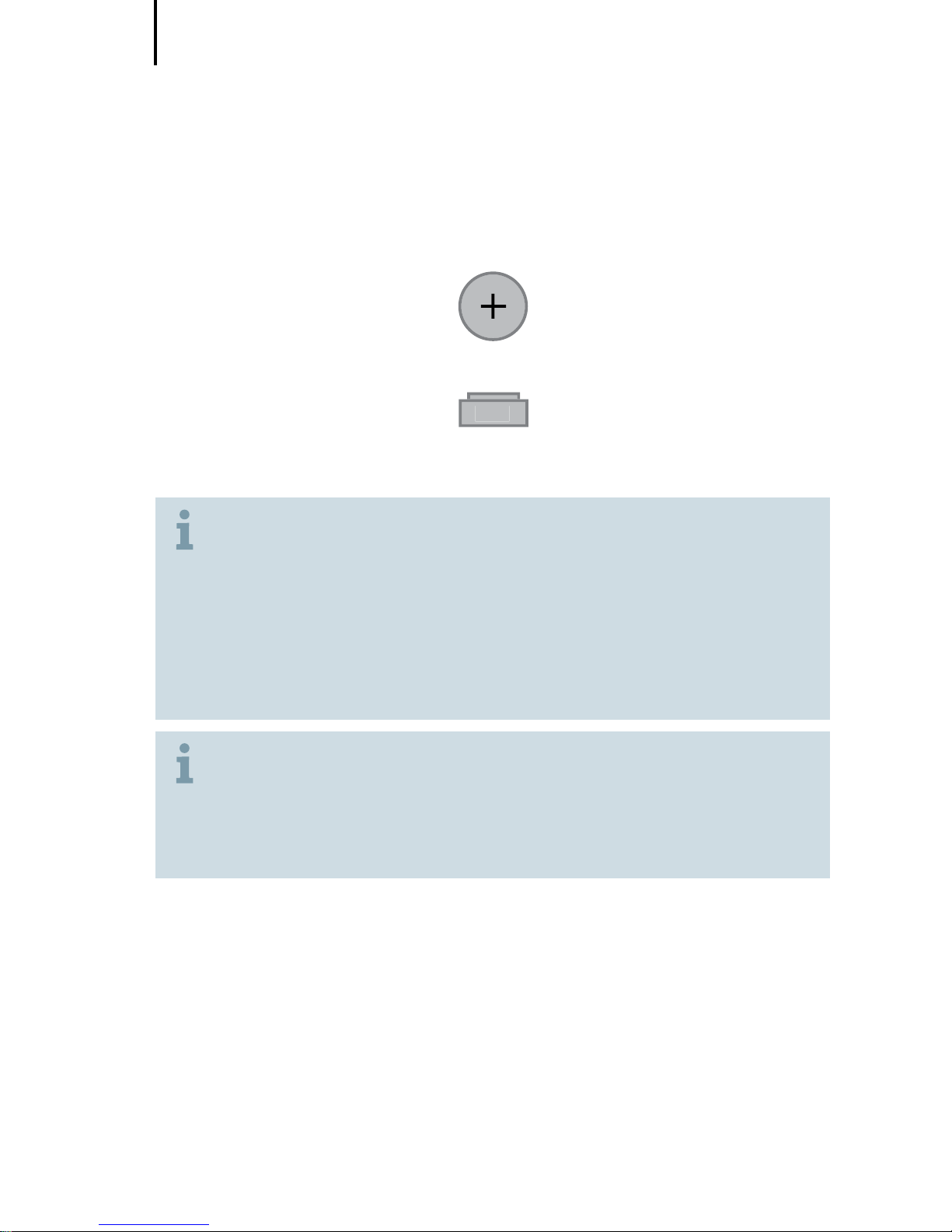
312
original size
X Always use the right size batteries.
X Remove the tab on your batteries only when
you are ready to use them.
X The positive (+) side of the batteries is always
the smooth side.
X Always keep spare batteries with you.
In some types of instruments the sounds may
become fainter or you may hear additional sounds.
This means that the battery power is low.
X If this happens, change the battery.
Handling batteries
Page 8
Handling batteries
9
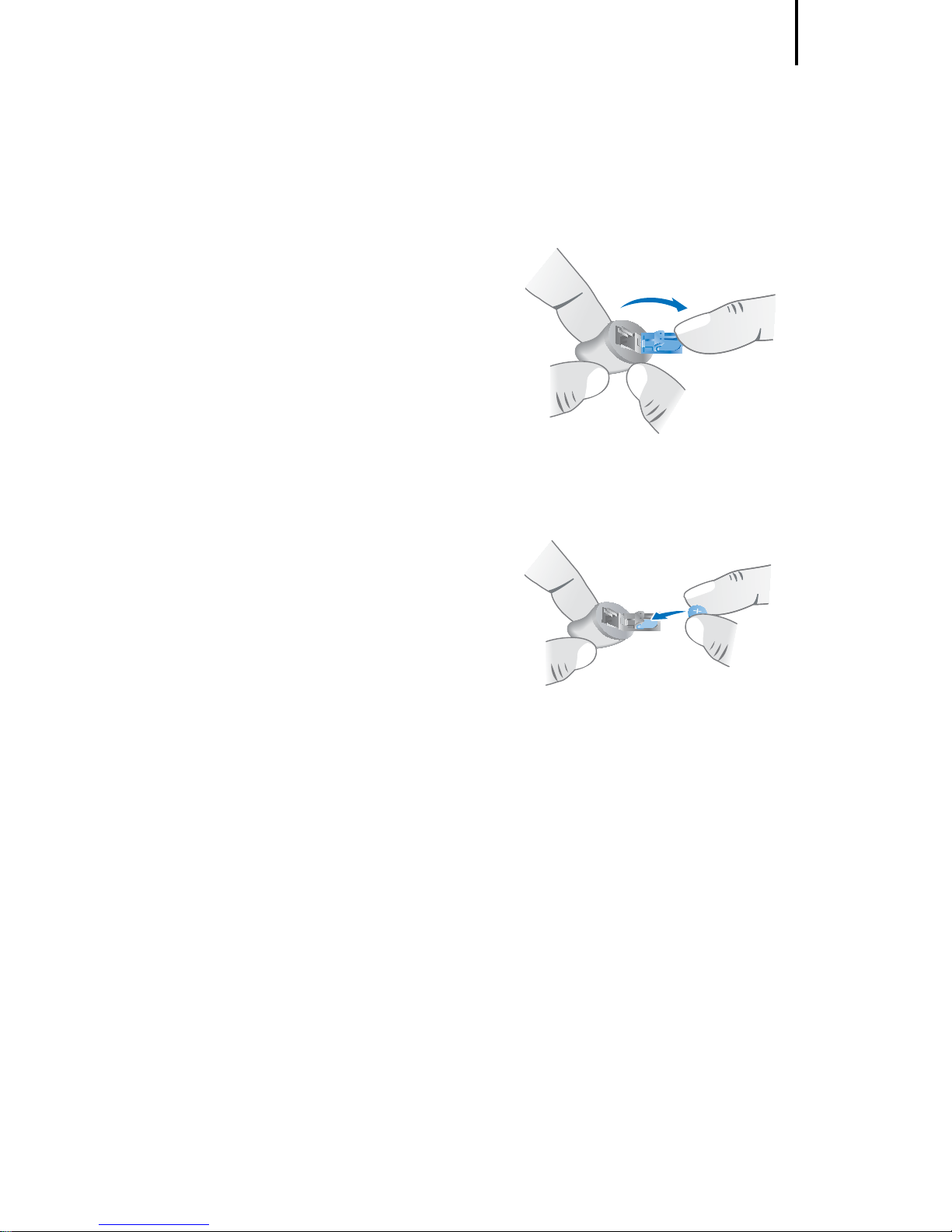
X Open the battery compartment.
X Insert the battery.
Make sure the “+” symbols on
the battery and compartment
are aligned.
X Close the battery compartment.
Page 9
Inserting and removing the SecureEar
10
Never pull on the battery compartment door or
volume control wheel to remove the SecureEar, as
this cause damage.
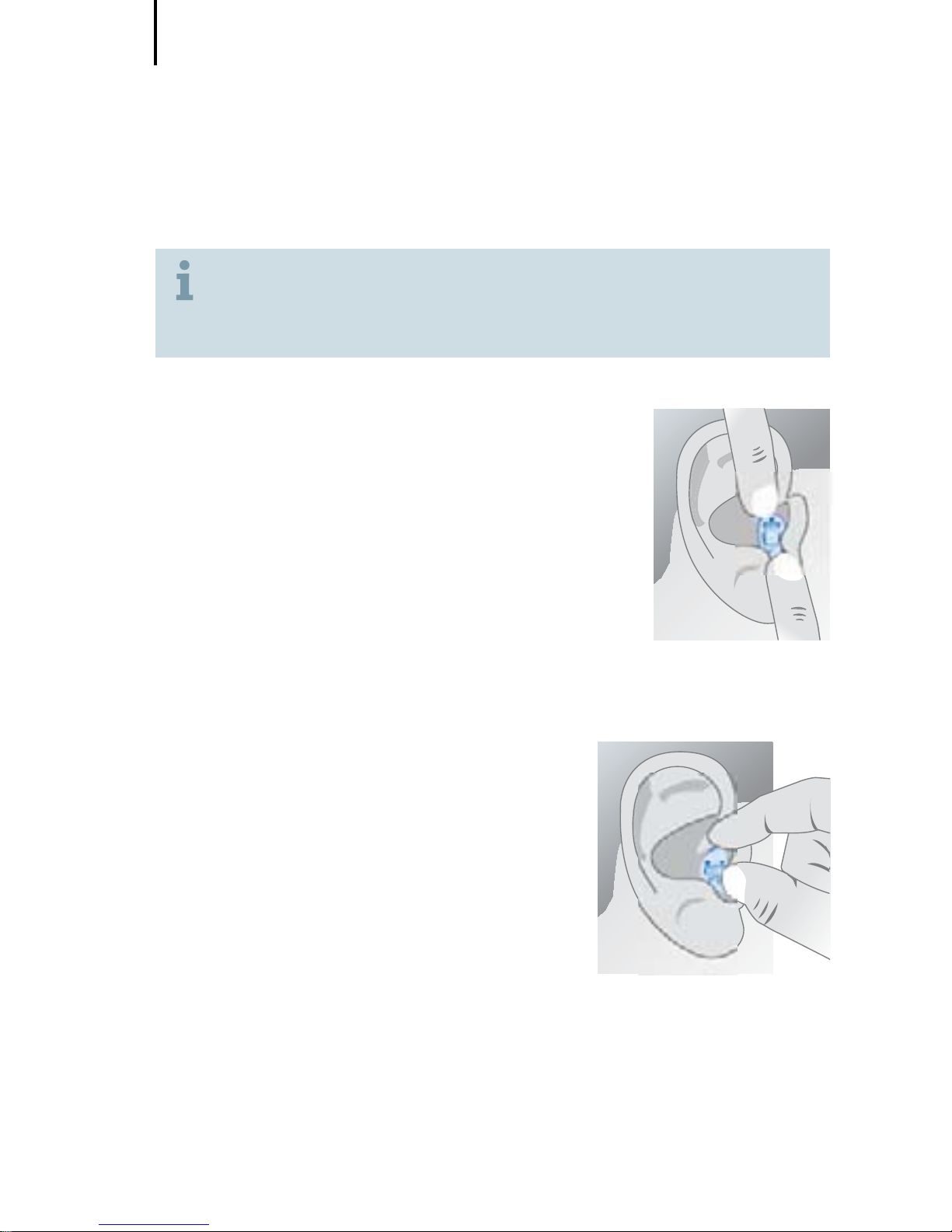
Inserting
X Apply Aloe Vera gel around the shell to
achieve optimum wearing comfort and
protection.
X Insert the SecureEar into the ear canal.
X Slightly twist and push the SecureEar
into its proper position.
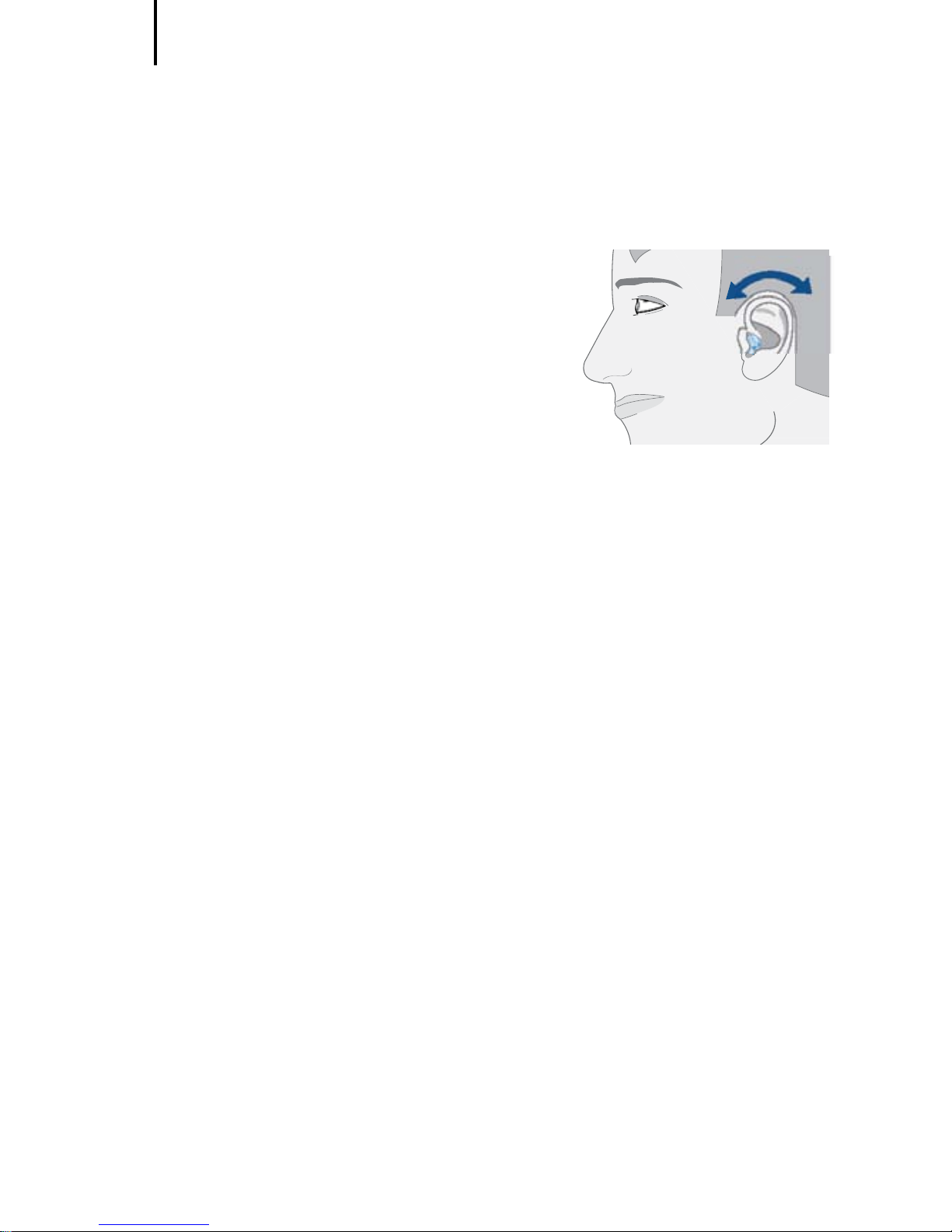
Removing
X Push lightly on the back of your
ear to loosen the SecureEar.
X Pull the SecureEar out.
Inserting and removing the
SecureEar
Page 10

Turning your SecureEar on and off
11
Via battery compartment
X Fully open the battery compartment to turn your
SecureEar off.
X Fully close the compartment to turn your SecureEar on.
Turning your SecureEar
on and off
Page 11
Adjusting the volume
12
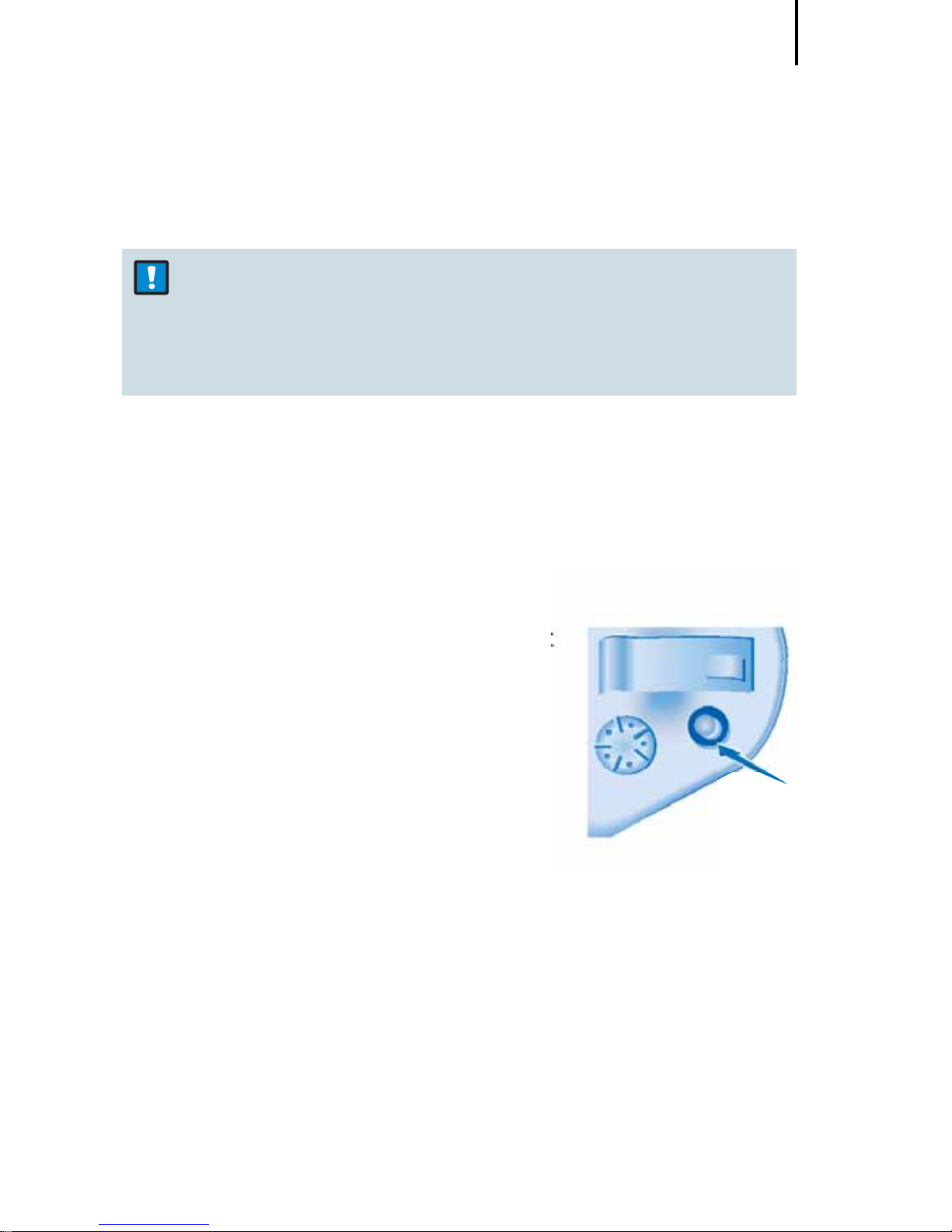
X Rotate the wheel forward for
louder.
X Rotate the wheel back for
quieter.
Adjusting the volume
Page 12
Changing the program (optional)
13
NOTICE
X The perception of warning signals in certain
working environments can be affected when
using the wireless audio receive function.
Your SecureEar is equipped with an optional telecoil
program for entertainment purposes to wirelessly receive
audio signals from an external audio device using an
appropriate neckloop.
X Press the program button to select
the telecoil program.
Changing the program (optional)
Page 13
Maintenance and care
14
Your SecureEar is a highly sensitive system. Proper care
and handling and regular service inspections will ensure
the best possible performance.
Clean the instrument regularly to prevent damage to the
SecureEar and to avoid health problems.
NOTICE
X Do not put the SecureEar in water.
X Clean your SecureEar with a soft, dry tissue, as
necessary.
X Do not use alcohol or other solvents as it will damage
the instruments.
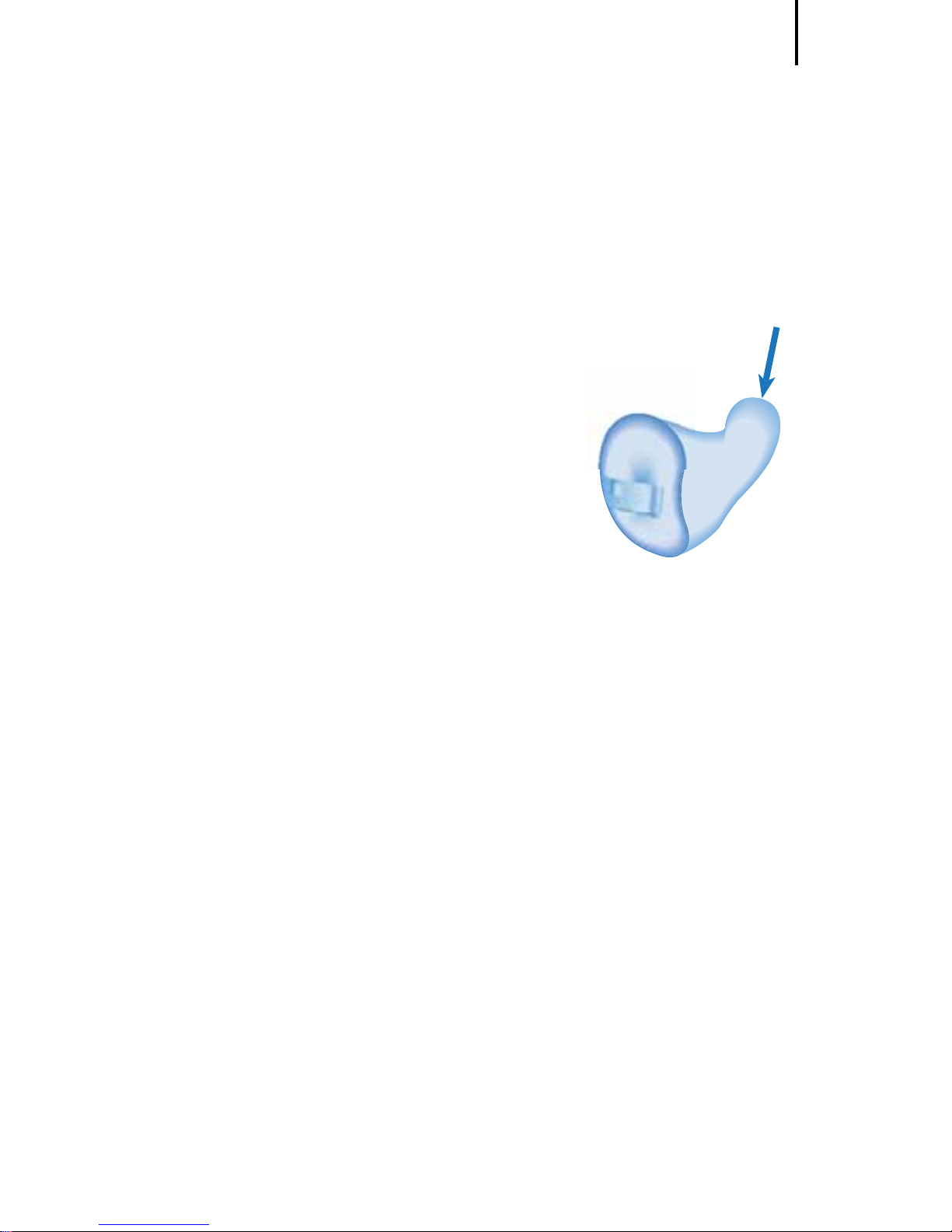
X Be careful not to damage the wax protection when
cleaning the SecureEar.
X Place your SecureEar in a "dry aid kit" with a special
moisture-attracting capsule overnight.
X Ask your Hearing Care Professional for special care
sets and further information on how to keep your
SecureEar in good condition.
Maintenance and care
Page 14
Maintenance and care
15
Wax protection
Your SecureEar is equipped with a sieve, recess or guard
on the sound outlet to prevent earwax
from entering the SecureEar.
Your Hearing Care Professional will
provide you with the wax protection
appropriate for your SecureEar and can
advise you how to clean or replace it.
X If your SecureEar sounds distorted or
weak exchange the wax protection.
Page 15

Troubleshooting
16
Use these tips to resolve simple issues.
Problem Possible solution
Sound is weak. Replace empty battery.
Increase volume.
Clean instrument.
SecureEar emits whistling
sounds.
Reinsert the instrument until
it fits securely.
Clean instrument.
Sound is distorted. Replace empty battery.
Lower volume.
Clean instrument.
SecureEar emits signal
tones.
Gently close battery
compartment completely.
Replace empty battery.
SecureEar does not work. Check if the SecureEar is
turned on.
Gently close battery
compartment completely.
Replace empty battery.
Make sure battery is inserted
correctly.
Consult your Hearing Care Professional if you encounter
further problems.
Troubleshooting
Page 16

Technical information
17
Sound Attenuation
Frequency
(Hz)
Sound
attenuation (dB)
Standard
deviation (dB)
APV
(dB)
63 29,9 4,9 25,0
125 34,0 6,2 27,8
250 33,0 4,6 28,4
500 33,7 4,8 28,9
1000 37,1 3,5 33,6
2000 40,1 2,2 37,9
4000 42,6 4,4 38,2
8000 43,1 4,9 38,2
SNR = 36 dB H = 37 dB M = 33 dB L = 30 dB
APV - Assumed Protection Value
SNR - Single Number Rating attenuation
H - High-frequency attenuation
M - Medium-frequency attenuation
L - Low-frequency attenuation
Hearing protection according EN 352-2:2002 and
EN 352-7:2002 with maximum output sound level of
85 dB.
Wireless audio receive function for entertainment
purposes according to EN 352-8 with maximum output
sound level of 82 dB (A).
(measured with a maximum magnetic field strength
of 720nT)
Technical information
Page 17
Disposal information
18
Within the European Union, the marked equipment is
covered by "Directive 2002/96/EC of the European
Parliament and of the Council of 27 January 2003
on waste electrical and electronical equipment."
Amended by "Directive 2003/108/EC" (WEEE).
Recycle SecureEar, batteries and accessories
according to national regulations.
With the CE marking Sivantos confirms compliance with
the European Directive 89/686/EEC concerning
personal protective equipment.
Disposal information
1974
Page 18

Legal Manufacturer
Sivantos GmbH
Henri-Dunant-Strasse 100
91058 Erlangen
Germany
Phone +49 9131 308 0
www.bestsound-technology.co.uk
Document No. A91SAT-01355-99T4-7600 EN
Order/Item No. 106 049 27
© Siemens AG, 06.2015 | JN7474 | Printed in the UK
United Kingdom
Sivantos Limited
Platinum House
Sussex Manor Business Park
Gatwick Road
Crawley, West Sussex RH10 9NH
Phone +44 (0) 1293 423700
Manufactured by Sivantos GmbH
under Trademark License of Siemens AG.
 Loading...