

Page 1

Distributed by
Any reference to Raytheon or
RTN in this manual should be
interpreted as Raymarine.
The names Raytheon and RTN
are owned by the
Raytheon Company.
Page 2
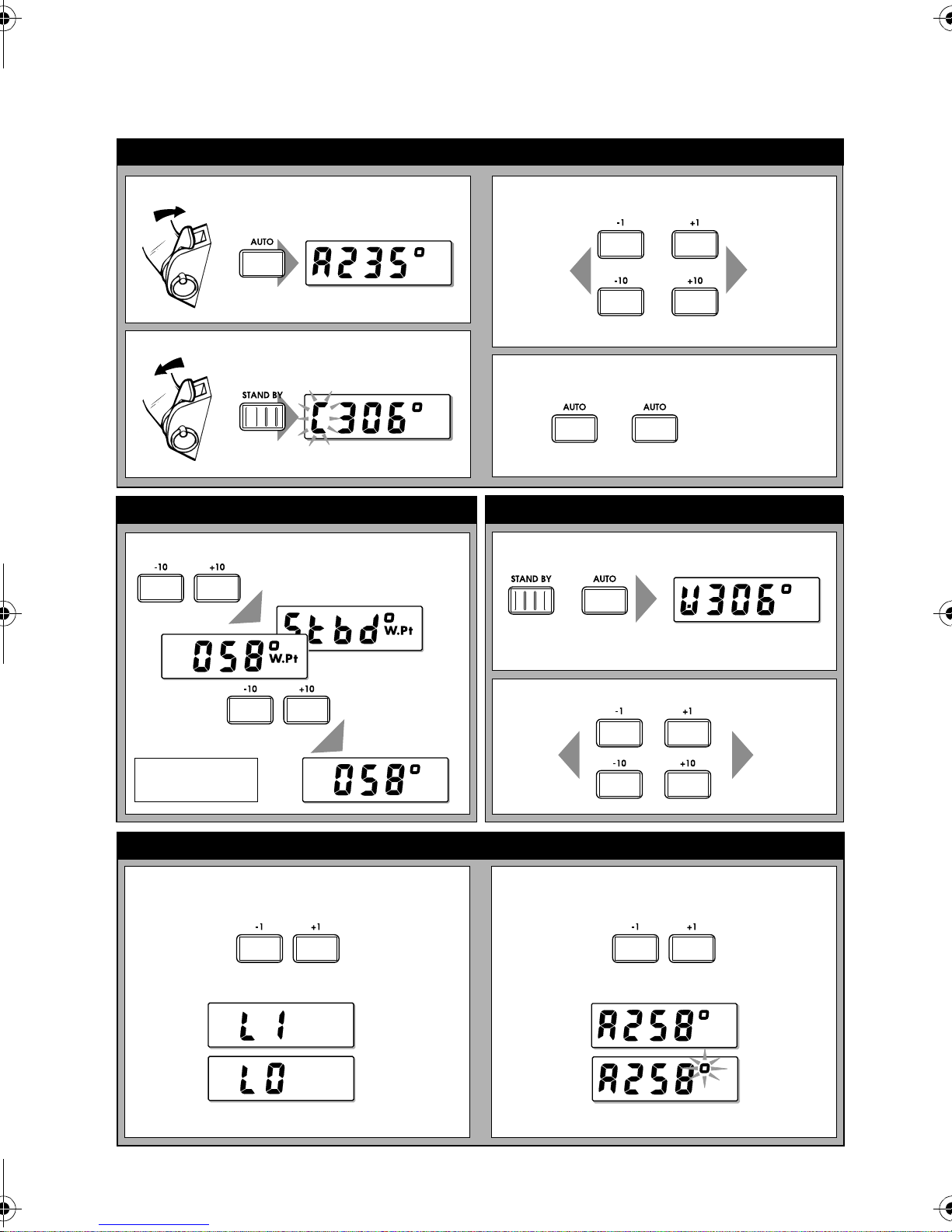
ST3000 Wheel Pilot Quick Reference Guide
Basic operation
Auto mode
Entering Auto mode (Engaging the autopilot)
+
Returning to Standby (Disengaging the autopilot)
+
Track mode
Entering Track mode (from Auto or Wind Vane mode)
and
to enter Track mode
Making course changes
Course
changes
to port
Returning to previous locked heading
1 sec
then
1˚
or
10˚
again to accept heading
Wind Vane mode
Entering Wind Vane mode
and
Course
changes to
starboard
then
Press STANDBY or
AUTO to exit.
Switching lighting on/off
(from Standby mode only)
Press to
Press STANDBY or AUTO to exit Wind Vane mode.
and
to accept new heading
AutoTack
to port
(100˚)
Autopilot displays
Switching AutoSeastate on/off
(from Auto/Track/Wind Vane modes)
and and
Press to
switch between:
ON
OFF
Using AutoTack
and
switch between:
and
AutoTack to
starboard
(100˚)
ON
OFF
Wait 10 sec to return to previous mode.
D5659-1
Page 3
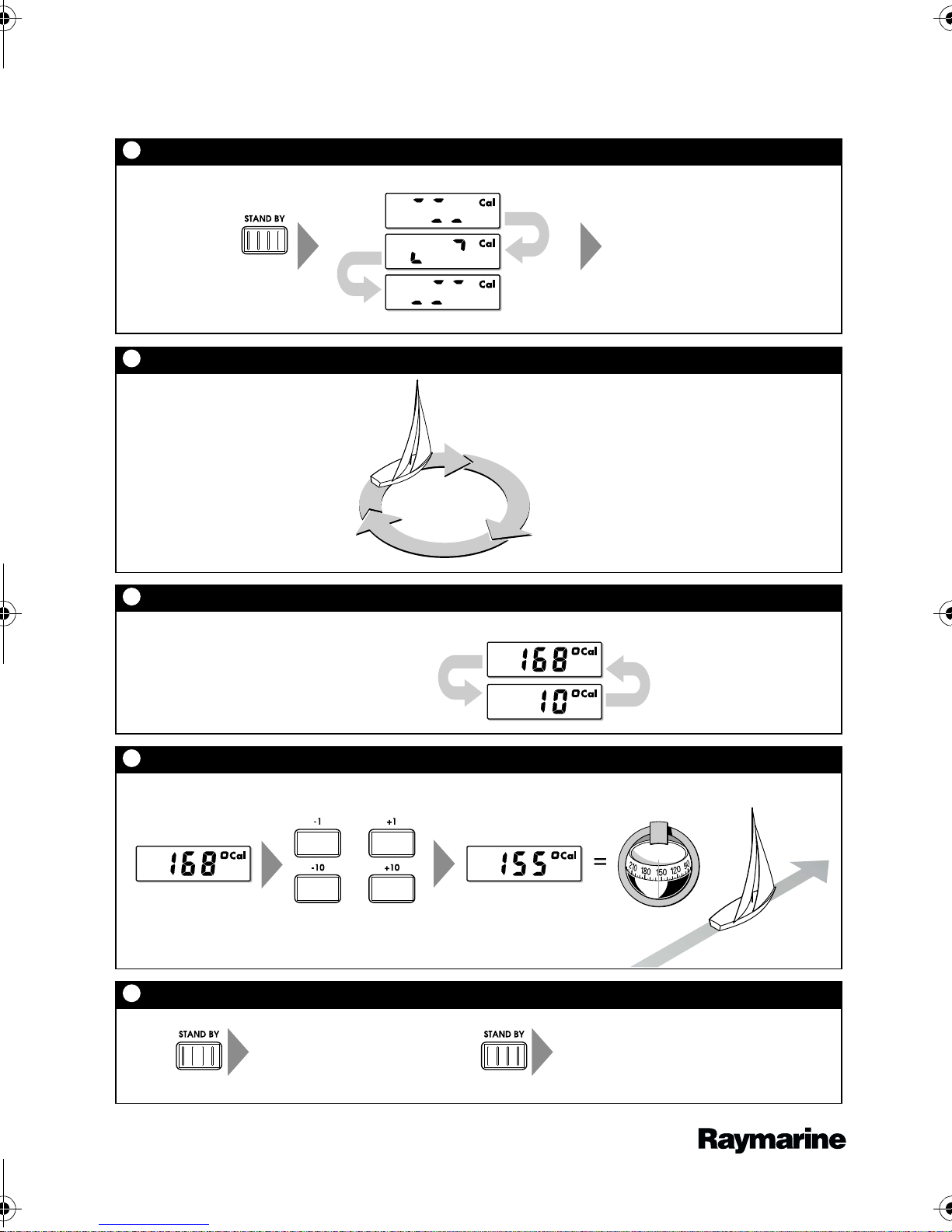
ST3000 Wheel Pilot Quick Reference Guide
Compass calibration
1
Enter compass calibration
Start turning boat
(see 2 below)
1 sec
2
Turn boat in slow circles
Turn the boat in slow circles so:
• boat's speed stays below 2 knots
• each circle takes at least 3 minutes
3
Autopilot displays amount of deviation detected
Keep turning the boat until the display alternates between:
• autopilot heading
• deviation detected
4
Align the autopilot heading
Adjust the autopilot heading to match the boat's steering compass
Autopilot headingAutopilot heading
5
Save changes
1 sec
or
or
To:
• save deviation correction
• save heading alignment
• return to STANDBY mode
Steering
compass
Known
heading
To:
• quit compass calibration
without saving
Document number: 86005-2 (use with handbook: 81194)
Date: June 2001
D5660-1
 Loading...