

Page 1
Quick Start Guide
FWM613
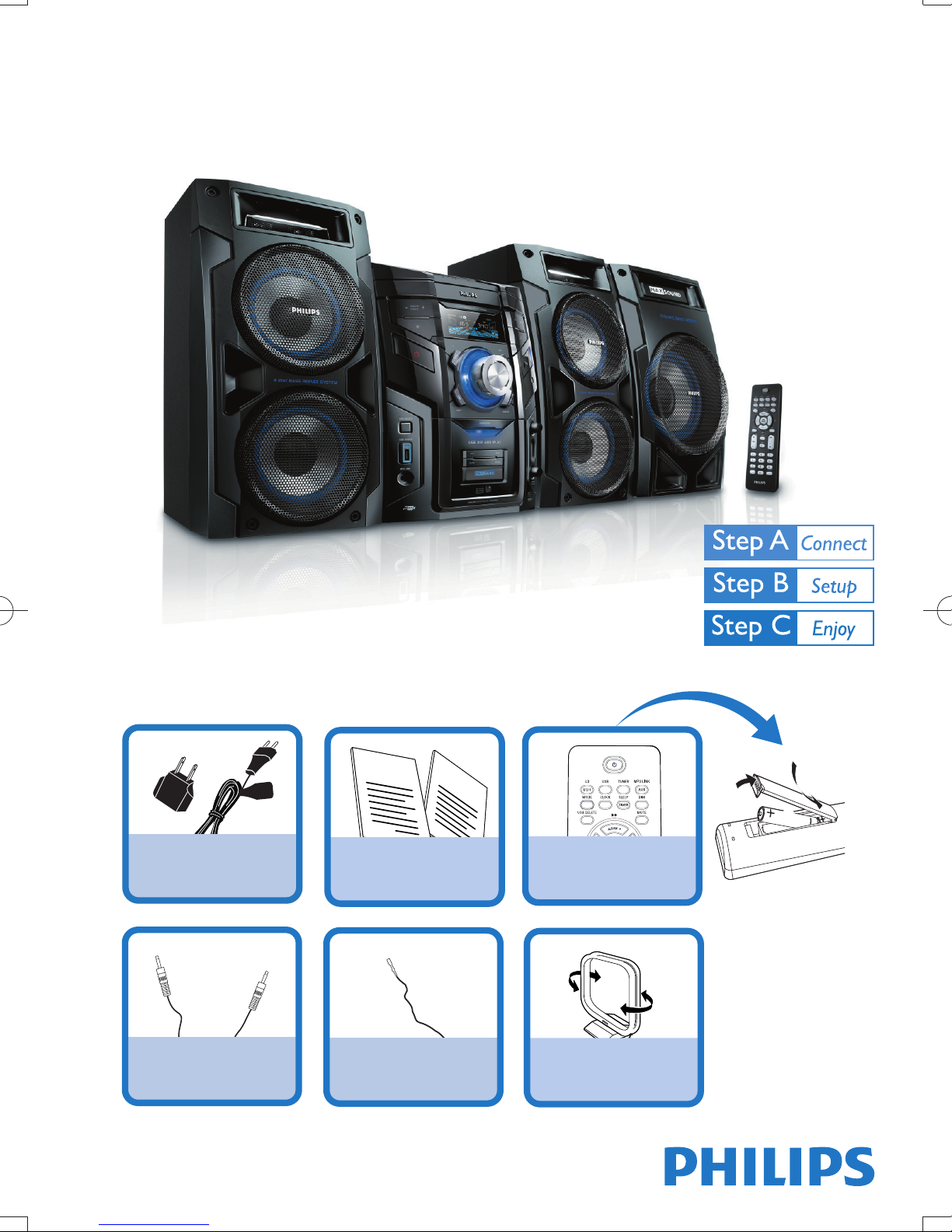
What’s in the Box?
You should fi nd these items upon opening the box.
2
User Manual
1 x AC power cable
1 x power plug adaptor
1 x MP3 link cable
Quick Start Guide
User Manual
1 x FM wire antenna 1 x AM loop antenna
Quick Start Guide
1
3
1
2
Remote Control with 2
AAA batteries
Page 2
1
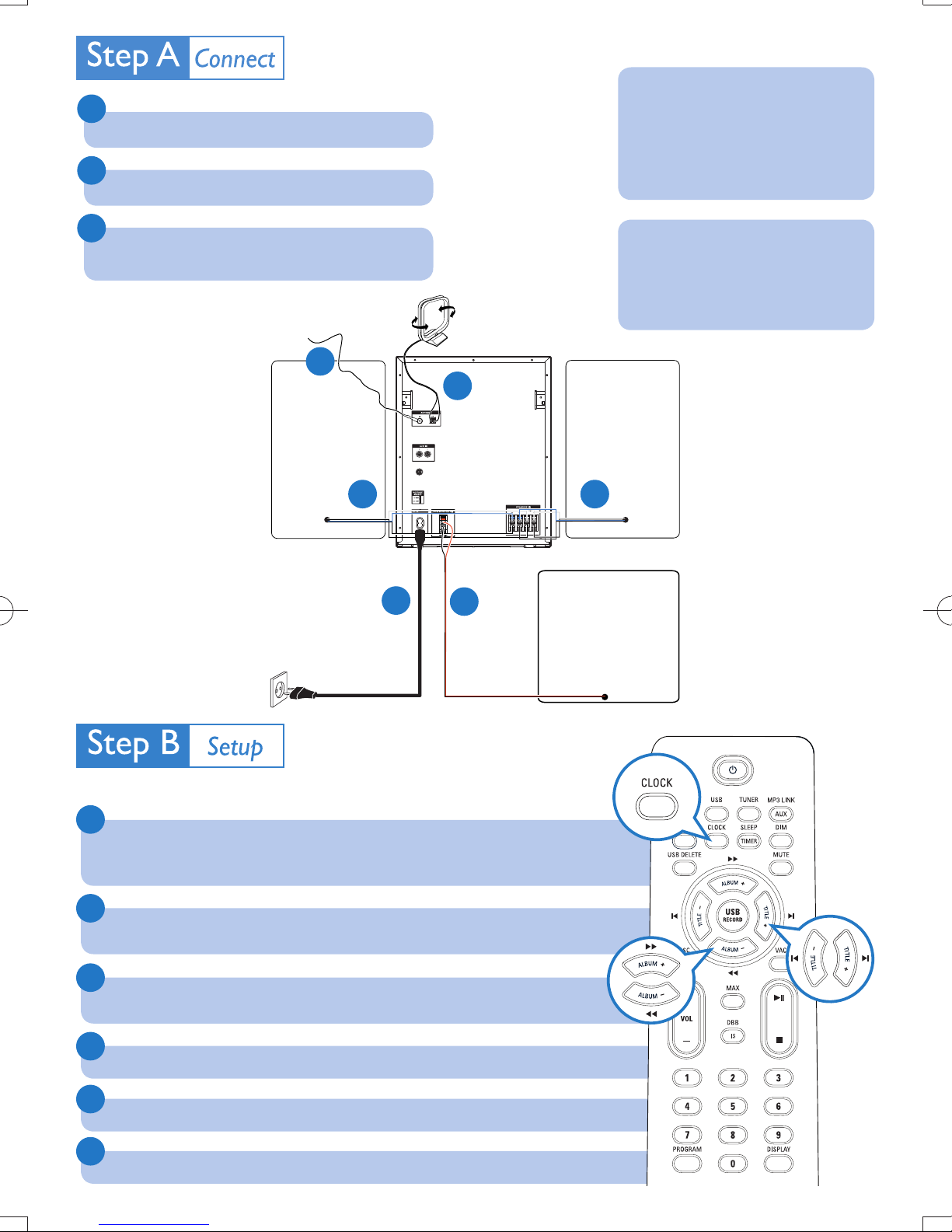
Connect the speaker cables.
2
Connect the AM and FM antennas.
Note
If your power supply voltage is
110V-127V, adjust the voltage
selector (on the back of the
main unit) to 110V-127V.
3
Connect the supplied AC power cable to the main
unit and the wall socket.
FM wire antenna
2
Speaker
(right)
AC cable
AM loop antenna
2
1 1
3
1
Subwoofer
Tip
See the User Manual on how to
connect other equipment to this
Mini Hi-Fi.
Speaker
(left)
Set clock
1
In the standby mode, press PROG /CLOCK (or CLOCK on the remote control) to
activate the clock setting mode.
The 12 hour or 24 hour format is displayed.
«
2
Press ALBUM/PRESET +/- (or ALBUM +/-5 / 6 on the remote control)
repeatedly to select 12 hour or 24 hour format.
3
Press PROG/CLOCK (or CLOCK on the remote control) to confi rm.
The clock digits are displayed and begin to blink.
«
4
Press ALBUM/PRESET +/- (or ALBUM +/-5/6 on the remote control) to set the hour.
5
Press ∞ / § (or TITLE+/- J/K on the remote control) to set the minute.
6
Press PROG/CLOCK (or CLOCK on the remote control) to confi rm.
Page 3
Play disc
1
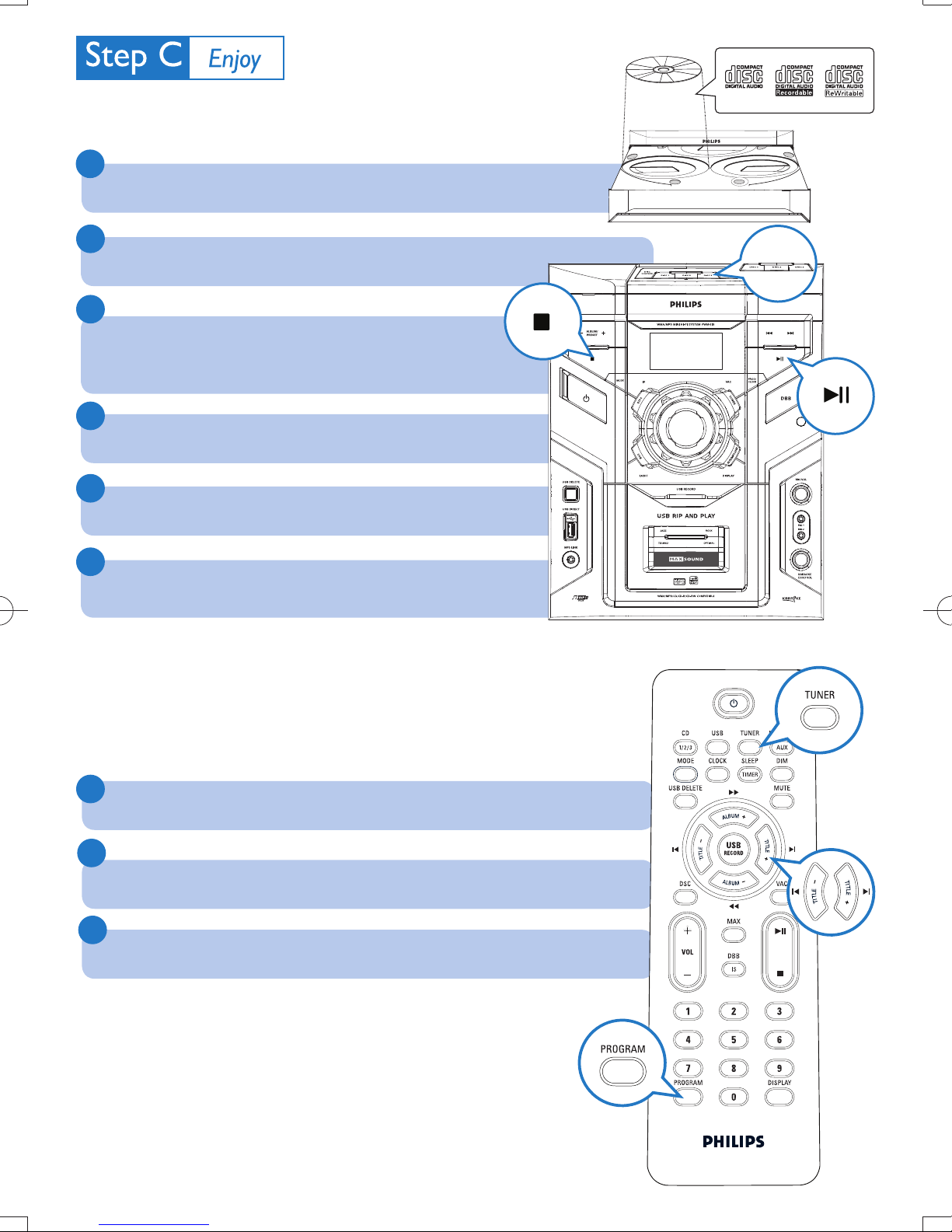
Press DISC 1/2/3 (or CD 1/2/3 on the remote control) to select the disc
source.
2
OPEN/CLOSE on the main unit to open the disc compartment.
Press
3
Load up to two discs on the disc trays, with the printed
side facing up
To load the third disc, press
«
DISC CHANGE on the main unit to
rotate to the disc tray.
4
Press OPEN/CLOSE to close the disc compar tment.
5
Press ÉÅ to start play.
6
To stop play, press
To select a disc, press DISC 1/2/3 (or CD 1/2/3 on the remote control) .
9
.
2
2
1
1
Listen to radio
1
Press TUNER repeatedly to select FM or AM.
2
Press PROG /CLOCK (or PROGRAM on the remote control) for more than two
seconds to program all available stations in order of waveband.
3
Press ALBUM/PRESET +/- (or TITLE+/-
preset number.
on the remote control) to select a
J/K
Page 4
Play USB
With this Mini Hi-Fi, you can use USB fl ash memory (USB 2.0 or USB1.1),
USB fl ash players (USB 2.0 or USB1.1)
work with this Mini Hi-Fi).
,
memory cards (requires an additional card reader to
1
Insert the USB device’s USB plug into the socket
on the main unit.
2
Press USB to select the USB source.
3
Play the USB’s audio fi les as you do with the albums/tracks on a CD.
USB record
1
Insert the USB device’s USB plug into the socket
on the main unit.
2
Prepare the source to record from.
3
Press USB RECORD to start recording.
4
To stop recording, press 9.
Tip
Detailed play features and additional functions are described in the supplied user
manual.
Royal Philips Electronics N.V. 2008
C
All rights reserved.
http://www.philips.com
PDCC-JH/ZYL-0851
 Loading...