

Page 1
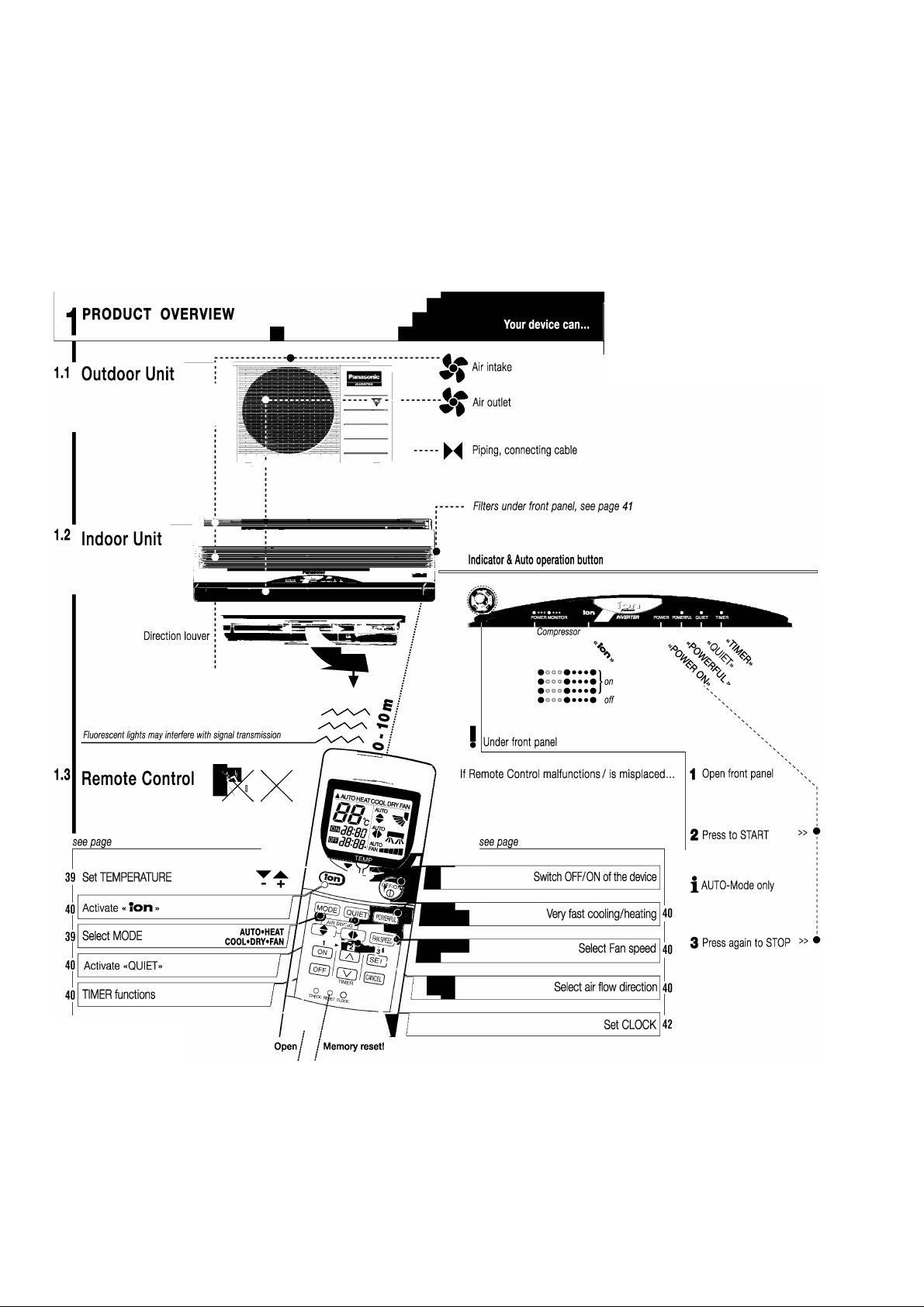
CS-E15CKP CU-E15CKP5
9 Operating Instructions
COOL HEAT DRY FAN
Cooling Heating Dehumidifying Air circulation
43 Check Malfunction code
38
Page 2
OPERATION
CS-E15CKP CU-E15CKP5
PREPARATIONS
43 □□
TROUBLE
SHOOTING
44nn
SAFETY
PRECAUTIONS
41 QP
HELPFUL
INFORMATION
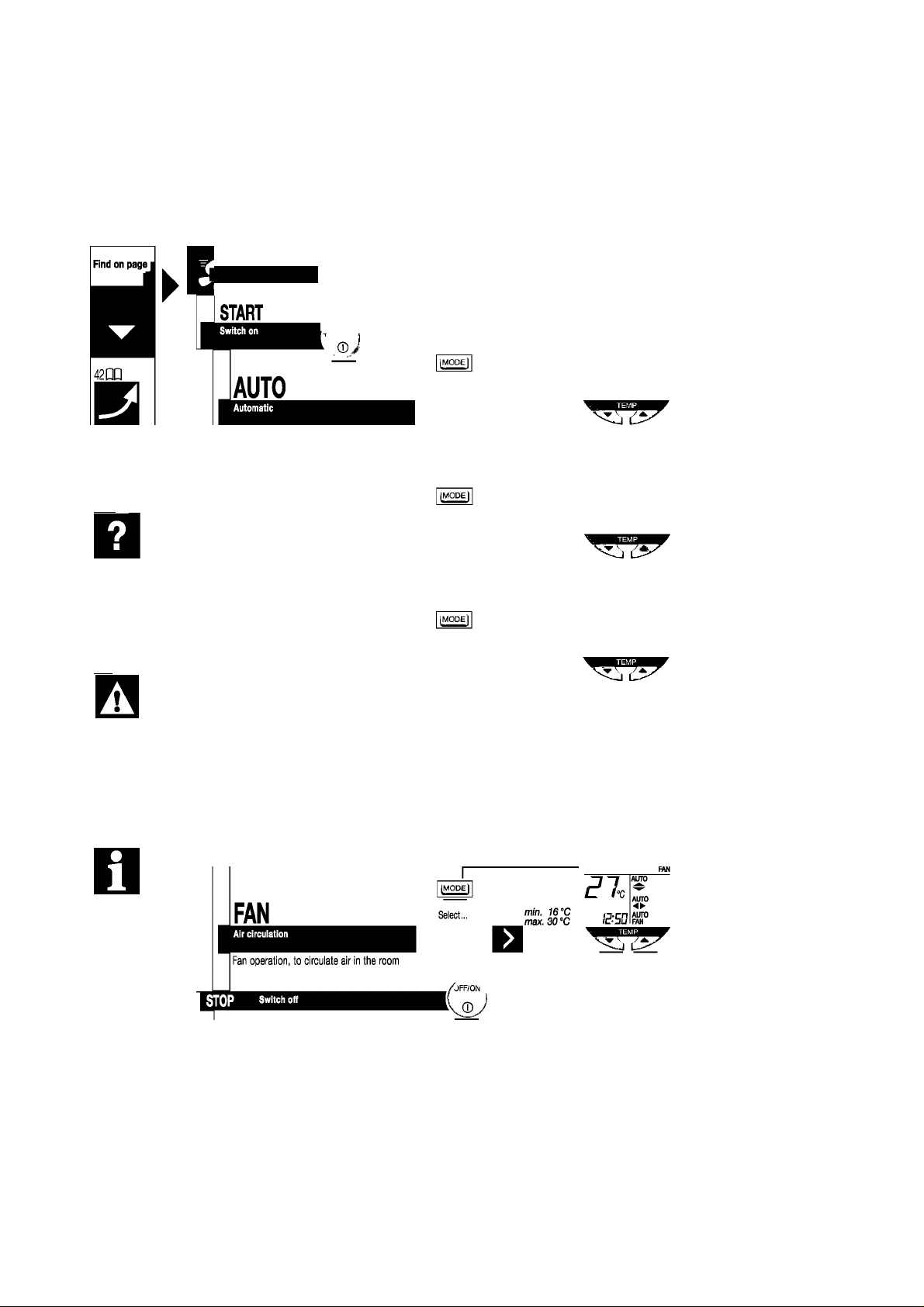
Press button
^ OFF/ON i
Select...
Based on the outdoor, indoor and setting temperature,
the system automatically chooses.
HEA T
Choose the right temperature to be comfortably warm!
COO L
Choose the right temperature to be comtortably cool!
Select,.,
Select...
Ij^od
Select,.,
Very gentle cooling and dehumidifying operation,
min. 16°C
max. 30 ”C
min. 16°C
max. 30 °C
Recommended :
min. 16°C
max. 30 °C
Recommended :
r
min. 16°C
max. 30 °C
Recommended: Room temperature
E:5D
COOL
DRY
HEAT
EE-c
BSD
~20...24 ®C
BSD
~26...2d ®C
<?s.
BSD
Alno
AUTO
AUTO
AUTO
FAN
AUTO
AUTO
FAN
•C
-(1~2)°C
automatic during dehumidifying
Function
Set temperature
Set temperature
Set temperature
cnJ
FAN
super
low speed
Set temperature |
30°C-L
Set temperature I COOL
1 DRY^
1i
1SV-I
30 V-
HEAT
16 V-
30°c-|
I
1
30 °C-
30°c-|
J"
)6°cJ
COOL
DRY
39
Additional comfort
Page 3
|CS-E15CKP CU-E15CKP5]
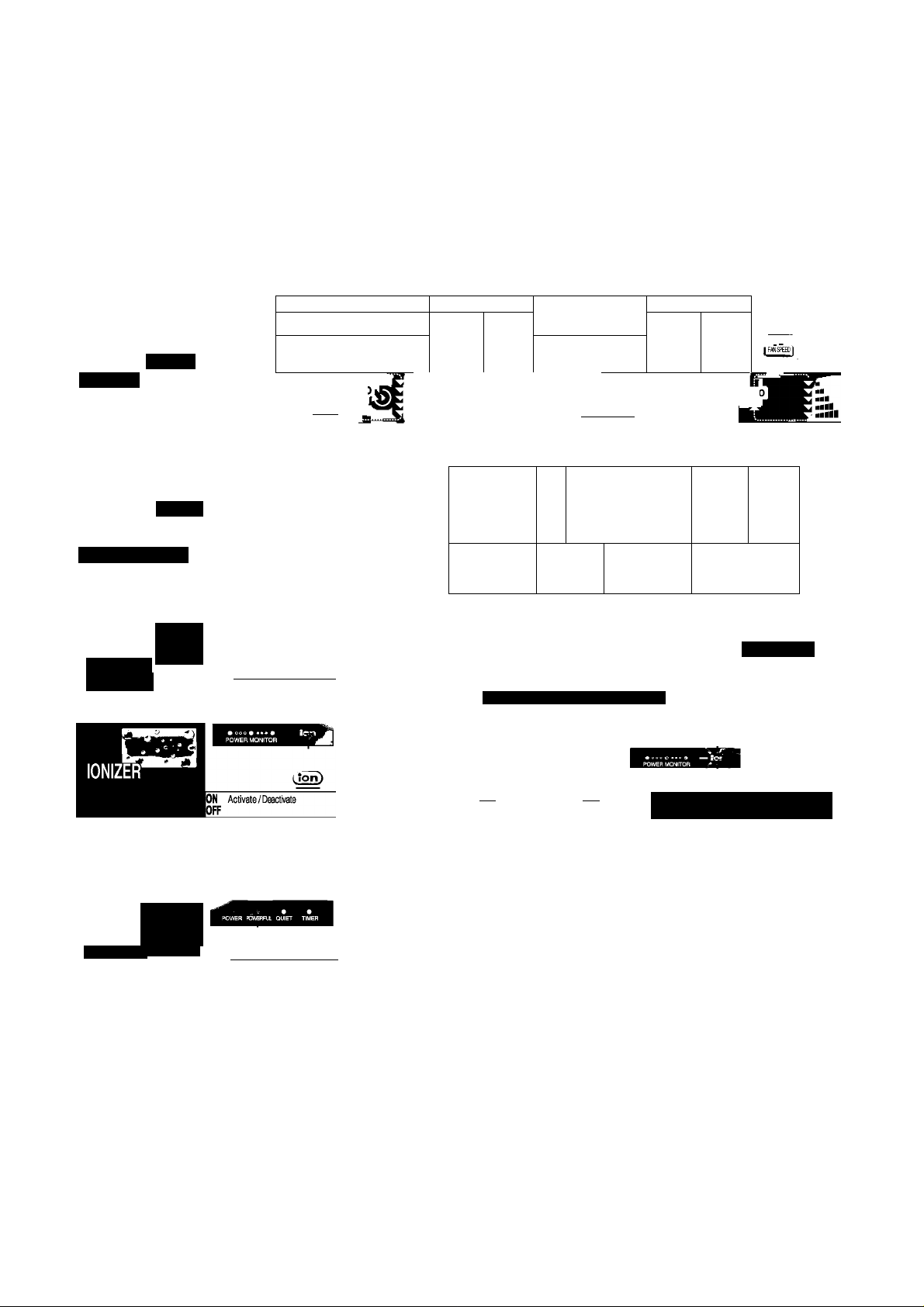
Air Flow
Direction / voiume
Seieot automatic/manuai
I Press button
AUTO
Vertical direction
HEAT/AUTOM
^4
f AIR SWING] ( AIR SWING I
________
Horizontal direction
>
AUTO
COOL/AUTO
yv yv ^BAUTO
I
^ 3 4 5 1
" " •Air heated
»Air still cold
AUTO^.al
FAN ■■■■■/
' Fan speed (air volume)
AUTO
FAN
TIMER Operation
Time OK? -> Setting: page 42
QUIET
Operation
POWERFUL
e
,©51
ON OFF
Function.,. ON-Timer OFF-Timer
[MOD^ [quiet) [pmbwlI
ON
Activate/Deactivate
OFF
I
[MODEÌ [quieti [PMffRt)
ON
Activate/Deactivate
OFF
I
Select.,. Function Time
start before «ON» time
I Provide quiet operation
Produce negative ion for fresh air
k
|s^
Lij
► MaxSSMin'”"”''”"
Air fiow sound )
Air flow sound will reduce during operation
• Air-conditioner •
POWER
________________
' OH
________________
Function
POWER
OFF E
Set temperature
Fan speed (air volume)
EiEÜ:BB
W3-3B
Confirm/cancel
ON/OFF Timers:
Active every day
')) ♦
It Blinking ^ ^ Still Blinking - Call
_______
+ (3.5‘’C)HEAT
-(1“C) DRY
-(2"C) COOL
■ Super high
-
40
Page 4
CARE & CLEANING
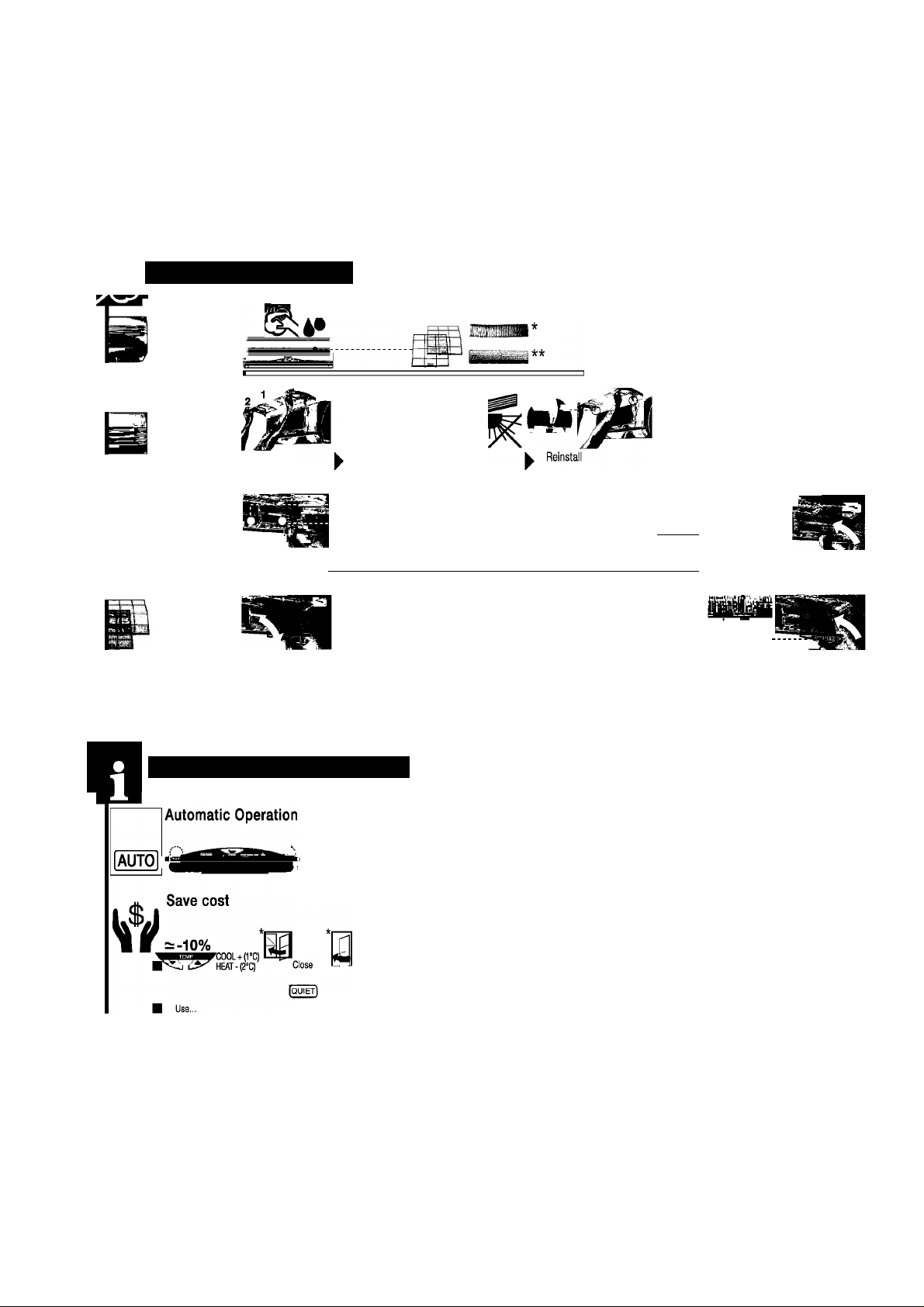
«•Стах. Wipe gently Filters
Indoor unit
CS-E15CKP CU-E15CKP5
Bl V A X
Soaps Household detergents Benzine/Thinner Scouring powder
Front
Panel
¡Purifying filters
every 6 months
Air filters
every 2 weeks
Remove
Remove
Remove
"k irk
¡atechin Triple Deodorizing Fiiter
HELPFUL INFORMATION
^ 1 2
Filter cleaning see below
«•Стах. Wash gently... +dry
1 ^
Part No.
|^mj^CZ-SF70P
^^§^CZ-SFD72P
" Vacuum refresh
Vacuum «^^m^wash Dry Damaged
^ ^ ^ ^ ? PsrtNo. CWD001047 ^Reinstall
DIRTY FILTERS cause: unpurified air, low cooling / heating capacity, more unpleasant smells, higher energy consumption!
6hrs
REPLACE every 3 years
''' Expose to direct sunlight
a
9
■
->
replace!
Openmarrually
Damaged -> replace! &
Reinstall
;«FRONT»
I
Thunder/Lightning
Built-in surge protection, BUT UNPLUG in case of very strong lightning!
If remote control malfunctions/ k see page 38
is misplaced ”
* Better performance
Vacuum
QUIET! TIMER! У
see page 40
41
li
w
Power Failure
When power resume
3.4
Min. J Restart automatically
Restored
TIMER Deleted ->set again!
X
Page 5
|CS-E15CKP CU-E15CKP5]
J
^ Plug/breaker
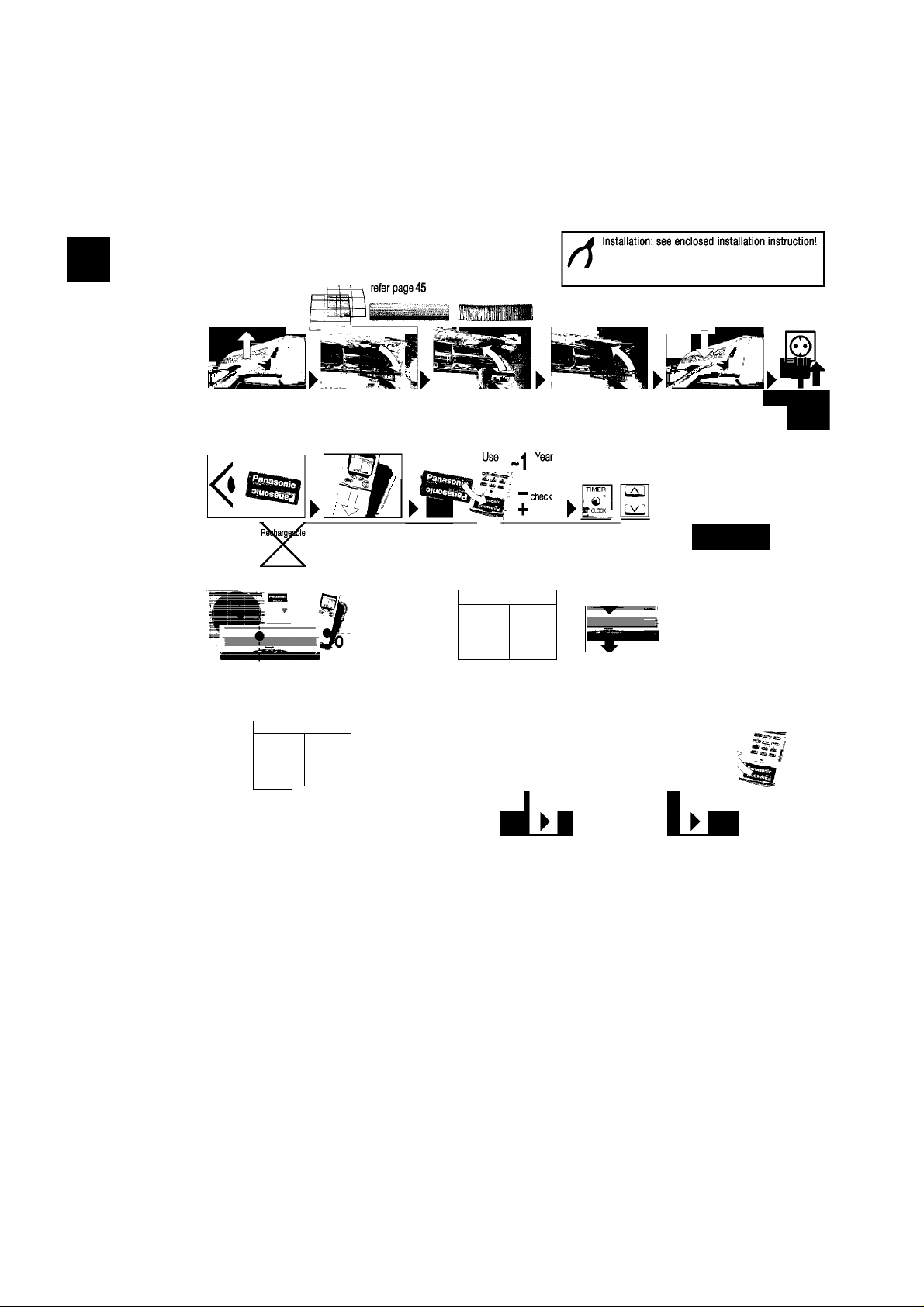
Indoor unit OPEN front Panel ^ove AIR filters Place PURIFIYING filters Place AIR filters CLOSE front Panel
PREPARATIONS
Press button
Insert batteries
Set ciock
Sametypel Open/remove Insert batterles/olose'’ Press Set time
COOL
EW
Set current time
Immediately
I Confirm
2. Batteries off/oim
= 8°C(COO0
=14'C(HEA1)
' ^
l>
Pre-sei^§íín
inspection
For extended
non-operation start
1. Fans obstructed?
HEAT
JUv
AUTO
ALiïO
FAN
dry internal parts
k?
-15
START cooling or heating Check performance
OFF/ON ,
2-3[h]
_
OFF
Unplug Remove batteries
►
Recommendecl k. After several seasons and due to operational conditions, performance k /.»„...it
Inspections r may be reduced by dust or there may be unpleasant smells. W a“">orized distributor for inspection!
TIMER
CLXK ■
o !
42
Page 6
TROUBLESHOOTING
CS-E15CKP CU-E15CKP5
problem
lOK?
1
It sounds like water flowing... ► Caused by refrigerant flow Inside
Mist seems to emerge from the indoor unit ► Condensation effect due to cooling
I Outdoor unit emits water/steam ► Condensed moisture due to defrosting
I Delayed air discharging ► At COOL SOFT DFIY (Auto Fan Speed): Prevent odors smell from blowing out
► At FIEAT (POWER LED flashes): Prevent cold air from blowing out
Function stops suddenly
0
Remote control/display doesn't work
►At COOL, SOFT DRY (Auto Fan Speed): Function interruptions to the intemai temp measurement
► At HEAT (POWER i_ED flashes): Iced up outer device is defrosted (approx. 10 min.)
► Batteries empty?
► Batteries correctly inserted? See page 42
V
V
V
V
V
V
V
I In case of...
I
• Abnormal noise during operation
• Water/fbreign particles have entered the Remote Oontrol
• Water leak from Indoor Unit
• Switches/buttons do not operate properly
• Circuit breaker switches off frequently
• Power plug/cord become unnaturally warm
• .TIMER, flashes-
/f4xbeep ynn =C0(le
▼
n □□ (H23/H27/H28)
‘Emergency operation (limited functbn)
No Operation
Noise too loud
Cooling/heating efficiency low ► Temperature set correctly? ► Windows/doors closed? ► Filters cleaned/replaced?
► Circuit breaker tripped? ► Power plug OK? ► TIMER used correctly?
► Installation work slanted?
► Outdoor unit obstructed?
► Front grille/panel closed properly?
► Intake/outlet ventilators obstructed?
TURN OFF/UNPLUG
A
CALL authorized distributor
*J.
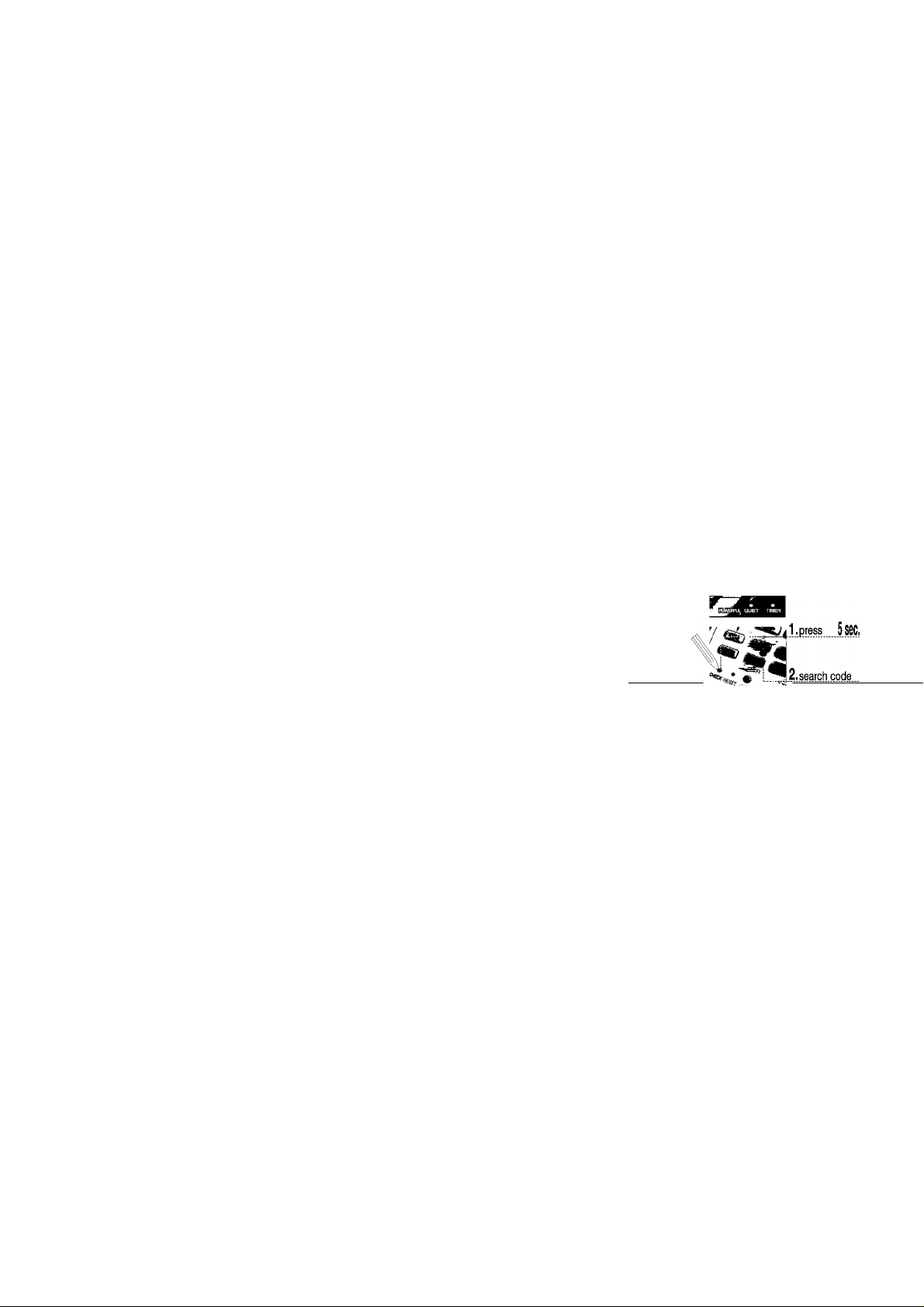
PiessMODE-2. SdectCOOUHEAT-3. PressOFF/ON
43
Page 7
|CS-E15CKP CU-E15CKP5]
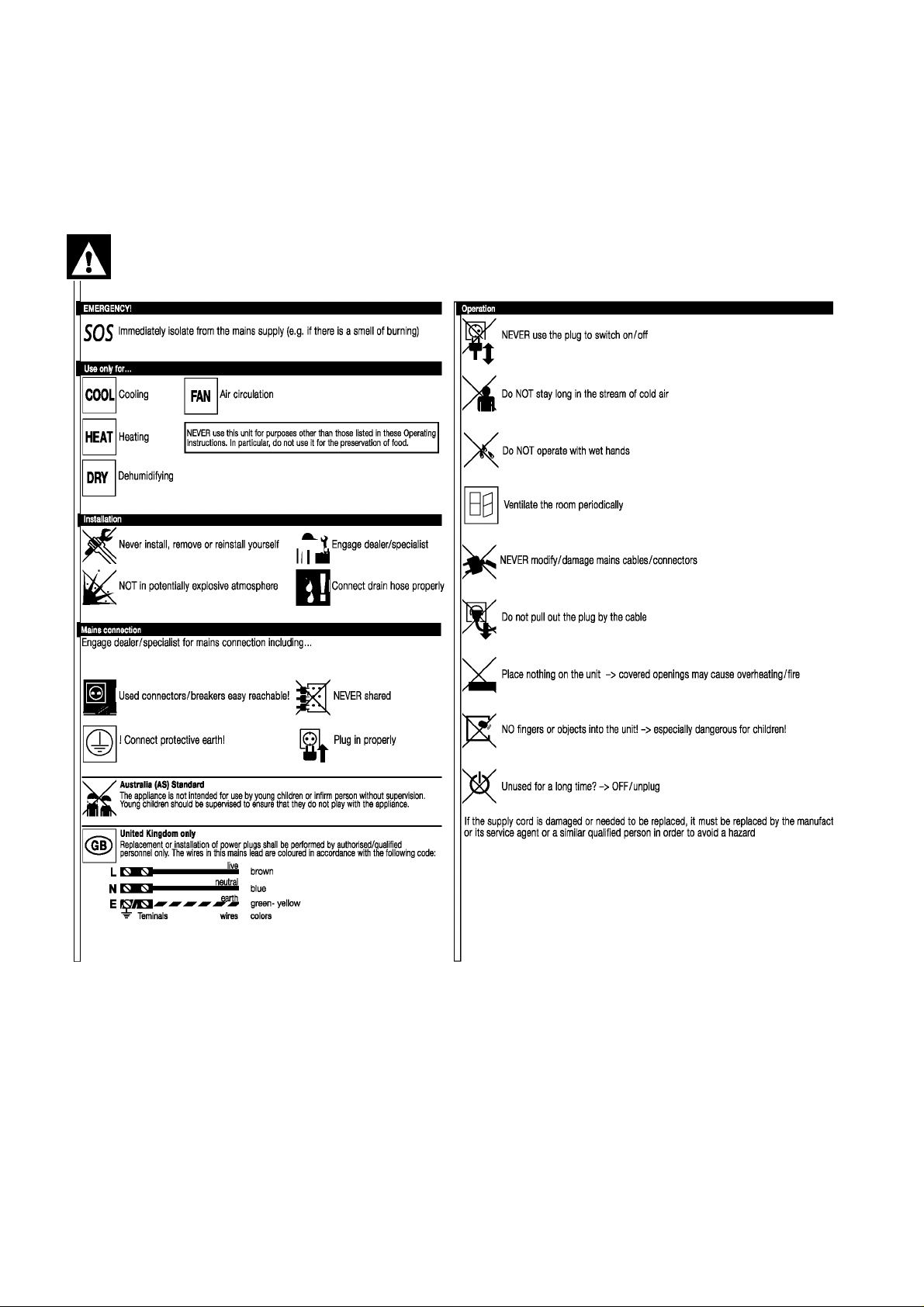
SAFETY PRECAUTIONS
Before operating, read the safety precautions thoroughiy
44
Page 8

SAFETY PRECAUTIONS & FEATURES
I Defect/suspicion of defect? -> Attend defects before use!
Do NOT repair yourself
‘ Engage dealer/specialist
CS-E15CKP CU-E15CKP5
j 1^1 OFF and unplug (connector or breaker)
Do NOT wash!
Waste disposal
Uninstalling and disposal of the unit ONLY by dealer/specialist.
, Oontains OHLORO-FLUORO-OARBONS (OFO)
Packaging recyclable
Indoor Unit —S Outdoor Unit
Wet Bulb ^
rc].n
min max
11 23
^11 26
-6 18
JJ
Operational Condition
TSM SUCCESS MANUAL® - safe to use - easy to
understand due to TSM® - Total Security Management
and ergonomic communication®-0GQ203 by S^-ASE
Tem perature
Cooling
Heating
^
Dry Bulb
min max
16 32
16 43
2 30
-5 24
45
 Loading...