

Page 1
USB-TC Instructions
Description
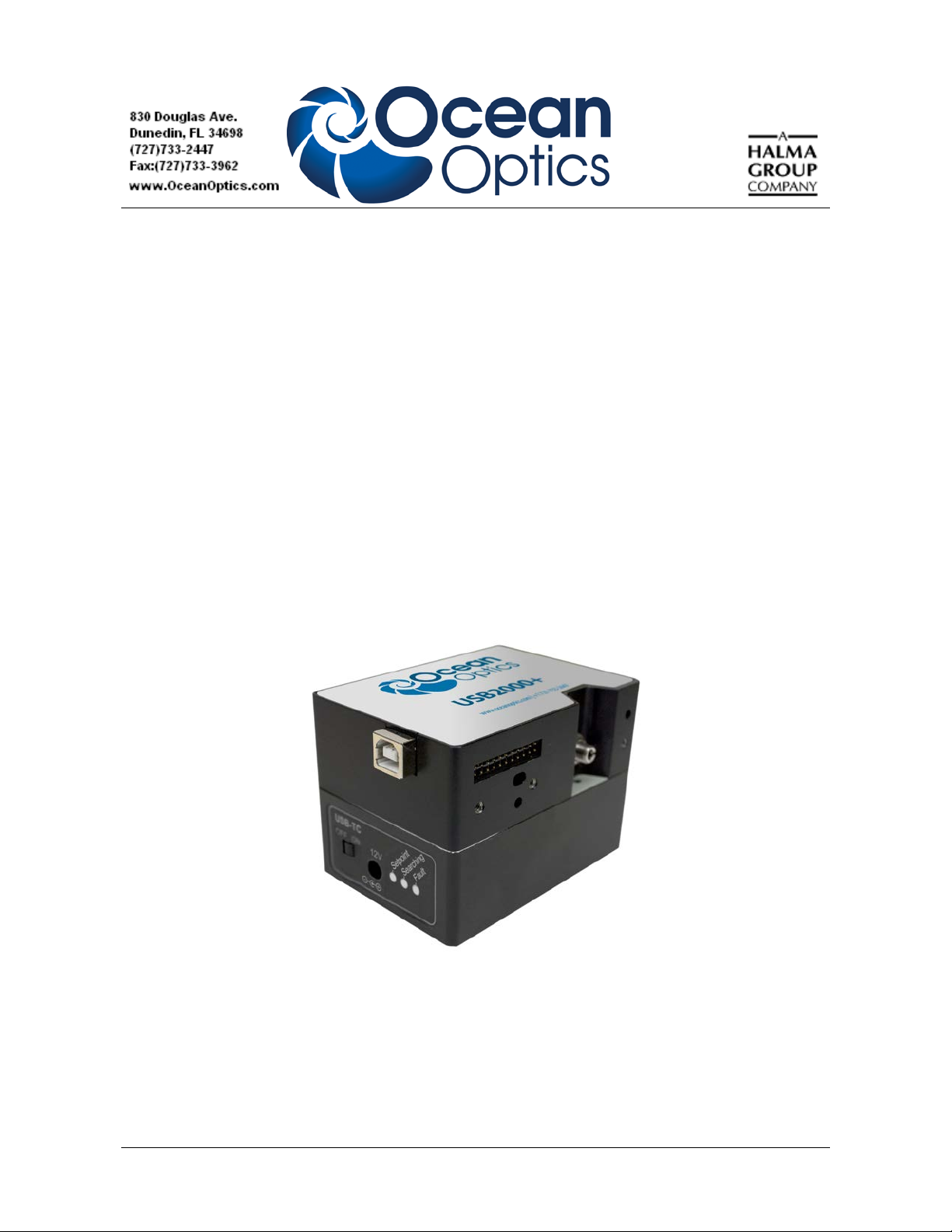
The USB Temperature Controller (USB-TC) is a heating device that attaches to the bottom of an
Ocean Optics USB Series spectrometer. This add-on option heats the spectrometer’s optical bench to a
preselected temperature to maintain alignment of the spectrometer’s optics. The USB-TC is useful for
applications where stable, repeatable measurements such as absorbance are crucial. Typical markets
include industrial, environmental and other applications that require temperature stability for
predictable measurement results using a USB Series spectrometer.
Available preselected setpoint temperatures are 25, 30, 35, 40, 45, 50 and 55 degrees Celsius. Note
that the available settings of 25, 30, and 35 degrees are below human body temperature, and enable
handheld operation in typical ambient temperatures for many applications. The USB-TC can be
powered directly from your equipment by wiring it to a 12 VDC power source (3 Amp capacity), or by
using the power supply provided with the USB-TC.
USB-TC Attached to a USB2000+ Spectrometer
172-00000-100-01-201210 1
Page 2
USB-TC Instructions
Set-up
Supplying Power
The USB-TC must receive 12 VDC power to operate. It can be powered from either a 12 VDC power
supply (included), or by wiring the device directly to a 12 VDC (3.0 Amps) power source.
Caution
When power is applied, ensure that the unit is not exposed to temperatures over
60 °C, or the over-temperature protection will activate, requiring a return of the
unit to the factory to be reset.
It is recommended that the unit be left on unless you plan to have it powered off
for longer than 24 hours.
►
Procedure
To attach the 12 VDC power supply,
1. Insert the power supply cable into the 12 V connector on the front panel of the USB-TC.
2. Plug the power supply into the appropriate electrical outlets.
►
Procedure
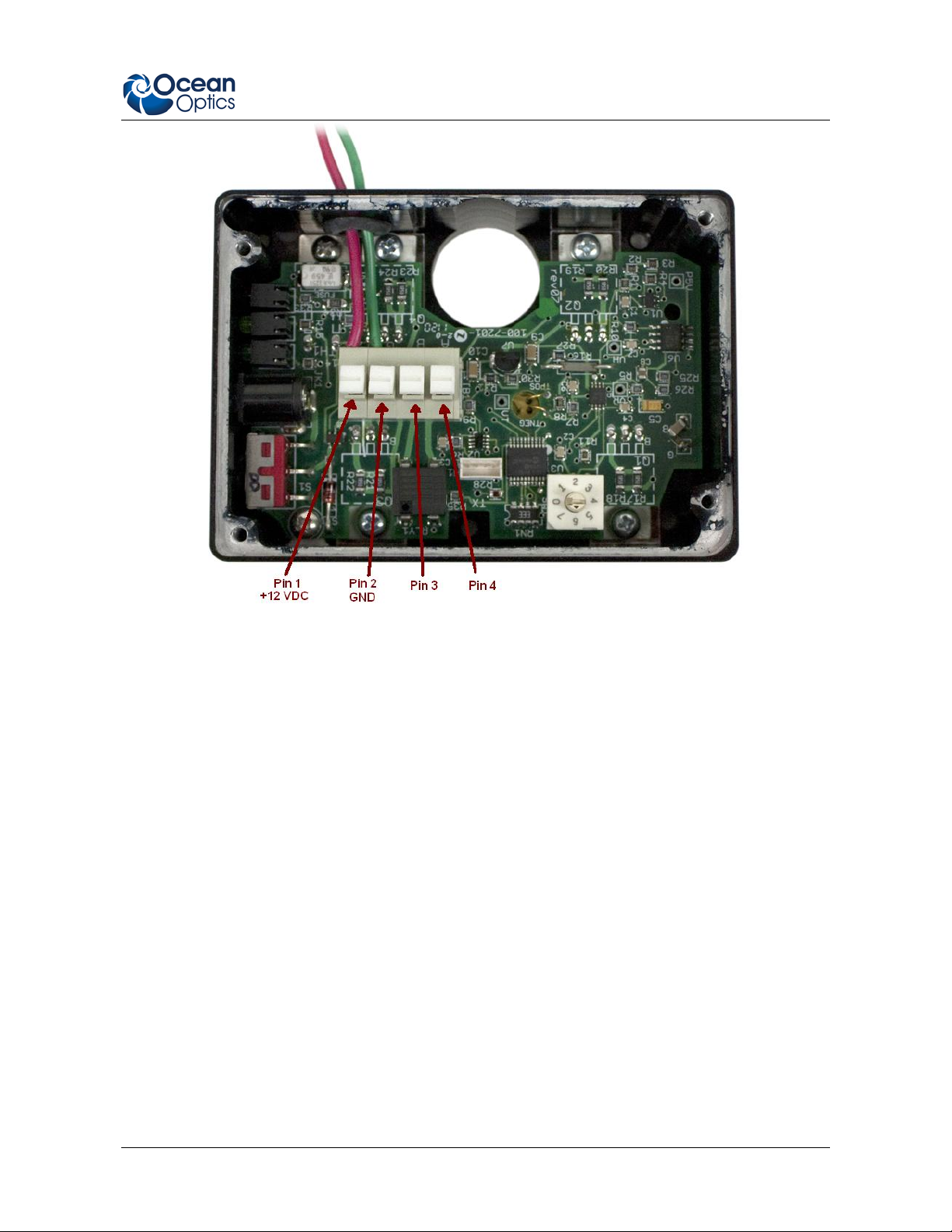
To wire the USB-TC directly to a 12 VDC power supply,
1. Connect the +12 VDC wire to Pin 1 and the common wire to Pin 2 in the push terminal
connector inside the USB-TC.
2 172-00000-100-01-201210
Page 3
USB-TC Instructions
2. Connect the other end of the wires to a 12 VDC power source, being careful to maintain
correct polarity.
Status Output Re la y
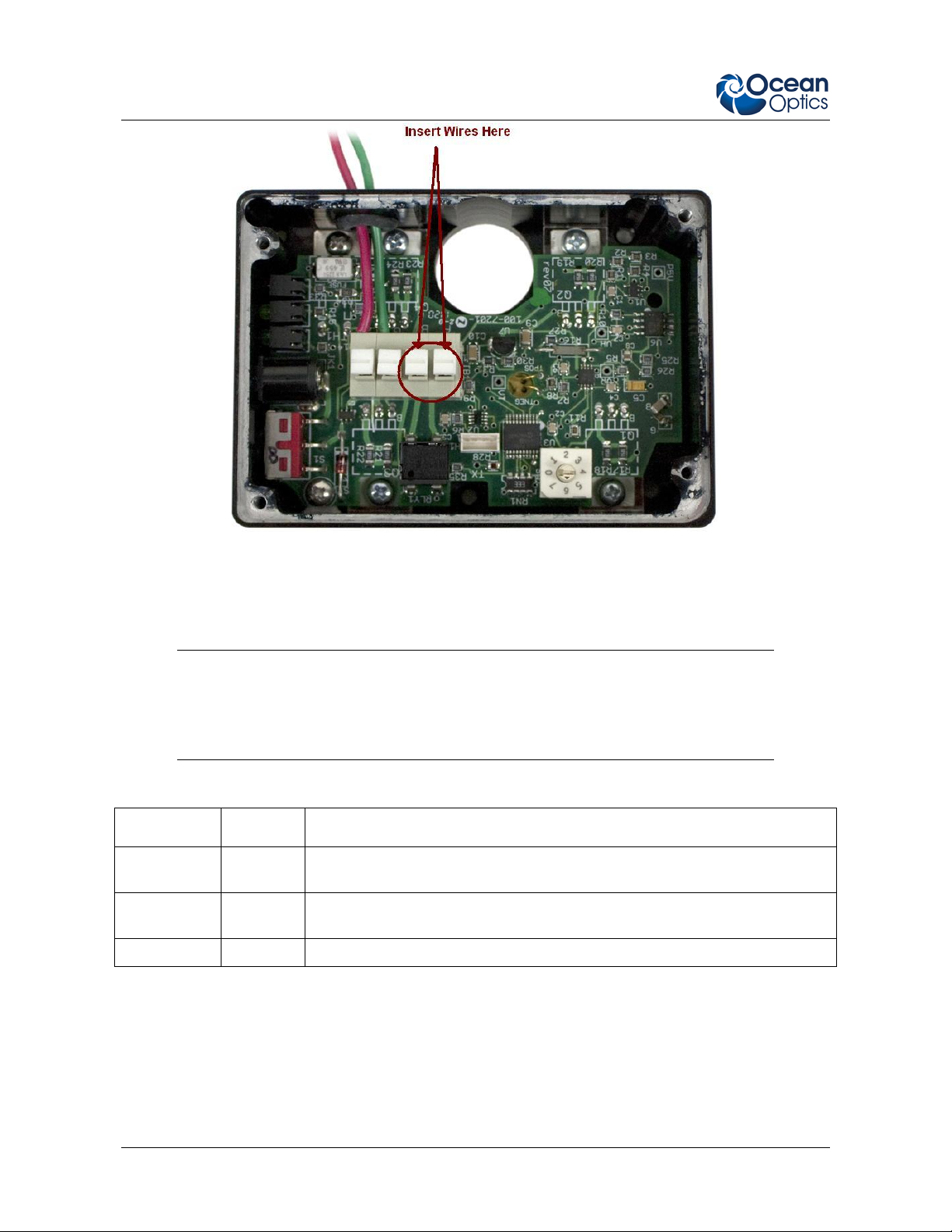
An isolated dry-contact relay inside the USB-TC is provided to indicate when the unit has reached the
setpoint temperature. Connect two wires to Pins 3 and 4 as shown below to use this feature. Circuit
continuity (contacts closed) indicates stable temperature.
172-00000-100-01-201210 3
Page 4
USB-TC Instructions
Operation
After applying power to the USB-TC, slide the ON/OFF switch to ON.
Caution
Be sure to wait for the green Setpoint LED to light (indicating that the setpoint
temperature has been reached) before taking mea s u remen ts with the
spectrometer. Otherwise, your spectrometer readings could be in error.
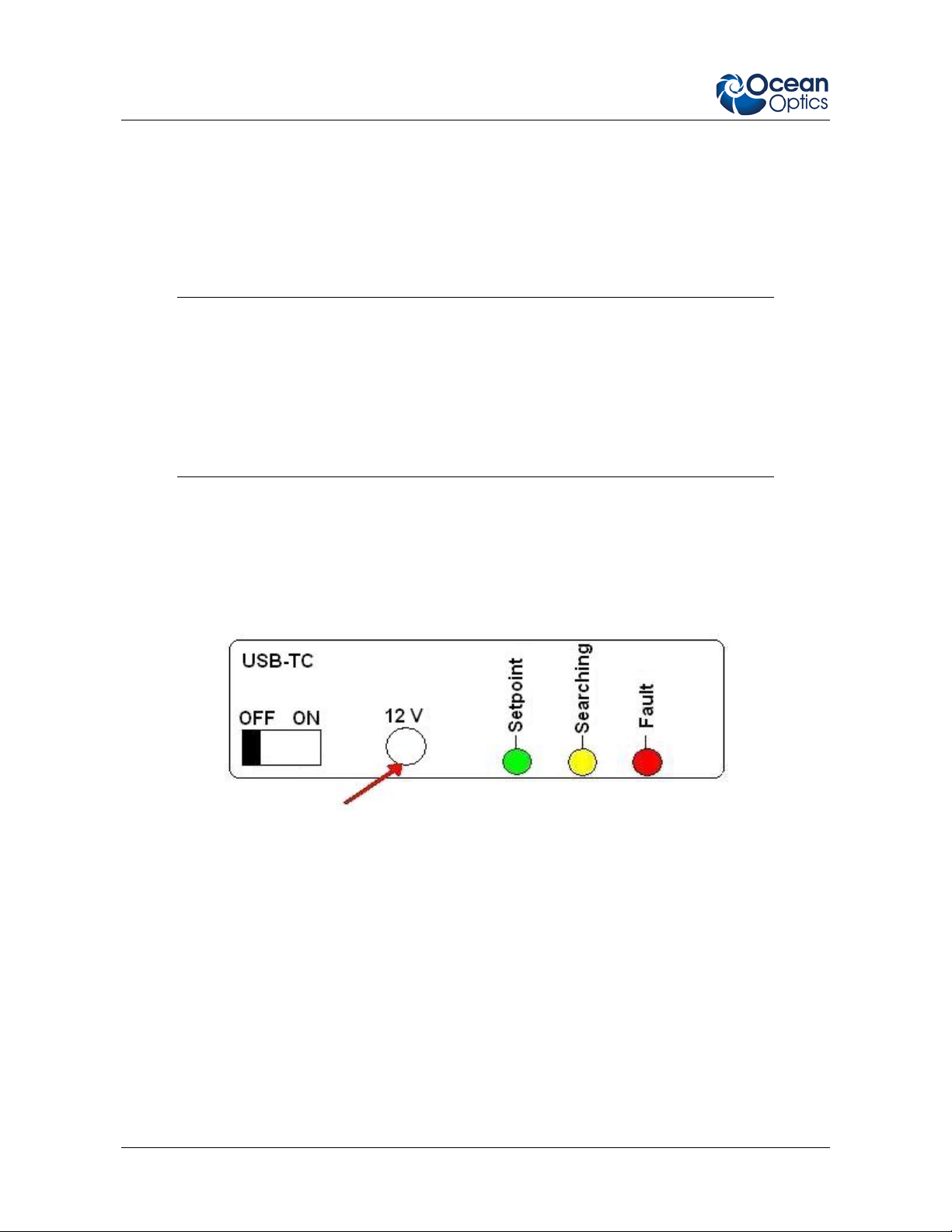
The front panel LEDs indicate the status of the USB-TC as follows:
LED Name Color Meaning
Setpoint green Spectrometer is stabilized at the setpoint temperature. You can start to
take measurements.
Searching yellow Spectrometer is being heated to the setpoint temperature. Wait until the
Setpoint LED lights to take measurements.
Fault red An error condition exists. Return the unit to the factory.
If none of the LEDs are lit, the USB-TC is not receiving power.
4 172-00000-100-01-201210
Page 5
USB-TC Instructions
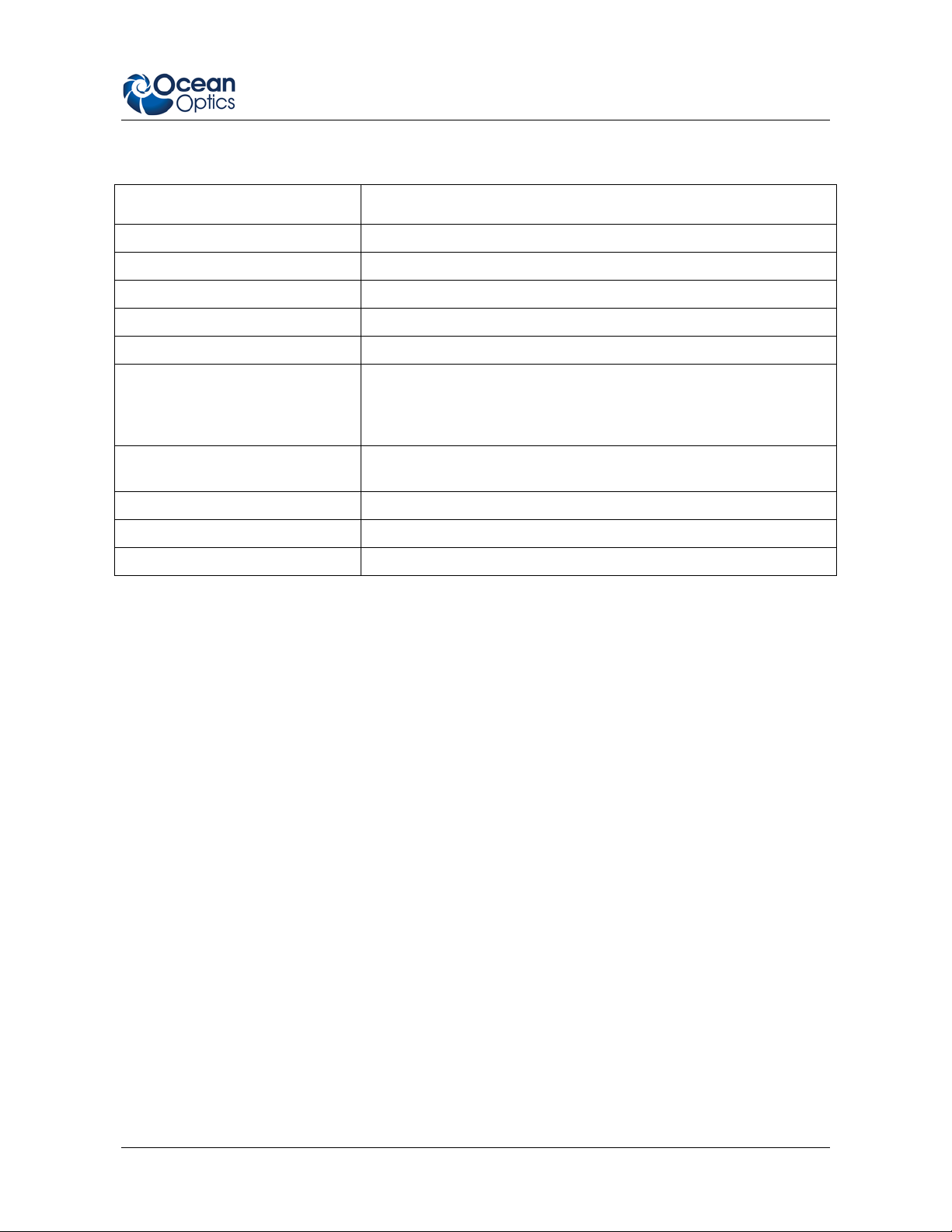
Specifications
Specification Value
Size 6.35 cm x 8.9 cm x 3.18 cm (2.5 x in. x 3.5 in. x 1.25 in.)
Weight 227 g (8 oz.) without spectrometer
Power Required 12 VDC ± 5%
Over-Temperature Threshold 65 ± 5 °C
Temperature Accuracy Selected temperature ± 2 °C
Ambient Temperature Range Controls spectrometer to selected temperature when ambient
temperature is between 5 °C and 40 °C below selected
temperature (for example, if the selected temperature is 50 °C,
then the ambient temperature must be between 10 and 45 °C)
Temperature Stabilization Time With constant ambient temperature, stabilizes to within 0.1 °C of
the final temperature within 30 minutes of power-up
Input Current ≤ 3.0 Amps
Relay Contact Rating 2A, 60V, 0.20 Ohm on-resistance
Pixel Stability ± 0.025 pixel/°C
172-00000-100-01-201210 5
Page 6

USB-TC Instructions
6 172-00000-100-01-201210
 Loading...