

Page 1
User Instructions
LTCAWIFI - 5.5W Smart Wi-Fi RGBW Candle Lamp
Please read these instructions and retain them for future reference.
Important information
These products are designed for connection to a 220-240V mains
supply. Always switch off mains supply before installation.
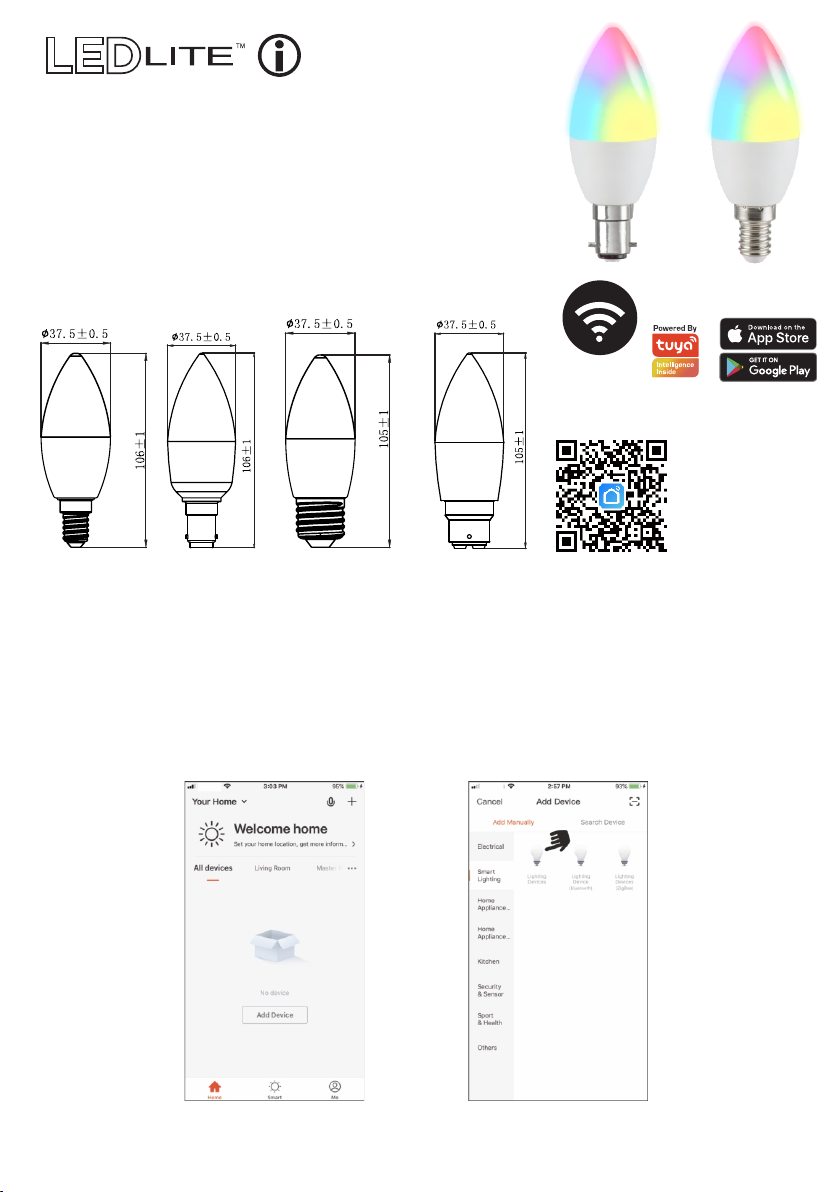
Dimensions(mm):
2.4Ghz
Wi-Fi
SCAN THE QR CODE
to download the APP
or search "Smart Life"
on your App Store
or Android Market
by Mobile Phone.
Smart Life APP Instrucons:
1. Download Smart Life APP - Scan the QR code on the right to download the Smart Life APP. You can
also search "Smart Life" in either App Store or Google Play to install the APP.
2. Register a Smart Life account and sign in to the app - You will be prompted to enter your mobile
number or email address to register. The system automacally recognises your country / area. You can
also select your country code. Note: If you use a Mobile number you will be sent a text message with
your confirmaon code to complete your account registraon.
3. Add lamp to Smart Life APP - Tap the icon "+" on the top corner of "My device" page and choose your
device type - Smart lighng (see Fig.1 and Fig.2).
Fig.1 Fig.2
4. Ensure the lamp is quick flashing (2 mes per second). If the lamp isn't flashing turn the switch
OFF/ON 3 mes unl the LED lamp starts to flash.
Page 2
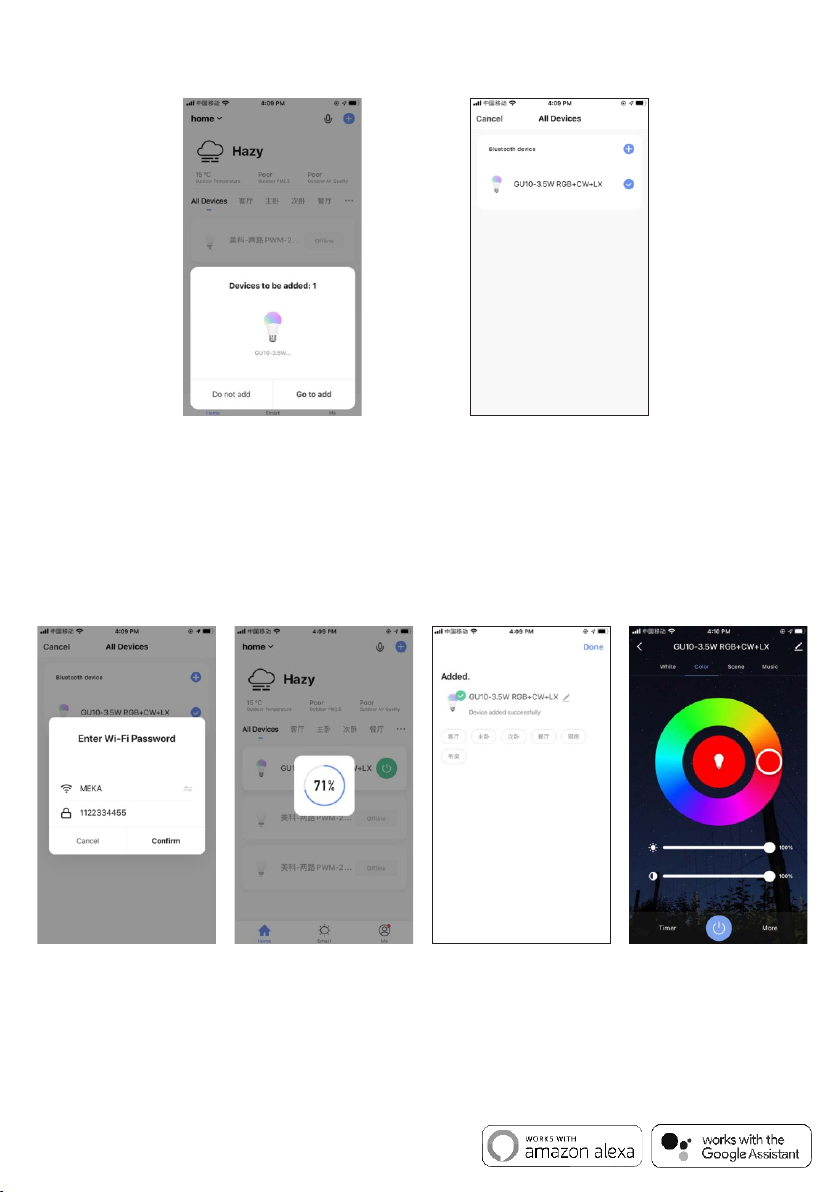
5. Enable the Bluetooth on your device. Inside the APP, Bluetooth will send a noce with the devices found.
Click on "Go to add" on lower right corner to add the devices discovered (Fig.3). Mulple devices can be
detected at once. Select the device you want to install from the list and tap "+" to add it in the APP (Fig.4).
Fig.3 Fig.4
6. Confirm the WiFi network and password (Fig.5). Make sure your router, mobile and lamp are as close
as possible.
Note: This item works only on a 2.4GHz WiFi network, not on a 5GHz WiFi network. Please consult the
manual of your router for sengs.
7. When connecting the device, you can see the connection status as shown in Fig. 6. Once connected,
enter the device name. If you want to use the device with Amazon Alexa and/or Google Assistant,
the same device name will be used by these APPs to control it.
Select the location of the device in your smart home and press "Done" to access the control page
of your new device (Fig.7). Your new light is ready to be controlled via the APP, even remotely (Fig.8).
Fig.5 Fig.6 Fig.7 Fig.8
Note:
1. If the device is not connected to the Smart Life APP it will flash quickly for 3 minutes. The light will
become sll aer 3 minutes. Turn the switch OFF/ON 3 mes to re-enter pairing mode.
2. If a connected device is reset by mistake, the device will be reconnected automacally aer quickly
flashing for 3 minutes or aer the switch is turned OFF/ON 1 me.
For more informaon on pairing, grouping or other APP funcons please visit www.tlc-direct.co.uk.
Compable with Amazon Alexa and Google Home/Assistant
 Loading...