

Page 1

Table of Contents
Introduction 4
Instrument Cluster 10
Warning and control lights 10
Gauges 12
Entertainment Systems 14
AM/FM stereo cassette 14
AM/FM stereo with CD 19
Climate Controls 28
Heater only 28
Manual heating and air conditioning 29
Lights 33
Headlamps 33
Turn signal control 36
Bulb replacement 37
Driver Controls 43
Windshield wiper/washer control 43
Steering wheel adjustment 44
Power windows 44
Mirrors 45
Speed control 45
Locks and Security 51
Keys 51
Locks 51
Anti-theft system 53
1
Page 2

Table of Contents
Seating and Safety Restraints 58
Seating 58
Safety restraints 60
Air bags 69
Child restraints 73
Driving 84
Starting 84
Brakes 88
Transmission operation 91
Vehicle loading 99
Trailer towing 100
Roadside Emergencies 103
Getting roadside assistance 103
Hazard flasher switch 104
Fuel pump shut-off switch 104
Fuses and relays 105
Changing tires 110
Jump starting 114
Wrecker towing 119
Customer Assistance 120
Reporting safety defects (U.S. only) 129
Cleaning 130
2
Page 3

Table of Contents
Maintenance and Specifications 136
Engine compartment 140
Engine oil 141
Battery 144
Fuel information 151
Air filter(s) 165
Part numbers 169
Refill capacities 170
Lubricant specifications 171
Accessories 176
Index 179
All rights reserved. Reproduction by any means, electronic or mechanical
including photocopying, recording or by any information storage and retrieval
system or translation in whole or part is not permitted without written
authorization from Ford Motor Company. Ford may change the contents without
notice and without incurring obligation.
Copyright © 2002 Ford Motor Company
3
Page 4

Introduction
CALIFORNIA Proposition 65 Warning
WARNING: Engine exhaust, some of its constituents, and
certain vehicle components contain or emit chemicals known to
the State of California to cause cancer and birth defects or other
reproductive harm. In addition, certain fluids contained in vehicles and
certain products of component wear contain or emit chemicals known
to the State of California to cause cancer and birth defects or other
reproductive harm.
CONGRATULATIONS
Congratulations on acquiring your new Ford Motor Company product.
Please take the time to get well acquainted with your vehicle by reading
this handbook. The more you know and understand about your vehicle
the greater the safety and pleasure you will derive from driving it.
For more information on Ford Motor Company and its products visit the
following website:
• In the United States: www.ford.com
• In Canada: www.ford.ca
• In Mexico: www.ford.com.mx
• In Australia: www.ford.com.au
Additional owner information is given in separate publications.
This Owner’s Guide describes every option and model variant available
and therefore some of the items covered may not apply to your
particular vehicle. Furthermore, due to printing cycles it may describe
options before they are generally available.
Remember to pass on the Owner’s Guide when reselling the vehicle. It is
an integral part of the vehicle.
4
Page 5
Introduction
Fuel pump shut-off switch In the event of an accident the
safety switch will automatically cut off the fuel supply to the
engine. The switch can also be activated through sudden vibration (e.g.
collision when parking). To reset the switch, refer to the Fuel pump
shut-off switch in the Roadside emergencies chapter.
SAFETY AND ENVIRONMENT PROTECTION
Warning symbols in this guide
How can you reduce the risk of personal injury and prevent possible
damage to others, your vehicle and its equipment? In this guide, answers
to such questions are contained in comments highlighted by the warning
triangle symbol. These comments should be read and observed.
Warning symbols on your vehicle
When you see this symbol, it is
imperative that you consult the
relevant section of this guide before
touching or attempting adjustment
of any kind.
Protecting the environment
We must all play our part in
protecting the environment. Correct
vehicle usage and the authorized
disposal of waste cleaning and
lubrication materials are significant
steps towards this aim. Information in this respect is highlighted in this
guide with the tree symbol.
5
Page 6

Introduction
BREAKING-IN YOUR VEHICLE
Your vehicle does not need an extensive break-in. Try not to drive
continuously at the same speed for the first 1,600 km (1,000 miles) of
new vehicle operation. Vary your speed to allow parts to adjust
themselves to other parts.
Drive your new vehicle at least 800 km (500 miles) before towing a
trailer.
Do not add friction modifier compounds or special break-in oils during
the first few thousand kilometers (miles) of operation, since these
additives may prevent piston ring seating. See Engine oil in the
Maintenance and care chapter for more information on oil usage.
SPECIAL NOTICES
Emission warranty
The New Vehicle Limited Warranty includes Bumper-to-Bumper
Coverage, Safety Restraint Coverage, Corrosion Coverage, and 7.3L
Power Stroke Diesel Engine Coverage. In addition, your vehicle is eligible
for Emissions Defect and Emissions Performance Warranties. For a
detailed description of what is covered and what is not covered, refer to
the Warranty Guide that is provided to you along with your Owner’s
Guide.
Special instructions
For your added safety, your vehicle is fitted with sophisticated electronic
controls.
Please read the section Air bag in the Seating and safety
restraints chapter. Failure to follow the specific warnings and
instructions could result in personal injury.
Front seat mounted rear facing child or infant seats should
NEVER be used in front of a passenger side air bag unless the
air bag can be and is turned OFF.
6
Page 7

Introduction
Data Recording
Computers in your vehicle are capable of recording detailed data
potentially including but not limited to information such as:
• the use of restraint systems including seat belts by the driver and
passengers,
• information about the performance of various systems and modules in
the vehicle, and
• information related to engine, throttle, steering, brake or other system
status.
Any of this information could potentially including information regarding
how the driver operates the vehicle potentially including but not limited
to information regarding vehicle speed, brake or accelerator application
or steering input. This information may be stored during regular
operation or in a crash or near crash event.
This stored information may be read out and used by:
• Ford Motor Company.
• service and repair facilities.
• law enforcement or government agencies.
• others who may assert a right or obtain your consent to know such
information.
7
Page 8
Introduction
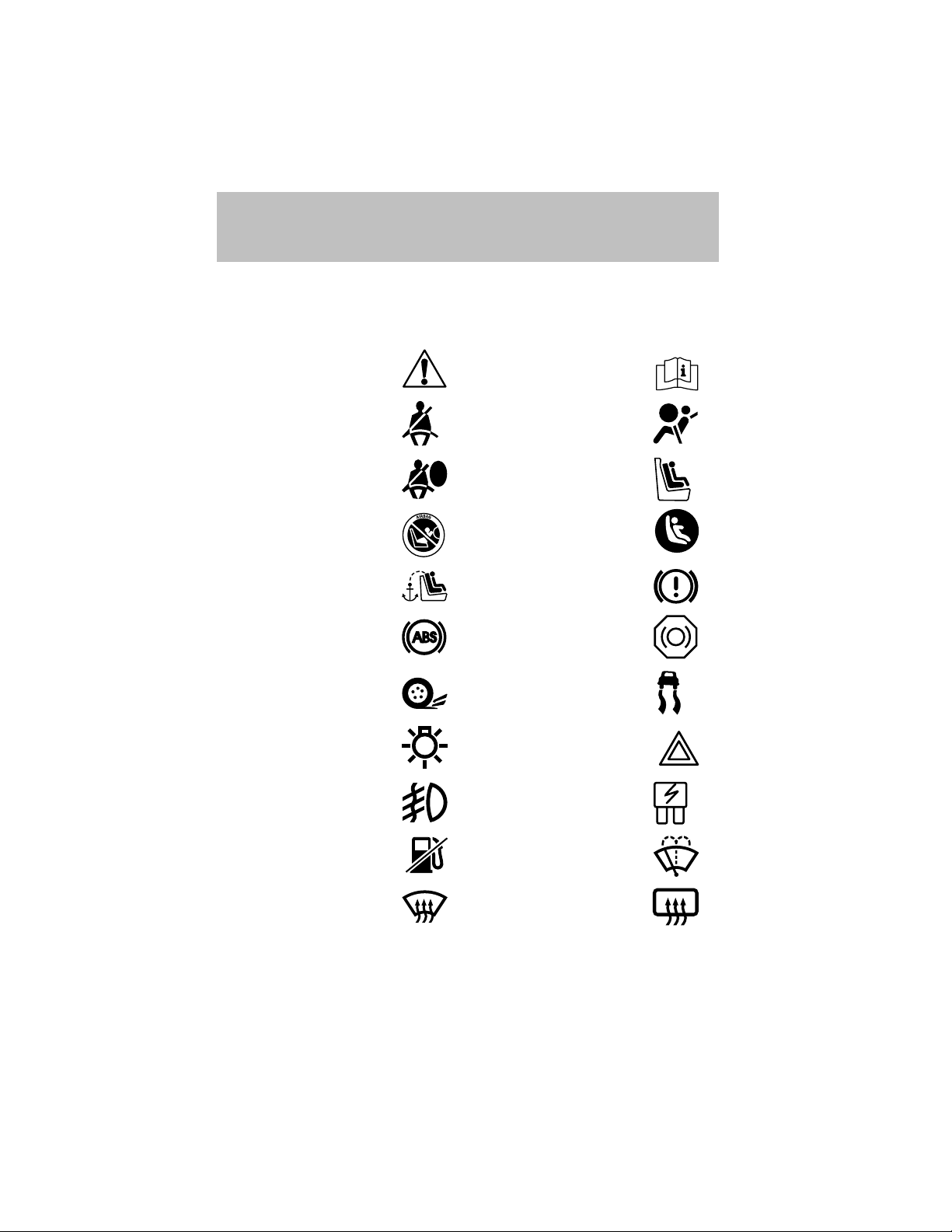
These are some of the symbols you may see on your vehicle.
Vehicle Symbol Glossary
Safety Alert
Fasten Safety Belt Air Bag-Front
Air Bag-Side Child Seat
Child Seat Installation
Warning
Child Seat Tether
Anchor
Anti-Lock Brake System
Traction Control AdvanceTrac
Master Lighting Switch Hazard Warning Flasher
Fog Lamps-Front Fuse Compartment
See Owner’s Guide
Child Seat Lower
Anchor
Brake System
Brake Fluid Non-Petroleum Based
Fuel Pump Reset Windshield Wash/Wipe
Windshield
Defrost/Demist
8
Rear Window
Defrost/Demist
Page 9
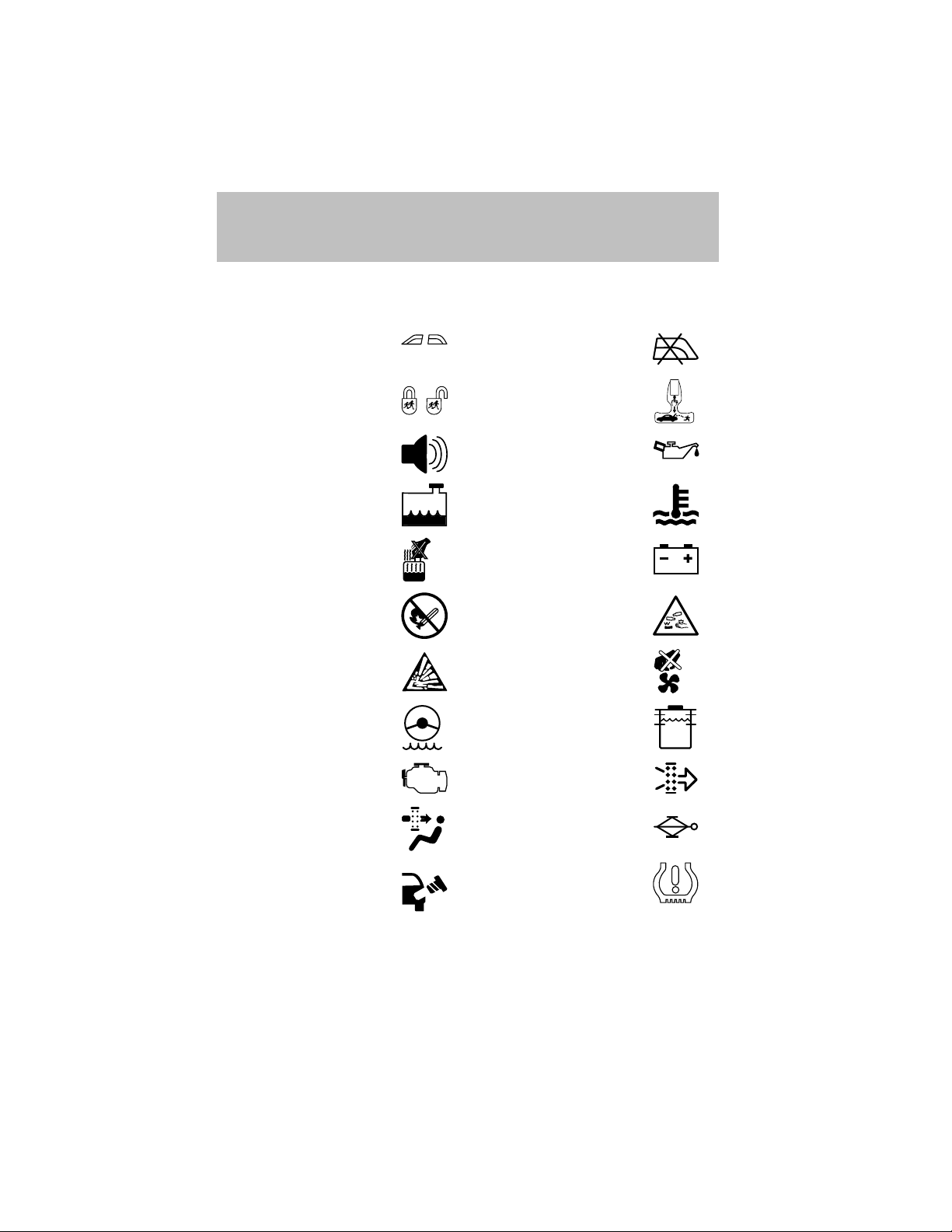
Vehicle Symbol Glossary
Introduction
Power Windows
Front/Rear
Child Safety Door
Lock/Unlock
Power Window Lockout
Interior Luggage
Compartment Release
Symbol
Panic Alarm Engine Oil
Engine Coolant
Engine Coolant
Temperature
Do Not Open When Hot Battery
Avoid Smoking, Flames,
or Sparks
Battery Acid
Explosive Gas Fan Warning
Power Steering Fluid
Maintain Correct Fluid
Level
Emission System Engine Air Filter
MAX
MIN
Passenger Compartment
Air Filter
Jack
Check fuel cap Low tire warning
9
Page 10
Instrument Cluster
WARNING LIGHTS AND CHIMES
60 70
50
40
80
60
30
40
20
20
10
MPH
CHECK
FUEL
CAP
FUEL
FILL
LOW
FUEL
SERVICE
ENGINE
SOON
1
/
2
EF
!
P
BRAKE
CH
+–
ABS
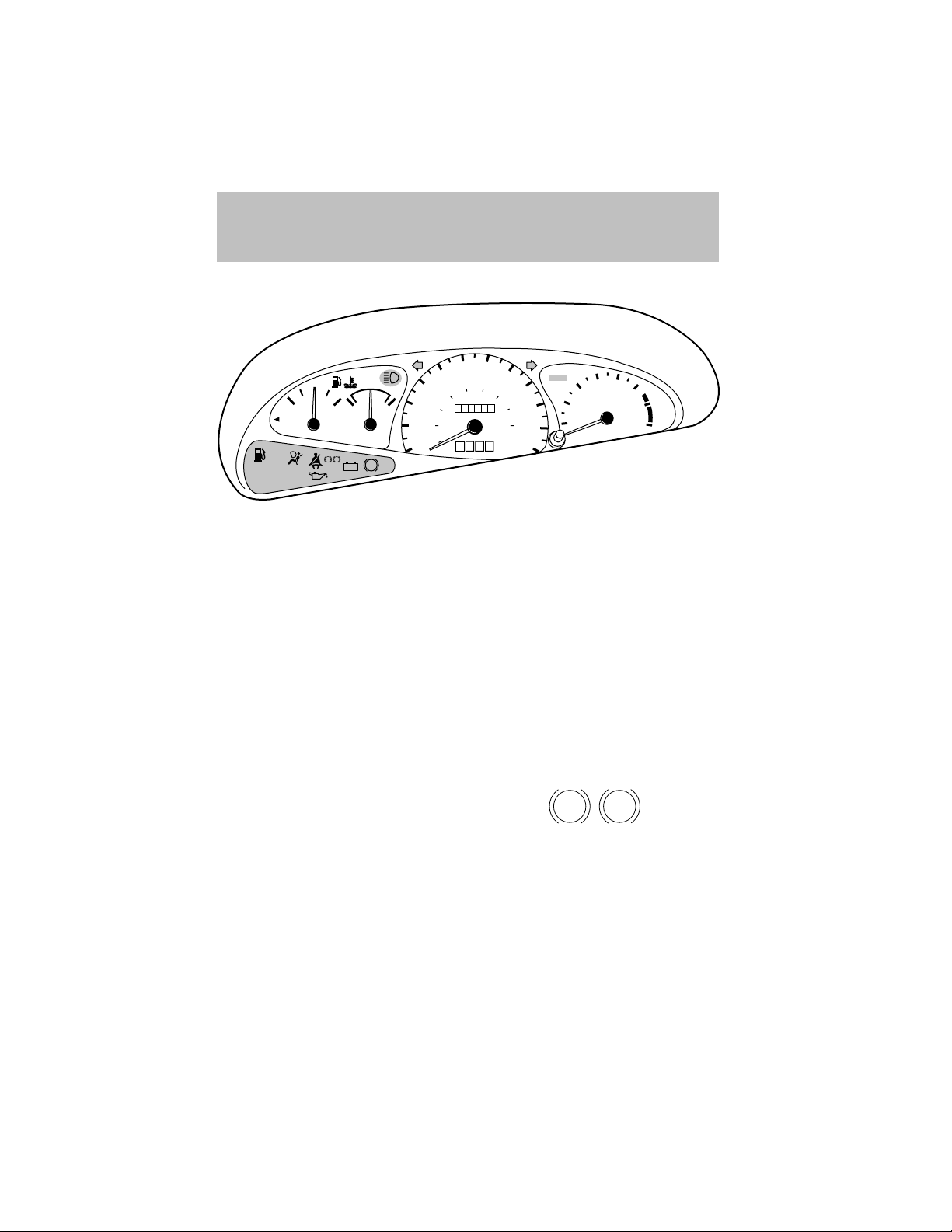
Warning lights and gauges can alert you to a vehicle condition that may
become serious enough to cause expensive repairs. A warning light may
illuminate when a problem exists with one of your vehicle’s functions.
Many lights will illuminate when you start your vehicle to make sure the
bulb works. If any light remains on after starting the vehicle, have the
respective system inspected immediately.
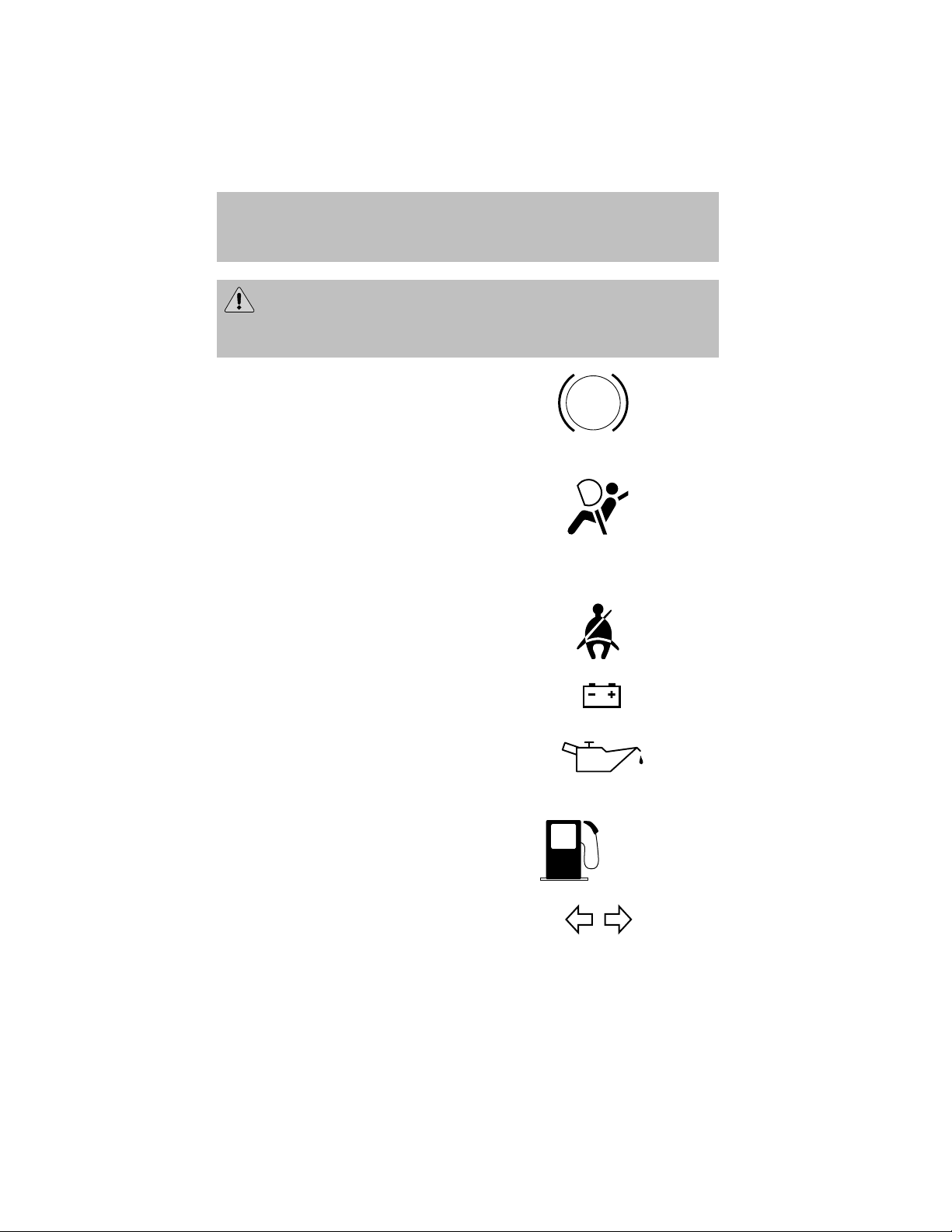
Service engine soon: If this light
illuminates while driving, it is a
possible indication that one of the
engine’s emission control systems
has failed.
Check fuel cap: Illuminates when
the fuel cap may not be properly
installed. Continued driving with
this light on may cause the Service
engine soon light to come on.
Brake system warning light: To
confirm the brake system warning
light is functional, it will
momentarily illuminate when the
ignition is turned to the ON position
when the engine is not running, or in a position between ON and START,
or by applying the parking brake when the ignition is turned to the ON
position. If the brake system warning light does not illuminate at this
time, seek service immediately from your dealership. Illumination after
releasing the parking brake indicates low brake fluid level and the brake
system should be inspected immediately by your servicing dealership.
120
100
0000000
0 0 0
km/h
80
140
THEFT
4
90
160
100
180
110
120
5
6
3
RPMx1000
2
1
7
8
SERVICE
ENGINE
SOON
CHECK
FUEL
CAP
P !
BRAKE
10
Page 11
Instrument Cluster
Driving a vehicle with the brake system warning light on is
dangerous. A significant decrease in braking performance may
occur. It will take you longer to stop the vehicle. Have the vehicle
checked by your dealer immediately.
Anti-lock brake system: If the ABS
light stays illuminated or continues to
flash, a malfunction has been
detected, have the system serviced
immediately. Normal braking is still
functional unless the brake warning light also is illuminated.
Air bag readiness: If this light fails
to illuminate when ignition is turned
to ON, continues to flash or remains
on, have the system serviced
immediately. A chime will also
sound when a malfunction in the supplemental restraint system has been
detected.
Safety belt: Reminds you to fasten
your safety belt. A chime will also
sound to remind you to fasten your
safety belt.
Charging system: Illuminates when
the battery is not charging properly.
ABS
Engine oil pressure: Illuminates
when the oil pressure falls below the
normal range. Refer to Engine oil
in the Maintenance and
Specifications chapter.
Low fuel: Illuminates when the fuel
level in the fuel tank is at, or near
empty (refer to Fuel gauge in this
chapter).
Turn signal: Illuminates when the
left or right turn signal or the
hazard lights are turned on. If the
indicators stay on or flash faster, check for a burned out bulb.
LOW
FUEL
11
Page 12
Instrument Cluster
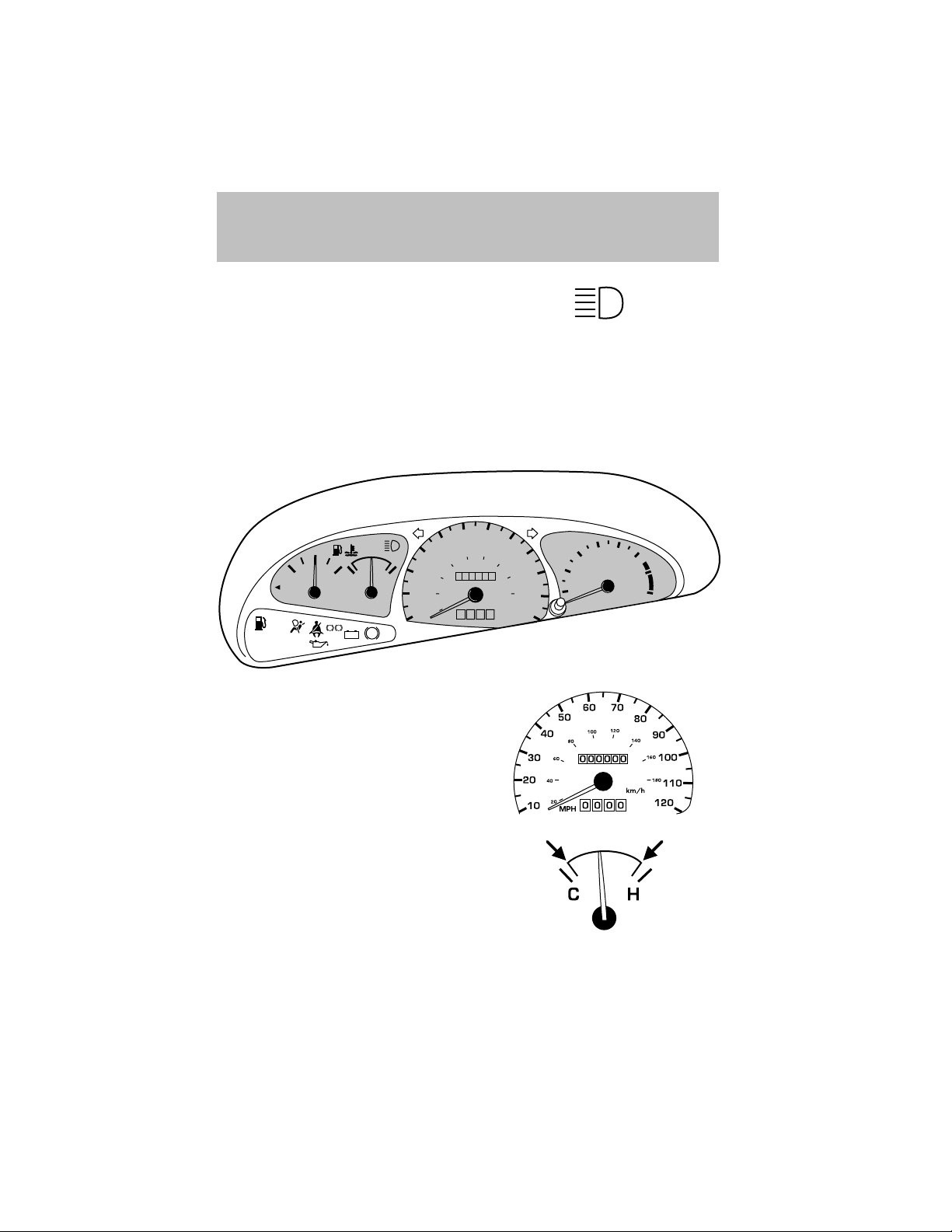
High beams: Illuminates when the
high beam headlamps are turned on.
Key-in-ignition warning chime: Sounds when the key is left in the
ignition in the OFF/LOCK or ACC position and the driver’s door is
opened.
Headlamps on warning chime: Sounds when the headlamps or parking
lamps are on, the ignition is off (and the key is not in the ignition) and
the driver’s door is opened.
GAUGES
60 70
1
/
2
CHECK
FUEL
CAP
FUEL
FILL
LOW
FUEL
SERVICE
ENGINE
SOON
EF
CH
!P
BRAKE
+–
ABS
Speedometer: Indicates the
current vehicle speed.
50
40
80
60
30
40
20
20
10
MPH
120
100
0000000
0 00
km/h
80
140
THEFT
4
90
160
100
180
110
120
5
6
3
RPMx1000
2
1
7
8
Engine coolant temperature
gauge: Indicates engine coolant
temperature. At normal operating
temperature, the needle will be in the
normal range (between “H” and “C”).
If it enters the red section, the engine
is overheating. Stop the vehicle as
soon as safely possible, switch off the engine and let the engine cool.
12
Page 13
Never remove the coolant reservoir cap while the engine is
running or hot.
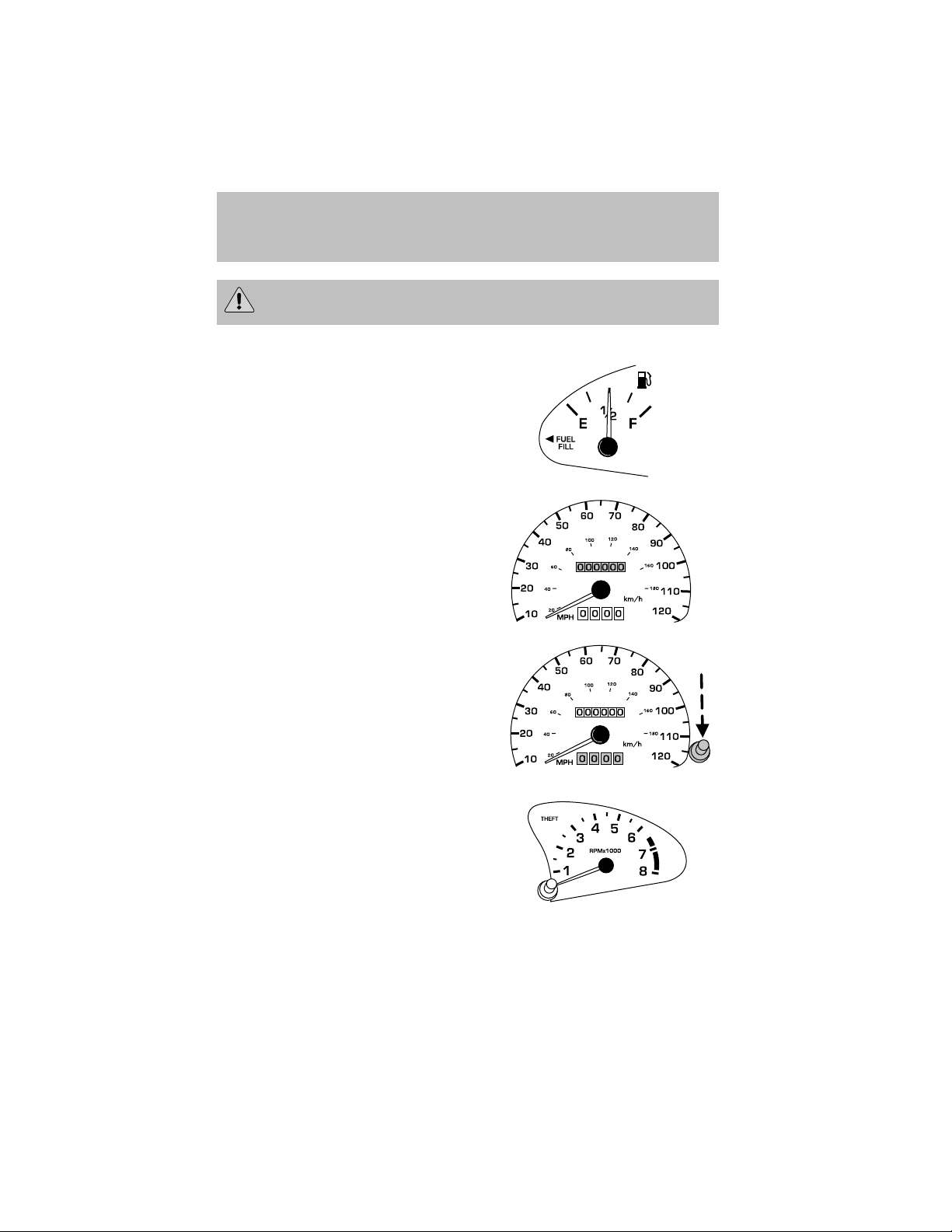
Fuel gauge: Indicates
approximately how much fuel is left
in the fuel tank (when the ignition
is in the ON position).
Odometer: Registers the total
kilometers (miles) of the vehicle.
Trip odometer: Registers the
kilometers (miles) of individual
journeys.
Instrument Cluster
Tachometer: Indicates the engine
speed in revolutions per minute.
Driving with your tachometer
pointer continuously at the top of
the scale may damage the engine.
13
Page 14
Entertainment Systems
AM/FM STEREO/CASSETTE
AM
SCAN
VOL
PUSH ON
SIDE 1-2
LO
FM
EJ
1
23456
HI
SEEK
TUNE
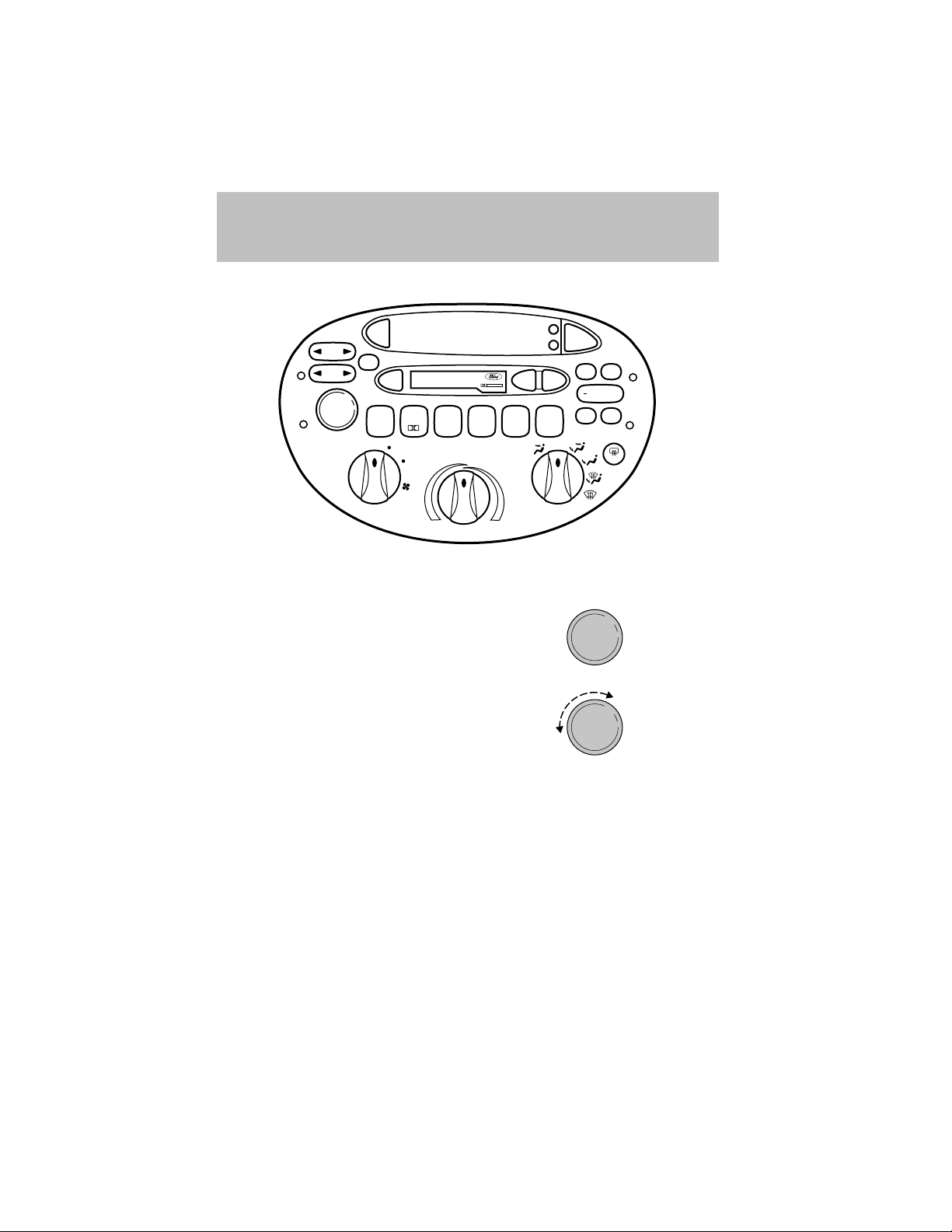
Volume/power control
Press the control to turn the audio
system on or off.
Turn control to raise or lower
volume.
DOLBY B NR
MAX
REW
A/C
H
TAPE
M
BASS
FF
OFF
A/C
TREB
+
BAL
FADE
R.DEF
VOL
PUSH ON
VOL
PUSH ON
If the volume is set above a certain level and the ignition is turned off,
the volume will come back on at a “nominal” listening level when the
ignition switch is turned back on. If you wish to maintain your preset
volume level, turn the audio system off with the power control before
switching off the ignition.
14
Page 15
Entertainment Systems
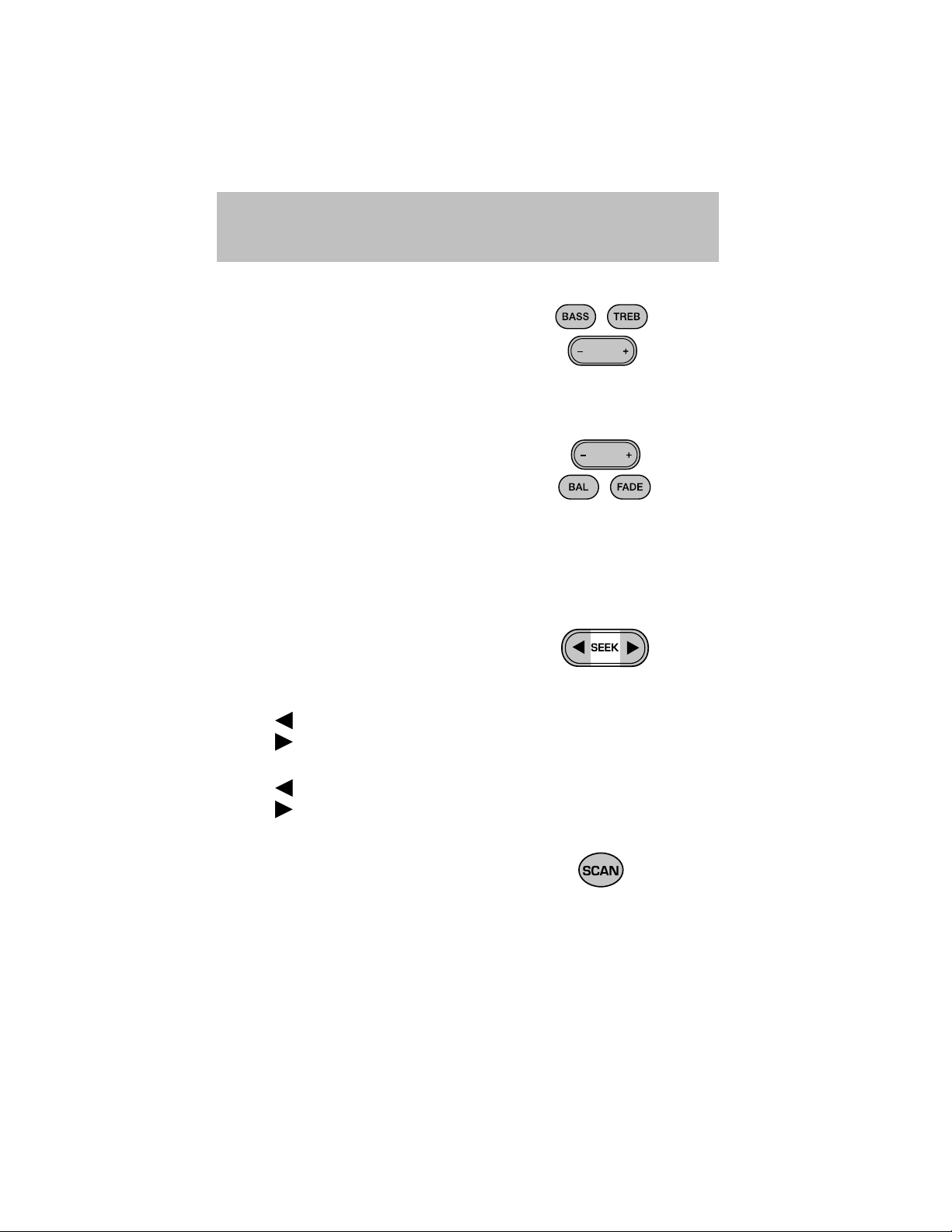
Bass/treble adjust
• The bass adjust control allows
you to increase or decrease the
audio system’s bass output.
• The treble adjust control allows
you to increase or decrease the
audio system’s treble output.
Speaker balance/fade adjust
• Speaker sound distribution can be
adjusted between the right and
left speakers.
• Press the BAL control. Toggle
between the + and — control to
adjust the speaker sound.
• Speaker sound can be adjusted between the front and rear speakers.
• Press the FADE control. Toggle between the + and — control to
adjust the speaker sound.
Seek function
The seek function control works in
radio or tape mode.
Seek function in radio mode
• Press
• Press
Seek function in tape mode
• Press
• Press
Scan function
The scan function works in radio or
tape mode.
Scan function in radio mode
Press the SCAN control to hear a brief sampling of all listenable stations
on the frequency band. Press the control again to stop the scan mode.
to find the next listenable station down the frequency band.
to find the next listenable station up the frequency band.
to listen to the previous selection on the tape.
to listen to the next selection on the tape.
15
Page 16
Entertainment Systems
Scan function in tape mode
Press the SCAN control to hear a short sampling of all selections on the
tape. (The tape scans in a forward direction. At the end of the tape’s
first side, direction automatically reverses to the opposite side of the
tape.) To stop on a particular selection, press the control again.
AM/FM select
The AM/FM select control works in
radio modes.
AM/FM select in radio mode
This control allows you to select AM
or FM frequency bands. Press the
control to switch between AM, FM1
or FM2 memory preset stations.
AM/FM select in tape mode
Press this control to stop tape play and begin radio play.
Radio station memory preset
The radio is equipped with six station memory preset controls. These
controls can be used to select up to six preset AM stations and twelve
FM stations (six in FM1 and six in FM2).
AM
FM
AM
FM
Setting memory preset stations
1. Select the frequency band with
the AM/FM select control.
AM
FM
2. Select a station. Refer to Tune adjust or Seek function for more
information on selecting a station.
3. Press and hold a memory preset
control until the sound returns,
1
23456
SIDE 1-2
indicating the station is held in
memory on the control you selected.
16
Page 17
Setting the clock
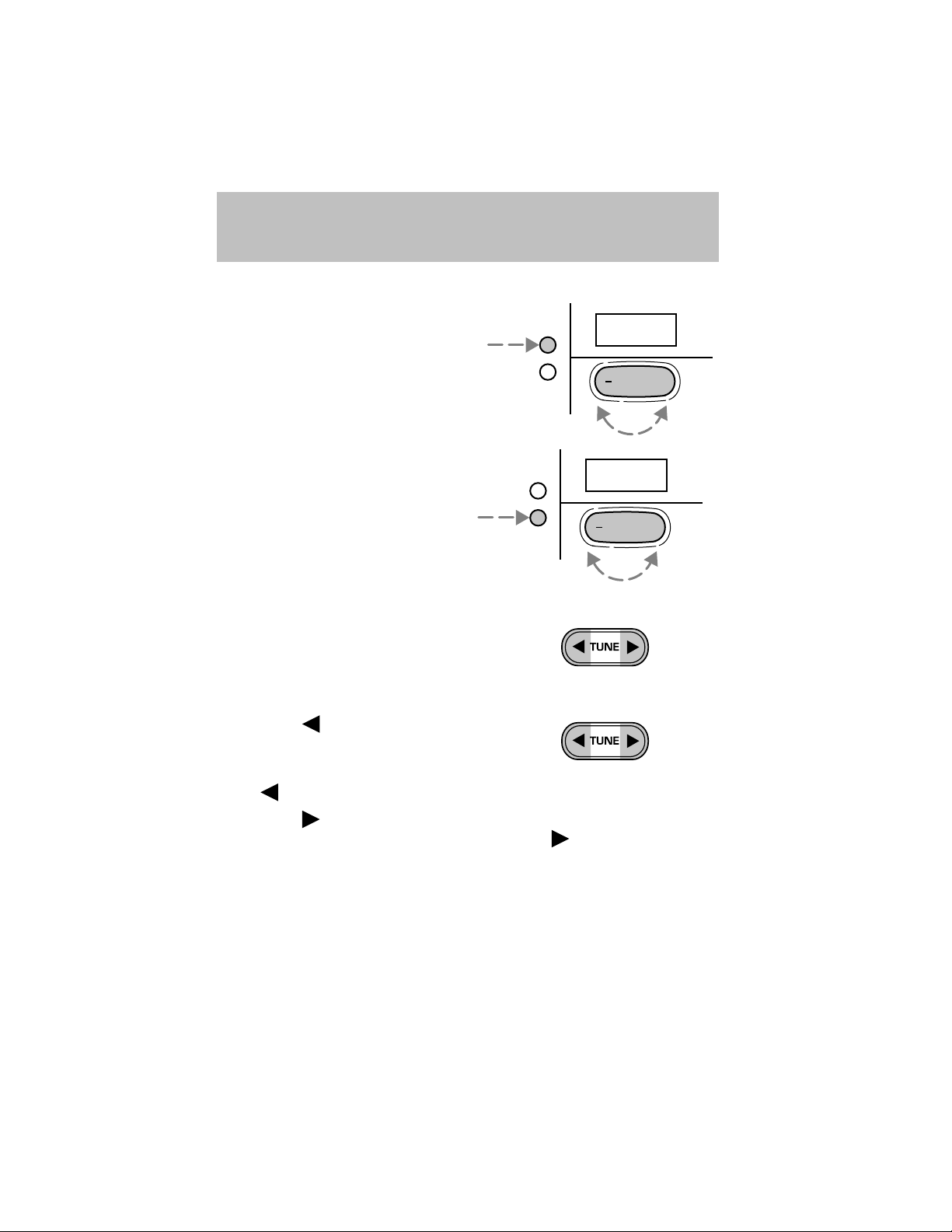
To set the hour, press the hour (H)
control and press :
• (+) to increase hour and
• (−) to decrease hour
To set the minute, press the minute
(M) control and press:
• (+) to increase minutes and
• (−) to decrease minutes.
Tune adjust
The tune control works in radio
mode.
Entertainment Systems
H
M
H
M
12:
+
:01
+
Tune adjust in radio mode
• Press the
frequency down the band
(whether or not a listenable
station is located there). Hold
the
• Press the
not a listenable station is located there). Hold
movement.
to move to the next
to move through the frequencies quickly.
to move to the next frequency up the band (whether or
for quick
17
Page 18
Entertainment Systems
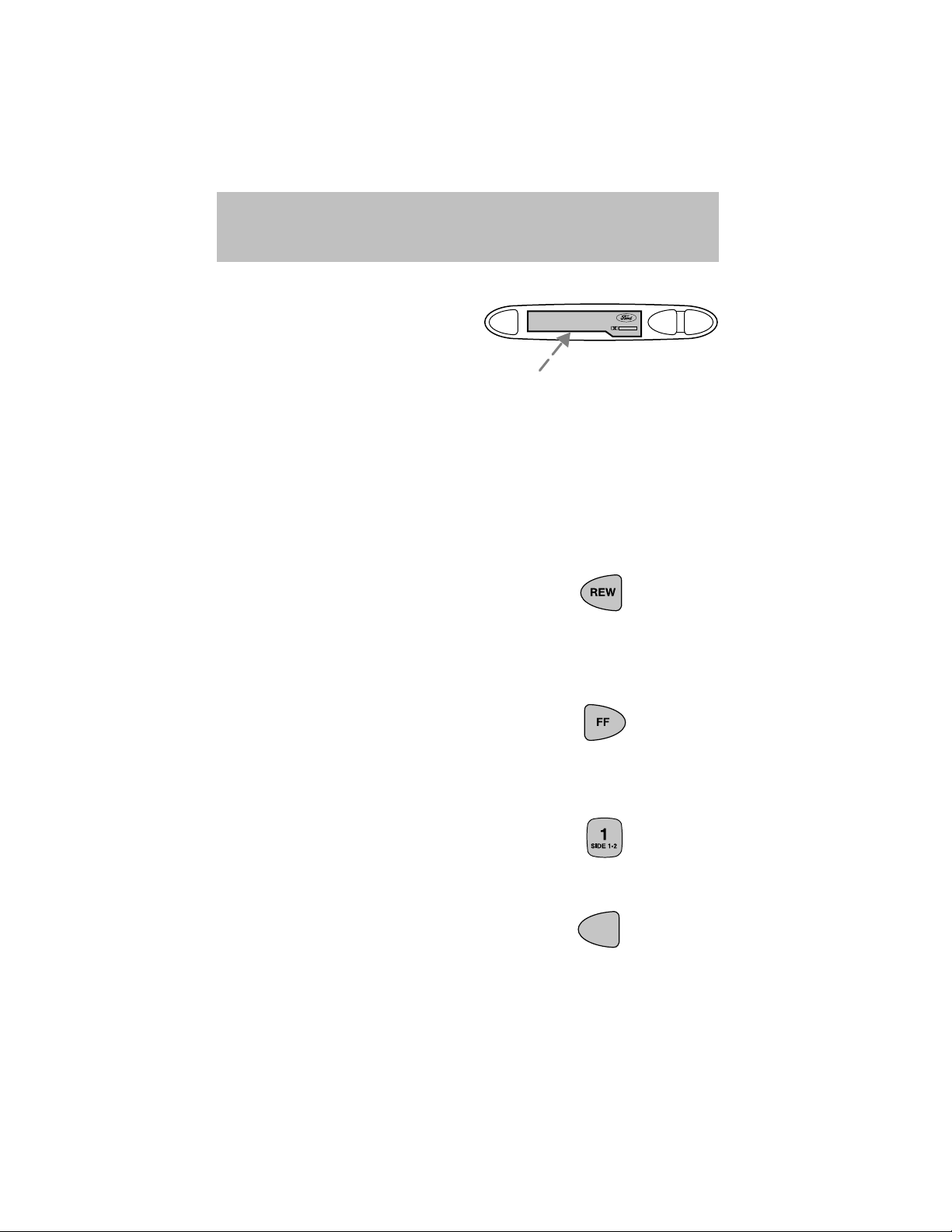
Inserting a tape
Push only slightly when inserting a
cassette tape (with the open edge
EJ
to the right). A cassette deck
loading mechanism pulls the tape in
the rest of the way.
You can switch from radio to tape play by inserting a tape into the
cassette deck.
Tape play select
Insert a tape to begin tape play.
Push only slightly when inserting a cassette tape (with the open edge to
the right). A cassette deck loading mechanism pulls the tape in the rest
of the way.
Rewind
The rewind control works in tape
mode.
• In tape mode, radio play will
continue until rewind is stopped (with the TAPE control) or the
beginning of the tape is reached.
Fast forward
The fast forward control works in
tape mode.
• In the tape mode, tape direction
will automatically reverse when the end of the tape is reached.
DOLBY B NR
REW
FF
Tape side select
Press this control to play the
alternate side of a tape.
Eject function
Press the control to stop and eject a
tape.
18
EJ
Page 19
Entertainment Systems
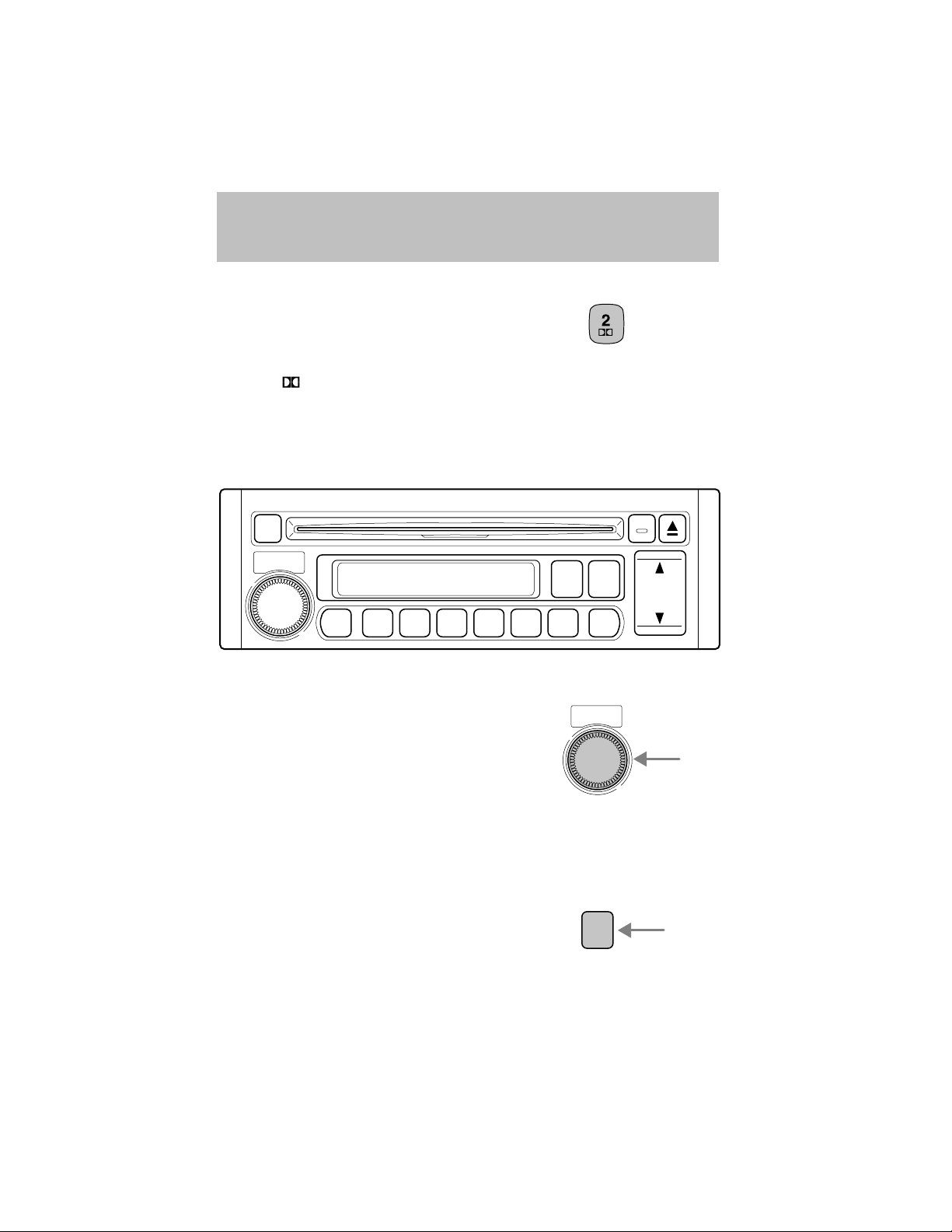
Dolby姞 noise reduction
Dolby威 noise reduction operates
only in tape mode. Dolby威 noise
reduction reduces the amount of
hiss and static during tape playback.
Press the control to activate (and deactivate) Dolby威 noise reduction.
Dolby威 noise reduction manufactured under license from Dolby威
Laboratories Licensing Corporation. “Dolby威” and the double-D symbol
are registered trademarks of Dolby威 Laboratories Licensing Corporation.
AM/FM RADIO WITH COMPACT DISC PLAYER
CLOCK
POWER-VOL
PUSH
AUDIO
DISC1RDM2RPT
345
AM
FM
SCAN
CD
AUTO
M
DISC IN
TRACK
TUNE
SEEK
H
M
Volume/power control
Ensure that the ignition switch is in
the ACC or ON position.
POWER-VOL
PUSH
Press the control to turn the audio
system on. Turn the control to raise
or lower the volume.
Press the control again to turn the
audio system off.
NOTE: To prevent the battery from being discharged, do not leave the
audio system on for a long period when the engine is not running.
AM/FM select
The AM/FM control works in radio
mode.
AM
FM
19
Page 20
Entertainment Systems
AM/FM select in radio mode
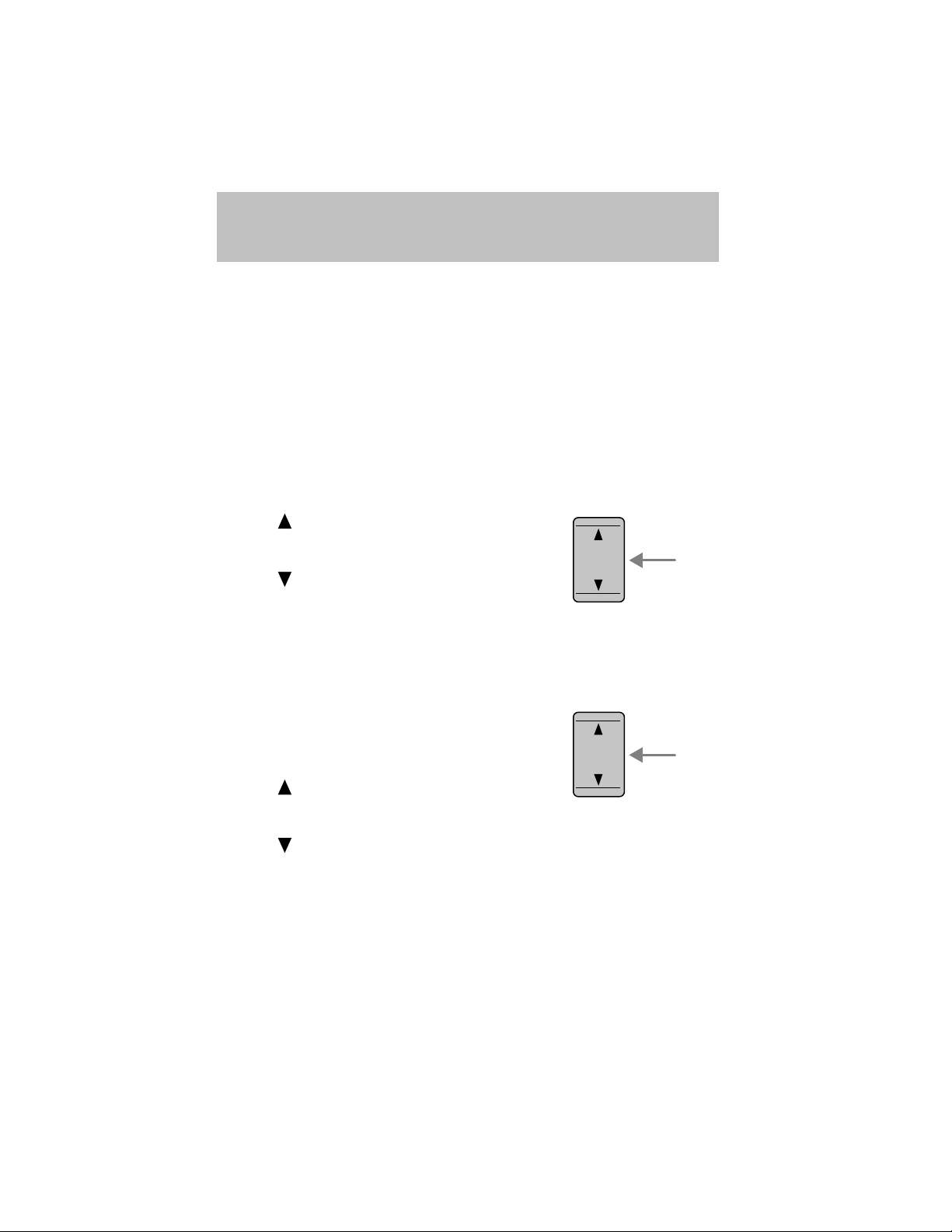
This control allows you to select AM or FM frequency bands. Press the
control to toggle between AM, FM1 or FM2 memory preset stations. The
selected mode will be indicated in the display. If FM stereo is enabled,
ST will be illuminated in the display.
NOTE: If the FM broadcast signal becomes weak, reception
automatically changes from STEREO to MONO for reduced noise, and
the ST indicator will go out.
Tune adjust
The tune control works in radio mode.
Tune adjust in radio mode
• Press
frequency band in individual
increments.
• Press
frequency band in individual
increments.
Seek function
The seek function control works in radio mode.
Seek function in radio mode
Press and momentarily hold the
SEEK control. A beep will sound
indicating you have entered seek
mode.
• Press
listenable station up the
frequency band.
• Press
NOTE: If you continue to press and hold the control, the frequency will
continue changing without stopping. Release the control after the beep
sounds.
to move up the
to move down the
to find the next
TUNE
SEEK
TRACK
TUNE
SEEK
TRACK
H
M
H
M
to find the next listenable station down the frequency band.
Tracking feature
The tracking feature works in CD mode.
20
Page 21
Entertainment Systems
Tracking feature in CD mode
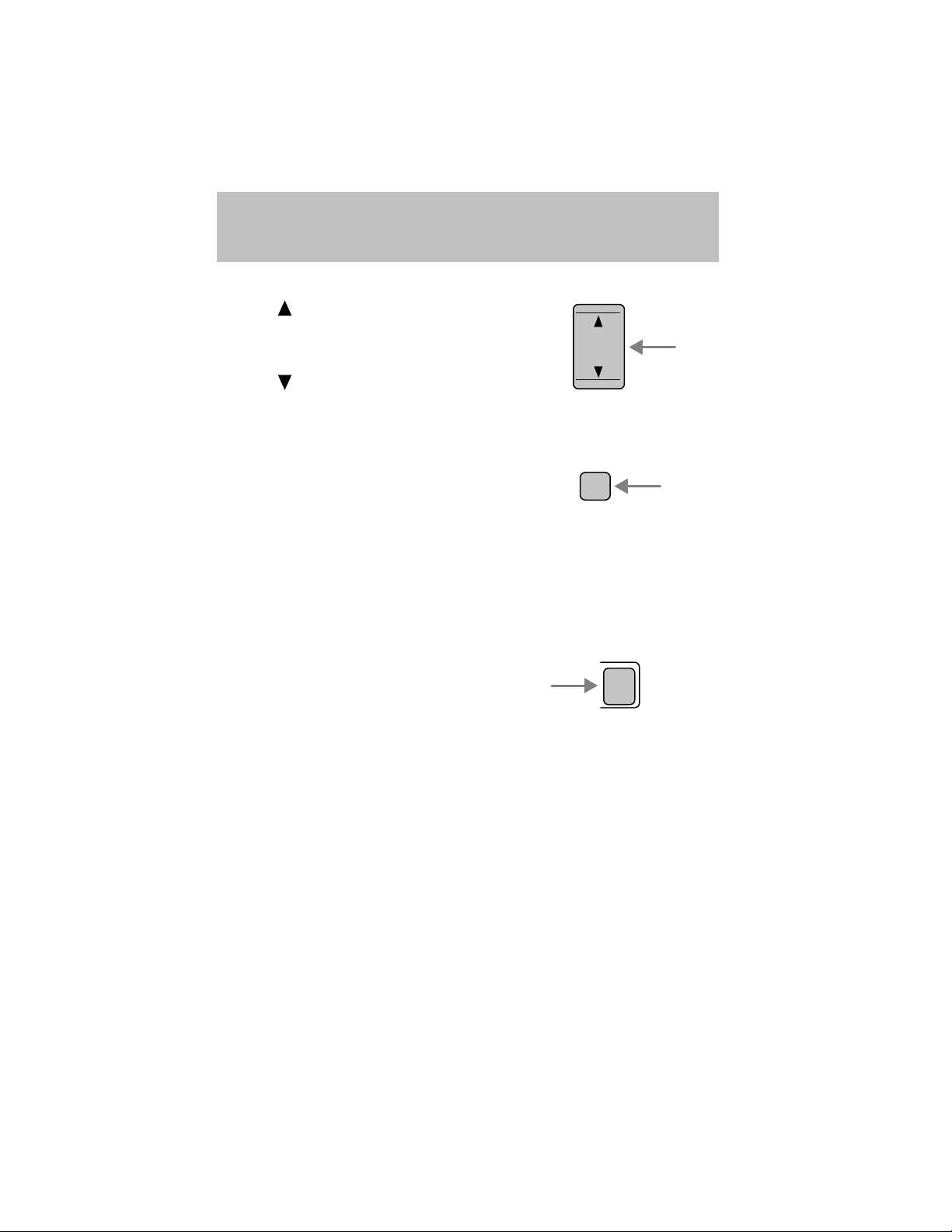
• Press to advance to the next
selection. Press and hold the
control to fast forward through
the current selection.
• Press
to reverse to the
previous selection. Press and hold
the control to rewind through the current selection.
Scan function
The scan function works in radio
mode.
Scan function in radio mode
Press the SCAN control to hear a sampling of strong stations on the
frequency band. Each station will play for approximately 5 seconds.
Press the SCAN control again to remain on a station and disable this
mode.
CD select
• To begin CD play (if CD is
loaded), press the CD control, or
• Insert the compact disc, label side
up into the CD slot (if no CD is
loaded). The auto loading mechanism will pull in the CD. There will be
a short lapse before play begins.
• The first track of the disc will begin playing. The DISC IN control will
illuminate.
• The track number will appear in the display.
To disable CD mode, press the power/volume control.
TUNE
SEEK
TRACK
SCAN
H
M
CD
21
Page 22
Entertainment Systems
Treble adjust
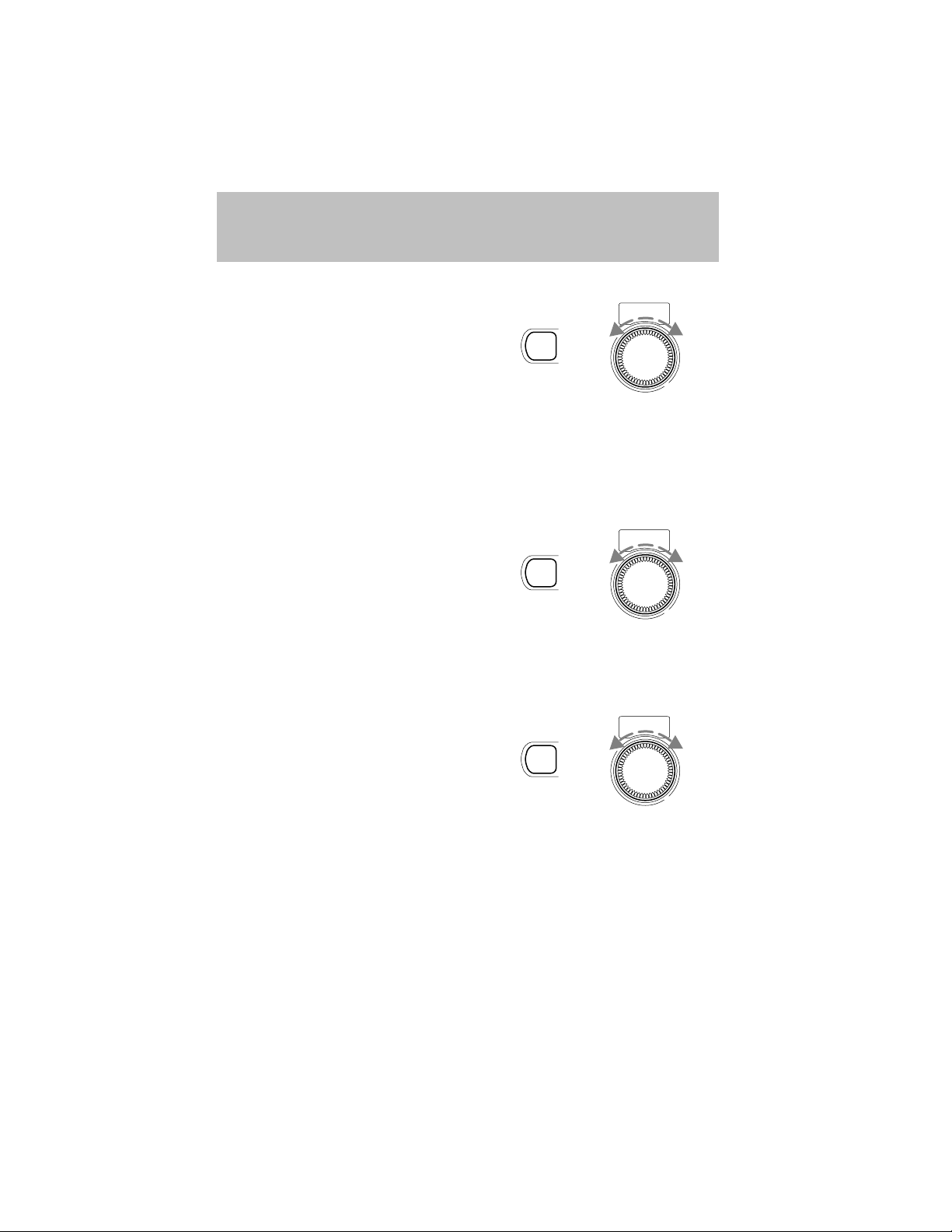
The treble adjust control allows you
to increase or decrease the audio
system’s treble output.
AUDIO
+
Press the AUDIO control until TREB is illuminated in the display.
Turn the volume control to adjust to the desired level of treble.
NOTE: The volume can be adjusted without pressing the AUDIO
function control.
Bass adjust
The bass adjust control allows you
to increase or decrease the audio
system’s bass output.
AUDIO
+
Press the AUDIO control until BASS is illuminated in the display.
Turn the volume control to adjust to the desired level of bass.
Speaker fade adjust
Speaker sound can be adjusted
between the front and rear
speakers.
AUDIO
+
POWER-VOL
PUSH
POWER-VOL
PUSH
POWER-VOL
PUSH
Press the AUDIO control until FADE is illuminated in the display.
Turn the volume control to adjust the speaker output.
22
Page 23

Entertainment Systems
Speaker balance adjust
Speaker sound distribution can be
adjusted between the right and left
speakers.
AUDIO
+
Press the AUDIO control until BAL is illuminated in the display.
Turn the volume control to adjust the speakers.
NOTE: Approximately 5 seconds after selecting any AUDIO mode
(treble, bass, fade, balance or volume), the system will automatically
default to the volume function. To reset these modes, press and
momentarily hold the AUDIO control. The unit will beep and CL will
appear in the display.
Radio station memory preset
The radio is equipped with five station memory preset controls. These
controls can be used to select up to five preset AM stations and ten FM
stations (five in FM1 and five in FM2).
Setting memory preset stations
1. Select the frequency band with the AM/FM control.
2. Select the desired station.
3. Press and momentarily hold the desired preset control until a beep is
heard.
The preset control number will illuminate in the display. This indicates
the station is held in memory on the control you selected. Repeat this
procedure to store other stations in memory.
POWER-VOL
PUSH
Auto memory tuning
Auto memory tuning allows you to set strong radio stations without
losing your original manually set preset stations. This is especially useful
when you are in an area where the local stations are not known.
23
Page 24

Entertainment Systems
Starting auto memory tuning
1. Select a frequency using the AM/FM control.
2. Press and momentarily hold the
AUTO M (auto memory) control.
3. The audio system will select the
five strongest stations on the frequency band. When the stations are
filled, the station stored in memory preset control 1 will start playing.
Press the AUTO M control to recall stations in the auto memory. One
station will be selected each time you press the AUTO M control and the
auto memory number will be displayed.
NOTE: If the power supply is interrupted (the fuse blows or the battery
is disconnected), the preset channels will be canceled.
Random play
The random play feature works in
CD mode and plays the selections
on the current CD in random order.
Random play in CD mode
Press the RDM control during play. RDM will illuminate in the display.
The next selection will be randomly selected.
To disengage random play, press the RDM control again.
2
RDM
AUTO
M
Repeat play
The repeat play feature works in CD
mode and repeats the current CD
3
RPT
selection.
Repeat play in CD mode
Press the RPT control during play. RPT will illuminate in the display.
The current selection will be repeated.
To disengage repeat play, press the RPT control again.
24
Page 25
Entertainment Systems
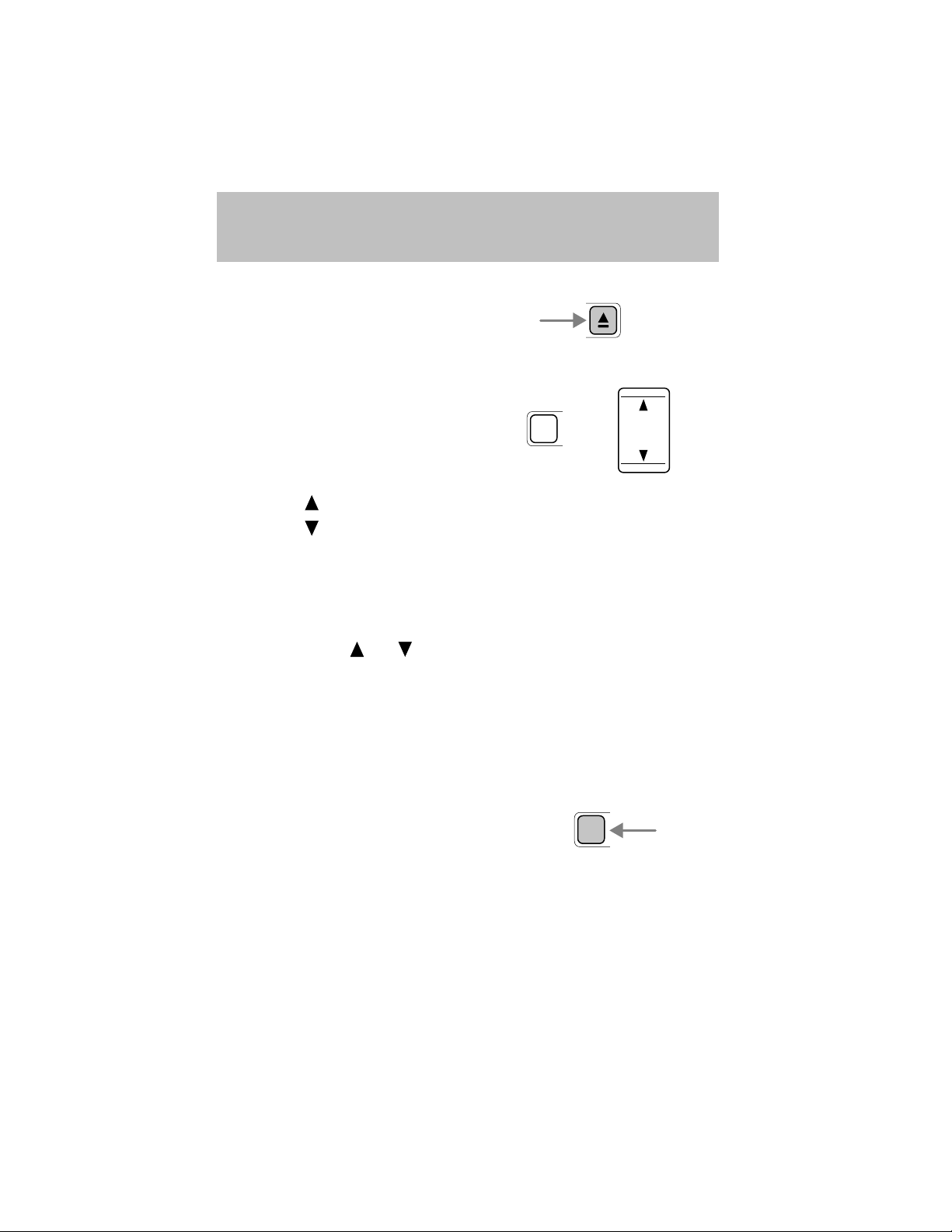
Eject function
Press the control to stop and eject a
CD.
Setting the clock
• Ensure that the ignition is in the
ACC or ON position.
• Press and momentarily hold the
CLOCK
+
CLOCK control until a beep is
heard. The current time will flash
in the display.
• Press the
• Press the
to increase the hours.
to increase the minutes.
• Press the CLOCK control again when the desired time is set to
activate the clock.
NOTE: If the power supply to the unit is interrupted (if the fuse blows
or the vehicle’s battery is disconnected), the clock will need to be reset.
NOTE: If the time is not adjusted while the clock’s current time is
flashing (if neither
or is pressed), and the CLOCK control is
pressed a second time, the minutes will be set to 00. If the current time
setting is within the first half of the hour (01–29), the hour setting will
automatically reverse one hour. For example, if the original setting is
3:24, the time will change to 3:00. If the clock’s current time setting is
within the latter part of the hour (from 30 to 59 minutes), the hour
setting will automatically advance one hour. For example, if the original
setting is 3:45, the time will change to 4:00.
Changing the display mode
Press the CLOCK control to
alternate the display between time
CLOCK
and audio.
NOTE: If audio operation is selected while the time mode is on, the
selected audio mode will be displayed for 10 seconds, then the display
will revert to the time mode.
TUNE
SEEK
TRACK
H
M
25
Page 26

Entertainment Systems
RADIO FREQUENCIES
AM and FM frequencies are established by the Federal Communications
Commission (FCC) and the Canadian Radio and Telecommunications
Commission (CRTC). Those frequencies are:
AM - 530, 540–1700, 1710 kHz
FM- 87.7, 87.9–107.7, 107.9 MHz
RADIO RECEPTION FACTORS
There are three factors that can effect radio reception:
• Distance/strength: The further you travel from an FM station, the
weaker the signal and the weaker the reception.
• Terrain: Hills, mountains, tall buildings, power lines, electric fences,
traffic lights and thunderstorms can interfere with your reception.
• Station overload: When you pass a broadcast tower, a stronger signal
may overtake a weaker one and play while the weak station frequency
is displayed.
CASSETTE/PLAYER CARE
Do:
• Use only cassettes that are 90 minutes long or less.
• Tighten very loose tapes by inserting a finger or pencil into the hole
and turning the hub.
• Remove loose labels before inserting tapes.
• Allow tapes which have been subjected to extreme heat, humidity or
cold to reach a moderate temperature before playing.
• Clean the cassette player head with a cassette cleaning cartridge after
10–12 hours of play to maintain good sound/operation.
Don’t:
• Expose tapes to direct sunlight, extreme humidity, heat or cold.
• Leave tapes in the cassette player for a long time when not being
played.
26
Page 27

Entertainment Systems
CD/CD PLAYER CARE
Do:
• Handle discs by their edges only. Never touch the playing surface.
• Inspect discs before playing. Clean only with an approved CD cleaner
and wipe from the center out.
Don’t:
• Expose discs to direct sunlight or heat sources for extended periods
of time.
• Insert more than one disc into each slot of the CD changer magazine.
• Clean using a circular motion.
CD units are designed to play commercially pressed 12 cm (4.75
in) audio compact discs only. Due to technical incompatibility,
certain recordable and re-recordable compact discs may not
function correctly when used in Ford CD players. Irregular
shaped CDs, CDs with a scratch protection film attached, and CDs
with homemade paper (adhesive) labels should not be inserted
into the CD player. The label may peel and cause the CD to
become jammed. It is recommended that homemade CDs be
identified with permanent felt tip marker rather than adhesive
labels. Ball point pens may damage CDs. Please contact your
dealer for further information.
AUDIO SYSTEM WARRANTY AND SERVICE
Refer to the Warranty Guide for audio system warranty information. If
service is necessary, see your dealer or qualified technician.
27
Page 28
Climate Controls
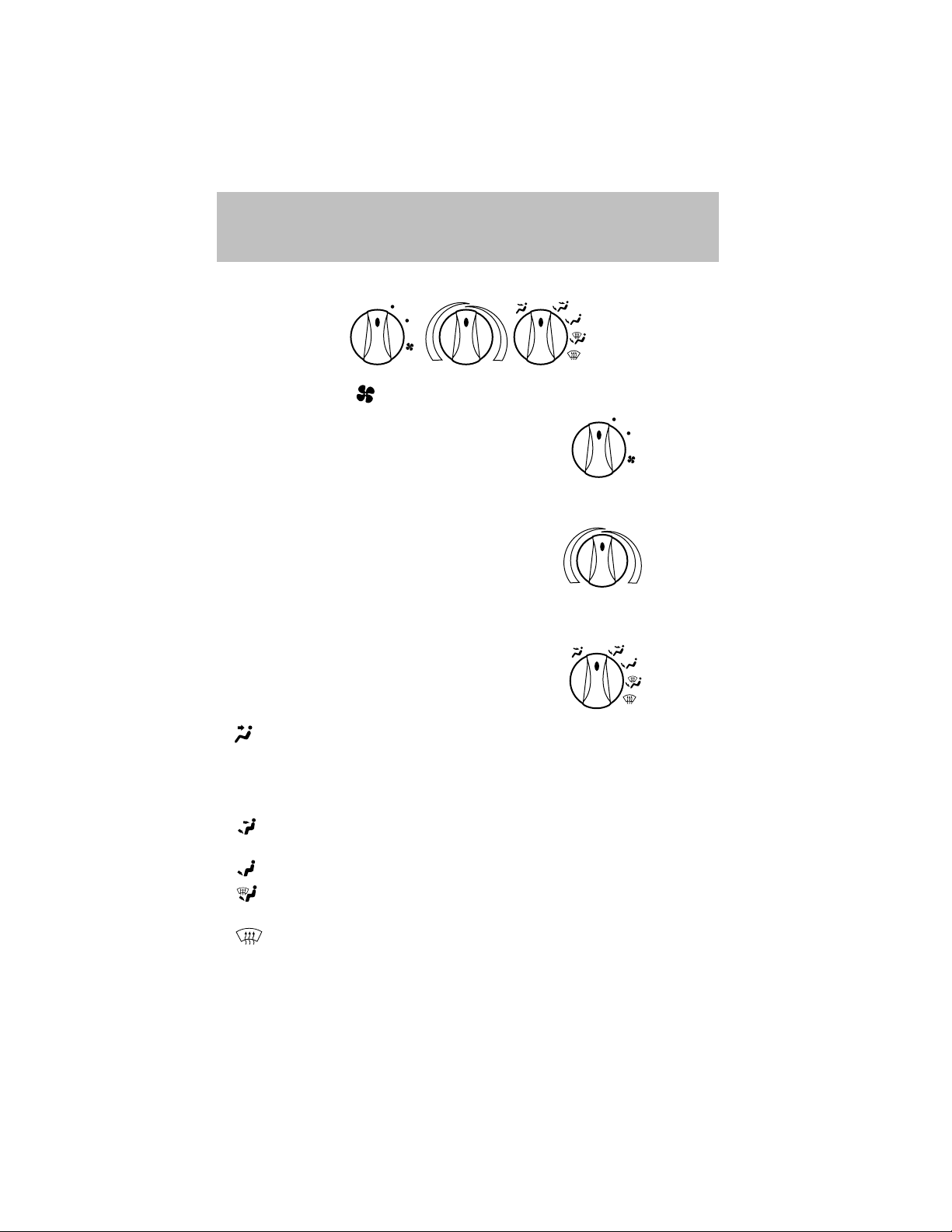
HEATER ONLY SYSTEM (IF EQUIPPED)
LO
HI
OFF
Fan speed control
Controls the volume of air circulated
LO
in the vehicle.
HI
Temperature control knob
Controls the temperature of the
airflow inside the vehicle. On
heater-only systems, the air cannot
be cooled below the outside
temperature.
Mode selector control
Controls the direction of the airflow
OFF
to the inside of the vehicle.
•
(Panel) – Distributes outside air through the instrument panel
registers.
• OFF – Outside air is shut out and the fan will not operate. For short
periods of time only, use this mode to prevent undesirable odors from
entering the vehicle.
•
(Panel and floor) – Distributes outside air through the
instrument panel registers and the floor ducts.
•
•
(Floor) – Distributes outside air through the floor ducts.
(Floor and defrost) – Distributes outside air through the floor
ducts and the windshield defroster ducts.
•
(Defrost) – Distributes outside air through the windshield
defroster ducts. It can be used to clear ice or fog from the windshield.
28
Page 29
Climate Controls
Operating tips
• In humid weather, place the climate control system in Defrost (
before driving. This will reduce fogging on your windshield. Once the
windshield has been cleared, select any desired position.
• To reduce humidity buildup inside the vehicle, do not drive with the
climate control system in the OFF position.
• Under normal weather conditions, your vehicle’s climate control
system should be left in any position other than OFF position when
the vehicle is parked. This allows the vehicle to “breathe” through the
outside air inlet duct.
• Under snowy or dirty weather conditions, your vehicle’s climate
control system should be left in the OFF position when the vehicle is
parked. This allows the climate control system to be free from
contamination of outside pollutants.
• Do not place objects under the front seat which may interfere with
the airflow to the rear seats (if equipped).
• Remove any snow, ice, or leaves from the air intake area (at the base
of the windshield and underneath the hood).
• Do not place objects over the defroster outlets. These objects may
block airflow and reduce your visibility through the windshield. Avoid
placing small objects on top of the instrument panel. These objects
can fall into the defroster outlets and block airflow, in addition to,
damaging your climate control system.
)
Do not place objects on top of the instrument panel, as these
objects may become projectiles in a collision or sudden stop.
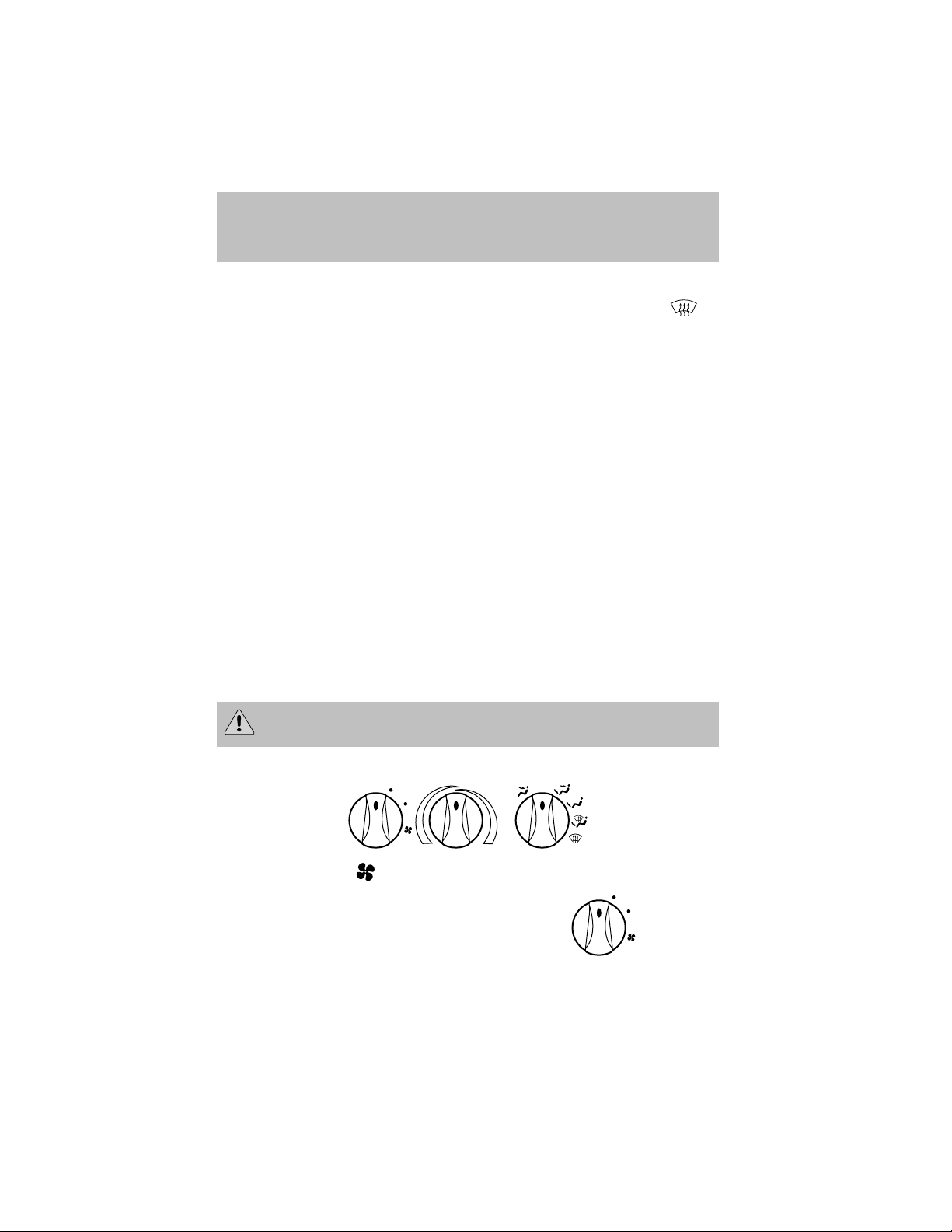
MANUAL HEATING AND AIR CONDITIONING SYSTEM (IF EQUIPPED)
LO
HI
MAX
OFF
A/C
A/C
Fan speed control
Controls the volume of air circulated
LO
in the vehicle.
HI
29
Page 30
Climate Controls
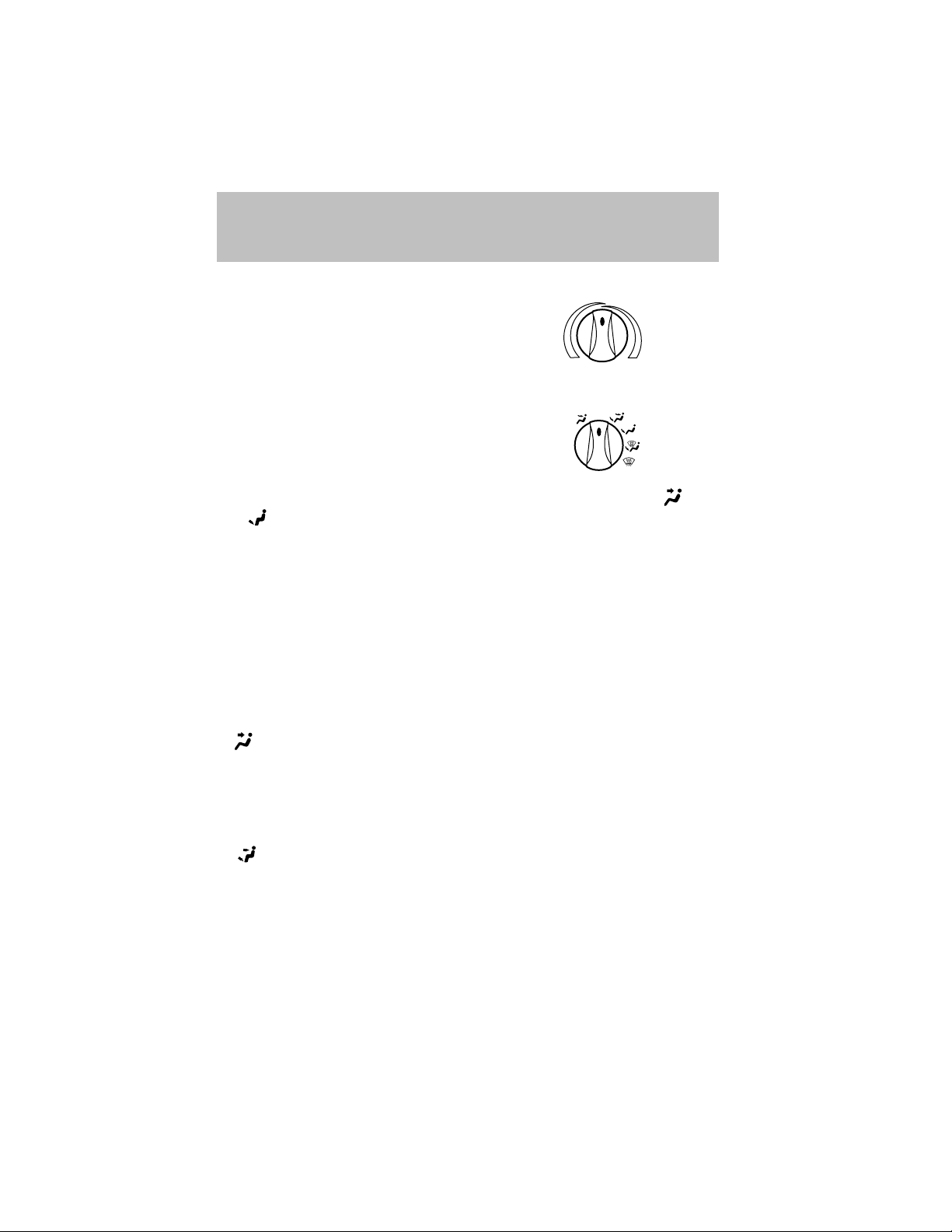
Temperature control knob
Controls the temperature of the
airflow inside the vehicle.
Mode Selector Control
Controls the direction of the airflow
to the inside of the vehicle.
The air conditioning compressor can operate in all modes except
and . However, the air conditioning will only function if the outside
temperature is about 6°C (43°F) or higher.
Since the air conditioner removes considerable moisture from the air
during operation, it is normal if clear water drips on the ground under
the air conditioner drain while the system is working and even after you
have stopped the vehicle.
MAX A/C – Uses recirculated air to cool the vehicle. MAX A/C is noisier
•
than A/C but more economical and will cool the inside of the vehicle
faster. Airflow will be from the instrument panel registers. This mode
can also be used to prevent undesirable odors from entering the vehicle.
•
A/C – Uses outside air to cool the vehicle. It is quieter than MAX A/C but
not as economical. Airflow will be from the instrument panel registers.
•
(Panel) – Distributes outside air through the instrument panel
registers. However, the air will not be cooled below the outside
temperature because the air conditioning does not operate in this mode.
• OFF – Outside air is shut out and the fan will not operate. For short
periods of time only, use this mode to prevent undesirable odors from
entering the vehicle.
•
(Panel and floor) – Distributes outside air through the
instrument panel registers and the floor ducts. Heating and air
conditioning capabilities are provided in this mode. For added
customer comfort, when the temperature control knob is anywhere in
between the full hot and full cold positions, the air distributed through
the floor ducts will be slightly warmer than the air sent to the
instrument panel registers.
OFF
A/C
MAX
A/C
30
Page 31

Climate Controls
• (Floor) – Distributes outside air through the floor ducts.
However, the air will not be cooled below the outside temperature
because the air conditioning does not operate in this mode.
•
•
Operating tips
• In humid weather conditions, place the climate control system in
• To reduce humidity buildup inside the vehicle in cold weather
• To reduce humidity buildup inside the vehicle in warm weather
• Under normal weather conditions, your vehicle’s climate control
• Under snowy or dirty weather conditions, your vehicle’s climate
• If your vehicle has been parked with the windows closed during warm
(Floor and defrost) – Distributes outside air through the
windshield defroster ducts and the floor ducts. Heating and air
conditioning capabilities are provided in this mode. For added
customer comfort, the air distributed through the floor ducts will be
slightly warmer than the air sent to the windshield defroster ducts. If
the temperature is about 6°C (43°F) or higher, the air conditioner will
automatically dehumidify the air to reduce fogging.
(Defrost) – Distributes outside air through the windshield
defroster ducts. It can be used to clear ice or fog from the windshield.
If the temperature is about 6°C (43°F) or higher, the air conditioner
will automatically dehumidify the air to reduce fogging.
Defrost mode before driving. This will reduce fogging on your
windshield. Once the windshield has been cleared, operate the climate
control system as desired.
conditions, don’t drive with the climate control system in the OFF or
MAX A/C position.
conditions, don’t drive with the climate control system in the OFF
position.
system should be left in any position other than the MAX A/C or OFF
when the vehicle is parked. This allows the vehicle to “breathe”
through the outside air inlet duct.
control system should be left in the OFF position when the vehicle is
parked. This allows the climate control system to be free from
contamination of outside pollutants.
weather conditions, the air conditioner will perform more efficiently in
cooling the vehicle if driven for two or three minutes with the
windows open. This will force most of the hot, stale air out of the
vehicle. Once the vehicle has been “aired out”, operate the climate
control system as desired.
31
Page 32

Climate Controls
• Do not put objects under the front seat which may interfere with the
airflow to the rear seats.
• Remove any snow, ice or leaves from the air intake area (at the
bottom of the windshield and underneath the hood).
• Do not place objects over the defroster outlets. These objects can
block airflow and reduce visibility through your windshield. Avoid
placing small objects on top of the instrument panel. These objects
may fall down into the defroster outlets and block airflow, in addition
to, damaging the climate control system.
To aid in side window defogging/demisting in cold weather conditions:
1. Select the position that distributes air through the Panel and Floor.
2. Set the temperature control to full heat.
3. Set the fan speed to full fan.
4. Direct the outer panel vents towards the side windows.
5. To increase airflow to the outer panel vents, close the central panel
vents.
Do not place objects on top of the instrument panel as these
objects may become projectiles in a collision or sudden stop.
REAR WINDOW DEFROSTER
Clears the rear window of thin ice and fog. To operate:
1. Turn the ignition to the ON position.
2. Press and release the control
once to turn on. The light will be lit
while the rear window defroster is
on.
3. Press and release the control
again to turn off.
The defroster will automatically turn off after 15 minutes.
R.DEF
32
Page 33

HEADLAMP CONTROL
Turns the lamps off.
Turns on the parking
lamps, instrument panel lamps,
license plate lamps and tail lamps.
Turns the headlamps on.
Foglamp control (if equipped)
Rotate forward to activate.
High beams
Push the lever toward the
instrument panel to activate. Pull
the lever towards you to deactivate.
Lights
OFF
OFF OFF
OFF
33
Page 34

Lights
Flash to pass
Pull toward you slightly to activate
and release to deactivate.
OFF
PANEL DIMMER CONTROL
Use to adjust the brightness of the instrument panel during headlamp
and parklamp operation.
• Rotate up to brighten.
• Rotate down to dim.
The dome lamp will not illuminate if the control switch is in the OFF
position.
AIMING THE HEADLAMPS
Your vehicle is equipped with a Vehicle Headlamp Aim Device (VHAD)
on each headlamp. Each headlamp may be properly aimed in the vertical
(up/down) and the horizontal (left/right) directions using your VHAD
system. The headlamps on your vehicle are properly aimed at the
assembly plant.
A bubble (vertical indicator) that is not centered between the two red
lines does not necessarily indicate out-of-aim headlamps. If your vehicle
is not positioned on a level surface, the slope will be included in the
vertical indication. Therefore, vertical and horizontal headlamp
adjustment should be performed only when the beam direction appears
to be incorrect.
You will need one 4 mm wrench or socket to make the adjustments.
34
Page 35

Lights
If the vehicle has been in an accident, the vehicle’s front structure
should be properly aligned before aiming the headlamps.
Horizontal aim adjustment
1. Park the vehicle on a level
surface.
2. With the hood open, locate the
horizontal indicator and the
adjusting screw. They are located
below the viewing window at the
rear of the headlamp assembly.
3. The “L” and “R” under the viewing window on the top of the
headlamp refer to the directional change (left or right) of the horizontal
aim.
4. Use a 4 mm wrench or socket to turn the horizontal adjusting screw
until the forward edge of the knurled portion of the screw is aligned with
the “0” reference mark (as shown) on the plastic slider when viewed
directly from above.
35
Page 36

Lights
Vertical aim adjustment
1. Park the vehicle on a level
surface.
2. With the hood open, locate the
bubble level and the vertical
adjustment screw. The adjustment
screw is located on the outboard
side of the headlamp below the
headlamp upper attachment.
3. The “UP” and “DN” on the bubble
indicate the directional change (up
or down) of the vertical aim.
4. Use a 4 mm wrench or socket to
turn the vertical adjusting screw
clockwise or counterclockwise until
the bubble is centered between the
lines.
DN
L
R
UP
DN
UP
Repeat the above process to the other headlamp, if necessary.
TURN SIGNAL CONTROL
• Push down to activate the left
turn signal.
• Push up to activate the right turn
signal.
OFF
36
Page 37

Lights
INTERIOR LAMPS
Dome lamp and map lamps (if equipped)
The dome lamp is located overhead
between the driver and passenger
seats.
The dome lamp will stay on if the
control is moved to the ON position.
When the control is moved to the
DOOR position, the lamp will only
come on if a door is opened. If the
control is moved to the OFF
position, the lamp will not come on
at all.
The map lamps and controls are
located on the dome lamp. Press the
controls on either side of each map
lamp to activate the lamps.
Map lamps (if equipped)
The map lamps and controls are located on the dome lamp. Press the
controls on either side of the dome lamp to activate the map lamps.
If equipped with a moon roof, the
map lamps are located on the moon
roof control panel. Press the control
next to the map lamp to illuminate
the lamp.
OFF DOOR ON
OPEN
BULBS
Replacing exterior bulbs
Check the operation of all the bulbs frequently.
Using the right bulbs
Replacement bulbs are specified in the chart below. Headlamp bulbs
must be marked with an authorized “D.O.T.” for North America and an
“E” for Europe to assure lamp performance, light brightness, light
pattern and safe visibility. The correct bulbs will not damage the lamp
assembly or void the lamp assembly warranty and will provide quality
bulb burn time.
37
Page 38

Lights
Function Trade Number
Front park/turn lamps 3157K
Foglamps (if equipped) 881
Headlamps-aero high and low beam 9007
Rear license plate lamps 168
High-mount brake lamp 921
Backup lamps 3156K
Brake lamps 3157K
Interior overhead lamp 12V/10W
All replacement bulbs are clear in color except where noted.
To replace all instrument panel lights - see your dealer
INTERIOR BULBS
Dome lamp
1. Remove the lamp lens by applying
pressure to both tabs at the top of
the lamp and pulling lens
downward.
2. Pull out the burned-out bulb and
install a new one.
3. Install the lamp lens by applying
pressure to both sides of the lamp
lens and popping the lamp lens up
on the assembly.
OFF DOOR ON
Map lamps
For bulb replacement, see a qualified service technician or your dealer.
Replacing headlamp bulbs
1. Make sure the headlamp switch is in the OFF position..
2. Open the hood and disconnect the headlamp wiring socket from the
in-line connector. This will make it easier to change the bulb.
38
Page 39

Lights
3. Remove the protective dust shield
from the housing by turning the
dust shield counterclockwise (when
viewed from the rear).
4. Disconnect the electrical connector from the bulb by pulling rearward.
5. Remove the bulb retaining ring by
rotating it counterclockwise.
6. Without turning, remove the old
bulb from the lamp assembly by
pulling it straight back out of the
lamp assembly and replace.
Handle a halogen headlamp bulb carefully and keep out of
children’s reach. Grasp the bulb only by its plastic base and do
not touch the glass. The oil from your hand could cause the bulb to
break the next time the headlamps are operated.
7. Install the new bulb in lamp assembly by pushing straight in with the
bulb’s plastic base facing upward. Turn the bulb slightly to align the
grooves in the plastic base with the tabs in the lamp assembly.
8. Install the bulb retaining ring over the plastic base and lock the ring
by rotating it clockwise until it snaps into place.
9. Connect the electrical connector into the plastic base until it “snaps.”
10. Install the protective dust shield and lock the shield by rotating it
clockwise until it locks into position.
11. Connect the headlamp wiring socket to the in-line connector.
39
Page 40

Lights
12. Turn the headlamps on and make sure they work properly. If the
headlamp was correctly aligned before you changed the bulb, you should
not need to align it again.
Replacing front parking lamp/turn signal bulbs
1. Make sure the headlamp switch is in the OFF position.
2. Open the hood and disconnect the headlamp wiring socket from the
in-line connector. This will make it easier to change the bulb.
3. Remove the protective dust shield from the housing by turning the
dust shield counterclockwise (when viewed from the rear).
4. Disconnect the electrical
connector from the bulb by pulling
rearward.
Replacing foglamp bulbs
1. Make sure the headlamp switch is
in the OFF position and then
remove the bulb socket from the
foglamp by turning
counterclockwise.
2. Disconnect the electrical
connector from the foglamp bulb.
3. Connect the electrical connector
to the new foglamp bulb.
4. Install the bulb socket in the
foglamp turning clockwise.
40
Page 41

Lights
Replacing high-mount brakelamp bulbs
To remove the brakelamp bulb:
1. Push the center of the push pins
in to release tension.
2. Pull the push pins out of the
cover and slide the cover away from
the package tray.
3. Remove the bulb by rotating it
counterclockwise and pulling it out
of the lamp assembly.
4. Carefully pull out the bulb
straight out of the socket and push
in new bulb.
To install the brakelamp bulb:
1. Install the bulb into the lamp assembly and rotate clockwise.
2. Install the push pins in the cover far enough that the pins protrude
outside of the cover about 6 mm (1/4 inch).
3. Install the cover and secure with the push pins.
Tail lamp/turn signal/backup lamp bulbs
The tail/turn signal lamp and backup
lamp bulbs are located in the same
portion of the tail lamp assembly,
one just below the other. Follow the
same steps to replace either bulb.
1. Make sure the headlamp switch is
in the OFF position and then open
trunk to expose the tail lamp assembly screws. Remove the two screws
from the front of the lamp.
2. The tail lamp has hidden fasteners which can be disengaged by hitting
the lamp, with the side of your hand, toward the side of the vehicle.
3. Pull lamp assembly away from vehicle for access to bulbs.
41
Page 42

Lights
4. Remove the bulb socket by
rotating it counterclockwise, then
pulling it out of the lamp assembly.
5. Pull the bulb from the socket and
push in the new bulb.
6. Install the bulb socket into the
lamp by rotating it clockwise.
7. Position the tail lamp on the
vehicle and gently tap the lens to
engage the clips. Install the screws.
License plate lamps
To change the license plate bulbs:
1. Remove two screws and the
license plate lamp assembly from
the rear bumper.
2. Carefully pull the bulb out from
the lamp assembly and push in the
new bulb.
3. Install the lamp assembly on rear
bumper with two screws.
42
Page 43

MULTI-FUNCTION LEVER
Windshield wiper:
• For intermittent wiping, move the
control down one position and
rotate the wiper switch to the
desired position.
• For low speed wiping, move the
control down two positions.
• For high speed wiping, move the
control down three positions.
Windshield washer:
• For mist wiping, move the control
up one position.
• To spray the washer fluid, pull
the wiper control toward you.
Driver Controls
MIST
OFF
INT
1
2
MIST
OFF
INT
1
2
F
INT
S
F
INT
S
PULL
PULL
43
Page 44

Driver Controls
Changing the wiper blades
1. Pull the wiper arm away from the
vehicle. Turn the blade at an angle
from the wiper arm. Push the lock
pin manually to release the blade
and pull the wiper blade down
toward the windshield to remove it
from the arm.
2. Attach the new wiper to the
wiper arm and press it into place
until a click is heard.
3. Replace wiper blades every 6
months for optimum performance.
TILT STEERING (IF EQUIPPED)
Pull the tilt steering control down to
move the steering wheel up or
down. Hold the control while
adjusting the wheel to the desired
position, then push the control back
up to lock the steering wheel in
position.
Never adjust the steering
wheel when the vehicle is
moving.
POWER WINDOWS (IF EQUIPPED)
When closing the power
windows, you should verify
they are free of obstructions and
ensure that children and/or pets
are not in the proximity of the
window openings.
44
Page 45

Driver Controls
Press and hold the bottom part of the rocker switch to open the window.
Press and hold the top part of the rocker switch to close the window.
One touch down
Allows the driver’s window to open
fully without holding the control
down. Press completely down on
the bottom part of the rocker switch
and release quickly. Press again to
stop.
POWER SIDE VIEW MIRRORS (IF EQUIPPED)
To adjust your mirrors
1. Select L to adjust the left mirror
or R to adjust the right mirror.
2. Move the control in the direction
you wish to tilt the mirror.
3. Return to the center position to
disable the adjust function.
SPEED CONTROL (IF EQUIPPED)
With speed control set, you can maintain a speed of 48 km/h (30 mph)
or more without keeping your foot on the pedal. Speed control does not
work at speeds below 48 km/h (30 mph).
Do not use the speed control in heavy traffic or on roads that
are winding, slippery or unpaved.
45
Page 46

Driver Controls
Setting speed control
The controls for using your speed
control are located on the steering
wheel for your convenience.
1. Press the ON control and release
it.
2. Accelerate to the desired speed.
3. Press the SET ACC control and
release it.
4. Take your foot off the accelerator
pedal.
Note:
• Vehicle speed may vary momentarily when driving up and down a
steep hill.
• If the vehicle speed increases above the set speed on a downhill, you
may want to apply the brakes to reduce the speed.
• If the vehicle speed decreases more than 16 km/h (10 mph) below
your set speed on an uphill, your speed control will disengage.
ON
OFF
RSM
SET
ACC
CST
46
Page 47

Driver Controls
Resuming a set speed
Press the RSM (resume) control and
release it. This will automatically
return the vehicle to the previously
set speed. The RSM control will not
work if the vehicle speed is not
faster than 48 km/h (30 mph).
Increasing speed while using speed control
There are two ways to set a higher
speed:
• Press and hold the SET ACC
control until you get to the
desired speed, then release the
control. You can also use the SET
ACCEL control to operate the
Tap-Up function. Press and
release this control to increase
CST
the vehicle set speed in small
amounts by 1.6 km/h (1 mph).
• Use the accelerator pedal to get to the desired speed. When the
vehicle reaches that speed press and release the SET ACC control.
RSM
SET
ACC
CST
RSM
SET
ACC
Reducing speed while using speed control
There are two ways to reduce a set
speed:
• Press and hold the CST control
until you get to the desired
speed, then release the control.
You can also use the CST control
to operate the Tap-Down
function. Press and release this
control to decrease the vehicle
set speed in small amounts by 1.6
km/h (1 mph).
RSM
SET
ACC
CST
47
Page 48

Driver Controls
• Depress the brake pedal until the
desired vehicle speed is reached,
press the SET ACC control.
Turning off speed control
There are two ways to turn off the speed control:
• Depress the brake pedal or the clutch pedal (if equipped). This will
not erase your vehicles previously set speed.
• Press the speed control OFF
control.
ON
Note: When you turn off the speed
control or the ignition, your speed
control set speed memory is erased.
RSM
SET
ACC
CST
OFF
MOON ROOF (IF EQUIPPED)
• Press and hold OPEN to raise the
moon roof to the vent position.
• Press OPEN again to fully open
OPEN
the moon roof.
• Press the opposite end of the
toggle control to close the moon
roof from either position.
Sliding shade
The moon roof has a sliding shade that you can open or close when the
moon roof is closed.
48
Page 49

Driver Controls
CELL PHONE USE
The use of Mobile Communications Equipment has become increasingly
important in the conduct of business and personal affairs. However,
drivers must not compromise their own or others’ safety when using
such equipment. Mobile Communications can enhance personal safety
and security when appropriately used, particularly in emergency
situations. Safety must be paramount when using mobile communications
equipment to avoid negating these benefits.
Mobile Communication Equipment includes, but is not limited to cellular
phones, pagers, portable email devices, in vehicle communications
systems, telematics devices and portable two-way radios.
A driver’s first responsibility is the safe operation of the vehicle.
The most important thing you can do to prevent a crash is to
avoid distractions and pay attention to the road. Wait until it is safe to
operate Mobile Communications Equipment.
INTERIOR TRUNK CONTROL
Press the remote trunk release
control on the instrument panel to
open the trunk.
L
E
E
R
A
K
N
U
R
T
E
S
S
E
T
R
U
N
K
R
A
E
E
L
49
Page 50

Driver Controls
POSITIVE RETENTION FLOOR MAT
Position the driver floor mat so that
the eyelet is over the pointed end of
the retention post and rotate
forward to lock in. Make sure that
the mat does not interfere with the
operation of the accelerator or the
brake pedal. To remove the floor
mat, reverse the installation
procedure.
50
Page 51

Locks and Security
KEYS
The key operates all locks on your vehicle. In case of loss, replacement
keys are available from your dealer.
You should always carry a second key with you in a safe place in case
you require it in an emergency.
POWER DOOR LOCKS (IF EQUIPPED)
Press U to unlock all doors and L to
lock all doors.
U L
INTERIOR LUGGAGE COMPARTMENT RELEASE
Your vehicle is equipped with a mechanical interior luggage compartment
release handle that provides a means of escape for children and adults in
the event they become locked inside the luggage compartment.
Adults are advised to familiarize themselves with the operation and
location of the release handle.
51
Page 52

Locks and Security
To open the luggage compartment
door (lid) from within the luggage
compartment, pull the illuminated
“T” shaped handle and push up on
the trunk lid. The handle is
composed of a material that will
glow for hours in darkness following
brief exposure to ambient light.
The “T” shaped handle will be
located either on the luggage
compartment door (lid) or inside
the luggage compartment near the
tail lamps.
Keep vehicle doors and
luggage compartment
locked and keep keys and remote
transmitters out of a child’s reach.
Unsupervised children could lock
themselves in the trunk and risk
injury. Children should be taught
not to play in vehicles.
On hot days, the temperature in the trunk or vehicle interior can
rise very quickly. Exposure of people or animals to these high
temperatures for even a short time can cause death or serious
heat-related injuries, including brain damage. Small children are
particularly at risk.
REMOTE ENTRY SYSTEM (IF EQUIPPED)
This device complies with part 15 of the FCC rules and with RS-210 of
Industry Canada. Operation is subject to the following two conditions:
(1) This device may not cause harmful interference, and (2) This device
must accept any interference received, including interference that may
cause undesired operation.
52
Page 53

Locks and Security
Changes or modifications not expressly approved by the party
responsible for compliance could void the user’s authority to
operate the equipment.
Your vehicle may have an all-door remote entry system or a driver’s door
only remote entry system.
The all-door remote entry system
allows you to:
• lock or unlock all vehicle doors
without a key.
• arm and disarm the anti-theft
system. (For more information on
the anti-theft system, refer to
Anti-theft system in this
chapter.)
• open the trunk.
• activate the panic alarm.
The driver’s door only entry system allows you to:
• lock the driver’s door
• unlock the driver’s door only without a key.
• activate the panic alarm.
• open the trunk
The remote entry features only operate with the ignition in the LOCK
position.
If there is any potential remote keyless entry problem with your vehicle,
ensure ALL remote entry transmitters are brought to the dealership,
to aid in troubleshooting.
Unlocking the doors
1. Press and release to unlock the driver’s door. Note: The interior
lamps will illuminate.
2. With the all-door remote entry, press
three seconds to unlock all the doors.
The remote entry system activates the illuminated entry feature. This
feature turns on the interior lamps for 20 seconds or until the ignition is
turned to the ON position. The dome lamp control must be set to the
DOOR position in order for the illuminated entry feature to operate.
and release again within
53
Page 54

Locks and Security
Locking the doors
1. Press and release to lock all the doors. On vehicles equipped with
the driver’s door only remote entry system, only the driver’s door will
lock. Note: the interior lamps will turn off.
2. On vehicles with the all-door remote entry, press
within three seconds to confirm that all the doors are closed and locked.
Note: the doors will lock again, the horn will chirp once and the
headlamps will flash.
If any of the doors are not properly closed the horn will make two quick
chirps.
This process will also activate the vehicle’s anti-theft system (if
equipped). For more information on arming the anti-theft system, refer
to Anti-theft system in this chapter.
Opening the trunk
Press once to open the trunk.
• Ensure that the trunk is closed and latched before driving your
vehicle. Failure to properly latch the trunk may cause objects to fall
out or block the driver’s rear view.
Sounding a panic alarm
Press
or ON to deactivate.
Note: The panic alarm will only operate when the ignition is in the OFF
position.
to activate the alarm. Press again or turn the ignition to ACC
and release again
Replacing the battery
The remote entry transmitter uses one coin type three-volt lithium
battery CR2032 or equivalent. The typical operating range for your
remote entry transmitter is approximately 10 meters (33 feet). A
decrease in the operating range could be caused by:
• weather conditions,
• nearby radio towers,
• structures around the vehicle and
• other vehicles parked next to the vehicle.
54
Page 55

Locks and Security
To replace the battery:
1. Twist a thin coin between the two
halves of the remote entry
transmitter near the key ring. DO
NOT TAKE THE FRONT PART OF
THE REMOTE ENTRY
TRANSMITTER APART.
2. Remove the old battery.
3. Insert the new battery. Refer to
the diagram inside the remote entry
transmitter for the correct orientation of the battery.
4. Snap the two halves back together.
Note: Replacement of the battery will not cause the remote transmitter
to become deprogrammed from your vehicle. The remote transmitter
should operate normally after battery replacement.
Replacing lost remote entry transmitters
If you would like to have your remote entry transmitter reprogrammed
because you lost one, or would like to buy additional remote entry
transmitters, you can either reprogram them yourself, or take all
remote entry transmitters to your authorized dealer for
reprogramming.
How to reprogram your remote entry transmitters
You must have all remote entry transmitters (maximum of four)
available before beginning this procedure.
To reprogram the remote entry
transmitters:
3
2
C
C
I
A
K
0
C
O
L
1
1. Ensure the vehicle is electronically unlocked.
2. Put the key in the ignition.
3. Turn the key from the 1 (LOCK) position to 2 (ACC).
N
O
S
I
I
T
A
I
I
I
4
R
T
55
Page 56

Locks and Security
4. Cycle, eight times, rapidly (within 10 seconds) between the 2 (ACC)
position and 3 (ON). Note: The eighth turn must end in the 3 (ON)
position.
5. The doors will lock, then unlock, to confirm that the programming
mode has been activated.
6. Within 20 seconds press any button on the remote entry transmitter.
Note: If more than 20 seconds have passed you will need to start the
procedure over again.
7. The doors will lock, then unlock, to confirm that this remote entry
transmitter has been programmed.
8. Repeat Step 6 to program each additional remote entry transmitter.
9. Turn the ignition to the 2 (ACC) position (or wait twenty seconds)
after you have finished programming all of the remote entry transmitters.
10. The doors will lock, then unlock, to confirm that the programming
mode has been exited.
ANTI-THEFT SYSTEM (IF EQUIPPED)
When activated, the anti-theft system will help prevent your vehicle from
unauthorized entry.
If there is any potential remote keyless entry problem with your vehicle,
ensure ALL remote entry transmitters are brought to the dealership,
to aid in troubleshooting.
Activating the anti-theft system
Turn the ignition to the 1 (LOCK) position, remove the key and press
on the remote entry transmitter.
Identifying an activated system
While the system is activating, the THEFT indicator, located in the
instrument cluster, will illuminate for 30 seconds. After 30 seconds, the
indicator will flash, indicating the system is activated.
If the system is activated with the doors open, the THEFT indicator will
remain illuminated until all the doors are closed, then illuminate for 30
seconds and begin flashing.
When an unauthorized entry occurs, the activated system will:
• flash the parking lamps and the THEFT indicator, and
• sound the horn.
The flashing parking lamps and the honking horn automatically shut off
after approximately three minutes, and will remain off unless another
unauthorized entry is attempted.
56
Page 57

Locks and Security
Deactivating the anti-theft system
Deactivating an untriggered anti-theft system
You can deactivate an untriggered anti-theft system alarm in the
following ways:
• Press
• Press
trunk control will prevent the alarm from sounding until the trunk is
closed again.
Note: Using the ignition key to unlock the doors or trunk will not disarm
the anti-theft system.
Deactivating a triggered anti-theft system
You can deactivate a triggered anti-theft system alarm in the following
ways:
• Press
• Press
• Insert the key into the ignition and turn to the 2 (ACC) or 3 (ON)
positions.
on the remote entry transmitter.
on the remote entry transmitter. Note: Pressing the
on the remote entry transmitter.
on the remote entry transmitter.
57
Page 58

Seating and Safety Restraints
SEATING
Notes:
Reclining the seatback can cause an occupant to slide under the
seat’s safety belt, resulting in severe personal injuries in the
event of a collision.
Do not pile cargo higher than the seatbacks to reduce the risk of
injury in a collision or sudden stop.
Adjustable head restraints (if equipped)
Head restraints help to limit head motion in the event of a rear collision.
Adjust your head restraint so that it is located directly or as close as
possible behind your head.
The head restraints can be moved
up and down.
Push control to lower head restraint.
Adjusting the front manual seat
Never adjust the driver’s seat or seatback when the vehicle is
moving.
58
Page 59

Seating and Safety Restraints
Always drive and ride with your seatback upright and the lap
belt snug and low across the hips.
Lift handle to move seat forward or
backward.
Pull lever up to adjust seatback.
FOLDING DOWN THE REAR SEATS
To fold the seatback down:
• Press the latch control downward
or pull up on strap and
• Pull the seatback forward and
down.
59
Page 60

Seating and Safety Restraints
RETURNING THE SEAT TO THE UPRIGHT POSITION
Check to see that the seat and seatback is latched securely in
position. Keep floor area free of objects that would prevent
proper seat engagement. Never attempt to adjust the seat while the
vehicle is in motion.
To return the seat to the upright/normal seating position:
• Rotate seat upward and latch.
The full rear bench seat is shown. The split-folding rear seat (if
equipped) operates in a similar manner.
SAFETY RESTRAINTS
Safety restraints precautions
Always drive and ride with your seatback upright and the lap
belt snug and low across the hips.
To reduce the risk of injury, make sure children sit where they
can be properly restrained.
Never let a passenger hold a child on his or her lap while the
vehicle is moving. The passenger cannot protect the child from
injury in a collision.
All occupants of the vehicle, including the driver, should always
properly wear their safety belts, even when an air bag (SRS) is
provided.
It is extremely dangerous to ride in a cargo area, inside or
outside of a vehicle. In a collision, people riding in these areas
are more likely to be seriously injured or killed. Do not allow people to
ride in any area of your vehicle that is not equipped with seats and
safety belts. Be sure everyone in your vehicle is in a seat and using a
safety belt properly.
60
Page 61

Seating and Safety Restraints
In a rollover crash, an unbelted person is significantly more likely
to die than a person wearing a safety belt.
Each seating position in your vehicle has a specific safety belt
assembly which is made up of one buckle and one tongue that
are designed to be used as a pair. 1) Use the shoulder belt on the
outside shoulder only. Never wear the shoulder belt under the arm. 2)
Never swing the safety belt around your neck over the inside shoulder.
3) Never use a single belt for more than one person.
Always transport children 12 years old and under in the back
seat and always properly use appropriate child restraints.
Safety belts and seats can become hot in a vehicle that has been
closed up in sunny weather; they could burn a small child. Check
seat covers and buckles before you place a child anywhere near them.
Combination lap and shoulder belts
1. Insert the belt tongue into the
proper buckle (the buckle closest to
the direction the tongue is coming
from) until you hear a snap and feel
it latch. Make sure the tongue is
securely fastened in the buckle.
61
Page 62

Seating and Safety Restraints
2. To unfasten, push the release
button and remove the tongue from
the buckle.
The front and rear outboard safety restraints in the vehicle are
combination lap and shoulder belts. The front passenger and rear seat
outboard safety belts have two types of locking modes described below:
Vehicle sensitive mode
This is the normal retractor mode, which allows free shoulder belt length
adjustment to your movements and locking in response to vehicle
movement. For example, if the driver brakes suddenly or turns a corner
sharply, or the vehicle receives an impact of approximately 8 km/h (5
mph) or more, the combination safety belts will lock to help reduce
forward movement of the driver and passengers.
Automatic locking mode
The automatic locking mode is not available on the driver safety belt.
When to use the automatic locking mode
In this mode, the shoulder belt is automatically pre-locked. The belt will
still retract to remove any slack in the shoulder belt. The automatic
locking mode is not available on the driver safety belt.
This mode should be used any time a child safety seat is installed in a
passenger front or outboard rear seating position (if equipped). Children
12 years old and under should be properly restrained in the rear seat
whenever possible. Refer to Safety restraints for children or Safety
seats for children later in this chapter.
62
Page 63

Seating and Safety Restraints
How to use the automatic locking mode
• Buckle the combination lap and
shoulder belt.
• Grasp the shoulder portion and
pull downward until the entire
belt is pulled out.
• Allow the belt to retract. As the belt retracts, you will hear a clicking
sound. This indicates the safety belt is now in the automatic locking
mode.
How to disengage the automatic locking mode
Disconnect the combination lap/shoulder belt and allow it to retract
completely to disengage the automatic locking mode and activate the
vehicle sensitive (emergency) locking mode.
After any vehicle collision, the front passenger and rear outboard
seat belt systems must be checked by a qualified technician to
verify that the “automatic locking retractor” feature for child seats is
still functioning properly. In addition, all seat belts should be checked
for proper function.
63
Page 64

Seating and Safety Restraints
BELT AND RETRACTOR ASSEMBLY MUST BE REPLACED if the
seat belt assembly “automatic locking retractor” feature or any
other seat belt function is not operating properly when checked
according to the procedures in Workshop Manual. Failure to replace the
Belt and Retractor assembly could increase the risk of injury in collisions.
Safety belt extension assembly
If the safety belt is too short when fully extended, there is a 20 cm (8
inch) safety belt extension assembly that can be added (part number
611C22). This assembly can be obtained from your dealer at no cost.
Use only extensions manufactured by the same supplier as the safety
belt. Manufacturer identification is located at the end of the webbing on
the label. Also, use the safety belt extension only if the safety belt is too
short for you when fully extended.
Do not use extensions to change the fit of the shoulder belt
across the torso.
Safety belt warning light and indicator chime
The safety belt warning light illuminates in the instrument cluster and a
chime sounds to remind the occupants to fasten their safety belts.
Conditions of operation
If... Then...
The driver’s safety belt is not
buckled before the ignition
switch is turned to the ON
position...
The driver’s safety belt is
buckled while the indicator
light is illuminated and the
warning chime is sounding...
The driver’s safety belt is
buckled before the ignition
switch is turned to the ON
position...
64
The safety belt warning light
illuminates 1-2 minutes and the
warning chime sounds 4-8 seconds.
The safety belt warning light and
warning chime turn off.
The safety belt warning light and
indicator chime remain off.
Page 65

Seating and Safety Restraints
BeltMinder
The BeltMinder feature is a supplemental warning to the safety belt
warning function. This feature provides additional reminders to the
driver that the driver’s safety belt is unbuckled by intermittently
sounding a chime and illuminating the safety belt warning lamp in the
instrument cluster.
If... Then...
The driver’s safety belt is not
buckled approximately 5
seconds after the safety belt
warning light has turned off...
The driver’s safety belt is
buckled while the safety belt
indicator light is illuminated
and the safety belt warning
chime is sounding...
The driver’s safety belt is
buckled before the ignition
switch is turned to the ON
position...
The following are reasons most often given for not wearing safety belts:
(All statistics based on U.S. data)
The BeltMinder feature is activated the safety belt warning light
illuminates and the warning chime
sounds for 6 seconds every 30
seconds, repeating for approximately
5 minutes or until safety belt is
buckled.
The BeltMinder feature will not
activate.
The BeltMinder feature will not
activate.
Reasons given... Consider...
“Crashes are rare events” 36700 crashes occur every day. The
more we drive, the more we are
exposed to “rare” events, even for
good drivers. 1 in 4 of us will be
seriously injured in a crash during
our lifetime.
“I’m not going far” 3of4fatal crashes occur within 25
miles of home.
65
Page 66

Seating and Safety Restraints
Reasons given... Consider...
“Belts are uncomfortable” We design our safety belts to enhance
comfort. If you are uncomfortable try different positions for the safety
belt upper anchorage and seatback
which should be as upright as
possible; this can improve comfort.
“I was in a hurry” Prime time for an accident.
BeltMinder reminds us to take a few
seconds to buckle up.
“Seat belts don’t work” Safety belts, when used properly,
reduce risk of death to front seat
occupants by 45% in cars, and by
60% in light trucks.
“Traffic is light” Nearly 1 of 2 deaths occur in
single-vehicle crashes, many when
no other vehicles are around.
“Belts wrinkle my clothes” Possibly, but a serious crash can do
much more than wrinkle your clothes,
particularly if you are unbelted.
“The people I’m with don’t
wear belts”
“I have an air bag” Air bags offer greater protection when
“I’d rather be thrown clear” Not a good idea. People who are
Set the example, teen deaths occur 4
times more often in vehicles with
TWO or MORE people. Children and
younger brothers/sisters imitate
behavior they see.
used with safety belts. Frontal airbags
are not designed to inflate in rear and
side crashes or rollovers.
ejected are 40 times more likely
to DIE. Safety belts help prevent
ejection, WE CAN’T “PICK OUR
CRASH”.
66
Page 67

Seating and Safety Restraints
Do not sit on top of a buckled safety belt to avoid the Belt
Minder chime. Sitting on the safety belt will increase the risk of
injury in an accident. To disable (one-time) or deactivate the Belt
Minder feature please follow the directions stated below.
One time disable
Any time the safety belt is buckled and then unbuckled during an
ignition ON cycle, BeltMinder will be disabled for that ignition cycle only.
Deactivating/activating the BeltMinder feature
Read steps1-9thoroughly before proceeding with the
deactivation/activation programming procedure.
The BeltMinder feature can be deactivated/activated by performing the
following procedure:
Before following the procedure, make sure that:
• The parking brake is set.
• The gearshift is in P (Park) (automatic transmission) or the neutral
position (manual transmission).
• The ignition switch is in the OFF position.
• All vehicle doors are closed.
• The driver’s safety belt is unbuckled.
• The parklamps/headlamps are in OFF position (If vehicle is equipped
with Autolamps, this will not affect the procedure).
To reduce the risk of injury, do not deactivate/activate the Belt
Minder feature while driving the vehicle.
BeltMinder activation and deactivation procedure
1. Turn the ignition switch to the RUN (or ON) position. (DO NOT
START THE ENGINE.)
2. Wait until the safety belt warning light turns off. (Approximately 1–2
minutes.)
• Steps 3–5 must be completed within 60 seconds or the procedure will
have to be repeated.
3. Buckle then unbuckle the safety belt three times, ending with the
safety belt unbuckled. This can be done before or during BeltMinder
warning activation.
4. Turn on the parklamps/headlamps, turn off the parklamps/headlamps.
67
Page 68

Seating and Safety Restraints
5. Buckle then unbuckle the safety belt three times, ending with the
safety belt unbuckled.
• After step 5 the safety belt warning light will be turned on for three
seconds.
6. Within seven seconds of the safety belt warning light turning off,
buckle then unbuckle the safety belt.
• This will disable BeltMinder if it is currently enabled, or enable
BeltMinder if it is currently disabled.
7. Confirmation of disabling BeltMinder is provided by the safety belt
warning light flashing four times per second for three seconds.
8. Confirmation of enabling BeltMinder is provided by:
• The safety belt warning light flashing four times per second for three
seconds.
• Followed by three seconds with the safety belt warning light off.
• Once again, the safety belt warning light will flash four times per
second for three seconds.
9. After receiving confirmation, the deactivation/activation procedure is
complete.
Safety belt maintenance
Inspect the safety belt systems periodically to make sure they work
properly and are not damaged. Inspect the safety belts to make sure
there are no nicks, tears or cuts. Replace if necessary. All safety belt
assemblies, including retractors, buckles, front seat belt buckle
assemblies, buckle support assemblies (slide bar-if equipped), shoulder
belt height adjusters (if equipped), shoulder belt guide on seatback (if
equipped), child safety seat LATCH and tether anchors, and attaching
hardware, should be inspected after a collision. Ford Motor Company
recommends that all safety belt assemblies used in vehicles involved in a
collision be replaced. However, if the collision was minor and a qualified
technician finds that the belts do not show damage and continue to
operate properly, they do not need to be replaced. Safety belt assemblies
not in use during a collision should also be inspected and replaced if
either damage or improper operation is noted.
Failure to inspect and if necessary replace the safety belt
assembly under the above conditions could result in severe
personal injuries in the event of a collision.
Refer to Interior in the Cleaning chapter.
68
Page 69

Seating and Safety Restraints
AIR BAG SUPPLEMENTAL RESTRAINT SYSTEM (SRS)
Important SRS precautions
The SRS is designed to work with
the safety belt to help protect the
driver and right front passenger
from certain upper body injuries. Air
bags DO NOT inflate slowly; there is
a risk of injury from a deploying air
bag.
All occupants of the vehicle, including the driver, should always
properly wear their safety belts, even when an air bag (SRS) is
provided.
Always transport children 12 years old and under in the back
seat and always properly use appropriate child restraints.
The National Highway Traffic Safety Administration (NHTSA)
recommends a minimum distance of at least 25 cm (10 inches)
between an occupant’s chest and the driver air bag module.
69
Page 70

Seating and Safety Restraints
Never place your arm over the air bag module as a deploying air
bag can result in serious arm fractures or other injuries.
To properly position yourself away from the air bag:
• Move your seat to the rear as far as you can while still reaching the
pedals comfortably.
• Recline the seat slightly one or two degrees from the upright position.
Do not put anything on or over the air bag module. Placing
objects on or over the air bag inflation area may cause those
objects to be propelled by the air bag into your face and torso causing
serious injury.
Do not attempt to service, repair, or modify the air bag
supplemental restraint systems or its fuses. See your Ford or
Lincoln Mercury dealer.
Modifying or adding equipment to the front end of the vehicle
(including frame, bumper, front end body structure and tow
hooks) may affect the performance of the air bag system, increasing
the risk of injury. Do not modify the front end of the vehicle.
70
Page 71

Seating and Safety Restraints
Children and air bags
Children must always be properly
restrained. Accident statistics
suggest that children are safer when
properly restrained in the rear
seating positions than in the front
seating position. Failure to follow
these instructions may increase the
risk of injury in a collision.
Air bags can kill or injure a
child in a child seat.
NEVER place a rear-facing child
seat in front of an active air bag. If
you must use a forward-facing
child seat in the front seat, move
the seat all the way back.
How does the air bag supplemental restraint system work?
The air bag SRS is designed to
activate when the vehicle sustains a
longitudinal deceleration sufficient
to cause the air bag sensors to close
an electrical circuit that initiates air
bag inflation. The fact that the air
bags did not inflate in a collision
does not mean that something is
wrong with the system. Rather, it
means the forces were not sufficient
enough to cause activation. Air bags
are designed to inflate in frontal and
near-frontal collisions, not rollover, side-impact, or rear-impacts unless
the collision causes sufficient longitudinal deceleration.
71
Page 72

Seating and Safety Restraints
The air bags inflate and deflate
rapidly upon activation. After air bag
deployment, it is normal to notice a
smoke-like, powdery residue or
smell the burnt propellant. This may
consist of cornstarch, talcum
powder or sodium compounds which
may irritate the skin and eyes, but
none of the residue is toxic.
While the SRS is designed to help
reduce serious injuries, contact with
a deploying air bag may also cause
abrasions, swelling or temporary
hearing loss. Because air bags must
inflate rapidly and with considerable
force, there is the risk of death or
serious injuries such as fractures, facial and eye injuries or internal
injuries, particularly to occupants who are not properly restrained or are
otherwise out of position at the time of air bag deployment. It is
extremely important that occupants be properly restrained as far away
from the air bag module as possible while maintaining vehicle control.
The SRS consists of:
• driver and passenger air bag modules (which include the inflators and
air bags)
• one or more impact and safing sensors
• a readiness light and tone
• a diagnostic module
• and the electrical wiring which connects the components
The diagnostic module monitors its own internal circuits and the
supplemental air bag electrical system warning (including the impact
sensors), the system wiring, the air bag system readiness light, the air
bag back up power and the air bag ignitors.
Several air bag system components get hot after inflation. Do not
touch them after inflation.
If the air bag has deployed, the air bag will not function
again and must be replaced immediately. If the air bag is not
replaced, the unrepaired area will increase the risk of injury in a
collision.
72
Page 73

Seating and Safety Restraints
Determining if the system is operational
The SRS uses a readiness light in the instrument cluster or a tone to
indicate the condition of the system. Refer to Air bag readiness section
in the Instrument cluster chapter. Routine maintenance of the air bag is
not required.
A difficulty with the system is indicated by one or more of the following:
• The readiness light will either
flash or stay lit.
• The readiness light will not
illuminate immediately after
ignition is turned on.
• A series of five beeps will be heard. The tone pattern will repeat
periodically until the problem and/or light are repaired.
If any of these things happen, even intermittently, have the SRS serviced
at your dealership or by a qualified technician immediately. Unless
serviced, the system may not function properly in the event of a
collision.
Disposal of air bags and air bag equipped vehicles
See your local dealership or qualified technician. Air bags MUST BE
disposed of by qualified personnel.
SAFETY RESTRAINTS FOR CHILDREN
See the following sections for directions on how to properly use safety
restraints for children. Also see Air bag supplemental restraint system
(SRS) in this chapter for special instructions about using air bags.
Important child restraint precautions
You are required by law to use safety restraints for children in the U.S.
and Canada. If small children (generally children who are four years old
or younger and who weigh 18 kg [40 lbs] or less) ride in your vehicle,
you must put them in safety seats made especially for children. Check
your local and state or provincial laws for specific requirements
regarding the safety of children in your vehicle. When possible, always
place children under age 12 in the rear seat of your vehicle. Accident
statistics suggest that children are safer when properly restrained in the
rear seating positions than in the front seating position.
73
Page 74

Seating and Safety Restraints
Never let a passenger hold a child on his or her lap while the
vehicle is moving. The passenger cannot protect the child from
injury in a collision.
Always follow the instructions and warnings that come with any infant or
child restraint you might use.
Children and safety belts
If the child is the proper size, restrain the child in a safety seat. Children
who are too large for child safety seats (as specified by your child safety
seat manufacturer) should always wear safety belts.
Follow all the important safety restraint and air bag precautions that
apply to adult passengers in your vehicle.
If the shoulder belt portion of a combination lap and shoulder belt can
be positioned so it does not cross or rest in front of the child’s face or
neck, the child should wear the lap and shoulder belt. Moving the child
closer to the center of the vehicle may help provide a good shoulder belt
fit.
Do not leave children, unreliable adults, or pets unattended in
your vehicle.
Child booster seats
Children outgrow a typical convertible or toddler seat when they weigh
40 pounds and are around 4 years of age. Although the lap/shoulder belt
will provide some protection, these children are still too small for
lap/shoulder belts to fit properly, which could increase the risk of serious
injury.
To improve the fit of both the lap and shoulder belt on children who
have outgrown child safety seats, Ford Motor Company recommends use
of a belt-positioning booster.
Booster seats position a child so that safety belts fit better. They lift the
child up so that the lap belt rests low across the hips and the knees
bend comfortably. Booster seats also make the shoulder belt fit better
and more comfortably for growing children.
When children should use booster seats
Children need to use booster seats from the time they outgrow the
toddler seat until they are big enough for the vehicle seat and
lap/shoulder belt to fit properly. Generally this is when they weigh about
80 lbs (about 8 to 12 years old).
74
Page 75

Seating and Safety Restraints
Booster seats should be used until you can answer YES to ALL of these
questions:
• Can the child sit all the way back
against the vehicle seat back with
knees bent comfortably at the
edge of the seat without
slouching?
• Does the lap belt rest low across the hips?
• Is the shoulder belt centered on the shoulder and chest?
• Can the child stay seated like this for the whole trip?
Types of booster seats
There are two types of belt-positioning booster seats:
• Those that are backless.
If your backless booster seat has a
removable shield, remove the
shield and use the lap/shoulder
belt. If a seating position has a
low seat back and no head
restraint, a backless booster seat
may place your child’s head (top
of ear level) above the top of the
seat. In this case, move the
backless booster to another
seating position with a higher seat back and lap/shoulder belts.
• Those with a high back.
If, with a backless booster seat,
you cannot find a seating position
that adequately supports your
child’s head, a high back booster
seat would be a better choice.
Both can be used in any vehicle in a seating position equipped with
lap/shoulder belts if your child is over 40 lbs.
75
Page 76

Seating and Safety Restraints
The shoulder belt should cross the chest, resting snugly on the center of
the shoulder. The lap belt should rest low and snug across the hips,
never up high across the stomach.
If the booster seat slides on the vehicle seat, placing a rubberized mesh
sold as shelf or carpet liner under the booster seat may improve this
condition.
The importance of shoulder belts
Using a booster without a shoulder belt increases the risk of a child’s
head hitting a hard surface in a collision. For this reason, you should
never use a booster seat with a lap belt only. It is best to use a booster
seat with lap/shoulder belts in the back seat- the safest place for children
to ride.
Follow all instructions provided by the manufacturer of the
booster seat.
Never put the shoulder belt under a child’s arm or behind the
back because it eliminates the protection for the upper part of
the body and may increase the risk of injury or death in a collision.
Never use pillows, books, or towels to boost a child. They can
slide around and increase the likelihood of injury or death in a
collision.
SAFETY SEATS FOR CHILDREN
Child and infant or child safety seats
Use a safety seat that is recommended for the size and weight of the
child. Carefully follow all of the manufacturer’s instructions with the
76
Page 77

Seating and Safety Restraints
safety seat you put in your vehicle. If you do not install and use the
safety seat properly, the child may be injured in a sudden stop or
collision.
When installing a child safety seat:
• Review and follow the information
presented in the Air bag
supplemental restraint system
(SRS) section in this chapter.
• Use the correct safety belt buckle
for that seating position (the
buckle closest to the direction the
tongue is coming from).
• Insert the belt tongue into the
proper buckle until you hear a
snap and feel it latch. Make sure the tongue is securely fastened in the
buckle.
• Keep the buckle release button pointing up and away from the safety
seat, with the tongue between the child seat and the release button,
to prevent accidental unbuckling.
• Place seat back in upright position.
• Put the safety belt in the automatic locking mode. Refer to Automatic
locking mode (passenger side front and outboard rear seating
positions) (if equipped) section in this chapter.
Ford recommends the use of a child safety seat having a top tether
strap. Install the child safety seat in a seating position with a tether
anchor. For more information on top tether straps, refer to Attaching
child safety seats with tether straps in this chapter.
Carefully follow all of the manufacturer’s instructions included
with the safety seat you put in your vehicle. If you do not install
and use the safety seat properly, the child may be injured in a sudden
stop or collision.
Rear-facing child seats or infant carriers should never be placed
in the front seats.
77
Page 78

Seating and Safety Restraints
Installing child safety seats with combination lap and shoulder
belts
Air bags can kill or injure a child in a child seat. NEVER place a
rear-facing child seat in front of an active air bag. If you must
use a forward-facing child seat in the front seat, move the seat all the
way back.
Children 12 and under should be properly restrained in the rear
seat whenever possible.
1. Position the child safety seat in a
seat with a combination lap and
shoulder belt.
2. Pull down on the shoulder belt
and then grasp the shoulder belt
and lap belt together.
78
Page 79

Seating and Safety Restraints
3. While holding the shoulder and
lap belt portions together, route the
tongue through the child seat
according to the child seat
manufacturer’s instructions. Be sure
the belt webbing is not twisted.
4. Insert the belt tongue into the
proper buckle (the buckle closest to
the direction the tongue is coming
from) for that seating position until
you hear a snap and feel the latch
engage. Make sure the tongue is
latched securely by pulling on it.
5. To put the retractor in the
automatic locking mode, grasp the
shoulder portion of the belt and pull
downward until all of the belt is
pulled out and a click is heard.
6. Allow the belt to retract. The belt will click as it retracts to indicate it
is in the automatic locking mode.
79
Page 80

Seating and Safety Restraints
7. Pull the lap belt portion across
the child seat toward the buckle and
pull up on the shoulder belt while
pushing down with your knee on the
child seat.
8. Allow the safety belt to retract to
remove any slack in the belt.
9. Before placing the child in the
seat, forcibly move the seat forward
and back to make sure the seat is
securely held in place. To check
this, grab the seat at the belt path
and attempt to move it side to side
and forward. There should be no
more than one inch of movement for
proper installation.
10. Try to pull the belt out of the retractor to make sure the retractor is
in the automatic locking mode (you should not be able to pull more belt
out). If the retractor is not locked, unbuckle the belt and repeat steps
two through nine.
Check to make sure the child seat is properly secured before each use.
Attaching child safety seats with tether straps
Most new forward-facing child safety seats include a tether strap which
goes over the back of the seat and hooks to an anchoring point. Tether
straps are available as an accessory for many older safety seats. Contact
the manufacturer of your child seat for information about ordering a
tether strap.
The rear seats of your vehicle are equipped with built-in tether strap
anchors located behind the seats as described below.
The tether anchors in your vehicle are located below the rear window
marked with the tether anchor symbol (shown with title).
80
Page 81

Seating and Safety Restraints
The tether strap anchors in your vehicle are in the following positions
(shown from top view):
Attach the tether strap only
to the appropriate tether
anchor as shown. The tether strap
may not work properly if attached
somewhere other than the correct
tether anchor.
1. Position the child safety seat on the seat cushion.
2. Route the child safety seat tether strap over the back of the seat.
For vehicles with adjustable head restraints, route the tether strap under
the head restraint and between the head restraint posts, otherwise route
the tether strap over the top of the seatback.
3. Locate the correct anchor for the selected seating position.
4. Clip the tether strap to the anchor as shown.
If the tether strap is clipped incorrectly, the child safety seat
may not be retained properly in the event of a collision.
5. For further instructions to secure the child safety seat, refer to the
Installing child safety seats in combination lap and shoulder belt
seating positions section of this chapter.
6. Tighten the child safety seat tether strap according to the
manufacturer’s instructions.
If the safety seat is not anchored properly, the risk of a child
being injured in a collision greatly increases.
81
Page 82

Seating and Safety Restraints
Attaching safety seats with LATCH (Lower Anchors and Tethers for
Children) attachments
Some child safety seats have two rigid or webbing mounted attachments
that connect to two anchors at certain seating positions in your vehicle.
This type of child seat eliminates the need to use seat belts to attach the
child seat. For forward-facing child seats, the tether strap must also be
attached to the proper tether anchor. See Attaching safety seats with
tether straps in this chapter.
Your vehicle has LATCH anchors for child seat installation at the seating
positions marked with the child seat symbol.
Never attach two LATCH
child safety seats to the
same anchor. In a crash, one
anchor may not be strong enough
to hold two child safety seat
attachments and may break,
causing serious injury or death.
The lower anchors for child seat
installation are located at the rear
section of the rear seat between the
cushion and seat back.
Follow the child seat manufacturer’s instructions to properly install a
child seat with LATCH attachments. Two plastic LATCH guides can be
obtained at no charge from any Ford or Lincoln-Mercury dealer. They
snap onto the LATCH lower anchors in the seat to help attach a child
seat with rigid attachments. The guides hold the seat trim away to
expose the anchor and make it easier to attach some child seats.
Attach LATCH lower attachments of the child seat only to the
anchors shown.
82
Page 83

Seating and Safety Restraints
If you install a child seat with rigid LATCH attachments, do not tighten
the tether strap enough to lift the child seat off the vehicle seat cushion
when the child is seated in it. Keep the tether strap just snug without
lifting the front of the child seat. Keeping the child seat just touching the
vehicle seat gives the best protection in a severe crash.
Each time you use the safety seat, check that the seat is properly
attached to the lower anchors and tether anchor. Try to tilt the child
seat from side to side. Also try to tug the seat forward. Check to see if
the anchors hold the seat in place.
If the safety seat is not anchored properly, the risk of a child
being injured in a crash greatly increases.
83
Page 84

Driving
STARTING
Positions of the ignition
1. LOCK, locks the steering wheel,
gearshift lever (automatic transaxle
only) and allows key removal. On
vehicles with a manual transaxle
2
push the key in while turning to
lock.
2. ACCESSORY, allows the electrical
accessories such as the radio to
operate while the engine is not
1
running.
3. ON, all electrical circuits operational. Warning lights illuminated. Key
position when driving.
4. START, cranks the engine. Release the key as soon as the engine
starts.
Preparing to start your vehicle
Engine starting is controlled by the powertrain control system. This
system meets all Canadian Interference-Causing Equipment standard
requirements regulating the impulse electrical field strength of radio
noise.
When starting a fuel-injected engine, avoid pressing the accelerator
before or during starting. Only use the accelerator when you have
difficulty starting the engine. For more information on starting the
vehicle, refer to Starting the engine in this chapter.
Extended idling at high engine speeds can produce very high
temperatures in the engine and exhaust system, creating the risk
of fire or other damage.
3
N
O
S
I
I
C
T
C
A
I
I
A
I
I
K
0
C
O
L
4
R
T
Do not park, idle, or drive your vehicle in dry grass or other dry
ground cover. The emission system heats up the engine
compartment and exhaust system, which can start a fire.
Do not start your vehicle in a closed garage or in other enclosed
areas. Exhaust fumes can be toxic. Always open the garage door
before you start the engine. See Guarding against exhaust fumes in
this chapter for more instructions.
84
Page 85

Driving
If you smell exhaust fumes inside your vehicle, have your dealer
inspect your vehicle immediately. Do not drive if you smell
exhaust fumes.
Make sure the corresponding lights illuminate or illuminate briefly. If a
light fails to illuminate, have the vehicle serviced.
• If the driver’s safety belt is fastened, the
Important safety precautions
When the engine starts, the idle RPM runs faster to warm the engine. If
the engine idle speed does not slow down automatically, have the vehicle
checked.
Before starting the vehicle:
1. Make sure all occupants buckle their safety belts. For more
information on safety belts and their proper usage, refer to the Seating
and safety restraints chapter.
2. Make sure the headlamps and electrical accessories are off.
If starting a vehicle with an automatic transaxle:
• Make sure the parking brake is
set.
light may not illuminate.
85
Page 86

Driving
• Make sure the gearshift is in P
(Park).
If starting a vehicle with a manual
transaxle:
1. Make sure the parking brake is
set.
2. Push the clutch pedal to the floor.
P
R
N
D
D
L
86
Page 87

Driving
• Turn the key to 3 (ON) without
turning the key to 4 (START).
3
2
N
O
S
I
I
C
T
C
A
I
I
A
I
I
K
0
C
O
L
4
R
T
1
60 70
CHECK
FUEL
CAP
FUEL
FILL
LOW
FUEL
SERVICE
ENGINE
SOON
1
/
2
EF
!
P
BRAKE
CH
+–
ABS
50
40
80
60
30
40
20
20
10
MPH
120
100
0000000
0 0 0
km/h
80
140
THEFT
4
90
160
100
180
110
120
5
6
3
RPMx1000
2
1
7
8
Make sure the corresponding lights illuminate or illuminate briefly. If a
light fails to illuminate, have the vehicle serviced.
• If the driver’s safety belt is fastened, the
light may not illuminate.
Starting the engine
1. Turn the key to 3 (ON) without
turning the key to 4 (START). If
there is difficulty in turning the key,
rotate the steering wheel until the
key turns freely. This condition may
occur when:
• the front wheels are turned
• a front wheel is against the curb
2
1
3
N
O
S
I
I
C
T
C
A
I
I
A
I
I
K
0
C
O
L
4
R
T
Turn the key to 4 (START), then
release the key as soon as the engine starts. Excessive cranking could
damage the starter.
Note: If the engine does not start within five seconds on the first try,
turn the key to 1 (LOCK), wait 10 seconds and try again.
87
Page 88

Driving
Using the engine block heater (if equipped)
An engine block heater warms the engine coolant which aids in starting
and heater/defroster performance. Use of an engine block heater is
strongly recommended if you live in a region where temperatures reach
-23° C (-10° F) or below. For best results, plug the heater in at least
three hours before starting the vehicle. The heater can be plugged in the
night before starting the vehicle.
To prevent electrical shock, do not use your heater with
ungrounded electrical systems or two-pronged (cheater)
adapters.
Guarding against exhaust fumes
Carbon monoxide is present in exhaust fumes. Take precautions to avoid
its dangerous effects.
If you smell exhaust fumes inside your vehicle, have your dealer
inspect your vehicle immediately. Do not drive if you smell
exhaust fumes.
Important ventilating information
If the engine is idling while the vehicle is stopped for a long period of
time, open the windows at least 2.5 cm (one inch) or adjust the heating
or air conditioning to bring in fresh air.
BRAKES
Your service brakes are self-adjusting. Refer to the scheduled
maintenance guide for scheduled maintenance.
Occasional brake noise is normal and often does not indicate a
performance concern with the vehicle’s brake system. In normal
operation, automotive brake systems may emit occasional or intermittent
squeal or groan noises when the brakes are applied. Such noises are
usually heard during the first few brake applications in the morning;
however, they may be heard at any time while braking and can be
aggravated by environmental conditions such as cold, heat, moisture,
road dust, salt or mud. If a “metal-to-metal,” “continuous grinding” or
“continuous squeal” sound is present while braking, the brake linings
may be worn-out and should be inspected by a qualified service
technician.
88
Page 89

Driving
If you are driving down a long or steep hill, shift to a lower gear.
Do not apply your brakes continuously, as they may overheat
and become less effective.
Under normal operating conditions, brake dust may accumulate on the
wheels. Some brake dust is inevitable as brakes wear and does not
contribute to brake noise. The use of modern friction materials with
emphasis on improved performance and environmental considerations
can lead to more dust than in the past. Brake dust can be cleaned by
weekly washing with soapy water and a soft sponge. Heavier deposits can
be removed with Motorcraft Wheel and Tire Cleaner (ZC-37–A).
Anti-lock brake system (ABS) (if equipped)
On vehicles equipped with an anti-lock braking system (ABS), a noise
from the hydraulic pump motor and pulsation in the pedal may be
observed during ABS braking events. Pedal pulsation coupled with noise
while braking under panic conditions or on loose gravel, bumps, wet or
snowy roads is normal and indicates proper functioning of the vehicle’s
anti-lock brake system. The ABS performs a self-check after you start
the engine and begin to drive away. A brief mechanical noise may be
heard during this test. This is normal. If a malfunction is found, the ABS
warning light will come on. If the vehicle has continuous vibration or
shudder in the steering wheel while braking, the vehicle should be
inspected by a qualified service technician.
The ABS operates by detecting the
onset of wheel lockup during brake
applications and compensates for
this tendency. The wheels are
prevented from locking even when
the brakes are firmly applied. The
accompanying illustration depicts
the advantage of an ABS equipped
vehicle (on bottom) to a non-ABS
equipped vehicle (on top) during hard braking with loss of front braking
traction.
Using ABS
• In an emergency or when maximum efficiency from the four-wheel
ABS is required, apply continuous force on the brake. The four wheel
ABS will be activated immediately, thus allowing you to retain full
steering control of your vehicle and, providing there is sufficient
space, will enable you to avoid obstacles and bring the vehicle to a
controlled stop.
89
Page 90

Driving
• The anti-lock system does not reduce stopping distance. Always leave
enough room between your vehicle and the vehicle in front of you to
stop.
• We recommend that you familiarize yourself with this braking
technique. However, avoid taking any unnecessary risks.
ABS warning lamp
ABS
The
when the ignition is turned to the ON position. If the light does not
illuminate momentarily at start up, remains on or continues to flash, the
ABS needs to be serviced.
With the ABS light on, the anti-lock
brake system is disabled and normal
braking is still effective unless the
brake warning light also remains
illuminated with parking brake
released. (If your brake warning lamp illuminates, have your vehicle
serviced immediately.)
Parking brake
Apply the parking brake whenever
the vehicle is parked. To set the
parking brake, pull the handle up as
far as possible.
warning lamp in the instrument cluster momentarily illuminates
ABS
P !
BRAKE
The BRAKE warning lamp in the
instrument cluster illuminates and
remains illuminated (when the
ignition is turned ON) until the
parking brake is released.
The parking brake is not recommended to stop a moving vehicle.
However, if the normal brakes fail, the parking brake can be used to stop
your vehicle in an emergency. Since the parking brake applies only the
rear brakes, the vehicle’s stopping distance will increase greatly and the
handling of your vehicle will be adversely affected.
90
P !
BRAKE
Page 91

Driving
Always set the parking brake fully and make sure that the
gearshift is securely latched in P (Park) (automatic transaxle) or
in 1 (First) (manual transaxle).
Push the button on the end of the
parking brake and push the handle
down as far as possible to release
the brake. Driving with the parking
brake on will cause the brakes to
wear out quickly and reduce fuel
economy.
STEERING
Your vehicle is equipped with power steering. Power steering uses energy
from the engine to decrease the driver’s effort in steering the vehicle.
To prevent damage to the power steering pump:
• Never hold the steering wheel to the extreme right or the extreme left
for more than a few seconds when the engine is running.
• Do not operate the vehicle with the power steering pump fluid level
below the MIN mark on the reservoir.
If the power steering system breaks down (or if the engine is turned
off), you can steer the vehicle manually, but it takes more effort.
If the steering wanders or pulls, check for:
• Underinflated tire(s) on any wheel(s)
• Uneven vehicle loading
• High crown in center of road
• High crosswinds
• Wheels out of alignment
• Loose or worn suspension components
AUTOMATIC TRANSMISSION OPERATION (IF EQUIPPED)
Brake-shift interlock
This vehicle is equipped with a brake-shift interlock feature that prevents
the gearshift lever from being moved from P (Park) unless the brake
91
Page 92

Driving
pedal is depressed. If you cannot move the gearshift lever out of P
(Park) with the brake pedal depressed:
1. Continue depressing the brake
pedal, and remove the shift-lock
override cap with a 2.5 cm (1 inch)
or longer screwdriver.
2. Insert the screwdriver into the
shift-lock override opening and push
down.
P
R
N
D
D
L
3. Push and hold the thumb button.
4. Move the gearshift lever.
If it is necessary to use the above
procedure to move the gearshift
lever, it is possible that a fuse has
blown and the vehicle’s brakelamps
may not be operating properly.
Refer to Fuses and relays in the
Roadside emergencies chapter.
P
R
N
D
D
L
Do not drive your vehicle until you verify that the brakelamps
are working.
If your vehicle gets stuck in mud or snow it may be rocked out by
shifting from forward and reverse gears, stopping between shifts, in a
steady pattern. Press lightly on the accelerator in each gear.
Do not rock the vehicle for more than a few minutes. The
transaxle and tires may be damaged or the engine may overheat.
92
Page 93

Driving
Always set the parking brake fully and make sure the gearshift
lever is latched in P (Park). Turn off the ignition whenever you
leave your vehicle.
If the parking brake is fully released, but the brake warning lamp
remains illuminated, the brakes may not be working properly.
See your dealer or a qualified service technician.
Understanding gearshift positions
Hold the brake pedal down while you move the gearshift lever
from P (Park) to another position. If you do not hold the brake
pedal down, your vehicle may move unexpectedly and injure someone.
P (Park)
Always come to a complete stop
before shifting into P (Park). Make
sure that the gearshift lever is
securely latched in P (Park). This
locks the transaxle and prevents the
front wheels from rotating.
Always set the parking
brake fully and make sure
the gearshift lever is latched in P
(Park). Turn off the ignition
whenever you leave your vehicle.
P
R
N
D
D
L
93
Page 94

Driving
R (Reverse)
With the gearshift lever in R
(Reverse), the vehicle will move
backward. You should always come
to a complete stop before shifting in
and out of R (Reverse).
N (Neutral)
With the gearshift lever in the N
(Neutral) position, the vehicle can
be started and is free to roll. Hold
the brake pedal down while in this
position.
P
R
N
D
D
L
P
R
N
D
D
L
94
Page 95

Driving
(Overdrive)
The overdrive position is the normal
driving position for an automatic
overdrive transaxle. It works the
same way as D (Drive) but shifts to
a fourth gear-an overdrive
gear-when your vehicle cruises at a
constant speed for any length of
time. This fourth gear will increase
your fuel economy when you travel
at cruising speeds
Overdrive may not be appropriate for certain terrains. If the transaxle
shifts back and forth between third and fourth gears while you are
driving hilly roads or if your vehicle requires additional power for
climbing hills, shift into D (Drive).
D (Drive)
D (Drive) eliminates the needless
shifting between third and fourth
gears that your vehicle may do
when driving in hilly terrain. It also
gives more engine braking than
overdrive to slow your vehicle on
downgrades.
P
R
N
D
D
L
P
R
N
D
D
L
95
Page 96

Driving
L (Low)
Use L (Low) when added engine
braking is desired or when
descending steep hills.
P
R
N
D
D
L
The automatic transaxle will shift into the proper gear to ascend any
grade without any need to shift to L (Low).
Do not go faster than 61 km/h (38 mph) when in this gear. You can
upshift from L (Low) to
When parking, do not use the gearshift in place of the parking
brake. Always set the parking brake fully and make sure that the
gearshift is securely latched in Park (P). Turn off the ignition
whenever you leave your vehicle. Never leave your vehicle unattended
while it is running. If you do not take these precautions, your vehicle
may move unexpectedly and injure someone.
(overdrive) at any time.
If your vehicle gets stuck in mud or snow
If your vehicle gets stuck in mud or snow, it may be rocked out by
shifting from forward and reverse gears, stopping between shifts in a
steady pattern. Press lightly on the accelerator in each gear.
Do not rock the vehicle if the engine is not at normal operating
temperature or damage to the transmission may occur.
Do not rock the vehicle for more than a minute or damage to the
transmission and tires may occur, or the engine may overheat.
96
Page 97

MANUAL TRANSMISSION OPERATION (IF EQUIPPED)
35
1
Driving
24
R
Using the clutch
The manual transaxle has a starter interlock that prevents cranking the
engine unless the clutch pedal is fully depressed.
When starting a vehicle with a manual transaxle, you must:
1. Make sure the parking brake is fully set.
2. Press the clutch pedal to the floor, then put the gearshift lever in the
neutral position.
3. Start the engine, then press the brake pedal and release the parking
brake.
4. Move the gearshift lever to the desired gear, then slowly release the
clutch pedal while slowly pressing on the accelerator.
Do not drive with your foot resting on the clutch pedal or use the clutch
pedal to hold your vehicle at a standstill while waiting on a hill. These
actions will reduce the life of the clutch.
Parking your vehicle
1. Apply the brake and shift into the neutral position.
2. Fully apply the parking brake, then shift into 1 (First).
3. Turn the ignition off.
Do not park your vehicle in Neutral, it may move unexpectedly
and injure someone. Use 1 (First) gear and set the parking brake
fully.
97
Page 98

Driving
Recommended shift speeds
Upshift according to the following charts for best fuel economy:
Upshifts when accelerating (recommended for best fuel economy)
1-2 21 km/h (13 mph)
2-3 40 km/h (25 mph)
3-4 53 km/h (33 mph)
4-5 70 km/h (44 mph)
Upshifts when cruising (recommended for best fuel economy)
1-2 18 km/h (11 mph)
2-3 32 km/h (20 mph)
3-4 46 km/h (29 mph)
4-5 61 km/h (38 mph)
Reverse
1. Make sure that your vehicle is at a complete stop before you shift into
R (Reverse). Failure to do so may damage the transaxle.
2. Move the gearshift lever into the neutral position and wait at least
three seconds before shifting into R (Reverse).
• The gearshift lever can only be moved into R (Reverse) by moving it
from left of 3 (Third) and 4 (Fourth) before shifting into R (Reverse).
This is a lockout feature that protects the transaxle from accidentally
being shifted into R (Reverse) from 5 (Overdrive).
DRIVING THROUGH WATER
Do not drive quickly through standing water, especially if the depth is
unknown. Traction or brake capability may be limited and if the ignition
system gets wet, your engine may stall. Water may also enter your
engine’s air intake and severely damage your engine.
If driving through deep or standing water is unavoidable, proceed very
slowly. Never drive through water that is higher than the bottom of the
hubs (for trucks) or the bottom of the wheel rims (for cars).
Once through the water, always try the brakes. Wet brakes do not stop the
vehicle as effectively as dry brakes. Drying can be improved by moving
your vehicle slowly while applying light pressure on the brake pedal.
Driving through deep water where the transmission vent tube is
submerged may allow water into the transmission and cause
internal transmission damage. Have the fluid checked and, if
water is found, replace the fluid.
98
Page 99

Driving
VEHICLE LOADING
Before loading a vehicle, familiarize yourself with the following terms:
• Base Curb Weight: Weight of the vehicle including any standard
equipment, fluids, lubricants, etc. It does not include occupants or
aftermarket equipment.
• Payload: Combined maximum allowable weight of cargo, occupants
and optional equipment. The payload equals the gross vehicle weight
rating minus base curb weight.
• GVW (Gross Vehicle Weight): Base curb weight plus payload
weight. The GVW is not a limit or a specification.
• GVWR (Gross Vehicle Weight Rating): Maximum permissible total
weight of the base vehicle, occupants, optional equipment and cargo.
The GVWR is specific to each vehicle and is listed on the Safety
Certification Label on the driver’s door pillar.
• GAWR (Gross Axle Weight Rating): Carrying capacity for each axle
system. The GAWR is specific to each vehicle and is listed on the
Safety Certification Label on the driver’s door pillar.
• GCW (Gross Combined Weight): The combined weight of the
towing vehicle (including occupants and cargo) and the loaded trailer.
• GCWR (Gross Combined Weight Rating): Maximum permissible
combined weight of towing vehicle (including occupants and cargo)
and the loaded trailer
• Maximum Trailer Weight Rating: Maximum weight of a trailer the
vehicle is permitted to tow. The maximum trailer weight rating is
determined by subtracting the vehicle curb weight for each
engine/transmission combination, any required option weight for trailer
towing and the weight of the driver from the GCWR for the towing
vehicle.
• Maximum Trailer Weight: Maximum weight of a trailer the loaded
vehicle (including occupants and cargo) is permitted to tow. It is
determined by subtracting the weight of the loaded trailer towing
vehicle from the GCWR for the towing vehicle.
• Trailer Weight Range: Specified weight range that the trailer must
fall within that ranges from zero to the maximum trailer weight rating.
Remember to figure in the tongue load of your loaded trailer when
figuring the total weight.
99
Page 100

Driving
Do not exceed the GVWR or the GAWR specified on the
certification label.
Do not use replacement tires with lower load carrying capacities than the
originals because they may lower the vehicle’s GVWR and GAWR
limitations. Replacement tires with a higher limit than the originals do
not increase the GVWR and GAWR limitations.
The Safety Certification Label, found on the driver’s door pillar, lists
several important vehicle weight rating limitations. Before adding any
additional equipment, refer to these limitations. If you are adding weight
to the front of your vehicle, (potentially including weight added to the
cab), the weight added should not exceed the front axle reserve capacity
(FARC). Additional frontal weight may be added to the front axle reserve
capacity provided you limit your payload in other ways (i.e. restrict the
number of occupants or amount of cargo carried).
Always ensure that the weight of occupants, cargo and equipment being
carried is within the weight limitations that have been established for
your vehicle including both gross vehicle weight and front and rear gross
axle weight rating limits. Under no circumstance should these limitations
be exceeded.
Exceeding any vehicle weight rating limitation could result in
serious damage to the vehicle loss of vehicle control, vehicle
rollover, and/or personal injury.
TRAILER TOWING
Your vehicle is capable of towing a trailer up to 454 kg (1,000 lbs.) gross
trailer weight with a maximum tongue load of 45 kg (100 lbs.). Do not
tow a trailer until your vehicle has been driven at least 800 km (500
miles).
Towing a trailer places an additional load on your vehicle’s engine,
transaxle, brakes, tires and suspension. Inspect these components
carefully after towing.
Do not exceed the GVWR or the GAWR specified on the
certification label.
100
 Loading...