

Page 1
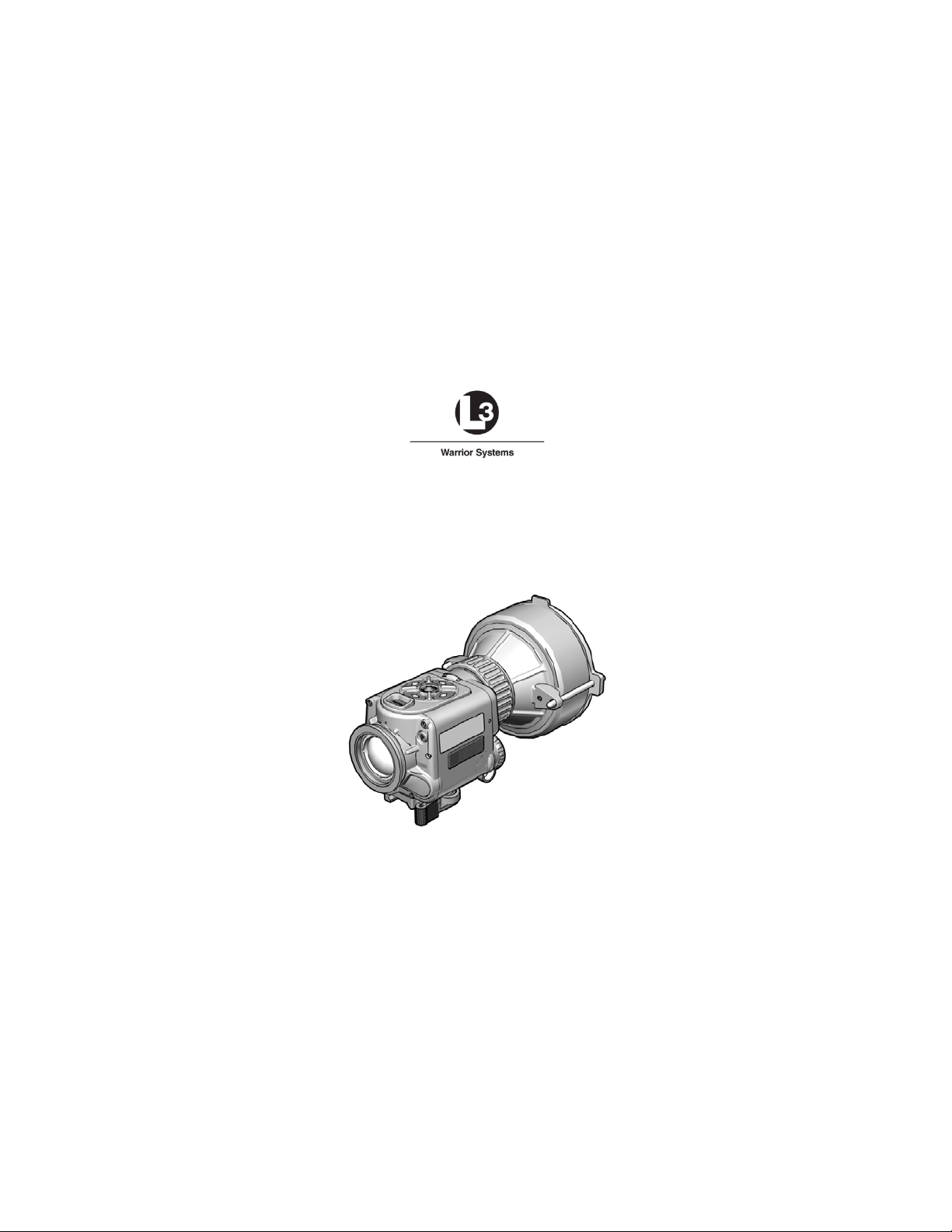
CT3-TM-ITI
OPERATOR MANUAL
FOR THE
Clip-On Night Vision Device – Thermal 3
(CNVD-T3)
Rev. 2 22 December 2011
Page 2

Page 3

SAFETY SUMMARY
1. GENERAL SAFETY INSTRUCTIONS
This manual contains operating instructions and
maintenance procedures which may cause injury or death to
personnel, or damage to equipment if not properly followed.
Prior to performing any task, the WARNINGs, CAUTIONs
and NOTEs included in that task shall be reviewed and
understood.
2. WARNINGS, CAUTIONS AND NOTES
Safety headings used in this manual and their respective
definitions are as follows:
WARNING..
Highlights an essential operating or maintenance
procedure, practice, condition or statement, which,
if not strictly observed, could result i n injury to, or
death of, personnel or long term health hazards.
CAUTION..
Highlights an essential operating or maintenance
procedure, practice, condition or statement, which,
if not strictly observed, could res ult in damage to,
or destruction of, equipment or loss of mission
effectiveness.
Highlights an essential operating or maintenance
procedure, condition or statement.
NOTE
i
Page 4

3. SAFETY PRECAUTIONS
The following general safety precautions supplement the
specific WARNINGs, CAUTIONs and NOTEs that appear
elsewhere in this manual.
3.1
Batteries . The Clip-On Night Vision Device – Thermal 3
(CNVD-T3) is powered by two lithium DL123A batteries.
The following safety precautions apply when handling lithium
batteries:
• Do not short circuit, puncture, incinerate, or
disassemble.
• Do not att em pt to recharge.
• Prior to use, inspect all batteries for cracks, dents,
leakage, or bulging. Never install a defective battery
in the CNVD-T3.
WARNING..
Do not use the CNVD-T3 with a mix of old and new
batteries, or batteries of different brands.
WARNING..
Lithium batteries can explode or cause burns if
disassembled, shorted, recharged, exposed to
water, fire, or high temperatures (above 100°C or
212°F). Do not place loose batteries in a pocket
or other container containing metal objects. Do
not store batteries with hazardous or combustible
materials. Store in a cool, dry, ventilated area.
ii
Page 5

WARNING..
Use of incorrect batteries poses a risk of fire or
explosion. Be aware that batteries do exist with
similar physical characteristics to the DL123A
battery, but with a different voltage and/ or polarity
path. Ensure that only 3V lithium batteries with a
raised positive (+) terminal are installed in the
CNVD-T3.
WARNING..
Use of off-brand batteries poses a risk of fire or
explosion. Ensure that only 3V lithium batteries
produced by well-known battery manufacturers
such as Duracell®, Rayovac®, or Panasonic® are
installed in the CNVD-T3. These batteries are
specifically designed for use in high perform ance,
high-drain devices, and contain built-in fault and
heat protection features.
CAUTION..
Do not ship or store t he CNVD-T3 with batteries
installed.
3.2
Weapons Safety
. The CNVD-T3 is designed to be used
with destructive weapon systems. Improper operation or
misuse of the CNVD-T3 with these weapon systems could
lead to personal injury or death of either the operator or other
persons within weapons range. Safe firearms handling
procedures must be practiced at all times.
iii
Page 6

WARNING..
Remove the CNVD-T3 from the weapon before
inspecting, cleaning, or performing other
maintenance functions.
3.3
Operation and Maintenance
.
CAUTION..
Use of acetone or gun cleaning agents containing
perchloroethylene or methylene chloride may
permanently damage the CNVD-T3 system.
CAUTION..
Pointing the CNVD-T3 directly at the s un without
the lens cover installed (and closed) may
permanently damage the thermal assembly.
iv
Page 7

TABLE OF CONTENTS
SAFETY SUMMARY ....................................................................... i
TABLE OF CONTENTS ................................................................. v
LIST OF FIGURES ....................................................................... vii
LIST OF TABLES ........................................................................ viii
CHAPTER 1 ...................................................................................... 1-1
INTRODUCTION ......................................................................... 1-1
SECTION I .............................................................................. 1-1
GENERAL INFORMATION ............................................... 1-1
1.1 SCOPE .................................................................. 1-1
1.2 MODEL NUMBER AND EQUIPMENT NAME ...... 1-1
1.3 MANUFACTURER ................................................ 1-2
1.4 PURPOSE OF EQUIPMENT ................................ 1-2
1.5. ABBREVIATIONS AND ACRONYMS ................. 1-2
SECTION II ............................................................................. 1-3
EQUIPMENT DESCRIPTION ........................................... 1-3
1.6 SYSTEM DESCRIPTION ...................................... 1-3
1.7 TECHNICAL SPECIFICATIONS .......................... 1-4
CHAPTER 2 ...................................................................................... 2-1
1.8 MAJOR COMPONENTS ....................................... 1-5
OPERATING INSTRUCTIONS ................................................... 2-1
SECTION I .............................................................................. 2-1
PREPARATION FOR USE AND INSTALLATION ............ 2-1
2.1 PREPARATION FOR USE ................................... 2-1
2.2 BATTERY HANDLING .......................................... 2-1
2.3 MOUNTING INSTRUCTIONS .............................. 2-3
2.4 OBJECTIVE LENS AND EYEPIECE .................... 2-5
SECTION II ............................................................................. 2-7
OPERATING PROCEDURES ........................................... 2-7
2.5 FEATURES AND CONTROLS ............................. 2-7
2.6 POWER ................................................................. 2-8
2.7 BUTTON FUNCTIONS ......................................... 2-9
2.8 SYSTEM RESET ................................................ 2-10
2.9 BRIGHTNESS ADJUSTMENT ........................... 2-10
2.10 GAIN ADJUSTMENT ........................................ 2-11
2.10 FOCUS ADJUSTMENT .................................... 2-12
2.12 STARTUP PROCEDURES ............................... 2-13
2.13 MENU FUNCTIONS ......................................... 2-14
v
Page 8

TABLE OF CONTENTS (cont'd)
2.14 SHUTDOWN PROCEDURES .......................... 2-25
2.15 IMAGE DOWNLOAD / VIEWING ..................... 2-26
SECTION III .......................................................................... 2-30
ALIGNMENT / ZEROING ................................................ 2-30
CHAPTER 3 ...................................................................................... 3-1
APPENDIX A.................................................................................... A-1
2.16 ALIGNMENT / ZEROING PROCEDURES ....... 2-30
MAINTENANCE AND SERVICING ............................................ 3-1
SECTION I .............................................................................. 3-1
MAINTENANCE AND TROUBLESHOOTING .................. 3-1
3.1 MAINTENANCE PROCEDURES ......................... 3-1
3.2 TROUBLESHOOTING PROCEDURES ............... 3-2
3.3 CORRECTIVE MAINTENANCE ........................... 3-5
SECTION II ........................................................................... 3-10
SERVICE / PACKING AND UNPACKING ...................... 3-10
3.4 RETURN INSTRUCTIONS ................................. 3-10
3.5 WARRA NT Y INFORMA T ION ............................. 3-11
3.6 NON-WAR RANTY INFOR MAT ION .................... 3-11
REPAIR PARTS / ACCESSORIES ........................................... A-1
A.1 Scope ................................................................... A-1
vi
Page 9

LIST OF FIGURES
Figure 1-1 CNVD-T3 Mounted to M4 ............................................... 1-1
Figure 1-2 CNVD-T3 Major Components
Figure 2-1 Battery Installation
Figure 2-2 Throw-Lever Mounting Bracket
Figure 2-3 CNVD-T3 Mounted with ACOG®
Figure 2-4 CNVD-T3 Features and Controls
Figure 2-5 CNVD-T3 Features and Controls (cont’d)
Figure 2-6 Brightness Control
Figure 2-7 Gain Control
Figure 2-8 Main Menu
Figure 2-9 Menu – ZOOM 1X / ZOOM 2X
Figure 2-10 Menu – WHOT / BHOT
Figure 2-11 Menu – Calibration (CAL)
Figure 2-12 Menu – Reticle Intensity (RETINT)
Figure 2-13 Reticle Intensity Control
Figure 2-14 Menu – Reticle (RET) Control
Figure 2-15 Menu – Reticle Sub-Menu
Figure 2-16 Reticle Position Adjustment
Figure 2-17 Menu – Picture (PIC)
Figure 2-18 Menu – Review (REV)
Figure 2-19 Menu – Review Sub-Menu
Figure 2-20 Menu – MCAL / ACAL
Figure 2-21 Menu – RS170 / VGA
Figure 2-22 Menu – HAND / CLIPON
Figure 2-23 Menu - Exit
Figure 2-24 Image Adapter Cable
Figure 2-25 Strike Point Calculation
Figure 2-26 Designated Strike Zone
Figure 3-1 Rear Purge Screw
Figure 3-2 Adjusting Throw-Lever Tension
Figure 3-3 Replacing Objective Lens Cover
Figure 3-4 Replacing Objective Lens Protective Ring
........................................ 1-5
.......................................................... 2-2
...................................... 2-3
................................... 2-5
................................... 2-7
...................... 2-8
........................................................ 2-10
................................................................. 2-11
.................................................................... 2-14
..................................... 2-15
.............................................. 2-16
........................................... 2-17
............................ 2-17
............................................. 2-18
.................................... 2-18
.......................................... 2-19
....................................... 2-19
.................................................. 2-20
................................................ 2-21
......................................... 2-21
................................................ 2-22
................................................. 2-23
............................................ 2-24
................................................................. 2-25
................................................. 2-26
.............................................. 2-31
.............................................. 2-32
.......................................................... 3-3
..................................... 3-5
.................................... 3-6
..................... 3-7
vii
Page 10

Table 1-1 Technical Specifications .................................................. 1-4
Table 1-2 List of Major Components
Table 2-1 LED Status Indicators
Table 2-2 Reticle Adjustments
Table A-1 Repair Parts / Accessories
LIST OF TABLES
............................................... 1-5
.................................................... 2-29
....................................................... 2-30
............................................. A-1
viii
Page 11
CHAPTER 1
INTRODUCTION
SECTION I
GENERAL INFORMATION
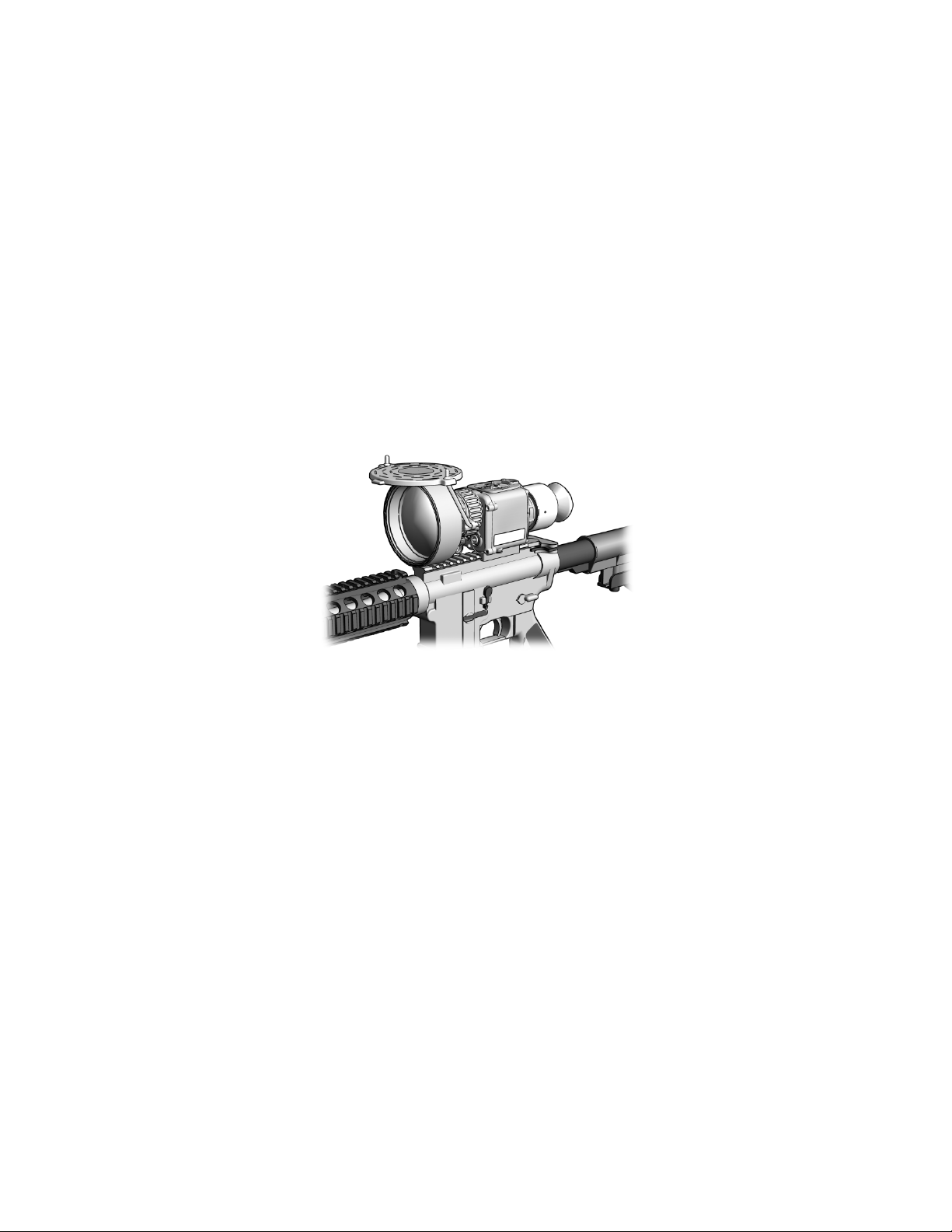
Figure 1-1 CNVD-T3 Mounted to M4
1.1 SCOPE
This manual is intended for use by operators of the Clip-On
Night Vision Device - Thermal 3 (CNVD-T3). It provides a
system description, operational procedures, and
maintenance responsibilities. Complete familiarization with
this manual prior to using the equipment will ensure safe
operation and maximum effectiveness of the CNVD-T3.
1.2 MODEL NUMBER AND EQUIPMENT NAME
This manual applies to the following CNVD-T3 models:
a. CT3-002-A3, CNVD-T3, Tan, 6V
b. CT3-002-A6, CNVD-T3, Black, 6V
1-1
Page 12

1.3 MANUFACTURER
ACOG®
Advanced Combat Optical Gunsight
C
Celsius
cm
Centimeter
F
Fahrenheit
ITAR
International Traffic in Arms Regulations
kg
Kilogram
LED
Light Emitting Diode
NSN
National Stock Number
PC
Personal Computer
RMA
Return Material Authorization
USB
Universal Serial Bus
L-3 Communications Corporation
Warrior Systems Division
Insight Operations
9 Akira Way
Londonderry, NH 03053 USA
1.4 PURPOSE OF EQUIPMENT
The CNVD-T3 is a battery operated, weapon-mounted,
thermal imaging device with an integrated digital camera. It
may be used in conjunction with other optic al sights, or as a
handheld unit. It allows for observation, target identification,
and target acquisition during the day or in adverse conditions
such as light rain or snow, dry smoke, and low light to total
darkness.
1.5. ABBREVIATIONS AND ACRONYMS
Abbreviations and acronyms used in this manual are listed
as follows:
CNVD-T3 Clip-On Night Vision Device – Thermal 3
m Meter
V Volt
1-2
Page 13

EQUIPMENT DESCRIPTION
SECTION II
1.6 SYSTEM DESCRIPTION
The CNVD-T3 is a battery operated, weapon-mounted,
thermal imaging device with an integrated digital camera. It
may be used as a handheld device, mounted to a weapon in
a stand-alone configuration, or used in-line with a magnified
day optic.
The thermal imaging capability of the CNVD-T3 allows for
observation and target identification under adverse
conditions such as light rain or snow, dry smoke, and low
light to total darkness. It has a self-contained, internal
shutter used for calibration. The unit will not allow the user
to see through glass, water, or heavy rain / snow.
With the integrated digital camera, the CNVD-T3 allows for
acquisition, storage, and recall of viewed thermal images.
Thermal images may also be transferred to a personal
computer (PC) using the Image Adapter Cable.
The CNVD-T3 can be mounted to weapons equi pped with a
MIL-STD-1913 rail.
It is a ruggedized system designed for operation in battlefield
environments.
1-3
Page 14

1.7 TECHNICAL SPECIFICATIONS
WEIGHT AND DIMENSIONS
Weight
(without batteries)
Length
7.0 inches (17.8 cm)
Width
4.6 inches (11.7 cm)
Height
4.4 inches (11.2 cm)
POWER
* Battery Life
> 4.5 hours
Startup Time
< 6 seconds
OTHER PARAMETERS
Field of View
6° diagonal (±4%)
Operating
Temperatures
Storage
Temperatures
Immersion
66 feet for 2 hours
Table 1-1 Technical Specifications
< 37.25 ounces (1.2 kg)
Batteries 2 DL123A lithium batteries
-26°F (-32°C) to +122°F (+50°C)
-40°F (-40°C) to +160°F (+71°C)
* Performance will vary depending on environmental conditions.
1-4
Page 15
Major
Component
or in adverse conditions.
1
2
4
5
7
9
1.8 MAJOR COMPONENTS
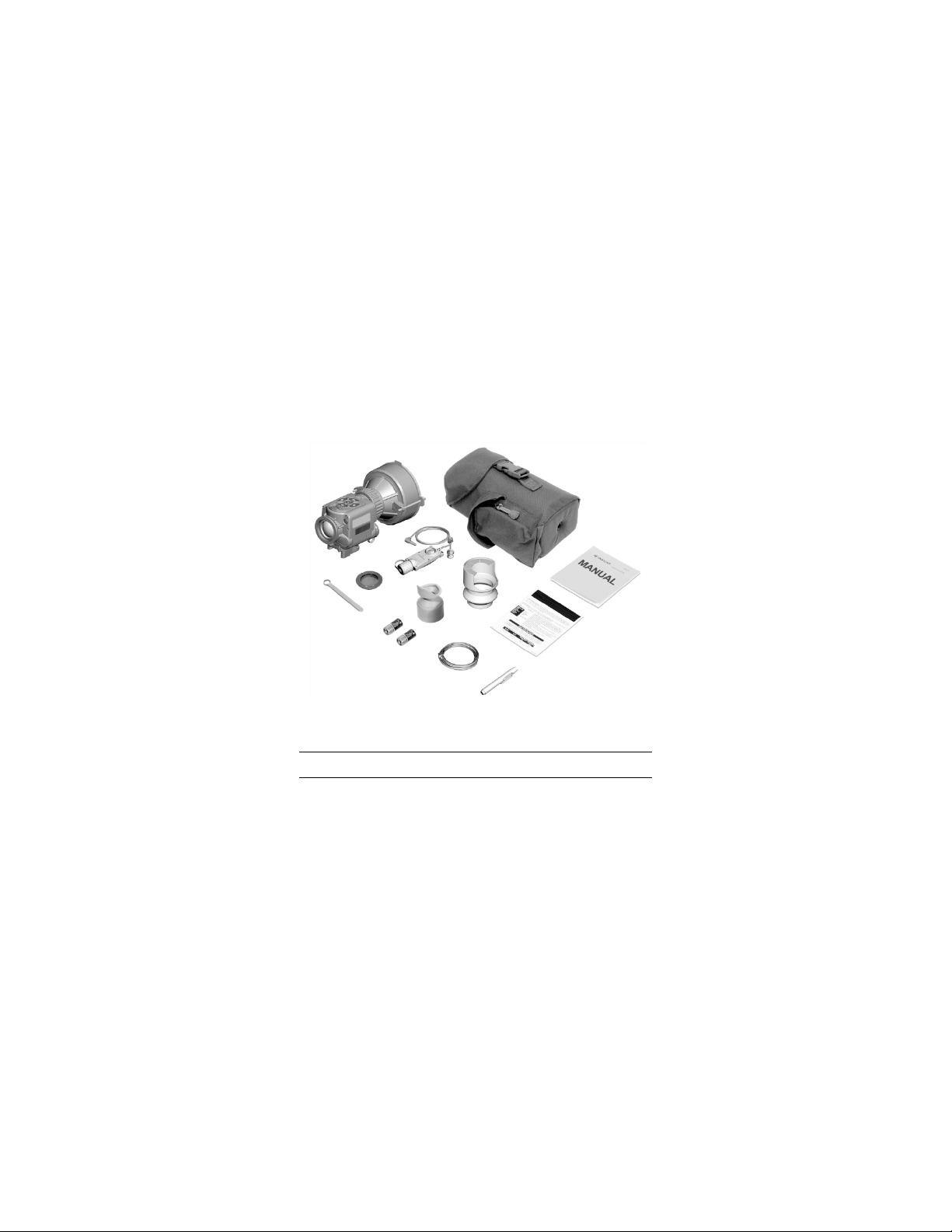
The CNVD-T3 system includes the components shown in
Figure 1-2. Table 1-2 provides a brief functional description
of each item. The “Key” column in Table 1-2 corresponds to
the label numbers in Figure 1-2.
10
11
8
12
6
Figure 1-2 CNVD-T3 Major Components
Key
1
Table 1-2 List of Maj or Components
CNVD-T3
Assembly
A thermal imaging device used for
observation, target identification, and
passive target acquisition during the day
3
Function
1-5
Page 16

Table 1-2 List of Major Components (cont’d)
Major
Component
3
Operator Manual
Provides detailed ope rating and
4
Quick Reference
Guide
Provides at-a-glance op era ti n g
procedures for the CNVD-T3.
5
Lens Pen
Used to clean the optical lenses of the
CNVD-T3.
6
against dropping or losing the device.
DL123A
power the CNVD-T3.
lever mounting bracket.
9
Night Adaptive
When attached, prevents fogging of the
environments.
10
Image Adapter
Used to connect the CNVD-T3 to an
viewed or downloaded.
Key
2
Soft Carrying
Case
Protects the CNVD-T3 and accessories
while in a field environment.
maintenance instructions specific to the
CNVD-T3.
Function
Neck Cord When attached to the CNVD-T3 and
7
Batteries,
8
Box Wrench, 3/8”
Filter / Demist
Shield
Cable
worn around the neck, helps guard
Two 3-volt DL123A batteries used to
Used to adjust the tension of the throw-
eyepiece and reduc es backlighting and
loss of night vision in low light
external monitor for viewing live
imagery, or to connect to a PC so that
captured thermal images may be
1-6
Page 17

Major
Component
12
Eyecup,
When attached, reduces emission of
Table 1-2 List of Major Components (cont’d)
Key
11
Interface Hood Used to improve light security and
image quality when the CNVD-T3 is
mounted in-line with other optical sights.
Function
Removable
stray light from the eyepiece.
1-7
Page 18

1-8
Page 19

CHAPTER 2
OPERATING INSTRUCTIONS
PREPARATION FOR USE AND INSTALLATION
2.1 PREPARATION FOR USE
2.1.1
Unpacking the Equipment . Before unpacking the
equipment, verify that all major components listed in Table
1—2 are present. Check the CNVD-T3 assembly to ensure
the following additional items are also included:
a. Battery Cap Assembly
b. Video Jack Plug
c. Object i ve Lens Cover (and straps)
d. Objective Lens Protective Ring
If any of the major components or items listed above are
missing, seek guidance from the equipment issuing
authority.
2.1.2
Inspection of the Equipment
pieces of equipment for any damage such as cracks, loose
parts, faulty cables, or other visible defects. If any damage
or defects are noted, seek guidance from the equipment
issuing authority.
2.2 BATTERY HANDLING
2.2.1
Battery Inspection
batteries for any cracks, dents, leakage, or bulging. Never
install a defective battery in the CNVD-T3.
SECTION I
. Before use, inspect all
. Before installation, inspect the
2-1
Page 20
2.2.2 Battery Installation
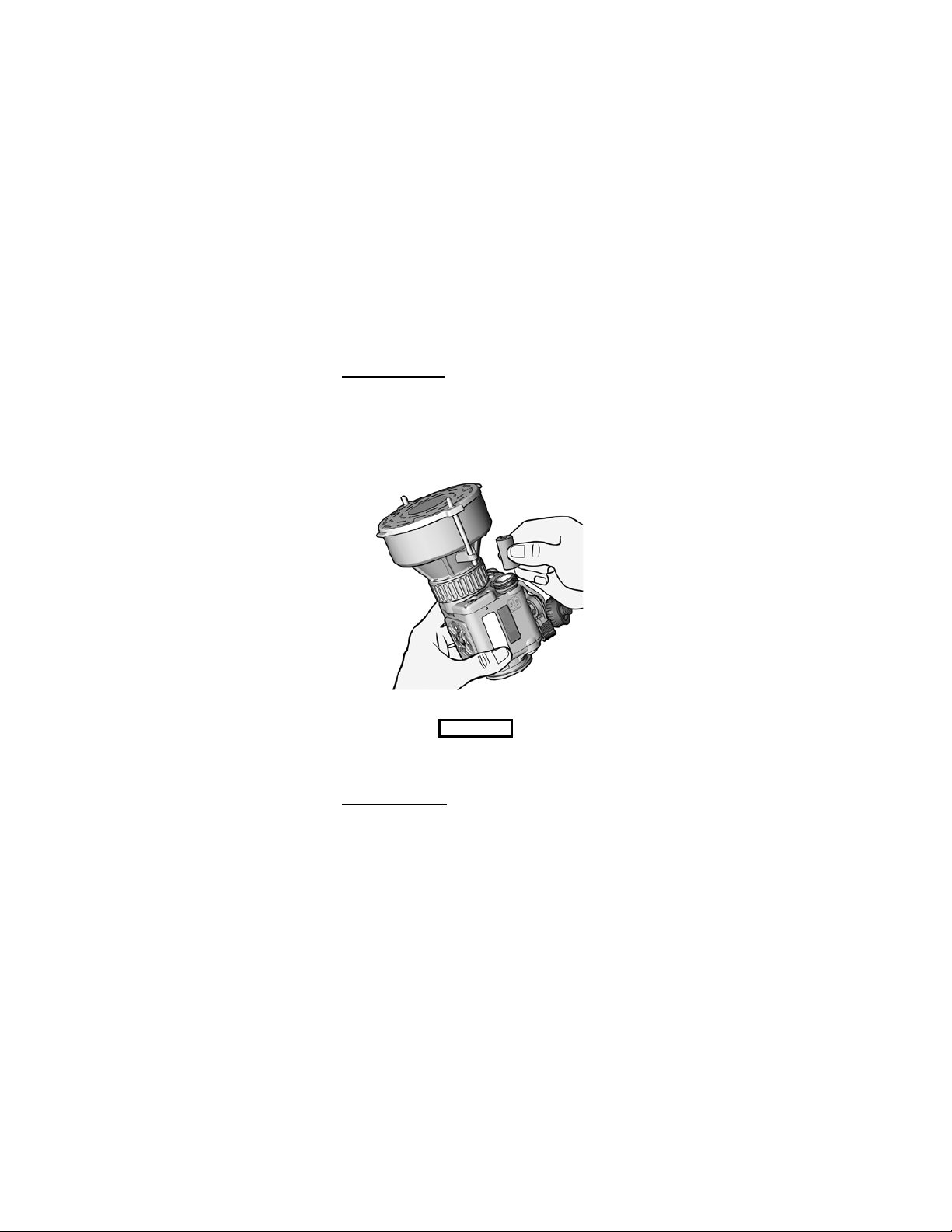
. Proper battery orientation is
clearly marked on the CNVD-T3 housing. Unscrew the
battery cap and install the first DL123A lithium battery. Tilt
the CNVD-T3 to allow the battery to slide into the battery
compartment, thereby providing space to insert the second
battery. Install the second battery, then replace and screw in
the battery cap.
Figure 2-1 Battery Installation
CAUTION..
Do not ship or store the CNVD-T3 with batteries
installed.
2.2.3
Low Battery Power. A low battery message will
appear in the eyepiece display when approximately 20
minutes of continuous operation remain. If the batteries are
not replaced promptly when the “LOW P OWER” message
appears, the display quality will deteriorate rapidly.
2-2
Page 21
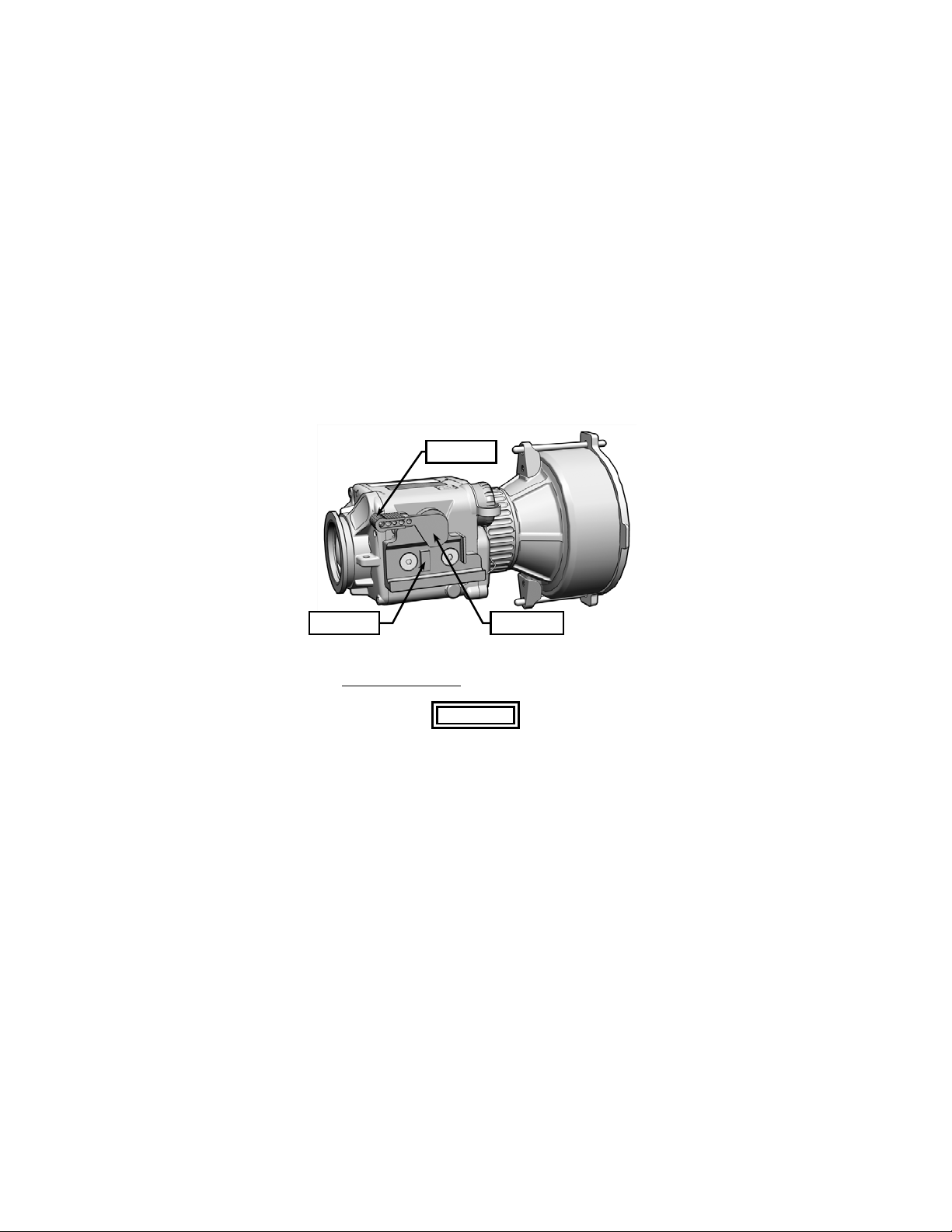
2.3 MOUNTING INSTRUCTIONS
The CNVD-T3 is equipped with a throw-lever mounting
bracket that is designed for direct attachment to weapons
with a MIL-STD-1913 rail.
Lever Lock
Recoil Lug Throw-Lever
Figure 2-2 Throw-Lever Mounting Bracket
2.3.1
Mounting Procedures
.
WARNING..
Be sure the weapon is CLEAR and SAFE before
proceeding.
NOTE
The CNVD-T3 may be placed at any position
(forward and aft) on the rail that is most
convenient for the operator. If, however, the
CNVD-T3 is removed from the rail, the operator
2-3
Page 22

should note the position at which it was zeroed,
and return it to that same position to ensure that
zero is retained.
a. Pull the lever lock out to the full open position.
b. Swing the throw-lever toward the front (objective
lens) of the CNVD-T3 to allow the mounting bracket
sufficient space to fit over the MIL-STD-1913 rail.
c. Positi on the mounting brack et over the rail ensuring
that the recoil lug is properly seated in one of the
rail’s recoil grooves.
CAUTION..
If too much or too little force is required to perform
step d., the throw-lever must be adjusted to
properly secure to the rail of the host weapon.
See paragraph 3.3.1 for adjustment procedures.
d. While pushing down and forward on the CNVD-T3,
swing the throw-lever toward the back (eyepiece) of
the CNVD-T3 until it is snug against the mounting
bracket.
e. Push the lever lock in to engage the locking
mechanism.
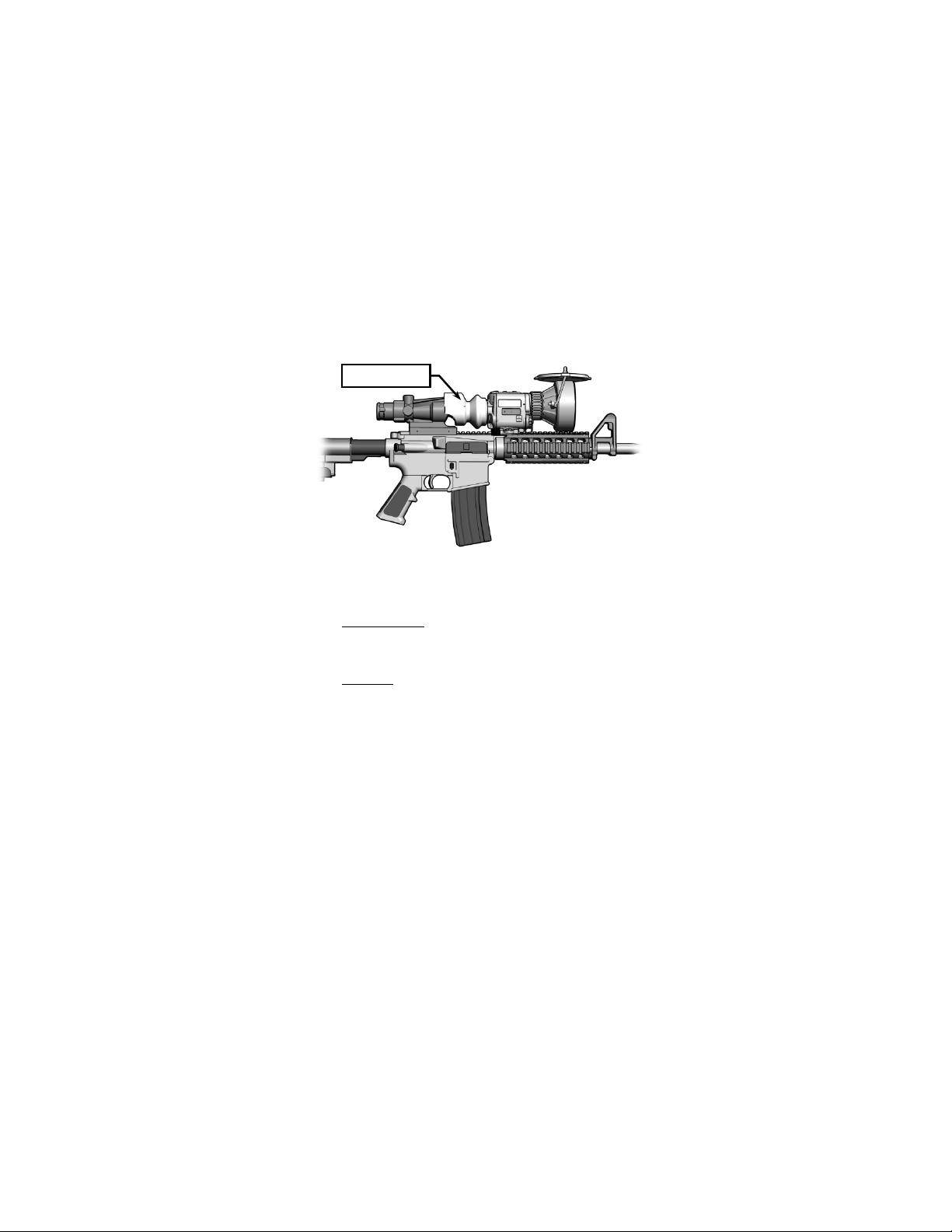
2.3.2 Mounting with Other Optics
. When mounting the
CNVD-T3 in-line with a day optic, first stretch th e interface
hood over the eyepiece of the CNVD-T3. Mount the day
optic to the rail in accordance with manufacturer’s
instructions. Mount the CNVD-T3 to the weapon rail (in front
of the optical sight) per paragraph 2.3.1. Ensure the
interface hood covers the objective lens of the optic (see
Figure 2-3).
2-4
Page 23
Interface Hood
Figure 2-3 CNVD-T3 Mounted with ACOG®
2.4 OBJECTIVE LENS AND EYEPIECE
2.4.1
Objective Lens
. Whenever the CNVD-T3 is not being
used, the objective lens cover should be pulled down over
the objective lens to protect it from possible damage.
2.4.2
Eyepiece
. The eyepiece assembly may be fitted with
one or both of the following components:
2.4.2.1 When installed, the night adaptive filter / demist
shield prevents fogging of the eyepiece, and reduces
backlighting and loss of night vision in low light
environments. The filter / shield is installed as follows:
a. Place the filter / shield over t he eyepiece with t he
threaded side down.
b. Carefully turn the filter / shield clockwise to screw it
into the eyepiece assembly.
c. Tighten until snug.
2-5
Page 24

2.4.2.2 When attached, the eyecup reduces emission of
stray light from the eyepiece. To install, stretch the base of
the eyecup into place over the eyepiece assembly. Rotate
the eyecup to obtain a proper eye socket and cheek weld.
2-6
Page 25
Objective
POWER
Battery Cap
OPERATING PROCEDURES
SECTION II
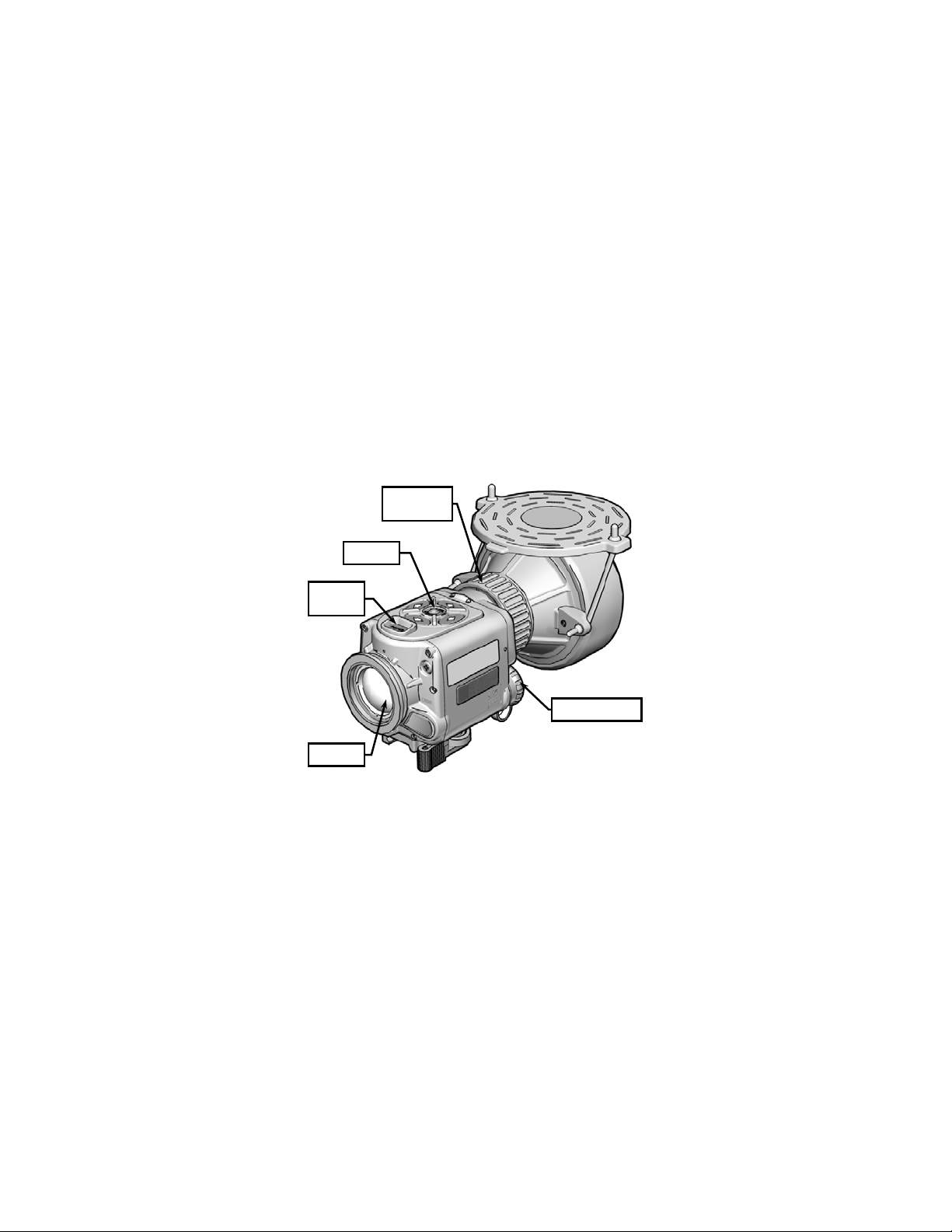
2.5 FEATURES AND CONTROLS
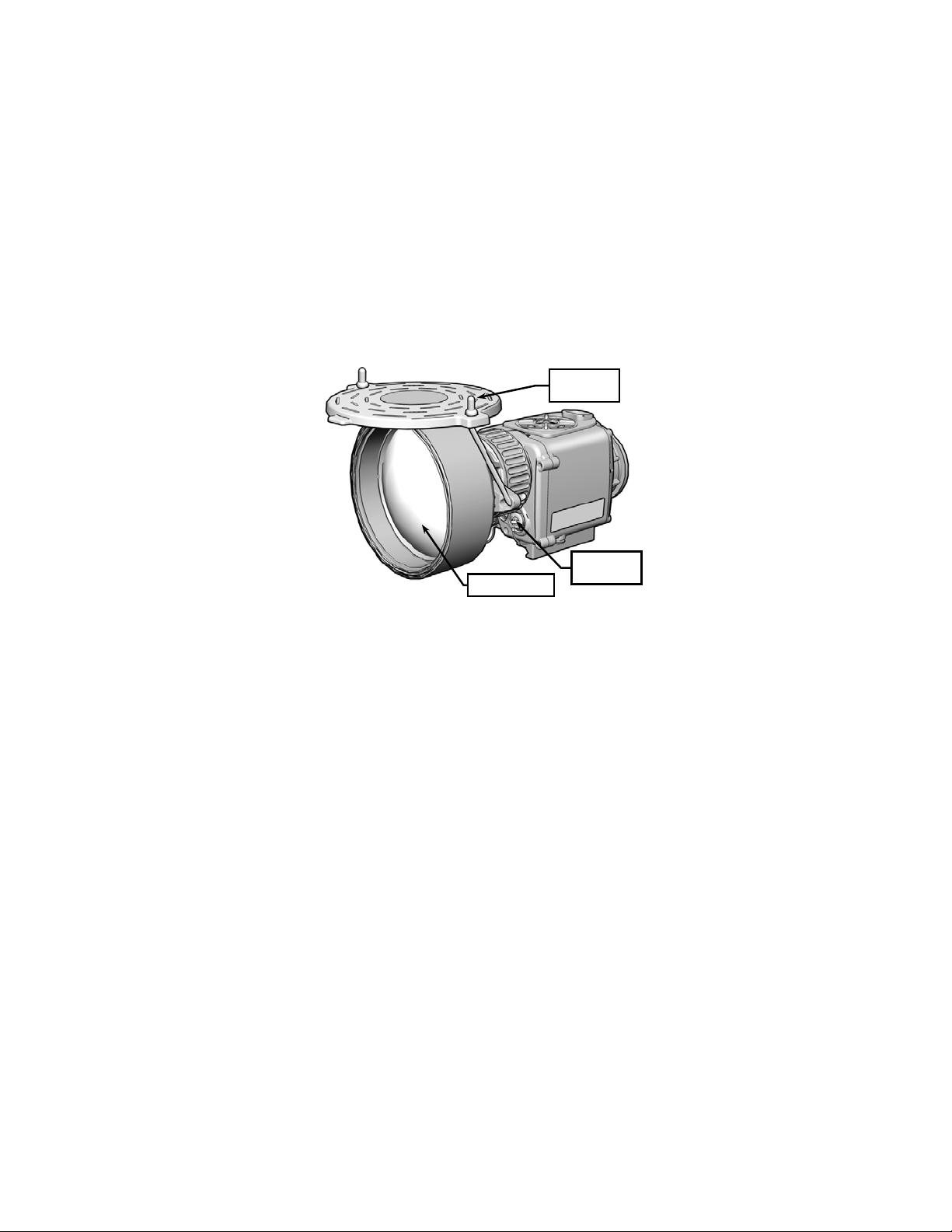
Figures 2-4 and 2-5 show the features and controls for the
CNVD-T3. This section provides details regarding their
function and operation.
Focus Ring
Keypad
Button
Eyepiece
Figure 2-4 CNVD-T3 Features and Controls
2-7
Page 26
Objective Lens
Jack Plug
Objective
Lens Cover
Video Jack /
Figure 2-5 CNVD-T3 Features and Controls (cont’d)
2.6 POWER
Pressing the POWER button will turn the unit on and
automatically initiate a calibration.
With the system powered on, the CNVD-T3 can be placed in
a Standby Mode by pressing and holding the MENU / ZOOM
button for about 3 seconds. Pressing any of the LEFT /
RIGHT / UP / DOWN buttons will reactivate the unit. Upon
“waking” from Standby Mode, the unit will retain all settings
entered by the operator prior to being placed in standby.
Standby Mode decreases power consumption by
approximately 10% by shutting off the eyepiece display.
NOTE
In Standby Mode, the CNVD-T3 will continue to
draw power that will eventually drain the batt eries.
2-8
Page 27

The unit should be turned off if it is not expected to
be used.
To turn off, press and hold the POWER button for
approximately 3 seconds as the messages OFF? then OFF!
appear sequentially in the eyepiece display. Release the
POWER button when the eyepiece display turns dark.
2.7 BUTTON FUNCTIONS
The CNVD-T3 buttons are multifunctional and produce
different results depending on how they are pressed and
whether or not the Main Menu is displayed.
2.7.1
MENU / ZOOM Button . The M ENU / ZOOM button
has a raised dimple that allows it to be easily identified by
touch.
Pressing the MENU / ZOOM button calls up the Main Menu
(see section 2.13). Pressing the MENU / ZOOM button
twice in rapid succession (double-tapping) toggles between
a 1x and 2x magnified viewed image (see paragraph 2.13.1).
2.7.2
UP / DOWN Buttons
. The UP / DOWN buttons are
used to control the brightness of the display. They are also
used to scroll through menu items when the Main Menu is
displayed. Simultaneously pressing (and holding) t he UP
and DOWN buttons will initiate a system reset (see section
2.8).
2.7.3
LEFT / RIGHT Buttons
. The LEFT / RIGHT buttons
are used to control the gain settings of the thermal image.
They are also used to scroll through sub-menu options when
displayed.
2-9
Page 28

2.8 SYSTEM RESET
+
-
Simultaneously pressing (and holding) both the UP and
DOWN buttons resets the CNVD-T3 to the following default
parameters:
a. Polarity is set to white hot (WHOT);
b. Magnification is set to ZOOM 1X;
c. Brightness is set to mid-scale;
d. Gain is set to AUTO-LOW;
e. The MCAL menu option is activated; and
f. The CLIPON menu option is activated.
Note that reticle positioning adjustments are not changed
during system reset.
2.9 BRIGHTNESS ADJUSTMENT
When the Main Menu is NOT displayed, pressing either the
UP or DOWN butt on calls up the brightness control setti ngs.
Brightness controls are presented in the eyepiece display as
shown in Figure 2-6.
Status Bar
Figure 2-6 Brightness Control
Brightness of the display is adj usted by pressing the UP /
DOWN buttons to move the status bar along the + / - scale.
Repeatedly pressing the UP / DOWN butt ons will m ove the
2-10
Page 29

MANUAL
Status Bar
status bar in single increments. Pressing and holding the
UP / DOWN buttons will auto-scroll the status bar in multiple
increments.
If the UP / DOWN buttons are not pressed within 3 seconds,
the brightness scale will disappear and the CNVD-T3 will
revert to normal viewing mode. Once adjusted, the
brightness will remain at the applied s ett i ng (even if the
CNVD-T3 is turned off) until readjusted by the operator.
2.10 GAIN ADJUSTMENT
When the Main Menu is NOT displayed, pressing either the
LEFT or RIGHT button calls up the gain control settings.
Gain controls are displayed in the eyepiece display as
shown in Figure 2-7.
- +
Figure 2-7 Gain Control
Gain is manually adjusted by pressing the LE FT / RIGHT
buttons to move the status bar along the + / - scale.
Repeatedly pressing the LEFT / RIGHT buttons will move
the status bar in single increments. Pressing and holding
the LEFT / RI GHT buttons will auto-scroll the status bar in
mult iple inc rements.
If the LEFT / RIGHT buttons are not pressed within 3
seconds, the gain scale will disappear and the CNVD-T3 will
revert to normal viewing mode. Once adjusted, the gain will
remain at the applied setting (even if the CNVD-T3 is turned
off) until readjusted by the operator.
2-11
Page 30

2.10.1 Auto-Gain Control . The CNVD-T3 may also be
placed in one of two auto-gain modes:
a. AUTO-LOW mode is accessed by repeatedly
pressing the RIGHT button to move the status bar
along the gain scale. As the status bar approaches
the extreme right (+) end of the scale, the word
MANUAL will be replaced by the word AUTO-LOW.
b. While in AUTO-LOW mode, pressing the RIGHT
button once more will place the CNVD-T3 in AUTOHIGH mode. The word AUTO-LOW will be replaced
by the word AUTO-HIGH.
NOTE
Adjusting the gain in MANUAL mode allows for
lower and higher settings than either AUTO mode.
2.10 FOCUS ADJUSTMENT
The objective lens must be focused for the viewing distance
being observed. Rotate the objective focus ring for best
image clarity. A change in viewing distance requires that the
lens be refocused. However, if already focused for a
distance of about 300m, no change in focus is required
between this distance and infinity.
2-12
Page 31

2.12 STARTUP PROCEDURES
To achieve optimal performance and image clarity, the
following procedures should be accomplished in the order
presented, each time the CNVD-T3 is to be placed into
operation:
a. Install batteries per paragraph 2.2.2.
b. Turn on the CNVD-T3 by pressing the POWER
button. Wait approximately 6 seconds until the
system begins imaging.
c. Select from the Main Menu either the HAND or
CLIPON setting as described in paragraph 2.13.10.
d. Select from the Main Menu either the MCAL (Manual
Calibration) or ACAL (Automatic Calibration) setting
as described in paragraph 2.13.8.
e. Adjust the brightness setting to a comfortable
viewing level as described in section 2.9.
f. Adjust the gain setting to a comfortable viewing level
as described in section 2.10.
g. While looking through the eyepiece at an object at
least 10m away, rotate the objective focus ring until
the best (sharpest) image is obtained.
2-13
Page 32

2.13 MENU FUNCTIONS
ZOOM 1X
WHOT
CAL
RETINT
RET
PIC
REV
MCAL
RS170
HAND
EXIT
With the CNVD-T3 turned on, access the Main Menu by
pressing the MENU / ZOOM button. The Main Menu will
appear in the eyepiece display as shown below.
Figure 2-8 Main Menu
Menu items are selected (underlined) by scrolling with the
UP / DOWN buttons. Where available, sub-m enus are
accessed by pressing the LEFT / RIGHT buttons. Activation
of the selected menu item is accomplished by again pressing
the MENU / ZOOM button. If there is no button activity
within approximately 10 seconds, the Main Menu will
disappear and the CNVD-T3 will revert to normal viewing
mode. Except for MCAL (Manual Calibration) / ACAL
(Automatic Calibration), once activated, menu options will
remain at the applied setting (even if the CNVD-T3 is turned
off) until reset by the operator. The system defaults to the
MCAL menu option when initially powered on.
2-14
Page 33

ZOOM 1X
WHOT
CAL
RETINT
RET
PIC
REV
MCAL
RS170
HAND
EXIT
2.13.1 ZOOM 1X / ZOOM 2X . Activating the ZOOM 1X /
ZOOM 2X menu item toggles between a 1x and 2x
magnified viewed image. Toggling between ZOOM 1X and
ZOOM 2X may also be accomplished when the Main Menu
is NOT displayed by double-tapping the MENU / ZOOM
button. When in ZOOM 2 X mode, the word “2X” will appear
above the reticle in the eyepiece display, and blink once
every 5 seconds.
NOTE
Activating the ZOOM 2X menu option is not
possible when the CNVD-T3 is placed in CLIP ON
mode (see paragraph 2.13.10).
Figure 2-9 Menu – ZOOM 1X / ZOOM 2X
2-15
Page 34
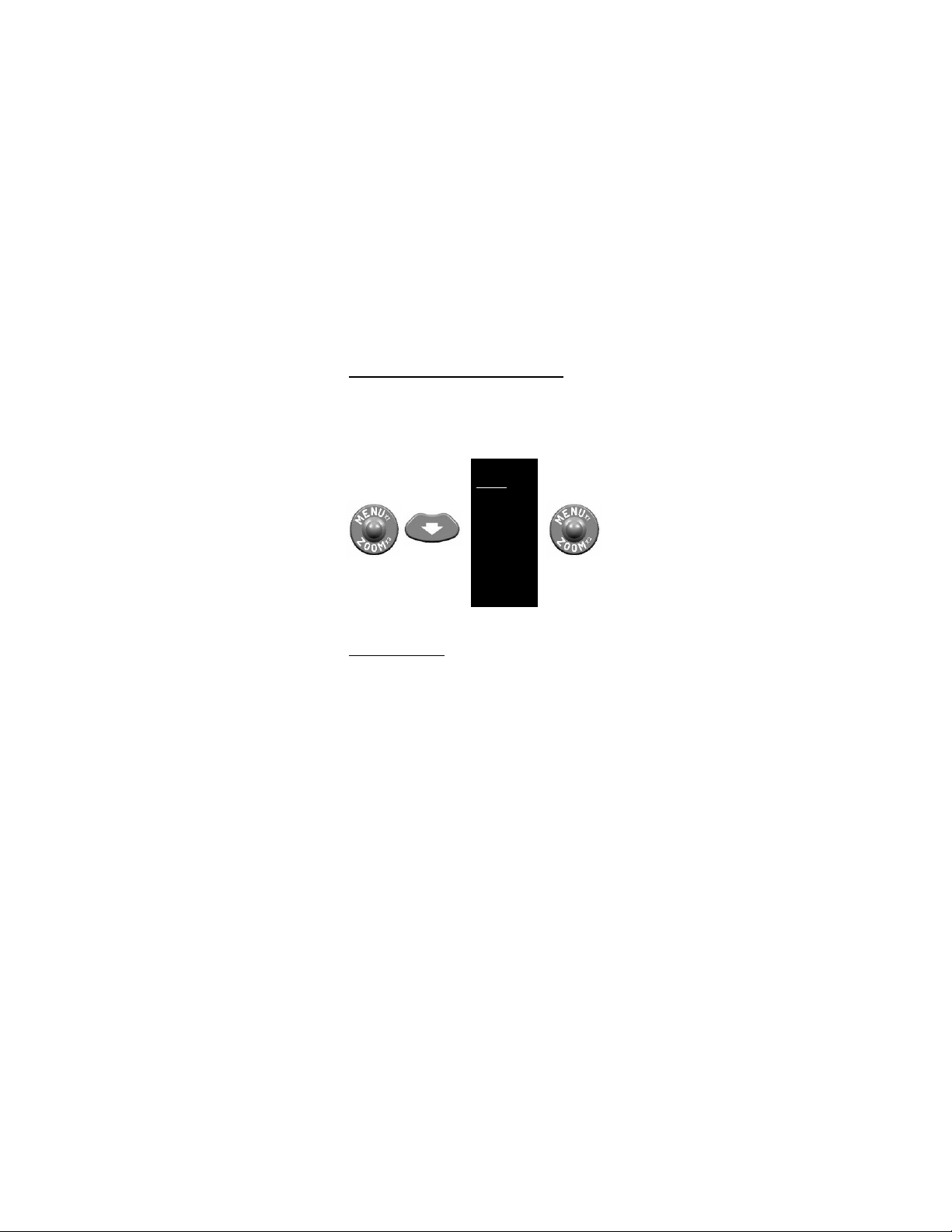
2.13.2 White Hot (WHOT) / Black Hot (BHOT) . Activating
ZOOM 1X
WHOT
CAL
RETINT
RET
PIC
REV
MCAL
RS170
HAND
EXIT
the WHOT / BHOT menu item toggles between white hot
and black hot polarity modes. When in white hot mode,
objects with the hottest thermal signature will appear white,
and those with the coolest thermal signature will appear
black. In black hot mode, the reverse is true.
Toggle with:
Figure 2-10 Menu – WHOT / BHOT
2.13.3
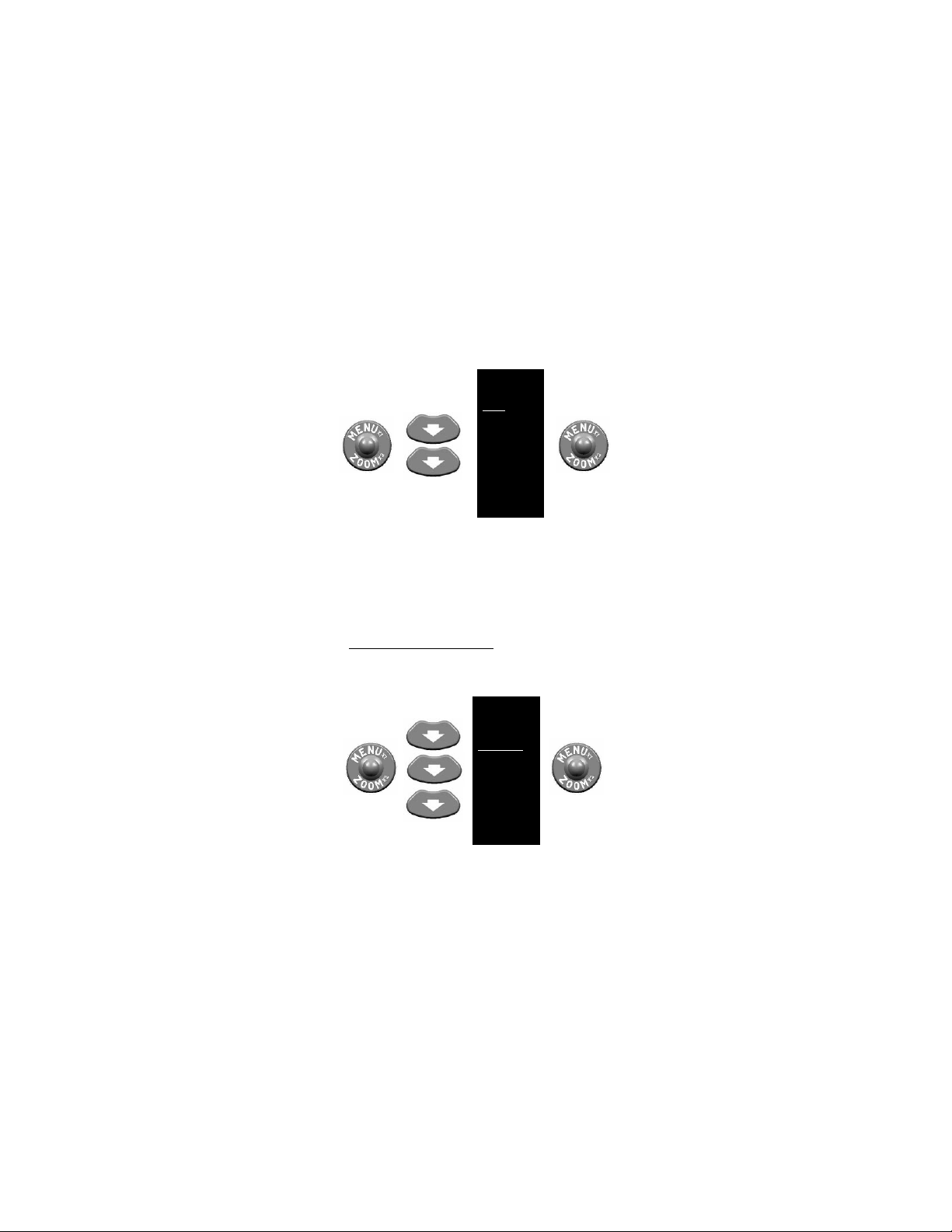
Calibration (CAL)
. The CNVD-T3 may be placed in
automatic or manual calibration modes as described in
section 2.13.8. Regardless of the mode selected, a
calibration of the device may be initiated at any time by
selecting the CAL menu item. A calibration should be
initiated anytime a degradation of the thermal image is
noticed.
The message “CALIBRATING” will appear as the unit
performs the calibration. Once complete, the message will
disappear and the CNVD-T3 will revert to normal viewing
mode.
2-16
Page 35
ZOOM 1X
WHOT
CAL
RETINT
RET
PIC
REV
MCAL
RS170
HAND
EXIT
ZOOM 1X
WHOT
CAL
RETINT
RET
PIC
REV
MCAL
RS170
HAND
EXIT
Figure 2-11 Menu – Calibration (CAL)
The CNVD-T3 is equipped with an internal sensor that
detects significant changes in temperature. When this
condition occurs, the message “RECAL” will appear in the
eyepiece display, indicating that the operator should perform
a calibration of the CNVD-T3 as described above.
2.13.4
Reticle Inten sity (RETINT)
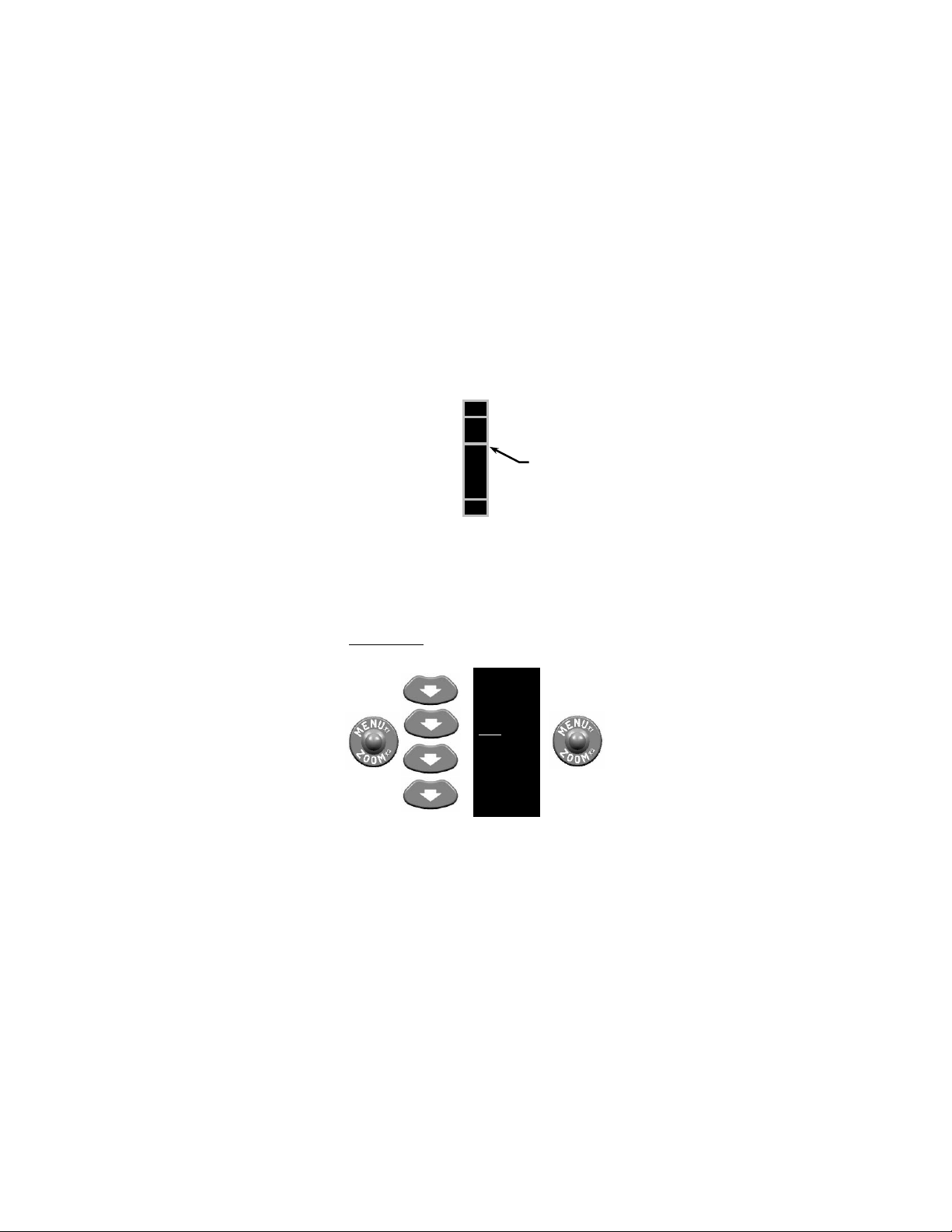
. Activating the RETINT
menu item allows the operator to adjust the color of the
reticle from white, through the gray scale to black, to provide
the best contrast with the viewed image.
Figure 2-12 Menu – Reticle Intensity (RETINT)
2-17
Page 36
During adjustment, a color scale is presented in the
+
-
Status Bar
ZOOM 1X
WHOT
CAL
RETINT
RET
PIC
REV
MCAL
RS170
HAND
EXIT
eyepiece display as shown in Figure 2-13.
Figure 2-13 Reticle Intensity Control
Reticle intensity is adjusted by pressing the UP / DOWN
buttons to move the status bar along the + / - scale. If the
UP / DOWN buttons are not pressed within 3 seconds, the
reticle intensity scale will disappear and the CNVD-T3 will
revert to normal viewing mode.
2.13.5
Reticle (RET) . Activating the RET menu item allows
for repositioning the reticle and toggling it on or off.
Figure 2-14 Menu – Reticle (RET) Control
2-18
Page 37

POS ADJ
AZ 8 L
EL 2 U
EXIT POS OFF
Once selected, the following sub-menu will appear in the
eyepiece display:
Figure 2-15 Menu – Reticle Sub-Menu
2.13.5.1 If in ZOOM 2X mode, P2X will be displayed in lieu
of POS. Activating either of these sub-menu items allow for
adjusting the position of the reticle in the eyepiece display.
a. Adjustments are made using the UP / DOWN / LEFT
/ RIGHT buttons. When adjusting reticle position,
AZ (azimuth) and EL (elevation) values appear in
the eyepiece display as shown in Figure 2-16. The
numbers represent “clicks” of the reticle. Azimuth
and elevation values can rapidly be returned to 0 by
pressing the UP and DOWN buttons or the LEFT
and RIGHT buttons simultaneously.
b. When in ZOOM 1X mode, the reticle moves in 2-
pixel increments each time the UP / DOW N / LEFT /
RIGHT buttons are pressed. The reticle is moved in
1-pixel increments when in ZOOM 2X mode. See
section 2.16 for click equivalents and zeroing
information.
Figure 2-16 Reticle Po s ition Adjust me nt
2.13.5.2 Activating the OFF sub-menu i tem turns the reticle
off. Turning the reticle back on is accomplished by selecting
the RET menu item from the Main Menu.
2-19
Page 38
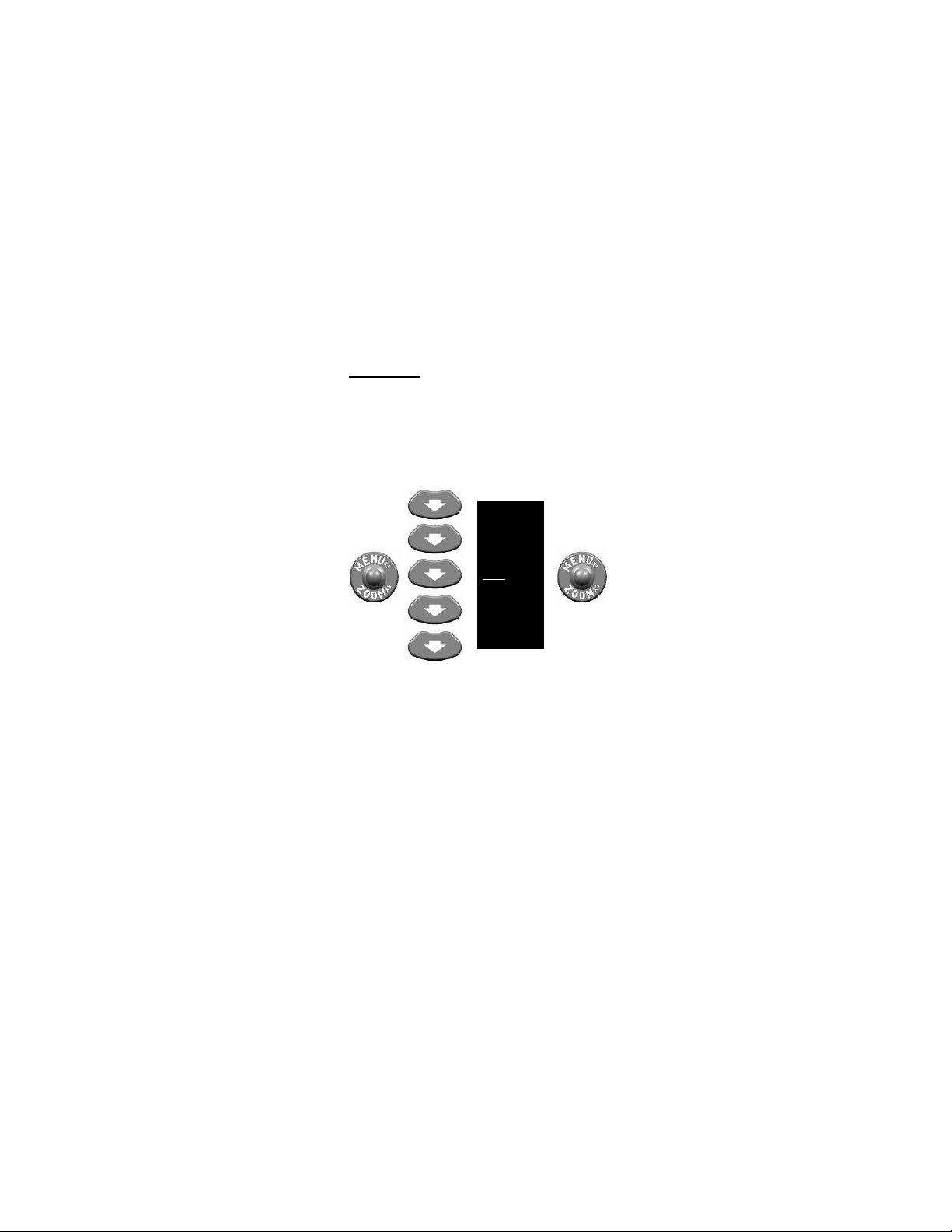
2.13.6 Picture (PIC)
ZOOM 1X
WHOT
CAL
RETINT
RET
PIC
REV
MCAL
RS170
HAND
EXIT
. Activating the PIC menu item takes a
digital picture of the viewed image. The image is automatically stored to flash memory with a maximum capacity of
approximately 150 pictures. When attempting to take more
than the maximum allowable number of pictures, the
message “CAMERA FULL” will appear in the eyepiece
display. No more pictures may be taken until one or more of
the stored pictures are deleted (see paragraph 2.13.7).
Figure 2-17 Menu – Picture (PIC)
2-20
Page 39
KEEP
DELETE
DELETE ALL!
EXIT
ZOOM 1X
WHOT
CAL
RETINT
RET
PIC
REV
MCAL
RS170
HAND
EXIT
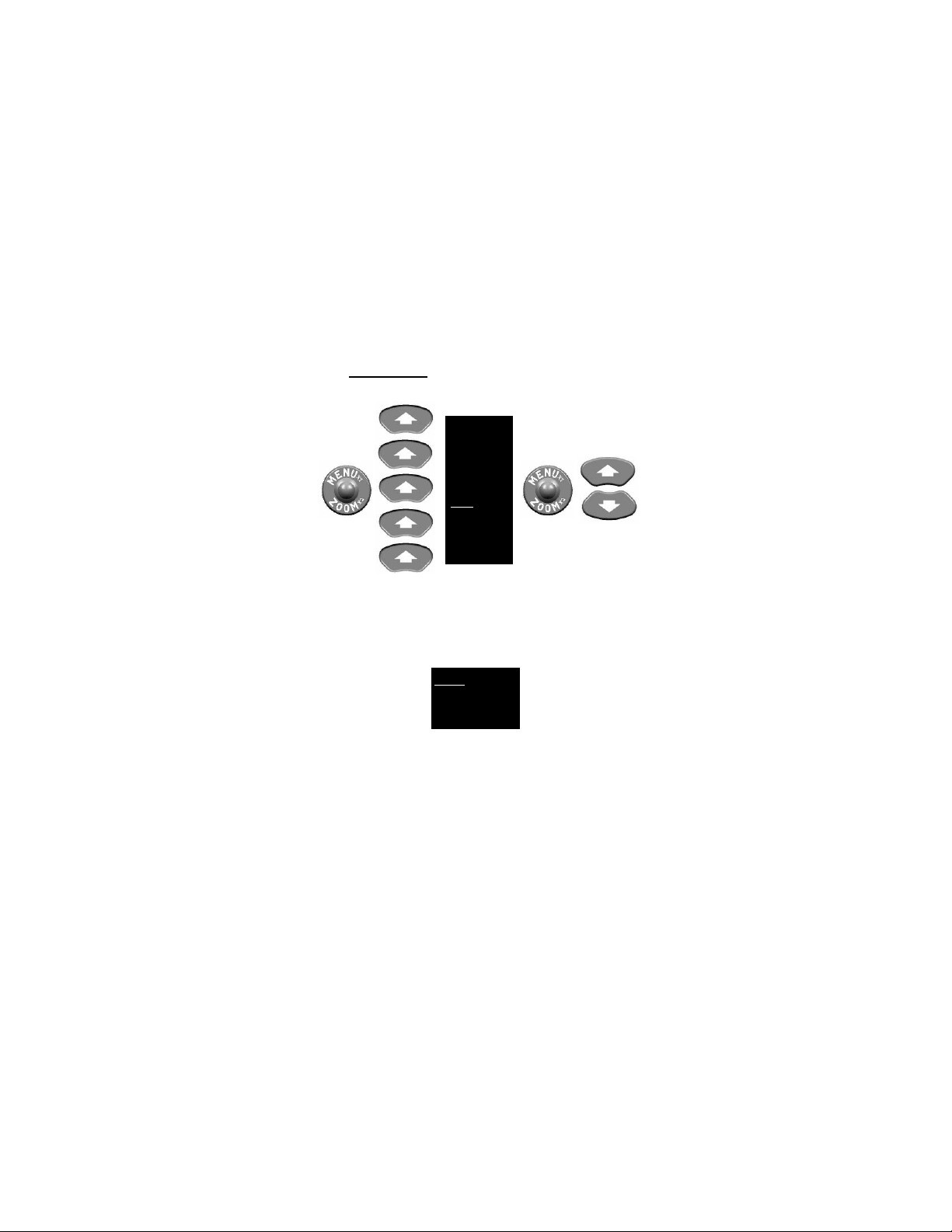
2.13.7 Review (REV)
. Activating the REV menu item allows
for review of stored pictures.
Scroll with:
Figure 2-18 Menu – Review (REV)
Pressing the UP / DOWN buttons brings up the next /
previous stored picture. While in review mode, pressing the
MENU / ZOOM button again calls up the Review sub-menu
shown below.
Figure 2-19 Menu – Review Sub-Menu
a. Activating the KEEP sub-menu item returns the
display to the review picture mode.
b. Activating the DELETE sub-menu item permanently
removes the selected picture from flash memory and
returns the display to the review picture mode.
2-21
Page 40
c. Activating the DELETE ALL! sub-menu item
Toggle with:
ZOOM 1X
WHOT
CAL
RETINT
RET
PIC
REV
MCAL
RS170
HAND
EXIT
permanently removes all st ored pic t ures f rom flas h
memory and returns the display to normal viewing
mode.
d. Activating the EXIT sub-menu item returns t he
display to normal viewing mode.
NOTE
The CNVD-T3 does not “remember” the polarit y or
zoom s ettings in place at the time a picture was
taken. When reviewing stored images through the
eyepiece display, they will appear with polari ty and
zoom characteristics currently select ed.
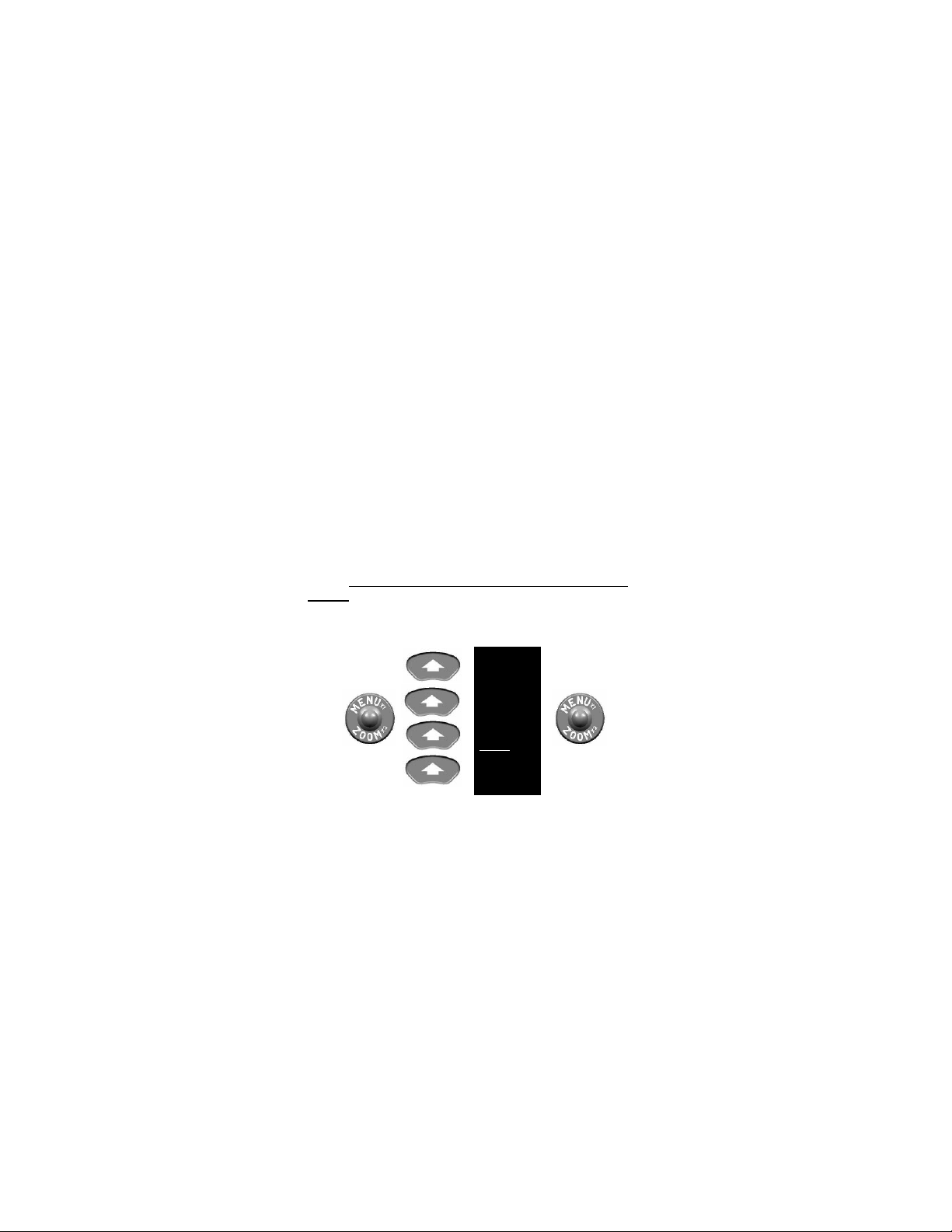
2.13.8
Manual Calibration (MCAL) / Automatic Calibration
. Activating the MCAL / ACAL menu item as shown
(ACAL)
below toggles between these two settings. The system
defaults to the MCAL setting when initially powered on.
Figure 2-20 Menu – MCAL / ACAL
2-22
Page 41
ZOOM 1X
WHOT
CAL
RETINT
RET
PIC
REV
MCAL
RS170
HAND
EXIT
If MCAL is selected, all calibrations after system start-up
must be initiated manually as described in paragraph 2.13.3.
If ACAL is selected, the CNVD-T3 will automatically initiate a
calibration at system start-up, every 30 minutes, and when
an ambient temperature change of at least 1°C is detected.
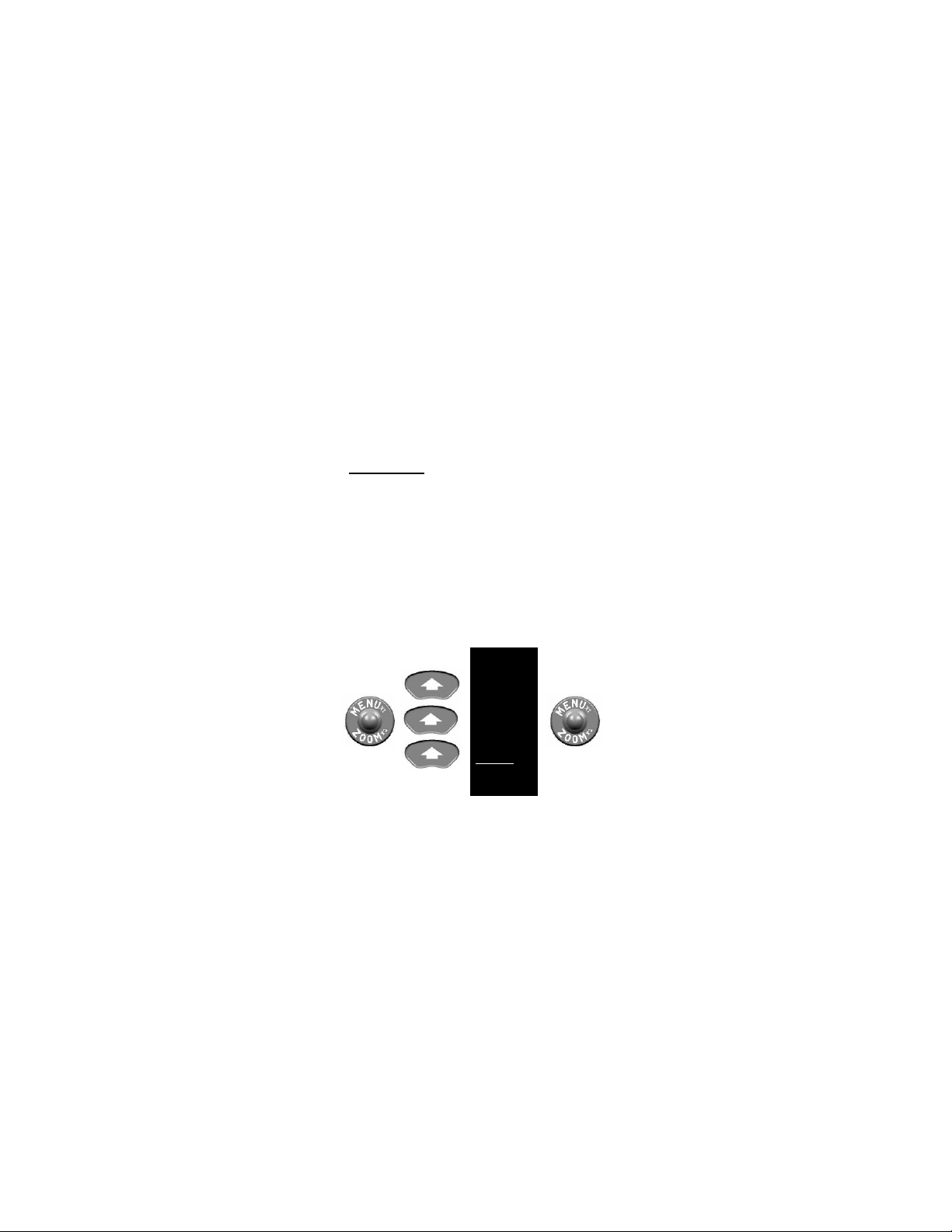
2.13.9
RS170 / VGA
. Activating the RS170 / VGA menu
item toggles between these two display formats. VGA
format is appropriate for high-motion viewing. RS170 format
is appropriate for all other applications. See section 2.15 for
instructions on how to connect the CNVD-T3 to an external
monitor for viewing live thermal imagery.
NOTE
When viewing the CNVD-T3 thermal image on an
external monitor, the RS170 video format must be
selected. Using the VGA video format for this
purpose will result in an extremely distorted image.
Figure 2-21 Menu – RS170 / VGA
2-23
Page 42
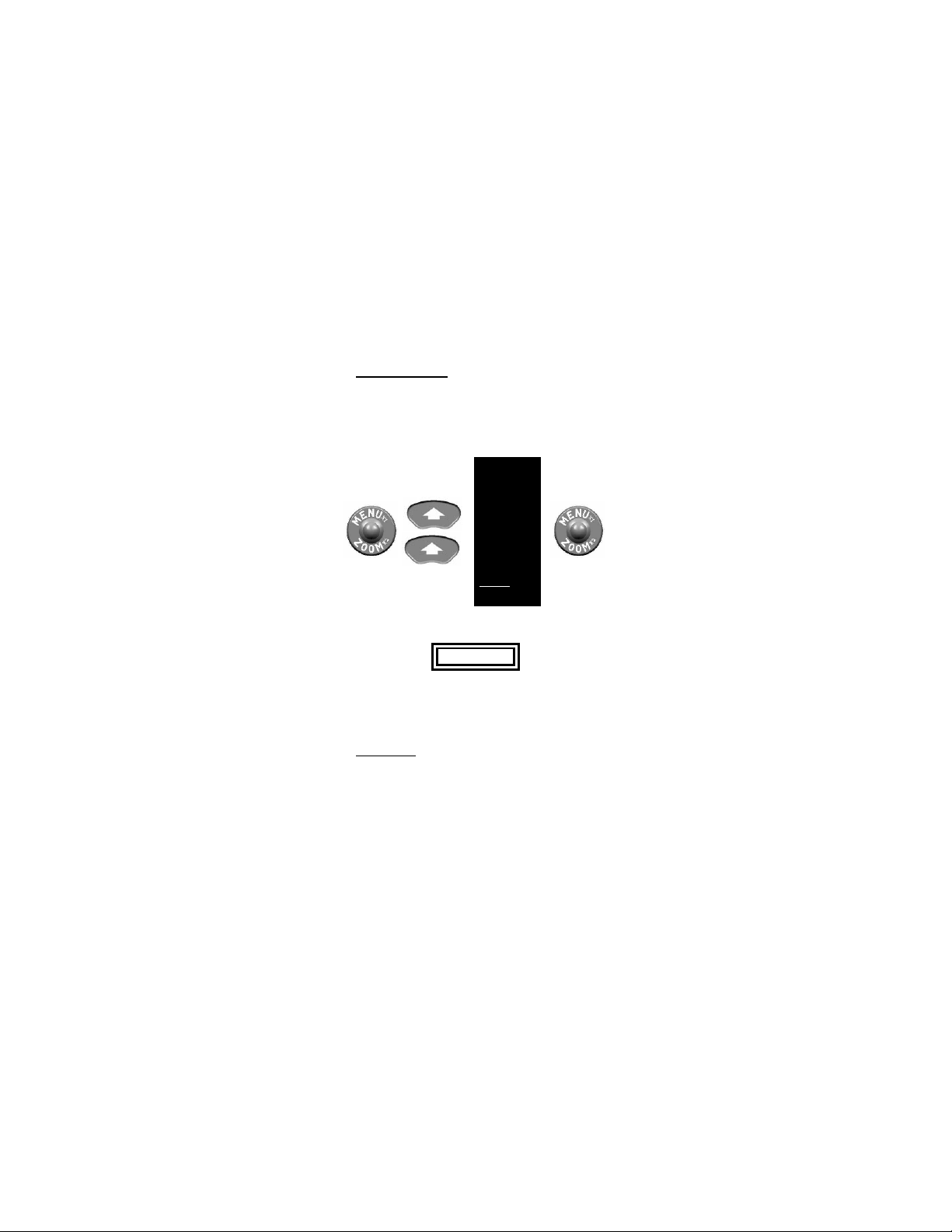
2.13.10 HAND / CLIPON . Activating the HAND / CLIPON
ZOOM 1X
WHOT
CAL
RETINT
RET
PIC
REV
MCAL
RS170
HAND
EXIT
menu item toggles between these two options. The HAND
option is appropriate when the CNVD-T3 is being used as a
handheld device or mounted to a weapon in a stand-alone
configuration. The CLIPON option is appropriate when the
CNVD-T3 is mounted in-line with a magnified day optic.
Figure 2-22 Menu – HAND / CLIPON
WARNING..
Activating HAND mode when the CNVD-T3 is
being used in-line with a magnified day optic may
induce an error in the aiming function of the sight.
2.13.11
Exit (EXIT)
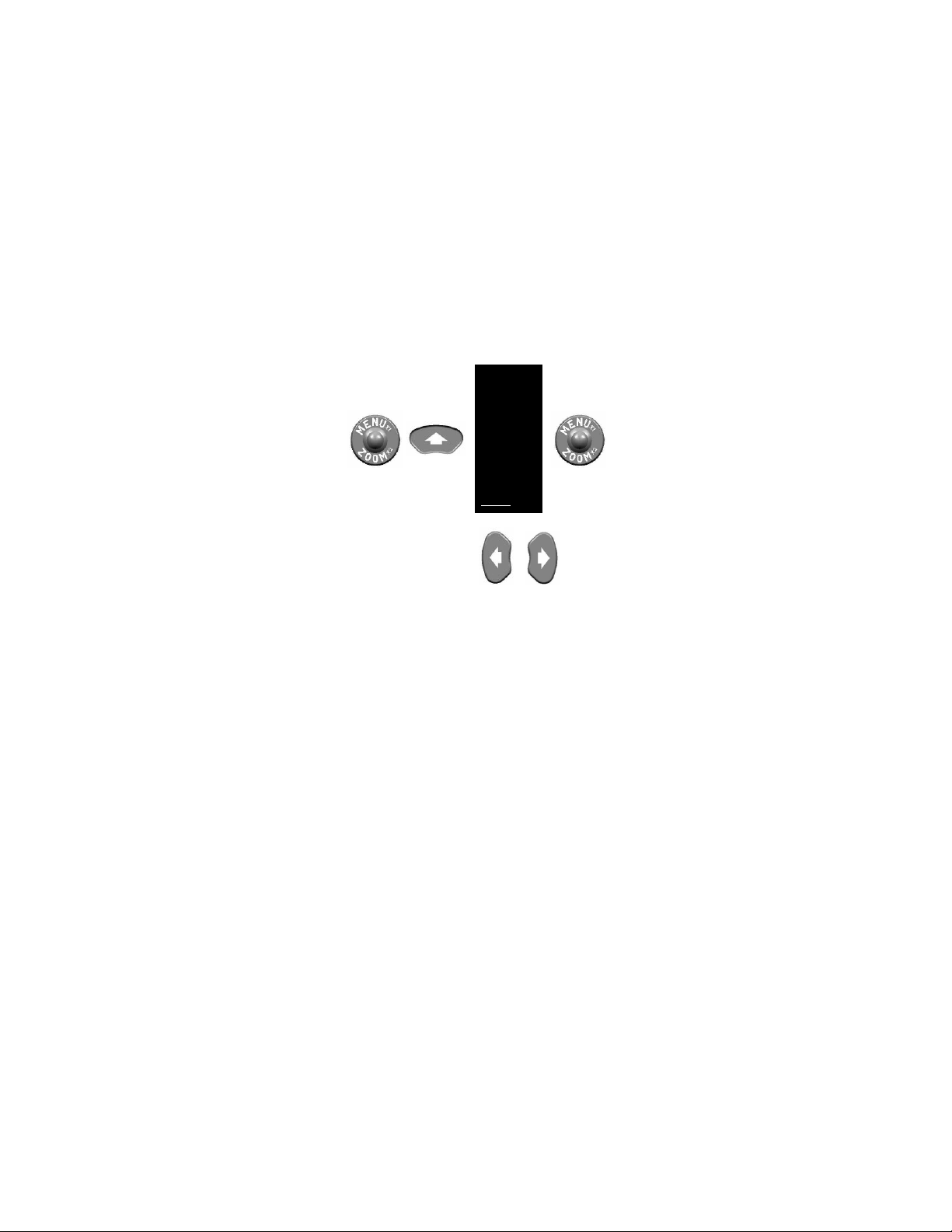
. Exiting the Main Menu is accomplished
by either activating the EXIT menu item or pressing the
LEFT or RIGHT button. Exiting the Main Menu saves all
changes made and returns the CNVD-T3 to normal viewing
mode.
2-24
Page 43
time:
ZOOM 1X
WHOT
CAL
RETINT
RET
PIC
REV
MCAL
RS170
HAND
EXIT
Or to exit any
or
Figure 2-23 Menu - Exit
NOTE
The message “NO SAVE” will appear at the
bottom of the display if settings c ould not be saved
due to low battery power. Changes will be made,
but not saved for future use.
2.14 SHUTDOWN PROCEDURES
a. Press and hold the POWER button for
approximately 3 seconds as the messages OFF?
then OFF! appear sequentially in the eyepiece
display. Release the POWER button when the
eyepiece display turns dark.
b. Install objective lens cover over the objecti ve lens.
c. Remove batteri es; place batt eries and the CNVD-T3
in the soft carrying case.
2-25
Page 44
2.15 IMAGE DOWNLOAD / VIEWING
USB
Connector
BNC
Connector
Download
Button
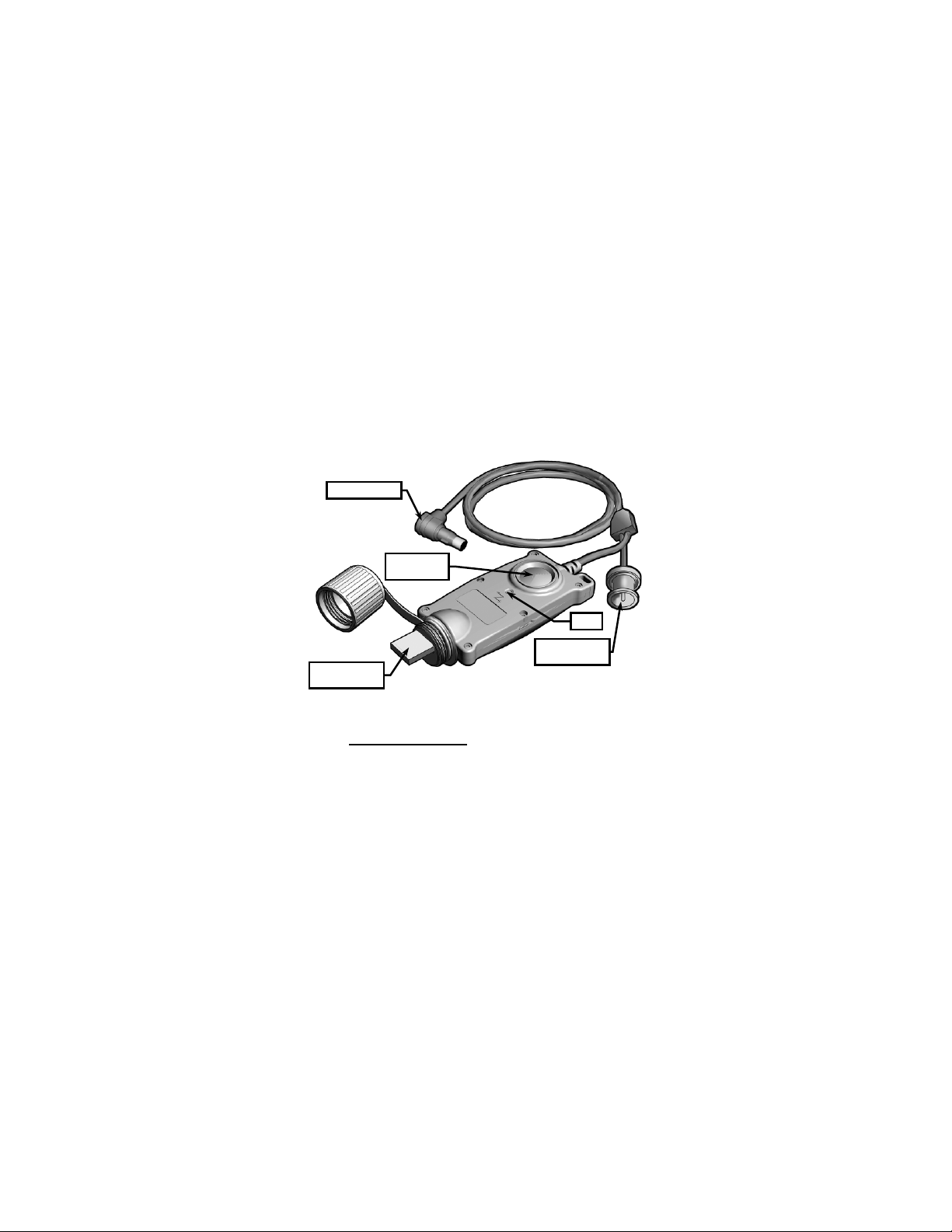
The CNVD-T3 is supplied with an Image Adapter Cable that
is used to connect the CNVD-T3 to an external monitor for
viewing live thermal imagery; or to connect to a PC so that
captured thermal images may be downloaded. The Image
Adapter Cable is shown in Figure 2-24.
Cable Plug
LED
Figure 2-24 Image Adapter Cable
2.15.1
Viewing Live Imagery . Viewing live thermal imagery
from the CNVD-T3 on an external monitor is accomplished
as follows:
a. Remove the video jack plug (captive to the CNVD-
T3) from the video jack.
b. Plug the Image Adapter into the CNVD-T3 by
aligning the white dot on the cable plug with the
2-26
Page 45

white dot on the video jack. Push the cable plug into
the jack until it locks into place.
c. Attach the BNC connector to an external monitor or
television.
d. Follow the CNVD-T3 startup procedures contained
in sec tion 2.12 and ensure RS170 video format is
selected from the Main Menu as described in
paragraph 2.13.9.
e. Follow instructions provided by the manufacturer of
the monitor or television for viewing video from an
external device.
..CAUTION..
When the cable plug is inserted into the video
jack, it automatically locks in place. To remove i t,
pull straight back on the cable plug. Do not
remove the cable plug by pulling on the cable
itself.
2.15.2
Retrieving Stored Images . Captured images stored
in the CNVD-T3 may be downloaded to the Image Adapter
as described below. The Image Adapter has a flash memory
storage capacity of more than 400 pictures.
a. Remove the video jack plug (captive to the CNVD-
T3) from the video jack.
b. Plug the Image Adapter into the CNVD-T3 by
aligning the white dot on the cable plug with the
white dot on the video jack. Push the cable plug into
the jack until it locks into place.
c. Insert the Image Adapter’s Universal Serial Bus
(USB) connector into a free USB port on a PC or
laptop. The PC will recognize the Image Adapter as
2-27
Page 46

an external hard drive and will normally open a
Windows Explorer dialogue box to display the
contents of the drive.
d. Wait for the LED on the Image Adapter to turn solid
green. Other LED status indicators are described in
Table 2-1.
e. Press the Download Button. This downloads all
images stored in the CNVD-T3’s flash memory,
converts them to .tiff format, and saves them to the
flash memory of the Image Adapter. The LED on
the Image Adapter will flash green during this
process.
NOTE
The Image Adapter creates a separate folder for
each of the devices it has been connected to.
Initiating the download process from the same
device will cause the Adapter to overwrite the
existing folder. Renaming the old folder prior to
downloading new images will preserve the content
of the original folder.
NOTE
The download process does not remove any of the
raw images from the CNVD-T3’s flash memory.
Deleting saved pictures from the CNVD-T3 must
be accomplished as described in section 2.12.7.
f. Wait for the LED on the Image Adapter to return to a
steady green state indicating that the transfer
process is complete. Open or refresh the Windows
Explorer dialogue box to view the contents of the
Image Adapter’s flash memory. Images may then
2-28
Page 47

LED Indicator
Status Condition
Green (steady)
Powered and passed self test
Green Flashing
Data transfer in progress
Red Flashing
Operational error
be viewed, saved, edited, and/or deleted in the
same manner as any files accessed through an
external hard drive.
Table 2-1 LED Status Indicators
Red (steady) Powered but failed self test
2-29
Page 48

SECTION III
ALIGNMENT / ZEROING
2.16 ALIGNMENT / ZEROING PROCEDURES
2.16.1
Clip-On
.
WARNING..
Activating HAND mode when the CNVD-T3 is
being used in-line with a magnif ied day optic may
induce an error in the aiming function of the sight.
When being used in-line with an optical sight, the CNVD-T3
should be placed in ZOOM 1X, the reticle should be turned
off, and zeroing procedures associated with the primary sight
should be used. Ensure that the CLIPON setting is selected
via the CNVD-T3 Main Menu as described in section
2.13.10. Placing the CNVD-T3 in front of an already zeroed
optic / weapon combination does not necessitate rezeroing.
2.16.2
Stand-Alone
. Each click of the CNVD-T3 reticle
moves the shot group about 0.6cm at 25m (when in ZOOM
1X). Other click equivalents are provided in Table 2-2.
Changing the position of the reticle corresponds to a
subsequent change in shot group movement (i.e., the UP
button will move the strike of the round up).
Table 2-2 Reticle Adjustments
Single Click Equivalents
10m 25m 100m 150m 300m
ZOOM 1X
ZOOM 2X
0.3cm 0.6cm 2.5cm 3.8cm 7.5cm
0.1cm 0.3cm 1.3cm 1.9cm 3.4cm
2-30
Page 49
5.2cm
When being used as a stand-alone device, the example
below shows how to align the CNVD-T3 to be parallel with
the rail of the host weapon on a 25-meter range. This
“infinite parallel” configuration is appropriate for many
mission profiles. Once parallel, the CNVD-T3 / weapon
combination may be zeroed in accordance with established
unit, departmental, or agency procedures.
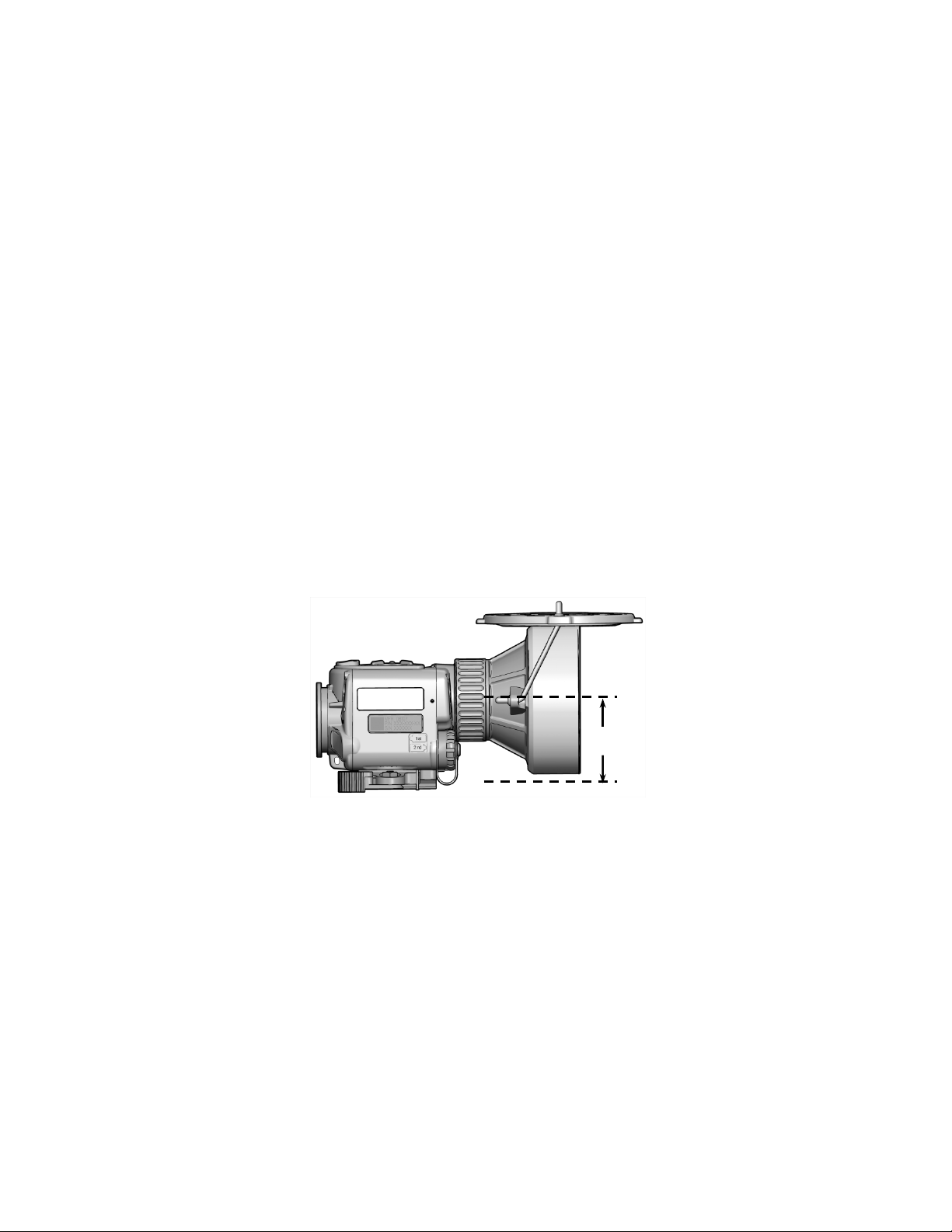
a. Once mounted to a weapon, the distance from the
top of the rail to the centerline of the CNVD-T3
objective lens is 5.2cm. Calculate the designated
strike point by adding this value to the distance from
the center of the weapon barrel to the top of the
weapon rail (3.1cm for an M4/M4A1). Therefore, in
this example, the designated strike point is 5.2cm +
3.1cm = 8.3cm down from the center of the target.
Figure 2-25 Strike Point Calcula t io n
2-31
Page 50
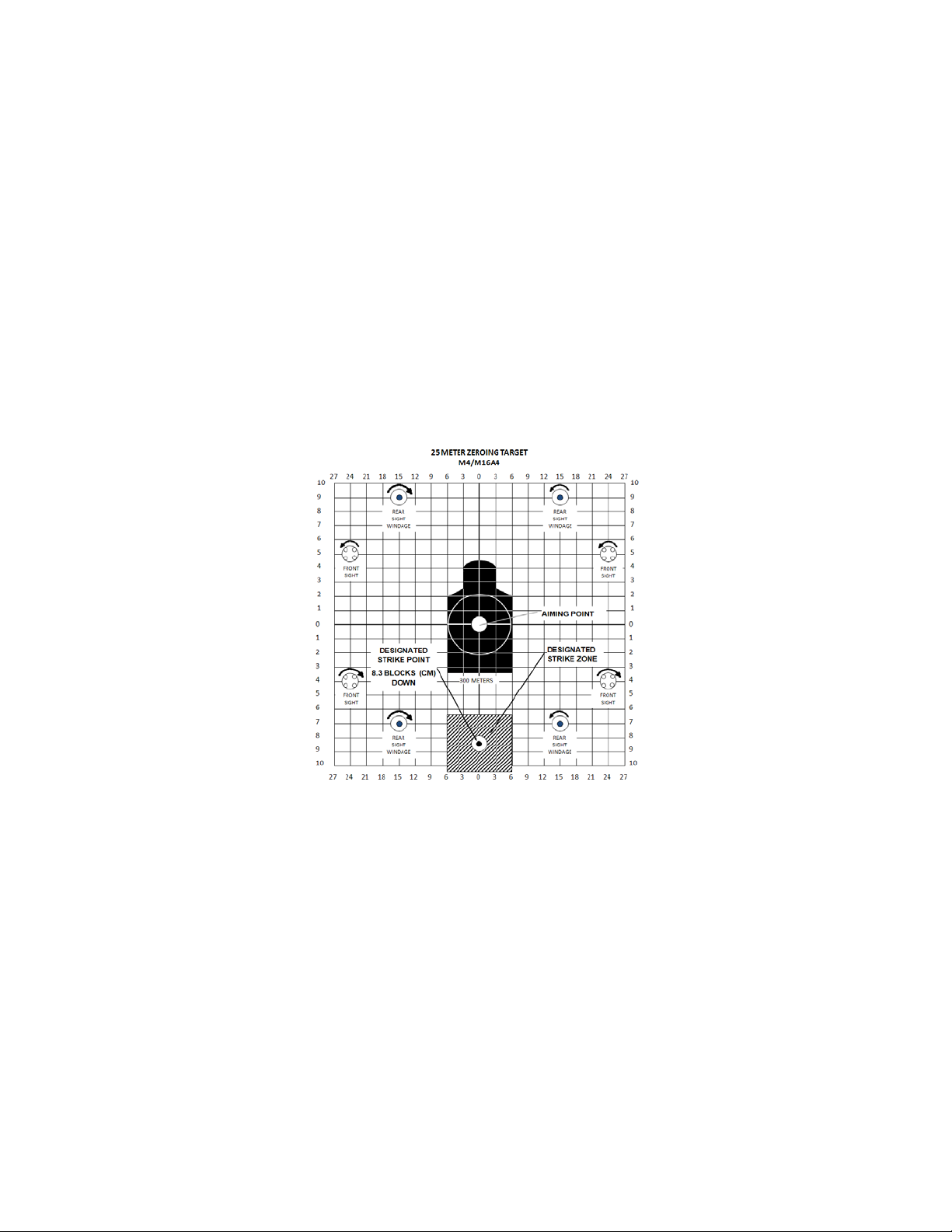
b. Mark the designated strike point on a standard 25-
meter zeroing target.
c. Dra w a designat ed strik e zone around the strike
point that corresponds in size to an acceptable
degree of desired accuracy.
Figure 2-26 Designated Strike Zone
d. Mount the target on an “E” silhouette or other
suitable surface at 25 meters.
e. Mount the CNVD-T3 to the weapon.
2-32
Page 51

f. Turn on the CNVD-T3 using the startup procedures
in section 2.12.
g. Align the CNVD-T3 reticle with the center of the
target per paragraph 2.13.5.1.
h. Fire a 3-round shot group and note the center of the
shot group relative to the designated strike point.
i. Adjust the position of the reticle to move the center
of the shot group to the designated strike point.
j. Fire another 3-round shot group and again observe
the center of the new shot group relative to the
designated strike point.
k. When 2 out of 3 rounds are in the designated strike
zone, the CNVD-T3 is aligned with the rail of the
host weapon.
2-33
Page 52

2-34
Page 53

CHAPTER 3
MAINTENANCE AND SERVICING
MAINTENANCE AND TROUBLESHOOTING
3.1 MAINTENANCE PROCEDURES
The operator should inspect the CNVD-T3 bef ore each use
and after it has been in extreme conditions, such as
prolonged exposure to intense temperatures. The following
procedures will prolong the life of the CNVD-T3 and help
ensure safe operation.
3.1.1
Batteries
leakage, or bulging. If a battery shows signs of damage,
remove and dispose of properly. Replace batteries as
required per paragraph 2.2.2.
3.1.2
Battery Compartment
compartment for dirt, dust, or corrosion. Dirt or debris that
cannot be shaken loose from the battery compartment may
be removed using a cotton swab. If necessary, clean battery
contacts with a cotton swab and isopropyl alcohol.
Periodically lubricate the battery compartment o-ring with
fluorinated grease. Replace the o-ring if it becomes cut,
nicked, or dried out.
3.1.3
Objective Lens and Eyepiece
lens and eyepiece for dirt, dust, and grime. Remove any
large particles or loose dirt using the lens pen retractable
brush. Fine cleaning of the optical surfaces should be
performed using the lens pen cleaning tip. Avoid using
excessive force as this may scratch the lenses.
. Inspect the batteries for cracks, dents,
SECTION I
. Inspect the battery
. Inspect the objective
3-1
Page 54

3.1.4 CNVD-T3 Housing
. Inspect the CNVD-T3 housing for
any signs of damage including cracks, missing parts, and
any other visible defects. Rinse the CNVD-T3 housing with
water and wipe clean with a soft cloth. Clean around buttons
and attachment points with a cotton swab.
3.1.5
Video Jack
. Inspect the vid eo jack for corrosion, dirt
and damage. Gently remove any large particles of foreign
matter and clean the contacts with a cotton swab dipped in
isopropyl alcohol.
3.2 TROUBLESHOOTING PROCEDURES
The procedures below will help the operator correct some of
the basic problems that may arise with the CNVD-T3 during
operation. If the equipment malfunction is not listed, or the
actions listed do not correct the fault, refer to section 3.4 for
additional guidance.
a. No display is present when turning on the CNVD-T3.
(1) Ensure the CNVD-T3 is not in Standby Mode by
pressing any of the arrow buttons.
(2) Adjust display brightness per section 2.9.
(3) Adjust gain setting per section 2.10.
(4) Cycle the power button.
(5) V eri f y that the batteri es are properly installed per
paragraph 2.2.2.
(6) Replace existing batteries with fresh batteries.
(7) Clean the battery compartment per paragraph
3.1.2.
b. No Reticle is visible.
(1) Adjust display brightness per section 2.9.
(2) Ensure reticle is turned on per paragraph 2.13.5.
(3) Adjust reticle intensity per paragraph 2.13.4.
3-2
Page 55
c. Dis pl ay is on but no image is present.
(1) Open the objective lens cover.
(2) Focus on an object in the distance.
(3) Adjust display brightness per section 2.9.
(4) Place the unit in auto-gain mode per paragraph
2.10.1.
d. Objective focus ring may be difficult to turn after
exposure to extreme temperatures.
(1) Rotate the objective focus ring to a point
approximately halfway through its full range of
travel.
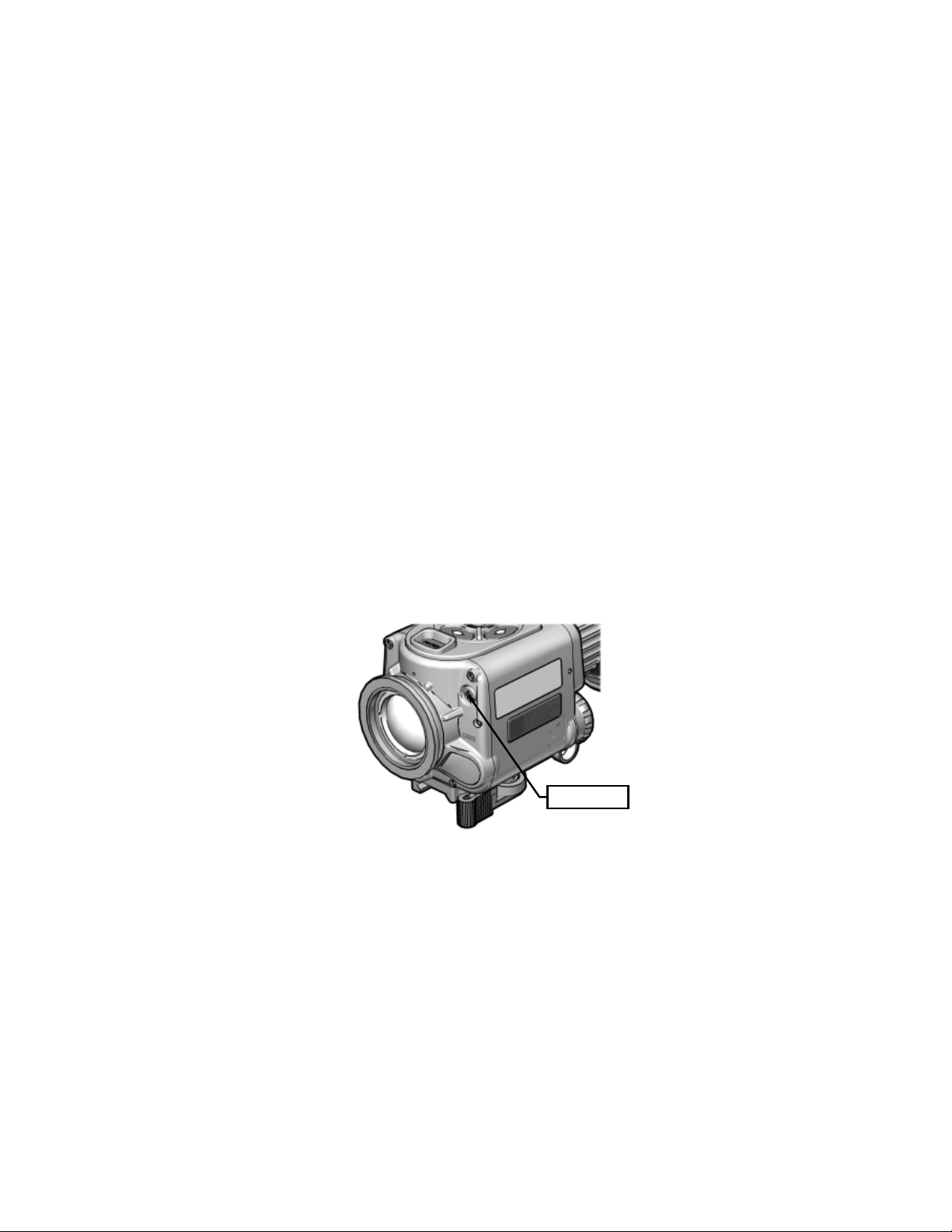
(2) Use a #1 Phillip’s head screwdriver to loosen
(do not remove) the rear purge screw shown in
Figure 3-1. This step should require only 3-4
complete revolutions.
Purge Screw
Figure 3-1 Rear Purge Screw
3-3
Page 56

NOTE
A slight, audible hissing sound may be noticed
during the venting process as air es capes from the
purge port.
(3) Gently rock the purge screw back and forth to
vent the CNVD-T3.
CAUTION
Over-tightening the purge screw may damage the
CNVD-T3 housing.
(4) Reinstall the purge screw and tighten until
snug. Once snug, turn the purge screw an
additional 1/8 turn to tighten.
e. Poor or degraded image.
(1) Perform a calibration per paragraph 2.13.3.
(2) Remove night adaptive filter / demist shield, if
installed. Clean eyepiece and objective lens.
(3) Inspect the night adaptive filter / demist shield
for dirt, grime, scratches, and cracks. Clean
and/or replace, if necessary.
(4) Replace existing batteries with fresh batteries.
3-4
Page 57
Locknut
3.3 CORRECTIVE MAINTENANCE
See section 3.4 for guidance regarding maintenance and/or
repair actions beyond those described in this manual.
3.3.1
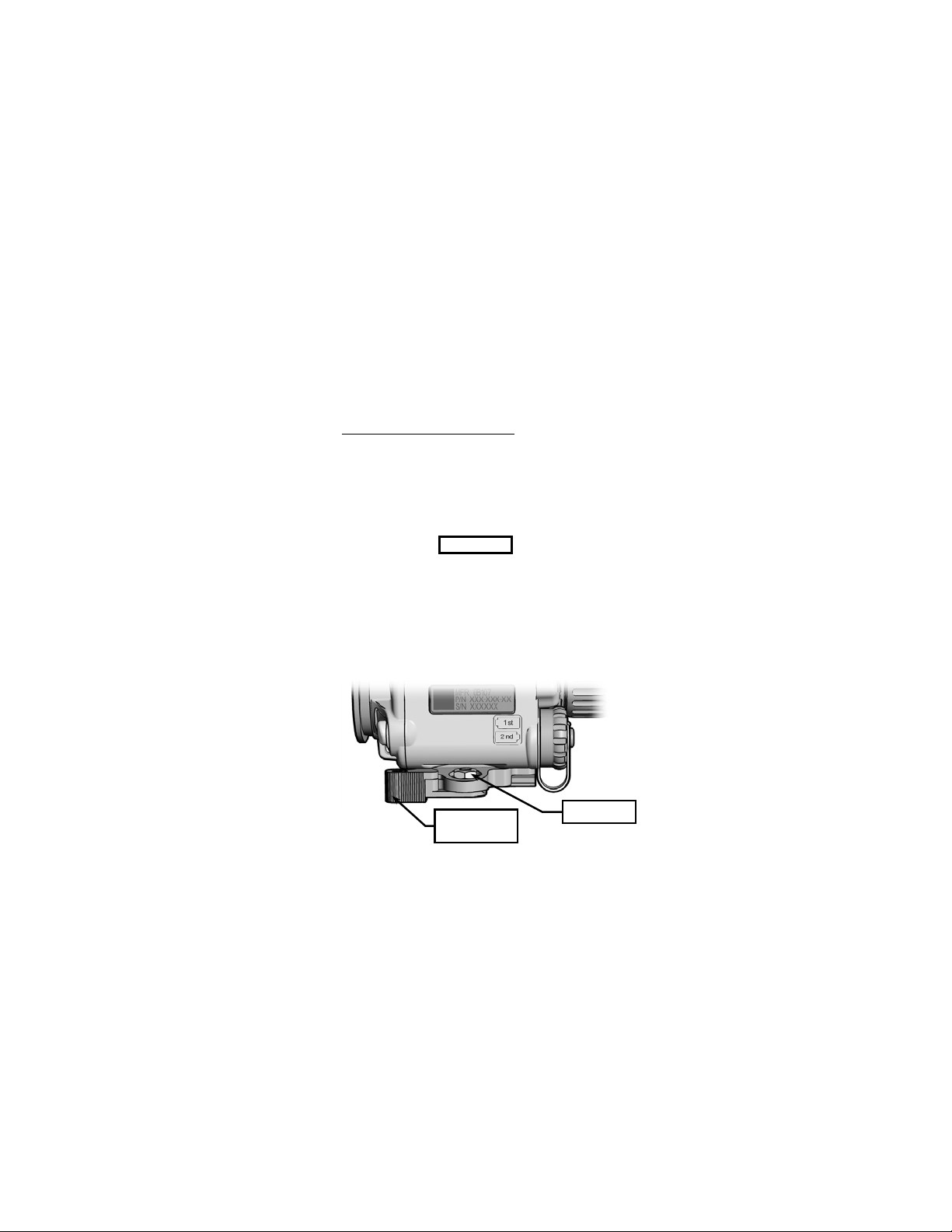
Adjusting Throw-Lever Tension
. The throw-lever
mounting bracket has a locknut that adjusts the tension
required to clamp it to the weapon rail. It is preset at the
factory but may need adjustment when initially mounted to
the rail of the host weapon. If adjustment is required, the
following procedures apply and are performed with the
CNVD-T3 removed from the host weapon:
CAUTION..
Creating too much tension with the locknut may
result in damage to the mounting bracket when the
throw-lever is forced against the weapon rail.
Creating too little tension with the locknut may
allow for movement of the CNVD-T3 on the rail.
Never completely remove the locknut from the
mounting bracket.
Throw-Lever/
Lever Lock
Figure 3-2 Adjusting Throw-Lever Tension
3-5
Page 58
a. Swing the throw-lever closed (against the body of
Objective
Objective Lens
Cover Strap
Eyelet
the CNVD-T3), then push in the lever lock to engage
the locking mechanism.
b. Using the provided 3/8” box wrench, adjust the
locknut using slight movements (2 or 3 degrees).
Turning the locknut counterclockwise will decrease
tension on the throw-lever. Turning it clockwise will
increase tension on the throw-lever.
c. Test each adjustment by attem pting to mount the
CNVD-T3 to the weapon rail per paragraph 2.3.1.
3.3.2
Replacing Objective Lens Cover and Lens Cover
Straps
. No tools are required to perform this procedure.
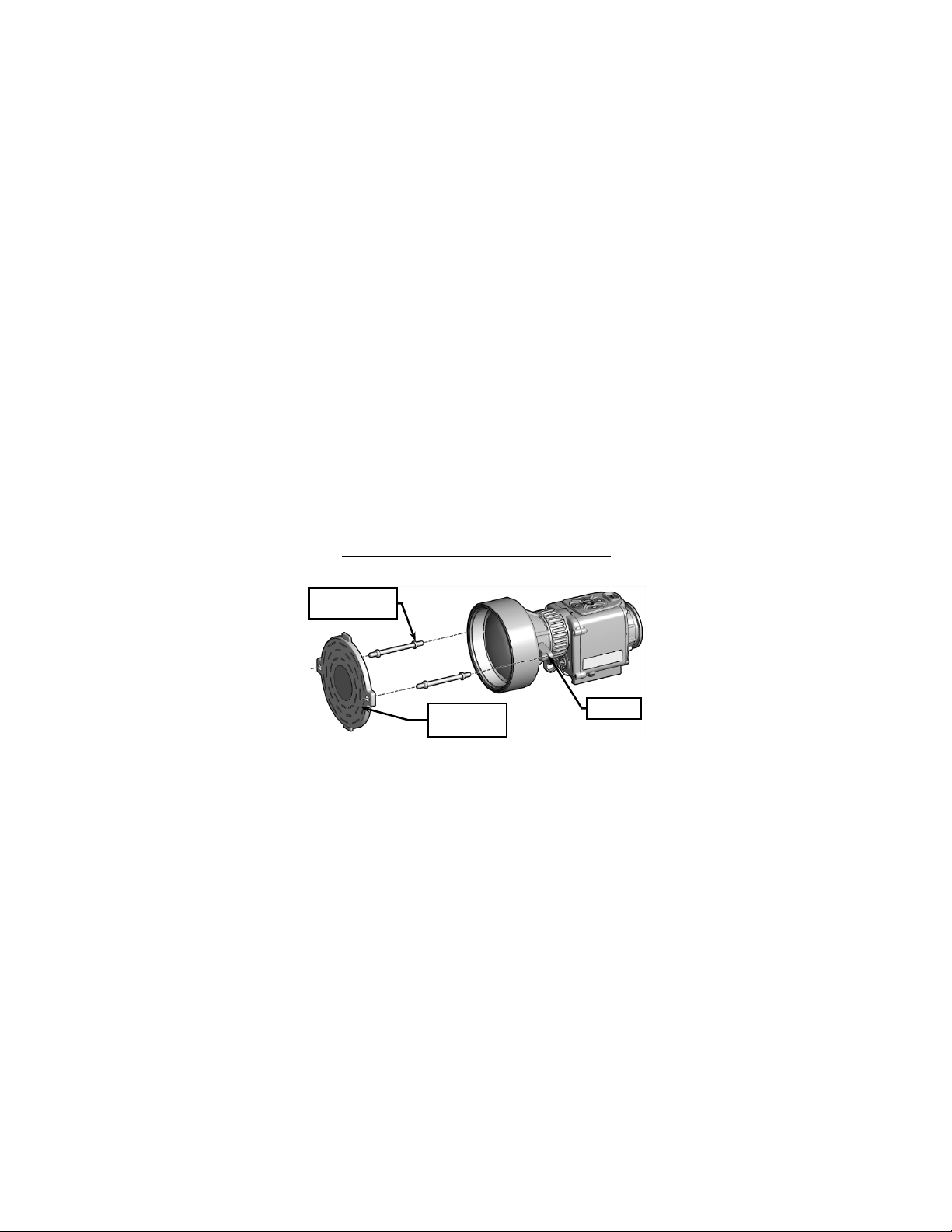
Lens Cover
Figure 3-3 Replacing Objective Lens Cover
a. Grasp the middle of one of the objective lens cover
straps and pull free from the objective lens cover.
b. Repeat step a for the other objective lens cover
strap.
3-6
Page 59
c. W ith fingers, pull the obj ective lens cover straps free
from their retaining rings.
d. Moisten and thread replacement lens cover straps
through the eyelets on the replacement objective
lens cover, and pull through using fingers.
e. Moisten and thread the opposite end of the lens
cover straps through the retaining rings, and pull
through using fingers.
3.3.3
Replacing Objective Lens Protective Ring . No tools
are required to perform this procedure.
a. Remove objective lens cover and lens cover straps
per paragraph 3.3.2.
b. If necessary, pull the damaged objective lens
protective ring off the objective lens assembly.
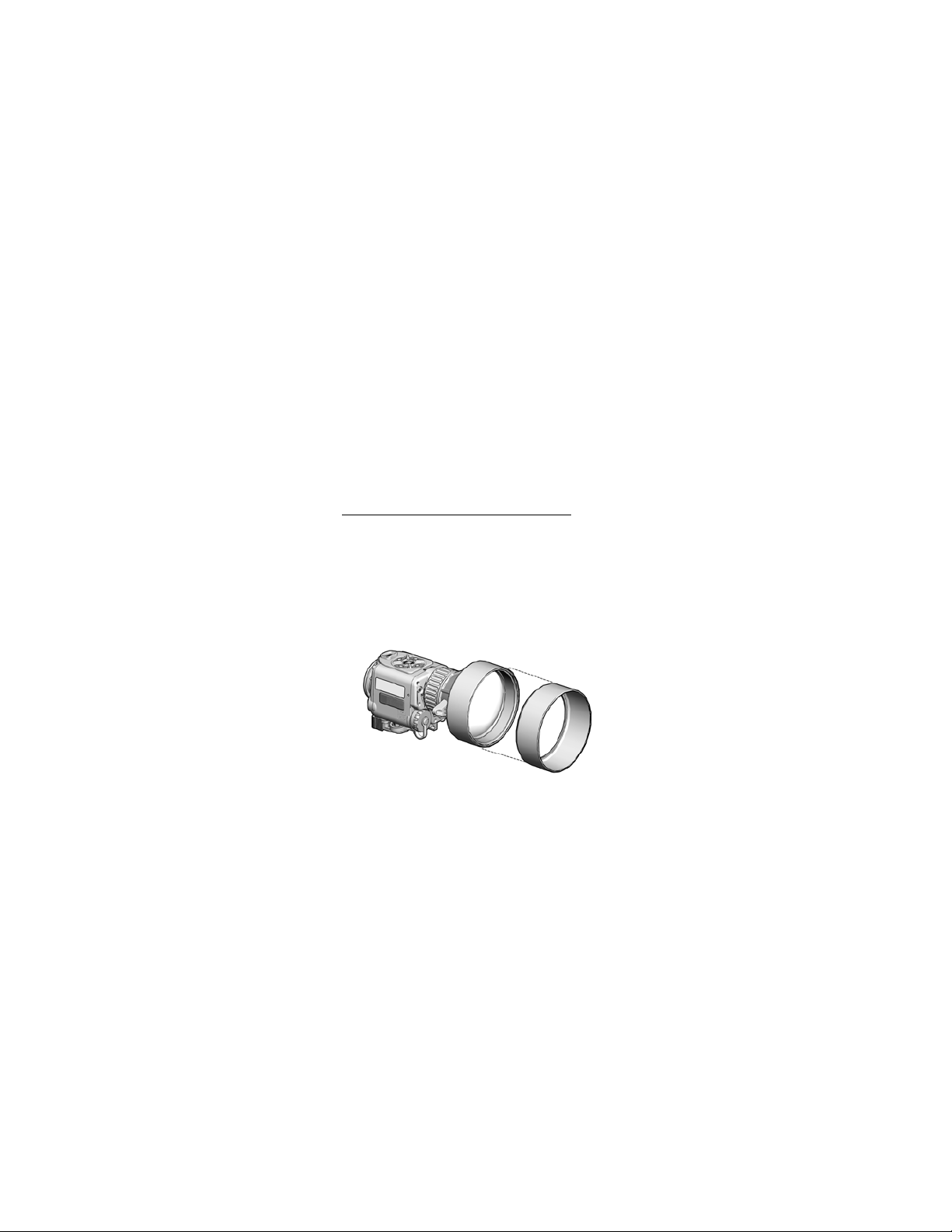
c. Orient t he replacem ent objective lens prot ect i ve ring
as shown in Figure 3-4.
Figure 3-4 Replacing Objective Lens Protective Ring
d. Stretch the objective lens protective ring over the
objective lens assembly and work until properly
seated.
3-7
Page 60

e. Install objective lens cover and lens cover straps per
paragraph 3.3.2.
f. If necessary, readjust objective lens protective ring
to ensure it does not prevent the objective lens
cover from forming a tight fit over the objective lens,
when closed.
3.3.4
Replacing Battery Compartment O-Ring
required to perform this procedure.
. No tools are
a. Unscrew the battery cap until it comes free of the
battery compartment threads.
b. Use the fingers of one hand to squeeze the battery
compartment o-ring while simultaneously pushing it
out of its groove. Grasp the o-ring with fingers of the
other hand and pull it off the battery compartment
threads.
c. Apply a few drops of isopropyl alcohol to a cotton
swab and clean the retaining groove of any dirt,
grease, or debris.
d. Apply a thin, even coat of fluorinated grease to the
replacement o-ring.
e. Stretch the replacement o-ring over the battery
compartment threads and slip it into the first groove
below the threads.
f. If necessary, use a cotton swab to remove any
excess grease from the o-ring and battery
compartment threads to prevent accumulation of
debris.
3-8
Page 61

3.3.5 Replacing Battery Cap Lanyard . No tools are required
to perform this procedure.
a. Unscrew the battery cap until it comes free of the
battery compartment threads. Remove the battery
compartment o-ring as described in paragraph
3.3.4.b.
b. Pull the battery cap lanyard over the battery
compartment threads.
c. Grasp the middle of the battery cap lanyard with
fingers of one hand. Use fingers of the other hand
to separate the battery cap from the lanyard.
d. Stretch smaller eye of the replacement lanyard over
the post on the battery cap.
e. Pull large end of replacement lanyard over battery
cap threads. Work the lanyard down until it is
seated neatly in the groove closest to the CNVD-T3
housing.
f. Replace the battery compartment o-ring. Replace
and tighten battery cap.
3-9
Page 62

SERVICE / PACKING AND UNPACKING
SECTION II
3.4 RETURN INSTRUCTIONS
3.4.1 For service, repair, or replacement, first e-mail
or call toll-free 1-877-744-4803.
3.4.2 To assist with determining if the item is repairable, the
following information shall be provided:
a. Serial number of the defective item;
b. Thorough description of the malfunction, defect, or
damage; and
c. If known, an explanation as to how the malfuncti on,
defect or damage occurred.
If the item is determined to be Beyond Economical Repair,
follow applicable replacement procedures through your
Property Officer. If it is determined that the item is under
warranty, or should be returned for repair, a Return Material
Authorization (RMA) number will be provided.
3.4.3 When returning the CNVD-T3 for service / repair, the
following procedures should be followed to prevent any
additional damage:
a. Be sure that the CNVD-T3 is free of all contaminants
such as dirt or any other foreign material.
b. Remove batteries.
c. Place the CNVD-T3 in the soft carrying case.
3-10
Page 63

3.4.4 Place the item and a copy of the test report or detailed
description of the failure in a suitable packing container.
Mark the package with “Field Return” and the RMA number.
Ship via fastest, traceable, pre-paid means to:
L-3 Communications Corporation
Warrior Systems Division
Insight Operations
9 Akira Way
Londonderry, NH 03053
3.5 WARRANTY INFORMATION
The CNVD-T3 is under warranty from defects in material and
workmanship for a minimum of one (1) year from the date of
manufacture. This warranty does not protect against
damage due to misuse, mishandling or battery leakage.
Additional warranty coverage may have been provided
through the contract or via subsequent contract extension.
Specific warranty terms can be obtained from your
procurement agent, Contracting Officer or L-3 Insight
Technology Incorporated.
3.6 NON-WARRAN TY INFORMATION
Non-warranty repairs are subject to an evaluation fee. The
item will be tested and evaluated for failure, then customer
permission and payment terms are obtained prior to any
repairs being performed.
3-11
Page 64

3-12
Page 65

NUMBER
N/A
CT3-TM-ITI
Operator Manual
N/A
CT3-QRG-ITI
Quick Reference Guide
Demist Shield
5855-01-579-5690
WTM-030-A1
Image Adapter Cable
5120-01-582-2832
ITI-150
Box Wrench, 3/8”
6135-01-559-9641
DL123ABK
Battery, 3V, lithium
5855-01-579-5680
ITI-678
Lens Pen
5855-01-579-9859
CQT-381
Neck Cord
Compartment
CT3-001-A3 (Tan)
TBD
CT3-314-02
Soft Carrying Case
TBD
CT3-313-02
Interface Hood
5855-01-579-5688
CQB-670-02
Eyecup
TBD
CT3-318-01
Objective Lens Cover
Objective Lens Cover
Straps (2)
(cap and lanyard)
TBD
CQT-349-02
Battery Cap Lanyard
Objective Lens Protective
Ring
APPENDIX A
REPAIR PARTS / ACCESSORIES
A.1 Scope
This Appendix provides an organizational level parts list for
the CNVD-T3. Table A-1 lists spare s , parts, and assemblies
authorized for repair / replacement at the operator level.
Special tools or equipment are not required for these repairs.
Table A-1 Repair Parts / Accessories
NSN
PART
DESCRIPTION
5855-01-579-5695 CQB-506-A2
5331-01-537-0498 AS-568A-018S70
TBD CT3-319-02
TBD CQT-036-A2
TBD CT3-322-02
Night Adaptive Filter /
O-Ring, Battery
Battery Cap Assembly
A-1
Page 66

Table A-1 Repair Parts / Accessories (cont’d)
NUMBER
CT3-001-A6 (Black)
TBD
CT3-314-01
Soft Carrying Case
TBD
CT3-313-01
Interface Hood
TBD
CQB-670
Eyecup
TBD
CT3-318-02
Objective Lens Cover
Straps (2)
(cap and lanyard)
TBD
CQT-349-01
Battery Cap Lanyard
Ring
NSN
PART
DESCRIPTION
TBD CT3-319-01
TBD CT3-036-A1
TBD CT3-322-01
A-2
Objective Lens Cover
Battery Cap Assembly
Objective Lens Protective
Page 67

The CNVD-T3
Is designed and produced by:
L-3 Communications Corporation
Warrior Systems Division
Insight Operations
Londonderry, NH 03053
Phone 603.626.4800 / Fax 603.626.4888
www.l3warriorsystems.com
This manual contains tech nical data whose export is governed
by the U.S. International Traffic in Arms Regulations (ITAR).
This information must not be transferred to a foreign person
without the pr o per a uthorization of the U.S. Go ver nm e nt. Please
contact L-3 Warrior Systems for more information.
© 2011 L-3 Communications Corporation
Warrior Systems Division
9 Akira Way
USA
Page 68

 Loading...