

Page 1
This product can be setup using
any current web browser, i.e.,
Internet Explorer 6 or Netscape
Navigator 7.0
DSA-3100P
Ticket Printer for DSA-3100
Before You Begin
You will need a DSA-3100 Public/Private Gateway with a wireless access point
pre-installed.
Important: TURN OFF the power to the DSA-3100 before
installing the DSA-3100P. The DSA-3100P can only work with
the D-Link DSA-3100 Public/Private Gateway
Check Your Package Contents
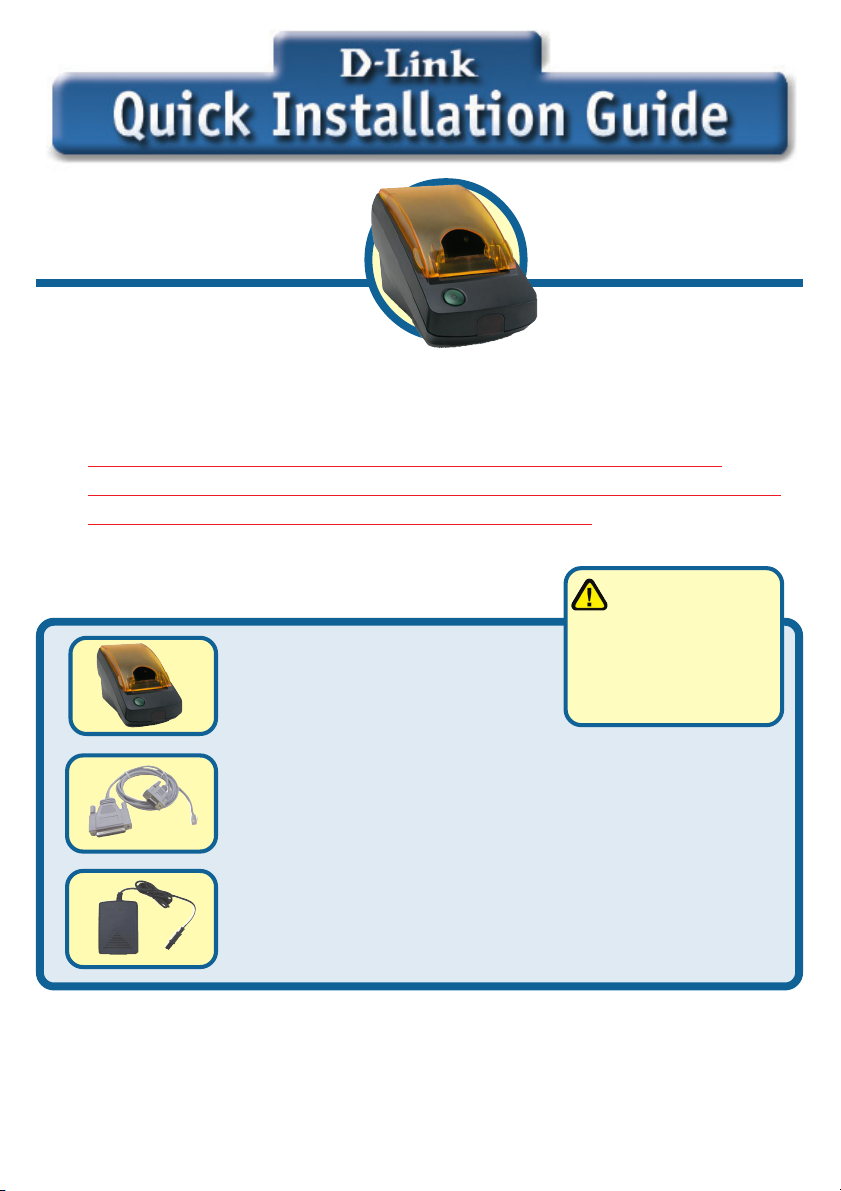
DSA-3100P Ticket Printer
with Paper Roll
RS-232 Serial Communication Cable
24V DC, 1.7A Power Adapter
If any of the above items are missing, please contact your reseller.
©2003 D-Link Systems, Inc. All rights reserved. Trademarks or registered trademarks are the property of their respective holders. Software and
specifications subject to change without notice. DSA-3100P 09052003
Using a power
supply with a
different voltage rating
will damage this
product and void its
warranty.
1
Page 2
Preparing the DSA-3100P
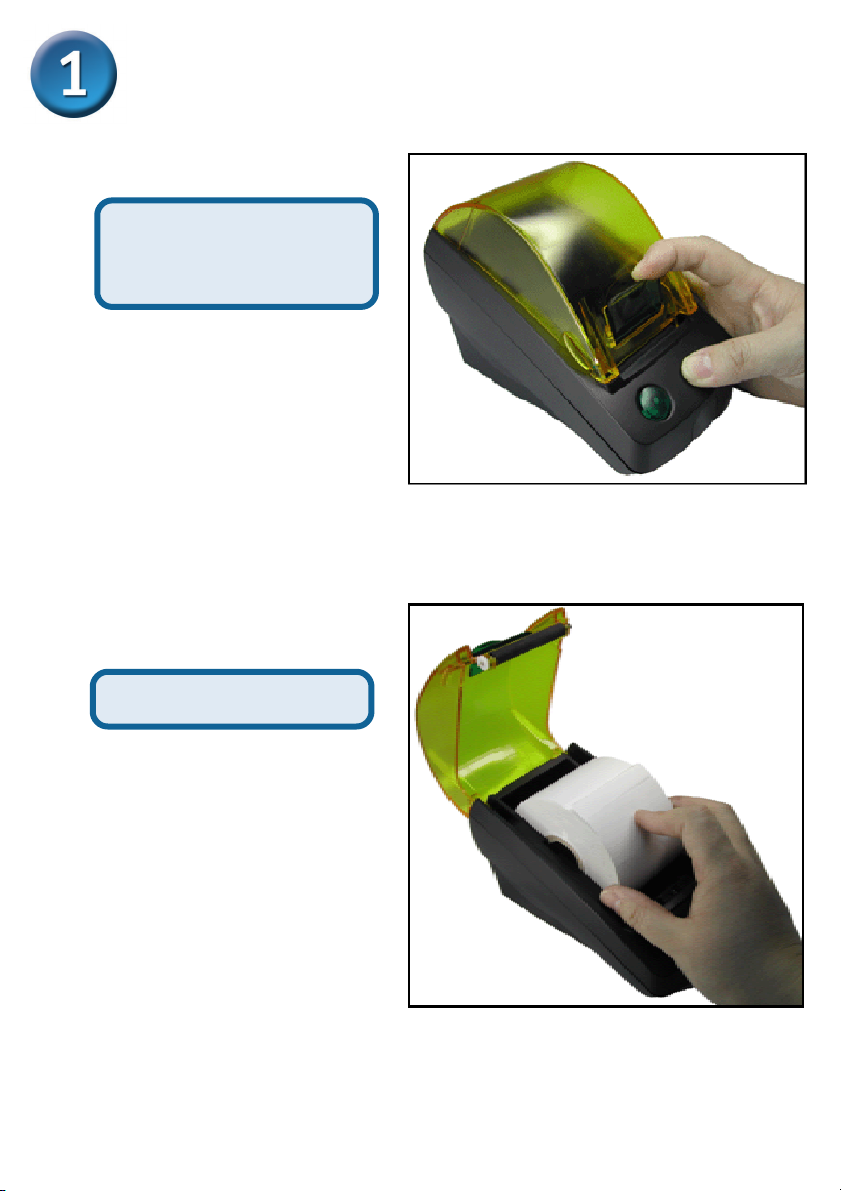
Pull down on the green
handle to release the
cover.
Insert the roll of paper
2
Page 3
Preparing the DSA-3100P(cont.)
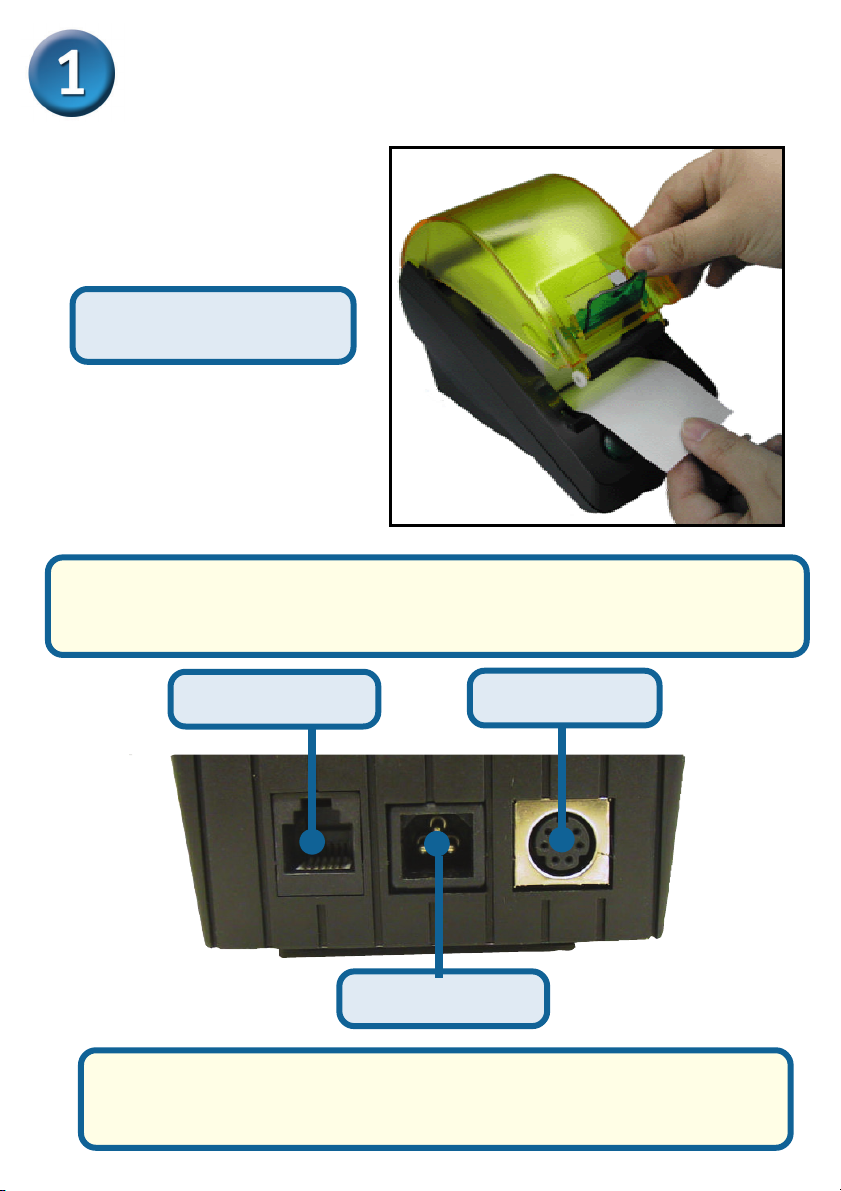
Pull some of the paper
out and close the cover.
Connect to the DSA-3100 with the provided RS-232 serial cable. On
the other side of the RS-232 cable, plug in the RJ-11 connector into
the DSA-3100P Ticket Printer.
RJ-11 Connector
Power Connector
Attach the power adapter and turn the DSA-3100P on. Then power
on the DSA-3100 and all wireless access points. Wait 1~2 minutes
until the status LED on the DSA-3100 becomes stable.
3
P/S2 Connector
Page 4
Setting up your DSA-3100P
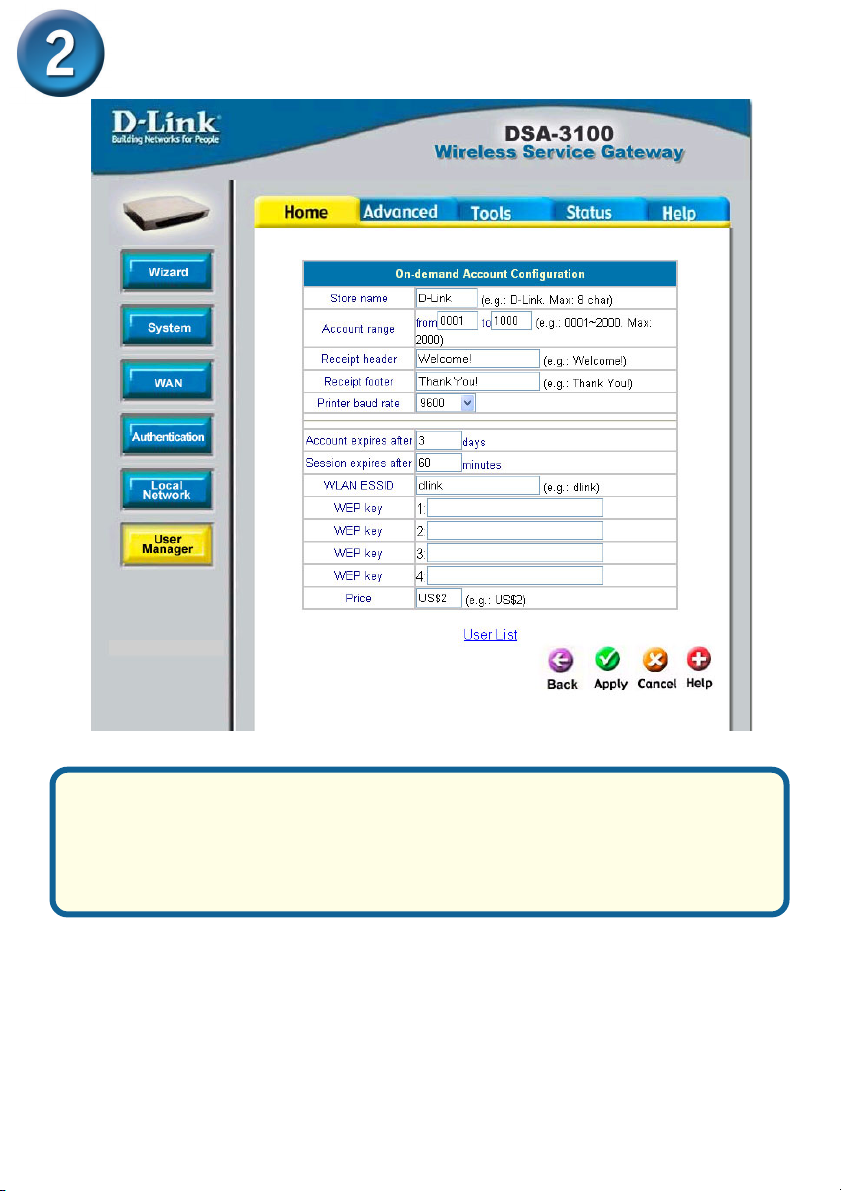
Log on to the DSA-3100 as the administrator. Go to Home>User
Manager, then click On-Demand Users for the configuration page.
Enter the Wireless LAN ESSID, WEP keys, and other information that
you would like shown on the ticket. Click Apply so the settings can
take effect.
4
Page 5
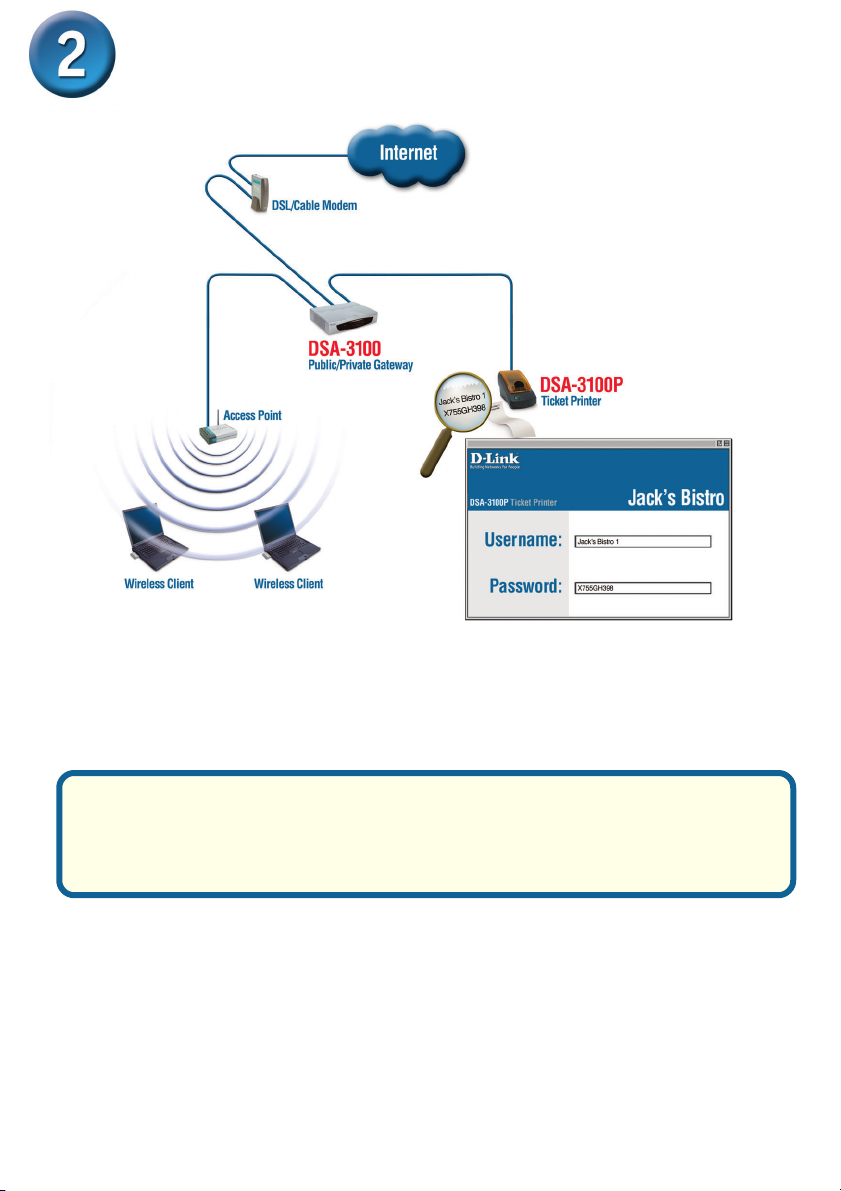
Setting up your DSA-3100P
Press the button on the DSA-3100P to print a ticket that grants
guests or paying patrons access to the hotspot. The DSA-3100P
communicates with the DSA-3100 Public/Private Gateway to generate a unique login username and password.
5
Page 6

Notes
6
Page 7

Notes
7
Page 8

Technical Support
You can find the most recent software and user documentation on the D-Link website.
D-Link provides free technical support for customers within the United States and
within Canada for the duration of the warranty period on this product.
U.S. and Canadian customers can contact D-Link technical support through our
website or by phone.
Tech Support for customers within the United States:
D-Link Technical Support over the Telephone:
(877) 453-5465
24 hours a day, seven days a week
D-Link Technical Support over the Internet:
http://support.dlink.com
email: [email protected]
Tech Support for customers within Canada:
D-Link Technical Support over the Telephone:
(800) 361-5265
Monday to Friday 8:30am to 9:00pm EST
D-Link Technical Support over the Internet:
http://support.dlink.ca
email: [email protected]
8
 Loading...