

Page 1
Before You Begin
You must have at least the following:
z Pentium 400MHz or Higher
z One Available USB Port
z 128MB RAM
z 100MB Space
z CD-ROM
z Windows XP/2000
z DSL/Cable Modem Internet Connection
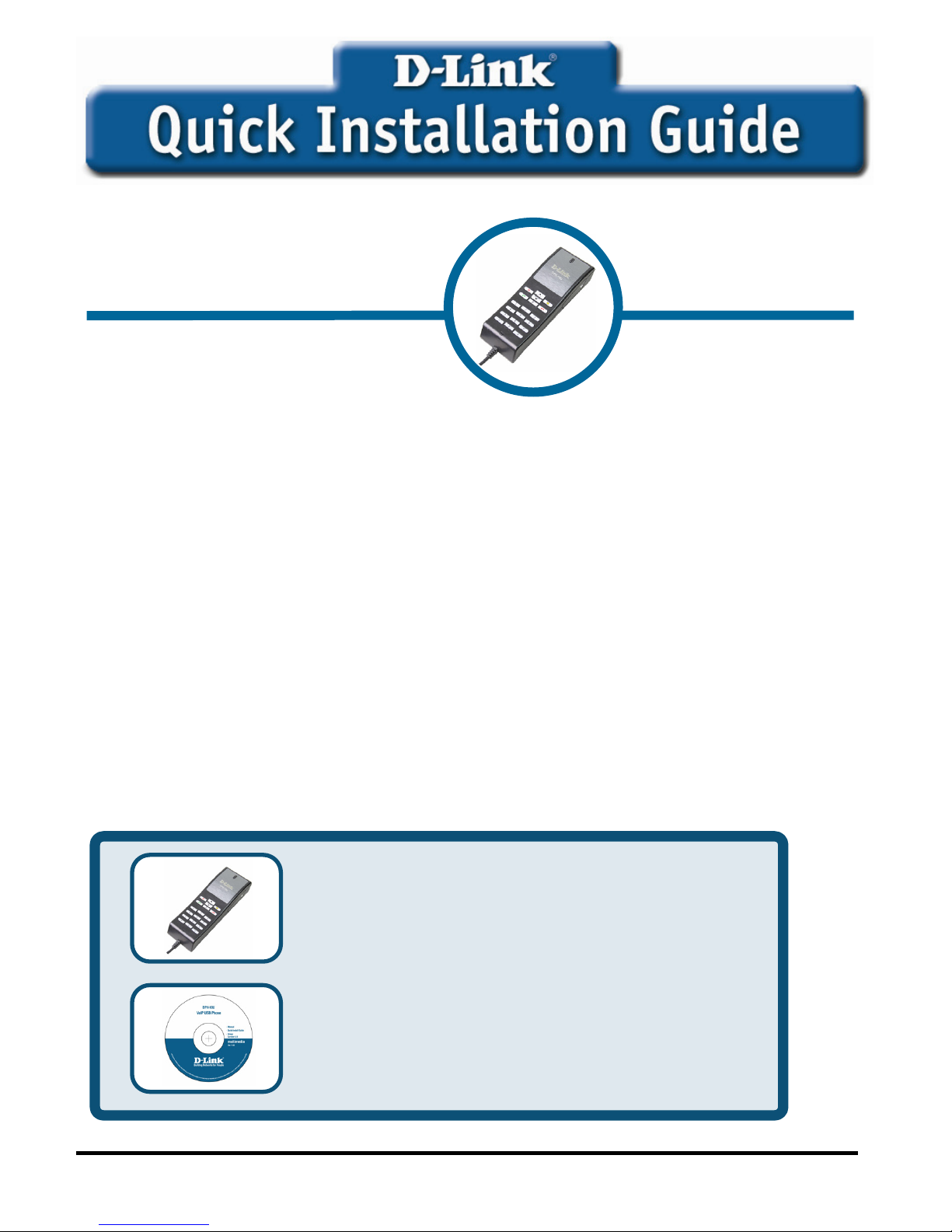
Check Your Package Contents
These are the items included with your purchase:
If any of the above items are missing, please contact your reseller.
©2004 D-Link Systems, Inc. All rights reserved. Trademarks or registered trademarks are the property of their respective
holders. Software and specifications subject to change without notice.
This product can be used with
the following operating systems:
Windows XP
,
2000
DPH-10U
VoIP USB Phone
• DPH-10U VoIP USB Phone
• CD-ROM (containing Manual and
Installation program)
Page 2
2
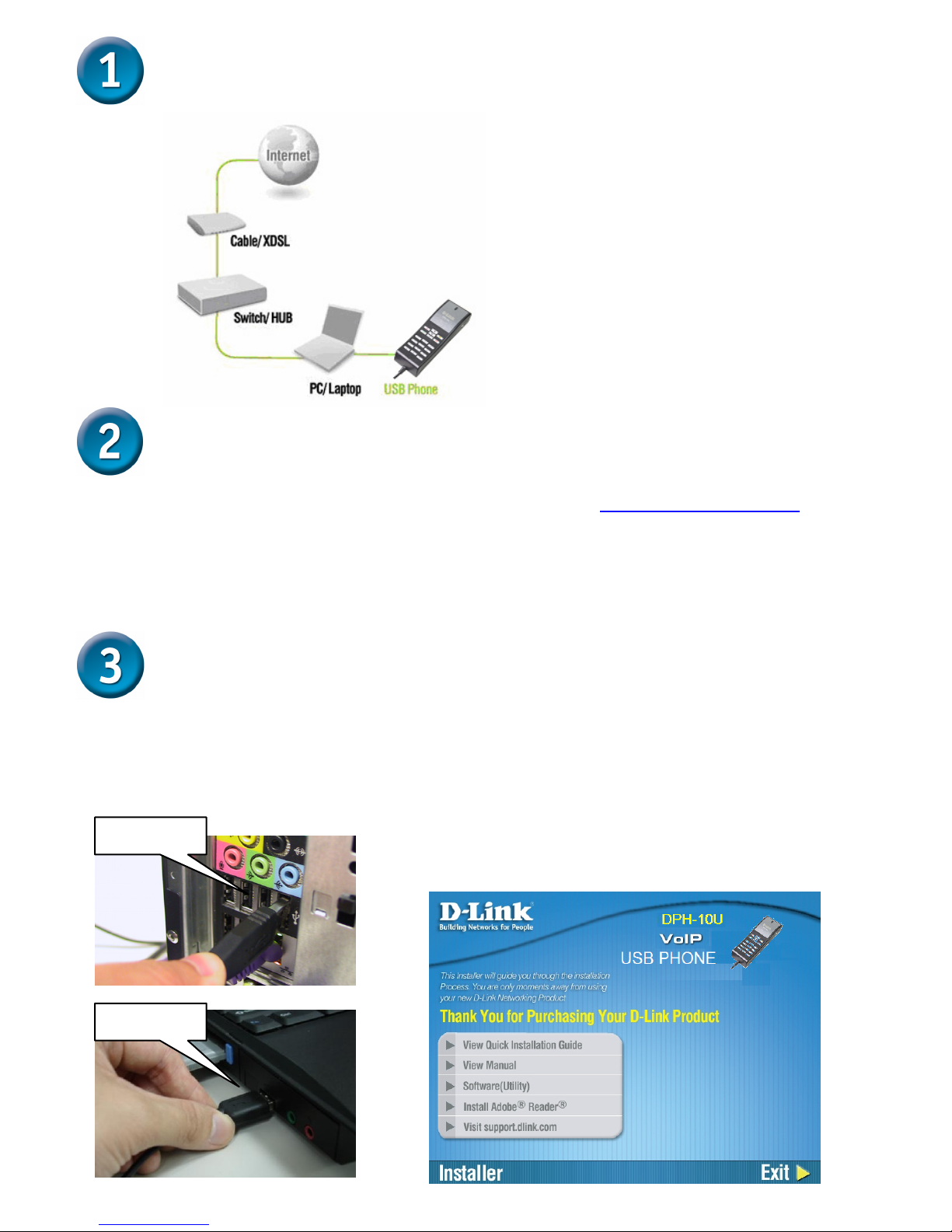
Connecting DPH-10U to your PC
Installing the Skype™
If Skype™ is not already installed on your computer, visit http://www.skype.com and
follow the instructions there to install Skype™. Verify that Skype™ is working before
installing the DPH-10U VoIP USB Phone.
Installing the DPH-10U Utility
STEP 2.
Insert the supplied CD-ROM into
your PC CD-ROM drive. The
installation should start
automatically. Please press
“Software(Utility)”.
STEP 1.
Connect the USB cable to the PC or
NB as shown below:
Connect to PC
Connect to NB
Page 3
3
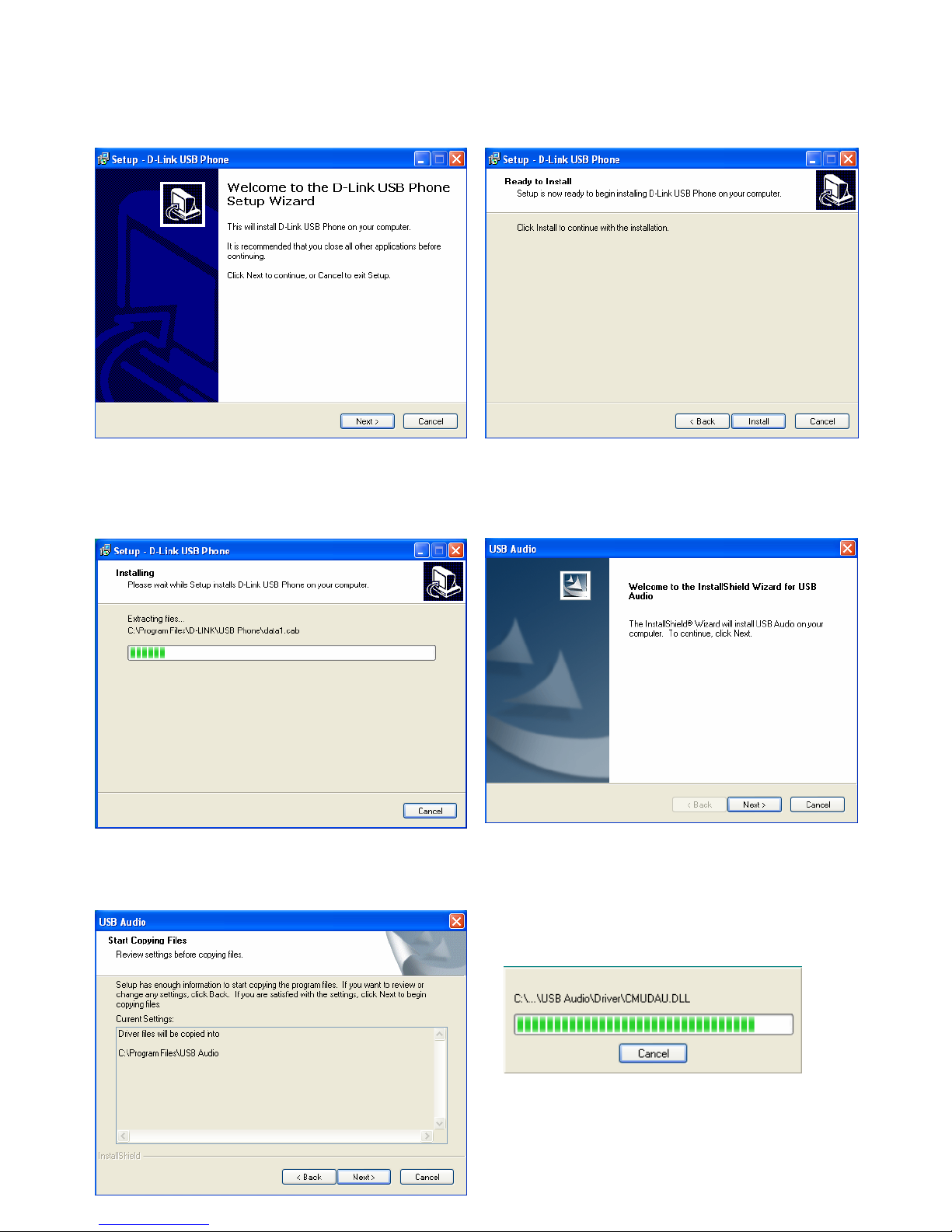
STEP 3.
You will see the following popup.
Press Next to proceed or cancel to
sto
p
the install processes.
STEP 4.
You will see the following popup.
Press the Install and stare to install
the DPH-10U Utilit
y
.
STEP 5.
You will see the following progress
bar below indicating that the
installation is
p
roceeding.
STEP 6.
The program installing audio driver.
Press Next.
STEP 7.
You will see the driver install path.
Press Next.
STEP 8.
You will see the following progress
bar below indicating that the
installation is
p
roceedin
g
Page 4
4
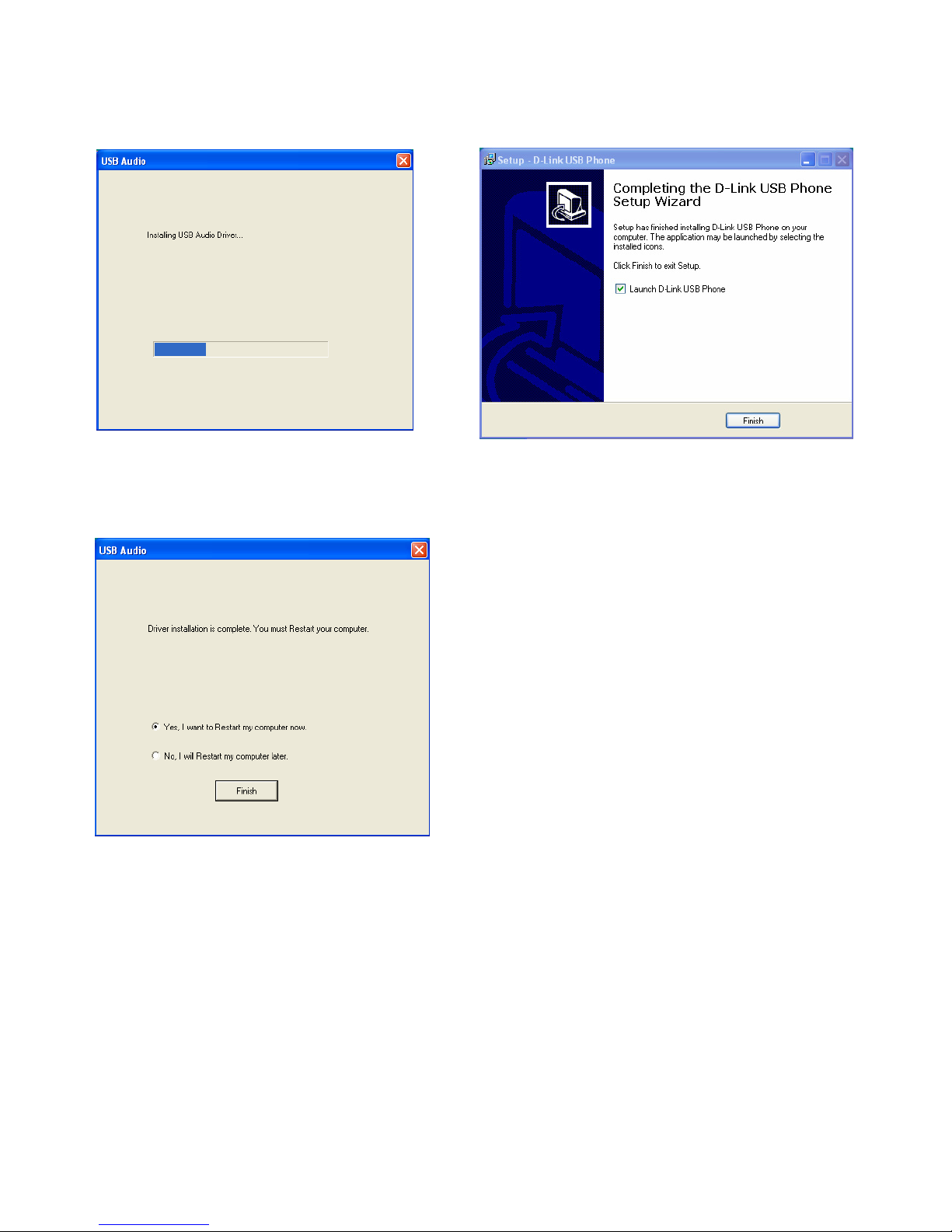
STEP 9.
You will see the following progress
bar below indicating that the
installation is
p
roceeding
STEP 10.
You will see the following popup.
Press Finish to close the installation
STEP 11.
You will see the following popup.
Press Finish to close the program
and restart com
p
uter
Page 5

5
Technical Support
You can find software updates and user documentation on the D-Link website.
D-Link provides free technical support for customers within the United States
and within Canada for the duration of the warranty period on this product.
U.S. and Canadian customers can contact D-Link Technical Support through our
website, or by phone.
Tech Support for customers within the United States:
D-Link Technical Support over the Telephone:
(877) 453-5465
24 hours a day, seven days a week.
D-Link Technical Support over the Internet:
http://support.dlink.com
email:[email protected]
For Customers within Canada:
D-Link Canada Technical Support over the Telephone:
1-800-361-5265 (Canada)
Monday to Friday 7:30 am to 3:00 am ET
Saturday and Sunday 9:00am to 12:00am ET
D-Link Canada Technical Support over the Internet:
http://support.dlink.ca
email: [email protected]
 Loading...