

Page 1
DataMan®8072 Verifier
Quick Reference Guide
2019 October 08
Revision: 6.1.6SR1.5
Page 2
Precautions
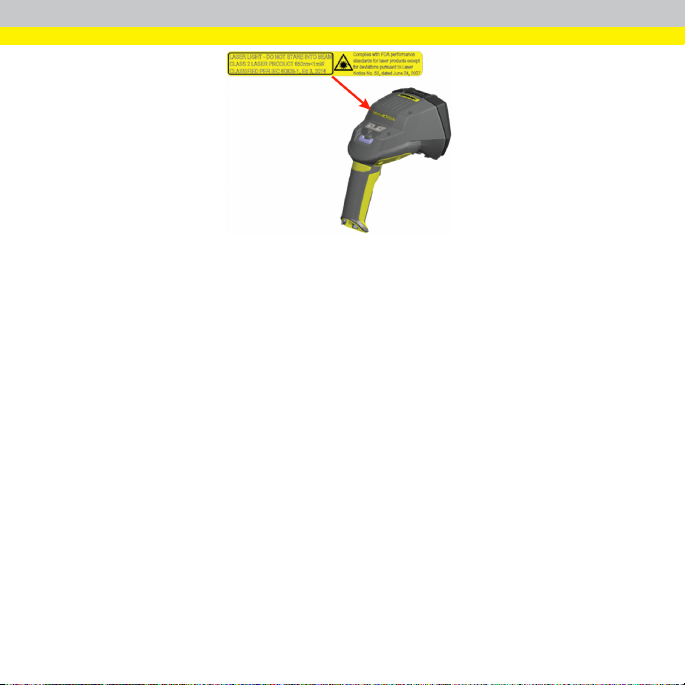
WARNING: LASER LIGHT, DO NOT STARE INTO BEAM: CLASS 2
LASER PRODUCT. FAILURE TO FOLLOW THESE INSTRUCTIONS
MAY CAUSE SERIOUS INJURY.
To reduce the riskof injury or equipment damage, observe the following precautions
when you installthe Cognex product:
l Route cables and wires away from high-current wiring or high-voltage
power sources to reduce the riskof damage or malfunction from the
following causes: over-voltage, line noise, electrostatic discharge (ESD),
power surges, or other irregularities in the power supply.
l Changes or modifications not expresslyapproved bythe party responsible
for regulatory compliance could void the user’s authority to operate the
equipment.
l Ensure that the cable bend radius begins at least sixinchesfrom the
connector. Cable shielding can be degraded or cables can be damaged or
wear out faster if a service loop or bend radiusistighter than 10X the cable
diameter.
l This device should be used in accordance with the instructionsin this
manual.
l Allspecifications are for refer ence purposes only and can change without
notice.
2
Page 3
Product Overview
WARNING: L ASER LIGHT, DO NOT STARE INTO BEAM
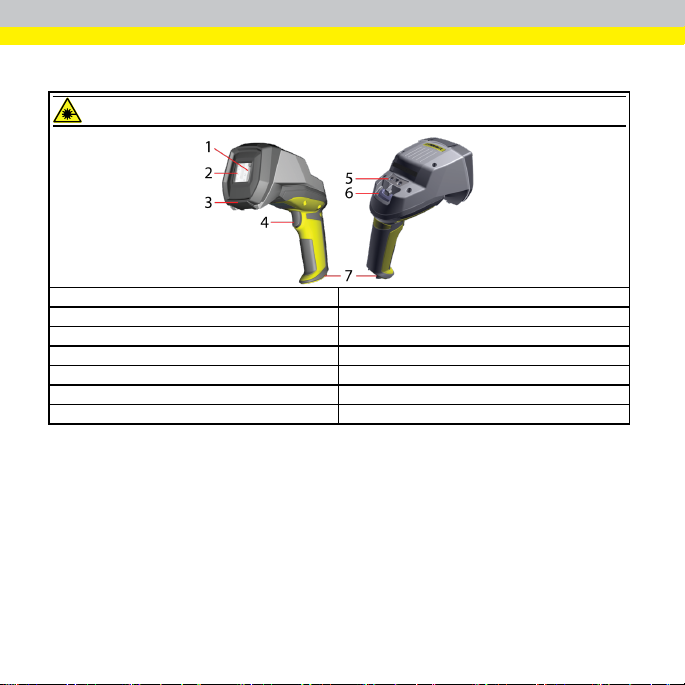
1 Imager and Lens Optical System
2 Illumination
3 Removable Standoff
4 Trigger (press andr elease)
5 Lanyard hook
6 Indicator light
7 Communication module insertionpoint
Status indicators:
l Communication:
o
GREEN =good verification
o
RED = bad verification
3
Page 4
DataMan 8072 Verifier Kits
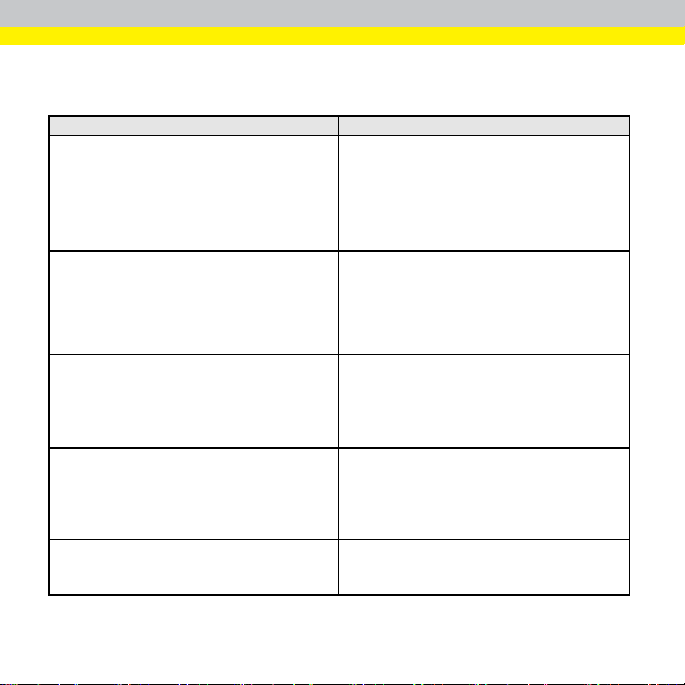
The DataMan 8072 Verifier is available in the following kits:
DMV-8072V-S-0200 DataMan 8072 Veri fier EthernetKit with Stand:
DMV-8072V-S-0100 DataMan 8072 Veri fier USB Kit with Stand:
DMV-8072V-0200
DMV-8072V-0100 DataMan 8072 Veri fier USB Kit
DMV-8072V-0000 DataMan 8072 Veri fier Kit No Slide-In
Model nu mber Description
- 8072 Verifier
- Standoff
- Ethernet Sli de- In
- Ethernet Cable Attachment
- Standard Ethernet Cable
- POE Injector
- Basic Calibration Card
- Stand Accessory
- 8072 Verifier
- Standoff
- USB Slide-In
- USB Cable
- Power Supply
- Basic Calibration Card
- Stand Accessory
DataMan 8072 Veri fier EthernetKit:
- 8072 Verifier
- Standoff
- Ethernet Sli de- In
- Ethernet Cable Attachment
- POE Injector
- Basic Calibration
- 8072 Verifier
- Standoff
- USB Slide-In
- USB Cable
- Power Supply
- Basic Calibration Card
- 8072 Verifier
- Standoff
- Basic Calibration Card
4
Page 5
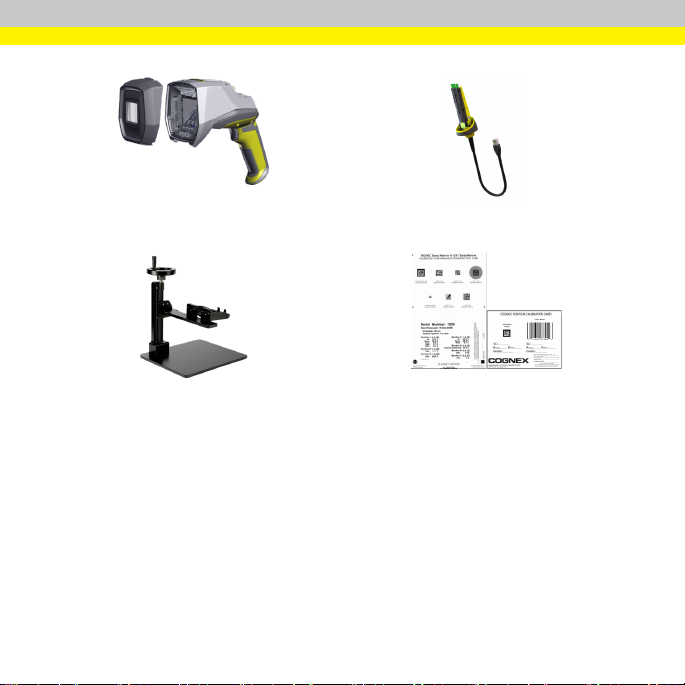
DataMan 8072 verifier and stand-off Ethernet or USB slide-in
Stand accessory Calibrationcard
5
Page 6
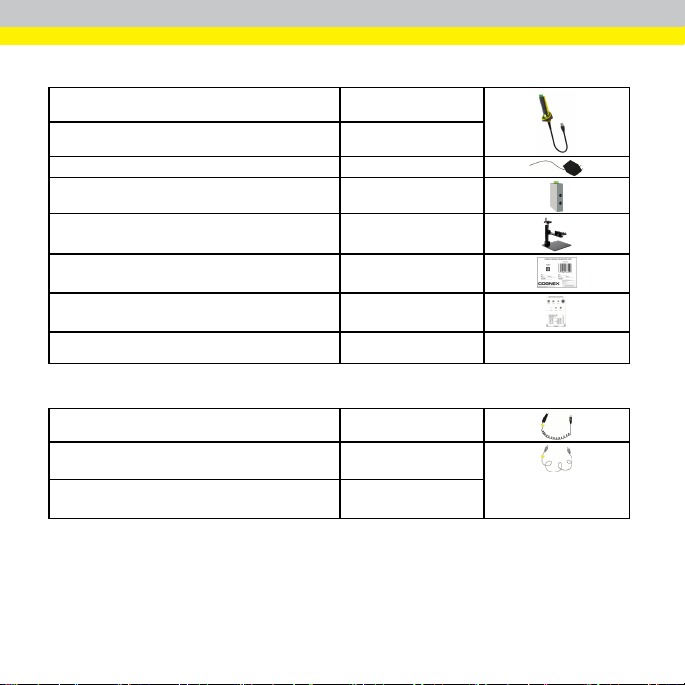
DataMan 8072V Verifier Accessories
Ethernet Sli de-In DMCM -ENETM-00
Serial/USB2.0 Slide-In DMCM -USB2EN-00
Power Supply for USB 2.0Sli de-In DM100-PWR-000
POE hub CPS-AC-POE1A-US
Stand Accessory
DMV-8072V-STAND
Cognex Basic Calibration Card
GS1 Conformance Cali bration Card DMV-GS1CC
Validation Pr otocol DM8072V DMV-VPS-DPM
DMV-CC C
DMV-W CC
Cables
USB Cable for USB2.0 Slide-In, 2.5 m
Ethernet Cable for Ethernet Slide-In, 5 m DM8000-ECABLE-05
Standard Ethernet Cable CBL-C10E
DM8500-U SBC-02
6
Page 7
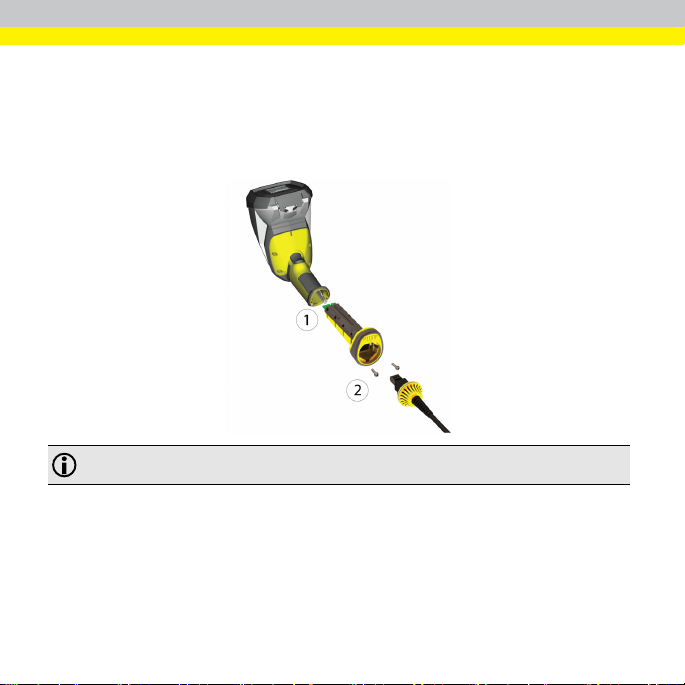
Connecting the Verifier
1. Connect the slide-in to the reader, and tighten the screws to lock the slidein.
2. Insert the plug. Slide the cable lock up to the verifier, and twist the cablelock
in place.
Note: Disconnect the DataM an 8072V Verifier from power or remove thebattery before inserting/removing
thecomm unicationm odules.
7
Page 8
Installation
Installation procedures and specifications are presented in detailin the DataMan
8072 Verifier Reference Manual, which is installed with the DataMan Setup Tool.
From the Windows Start menu, select the following to access the manual: All
Programs > Cognex > DataMan Software vx.x.x > Documentation.
Note:
l Cables are sold separ ately.
l If astandard component is missing or damaged, immediately contact
your Cognex Authorized Service Provider (ASP) or Cognex
Technical Support.
CAUTION: All cable connectors are "keyed" to fit the connectors on the
DataMan system; do not force the connectors or damage may occur.
Install Software and Documentation and Connect the Reader
To configur e a DataMan 8072V Ver ifier, the DataMan Setup Tool softwar e must be
installed on a networked PC. The DataMan Setup Tool is availablefrom the
DataMan support site: http://www.cognex.com/support/dataman.
1. After installing the software, connectthe DataMan 8072V Verifier to your
PC.
2. Launch the DataMan Setup T ool and clickRefresh.
3. Select your DataMan 8072V Verifier from the list and clickCon nect.
8
Page 9
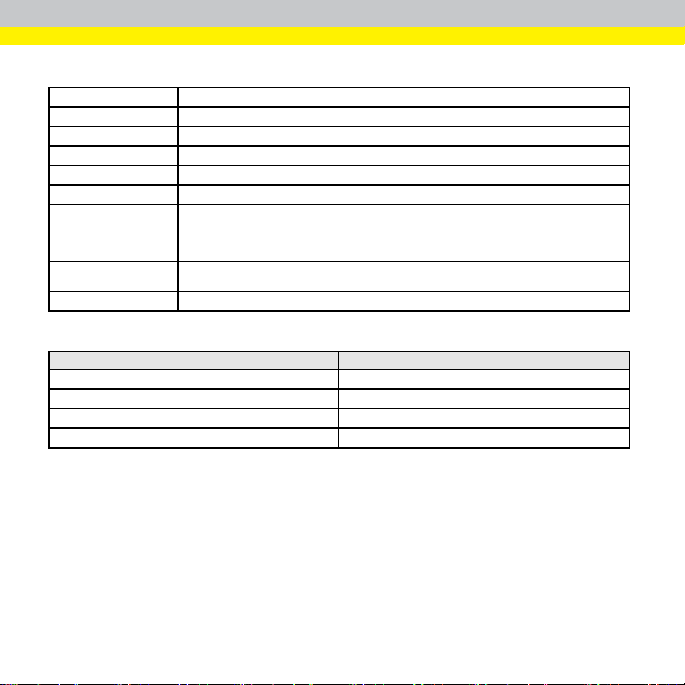
DataMan 8072V Verifier Specifications
Weight
Operating Tem perature 0ºC — 45ºC (32ºF — 113ºF)
Stor age Temper ature
Maximum Humidity 95% (non-condensing)
Environemntal IP65
Codes
Power Supply
Requir ements
Inrushcurr ent peak
Ethernet 10/100Base-T FULL/HALF DU PLEX, IEEE 802.3
DataMan 8072V Verifier Imager Specifications
ImageSensor
ImageSensor Properties
ImageR esolution (Pixels)
Lens Type
400 g (including grip assembly with battery)
0ºC — 60ºC (32ºF — 140ºF)
2-D barcodes: Data MatrixTM(IDMax andIDQuick: ECC200), QR Code
USB: bus powered (optionally: external 6W max LPS or NEC class 2 power supply +5V
- +6V DC)
ETH: Class 2PoE supply IEEE 802.3af(connect only to PoE networks without routingto
theoutside plant)
5A maximum
Duration: approx. 30μs
Specification DataMan 8072V Verifier Imager
1/3i nch CMOS global shutter
3.75 μm squar e pixels
1280 x 966
12 mm F:4 S-mount lens
9
Page 10
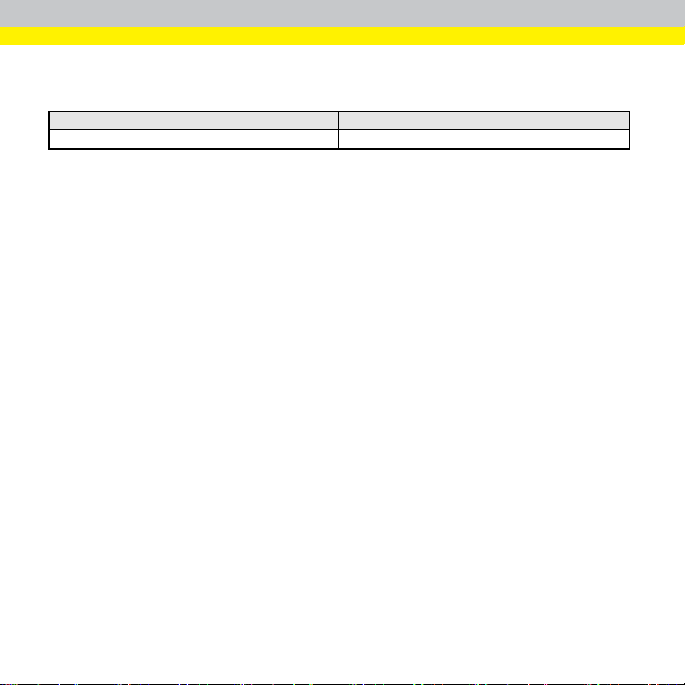
LED Wavelengths
The following table shows LED typesand the related wavelengths:
LED λ [nm]
RED
660
10
Page 11
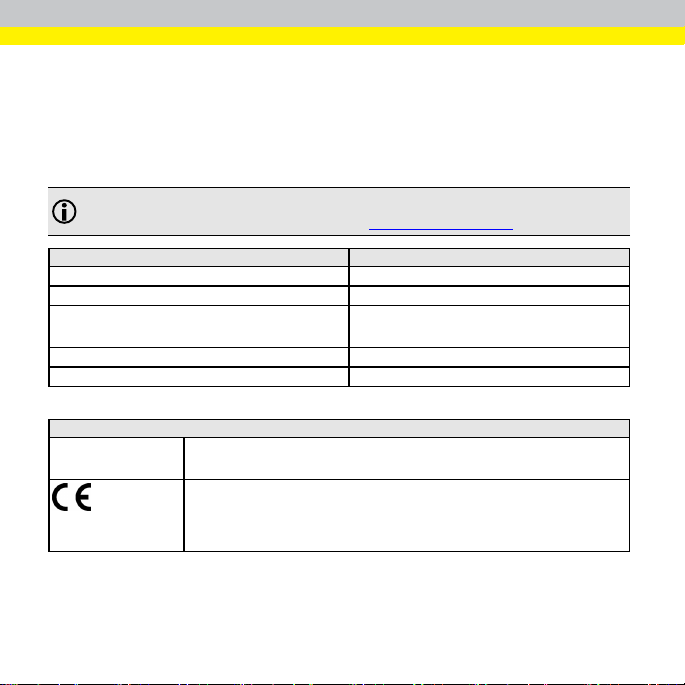
Regulations/Conformity
The DataMan 8072V Verifier has Regulatory Model R00071, and meets or exceeds
the requirements of all applicable standards organizationsfor safe operation.
However, as with any electricalequipment, the best way to ensure safe operation is
to operate them according to the agency guidelinesthat follow. Please read these
guidelinescarefullybefore using your device.
Note: For the most current CE declaration and regulatory conformity
information, see the Cognex support site: cognex.com/support.
Regulator Specification
USA
Canada ICES-003, Class A
European Community
Japan
Korea KN32/KN35
Safety and Regulatory
Manufacturer
Cognex Corpor ation
OneVisi onDrive
Natick, MA 01760 USA
DataMan 8072V: Regulatory Model R00071
This is a class A product. In a domestic environment this product may cause radio
interference in which case the user m ay be requir edto takei mmediatem easures. This
equipment complies with theessential r equirements of theEU Di rective 2014/30/EU.
Declarations are available from your l ocal representative.
FCC Part 15B, Class A
CE, Class A
EN55032
EN55024
VCCI-3/2015.04 CISPR 22 Class A
11
Page 12
FCC FCC Par t 15, Class A
Canadian Compliance
This equipment has been tested and found to comply with thel imits for a Class A digital
devi ce, pur suant to part 15 of theF CC Rules. These limits are designed to provide
reasonable protection against harmful interferencew hen theequipment is operated in a
commercial envir onment. This equipment generates, uses, and can radiate radio
frequency energy and, if not installedand used in accordancewith the instruction
manual, may cause harm ful interferenceto radio communications. Operationof this
equipment in a residential area is likely to cause harmful interference in which case the
user w ill be required to correct the interference at his own expense.
This Class A digital apparatus complies with Canadian ICES-003. Cet appareil
num érique de la classeA est conforme à la norme NMB-003 du Canada.
Safety and Regulatory
LED Safety Statement
CAUTION: Illumination and Lens assembly: This device has been tested in
accordance with IEC 62471-1:2008 and has been certified to the limitsof Risk
Group 2. Possibly hazardous optical radiation emitted from this product. Do
not stare at the operating lamp. May be harmful to the eyes.
Laser Safety Statement
WARNING: Complieswith F DA performance standards for laser pr oducts
except for deviationspursuant to Laser Notice No. 50, dated June 24, 2007.
This device has been tested in accordance with IEC60825-1 3rd ed., and has
been certified to be under the limits of a Class 2 Laser device.
12
Page 13
For European Community Users
Cognex complies with Directive 2012/19/EU OF THE EUROPEAN PARLIAMENT
AND OF THE COUNCIL of 4 July2012 on waste electricaland electronicequipment
(WEEE).
This product has required the extraction and use of natural resources for its
production. It may contain hazardous substances that could impact health and the
environment, if not pr operly disposed.
In order to avoid the dissemination of those substances in our environment and to
diminish the pressure on the natural r esources, we encourage you to use the
appropriate take-back systems for product disposal. Those systems will reuse or
recyclemost of the materialsof the product you are disposing in a sound way.
13
Page 14
The crossed out wheeled bin symbol informs you that the product should not
be disposed of along with municipal waste and invitesyou to use the appropriate
separate take-back systemsfor product disposal.
If you need mor e information on the collection, reuse, and recycling systems, please
contact your local or regional waste administration.
You may also contact your supplier for more information on the environmental
performance of this product.
14
Page 15
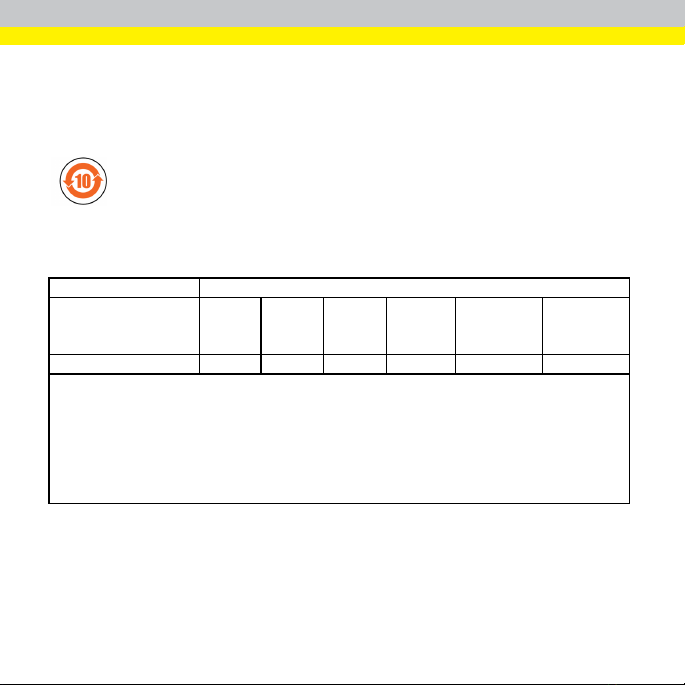
中 国 大 陆RoHS (Information for China RoHS Compliance)
根 据 中 国 大 陆 《电 子 信 息 产 品 污 染控 制管 理办 法》( 也称 为中 国大 陆RoHS),
以 下 部 份 列 出 了本 产 品中 可能 包含 的有 毒 有 害 物质 或元 素 的名 称和 含量 。
Table of toxic and hazardous substances/elementsand their content, asrequired by
China’s management methods for controlling pollution by electronic information
products.
Part Name
部 件名 称
Regulatory Model R00071
This table is prepared in accordance with the provisions of SJ/T 11364.
这 个标 签 是 根 据 SJ / T 11364 的 规定准 备 的 。
O: Indicates that said hazardous substance contained in all of thehomogeneous materials for this part is below the
limi t requirement of GB /T26572 - 2011.
表 示本 部 件 所 有 均质材 料 中 含 有 的有 害 物 质 低 于GB / T26572 - 2011 的限 量 要 求 。
X: Indicates that said hazardous substance contained in at least oneof thehomogeneous materials used for this
par t is above the limit requirement of GB / T26572 - 2011.
表 示用 于 本 部 件 的至少 一 种 均 质 材料 中 所 含 的 危害物 质 超 过 GB / T26572 - 2011 的限制 要 求 。
Lead (Pb)铅Mercury
(Hg)
汞
X O O O O O
Hazardous Substances 有 害物 质
Cadmium
(Cd)
镉
Hexavalent
Chromium
(Cr ( VI))
六 价铬
Polybr ominated
biphenyls
(PBB)
多 溴联 苯
Polybr ominated
diphenyl ethers
(PBDE)
多 溴二 苯 醚
15
Page 16

Cognex Corporation. All Rights Reserved.
Copyright © 2019
 Loading...