

Page 1
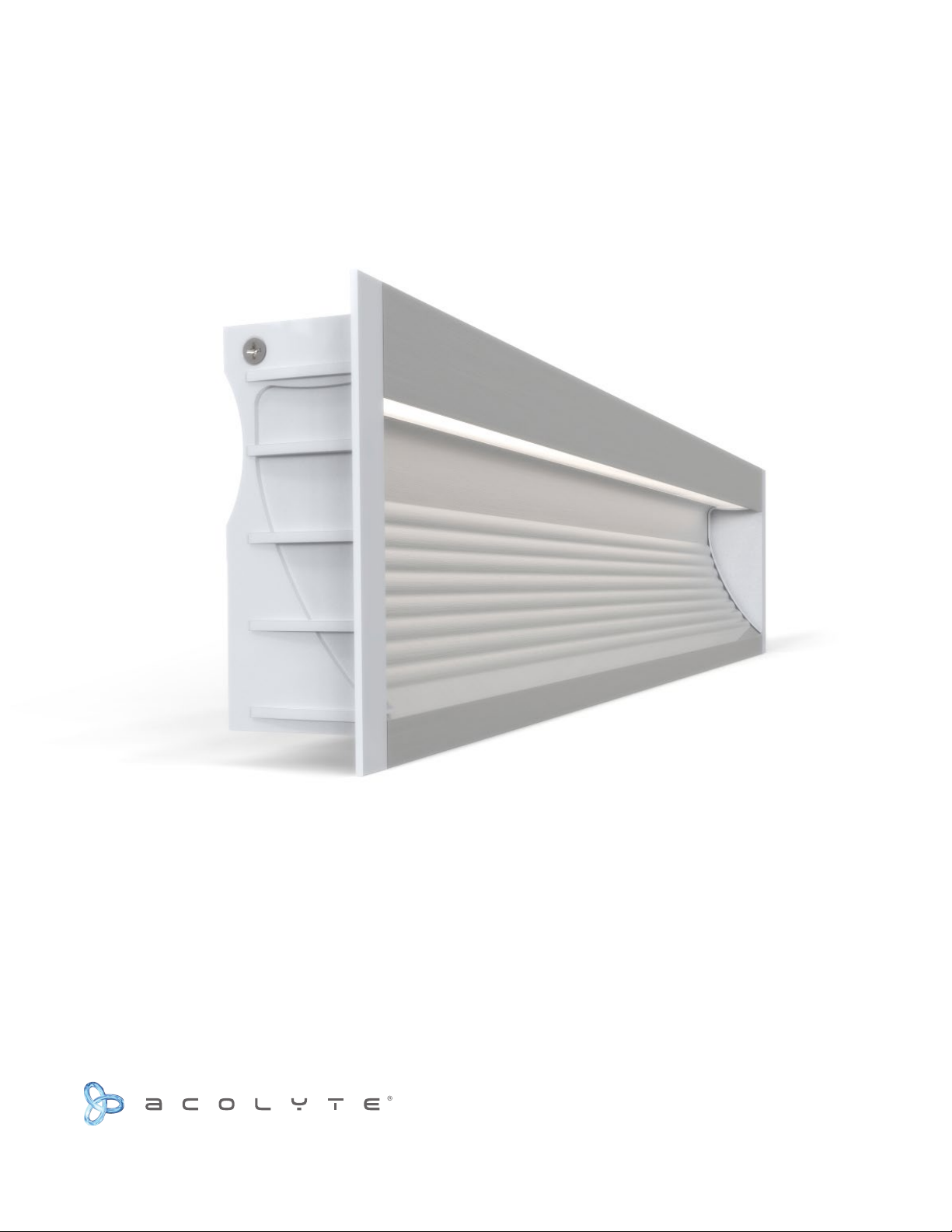
CHANNEL INSTALLATION GUIDE
IN-WALL CHANNEL
Complete Integrated LED Lighting Solutions Tech Support: 212.629.6830
Page 2
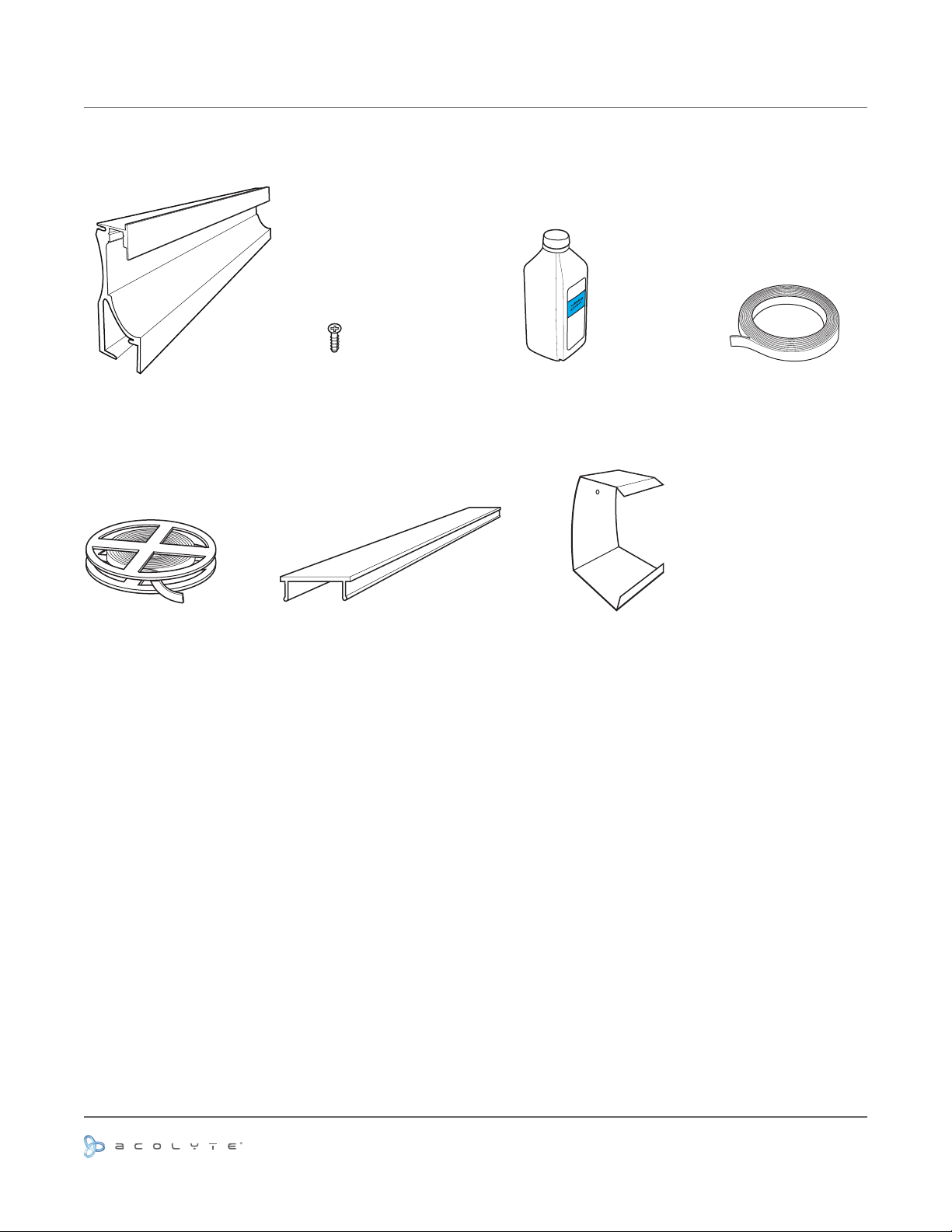
MATERIAL LIST
(A)
Channel
(E)
RibbonLyte
(B)
Screws
Lens
(F)
(C)
Rubbing Alcohol
Spring Clip
(D)
Double Sided Tape
(G)
Use or reprinting prohibited unless explicitly approved by Acolyte Industries.
All artwork and images copyright Acolyte Industries Inc.
PAGE 1
Page 3
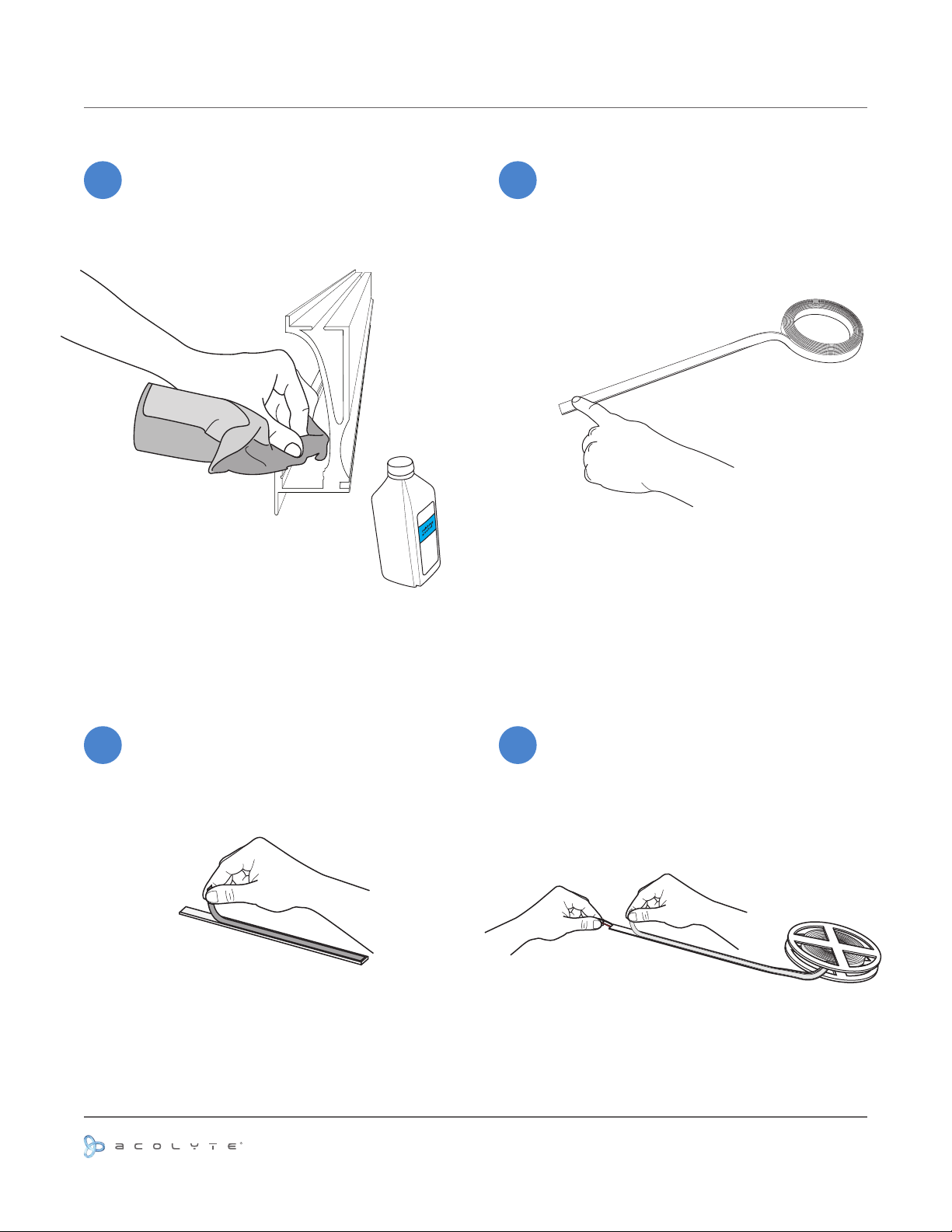
INSTALLATION -- STEPS 1-4
1
Clean the channel mounting surface (A) with
a cloth and Rubbing Alcohol (C) to remove
dust and debris from the channel.
(A)
(C)
2
After surface is dry, apply 1/16” double-sided
tape (D) to the inside of the channel (A),
where the RibbonLyte (E) will be applied.
(D)
Remove backing from double-sided tape
3
(D).
(D)
Use or reprinting prohibited unless explicitly approved by Acolyte Industries.
Remove the backing from the RibbonLyte
4
(E) that you are going to be applying atop
the double-sided tape.
All artwork and images copyright Acolyte Industries Inc.
(E)
PAGE 2
Page 4
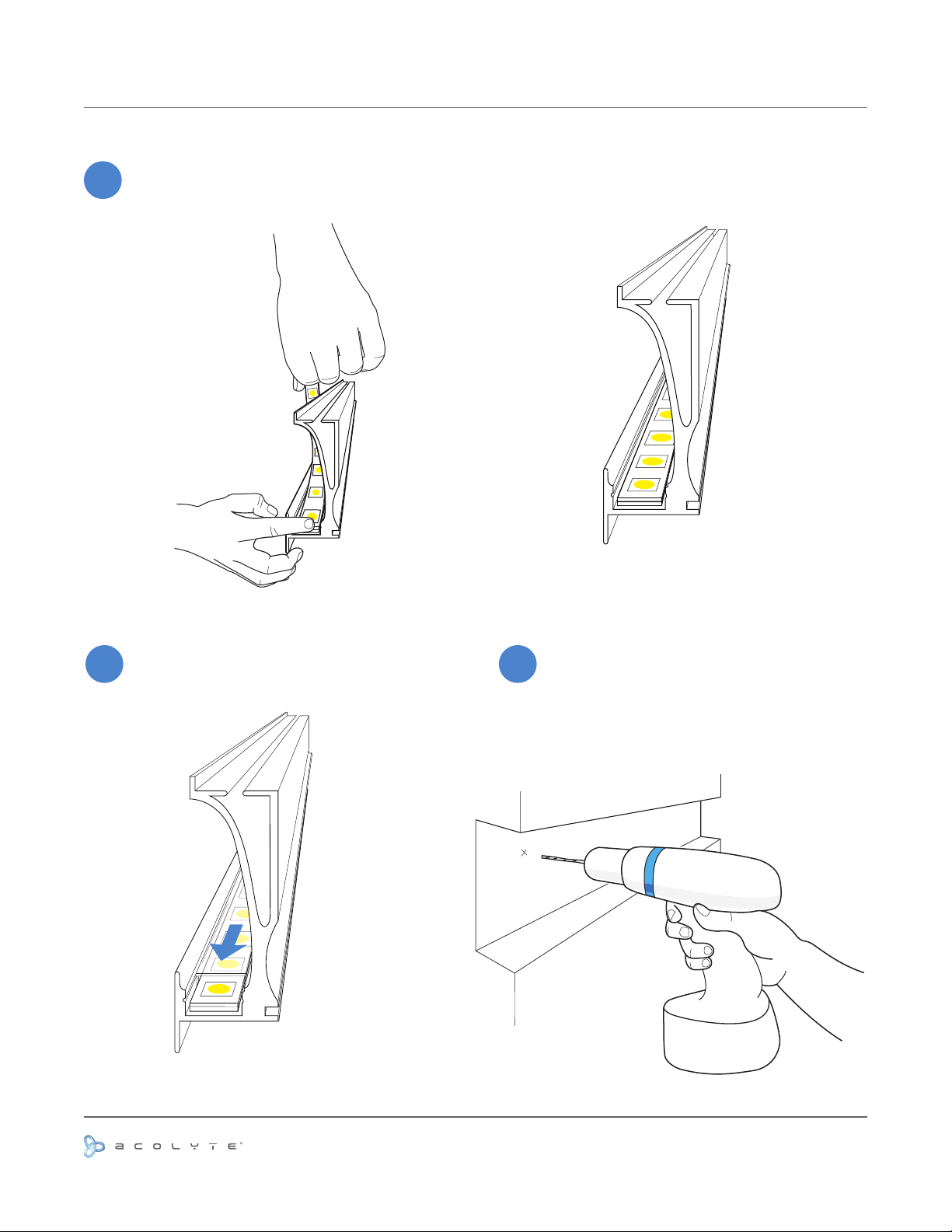
INSTALLATION -- STEPS 5-7
5
Apply the RibbonLyte (E) atop the double-sided tape
inside the channel, making sure the RibbonLyte sits
completely at.
(E)
Slide the lens (F) into place. Rout or cut a slot in your desired installation
(A)
76
material that ts the width and depth of
your channel (A). Drill a pilot hole for screws
that align with the hole of the spring clip.
(F)
Use or reprinting prohibited unless explicitly approved by Acolyte Industries.
All artwork and images copyright Acolyte Industries Inc.
PAGE 3
Page 5
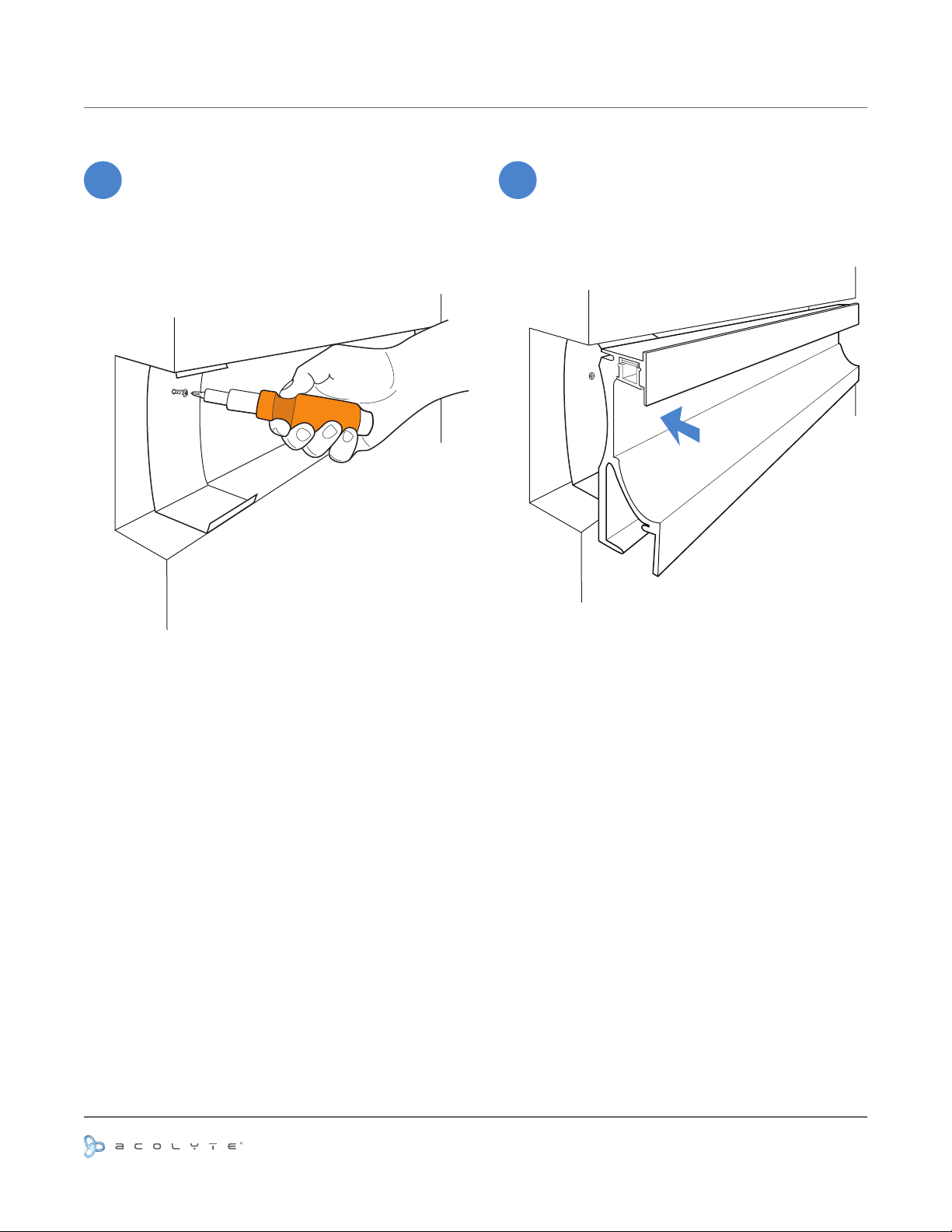
INSTALLATION -- STEP 8-9
8
Insert Spring Clip (G) into the cut out area
and align with the pilot hole. Screw the
Spring Clip into place.
(B)
(G)
9
Snap the channel (A) into the cut-out area
so that the channel anges sit ush with the
mounting material.
(A)
Use or reprinting prohibited unless explicitly approved by Acolyte Industries.
All artwork and images copyright Acolyte Industries Inc.
PAGE 4
Page 6
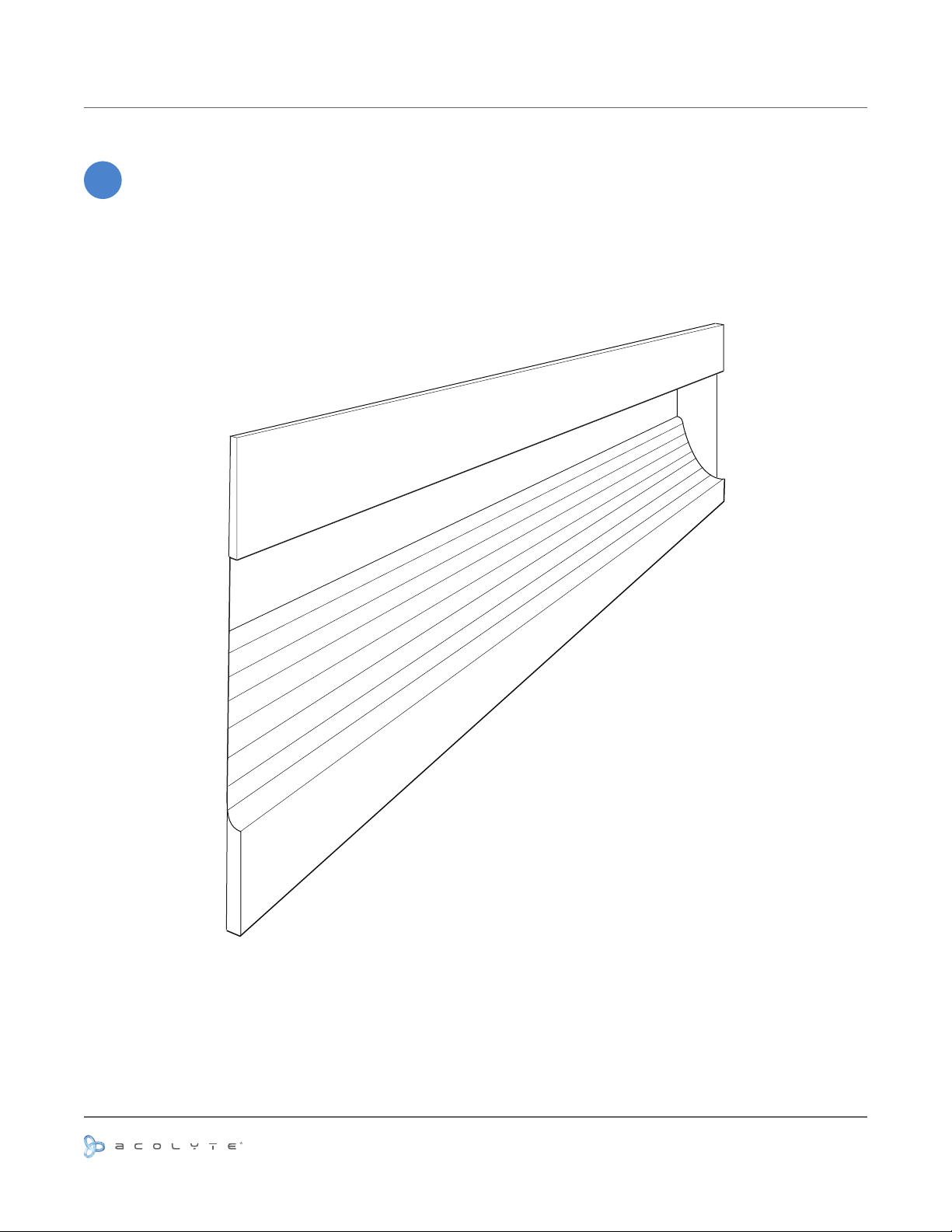
INSTALLATION IS COMPLETE
-
Your In Wall Channel installation is complete.
Use or reprinting prohibited unless explicitly approved by Acolyte Industries.
All artwork and images copyright Acolyte Industries Inc.
PAGE 5
 Loading...