

Page 1
Page 2
CRONOS AD Quick Installation Guide
Preface
Congratulations on purchasing Tt eSPORTS gaming headset. This gaming headset is designed for
gamers to achieve the best in gaming success while receiving the best ergonomic comfort during long
hour gaming battles. Engage now for great gaming audio enjoyment.
System Requirement
PC or audio player with standard 3.5mm audio jacks available
Package contents
CRONOS AD gaming headset
3.5mm Plug & USB Plug Cable
Mobile Device Cable
Warranty Card
Hardware Installation
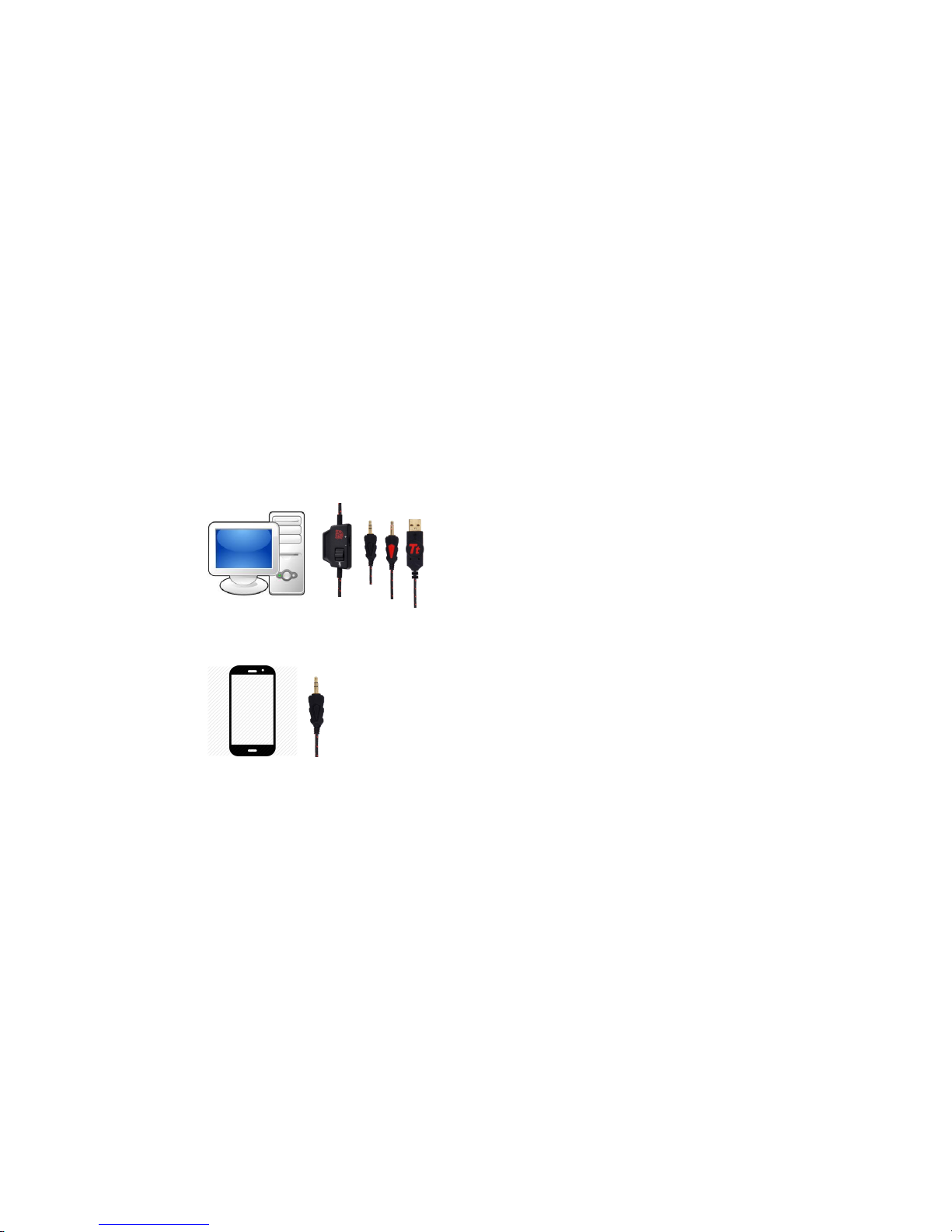
Plug the Microphone and Speaker jacks of the headphone to the corresponding jacks on your PC
or Laptop
Take Mobile device cable and connect the 3.5m audio jack to the device’s 3.5mm output
connector.
Page 3
Headset Features
Caution:
◎Do not disassemble the headset or operate headset under abnormal conditions.
◎Do not submerge headset in water.
◎For more information regarding to the headset and its related accessories, please visit Tt eSPORTS
website at www.ttesports.com.
Health warning
Avoid using headsets with the volume turned up for extended period of time. It may damage your
hearing. It is strongly recommended that moderate sound should be applied in using the headset at all
time.
bb aa cc ee f
f
d
d
g
g
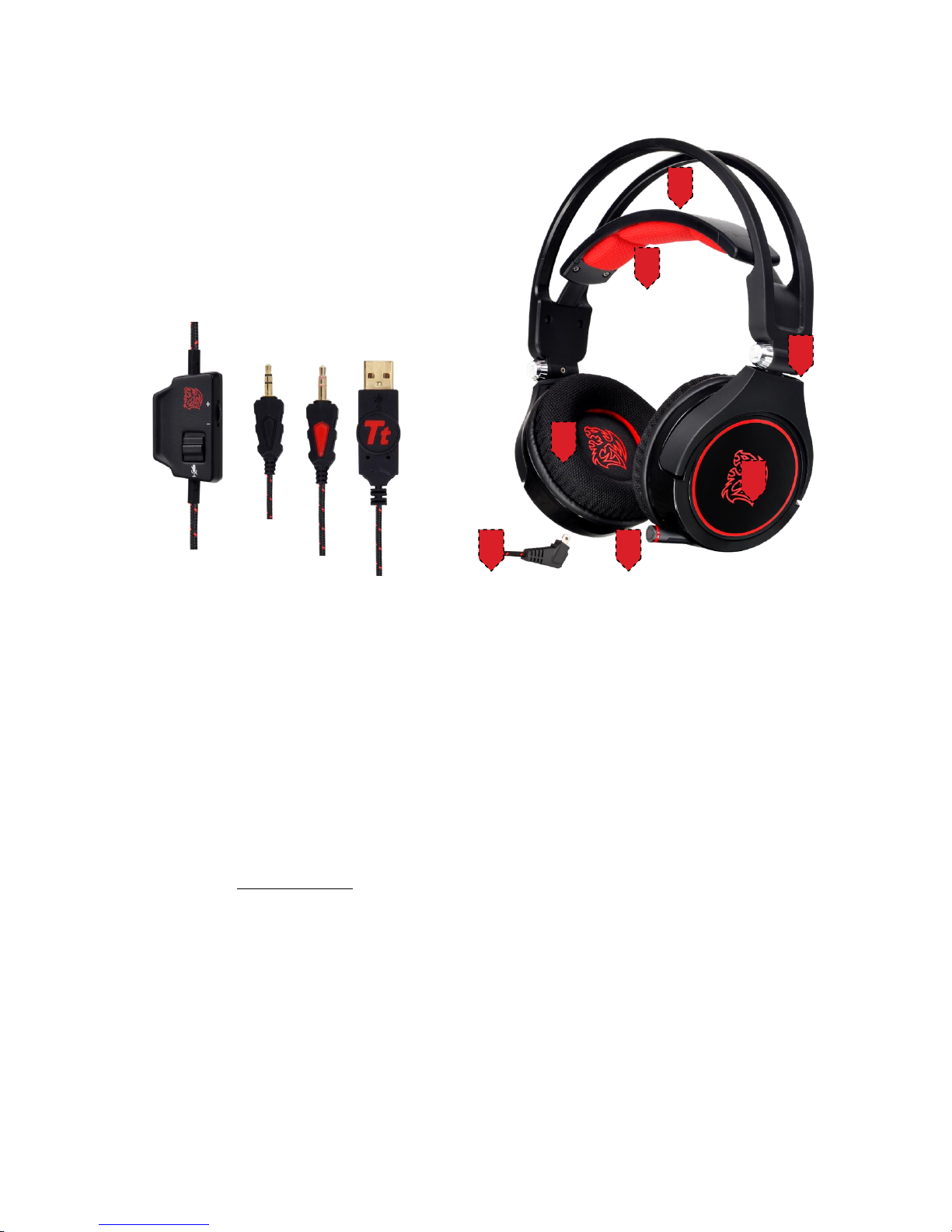
a. Self-adjusting headband
b. Soft fabric headband pad
c. Soft Fabric cushions
d. Fold Flat Ear cups Design
e. LED Battle Dragon logo
d. Retractable microphone
g. PC Gaming & Mobile Gaming Ready
h. Microphone mute switch
i. Gold-plated 3.5mm Audio & Microphone jacks
 Loading...