

Page 1
Installation Guide
Smart-UPS™ C 1000/1500 VA 120/230 Vac
2000/3000 VA 230 Vac Tower
Important Safety Messages
Read the instructions carefully to become familiar with the equipment before trying to install, operate, service or
maintain it. The following special messages may appear throughout this manual or on the equipment to warn of
potential hazards or to call attention to information that clarifies or simplifies a procedure.
The addition of this symbol to a Caution product safety label indicates that a hazard exists that can
result in injury and product damage if the instructions are not followed.
The following safety messages may appear throughout this manual to warn of potential hazards.
CAUTION
CAUTION indicates a potentially hazardous situation which, if not avoided, can result in equipment damage and minor or
moderate injury.
CAUTION
CAUTION indicates a potentially hazardous situation which, if not avoided, can result in equipment damage.
Safety and General Information
Inspect the package contents upon receipt. Notify the carrier and dealer if there is any
damage.
Read the Safety Guide supplied with this unit before installing the UPS.
• Adhere to all local and national electrical codes.
• This UPS is intended for indoor use only
Do not operate this UPS in direct sunlight, in contact with fluids, or where there is excessive dust
•
umidity.
h
• Be sure the air vents on the UPS are not blocked. Allow adequate space for proper ventilation.
• The battery typically lasts for two to five years. Environmental factors impact battery life. Elevated
ambient temperatures, poor quality utility power, and frequent short duration discharges will shorten
battery life.
• Connect the UPS power cable directly to a wall outlet. Do not use surge protectors or extension cords.
This is a category C2 UPS product.
In a residential envir onm en t, this product may cause radio interference, in wh ich case the
user may be required to take additional measures.
.
or
WARNING
Page 2
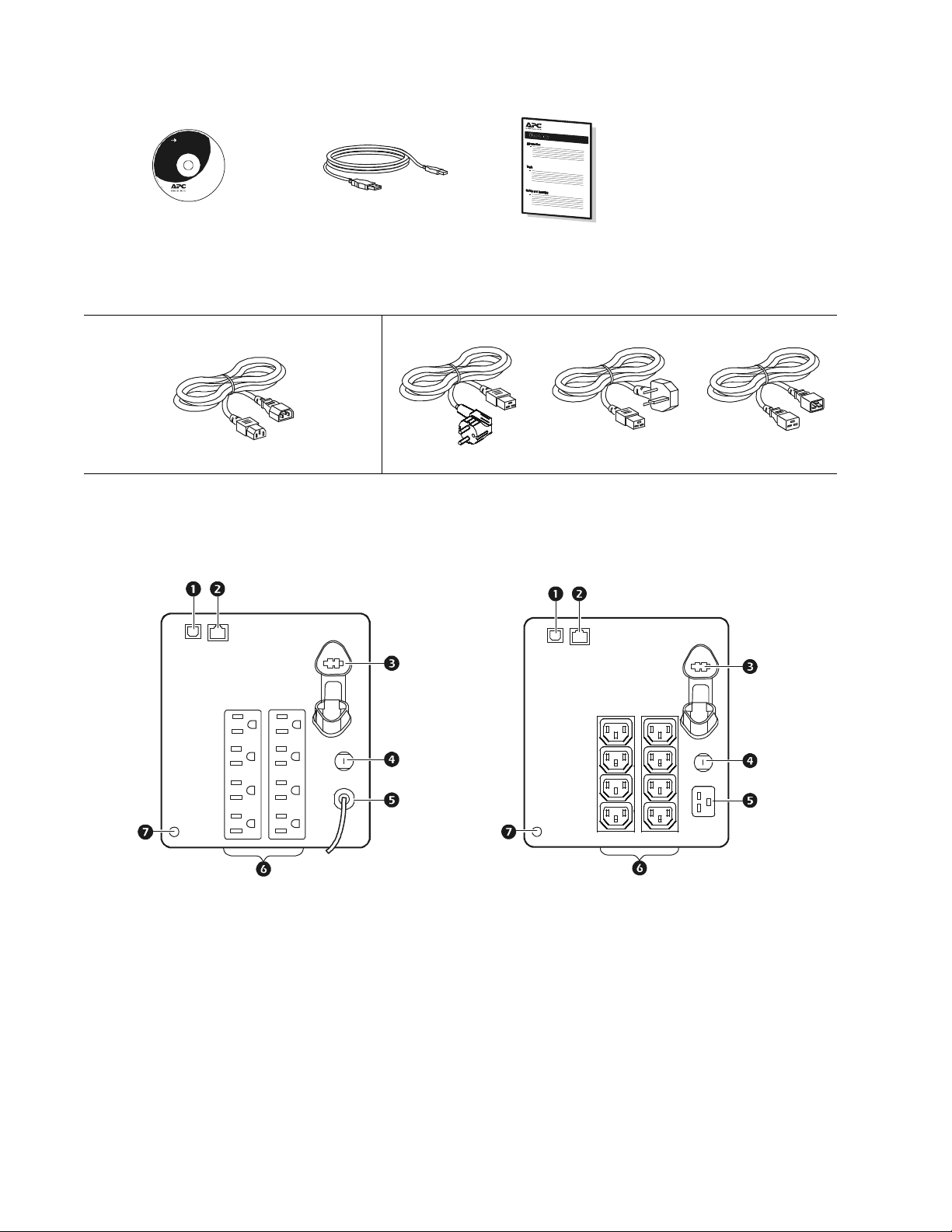
Inventory
su0325d
su0325e
All models
User Document ation
(2)
Documentation CD x 1
(1) (1)
In
stallation Guide
PowerChute Software CD x 1
1000/1500/2000/3000 VA 230 Vac models 2000/3000 VA 230 Vac models
(2) (1) (1) (1)
Product Overview
Rear panel features
1000/1500 VA 120 Vac models 1000/1500 VA 230 Vac models
USB port Circuit breaker/Overload protection
Serial data port UPS input
Battery connector Outlets
Chassis ground screw
Smart-UPS C 1000/1500/2000/3000 VA 120/230 Vac Tower2
Page 3
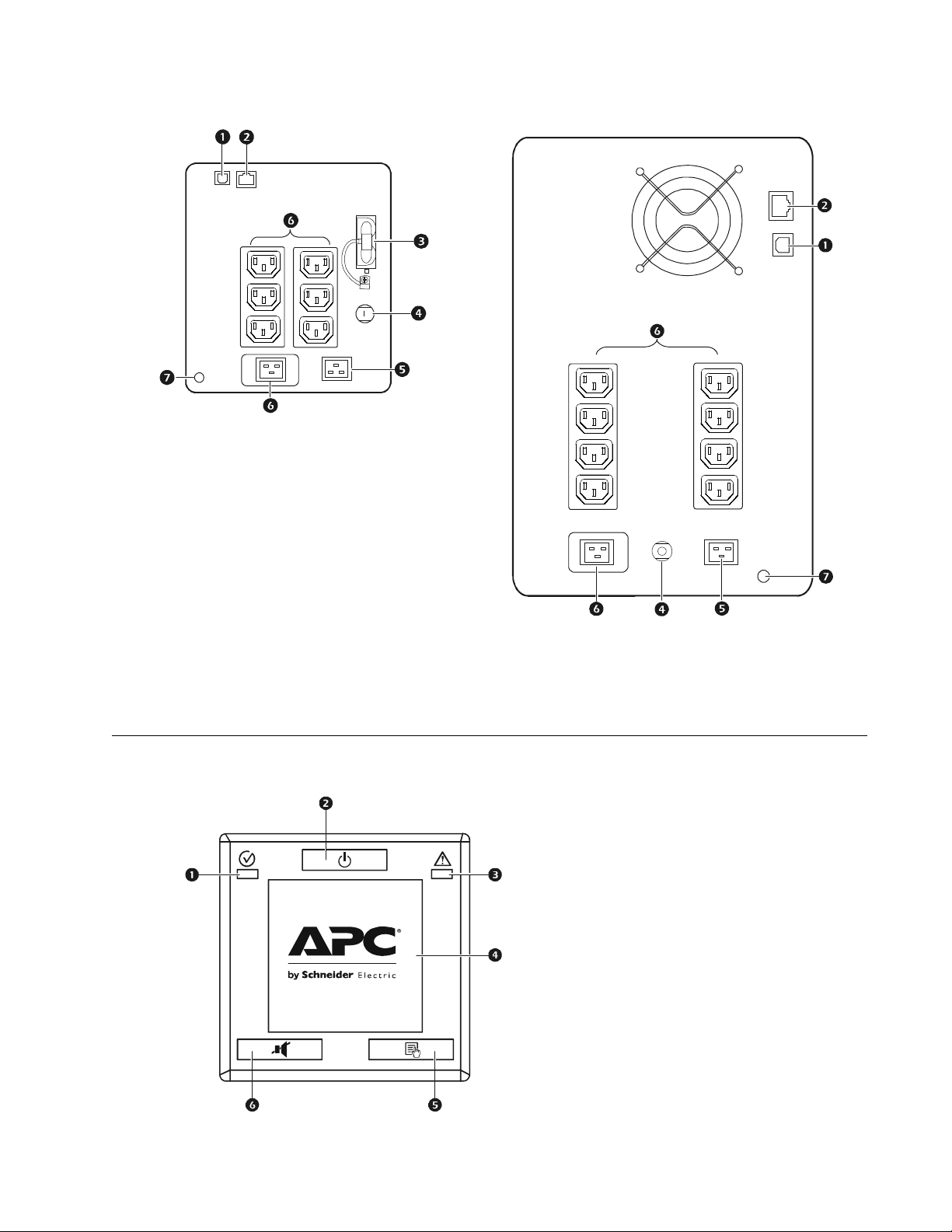
2000 VA 230 Vac model 3000 VA 230 Vac model
su0740a
su0325f
USB port Circuit breaker/Overload protection
Serial data port UPS input
Battery connector Outlets
Chassis ground screw
Front panel features
Online/On Battery LED
POWER ON/OFF button
Site Wiring Fault/System Fault LED
Display interface
DISPLAY button
MUTE button
su0325g
Smart-UPS C 1000/1500/2000/3000 VA 120/230 Vac Tower 3
Page 4
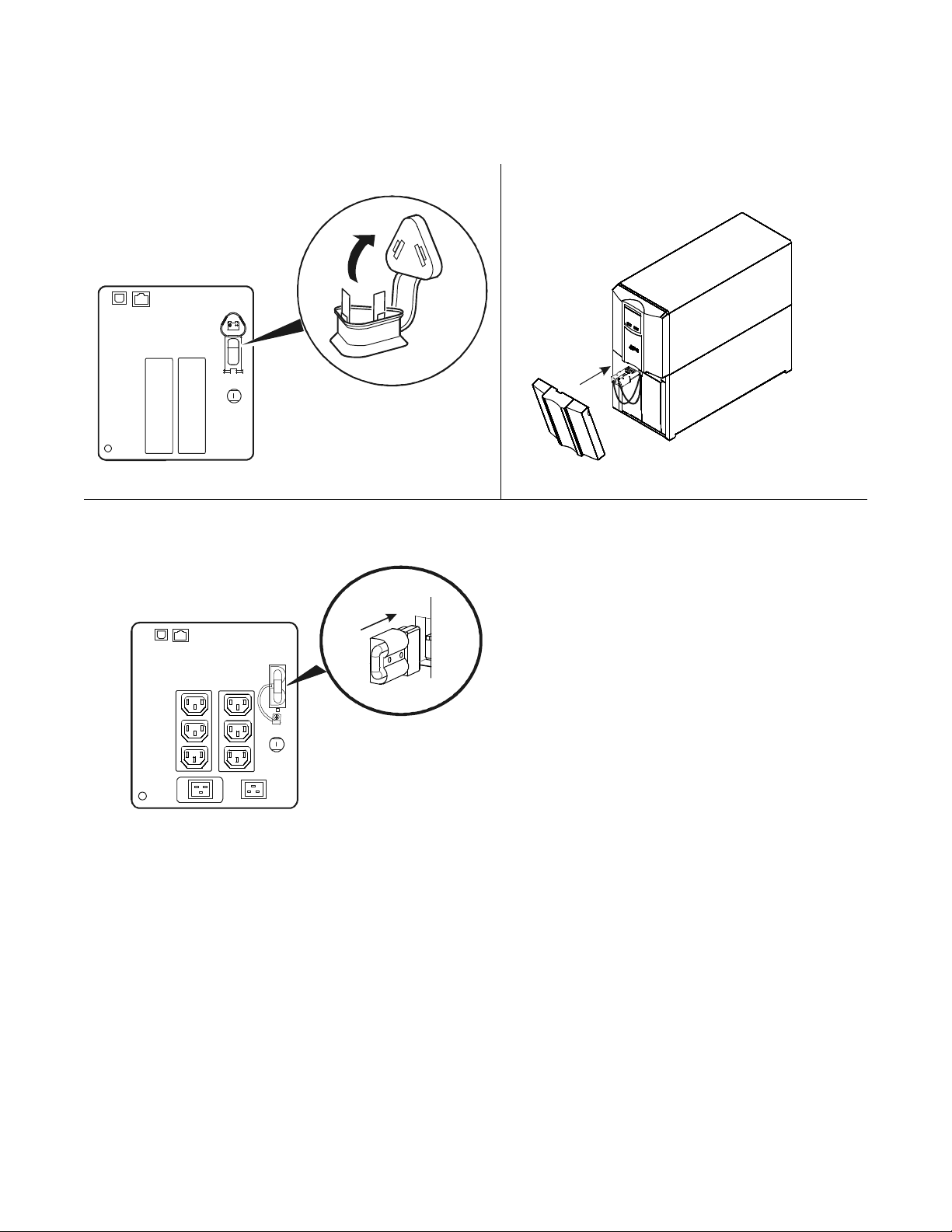
Installation
su0937a
su0938a
Connect the Battery
1000/1500 VA models 3000 VA model
2000 VA model
Smart-UPS C 1000/1500/2000/3000 VA 120/230 Vac Tower4
Page 5
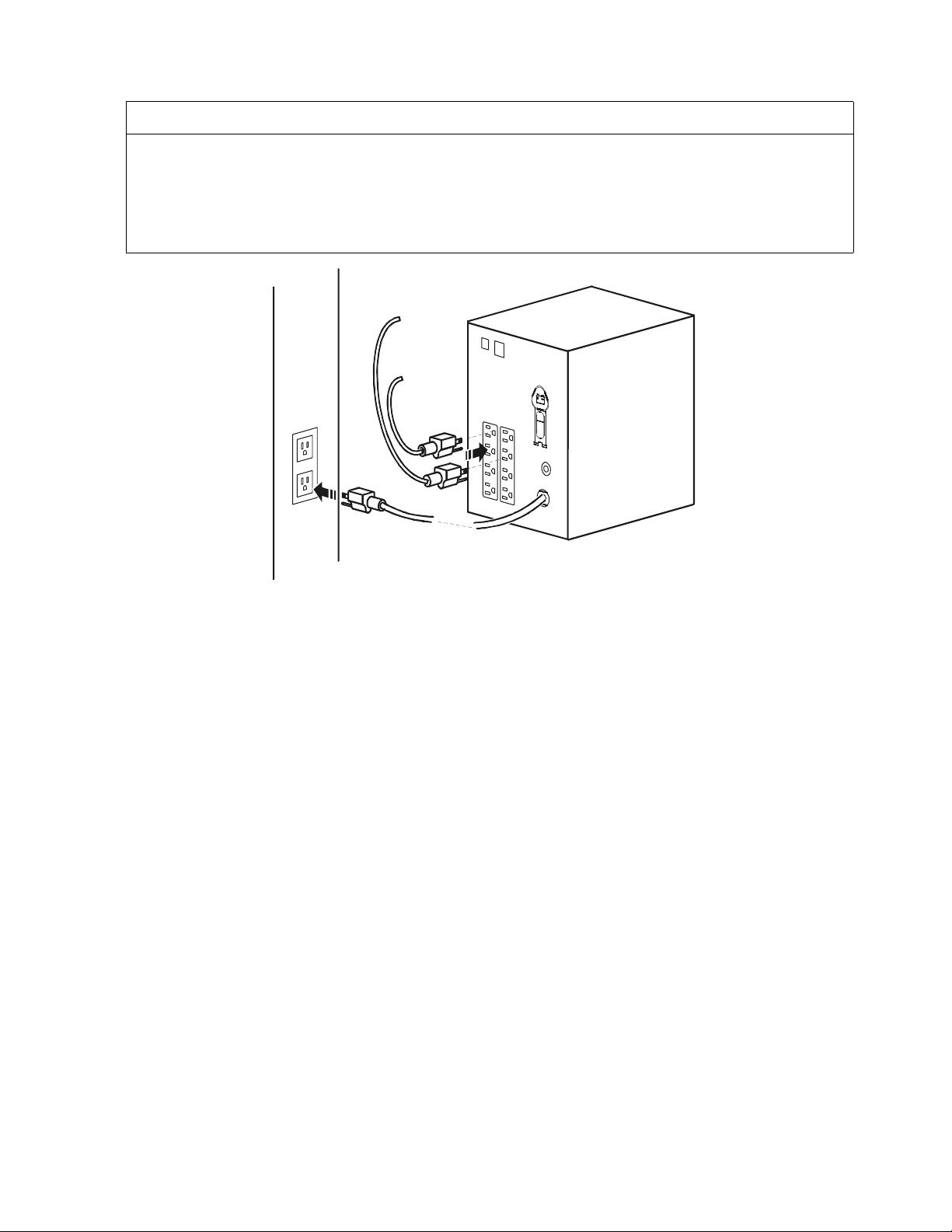
Connect equipment to the UPS and connect the UPS to utility power
CAUTION
RISK OF EQUIPMENT DAMAGE
• Adhere to all local and national electrical codes.
•Wiring should be performed by qualified electrician.
•
A
lways connect the UPS to a grounded outlet.
Failure to follow these in structions can result in equipment damage
su0441b
Smart-UPS C 1000/1500/2000/3000 VA 120/230 Vac Tower 5
Page 6

Select mo
dels are ENERGY STAR® qualified.
© 2014 APC by Schneider Electric. APC, the APC logo, Smart-UPS and PowerChute
are owned by Schneider Electric Industries S.A.S., or their affiliated companies. All
other trademarks are property of their respective owners.
EN 990-4494D
12/2013
 Loading...