

Page 1
RUNCAM
OWL 2
USER MANUAL
Page 2
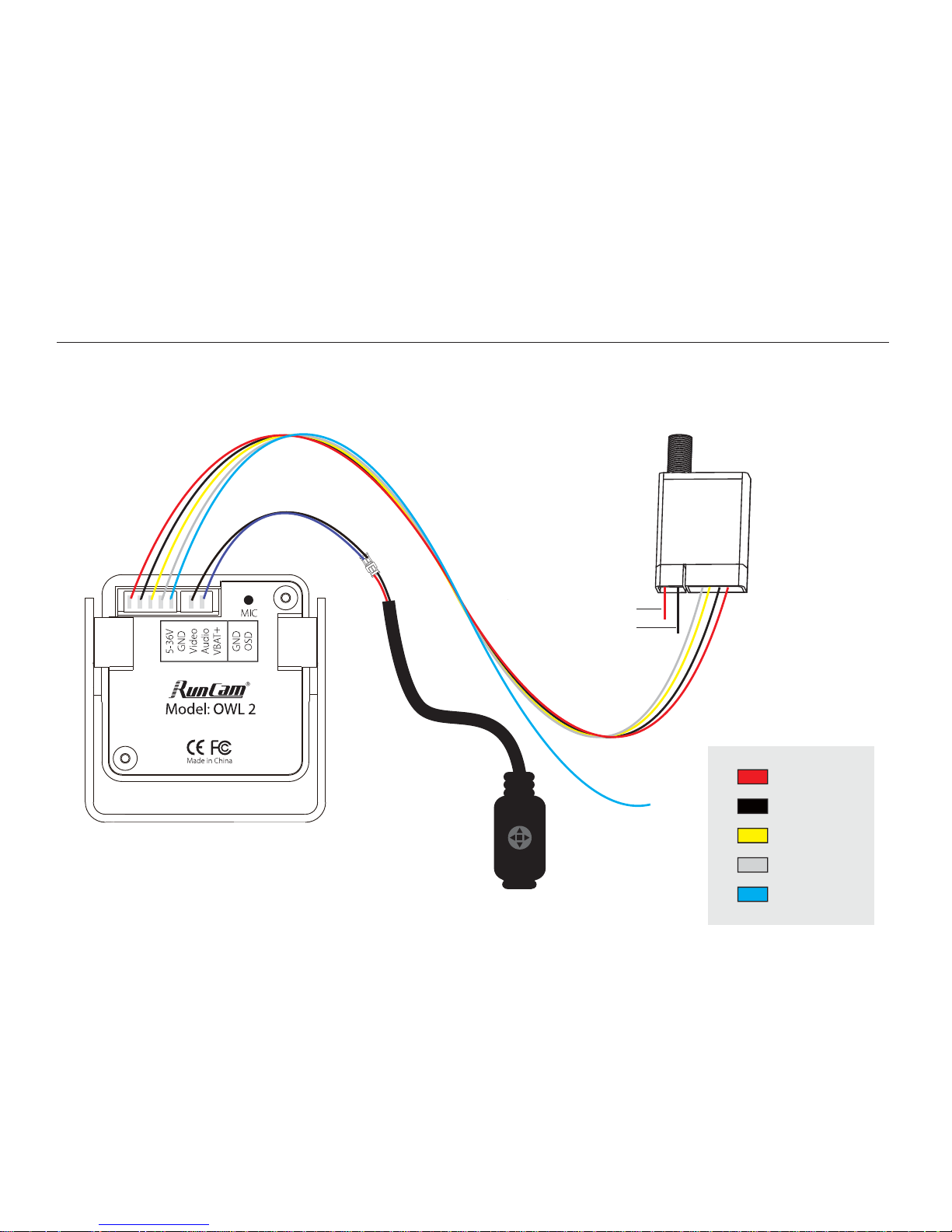
Connection
UP
UP
DOWN
DOWN
L R
Transmitter
5D-OSD menu cable
2 pin extension cord
Power in
GND
To VBAT+
* Unplug the 5D-OSD menu cable after OSD setting.
5-36V in
GND
Video out
Audio out
VBAT+
Page 3
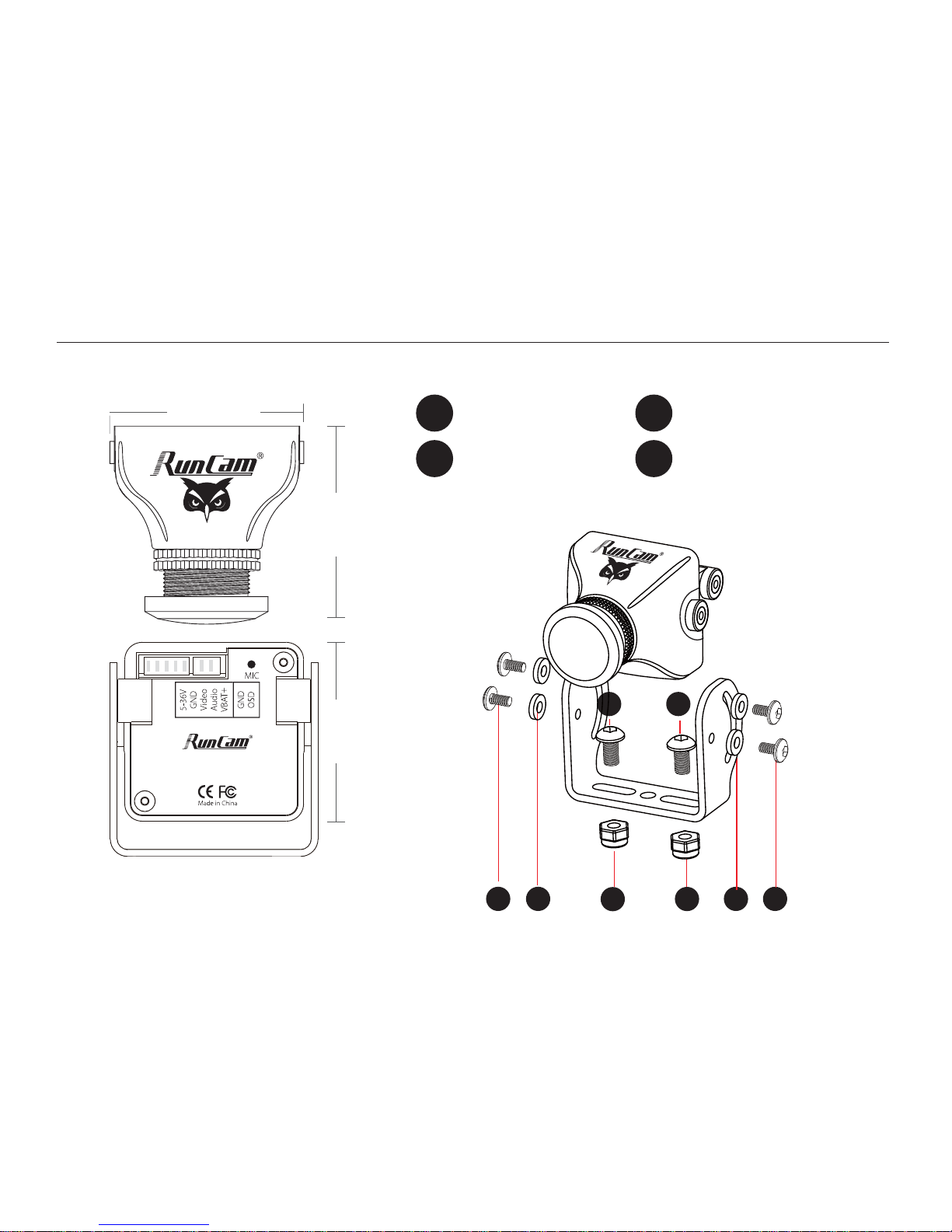
26mm
28.5mm
26mm
11
4
2 2
3 3
Dimensions & Installation
Model
: OWL 2
1
Nylon Gaskets
2
M2 Screws
3
M3 Screws
4
M3 Non-slip Nuts
4
Page 4

OSD Menu
OSD Setting: Press and hold the UP button for 2 seconds to enter OSD setup menu.
·
·
PILOT: ON/OFF
Customize the PILOT name: Use the UP,
DOWN, LEFT and RIGHT buttons to
navigate through the letters and
confirm with the CENTER button.
Quick settings:
Long press the LEFT/DOWN/RIGHT
button for 2 seconds to activate the
VOLTAGE/PILOT/TIMER, then you can use
the UP, DOWN, LEFT and RIGHT buttons
to move it to the appropriate location on
the screen, and press the CENTER button
to exit.
RunCam
ON
ON
ON
OFF
VOLTAGE
PILOT
TIMER
EXIT
BASELINE
DEFAULT
1234567890ABCDEFG
HIJKLMNOPQRSTUVWX
YZabcdefghijklmno
pqrstuvwxyz.-:/@
The OSD displays by default the input
voltageof the camera. If the VBAT + cable
is connected to the battery's positive side,
it displays the battery voltage instead.
·
·
EXIT: Save the current settings and exit
·
·
BASELINE: OFF/1-9
·
·
VOLTAGE: ON/OFF
·
·
TIMER: ON/OFF
Page 5

OSD Menu
· · Press and hold the RIGHT button for 2
seconds to select the voltage
·
·
Press and hold the CENTER button for 2
seconds, the voltage starts to flash, now
you can adjust the voltage:
·
·
Increase(LEFT button) or reduce
(RIGHT button) 0.1V each press.
Maximum adjustment range: ± 1v
·
·
After adjustment, press the CENTER
button to select the voltage, then press
it again to save and exit.
16.8v RunCam
01:08
·
·
Voltage Calibration
Page 6
060
AUTO
DPC
EXIT
ON
RET
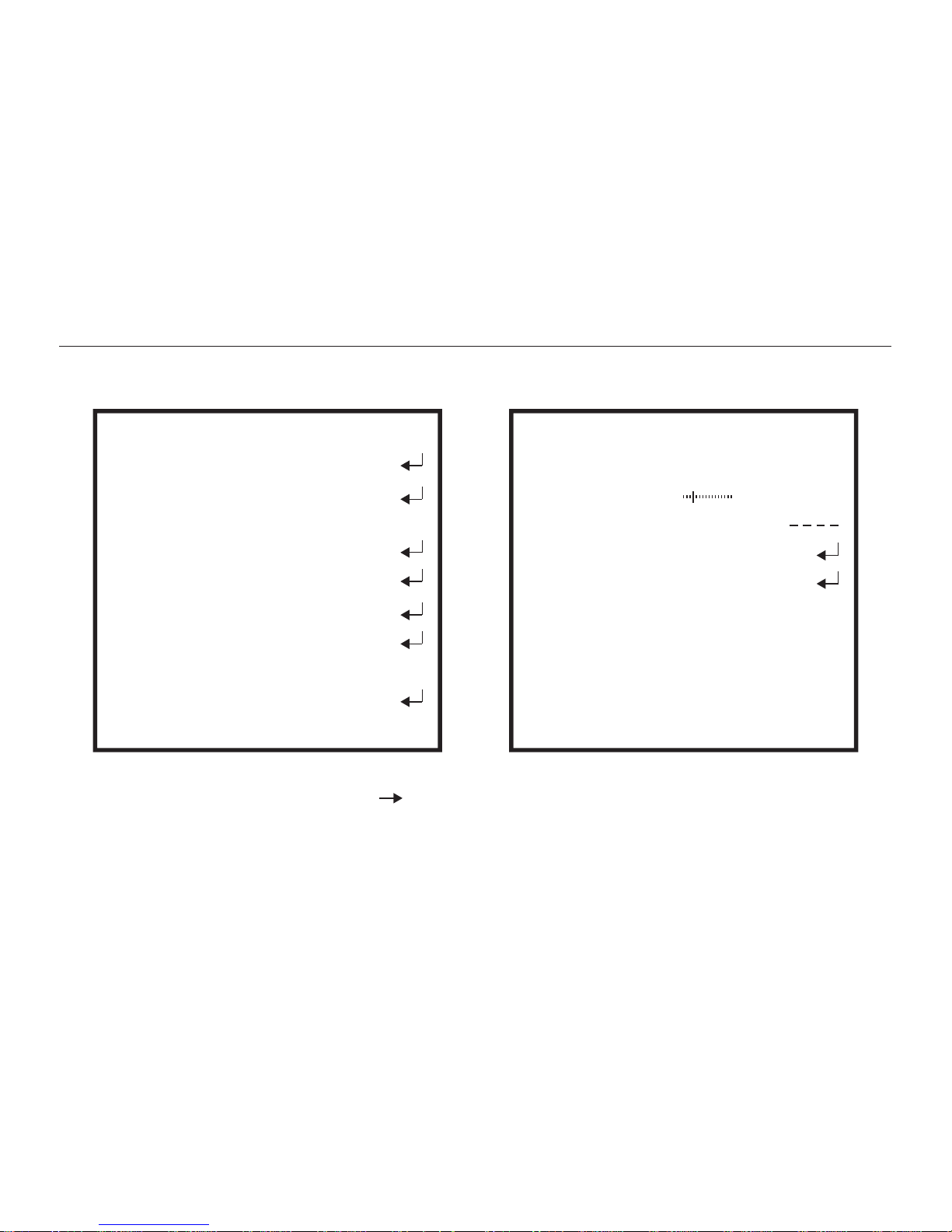
Camera Menu
SETUP EXPOSURE
SHUTTER
BRIGHTNESS
AGC
DWDR
RETURN
CAM TITLE
EXPOSURE
WHITE BAL
AT W1
BACKLIGHT
DAY&NIGHT
ENGLISH
IMAGE ADJ
LANGUAGE
RESET
· · SHUTTER (AUTO / 250-100000 / FLK)
·
·
BRIGHTNESS (60 / 0-255)
·
·
DWDR (ON:16 0-63 / OFF)
·
·
EXPOSURE
· · MAIN MENU
BLC
AUTO
ON
· · CAM TITLE (ON/OFF)
·
·
DPC (Cover the lens then press enter key)
·
·
WHITE BAL (ATW1 / ATW2 / AWC SET /
· · LANGUAGE (English/中文)
MANUAL: MANUAL,INDOOR,OUTDOOR)
Page 7
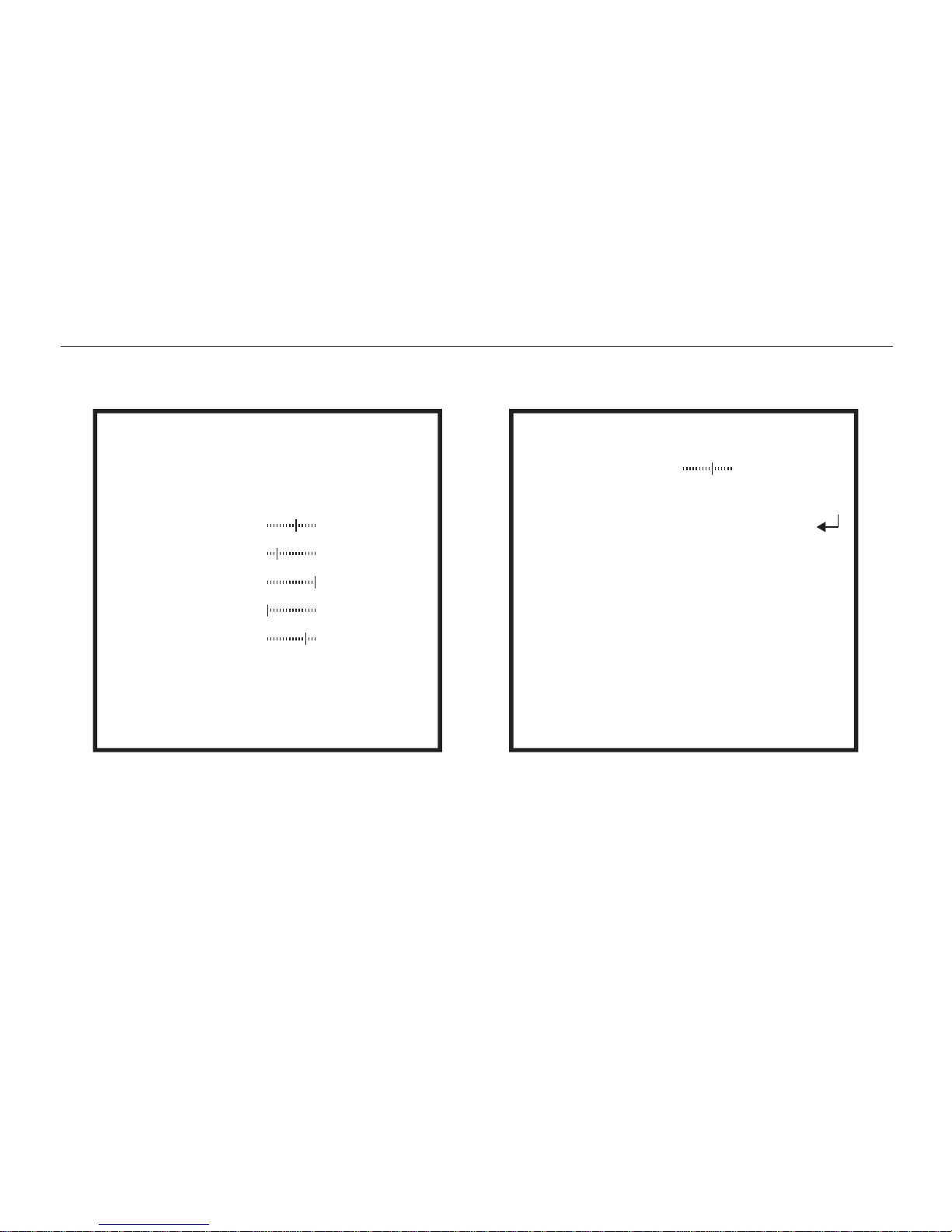
Camera Menu
144
003
015
000
012
BLC
AREA SEL
AREA STATE
GAIN
HEIGHT
WIDTH
LEFT / RIGHT
TOP / BOTTOM
RETURN
AREA1
ON
HLC
LEVEL
MODE
RETURN
200
ALL DAY
· · AREA SEL (AREA1/AREA2)
·
·
BACKLIGHT (BLC / HLC / OFF)
· · GAIN (144 / 0-255 )
·
·
HEIGHT (3 / 0-3)
·
·
LEVEL (200 / 0-255)
·
·
MODE (ALL DAY / NIGHT ONLY )
·
·
WIDTH (15 / 0-15)
·
·
LEFT / RIGHT (0 / 0-3)
·
·
TOP / BOTTOM (12 / 0-12)
RET
Page 8
Camera Menu
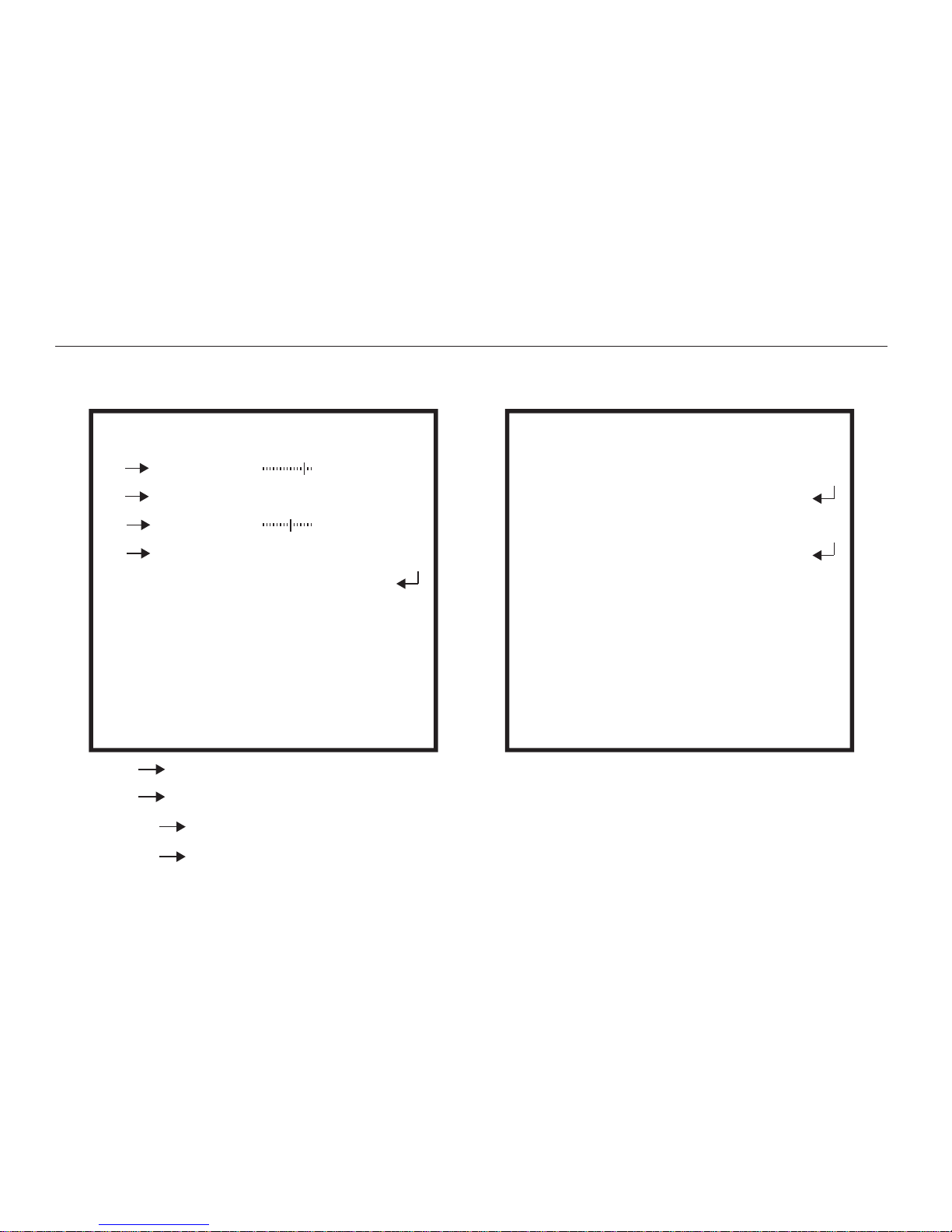
D&N AUTO
214
SEC
150
SEC
3
1
D N LEVEL
D&N B&W
BURST
IR SMART
IR LEVEL
RETURN
OFF
HIGH
D N DELAYL
N D LEVEL
N D DELAY
RETURN
· · BURST (OFF/ON)
·
·
IR SMART (ON/OFF)
·
·
IR LEVEL (HIGH/LOW)
·
·
DAY&NIGHT
(AUTO / COLOR / B&W /EXT)
· · DAY NIGHT LEVEL (214 / 214-255)
· · DAY NIGHT DELAY (3 / 1-30)
· · NIGHT DAY LEVEL (150 / 0-86)
· · NIGHT DAY DELAY (1 / 1-30)
RET
RET
ON
Page 9
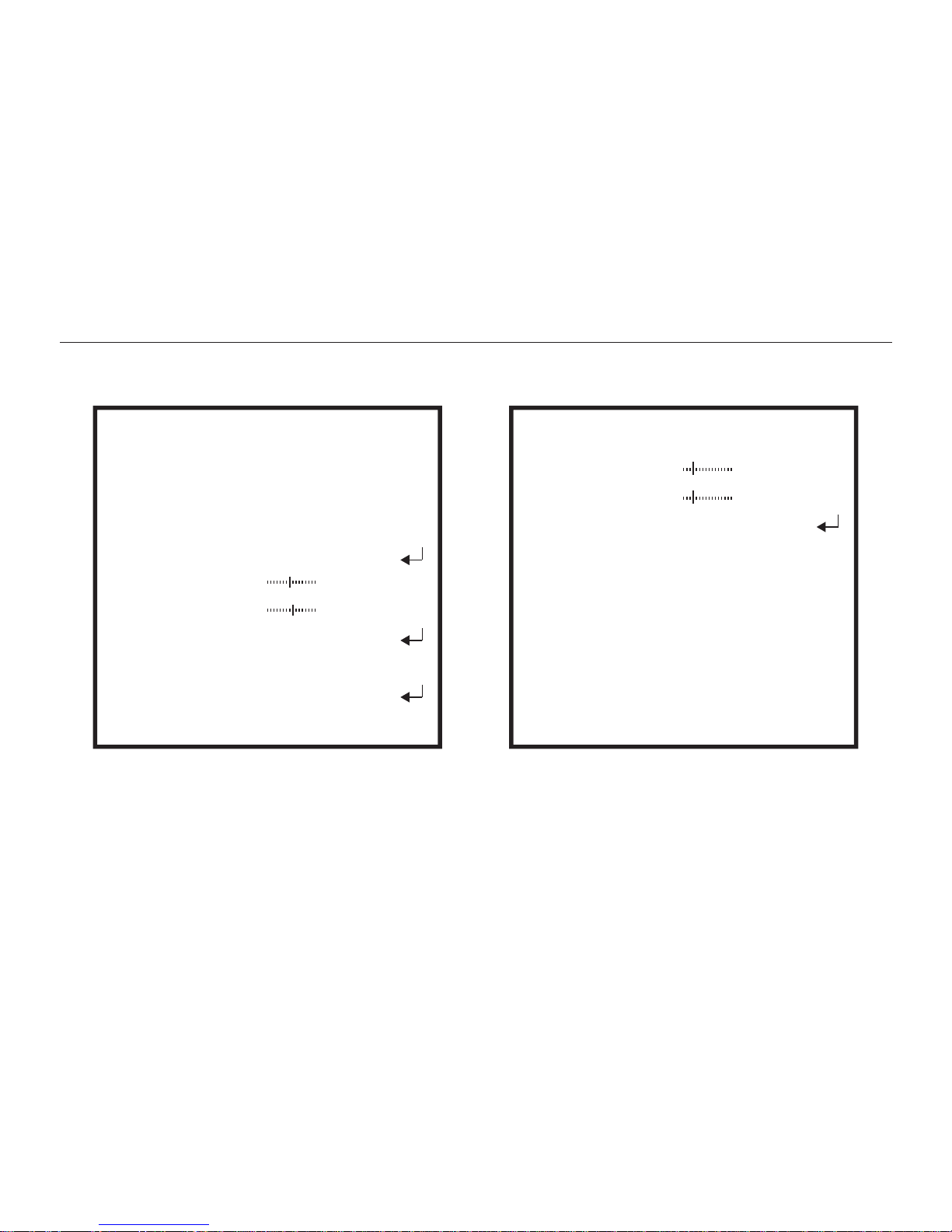
FONT COLORIMAGE ADJ
Camera Menu
· · IMAGE ADJ
· · LANS SHAD (OFF/ON:22 0-255)
·
·
CONTRAST (124 / 0-255)
·
·
SHARPNESS (16 / 0-31)
·
·
DISPLAY (CRT/LCD/USER)
·
·
FONT (3 / 0-15)
·
·
ID&TITLE (3 / 0-15)
LENS SHAD
2DNR
MIRROR
FONT COLOR
CONTRAST
SHARPNESS
DISPLAY
NEG IMAGE
RETURN
OFF
OFF
OFF
124
016
ON
CRT
RET
RETURN
FONT 003
ID&TITLE
003
RET
Page 10

Model
Image Sensor
Horizontal Resolution
Lens
Signal System
Integrated OSD
S/N Ratio
Electronic Shutter Speed
Auto Gain Control (AGC)
Back Light Compensation (BLC)
Min. Illumination
WDR
DNR
Day/Night
Power
Net Weight
Dimensions
RunCam OWL 2
700TVL
FOV 150°
PA L /N T SC
Yes
Yes
>60dB (AGC OFF)
Yes
Yes
PAL: 1/50~100,000; NTSC: 1/60~100,000
D-WDR
2DNR
Color/Auto/B&W
DC 5-36V
14g
28mm*26mm*26mm
Integrated MIC
1/2" Sensor
Page 11

RunCam.com
 Loading...