

Page 1
QUICK START GUIDE
Support
randmcnally.com/support
1-877-446-4863
DC200S_092017_v003
DC 200™S
QUICK START GUIDE
Support
randmcnally.com/support
1-877-446-4863
Page 2
1
DC 200
™
S Quick Start Guide
Safe Driving Practices
Never attend to or operate the electronic logging (or E-Log) device (“ELD”) while driving.
Always use your best judgment and exercise common sense when vehicle is in motion. Pull
over in a safe and legal manner before you attend to or operate the device.
IMPORTANT: By using the Rand McNally device, application and web portal, you are
agreeing to Rand McNally’s End User License
Warranty
Please retain your original sales receipt. It is required for warranty service. Rand McNally
warrants that the Product, and the component parts thereof, will be free of defects in
workmanship and materials for a period of one (1) year from the date of fi rst consumer
purchase. This warranty may be only enforced by the fi rst consumer purchaser, provided
that the product is utilized within the U.S. and/or Canada. During the warranty period, Rand
McNally will, without charge, repair or replace (with a new or newly reconditioned unit), at
its option, defective Products or component parts. For repair or replacement of defective
Products, User must contact Rand McNally at 1-877-446-4863 for return authorization and
instructions. User will be required to provide proof of the date of fi rst consumer purchase
by providing a copy of the sales receipt. The consumer must pay any initial shipping charges
required to ship the Product for warranty service, but if Rand McNally determines that the
Product requires repair or replacement under this warranty, the return charges will be at
Rand McNally’s expense. If the Product is out of warranty, Rand McNally may, in its sole
discretion, elect to repair or replace the out-of-warranty Product, provided User agrees to
pay Rand McNally’s then-current repair cost as quoted to User. Repairs or replacements have
a 90-day warranty. However, if the returned unit is still under its original warranty, then the
new warranty is 90 days or to the end of the original one (1) year warranty, whichever is
longer. This warranty gives the User specifi c rights, and he or she may also have other rights
under applicable law, which vary from state to state.
Exclusions: This limited warranty does not apply: 1) to any Product damaged by accident,
misuse or abuse of the Product or as a result of unauthorized alterations or repairs; 2) if
the serial number has been altered, defaced or removed; or 3) if the owner of the Product
resides outside of the U.S.
RAND MCNALLY AND ITS LICENSORS DO NOT MAKE ANY OTHER WARRANTY OR
REPRESENTATION, EITHER EXPRESS OR IMPLIED, WITH RESPECT TO THE PRODUCT, THE
SOFTWARE CONTAINED THEREIN OR THE DOCUMENTATION, INCLUDING ANY WARRANTY
AS TO QUALITY, PERFORMANCE, TITLE, NON-INFRINGEMENT, MERCHANTABILITY OR
FITNESS FOR A PARTICULAR PURPOSE. IN NO EVENT WILL RAND MCNALLY OR ITS
LICENSORS BE LIABLE FOR ANY INDIRECT, SPECIAL, INCIDENTAL, OR CONSEQUENTIAL
DAMAGES ARISING OUT OF THE USE OR INABILITY TO USE THE PRODUCT, EVEN IF
ADVISED OF THE POSSIBILITY OF SUCH DAMAGES.
Some states do not allow limitations on how long an implied warranty lasts and/or do not
allow the exclusion or limitation of incidental or consequential damages, so the above
limitations may not apply to some Users.
*Requires Internet connection
Patent Pending.
©2017 Rand McNally. All rights reserved. Rand McNally and the globe logo are registered
trademarks of RM Acquisition, LLC d/b/a Rand McNally.
Google Play is a trademark of Google Inc. Wi-Fi is a registered trademark of the
Wi-Fi Alliance.
WARNING: This product contains chemicals known to the State of California to cause
cancer and/or other harm.
Update your TND™ 740
To begin the DC 200™ S installation, registration, and pairing
process, your TND
™
740 must be up to date.
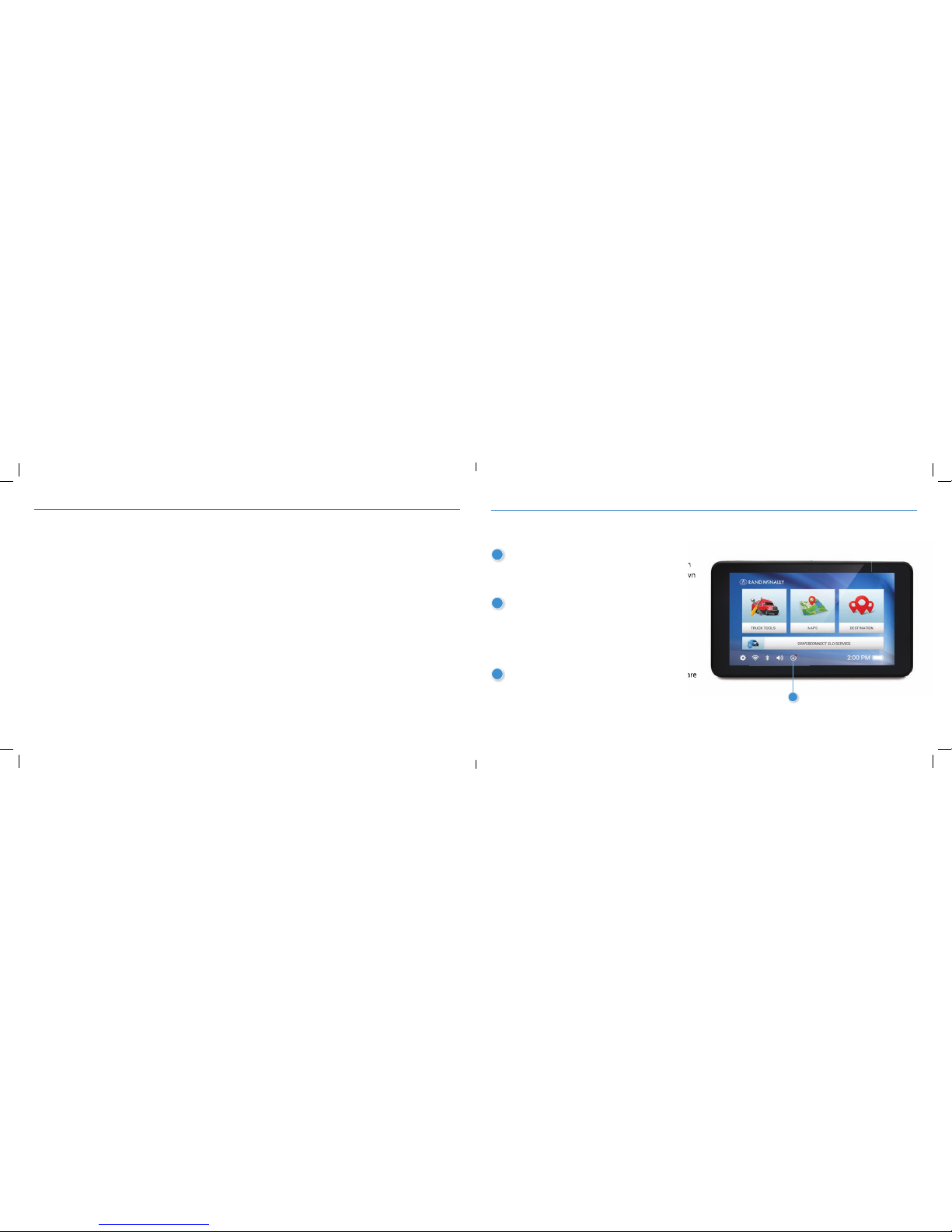
1
Make sure that TND™ 740 is updated with the latest
software. Connect to Wi-Fi, press the “update” button
on the bottom of the home screen (the circle with down
arrow), and install any updates.
2
Once the update is complete, tur n off the TND
™
740
power and restart the device. Click the update button
to make sure that there are no more updates. If there
are more updates pending, please repeat the process.
(note: sometime there are serial updates that occur so
it’s important to ensure that all updates are complete)
3
At this time, after no more updates are available, you are
ready to install the DC 200
™
S.
TND™ 740
1
Page 3
2 3
DC 200
™
S Quick Start GuideDC 200™S Quick Start Guide
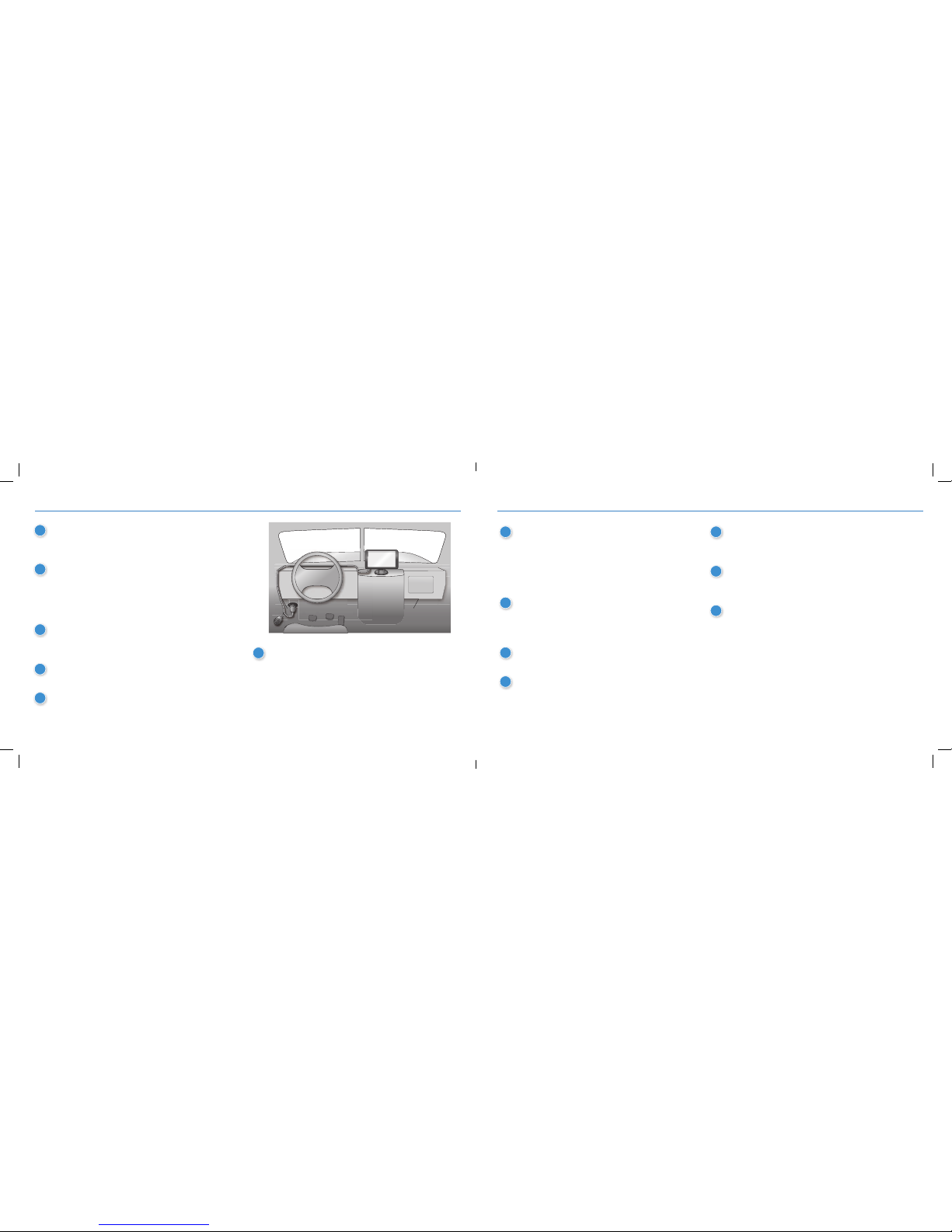
1
Unplug the vehicle “cigarette lighter” charger from
the TND
™
740 set up. You will not need that cable
when using the DC 200
™
S.
2
Remove the TND
™
740 “slice” from the magnetic
mount. This is the piece you will replace with the
DC 200
™
S. Remove the TND™ 740, push the
TND
™
740 “slice” upwards on the magnetic
mount to remove.
3
Locate the diagnostic port on the truck. Now you
are going to connect the “Y” cable shipped with
the DC 200
™
S.
4
Align the plug at the other end of the cable with
the pins of the diagnostic port.
5
Press the collar on the plug toward the vehicle
and turn it clockwise to lock the cable in place.
6
You may wish to keep the Y cable as is. If you want to
keep your truck’s diagnostic port available for servicing
the vehicle without unplugging the Y cable, however,
you should remove the truck’s existing diagnostic port
connector and replace it with the second connector on
the Y cable. This may involve removing the truck’s panel
with the diagnostic port and laying the cable behind it.
7
Take the DC 200™ S “slice” and connect it to
the rectangular connector on the other end of the
Y cable. Use the thumb screws to secure the cable
to the device. This will immediately power the
DC 200
™
S. The device will fl ash a white light
when it powers on. This may take 2-3 minutes.
8
Take the DC 200™ S with the cable attached and
affi x it to the TND
™
740 mount. Slide the DC 200™ S
downward on the mount until it clicks into place.
2-3 minutes.
9
Now attach the TND™ 740 on the DC 200™ S. The
magnetic plates will bring them together.
10
The Y cable that is installed will now power both the
DC 200
™
S and the TND™ 740. There is no need to
use the vehicle “cigarette lighter” charger to power
the TND
™
740.
11
The DC 200™ S will fl ash a sequence of red/green
lights to indicate the following connection, in order:
JBUS, GPS, Bluetooth, WiFi, Cellular.
12
Turn on the truck ignition. When the JBUS connection
is detected, the fi rst light in the sequence will change
from red to green.
13
When the device acquires a GPS signal, the second
light in the series will change from red to green.
Please refer to the user guide in the app for further
fl ashing sequence details.
Install the DC 200™ S
Page 4
4 5
DC 200
™
S Quick Start GuideDC 200™S Quick Start Guide
DriverConnect App Pairing and Registration
™
4
Next, pair the DC 200™ S with the Rand McNally
DriverConnect app on the TND
™
740.
The TND™ 740 comes pre-loaded with the DriverConnect
ELD app. Once paired with the DC 200
™
S, you can view
and certify logs as well as complete DVIRs on the TND
™
740.
The Rand McNally DriverConnect app syncs automatically
with the Rand McNally DriverConnect web portal. In the
portal you can view, print, and save up to 6 months of logs
as well as review DVIRs. If you own multiple trucks, the portal
also enables you to view truck locations and vehicle statuses
– depending upon the plan subscribed.
Register:
1
Press the Rand McNally DriverConnect app on the
home screen of the TND
™
740 to launch the app.
2
Follow the registration steps shown on the app.
Pair:
Follow the steps on the app to connect to the DC 200™ S.
The DC 200
™
S will show a solid green light to indicate
the successful completion of installation and pairing.
From here, you can complete the onboarding process via
the app.
Subscribe:
The DC 200™ S requires a monthly subscription, of which
there are several plans to choose. As part of the onboarding
process via the Rand McNally DriverConnect app, you will be
presented with a link that will take you to the Rand McNally
DriverConnect web portal to sign up for a subscription.
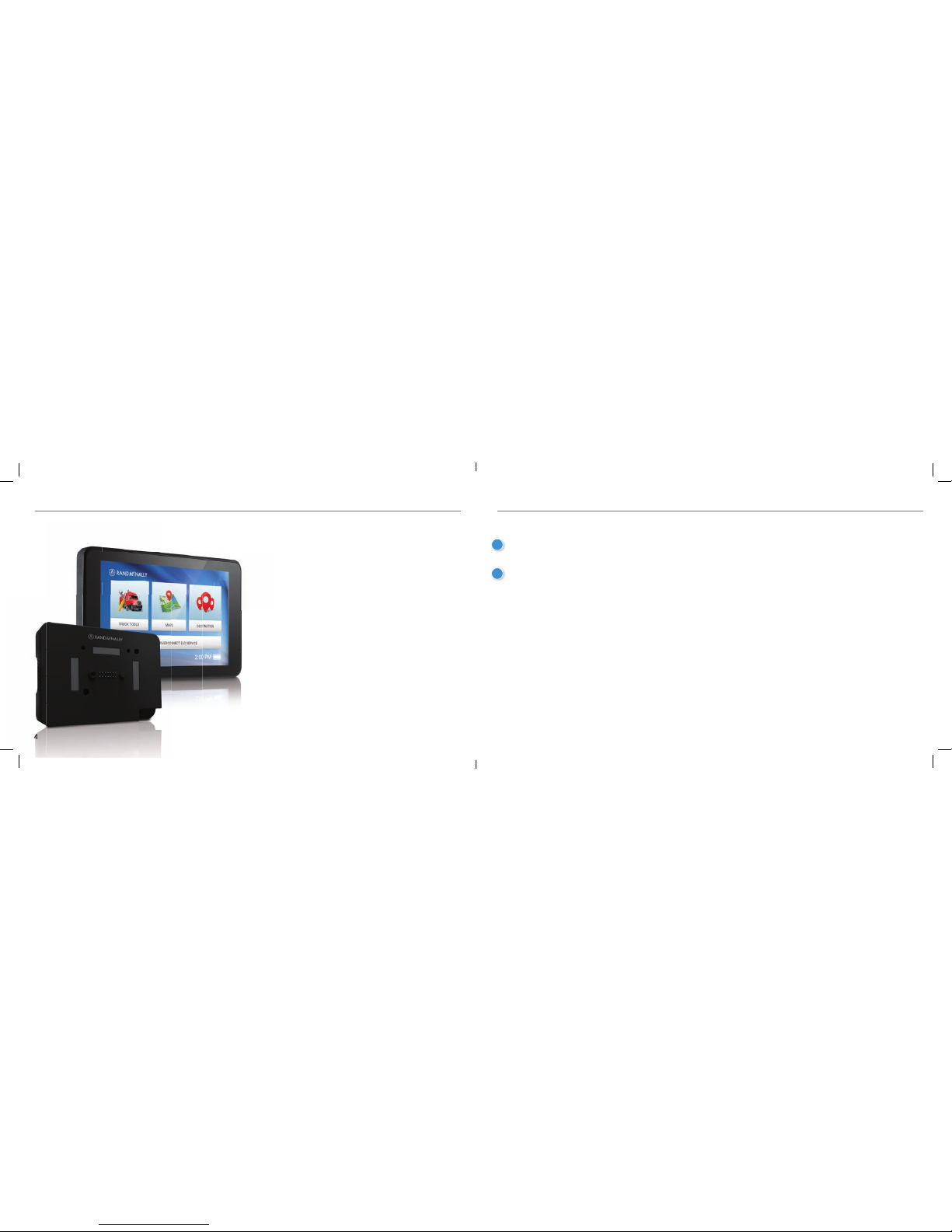
DC 200™S
TND™ 740
 Loading...