

Page 1
Philips
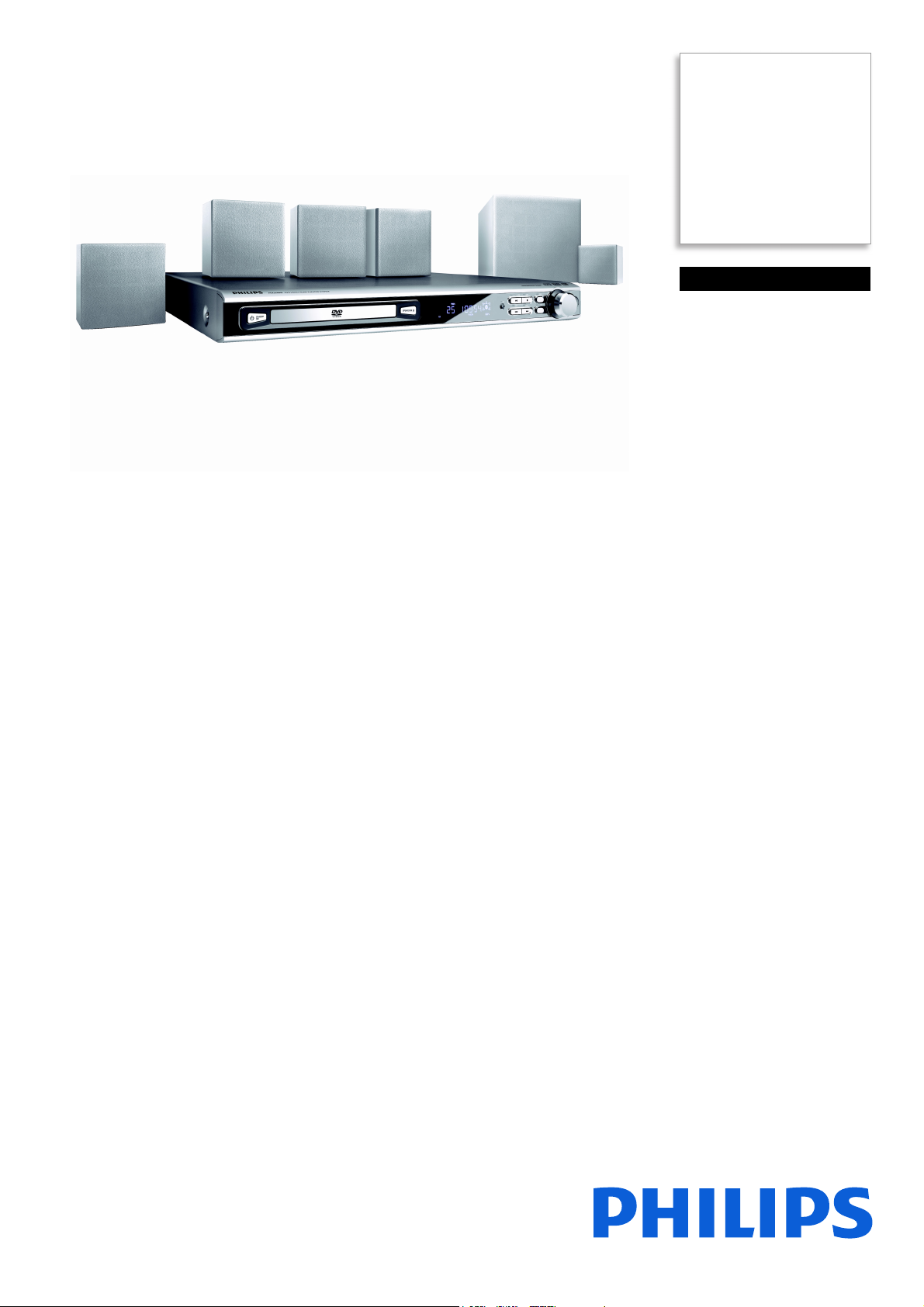
DVD home theater system
with Class 'D' Amplifier
MX2500D
Bring your movies and
music to life
The power of the cinema experience right in your own home! It's a complete
entertainment experience with virtually every disc format in Dolby and DTS surround
modes!
Superb audio and video performance
• Progressive Scan component video for optimized image quality
• DTS 5.1 Dolby Digital Pro Logic II full surround sound
• Class 'D' digital amplifier for quality sound performance
Plays practically any disc format
• Movies: DVD, DVD+R/RW, DVD-R/RW, (S)VCD
• Picture CD (JPEG) with music (MP3) playback
• Music: CD, CD-R/RW and MP3-CD
• Photos: Picture CD (JPEG)
Quick and easy set-up
• Easy-fit™ connectors with color-coding for a simple set-up
• Easy set-up to initialize your total home entertainment
Page 2

DVD home theater system with Class 'D' Amplifier
MX2500D/BK
Specifications
Picture/Display
• Aspect ratio: 4:3, 16:9
• D/A converter: 24bit / 96 kHz
Sound
• Equalizer settings: Action, Classic, Concert, Digital,
Drama, Jazz, Rock, Sci-Fi
• Sound Enhancement: Class "D" Digital Amplifier,
• Sound System: Dolby Digital (AC-3), Dolby
ode, Treble and Bass Control
Night M
ologic II, DTS
Pr
• Output power (RMS): 200W
• Volume Control: rotary
Audio Playback
• Compression format: Dolby Digital, DTS, MP3,
PCM
• Disc Playback Modes: Fas
Next/Previous Album Search, Next/Previous
Track Search
•
t Forward/Backward,
Highlights
Progressive Scan
Progressive Scan doubles the vertical resolution of
the image resulting in a noticeably sharper picture.
Instead of sending a field comprising the odd lines to
the screen first, followed by the field with the even
lines, both fields are written at one time. A full image
is created instantaneously, using the maximum
resolution. At such a speed, your eye perceives a
sharper picture with no line structure.
DTS, Dolby Digital 5.1 and PL2
A Built-in DTS and Dolby Digital decoder eliminates
the need for an external decoder by processing all
six channels of audio imformation to provide a
surround sound experience and an astoundingly
natural sense of ambience and dynamic realism.
Dolby Pro Logic II provides five channels of surround
processing from any stereo source.
Class 'D' Amplifier
Class ‘D’ Digital Amplifier takes an analog signal,
converts it into a digital signal and then amplifies the
signal digitally. The signal then enters a demodulation
filter to give the final output. The amplified digital
output delivers all the advantages of digital audio,
including improved sound quality. In addition, Class
‘D’ Digital Amplifier has greater than 90% efficiency
compared to traditional AB amplifiers. This high
efficiency translates into a powerful amplifier with a
small footprint.
Multi-format Movies
Multi-format playability allows you to play most disc
formats for maximum disc compatibility and viewing
pleasure.
Picture CD with MP3 Playback
Picture CD is a CD-R or CD-RW disc on which you
can store your MP3 and digital pictures. When
inserting a Picture CD in the DVD player, a screen
menu will pop up, showing your JPEG's and/or MP3
files on the disc. Just select the music and pictures
files you wish to enjoy and press play or OK. You can
watch your pictures on TV with your music playing
simultaneously.
Multi-format Music
Multi-format playability allows you to play most disc
formats for maximum disc compatibility and listening
pleasure.
Picture CD (JPEG)
Multi-format playability allows you to view images in
the comfort of your living room and play most disc
formats for maximum disc compatibility and viewing
pleasure.
Easy-fit™ connectors
Color-coded connectors provide a simple and userfriendly solution to connect the speakers and
subwoofer to the center unit of the home
entertainment system simply by plugging the
connectors in the matching colored interface at the
rear of the center unit.
Issue date 2014-02-06
Version: 1.0.2
12 NC: 9073 100 12518
EAN: 87 10895 87238 6
© 2014 Koninklijke Philips N.V.
All Rights reserved.
Specifications are subject to change without notice.
Trademarks are the property of Koninklijke Philips N.V.
or their respective owners.
www.philips.com
Quick Start Guide
To guide you through the initial set-up of your
system, Philips delivers a Quick Start Guide that uses
an easy approach with clearly defined graphics and
colors to guide you through the basic steps of
connection and obtaining picture and sound. These
basic steps are clearly described on one page in the
packaging box, making setup quick and simple.
 Loading...