

Page 1
Quick start guide
MCM704D
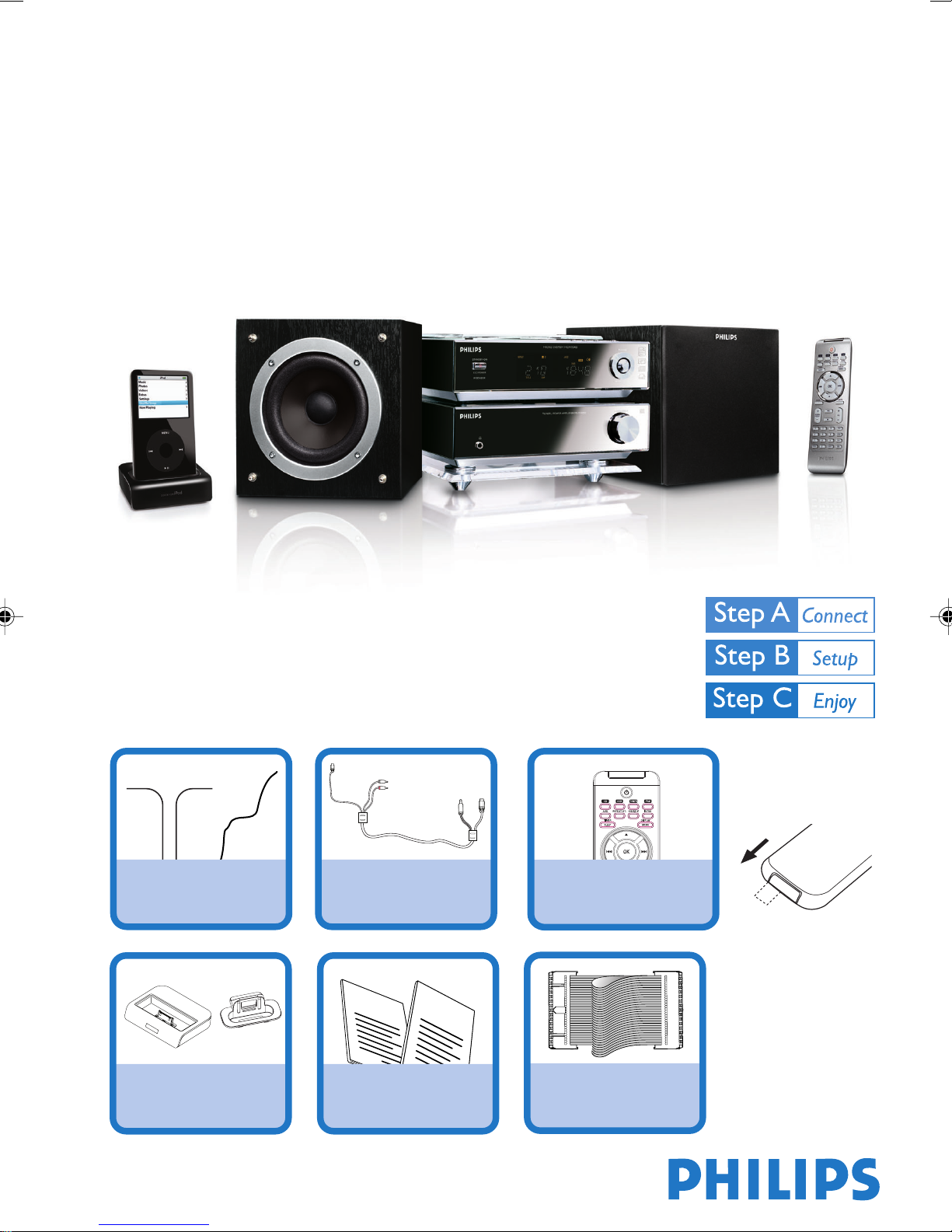
What’s in the Box?
You should find these items upon opening the box.
FM antenna
AM antenna
1 X Docking cradle
8 X iPod dock adaptors
Docking cable
Quick Start Guide
1
User Manual
Quick Start Guide
2
User Manual
Pull out the plastic
protective sheet
before use.
Remote Control
Control cable
Page 2
1
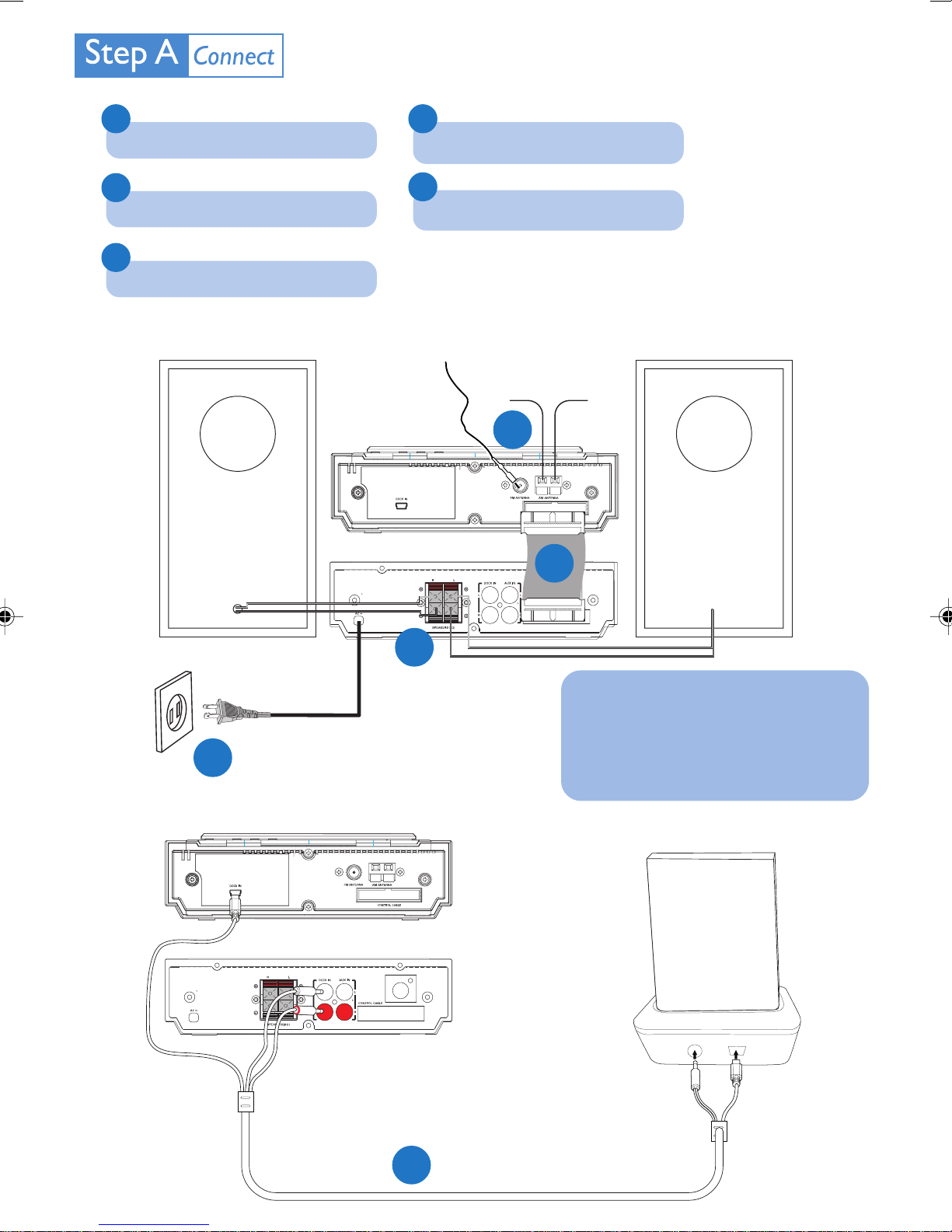
Connect the speaker cables.
4
Connect the docking cradle.
2
Connect the FM and AM antennas.
3
Connect the control cable.
Speaker
(right)
5
Connect the power cord of the system.
FM antenna
AM antenna
2
3
Speaker
(left)
5
AC power cord
1
Tip
See the User Manual for how to
connect other equipment to this
system.
iPod portable player
Docking cradle
4
Docking cable
Page 3

Setting the clock
IMPORTANT!
2
– To set clock in the Eco Power mode, press and hold ECO POWER/STANDBY-ON
seconds or more to switch to normal standby mode first before proceeding with the procedures below.
on the set for 3
1
In standby mode, press and hold CLOCK on the remote.
2
When the hour digits flash, turn VOLUME-/+ on the system or press VOL+/- on the
remote to set the hours.
3
Press CLOCK again and the minute digits flash. Then turn VOLUME-/+ on the system or
press VOL+/- on the remote to set the minutes.
4
Press CLOCK again to confirm the time setting.
Playing a disc
1
Press SOURCE on the top of the system to select DISC or press
CD on the remote.
2
Press ç to open the CD compartment.
3
Insert a disc with the printed side facing up. Press ç again to close
the compartment.
4
Playback will start automatically.
5
To stop playback, press 9 .
Page 4

Playing a USB mass storage device
With the Hi-Fi system, you can use USB flash memory (USB 2.0 or USB1.1),
USB flash players
work with this Hi-Fi system).
1
Insert the USB device’s USB plug into the socket on the set.
(USB 2.0 or USB1.1), memory cards (requires an additional card reader to
2
Press SOURCE once or more (or USB on the remote control) to select USB.
3
Play the USB’s audio files as you do with the albums/tracks on a CD.
Playing Apple iPod using MCM704D
1
Select the correct dock adaptor, as indicated on each adaptor, then fit it in
the dock.
2
Correctly place the compatible iPod player into the dock.
3
Press SOURCE on the system repeatedly or iPod on the remote control
to select the iPod source.
4
Power on your iPod player.
5
Select and play your favourite songs stored in the iPod player.
Tip
Detailed playback features and additional functions are described in the
accompany owner's manual.
PDCC-JS/JW-0714
 Loading...