

Page 1

QUICK START GUIDE
STROBE
BHS-750
Page 2
1
8
7 109
5
6
2 4
3
USER MANUAL
Page 3

* Only applies to models which include
Comply
™ Premium Earphone Tips.
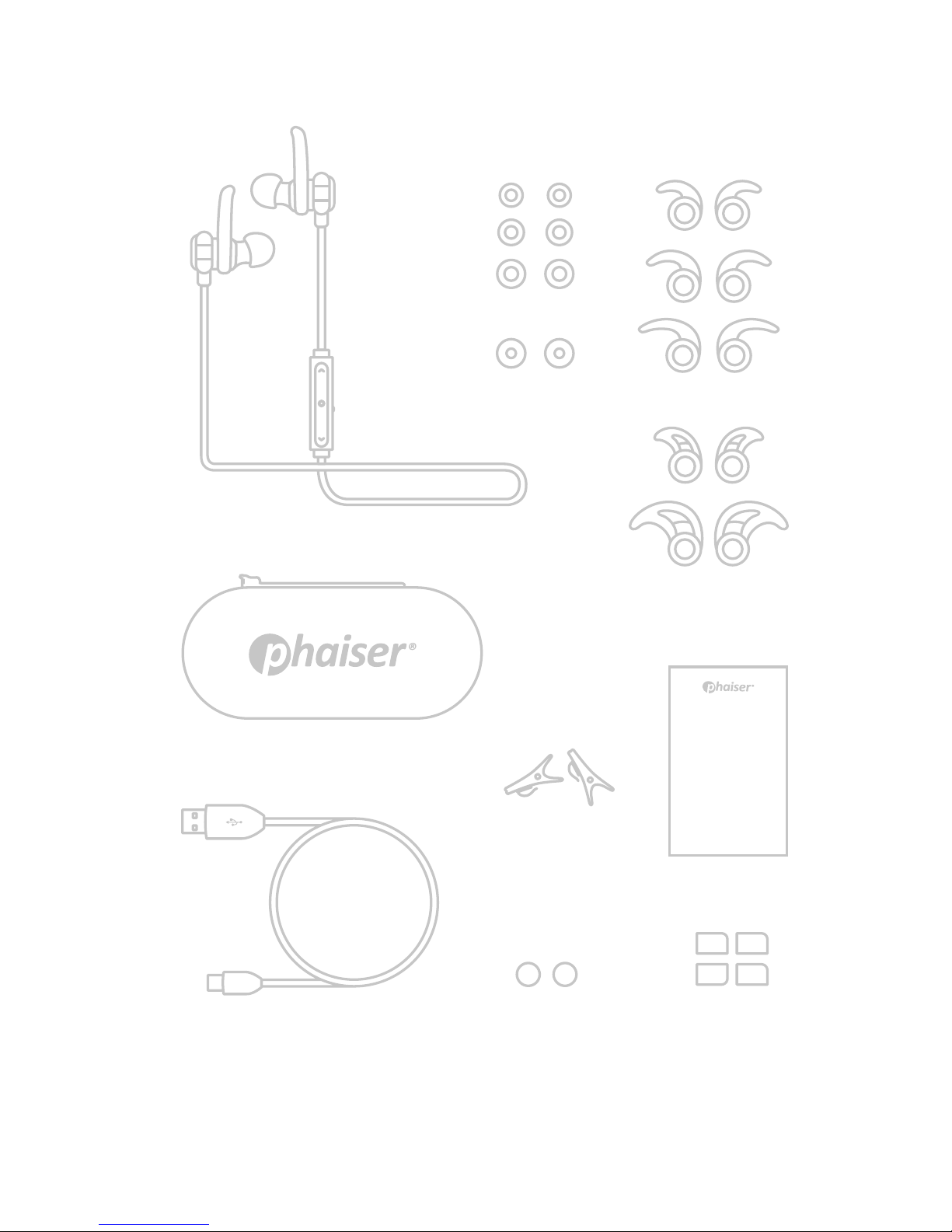
WHAT‘S IN THE BOX?
1 BHS-750 Headphones
2 3 Sizes of Silicon Eartips
3 1 Pair of Comply
™ Foam Tips*
4 6 Pair of Ear Wings
5 Carrying Case
6 User Manual
7 USB Charging Cable
8 2 Collar Clips
9 1 Pair Cable Management Clips
10 2 Pairs Cable Management Clips
Page 4
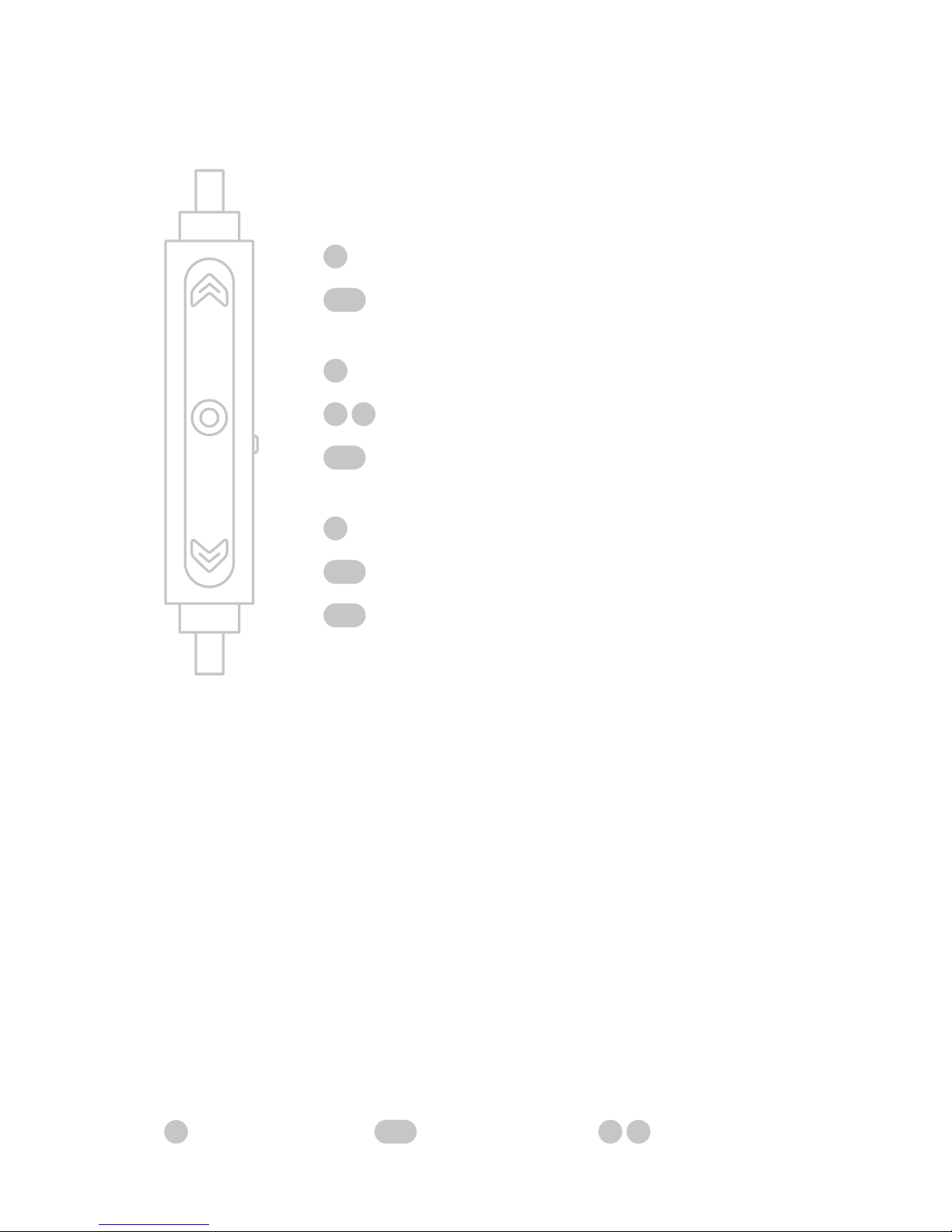
HOW TO CONTROL?
Vol+
Skip forward
Accept call/Play/Pause
Voice assistant
On/O
Vol-
Skip backward
Mute/Unmute
single click long press
double click
Page 5
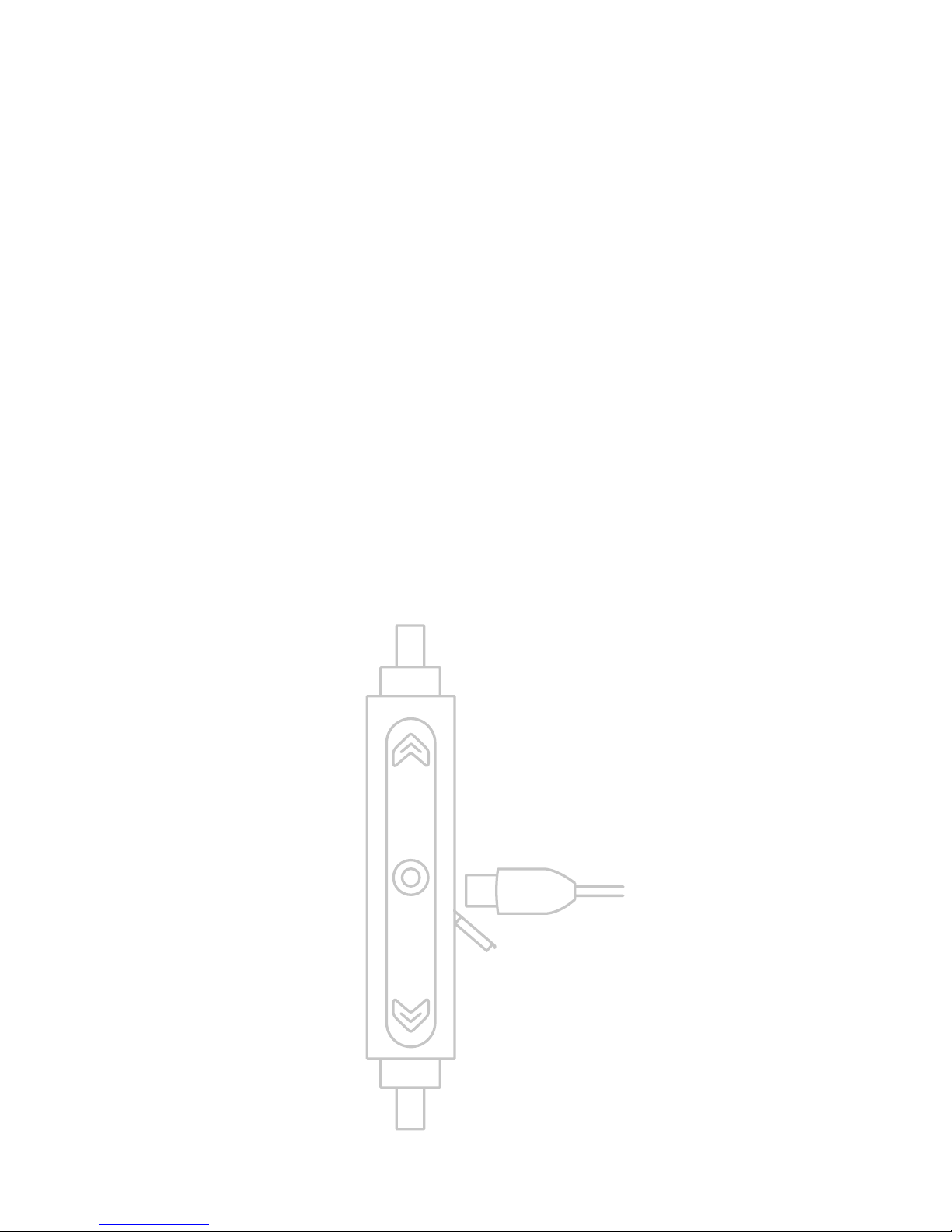
HOW TO CHARGE?
Although the headphones come
with a partially charged battery, it is
recommended that you fully charge
your BHS-750 before first use.
Open the charging port cover with
your fingernail and connect the USB
charging cable. The LED indicator will
turn red while charging. When the
LED turns blue, the headset is fully
charged. This takes less than 2h.
Page 6
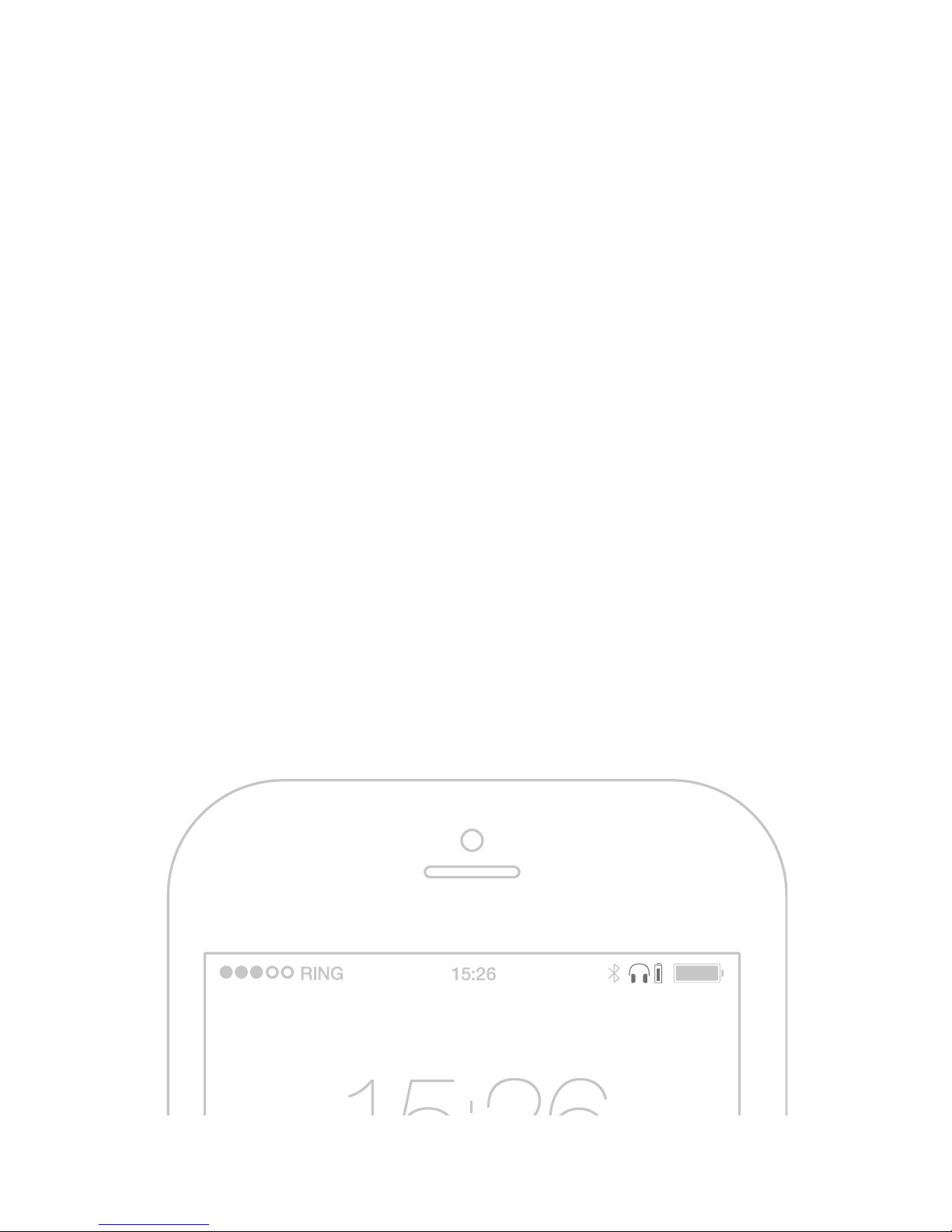
HOW TO CHECK
THE BATTERY LEVEL?
Every time you turn the headphones
on, you will hear the battery status
notification. If the headphones are
already turned on, you can trigger the
battery status notification manually
by briefly pressing “” and “” at the
same time.
On iOS and some Android devices,
you will be able to see the battery
level of the headphones in the phone‘s
status bar at the top.
Page 7
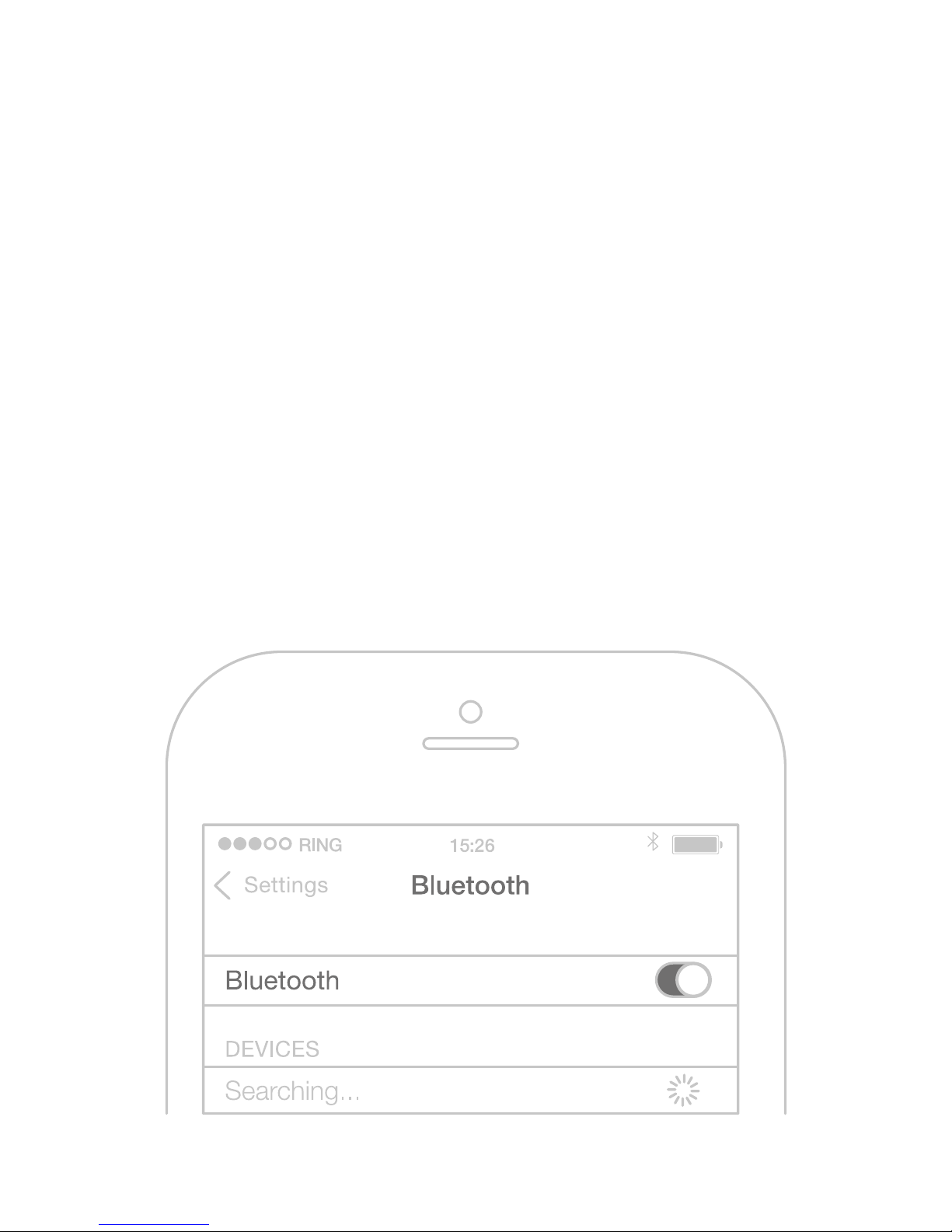
HOW TO CONNECT?
Slide the Power Switch to ON position
to turn the headset on. As soon as
you hear the „Power On“ message, go
to the Bluetooth menu of your phone.
Search for new Bluetooth devices
and select „BHS-750“. If something
doesn‘t work, try turning your phone‘s
Bluetooth o and on again.
Page 8

HOW TO MAKE THEM FIT?
Make sure you hear the great HD
Sound of your BHS-750. Everyone’s
ears are dierent, be sure to try all
sizes of eartips to find the perfect one
for you. You will enjoy a great fit and
premium sound quality with the right
size of eartips.
You find 3 dierent sizes of Silicon
Tips and one pair of Comply™
Premium Earphone Tips* in the box.
* Only applies to models which include
Comply
™ Premium Earphone Tips.
Silicon Tips
Comply™ Premium Earphone Tips*
Page 9
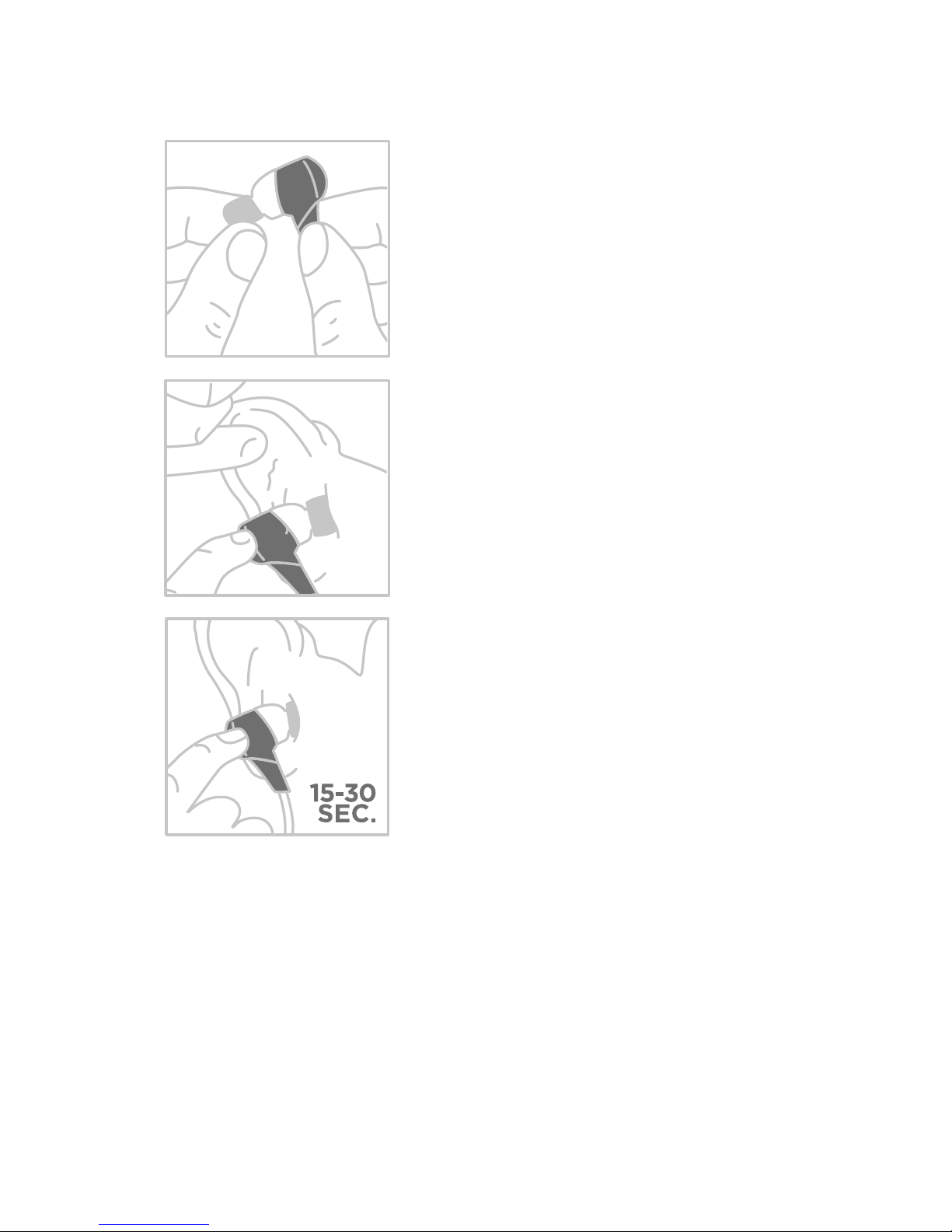
HOW TO WEAR FOAMTIPS?
1. Squeeze down the
foam tip and roll the
tip into a thin, round
cylinder.
2. Pull back and up
on ear to open the
canal. Gently insert
the entire tip into
the ear.
3. Hold the tip in place
until it expands.
Only applies to models which include
Comply
™ Premium Earphone Tips.
Page 10
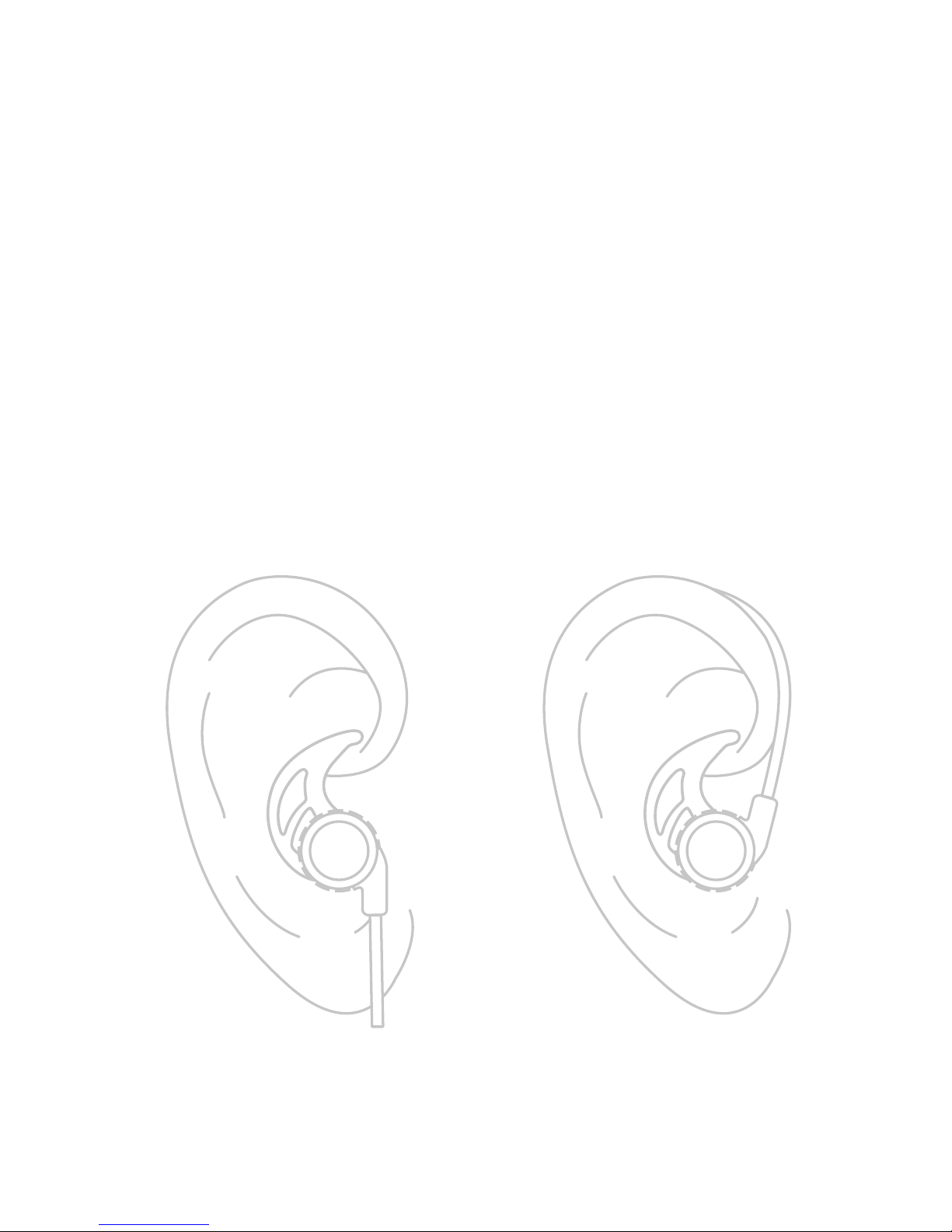
HOW TO USE THE WINGS?
When you put the buds into your ears,
the pointy end of the wing needs
to point forward, towards your face.
Hook the wing into your ear so it can
get a grip and adjust it to find the
most comfortable position.
Page 11
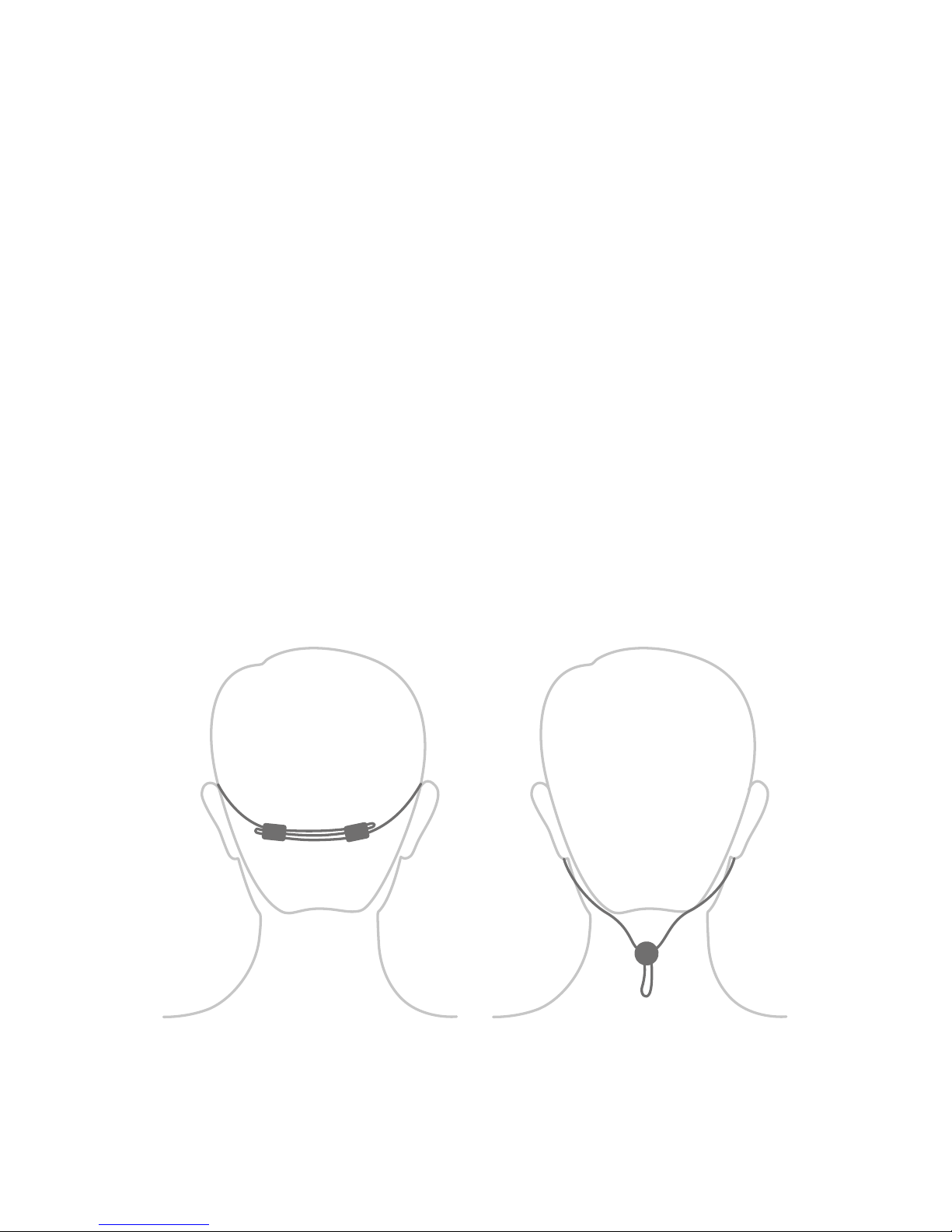
HOW TO MANAGE
THE CABLE?
In order to prevent the cable from
dangling, use the included cable management clips to tighten the cable
behind your head.
Insert the cable into your preferred
cable management clips as illustrated
below and carefully tighten until the
cable fits comfortably behind your
head.
Page 12

FCC ID: 2ADQABD-152
© 2018 Phaiser
Phaiser LLC, 909 Silber RD APT 59,
Houston, TX 77024-3636, United States
© 2018 Liquipel
Liquipel is a registered trademark of Liquipel IP LLC
© 2018 Hearing Components
Comply is a registered trademark of Hearing Components
Made in China
www.phaiser.com
V2.0
STROBE
BHS-750
 Loading...