

Page 1

SC-HTB65, 70, 170, 370, 770
Sound Bar System Firmware Installation Instructions
Table of Contents
Table of Contents...................................................................................................................................................1
1 Firmware History.................................................................................................................................................2
Applicable Models.................................................................................................................................................2
Version..................................................................................................................................................................2
Release Date........................................................................................................................................................2
Purpose.................................................................................................................................................................2
2 Download Firmware...........................................................................................................................................3
3 Install Firmware..................................................................................................................................................4
Page 2

Firmware History
Applicable Models
SC-HTB65, 70, 170, 370, 770
Version
New
Release Date
June 2013
Purpose
Improve Overall Product Performance
Note: Reasons why the sound bar system may have a more recent firmware version:
If the sound bar system was manufactured after the firmware was released, the
firmware update may have already been installed.
If the sound bar system was serviced by an authorized Panasonic service center, a
service technician may have already installed the latest firmware update.
Page 3
Download Firmware
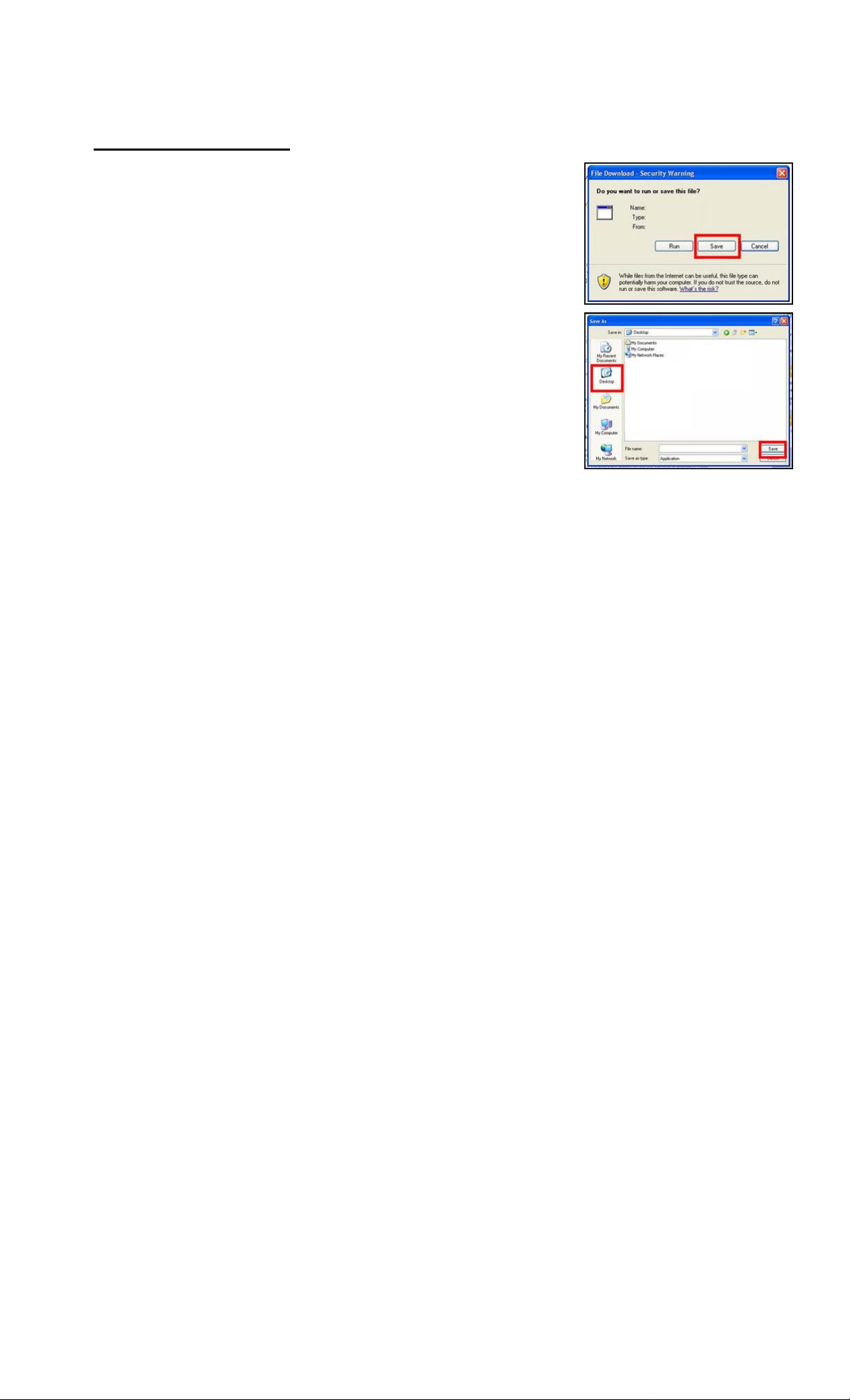
1) Left click on the DOWNLOAD icon for the Firmware.
2) Left click on the “I agree to the terms of use” checkbox.
3) Left click on DOWNLOAD.
4) Left click on SAVE.
5) Left click on DESKTOP, and then left click on SAVE.
NOTE: The update.bin firmware file will be saved to
the DESKTOP.
6) Copy and Paste the update.bin file into a USB thumb drive.
Ensure it is loaded to the USB thumb drive’s root folder.
Page 4
Install Firmware
CAUTIONS:
Do NOT press any other buttons during the firmware update.
Do NOT turn off the sound bar system or disconnect the power during the firmware
update.
1) Unplug the sound bar system’s AC Power Cord.
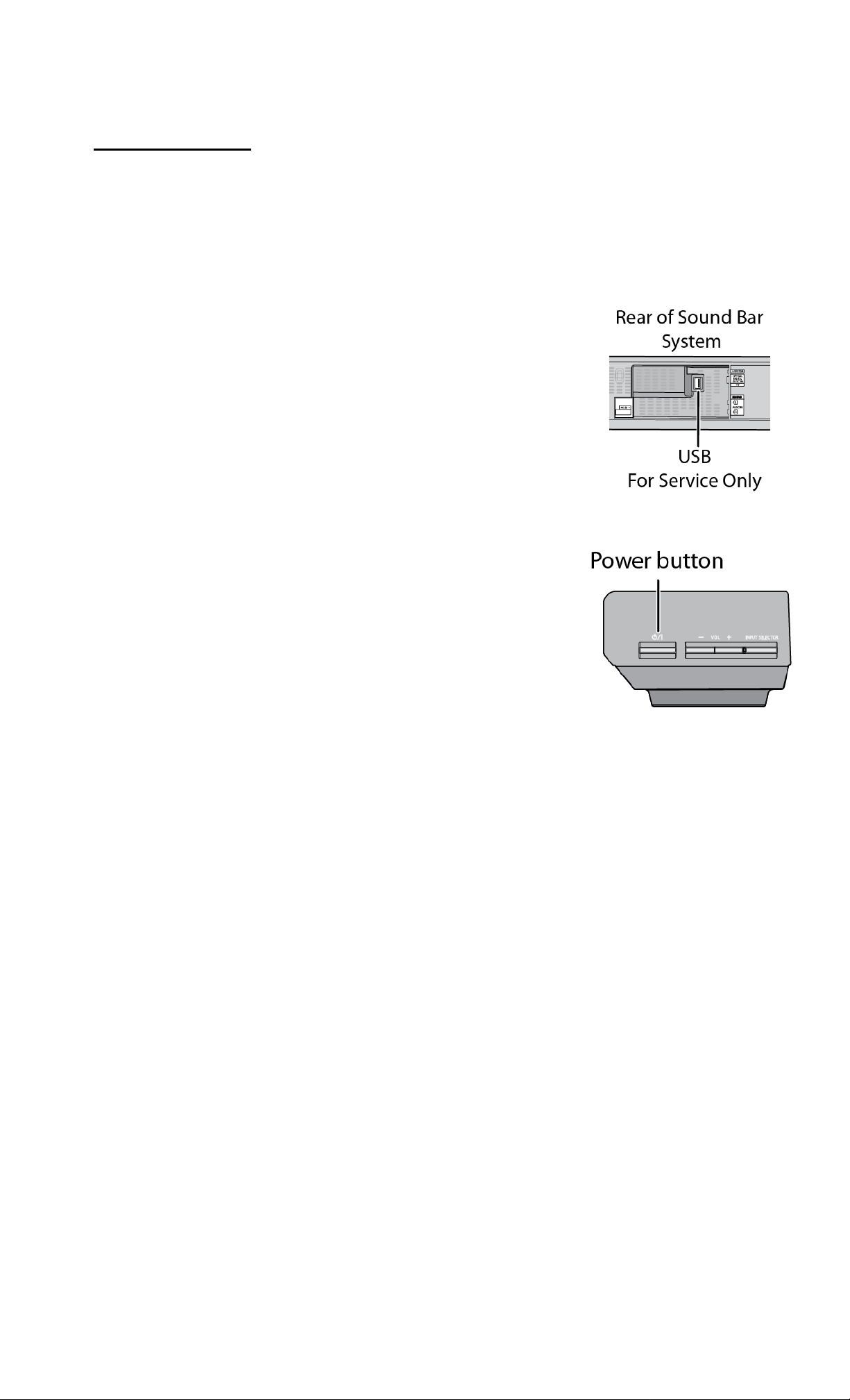
2) Remove the tape from the USB “For Service Only” Connection.
3) Fully insert the USB thumb drive.
4) Reconnect the AC Power Cord. The update will automatically be
installed. T he “Sound Mode” lights will flash during the 30 second
installation.
5) Ensure all lights have stopped flashing. Then unplug the AC
Power Cord and unplug the USB thumb drive.
6) Wait 30 seconds then reconnect the AC Power Cord while
pressing and holding down the [POWER] button on the sound bar
system. The “Aud io Mode” light will flash two times when the
firmware was installed correctly.
 Loading...