

Page 1
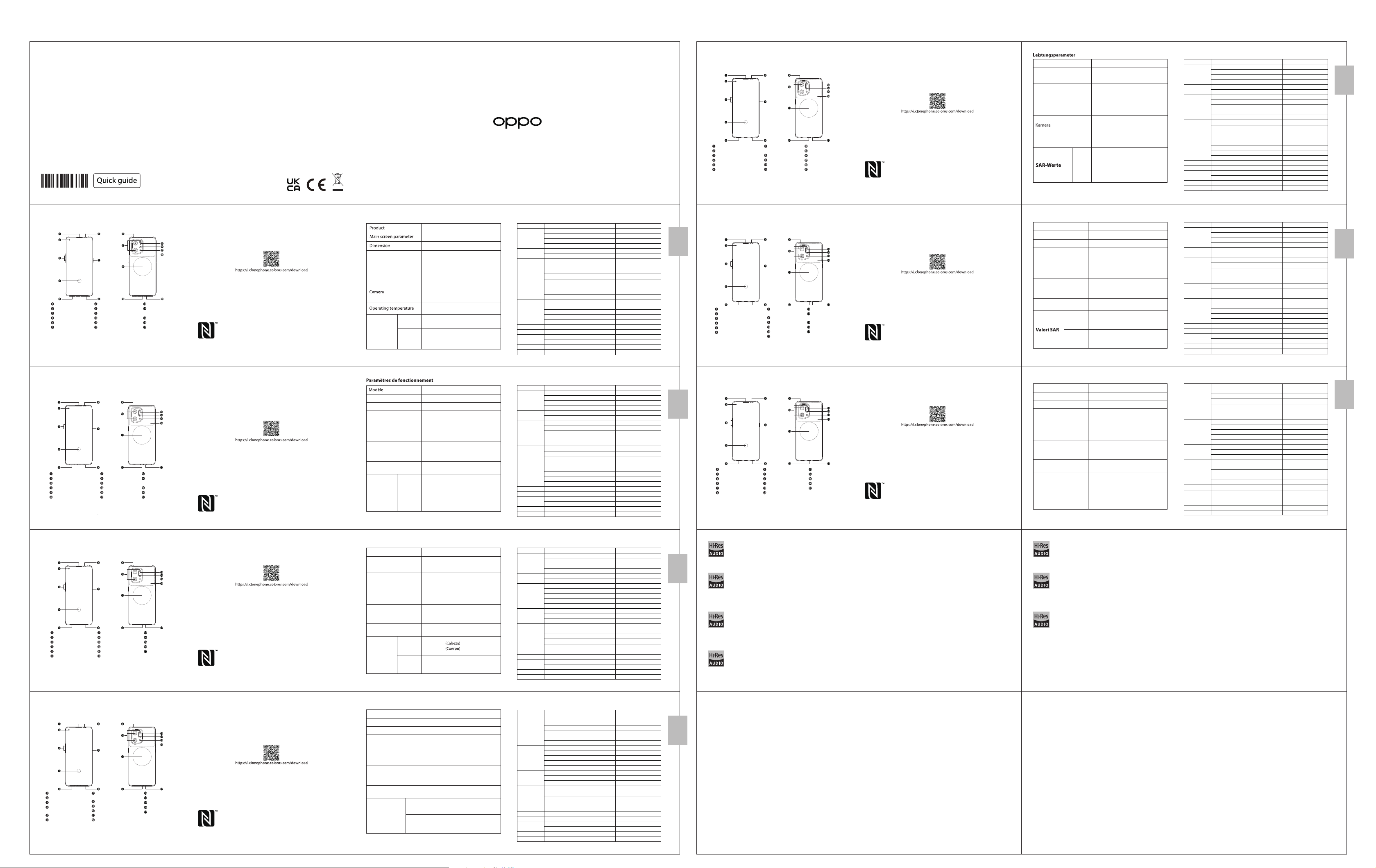
Copyright © Guangdong OPPO Mobile Telecommunications Corp., Ltd. 2022. All rights reserved.
50 Megapixel + 50 Megapixel
+ 13 Megapixel Achtercamera
32 Megapixel Voorcamera
5213094 V0.1
Grüße von OPPO Mobile
In dieser Anleitung sehen Sie Erläuterungen zur Benutzung des Mobiltelefons und
seinen wichtigsten Funktionen. Weitere Informationen stehen Ihnen auch auf der
offiziellen Website von OPPO zur Verfügung.
Empfänger
Vorderseitenkamera
Lautstärketaste
In-Display-Fingerabdrucksensor
SIM-kartenhalter
Näherungs- und Lichtund Farbtemperatursensor
So starten Sie das Telefon neu
Halten Sie die Einschalttaste und die Taste zur Erhöhung der Lautstärke gleichzeitig
gedrückt, bis die OPPO-Start-Animation zum Neustarten des Telefons angezeigt wird.
Einschalttaste/
Fingerabdruck-Scanner
Lautsprecher
Sub MIC Loch
Rückfahrkamera
Kabellos Laden
USB- & Kopfhöreranschluss
Drittes MIC
Farbtemperatur Sensor
Blitz
NFC
Main MIC Loch
Wie kann ich die auf meinem alten Telefon gespeicherten Daten auf
ein neues übertragen?
Mit der Applikation, die OPPO Clone Phone heißt, können Sie Fotos, Videos, Musik, Kontakte,
Nachrichten, Apps usw. ganz einfach von Ihrem alten Telefon auf das neue übertragen.
1. Wenn es sich bei Ihrem bisherigen Telefon um ein nicht von OPPO bezogenes Android-Telefon
handelt, suchen Sie im Google Play Store nach „OPPO Clone Phone“ und installieren Sie die App.
Sie können auch den untenstehenden QR-Code scannen, um die App zu installieren. Wenn es
sich bei Ihrem bisherigen Telefon um ein Telefon von OPPO handelt, brauchen Sie diese App
nicht zu installieren. Führen Sie dann Clone Phone auf beiden Telefonen aus und folgen Sie den
Anweisungen auf dem Bildschirm.
2. Wenn es sich bei Ihrem bisherigen Telefon um ein iPhone handelt, führen Sie „Clone Phone“
auf Ihrem neuen Telefon aus und folgen Sie den Anweisungen auf dem Bildschirm, um Ihre
Daten von Ihrem iCloud-Konto zu migrieren.
Zubehör und Softwareinformationen:
Sie erhalten folgendes Standardzubehör:
1 Telefon, 1 Ladegerät, 1 SIM-Auswerfer, 1 USB-Datenkabel, 1 Sicherheitsanleitung,
1 Kurzanleitung, 1 Schutzhülle, 1 USB-Dongle(Typ-A bis Typ-C).
Software-Version: ColorOS V12.1
Aktuelle Informationen über Zubehör und Software finden Sie in der Konformitätserklärung
(DoC) unter www.oppo.com/en/certification.
Das N-Zeichen ist in den Vereinigten Staaten und in anderen Ländern
eine Handelsmarke oder registrierte Handelsmarke der NFC Forum, Inc.
Produkt
Bildschirmparameter
Abmessungen
Batterie
(Wiederaufladbaren
Lithium-Ionen-Akku)
Arbeitstemperatur
Hinweis: Die oben genannten SAR-Werte sind die höchsten für dieses Gerät
gemeldeten Werte.
CPH2307
16,64cm (6,55 Zoll)
160,3×72,6×8,7(mm)
DC 7,74V 2340mAh/18,11Wh(Min)
DC 7,74V 2400mAh/18,57Wh(Typ)
(Gleich
DC 3,87V 4680mAh/18,11Wh(Min)
DC 3,87V 4800mAh/18,57Wh(Typ))
50 Megapixel + 50 Megapixel
+ 13 Megapixel Rückseite
32 Megapixel Vorderseite
0°C-35°C
0,992W/kg (Kopf)
CE SAR
1,216W/kg (Körper)
1,004W/kg (Kopf)
0,384W/kg (Körper)
FCC SAR
0,882W/kg (Hotspot)
Funkwellenspezifikationen
Radio
GSM
WCDMA
LTE FDD
Bands 1/5/6/8/19
Bands 1/3/5/8/12/17/18/19/20
Bands 2/4/7/25/26/66
LTE TDD
n1/n3/n5/n7/n8/n12/n13/n18/
5G NR
Bluetooth
2,4G Wi-Fi
5G Wi-Fi
NFC
WPT
n20/n26/n38/n40/n41/n66
5,15-5,35GHz; 5,47-5,725GHz
110KHz-148,5KHz
850MHz
900MHz
1800MHz
1900MHz
Bands 2/4
Band 13
Band 28
Band 32
Bands 34/38
Bands 39/40
Band 41
n28
n77
n78
2,4-2,4835GHz
2,4-2,4835GHz
5,725-5,85GHz
13,56MHz
Max. AusgangsleistungFrequenz
33,5dBm
34dBm
31dBm
30,5dBm
25dBm
24dBm
25dBm
24dBm
24,5dBm
24,8dBm
24,5dBm
25dBm
26dBm
24,2dBm
25dBm
24,5dBm
26dBm
17,3dBm(EIRP)
20dBm(EIRP)
20dBm(EIRP)
13dBm(EIRP)
42dBμA/m @10m
42dBμA/m @10m
Deutsch
/
Greetings from OPPO Mobile
This guide will show you how to use the phone and its important functions. You may
also visit OPPO official website to get more information about the phone.
Receiver
Front Camera
Volume Key
Screen Fingerprint
SIM card tray
Proximity & Light &
color temperature sensor
How to reboot the phone
Press and hold the Power Button and Volume Up Button at the same time until
the OPPO boot animation is displayed to reboot the phone.
OPPO Mobile vous souhaite la bienvenue
Ce guide vous montre comment utiliser le téléphone et décrit ses fonctions
importantes.Vous pouvez également visiter le site officiel d'OPPO pour obtenir plus
d'informations sur le téléphone.
Récepteur
Appareil photo avant
Touches volume
Empreinte digitale sous l’écran Appareil photo arrière
Trappe d'insersion SIM
Capteur de proximité et de
lumière et de température de couleur
Comment redémarrer le téléphone
Maintenez les boutons de marche/arrêt et de volume haut enfoncés simultanément
jusqu'à ce que l'animation de démarrage OPPO s'affiche pour redémarrer le téléphone.
Power Key & Screen Lock Key
Speaker
Sub MIC
Rear Camera
Wireless charging
USB & Earphone Jack
Haut parleur
Micro secondaire
Zone de charge sans fil
Prise USB et casque
Third MIC
Color temperature
sensor
Flash
NFC
Main MIC
Troisième microTouche marche/arrêt
Capteur de température
des couleurs
Flash
NFC
Micro principal
How to Transfer Old Mobile Content to a New Mobile
You can use OPPO Clone Phone to easily transfer photos, videos, music, contacts,
messages, apps, etc from your old phone to the new one.
1. If your previous phone was a non-OPPO Android phone, search "OPPO Clone Phone"
in the Google Play store and install the app. You can also scan the QR code below to
install it. If your previous phone was an OPPO phone, you don't need to install this app.
Then run Clone Phone on both phones and follow the on-screen instructions.
2. If your previous phone was an iPhone, run "Clone Phone" on your new phone, and
follow the onscreen instructions to migrate your data from your iCloud account.
Accessories and Software Information
You are provided with the following standard accessories:
1 Phone, 1 Charger, 1 USB data cable, 1 Safety Guide, 1 Quick Guide,
1 SIM Ejector Tool, 1 Protective Case, 1 USB Dongle(Type-A to Type-C).
The product software version is: ColorOS V12.1
For the most recent information about accessories and software, please see the DoC
(Declaration of Conformity) at www.oppo.com/en/certification.
The N-Mark is a trademark or registered trademark of NFC Forum,
Inc. in the United States and in other countries.
Comment transférer le contenu d'un ancien téléphone vers un nouveau
Vous pouvez utiliser OPPO ''Clone Phone'' afin de transférer facilement photos, vidéos,
musique, contacts, messages, applications, etc. depuis votre ancien téléphone vers votre
nouveau téléphone.
1. Si votre appareil précédent était un téléphone Android autre que OPPO, cherchez
l'application « OPPO Clone Phone » dans Google Play et installez-la. Vous pouvez aussi lire le
code QR ci-dessous pour l'installer. Si votre appareil précédent était un téléphone OPPO,
vous n'avez pas besoin d'installer cette application. Ensuite, exécutez Clone Phone sur les
deux appareils et suivez les instructions qui s'affichent à l'écran.
2. Si votre appareil précédent était un iPhone, exécutez « Clone Phone » sur votre nouveau
téléphone et suivez les instructions qui s'affichent à l'écran pour migrer vos données depuis
votre compte iCloud.
Informations sur les accessoires et le logiciel
Les accessoires standards suivants vous sont fournis:
1 Téléphone, 1 Chargeur, 1 Outil d'éjection SIM, 1 Câble de données USB, 1 Guide de sécurité,
1 Guide rapide, 1 coque de protection, 1 Clé USB(Type-A à Type-C).
Version logicielle: ColorOS
Pour obtenir les informations les plus récentes sur les accessoires et le logiciel,
consultez la Déclaration de Conformité (DC) sur www.oppo.com/en/certification.
V12.1
N-Mark est une marque de NFC Forum, Inc. déposée aux États-Unis et
dans d'autres pays.
Specification
CPH2307
16.64cm(6.55'')
160.3×72.6×8.7(mm)
DC 7.74V 2340mAh/18.11Wh(Min)
Battery
(Rechargeable
Lithium-ion Battery)
DC 7.74V 2400mAh/18.57Wh(Typ)
(Equaling to
DC 3.87V 4680mAh/18.11Wh(Min)
DC 3.87V 4800mAh/18.57Wh(Typ))
50Megapixels+50Megapixels
+13Megapixels Rear
32Megapixels Front
0°C-35°C
FCC SAR
0.992W/kg(Head)
1.216W/kg(Body)
1.004W/kg(Head)
0.384W/kg(Body)
0.882W/kg(Hotspot)
CE/UK SAR
SAR Values
Note: The SAR values above are the highest values reported for this device.
CPH2307
Taille de l’écran principal
Dimensions
Batterie
(Batterie lithium-ion
rechargeable)
Appareil photo
Température de
fonctionnement
Valeurs DAS
Remarque : Les valeurs DAS sont les valeurs les plus élevées signalées pour cet appareil.
16,64cm(6,55 pouces)
160,3×72,6×8,7(mm)
DC 7,74V 2340mAh/18,11Wh(Min)
DC 7,74V 2400mAh/18,57Wh(Typ)
(Égal à
DC 3,87V 4680mAh/18,11Wh(Min)
DC 3,87V 4800mAh/18,57Wh(Typ))
50-mégapixels+50-mégapixels
+13-mégapixels Arrière
32-mégapixels avant
0°C-35°C
DAS tête (0,992W/kg)
DAS tronc (1,216W/kg)
CE SAR
DAS membres (2,490W/kg)
1,004W/kg (Tête)
0,384W/kg (Corps)
FCC SAR
0,882W/kg (Point chaud)
Radio Waves Specifica tions
Frequency
850MHz
GSM
WCDMA
LTE FDD
LTE TDD
5G NR
Bluetooth
2.4G Wi-Fi
5G Wi-Fi
NFC
WPT
900MHz
1800MHz
1900MHz
Bands 1/5/6/8/19
Bands 2/4
Bands 1/3/5/8/12/17/18/19/20
Bands 2/4/7/25/26/66
Band 13
Band 28
Band 32
Bands 34/38
Bands 39/40
Band 41
n1/n3/n5/n7/n8/n12/n13/n18/
n20/n26/n38/n40/n41/n66
n28
n77
n78
2.4-2.4835GHz
2.4-2.4835GHz
5.15-5.35GHz; 5.47-5.725GHz
5.725-5.85GHz
13.56MHz
110KHz-148.5KHz
Spécifications concernant les ondes radio
Radio
GSM
WCDMA
LTE FDD
LTE TDD
5G NR
Bluetooth
2,4G Wi-Fi
5G Wi-Fi
NFC
WPT
Fréquence Puissance de sortie max.
850MHz
900MHz
1800MHz
1900MHz
Bands 1/5/6/8/19
Bands 2/4
Bands 1/3/5/8/12/17/18/19/20
Bands 2/4/7/25/26/66
Band 13
Band 28
Band 32
Bands 34/38
Bands 39/40
Band 41
n1/n3/n5/n7/n8/n12/n13/n18/
n20/n26/n38/n40/n41/n66
n28
n77
n78
2,4-2,4835GHz
2,4-2,4835GHz
5,15-5,35GHz; 5,47-5,725GHz
5,725-5,85GHz
13,56MHz
110KHz-148,5KHz
Max. Output PowerRadio
33.5dBm
34dBm
31dBm
30.5dBm
25dBm
24dBm
25dBm
24dBm
24.5dBm
24.8dBm
/
24.5dBm
25dBm
26dBm
24.2dBm
25dBm
24.5dBm
26dBm
17.3dBm(EIRP)
20dBm(EIRP)
20dBm(EIRP)
13dBm(EIRP)
42dBμA/m @10m
42dBμA/m @10m
33,5dBm
34dBm
31dBm
30,5dBm
25dBm
24dBm
25dBm
24dBm
24,5dBm
24,8dBm
/
24,5dBm
25dBm
26dBm
24,2dBm
25dBm
24,5dBm
26dBm
17,3dBm(EIRP)
20dBm(EIRP)
20dBm(EIRP)
13dBm(EIRP)
42dBμA/m @10m
42dBμA/m @10m
English
Français
OPPO Mobile ti dà il benvenuto
Questa guida illustra l'utilizzo del tuo smartphone OPPO e le sue funzioni
principali. In alternativa, è possibile visitare il sito ufficiale di OPPO per avere
maggiori informazioni sul telefono.
Ricevitore
Fotocamera frontale
Tasti volume
Impronta digitale sotto schermo
Vassoio della carta SIM
Sensore di prossimità,
luce e temperatura del colore
Come riavviare il telefono
Tenere premuti contemporaneamente i pulsanti di accensione e di aumento del volume
fino a quando non si visualizza l’animazione OPPO per il riavvio del telefono.
Este guia irá mostrar-lhe como utilizar o telefone e as suas funções importantes.
Você também pode visitar o site oficial da OPPO para obter mais informações
sobre o telefone.
Receptor
Câmara Frontal
Botão de volume
Sensor de impressão digital Câmara traseira
Porta SIM
Sensor de proximidade e luz
e temperatura de cor
Como Reiniciar o telefone
Pressione e mantenha apertado o botão ligar/desligar e o botão Volume (+) ao mesmo
tempo até que a animação de inicialização OPPO seja exibida para reiniciar o telefone.
Tasto di accensione e
tasto blocco schermo
Altoparlante
Foro sub MIC
Fotocamera posteriore
Ricarica Wireless
Presa USB e cuffie
Botão ligar/desligar
Altifante
Microfone secundário
Entrada de USB ou auricular
Third MIC
Sensore
di temperatura colore
Flash
NFC
MIC principale
Microfone auxiliar
Sensor
Flash
NFC
Microfone principalCarga SEM FIO
Come trasferire dati da un vecchio smartphone ad uno smartphone OPPO
La funzione Clona Telefono di OPPO può essere usata per trasferire facilmente foto,
video, musica, contatti, app, ecc. dal vecchio al nuovo telefono.
1. Se il tuo telefono precedente era un telefono Android non OPPO, cerca "Clona
telefono OPPO" in Google Play Store e installa l'app. Puoi inoltre eseguire la scansione
del codice QR di seguito per installarlo. Se il tuo telefono precedente era un telefono
OPPO, non è necessario installare questa app. Quindi esegui Clona telefono su
entrambi i telefoni e segui le istruzioni visualizzate.
2. Se il tuo telefono precedente era un iPhone, esegui "Clona telefono" sul tuo nuovo
telefono e segui le istruzioni su schermo per migrare i tuoi dati dal tuo account iCloud.
Informazioni su accessori e software
Vengono forniti i seguenti accessori standard:
1 telefono, 1 caricabatterie, 1 cavo USB, 1 strumento di esplulsione SIM,
1 guida di sicurezza, 1 guida rapida, 1 custodia protettiva,
1 Chiavetta USB(da tipo A a tipo C).
Versione software: ColorOS V12.1
Per le informazioni più recenti su accessori e software, consulta la Dichiarazione di
conformità (DoC) all\'indirizzo www.oppo.com/en/certification.
N-Mark è un marchio o marchio registrato di NFC Forum, Inc. negli Stati
Uniti e in altri paesi.
Como Transferir Conteúdo do Antigo Telemóvel para um Novo
Você pode usar a função OPPO “Clone Phone” para transferir rapidamente os seus fotos,
vídeos, músicas, contatos e aplicações para o seu novo telefone. Para fazer isso, execute
as seguintes etapas:
1.Se o seu telefone antigo é um telefone Android de marca diferente, faça o download da
aplicação "OPPO Clone Phone" na Play Store, ou digitalize o código QR abaixo para o
descarregar e instalar.
2. Se o telefone antigo for um telefone OPPO, não é necessário instalar a aplicação, uma vez
que já está instalada por defeito, abra a aplicação e siga as instruções no ecrã para continuar.
3. Se o seu telefone antigo é um iPhone, abra "OPPO Clone Phone" directamente no seu novo
telefone e siga as instruções no ecrã para iniciar sessão na sua conta iCloud e sincronizar ficheiros.
Note que nem todos os artigos podem ser transferidos a partir de dispositivos não androids.
Informações sobre acessórios e software
O pacote comercial inclui:
1 Telefone, 1 Carregador, 1 Cabo de dados USB, 1 Guia de segurança, 1 Guia rápido,
1 Ferramenta ejectora SIM, 1 Mala protectora
Versão do software: ColorOS
Para obter as últimas informações sobre acessórios e software, consulte a Declaração de
Conformidade (DoC) em www.oppo.com/en/certification.
N-Mark é uma marca comercial ou marca registada da NFC Forum,
Inc. nos Estados Unidos da América e em outros países.
V12.1
, 1 Dongle USB(Tipo A a Tipo C).
Parametri prestazioni Specifiche onde radio
CPH2307Modello
Parametri Schermo
Dimensioni
Batteria
(Batteria ricaricabile
agli ioni di litio)
Camera
Temperatura di utilizzo
Nota: i valori SAR riportati sono i valori più alti per il dispositivo.
16,64cm(6,55 pollici)
160,3×72,6×8,7(mm)
DC 7,74V 2340mAh/18,11Wh(Min)
DC 7,74V 2400mAh/18,57Wh(Typ)
(Uguale a
DC 3,87V 4680mAh/18,11Wh(Min)
DC 3,87V 4800mAh/18,57Wh(Typ))
Fotocamera posteriore da 50 megapixel
+ 50 megapixel + 13 megapixel
fotocamera anteriore da 32 megapixel
0°C-35°C
0,992W/kg (Testa)
CE SAR
1,216W/kg (Corpo)
1,004W/kg (Testa)
0,384W/kg (Corpo)
FCC SAR
0,882W/kg (Punto di accesso)
Especificações Especificações das Ondas de RádioBem-vindo à OPPO Mobile
Produto
Parâmetro do ecrã principal
Dimensão
Bateria
(Bateria recarregável
de íon-lítio)
Câmara
Temperatura de
funcionamento
Valores SAR
Nota: Os valores SAR acima são os valores mais altos reportados para este dispositivo.
CPH2307
16,64cm(6,55")
160,3×72,6×8,7(mm)
DC 7,74V 2340mAh/18,11Wh(Min)
DC 7,74V 2400mAh/18,57Wh(Typ)
(Igual a
DC 3,87V 4680mAh/18,11Wh(Min)
DC 3,87V 4800mAh/18,57Wh(Typ))
50 Megapixels + 50 Megapixels
+ 13 Megapixels Traseiro
32 Megapixels Frente
0°C-35°C
0,992W/kg (Cabeça)
CE SAR
1,216W/kg (Corpo)
1,004W/kg (Cabeça)
0,384W/kg (Corpo)
FCC SAR
0,882W/kg (Ponto de acesso)
Radio
GSM
WCDMA
Bande 1/3/5/8/12/17/18/19/20
LTE FDD
LTE TDD
n1/n3/n5/n7/n8/n12/n13/n18/
5G NR
Bluetooth
2,4G Wi-Fi
5G Wi-Fi
NFC
WPT
Rádio Potência de saídafreqüência
GSM
WCDMA
Bandas 1/3/5/8/12/17/18/19/20
LTE FDD
LTE TDD
n1/n3/n5/n7/n8/n12/n13/n18/
5G NR
Bluetooth
2,4G Wi-Fi
5G Wi-Fi
NFC
WPT
850MHz
900MHz
1800MHz
1900MHz
Bande 1/5/6/8/19
Bande 2/4
Bande 2/4/7/25/26/66
Banda 13
Banda 28
Banda 32
Bande 34/38
Bande 39/40
Banda 41
n20/n26/n38/n40/n41/n66
n28
n77
n78
2,4-2,4835GHz
2,4-2,4835GHz
5,15-5,35GHz; 5,47-5,725GHz
5,725-5,85GHz
13,56MHz
110KHz-148,5KHz
850MHz
900MHz
1800MHz
1900MHz
Bandas 1/5/6/8/19
Bandas 2/4
Bandas 2/4/7/25/26/66
Banda 13
Banda 28
Banda 32
Bandas 34/38
Bandas 39/40
Banda 41
n20/n26/n38/n40/n41/n66
n28
n77
n78
2,4-2,4835GHz
2,4-2,4835GHz
5,15-5,35GHz; 5,47-5,725GHz
5,725-5,85GHz
13,56MHz
110KHz-148,5KHz
Potenza uscita maxFrequenza
33,5dBm
34dBm
31dBm
30,5dBm
25dBm
24dBm
25dBm
24dBm
24,5dBm
24,8dBm
/
24,5dBm
25dBm
26dBm
24,2dBm
25dBm
24,5dBm
26dBm
17,3dBm(EIRP)
20dBm(EIRP)
20dBm(EIRP)
13dBm(EIRP)
42dBμA/m @10m
42dBμA/m @10m
33,5dBm
34dBm
31dBm
30,5dBm
25dBm
24dBm
25dBm
24dBm
24,5dBm
24,8dBm
/
24,5dBm
25dBm
26dBm
24,2dBm
25dBm
24,5dBm
26dBm
17,3dBm(EIRP)
20dBm(EIRP)
20dBm(EIRP)
13dBm(EIRP)
42dBμA/m @10m
42dBμA/m @10m
Italiano
Português
Bienvenido a OPPO Mobile
Esta guía le mostrará el uso del teléfono además de sus funciones más importantes.
También, puede visitar nuestra página web oficial de OPPO donde obtendrá mayor
información sobre el mismo.
Auricular
Cámara frontal
Botones de volumen
Sensor de huella Cámara trasera
Bandeja de la tarjeta SIM
Sensor de proximidad,
luz y temperatura de color
Cómo forzar el reinicio del teléfono
Mantenga presionados los botones de Encendido y Vol (+) hasta que aparezca la
animación de inicio de OPPO para forzar el renicio del teléfono.
Welkom bij OPPO mobile
In deze beknopte handleiding vindt u informatie over het gebruik van de telefoon
en belangrijke functies ervan. Voor meer informatie kunt u ook altijd terecht op de
officiële website van OPPO.
Ontvanger
Voorcamera
Volume-toets
Vingerafdrukscanner
onder het scherm
Simkaarthouder
Nabijheids- en licht-
en kleurtemperatuursensor
De telefoon opnieuw opstarten
Als u de telefoon opnieuw wilt opstarten, moet u de aan/uit-knop en de knop
waarmee u het volume harder kunt zetten, gelijktijdig indrukken tot de
OPPO-opstartanimatie op het display verschijnt.
Botón encendido/apagado
Altavoz
Micrófono secundario
Carga inalámbrica
Puerto USB-C
Aan/uit toets &
Schermvergrendeling toets
Speaker
Secundaire microfoon
Achtercamera
Draadloos oplaadgebied
USB & hoofdtelefoonaansluiting
Tercer micrófono
Sensor WB
Flash
NFC
Micrófono principal
Derde microfoon
Kleurtemperatuursensor
Flits
NFC
Hoofd microfoon
Cómo transferir contenido antiguo a su nuevo teléfono
Puede utilizar la función de OPPO “Clonar Teléfono” para transferir rápidamente sus
fotos, vídeos, música, contactos y aplicaciones a su nuevo teléfono. Para ello, siga estos pasos:
1. Si su teléfono antiguo es un teléfono Android de otra marca, descargue la aplicación
"OPPO Clone Phone" desde Play Store, o escanee el código QR a continuación para descargarlo
e instalarlo.
2. Si el teléfono antiguo es un teléfono OPPO, no necesita instalar la aplicación ya que está
instalada por defecto, abra la aplicación y siga las instrucciones en pantalla para continuar.
3. Si su teléfono antiguo es un iPhone, abra directamente "OPPO Clone Phone" en su
nuevoteléfono y siga las instrucciones en pantalla para iniciar sesión en su cuenta de
iCloud y sincronizar los archivos. Recuerde que no todos los elementos pueden ser transferidos
desde dispositivos no Android.
Información de los accesorios y el software
El paquete comercial incluye:
1 Teléfono, 1 Cargador, 1 Cable USB-C, 1 Guía de seguridad, 1 Guía rápida,
1 Herramienta de extracción de tarjeta SIM, 1 Funda protectora, 1 Dongle USB(tipo A a tipo C).
Versión de software: ColorOS V12.1
Para obtener la información más reciente sobre accesorios y software, consulta la
Declaración de conformidad (DoC) en www.oppo.com/en/certification.
N-Mark es una marca comercial o registrada de NFC Forum, Inc. en los
Estados Unidos de América y otros países.
Gegevens overzetten van een oud toestel naar een nieuwe OPPO
smartphone
Met OPPO Telefoon klonen zet u gemakkelijk en snel data over van uw oude toestel naar uw
nieuwe OPPO smartphone.
1. Als uw vorige telefoon een Android-telefoon van een andere fabrikant dan OPPO was, zoek
dan naar 'OPPO Telefoon klonen' in de Google Play Store en installeer de app. U kunt ook de
onderstaande QR-code scannen om de app te installeren. Als uw vorige telefoon wel een
OPPO-telefoon was, hoeft u deze app niet te installeren. Voer vervolgens Telefoon klonen uit op
beide telefoons en volg de instructies op het scherm.
2. Als uw vorige telefoon een iPhone was, voer 'Telefoon klonen' dan uit op uw nieuwe telefoon
en volg de instructies op het scherm om uw gegevens uit uw iCloud-account te migreren.
Informatie over accessoires en software
U krijgt de volgende accessoires standaard meegeleverd:
1 telefoon, 1 oplader, 1 usb-datakabel, 1 veiligheidsgids, 1 beknopte handleiding,
1 sim-uitwerpgereedschap, 1 beschermende hoes, 1 USB-dongle(Type-A naar Type-C).
Softwareversie: ColorOS
Raadpleeg de conformiteitsverklaring (DoC) op www.oppo.com/en/certification voor
de meest recente informatie over accessoires en software.
V12.1
Het N-merk is een handelsmerk of een gedeponeerd handelsmerk van
NFC Forum, Inc. in de Verenigde Staten en andere landen.
Especificaciones técnicas
Producto
Tamaño de la pantalla
Dimensiones
Batería
(Batería de iones de
litio recargable)
Cámara
Temperatura de
funcionamiento
Valores SAR
Nota: Los valores de SAR anteriores son los mayores registrados para este dispositivo.
Product
Schermafmetingen
Afmetingen
Accu
(Oplaadbare
lithium-ionbatterij)
Camera
Gebruikstemperatuur
Specifieke
absorptiesnelheid
(SAR)
Opmerking: de SAR-waarden hierboven zijn de maximale waarden die voor dit
apparaat zijn gerapporteerd.
CPH2307
16,64cm(6,55 Pulgadas)
160,3×72,6×8,7(mm)
DC 7,74V 2340mAh/18,11Wh(Min)
DC 7,74V 2400mAh/18,57Wh(Typ)
(Igual a
DC 3,87V 4680mAh/18,11Wh(Min)
DC 3,87V 4800mAh/18,57Wh(Typ))
Cuádruple cámara trasera de 50 Mpx
+ 50 Mpx + 13 Mpx.
Cámara delantera de 32 Mpx.
0°C-35°C
0,992W/kg
CE SAR
1,216W/kg
1,004W/kg (Cabeza)
0,384W/kg (Cuerpo)
FCC SAR
0,882W/kg (Hotspot)
CPH2307
6,55"(16,64cm)
160,3×72,6×8,7(mm)
DC 7,74V 2340mAh/18,11Wh(Min)
DC 7,74V 2400mAh/18,57Wh(Typ)
(Gelijk aan
DC 3,87V 4680mAh/18,11Wh(Min)
DC 3,87V 4800mAh/18,57Wh(Typ))
0°C-35°C
0,992W/kg (Hoofd)
CE SAR
1,216W/kg (Lichaam)
1,004W/kg (Hoofd)
0,384W/kg (Lichaam)
FCC SAR
0,882W/kg (Hotspot)
Especificaciones de ondas de radio
WCDMA
LTE FDD
LTE TDD
Bluetooth
2,4G Wi-Fi
5G Wi-Fi
Specificaties radiogolvenSpecificaties
WCDMA
LTE FDD
LTE TDD
Bluetooth
2,4G Wi-Fi
5G Wi-Fi
Radio
GSM
5G NR
NFC
WPT
Radio
GSM
5G NR
NFC
WPT
Frecuencia Potencia máx. de salida
850MHz
900MHz
1800MHz
1900MHz
Bands 1/5/6/8/19
Bands 2/4
Bands 1/3/5/8/12/17/18/19/20
Bands 2/4/7/25/26/66
Band 13
Band 28
Band 32
Bands 34/38
Bands 39/40
Band 41
n1/n3/n5/n7/n8/n12/n13/n18/
n20/n26/n38/n40/n41/n66
n28
n77
n78
2,4-2,4835GHz
2,4-2,4835GHz
5,15-5,35GHz; 5,47-5,725GHz
5,725-5,85GHz
13,56MHz
110KHz-148,5KHz
850MHz
900MHz
1800MHz
1900MHz
Bands 1/5/6/8/19
Bands 2/4
Bands 1/3/5/8/12/17/18/19/20
Bands 2/4/7/25/26/66
Band 13
Band 28
Band 32
Bands 34/38
Bands 39/40
Band 41
n1/n3/n5/n7/n8/n12/n13/n18/
n20/n26/n38/n40/n41/n66
n28
n77
n78
2,4-2,4835GHz
2,4-2,4835GHz
5,15-5,35GHz; 5,47-5,725GHz
5,725-5,85GHz
13,56MHz
110KHz-148,5KHz
33,5dBm
34dBm
31dBm
30,5dBm
25dBm
24dBm
25dBm
24dBm
24,5dBm
24,8dBm
24,5dBm
25dBm
26dBm
24,2dBm
25dBm
24,5dBm
26dBm
17,3dBm(EIRP)
20dBm(EIRP)
20dBm(EIRP)
13dBm(EIRP)
42dBμA/m @10m
42dBμA/m @10m
Max. uitgangsvermogenFrequentie
33,5dBm
34dBm
31dBm
30,5dBm
25dBm
24dBm
25dBm
24dBm
24,5dBm
24,8dBm
24,5dBm
25dBm
26dBm
24,2dBm
25dBm
24,5dBm
26dBm
17,3dBm(EIRP)
20dBm(EIRP)
20dBm(EIRP)
13dBm(EIRP)
42dBμA/m @10m
42dBμA/m @10m
This product is conformed to High-Resolution Audio standard defined by Japan Audio Society.
Español
The High-Resolution Audio logo is used under license from Japan Audio Society.
To experience Hi-Res Audio, you need to purchase an OPPO Hi-Res Audio headset accessory or other Hi-Res Audio headsets.
Ce produit est conforme au standard High-Resolution Audio définie par Japan Audio Society.
Le logo High-Resolution Audio est utilisé sous licence de Japan Audio Society.
Pour profiter de l’expérience Hi-Res Audio, vous devez disposer d’un casque OPPO compatible Hi-Res Audio
/
ou d’un autre casque compatible Hi-Res Audio.
Este producto es conforme con el estándar de Hi-Res Audio definido por Japan Audio Society.
El logo de Hi-Res Audio se utiliza bajo licencia de Japan Audio Society.
Para experimentar la tecnología Hi-Res Audio, deberás comprar unos auriculares OPPO Hi-Res Audio u otros
auriculares con tecnología Hi-Res Audio.
Dieses Produkt entspricht dem High-Resolution Audio-Standard der Japan Audio Society.
Das High-Resolution Audio-Logo wird unter Lizenz der Japan Audio Society verwendet.
Um Hi-Res Audio zu erleben, müssen Sie ein OPPO Hi-Res Audio-Headset-Zubehör oder andere Hi-Res Audio-Headsets erwerben.
Questo prodotto è conforme allo standard audio High-Resolution di Japan Audio Society.
Il logo High-Resolution è utilizzato su licenza della Japan Audio Society.
Per ottenere la reale esperienza Hi-Res Audio ti consigliamo di utilizzare cuffie OPPO Hi-Res Audio o altre cuffie conformi allo
standard Hi-Res Audio.
Este produto está em confomidade com a norma Hi-Res Audio da Japan Audio Society.
O logotipo Hi-Res Audio é utilizado sob a licença de Japan Audio Society.
Para usufruir a tecnologia de Hi-Res Audio, precisará de adquirir um auriculares OPPO de Hi-Res Audio ou outros auriculares de
Hi-Res Audio.
Dit product voldoet aan de High-Resolution Audio-standaard gedefinieerd door Japan Audio Society.
Het High-Resolution Audio-logo wordt gebruikt onder licentie van de Japan Audio Society.
Om Hi-Res Audio te ervaren, moet je een OPPO Hi-Res Audio-headsetaccessoire of andere Hi-Res Audio-headset aanschaffen.
Nederlands
/
 Loading...