

Page 1
Professional
Installation Projectors
PA Series
PA600X, PA550W, PA500U and PA500X digital projectors
Powerful installation projectors equipped to take on
the most demanding integration projects.
FLEXIBILITY ENABLES PERFORMANCE
• High-performance video processing/scaling, utilizing
the Hollywood Quality Video processor, is designed for
computer signals as well as standard or high-denition
video. The technology produces superior video processing
using pixel-based, motion-adaptive de-interlacing to remove
undesirable motion artifacts typical of interlaced signals.
This processing creates life-like images in applications such
as video conferencing.
• Bright enough for most applications: 6000 lumens (PA600X), 5500 lumens (PA550W), 5000 lumens (PA500U and PA500X)
INTEGRATED NETWORKING AND ASSET MANAGEMENT
• Integrated RJ45 connection for quick connection to the LAN (10/100 base-T capability)
• Optional high-speed wireless LAN IEEE 802.11b/g/n
• Desktop control allows you to securely transmit information wirelessly
to the projector from a docking station or PC in another room
• Image Express Utility (IEU 2.0; compatible with Windows
or Mac operating systems) dedicated projector software provides
wired and wireless data transmission via peer-to-peer or over the
network
• Broadcast mode allows you to send information from one
computer to several projectors
• Windows Network Projector function within Windows Vista
connects directly to networked projectors without the need for
additional proprietary software
• Windows Remote Desktop function allows you to control a
networked computer by connecting a USB mouse and keyboard
directly to the projector’s USB input
• Windows Network Drive Function displays multimedia les (.jpeg,
.bmp, .png, .mpeg2 or .wmv9) in the Windows shared folder on a
local network using the Viewer function—all without bringing your
PC into the conference room
• Windows Media Connection Function displays multimedia les
(.mpeg2, .jpeg or .wmv9) stored on the Windows Media Connect
server or a local network using the Viewer function—all without
bringing your PC into the conference room
• Crestron Roomview Connected™
SECURITY FEATURES PROVIDE PEACE OF MIND
• Cabinet control lock setting enables user to deactivate buttons
on cabinet to prevent unwanted changes to projector settings
• Logo lock restricts changes to logo saved in projector memory
• Password protection restricts unauthorized use of projector
• Email notication informs the system administrator when the
lamp approaches the end of its useful life
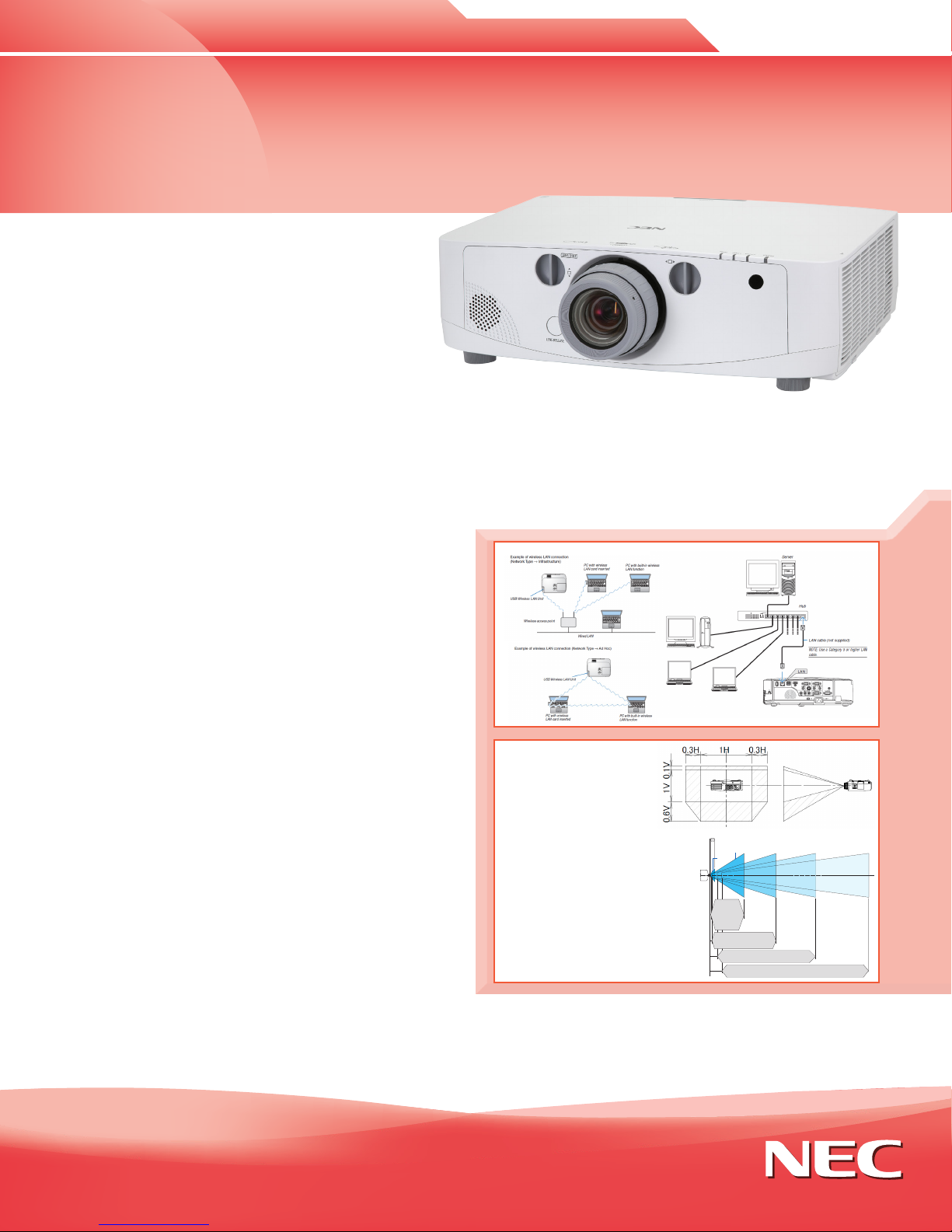
Lens Shift
Enjoy greater
installation exibility
with 60% vertical
lens shift and +/30% horizontal lens
shift. Ships lensless
with a complete line
of optional bayonet
style lenses (5)
for quick and easy
exchange. Lens throw
distances range from
2.5 to 68.5 feet.
NP11FL
40-150"
NP12FL
PA600X/
PA500X
0.7 - 16.0m
PA550W
0.7 - 16.8m
PA500U
0.7 - 16.5m
NP13FL
NP14FL
PA600X/PA500X : 0.6 - 2.5m
30-500"
PA600X/PA500X : 1.2 - 30.8m
PA550W : 1.3 - 32.4m
PA500U : 1.2 - 31.9m
NP15FL
PA550W : 0.7 - 2.6m
PA500U : 0.5 - 2.0m
40-500"
PA600X/PA500X : 3.6 - 49.2m
PA550W : 3.8 - 51.7m
PA500U : 3.7 - 50.9m
60-500"
PA600X/PA500X : 5.7 - 73.8m
PA550W : 5.9 - 77.6m
PA500U : 5.9 - 76.4m
60-500"
necdisplay.com
Page 2
DESIGNED WITH THE ENVIRONMENT IN MIND
• Extended lamp life with ECO Mode™ technology increases lamp life up to 4000 hours, while lowering power consumption
• Power management enables projector to automatically turn off when an incoming signal is not detected from any of the inputs
• Auto Power On via the RGB (15-pin) input connector when a signal is detected from a computer
• Carbon savings meter calculates the positive effects of operating the projector in ECO Mode, which is encouraged by an optional
message at startup. A green ECO Mode button on the remote control makes the switch easy.
• Quick start (3 to 4 seconds) lets you begin presenting in seconds while quick shutdown (immediate power off with no cooling
required after shutdown) ensures efficient energy usage
• Sleep timer can be set to automatically turn off the projector at set countdown times
• Low power consumption (0.2W in stand-by mode) minimizes energy costs
• Direct power off provides instantaneous shutdown of the projector
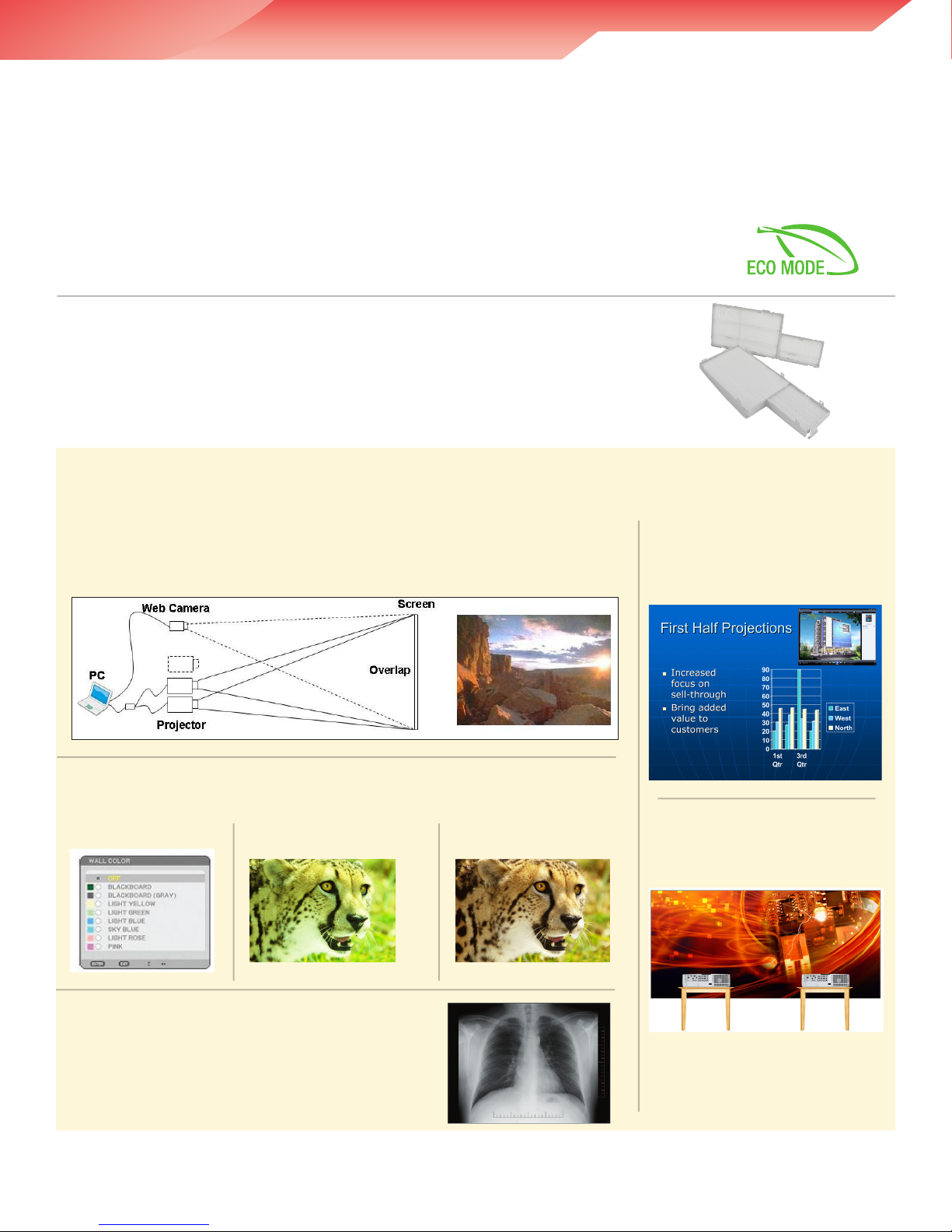
4000-hour filter life
NEC is committed to designing its products to provide long lifecycles. This commitment even extends
to components within its products, including the improved lter. This virtually maintenance-free lter
reduces the frequency at which cleaning is required, thereby decreasing your total cost of ownership.
Filter replacement is only required at the time the lamp is replaced.
BUILT-IN SOFTWARE
Built-in stacking correction
The industry’s rst built-in stacking correction capabilities (up to four projectors) allows
the projectors to boost an image’s brightness up to 24,000 lumens, which is ideal
for larger-sized screens and environments with heavy ambient light. This feature also
prevents the complete loss of an image, which can happen when using only one projector.
Built-in wall color correction presets
These provide for adaptive color tone correction to display properly on non-white surfaces.
On a
green wall...
BEFORE
auto wall correction
AFTER
auto wall correction
PIP/Side-by-Side
This function allows two sources to
be displayed on the screen at one
time in either a picture-in-picture or
side-by-side conguration.
Edge blending
This function seamlessly blends
multiple projected images to display
a single high-resolution image.
DICOM SIM
DICOM Simulation enables users in medical environments
to display accurate diagnostic images.
Page 3

GET CONNECTED WITH A WIDE SELECTION OF INPUTS
• Dual computer inputs ensure quick switching between presentations
• Four audio inputs (two mini stereo [Comp1 & Comp2], R/L [RCA - shared by video sources] and HDMI™) make it easy to
add sound
Remote
control
Easy control from
remote allows you
to adjust lamp
mode, aspect
ratio, volume and
image all with the
touch of a button.
DisplayPort
This input provides
PA Series models
with expanded
connectivity
with advanced
technology.
USB Viewer
In instances when you’d
prefer to leave your laptop
behind for a presentation,
PA Series projectors can
deliver a solution. Using the
presentation conversion
software included with your
projector, simply place your
le onto a USB drive and
plug it into the projector’s
USB port. This allows you to
display images stored as .jpgs
from optional USB memory.
ADVANCED SOFTWARE FEATURES
HDMI input
Among the PA Series’ wide selection of
inputs is an HDMI w/HDCP for connecting
to high-denition sources such as Blu-ray
players, cable boxes, satellite receivers and
personal computers.
Variable audio-out
This input enables the remote
control to be used to adjust
volume of self-powered
external speakers that are
connected to the projector. In
stand-by mode, the audio-out
stays active, allowing the last
input used to pass to the self-
powered external speakers.
Input panel cover
This optional accessory
creates a clean look for your
installation, while hiding
signal cables and the power
cord.
Cornerstone
Enhanced keystone
correction allows for
horizontal, vertical
and diagonal image
correction for aligned
images even when the
projector is set up at
an angle to the screen.
Virtual Remote™
Used via a network connection (wired/wireless), you can control the projector
directly from a computer without the need for additional control cables.
Geometric Correction
Projecting an image isn’t conned to a standard at
screen or wall with the NEC PA Series. Geometric
correction allows these models to project an image
on spheres, cylinders, corner angles and many more
non-standard surfaces.
Page 4

19.6”
(499mm)
14.4”
(366mm)
6.5”
(164mm)
UNIQUE FEATURES
3D Reform™ allows you to square the image by adjust-
ing horizontally, vertically or diagonally when the
projector cannot be placed parallel or perpendicular
to the screen
Advanced AccuBlend™ ensures detailed images when
non-native resolution sources are connected to the
projector
AutoSense™ automatically syncs with any computer
signal and features one-touch image optimization
64-step image magnification with location control
Discreet source keys for source selection
Remote diagnostics enable the user to monitor and
make adjustments to the projector remotely
Built-in HTTP page for control and monitoring over a
LAN network. Email notication of error messages or
lamp end-of-life can be sent to remote locations.
WARRANTY
Registered owners receive a 3-year parts and labor
warranty including the rst year of InstaCare. The
lamp is covered for one year or 500 hours, whichever
comes rst. InstaCare provides the original owner one
year of either limited 3 business day repair/return or
next business day exchange.
IN THE BOX
Remote control, batteries, power cord, RGB signal
cable, lens cap, user’s manual on CD-ROM, quick start
guide, product registration card, wired and wireless
network setup guide, lens anti-theft screw
ORDERING MODEL NUMBERS
NP-PA600X
NP-PA550W
NP-PA550U
NP-PA500X
Specifications for PA600X/PA550W/PA500U/PA500X
OPTICAL
Display Technology
Light Output (lumens)
Resolution
Native
Maximum
Contrast Ratio (up to)
Lamp Type
Lamp Life (up to)
Screen Size (diagonal)
Throw Ratio
NP11FL
NP12ZL
NP13ZL
NP14ZL
NP15ZL
Projection Distance
Projection Angle
Lens*
Zoom
Focus
F-number, f-number
NP11FL
NP12ZL
NP13ZL
NP14ZL
NP15ZL
Shift
Keystone Correction
PA600X/PA500X: 0.79” LCD with MLA
PA550W: 0.75” LCD with MLA
PA500U: 0.76” LCD with MLA
PA600X: 6000 normal
PA550W: 5500 normal
PA500X/PA500U: 5000 normal
PA600X/PA500X: XGA 1024 x 768
PA550W: WXGA 1280 x 800
PA500U: WUXGA 1920 x 1200
WUXGA 1920 x 1200
2000:1 with auto iris
330W AC / 264W eco
3000 hours normal / 4000 hours eco
25 to 500 in. / 0.64 to 12.7m
0.80:1
1.19 - 1.56:1
1.50 - 3.02:1
2.97 - 4.79:1
4.70 - 7.02:1
2.5 to 68.5 ft. / 0.74 to 20.9m
10.3 to 10.8° tele / 13.7 to 14.5° wide
1 to 1.33
Manual
F= 2.3, f= 13.2mm
F= 2.2 to 2.69, f= 19.4 to 25.3mm
F= 1.7 to 2.37, f= 24.2 to 48.6mm
F= 2.2 to 2.64, f= 48.5 to 77.6mm
F= 2.2 to 2.7, f= 76.6 to 116.5mm
PA600X/PA500U/PA500X: Mechanical -0.1 to +0.5 vertical,
+/-0.3 horizontal
PA550W: Mechanical -0.1 to +0.6 vertical, +/-0.3 horizontal
+/- 40° horizontal, +/- 30° vertical
SIGNAL COMPATIBILITY/
CON NECTIVITY
Scan Rate
Horizontal
Vertical
Supported Video Standards
SD/HD Video Signal Compatibility
PC Signal Compatibility
Macintosh Compatibility
Input/Output Terminals
RGB1 (analog)
RGB2 (analog)
RGB3 (analog)
RGB4 (digital)
RGB5 (digital)
Video 1
Video 2
Audio
Monitor Out
Audio Out
Audio
External Control
Sync Compatibility
Networking
ELECTRICAL
Power Requirements
Input Current
Power Consumption (Normal/ECO Mode/Standby/
Standyby-Power Saving
MECHANICAL
Optional Lenses
Installation Orientation
Dimensions (WxDxH)
Net Weight
Fan Noise
Regulations
ENVIRONMENTAL
Operating Temperature
Humidity
Storage
ACCESSORIES
SCP200
NP3250CM
NP11FL
NP12ZL
NP13ZL
NP14ZL
NP15ZL
NP21LP
NP02CV
NP02LM1
RMT-PJ33
PW RCRD-PJPX
RGBCBL-PJPX
NECEW2-I
ADVEXON1-I
ADVEXON2-I
NECECO
* Lens does not ship with the projector.
Additional accessories are available, including screens, carts, mount accessories and replacement cables.
Visit www.necdisplay.com for details.
15 – 108 kHz
48 – 120 Hz
NTSC, NTSC4.43, PAL, PAL-60, PAL-M, PAL-N, SECAM
1080p, 1080i, 720p, 576p, 576i, 480p, 480i
VGA, SVGA, XGA, SXGA, SXGA+, UXGA, WUXGA
Yes
VGA 15-pin D-sub
VGA 15-pin D-sub
5-BNC
HDMI w/ HDCP
DisplayPort w/ HDCP
RCA
S-Video
Mini stereo
Yes
VGA 15-pin D-sub
10W mono
RS-232, IR, Wired LAN, DDC/CI, USB, Wireless LAN (optional)
Separate Sync / Composite Sync / Sync on G
RJ-45 and Wireless LAN (optional)
100 – 240V AC, 50/60Hz
5.1A
PA500X/PA550W/PA600X: 464W / 372W / 16W / 0.2W
PA500U: 477W / 384W / 16W / 0.2W
NP11FL, NP12ZL, NP13ZL, NP14ZL, NP15ZL
Floor/Front, Floor/Rear, Ceiling/Front, Ceiling/Rear
19.7 x 14.4 x 6.5 in. / 499 x 366 x 164mm
PA500X/PA550W/PA600X: 17 lbs. / 7.7 kg
PA500U: 17.2 lbs. / 7.8 kg
PA500X/PA550W/PA600X: 38 dB normal / 31 dB eco
PA500U: 38 dB normal / 32 dB eco
USA: UL 1950 FCC Class B, Canada: CSA950 (C-UL), NOM
41° – 104°F / 5° – 40°C
20-80% non-condensing
-14° – 122°F / -10° – 50°C
Suspended ceiling plate
Ceiling mount
0.8:1 fixed short throw lens
1.19 - 1.56:1 zoom lens
1.5 – 3.0:1 zoom lens
2.97 - 4.79:1 zoom lens
4.7 - 7.2:1 zoom lens
Replacement lamp
Terminal cover
Wireless LAN module
Replacement remote control
Power cable
RGB cable
Extends term of parts and labor warranty to 4 years
Extends term of InstaCare service program to 2 years
Extends term of InstaCare service program to 3 years
Projector recycling program, disposal certificate
3D Reform, Advanced AccuBlend, AutoSense and ECO Mode are
trademarks of NEC Display Solutions. HDMI, the HDMI Logo and
High-Denition Multimedia Interface are trademarks or registered
trademarks of HDMI Licensing LLC. All other brand or product
names are trademarks or registered trademarks of their respective
holders. Product specications subject to change. 11/11 ver. 5.
©2011 NEC Display Solutions of America, Inc. All rights reserved.
NEC Display Solutions
500 Park Boulevard, Suite 1100
Itasca, IL 60143
866-NEC-MORE
necdisplay.com
 Loading...