

Page 1
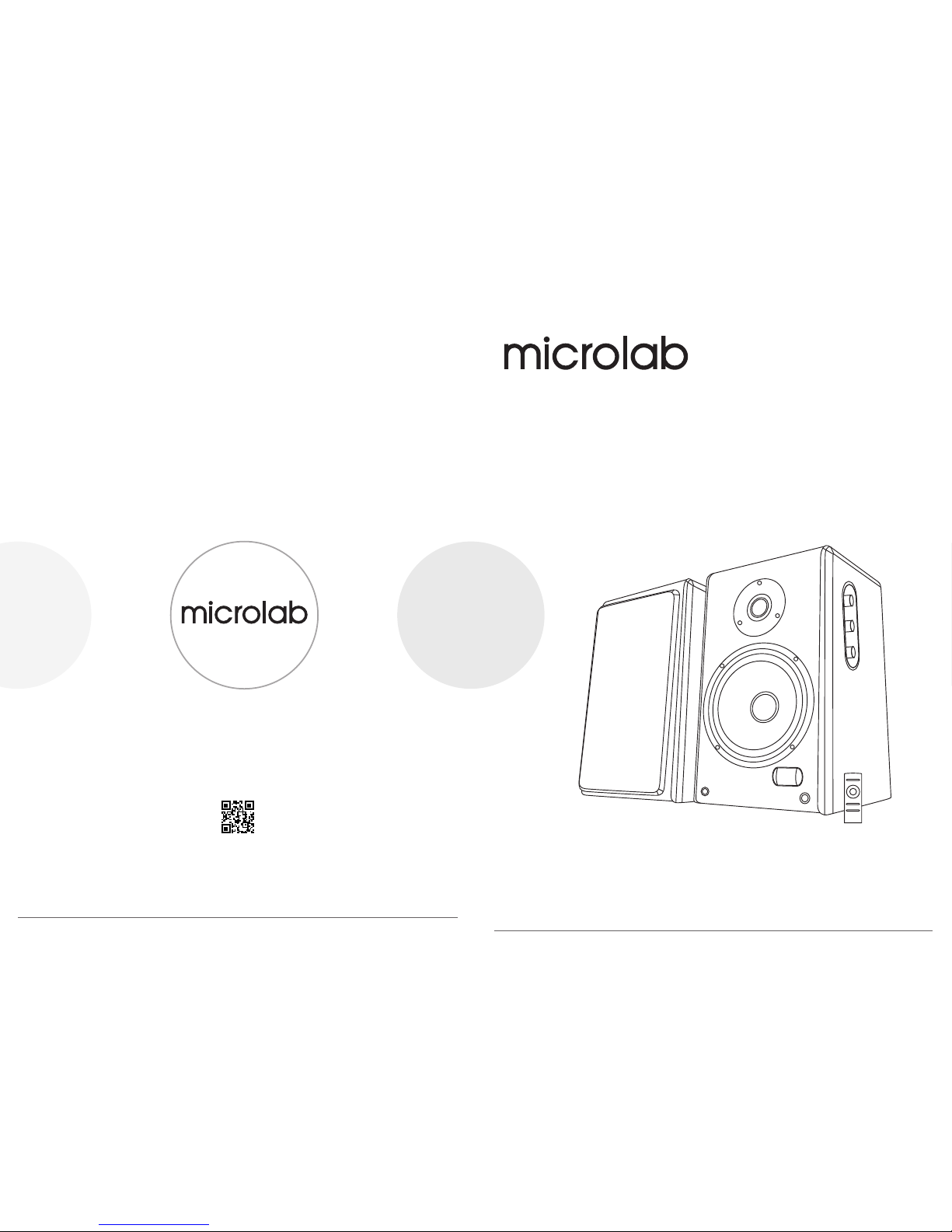
Prior to initial use, please read the manual carefully
SOLO11
www.microlab-global.com
Microlab Electronics Co., Ltd
Made in China
User Manual
Disclaimer: All symbols and logo belong to its respective brand holder or registered holder. All specifications and information are subject
to changes without further notice. Slight variations and differences might appear between the printed photos and actual product due to
product enhancement. © 2017 Microlab Electronics Co., Ltd. All rights reserved.
FCC ID: OR8-SOLO11
IC: 21231-SOLO11
80-SOLO11-97-0001(US)-01 2017-11-21
Page 2
WARNINGS:
1. Read Instructions - All the safety and operating instructions must be read before the product is operated.
2. Retain Instructions - The safety and operating instructions should be kept with the product for future
reference.
3. Heed warnings - All warnings on the product and in the operating instructions should be adhered to.
4. Follow instructions - All operating and users’ instructions should be followed.
5. Installation - Install in accordance with the manufacturers’ instructions.
6. Power sources - This product should be operated only from the type of power source indicated by the
marking adjacent to the power cord entry. If you are not sure of the type of power supply to your home,
consult your product dealer or local power company.
7. Grounding or polarization - the product is not required to be grounded. Ensure the plug is fully inserted
into the wall outlet or extension cord receptacle to prevent blade or pin exposure. Some versions of the
product are equipped with a power cord fitted with a polarized alternating line plug (a plug having one
blade wide than the other). This plug will fit onto the power outlet only one way. This is a safety feature. If
you are unable to insert the plug fully into the outlet, try reversing the plug. If the plug should still fail to fit,
contact your electrician to replace your obsolete outlet. Do not defeat the safety purpose of the polarized
plug. When using an extension power-supply cord or a power-supply cord other than that supplied with the
product, it should be fitted with the appropriate molded plugs and carry safety approval appropriate to the
country of use.
8. Power cord protection - Power-supply cords should be routed so that they are not likely to be walked on,
kinked or pinched by items placed on or against them, paying particular attention to cords from plugs,
receptacles and the point where they exit from the appliance.
9. Overloading - Do not overload wall outlets, extension cords or multiple sockets, as this can result in a risk
of fire or electric shock.
10. Ventilation - The product must be properly ventilated. Do not place the product on a bed, sofa, or other
similar surface. Do not cover the product with any items such as tablecloths, newspapers, etc.
11. Heat - The product should be situated away from heat sources such as radiators, heat registers, stoves, or
other products including amplifiers that produce heat. No naked flame sources, such as lighted candles,
should be placed on the apparatus.
12. Water and moisture - To reduce the risk of fire or electric shock, do not expose the product to train,
dripping, splashing or excessive moisture such as in a sauna or bathroom. Do not use this product near
water, for example, near a bathtub, washbowl, kitchen sink, laundry tub, in a wet basement, or near a
swimming pool, or etc.
13. Object and Liquid Entry - Never push objects of any kind into this product through openings, as they may
touch dangerous voltage points or short-circuit parts that could result in a fire or electric shock. Never spill
liquid of any kind on the product. Do not place any object containing liquid on top of the product.
14. Cleaning - Unplug the product from the wall outlet before cleaning. The cabinet of the subwoofer may be
cleaned by dusting with a dry cloth. If you wish to use an aerosol cleaning spray, do not spray directly on
the cabinet; spray onto the cloth. Be careful not to damage the drive units.
15. Attachments - Do not use attachments not recommended by the product manufacturers, as they may cause
hazards.
16. Accessories - Do not place this product on an unstable cart, stand, tripod, bracket or table. The product may fall,
causing serious injury to a child or adult, and serious damage to the product. Use only with a cart, stand, tripod,
bracket or table recommended by the manufacturer or sold with the product. Any mounting of the product should
follow the manufacturers’ instructions and should use a mounting accessory recommended by the manufacturer.
17. Moving the product - A product and cart combination should be moved with care. Quick stops, excessive force
and uneven surfaces may cause the product and cart combination to overturn.
18. Unused periods - The power cord of the appliance should be unplugged from the outlet during lightning storms or
when the apparatus is left unused for a long period of time.
Caution:
To reduce the risk of electric shock, do not dismantle the product and do not expose the apparatus to rain or moisture. No
user-serviceable parts inside. Refer servicing to qualified personnel only.
The lightning flash within an equilateral triangle is intended to alert you to the presence of uninsulated dangerous
voltage within the product's enclosure that may be of sufficient magnitude to constitute an electric shock to a
person or persons.
The exclamation point within an equilateral triangle is intended to alert you to the presence of important operating
and maintenance (servicing) instructions in the literature accompanying the product.
Explanation of Graphical Symbols:
80-SOLO11-97-0001(US)-01 2017-11-21
Page 3

TV
HDD
Media
Player
CD / DVD / VCD
Blu-ray players
Mp3 / Mp4
players
PC / No teboo k
Table t
Sma rtpho ne
VOLUME
INPUT SEL
19. Servicing - Do not attempt to service this product yourself, as opening or removing covers may expose you to
dangerous voltage or other hazards. Refer all servicing to qualified service personnel.
20. Please remove the power plug form the main power source or wall power source when not in use. When plugged in
to a power source, the system is in standby mode, so the power is not entirely cut off.
21. Replacement parts - When replacement parts are required, ensure the service technician has used replacement
parts specified by the manufacturer or have the same characteristics as the original part. Unauthorized substitutions
may result in fire, electric shock or other hazards.
22. Mains fuses - For continued protection against fire hazard, use fuses only of the correct type and rating. The correct
fuse specification for each voltage range is marked on the product.
23. Do not turn up the volume while listening to a section with very low level inputs or no audio signals. If you do, the
speaker may be damaged when a peak level section is suddenly played.
24. The only means of completely disconnecting the product from the power supply is by removing the power cord from
the wall outlet or the product. The wall outlet or the power cord entry to the product must remain freely accessible at
all times while the product is in use.
25. Try to install the product near a wall socket or extension cord and shall be easily accessible.
26. The highest environmental temperature suitable for this product is 40°C.
Packing list
You should find the following items while unpacking:
speakers 2 pcs
Remote control 1 pc
3.5 mm stereo - 2 RCA audio cable 1 pc
2RCA - 2RC A audio cable 1 pc
Optical SPDIF cable 1 pc
Coaxial cable 1 pc
Interconnect speaker cable 1 pc
User manual 1 pc
Illustrations
Master
volume
INPUT Select
INPUT LED
Treble level
Bass level
Infrared sensor
(Remote control)
Tweeter
Woofer
Main speaker (right)
Right
speaker
Left
speaker
Interconnect cable
To AC power supply
Side panel
Remote control
Rear panel
USB o utput
LFE
AC IN
AUX audio input
Optical input
Coaxial input
audio output to left
speaker
Power ON/OFF switch
INPUT
Standby
INPUT
MUTE
VOL +
VOL RESET
TREBLE
LEVEL
BASS LEVEL
ConnectionsConnectionsConnections
LFE
80-SOLO11-97-0001(US)-01 2017-11-21
Page 4

100 Watt RMS
20Watt x 2 + 30Watt x 2
< 0.5% 1 W 1 kHz
20 Hz - 20 kHz
> 80 dB
> 45 dB
1”
6 Ohm
5”
4 Ohm
Tweeter driver type
Tweeter impedance
Woofer driver type
Woofer impedance
Output power, RMS
Power distribution, Watt
Harmonic distortion
Frequency response
Signal/Noise ratio, dB
Separation, dB
Technical Specification
Amplifier
Speaker
Connections and Operations
Frequently Asked Questions (FAQs)
Questions Solutions
Pow er LED wo n't lig ht up
No So und
One or more satellite no sound
Sta tic sou nd hear d when
vol ume kno b is turn ed
Wha t are the p roduc ts
sup porte d?
Sou nd is dis torte d
If th e probl em stil l exist s, plea se cont act the d istri butor o r seek pr ofess ional a dvice .
Check if the system is powered on
Check the power plug is well connected
Check if the audio source is working well
Check if the audio and speaker cables well connected
Check if the volume is at right level
Check if the satellite cable well connected, and ensure source
connection is correctly inserted
Turn off the playback source first, then turn the speaker volume
knob several times. Playback again and monitor. The static noise
is due to dust, so simply turning the volume will remove it easily.
Any playback devices such as smartphone, tablet, PC, notebook,
CD/DVD player, media players with 3.5mm stereo plug.
Check if the source file is not corrupted, play a different song and
test. Ensure music file is of 192 kbps bitrate or higher.
+
LITHIUM BATTERY
CR 2025
3V
+
REMOTE
CONTROL
Battery installation
and
replacement
Type: CR 2025
CD/DVD/Blu-Ray audio output
set to LPCM for
TOSLINK and Coaxial
connections
1. Fig ure ill ustra tes 3.5 mm to 2RC A c onn ectio n. Turn on t he powe r switc h on the re ar pane l, defa ult to AUX m ode
wit h “AU” sh owed on t he LED sc reen. C onnec t the aud io cabl e via “AU X” port a nd star t the pla yback .
2. BT M ODE: Un der AUX mo de, pre ss volu me knob t o enter B T m ode wit h a promp t tone an d “bt” sh owed on L ED
scr een. Co nnect t he Blue tooth e nable d devic e to the sp eaker a nd star t the pla yback . Under n on-Bl uetoo th mode ,
the d evice g ets dis conne cted. Af ter swi tchin g back to B T mode, t he devi ce will a utoma tical ly get re conne cted.
3. CO AXIAL MO DE: Und er BT mod e, pres s volum e knob to e nter CO AXIAL mo de with “ CO” sho wed on LE D scree n.
Con nect th e coaxi al cabl e via “CO AXIAL ” port an d start t he play back.
4. OP M ODE: Un der COA XIAL mod e, pres s volum e knob to e nter “O P” mode w ith “OP ” showe d on LED sc reen.
Con nect th e optic al cabl e via “OP TICAL ” port an d start t he play back.
5. LF E OUT: Outp ut inte rface f or low fr equen cy with out amp lifie r funct ion, it s hould b e used wi th powe red sub woofe r.
6. VO LUME CO NTROL : Locat ed on rig ht side o f main sp eaker. G o clock wise to i ncrea se the vo lume an d
ant icloc kwise t o decre ase the v olume . Digit o n LED scr een is in s ync wit h volum e adjus tment , max at “6 0” and mi n
at “0 ”.
7. TR EBLE ADJ USTME NT: Locat ed belo w the vol ume kno b. Go clo ckwis e to incr ease th e trebl e and ant icloc kwise t o
dec rease t he treb le. Dig it on LED s creen i s in sync w ith vol ume adj ustme nt, max a t “06” an d min at “- 6”.
8. BA SS ADJUS TMENT: Lo cated b elow th e trebl e knob. G o clock wise to i ncrea se the ba ss and an ticlo ckwis e to
dec rease t he bass . Digit o n LED scr een is in s ync wit h volum e adjus tment , max at “0 6” and mi n at “-6” .
9. AUT O STANDBY M ODE: Un der Blu etoot h mode or AU X mode, i t autom atica lly ent ers sta ndby mo de show ing “-- ”
on LE D scree n while n o signa ls are re ceive d for 15 mi n. Then t he Blue tooth e nable d devic e gets di sconn ected .
Onc e you pre ss or rot ate the “ VOLUM E”/”T REBLE ”/”BA SS” kno b, re-e nter th e previ ous wor k mode be fore yo u
ent er stan dby mod e. If tha t's Blu etoot h mode, t he spea ker wil l autom atica lly rec onnec t to the pr eviou s conne cted
dev ice. If t he devi ce is not f ound in 1 5 secon ds, it tu rns int o manua l conne ction m ode. In t his way, y ou can co nnect
to ot her Blu etoot h enabl ed devi ces.
10. B LUETO OTH DIS CONNE CTION O PERATIO N: Unde r Bluet ooth mo de, lon g press V OLUME k nob 5s to m anual ly
dis conne ct the Bl uetoo th enab led dev ice. If y ou want t o recon nect th is devi ce, it re quire s repai ring to g et
con necte d.
11. Bl uetoo th Wakeu p(Und er any mo de): Wh ile sta ndby, us ing Blu etoot h enabl ed devi ce to sea rch and c onnec t the
spe aker, th en it's r eacti vated a nd dire ctly en ter Blu etoot h mode.
Remote controller operation
1. Standby: Press Standby in any conditions, it enters standby mode with “--” showing on LED screen. Press
once more to re-enter working mode.
2. INPUT: Input mode select.
3. VOL-: Volume down
4. VOL+: Volume up
5. MUTE: Press to enter MUTE mode, LED screen blinks with the volume amount.
6. RESET: Reset to ex-factory setting, back to “OP” mode, “30” at Volume, “00” at Treble, “00” at Bass.
7. -Treble+: Treble adjustment
8. -Bass+: Bass adjustment
80-SOLO11-97-0001(US)-01 2017-11-21
Page 5

This device complies with part 15 of the FCC Rules. Operation is subject to the following two conditions: (1) This device may not
cause harmful interference, and (2) this device must accept any interference received, including interference that may cause
undesired operation.
Note: The Grantee is not responsible for any changes or modifications not expressly approved by the party responsible for
compliance. such modifications could void the user's authority to operate the equipment.
Note: This equipment has been tested and found to comply with the limits for a Class B digital device, pursuant to part 15 of the
FCC Rules. These limits are designed to provide reasonable protection against harmful interference in a residential installation. This
equipment generates, uses and can radiate radio frequency energy and, if not installed and used in accordance with the instructions,
may cause harmful interference to radio communications. However, there is no guarantee that interference will not occur in a
particular installation. If this equipment does cause harmful interference to radio or television reception, which can be determined
by turning the equipment off and on, the user is encouraged to try to correct the interference by one or more of the following
measures:
—Reorient or relocate the receiving antenna.
—Increase the separation between the equipment and receiver.
—Connect the equipment into an outlet on a circuit different from that to which the receiver is connected.
—Consult the dealer or an experienced radio/TV technician for help.
This device complies with Industry Canada licence-exempt RSS standard(s). Operation is subject to the following two conditions:
(1) this device may not cause interference, and (2) this device must accept any interference, including interference that may cause
undesired operation of the device.
Le présent appareil est conforme aux CNR d'Industrie Canada applicables aux appareils radio exempts de licence. L'exploitation
est autorisée aux deux conditions suivantes : (1) l'appareil ne doit pas produire de brouillage, et (2) l'utilisateur de l'appareil doit
accepter tout brouillage radioélectrique subi, même si le brouillage est susceptible d'en compromettre le fonctionnement.
 Loading...