

Page 1
WORKCENTERS
INSTR-DIFAIR
03/11
SXR205
SXR205
INSTALLATION
INSTRUCTIONS
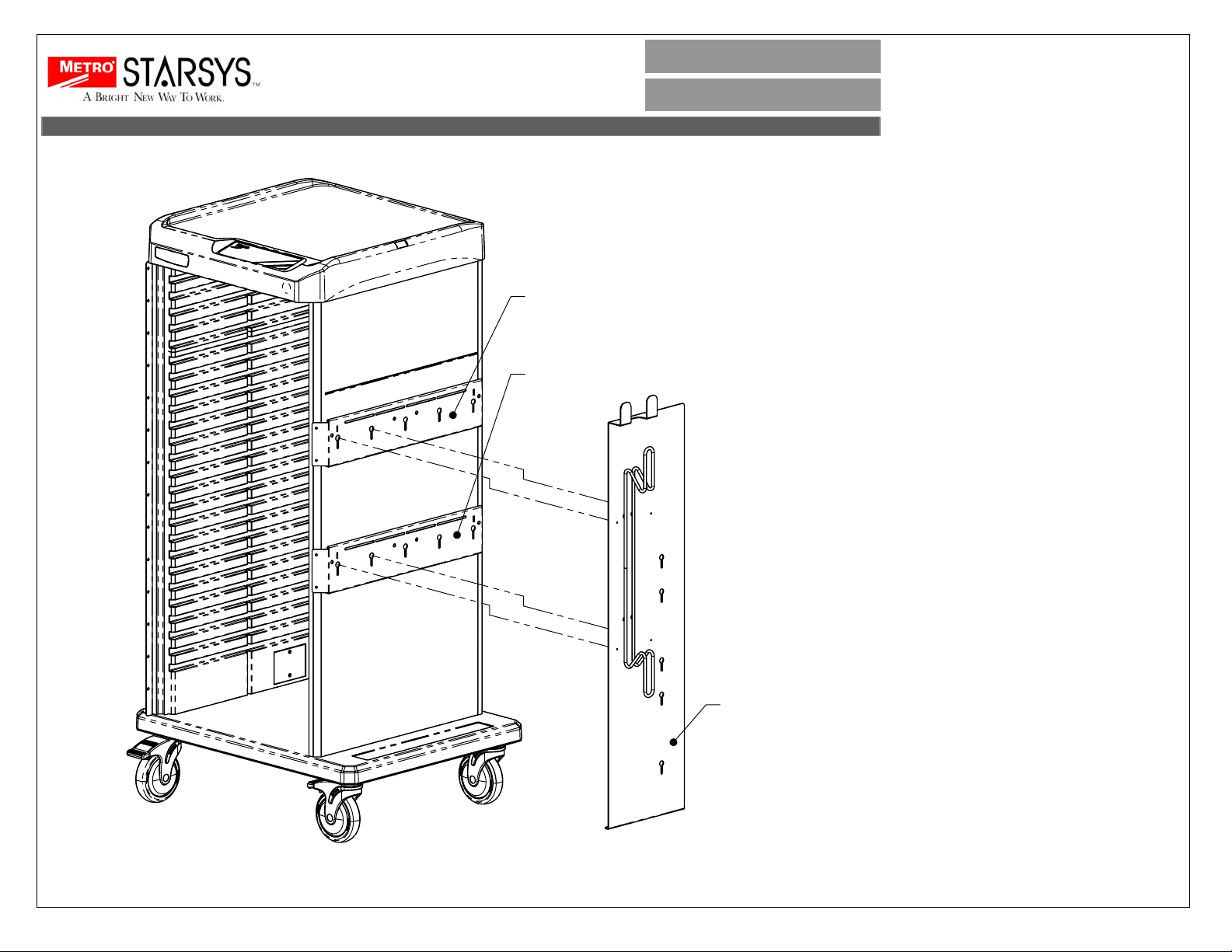
Assembly for mounting the Gas
Regulator Holder/Cord Wrap,
Part# SCM2024
Note: In order to use the Gas
Regulator Holder/Cord Wrap, the
Side Accessory Bracket Kit, part
# SXR205, must be
mounted to the cart. This will be
already mounted to the cart
during production.
Step 1:
Align the shoulder rivets on the
back of the Gas Regulator
Holder/Cord Wrap with the
keyhole slots located in the right
hand Side Accessory Brackets
and push down, locking the Gas
Regulator Holder/Cord Wrap in
place on the Side Accessory
Brackets.
STARSYS
DIFFICULT AIRWAY CART
PRECONFIGURED PART#
SXRSDIFAIR
SCM2024
Page 2
WORKCENTERS
INSTR-DIFAIR
03/11
INSTALLATION
INSTRUCTIONS
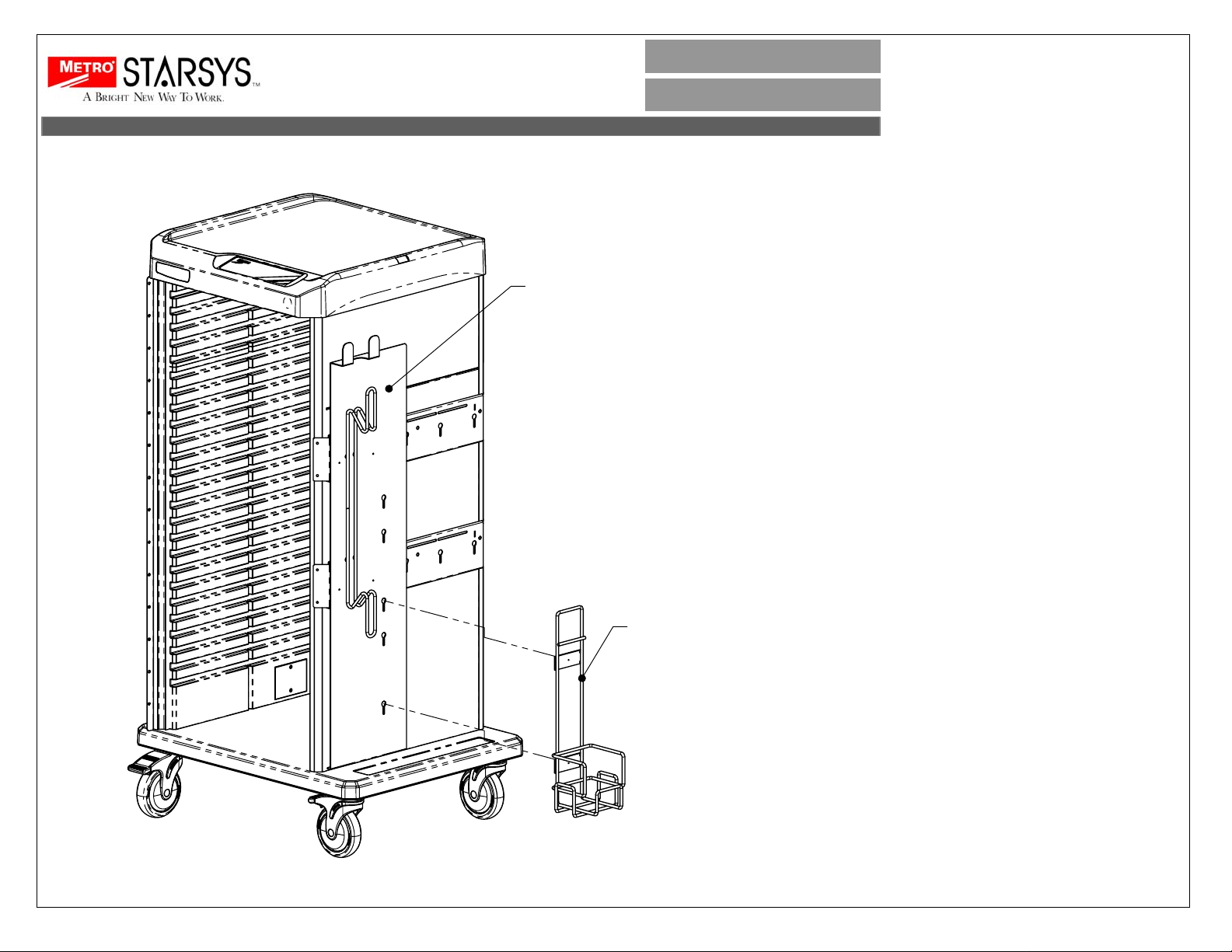
Assembly for mounting the Gas
Cylinder Holder,
Part# SXRGAS-H
STARSYS
DIFFICULT AIRWAY CART
PRECONFIGURED PART#
SXRSDIFAIR
SCM2024
SXRGAS-H
Note: In order to use the Cylinder
Holder, the Gas Regulator Holder/Cord
Wrap, part # SCM2024,
must first be mounted to the cart. refer
to page 1 of the instructions.
Step 1:
- The Gas Cylinder Holder can be
mounted at several locations on the
Gas Regulator Holder/Cord Wrap.
- Position the Gas Cylinder Holder at
the desired location, align the rear
shoulder rivets with the keyhole slots
on the Gas Regulator Holder/Cord
Wrap and insert rivet heads into slots. -
- Lower holder to lock in place.
- Insert tank in holder and secure with
supplied Velcro strap.
Page 3
WORKCENTERS
INSTR-DIFAIR
03/11
SCOPE HOLDER MTG BRKTS
INSTALLATION
STARSYS
DIFFICULT AIRWAY CART
INSTRUCTIONS
PRECONFIGURED PART#
SXRSDIFAIR
SCOPE CABINETSCOPE HOLDER MTG BRKTS
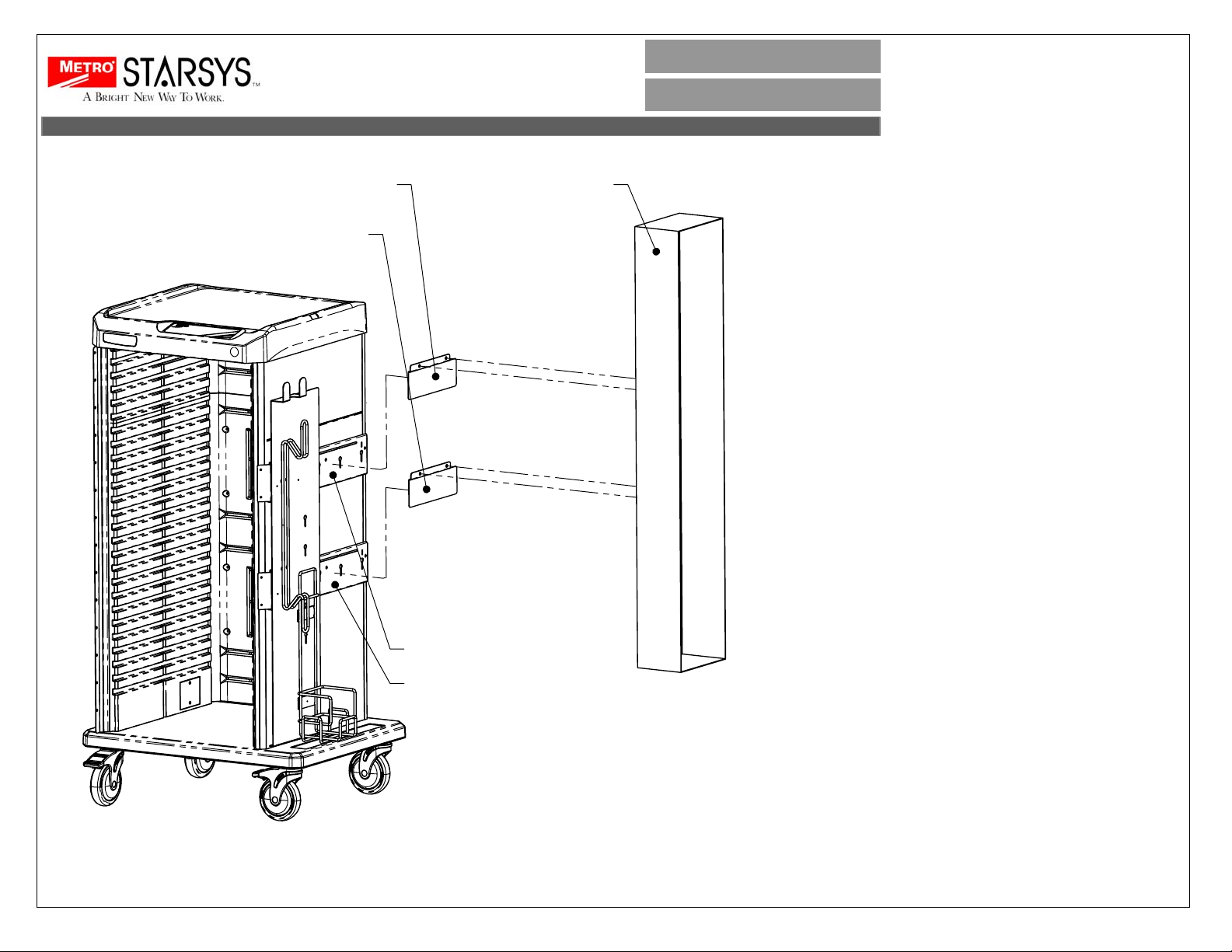
Assembly for mounting the Scope
Cabinet 2
Part# SCM2023
Assembly consists of
(1) Scope Cabinet
(2) Scope Holder Mounting Brackets
(1) Mounting Hardware Bag
Note: In order to use the Scope
Cabinet, the Side Accessory Bracket
Kit, part # SXR205,
must be mounted to the cart. This will
be already mounted to the cart during
production.
1. Pierce holes in the foam liner inside
the scope holder cabinet at the
existing hole locations as shown; align
the scope holder cabinet holes with the
holes in the scope holder mounting
brackets. Using the hardware provided,
attach the scope holder brackets to the
scope cabinet.
SXR205
SXR205
2. Insert the scope cabinet with
mounting brackets into the side
accessory brackets as illustrated.
Note: Brackets are designed for right
hand mounting of scope cabinet.
Page 4
WORKCENTERS
INSTR-DIFAIR
03/11
SXR243
SXR240
INSTALLATION
INSTRUCTIONS
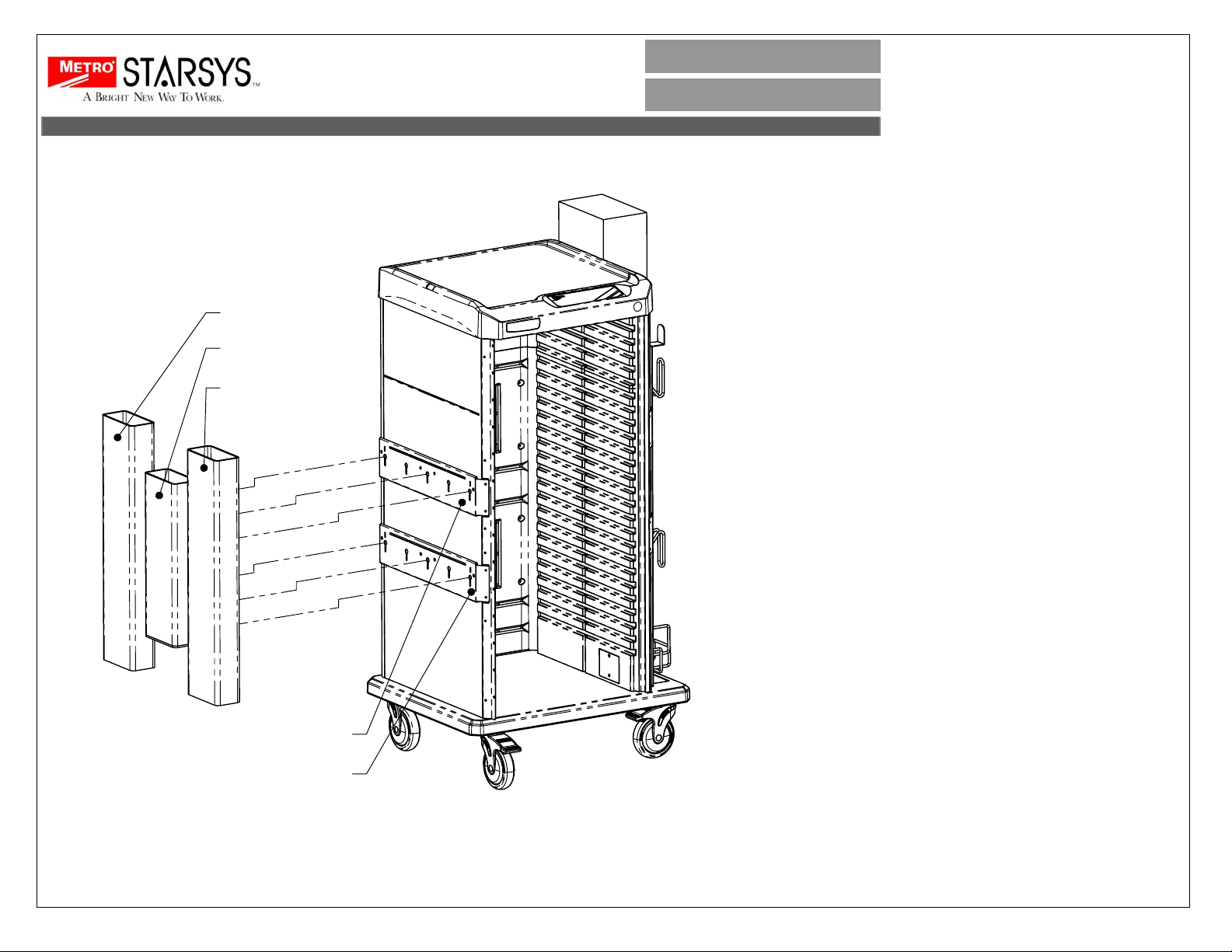
Assembly for mounting the Peel
Pouch/Cath Holder
Part# SXR240 AND SXR243
Assembly consists of
(1) SXR240 or SXR243 Peel Pouch
Holder with attached mounting
bracket.
(1) Hardware Bag
STARSYS
DIFFICULT AIRWAY CART
PRECONFIGURED PART#
SXRSDIFAIR
SXR243
Note: In order to use the Peel Pouch
Holder, the Side Accessory Bracket
Kit, part # SXR205, must be mounted to
the cart. This will be already mounted
to the cart during production.
1. Align the shoulder rivets on the back
of the accessories with the keyhole
slots located in the Side Accessory
Brackets and push down, locking the
accessories in place on the Side
Accessory Brackets.
Note: Additional hardware provided for
alternate assembly.
SXR205
SXR205
 Loading...