

Page 1
T
ECHNICAL INFORMATION
New Tool
Models No.
Description
DC9701
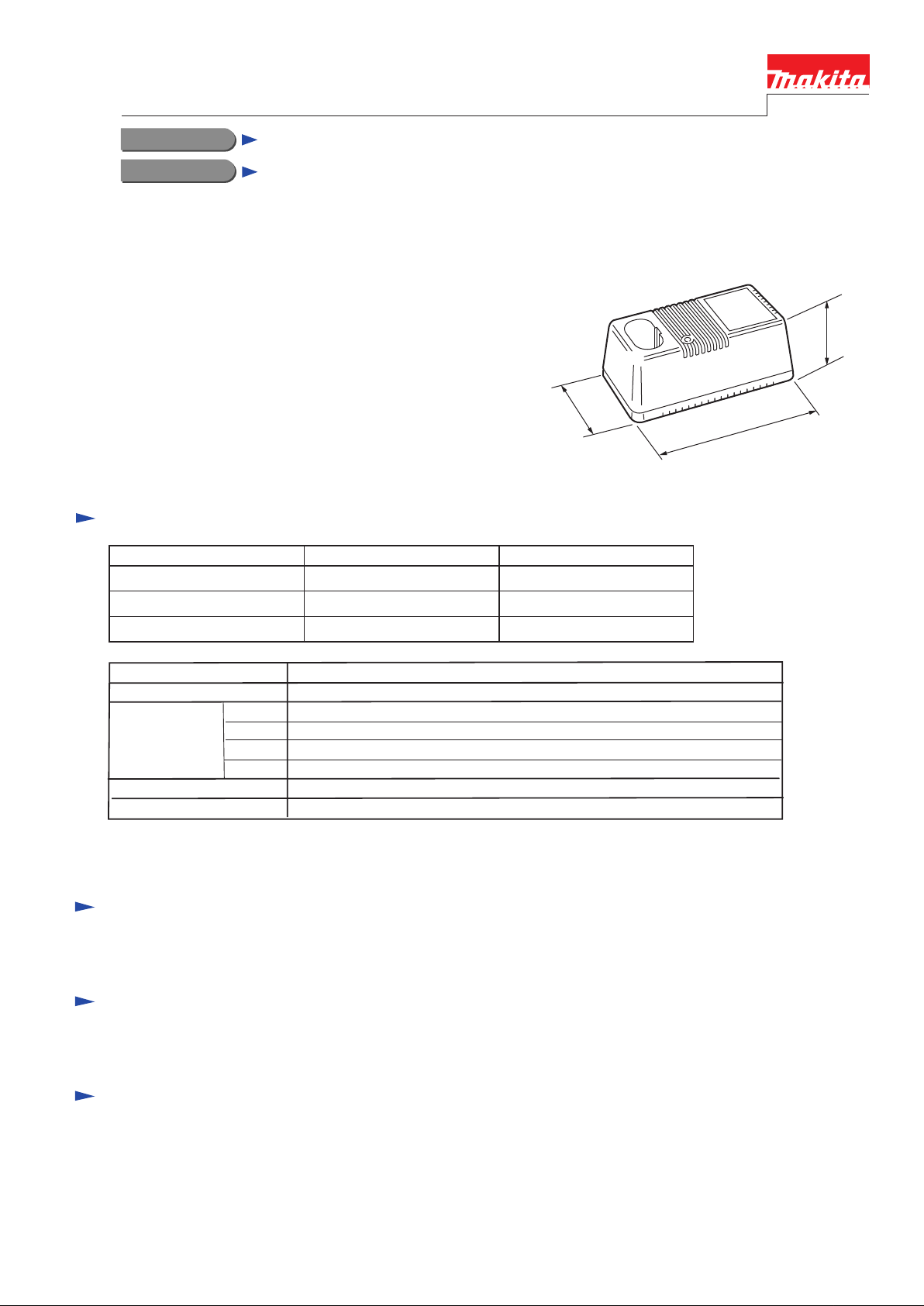
Fast charger
CONCEPTION AND MAIN APPLICATIONS
This fast charger can charge both Ni-MH battery
(7.2V,9.6V) and Ni-Cd battery(7.2V,9.6V).
Its brief benefits are;
*Tricle charge function
Tricle current flows after completion of charging
to prevent self-discharging of battery and keep
battery at fully charged condition.
*Even a heated battery after use can be left in the charger.
This charger automatically starts charging the battery
after cooling down.
Specifications
Voltage(V) Frequency(Hz) Consumed power(W)
100 50-60 35 VA
63mm
(2-1/2")
8
(
0
3
m
-
1
m
/
8
"
)
m
m
5
4
1
)
"
4
/
3
-
5
(
230 50-60
240 50-60 35 W
Output voltage
Output current
Charging time
Weight(kg)(lbs)
Cord length(m)(ft)
60 min.
80 min.
90 min.
100 min.
Standard equipment
None
Optional accessories
None
35 W
DC7.2V, 9.6V
DC1.5A
for 1.3Ah Ni-Cd battery(Battery 7000,7100,7120, 9000, 9100,9100A, 9120)
for 1.7Ah Ni-Cd battery(Battery 7001,9001, 9101,9101A)
for 2.0Ah Ni-Cd battery(Battery 7002, 9002, 9102,9102A, 9122)
for 2.2Ah Ni-MH battery(Battery 7033,9033,9133)
0.8kg(1.7bs)
2m(6.6ft)
Features and benefits
See the Page 2/2
The standard equipment for the tools shown may differ from country to country.
Page 2
<DC9701>
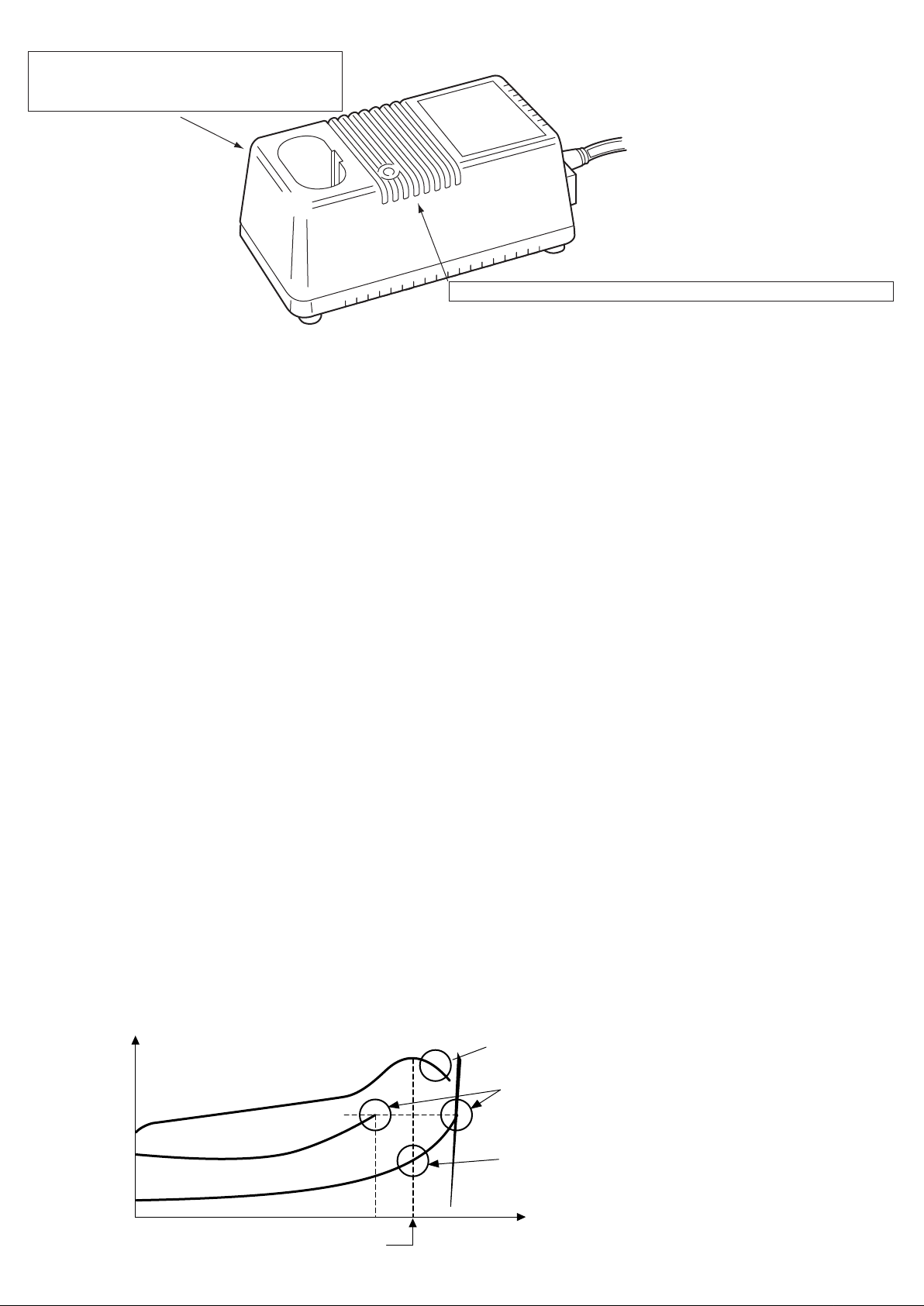
"Even if you insert a hot battery just after use,
it will start charging automatically
when the battery temperature becomes lower."
"Display the Charging Condition by Red/Green Indicating Lights"
The lights indicate in case of : Before charging, Being charged,
60-minute-charging: 1.3Ah Ni-Cd Batteries
80-minute-charging: 1.7Ah Ni-Cd Batteries
90-minute-charging: 2.0Ah Ni-Cd Batteries
100-minute-charging: 2.2Ah Ni-Mh Batteries
Finished charging,Waiting, Disorder of Battery.
How to charge
1. Computer control
Computer deducts the completion of charging and controls charging current.
2. Switching power source method
First,input electricity is converted to high-frequency current of approximately
one hundred kHz. And the voltage is transformed innto the battery voltages
by the high-frequency transformer.
The charger can be designed smaller and lighter than using the general transformer
with this method.
3. Constant current charging
Charging current will be kept stable, so that the change of the battery
can be detected.
(See the "1. minus delta V" of Method of stop charging)
4. Trickle charging function
See "CONCEPT AND MAIN APPLICATIONS" .
Method of stop charging
DC1801 has four different methods of stop charging.
Each of methods will work individually.(whichever method comes first will stop charging.
1. minus delta V
Charging will be stopped by the detection of the drop of the battery voltage.
See (1) of chart below.
2. delta T
Charging will be stopped by the detection of the rise of the battery temperature.
See (3) of chart below. (for the batteries with 4 terminals only)
3. T
Charging will be stopped by the detection of the upper limit of the battery temperature.
See (2) and (3) of chart below.
The upper limits of the battery temperature are 45 degree C. for 1.3Ah batteries
and 60 degree C. for 1.7, 2.0 and 2.2Ah batteries.
4. Timer
Charging will be stopped by the length of charging time as a supplementary method.
Battry Voltage
Temperature
(1)
(2)
(3)
Completion of Charging
minus delta V
T
delta T
Charging Time
Line (1) shows Battery Voltage.
Line (2) shows Battery Temperature
of Heated Battery.
Line (3) shows Battery Temperature
of Nomal Battery. Charging is stopped at delta T.
Note : Comparing line (2) and line (3) ,
you can find the point of stop charging before
completion of charging on line (2).
 Loading...