

Page 1

SECTION 2
AIR CONDITIONING AND AUDIO
Automatic air conditioning controls 84
Audio system 90
83
Page 2
AIR CONDITIONING AND AUDIO
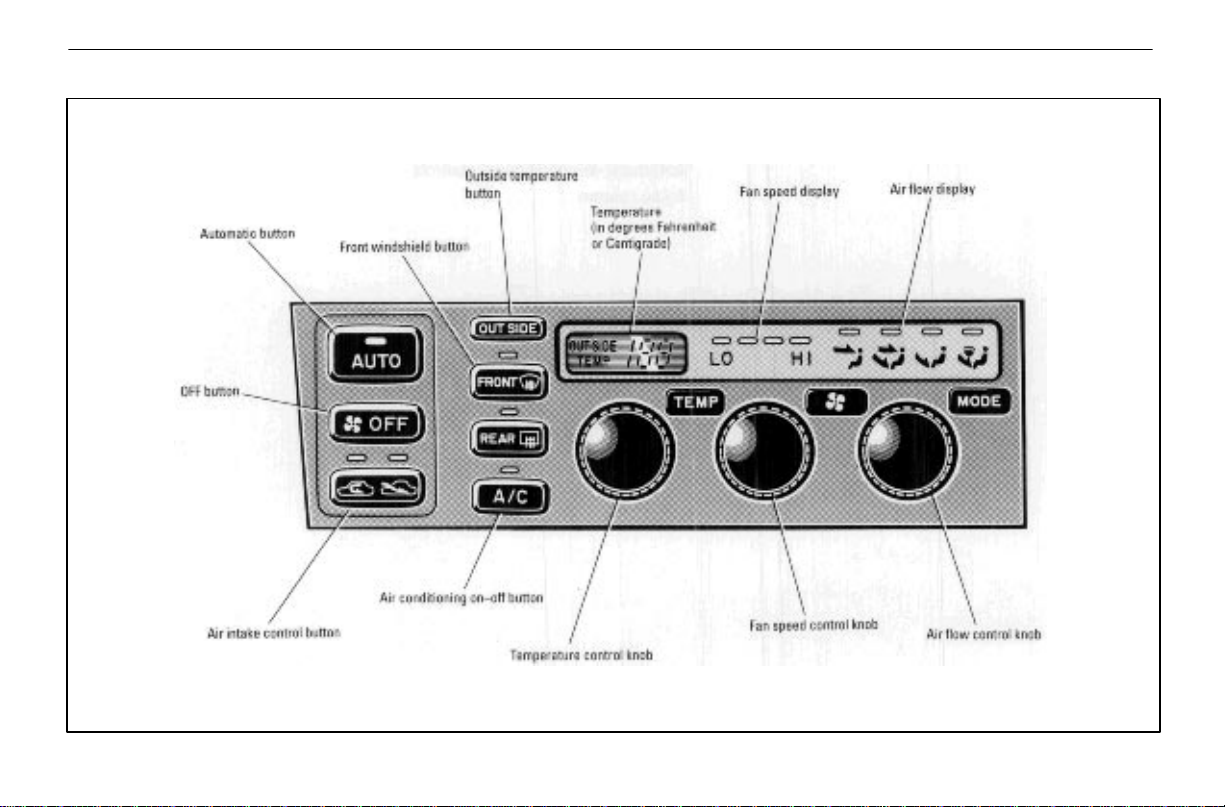
AUTOMATIC AIR CONDITIONING CONTROLS
84
Page 3
AIR CONDITIONING AND AUDIO
85
Page 4
AIR CONDITIONING AND AUDIO
The automatic air conditioning automatically maintains the
set temperature.
This air conditioning features automatic fan speed and air
flow control which automatically selects the most suitable
fan speed and air flow to control the temperature. The
ignition key must be in the “ON” position.
You may use manual control to override the automatic
settings.
(a) Climate control
SETTING OPERATION – automatic control
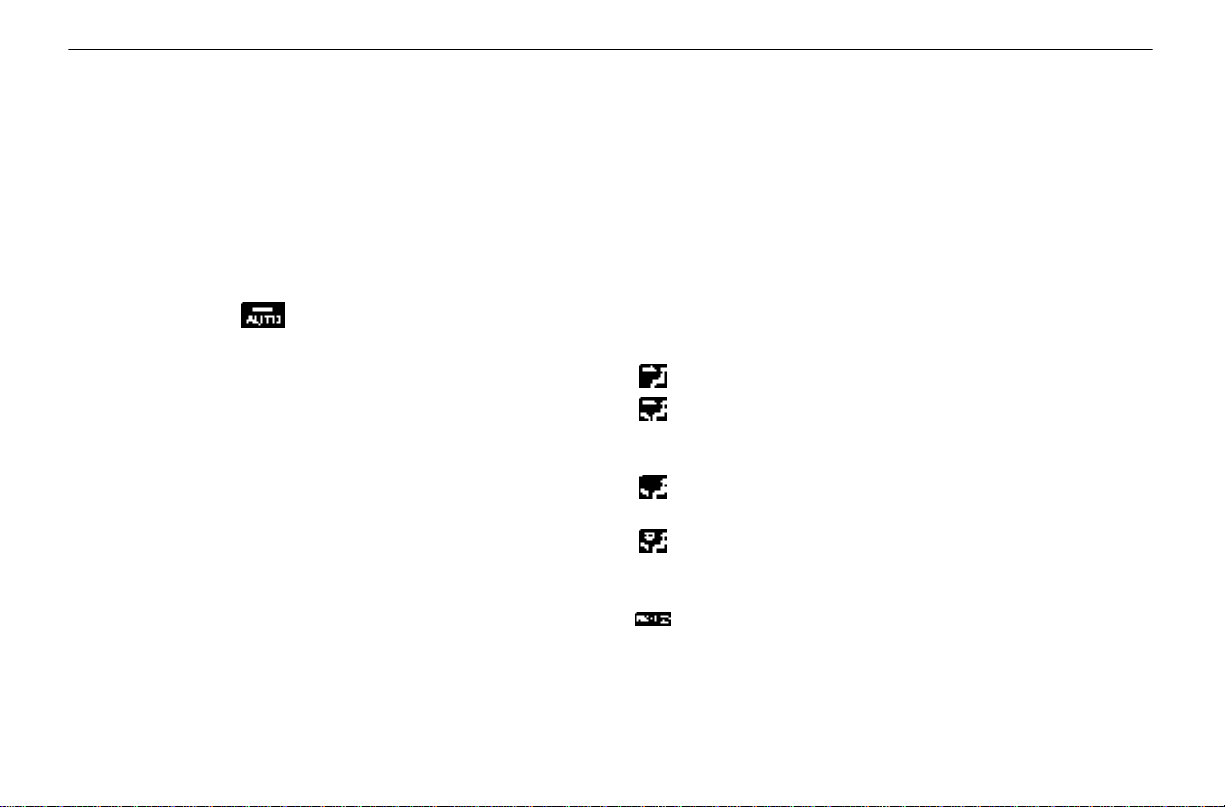
1. Press in the (AUTO) button.
Air flow quantity, switching of the diffusers, on–off of the air
conditioning, and switching of the air intake between
RECIRCULATED AIR and OUTSIDE AIR are automatically
adjusted. The operation status is shown by each indicator.
When one of the manual control buttons or knobs is operated
in automatic mode, the operation corresponding to that
button or knob is set. Other conditions continue to be
adjusted automatically.
2. Turn the “TEMP” knob until the desired temperature
is displayed.
The “TEMP” knob is used to set the desired passenger
compartment temperature. The temperature of air delivered
to the passenger compartment will be controlled
automatically according to the setting. The figures on the
panel indicate degrees Fahrenheit or Centigrade.
SETTING OPERATION – manual control
If manual air flow selection is desired –
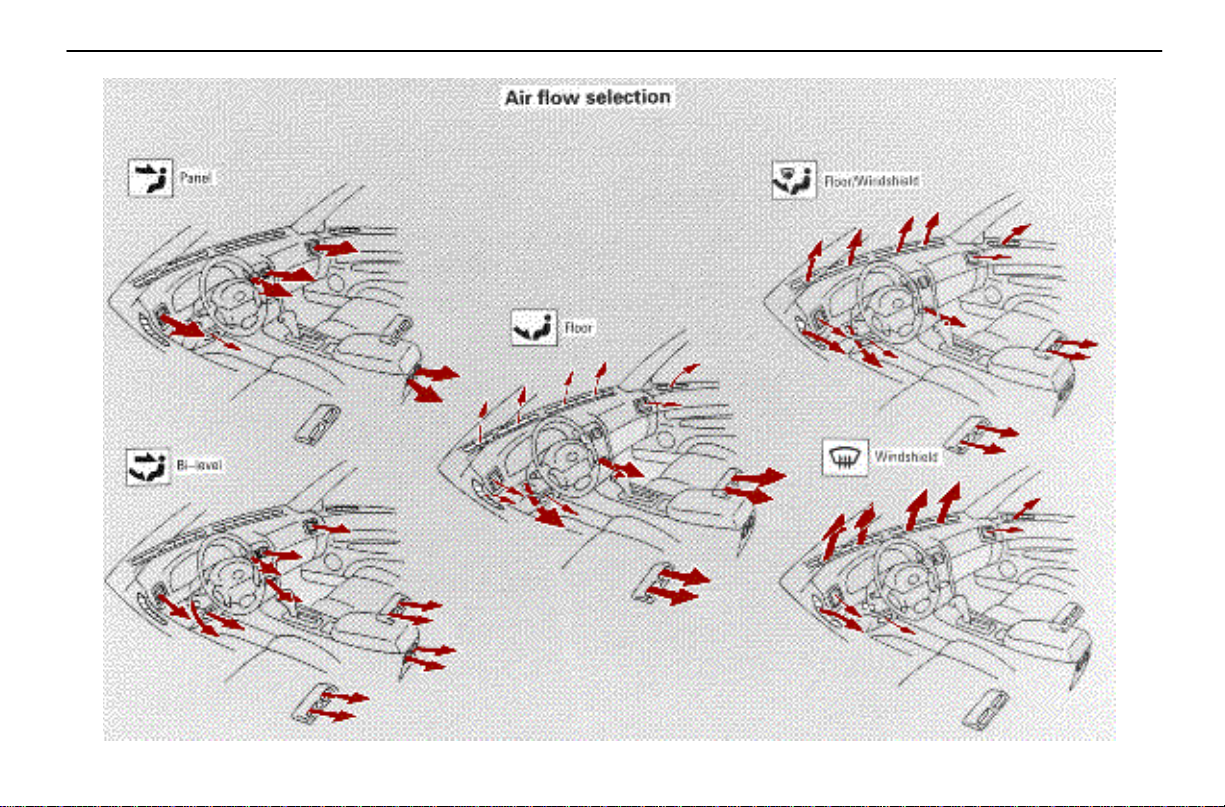
The outlets from which air is delivered can be selected
manually by turning the air flow control knob. The mode
appears on the display. The function of each button is as
follows:
PANEL mode – Directs air flow at face level.
BI–LEVEL mode – Directs air flow at face level and at
floor level for both front and rear. Except in ventilation, the
air to the floor is slightly warmer than air to the face.
FLOOR mode – Directs air flow mostly at floor level for
both front and rear.
FLOOR/WINDSHIELD mode – Directs air flow to the
windshield and front side windows as well as floor level for
both front and rear.
FRONT WINDSHIELD mode – Directs air flow mostly
to the windshield and front side windows.
86
Page 5
When this mode is selected while operating in automatic
mode, the air conditioning is set to operate and the
OUTSIDE AIR mode is set.
If you push the “FRONT WINDSHIELD” button once again
while in the FRONT WINDSHIELD mode, the mode then
returns to the last mode used.
CAUTION
!
Do not use the FRONT WINDSHIELD button during
cooled air operation in extremely humid weather.
The difference between the temperature of the
outside air and that of the windshield could cause
the outer surface of the windshield to fog up
blocking your vision.
AIR CONDITIONING AND AUDIO
If manual fan speed control is desired –
The fan speed can be set to your desired speed by turning
the fan speed control knob. The higher the fan speed is, the
more air is delivered. Pushing in the “OFF” button turns off
the fan.
To remove exterior windshield frost, use the high speed
setting.
Stopping the fan –
Push in the (OFF) button.
The fan stops in automatic mode or manual mode.
If manual switching of air intake is desired –
(AIR INTAKE) button is used to switch the air intake
between the OUTSIDE AIR mode and RECIRCULATED
AIR mode.
With the button in the OUTSIDE AIR mode, the OUTSIDE
AIR mode indicator light will come on and the system will
take fresh outside air into the vehicle.
If quick circulation of cooled air is desired, press in the air
intake control button for RECIRCULATED AIR. The
RECIRCULATED AIR mode indicator light will come on.
For normal use, it is best to keep the air intake control button
set to OUTSIDE AIR mode. If recirculated air is used during
heating, the windows will fog up more easily.
87
Page 6
AIR CONDITIONING AND AUDIO
If manual on–off of the air conditioning is desired –
Push the
A/C
(A/C) button to turn the air conditioning on
and push it again to turn the air conditioning off.
The air conditioning does not work if the outside temperature
is lowered down to around 0°C (32°F).
If the system is used for ventilation, heating in dry weather
or removing frost or exterior fog on the windshield, turn the
air conditioning off once it is no longer required. This will
improve fuel economy . The air conditioning can be used for
year–round automatic temperature control including cooling
and dehumidifying operation.
If the air conditioning compressor does not operate, the
A/C
(A/C) button will blink. If the
even when the
A/C
(A/C) button is pushed again, have the
A/C
(A/C) button blinks
compressor checked by your nearest Lexus dealer.
Displaying the outside temperature –
When you push the OUTSIDE (OUTSIDE) button, the
temperature display shows the outside temperature for
about 5 seconds, then returns to the current set temperature
or turns off. The temperature display ranges from –30°C
(–22°F) up to 50°C (122°F).
(b) Windshield defogging and defrosting
See “(a) Climate control” for details on each button.
To remove interior fog on the windshield –
Push the (WINDSHIELD) button.
To remove frost or exterior fog on the windshield –
1. Place the temperature control knob at the maximum
temperature.
2. Push the (WINDSHIELD) button.
3. Turn the fan speed control knob to set the fan speed at
the maximum speed.
88
Page 7
AIR CONDITIONING AND AUDIO
(c) Operating tips
Make sure the air inlet grilles in front of the windshield are
not blocked by leaves or other obstructions.
If air flow control is not satisfactory, check the dashboard
vents. (See “Center vents,” “Side vents,” “Lower vent” and
“Rear vents.”)
To help cool down the interior after parking in the hot sun,
drive for the first few minutes with the windows open. After
the excess heat has blown away, close the windows.
When driving on dusty roads, close all windows. If dust
thrown up by the vehicle is still drawn into the vehicle after
closing the windows, it is recommended that the air intake
control button be left to the OUTSIDE AIR mode and the
fan speed control button be pressed to anywhere except
the “OFF” button.
If following another vehicle on a dusty road, or driving in
windy and dusty conditions, it is recommended that the air
intake control button be temporarily pressed in to the
RECIRCULATED AIR mode, which will close off the
outside passage and prevent outside air and dust from
entering the vehicle interior.
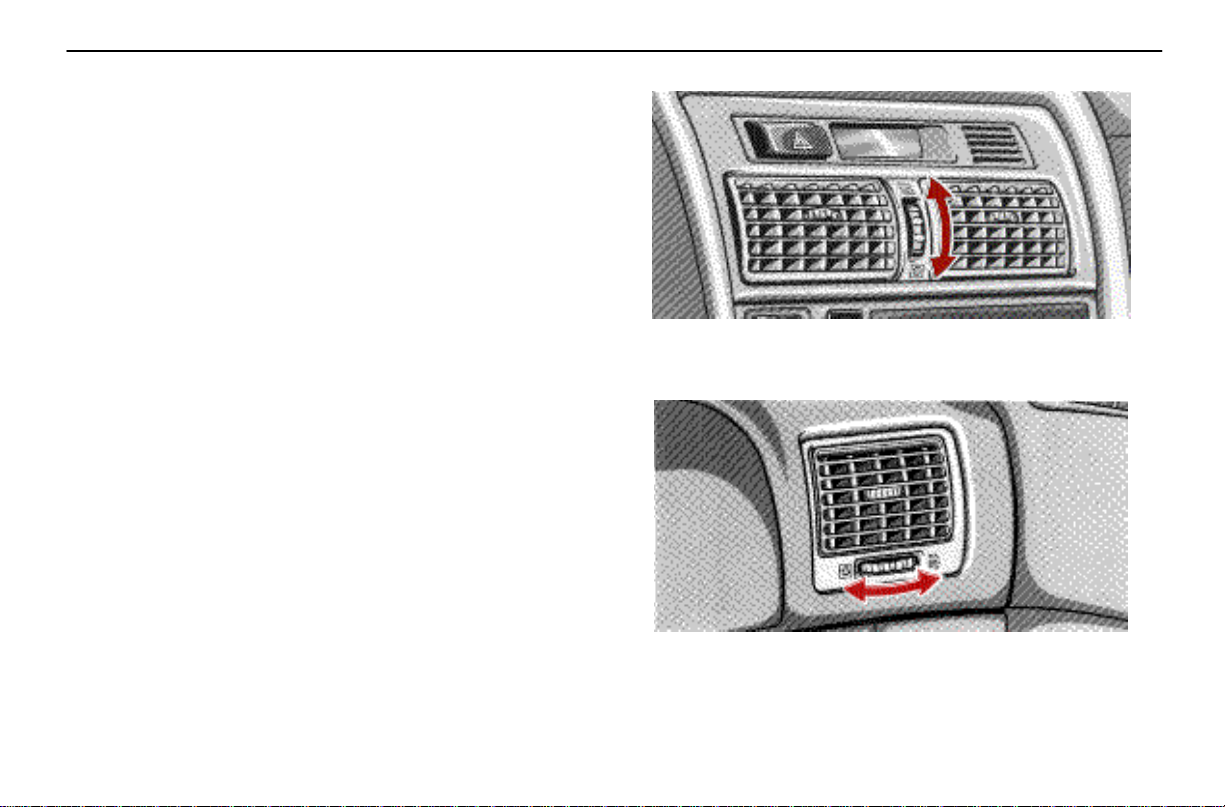
Center vents
The center vents may be opened or closed as shown.
Side vents
The side vents may be opened or closed as shown.
89
Page 8
AIR CONDITIONING AND AUDIO
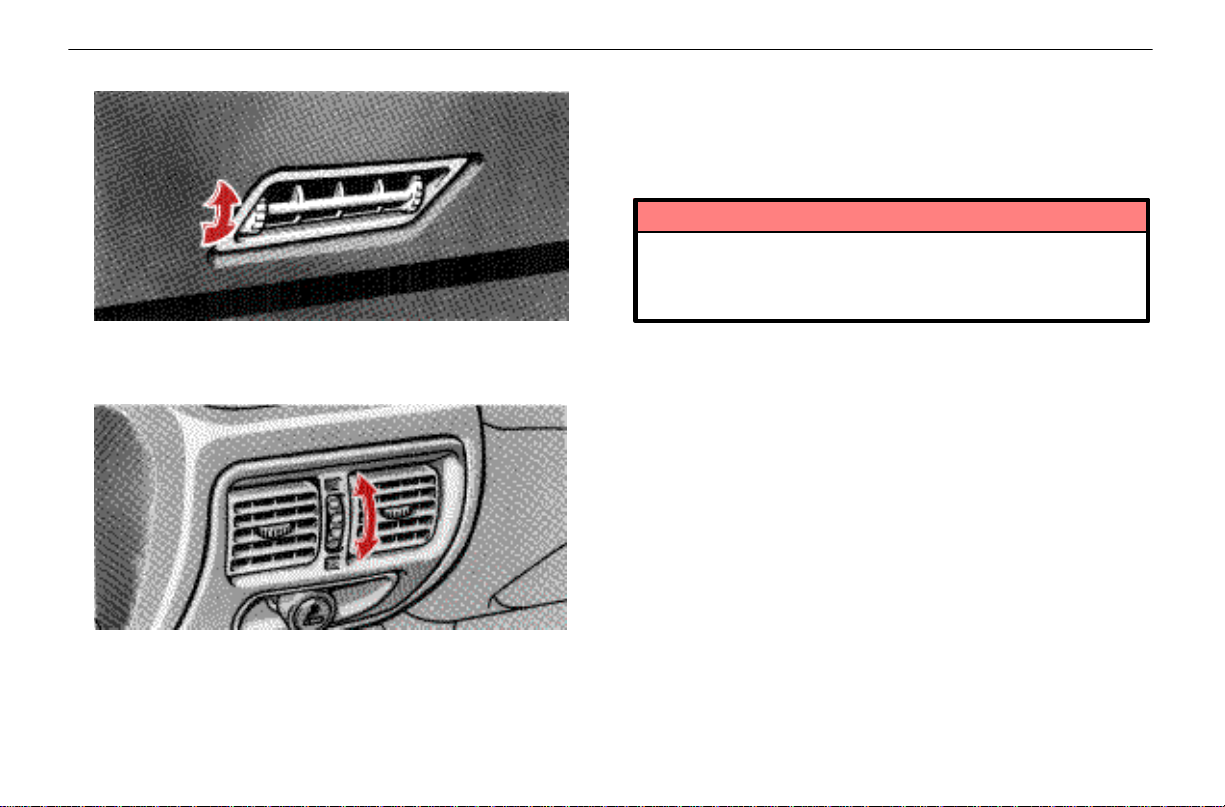
Lower vent
The lower vent may be opened or closed as shown.
Rear vents
The rear vents may be opened or closed as shown.
AUDIO SYSTEM
Car audio operating tips
You can listen to the car audio when the ignition key is
at “ON” or “ACC.” However, if the engine is not running,
the key must be in the “ACC” position.
NOTICE
To prevent the battery from being discharged, do
not leave the car audio on longer than necessary
when the engine is not running.
Audio operation is described in detail on the following pages:
Radio operation – See page 91.
Cassette tape player operation – See page 95.
Compact disc player operation – See page 99.
Anti–theft system – See page 105.
90
Page 9

SECTION 6 – 1
SERVICE PROCEDURES AND
SPECIFICATIONS
Introduction
Vehicle identification 160
Engine compartment overview 161
Do–it–yourself service precautions 162
Parts and tools 163
159
Page 10
INTRODUCTION
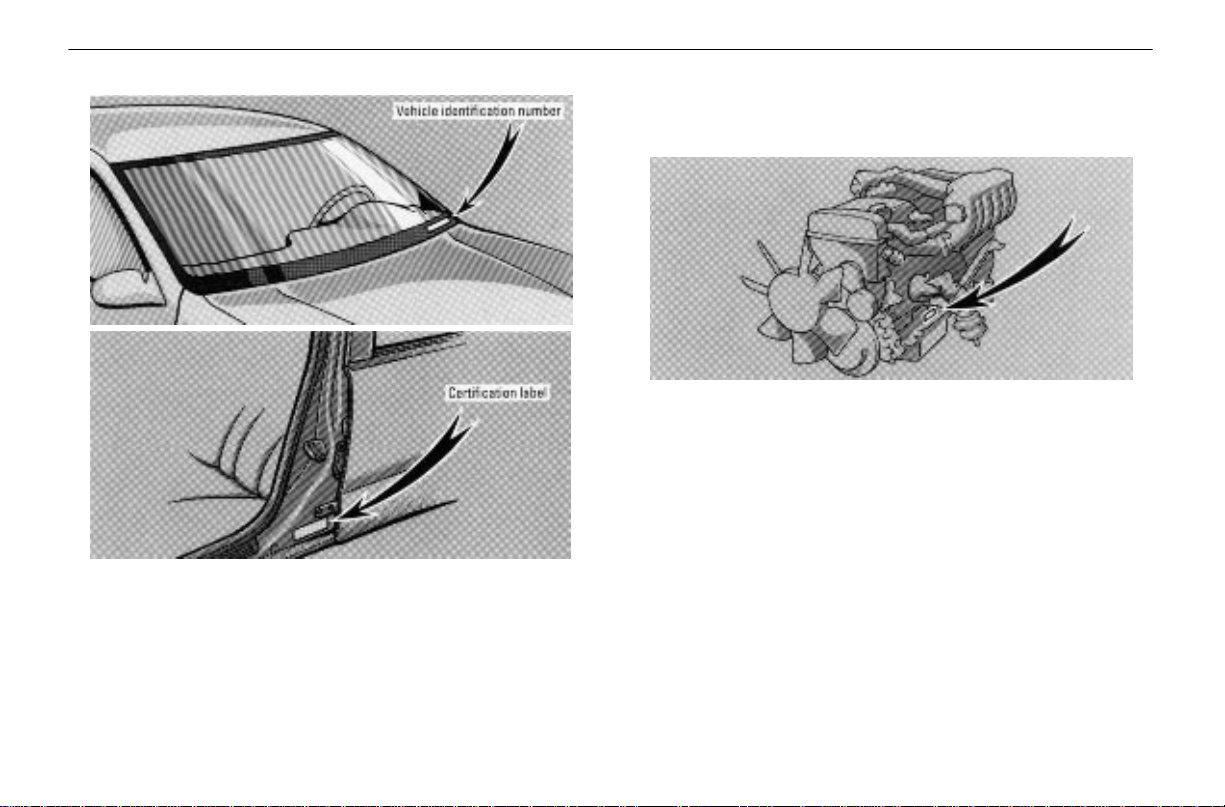
VEHICLE IDENTIFICATION
The vehicle identification number (VIN) is the legal
identifier for your vehicle. This number is on the left top
of the instrument panel and can be seen through the
windshield from outside.
The vehicle identification number (VIN) is also on the
Certification Label.
This is the primary identification number for your Lexus. It is
used in registering the ownership of your vehicle.
The engine number is stamped on the engine block as
shown.
160
Page 11

ENGINE COMPARTMENT OVERVIEW
INTRODUCTION
161
Page 12
INTRODUCTION
DO–IT–YOURSELF SERVICE
PRECAUTIONS
If you perform maintenance yourself, be sure to follow
the correct procedure given in this Section.
You should be aware that improper or incomplete servicing
may result in operating problems.
Performing do–it–yourself maintenance during the warranty
period may affect your warranty coverage. Read the
separate Lexus Warranty statement for details and
suggestions.
This Section gives instructions only for those items that are
relatively easy for an owner to perform. As explained in
Section 5, there are still a number of items that must be
performed by a qualified technician with special tools.
For information on tools and parts for do–it–yourself
maintenance, see “Parts and tools.”
Utmost care should be taken when working on your vehicle
to prevent accidental injury . Here are a few precautions that
you should be especially careful to observe:
CAUTION
!
When the engine is running, keep hands, clothing,
and tools away from the moving fan and engine
drive belt. (Removing rings, watches, and ties is
advisable.)
Right after driving, the engine compartment – the
engine, radiator, exhaust manifold and power
steering fluid reservoir, etc. – will be hot. So be
careful not to touch them. Oil and other fluids may
also be hot.
Do not smoke, cause sparks or allow open flames
around fuel or the battery. Their fumes are
flammable.
Be extremely cautious when working on the
battery. It contains poisonous and corrosive
sulfuric acid.
Do not get under your vehicle with just the body
jack supporting it. Always use automotive jack
stands or other solid supports.
Be sure the ignition is off if you work near the
electric cooling fan or radiator grille. With the
ignition on, the electric cooling fan may
automatically start to run if the air conditioning is
on and/or if the coolant temperature is high.
Use eye protection whenever you work on or under
your vehicle where you may be exposed to flying or
falling material, fluid spray, etc.
NOTICE
Remember that battery and ignition cables carry
high currents or voltages. Be careful of
accidentally causing a short circuit.
162
Page 13
INTRODUCTION
Before closing the engine hood, check to see that
you have not forgotten any tools, rags, etc.
Do not drive with the air cleaner removed, or
excessive engine wear could result. Also
backfiring could cause a fire in the engine
compartment.
Do not overfill automatic transmission fluid, or the
transmission could be damaged.
Be careful not to scratch the glass surface with the
wiper frame.
PARTS AND TOOLS
Here is a list of parts and tools you will need to perform
do–it–yourself maintenance. Remember all Lexus parts are
designed in metric sizes, so your tools must be metric.
Checking the engine oil level
Parts (if level is low):
API SH, Energy–Conserving II multigrade engine oil or
ILSAC multigrade engine oil. For recommended oil
viscosity, see page 172.
Tools:
Rag or paper towel
Funnel (only for adding oil)
Checking the engine coolant level
Parts (if level is low):
Ethylene–glycol coolant
Demineralized or distilled water
Tools:
Funnel (only for adding coolant)
Checking brake fluid
Parts (if level is low):
FMVSS No. 116 DOT 3 or SAE J1703 brake fluid
Tools:
Funnel (only for adding fluid)
Checking power steering fluid
Parts (if level is low):
Automatic transmission fluid DEXRON–II or III
Tools:
Rag or paper towel
Funnel (only for adding fluid)
163
Page 14

INTRODUCTION
Checking battery condition
Non–maintenance batteries
Tools:
Warm water
Baking soda
Grease
Conventional wrench (for terminal clamp bolts)
Maintenance type batteries
Parts (if level is low):
Distilled water
Tools:
Warm water
Baking soda
Grease
Conventional wrench (for terminal clamp bolts)
Coin (for vent plugs)
Funnel (only for adding distilled water)
Checking and replacing the blade type fuses
Parts (if replacement is necessary):
Fuse with same amperage rating as original
Checking the cartridge type fuses
Parts (if replacement is necessary):
Genuine Lexus fuse or equivalent with same amperage
rating as original
Adding washer fluid
Parts:
Water
Washer fluid containing antifreeze (for winter use)
Tools:
Funnel
164
Page 15

SECTION 5
MAINTENANCE
Maintenance requirements 154
General maintenance 155
Does your vehicle need repairing? 158
For scheduled maintenance information,
please refer to the separate “Owner ’s Manual
Supplement/ Maintenance Schedule”.
153
Page 16

MAINTENANCE
MAINTENANCE REQUIREMENTS
Your Lexus vehicle has been designed to have fewer
maintenance requirements with longer service intervals to
save both your time and money. However, each regular
maintenance as well as day–to–day care is more important
than ever before to ensure smooth, trouble–free, safe, and
economical driving.
It is the owner ’s responsibility to make sure the specified
maintenance, including general maintenance services, is
performed. Note that both the new vehicle and emission
control system warranties specify that proper maintenance
and care must be performed. See the Owner’s Guide,
Owner’s Manual Supplement or Warranty Booklet for
complete warranty information.
General maintenance
General maintenance items are those day–to–day care
practices that are important to your vehicle for proper
operation. It is the owner’s responsibility to ensure that the
general maintenance items are performed regularly.
These checks or inspections can be done either by yourself
or your Lexus dealer.
Scheduled maintenance
The scheduled maintenance items listed in the “Owner’s
Manual Supplement/Maintenance Schedule” are those
required to be serviced at regular intervals.
For details of your maintenance schedule, read the separate
“Owner’s Manual Supplement/Maintenance Schedule.”
It is recommended that any replacement parts used for
maintenance or for the repair of the emission control
system be Lexus supplied.
The owner may elect to use non–Lexus supplied parts
for replacement purposes without invalidating the
emission control system warranty. However, use of
replacement parts which are not of equivalent quality
may impair the effectiveness of the emission control
systems.
You may also elect to have maintenance, replacement,
or repair of the emission control devices and system
performed by any automotive repair establishment or
individual without invalidating this warranty. See
Owner’s Guide, Owner’s Manual Supplement or
Warranty Booklet for complete warranty information.
Where to go for service?
Lexus technicians are well–trained specialists and are kept
up to date with the latest service information through
technical bulletins, service tips, and in–dealership training
programs. They are well informed about the operation of all
the systems on your vehicle.
You can be confident that your Lexus dealer’s service
department performs the best job to meet the maintenance
requirements of your vehicle.
154
Page 17
Your copy of the repair order is proof that all required
maintenance has been performed for warranty coverage.
And if any problems should arise with your vehicle while
under warranty , your Lexus dealer will promptly take care of
it. Again, be sure to keep a copy of the repair order for any
service performed on your Lexus.
What about do–it–yourself maintenance?
Many of the maintenance items are easy to do yourself, if
you have a little mechanical ability and a few basic
automotive tools. Simple instructions for how to perform
them are presented in Section 6.
If you are a skilled do–it–yourself mechanic, the Lexus
service manuals are recommended. Please be aware that
do–it–yourself maintenance can affect your warranty
coverage. See your Owner’s Guide, Owner’s Manual
Supplement or Warranty Booklet for the details.
MAINTENANCE
GENERAL MAINTENANCE
Listed below are the general maintenance items that should
be performed at the intervals specified. It is recommended
that any problem you notice be brought to the attention of
your Lexus dealer or qualified service shop for their advice.
CAUTION
!
Make these checks only where adequate ventilation
can be obtained if you run the engine.
Vehicle exterior
Items listed below should be performed from time to
time, unless otherwise specified.
Tire pressure
Check the pressure with a gauge every two weeks, or at
least once a month and adjust as shown on the tire pressure
label. See page 180 for additional information.
Tire surface
Check the tires carefully for cuts, damage or excessive wear .
See page 181 for additional information.
Wheel nuts
When checking the tires, make sure to check the nuts for
looseness. Tighten them if necessary.
Tire rotation
Rotate the tires every 12000 km (7500 miles). See page 181
for additional information.
155
Page 18

MAINTENANCE
Fluid leaks
Check underneath for leaking fuel, oil, water or other fluid
after the vehicle has been parked for a while. If you smell fuel
fumes or notice any leak, have the cause found and
corrected immediately.
Doors and engine hood
Check that all doors, including trunk lid, operate smoothly
and all latches lock securely. Make sure the engine hood
secondary latch secures the hood when the primary latch is
released.
Vehicle interior
Items listed below should be checked regularly, e.g.
while performing periodic services, cleaning the
vehicle, etc.
Lights
Make sure the headlight, stop lights, tail lights, turn signal
lights, and other lights are working. Check headlight aim.
Service reminder indicators and warning buzzers
Check that all service reminder indicators and warning
buzzers function properly.
Steering wheel
Check that it has the specified freeplay. Be alert for changes
in steering condition, such as hard steering, excessive
freeplay or strange noise.
Seats
Check that all front seat controls such as seat adjusters,
seatback recliner, etc. operate smoothly and that all latches
lock securely in any position. Check that the head restraints
move up and down smoothly and that the locks hold securely
in any latched position.
Seat belts
Check that the seat belt system such as buckles, retractors
and anchors operate properly and smoothly. Make sure the
belt webbing is not cut, frayed, worn or damaged.
Accelerator pedal
Check the pedal for smooth operation and uneven pedal
effort or catching.
Brake pedal
Check the pedal for smooth operation and the proper
clearance and freeplay. Check the brake booster function.
Brakes
At a safe place, check that the brakes do not pull to one side
when applied.
Parking brake
Check that the lever has the proper travel and that, on a safe
incline, your vehicle is held securely with only the parking
brake applied.
156
Page 19

Automatic transmission “Park” mechanism
Check the lock release button of the selector lever for proper
and smooth operation. On a safe incline, check that your
vehicle is held securely with the selector lever in “P” position
and all brakes released.
Engine compartment
Items listed below should be checked from time to time,
e.g. each time when refueling.
Washer fluid
Make sure there is sufficient fluid in the tank. See page 199
for additional information.
Engine coolant level
Make sure the coolant level is between the Upper and Lower
lines on the see–through reservoir when the engine is cool.
See page 173 for additional information.
Battery
Y our Lexus has a maintenance free battery. You do not have
to add distilled water. For longer life of the battery, however,
see page 192 for additional information.
Brake fluid level
Make sure the brake fluid level is correct. See page 178 for
additional information.
MAINTENANCE
Engine oil level
Check the level on the dipstick with the engine turned off and
the vehicle parked on a level spot. See page 171 for
additional information.
Power steering fluid level
Check the level on the dipstick. The level should be in the
“HOT” or “COLD” range depending on the fluid temperature.
See page 179 for additional information.
Exhaust system
Look for cracks, holes and loose supports. If you notice any
change in the sound of the exhaust or smell exhaust fumes,
have the cause located and corrected immediately. (See
engine exhaust cautions in Section 3–1.)
157
Page 20
MAINTENANCE
DOES YOUR VEHICLE NEED
REPAIRING?
Be on the alert for changes in performances and sounds,
and visual tip–offs that indicate service is needed. Some
important clues are:
Engine missing, stumbling, or pinging
Appreciable loss of power
Strange engine noises
A fluid leak under the vehicle (however, water dripping from
the air conditioning after use is normal.)
Change in exhaust sound (This may indicate a dangerous
carbon monoxide leak. Drive with the windows open and
have the exhaust system checked immediately.)
Flat–looking tires, excessive tire squeal when cornering,
uneven tire wear
Vehicle pulls to one side when driving straight on a level
road
Strange noises related to suspension movement
Loss of brake effectiveness, spongy feeling brake pedal,
pedal almost touches floors, vehicle pulls to one side when
braking
Engine coolant temperature continually higher than normal
If you notice any of these clues, take your vehicle to your
Lexus dealer as soon as possible. It probably needs
adjustment or repair.
CAUTION
!
Do not continue driving with the vehicle unchecked.
It could result in serious vehicle damage and
possibly personal injury.
158
Page 21

SECTION 3 – 2
STARTING AND DRIVING
Driving tips
Break–in period 130
Operation in foreign countries 130
Tips for driving in various conditions 130
Winter driving tips 131
Trailer towing 132
How to save fuel and make your vehicle
last longer 133
129
Page 22
DRIVING TIPS
BREAK–IN PERIOD
Drive gently and avoid high speeds.
You need not follow a break–in schedule with your new
Lexus. But following a few simple tips for the first 1600 km
(1000 miles) can add to the future economy and long life of
your vehicle:
Do not drive over 88 km/h (55 mph).
Avoid overrevving. Maintain engine speed between 2000
and 4000 rpm.
Avoid full–throttle starts.
Try to avoid hard stops during the first 300 km (200 miles).
Do not drive for a long time at any single speed, either fast
or slow.
OPERATION IN FOREIGN
COUNTRIES
If you plan to drive your Lexus in another country...
First, comply with the vehicle registration laws.
Second, confirm the availability of the correct fuel (unleaded
and minimum octane number).
TIPS FOR DRIVING IN VARIOUS
CONDITIONS
Always slow down in gusty crosswinds. This will allow you
much better control.
Drive slowly onto curbs and, if possible, at a right angle.
Avoid driving onto high, sharp–edged objects and other
road hazards. Failure to do so can lead to severe tire
damage resulting in tire bursts.
When parking on a hill, turn the front wheels until they
touch the curb so that the vehicle will not roll. Apply the
parking brake, and place the transmission in “P.” If
necessary, block the wheels.
Washing your vehicle or driving through deep water may
get the brakes wet. To see whether they are wet, check that
there is no traffic near you and then press the pedal lightly.
If you do not feel a normal braking force, the brakes are
probably wet. To dry them, drive the vehicle cautiously
while lightly pressing the brake pedal with the parking
brake applied. If they still do not work safely, pull to the side
of the road and call a Lexus dealer for assistance.
CAUTION
!
Before driving off, make sure the parking brake is
fully released and that the parking brake reminder
light is off.
Do not rest your foot on the brake pedal while
driving. It can cause dangerous overheating,
needless wear, and poor fuel economy.
130
Page 23

DRIVING TIPS
To drive down a long or steep hill, reduce your
speed and downshift. Remember, if you ride the
brakes excessively, they may overheat and not
work properly. See page 120.
Be careful when accelerating, upshifting,
downshifting or braking on a slippery surface. The
abrupt change in engine speed, such as sudden
acceleration or engine braking, could cause the
vehicle to spin or skid.
Even if the legal speed limit permits it, do not drive
over 140 km/h (85 mph) unless your vehicle has
high–speed capability tires. Driving over 140 km/h
(85 mph) may result in tire failure, loss of control
and possible injury. Be sure to consult a tire dealer
to determine whether the tires on your vehicle are
high–speed capability tires or not before driving at
such speeds.
Do not continue normal driving when the brakes
are wet. If they are wet, your vehicle will require a
longer stopping distance, and it may pull to one
side when the brakes are applied. Also, the
parking brake will not hold the vehicle securely.
WINTER DRIVING TIPS
Make sure you have ethylene–glycol antifreeze in the
radiator.
NOTICE
Do not use alcohol type antifreeze.
Check the condition of the battery and cables.
Cold temperatures reduce the capacity of any battery, so it
must be in top shape to provide enough power for winter
starting. Page 192 tells you how to visually inspect the
battery. Your Lexus dealer and most service stations will be
pleased to check the battery charge level.
Make sure the engine oil viscosity is suitable for the
cold weather.
See page 172 for recommended viscosity . Leaving a heavy
summer oil in your vehicle during winter months may cause
harder starting. If you are not sure about which oil to use, call
your Lexus dealer – they will be pleased to help.
Check the electronic ignition system/distributor
ignition system for loose connections or obvious
damage.
Keep the door locks from freezing.
Squirt lock de–icer or glycerine into the locks to keep them
from freezing. To open a frozen lock, try heating the key
before inserting it.
131
Page 24

DRIVING TIPS
Use a washer fluid containing an antifreeze solution.
This product is available at your Lexus dealer and most auto
parts stores. Follow the manufacturer’s directions for how
much to mix with water.
NOTICE
Do not use engine antifreeze or any other substitute
because it may damage your vehicle’s paint.
Do not use your parking brake when there is a
possibility it could freeze.
When parking, put the transmission into “P” and block the
front wheels. Do not use the parking brake, or snow or water
accumulated in and around the parking brake mechanism
may freeze the parking brake, making it hard to release.
Keep ice and snow from accumulating under the
fenders.
Ice and snow built up under your fenders can make steering
difficult. During bad winter driving, stop and check under the
fenders occasionally.
Depending on where you are driving, we recommend
you carry some emergency equipment.
Some of the things you might put in the vehicle are tire
chains, window scraper, bag of sand or salt, flares, small
shovel, jumper cables, etc.
TRAILER T OWING
Lexus does not recommend towing a trailer with your
GS300. It is not designed for trailer towing.
132
Page 25

DRIVING TIPS
HOW TO SAVE FUEL AND MAKE
YOUR VEHICLE LAST LONGER
Getting more kilometer/mileage from a liter/gallon of fuel is
easy – just take it easy. It will help make your vehicle last
longer, too. Here are some specific tips on how to save
money on both fuel and repairs:
Keep your tires inflated at the correct pressure. Check
the pressure every two weeks, or at least once a month.
Underinflation causes tire wear and wastes fuel.
Do not carry unneeded weight in your vehicle. Excess
weight puts a heavier load on the engine, causing greater
fuel consumption.
Avoid lengthy warm–up idling. Once the engine is
running smoothly, begin driving – but gently. Remember,
however, that on cold winter days this may take a little
longer.
Accelerate slowly and smoothly. Avoid jackrabbit starts.
Avoid long engine idling. If you have a long wait and you
are not in traffic, it is better to turn off the engine and start
again later.
Avoid engine overrevving. Use a gear position suitable
for the road on which you are traveling.
Avoid continuous speeding up and slowing down.
Stop–and–go driving wastes fuel.
Avoid unnecessary stopping and braking. Maintain a
steady pace. Try to time the traffic signals so you only need
to stop as little as possible or take advantage of through
streets to avoid traffic lights. Keep a proper distance from
other vehicles to avoid sudden braking. This will also
reduce wear on your brakes.
Avoid heavy traffic or traffic jams whenever possible.
Do not rest your foot on the brake pedal. This causes
needless wear, overheating and poor fuel economy.
Maintain a moderate speed on highways. The faster
you drive, the greater the fuel consumption. By reducing
your speed, you will cut down on fuel consumption.
Keep the front wheels in proper alignment. Avoid
hitting the curb and slow down on rough roads. Improper
alignment not only causes faster tire wear but also puts an
extra load on the engine, which, in turn, wastes fuel.
Keep the bottom of your vehicle free from mud, etc.
This not only lessens weight but also helps prevent
corrosion.
Keep your vehicle tuned–up and in top shape. A dirty
air cleaner, improper valve clearance, dirty plugs, dirty oil
and grease, brakes not adjusted, etc. all lower engine
performance and contribute to poor fuel economy. For
longer life of all parts and lower operating costs, keep all
maintenance work on schedule, and if you often drive
under severe conditions, see that your vehicle receives
more frequent maintenance. (For scheduled maintenance
information, please refer to the separate “Owner’s Manual
Supplement/Maintenance Schedule”.)
133
Page 26

DRIVING TIPS
CAUTION
!
Never turn off the engine to coast down hills. Your
power steering and brake booster will not function
without the engine running. Also, the emission
control system operates properly only when the
engine is running.
134
Page 27

SECTION 4
IN CASE OF AN EMERGENCY
If your engine stalls while driving 136
If your vehicle will not start 136
If your vehicle overheats 139
If you have a flat tire 140
If your vehicle needs to be towed 145
If you cannot shift automatic transmission
selector lever 150
If you lose your keys or lock yourself out 151
135
Page 28
IN CASE OF AN EMERGENCY
IF YOUR ENGINE STALLS WHILE
DRIVING
If your engine stalls while driving....
1. Reduce your speed gradually, keeping a straight line.
Move cautiously off the road to a safe place.
2. Turn on your emergency flashers.
3. Try starting the engine again.
If the engine will not start, see “If your vehicle will not start.”
CAUTION
!
If the engine is not running, the power assist for the
brakes and steering will not work, so steering and
braking will be much harder than usual.
IF YOUR VEHICLE WILL NOT START
(a) Simple checks
Before making these checks, make sure you have followed
the correct starting procedure instructions in “How to start
the engine” on page 115 and that you have sufficient fuel.
If the engine is not turning over or is turning over too
slowly –
1. Check that the battery terminals are tight and clean.
2. If the battery terminals are O.K., switch on the interior
light.
3. If the light is out, dim or goes out when the starter is
cranked, the battery is discharged. You may try jump
starting. See “(c) Jump starting” for further instruction.
If the light is O.K., but the engine still will not start, it needs
adjustment or repair. Call a Lexus dealer, Roadside
Assistance or Customer Service Assistance. (See
“Foreword.”)
NOTICE
Do not pull– or push–start the vehicle. It may
damage the vehicle or cause a collision when the
engine starts. Also the three–way catalytic
converter may overheat and become a fire hazard.
If the engine turns over at its normal speed but will not
start –
1. The engine may be flooded because of repeated
cranking. See “(b) Starting a flooded engine” for further
instructions.
2. If the engine still will not start, it needs adjustment or
repair. Call a Lexus dealer, Roadside Assistance or
Customer Service Assistance. (See “Foreword.”)
(b) Starting a flooded engine
If the engine will not start, your engine may be flooded
because of repeated cranking.
If this happens, turn the key to “START” with the accelerator
pedal held down. Continue this operation for 15 seconds and
then stop cranking. Then try starting the engine with your
foot off the accelerator pedal.
If the engine does not start after 15 seconds of cranking,
release the key, wait a few minutes and try again.
136
Page 29

If the engine still will not start, it needs adjustment or repair.
Call a Lexus dealer, Roadside Assistance or Customer Service
Assistance. (See “Foreword.”)
NOTICE
Do not crank for more than 15 seconds at a time.
This may overheat the starter and wiring systems.
(c) Jump starting
To avoid serious personal injury and damage to your
vehicle which might result from battery explosion, acid
burns, electrical burns, or damaged electronic
components, these instructions must be followed
precisely.
If you are unsure about how to follow this procedure, we
strongly recommend that you seek help from your Lexus
dealer , Roadside Assistance or Customer Service Assistance.
(See “Foreword.”)
CAUTION
!
Batteries contain sulfuric acid which is poisonous
and corrosive. Wear protective safety glasses
when jump starting, and avoid spilling acid on your
skin, clothing, or vehicle.
IN CASE OF AN EMERGENCY
If you should accidentally get acid on yourself or
in your eyes, remove any contaminated clothing
and flush the affected area with water for at least
15 minutes. Then get immediate medical attention.
If possible, continue to apply water with a sponge
or cloth while en route to the medical office.
The gas normally produced by a battery will
explode if a flame or spark is brought near. Use
only standardized jumper cables and do not
smoke or light a match while jump starting.
NOTICE
The battery used for boosting must be 12 V. Do not
jump start unless you are sure that the booster
battery is correct.
137
Page 30
IN CASE OF AN EMERGENCY
battery. (This helps reduce the explosion hazard, personal
injuries and burns.)
3. If the engine in the vehicle with the booster battery is not
running, start it and let it run for about 5 minutes. During jump
starting, run the engine at about 2000 rpm with the
accelerator pedal lightly depressed.
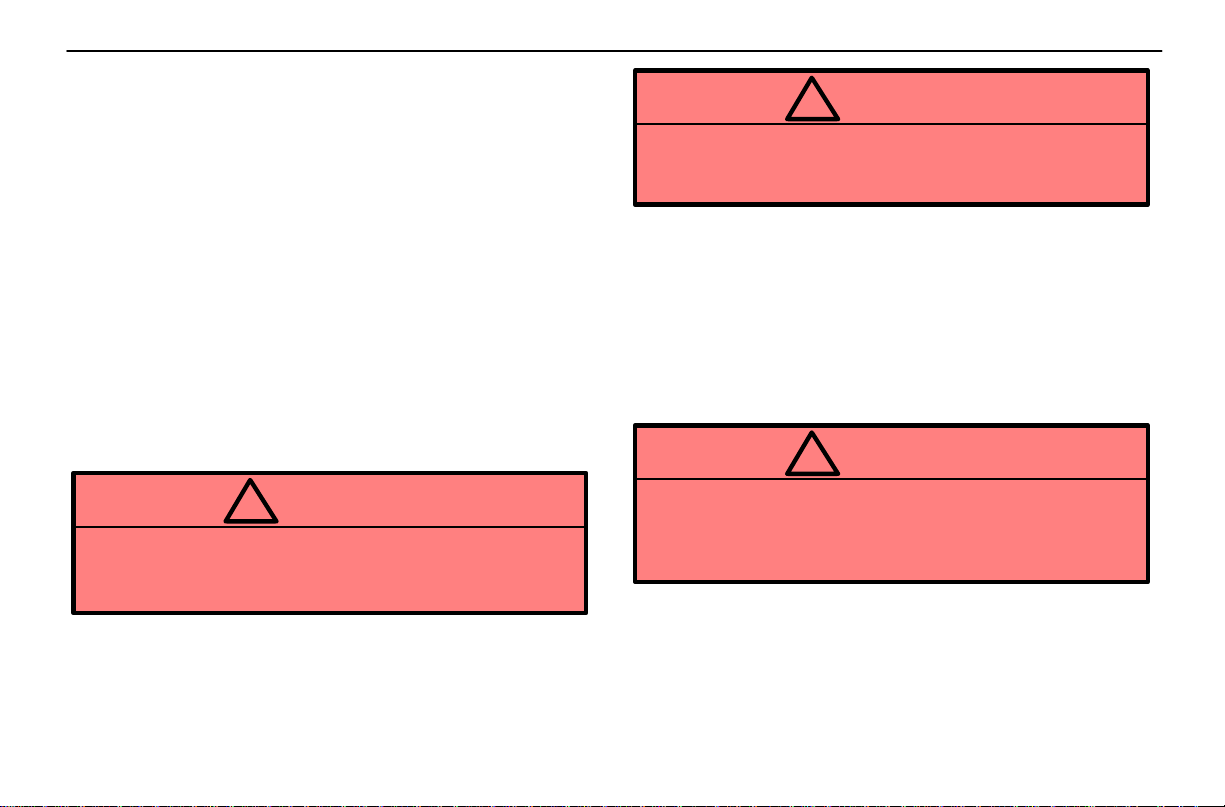
4. Connect the jumper cables in the exact order shown in
the illustration: positive terminal (“+” mark)–to–positive
terminal (“+” mark), and negative terminal (“–” mark)
–to–engine or body ground. Note that you first connect the
positive cable to the discharged battery and then to the
booster battery. Next, connect the negative cable to the
booster battery and then to a solid, stationary, unpainted
metallic point (e.g. oil level gauge bracket) away from the
battery. Do not connect it to or near any part that moves
when the engine is cranked.
NOTICE
When making the connections, do not lean over the
battery or accidentally let the jumper cables or
clamps touch anything except the correct battery
terminals or the ground.
JUMP STARTING PROCEDURE
1. If the booster battery is installed in another vehicle, make
sure the vehicles are not touching. Turn off all unnecessary
lights and accessories.
2. If required, remove all the vent plugs from the booster
battery. Lay a cloth over the open vents on the booster
138
5. Start your engine in the normal way. After starting, run it
at about 2000 rpm for several minutes with the accelerator
pedal lightly depressed.
6. Carefully disconnect the cables in the exact reverse
order: the negative cable and then the positive cable.
7. Carefully dispose of the battery cover cloths which may
now contain sulfuric acid.
Page 31
8. If removed, replace all the battery vent plugs.
If the cause of your battery discharging is not apparent (for
example, lights left on), you should have it checked.
IF YOUR VEHICLE OVERHEATS
If your engine coolant temperature gauge indicates
overheating, if you experience a loss of power, or if y ou
hear a loud knocking or pinging noise, the engine has
probably overheated. You should follow this
procedure...
1. Pull safely off the road, stop the vehicle and turn on your
emergency flashers. Put the transmission in “P” and apply
the parking brake. Turn off the air conditioning if it is being
used.
2. If coolant or steam is boiling out of the radiator or
reservoir, stop the engine. Wait until the steam subsides
before opening the hood. If there is no coolant boiling over
or steam, leave the engine running.
IN CASE OF AN EMERGENCY
CAUTION
!
When the engine is running, keep hands and
clothing away from the moving fan and engine drive
belt.
4. If the engine drive belt is broken or loose, or the coolant
is leaking, stop the engine immediately . Call a Lexus dealer
for assistance.
5. If the engine drive belt is O.K., and there are no obvious
leaks, you may help the engine cool down more quickly by
running it at about 1500 rpm for a few minutes with the
accelerator pedal lightly depressed.
6. Check the coolant reservoir. If it is dry, add water to the
reservoir while the engine is running. Fill it about half full.
CAUTION
!
CAUTION
!
To help avoid personal injury, keep the hood closed
until there is no steam. Escaping steam or coolant
is a sign of very high pressure.
3. Visually check to see if the engine drive belt is broken or
loose. Look for obvious coolant leaks from the radiator,
hoses, and under the vehicle. However, note that water
draining from the air conditioning is normal if it has been in
use.
Do not attempt to remove the radiator cap when the
engine and radiator are hot. Serious injury could
result from scalding hot fluid and steam blown out
under pressure.
7. After the engine coolant temperature has cooled to
normal, again check the coolant level in the reservoir. If
necessary, bring it up to half full again. Serious coolant loss
indicates a leak in the system. You should have it checked
as soon as possible by your Lexus dealer.
139
Page 32
IN CASE OF AN EMERGENCY
IF YOU HAVE A FLAT TIRE
1. Reduce your speed gradually, keeping a straight line.
Move cautiously off the road to a safe place – well away from
the traffic. Avoid stopping on the center divider of a highway.
Park on a level spot with firm ground.
2. Stop the engine and turn on your emergency flashers.
3. Firmly set the parking brake and put the transmission in
“P.”
4. Have everyone get out of the vehicle on the side away
from traffic.
5. Read the following instructions thoroughly.
CAUTION
!
When jacking, be sure to observe the following to
reduce the possibility of personal injury:
Follow jacking instructions.
Use a jack only for lifting your vehicle during wheel
changing.
Never get beneath the vehicle when supported by
a jack.
Do not start or run the engine while your vehicle is
supported by a jack.
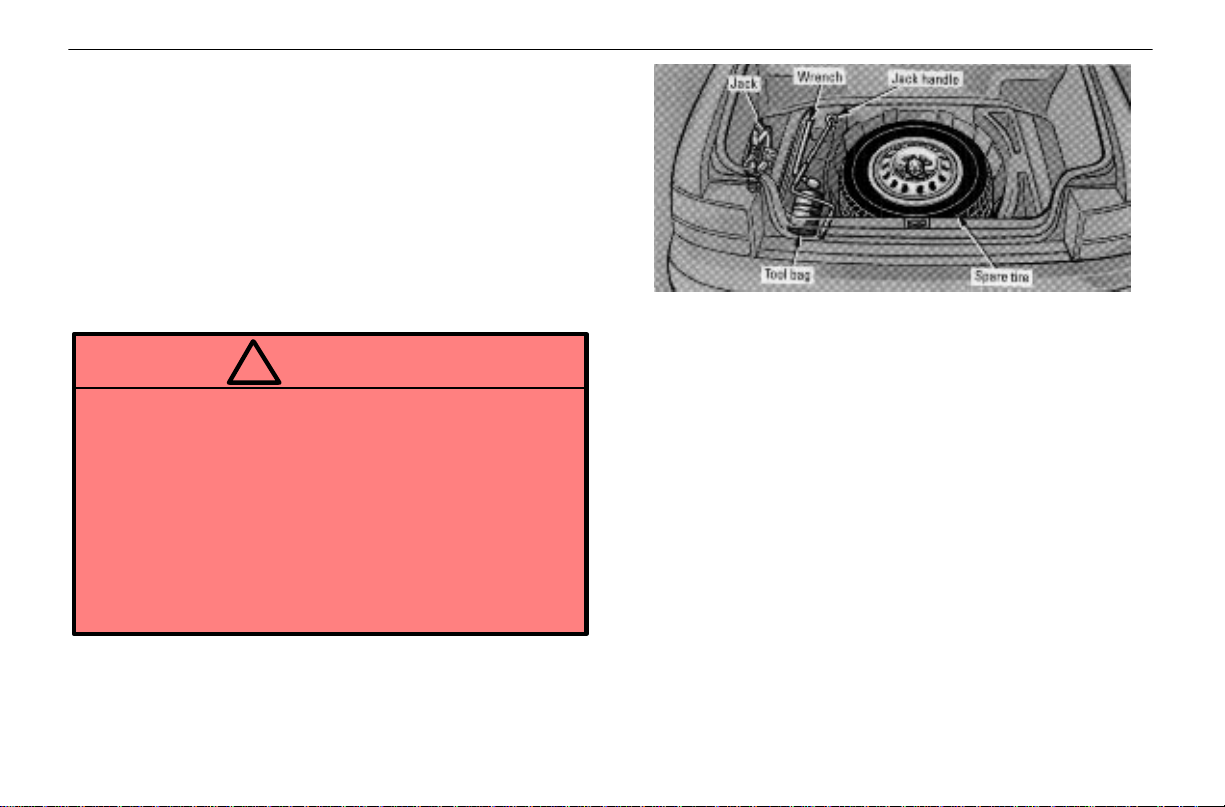
1. Get the tool, jack and spare tire.
To prepare yourself for an emergency, you should familiarize
yourself with the use of the jack and each tool, and their
storage locations.
140
Page 33
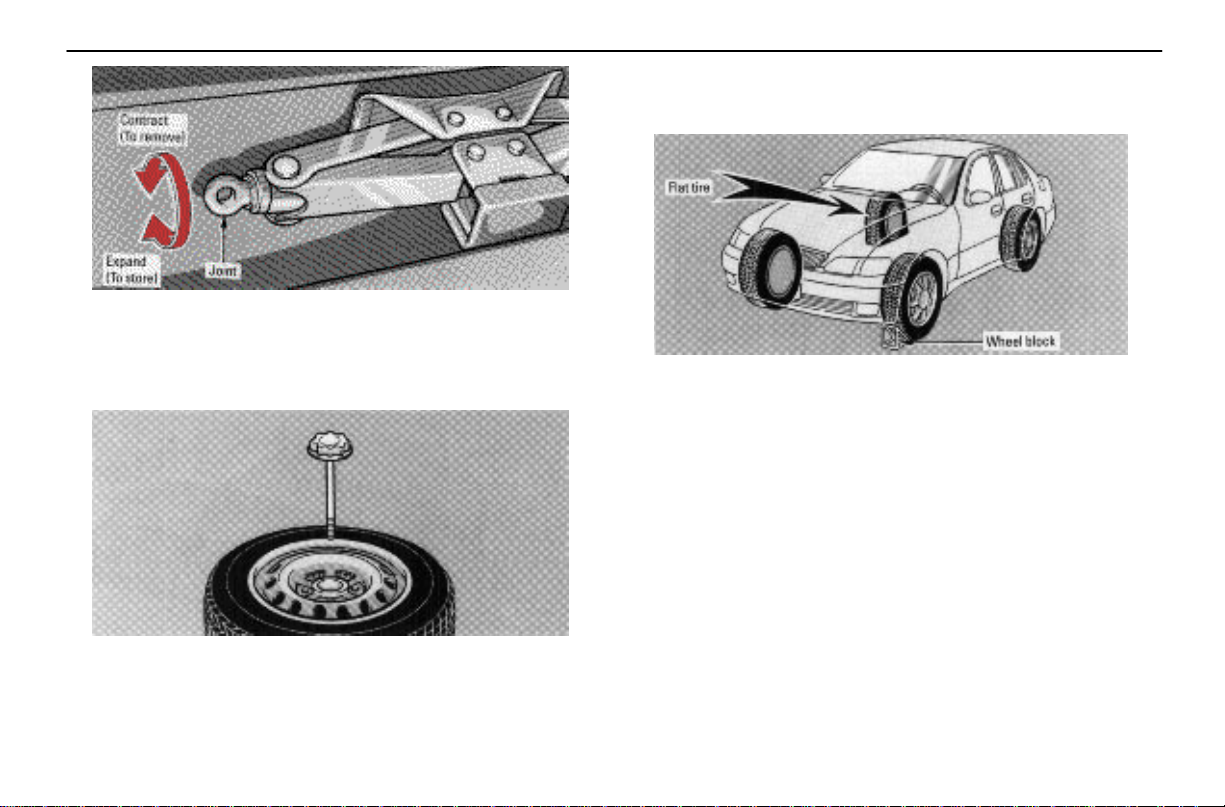
When removing the jack, turn the joint by hand in the
CONTRACT direction until the jack is free. When storing,
turn the joint by hand in the EXPAND direction until the jack
is firmly secured to prevent it from flying forward during a
collision or sudden braking.
IN CASE OF AN EMERGENCY
When storing the spare tire, place it with the outer side of the
wheel facing up. Then bolt the tire in place to prevent the tire
from flying forward during a collision or sudden braking.
2. Block the wheel diagonally opposite the flat tire to
keep the vehicle from rolling when it is jacked up.
When blocking the wheel, place a wheel block in front of the
front wheels or behind the rear wheels.
To remove the spare tire, loosen the bolt and remove it.
141
Page 34
IN CASE OF AN EMERGENCY
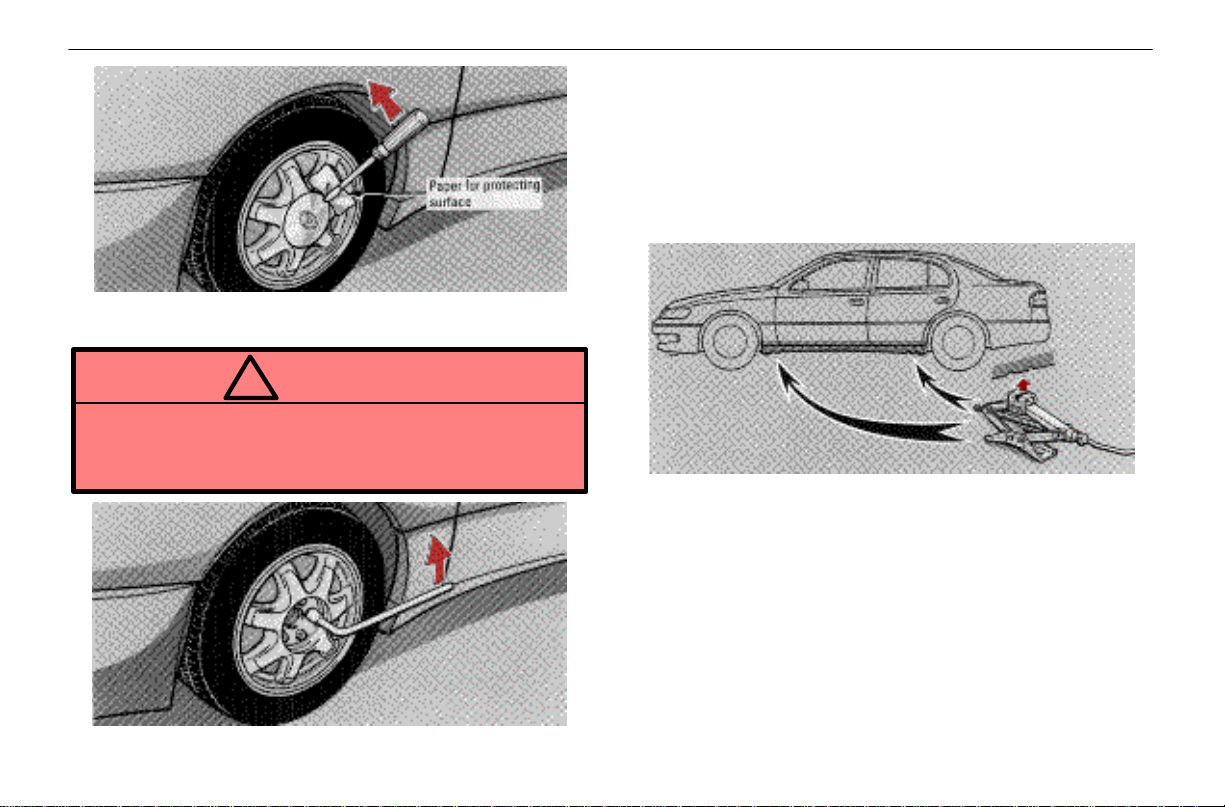
3. Remove the wheel ornament.
Pry off the wheel ornament, using the screwdriver as shown.
CAUTION
!
Do not try to pull off the ornament by hand. T ake due
care in handling the ornament to avoid unexpected
personal injury.
Always loosen the wheel nuts before raising the vehicle.
Turn the nuts counterclockwise to loosen them. To get
maximum leverage, fit the wrench to the nut so that the
handle is o n the right side, as shown above. Grab the wrench
near the end of the handle and pull up on the handle. Be
careful that the wrench does not slip off the nut.
Do not remove the nuts yet – just unscrew them about
one–half turn.
5. Position the jack at the jack points as shown.
Make sure the jack is positioned on a level and solid surface.
4. Loosen all the wheel nuts.
142
Page 35
IN CASE OF AN EMERGENCY
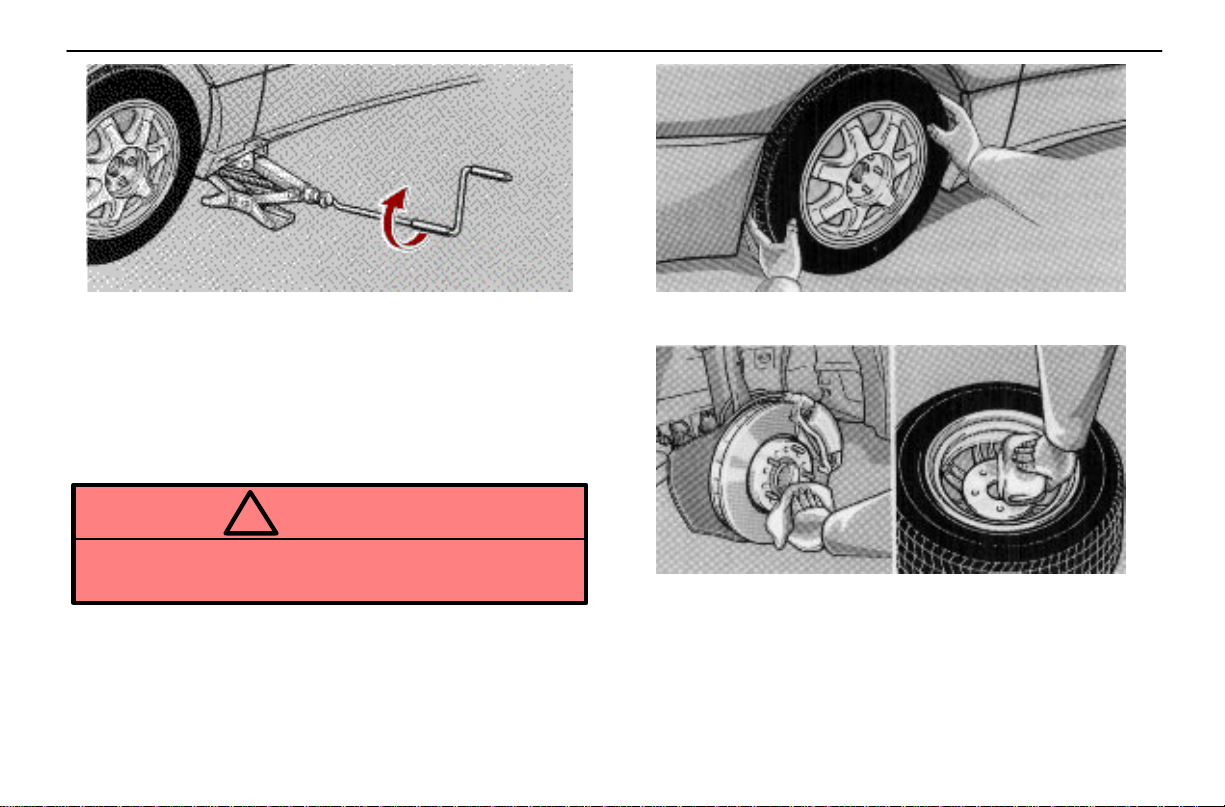
6. After making sure no one is in the vehicle, raise it
high enough so that the spare tire can be installed.
Allow for the fact that you need more ground clearance when
putting on the spare tire than when removing the flat tire.
To raise the vehicle, insert the jack handle into the jack (it is
a loose fit) and turn it clockwise. As the jack touches the
vehicle and begins to lift, double–check that it is properly
positioned.
CAUTION
!
Never get under the vehicle when it is supported by
the jack alone; use vehicle support stands.
7. Remove the wheel nuts and remove the flat tire.
Lift the flat tire straight off and put it aside.
Before putting on the wheel, remove any corrosion on the
mounting surfaces with a wire brush or such. Installation of
wheels without good metal–to–metal contact at the
mounting surface can cause wheel nuts to loosen and
eventually cause a wheel to come off while driving.
143
Page 36
IN CASE OF AN EMERGENCY
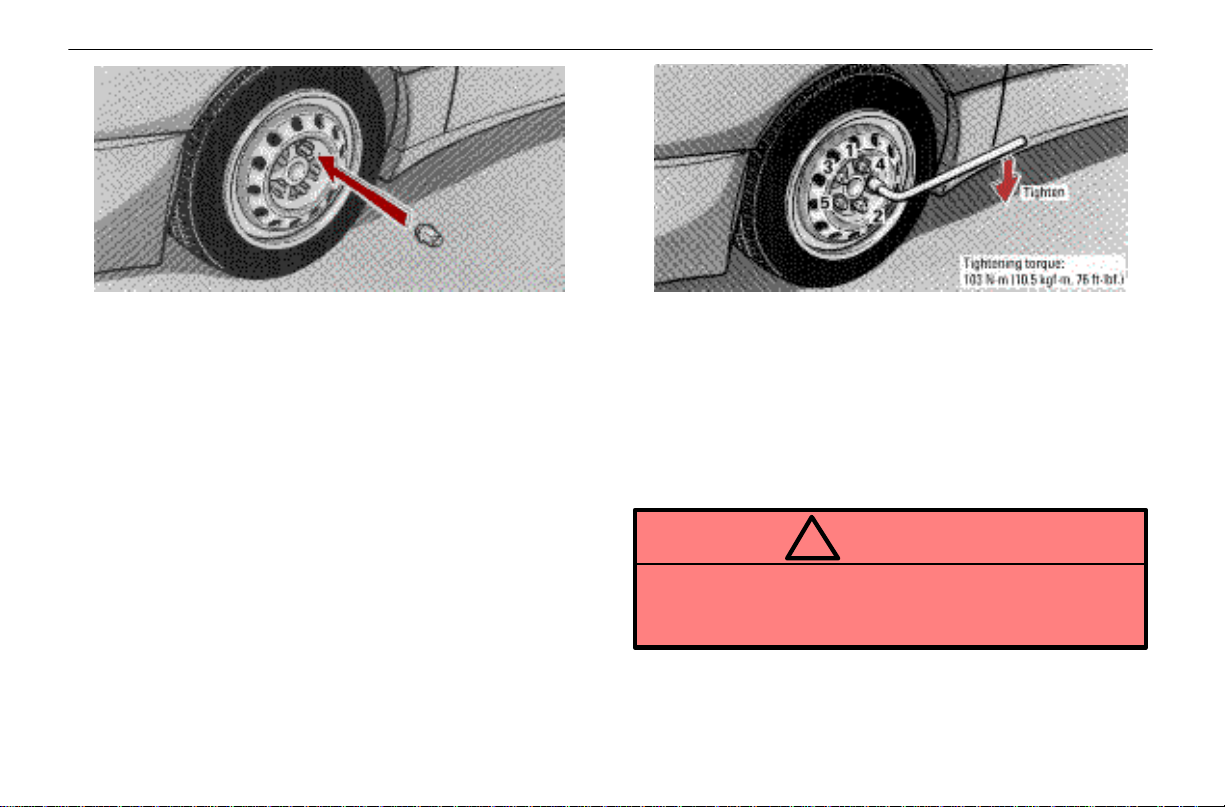
8. Reinstall all the wheel nuts finger tight.
Align the holes in the wheel with the bolts. Then lift up the
wheel and get at least the top bolt started through its hole.
Wiggle the tire and press it back over the other bolts.
Reinstall the wheel nuts and tighten them as much as you
can by hand. Press the tire back and see if you can tighten
them more.
144
9. Lower the vehicle completely and tighten the wheel
nuts.
Turn the jack handle counterclockwise to lower the vehicle.
Use only the wheel nut wrench to tighten the nuts. Do not use
other tools or any additional leverage other than your hands,
such as a hammer, pipe or your foot. Make sure the wrench
is securely engaged over the nut.
Tighten each nut a little at a time in order shown. Repeat the
process until all the nuts are tight.
CAUTION
!
As soon as possible after changing wheels, have
the wheel nuts tightened by torque wrench at 103
N·m (10.5 kgf·m, 76 ft·lbf).
10. After changing the wheel, check the air pressure of
the replaced tire. Stow all the tools, jack and flat tire
securely.
Page 37
If the pressure of the replaced tire is low, drive slowly to the
nearest service station and fill to the correct pressure.
Do not forget to reinstall the tire valve cap as dirt and
moisture could get into the valve core and possibly cause air
leakage. If the cap is missing, put a new one on as soon as
possible.
This is the same procedure for changing or rotating your
tires.
CAUTION
!
When reinstalling a standard tire, take due care in
handling the ornament to avoid unexpected
personal injury.
Before driving, make sure all the tools, jack and flat
tire are securely in place in their storage location
to reduce the possibility of personal injury during
a collision or sudden braking.
IN CASE OF AN EMERGENCY
IF YOUR VEHICLE NEEDS TO BE
TOWED
If towing is necessary, we recommend you have it done
by your Lexus dealer or a commercial tow truck service.
Proper equipment will help ensure that your vehicle is not
damaged while being towed. Commercial operators are
generally aware of the state/provincial and local laws
pertaining to towing.
Your vehicle could be damaged if it is towed incorrectly.
Although most operators know the correct procedure, it is
possible to make a mistake. To avoid damage to your
vehicle, make sure the following few precautions are
observed. If necessary, show this page to the tow truck
driver.
TOWING PRECAUTIONS:
Use a safety chain system for all towing, and abide by the
state/provincial and local laws. The wheels and axle on the
ground must be in good condition. If they are damaged, use
a towing dolly.
145
Page 38
IN CASE OF AN EMERGENCY
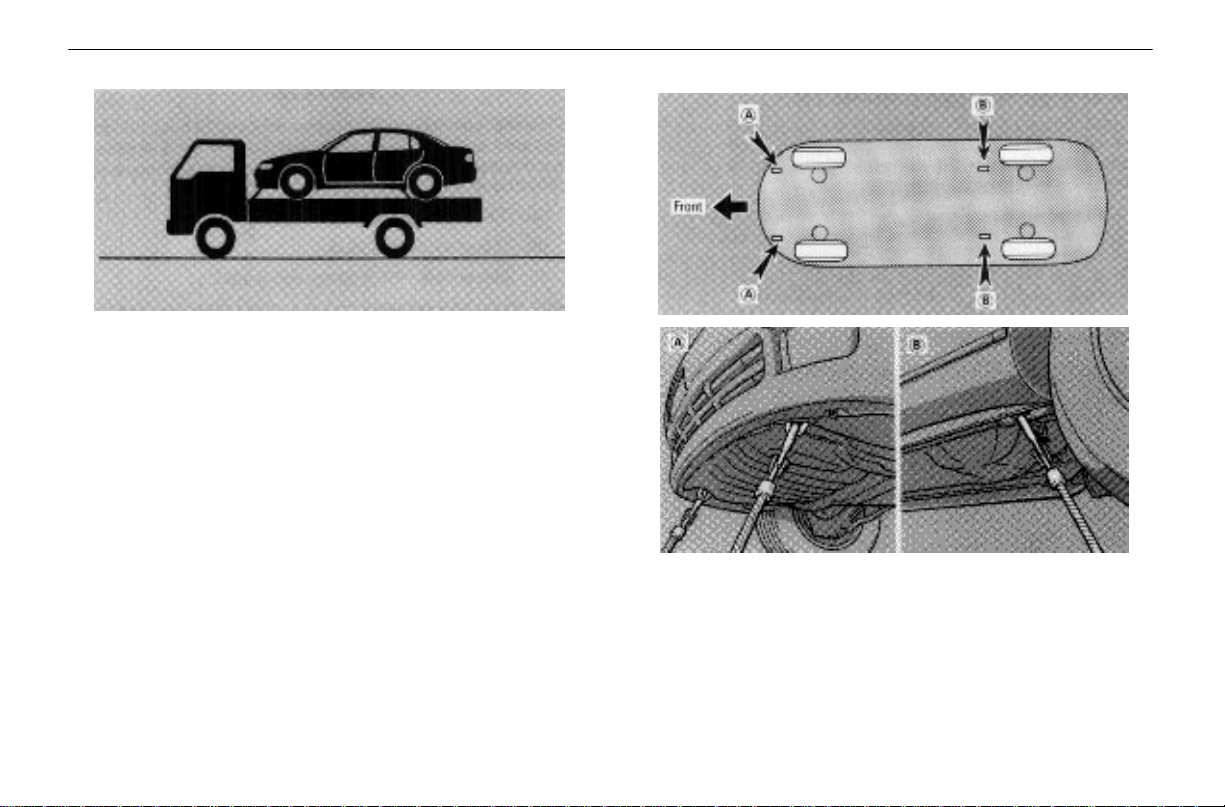
1. Using flat bed truck
Lexus recommends this as the best method for your vehicle.
Tie down points
If your Lexus is transported by a flat bed, it should be
tied down at locations A and B as shown above.
146
Page 39
NOTICE
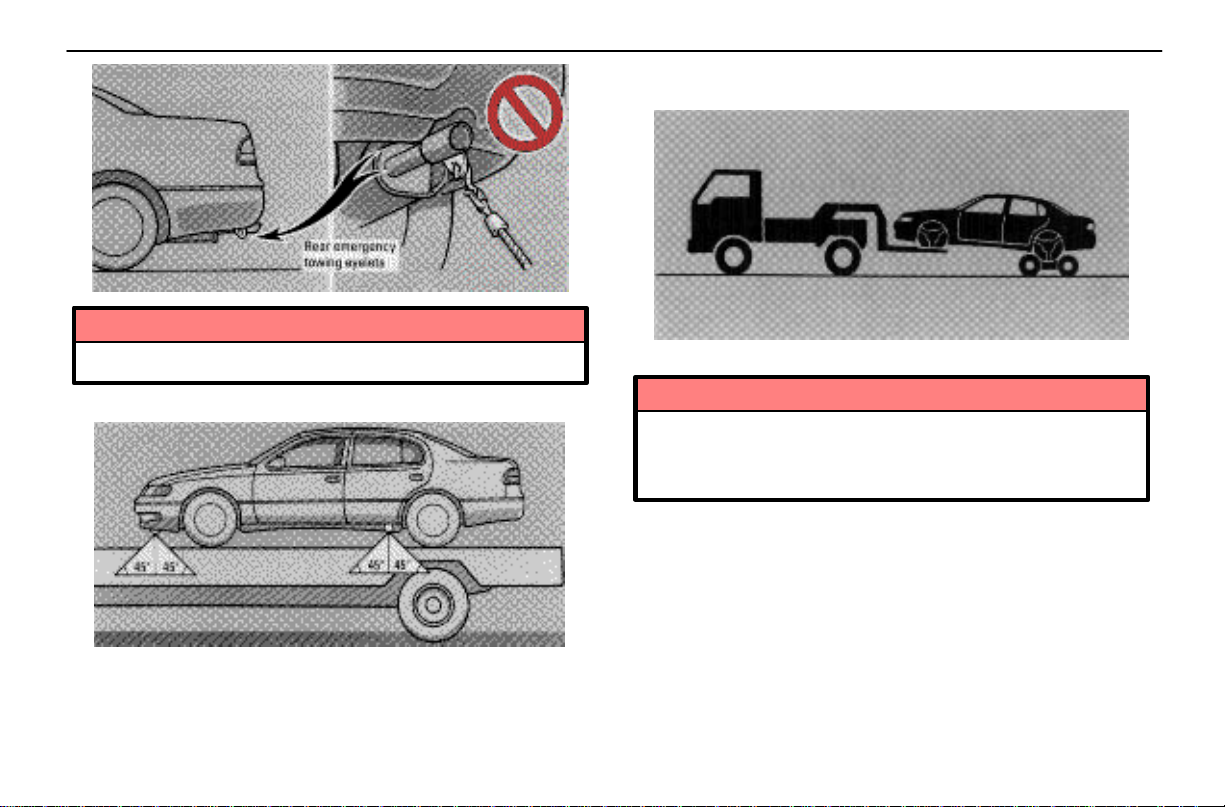
Do not use the rear emergency towing eyelets.
IN CASE OF AN EMERGENCY
2. Towing with wheel lift type truck
From front
Use a towing dolly under the rear wheels.
Tie down angle
If you use chains or wires to tie down your vehicle, the
angle must be as shown above.
NOTICE
Never tow a vehicle with an automatic transmission
from the front with rear wheels on the ground, as
this may cause serious damage to the transmission.
147
Page 40
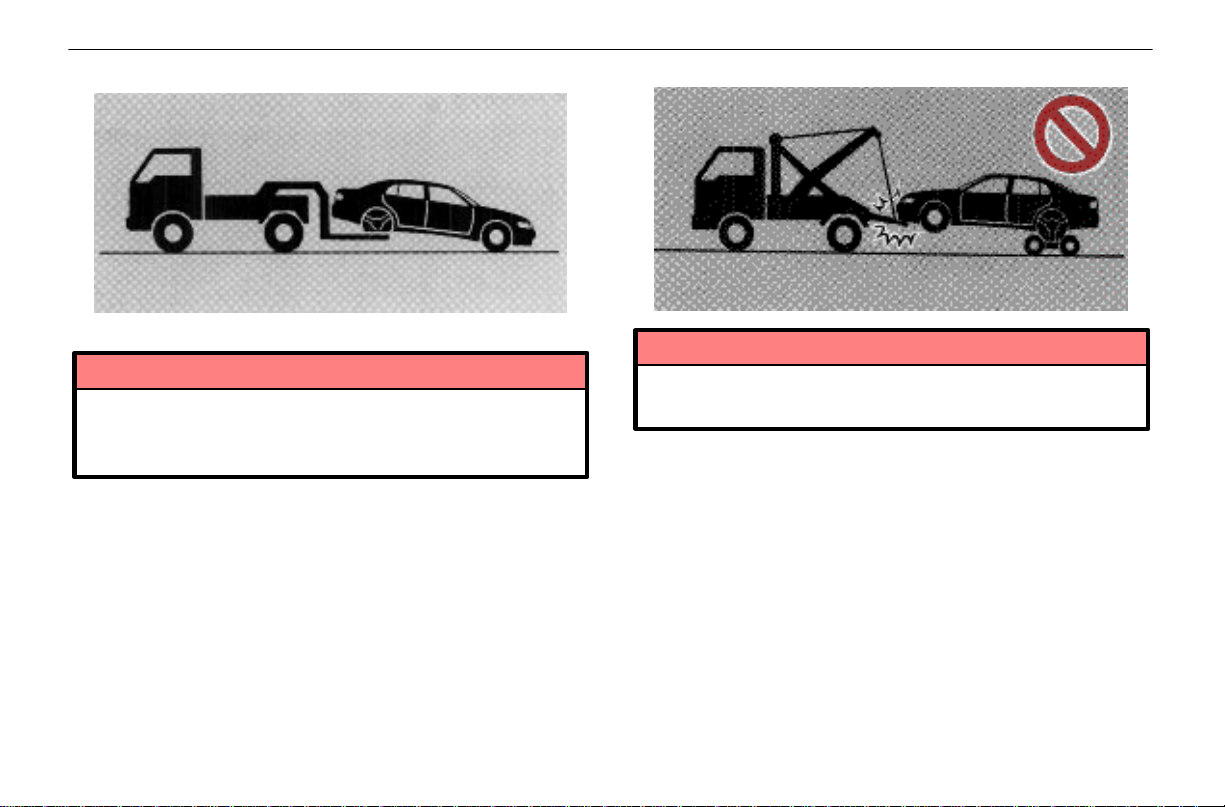
IN CASE OF AN EMERGENCY
From rear
Place the ignition key in the “ACC” position.
NOTICE
Do not tow with the key removed or in the “LOCK”
position, as the steering lock mechanism is not
strong enough to hold the front wheels straight.
3. Towing with a sling type truck
NOTICE
Do not tow with a sling type truck, either from the
front or rear. This may cause body damage.
148
Page 41
IN CASE OF AN EMERGENCY
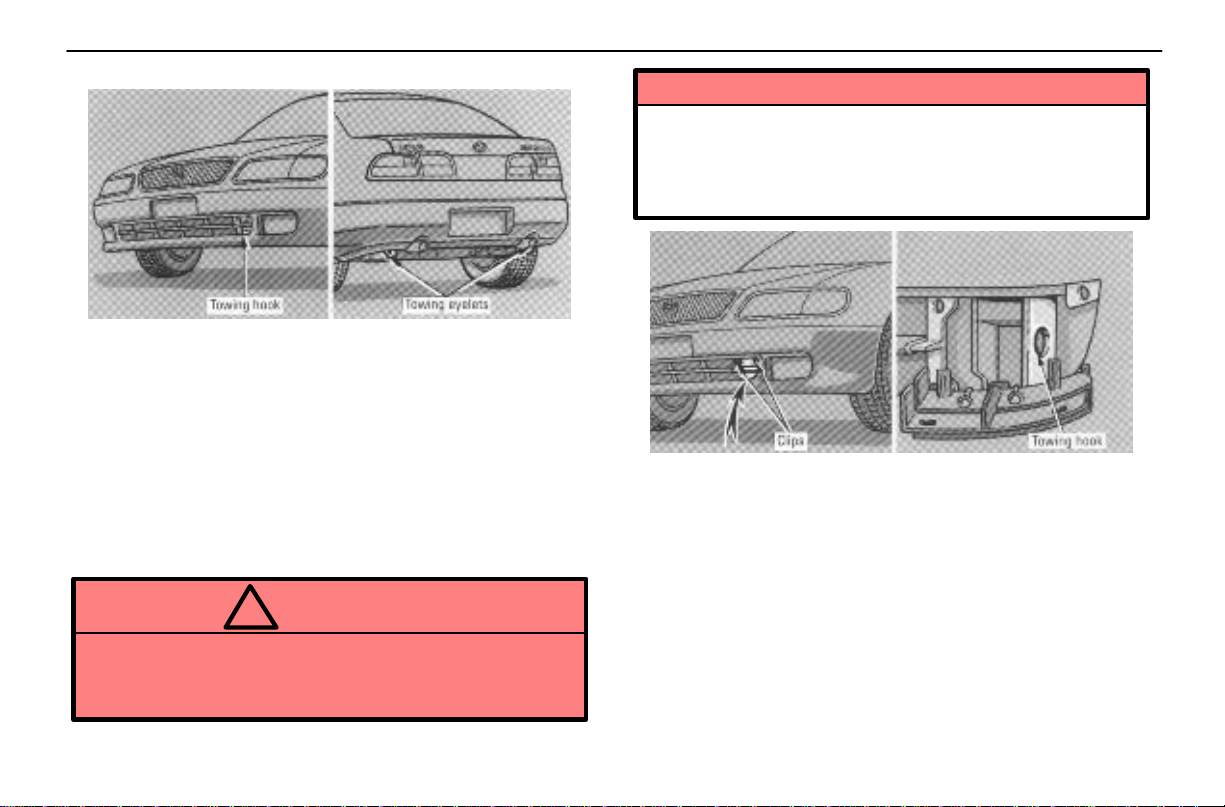
Emergency towing
If towing service is not available in an emergency, your
vehicle may be temporarily towed by a cable secured to
one of the eyelets under the front or rear of the vehicle.
A driver must be in the vehicle to steer it and operate the
brakes. Towing in this manner may be done only on
hard–surfaced roads for a short distance and at low speeds.
Also, the wheels, axles, drive train, steering and brakes must
all be in good condition.
Before towing, release the parking brake and put the
transmission in “N.” The ignition key must be in “ACC”
(engine off) or “ON” (engine running).
CAUTION
!
If the engine is not running, the power assist for the
brakes and steering will not work so steering and
braking will be much harder than usual.
NOTICE
When your vehicle is towed from the front of your
vehicle, use a towing hook. Do not use eyelets under
the front of the vehicle, or the front bumper may be
damaged.
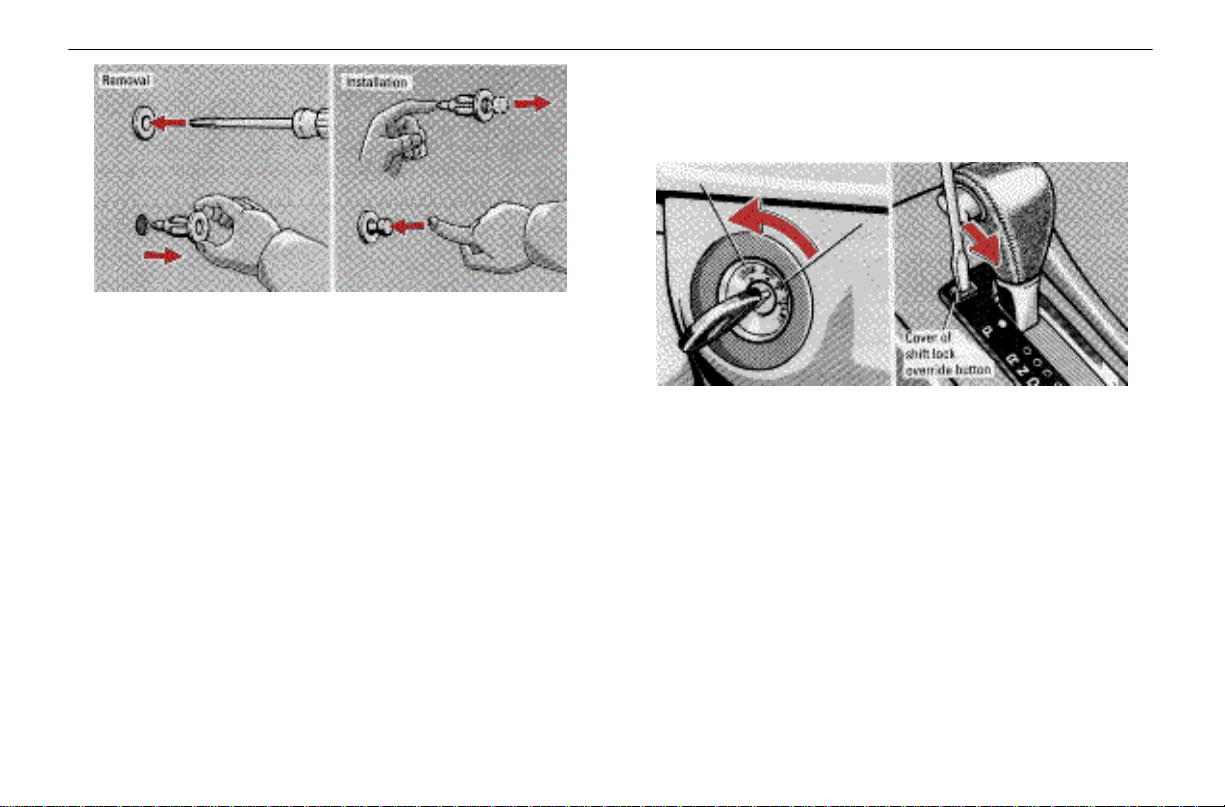
To use a towing hook, remove the two clips securing the
cover to the bumper.
149
Page 42
IN CASE OF AN EMERGENCY
Remove each clip by pressing its center with a screwdriver
or the like. To install the clip, push the pin from the rear so
that it passes through the hole, then push it back in when the
clip has been installed.
IF YOU CANNOT SHIFT
AUTOMATIC TRANSMISSION
SELECTOR LEVER
If you cannot shift the selector lever out of “P” position
to other positions even though the brake pedal is
depressed, use the shift lock override button as
follows:
1. Turn the ignition key to “LOCK.” Make sure the parking
brake is applied.
2. Pry up the cover with a flat–bladed screwdriver or
equivalent.
150
Page 43
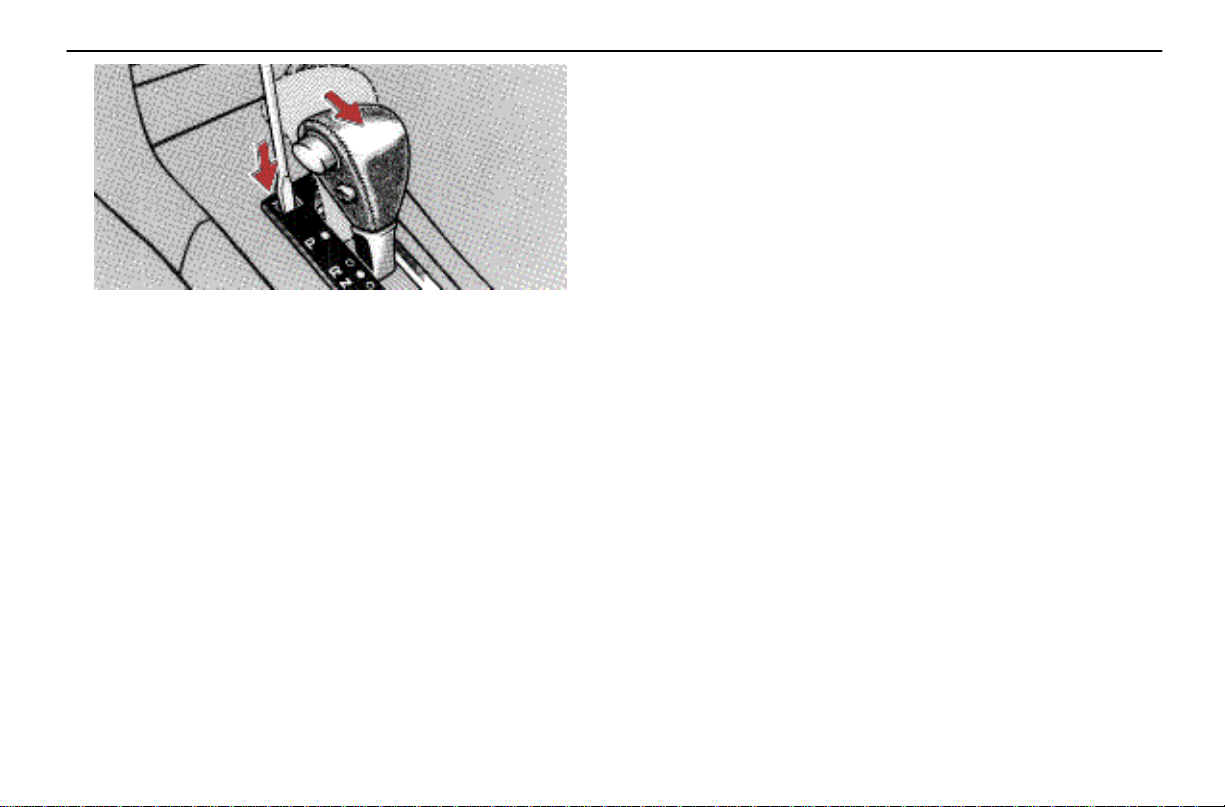
3. Insert the screwdriver or equivalent into the hole to push
down the shift lock override button. You can shift out of “P”
position only while pushing the button.
4. Shift into “N” position.
5. Insert the cover.
6. Start the engine. For your safety, keep the brake pedal
depressed.
Be sure to have the system checked by your Lexus dealer
as soon as possible.
IN CASE OF AN EMERGENCY
IF YOU LOSE YOUR KEYS OR LOCK
YOURSELF OUT
If you need a replacement key, contact your Lexus
dealer.
See the suggestions given in “Keys” on page 8.
If your keys are locked in the vehicle and you cannot get a
duplicate, many Lexus dealers can assist you. If you must
break a window to get in, we suggest breaking the smallest
side window because it is the least expensive to replace. Be
extremely cautious to avoid cuts from the glass.
151
Page 44

IN CASE OF AN EMERGENCY
152
Page 45

SECTION 3 – 1
STARTING AND DRIVING
Three–way catalytic converter 112
Engine exhaust caution 113
Before starting the engine 113
Ignition switch with steering lock 114
Parking brake 115
How to start the engine 115
Automatic transmission 117
Cruise control 122
Traction control system 125
Brake system 126
Brake pad wear limit indicators 128
Types of tires 128
111
Page 46
STARTING AND DRIVING
THREE–WAY CATALYTIC
CONVERTER
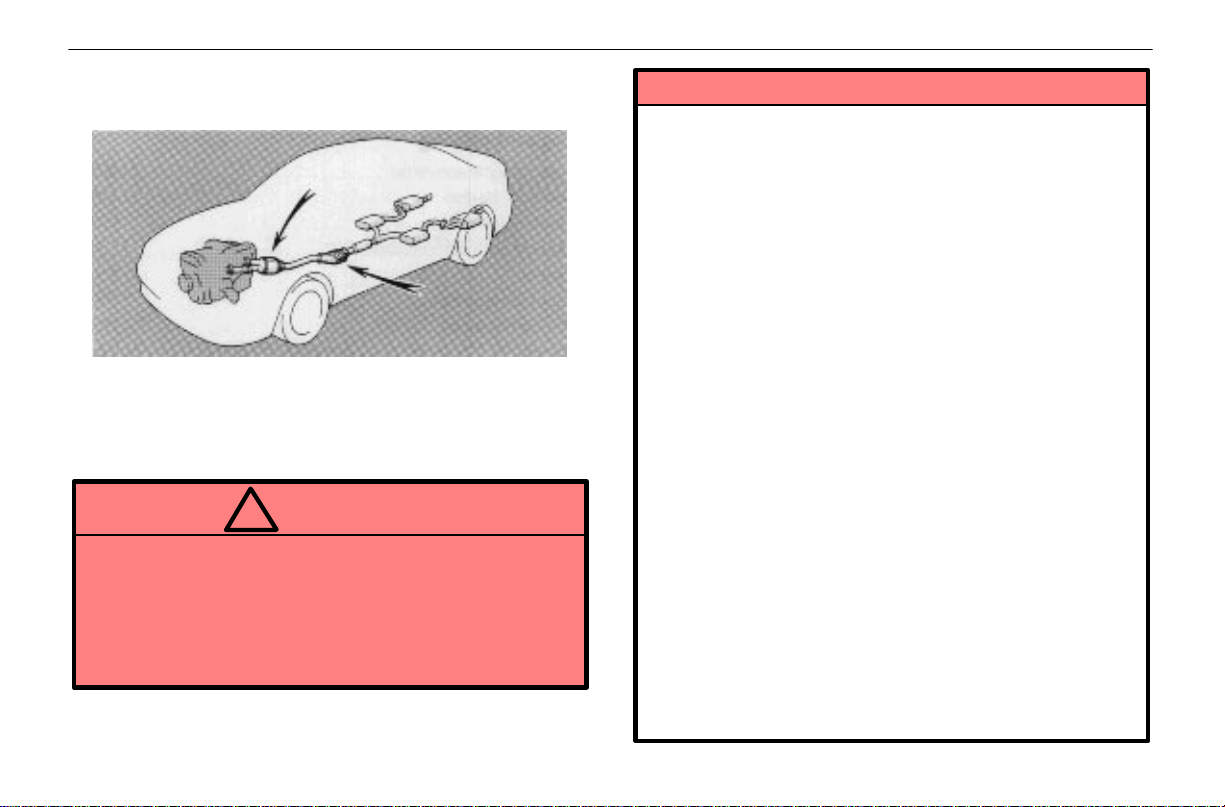
Three–way catalytic converters are emission control
devices installed in the exhaust system.
The three–way catalytic converter located at the confluence
of exhaust pipes looks somewhat like a muffler, but its
purpose is to reduce pollutants in the exhaust gas.
CAUTION
!
Keep people and combustible materials away from
the exhaust pipe while the engine is running. The
exhaust gas is very hot.
Do not drive, idle or park your vehicle over
anything that might burn easily such as grass,
leaves, paper or rags.
NOTICE
A large amount of unburned gases flowing into the
three–way catalytic converter may cause it to
overheat and create a fire hazard. To prevent this
and other damage, observe the following
precautions:
Use only unleaded gasoline.
Do not drive with an extremely low fuel level;
running out of fuel could cause the engine to
misfire, creating an excessive load on the
three–way catalytic converter.
Do not allow the engine to run at idle speed for
more than 20 minutes.
Avoid racing the engine.
Do not push–start or pull–start your vehicle.
Do not turn off the ignition while the vehicle is
moving.
Keep your engine in good running order.
Malfunction in the engine electrical system,
electronic ignition system/distributor ignition
system or fuel system could cause an extremely
high three–way catalytic converter temperature.
If the engine becomes difficult to start or stalls
frequently, take your vehicle in for a check–up as
soon as possible. Remember, your Lexus dealer
knows your vehicle and its three–way catalytic
converter system best.
112
Page 47
STARTING AND DRIVING
To ensure that the three–way catalytic converter
and the entire emission control system operate
properly, your vehicle must receive the periodic
inspections required by the Lexus Maintenance
Schedule. For scheduled maintenance
information, refe r t o the separate “Owner’s Manual
Supplement/Maintenance Schedule”.
ENGINE EXHAUST CAUTION
CAUTION
!
Avoid inhaling the engine exhaust. It contains
carbon monoxide, which is a colorless and
odorless gas. It can cause unconsciousness or
even death.
Make sure the exhaust system has no holes or
loose connections. The system should be checked
from time to time. If you hit something, or notice a
change in the sound of the exhaust, have the
system checked immediately.
Do not run the engine in a garage or enclosed area
except for the time needed to drive the vehicle in or
out. The exhaust gases cannot escape, making this
a particularly dangerous situation.
Do not remain for a long time in a parked vehicle
with the engine running. If it is unavoidable,
however, do so only in an unconfined area and
adjust the heating or cooling system to force
outside air into the vehicle.
Keep the trunk lid closed while driving. An open or
unsealed trunk lid may cause exhaust gases to be
drawn into the vehicle. If you must drive with the
trunk lid open to accommodate a large object,
close the windows, open all the dashboard vents
and have the heating or cooling system deliver
fresh air into the vehicle by turning the fan to high
speed with the air intake control button in the
OUTSIDE AIR mode.
To allow proper operation of your vehicle’s
ventilation system, keep the inlet grilles in front of
the windshield clear of snow, leaves, or other
obstructions.
If you smell exhaust fumes in the vehicle, drive with
the windows open and the trunk lid closed. Have
the cause immediately located and corrected.
BEFORE STARTING THE ENGINE
1. Check the area around the vehicle before entering it.
2. Adjust seat position, seatback angle, head restraint
height and steering wheel angle.
3. Adjust inside and outside rear view mirrors.
4. Lock all doors.
5. Fasten seat belts.
Remember to check that the service reminder indicators
function when turning the key to “ON”, and check the fuel
gauge to see that you have sufficient fuel.
113
Page 48
STARTING AND DRIVING
IGNITION SWITCH WITH STEERING
LOCK
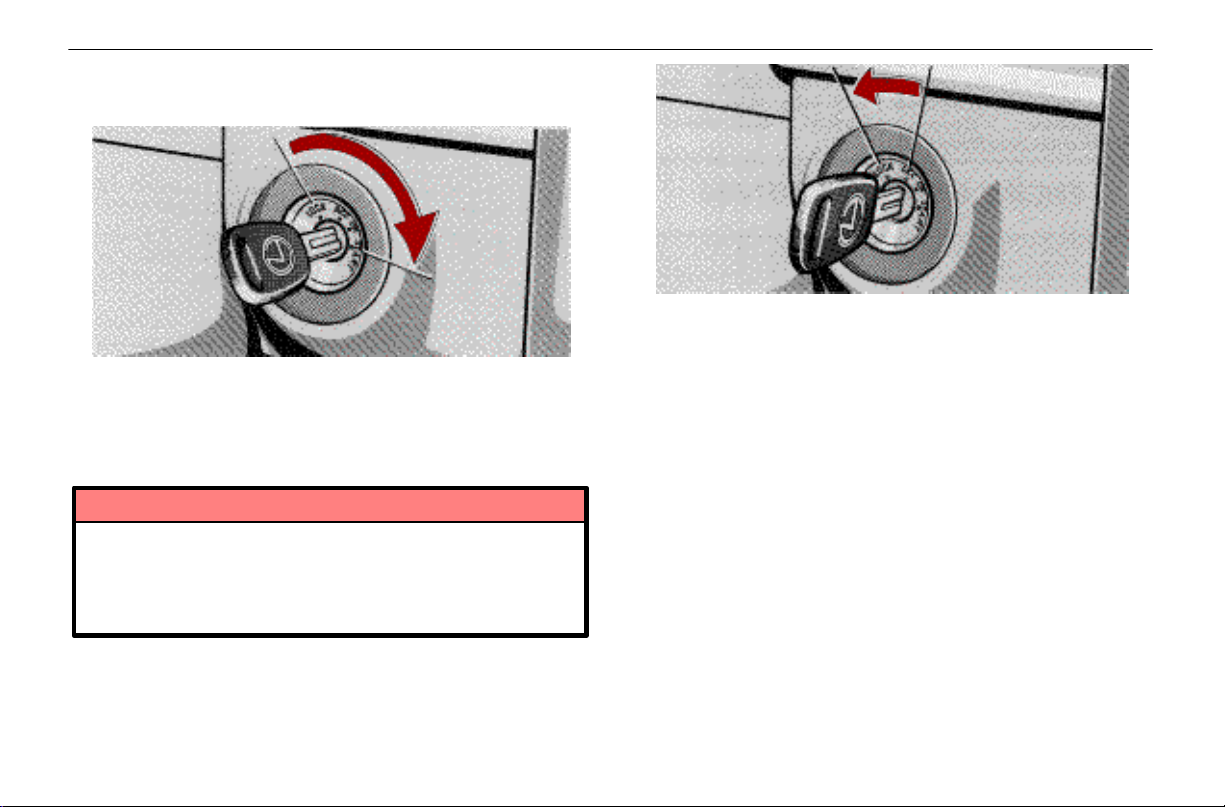
“START” – Starter motor on. The key will return to the
“ON” position when released.
For starting tips, see page 115.
“ON” – Engine on and all accessories on.
This is the normal driving position.
NOTICE
Do not leave the key in the “ON” position if the
engine is not running. The battery will discharge
and the electronic ignition system/distributor
ignition system could be damaged.
“LOCK” – Engine is off and the steering wheel is locked.
The ignition key can be removed only at this position.
To turn the key from “ACC” to the “LOCK” position, you must
put the transmission selector lever in the “P” position.
When starting the engine, the key may seem stuck at the
“LOCK” position. To free it, first be sure the key is pushed all
the way in, and then rock the steering wheel slightly while
turning the key gently.
If, in an emergency, you must turn the engine off while the
vehicle is in motion, turn the key only to “ACC”.
“ACC” – Accessories such as the radio operate, but the
engine is off.
If you leave the key in the “ACC” or “LOCK” position and
open the driver’s door, a buzzer will remind you to remove
the key.
114
Page 49
STARTING AND DRIVING
PARKING BRAKE
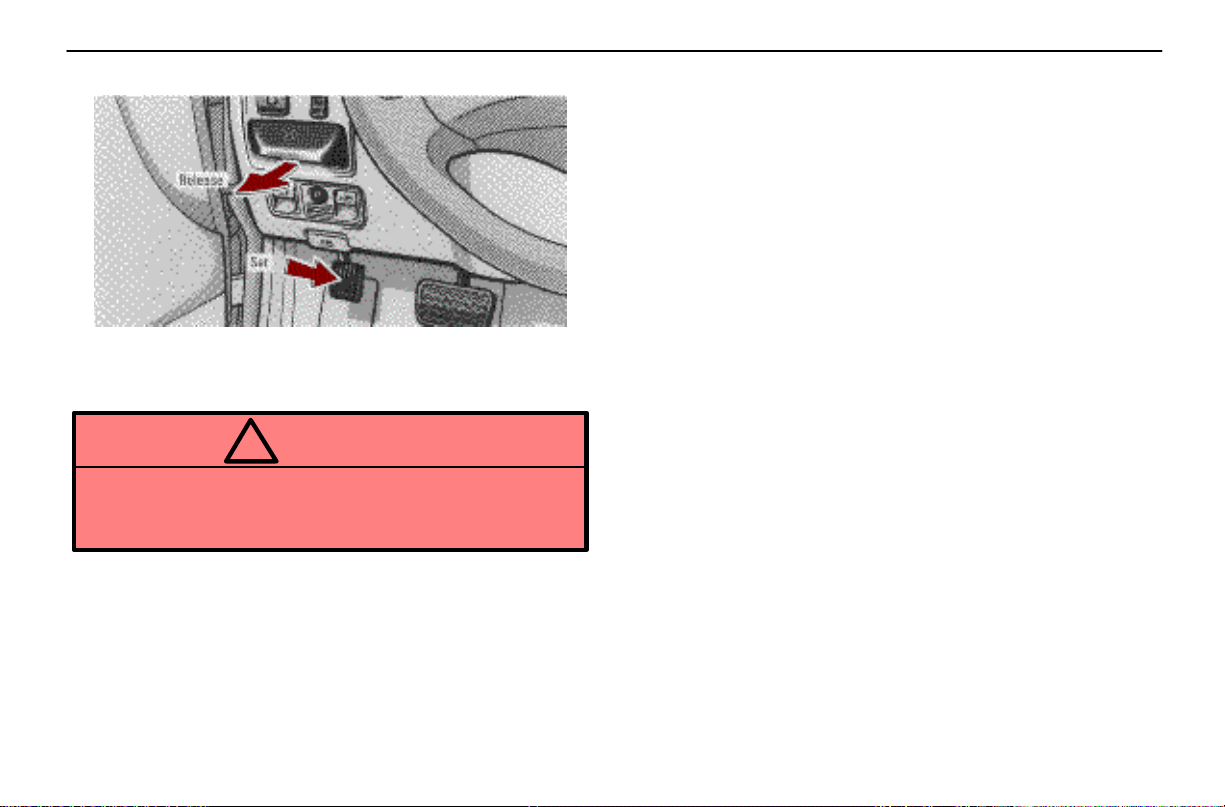
To set: Fully depress the parking brake pedal.
To release: Pull the parking brake release lever.
Before leaving your vehicle, firmly apply the parking brake.
CAUTION
!
Before driving, make sure the parking brake is fully
released and that the parking brake reminder light is
off.
HOW TO START THE ENGINE
Before cranking
1. Apply the parking brake firmly.
2. Turn off unnecessary lights and accessories.
3. Put the selector lever in “P”. If you need to restart the
engine while the vehicle is moving, put the selector lever in
“N”. A starter safety device will prevent the starter from
operating if the selector lever is in any drive position.
4. Depress the brake pedal and hold it to the floor until you
are ready to drive off.
Starting the engine
Before starting the engine, be sure to follow the instructions
in “Before cranking”.
Normal starting procedure
The multiport fuel injection system/sequential multiport fuel
injection system in your engine automatically controls the
proper air–fuel mixture for starting. You can start a cold or hot
engine as follows:
1. With your foot off the accelerator pedal, crank the engine
by turning the key to “START”. Release it when the engine
starts.
2. After the engine runs for about 10 seconds, you are
ready to drive.
115
Page 50
STARTING AND DRIVING
If the weather is below freezing, let the engine warm up for
a few minutes before driving. Do not leave the vehicle while
the engine is warming up.
If the engine stalls...
Simply restart it, using the correct procedure given in normal
starting.
If the engine will not start
See “If your vehicle will not start” on page 136.
NOTICE
Do not crank for more than 15 seconds at a time.
This may overheat the starter and wiring systems.
Do not race a cold engine.
If the engine becomes difficult to start or stalls
frequently, have the engine checked immediately.
116
Page 51
AUTOMATIC TRANSMISSION
STARTING AND DRIVING
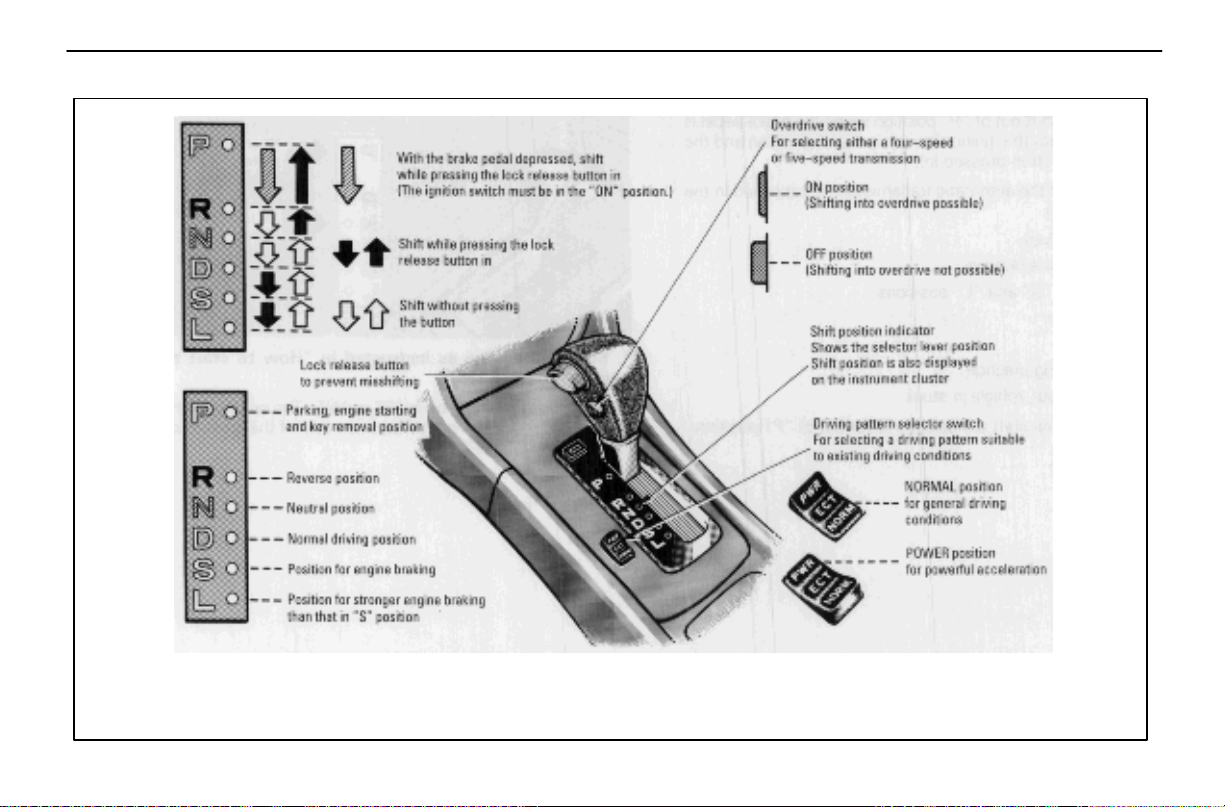
Note: When the cruise control is being used, even if you downshift the transmission by turning off the overdrive switch,
engine braking will not be applied because the cruise control is not cancelled. For the operation to decrease the vehicle
speed, see page 124.
117
Page 52
STARTING AND DRIVING
Your automatic transmission has a shift lock system to
minimize the possibility of incorrect operation. This means
you can only shift out of “P” position when the brake pedal
is depressed (with the ignition switch in “ON” position and the
lock release button pressed in).
Correct use of the automatic transmission is explained in the
following parts.
(a) Normal driving
(b) Using engine braking
(c) Using the “S” and “L” positions
(d) Backing up
(e) Parking
(f) Good driving practice
(g) If you cannot shift the selector lever out of “P” position
(a) Normal driving
1. Start the engine as instructed in “How to start the
engine” on page 115.
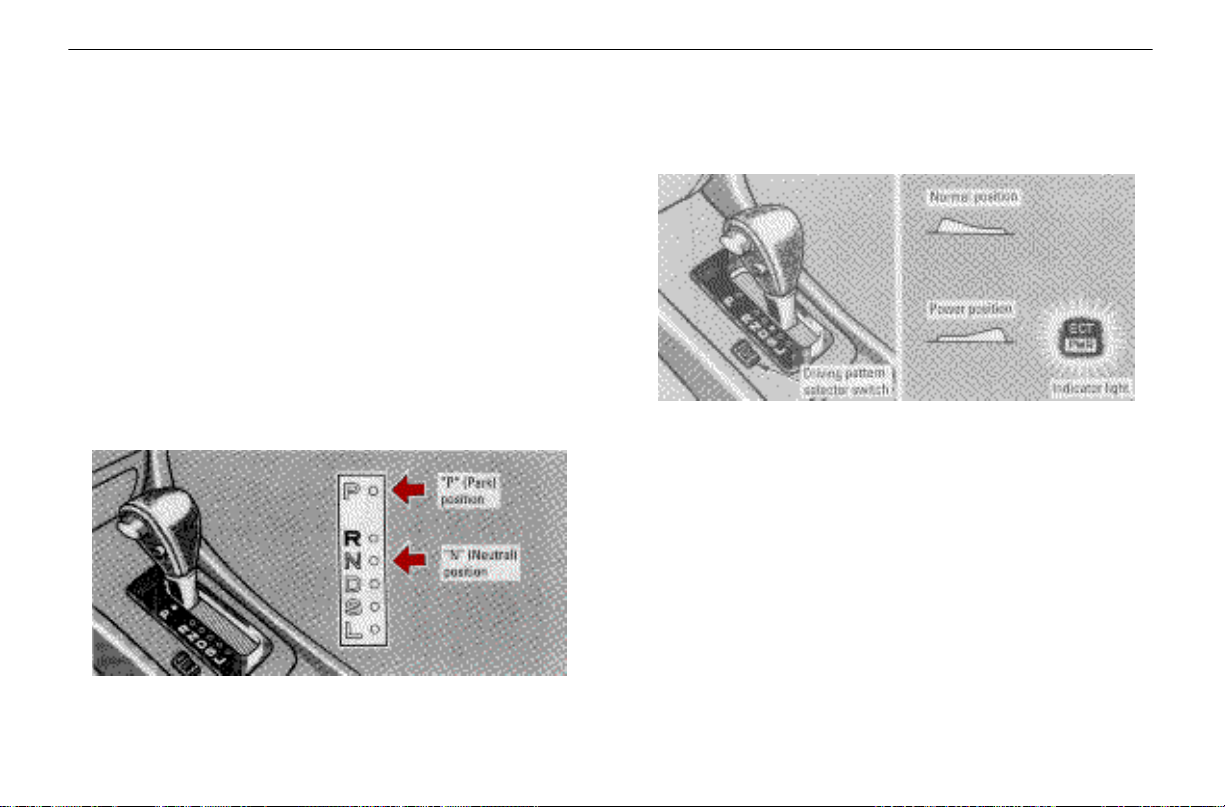
The transmission must be in “P” or “N”. The engine will not
start in “R”, “S”, “L” or “D” position even if the ignition key is
turned to “START”.
2. Set the driving pattern selector switch to the
NORMAL position.
Your transmission has a driving pattern selector switch
which allows you to select either “NORM” or “PWR” to suit
your driving condition. For ordinary driving, Lexus
recommends that you use the NORMAL position to improve
fuel economy.
3. For more powerful acceleration and sporty driving,
use the POWER position.
In the POWER position, the “ECT PWR” light in the
instrument cluster is on and the transmission is shifted up at
higher vehicle speeds and shifted down more responsively
than in the NORMAL position.
118
Page 53
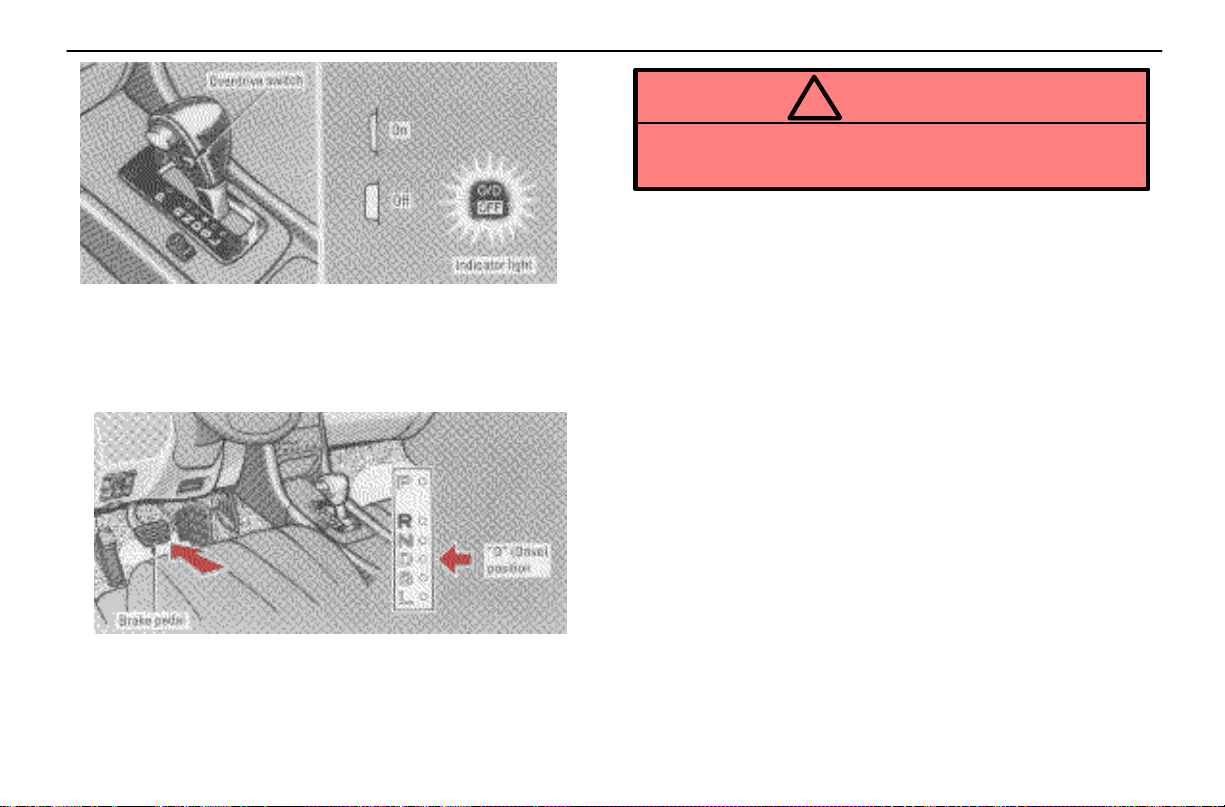
4. Set the overdrive switch to the ON position.
Always set the overdrive switch to the ON position to
improve fuel economy and quiet driving. (See “(b) Using
engine braking” and “(f) Good driving practice” for
exceptions.)
STARTING AND DRIVING
CAUTION
!
Never put your foot on the accelerator pedal while
shifting.
6. Release the p a r k i n g b r ake and brake pedal. Depress
the accelerator pedal slowly for smooth starting.
The vehicle will start in the first gear and automatically shift
to the most suitable gear for the running conditions, such as
the vehicle speed, hill climbing, etc. However, while the
engine coolant temperature is low and the vehicle is traveling
at low speed, the transmission will not shift into the overdrive
gear even with the overdrive switch on.
In “D” position, the automatic transmission system will select
the most suitable gear for the running conditions such as hill
climbing, etc.
If you need to accelerate rapidly while driving, depress the
accelerator pedal to the full throttle position. This provides
more acceleration by automatically downshifting the
transmission to the next lower gear or beyond, depending on
the vehicle speed.
If engine braking is needed, such as in descending a long hill,
see “(b) Using engine braking”.
5. With your foot holding down the brake pedal, shift
the selector lever to “D”.
119
Page 54
STARTING AND DRIVING
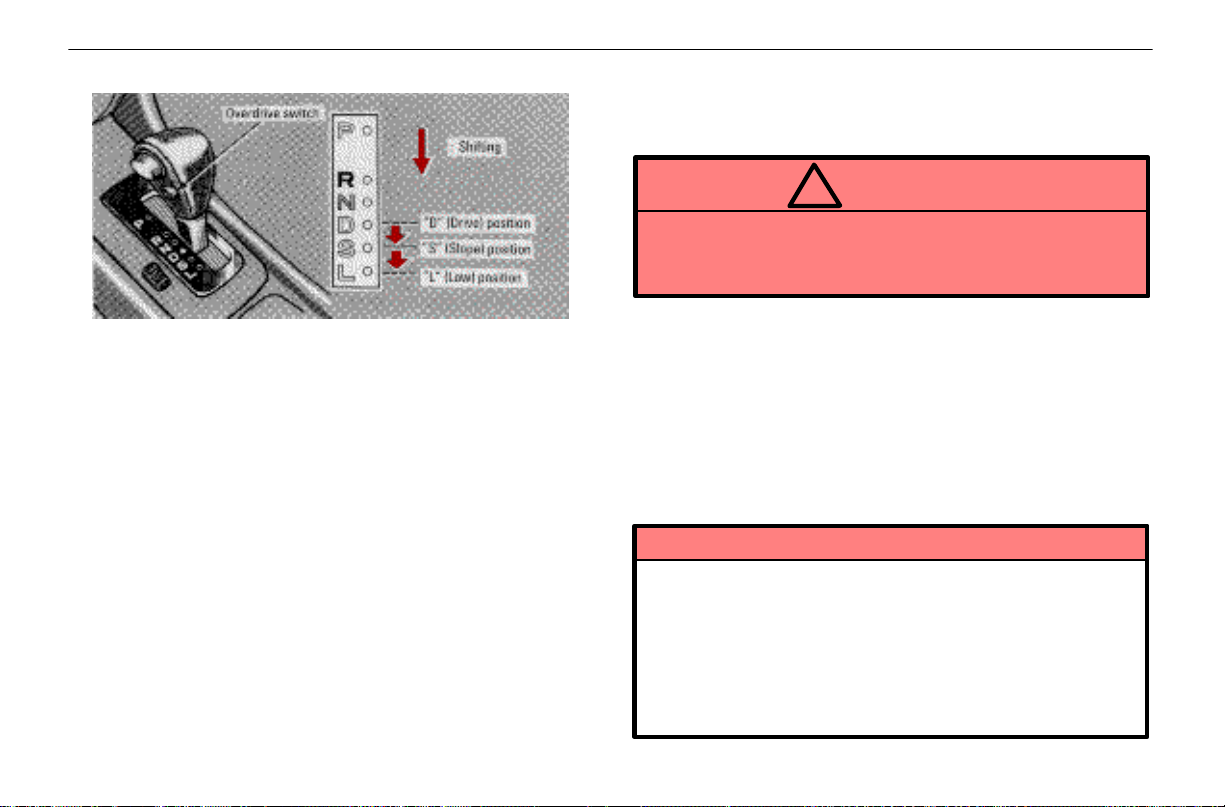
(b) Using engine braking
To use the braking power of the engine, downshift the
transmission in the way described below:
Turn off the overdrive switch. (This is effective only when
you are driving in the “D” position.) The “O/D OFF”
indicator light in the instrument cluster will come on and the
transmission will downshift to the third gear and engine
braking will be obtained.
When the cruise control is being used, even if you
downshift the transmission by turning off the overdrive
switch, engine braking will not be applied because the
cruise control is not cancelled. If you need to decrease the
vehicle speed, see page 124.
Shift into the “S” position. The transmission will downshift
to the third gear when the vehicle speed is or becomes
lower than 99 km/h (62 mph) and more powerful engine
braking will be obtained.
Shift into the “L” position. The transmission will downshift
to the first gear when the vehicle speed is or becomes
lower than 55 km/h (34 mph) and maximum engine braking
will be applied.
CAUTION
!
Be careful when downshifting on a slippery surface.
The abrupt change in engine speed could cause the
vehicle to spin or skid.
(c) Using the “S” and “L” positions
The “S” and “L” positions are used for strong engine braking
as described previously.
With the selector lever in “S” or “L”, you can start the vehicle
in motion as with the lever in “D”.
With the selector lever in “S”, the vehicle will start in the first
gear and automatically shift to the third gear.
With the selector lever in “L”, the transmission is engaged in
the first gear.
NOTICE
Be careful not to overrev the engine. Watch the
tachometer to keep engine rpm from going into the
red zone. The approximate maximum allowable
speed for each position is given below for your
reference:
“S” 114 km/h (71 mph). . . .
“L” 62 km/h (39 mph). . . . .
120
Page 55
STARTING AND DRIVING
NOTICE
Do not continue hill climbing for a long time in the
“S” or “L” position. This may cause severe
automatic transmission damage from overheating.
To prevent such damage, “D” position should be
used in hill climbing.
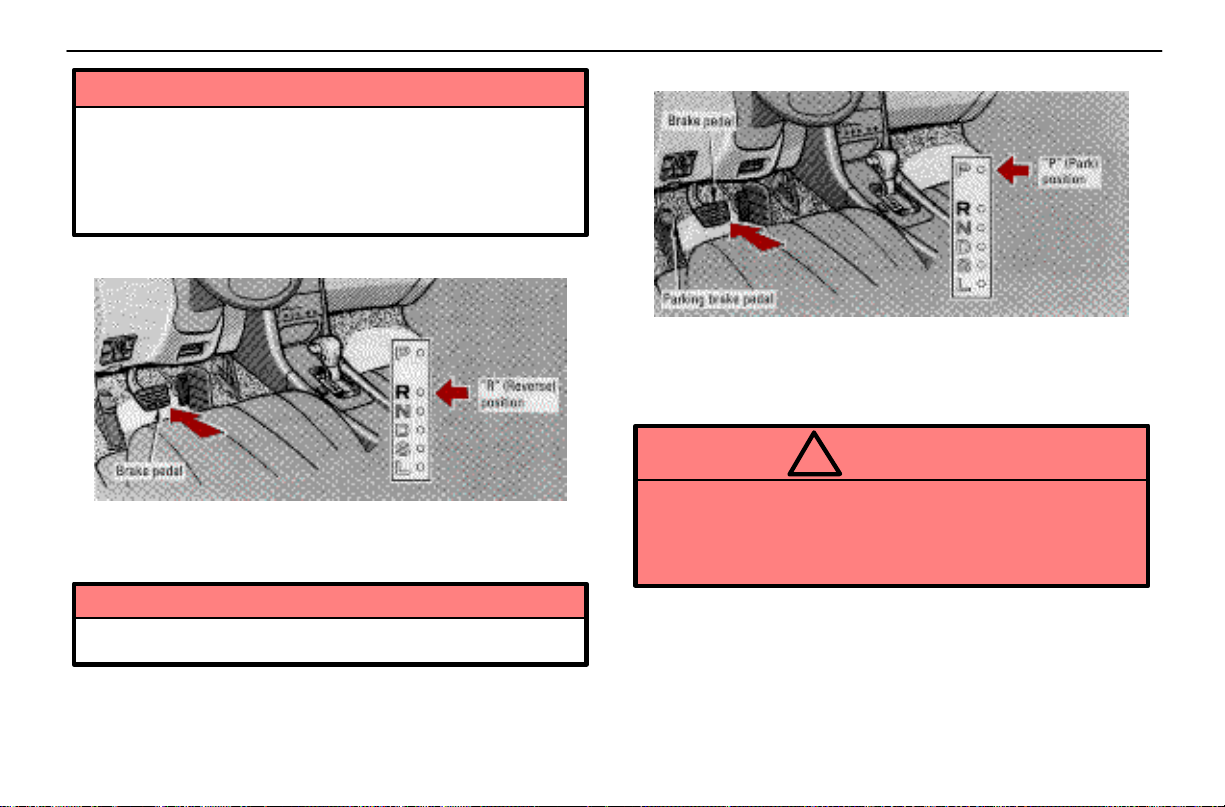
(d) Backing up
1. Bring the vehicle to a complete stop.
2. With the brake pedal held down with your foot, shift the
selector lever to the “R” position.
NOTICE
Never shift into reverse while the vehicle is moving.
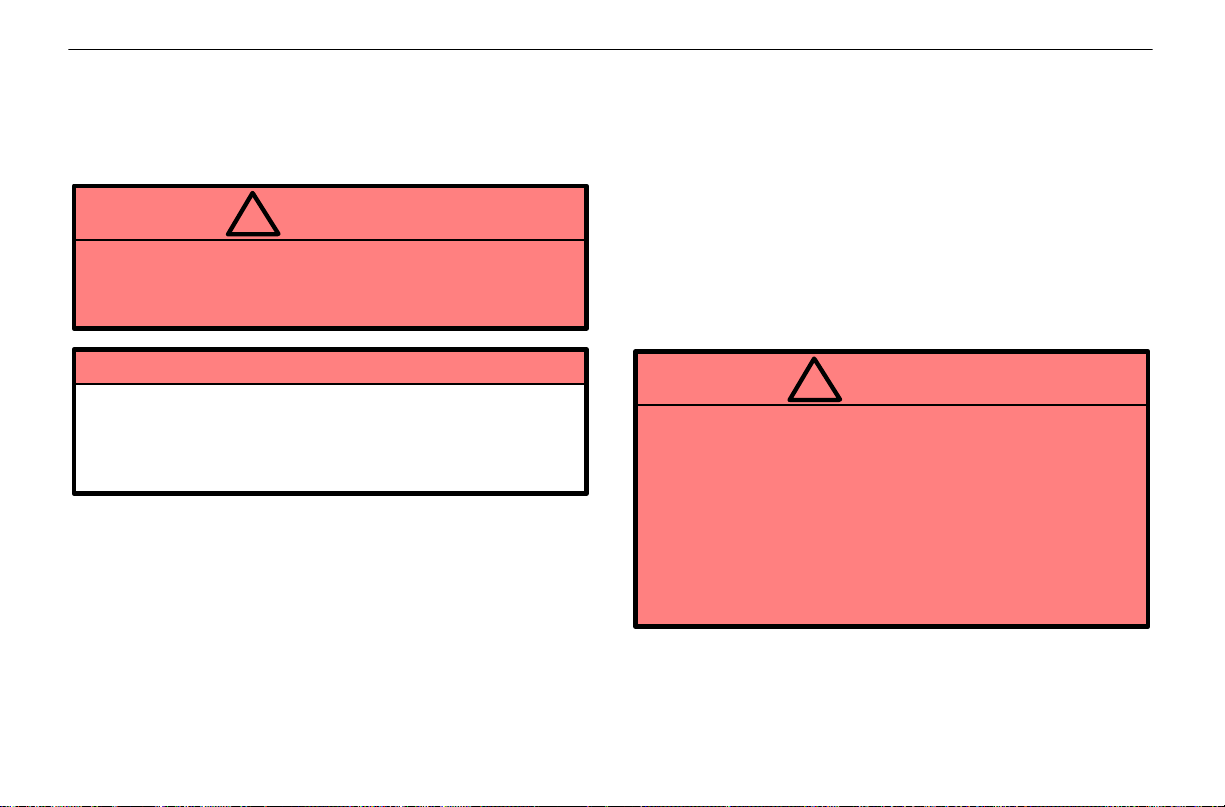
(e) Parking
1. Bring the vehicle to a complete stop.
2. Depress the parking brake pedal fully.
3. With the brake pedal held down with your foot, shift the
selector lever to the “P” position.
CAUTION
!
While the vehicle is moving, never attempt to move
the selector lever into “P” under any circumstances.
Serious mechanical damage and loss of vehicle
control may result.
121
Page 56
STARTING AND DRIVING
(f) Good driving practice
If the transmission repeatedly upshifts and downshifts
between the fourth and overdrive gears when climbing a
gentle slope, turn off the overdrive switch. Be sure to turn
the switch on immediately after climbing the slope.
CAUTION
!
Always keep your foot on the brake pedal while
stopped with the engine running. This prevents the
vehicle from creeping.
NOTICE
Do not hold the vehicle on an upgrade with the
accelerator pedal. This can cause the transmission
to overheat. Always use the brake pedal or parking
brake.
(g) If you cannot shift the selector lever out
of “P” position
If you cannot shift the selector lever from “P” position even
though the brake pedal is depressed, use the shift lock
override button. For instructions, see “If you cannot shift
automatic transmission selector lever” on page 150.
CRUISE CONTROL
The cruise control allows you to cruise the vehicle at a
desired speed over 40 km/h (25 mph) with your foot off
the accelerator pedal.
Your cruising speed can be maintained although a slight
speed change may occur when driving up or down a
gradient, within the limits of engine performance. On steeper
hills, a great speed change will occur so it is better to drive
without the cruise control.
When the cruise control is on, the driving pattern of the
automatic transmission is fixed in the normal position,
regardless of the position of the selector switch.
CAUTION
!
To help maintain maximum control of your vehicle,
do not use the cruise control when driving in heavy
or varying traffic, or on slippery (rainy, icy or
snow–covered) or winding roads.
Avoid vehicle speed increases when driving
downhill. If the vehicle speed is too fast in relation
to the cruise control set speed, cancel the cruise
control then downshift the transmission to use
engine braking to slow down.
122
Page 57
STARTING AND DRIVING
Turning on the system
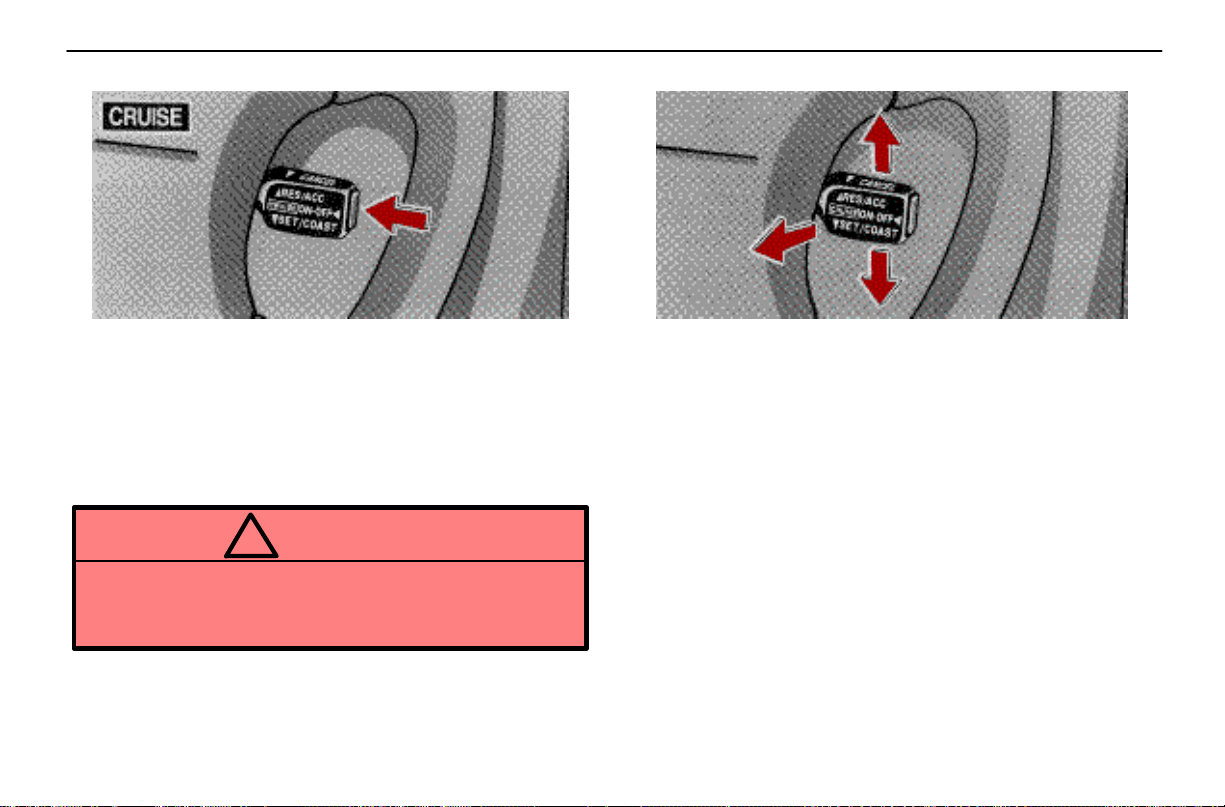
To operate the cruise control, push the main switch. This
turns the system on. The indicator light in the instrument
cluster shows that you can now set your desired cruising
speed. Another push on the switch will turn the system
completely off.
When the ignition key is turned off, the main switch is also
automatically turned off. To use the cruise control again,
push the main switch again to turn it on.
CAUTION
!
To avoid accidental cruise control engagement,
keep the main switch off when not using the cruise
control.
Setting at a desired speed
The transmission must be in “D” before you set the cruise
control speed.
Bring the vehicle to the desired speed, press the control
lever downward in the “SET/COAST” direction and release
it. This sets the vehicle at that speed. Now you may take your
foot off the accelerator pedal. If you need acceleration – for
example, when passing – depress the accelerator pedal
enough for the vehicle to exceed the set speed. When you
release the accelerator pedal, the vehicle will return to the
speed set prior to the acceleration.
Cancelling the preset speed
You can cancel the preset speed by any of the following:
a. Pulling the control lever in the “CANCEL” direction.
b. Depressing the brake pedal.
123
Page 58

STARTING AND DRIVING
If the vehicle speed falls below about 40 km/h (25 mph), the
preset speed will be automatically cancelled.
If the vehicle speed drops 16 km/h (10 mph) below the preset
speed, the preset speed will also automatically be cancelled.
If the preset speed automatically cancels out for other than
these reasons, have your vehicle checked by your Lexus
dealer at the earliest opportunity.
Resetting to a faster speed
Press the control lever upward in the “RES/ACC” direction
and hold it. Release the lever when the desired speed is
attained. While the lever is held upward, the vehicle will
gradually gain speed.
When the difference between the actual vehicle speed and
the set speed is less than 5 km/h (3 mph), the set speed can
be increased 1.6 km/h (1 mph) each time by pressing the
control lever upward in the “RES/ACC” direction quickly
within 0.6 seconds.
However, a quicker way to reset is to accelerate the vehicle
and then press the control lever downward in the
“SET/COAST” direction.
Resetting to a slower speed
Press the control lever downward in the “SET/COAST”
direction and hold it. Release the lever when the desired
speed is attained. While the lever is held downward, the
vehicle speed will gradually decrease.
When the difference between the actual vehicle speed and
the set speed is less than 5 km/h (3 mph), the set speed can
be lowered 1.6 km/h (1 mph) each time by pressing the
control lever downward in the “SET/COAST” direction
quickly within 0.6 seconds.
However, a quicker way to reset is to depress the brake
pedal and then press the control lever downward in the
“SET/COAST” direction.
Even if you turn off the overdrive switch with the cruise
control on, engine braking will not be applied because the
cruise control is not cancelled. To decrease the vehicle
speed, reset to a slower speed with the cruise control lever
or depress the brake pedal. If you use the brake pedal, cruise
control is cancelled.
Resuming the preset speed
If the preset speed is cancelled by pulling the control lever
or by depressing the brake pedal, pushing the lever up in the
“RES/ACC” direction will restore the speed set prior to
cancellation. However, once the vehicle speed falls below
about 40 km/h (25 mph), the preset speed will not be
resumed.
Cruise control failure warning
If the “CRUISE” indicator light in the instrument cluster
flashes five times and then goes out when using the cruise
control, it means that there is trouble in the cruise control
system. Contact your Lexus dealer.
124
Page 59
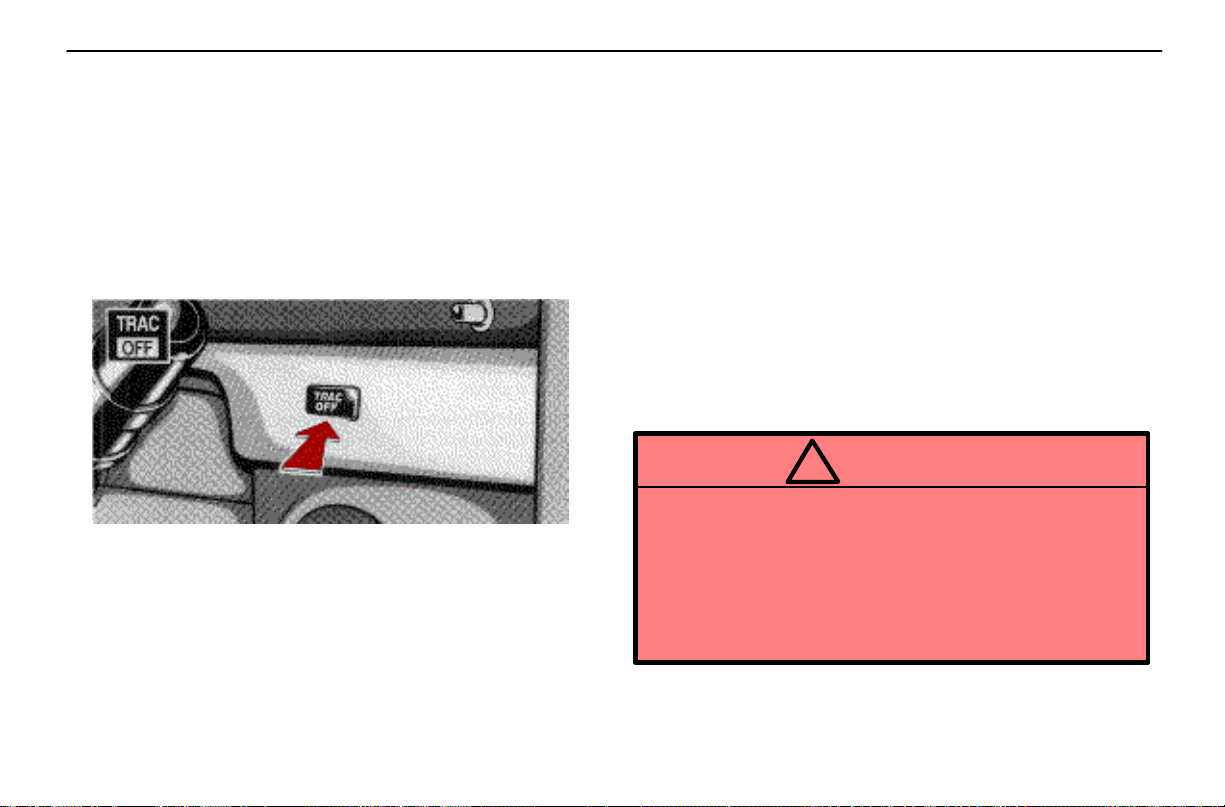
TRACTION CONTROL SYSTEM
The traction control system automatically controls
spinning of the rear wheels which may occur when
accelerating on slippery road surfaces, thus assisting
driver control and driving power to the rear wheels.
When you turn the ignition switch on, this system
always turns on. Leave the system on during ordinary
driving so that it can operate when needed. When
traction control is applied, the “TRAC” indicator/
warning light blinks.
You can turn off the traction control system by pushing
the “TRAC OFF” switch. The “TRAC OFF”
indicator/warning light will then come on. Pushing the
“TRAC OFF” switch a second time turns the system
back on and extinguishes the “TRAC OFF”
indicator/warning light.
STARTING AND DRIVING
You may hear a slight clicking noise in the engine
compartment when the engine is started. This means that
the traction control system is in the self–check mode, and
does not indicate malfunction. When the traction control
system is operating, you may feel vibration of your vehicle,
caused by operation of the brakes. This indicates the system
is functioning properly.
When getting the vehicle out of mud or new snow, etc. the
traction control system will operate to prevent the wheels
from spinning. Even though the accelerator pedal is fully
depressed, the engine speed will be restrained to a certain
level.
Traction control failure warning
If the “TRAC OFF” indicator/warning light flashes, contact
your Lexus dealer as soon as possible. There may be trouble
in the traction control system.
CAUTION
!
Under certain slippery road conditions, full stability
of the vehicle and power to the rear wheels cannot
be maintained, even though the traction control
system is in operation. In situations where the road
surface is covered with ice or snow, your vehicle
should be fitted with snow tires or tire chains and
driven at a more cautious pace.
125
Page 60
STARTING AND DRIVING
BRAKE SYSTEM
The tandem master cylinder brake system is a hydraulic
system with two separate sub–systems. If either
sub–system should fail, the other will still work. However, the
pedal will be harder to press, and your stopping distance will
be longer. Also, the brake system warning light may come
on.
CAUTION
!
Do not drive your vehicle with only a single brake
system. Have your brakes fixed immediately.
Brake booster
The brake booster uses engine vacuum to power–assist the
brakes. If the engine should quit while you are driving, you
can bring the vehicle to a stop with normal pedal pressure.
There is enough reserve vacuum for one or two stops but no
more!
CAUTION
!
Do not pump the brake pedal if the engine stalls.
Each push on the pedal uses up your vacuum
reserve.
Even if the power assist is completely lost, the
brakes will still work. But you will have to push the
pedal hard – much harder than normal. And your
braking distance will be longer.
Anti–lock brake system
The anti–lock brake system is designed to prevent
lock–up of the wheels during sudden braking or
braking on slippery road surfaces. This assists the
driver in controlling the vehicle under these
circumstances.
The anti–lock brake system becomes operative after the
vehicle has accelerated to a speed in excess of
approximately 10 km/h (6 mph). It stops operating when the
vehicle decelerates to a speed below approximately 5 km/h
(3 mph).
You may hear a sound in the engine compartment for a few
seconds when the engine is started or just after the vehicle
is started. This means that the anti–lock brake system is in
the self check mode, and does not indicate a malfunction.
When the anti–lock brake system function is in action, you
may feel the brake pedal pulsating and hear a noise. In this
situation, to let the anti–lock brake system work for you, just
hold the brake pedal down more firmly. Do not pump the
brake.
The brake pedal pulsation caused by the anti–lock brake
system may indicate hazardous road surface conditions.
Although the anti–lock brake system assists in providing
vehicle control, it is still important to drive with all due care,
because the anti–lock brake system cannot overcome the
laws of physics that act on your vehicle:
Braking capability is dependent on tire friction with the road
surface.
126
Page 61
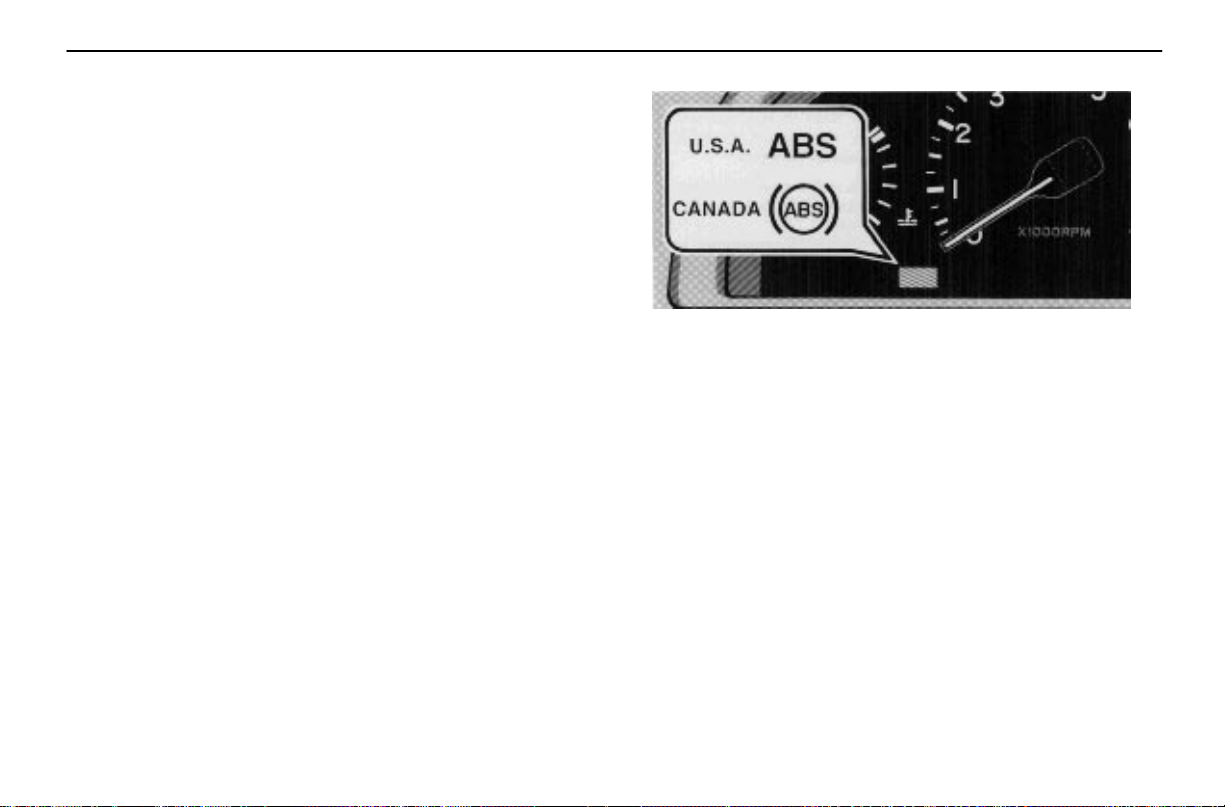
Even though the anti–lock brake system is operating, a
driver cannot maintain full control on certain slippery road
surfaces, when cornering at high speeds, or in violent
maneuvers.
Avoid high speeds on wet roads. The anti–lock brake
system cannot eliminate the risk of hydroplaning and loss
of tire friction.
Always maintain a safe distance from the vehicle in front of
you. Compared with vehicles not fitted with an anti–lock
brake system, your vehicle may require a longer stopping
distance in the following cases:
Driving on rough, gravel or snow–covered roads.
Driving with tire chains installed.
Driving on roads where the road surface is pitted or has
other differences in surface height.
STARTING AND DRIVING
“ABS” warning light
This light comes on when the ignition key is turned to
the “ON” position. After about 3 seconds, the light will
go off.
If either of the following conditions occurs, this indicates a
malfunction somewhere in the parts monitored by the
warning light system. Contact your Lexus dealer as soon as
possible to service the vehicle.
The light does not come on as described above, or remains
on.
The light comes on while driving.
Even if the anti–lock brake system should fail, the brake
system will still operate conventionally. Have your vehicle
checked by your Lexus dealer as soon as possible.
127
Page 62
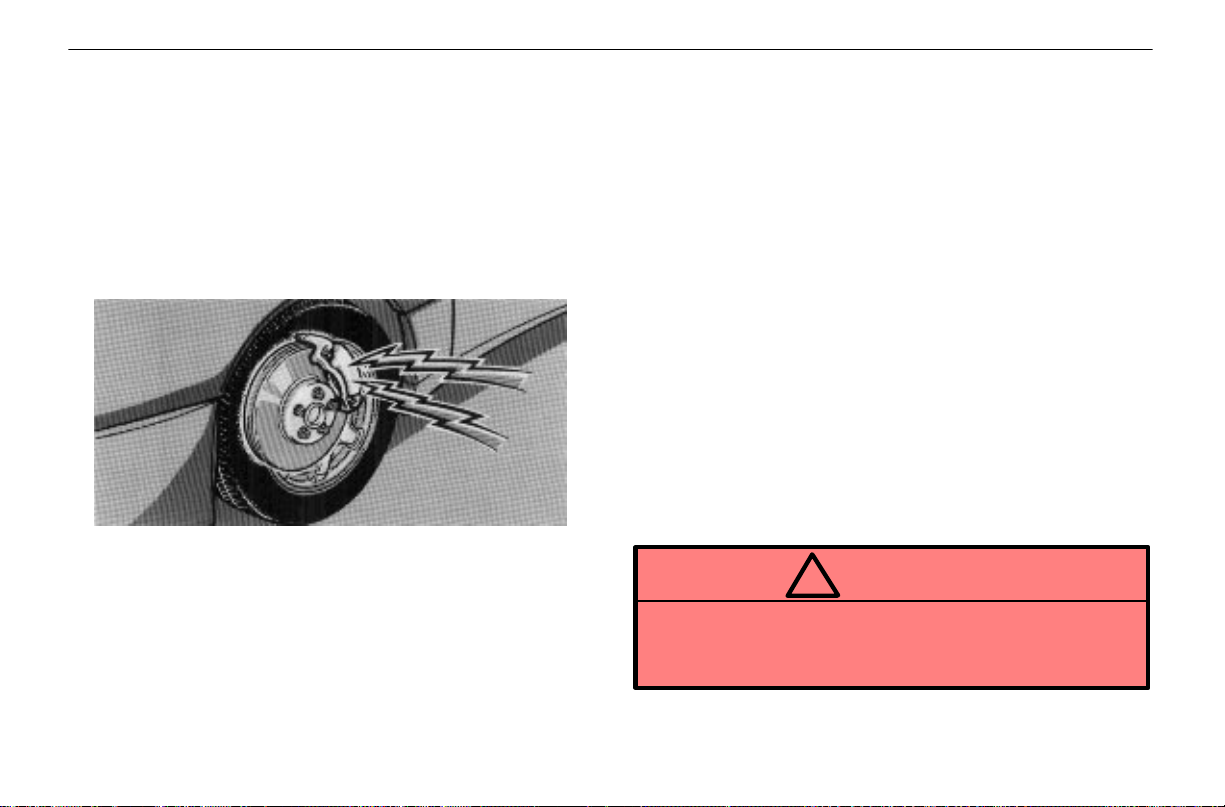
STARTING AND DRIVING
Drum–in–disc type parking brake system
Y our vehicle has a drum–in–disc type parking brake system.
This type of brake system needs bedding–down of the brake
shoes periodically or whenever the parking brake shoes
and/or drums are replaced.
Have your Lexus dealer perform the bedding–down.
BRAKE PAD WEAR LIMIT
INDICATORS
The brake pad wear limit indicators on your disc brakes
give a warning noise when the brake pads are worn to
the extent that replacement is required.
If you hear a squealing or scraping noise while driving, have
the brake pads checked and replaced by your Lexus dealer
as soon as possible. Expensive rotor damage can result if
the pads are not replaced when needed.
TYPES OF TIRES
Make sure what kind of tires your vehicle is originally
equipped with.
1. Summer tires
Summer tires are high–speed capability tires best suited to
highway driving under dry conditions.
Since summer tires do not have the same traction
performance as snow tires, summer tires are inadequate for
driving on snow–covered or icy roads. For driving on
snow–covered or icy roads, we recommend using snow
tires. If installing snow tires, be sure to replace all four tires.
2. All season tires
All season tires are designed to provide better traction in
snow and to be adequate for driving in most winter
conditions, as well as for use all year round.
All season tires, however, do not have adequate traction
performance compared with snow tires in heavy or loose
snow. Also, all season tires fall short in acceleration and
handling performance compared with summer tires in
highway driving.
CAUTION
!
Do not mix summer and all season tires on your
vehicle as this can cause dangerous handling
characteristics, resulting in loss of control.
128
Page 63

SECTION 1 – 7
INSTRUMENTS AND CONTROLS
Theft deterrent
Theft deterrent system 80
Theft prevention labels 82
79
Page 64
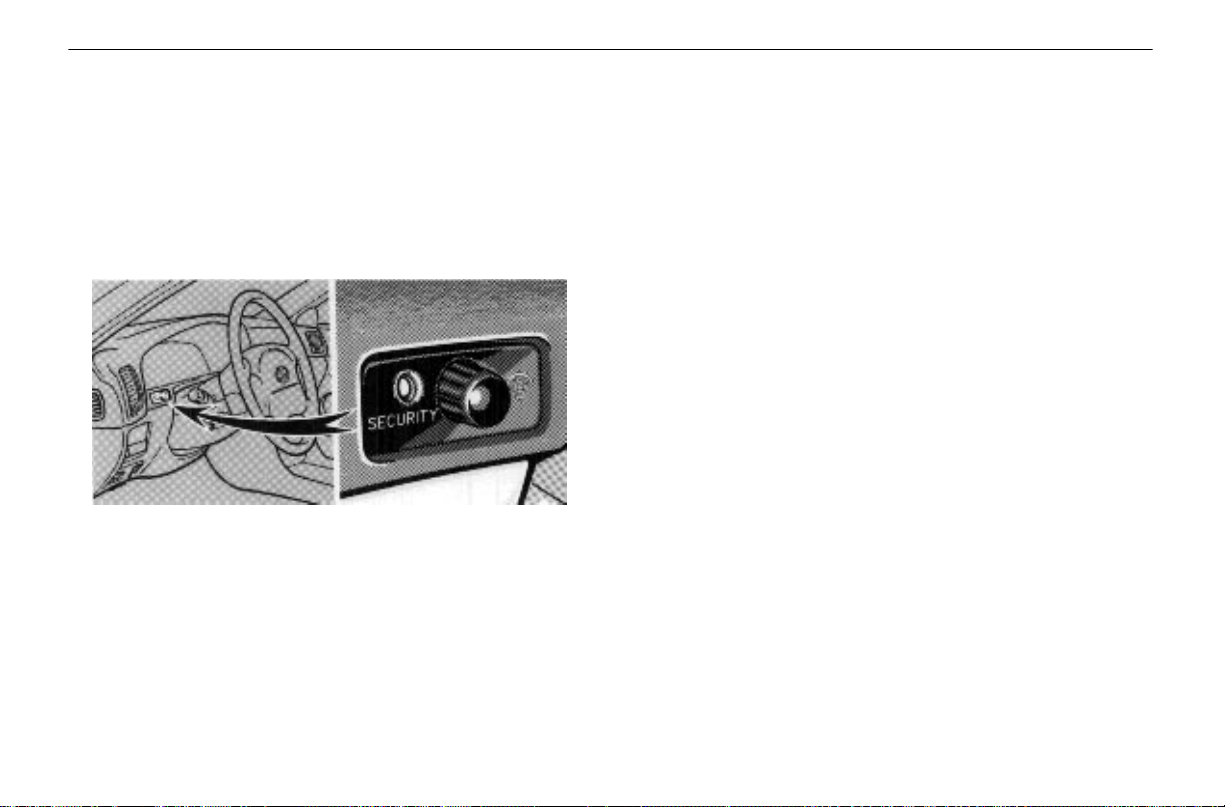
THEFT DETERRENT
THEFT DETERRENT SYSTEM
To deter theft of the vehicle, this system is designed to
give an alarm and keep the engine from being started if
any of the doors, trunk and hood is forcibly unlocked or
the battery terminal is disconnected and then
reconnected while the vehicle is locked.
The alarm blows the horn intermittently and flashes the
headlights, tail lights and other exterior lights. The engine
cannot be started because the starter circuit will be disabled.
Setting the system
1. Turn the ignition key to the “LOCK” position and
remove it.
2. Driver and passengers get out of the vehicle.
3. Close and lock all the doors, trunk and hood.
The indicator light will come on when all the doors, trunk and
hood are closed and locked.
When the front doors are locked, the system will give you a
period of 30 seconds before it is set, during which the doors,
trunk and hood may be opened.
During thi s period, if any of the doors is unlocked, the system
will be cancelled.
4. After making sure the indicator light starts flashing,
you may depart from the vehicle.
The system will automatically set itself after the 30–second
period. The indicator light will flash to show the system is set.
If any of the doors, trunk or hood is opened before the system
is set, setting is interrupted until it is closed and locked.
Never leave anyone in the vehicle when you set the system,
because unlocking a door from the inside will activate the
system.
When the system is set
SYSTEM ACTIVATION
The trunk opener circuit is disabled, so the trunk must be
opened by the master key.
The system will sound the alarm and disable the starter
circuit under the following conditions:
If any of the doors, trunk or hood is forcibly unlocked.
80
Page 65

If the battery terminal is disconnected and then
reconnected.
After 1 minute, the alarm will automatically stop, but the
starter circuit will remain disabled.
REACTIVATING THE ALARM
Once set, the system automatically resets the alarm each
time all the doors, trunk and hood are closed after the alarm
stops.
The alarm will be activated again under the following
conditions:
If any of the doors, trunk or hood is opened.
If the battery terminal is disconnected and then
reconnected.
STOPPING THE ALARM
Turn the ignition key from the “LOCK” to “ACC”
position.
The alarm will be stopped but the starter circuit will remain
disabled. Stopping the alarm in this manner will keep the
alarm from being reactivated when any of the doors, trunk
or hood is opened.
THEFT DETERRENT
INTERRUPTING THE SYSTEM
With the system set, the trunk can be opened with the master
key without activating or cancelling the system. While it is
open, the doors and hood may be opened in addition, and
the system can be activated only by disconnecting the
battery terminal.
To resume the setting, close and lock all the doors, trunk and
hood. The trunk must be closed with the key removed.
Cancelling the system
Open any of the doors using an ignition key or wireless door
lock remote control.
This cancels the system completely and the starter circuit
will be reactivated at once.
INDICATOR LIGHT
The indicator light gives the following three indications.
FLASHING – The system is set. You need the master key
or wireless door lock remote control to open the doors, trunk
or hood.
ON – The system will automatically be set when the time
comes. The doors, trunk or hood may be opened without a
master key or wireless door lock remote control. The
indicator light is also on when the alarm is being sounded.
OFF – The system is inactive. You may open any door, trunk
or hood.
81
Page 66
THEFT DETERRENT
Testing the system
1. Open all the windows.
2. Set the system as described above.
The front doors should be locked with the ignition key or
wireless door lock remote control. Be sure to wait until the
indicator light starts flashing.
3. Unlock one of the doors from the inside.
The system should activate the alarm.
4. Unlock any of the doors with a key or the wireless
door lock remote control to cancel the system.
5. Repeat this operation for the other doors and hood.
When testing the hood, also check that the system is
activated when the battery terminal is disconnected and then
reconnected.
If the system does not work properly , have i t checked by your
Lexus dealer.
NOTICE
Disconnecting the battery may result in the erasure
of information you have set in the computer
memory. After reconnecting the battery, check that
the memorized data has been retained. If it has been
erased, input it into the computer once more.
THEFT PREVENTION LABELS
(U.S.A. ONLY)
Your new vehicle carries theft prevention labels which
are approximately 56 mm (2.20 in.) by 16 mm (0.63 in.).
The purpose of these labels is to reduce the incidence of
vehicle thefts by facilitating the tracing and recovery of parts
from stolen vehicles. The label is designed so that once it is
applied to a surface, any attempt to remove it will result in
destroying the integrity of the label. Transferring these labels
intact from one part to another will be impossible.
NOTICE
You should not attempt to remove the theft
prevention labels as it may violate certain state or
federal laws.
82
Page 67
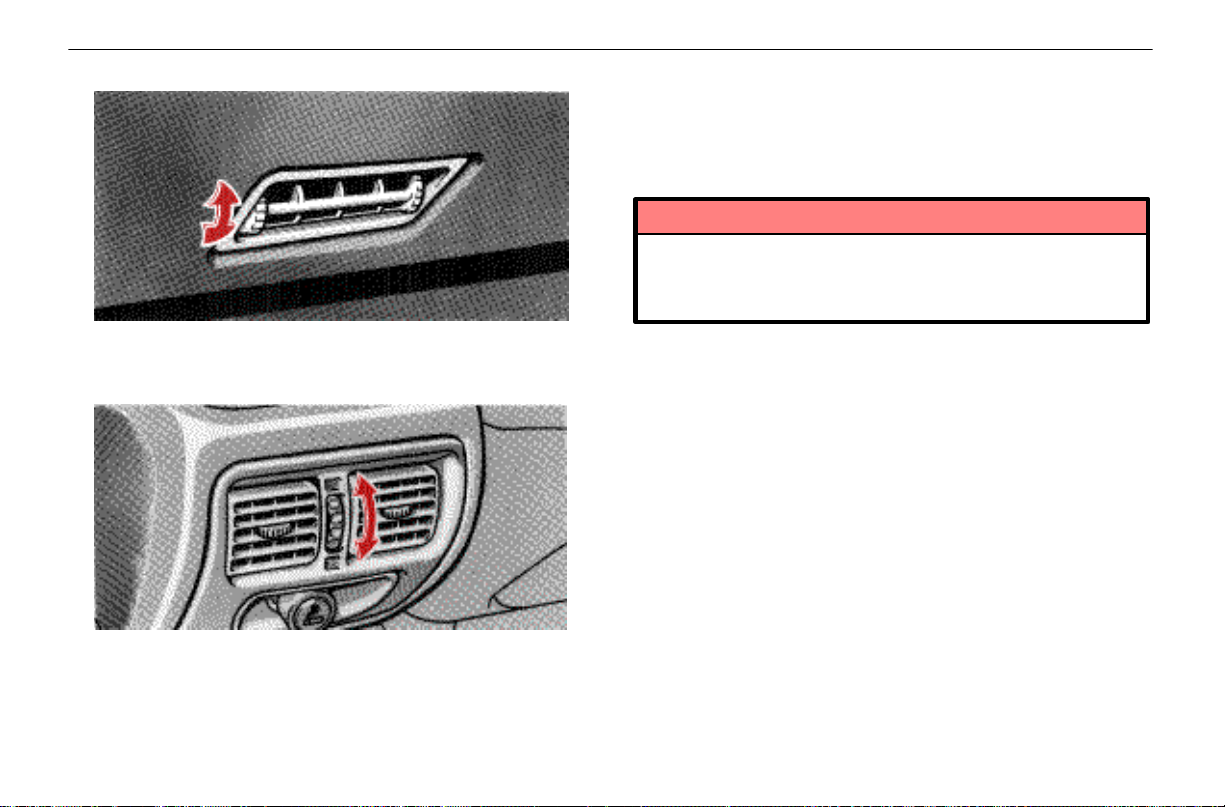
AIR CONDITIONING AND AUDIO
Lower vent
The lower vent may be opened or closed as shown.
Rear vents
The rear vents may be opened or closed as shown.
AUDIO SYSTEM
Car audio operating tips
You can listen to the car audio when the ignition key is
at “ON” or “ACC.” However, if the engine is not running,
the key must be in the “ACC” position.
NOTICE
To prevent the battery from being discharged, do
not leave the car audio on longer than necessary
when the engine is not running.
Audio operation is described in detail on the following pages:
Radio operation – See page 91.
Cassette tape player operation – See page 95.
Compact disc player operation – See page 99.
Anti–theft system – See page 105.
90
Page 68
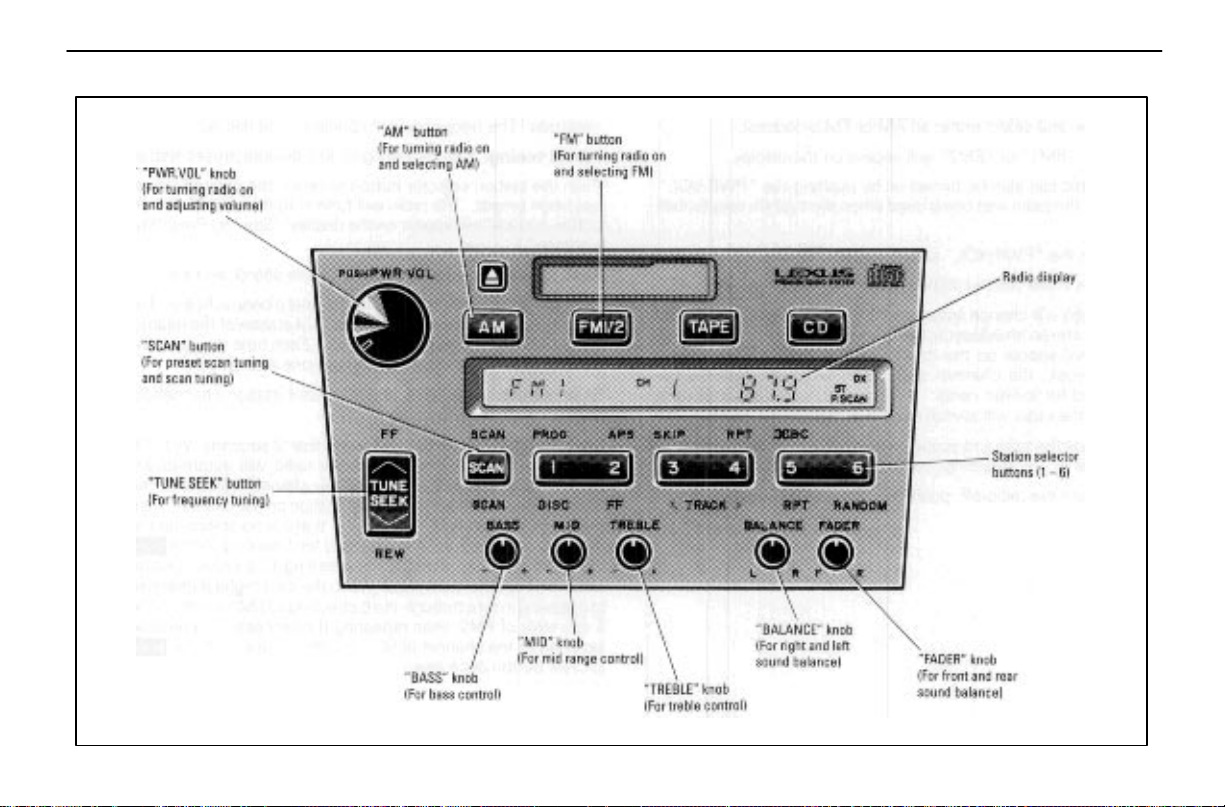
Radio operation
AIR CONDITIONING AND AUDIO
91
Page 69

AIR CONDITIONING AND AUDIO
(a) Listening to the radio
1. Push the (A/M) or (F/M 1/2) button to
turn the radio on and select either an AM or FM broadcast.
“AM,” “FM1” or “FM2” will appear on the display.
The radio can also be turned on by pushing the “PWR.VOL”
knob if the radio was being used when the system was
turned off.
2. Tune the “PWR.VOL” knob to adjust the volume.
3. Tune in the desired station. (See “(b) Selecting a
station.”)
The radio will change automatically to stereo reception when
an FM stereo broadcast is being received. At the same time
“ST” will appear on the display. When the receiving signal
gets weak, the channel separation will automatically be
reduced for lowest noise. If the signal becomes extremely
weak, the radio will switch over to monaural reception.
4. Adjust the tone and sound balance. (See “(d) Adjusting
the tone” and “(e) Adjusting the sound balance.”)
5. To turn the radio off, push the “PWR.VOL” knob.
(b) Selecting a station
Tune in the desired station using one of the following
methods. The frequency will appear on the display.
Preset tuning: Use for tuning–in to a desired preset station.
Push the station selector button to which the desired station
has been preset. The radio will tune in to the station and the
button number will appear on the display. See “(c) Presetting
a station.”)
Seek tuning: Use for automatic station search and stop.
Push the (SEEK) button and hold it until a beep is heard.
The radio will begin seeking up or down for a station of the
nearest frequency and will stop on reception. Each time you
push the button, stations will be searched out one after
another.
Scan tuning: Use for scanning preset station channels or
station–to–station scanning.
Push the (SCAN) button for less than 2 seconds. With
“P . SCAN” blinking on the display, the radio will automatically
seek out a preset station of a higher channel number in the
AM/FM mode. If there is a preset station on the channel, then
the tuning is held for 5 seconds. If there is no station on the
channel, then the tuning is only held for 1 second. If the
(SCAN) button is pushed while listening to a preset station
channel, then the scan proceeds to the next highest channel,
proceeding in turn through the 6 channels of FM1 and then
the 6 channels of FM2, then repeating the process. To
continue listening to the channel of your choice, simply push
the (SCAN) button once again.
92
Page 70
Push the (SCAN) button for longer than 2 seconds.
With “SCAN” on the display, the radio will automatically seek
out a station of higher frequency, hold it for 5 seconds and
scan to the next. To continue listening to the broadcast of
your choice, simply push the (SCAN) button once
again.
Manual tuning: Push the (TUNE) button within 0.5
second. Each time you push the button, the radio will step
up or down to another frequency.
(c) Presetting a station
1. Tune in the desired station. (See “(b) Selecting a
station.”)
2. Push one of the station selector buttons and hold it until
a beep is heard. This sets the station to the button and the
button number will appear on the display.
Each button can store one AM station and two FM stations.
To change the preset station to a different one, follow the
same procedure.
The preset station will be cancelled when the power source
is cut off (battery disconnected, blown fuse, etc.).
(d) Adjusting the tone
To adjust the low–pitched tone, push the “BASS” knob (if
depressed) and turn it.
To adjust the middle–pitched tone, push the “MID” knob (if
depressed) and turn it.
To adjust the high–pitched tone, push the “TREBLE” knob (if
depressed) and turn it.
AIR CONDITIONING AND AUDIO
(e) Adjusting the sound balance
To balance the sound between the right and left speakers,
push the “BALANCE” knob (if depressed) and turn it.
To balance the sound between the front and rear speakers,
push the “FADER” knob (if depressed) and turn it.
Radio operating tips
The antenna automatically extends when the radio and
ignition are turned on and retracts when either is turned off.
CAUTION
!
Before extending the antenna, confirm that no one
is close enough to get injured.
NOTICE
To prevent damage to the antenna, make sure it is
retracted before running your vehicle through an
automatic car wash.
93
Page 71

AIR CONDITIONING AND AUDIO
FM reception tips
A vehicle is not an ideal place to listen to a radio. Because
it moves, reception conditions are constantly changing.
Buildings, terrain, signal distance and noise from other
vehicles are all working against good reception. Some
conditions of FM may appear to be problems when they are
not. The following characteristics are completely normal for
a given reception area, and they do not indicate any problem
with the radio itself.
Fading and drifting:
FM range is limited to about 40 km (25 miles), except for
some high power stations.
If a vehicle is moving away from the desired station’s
transmitter, the signal will tend to fade and/or drift. This
phenomenon is more noticeable with FM than with AM,
and is accompanied by distortion.
Fading and drifting can be minimized to a certain degree
by careful attention to fine tuning, or you should retune the
radio to another stronger station.
Static and fluttering:
When the line–of–sight link between a transmitter and
vehicle is blocked by large buildings or the like, the radio
sound may be accompanied by static or fluttering because
of the characteristics of FM. In a similar effect, a fluttering
noise is sometimes heard when driving along a tree–lined
road.
This static and fluttering can be reduced by adjusting the
tone control for greater bass response until the disturbance
has passed.
Multipath:
Because of the reflecting characteristics of FM, direct and
reflected signals may reach the antenna at the same time
(multipath) and cancel each other out. As a vehicle moves
through these electronic dead spots, the listener may hear
a momentary flutter or loss of reception.
Station swapping:
When two FM stations are close to each other, and an
electronic dead spot, such as static or multipath area,
interrupts the original signal, sometimes the stronger
second signal will be selected automatically until the
original one returns. This swapping can also occur as you
drive away from the selected station and approach another
station with a stronger signal.
94
Page 72
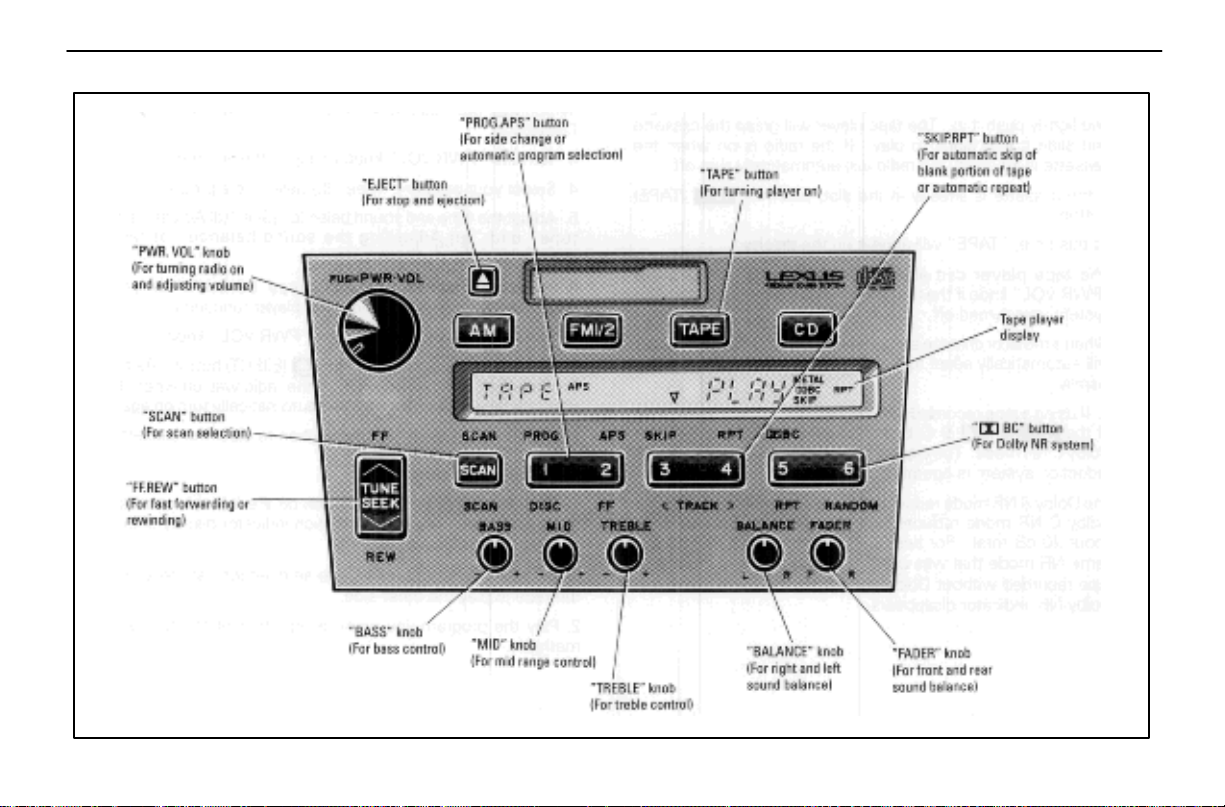
Cassette tape player operation
AIR CONDITIONING AND AUDIO
95
Page 73
AIR CONDITIONING AND AUDIO
(a) Playing a cassette tape
1. Put the cassette into the slot, with the tape side to the
right and lightly push it in. The tape player will grasp the
cassette and slide it into place to play. If the radio is on when
the cassette is inserted, the radio will automatically turn off.
If the cassette is already in the slot, push the (TAPE)
button.
At this time, “TAPE” will appear on the display.
The tape player can also be turned on by pushing the
“PWR.VOL” knob if t h e t ape player was being used when the
system was turned off.
When a metal or chrome equivalent tape is inserted, the
player will automatically adapt to it and “METAL” will appear
on the display.
2. If using a tape recorded with Dolby NR*, push the left
side of t h e ( B C) button to select the Dolby B NR
or Dolby C NR mode. The display will indicate which Dolby
noise reduction system is operating.
The Dolby B NR mode reduces tape noise by about 10 dB.
The Dolby C NR mode reduces tape noise by another 10 dB
or about 20 dB total. For best sound reproduction, select the
same NR mode that was used to record the tape. To play a
tape recorded without Dolby NR*, push the button until the
Dolby NR indicator disappears.
*Dolby noise reduction manufactured under license from Dolby Laboratories
Licensing Corporation. “DOLBY” and the double–D symbol are
trademarks of Dolby Laboratories Licensing Corporation.
3. Turn the “PWR.VOL” knob to adjust the volume.
4. Select your program. (See “(b) Selecting a program.”)
5. Adjust the tone and sound balance. (See “(d) Adjusting
the tone” and “(e) Adjusting the sound balance” of radio
operation.)
6. If desired, other functions may be used for your
convenience. (See “(c) Other tape player functions.”)
7. To turn the player off, push the “PWR.VOL” knob.
8. To eject the cassette, push the (EJECT) button. As
this is done, the player will turn off. If the radio was on when
the cassette tape was inserted, it will automatically turn on
again.
The ignition key can be at any position to eject the cassette.
(b) Selecting a program
1. Push the (PROG) button on the left side to select
the side to play. The tape operation indicator display shows
you which side is being played.
The player will automatically reverse directions at the end of
the tape to play the other side.
2. Play the program you want using either of the following
methods.
96
Page 74
Manual program selection
Push the (FF, REW) button on the upper side to fast
forward the tape or on the lower side to rewind the tape. At
this time, “FF” or “REW” will appear on the display. To stop
either fast forwarding or rewinding, push the button on the
same side again or push the (T APE) button. The tape
will then resume playing.
Automatic program selection: Use for quick access to a
desired program.
1. Push the (APS) button on the right side. “APS”
and program number “1” will appear on the display.
2. Push the button until the number indicated is the number
of programs ahead of or behind the current program (include
the program you are currently listening to when counting
back to previous programs.)
The maximum number of settings is nine. The tenth push on
the button will cancel the function and “APS” will go off.
3. Push the (FF,REW) button on the appropriate side to
get the tape going in the direction of the program. The player
will automatically stop at the beginning of the selected
program and play it.
If the number you set exceeds the number of programs
remaining on the side currently being played, the tape will
fast forward to the beginning of the other side (when fast
forwarding) or rewind to the beginning of that current side
(when rewinding).
AIR CONDITIONING AND AUDIO
This function does not work properly unless there are blank
portions on the tape of 3 seconds or more between one
program and another.
(c) Other tape player functions
“RPT” button: Use for automatic repeat of the program
currently being listened to.
Push the (RPT) button on the right side while the
program is being played. “RPT” will appear on the display.
When the program is finished, the tape will automatically
rewind to the beginning of the program and the program will
be played again. To cancel it, push the button once again.
This function does not work properly unless there are blank
portions on the tape of 3 seconds or more between one
program and another.
“SKIP” button: Use for automatic skipping of blank portions
between programs.
Push the (SKIP) button on the left side. “SKIP”
appears on the display. The player will automatically skip any
blank portions of 15 seconds or more and play the next
program, even if it is on the other side. To cancel it, push the
button once again.
Scan program selection: Use for program–to–program
scanning.
Push the (SCAN) button. With “SCAN” on the display,
each program will be played for 12 seconds from the
beginning and scan to the next. To continue listening to the
program of your choice, simply push the (SCAN) button
again.
97
Page 75
AIR CONDITIONING AND AUDIO
Cassette tape player operating tips
Use only cassette tapes of good quality, having no
damage. Avoid using tapes with a total playing time
longer than 90 minutes.
Using damaged tapes may cause harm to the tape player.
Longer tapes are not recommended because of their
thinness.
Be sure that the tape is not slack and that the label is
firmly stuck on the shell before insertion.
Wind the tape firmly by turning the hub with a pencil or the
like.
Be careful not to touch the tape surface.
When not in use, take the cassette out of the player, put
it back into its case and store it away from dust,
magnets and direct sunlight.
Leaving cassette on the dashboard in the sun could damage
your tapes.
Keep the interior mechanism of the cassette player
clean.
Once or twice a month, use a wet type cleaning cassette to
clean off tape coating residue accumulated on the head,
capstan and pinch roller.
NOTICE
Do not oil any part of the player and do not insert
anything other than cassette tapes into the slot, or
the tape player may be damaged.
98
Page 76
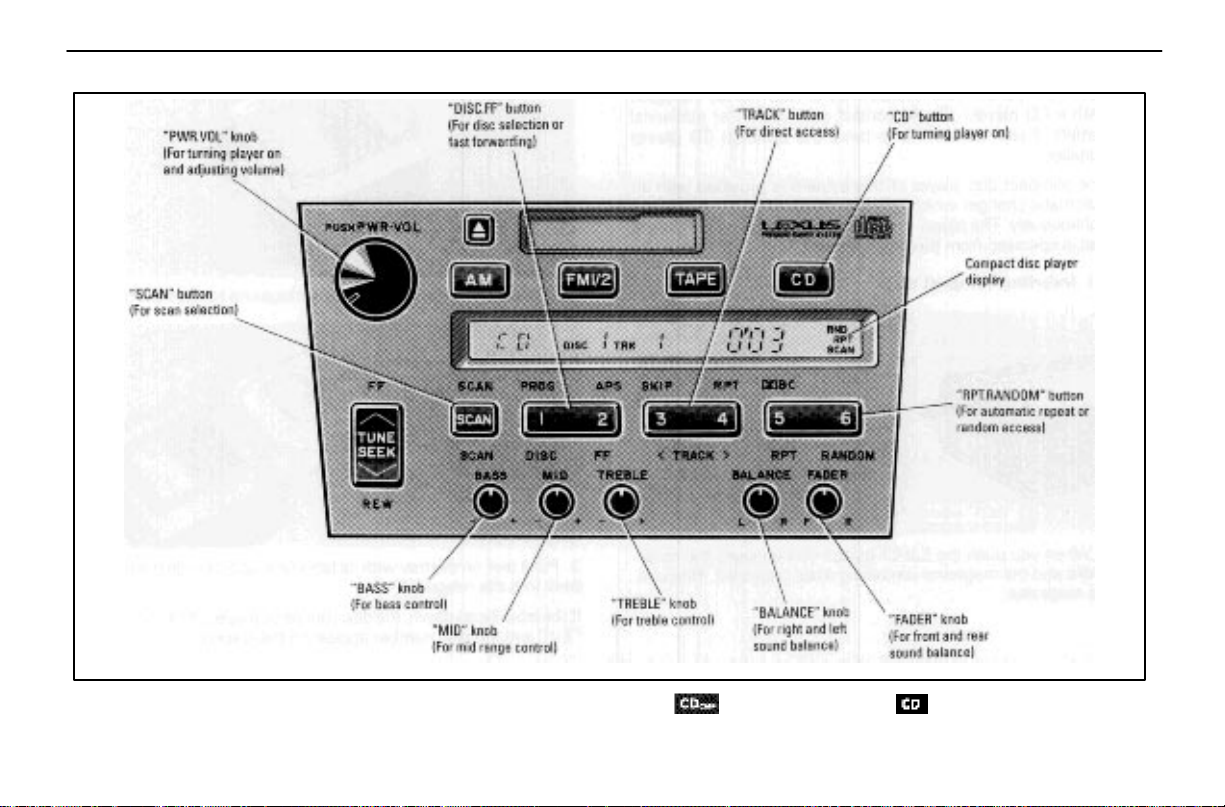
AIR CONDITIONING AND AUDIO
Compact disc player operation (Vehicles with automatic changers only)
For the CD button of the audio system made by Nakamichi, button instead of (as illustrated above)
is used.
99
Page 77
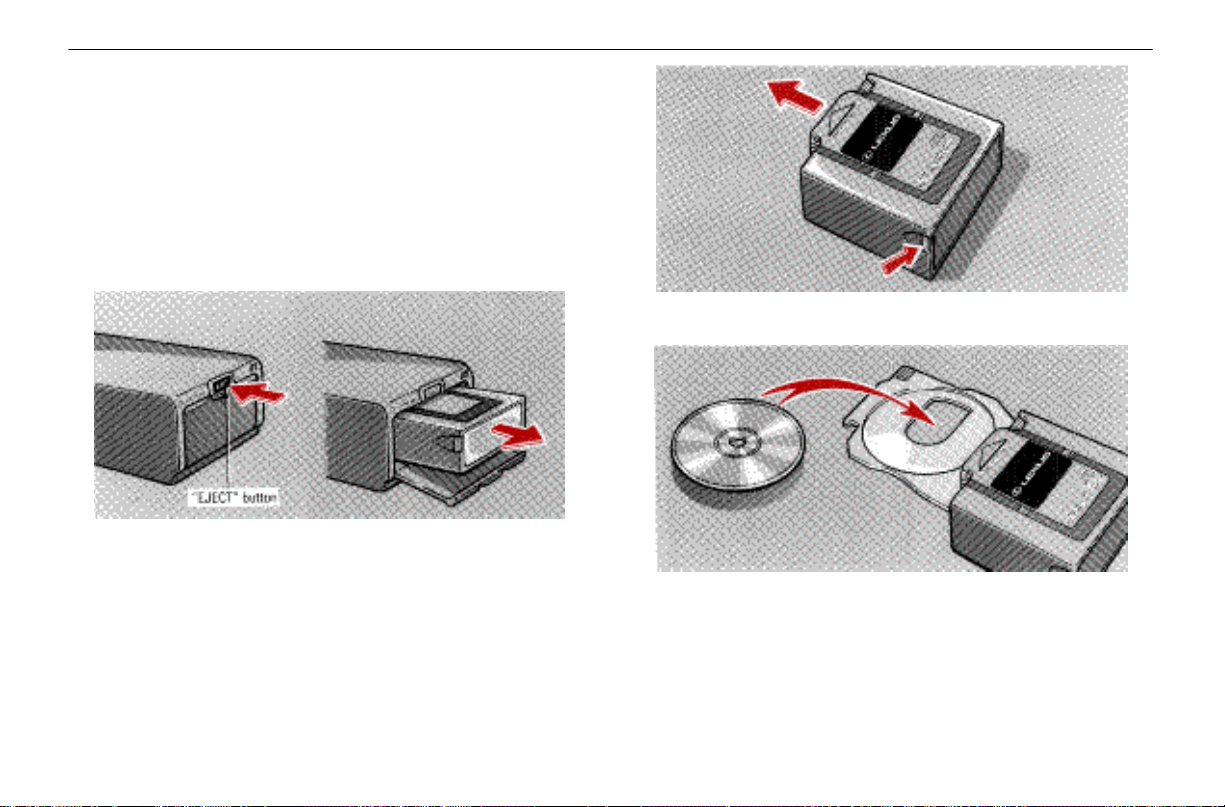
AIR CONDITIONING AND AUDIO
The compact disc player is an optional accessory that your
vehicle is pre–wired to accept. Although your audio system
has a CD button, your vehicle may not be equipped with a
CD player. Please contact your dealer for additional details
if you would like to have the optional CD player installed.
The compact disc player of this system is provided with an
automatic changer which can play selected discs or 12 discs
continuously. The player is mounted in the trunk, on the right
and is operated from the driver’s seat.
(a) Inserting compact discs
1. When you push the EJECT button of the player, the
cover opens and the magazine containing discs is ejected.
Remove the magazine.
2. Push the lever on the side of the magazine to open the
tray.
3. Put a disc on the tray with its label face up and slide the
tray back into the magazine.
If the label faces down, the disc cannot be played. In this
case, “Err” and the disc number appear on the display.
100
Page 78
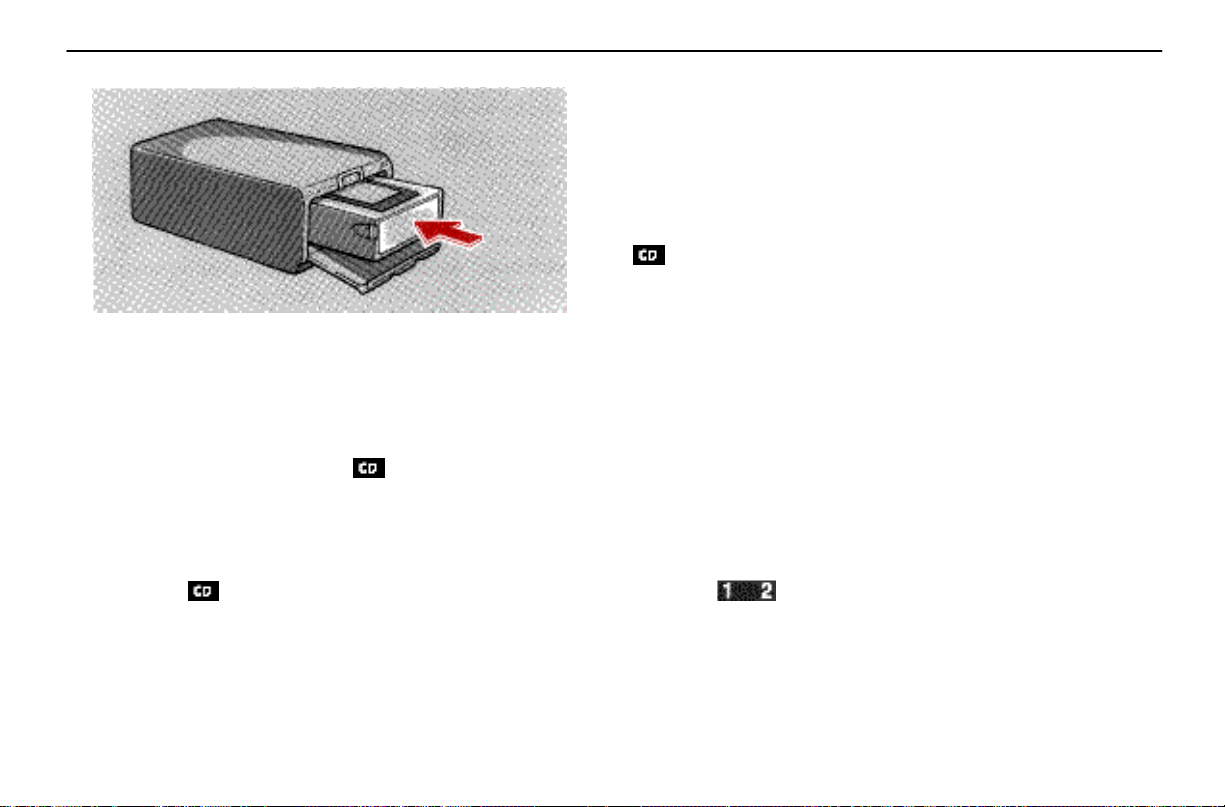
The player will skip any empty disc trays.
4. Insert the magazine into the player and close the cover.
Be sure the cover is fully closed. If the cover is open, “OPEN”
will be shown on the display and the player will not operate.
When the cover is closed, the system will be in a “Load” cycle
for approximately 30 seconds while the system searches for
discs in the magazine. Upon completion of this cycle, the CD
unit will be ready to play. If the (CD) button is pushed
during the “Load” cycle, “LOAD” will appear on the display
until the system has completed the load cycle, after which
the system will begin normal play.
(b) Playing a compact disc
1. Push the (CD) button after setting the magazine in
the player. “CD” then appears on the display.
AIR CONDITIONING AND AUDIO
The discs set in the magazine are played continuously,
starting with the disc on the bottom. The disc number of the
disc currently being played, the track number and the time
from the beginning of the program will appear on the display.
The compact disc player can also be turned on by pushing
the “PWR.VOL” knob if the compact disc player was being
played when the system was turned off.
If the radio or cassette tape player is on when you push the
(CD) button, the radio or cassette tape player will
automatically turn off.
2. Turn the “PWR.VOL” knob to adjust the volume.
3. Select your program. (See “(c) Selecting a compact disc”
and “(d) Selecting a program.”)
When play of one disc ends, the first program of the following
disc starts. When play of the final disc ends, play of the first
disc starts again.
4. Adjust the tone and balance on the radio. (See “(d)
Adjusting the tone” and “(e) Adjusting the sound balance” of
radio operation.)
5. Push the “PWR.VOL” knob to turn the compact disc
player off.
(c) Selecting a compact disc
Push the (DISC) button on the left side to select the
disc number.
101
Page 79
AIR CONDITIONING AND AUDIO
Push the (DISC) button on the left side and hold it
until the desired disc number appears on the display. As you
release the button, the player will start playing the selected
disc from the beginning.
(d) Selecting a program
Automatic program selection: Use for direct access to a
desired program.
Push the (TRACK) button on either side and hold it
until the desired program track number appears on the
display. As you release the button, the player will start
playing the selected program from the beginning.
Manual program selection:
Push the (FF) button on the right side and hold it to
fast forward the disc. Releasing the button starts the play
from that position.
Disc scan selection: Use for disc–to–disc scanning.
Push the (SCAN) button. With “SCAN” on the display,
the program at the beginning of each disc will be played for
10 seconds. To continue listening to the program of your
choice, push the (CD) button or the (SCAN) button.
(e) Other compact disc player functions
“RPT” button: Use for automatic repeat of the program
currently being listened to.
Push the (RPT) button on the left side while the
program is being played. As this is done, “RPT” will appear
on the display. When the program is finished, the disc will
automatically go back to the beginning of the program and
the program will be played again. To cancel it, push the
button once again.
“RANDOM” button: Use for automatic program selection
and play by the system.
When the (RANDOM) button is pushed on the right
side, “RND” appears on the display and the system selects
a program in the disc which is set and plays it. To cancel it,
push the button once again.
When a program is skipped or the system is inoperative,
push the (CD) button to reset.
“CD CMP” button (Nakamichi–made only): Use for
listening to music in noisy situations.
Push the (CD CMP) button and hold it until a beep is
heard. “CMP” appears on the display. Small sounds are
emphasized and large sounds muted slightly so that every
sound can be heard clearly.
This function works only in the “CD” mode. To cancel it, push
the button once again and hold it until a beep is heard.
(f) If the player malfunctions
If “WAIT” appears on the display, audio signals of the disc
cannot be read or the system has trouble. Push the (CD)
button once again.
102
Page 80
If the player does not operate, check that the disc surface is
not soiled or damaged. If the disc is O.K., the following two
causes are possible.
Condensation may have occurred on the internal
mechanism of the player.
Open the trunk to let air circulate.
The temperature of the player’s internal mechanism is
raised because of high external temperature.
Remove the magazine from the player to cool it.
If the player still does not operate, take it to your Lexus
dealer.
Compact disc player operating tips
Use only compact discs labeled as shown, having no
dirt, damage or warp. Lexus does not recommend using
8 cm (3.2 in.) discs.
Never attempt to disassemble or oil any part of the
player unit. Do not insert any object other than a disc
into the magazine.
AIR CONDITIONING AND AUDIO
There are no user–serviceable parts inside the compact disc
player.
A new disc may have rough edges on its inner and outer
perimeter. Remove the rough edges by pressing the
side of a ball–point pen or pencil against the inner and
outer perimeter of the disc as shown.
If you continue to play a disc with rough edges, flakes will fall
on the signal side of the disc and cause sound skipping or
other problems.
103
Page 81
AIR CONDITIONING AND AUDIO
Do not allow the disc to bear any fingerprints, stickers
or pen marks on the surfaces.
Hold the disc only on the edge or center hole.
When not in use, take the disc out of the player, put it
back into its case and store it away from dust, heat,
damp and direct sunlight.
Leaving discs on the dashboard in the sun may damage or
warp them.
104
If the disc gets dirty, wipe it with a soft cloth, wiping
radially out from the center.
Do not use a conventional record cleaner or anti–static
record preservative.
CAUTION
!
Compact disc players use invisible laser beams
which could cause hazardous radiation exposure if
directed outside the unit. Be sure to operate the
player correctly as instructed.
Page 82
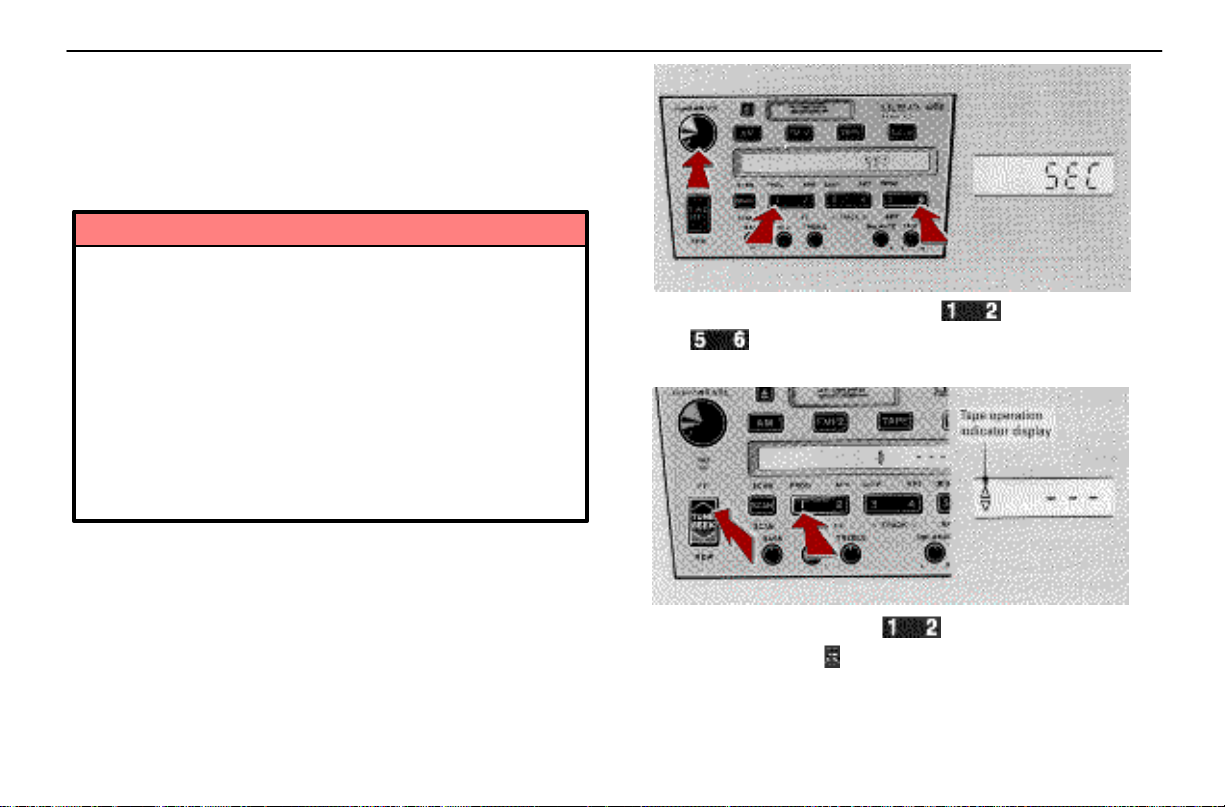
Anti–theft system (Nakamichi–made only)
To deter theft of your radio, the system is designed so
that the radio unit becomes inoperable if it is stolen
from the vehicle.
The system is not preset at the factory. You must input a
three–digit identification number decided by you.
NOTICE
If you pushed any wrong buttons on the anti–theft
system, the following messages will appear on the
display.
“Err” –You have pushed wrong buttons.
“1–9” –Indicates the number of errors you
have made. You may make up to nine
errors, but no more!
“HELP” – The number of errors you can make
was exceeded. The audio system is
completely inoperable. Contact your
Lexus dealer.
(a) Setting the anti–theft system
1. Make sure the radio unit is turned off with the ignition
switch in “ACC.”
AIR CONDITIONING AND AUDIO
2. While hold i n g t h e l e ft s i d e o f t h e (1) and right side
of the (6) buttons in, push and hold the “PWR.VOL”
knob in until “SEC” appears on the display.
3. Press the left side of the (1) button while holding
the upper side of the (TUNE SEEK) button in. “–––” and
the tape operation indicator will appear on the display.
105
Page 83
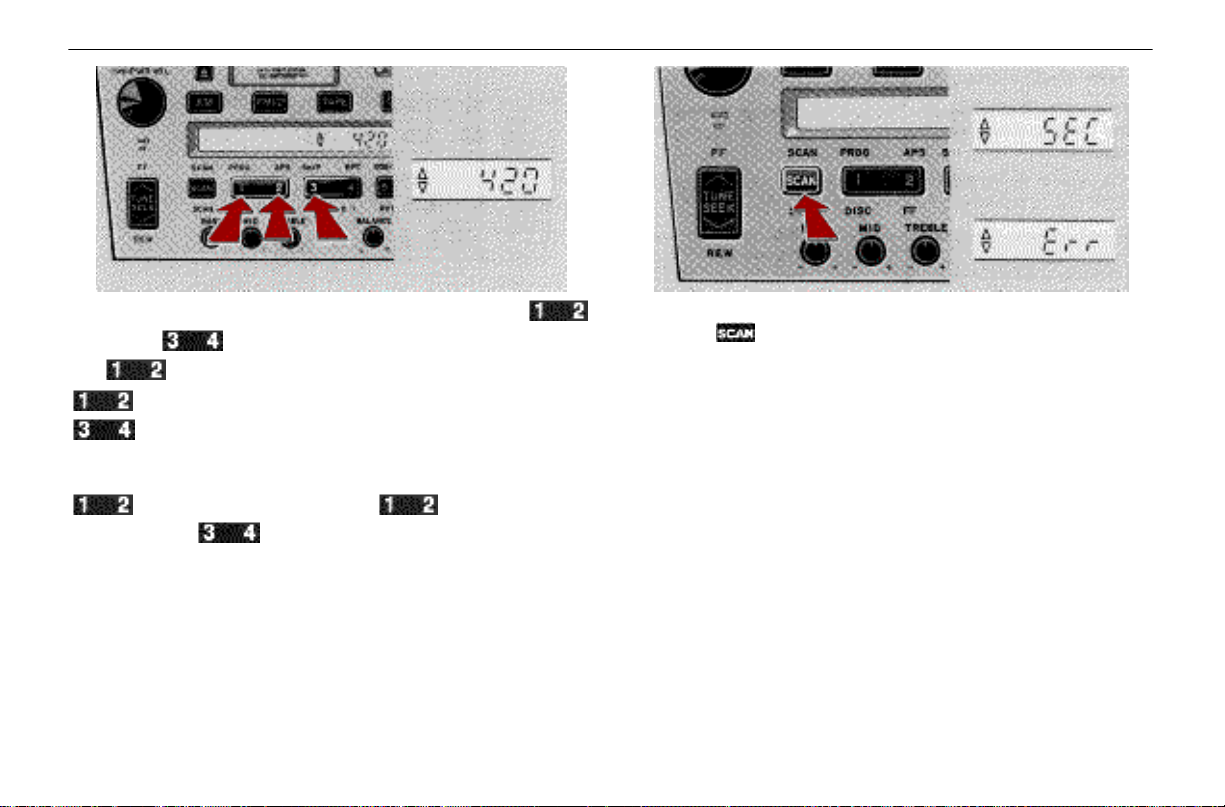
AIR CONDITIONING AND AUDIO
4. Input your identification number by pressing the
(1, 2) and (3) buttons repeatedly. Use the left side of
the (1) button for the first digit, the right side of the
(2) button for the second digit and the left side of the
(3) button for the last digit. Pressing once will display
“0,” so pr ess each button one time more than the number you
want to input. For example, if your number is 420, press the
(1) button five times, the (2) button three
times and the (3) button once. If the display returns
to “–––” while inputting, try again.
We recommend that your identification number be
associated with something easy to remember. In case you
are unsure of the number, write it in a notebook you normally
carry. Do not leave it in your vehicle.
106
5. With your identification number appearing on the display,
press the (SCAN) button and hold it until “SEC” appears
on the display. “SEC” will go off to indicate the system is set.
If invalid buttons have been used, “Err” will appear on the
display before “SEC” appears. Try again from step 3.
Page 84
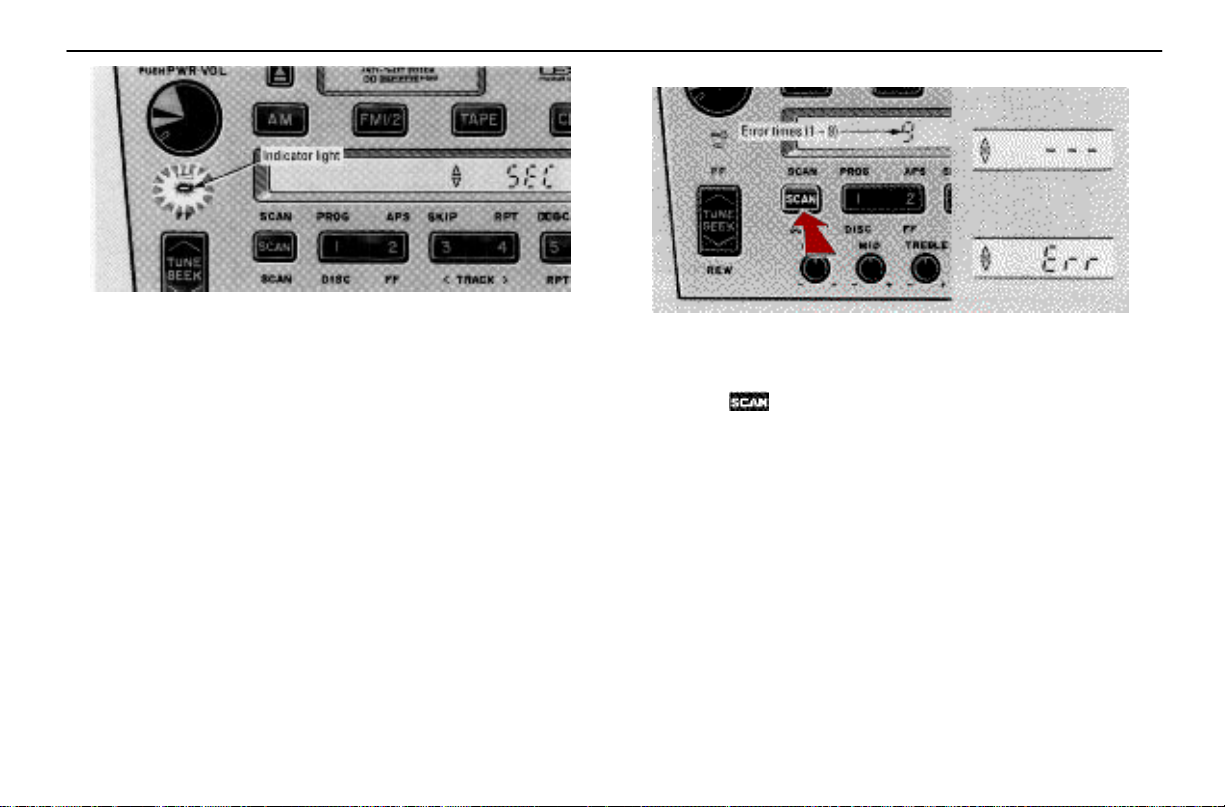
Once the system is set, the indicator light turns on and off
with the ignition switch in “OFF” and “SEC” will appear each
time the key is turned to the “ACC” position.
To change the identification number for some reason, cancel
the system (See “(b) Cancelling the anti–theft system.”) and
set it again with a new number.
The system will be activated if the electrical power source is
disconnected from the radio unit. When the system is
activated, the audio system cannot be turned on even after
the power supply resumes and “SEC” will appear on the
display. If this happens, such as when the battery is
discharged, see “(c) If the anti–theft system is activated.”
AIR CONDITIONING AND AUDIO
(b) Cancelling the anti–theft system
1. Follow steps 1 to 4 described in “(a) Setting the anti–theft
system.”
2. With your identification number appearing on the display,
press the (SCAN) button and hold it in until “–––”
appears on the display. “–––” will go off to indicate the
system is cancelled. If invalid buttons have been used, “Err”
will appear on the display and “SEC” appears. Try again from
step 3 in “(a) Setting the anti–theft system.”
The number displayed with “Err” indicates how many errors
you have made. You may make up to nine errors, but no
more!
107
Page 85
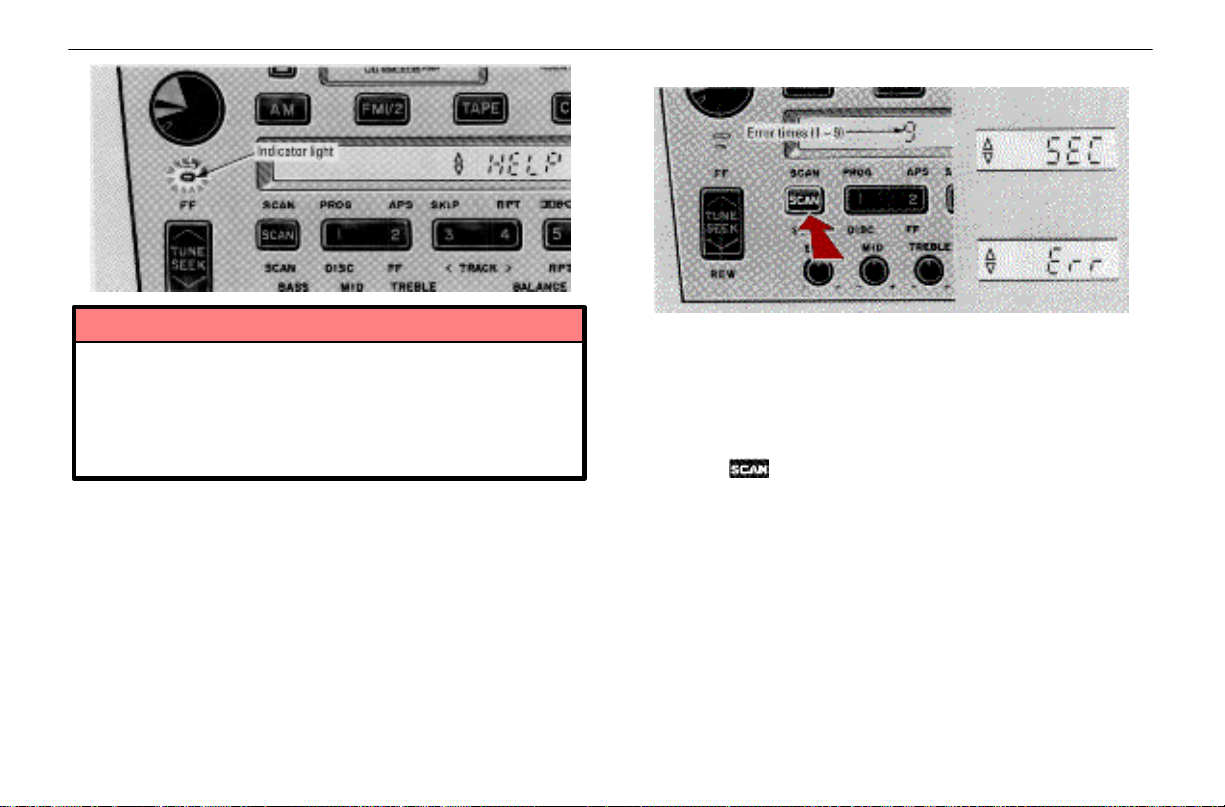
AIR CONDITIONING AND AUDIO
(c) If the anti–theft system is activated
NOTICE
A tenth error will activate the anti–theft system and
“HELP” will appear on the display. The audio
system will be completely inoperable. At this time,
the indicator light also comes on. If this occurs,
contact your Lexus dealer.
At the time of resale of your vehicle, cancel the system for
the new owner.
108
The audio system made inoperable by the activated
anti–theft system will be operable if you give it the correct
identification number.
1. Follow steps 3 and 4 described in “(a) Setting the
anti–theft system.”
2. With your identification number appearing on the display,
press the (SCAN) button and hold it in until “SEC”
appears on the display. “SEC” will go off to indicate that the
system is reset and the audio system is operable. If invalid
buttons have been used, “Err” will appear on the display
before “SEC” appears. Try again from the beginning.
See “(b) Cancelling the anti–theft system” for notes on the
number displayed with “Err.”
Page 86
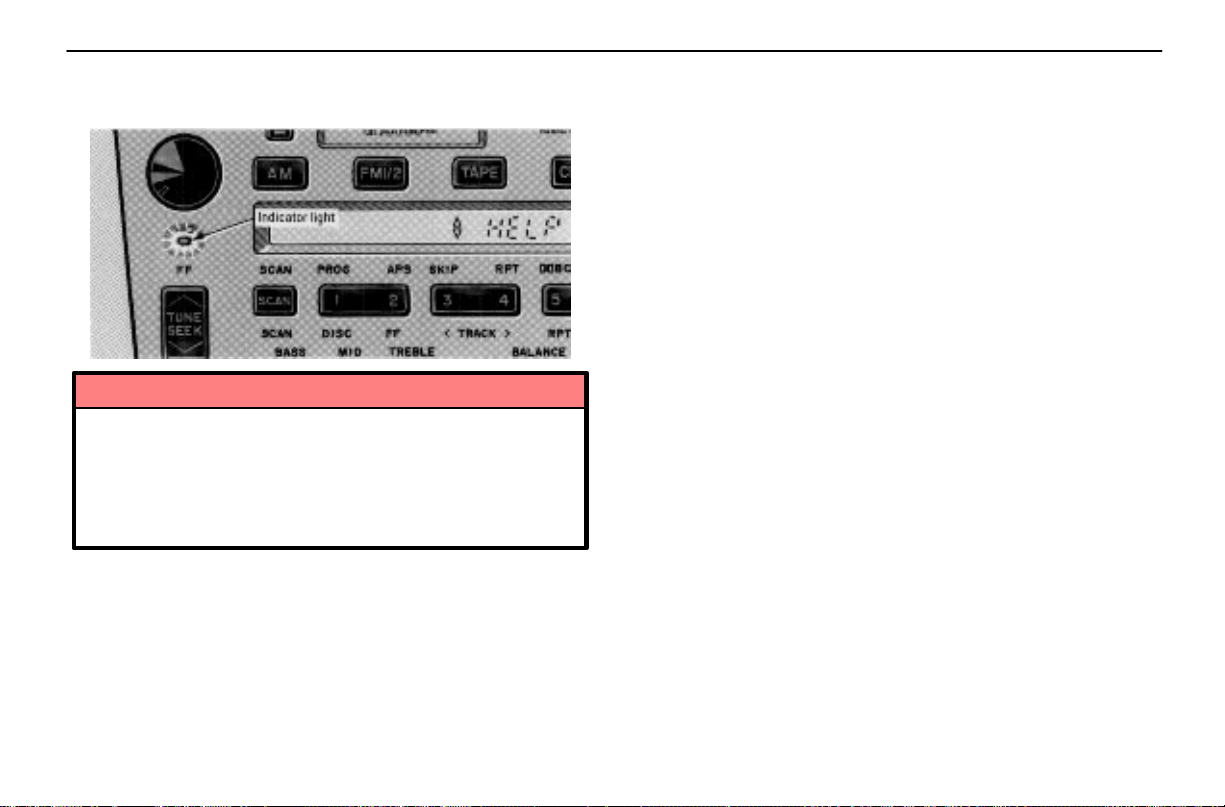
The number displayed with “Err” indicates how many errors
you have made. You may make up to nine errors, but no
more!
NOTICE
A tenth error will activate the anti–theft system and
“HELP” will appear on the display. The audio
system will be completely inoperable. At this time,
the indicator light also comes on. If this occurs,
contact your Lexus dealer.
AIR CONDITIONING AND AUDIO
109
Page 87

AIR CONDITIONING AND AUDIO
110
Page 88

SECTION 1 – 6
INSTRUMENTS AND CONTROLS
Comfort adjustment
Front seats 48
Head restraints 50
Tilt and telescopic steering wheel 51
Outside rear view mirrors 53
Inside rear view mirror 54
Seat belts 55
SRS airbags 63
Child restraint 70
47
Page 89
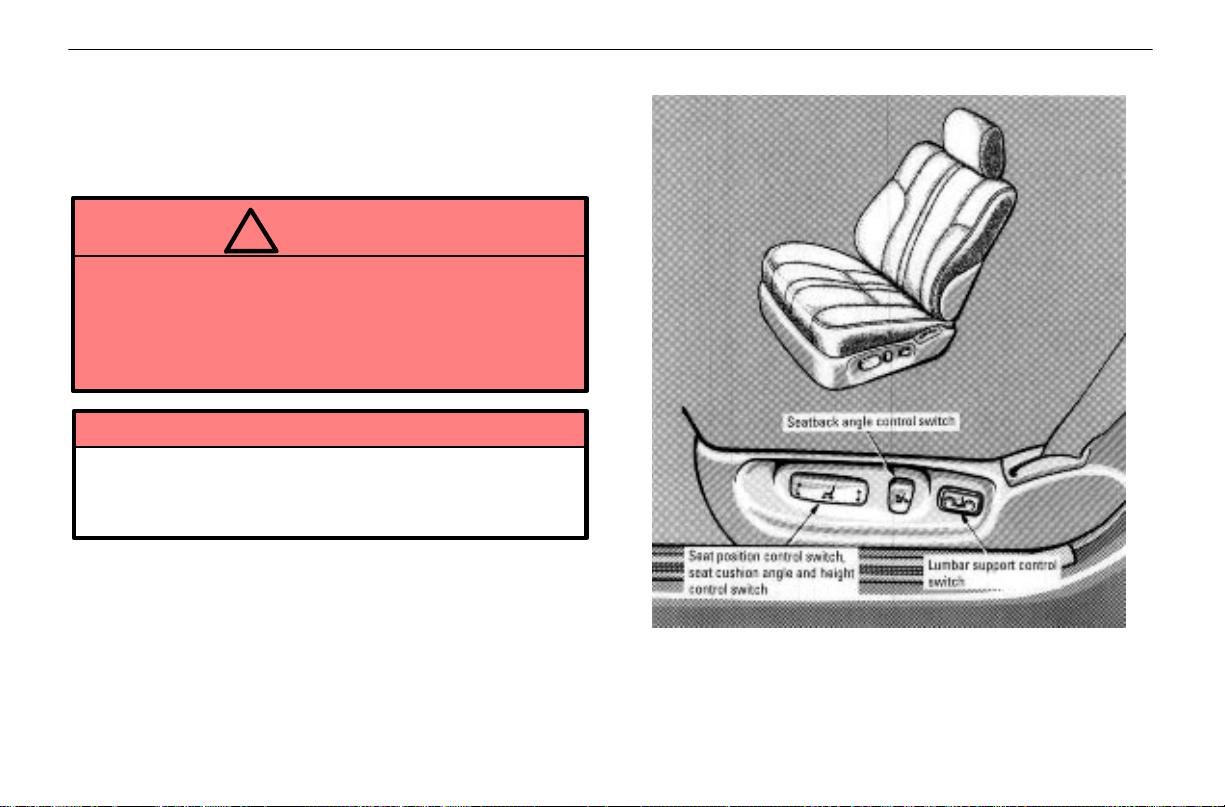
COMFORT ADJUSTMENT
FRONT SEATS
Seat adjustment precautions
Adjust the driver’s seat so that the foot pedals, steering
wheel and instrument panel controls are within easy reach
of the driver.
CAUTION
!
Do not adjust the seat while the vehicle is moving
as the seat may unexpectedly move and cause the
driver to lose control of the vehicle.
Be careful not to hit the seat against a passenger,
luggage or the rear seat.
NOTICE
Do not operate the control switch in more than one
dimension at a time. It may cause electrical
overload.
Adjusting front seats
48
Page 90
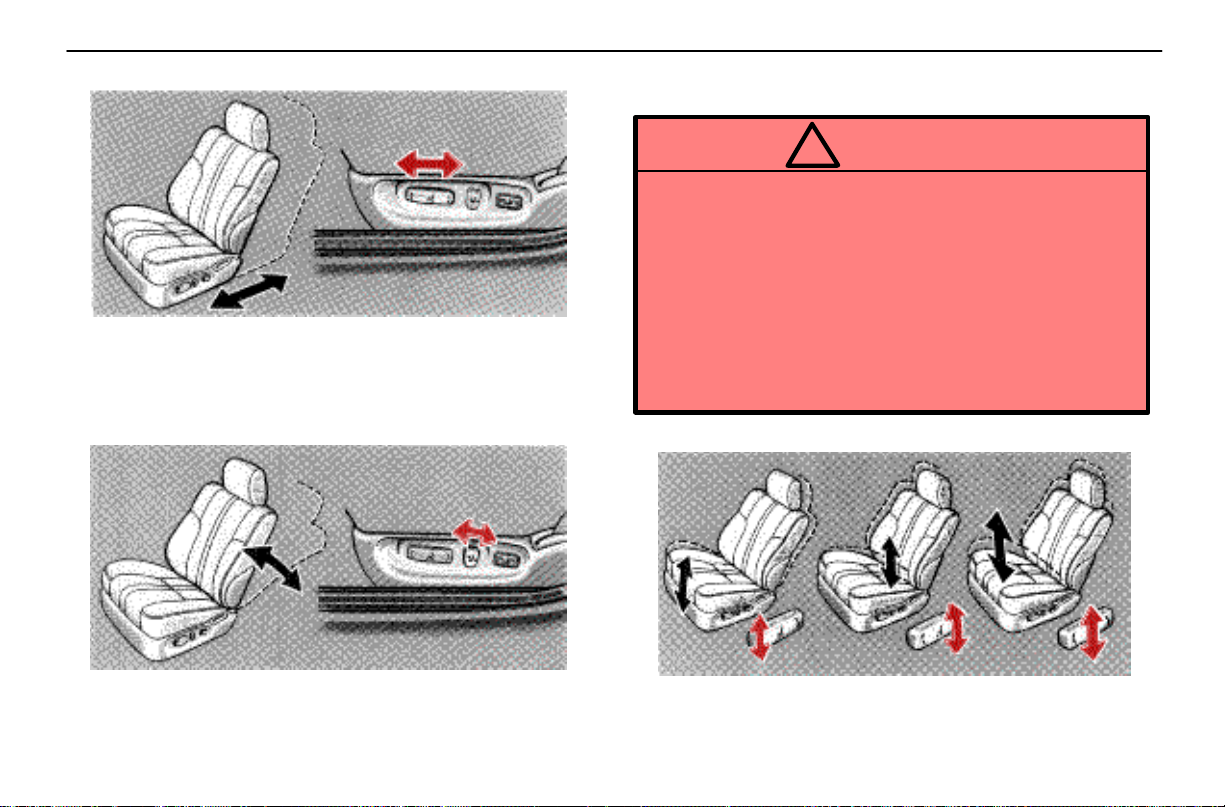
Adjusting seat position
Move the control switch in the desired direction.
Releasing the switch will stop the seat in that position. Do not
place anything under the seat. It might interfere with the seat
movement.
Adjusting seatback angle
COMFORT ADJUSTMENT
Move the control switch in the desired direction.
Releasing the switch will stop the seatback in that position.
CAUTION
!
To reduce the risk of sliding under the lap belt
during a collision, avoid reclining the seatback any
more than needed. The seat belts provide maximum
protection when the driver and the passenger are
sitting up straight and well back in the seats. If you
are reclined, the lap belt may slide past your hips
and apply restraint forces directly to the abdomen.
Therefore, in the event of a frontal collision, the risk
of personal injury may increase with increasing
recline of the seatback.
Adjusting seat cushion angle and height
Move the control switch in the desired direction.
Releasing the switch will stop the seat cushion in that
position.
49
Page 91
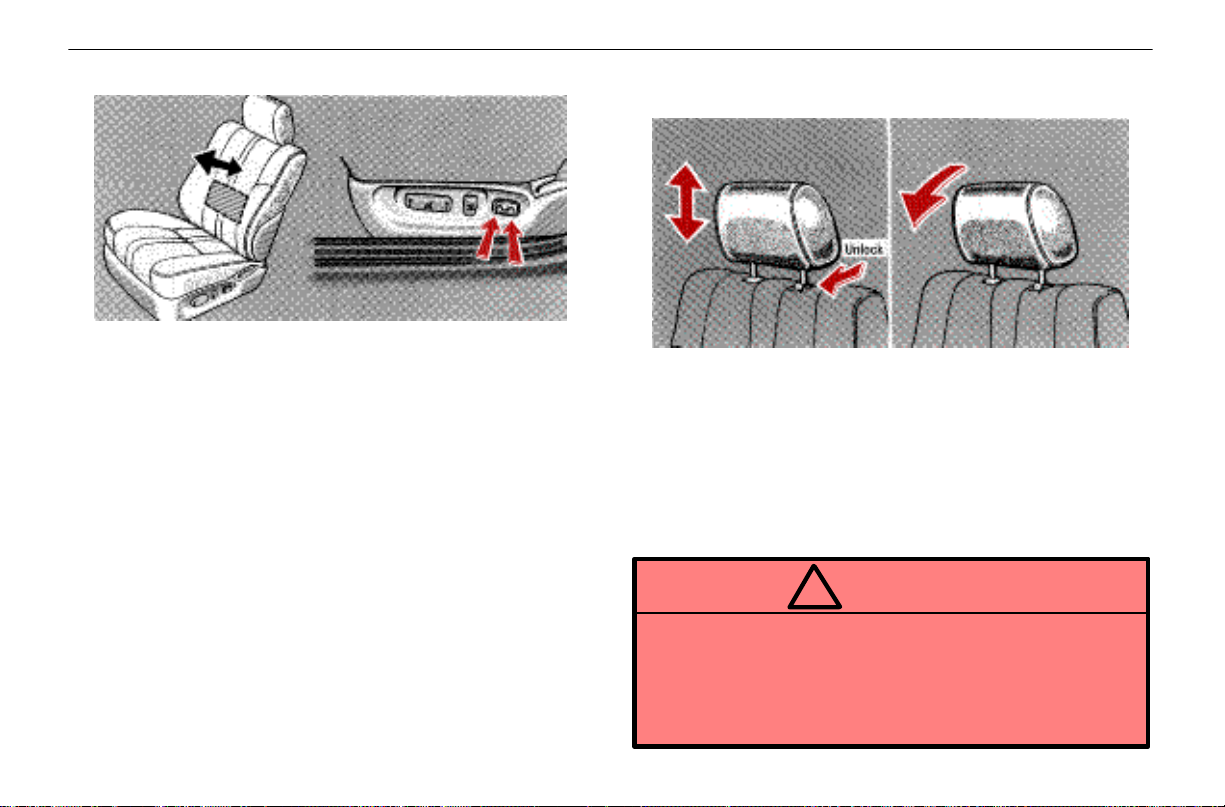
COMFORT ADJUSTMENT
Adjusting lumbar support
Push the control switch on either side.
The amount of lumbar support will change as long as the
switch is pushed.
HEAD RESTRAINTS
Front seats
To raise the head restraint, pull it up. To lower it, press
the lock release button and push the head restraint
down. To move the head restraint forward, pull on the
top.
Pulling the top of the head restraint forward as far as it can
go will return it to the upright position.
The head restraint is most effective when it is close to your
head. Therefore, using a cushion on the seatback is not
recommended.
CAUTION
!
Adjust the top of the head restraint so that it is
closest to the top of your ears.
After adjusting the head restraint, make sure it is
locked in position.
Do not drive with the head restraints removed.
50
Page 92
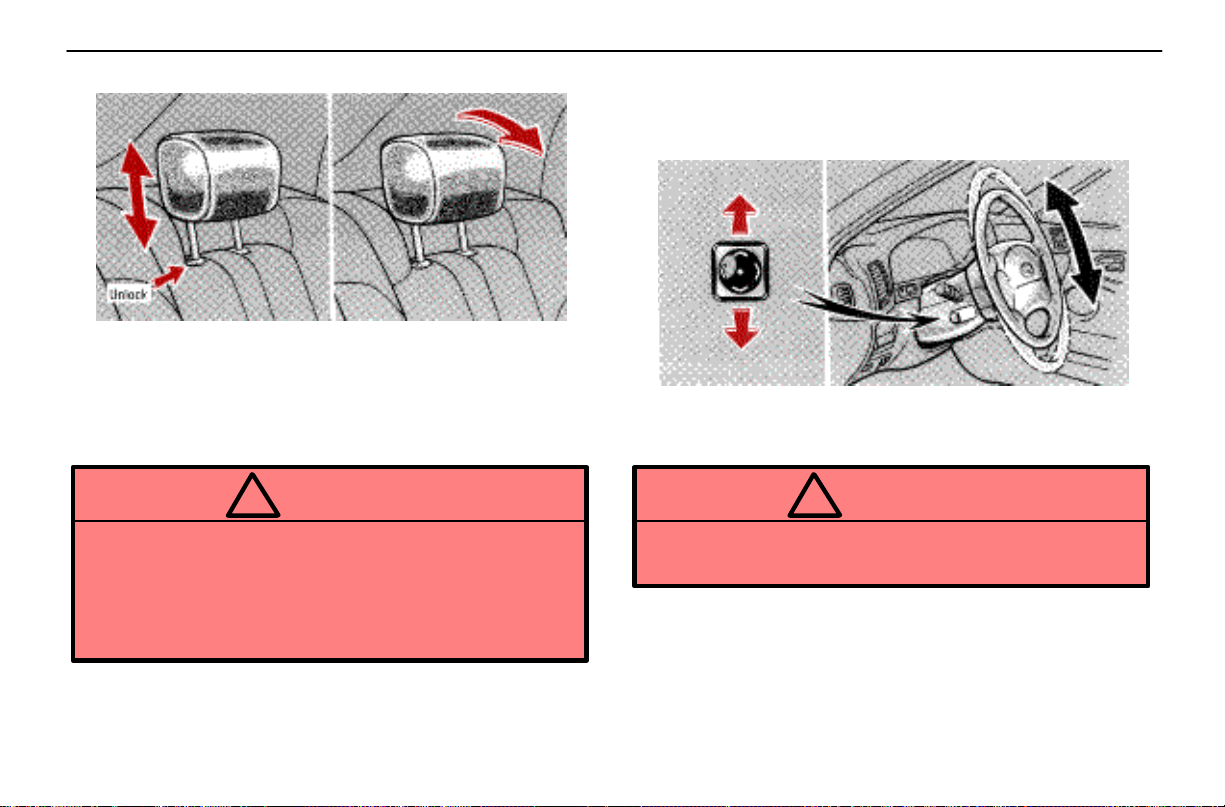
COMFORT ADJUSTMENT
Rear seats
To raise the head restraint, pull it up. To lower it, press
the lock release button and push the head restraint
down.
The head restraint is most effective when it is close to your
head. Therefore, using a cushion on the seatback is not
recommended.
CAUTION
!
Adjust the top of the head restraint so that it is
closest to the top of your ears.
After adjusting the head restraint, make sure it is
locked in position.
Do not drive with the head restraints removed.
TILT AND TELESCOPIC STEERING
WHEEL
Adjustment of steering wheel tilt
To adjust the tilt of the steering wheel, push the control
switch upward or downward to set it to the desired
position.
CAUTION
!
Do not adjust the steering wheel while the vehicle is
moving.
51
Page 93
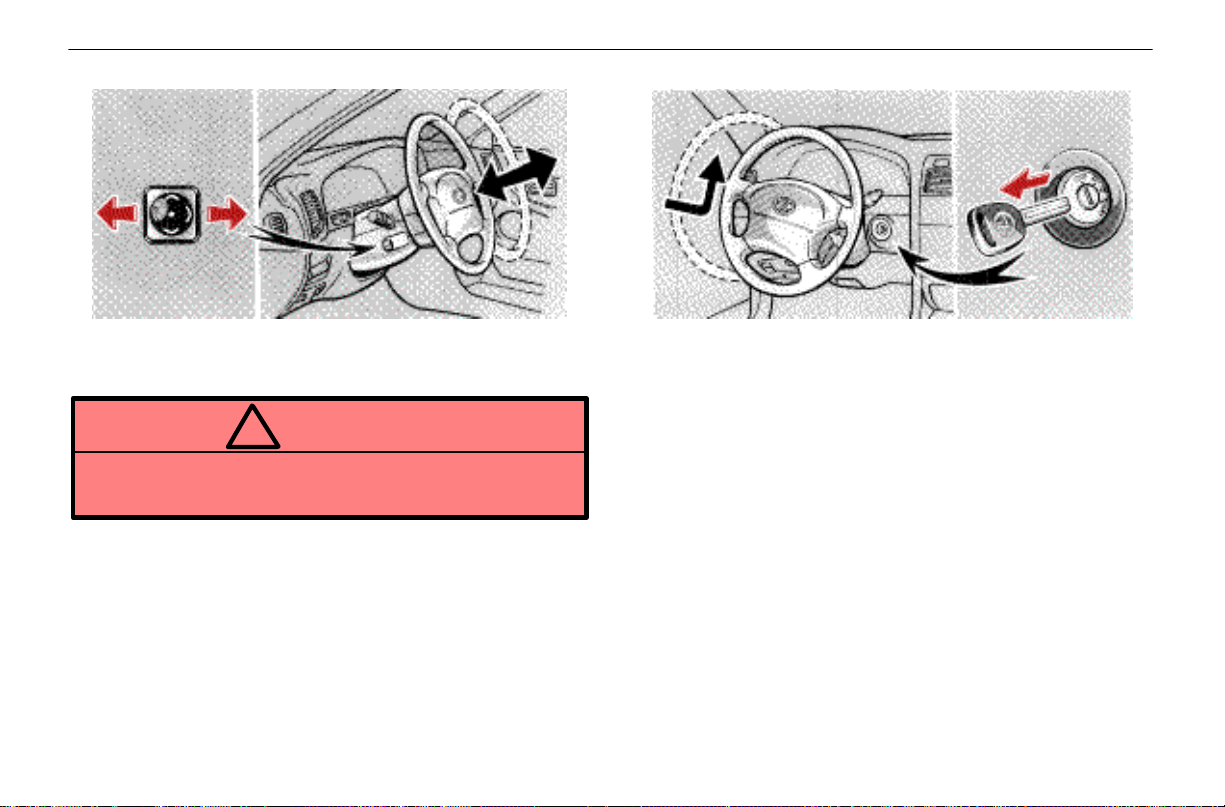
COMFORT ADJUSTMENT
Adjustment of telescopic steering column
To adjust the steering column length, push the control
switch forward or backward to set the steering wheel to
the desired position.
CAUTION
!
Do not adjust the steering wheel while the vehicle is
moving.
Auto tilt away
When the ignition key is removed, the steering column
moves forward away from the driver and also tilts up for easy
exit and entry.
When the key is inserted in the ignition switch, the steering
column returns to the previously set position.
52
Page 94
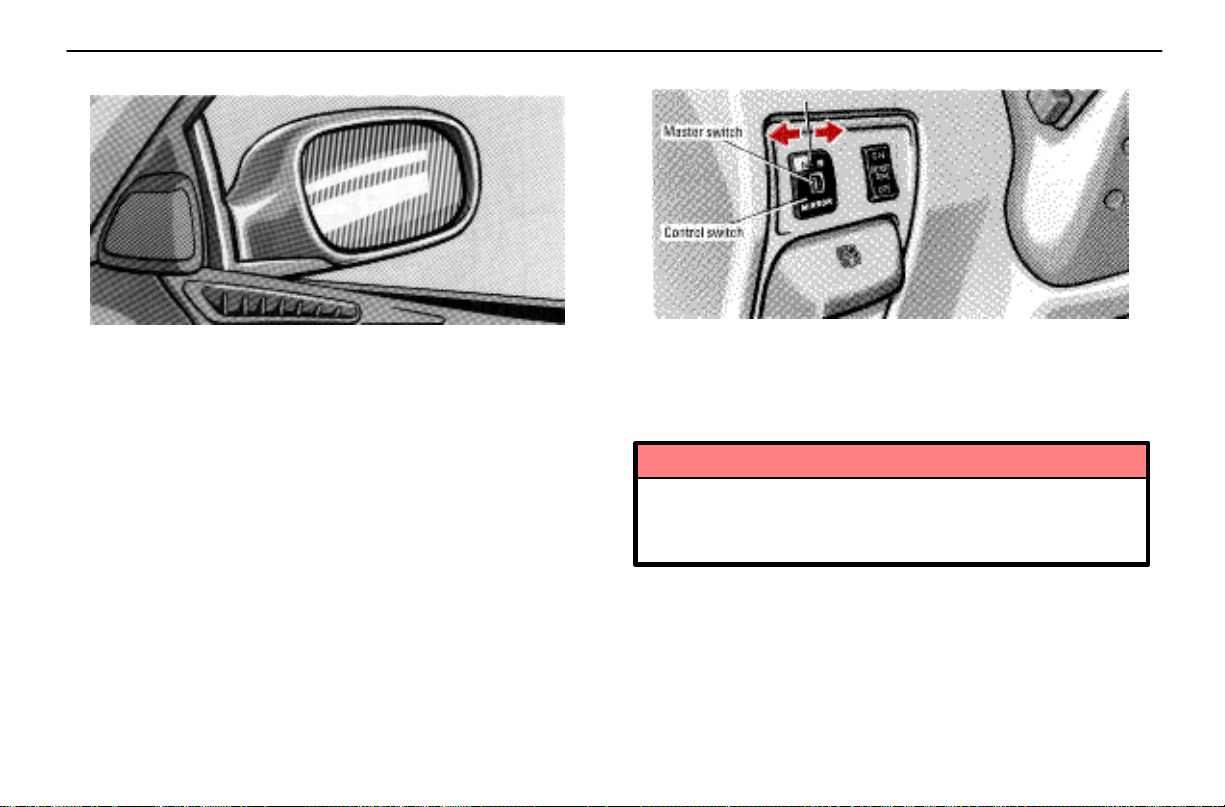
COMFORT ADJUSTMENT
OUTSIDE REAR VIEW MIRRORS
Adjust the mirror so you can just see the side of your
vehicle in the mirror.
Be careful when judging the size or distance of any object
seen in the outside rear view mirror on the passenger’s side.
It is a convex mirror with a curved surface. Any object seen
in a convex mirror will look smaller and farther away than if
seen in a normal flat mirror.
Power rear view mirror control
To adjust the power rear view mirror, first place the
master switch at “L” (left) or “R” (right), and push the
control switch on the desired side.
If the engine is not running, the key must be in the “ACC”
position for the operation of the power rear view mirror.
NOTICE
If ice should jam the mirror, do not operate the
control or scrape the mirror face. Use a spray
de–icer to free the mirror.
53
Page 95
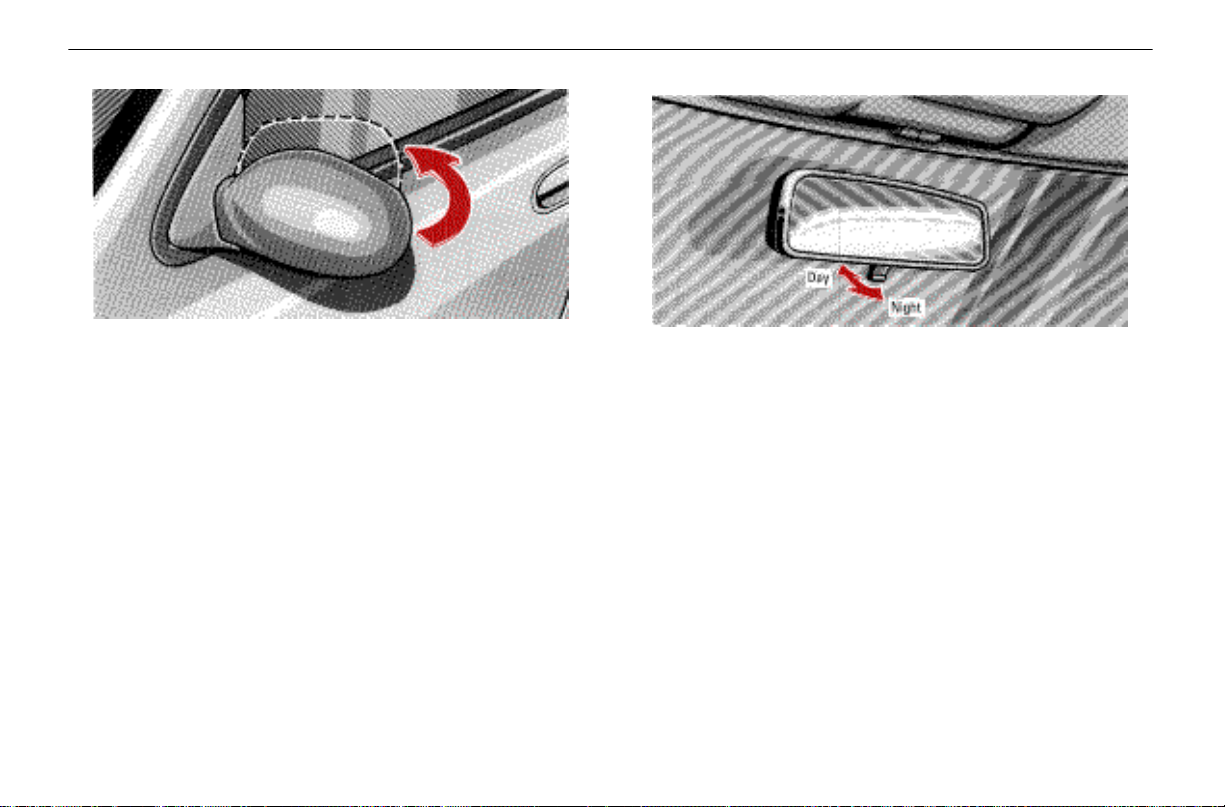
COMFORT ADJUSTMENT
Folding rear view mirrors
To fold the rear view mirror, push backward.
The rear view mirrors can be folded backward for parking in
restricted areas.
INSIDE REAR VIEW MIRROR
When driving at night, pull the lever toward you to
reduce the glare from the headlights of vehicles behind
you.
Before adjusting the mirror to the position with most clarity,
push the day–night change lever forward (daylight driving
position).
Remember that by reducing glare you also lose some rear
view clarity.
54
Page 96

SECTION 1 – 5
INSTRUMENTS AND CONTROLS
Exterior equipment
Hood 42
Trunk lid 42
Fuel tank cap 44
Moon roof 45
41
Page 97
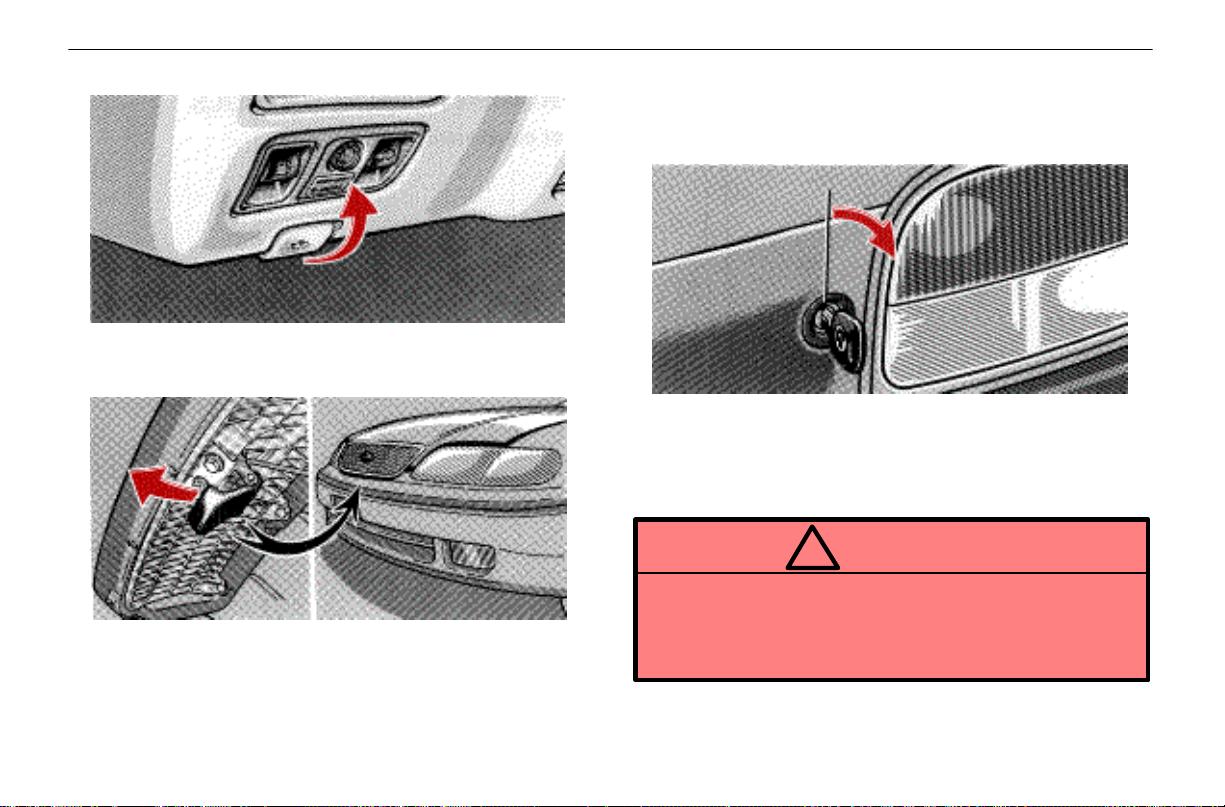
EXTERIOR EQUIPMENT
HOOD
To open the hood, pull the hood lock release lever
under the instrument panel. The hood will spring up
slightly.
Insert your fingers under the hood, push up the
auxiliary catch lever and lift the hood.
Before closing the hood, check to see that you have not
forgotten any tools, rags, etc. Then lower the hood and make
sure it locks.
TRUNK LID
To unlock the trunk lid, insert the master key and turn
it clockwise.
To close the trunk lid, lower it and press down on it. After
closing the trunk lid, try pulling it up to make sure it is securely
closed.
CAUTION
!
Keep the trunk lid closed while driving. This not
only keeps the luggage from being thrown out, but
also prevents exhaust gases from entering the
vehicle.
42
Page 98
Trunk lid opener
To open the trunk lid while sitting in the driver’s seat,
pull the lever with the main switch not pushed in.
EXTERIOR EQUIPMENT
1. If you do not want to activate the trunk lid opener
system, push in the main switch.
2. To activate the system, insert the master key and
turn it counterclockwise.
To protect things put in the trunk, when you have your vehicle
parked, push in the main switch.
43
Page 99
EXTERIOR EQUIPMENT
FUEL TANK CAP
1. To open the fuel filler door, pull the lever under the
instrument panel.
CAUTION
!
Do not smoke, cause sparks or allow open flames
when refuelling. The fumes are flammable.
When opening the cap, do not remove the cap
quickly. In hot weather, fuel under pressure could
cause injury by spraying out of the filler neck if the
cap is suddenly removed.
2. To remove the fuel tank cap, turn the cap slowly
counterclockwise, then pause slightly before removing
it. The removed cap can be stored on the back side of
the fuel filler door.
It is not unusual to hear a slight swoosh when the cap is
opened. When installing the cap, turn the cap clockwise until
you hear a click.
CAUTION
!
Make sure the cap is tightened securely to prevent
fuel spillage in case of an accident.
Use only a genuine Lexus fuel tank cap for
replacement. It has a built–in check valve to reduce
fuel tank vacuum.
44
Page 100
EXTERIOR EQUIPMENT
In case the opener is not actuated
Pull the manual lever toward the back.
This is used in case the fuel filler door cannot be opened due
to a discharged battery or other trouble.
MOON ROOF
To slide open the moon roof, push the switch toward
the back for about 1 second. The moon roof will fully
open. To stop partway, push the switch briefly in the
opposite direction or push the “TILT” switch.
The sun shade can be opened or closed manually. However,
if you open the moon roof, the sun shade will be opened with
the moon roof.
To close the moon roof, push the switch toward the
front.
The moon roof will move while the switch is being pushed
and stop when released. However, as a precaution, it stops
partway before sliding fully closed, except when already
more than three–quarters closed. Therefore, release the
switch then push it again to close it completely.
45
 Loading...