

Page 1
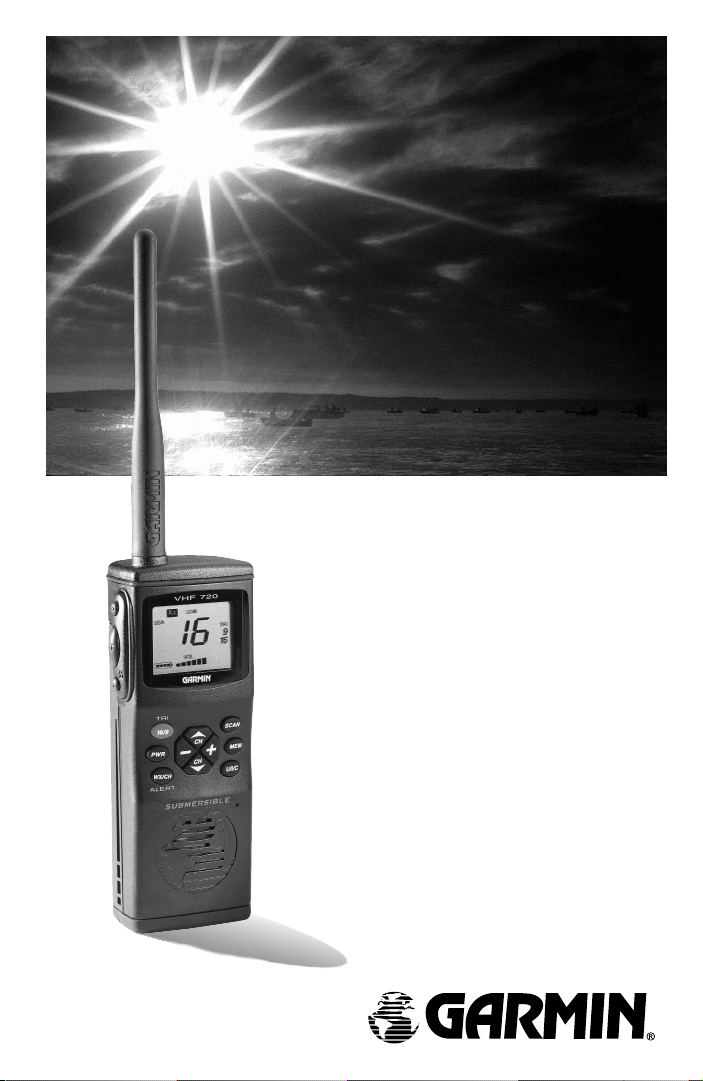
VHF 720
VHF 720
Marine Radio
Marine Radio
Owner’s Manual
&
Reference
Guide
Page 2

© 1999 GARMIN Corporation
FCC
GARMIN International, Inc.
Compliance
1200 E 151
Tel. 913-397-8200 or 800-800-1-20
Statement
Fax. 913-397-8282
st
Street, Olathe, Kansas 66062 USA
GARMIN (Europe) Ltd.
Unit 5, The Quadrangle, Abbey Park Industrial Estate,
Romsey, SO51 9AQ UK
Tel. 011-44-1794-519944
Fax. 011-44-1794-519222
GARMIN (Asia) Corp.
3F, No. 1, Lane 45
PaoHsing Road, Hsin Tien, Taipei, Taiwan, R.O.C.
Tel. 011-886-02-2917-4107
Fax. 011-02-2917-1758
Copyright 1999 GARMIN Corporation. All rights reserved. Except as
expressly provided herein, no part of this manual may be reproduced,
copied, transmitted, disseminated, downloaded or stored in any storage
medium, for any purpose without prior written consent of GARMIN
Corporation. GARMIN Corporation hereby grants permission to download
a single copy of this manual onto a hard drive or other electronic storage
medium to be viewed for personal use, provided that such electronic or
printed copy of this manual contains the complete text of this copyright
notice and provided further that any unauthorized commercial distribution of this manual is strictly prohibited.
Information in this manual is subject to change without notice. GARMIN
reserves the right to change or improve its products and to make changes
in the content without obligation to notify any person or organization of
such changes. Visit the GARMIN website for current updates and supplemental information concerning the use and operation of this and other
GARMIN products.
Website address: www.garmin.com
GARMIN and VHF 720 are registered trademarks of GARMIN Corporation
and may not be used without expressed permission of GARMIN.
Part Number 190-00150-00 Rev. B Printed inTaiwan
Page 3
INTRODUCTION
About This
Manual
Thank you for choosing the GARMIN VHF 720. To get
the most from your new VHF marine radio, take time to read
through this owner’s manual in order to understand all of the
operating features. This manual is organized into three
sections for your convenience:
The Introduction to the “VHF 720 Features“ section
gives you an overview of the unit’s functional features.
The Getting Started section gets you started on using the
VHF 720 for basic radio uses.
The Reference section contains information on items
such as accessories, a channel list, a troubleshooting guide,
and the index.
Before getting started, check to be certain that your VHF
720 package includes the following items. If you are missing
anything, please contact your dealer immediately.
Standard Package:
o VHF 720 Unit oOwner’s Manual
o Lanyard oAntenna (SMA
o Belt Clip Connector)
Refer to Section 3, Appendix A, for a list of optional accessories available from your GARMIN Dealer.
i
Page 4

INTRODUCTION
FCC
Compliance
Statement
FCC COMPLIANCE STATEMENT
This device meets requirements for Parts 2, 15, and 80 of the
FCC Regulations. It has been tested for compliance with all
necessary FCC standards.
This device complies with part 15 of the FCC Rules. Operation
is subject to the following two conditions: (1) This device may
not cause harmful interference, and (2) this device must accept
any interference received, including interference that may
cause undesired operation.
The VHF 720 does not contain any user-serviceable parts.
Repairs should only be made by and authorized service center.
Unauthorized repairs or modifications could void your
warranty and your authority to operate this device.
IMPORTANT!
GARMIN strongly recommends obtaining a marine radio user’s
guide such as the “Maritime Radio User’s Handbook” published
by the RCTM (Radio Technical Commission for Maritime
Services), P.O. Box 19087, Washington, D.C. 20036, to ensure
proper radio operation and protocol. Improper usage can result
in fines levied on mariners by the FCC.
ii
Page 5

INTRODUCTION
Warnings
and
Precautions
IMPORTANT!
The Telecommunications Act of 1996, effective February 8,
1996, provides the FCC discretion to eliminate radio station
license requirements for aircraft and ships. At the present time,
you do not need an individual license to operate the VHF 720
aboard your private vessel in many circumstances. To find out
the specific details on whether you are exempt from licensing,
please refer to the FCC Fact Sheet PR 5000 or contact the FCC
at: 1-800-322-1117.
Note that no license is required for a portable radio used
only as a backup on a vessel which already has a station license
per FCC 506 Instructions, dated 1993.
If a marine license is required or desired, contact the FCC
at 1-800-322-1117 to request Form 506, Application for Ship
Radio License.
The FCC also has a fax-on-demand service to provide forms
by fax at 1-202-418-0177.
The VHF 720 user accepts all responsibility for obtaining
the proper licensing before using the transmitter.
WARNING!
This transmitter will operate on frequencies (channels) that
have restricted use in the United States. The channel assignments include frequencies assigned for exclusive use of the
U.S. Coast Guard, use in Canada, and use in International
waters. Operation on these frequencies without proper
authorization is strictly forbidden. For frequencies (channels)
that are currently for use in the U.S. without an individual
license, please contact the FCC Call Center at 1-888-CALL-FCC.
iii
Page 6
INTRODUCTION
Warnings
and
Precautions
IMPORTANT!
Read all instructions carefully and completely before using
the VHF 720 Marine Radio. This device is intended only as an
aid to boating safety and navigation. The performance of the
VHF 720 can be affected by many factors including environmental conditions and improper handling or use. It is the user’s
responsibility to exercise good safety and navigational judgement and the GARMIN VHF 720 should not be relied upon in
lieu of such prudence and judgement.
CAUTIONS
For these reasons, the operator should exercise the following precautions to ensure proper and reliable use of the
GARMIN VHF 720.
iv
DO NOT
DO NOT
DO NOT
operate this transceiver within 1 meter of the
ship’s navigational compass.
recharge batteries except in methods described in
this manual
use this transceiver for inappropriate communications. Know and observe the FCC Rules for
Marine Radio Operation.
Page 7

GETTING
STARTED
Table of
Contents
SECTION ONE Introduction
Packing List....................................................................i
FCC Compliance Statement...................................................ii
Cautions.....................................................................iii-iv
SECTION TWO Getting Started
Unit Description...............................................................2-3
Keys and Function Displays............................................4-9
Maritime Radio Services Operation..............................10-4
Installing the Antenna.........................................................15
Installing the Battery Tray..............................................15-16
Selecting a Channel.......................................................16-17
Setting the Squelch Threshold..............................................17
Adjusting the Volume...........................................................18
Scanning Channels..........................................................18-19
Tri-Watch........................................................................19-20
Monitoring Weather Channels.......................................20-21
Receiving and Transmitting...........................................21-24
Backlighting the LCD Display ...........................................24
Using the Key Lock Feature..................................................24
SECTION THREE Reference
Appendix A - Optional Accessories............................25-26
Appendix B - Specifications...........................................27
Appendix C - VHF Channel List.............................28-29
Appendix D - Maintenance and Troubleshooting........30-32
Appendix E - Messages...................................................33
Appendix F - Glossary.....................................................34
Appendix G - Index.........................................................35
Appendix H - Warranty and Service Information................36
1
Page 8
GETTING
STARTED
Unit
Description
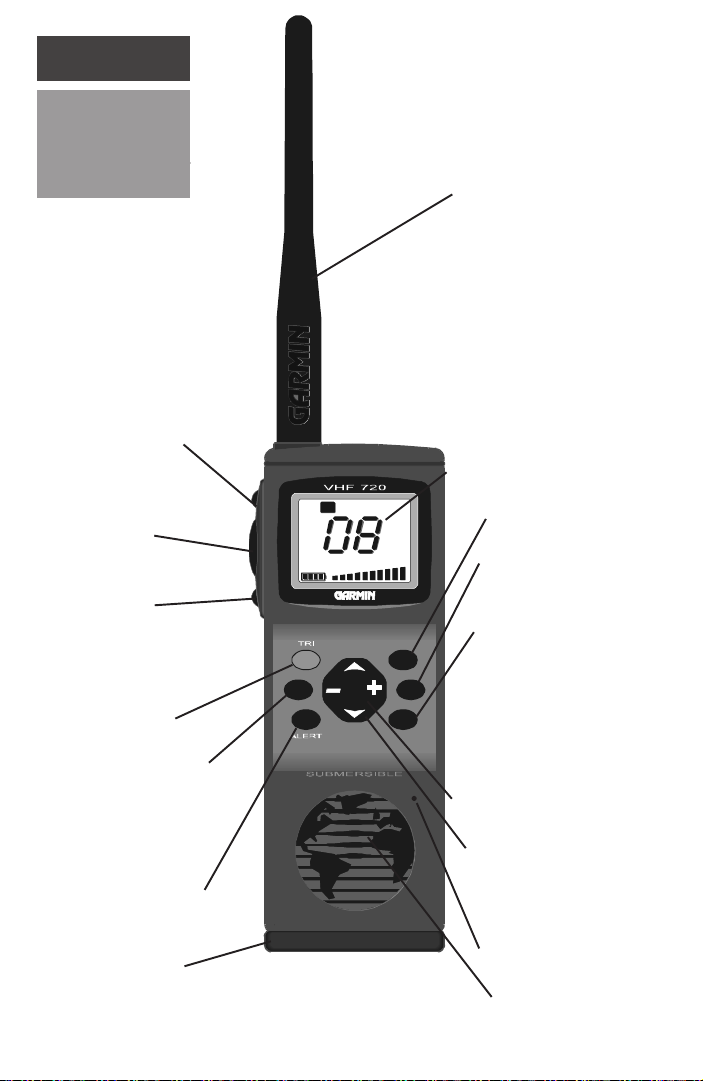
Squelch Key
Press To Talk (PTT)
Key
Hi/Low Power-Lock
Key
Tri-Watch -
Channel 16- Channel
9 - Key
PWR
16/9
Flexible Antenna
LCD Display Screen
LOW
LOW
RX
USA
USA
TRI
TRI
9
9
16
16
VOL
VOL
Scan Key
Memory Key
Channel Band
Selection Key
SCAN
CH
MEM
CH
U/I/CWX/CH
Power/Backlighting
Key
Weather/Regular
Channel -
Weather Alert Key
Battery Tray
2
+/- Volume Control
Keys
UP/DOWN Arrow
Channel Selection
Keys
Microphone
Speaker
Page 9

GETTING
STARTED
Description
The VHF 720 is a 3 watt marine VHF communications
transceiver in a convenient handheld package.
A keypad located on the front of the unit provides onehand control of communication features. The knobless
design allows push-button Squelch and Volume adjustment.
A single button press provides a manual Squelch Override
function. Tri-Watch monitoring mode allows simultaneous
monitoring of emergency channel (16), calling channel (9)
and a channel selected by the user. The channel 16/9 key
allows you to toggle between emergency and calling
channels.
A 1” high by 1-3/8” wide LCD display provides indication of all features and functions of the VHF 720. The scan
feature allows the operator to select up to 10 channels for
continuous monitoring in any combination of U.S.A.,
Canadian, and International bands.
Unit
The weather channel key toggles between regular
channels and weather channels. It enables the weather alert
mode when pressed and held for more than one second. The
high/low key toggles the transmitter power level from
between three watts and one watt. When held for more than
one second, it locks and unlocks the “Key Lock” function to
prevent inadvertent changing of unit settings and modes.
The power key turns the unit off and on and, when
pressed briefly after the unit is powered on, enables the
display backlighting feature. The weather/regular channel
key enables or disables the weather alert function.
Small size and light weight characterize the portability of
the GARMIN VHF 720.
3
Page 10
GETTING
STARTED
Keys &
Function
Displays
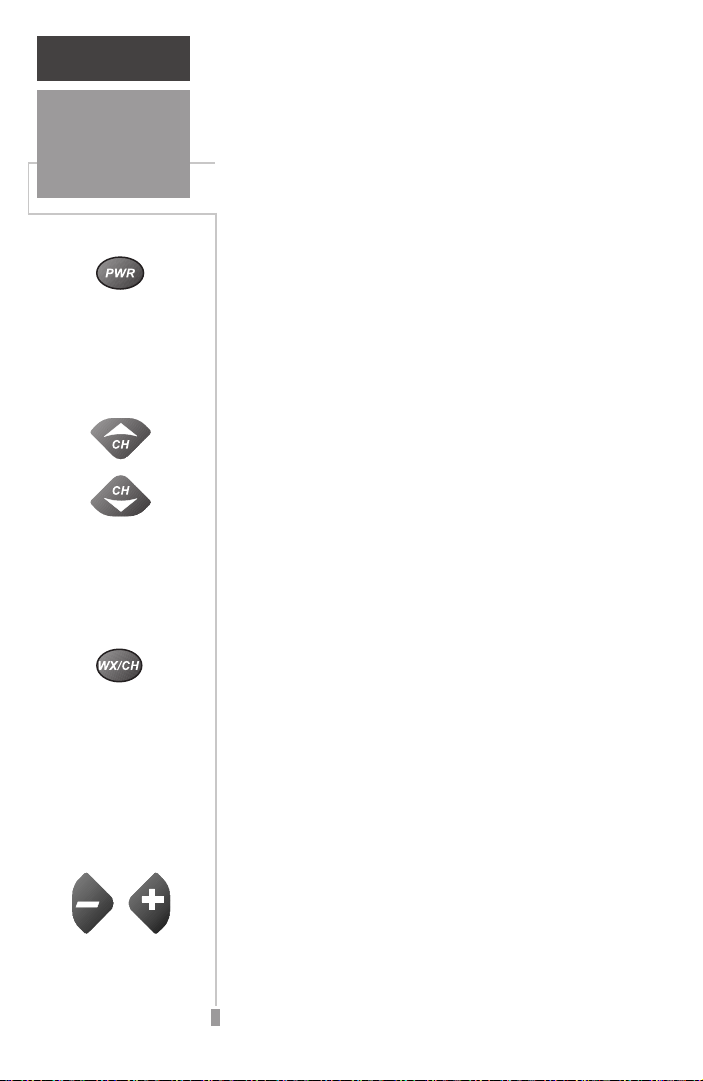
Power/Backlighting
Key
Channel Up &
Channel Down Keys
ALERT
Weather Channel/
Regular Channel Key
Eleven keys provide access to all of the unit’s
features and functions. When any key (except
the PTT key) is pressed, the unit will acknowledge by emitting a single beep confirmation
tone. Some keys have dual functions.
Power/Backlighting Key - This key turns on
the unit when pressed and released, and turns
the unit off when pressed and held for more than
one second. Briefly pressing and releasing the
power key when the unit is on will activate the
backlighting feature and will last for five seconds
after the last key is pressed.
Channel Up and Channel Down Keys Pressing these CH arrow keys sets the operating
channel. Pressing these keys while the Squelch
key is pressed and held, sets the squelch
threshold level.
Weather Channel/Regular Channel Key Pressing and releasing this key will toggle
between the ten weather channel band and the
fifty-six regular channel band. Pressing this key
for more than one second will activate the
weather alert feature if a weather channel is
currently displayed.
NOTE: WX Alert Mode will interrupt regular use
momentarily to monitor for a weather alert tone on
the selected weather channel.
Volume Increase &
Volume Decrease
Keys
4
Volume Increase and Volume Decrease Keys Pressing the plus and minus keys increases or
decreases the volume of received transmissions
and audio tones.
Page 11
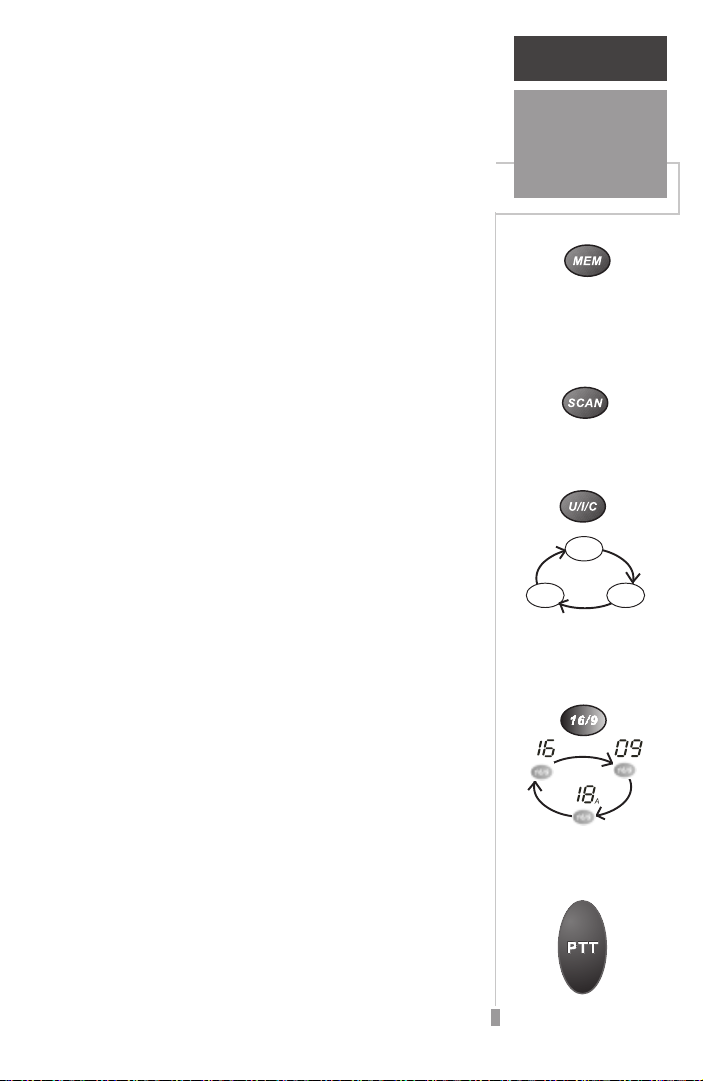
Memory Key - Pressing this key after selecting a
channel places that channel into the scanning
memory. Pressing this key when a channel is stored
in memory (as indicated by the MEM icon on the
display) will remove the channel from memory. A
maximum of ten channels can be stored in memory.
Scan Key - Pressing this key starts the scanning of
channels entered into memory. Pressing this key
while scanning disables the scan feature while
retaining the selected channels in memory.
U/I/C (USA, International/Canadian) Frequency
Bands Key - This key allows the operator to
select from the three channel bands. Pressing and
releasing the key sequences through the three
bands. The band selected is displayed on the LCD
screen.
Channel 16/9 and Tri-Watch Key - This key
provides the operator with a choice of three
channel monitoring options. Pressing once will
monitor channel 16 (the emergency channel).
Pressing again will monitor channel 9 (the calling
or hailing channel). Pressing a third time will
return to the last used regular channel. Pressing
and holding for more than one second will
activate Tri-Watch to continuously monitor
channels 16, 9 and a channel of your choice, from
the regular or weather band.
GETTING
STARTED
Keys &
Function
Displays
Memory Key
Scan Key
USA
CAN
INT
U/I/C Frequency
Bands Key
TRI
Channel 16/9 & Tri-
Watch Key
PTT (Press To Talk) Key - This Key allows the
operator to transmit over those regular band
channels that permit transmission. Press and hold
the key to talk and release to receive.
PTT Key
5
Page 12
GETTING
STARTED
Keys &
Function
Displays
Squelch Key
H/L Power Key
Squelch Key - This key breaks the squelch
(unmutes the audio) when pressed and held. It is
also used to set the squelch threshold (the level
at which only strong signals can be received).
The squelch threshold is set by pressing and
holding the squelch key while using the UP/
DOWN keys to adjust the squelch level from 0
to 9. At level 0 (L0), all signals can be heard,
while at level 9 (L9), only the strongest signals
can be heard. Adjusting the squelch level
eliminates weak, unwanted signals, as explained
on page 17.
H/L (High/Low) Power Key - This key toggles
the transmitter power level from
to
Low
(1 watt) when pressed and released. It
also locks the keypad when pressed and held for
more than one second.. The
key, backlighting key and the
function in the Lock mode. Locking the keypad
prevents inadvertent changing of channel
settings and feature modes.
High
Power
Squelch
(3 watts)
key,
PTT
key still
6
Page 13
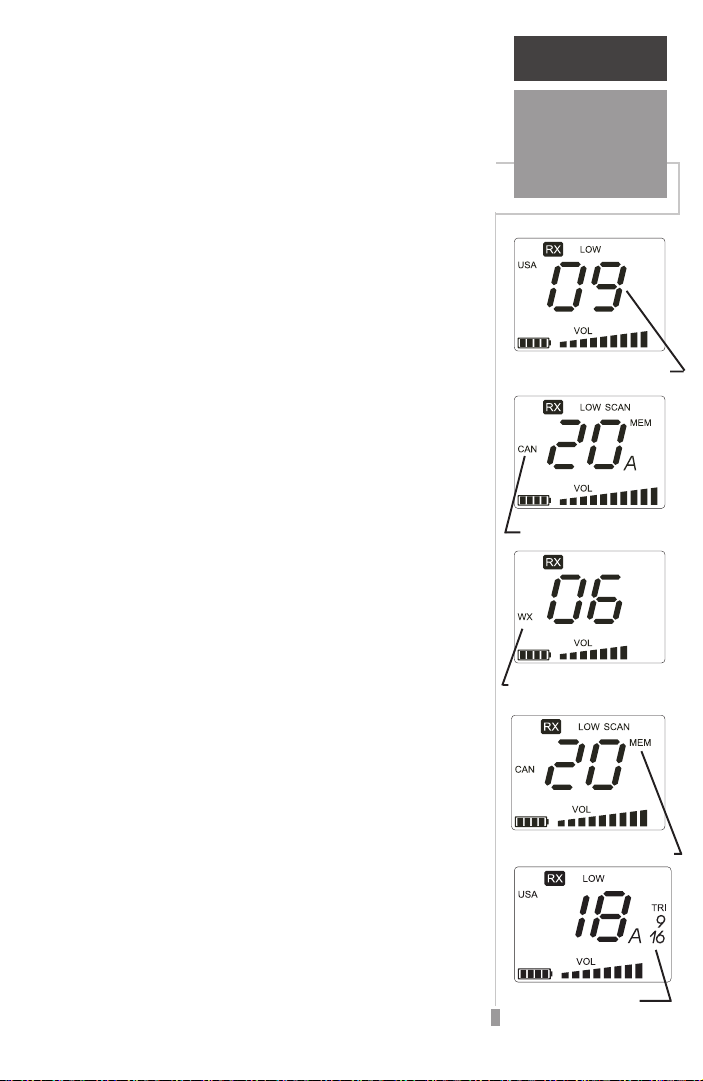
The VHF 720 LCD Display Screen gives
indication of channels being monitored, battery
power level, volume level, and the status of all
unit features.
Channel Number Indicator - This large numeral
display indicates the selected operating channel or
the squelch threshold setting when the squelch
key is pressed. This indicator is always active.
Channel Band Indicator - This display provides
indication of the regular channel band selected,
U.S.A., International, or Canadian.
Weather (WX) Channel Indicator - This display
provides indication that a weather channel is
currently being monitored.
GETTING
STARTED
Keys &
Function
Displays
Channel Number Indicator
Channel Band Indicator
Memory Channel Indicator - This display, in
conjunction with the Channel Number Indicator,
indicates that the channel number displayed has
been entered into the unit memory for selection
when the scan feature is active.
Tri-Watch Indicator - This display appears
along with the Emergency (16) and Call (9)
Channel indicators to give notification that the
Tri-Watch (three channel monitoring) feature is
active.
Weather Channel Indicator
Memory Channel Indicator
Tri-Watch Indicator
7
Page 14

GETTING
STARTED
Keys &
Function
Displays
Weather Alert Indicator
Lock Indicator
Weather Alert Indicator - This display gives
indication that the weather alert function has
been activated. The display will flash whenever a
weather alert tone is received.
Lock Indicator - This indicator is displayed
when the Lock feature is active.
Battery Level Indicator - This battery shaped
icon displays information about battery capacity
in 25% increments. This indicator is always
active.
Battery Level Indicator
Squelch Indicator
Low Battery Indicator
8
Squelch Indicator - This display appears
whenever the SQ, squelch key is presses for
either squelch override or setting of the squelch
threshold.
Low Battery Indicator - This indicator flashes
on and off when the battery capacity drops to
10% or below.
Page 15

Volume Level Indicator - This band of gradually
rising bars provides an indication of the volume
setting. This indicator is always active.
Hi/Low Power Indicators - These displays
indicate the transmitter power level.
NOTE: Some channels only permit transmission on
Low while others allow only receive operation.
Scan Indicator - This display provides indication
that the
Scan feature is active.
GETTING
STARTED
Keys &
Function
Displays
Volume Indicator
Hi/Low Power Indicator
Receive (RX) Indicator - This indicator provides
notice that a signal is being received by the unit.
Transmit (TX) Indicator - This indicator appears
when you are using the VHF 720 to transmit and
will come on when you hold down the
PTT
key.
Scan Indicator
Receive Indicator
Transmit Indicator
9
Page 16

GETTING
STARTED
Maritime
Radio Services
Operation
Important Information for First Time Users About
Operating a Marine Radio
If you are a first time user of a marine radio, you should be aware
of methods for operating your GARMIN VHF 720. Although, as
explained on page iii, a Federal Communication Commission (FCC)
license is no longer required for individual operator use, you must
comply with all applicable FCC rules and regulations. We recommend
that you obtain a copy of the “Maritime Radio users Handbook” an
authoritative handbook prepared by the Radio Technical Commission
for Maritime Services, Post Office Box 19087, Washington, D.C.
20036.
In some instances, such as commercial vessels, operators are
required to obtain a license. You can obtain a license application from
your nearest FCC field office. It is your responsibility to determine if
you are required to apply for a license. If you have questions about
the use of your marine radio you can contact the FCC Call Center at
1-888-CALL-FCC.
Maritime
Radio Services
Operation
For safety and efficient navigation of vessels, the maritime radio
frequency bands are separated into four groups. Specific frequencies
within each are assigned for particular safety and functional applications, such as ship to shore communications, US Coast Guard use,
and navigation in waterways and ports. You may not have access to
some which are not-for-public-use frequencies, and you are required
to monitor and use others which are safety and navigational procedure frequencies.
10
Page 17

GETTING
STARTED
Maritime
Radio Services
Operation
The four groups you will have occasion to use are the U.S.A.
Regular Band of 52 channels, the Canadian Band of 56 channels, the
International Band of 55 channels, and the Weather Band of 10
channels. Some of these are receive (listen) only, such as the weather
channels.
The emergency channel 16 is restricted to hailing of other vessels,
distress calls and safety purposes only. Known as the Hail and Distress
Channel, it is used to contact nearby vessels and in emergencies
where there is threat to life or property.
The calling or hailing channel 9 is used for establishing contact
with another vessel as an alternate to channel 16. As channel 16 is
often used so frequently that hailing vessels is not practical in some
high traffic areas. Contact is made using channel 9 and then switched
to another regular channel for exchange of information.
Maritime radio users are required to monitor channel 16, it is also
advisable to monitor channel 9 and a weather channel as well. To
facilitate these requirements, the VHF 720 is equipped with Tri-Watch
and Weather Alert features that allow you to engage in regular
channel communications and monitor both the emergency channel
and the alternate calling channel while also being alerted of severe
weather conditions.
Appendix C on pages 28 and 29 of this manual provides a listing
of channels and the use of each, including those which are for
receiving broadcast messages only.
11
Page 18

GETTING
STARTED
Maritime
Radio Services
Operation
Here is a grouping of the channels and a brief description of their use.
Channels 5,12, 14, 20, 65, 66, 73, 74,77:
be used by any vessel for communications between ships and ship-tocoast stations for messages relating to operational handling, movement and safety of vessels in or near ports, locks or waterways.
Channel 77 is limited to communications to and from commercial
pilots in regard to movement and docking of vessels. Channels 11,12,
13, and 14 are used for traffic service on the Great Lakes, St.
Lawrence Seaway and designated major ports.
Channel 6:
ing navigational and weather warnings to other ships. Also used for
communicating with the U.S. Coast Guard during search and rescue
operations. Ship-to- ship communications only. Do not use for routine
communications as this is a safety channel.
Channels 7, 8, 9, 10, 11, 18, 19, 67, 79, 80, 88:
Vessels - Used for communication between vessels pertaining to the
purpose for which the vessel is used. Limited communications
between vessels and coast stations. Recreational boats are not permitted to use these channels. Channels 8, 67, and 88 may not be used for
ship-to-coast communications. Channel 88 is not available on the
Great Lakes and St. Lawrence Seaway.
Intership Safety - For use by any vessel for communicat-
Port Operations - Can
Commercial
Channels 9, 68, 69, 71, 72, 78:
tions) - Used by recreational boaters and others not engaged in
commercial transport. Provides a communication channel pertaining
to the needs of the vessel (maneuvers, berthing, provisioning, fueling,
etc.). Used as a second receiver between ship-to-ship and ship-tolimited coast stations. Channel 72 may not be used for ship-to-coast
communications and channel 9, the alternate calling channel, is
shared with commercial vessels.
non-Commercial (Boat Opera-
12
Page 19

GETTING
STARTED
Maritime
Radio Services
Operation
Channel 13:
tions regarding the maneuvering of vessels or directing of a vessels
movements. Ship-to-ship and secondarily ship-to-coast communications. Commonly called the Bridge-to-Bridge channel. For routine
operations, radio power must be reduced to one watt.
Channel 15:
broadcast information concerning environmental conditions in which
vessel operate, such as, weather, sea conditions, time signals, and
hazards to navigation. One-way broadcast from coast-to-ship stations.
Channel 16:
someone has been lost overboard, or there is grave and imminent
danger to life or property. Every ship is obliged to give priority to
radio distress communications. Calling - This channel is also used to
establish communication with another marine radio station. After
contact is made, switch to a working channel. Due to congestion on
channel 16, particularly in high traffic areas, the FCC has approved
channel 9 as a second hailing channel.
Channel 17: State Control - Used by state and local government
vessels to coordinate, regulate and control boating activities and the
rendering of assistance.
Navigation - used by any vessel for safety communica-
Environmental - Used by any vessel to receive only
Emergency - Used if your vessel is sinking or on fire,
Channel 22:
of communications with a U.S. Coast Guard station. Communication
is ship-to-U.S. Coast Guard ship, and coast-to-aircraft station.
Establish contact on channel 16 then shift to channel 22 as directed
by the U.S. Coast Guard.
U.S. Coast Guard - For use by any vessel for exchange
13
Page 20

GETTING
STARTED
Maritime
Radio Services
Operation
Channels 24, 25, 26, 27, 28, 84, 85, 86, 87:
Can be used by any vessel to place a telephone call to any place in the
world or to a vessel outside their transmitting range. Used between
vessels and public coast stations. You must contact a marine operator
on the channel assigned to your navigating area.
Channels WX1, through WX10:
receive continuous weather information from the National Oceanic
and Atmospheric Administration (NOAA). This is a one-way broadcast to any interested parties. You are not allowed to transmit on these
frequencies. A list of weather broadcast stations for the U.S. is
contained in the “Maritime Radio Users Handbook”. They provide
continuous around-the-clock broadcasts of the latest weather information directly from the national Weather Service Offices. These
channels are designated on Marine VHF equipment as WX1 through
WX10, but are rarely used beyond WX7.
During severe weather, National Weather Service forecasters can
interrupt routine weather broadcasts and substitute special warning
messages. Specially designed warning receivers either sound an alarm
indicating an emergency exits or tune into the weather frequency. The
VHF 720 is equipped to sound the alarm tone and tune into the
broadcast when the Weather Alert feature is activated.
Weather - Used by any vessel to
Marine Operator -
Some channels will appear on the display with an “A” suffix. These
are “Simplex Channels” receiving and transmitting on the same
frequency. See “Selecting a Channel” on page 16 for a more detailed
explanation. There are other regular channels in the list of channels
on pages 28 and 29 that are not defined above. They have special uses
that do not apply generally to regular maritime traffic and communications.
14
Page 21

Installing the Antenna
GETTING
STARTED
The antenna is an essential part of your VHF
720 and the unit should never be operated
without the antenna installed, as this may result
in damage to the unit. The antenna receives
signals best when held upright and is less effective
when positioned horizontally.
To install the antenna:
1. Carefully align the bottom of the antenna with the
threaded connector on the top of the VHF 720, and
screw it on the until snug against the seating
surface. (Figure 1)
Installing the Battery Pack
The VHF 720 requires six AA alkaline cell
batteries and will provide approximately 19 hours
of operating time under normal use. Rechargeable
alkaline, NiCad batteries or the optional GARMIN
NiCad Battery Pack may also be used. The battery
level indicator at the lower left corner of the unit
LCD display gives indication of battery capacity
in increments of 25%. If NiCad rechargeable
batteries are used in the battery tray the battery
gauge measurement will not accurately indicate
battery capacity. However, the optional NiCad
Battery Pack will be accurately indicated.
Antenna &
Battery
Installation
Antenna
FIGURE 1
Battery Tray
“Observe Battery
Terminal Orientation”
To install the batteries:
1. Lift up the D-Ring on the bottom of the unit and
unscrew it to remove the battery tray. A coin may
also be used to turn the screw. (Figure 2) Slide the
Battery Tray from the bottom of the VHF 720.
2. Observe the label on the tray and the molded-in
symbols to determine proper battery terminal
orientation.
3. Insert six AA alkaline cells into the battery tray.
Slide the retention strap over the center of the
batteries to keep them in place. (Figure 2)
Battery
Retention
Strap
D-Ring
and Coin Slot
FIGURE 2
15
Page 22

GETTING
STARTED
Selecting
Channel
VHF 720
Unit
FIGURE 3
A
Battery
Tray
D-Ring
with Slot
4. Slide the battery tray into the battery cavity in the
base of the unit until the locking screw contacts
the threaded hole in the base of the unit. (Figure 3)
5. Lift up the D-Ring on the screw in the battery Tray
and use it or a coin to screw in the tray until snug.
Press the D-Ring down so that it rests in the
cavity in the tray base.
6. Press the POWER key to be certain the batteries
have been properly installed and the unit is
functioning. Check the Battery Level indicator on
the LCD display to be certain you have installed
fresh batteries.
NOTE: Alkaline batteries should be removed from
the unit when stored for extended periods (six or
more months) to prevent leakage from expended cells.
Selecting a Channel
To begin using the VHF 720 you will want to
select a channel to monitor while you personalize the unit settings, such as volume and
squelch. When you power-up the unit, a channel
will automatically be selected, but it may not be
suitable for making unit settings.
Selected Channel
FIGURE 4
16
Band
Select
Channel
Select
To select a channel:
1. Use the U/I/C Channel Band key to select USA,
International, or Canadian channel bands.
(Figure 4) The unit was set at the factory to
channel 10 before shipment.
2. Press the UP or DOWN arrow key to scroll
through the channels available on the selected
band. (Figure 4) If you dont know which channel
to select, refer to the Channel List in Appendix C
on pages 28 and 29.
Page 23

NOTE: You will notice an A indicator adjacent to
some channel numbers in the USA and Canadian
bands. These are simplex channels (transmitting and
receiving on the same frequency) while the Interna
tional counterpart is a duplex channel (transmitting
on one frequency while receiving on another.)
Setting the Squelch Threshold
GETTING
STARTED
Setting the
Squelch
Threshold
Setting the Squelch is important for reception
of signals you want to hear. There are ten
threshold levels, from 0, which allows all signals
to be received, to 9, which allows only the
strongest signal to be heard through the speaker.
The diagram in Figure 5 demonstrates how setting
the threshold level allows you to hear only the
signals you desire, while weaker, unintelligible
signals are not heard.
To set the Squelch threshold:
1. Adjust the Squelch to the lowest setting by
pressing and holding the Squelch (SQ) key, then
pressing the DOWN arrow key repeatedly until the
display indicates L0. You should hear static. If you
hear a voice transmission, change to another
channel and repeat this step. (Figure 5)
2. While holding the Squelch (SQ) key down, use the
UP arrow key to increase the squelch level to L1.
If no static is heard, you have set an acceptable
squelch threshold level. If you hear static, then
increase to the next threshold level, repeating the
process until unwanted static is eliminated.
Release the SQ key to return to your selected
channel. The squelch setting is universal for all
channels, but it may require resetting from time to
time
Signal At Level 5
5
4
Only Signals
Stronger Than
Level 5
Will Be Heard
3
2
1
EXAMPLE of THRESHOLD
SET AT LEVEL 5
Selected Squelch Level
NOTE: During squelch adjustment, Tri-Watch,
Scan, and Weather Alert are suspended.
Up/Down Keys
Squelch (SQ) Key
FIGURE 5
17
Page 24

GETTING
STARTED
Adjusting the Volume
Adjusting
Volume,
Scanning
Volume Level Indicator
Volume
Decrease
Increase
FIGURE 6
Scanning Display
Band
Select
Channel
Select
The Volume key may be adjusted using the
+/-
keys. The volume level is indicated by the
band of gradually rising bars on the LCD display.
To adjust the volume:
1. Press the
- key to decrease the volume. (Figure 6)
+ key to increase the volume or the
Scanning Channels
You may want to keep in contact with several
vessels in your immediate area at the same time.
For this purpose, the scan feature is available.
You can program up to ten channels from any
combination of USA, International, or Canadian
bands into memory. Whenever a transmission is
received, the scan will stop at that channel until
the transmission ends and then move on until it
recognizes another transmission. You cannot
scan weather channels since they broadcast
continually and do not allow a break in transmission for the scan to move to the next channel.
You can utilize the WX Alert feature to monitor
for severe weather conditions.
To scan channels:
1. Before activating the scan feature you must
program at least two channels into memory. You
can do this by pressing the U/I/C key to select the
desired channel band and then use the
UP/DOWN arrow keys to select channels in that
band. Press the MEM key to place the displayed
channel in the scan memory. (Figure 7)
FIGURE 7
18
Memory
Select
Scanning
Select
2. Repeat this process for the desired channels.
3. Press the SCAN key to begin the scanning
process. Pressing the SCAN key again will stop
Page 25

NOTE: If the PTT key is pressed during scanning (when
the display is changing) it will cancel SCAN and stop at
the channel last scanned. If a channel is static (being
received) you must transmit within 5 seconds after the
received broadcast ends before SCAN moves to the
next channel. After transmitting, scanning resumes when
you release the key. Pressing any other keys will cancel
the scan with the exception of the Power, Volume +,
Volume -, Squelch and Hi/low keys.
4. To remove a channel from the scan memory, simply
access it with the UP/DOWN arrow keys and press
the MEM key.
NOTE: Channels entered into memory will be
retained when the unit batteries are removed.
Tri-Watch
Tri-Watch is a method of monitoring the
emergency channel 16 and the alternate hailing
channel 9 while monitoring the channel you are
using for communications.
To use Tri-Watch:
1. First determine which channel other than 16 and 9
that you desire to monitor, then use the UP or
DOWN arrow keys to make a choice.
2. Press and hold the TRI-16/9 key for more than one
second. (Figure 8)
3. Observe the LCD display showing TRI-16-9, and
the cycling set of channel numbers indicating that
the TRI-WATCH feature is active.
GETTING
STARTED
Tri-Watch
Tri-Watch Display
TRI
FIGURE 8
Press and
More Than
1 Second
Hold for
4. Observe that when a transmission is received by
the third channel, reception will be briefly interrupted to monitor channels 16 and 9. If reception is
on channel 9 it will be interrupted to monitor
channel 16. Channel 16 always has priority in TRIWATCH.
5. To cancel the TRI-WATCH feature, press the TRI-
16/9 key to monitor only channel 16 or any other
key to return to a selected channel.
19
Page 26

GETTING
STARTED
Monitoring
Weather
Channels
Weather Channel &
Weather Alert Display
Weather
or Regular
ALERT
Channels
Activate
Weather
Select
Alert
NOTE: If you enter channel 16 into memory for the
Scan Mode, it will not have the priority it receives in
the Tri-Watch Mode.
Monitoring Weather Channels
There are ten weather channels which
provide continual broadcasts of area weather
information as provided by the National
Weather Service. Typically, only the first seven
channels are actively used.
To monitor weather channels:
1. Press the WX/CH-ALERT key to toggle between
regular channel and weather channel bands.
The WX symbol on the display screen will
appear when you have accessed the weather
band. (Figure 9)
2. Use the UP/DOWN arrow keys to select the
weather channel broadcast for the area you are
navigating.
NOTE: You can monitor channels to determine
the area weather broadcast you desire to
monitor or refer to the list of weather broadcast
stations published in the Maritime Radio Users
Handbook.
Once you have selected a weather channel you
can toggle back and forth to the regular channel
bands by pressing the WX/CH ALERT key.
FIGURE 9
20
Select
Channel
Weather Alert
The Weather Alert Feature can be activated
to briefly monitor for a weather alert tone
(every 5 seconds). You can choose a weather
channel to monitor, activate the “WX Alert”
feature then resume regular use of the radio.
When a weather alert signal is detected the
“WX ALERT” wording on the display will flash,
and after an alert tone, the VHF 720 will
automatically access the weather channel. It
will increase the volume to mid-range, if set
lower, and allow you to hear severe weather
information.
Page 27

To activate Weather Alert:
GETTING
STARTED
1. Press and hold the WH/CH-ALERT key for more
than one second to activate this mode.
2. Return to regular use of the radio. You will hear a
Weather Service beep tone and observe the
flashing WX Alert display when a weather alert
signal had been detected followed by the severe
weather alert broadcast. (Figure 9)
3. To cancel the Weather Alert feature, press and hold
the WX/CH-ALERT key or turn the unit off.
Receiving and Transmitting
Whenever the VHF 720 is powered-up (On)
it is in the receiving mode. If the unit is monitoring a channel that is broadcasting, you will hear
that transmission. It is possible to monitor any
channel on any band, but transmission on some
channels is not allowed. Many are receive only
channels, while others are simply not intended for
your category of radio use.
To receive on the VHF 720:
1. Press and release the PWR key to turn the unit on.
2. Observe that the display screen will come on and
the last channel accessed will be displayed. If there
is someone transmitting on that channel, you will
hear their communication and the RX symbol will
appear on the LCD display. You may now select
from the many receiving options.
Receiving
and
Transmitting
Power Saving Tip!
To monitor the weather
alert feature and save
battery power:
1. Select a weather
channel.
2. Initiate Weather Alert.
3. Reduce volume to
minimum.
4. Press and hold the
LOCK key.
The audio will mute and
the VHF 720 will wake-up
from a lower power mode
to monitor for the weather
alert tone every 5 seconds.
Pressing any key that is
functional during the
LOCK mode will cancel
the Low Power mode and
switch to regular WX/Alert
Mode. A weather alert tone
from the National Weather
Service will also cancel the
Low Power mode and tune
the receiver to the active
weather alert channel at
mid-volume level.
NOTE: For clearer reception, you can adjust the
volume key up or down and set the squelch
threshold to a level at which the audio will be
enabled.
21
Page 28

GETTING
STARTED
Receiving
and
Transmitting
Receiving Mode Display
3. Press the WX/CH key to choose from weather
channels or regular channels. (Figure 10)
4. Press the U/I/C key to select a channel band.
(Figure 10)
5. Press the UP/DOWN arrow keys to select a
channel. (Figure 10)
6. Press the MEM key when scrolling through the
channels to enter up to ten channels in the SCAN
memory. You must select at least two for the
SCAN feature to activate. (Figure 10)
ALERT
TRI
FIGURE 10
Toggle
From
Weather
To Regular
Channels
Select
Channel
Band
Select
Channel
Enter
Channel
Into
Memory
Activate
SCAN
Feature
Activate
Emergency
Monitor or
Tri-Watch
Feature
7. Press the SCAN key to monitor the selected
channels. (Figure 10)
8. Press the 16/9 key once if you want to monitor
the emergency channel (16). (Figure 10)
9. Press the 16/9 key twice if you want to monitor
the alternate calling channel (9).
10. Press and hold the 16/9 key if you want to
activate the TRI-WATCH feature in order to
monitor the emergency, the alternate calling and
one regular channel simultaneously.
To transmit on the VHF 720:
1. Perform Steps 1 through 5 of the procedure for
receiving, above.
2. Choose a correct channel for communications.
Channels are restricted to use by various
government agencies, types of vessels and
maritime service operators. Review the list in
Appendix C to determine which channels are
available for your use.
22
Page 29

3. Wait until the channel you have selected is free of
communications. THIS IS AN FCC REQUIREMENT!
NOTE: For communications over short distances,
press the H/L key until LOW is displayed on the
LCD. This reduces transmission power to one
watt, prolonging battery life.
4. Press and hold the PTT (Press To Talk) key and
begin your transmission. The TX symbol will
appear on the LCD display. (Figure 11)
GETTING
STARTED
Receiving
and
Transmitting
5. Speak directly into the microphone on the front of
the unit (see page 2) and hold the unit vertically 1
to 2 inches from your mouth.
NOTE: VHF Marine Radios communicate over
distance by Line-of-Sight, which means that the
signal may be blocked by objects such as land
forms, large vessels, etc. It is therefore important
to transmit with the antenna in a vertical position
and with the radio positioned as far above the
water as is feasible.
6. Release the PTT key when you have completed
your transmission.
NOTE: You must use a specific communication
style when using a marine radio, such as your
station call sign or boat name and ending your
transmission with proper terminology such as
Over. Refer to the Maritime Radio Users
Handbook. Also be aware that the unit will
automatically cancel TX after the PTT key has
been pressed for more than thirty seconds to limit
extensive transmissions and protect the unit
from damage.
Transmit Display
Press and
Hold While
Transmitting
FIGURE 11
23
Page 30

GETTING
STARTED
Backlighting
& Key lock
Features
Key Lock Display
Press and
1 Second
FIGURE 12
Hold for
More
Than
The FCC prohibits the following communications:
o False distress or emergency messages
oMessages to Any Boat except in emergencies
and radio tests
oMessages to or from a vessel on land and
transmission while on land
oObscene, indecent, or profane language
(potential fine of $10,000)
7. Remember to return to monitoring of Channel 16
by pressing the 16/9 key once when not using
another channel.
Backlighting the LCD Display
The backlighting feature is used to improve
readability of the LCD display in dim light.
1. Press and release the PWR key after the unit has
powered on. The display will be illuminated for 5
seconds after the last key press before cycling off.
NOTE: Press this key anytime you require visual
reference in dim light.
Using the Key Lock Feature
If you desire to maintain a selected function
on your VHF 720, such as TRI-WATCH, SCAN,
or Weather Alert, you can lock the keys using
the Lock feature to prevent inadvertent canceling
or changing of unit settings. However, the PressTo-Talk, Squelch, and Power keys still function.
1. Press the H/L-LOCK (Hi/Low transmission
power) key for more than one second after you
have set the unit to the function desired. When
the unit keypad is locked, the LOCK message
will be displayed on the LCD screen. (Figure 12)
2. To cancel the lock feature, press the H/L-LOCK
key again for more than one second or turn Off
the unit using the POWER key.
24
Page 31

APPENDIX A
Accessories &
Installation
Standard Accessories & Replacement Components
(Included with the VHF 720)
Antenna......................................... Part Number: 700-00010-00
Alkaline Battery Pack (Requires six “AA” Cells)
...................................................... Part Number: 011-00415-00
Wrist Strap....................................... Part Number: 013-00027-00
Belt Clip...........................................Part Number: 145-00327-00
Belt Clip Mounting Screws............... Part Number: 211-54307-11
Owner’s Manual............................. Part Number: 190-00150-00
Contact GARMIN Customer Service to obtain replacement parts.
Refer to Page 15 for Antenna and Battery Installation.
Installing the Belt Clip and Wrist Strap
The VHF 720 is supplied with a belt clip and carrying strap
so you can carry the unit wherever you go. Attach the clip to the back
of the unit using the two mounting screws provided. To attach the
wrist strap, thread the cord portion of the strap through the slot in the
clip then insert the solid end of the strap through the loop formed by
the cord, pulling it through until snug. (Figure 13)
Wrist
Strap
Back of
VHF 720
Slot for
Wrist Strap
Mounting
Screws
Belt Clip
FIGURE 13
25
Page 32

APPENDIX A
Optional
Accessories
Optional Accessories
NiCad Battery Pack Kit (U.S. Version - Includes Charging Unit, Battery Pack and
Mounting Bracket) ...................................... Part Number: 010-10188-00
Spare NiCad Battery Pack...................... Part Number: 010-10189-00
NiMH Battery Pack............................... Part Number: 010-10245-00
Cigarette Lighter Charging Cable Assy... Part Number: 010-10190-00
Charging Unit (U.S. Version 120 VAC).......... Part Number: 010-10247-00
Mounting Bracket/Charging Stand......... Part Number: 010-10191-00
Carry Holster with Belt Loop................. Part Number: 010-10219-00
Contact your GARMIN Dealer to obtain these optional accessories.
VHF 720 Optional Accessories:
NiCad Battery Pack Kit
Includes rechargeable NiCad
Battery Pack, Mounting Bracket/Charging
Stand, and 120 VAC Charging Unit.
NiCad or NiMH
Battery Pack
Mounting Bracket/Charging Stand
Carry Holster with Belt Loop
Rugged nylon holster with integral belt loop.
26
120 VAC Charging
Unit
Cigarette Lighter Charging Cable Assembly
Charges the battery pack using a 12 volt power source.
Page 33

APPENDIX B
Specifications
Physical:
Transceiver:
Receiver:
Transmitter:
Power:
Size: 5.5”H x 2.0”W x 1.3”D (14.0 x 5.0 x3.3cm)
Weight: Approximately 12.1 oz (.35Kg)
Temperature Range: -4 to +158 degrees F (-20 to + 70 degrees C)
Frequency Bands: All U.S., Canadian, and International marine
Channel Spacing: 25kHz
Selectivity: Adjacent channel selectivity, 65dB
Sensitivity (FM): > 12dB SINAD at 0.3 microvolt
(WX): > 12dB SINAD at 0.3 microvolt
Squelch Sensitivity: -123dBm to -107dBm
(Threshold)
Audio Power: 0.5 W into 16 ohm speaker
Audio Distortion: < 10%
Hum and Noise: < 40dB
Transmitter Output: 3 watts high/1 watt low
Frequency Stability: +/- 10 PPM
Hum and Noise: < 40dB
Duty Cycle: No damage, even if continuously keyed
Microphone: Internal, electret
Compliance: FCC Part 87
Operating Voltage: 8.0 VDC
Source: Standard (6) “AA” alkaline battery cells
Optional (6) “AA” NiCad rechargeable cells
Battery Life*: 19 hours with 6 “AA” alkaline cells
Current Consumption: Receive: < 50mA
channels plus 10 weather channels
Intermodulation rejection, 65dB
Spurious Image Response, 65dB
NiCad Battery Pack
NiMH Battery Pack
16 hours with optional NiCad Battery Pack
24 hours with optional NiMH Battery Pack
12 hours with 6 “AA” rechargeable alkaline cells
Transmit, high power: < 1.0A
Transmit, low power: < 0.6A
* Tested using 5% TX (High), 5% RX, 90% Standby Duty Cycle
27
Page 34

APPENDIX C
VHF
Channel List
Channel Number Frequency (MHz) Type of Traffic Function
USA CAN INT TX RX Ship to Ship Ship to Shore
01 01 156.050 160.650 Com’l, Port Ops, VTS Yes Yes
01A 156.050 156.050 Com’l, Port Ops, VTS Yes Yes
02 02 156.100 160.700 Port Ops Yes Yes
03 03 156.150 160.750 Com’l, Port Ops, VTS Yes Yes
03A 156.150 156.150 Com’l, Port Ops, VTS Yes Yes
04A 156.200 156.200 Port Ops Yes Yes
05A 05A 156.250 156.250 Port Ops, VTS Yes Yes
06 06 06 156.300 156.300 Safety Yes No
07 156.350 160.950 Com’l Yes Yes
07A 07A 156.350 156.350 Com’l Yes Yes
08 08 08 156.400 156.400 Com’l Yes No
09 09 09 156.450 156.450 Com’l & Non-Com’l Yes Yes
10 10 10 156.500 156.500 Com’l Yes Yes
11 11 11 156.550 156.550 Com’l, VTS, SMS Yes Yes
12 12 12 156.600 156.600 Port Ops, VTS, SMS Yes Yes
13 156.600 156.600 Navigational 1 watt, int. No
13 13 156.650 156.650 Navigational Yes No
14 14 14 156.700 156.700 Port Ops Yes Yes
15 NO TX 156.750 Environmental RX Only 15 15 156.700 156.700 Environmental 1 watt Only 16 16 16 156.800 156.800 Distress, Safety, Calling Yes Yes
17 17 17 156.850 156.850 State Control 1 watt Only Yes
18A 18A 156.900 156.900 Com’l Yes Yes
19 156.950 161.550 Com’l Yes Yes
19A 19A 156.950 156.950 Com’l Yes Yes
20 20 157.000 161.600 Port Ops Yes Yes
20 157.200 161.650 Port Ops 1 watt Only Yes
21A 21A 157.050 157.050 U.S. Govt. Only Yes Yes
22A 22A 157.100 157.100 Coast Guard Yes Yes
23 23 157.150 161.750 U.S. Govt. Only Yes Yes
23A 157.150 157.150 U.S. Govt. Only Yes Yes
24 24 24 157.200 161.800 Public Corresp. No Yes
25 25 25 157.250 161.850 Public Corresp. No Yes
26 26 26 157.300 161.900 Public Corresp. No Yes
27 27 27 157.350 161.950 Public Corresp. No Yes
28 28 28 157.400 162.000 Public Corresp No Yes
60 60 156.025 160.625 - - 61 156.075 160.675 - - 61A 61A 156.075 156.075 - - -
62A 156.125 156.125 - - -
04 156.200 160.800 Port Ops Yes Yes
05 156.250 160.850 Port Ops, VTS Yes Yes
18 156.900 161.500 Com’l Yes Yes
21 157.050 161.650 U.S. Govt. Only Yes Yes
22 157.100 161.700 Coast Guard Yes Yes
62 156.125 160.725 - - -
28
Page 35

APPENDIX C
VHF
Channel List
Channel Number Frequency (MHz) Type of Traffic Function
USA CAN INT TX RX Ship to Ship Ship to Shore
63 156.175 160.775 - - 63A 156.175 156.175 - - 64 64 156.225 160.825 - - 64A 64A 156.225 156.225 - - -
65A 65A 156.275 156.325 Port Ops. No Yes
66A 156.325 156.325 Port Ops. Yes Yes
66A 156.325 156.325 Port Ops. 1 watt Only Yes
67 67 67 156.375 156.375 Com’l. Yes No
68 68 68 156.425 156.425 Non Com’l Yes Yes
69 69 69 156.475 156.475 Non Com’l Yes Yes
70 70 70 NO TX 156.525 Digital Selective Calling Yes No
71 71 71 156.575 156.575 Non Com’l Yes Yes
72 72 72 156.625 156.625 Non Com’l Yes No
73 73 73 156.675 156.675 Port Ops. Yes Yes
74 74 74 156.725 156.725 Port Ops. Yes Yes
77 77 156.875 156.875 Port Ops. 1 watt int. Yes
78A 78A 156.925 156.925 Non Com’l Yes Yes
79A 79A 156.975 156.975 Com’l Yes Yes
80A 80A 157.025 157.025 Com’l Yes Yes
81A 81A 157.075 157.075 U.S. Govt. Only Yes Yes
82A 82A 157.125 157.125 U.S. Govt. Only Yes Yes
83 83 157.175 161.775 U.S. Govt. Only Yes Yes
83A 83A 157.175 157.175 U.S. Govt. Only Yes Yes
84 84 84 157.225 161.825 Public Corresp. No Yes
85 85 85 157.275 161.875 Public Corresp. No Yes
86 86 86 157.325 161.925 Public Corresp. No Yes
87 87 87 157.375 161.975 Public Corresp. No Yes
88 88 88 157.425 162.025 Public Corresp. No Yes
88A 157.425 157.425 Public Corresp. No Yes
Weather Channels - Receive Only
WX1 162.550 Weather No Yes
WX2 162.400 Weather No Yes
WX3 162.475 Weather No Yes
WX4 162.425 Weather No Yes
WX5 162.450 Weather No Yes
WX6 162.500 Weather No Yes
WX7 162.525 Weather No Yes
WX8 161.650 Weather No Yes
WX9 161.850 Weather No Yes
WX10 162.000 Weather
65 156.275 160.875 Port Ops. No Yes
66 156.325 160.925 Port Ops. Yes Yes
77 156.875 156.875 Port Ops. Yes Yes
78 156.925 161.525 Non Com’l Yes Yes
79 156.975 161.575 Com’l Yes Yes
80 157.025 161.625 Com’l Yes Yes
81 157.075 161.675 U.S. Govt. Only Yes Yes
82 157.125 161.725 U.S. Govt. Only Yes Yes
No Yes
29
Page 36

APPENDIX D
Maintenance
&
Troubleshooting
Storage:
Store the VHF 720 in a cool, dry location when not used for
prolonged periods. When stored for more than six months, remove
alkaline batteries to prevent leakage from expended cells. While the
GARMIN VHF 720 is designed to withstand immersion in water (with
or without the battery pack in place) it should be treated like all
quality electronic equipment. Wipe away any water accumulation
from the surface of the unit and use a paper towel or other absorbent
material to wick out any moisture from the battery cavity. Exposure of
battery terminals to salt spray may cause corrosion and loss of
conductivity. Be certain to keep contacts dry and away from corrosive
elements. Storage temperature should not vary from: below -4 degrees
F (-20 degrees C) and above 158 degrees F (70 C)
Cleaning:
Clean exterior portions of the VHF 720 with a mild soap and water
solution. Do not use harsh detergents or solvent based cleaning
agents. Isopropyl alcohol is acceptable. Wipe dry with a clean, nonabrasive cloth.
Submersion in Water:
The VHF 720 is constructed to meet IEC Standard 529 IPX7. It
can withstand submersion in 1 meter of water for up to 30 minutes.
Note that, while the unit is designed to operate after submersion,
meaning; if dropped in water and retrieved quickly, it should suffer no
damage. Prolonged submersion may cause damage to the unit. After
submersion be certain to remove the battery pack and dry the battery
contacts and the battery cavity, as the battery cavity is separated from
the rest of the unit and can allow water intrusion.
Battery Maintenance:
Keep battery contacts clean. Use only the types of batteries
specified for use with the VHF 720. The VHF 720 battery tray accepts
six (6) standard “AA” alkaline, rechargeable alkaline or rechargeable
NiCad cells. It is advisable to maintain a supply of replacement
batteries if the VHF 720 is to be placed in service for a prolonged
period where replacement batteries cannot be easily obtained.
NOTE:
Whenever possible, transmit with 1 watt power to prolong battery life.
30
Page 37

APPENDIX D
Maintenance
&
Troubleshooting
When Using The NiCad or NiMH Battery Pack*:
Fully charge the battery pack before its first use. The battery pack
requires 12 hours for a full charge and should not be charged in excess of
this time period.. Charge only with the VHF 720 Charging Unit provided
with the Battery Pack. Partially discharging a nickel-cadmium battery and
then recharging it causes a phenomenon referred to as “memory reset”.
When a battery that is not fully discharged is then recharged, it resets the
memory in proportion to the amount of previous discharge, resulting in
a gradually decreasing recharge capacity. To ensure that this type of
battery pack retains its full capacity, it should be almost fully discharged
(when the battery symbol blinks) and then recharged completely after every
few cycles of use.
* Municipal Law requires for environmentally sound
collection and recycling or disposal of nickelcadmium and Nickel Metal Hydride batteries.
Contact your local waste management official for
instructions on disposal.
Service and Repairs:
The GARMIN VHF 720 is warranted for three years under the terms
of the GARMIN Limited Warranty on Page 36 of this manual. If you
need to obtain warranty service for your unit, call the GARMIN Product
Support Department (913-397-8200) for a returned merchandise
tracking number. The unit should be securely packaged with the tracking
number clearly marked on the outside of the package and sent freight
prepaid and insured to GARMIN warranty service station. A copy of the
original sales receipt is required as proof of purchase for warranty
repairs. GARMIN reserves the exclusive right to repair or replace the unit
or software at its sole discretion. If your unit is no longer under warranty, GARMIN will make repairs at the GARMIN current labor rate and
parts costs. Units repaired in this manner are warranted for 90 days from
the date of return to the owner.
31
Page 38

APPENDIX D
Maintenance
&
Troubleshooting
Troubleshooting Guide
SYMPTOM PROBABLE CAUSE REMEDY
Unit does not come ON Batteries are exhausted. Recharge batteries
No sound from speaker Squelch threshold level too Set to a lower
Cannot transmit or Some channels are for receive Change channel.
transmission isn’t being only.
received.
The displayed channel cannot The LOCK function is on. Press and hold the
be changed. H/L key for at
Error tone (2 beeps) is heard Incorrect key selection and Select correct key.
when a key is pressed and no the programming is limiting
unit function is performed. key function.
high. threshold point.
No channel broadcast is Move to another
being received channel.
Volume is set too low. Increase volume.
Batteries are exhausted. Replace batteries.
Some channels are for low Change channels.
power only.
Output power too low. Press H/L key for
high power.
least one second.
32
Page 39

APPENDIX E
Messages
Messages
The VHF 720 responds to operating conditions in two ways, LCD
Display screen messages and audio tones. These messages provide
notification of errors in operation or the status of VHF 720 features.
Audio Messages
Confirmation Tones - These tones, consisting of a single “Beep”,
are audible whenever you press a key on the unit and confirm
that unit is responding to your action.
Error Tones - These tones, consisting of two beeps and in some
instances a continuous string of beeps, and indicate that you
have pressed a key that cannot perform a function under the current unit operating mode.
Screen Messages
“LOW BATT” - This display appears when the battery capacity
has dropped to 10% of its capacity. The “LOW BATT” display
flashes and an initial three beep tone will be heard. The unit will
operate under normal use for approximately 30 more minutes.
“WX ALERT” - When the Weather Alert feature is activated by a
weather alert broadcast, the weather alert tone will be heard and
the “WX ALERT” display will flash. The receiver will be tuned to
the weather channel and audio will be unmuted at the user
setting or mid range volume level, whichever is greater.
“TX” and “RX” - If these two icons flash together or the “TX”
only flashes whenever the PTT key is pressed, the unit must be
serviced. Contact the GARMIN Product Support Department at
(1-800-800-1020) or (913-397-8200) for information.
33
Page 40

APPENDIX F
Glossary
Glossary of Radio Terminology and Abbreviations
Canadian Channels: Channel designations as defined by the
International Telecommunications Service,
(ITS).
Duplex: Transmit and receive on different frequencies.
FM: Frequency Modulation
International Channels: Channel designations as defined for use
in international waters by the ITS.
PTT: Press-To-Talk switch
RF: Radio Frequency
RX: Receive
Simplex: Transmit and receive on the same frequency.
Squelch: To suppress background noise.
Tri-Watch: Monitors Channels 16 and 9 while working on yet
another user designated channel.
TX: Transmit
U.S.A. Channels: Channel designations as defined by the FCC.
VHF: Very High Frequency (30 MHz to 300 MHz)
Weather Channels: Channel designations as defined by the FCC.
34
Page 41

APPENDIX G
Index
A
Accessories............................25
Antenna Installation..............15
B
Backlighting..........................24
Battery Installation................15
Battery Pack....................15, 26
Belt Clip................................25
C
Calling Channel....................13
Cautions............................iv, v
Channel Definition..........12-14
Channel List....................28-29
Cleaning...............................30
D
Dual Watch..........................20
E
Emergency Channel..............13
Error Tones...........................32
F
FCC.................................iii - iv
Flexible Antenna.....................2
K
Keys and Displays..............4 - 9
Key Lock...............................24
M
Maritime Radio User’s Hndbk....iii
Marine Radio License.............iv
Memory........................5, 7, 18
Messages...............................33
Monitoring......................18-20
N
National Weather Service............14
NiCad Battery Kit........................26
NiMH Battery Pack.......................26
P
Packing List..................................ii
Priority Scan...............................19
S
Scanning Setup...........................18
Selecting Channel 16/9.........19, 22
Selecting a Channel.....................16
Selecting a Weather Channel....20, 29
Specifications..............................27
T
Transmitting...............................22
Tri-Watch...................................19
Trickle Charger...........................26
Troubleshooting..........................32
V
VHF Communication..................10
VHF Line-of-Sight........................23
Volume Adjustment.....................18
W
Warranty....................................36
Warranty Service..................31, 36
Weather Alert.............................21
Weather Channels................14, 29
35
Page 42

APPENDIX H
Warranty
LIMITED WARRANTY
GARMIN Corporation warrants this product to be free from defects in
materials and manufacture for three years from the date of purchase.
GARMIN will, at its sole option, repair or replace any components that fail
in normal use. Such repairs or replacement will be made at no charge to
the customer for parts or labor. The customer is, however, responsible for
any transportation costs. This warranty does not cover failures due to
abuse, misuse, accident or unauthorized alteration or repairs.
THE WARRANTIES AND REMEDIES CONTAINED HEREIN ARE
EXCLUSIVE AND IN LIEU OF ALL OTHER WARRANTIES EXPRESS OR
IMPLIED OR STATUTORY, INCLUDING ANY LIABILITY ARISING
UNDER ANY WARRANTY OF MERCHANTABILITY OR FITNESS FOR A
PARTICULAR PURPOSE, STATUTORY OR OTHERWISE. THIS WARRANTY GIVES YOU SPECIFIC LEGAL RIGHTS, WHICH MAY VARY
FROM STATE TO STATE.
IN NO EVENT SHALL GARMIN BE LIABLE FOR ANY INCIDENTAL,
SPECIAL, INDIRECT OR CONSEQUENTIAL DAMAGES, WHETHER
RESULTING FROM THE USE, MISUSE, OR INABILITY TO USE THIS
PRODUCT OR FROM DEFECTS IN THE PRODUCT. SOME STATES DO
NOT ALLOW THE EXCLUSION OF INCIDENTAL OR CONSEQUENTIAL DAMAGES, SO THE ABOVE LIMITATIONS MAY NOT APPLY TO
YOU.
To obtain warranty service, call the GARMIN Customer Service department (913-397-8200) for a returned merchandise tracking number. The
unit should be securely packaged with the tracking number clearly
marked on the outside of the package and sent freight prepaid and insured
to a GARMIN warranty service station. A copy of the original sales receipt
is required as the proof of purchase for warranty repairs. GARMIN retains
the exclusive right to repair or replace the unit or software or offer a full
refund of the purchase price at its sole discretion. SUCH REMEDY SHALL
BE YOUR SOLE AND EXCLUSIVE REMEDY FOR ANY BREACH OF
WARRANTY.
36
Page 43

Warnings
and
Precautions
© 1999 GARMIN Corporation
GARMIN International, Inc. 1200 E 151st Street, Olathe, KS 66062
USA
GARMIN (Europe) LTD., Unit 5, The Quadrangle, Abbey Park Indus-
trial Estate, Romsey, SO51, 9AQ UK
GARMIN (Asia) Corp., 3F, No. 1, Lane 45, Pao Hsing Road, Hsin Road,
Hsin Tien, Taipei, Taiwan R.O.C.
website address: www.garmin.com
Part Number 190-00150-00 Rev. B
 Loading...