

Page 1

User manual
English
Page 2

REMEMBER
1. In order to use an external USB memory, the
memory must support the USB 2.0 standard. To
ensure stable recording and playback, you must use
a memory with a recording speed of 9.0 MB/s or
greater. Slower hard disk drives and flash memories
may not function properly, have problems with
recording or playing (image jitter), or not function at
all.
2. Only disks with one basic NTFS or FAT32 partition
(we recommend using the NTFS format) will function
properly. If you do not have such a format, prepare
the disk on your computer before connecting it to
the Ferguson FBOX3.
3. Highly fragmented or used memories may also
not operate smoothly or correctly.
CAUTION
1. Under no circumstances should you disconnect
the USB device from the Ferguson FBOX3 during
recording or playback. Disconnecting during
operation may cause damage to the Ferguson
FBOX3 and/or flash memory, and to the recorded
data.
2. Do not touch the working device (and in particular
the USB connector) with wet hands. Risk of electric
shock and permanent damage to the Ferguson
FBOX3!
2
Page 3

GNU/GPL LICENSING INFORMATION
Please consult the legal information available on
your device under Settings > About FBOX3 or visit
http://source.android.com/source/licenses.html for
more information.
DOWNLOADABLE SOFTWARE
Ferguson has taken every effort to provide users
with software updates in order to ensure that the
parameters of the Ferguson FBOX3 are up to date.
Ferguson reserves itself the right to amend, change
or modify the software used in the Ferguson FBOX3
as it shall choose and without prior notification. The
latest version of the software is available on the
website http://www.ferguson-digital.eu
Android is a trademark of Google Inc.
Google and the Google logo are registered
trademarks of Google Inc.
Please keep in mind that new software may
change the functionality of the Ferguson
FBOX3. Photographs and descriptions
included in the instruction manual are for
informational purposes only. If you notice an error,
please report it – we shall make every effort to have
it rectified.
3
Page 4

SAFETY MEASURES
We request that you read the instruction manual and
recommendations set forward therein. Also
remember to connect suitable power supply!
In order to avoid an electric shock,
never open the housing. Damage to
the warranty seal shall void the
warranty.
Disconnect the device from the
mains during thunderstorms or when
it is not to be used for an extended
period of time. Please remember that
the warranty does not cover damage to the
equipment caused by a lightning strike.
Do not expose the device to direct
sunlight. Place it away from sources
of heat and humidity. Do not cover
ventilation ducts, in order to ensure
the correct circulation of air.
Place the device horizontally on a
flat, even and stable surface.
If you move the device from a room
that is warm to one that is cold (or
vice versa), wait at min. 1 hour
before connecting it to the mains.
Otherwise, problems may arise.
4
Page 5

The device should be placed away
from vases, bottles, aquariums and
other water containers in order to
avoid damage. Do not touch the
mains plug with your bare hands.
Do not place any objects on the
housing of the device. This may
cause overheating and reception
problems.
Before commencing maintenance or installation
work, disconnect the Ferguson FBOX3 from the
mains. Do not clean the Ferguson FBOX3 with
alcohol or liquids containing ammonia. If necessary,
clean it with a soft, lint-free cloth wetted with a
gentle solution of water and soap.
• Do not connect any cables when the mains
plug is in the socket.
• Check the condition of your cables.
Damaged cables may cause a fire.
• Please disconnect the Ferguson FBOX3 from
the mains before connecting any cables.
5
Page 6
MARKINGS AND SIGNS APPLIED TO THE
Ferguson FBOX3
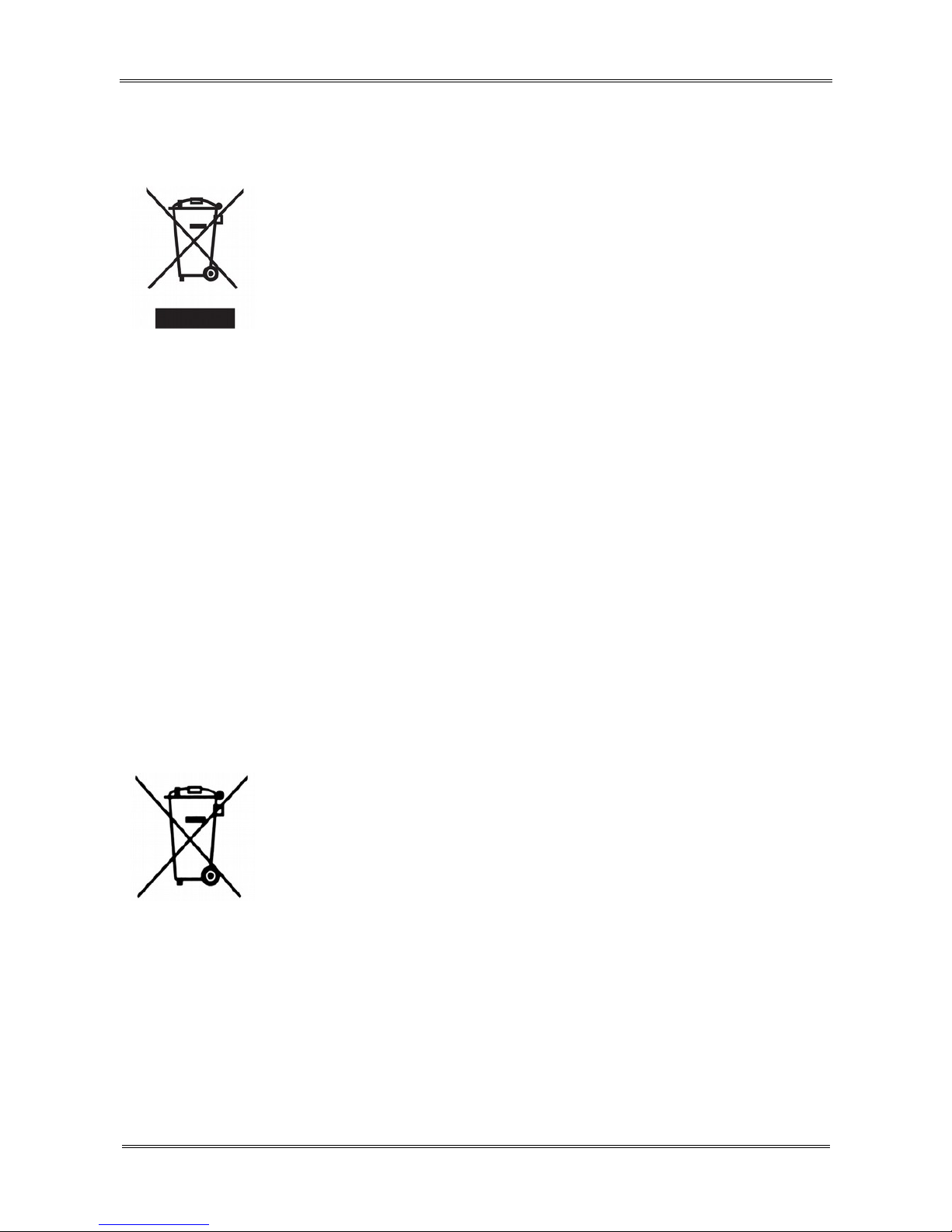
When this crossed-out wheeled bin
symbol is attached to a product it means
that the product is covered by the
European Directive 2002/96/EC. Please
inform yourself about the local
separate collection system for electrical
and electronic products.
Please act according to your local rules
and do not dispose of your old products
with your normal household waste.
Correct disposal of your old product helps
to prevent potential negative
consequences for the environment and
human health.
Your product contains batteries covered
by the European Directive 2006/66/EC,
which cannot be disposed with normal
household waste. Please inform yourself
about the local rules on separate
collection of batteries because correct
disposal helps to prevent negative
consequences for the environmental and
human health.
6
Page 7
Your product is designed and
manufactured with high quality materials
and components, which can be recycled
and reused.
CE logo.
The logo informs that the Ferguson
FBOX3 conforms to the terms and
conditions of Directive 2004/108/EC
concerning observance by Member States
of provisions regulating electromagnetic
compatibility, and to the terms and
conditions of Directives 2006/95/EC
concerning observance by Member States
of provisions regulating low voltage
electricity and safety with relation to the
handling and operation of electrical
equipment.
R&TTE Hereby Ferguson Sp. z o.o., declares
that the device is in compliance with
the essential requirements and other
relevant provisions of Directive
1999/5/EC. You can find the Declaration
of Conformity on
www.deklaracje.ferguson.pl
7
Page 8
This product has been designed, tested
and manufactured according the
European R&TTE directive 1999/5/EC.
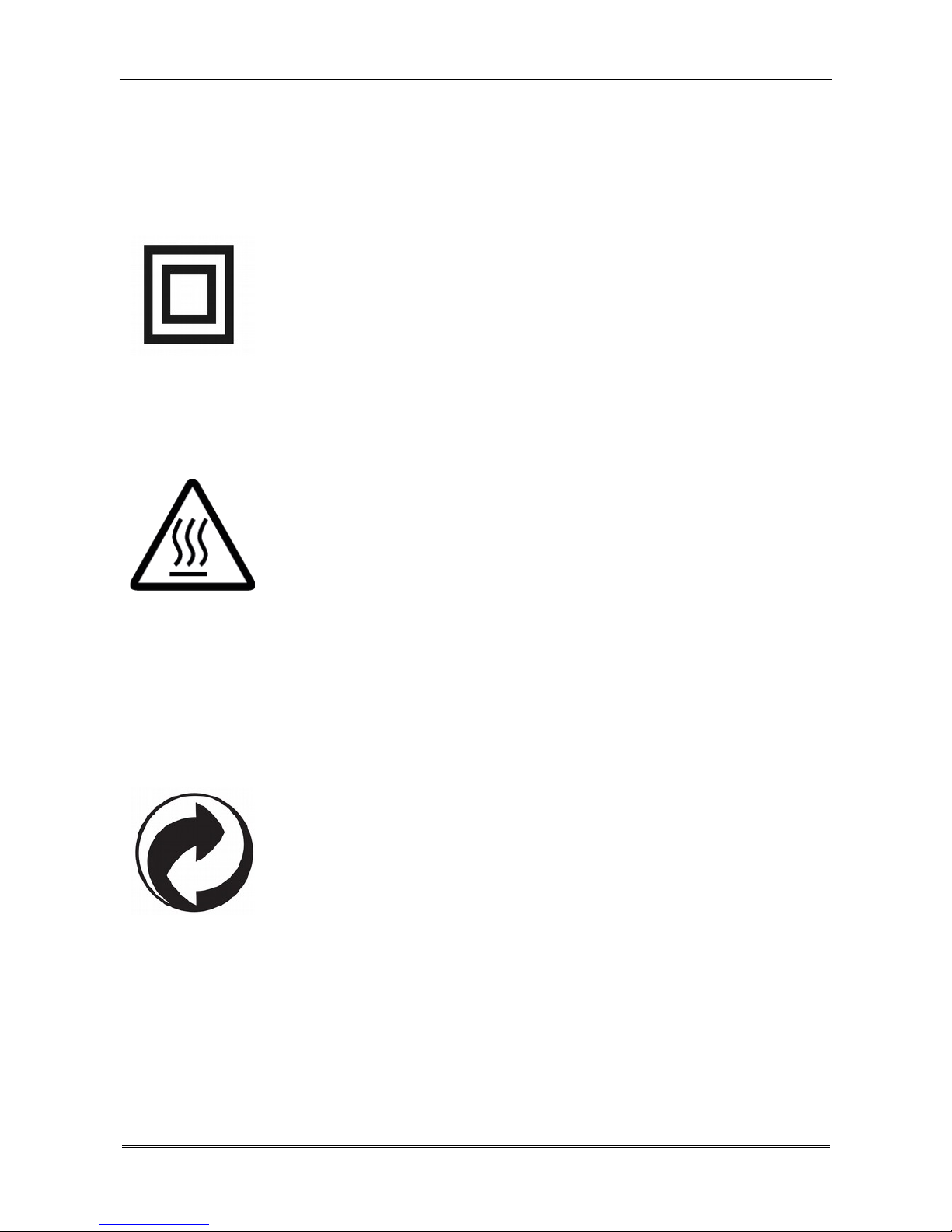
Double insulation logo.
This logo informs that the Ferguson
FBOX3 is an electrically safe device,
provided that it is used in accordance
with the recommendations set forward in
the chapter concerning safety.
Hot surface mark
CAUTION: HOT SURFACE. DO NOT
TOUCH. The top surface over the internal
heat sink may become hot when
operating this product continuously. Do
not touch hot areas, especially around
the “Hot surface mark” and the top
panel.
When this logo is attached to a product,
it means a financial contribution has been
paid to the associated national recovery
and recycling system.
8
Page 9
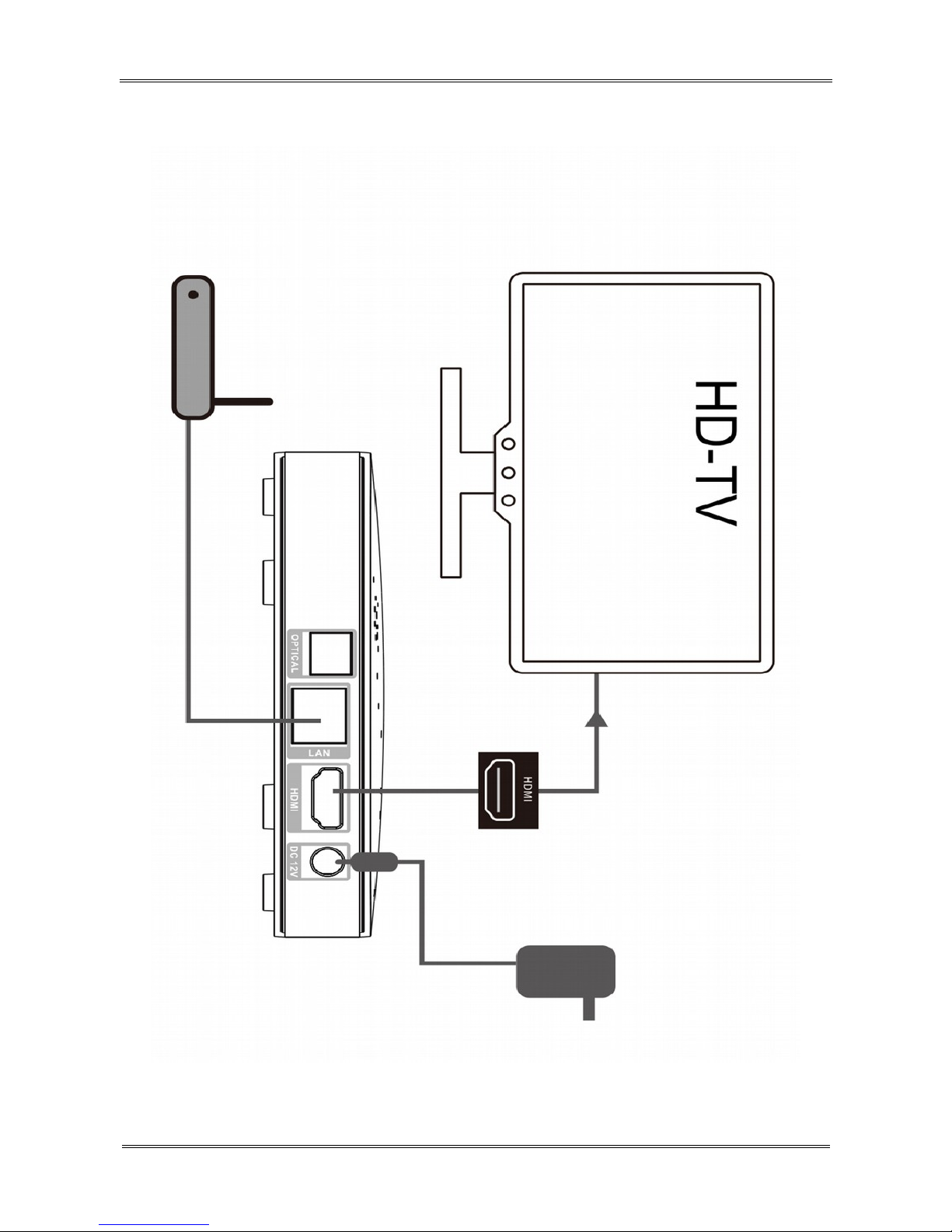
Connection
9
Page 10

Remote control
Due to the standardization of Ferguson equipment,
the majority of these devices use the same remote
control unit. This means that not all keys are used
by this equipment model!
Remote Matching
1. Disconnect the FBOX power cord.
2. Press and hold both the 'OK' button and back (4)
for about 3 seconds and release all of the buttons.
Diode D1 starts blinking.
3. Immediately plug the power cord into FBOX'a.
4. The unit will start. During the boot process RCU
will be paired automatically.
5. If the pairing fails, repeat steps 1 to 4 to pair
again.
Signal Indicator Instructions
(1) D1 indicator: Brighten White when press the
remote control button.
(2) Show hidden menu.
(3) Show main menu.
(4) Back to previous or upper interface/menu.
(5) Move the highlight or cursor up/down/left/right.
10
Page 11
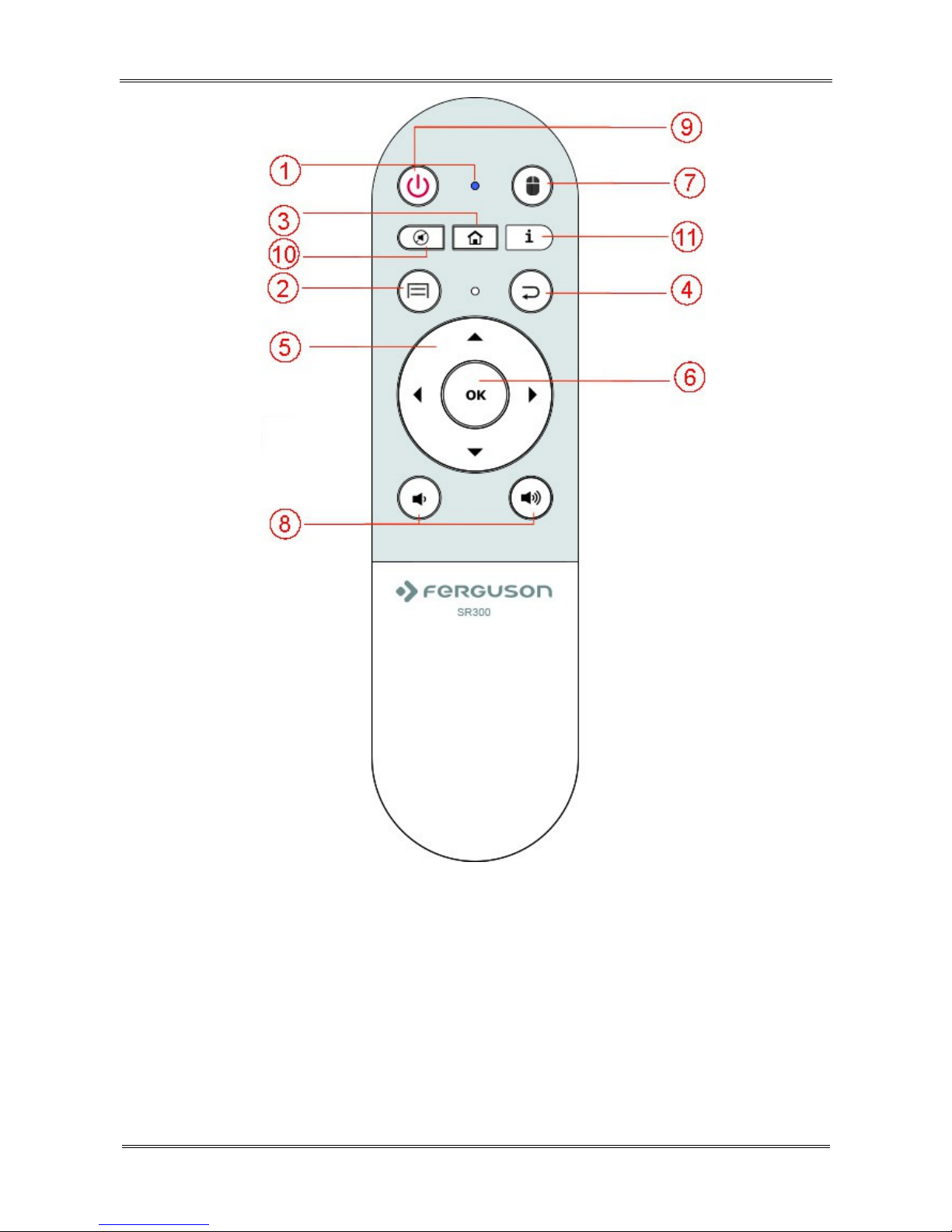
(6) OK: to carry out the selection or enter the menu.
(7) Press one time to turn on/off air mouse.
(8) VOL+/- adjust the sound volume up or down.
(9) To switch the receiver standby/power on.
11
Page 12

(10) turn off/on audio
(11) display info or help if supported by application
Create a Google Wallet account
You can pay for the items you purchase from Google
Play market with a Google Wallet account. You can
set one up the first time you purchase an item or
ahead of time in a web browser.
Click the Google Play icon on the Home screen.
When you open Google Play store for the first time,
you must read and accept the terms of service to
continue.
In a web browser, go to http://wallet.google.com to
establish a Google Wallet account. OR The first time
you use your Box to buy an item from Google Play
market, when you’re prompted to enter your billing
information, you can set up a Google Wallet account.
Warning! When you’ve used Google Wallet once
to purchase an application from Android Market,
the FBOX3 remembers your password, so you don’t
need to enter it the next time. For this reason, you
should secure your FBOX3 to prevent others from
using and buying without your permission.
12
Page 13

Download and install an application
1. Find an application you want and open its details
screen
2. In the application’s details screen, you can read
more about the application including its cost, rating
and user comments, and information about the
developer.
3. Click to download and install the application. (If
it’s a paid application, the button is labeled with the
price).
Browse for applications
You can browse applications by category and sort
them in different ways.
1. On the Google Play home page, Click a top-level
category, such as Apps or Games. Click a
subcategory to view its list of applications.
2. Scroll to view subcategories and Click the one you
want to explore. Click to view top paid, top free, or
the most recent applications in this subcategory.
Click an application to open its details screen.
13
Page 14

Multitasking & Closing application
Press and hold longer HOME button – to see all open
application on your device. Choose any you want to
switch too or press the up or down key to close
them one by one.
Uninstall an application
You can uninstall applications you downloaded from
Market using Market. You can also uninstall
applications you downloaded from Market and from
other locations in the Settings application’s Manage
Applications screen
1.On the Android Market home screen, press Menu
and Click My apps.
2.Click the application to uninstall.
3.Click Uninstall.
4.Click OK in the confirmation dialog.
5.Click the explanation that best matches why
you’re uninstalling and Click OK.
6.The application is uninstalled. You can install the
application again at any time, without charge if it
was a paid application.
14
Page 15

SPECIFICATION
Chipset Amlogic S805
Multi-core CPU
Quad Core ARM® Cortex™ A5
Multi-core GPU Quad Core Mali-450 @600MHz
Graphics OpenGL, ES1.1/2.0
Display Resolution 1080p
RAM DDR3 1GB
Flash eMMC 8GB
Wi-Fi
Built-in 802.11 b/g/n
2.4G/5G dual band
Ethernet 100M Ethernet RJ-45
Operating System Android 4.4.2 KitKat
Video Decoder
Multi-format 1080p, H.264 FHD
hardware decoder ~ up to 60fps
Video Rendering ~ up to 8 bit depth
Video File Format
*.mkv, *.wmv, *.mpg, *.mpeg,
*.dat, *avi, *.mov, *.iso, *.mp4
15
Page 16

Aspect Ratio 4:3 16:9
Video resolution 1080p/i 720p 576i 480p
Audio Decoding
MP3, WMA, WMA, AAC, OGG,
OGA, FLAC, ALAC...
File System
Support NTFS, FAT32, EXT3,
EXT4
DC Input Range 12V/1.0A
Power Consumption Maximum 12W
Temperature 0-40°C
Humidity <95%
Size in mm 130*130*22 mm
Weight 230G
16
 Loading...