

Page 1
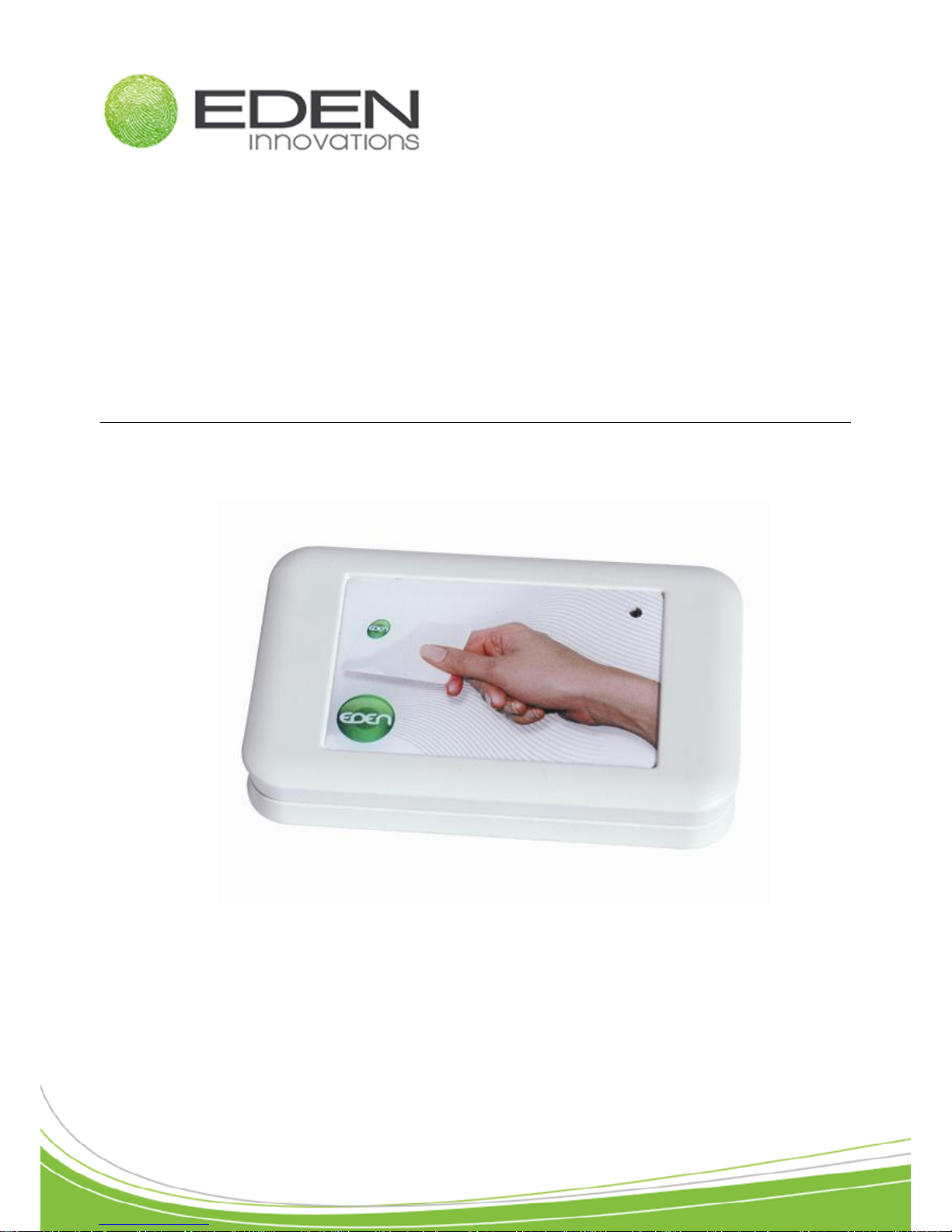
Access control
ENCOD-USB
Technical Manual
Page 2

Technical manual ENCOD-USB – V1.2 p.2/8
Contents
Contents ........................................................................................... 2
Acknowledgement ........................................................................... 3
Information and recommendations ................................................ 3
Technical Characteristics ................................................................ 4
ENCOD-USB Set up ......................................................................... 5
1. PC connection...................................................................... 5
2. Configuring the ENCOD-USB in SENATORFX.NET ........... 6
Notes ................................................................................................. 7
Page 3

Technical manual ENCOD-USB – V1.2 p.3/8
Acknowledgement
Dear client,
You have just purchased an ENCOD-USB, a USB MIFARE encoder built by the French
company EDEN INNOVATIONS.
The entire EDEN INNOVATIONS team would like to thank you for your interest as well as
your confidence in our security solution.
We hope that you will be completely satisfied with the level of security it provides for your
company’s premises.
Should you have any comments, please contact us via our web site at
www.eden-innovations.com
The EDEN INNOVATIONS team.
Information and recommendations
o Pursuant to European directive UTE C00-200, incorporating directives 89/336 EEC and
92/31 EEC, ENCOD-USB complies with the following standards:
NF EN 50081-1 governing electromagnetic radiation, and
NF EN 50082-1 governing electromagnetic susceptibility.
o Cabling recommendations: the cables used to connect readers, the network and other
peripherals must be installed in accordance with the instructions for Level 2 (protected
environment) of standard NF EN 61000-4-4.
o This product must be installed by an approved company. Incorrect installation and use
may result in electric shock or fire. Before installation, read the technical information and
comply with the recommendations for installing the product.
o Once the power is turned off, all the internal capacitors will discharge themselves to a
safe level after 60 seconds under normal conditions. However, in the event of a power
failure, the charge may be maintained for much longer and suitable precautions
should be taken before handling the product.
Page 4

Technical manual ENCOD-USB – V1.2 p.4/8
Technical Characteristics
Weight ............................................. 77 g
Housing dimensions ........................ 104 x 64 x 20 mm
Operating temperature .................... +10°C to +50°C
........................................................ +50°F to +122°F
Compatible USB types......................USB 1.1 / USB 2.0
Compatible with Windows®..............2000, XP, VISTA, 7
Software
SenatorFX ....................................... V4.0.0 ou supérieure
SenatorFX.NET ............................... V1.1.5.0 ou supérieure
Page 5
Technical manual ENCOD-USB – V1.2 p.5/8
ENCOD-USB Set up
1. PC connection
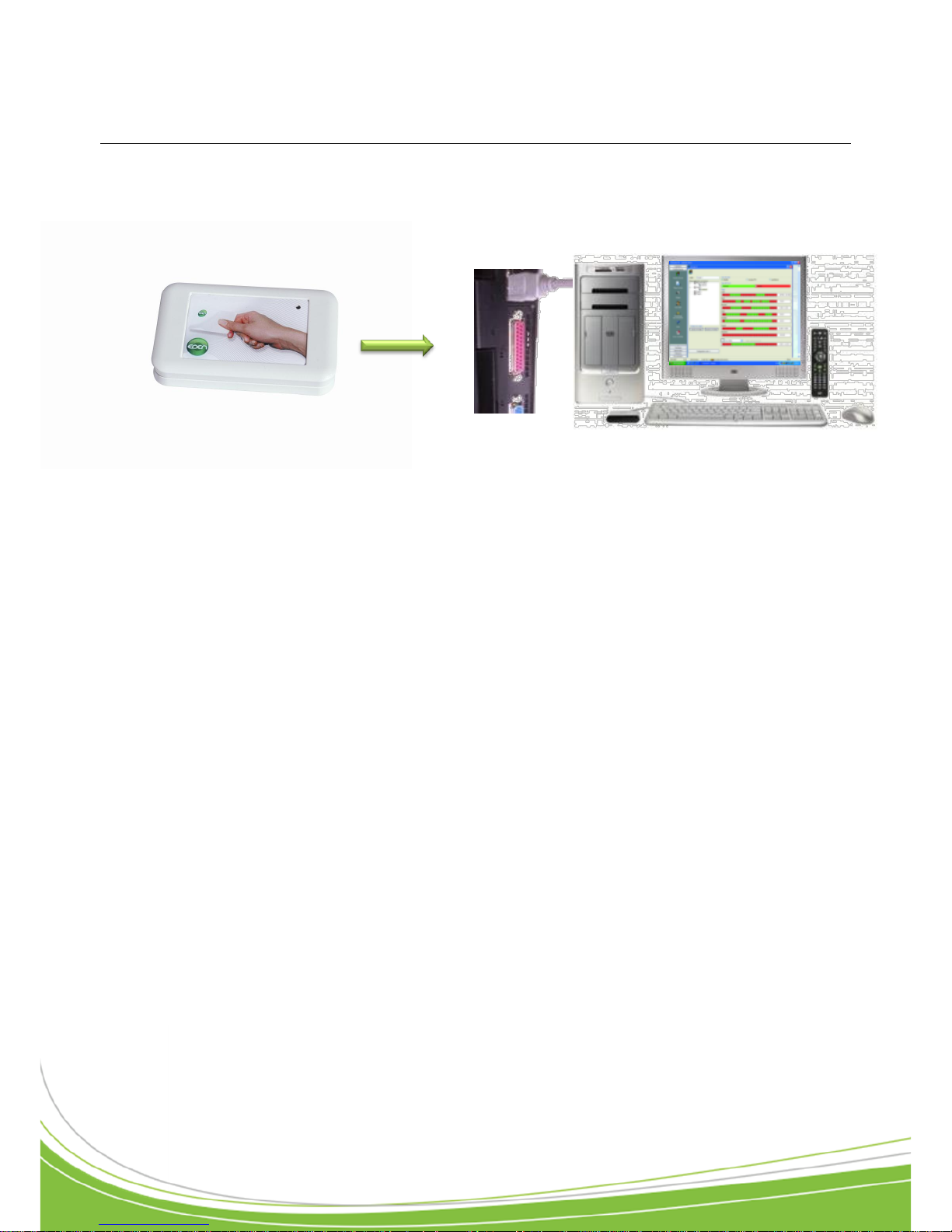
Connect the ENCOD-USB to an available USB port on your computer using the cable provided.
No additional drivers are required for installation.
USB Port 1.1 / 2.0
Workstation
Page 6
Technical manual ENCOD-USB – V1.2 p.6/8
2. Configuring the ENCOD-USB in SENATORFX.NET
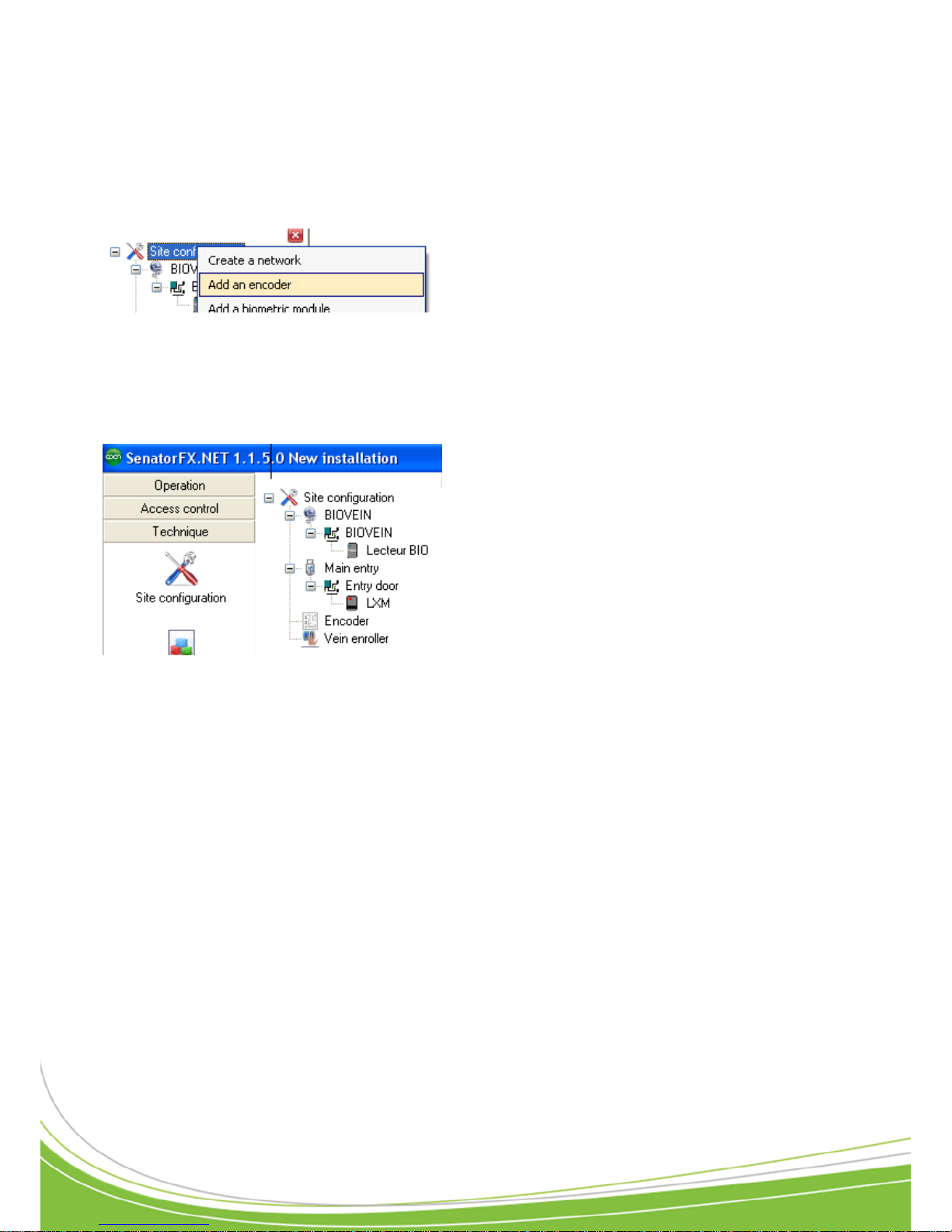
To activate the ENCOD-USB interface in SENATORFX.NET, click on the "Technique" tab, then
select the "Site configuration" option, and proceed as follows:
Click on "Site configuration"
then on "Add an encoder"
Once the EncodUSB is created
it will appear in the list
Page 7

Technical manual ENCOD-USB – V1.2 p.7/8
Support Technique :
Notes
-------------------------------------------------------------------------------------------------------------------------------
-------------------------------------------------------------------------------------------------------------------------------
-------------------------------------------------------------------------------------------------------------------------------
-------------------------------------------------------------------------------------------------------------------------------
-------------------------------------------------------------------------------------------------------------------------------
-------------------------------------------------------------------------------------------------------------------------------
-------------------------------------------------------------------------------------------------------------------------------
-------------------------------------------------------------------------------------------------------------------------------
-------------------------------------------------------------------------------------------------------------------------------
-------------------------------------------------------------------------------------------------------------------------------
-------------------------------------------------------------------------------------------------------------------------------
-------------------------------------------------------------------------------------------------------------------------------
-------------------------------------------------------------------------------------------------------------------------------
-------------------------------------------------------------------------------------------------------------------------------
-------------------------------------------------------------------------------------------------------------------------------
-------------------------------------------------------------------------------------------------------------------------------
-------------------------------------------------------------------------------------------------------------------------------
-------------------------------------------------------------------------------------------------------------------------------
-------------------------------------------------------------------------------------------------------------------------------
-------------------------------------------------------------------------------------------------------------------------------
-------------------------------------------------------------------------------------------------------------------------------
-------------------------------------------------------------------------------------------------------------------------------
-------------------------------------------------------------------------------------------------------------------------------
-------------------------------------------------------------------------------------------------------------------------------
Page 8
Zone Commerciale et Artisanale
670, route de Berre
13510 EGUILLES
France
www.eden-innovations.com
 Loading...