

Page 1
2 in 1 Stick Vac
USER GUIDE
Dirt Devil Service Line:
AU: 1300 361 505 / NZ: 0800 800 900
LET’S GO.
What’s your Dirt Devil’s model number?
D D S T 1 2 V
What’s your serial number?
Note these down in case you need them in future. Please keep instructions for further use.
dirtdevil.com.au DDST12V
(Located on the base of the machine)
Page 2

Dirt Devil Service Line: AU: 1300 361 505
NZ: 0800 800 900 dirtdevil.com.au
Page 3
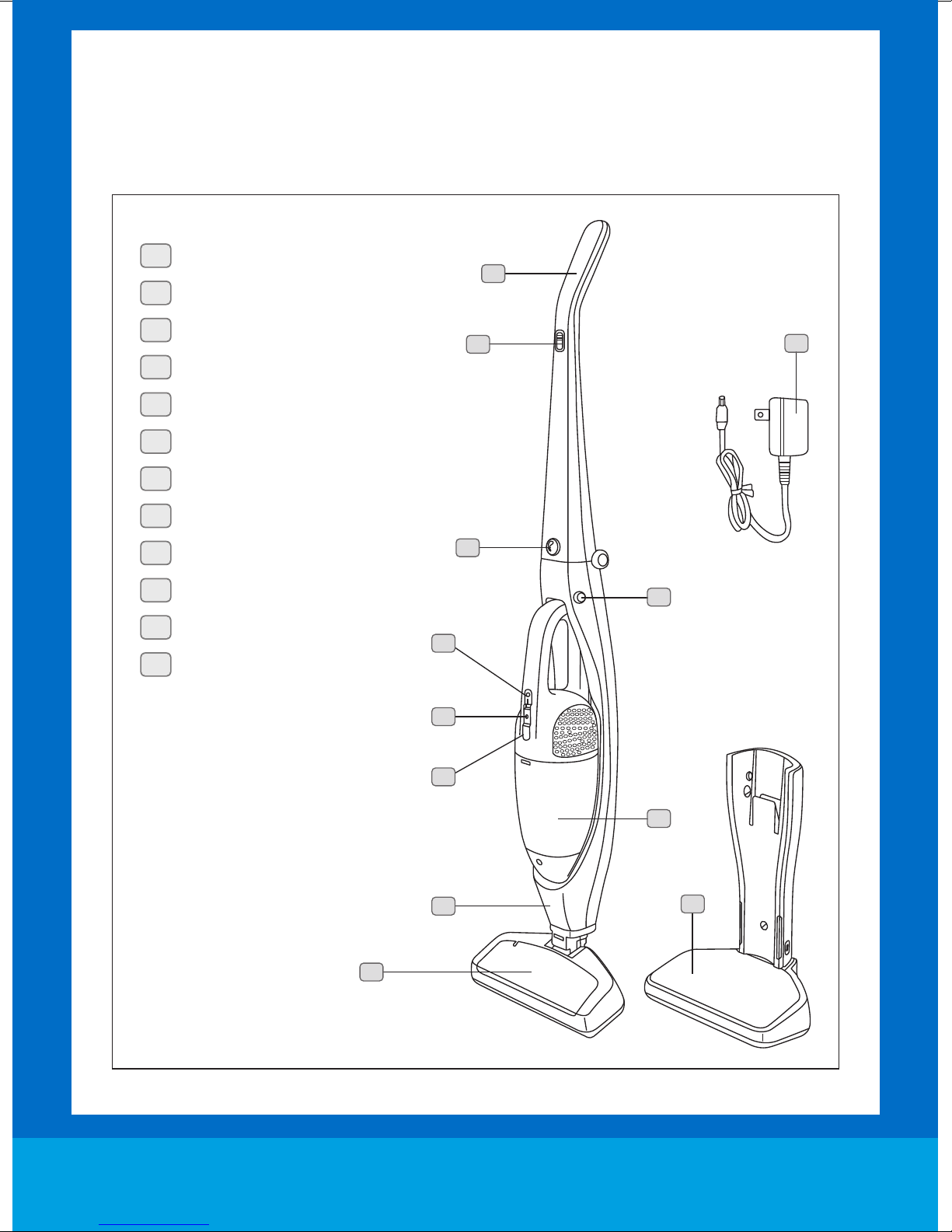
MACHINE OVERVIEW
1
Handle
2
On/off button for stick vac
3
Release button for handle
4
Hand vac release button
5
Hand vac on/off button
6
Power light indication
7
Dust cup release button
8
Dust cup
1
2
12
9
Stick-vac body
10
Floor brush
11
Charging & Storage base
12
AC power adapter
10
3
4
5
6
7
8
9
11
dirtdevil.com.au 2
Page 4
dirtdevil.com.au
SAFETY INSTRUCTIONS
THIS PRODUCT IS INTENDED FOR HOUSEHOLD
USE ONLY. IF USED COMMERCIALLY WARRANTY
IS VOID.
When using the vacuum cleaner, basic safety precautions should
always be observed, including the following:
1. Only use the vacuum cleaner indoors on dry surfaces.
2. Turn off the vacuum cleaner controls before disconnecting
or connecting from the battery.
3. Always unplug the vacuum cleaner from the charger base
before connecting or disconnecting the vacuum accessories.
4. Children should be supervised to ensure that they do not play
with the appliance.
5. This appliance is not intended for use by persons (including
children) with reduced physical, sensory or mental capabilities,
or lack of experience and knowledge, unless they have been
given supervision or instruction concerning use of the
appliance by a person responsible for their safety.
6. Use only as described in this manual. Use only Dirt Devil
recommended attachments.
7. Do not use the vacuum cleaner if it has been dropped,
damaged, left outdoors or dropped into water. Do not use the
vacuum cleaner charger with a damaged cord or plug. If the
supply cord is damaged, it must be replaced by the
manufacturer, its service agent or similarly qualified persons
in order to avoid a hazard.
8. Do not pull or carry charger by cord. Do not use the cord
as a handle, close a door on the cord or pull cord around sharp
edges or corners. Do not run the vacuum cleaner over the cord.
Keep the cord away from heated surfaces.
9. Do not handle the plug or vacuum cleaner with wet hands.
Do not use outdoors or on wet surfaces.
10. Do not put any objects into openings. Do not use with any
openings blocked and do not restrict airflow. Keep all openings
free of dust, lint, hair or anything that might reduce airflow.
11. Keep hair, loose clothing, fingers and all parts of the body
away from openings and moving parts.
12. Do not pick up hot ash, coals, cigarette butts, matches or any
hot, smoking or burning objects.
13. Do not pick up flammable or combustible materials (lighter
fluid, petrol, kerosene etc.) or use in the presence of explosive
liquids or vapours.
14. Do not vacuum harmful or toxic material (chlorine, bleach,
ammonia, drain cleaner etc.).
15. Do not vacuum hard or sharp objects such as glass, nails,
screws, coins, concrete or plaster dust.
16. Do not vacuum plaster dust, concrete dust or any other
building or vitreous materials.
1 7. Do not vacuum baking soda or any other powder-based
carpet deodoriser.
18. Do not use without ALL of the filters in place.
19. Take extra care when vacuuming on stairs.
20. Keep vacuuming area well lit.
21. Store the vacuum cleaner in a cool, dry area.
22. Turn off the on/off switch before unplugging the vacuum
cleaner from the charger base.
WARNING: Always switch off and unplug the vacuum
cleaner from the battery charger before assembling,
opening or emptying the dirt container, or before
connecting/disconnecting the attachments.
WARNING: Do not recharge non-rechargable batteries.
WARNING: Indoor Use Only.
CAUTION: The vacuum cleaner is a very powerful unit.
Before plugging in the battery charger make sure the
switch is in the ‘off’ position. Hold the vacuum cleaner
firmly when starting and in use.
IMPORTANT: If the inlet OR floor head is blocked, switch
off the vacuum cleaner and remove the blockage(s) before
re-starting the vacuum cleaner.
IMPORTANT: Cleaning filters improves vacuum
performance. Dirt Devil recommends that your filters should
be checked, cleaned and replaced periodically. If your filters
are washable make sure they are completely dry before
inserting back into the vacuum cleaner.
This machine is intended for household use only, and NOT
for commercial or industrial use.
PLEASE KEEP THESE INSTRUCTIONS FOR FURTH ER USE.
3
Dirt Devil Service Line: AU: 1300 361 505
NZ: 0800 800 900
Page 5
OPERATION
Vacuum Assembly and Charging
NOTE: Actual colour of unit may vary to the one shown in this user guide.
NOTE: Before assembling, please be sure that all parts and accessories are included by reviewing the
‘Machine Overview’ page.
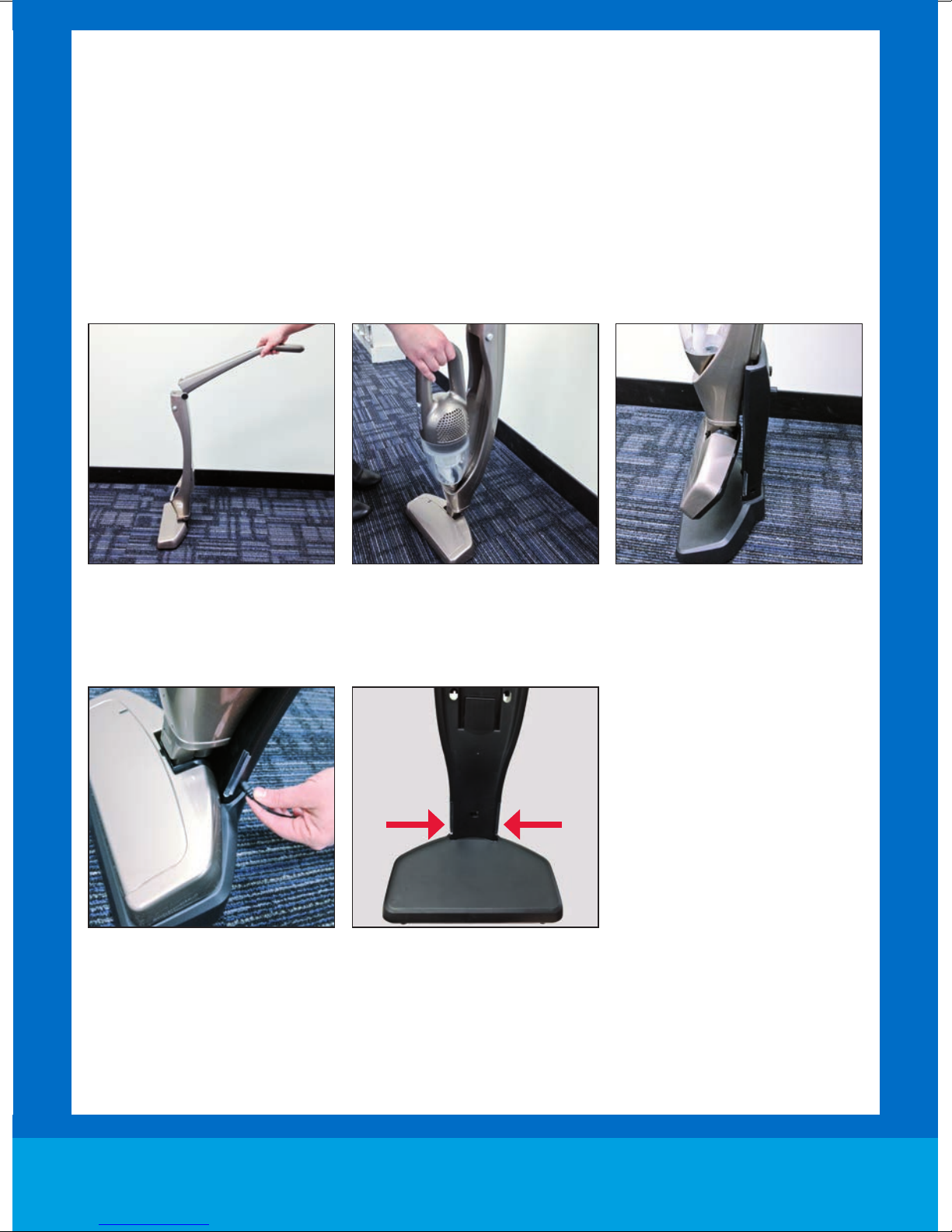
Extend the handle into an upwards
position – it will lock into place.
Insert the plug adaptor to the power
outlet and then the connection into
the side of the charging base.
The charger indicator lights (on the
side of the charging base) will turn
red to show it is charging.
Place the handheld vacuum onto
the body of the machine.
For initial battery charge – allow
11 hours. For ongoing product
charging – allow between 8-11
hours depending on the battery
drain. When charging is complete,
the indicator light will turn green.
Slide the stick vac onto the charger
base by aligning the slot on the
back of the stick vac to the slot on
the charger base.
dirtdevil.com.au 4
Page 6
dirtdevil.com.au
OPERATION
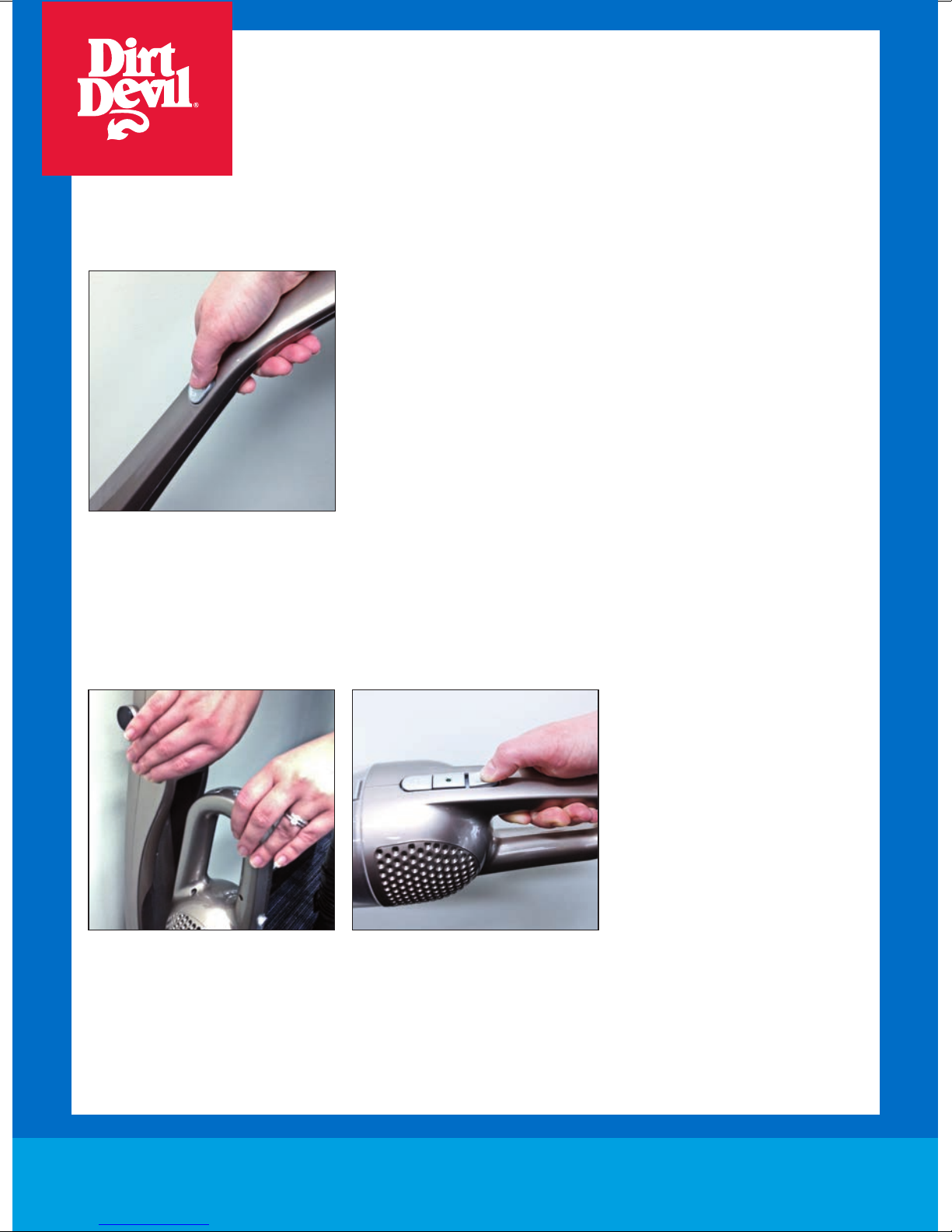
To use vacuum as a Stick Vac
Once charging is complete – remove the stick vac from the charging base.
Slide the on/off switch to ‘on’ and
begin cleaning hard floors, carpets
or rugs.
To use vacuum as a Handheld
Remove the handheld unit from the
main body by pressing the two
release buttons on the sides of the
stick vac body.
Slide the on/off switch located on
the handheld vacuum to power the
unit. The handheld vacuum has a
built-in crevice tool for convenient
cleaning in hard to reach places
and car interiors.
5
Dirt Devil Service Line: AU: 1300 361 505
NZ: 0800 800 900
Page 7
OPERATION
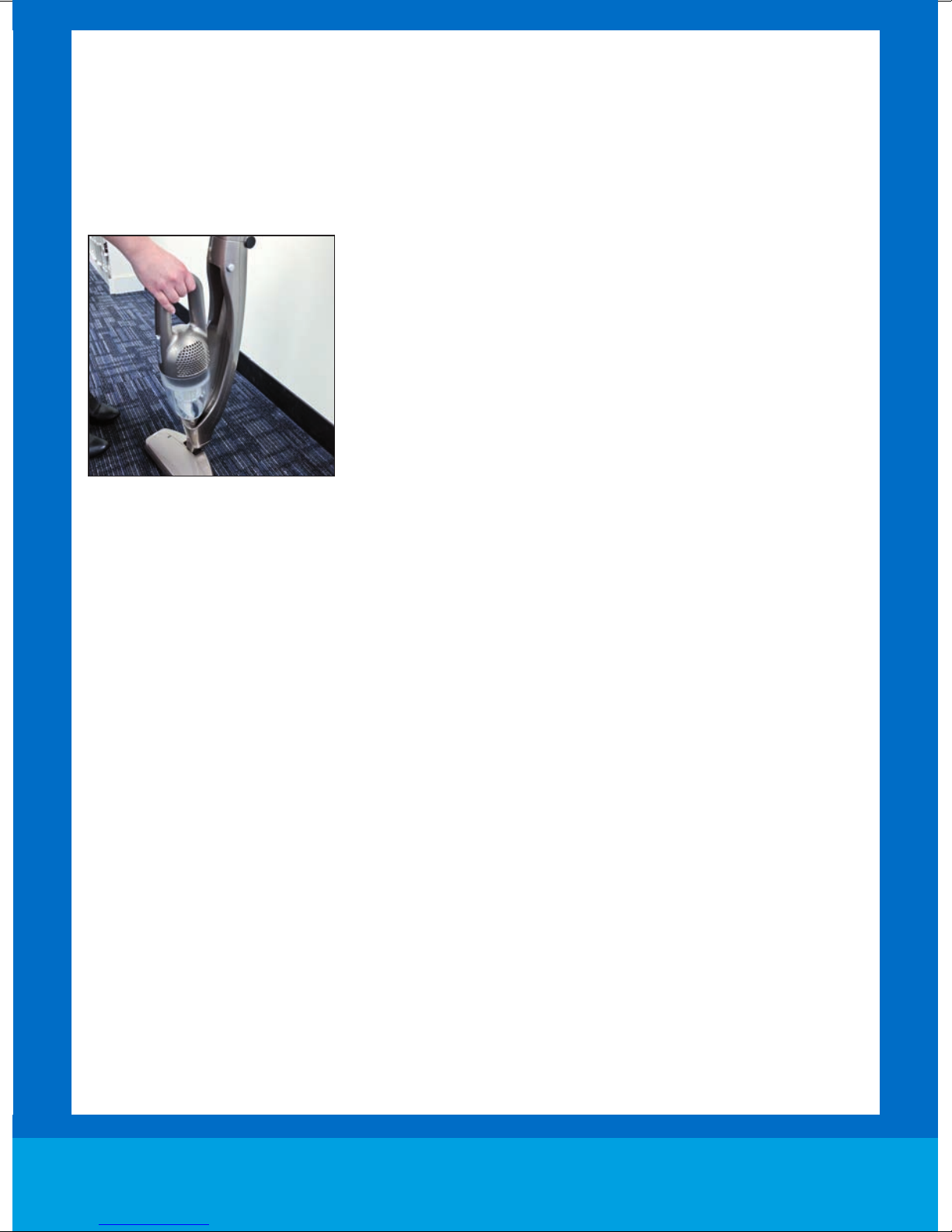
Storage
Once vacuuming tasks are complete, return the handheld unit to the main body and place back into the
charging base.
The handle can be folded down for easy storage by pressing the release latch at the front of the cleaner.
Begin the charging process as described on page 4.
dirtdevil.com.au 6
Page 8
dirtdevil.com.au
MAINTENANCE
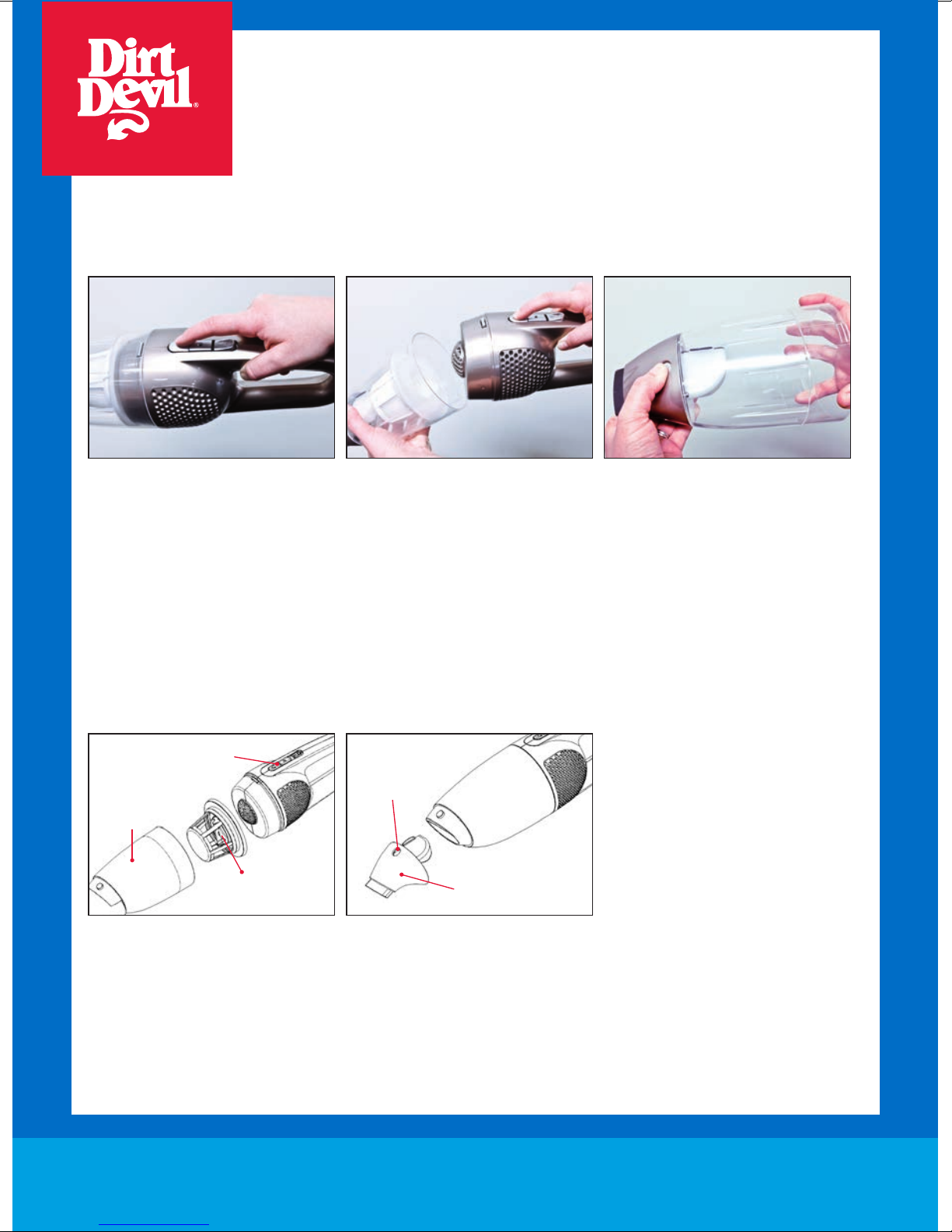
How to empty and clean the dust cup
1. Always operate the vacuum cleaner with the dust cup installed.
2. When the dust cup is full (the
“MAX” mark is reached), press
the dirt cup release button,
then tilt dirt cup down and away
from unit.
When replacing the dust cup’s front cover – angle it to the back first before the top to help for alignment.
You will hear a click when it is in place.
Dust Cup Button
Dust Tank
Filter Assembly
3. Remove filter from the center of
the dirt cup, then empty contents
into waste basket.
Dust cup front
release button
Crevice Nozzle
4. Press dust cup’s front cover
release button to take crevice
nozzle, then clean crevice nozzle
with dry cloth.
7
Dirt Devil Service Line: AU: 1300 361 505
NZ: 0800 800 900
Page 9
MAINTENANCE
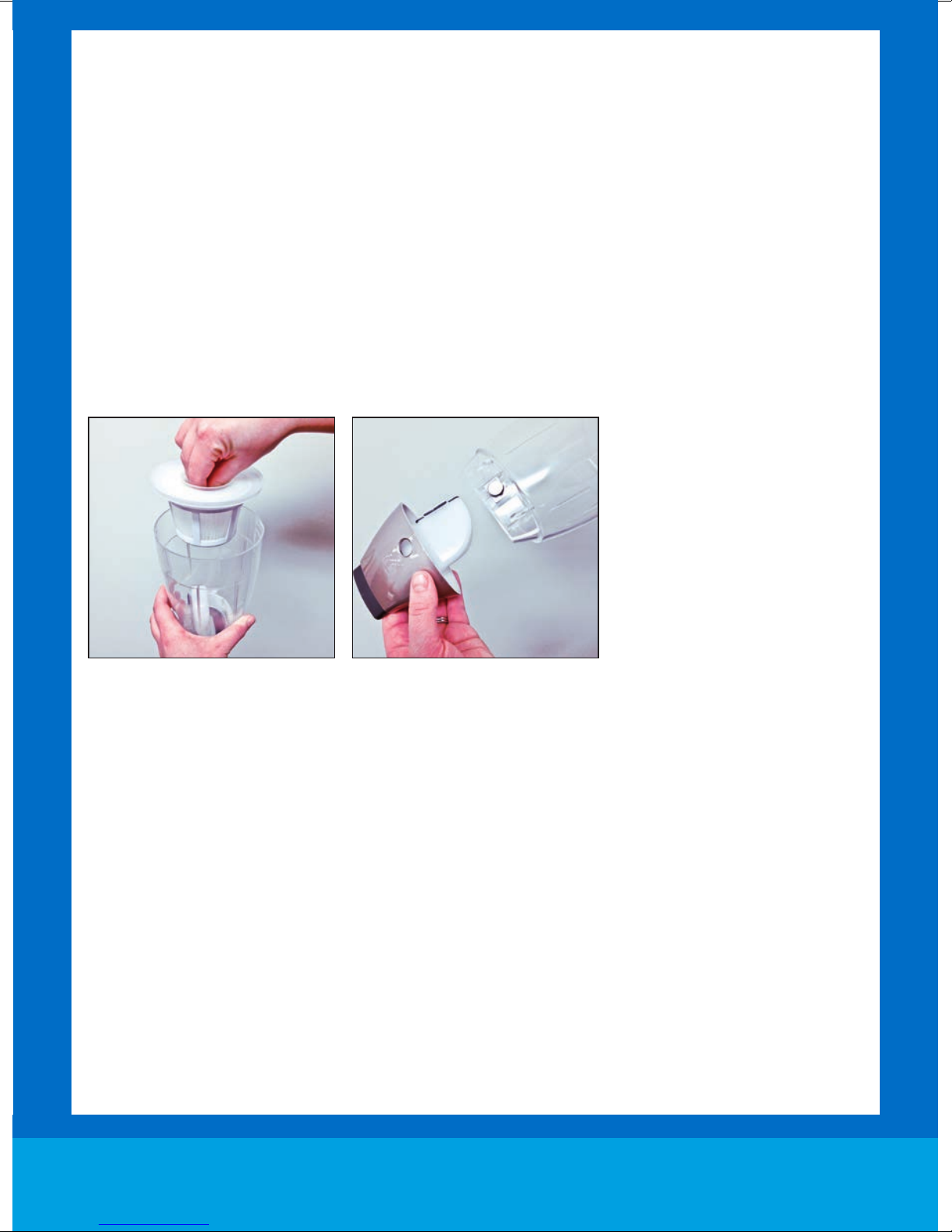
Cleaning the filter
1. Filter can be rinsed when it becomes visibly solid/soiled. We recommend to do this often to avoid the filter
from clogging or damaging the vacuum cleaner.
2. Always operate the cleaner with filter installed.
3. Do not use a washing machine for rinsing filter, do not use a tumble dryer or any other device for drying it.
4. Rinse filter in cool tap water.
5. Allow filter to completely dry before replacing it back into the machine – it is recommended at least 24 hours to dry.
dirtdevil.com.au 8
Page 10
Dirt Devil Service Line: AU: 1300 361 505
NZ: 0800 800 900 dirtdevil.com.au
FAQ
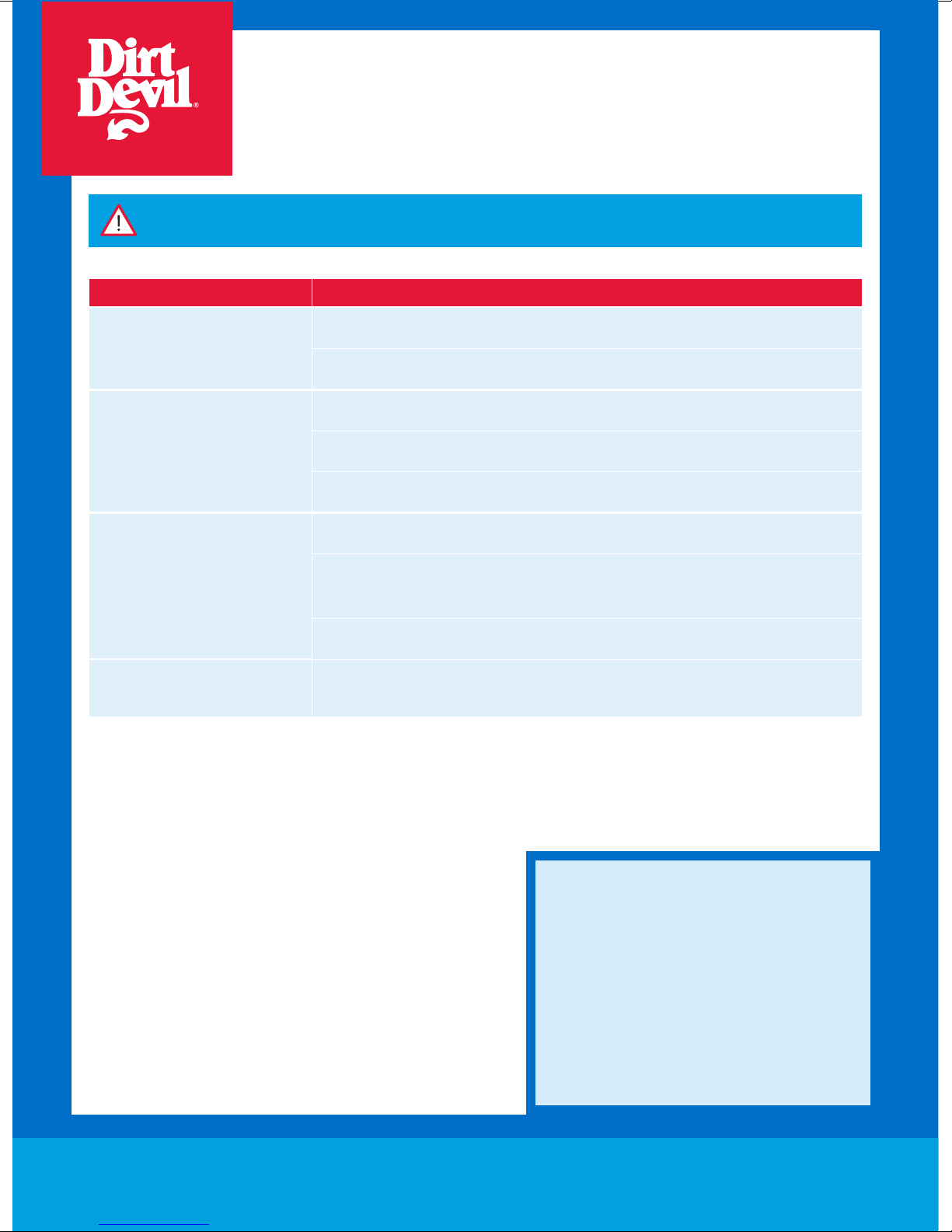
WARNING: To reduce the risk of personal injury, unplug the vacuum cleaner before performing
maintenance/troubleshooting checks.
Problem Solution
Is there an accessory missing?
Does not sweep when it is turned on
Why is dust escaping from
the vacuum?
What do I do if an accessory/the
unit becomes damaged or broken?
Check the ‘Machine Overview’ page in this guide to make sure the part is definitely included
in your unit.
If it is missing, we’re here to help. Simply call us on AU: 1300 361 505 / NZ: 0800 800 900
The filters may be clogged: Refer to the Maintenance section.
The Dirt Container is full or blocked: Refer to the Maintenance section.
The Dirt Container may be incorrectly installed.
The filters may not be installed correctly.
The Dirt container may be incorrectly installed: Remove the Dirt Container from the unit by
pressing the Dirt Container Release Button and reattach it to the unit, ensuring it is locked
firmly back into place.
The filter may be clogged: Refer to the Maintenance section.
Please call our Dirt Devil Service Line to purchase new spares or order a replacement:
AU: 1300 361 505 / NZ: 0800 800 900 or visit www.dirtdevil.com.au
9
WE’RE HERE TO HELP
Instead of taking me back
to the shop, simply call
AU: 1300 361 505
NZ: 0800 800 900
dirtdevil.com.au
This does not affect your statutory rights
Page 11
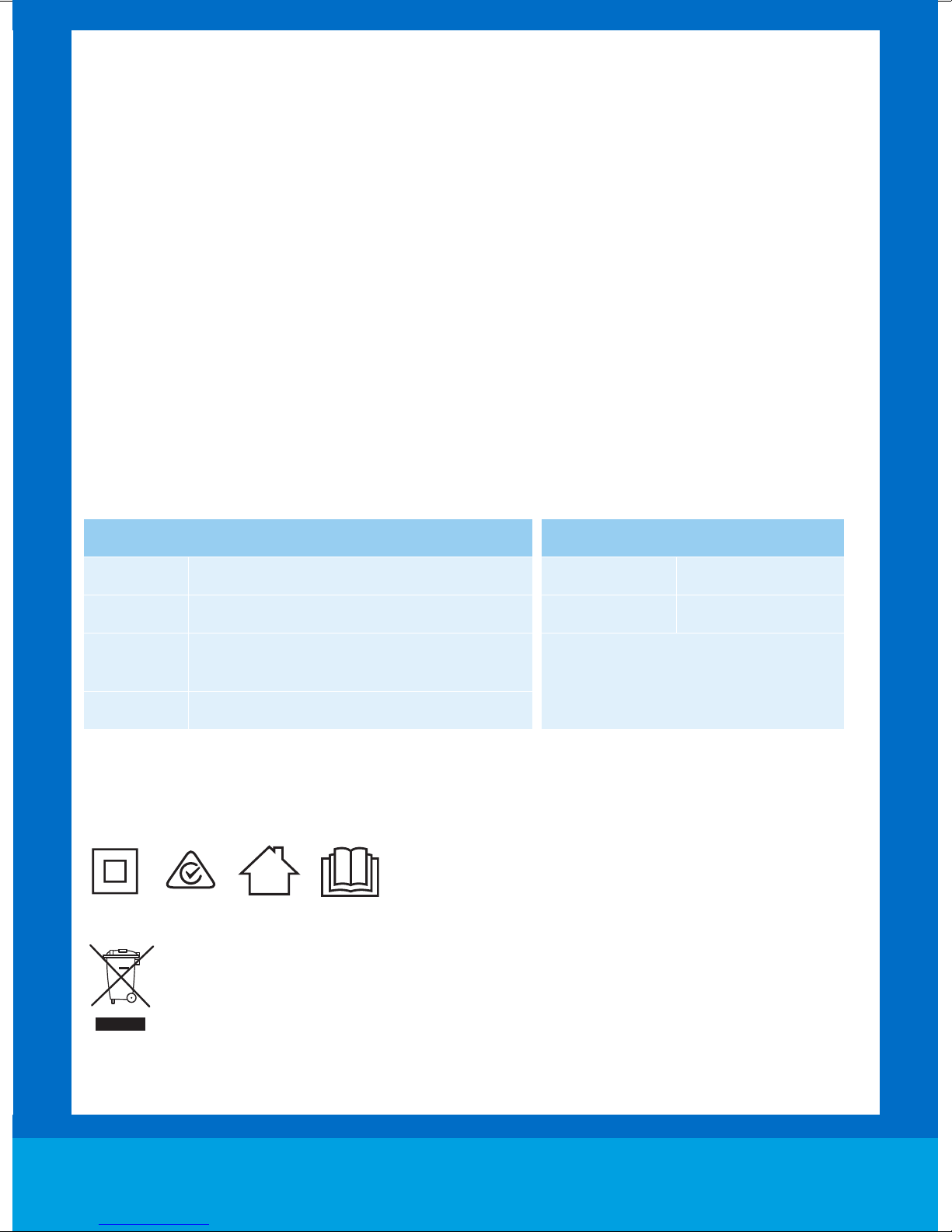
OTHER INFORMATION
Insulated
Use
Instructions
Dirt Devil Service & Help
Dirt Devil Service Line:
Australia 1300 361 505
New Zealand 0800 800 900
Monday-Friday 8.30am to 5.00pm
If you have queries or concerns about using your Dirt Devil, call the Dirt Devil Service Line. Calls are charged
at the standard local rate. Please make a note of the serial number and model number of the vacuum
cleaner before calling.
For the nearest Service Agent, please call the Dirt Devil Service Line or visit dirtdevil.com.au
Technical Specification
Vacuum Cleaner
Voltage 12V d.c
Capacity 600ml
Filters
Weight 3.7kg
Subject to technical change without notice.
Double
Air Inlet: HEPA Media Filter – Removal, washable
Air Outlet: Foam filter – Non-removable
Indoor
Read
Charger
Voltage Input 220-240V ~50Hz
Voltage Output 15V d.c at 200mA
Suitable for battery supplied with Dirt
Devil 2 in 1 Stick Vacuum only
DDST12V
Waste electrical products should not be disposed of with household waste. Please recycle where facilities exist.
Check with your Local Authority or retailer for recycling advice.
dirtdevil.com.au 10
Page 12

Distributed by Techtronic Industries Australia Pty. Ltd.
Level 1, 660 Doncaster Road,
Doncaster, Australia 3108.
www.dirtdevil.com.au
Service Line:
AU: 1300 361 505 / NZ: 0800 800 900
LET’S GO.
 Loading...