

Page 1
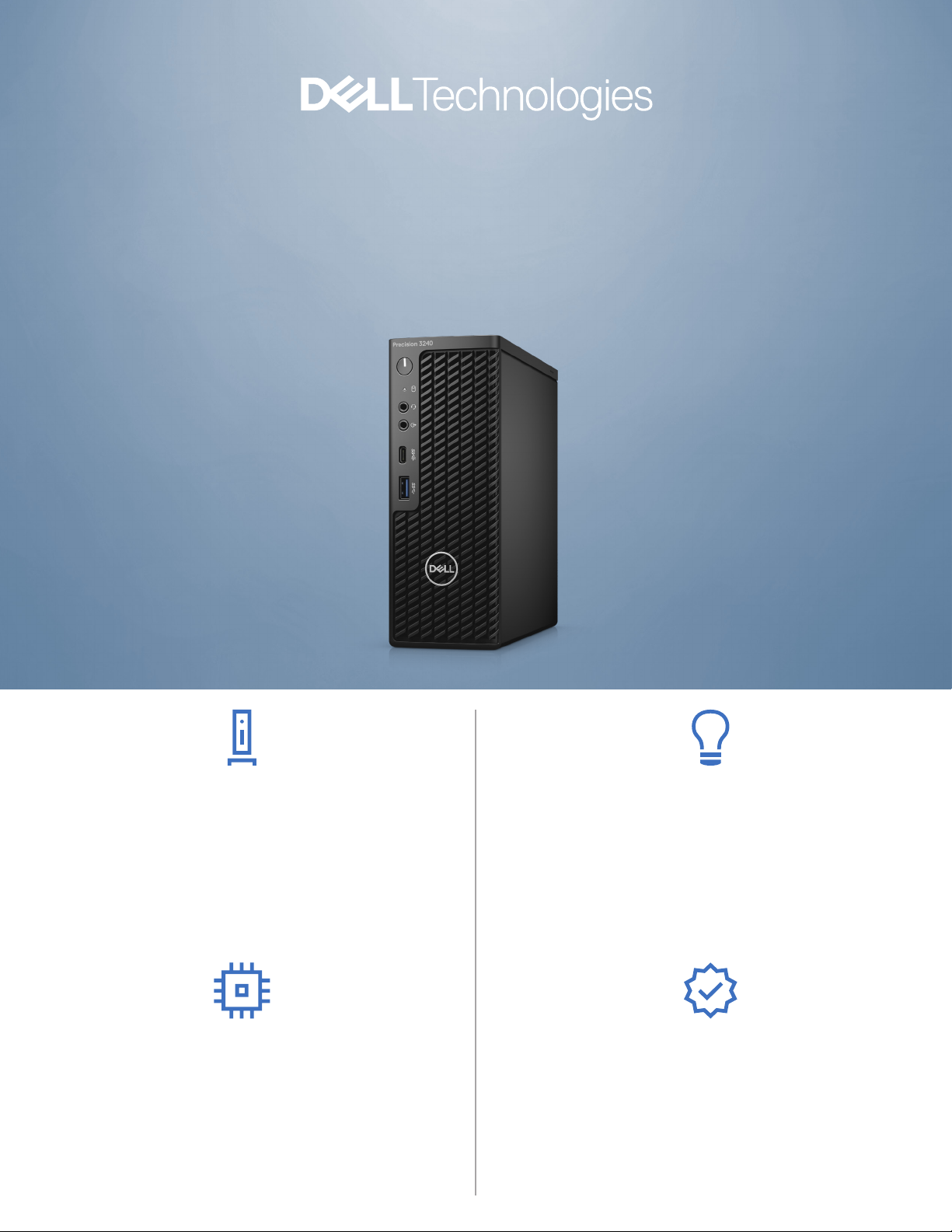
PRECISION 3240 COMPACT
The smallest workstation
with AI-based optimization.
*
SPACESAVING DESIGN
The ultra small form factor and several mounting options,
such as behind the monitor or under the desk, make it ideal
for space-constrained workspaces that need workstation-
class performance and reliability. Optional WiFi capabilities
and a range of accessible ports keep you connected to
everything you need, while protective dust and cable covers
make it great for Edge computing.
LATEST TECHNOLOGY
Power through intensive tasks easily with 10th Generation
Intel® Core™ or Xeon® processors and faster memory speeds
of up to 2933MHz, capacity up to 64GB. Run applications at
top speeds with up to NVIDIA Quadro® RTX 3000 professional
graphics, a NVIDIA exclusive platform for the 3240 Compact.
Scalable storage with PCIe NVMe SSD options, up to 4TBs,
deliver plenty of room for your projects.
INTELLIGENT PERFORMANCE
Precision workstations feature Dell Optimizer for Precision which
uses Articial Intelligence software to learn how you work and
adapts to your style to create a smarter, more-personal experience.
The result? Improved system responsiveness, better application
performance, storage and audio optimization and more reliable
network connectivity.* All from a single console that you manage
from WorkspaceOne or Microsoft SCCM — allowing IT sta to
deploy, congure, update, and monitor Optimizer remotely.
MISSION CRITICAL RELIABILITY
Independent Software Vendor (ISV) certied to ensure the
high-performance applications you rely on every day run smoothly.
Also, with Intel® Xeon® processors you can get Error Correcting
Code (ECC) memory which identies and corrects single bit memory
errors. Our exclusive Reliable Memory Pro software works with ECC
memory to identify and map out bad memory sectors and will alert
you when the memory is at a critical level and needs replaced —
providing layers of protection against memory related errors.
Page 2
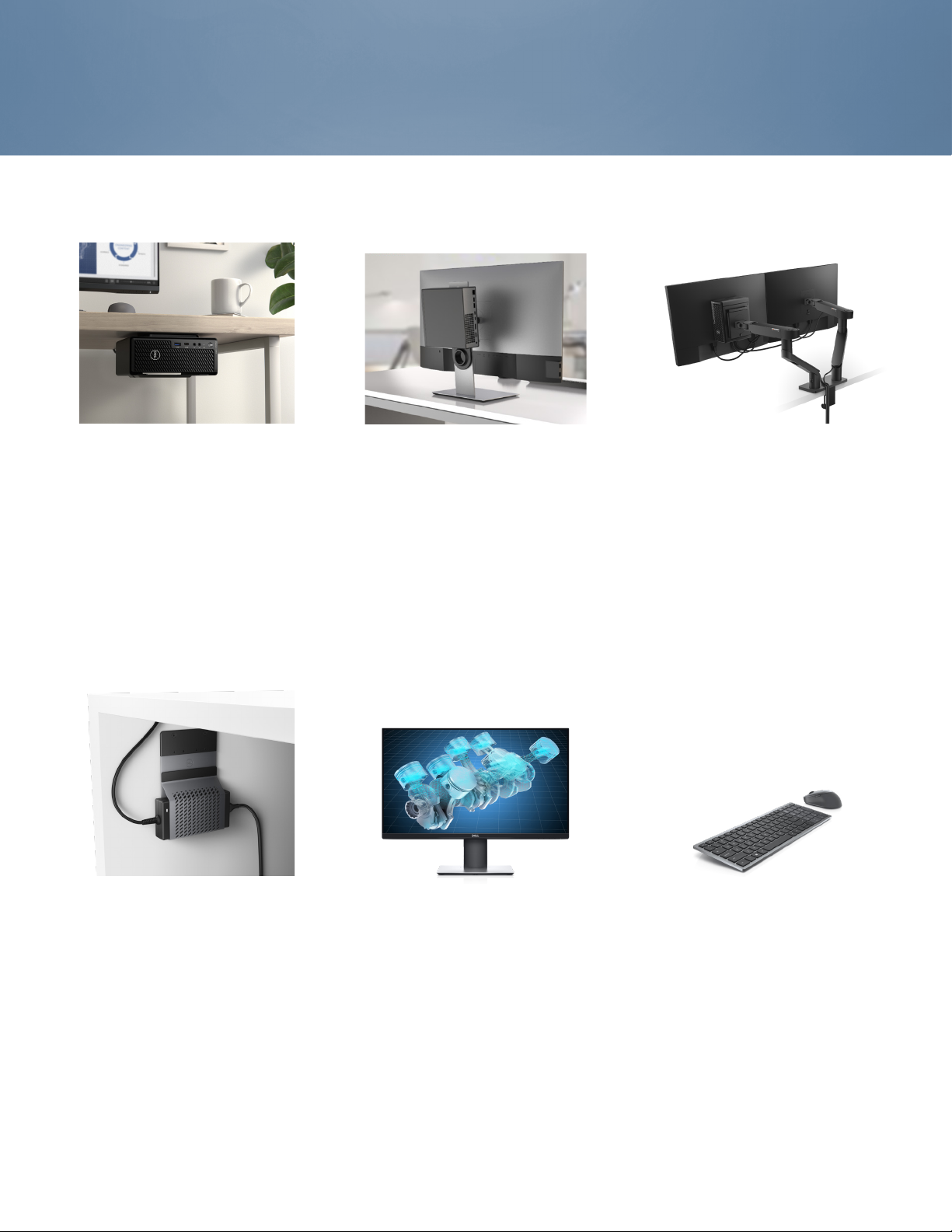
Recommended Accessories
PRECISION 3240 COMPACT
PRECISION COMPACT
VESA MOUNT
Securely house the Precision 3240 Compact under
your desk with this mount without losing easy
access to the Precision’s ports. Or securely mount
it to the wall for added exibility.
DELL PRO 1/1.5 MONITOR
STAND MOUNT
The monitor stand mount allows the Precision
3240 Compact to be rmly mounted behind
select stands and monitors, as shown above
(mounted on back of P2720DC monitor).
PRECISION COMPACT
DUAL VESA MOUNT
Securely house the Precision 3240 Compact and
the monitor using a single or dual monitor arm on
your desk with this mount.
DELL A/C ADAPTER
SLEEVE MOUNT
Reduce desk clutter with this adjustable
mount that securely houses the
A/C adapter, per the needs of the user.
DELL ULTRASHARP 27 USBC
MONITOR | U2719DC
See ne details and true-to-life color
on this 27” QHD monitor in an
innovative, stylishly thin design
with USB-C connectivity.
DELL PREMIER WIRELESS
KEYBOARD AND MOUSE | KM7120W
Designed to work seamlessly across 3 devices,
this compact keyboard mouse combo keeps your
desk clutter-free and lets you stay productive
with up to 36 months** of battery life.
Page 3

Features & Technical Specifications
PRECISION 3240 COMPACT
Feature Technical Specication
Model Number Precision 3240 Compact
Processor
1
Options
Operating System
2
Options
Chipset Intel® W480 Chipset
Memory
Graphics Options3 One PCI Express® Gen 3 Graphics card up to 75W
Storage Options4Support for up to (2) M.2 PCIe SSD on motherboard
Options3 2 SoDIMM slots; Up to 64GB 2933MHz Non-ECC &
Intel® Core™ i3-10300 (4 Core, 8M cache,
base 3.7GHz, up to 4.4GHz)
Intel® Core™ i5-10500 (6 Core, 12M cache,
base 3.1GHz, up to 4.5GHz)
Intel® Core™ i5-10600 (6 Core, 12M cache,
base 3.3GHz, up to 4.8GHz)
Intel® Core™ i7-10700 (8 Core, 16M cache,
base 2.9GHz, up to 4.8GHz)
®
Intel
Core™ i9-10900 (10 Core, 20M cache,
base 2.8GHz, up to 5.2GHz)
Intel® Xeon W-1250 (6 Core, 12M cache,
base 3.3GHz, up to 4.7GHz)
Intel® Xeon W-1270 (8 Core, 16M cache,
base 3.4GHz, up to 5.0GHz)
Intel® Xeon W-1290 (10 Core, 20M cache,
base 3.2GHz, up to 5.2GHz)
Windows® 10 Professional (64 bit)
Windows® 10 Pro for Workstations
Windows® 10 Home (64 bit)
Windows® 10 Pro (64 bit) National Academic
Windows® 10 IoT Enterprise 2019, LTSC
Red Hat® Enterprise Linux® 8.2 (coming soon)
Ubuntu Linux 18.04.03 LTS (64 bit)
ECC DDR4 Memory
Entry 3D cards:
NVIDIA® Quadro P400
NVIDIA® Quadro P620
NVIDIA® Quadro P1000
NVIDIA® Quadro RTX 3000 (coming soon)
Professional 2D cards:
Intel® UHD Graphics 630 (i3,i5,i7,i9)
Intel® UHD Graphics P630 (Xeon)
slot and Up to (1) 2.5” SATA
Support for up to (1) additional PCIe SSD on Dell
Precision Ultra-Speed drive (x4) with active cooling
500GB 5400RPM 2.5” SATA HDD
500GB 7200RPM 2.5” SATA HDD
1TB 5400RPM 2.5” SATA HDD
1TB 7200RPM 2.5” SATA HDD
2TB 5400RPM 2.5” SATA HDD
500GB 7200RPM 2.5” SATA HDD, Self-Encrypting,
Opal 2.0, FIPS
Feature Technical Specication
Storage Options
(continued)
Storage Controller Integrated: Intel Rapid storage Controller 12.0
Communications Integrated: Intel Ethernet Connection I219-LM
Audio Controller Integrated Realtek ALC3246 High Denition Audio
Speakers Internal Speaker; Optional Dell 2.0 stereo speaker
Add-in Cards Thunderbolt 3 PCIe Card
I/O Ports Front
4
256GB PCIe NVMe Class 40 M.2 SSD
512GB PCIe NVMe Class 40 M.2 SSD
1TB PCIe NVMe Class 40 M.2 SSD
2TB PCIe NVMe Class 40 M.2 SSD
512GB PCIe NVMe Class 50 M.2 SSD
1TB PCIe NVMe Class 50 M.2 SSD
256GB PCIe NVMe Class 40 Self Encrypting M.2 SSD
512GB PCIe NVMe Class 40 Self Encrypting M.2 SSD
1TB PCIe NVMe Class 40 Self Encrypting M.2 SSD
supporting SATA 6Gb/s and host based RAID 0/1
10/100/1000
Optional: Intel 1Gb NIC PCIe Card
Aquantia® AQtion™ AQN-108 5/2.5 GbE NIC Adapter
Optional: Wireless / Bluetooth w/ vPro support
Codec (2 Channel)
systems available and Dell Professional Soundbar
AE515M for select at-panel displays
Support for up to (1) additional PCIe SSD on Dell
Precision Ultra-Speed drive (x8) with active cooling
Serial Port PCIe Card
Parallel Port PCIe Card
USB Type-C
1 - USB 3.2 Gen 2 Type-A (10 Gbps) with PowerShare
1 - USB 3.2 Gen 2 Type-C (10 Gbps)
1 - Universal Audio Jack
1 - Audio Line In/Out
Internal
1 - SATA 6Gb/s
Rear
1 - USB 3.2 Gen 1 Type-A
1 - USB 3.2 Gen 1 Type-A with SmartPower
2 - USB 3.2 Gen 2 Type-A (10 Gbps)
2 - DisplayPort® 1.4
1 - Optional Port (VGA, HDMI 2.0, DisplayPort++ 1.4,
USB Type-C with DP 1.4-alt mode)
1 - RJ45 Network Connector
1 - A/C adapter port
2 - Integrated external SMA antenna connectors
(Optional)
®
3.1 Gen 2 PCIe Card
Page 4

Features & Technical Specifications
PRECISION 3240 COMPACT
Feature Technical Specication
Chassis H x W x D: 7.4” x 2.76” x 7.03” (18.81 cm x 7.0 cm x
Security Options6Trusted Platform Module TPM 2.0, Dell Data Guardian,
Systems
Management
Regulatory &
Environmental
Warranty &
Support Services
17.87 cm), Min weight: 3.77 lbs (1.71 kg)
Bays: (1) Internal 2.5” Bay - supports (1) 2.5” drive
Slots: (1) half height PCIe x8 Gen3; (1) M.2 (22 x
80mm); (1) M.2 (22 x 30 mm)
Power Supply: 7.4mm 180W AC adapter (external)
7.4mm 240W AC adapter (external)
Dell Endpoint Security Suite Enterprise, Dell HW
Crypto Accelerator, Microsoft Windows Bitlocker,
Local HDD data wipe via BIOS (“Secure Erase”),
Encryption - SED HDD (Opal FIPS), Chassis lock slot
support, Chassis Intrusion Switch, D-Pedigree (Secure
Supply Chain Functionality), Setup/BIOS Password,
Optional Smart Card keyboards, Optional Smart Card
Reader, Intel® Trusted Execution Technology, Dell
Secure Works, BIOS support optional Computrace,
Intel Software Guard extensions
Dell Client Command Suite; via vPro (coming soon)
7
ENERGY STAR® congurations
EPEAT® Gold registered (see epeat.net for specic
registration rating/status by country)
China CECP
GS Mark
For a complete listing of declarations & certications,
see Dell’s regulatory & compliance homepage at
dell.com/regulatory_compliance
3-Year Limited Hardware Warranty and 3-year NBD
8
On-Site Service after Remote Diagnosis
Optional: Dell ProSupport is designed to rapidly
respond to your business’s needs, help protect your
investment and sensitive data and provide enhanced
proactive support services to help reduce risk and
complexity within your IT environment
Page 5

Built for business
Experience a new way to work with Dell Technologies
Unified Workspace Intelligence built in. Modernization built on.
We know that having the right device is just the start to a great workday. Employees need intelligent, intuitive
and responsive experiences that allow them to work productively and without interruption. According
to research, 1 out of every 4 users would question their job and the company they work for if they had a
negative experience with their technology. Dell Technologies Unied Workspace is transforming the employee
experience and ensuring IT has proactive, predictive and automated solutions to deliver on the promise of
a modern workday, while simplifying their ability to deploy, secure, manage and support their environment
ProDeploy in the Unied Workspace allows IT to move away from
traditional, high-touch, manual deployment, and instead, ship devices
precongured with company apps and settings from the Dell factory directly
DEPLOY
to their end users — having end users up and working on day one.
SECURE
MANAGE
SUPPORT
Dell Trusted Devices provide a foundation to a modern workforce
environment with invisible and seamless protection to ensure smarter, faster
experiences. End users stay productive and IT stays condent with modern
security solutions for the Dell Trusted Device.
Dell Client Command Suite + VMware Workspace ONE oers integrated
capabilities that deliver a unied endpoint management experience for IT,
enabling them to manage rmware, OS, and apps from one console, while
also creating seamless experiences for end users.
ProSupport resolves hardware issues up to 11x faster than the competition.
ProSupport for PCs oers 24x7 access to in-region ProSupport engineers
who contact IT when critical issues arise,9 so you can focus on what’s next,
not what just happened. ProSupport Plus helps IT stay a step ahead and
virtually eliminate unplanned downtime due to hardware issues. You get all the
capabilities of ProSupport, as well as AI-driven alerts to prevent failures and
repairs for accidents.
10
Page 6
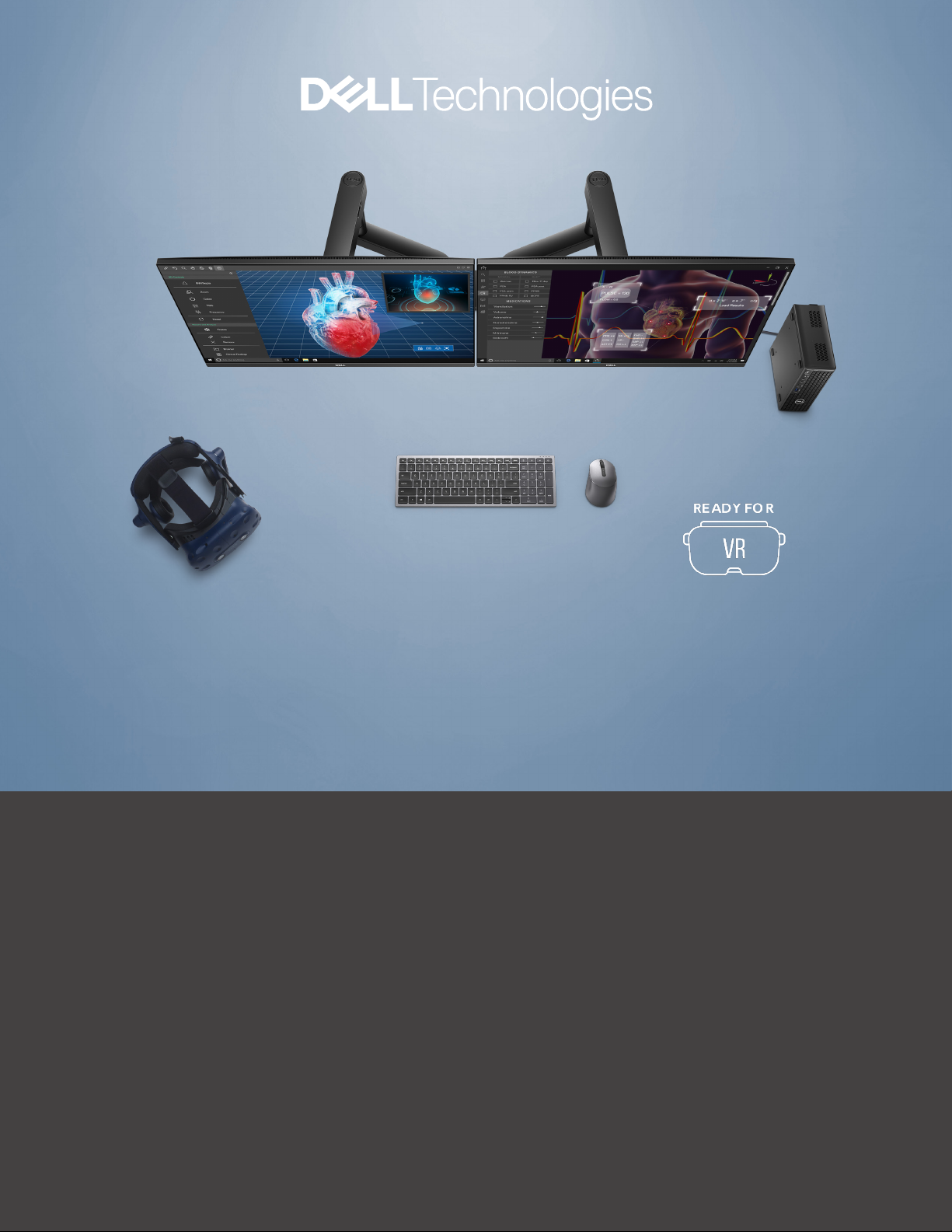
PRECISION 3240 COMPACT
Create without limits
*Based on competitive analysis May 13, 2020, vs HP Mini and Lenovo Tiny. The Precision 3240 Compact uses Dell Optimizer for Precision, which uses AI to optimize the workstation.
HP and Lenovo do not have this capability.
** Based on Dell internal analysis of battery life usage model calculations and 3 million keystrokes per year, Nov 2019. Results vary depending on usage and computing conditions.
Some options available only in select regions; ISV certication applies to select congurations:
1 Intel Turbo Boost mode only available on Xeon, Core i7 and Core i5 processors. Intel Integrated HD graphics only available with select processors.
2 A 64-bit operating system is required to support 4GB or more of system memory.
3 GB means 1 billion bytes and TB equals 1 trillion bytes; actual capacity varies with preloaded material and operating environment and will be less.
4 GB means 1 billion bytes and TB equals 1 trillion bytes; signicant system memory may be used to support graphics, depending on system memory size and other factors.
5 This workstation is ENERGY STAR® certied. For more information, visit https://data.energystar.gov/Active-Specications/ENERGY-STAR-Certied-Displays/xsyb-v8gs/data
6 Computrace is not a Dell oer. Certain conditions apply. For full details, see terms and conditions at www.absolute.com/en/about/legal/agreements.
7 Systems Management Options: Intel® vPro Technology - Fully vPro-capable at point of purchase; the vPro systems management option requires vPro processors. Includes support
for Intel Advanced Management Technology (AMT) 14.x. Intel® Standard Manageability - Fully enabled at point of purchase, the Intel Standard Management option is a subset of the
AMT features. ISM is not upgradeable to vPro technology post-purchase. No Out-of-Band Systems Management - This option entirely removes Intel out of band systems (OOB)
management features. The system can still support in band management. OOB management support through AMT cannot be upgraded post-purchase.
8 Availability and terms of Dell Services vary by region. For more information, visit Dell.com/servicecontracts/global; Limited Hardware Warranty available by writing Dell USA LP,
Attn: Warranties, One Dell Way, Round Rock, TX 78682 or see www.dell.com/warranty; Onsite Service after Remote Diagnosis: Remote Diagnosis is determination by online/phone
technician of cause of issue; may involve customer access to inside of system and multiple or extended sessions. If issue is covered by Limited Hardware Warranty (www.dell.com/
warranty) and not resolved remotely, technician and/or part will be dispatched, usually within 1 business day following completion of Remote Diagnosis. Availability varies. Other
conditions apply.
9 Based on a Principled Technologies test report, “Spend Less Time and Eort Troubleshooting Laptop Hardware Failures” dated April 2018. Testing commissioned by Dell, conducted in
the United States. Actual results will vary. Full report: http://facts.pt/L52XKM
10 Based on a Principled Technologies test report, “Dell ProSupport Plus with SupportAssist warns you about hardware issues so you can x them before they cause downtime” dated
April 2019. Testing commissioned by Dell, conducted in the United States. Actual results will vary. Full report: http://facts.pt/0xvze8. Hardware issues detected by SupportAssist
include hard drives, solid state drives, batteries and fans.
© 2020 Dell Inc. All rights reserved.
Not all Dell Optimizer for Precision features are available on every Dell Precision workstation. Some features may be available to customers after the initial release. Dell, EMC, and other
trademarks are trademarks of Dell Inc. or its subsidiaries. Other trademarks may be trademarks of their respective owners. Intel and the Intel logo are trademarks of Intel Corporation
in the U.S. and/or other countries. Microsoft and Windows are trademarks of Microsoft Corporation in the U.S. and/or other countries. USB-C Type-C® and USB-C® are registered
trademarks of USB Implementers Forum.
 Loading...