

Page 1
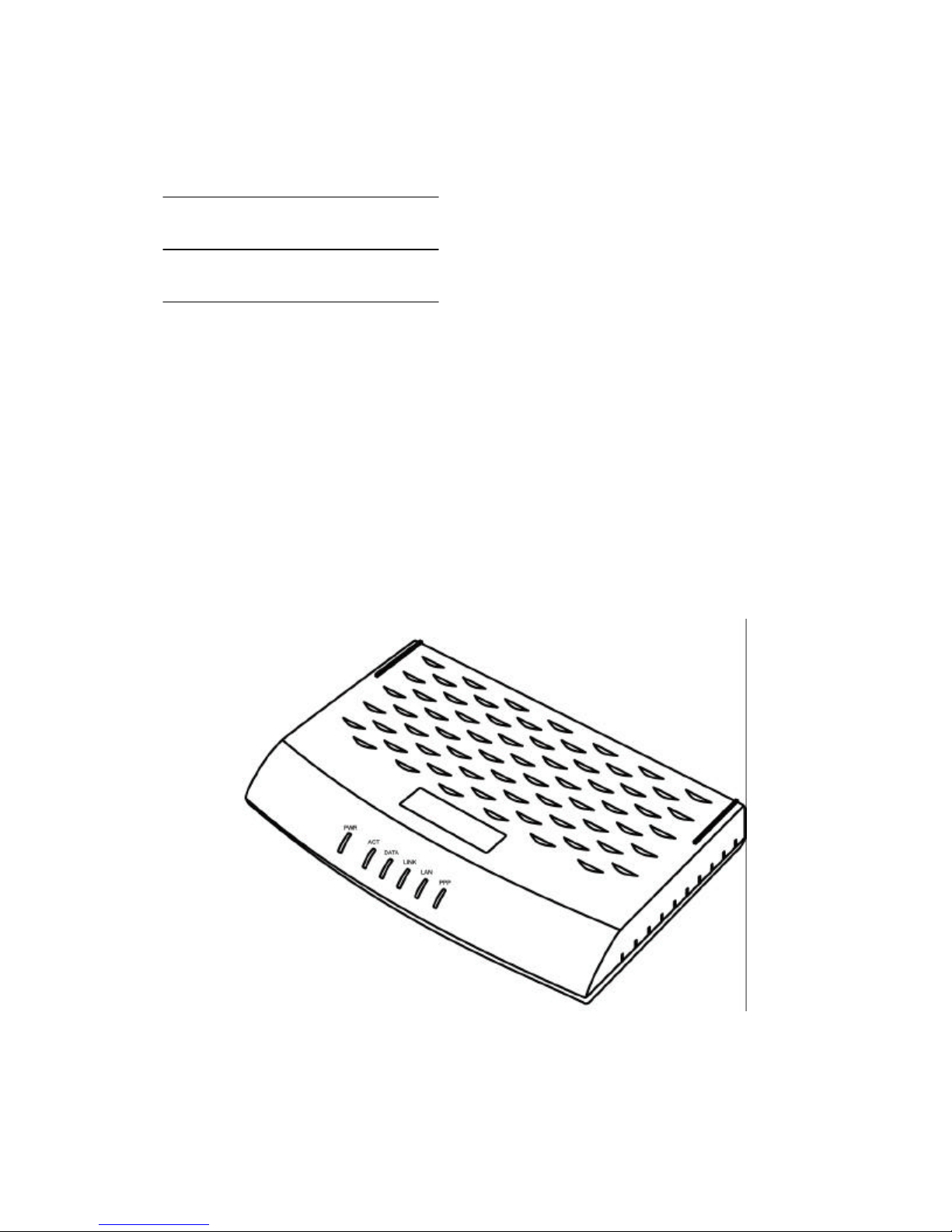
201 (ER/ES)
User’ s Manual
201 ADSL Ethernet Modem
Page 2

201(ER/ES) User201(ER/ES) User ’s Manuals Manual
Copyright© 2002 SEROME Electronics Inc.
All Rights Reserved.
No part of this publication may be reproduced or distributed in any form or by any means, or stored in a database or
retrieval system, without the prior written permission of SEROME Electronics, Inc.
2
Page 3
201(ER/ES) User201(ER/ES) User ’s Manuals Manual
FCC NOTICE
THIS DEVICE COMPLIES WITH PART 15 OF THE FCC RULES.
OPERATION IS SUBJECT TO THE FOLLOWING TWO CONDITION:
(1) THIS DEVICE MAY NOT CAUSE HARMFUL INTERFERENCE, AND
(2) THIS DEVICE MUST ACCEPT ANY INTERFERENCE RECEIVED,
INCLUDING INTERFERENCE THAT MAY CAUSE UNDERSIRED
OPERATION.
This equipment has been tested and found to comply with the limits for a Class B digital device,
pursuant to part 15 of the FCC Rules. These limits are designed to provide reasonable protection
against harmful interference in a residential installation.
This equipment generates, uses and can radiate radio frequency energy and, if not
installed and used in accordance with the instructions, may cause harmful interference to radio
communication. However, there is no guarantee that interference will not
occur in a particular installation. If this equipment does cause harmful interference to
radio or television reception, which can be determined by turning the equipment off and on, the user
is encouraged to try to correct the interference by one or more of the following measures :
- Reorient or relocate the receiving antenna.
- Increase the separation between the equipment and receiver.
- Connect the equipment into an outlet on a circuit difference from that to which
the receiver is connected.
- Consult the dealer of an experienced radio/TV technician for help.
NOTE : The manufacturer is not responsible for any radio or TV interference caused
by unauthorized modifications to this equipment. Such modifications could
void the user ’s authority to operate the equipment.
3
Page 4
201(ER/ES) User201(ER/ES) User ’s Manuals Manual
Contents
Chapter 1. Introduction
What is ADSL ------------------------------------- 5
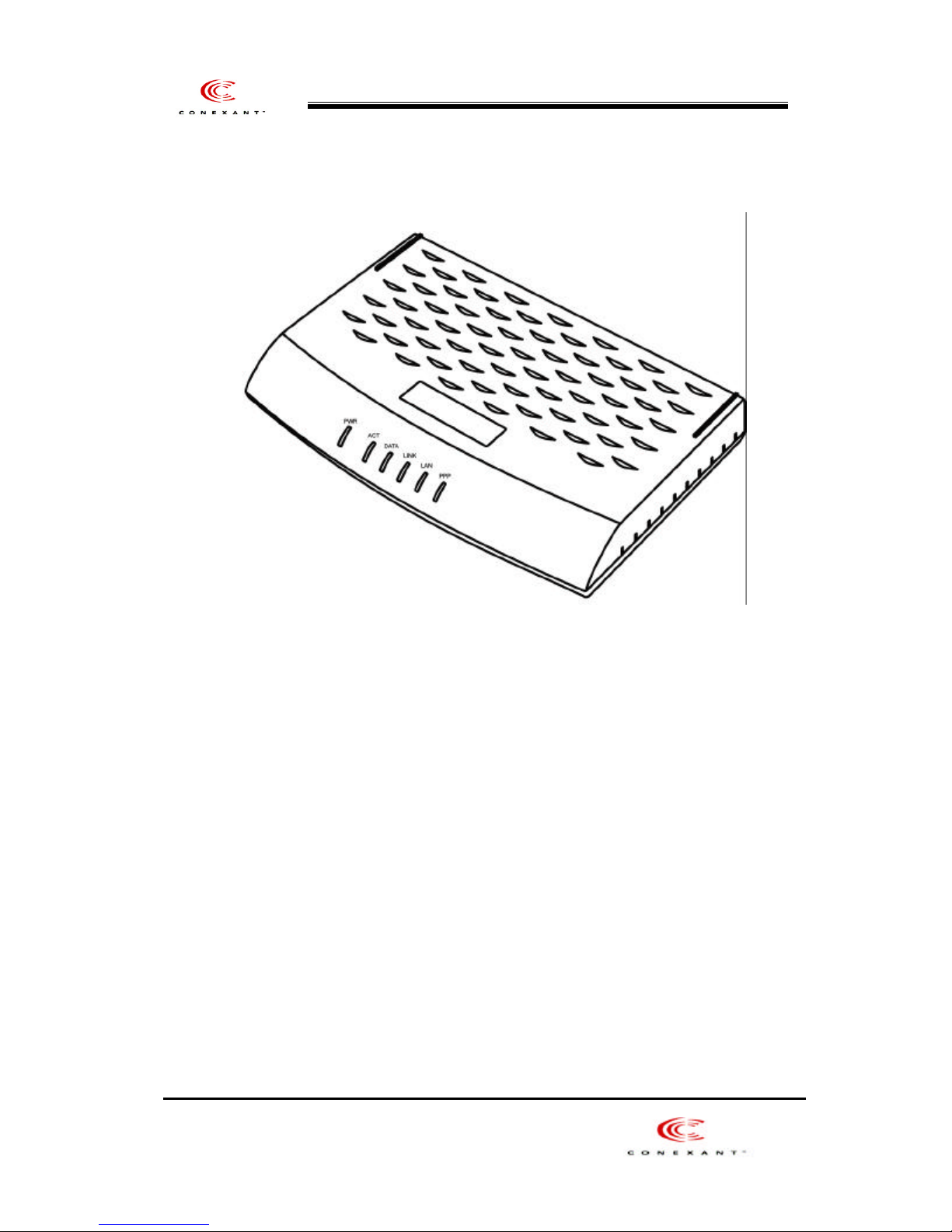
201 Layout and LED Description ------------------- 6
201 Specification ------ ------------------------- 9
Chapter 2. Before Installation
Safety Check---------------------------------------11
The climate condition Check--------------------------- 11
System Requirement Check --------------------------- 12
201 Package Check ---------------------------- 13
Chapter 3. Installation Of 201
Installation 201 --------------------------------- 15
Connect and Disconnect the Internet --------------------30
4
Page 5

201(ER/ES) User201(ER/ES) User ’s Manuals Manual
Chapter 1. Introduction
This chapter provides the brief concept of ADSL, and the external form and specification of
201.
This chapter covers the following topics:
What is ADSL
201 Layout and LED Description
201 Specification
5
Page 6

201(ER/ES) User201(ER/ES) User ’s Manuals Manual
What is ADSL
ADSL (Asymmetric Digital Subscriber Line) is a technology for transmitting digital information at a high
bandwidth on existing phone lines to homes and bu sinesses. Unlike regular dialup phone service, ADSL
provides continuously available, "always on" connection. ADSL is asymmetric in that it uses most of the
channel to transmit downstream to the user and only a small part to receive information from the user. ADSL
simultaneously accommodates analog (voice) information on the same line. ADSL is generally offered at
downstream data rates from 512 Kbps to about 8 Mbps, upstream data rates up to 1Mbps.
ADSL was specifically designed to exploit the one -way nature of most multimedia communication in which
large amounts of information flow toward the user and only a small amount of interactive control information
is returned.
201 Layout and LED Description
6
Page 7
201(ER/ES) User201(ER/ES) User ’s Manuals Manual
201 (Front view)
Front Panel LED layout (LED numbering from the left side)
7
Page 8
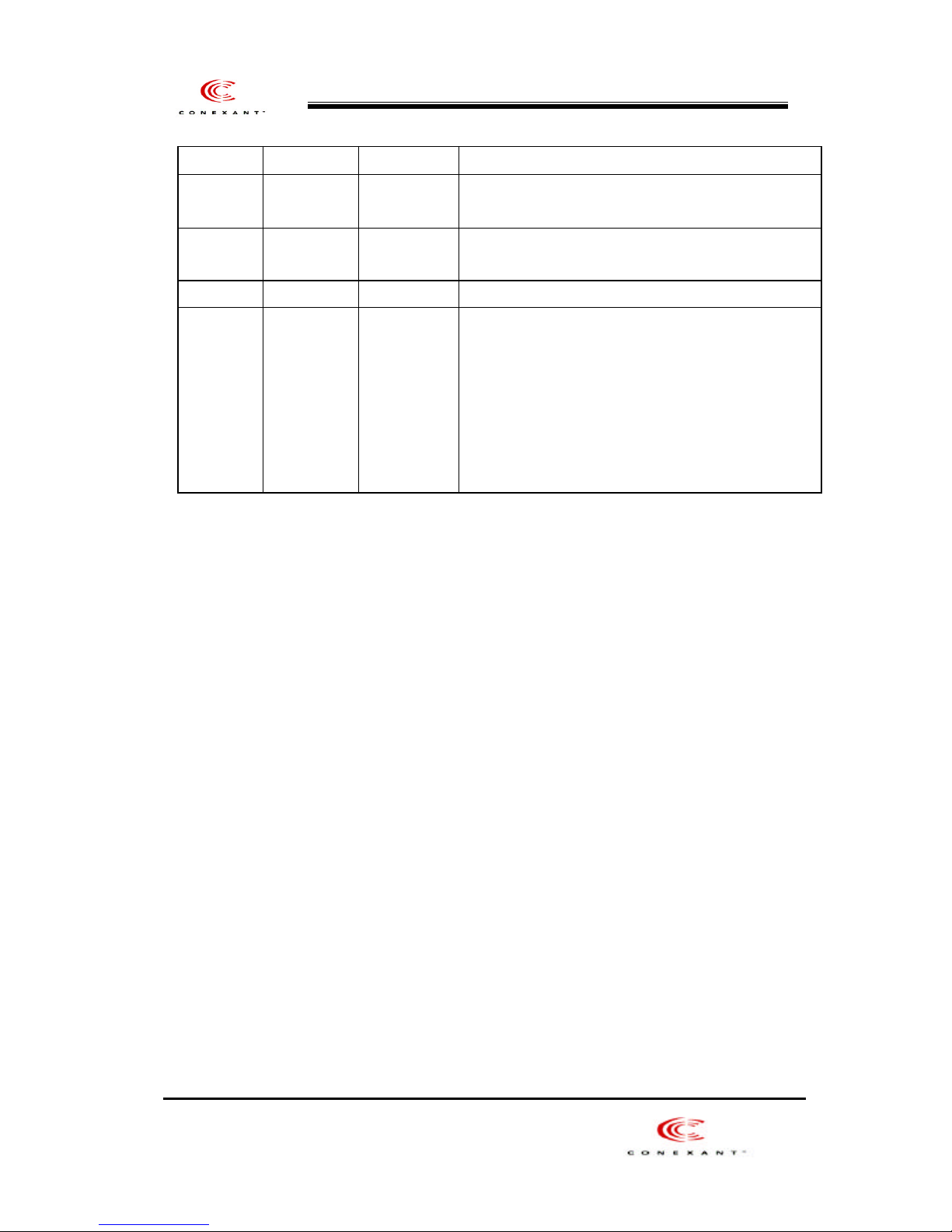
LEDs Color Status Meaning
201(ER/ES) User201(ER/ES) User ’s Manuals Manual
PWR Green - Solid
- Off
ACT Green - Solid
- Flashing
- Power Detected
- Power Off
- Device passed self test
- Device failed self test
DATA Green - Flashing - Data is transmitted to the ADSL line
LINK Green - Flashing
- Solid
- Trying to connect the ADSL line
- ADSL line has synchronized with your service
provider
LAN Green - Flashing
- Solid
PPP Green - Solid
- Off
- Data is transmitted or received to the LAN side
- Ethernet interface is active
- PPP connection
- PPP disconnection
* Note: The PPP LED will only work when PPPoE or PPPoA encapsulation is selected
8
Page 9
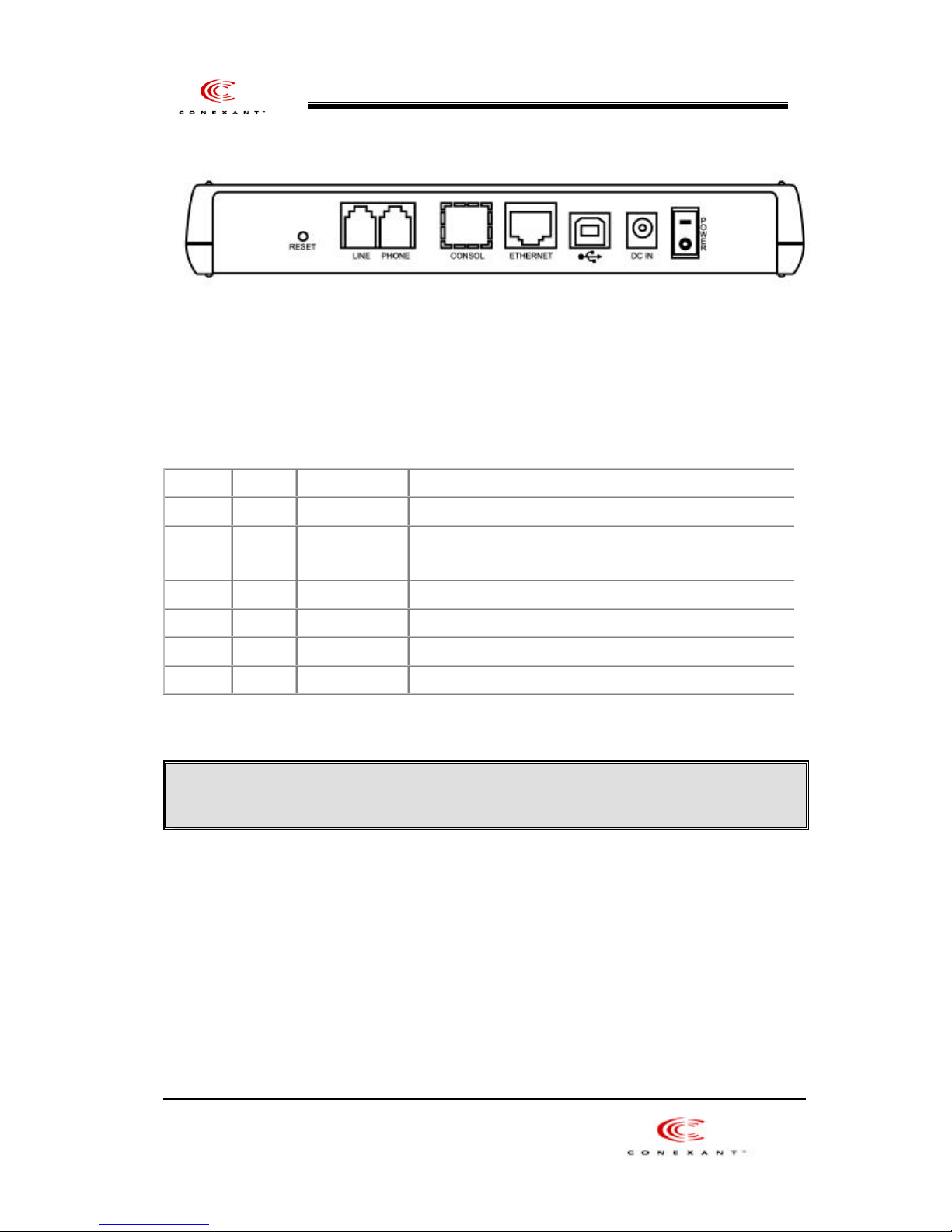
201 (Back side view)
(Back Panel numbering from left side)
201(ER/ES) User201(ER/ES) User ’s Manuals Manual
Location Lable
LINE ADSL Line Port Connects telephone Line cable in ADSL line.
PHONE Telephone
Ethernet Ethernet port Connects Ethernet cable from the LAN port in your PC.
USB USB port
<<Notice >>
When you connect the telephone cable in your telephone, Micro filter must be attached.
DC IN DC IN port Connects Adaptor
Power Power Switch 201 Ethernet Power On/Off
Port
Connection Port
Function
Connects the telephone cable in your telephone.
Ethernet Firmware Upgrade (Option), USB connection
201 Modem Specification
9
Page 10
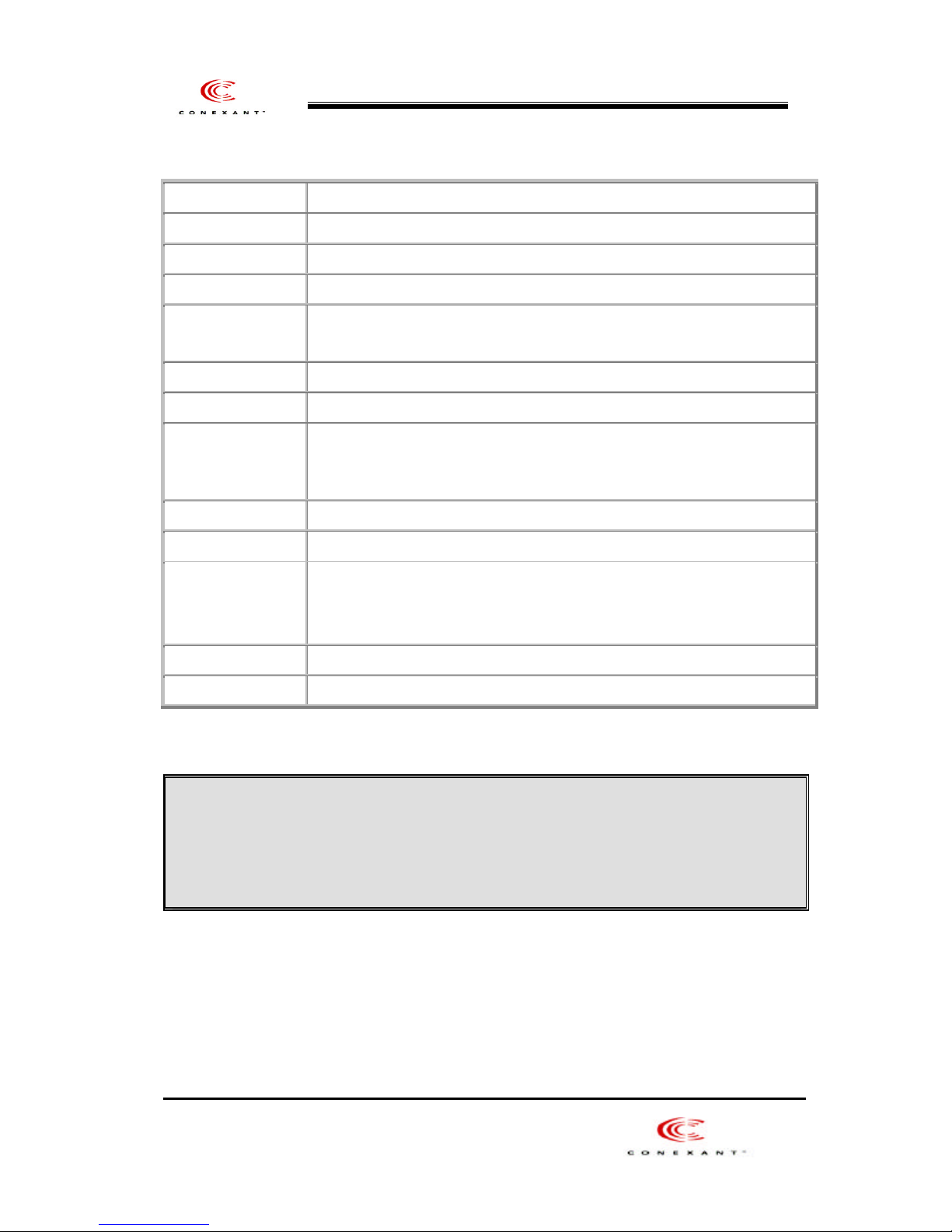
201(ER/ES) User201(ER/ES) User ’s Manuals Manual
Size (outfit) 135mm(W) x 200mm(D) x 20mm(H)
Power (V / A) Input AC 120V/60Hz, Output DC 12V 1A
Operating Temperature 5 ~ 45
ADSL Standards
compliant
Connection Speed Down Stream(Rx) : 8Mbps(Max) , Up Stream(Tx) : 1Mbps (Max)
Modulation DMT (Discrete multi-tone)
Connector
Interface Ethernet Interface
Operating System Windows 98/98SE/ME/NT 4.0/2000/XP, Macintosh, Linux, UNIX compliant
Protocol
ANSI T1. 413 Issus 2, ITU G.DMT(G.992.1), ITU G.Lite(G.992.2)
Telephone Line(RJ –11) connector –2 port , Ethernet 1 port,
USB Line 1 port,
PPP Over ATM (RFC 2364)
Bridged/Routed Ethernet Over ATM (RFC 1483/2516)
Classical IP Over ATM (RFC 1577)
Specification
P V C v alue range VPI: 0~255 , VCI :0~65,535
<<Notice >>
The connection speed of 201 may vary depending on your ADSL service, the ADSL line condition, your
PC specification and the distance between ADSL modem and Central Office of your local ADSL service
provider.
Chapter 2. Before Installation
10
Page 11

201(ER/ES) User201(ER/ES) User ’s Manuals Manual
This chapter provides basic safety information before installation. Please read this chapter very carefully
before installation.
This chapter covers following topics:
Safety Check
The climate condition Check
System Requirements Check
201 Package Check
Safety Check
11
Page 12

Before installing and using 201, please the following topics must be checked first.
201(ER/ES) User201(ER/ES) User ’s Manuals Manual
Safety check related to the electricity, he at and water.
201 is Ethernet type ADSL modem, so you must connect 201 to the Ethernet Port in your PC.
201 must be located in safe space such as near non-grounded extension cable, torn power cable and very
close to the power outlet.
201 generates the heat when it is operating. It must not be exposed to heat trap conditions.
It must not be used near water, like a bathtub, kitchen sink or in a wet basement.
These environments could damage 201 or effect the performance of 201.
The climate condition Check
For installing 201 in safe and being used properly, please be aware of the climate
Condition first.
201 is connected either Desktop PC or Laptop PC, so check the climate conditions of your PC and follow those
instruction first.
It’s recommendable that 201 is being used in same temperature and humidity.
The range of operating 201 is
Operating temperature : 5 ~ 45
relative humidity : 10 ~ 85 % (non-condensation case)
System Requirements Check
Before installing and using 201, please the following topics must be checked first.
12
Page 13
PC Operating System
Windows 95
Windows 98
Windows 98SE
Windows Millennium Edition
Windows 2000 Home Edition & Professional
Windows XP Home Edition & Professional
Macintosh, Linux, UNIX
System Specification (Recommended).
201(ER/ES) User201(ER/ES) User ’s Manuals Manual
The performance of 201 depends on your system specification, so following specification is
recommended.
OS : Windows 98/98SE
CPU :Pentium II 350MHz or higher
System Memory(RAM): 64MB or higher
LAN Card : Connect Ethernet Port
201 package Check
When opening 201 Package, please check the follo wing items in the Package.
13
Page 14
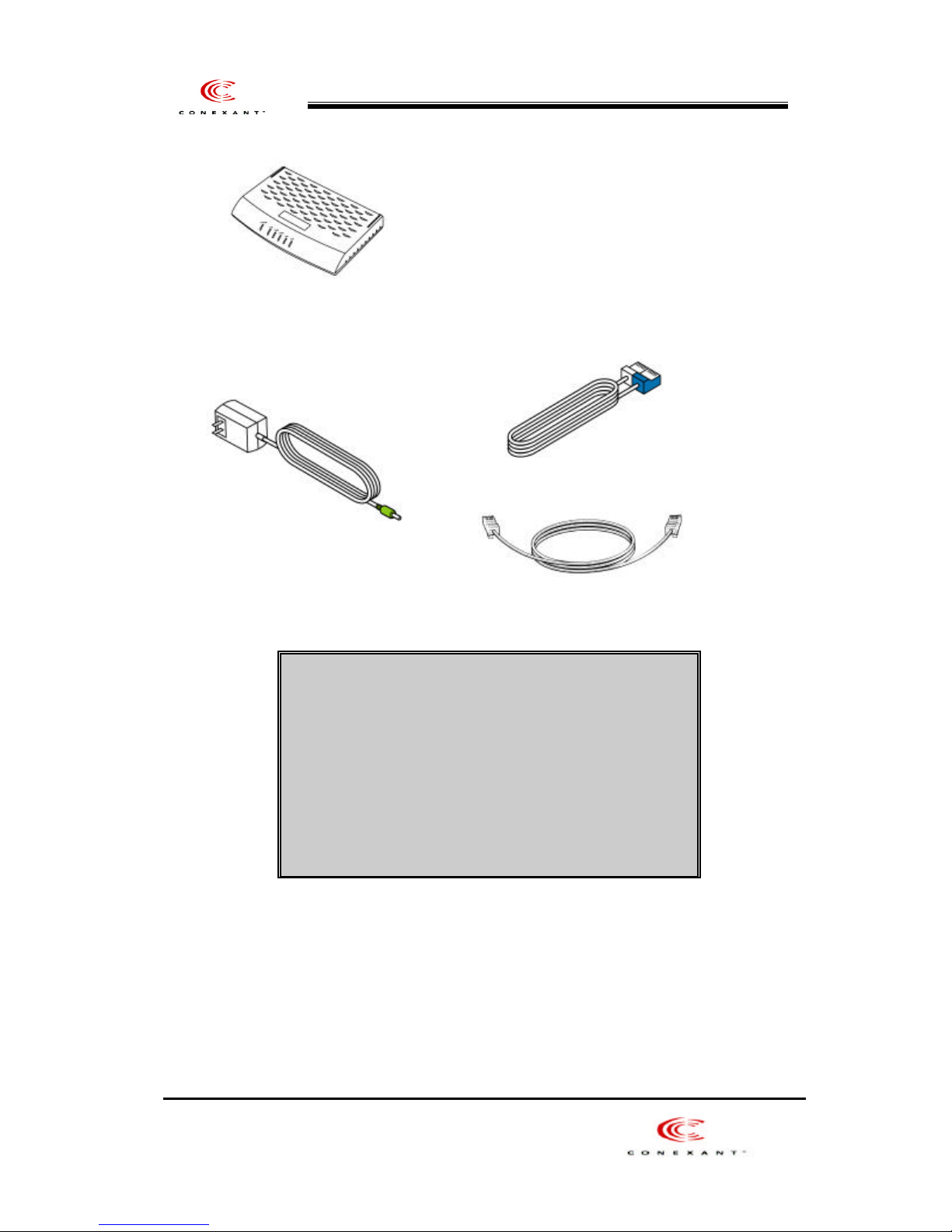
201 (ADSL Ethernet Modem) CD(Manual and USB Driver)
Direct UTP Cable (RJ-45)
201(ER/ES) User201(ER/ES) User ’s Manuals Manual
Power Adaptor Telephone Line Cable (RJ-11)
Items : Quantity
201 (ADSL Ethernet Modem) : 1
Power Adaptor : 1
Telephone Line Cable (RJ -11) : 1
CD(Manual & USB Driver) :1
Direct UTP Cable (RJ-45) : 1
Chapter 3. Installation of 201
14
Page 15

This chapter provides the brief concept of ADSL, and the external form and specification of
201.
This chapter covers the following topics:
Installation 201
Connect and Disconnect the Internet
201(ER/ES) User201(ER/ES) User ’s Manuals Manual
Installation 201
1.
Start Internet Explorer to view or reset the configuration of the ADSL
And type [http://10.0.0.2] at [Open] and click [OK] button.
15
Page 16
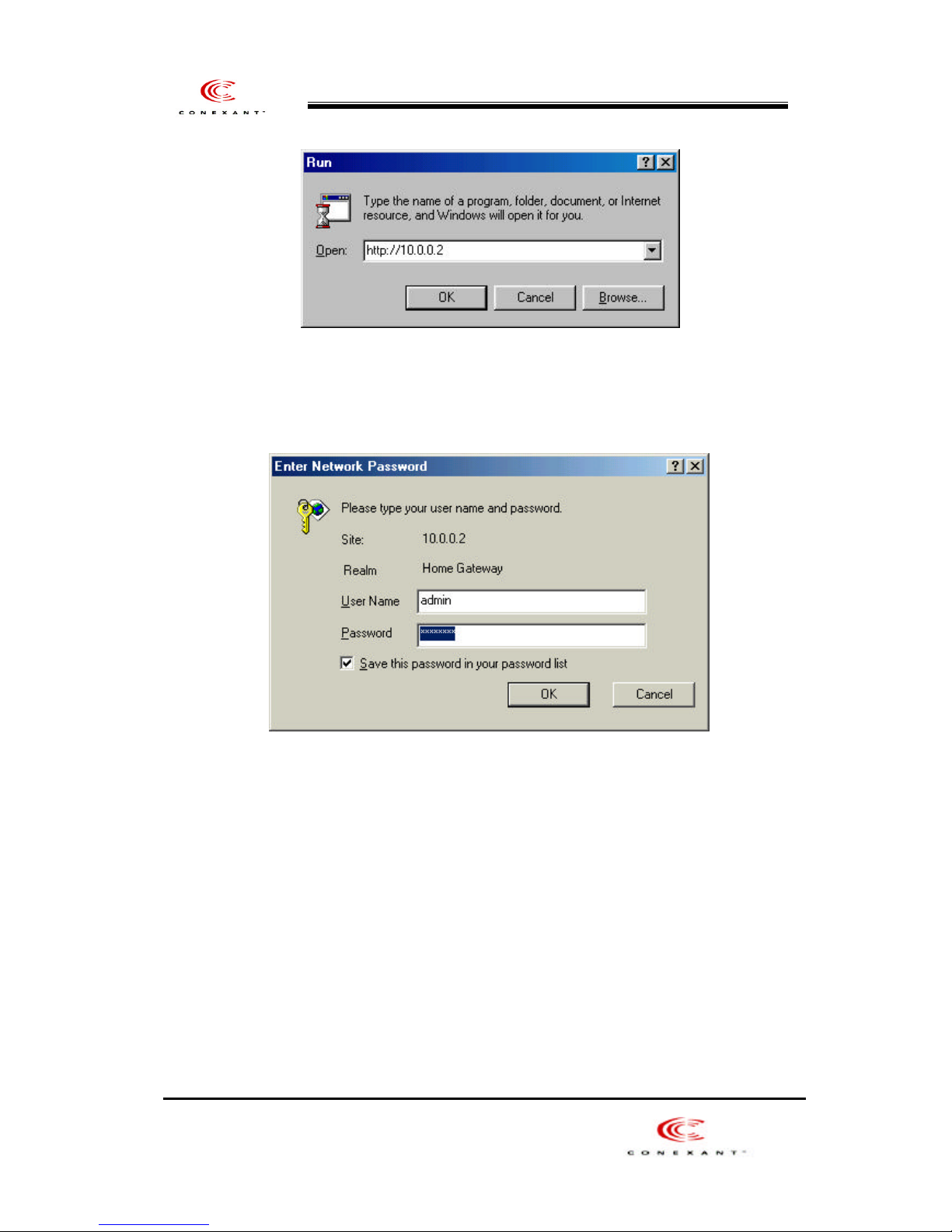
2. Enter “admin” at [User Name], “conexant” at [Password] as below and
201(ER/ES) User201(ER/ES) User ’s Manuals Manual
click [OK] button to proceed.
(1) ADSL Home Page : If it is connected, the homepage as below is to appear.
16
Page 17
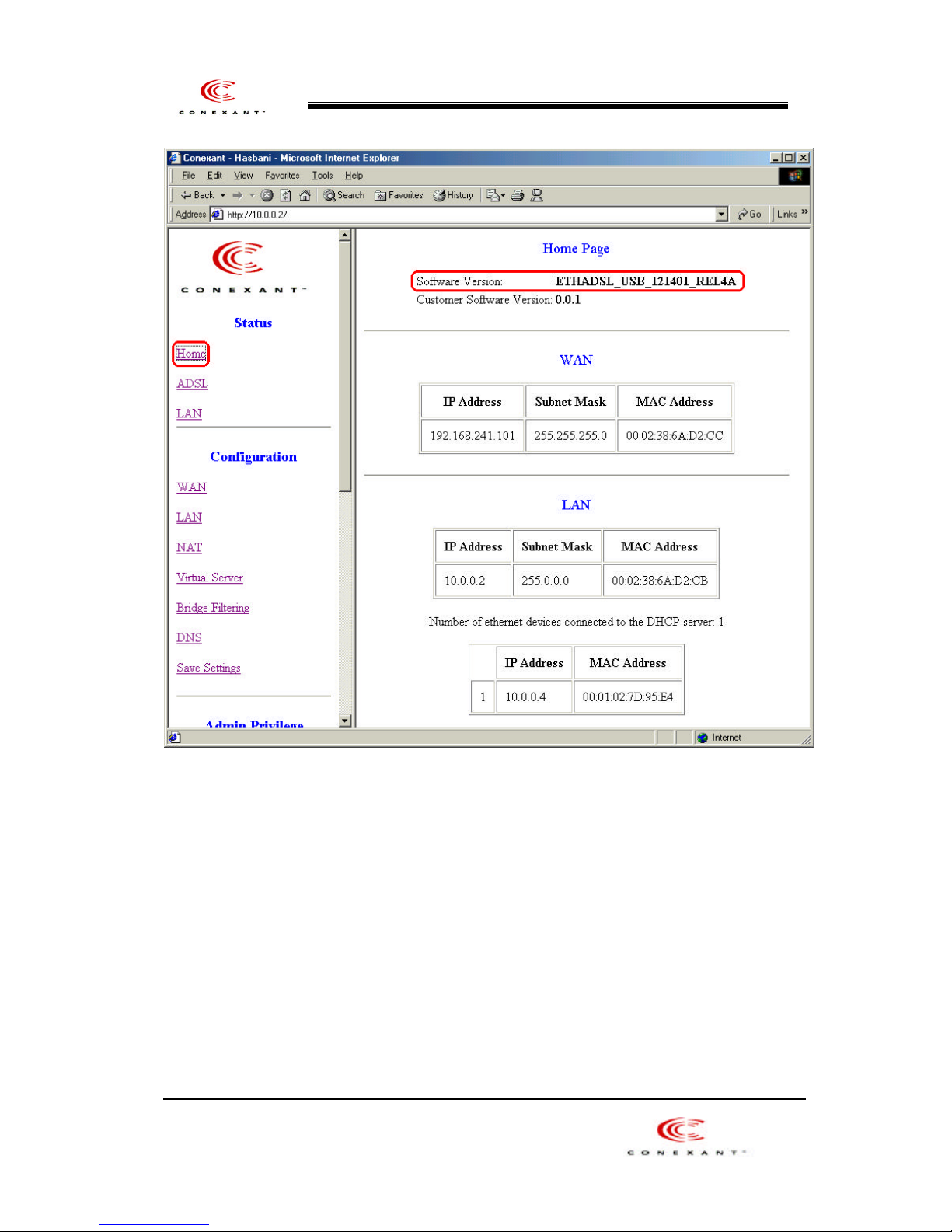
201(ER/ES) User201(ER/ES) User ’s Manuals Manual
(2)
ADSL Status Information : You can check the connection status
and the connection speed(Upstream and Downstream).
17
 Loading...