

Page 1
-
o
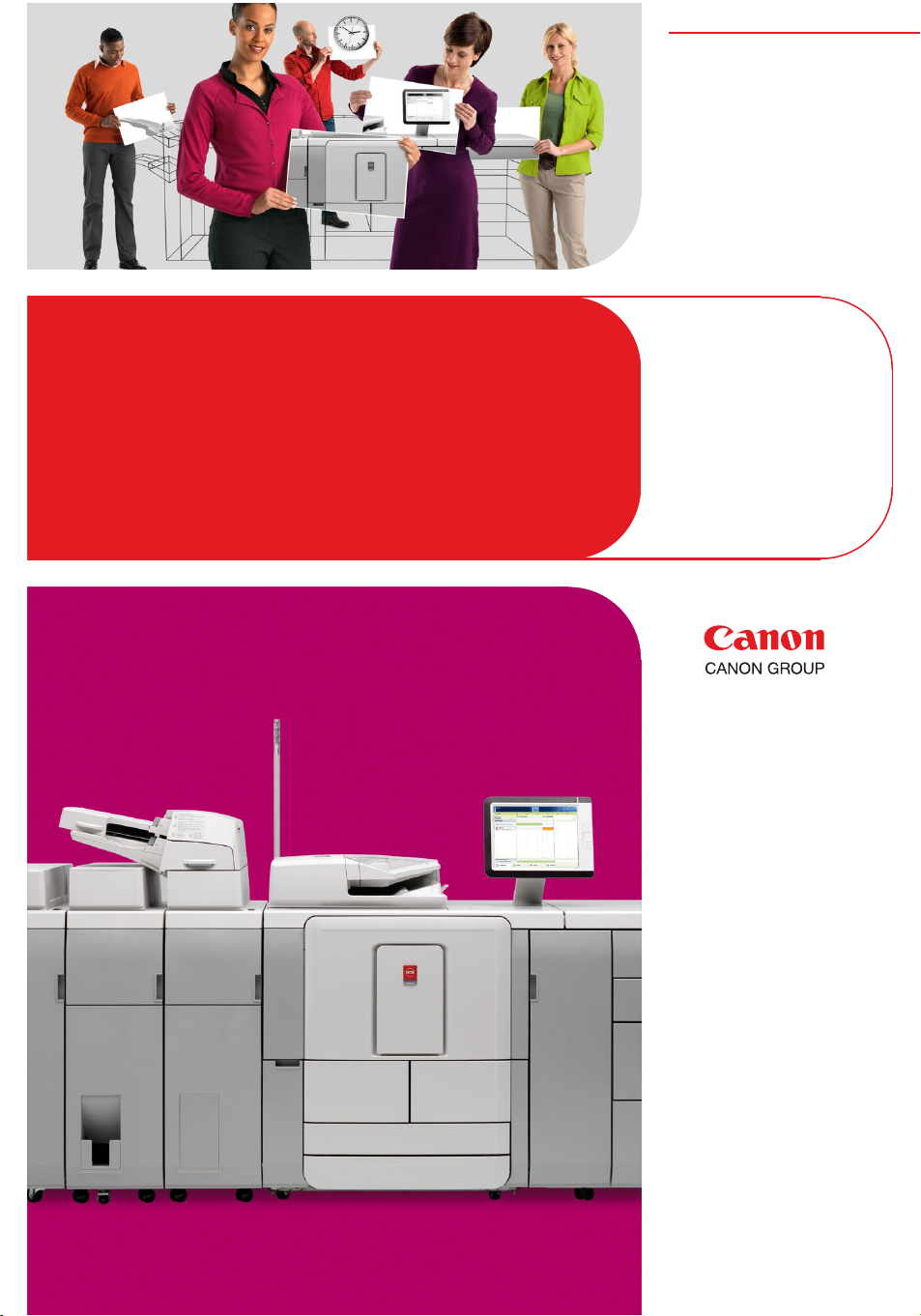
Océ
VarioPrint® DP
Line
Excellence redesigned
in B&W
User manual
Safety
information
Page 2

Copyright
© 2011-2012, Océ
All rights reserved. No part of this work may be reproduced, copied, adapted, or transmitted
in any form or by any means without written permission from Océ.
Océ makes no representation or warranties with respect to the contents hereof and specifically disclaims any implied warranties of merchantability or fitness for any particular purpose.
Furthermore, Océ reserves the right to revise this publication and to make changes from
time to time in the content hereof without obligation to notify any person of such revision
or changes.
Copyright 2011-2012 by Canon Inc. All rights reserved.
No part of this publication may be reproduced or transmitted in any form or by any means,
electronic or mechanical, including photocopying and recording, or by any information
storage or retrieval system without the prior written permission of Canon Inc.
Edition: 2012-01
Page 3

Contents
Contents
Chapter 1
Instructions for safe use.....................................................................................5
Instructions for safe use............................................................................6
Chapter 2
Regulation notices............................................................................................11
Regulation notices....................................................................................12
Chapter 3
General information.........................................................................................17
General information (All countries)........................................................18
3
Page 4

Contents
4
Page 5

Chapter 1 Instructions for safe use
Page 6
Instructions for safe use
Instructions for safe use
Introduction
All products have been tested in accordance with the strictest international safety standards.
Please read the following sections before you connect the machine to the power supply.
These sections contain important information with regard to the user safety and the
prevention of equipment problems. Make sure that you observe the safety rules hereinafter.
This helps to assure safe operation of the product. Make sure that you observe all the
precautions mentioned below.
Note:
Depending on the context, the terms: system, machine and equipment all will be used
to designate the product for which the user documentation is applicable
Note:
Some parts of the contents of this section may not be applicable to your product.
Note:
Please refer to the corresponding Safety Data Sheets for specific safety information. You
can download the Safety Data Sheets from the support site of your product at
http://global.oce.com/support/.
Warning and Caution Symbols
Warning:
Ignoring this warning could cause serious injury or even death.
Caution:
Ignoring this warning could cause injury or damage to property.
Note:
Indicates additional important information.
The following indicators are used in the machine to warn the user for possible safety risks:
Chapter 1 - Instructions for safe use6
Page 7

Instructions for safe use
#
Caution
Hot
Ignoring this caution could cause injury to skin; see also
the section "Actions in response to troubles".
Warning
Disassemble and modification
Warning
•
Do not remove covers and panels which are fixed to the machine. Some machines
have a high-voltage component or a laser beam source inside that could cause electrical
shock or blindness
•
Do not modify this machine, because this could cause a fire, electrical shock or
breakdown. If the machine contains a laser, the laser beam source could cause blindness.
Caution
•
Do not carry out maintenance activities for other components and maintenance materials than the components and materials that are mentioned in the user manual.
•
Do not place any liquids on the machine.
•
Do not open any door while the machine starts up or runs, unless the operator panel
displays a message that asks you to open one or more doors.
•
Use maintenance materials or other materials for their intended purpose only.
•
To avoid any risk, only properly qualified and authorized service technicians are allowed
to modify the machine.
•
Do not bridge any mechanical or electrical circuit breakers.
Whenever this label is applied to parts of the machine that
are accessible to the user, a note can be found in the user
documentation, explaining the potential hazard about which
the user is warned or cautioned. The user is urged to consult
the user documentation in order to understand the safetyrisk and learn how to avoid damage or injury.
Note
•
Power cord
Warning
•
•
•
Keep maintenance materials away from children.
Do not scratch, wrap, heat, twist, bend, place a heavy object on or cause any other
damage to the power cord. The use of a damaged power cord (exposed core wire,
broken wire, for example) could result in a fire or breakdown. If you find any of these
conditions, immediately turn OFF the power switch and unplug the power cord from
the power outlet. Then call your authorized service representative.
Do not use an extension cord to connect the machine.
Do not use any power cable other than the one provided. Never use the power cable
with any other electrical device.
Chapter 1 - Instructions for safe use 7
Page 8

Instructions for safe use
Power source
Warning
•
Put the power plug directly into a wall socket that has the same configuration as the
plug. The use of an adapter leads can result in an inadequate power supply. If a
proper wall outlet is not available, ask a qualified electrician to carry out the installation.
•
Do not connect the machine to a mains voltage that differs from the value as stated
on the power marking label.
•
Do not use a multiple outlet adapter or an extension lead. Contact your authorized
service representative if an extension lead is required.
Caution
•
Consult your authorized service representative before you connect other equipment
to the same wall outlet.
Note
•
If connection to a different mains voltage is required, contact your authorized service
representative.
Power plug
For machines that are connected via a wall socket: Place the machine close to a wall
socket that is easily accessible. The power plug is intended to serve as a disconnect device.
Grounding
Warning
•
•
Installation
Warning
•
•
•
•
Note
•
Connect the power cord to an electrical outlet (wall socket) that is equipped with a
grounding terminal.
This equipment was not designed for connection to an IT power system. An IT
power system is a voltage network in which the neutral wire is not grounded.
Make sure that the machine is placed on a level, horizontal surface of sufficient strength.
Do not place this machine on an unstable or tilted surface.
Do not place this machine in a location that is subject to lots of vibrations and shocks.
Do not use flammable sprays, liquids or gases near this product, because this could
cause a fire.
It is recommended that you connect only copy-control products (or other products)
which meet the (inter)national product safety and radio frequency interference standards. Only use an attachment cable as specified by the manufacturer.
Chapter 1 - Instructions for safe use8
Page 9

Ventilation
Caution
•
The machine can produce odors of exhaust air when you:
– use this machine in a poorly ventilated room for a long period of time
– produce large numbers of copies or printouts
Therefore, make sure that you ventilate this room well.
•
Do not block the machine's ventilation openings.
•
Do not place the machine in rooms which are too small and insufficiently ventilated.
See the Product Safety Data Sheet of the machine for the ventilation requirements.
•
Be sure to allow a clearance of 100 mm / 4 inch or more at the back of this machine
for the ventilation duct.
Actions in response to troubles
Warning
•
When a piece of metal, water or any other similar foreign matter gets inside the machine, immediately turn OFF the power switch and unplug the power cord from the
power outlet. Then call your authorized service representative.
•
Immediately stop using the machine if the machine becomes excessively hot, emits
smoke, or produces unusual odors or noises. Immediately turn OFF the power switch
and unplug the power cord from the power outlet. Then call your authorized service
representative.
Instructions for safe use
Caution
•
Stop using the machine if the machine was dropped or a cover was damaged. Immediately turn OFF the power switch and unplug the power cord from the power outlet.
Then call your authorized service representative.
•
Some areas inside the machine become hot. Do not touch the locations which are labeled with the "Caution Hot" symbol . Touching these areas could cause burns.
•
LCD display. Do not rub, press or touch the display surface with hard material, because
the polarizer at the surface can be easily scratched. The LCD module consists of glass.
Therefore, the LCD module can damage when you drop, pinch strongly or punch
the module. If glass breaks, be careful that you do not get injured by the glass fragments.
Contact your authorized service representative.
Consumables, supplies and maintenance materials
Warning
•
Do not throw toner or ink containing or contaminated parts into an open flame.
•
Do not leave toner or ink containing or contaminated parts in a place within reach
of children.
Caution
Chapter 1 - Instructions for safe use 9
Page 10

Instructions for safe use
•
Always use the materials which the manufacturer recommended and which are developed for this machine. Materials not approved by the manufacturer may result in
damage to your machine.
Moving the machine
Caution
•
Make sure that you disconnect the power cord and other cables before you move the
machine.
•
Make sure that you check the documentation for the space requirements before you
move the machine.
•
Make sure that whenever the machine is moved, this is done by properly qualified
people who have received adequate instructions.
General use
Caution
•
Unplug the machine when you will not use the machine for a long period of time.
•
Do not lean, lie or stand on any part of the machine, including any unit that can be
pulled outward (e.g. paper drawers).
•
To prevent overbalaning the machine, only one drawer should be opened at the same
time.
Chapter 1 - Instructions for safe use10
Page 11

Chapter 2 Regulation notices
Page 12

Regulation notices
Regulation notices
Introduction
This section describes the regulation notices.
Grounding (Finland; FI, Norway; NO and Sweden; SE only)
FI: Laite on liitettävä suojamaadoituskoskettimilla varustettuun pistorasiaan.
NO: Apparatet må tilkoples jordet stikkontact.
SE: Apparaten skall anslutas till jordat uttag.
Translation: The machine must be connected to a grounded power outlet.
Radio Interference suppression (all countries except USA)
Warning: This is a Class A product. In a domestic environment this product may cause
radio interference in which case the user may be required to take adequate measures.
FCC approval (USA-only)
This system has been tested and found to comply with the limits for a class A digital device,
pursuant to part 15 of the FCC Rules. These limits are designed to provide reasonable
protection against harmful interference when the system is operated in a commercial environment. This system generates, uses, and can radiate radio frequency energy and, if
not installed and used in accordance with the instruction manual, may cause harmful
interference to radio communications. Operation of this equipment in a residential area
is likely to cause harmful interference in which case the user will be required to correct
the interference at his own expense.
ICES-003 Interference-causing equipment (Canada- only)
This Class A digital apparatus complies with Canadian ICES-003.
Cet appareil numérique de la classe A est conforme à la norme NMB-003 du Canada.
Laser Safety (All Countries)
Laser safety
This is a digital machine which operates using a laser. There is no possibility of danger
from the laser provided the machine is operated according to the instructions in this
manual. Since the radiation emitted by the laser is completely confined within a protective
housing, the laser beam cannot escape from the machine during any phase of user operation. This machine is certified as a Class 1 laser product: This means the machine does
not produce hazardous laser radiation.
CDRH regulations
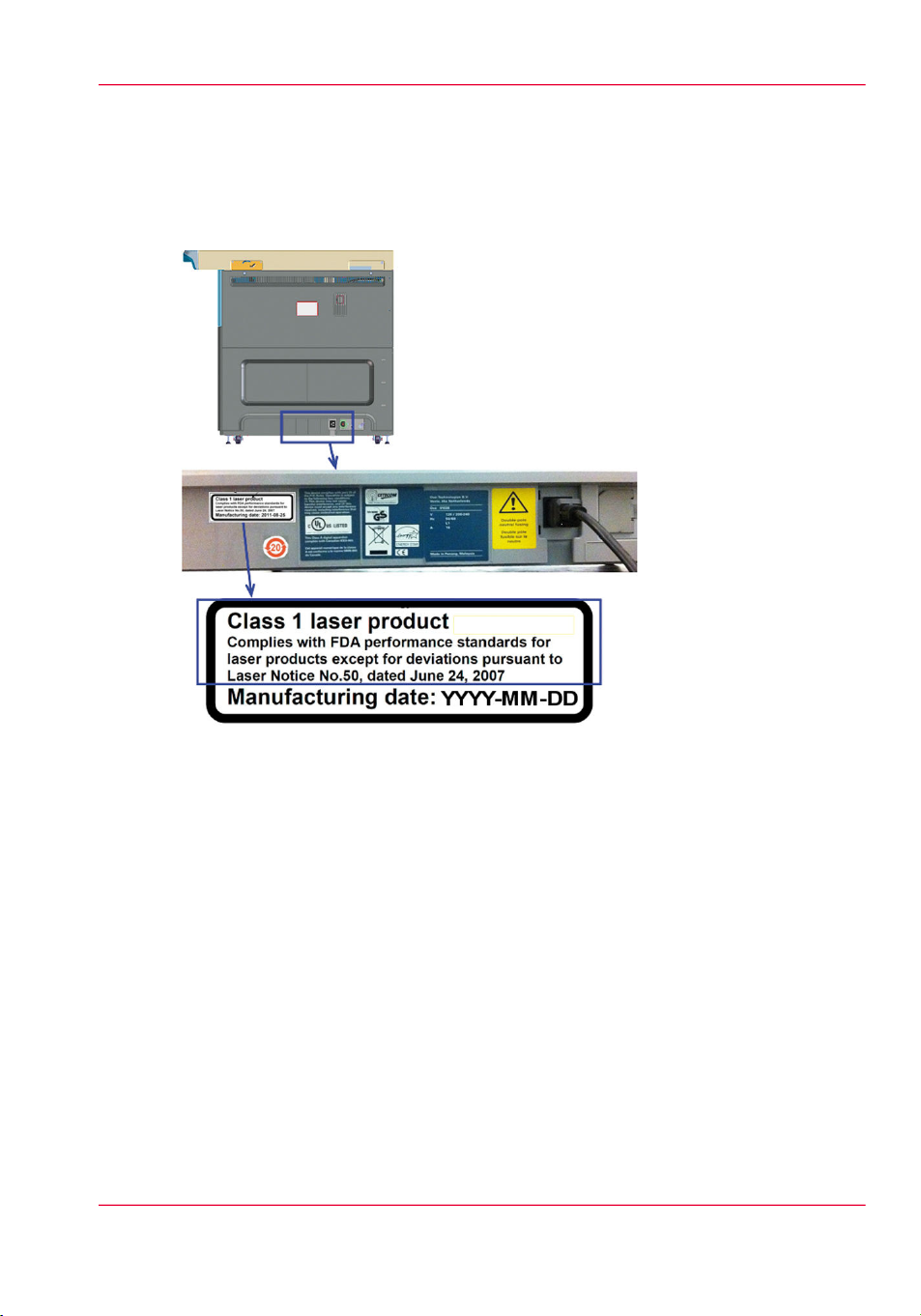
This machine is certified as a Class 1 Laser product under Radiation Performance Standard
according to the Food, Drug and Cosmetic Act of 1990. Compliance is mandatory for
laser products marketed in the United States and is reported to the Centre for Devices
Chapter 2 - Regulation notices12
Page 13
Regulation notices
and Radiological Health (CDRH) of the U.S. Food and Drug Administration of the U.S.
Department of Health and Human Services (DHHS). This means that the device does
not produce hazardous laser radiation. The label shown below indicates compliance with
the CDRH regulations and must be attached to laser products marketed in the United
States.
[3] Location of the label
Caution
Use of controls, adjustments, or performance of procedures other than those specified in
this manual may result in hazardous radiation exposure. This is a semiconductor laser.
The maximum power of the laser diode is 0.39 mW and the wavelength is 665 nm.
Mercury (All Countries)
One or more lamp(s) inside this product contain Mercury. Dispose these lamp(s) according
to all federal, state and local regulations.
Mercury containing lamp(s) must be removed and treated separately according Directive
2002/96/EC (Waste Electrical and Electronic Equipment). The European Waste Catalogue
(EWC) number of the mercury-containing fluorescent lamp is: 20 01 12.
Battery Labeling (EU Only)
This product contains a battery. Please do not remove the battery. If the battery needs
replacement, this should be done only by skilled service technicians who are aware of the
removal instructions provided by Océ / Canon.
Chapter 2 - Regulation notices 13
Page 14
Regulation notices
This product contains (a) button cell(s). It (They) is (are) located in (a) printed circuit
board(s) that is (are) essential for the continuous error-free functioning of the product.
The button cell(s) should be removed only by skilled service technicians who are aware
of the removal instructions provided by Océ / Canon.
Button cell specification#
Button cell location
Caution: Océ / Canon does not accept any liability for any damage or consequences, if
the batteries are removed by persons other than Océ / Canon authorised service technicians.
Battery labeling (USA only)
This product contains a Lithium battery, containing Perchlorate Material - special handling
may apply. See www.dtsc.ca.gov/hazardouswaste/perchlorate.
Button cell capacity
Contains the following substances (if applicable)
Lithium Manganese Dioxide220 mAhController
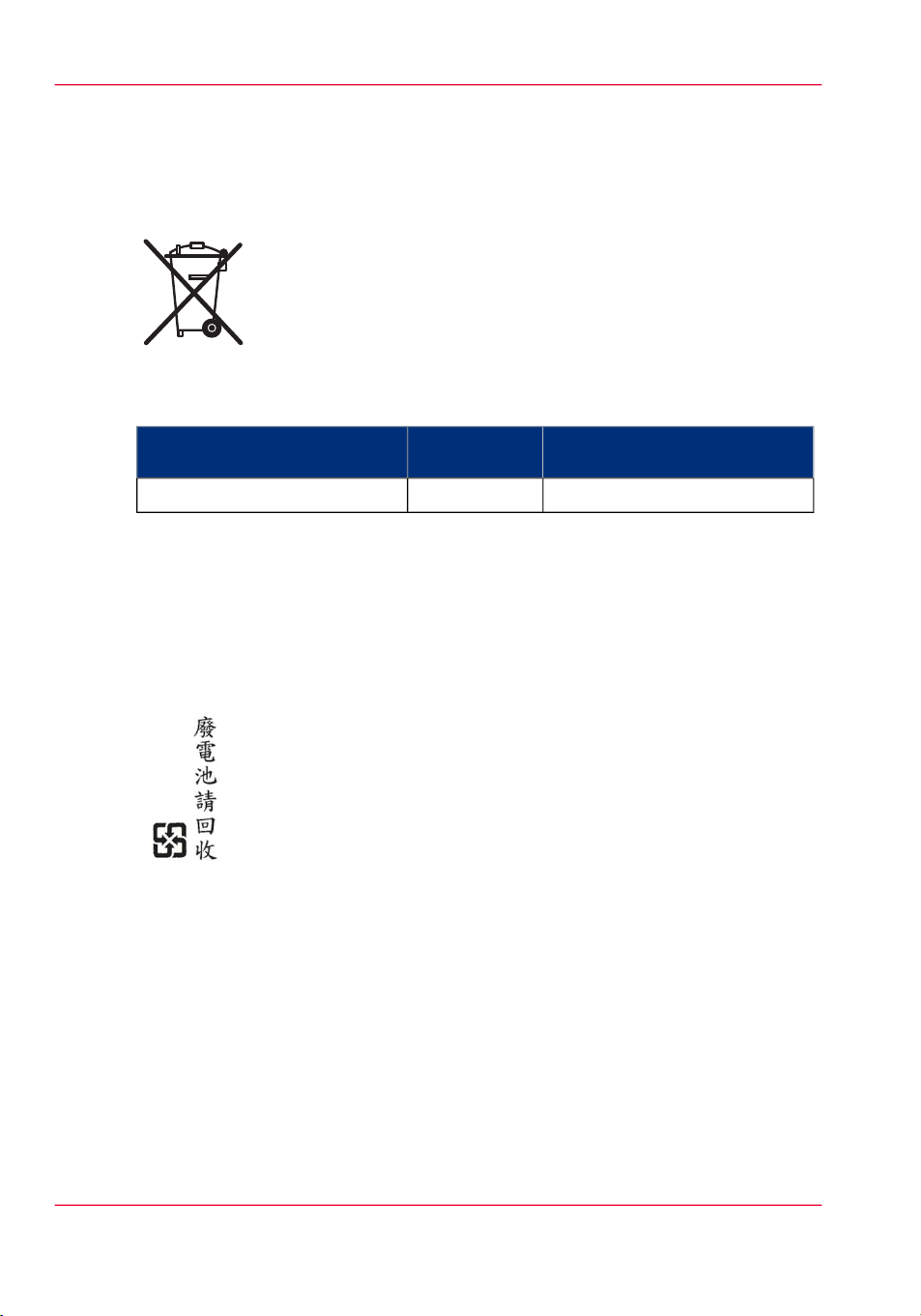
Battery labeling (Taiwan only)
Translation: Waste batteries, please recycle.
Chapter 2 - Regulation notices14
Page 15

End of Life; WEEE (EU-only)
The symbol "the crossed-out wheeled bin" indicates that at end-of-life of the equipment
separate collection is required in the EU Member States. The black bar specifies that the
appliance is put on the market after August 13, 2005. Reference: Directive 2002/96/EC.
Contact your local Océ / Canon organization for further information.
RoHS (China- only)
The Environmental Protection Use Period (EPUP) applicable for the printing system
designated for deliveries to the Peoples Republic of China is 20 years. This EPUP, which
does not include consumables or expendables, does not affect any warranty that is provided
for the system and may not be construed or interpreted as a separate guarantee for the
printing system.
ENERGY STAR® (All countries)
Océ has joined the ENERGY STAR® Program of the United States Environmental
Protection Agency (EPA). The purpose of the ENERGY STAR® Program is to promote
the manufacturing and marketing of energy-efficient equipment, thereby potentially reducing combustion-related pollution. Using the energy management features outlined
below prevents unnecessary power consumption, which helps to prevent air pollution
from electricity generating plants and saves money on your utility bills. As an ENERGY
STAR® Partner, Océ has determined that the Océ VarioPrint® DP Line meets the
ENERGY STAR® criteria for energy efficiency laid down in the ENERGY STAR®
Program Requirements for Imaging Equipment (Version 1.2).
Regulation notices
Energy consumption (All countries)
The energy consumption of Imaging Equipment can be determined by means of the
TEC procedure. This procedure was developed under the auspices of the United States
Environmental Protection Agency. TEC stands for Typical Electricity Consumption.
The TEC value of a product represents the energy consumed in a week under standardized
conditions. For the Océ VarioPrint® DP Line the TEC-value is listed in the Product
Safety Data Sheet.
Chapter 2 - Regulation notices 15
Page 16
Regulation notices
In order to limit energy consumption during times of non-use the Océ VarioPrint® DP
Line has a Sleep mode during which the power level is reduced. The value for the Sleep
mode is listed in the Product Safety Data Sheet.
Power Modes and Delay Times
Energy consumption and efficiency are influenced both by the product technology and
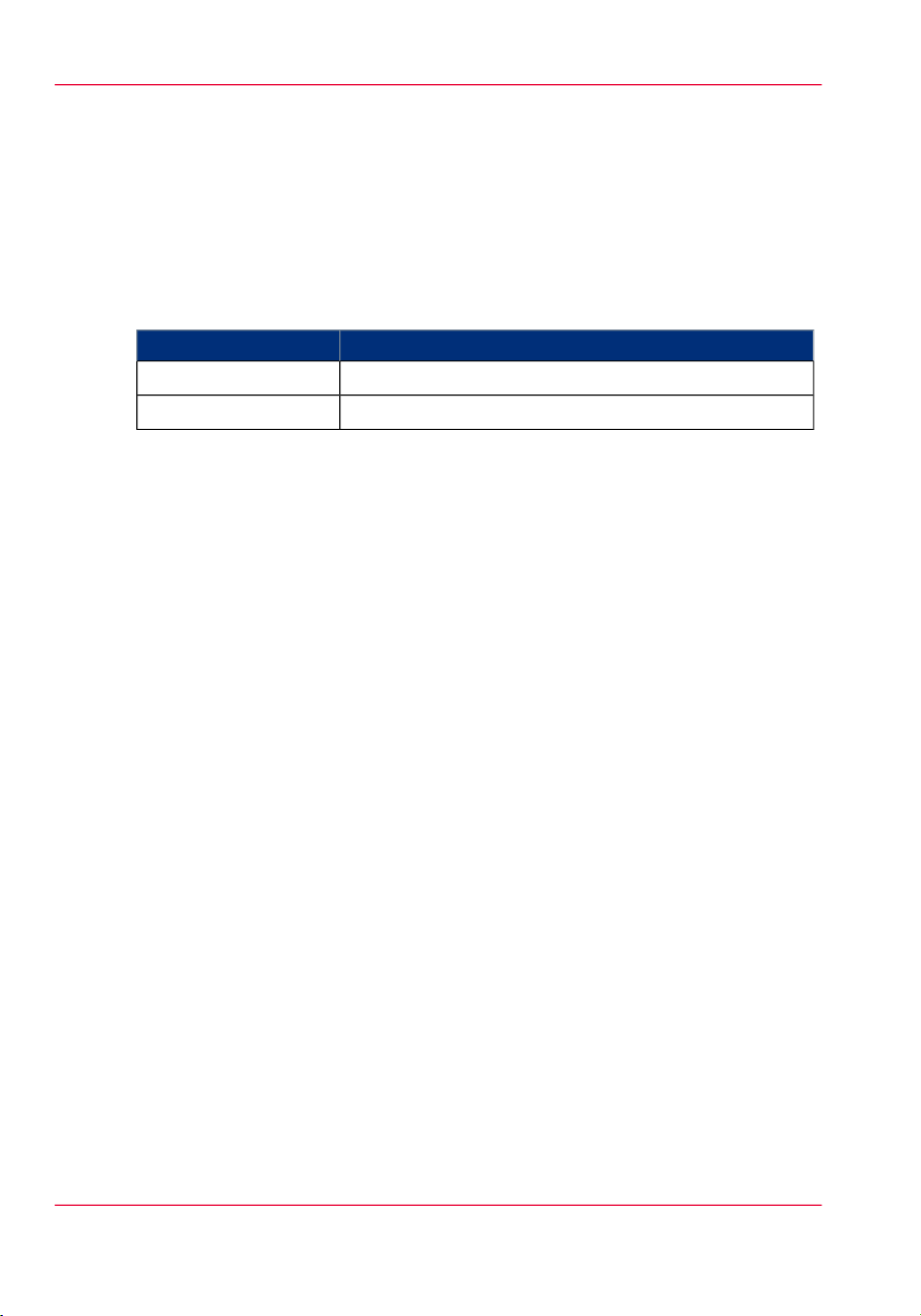
by the settings chosen by the user, especially the delay times that are selected to enter reduced power states. The following delay times have been pre-set.
Power Modes and Delay Times#
The modes above are automatically entered after the Default Delay Time has elapsed;
counting from the moment the last print has been produced. These settings are recommended and for most users ensure both ease of use and low energy consumption. The
minimum and maximum values are between the brackets. The Delay Times can be
changed. Shorter delay times will lower the energy consumption even further, but may
cause longer recovery times. In some cases longer delay times may prove to be more
convenient, but it should be noted that this may cause an increase in energy consumption.
Therefore, from an energy preservation point-of-view, longer delay times are not recommended.
Default delay timeOperational mode
20 minutes (range 5 - 30 minutes)Low power
40 minutes (range 31 - 240 minutes)Sleep
Automatic duplex
Using both sides of paper reduces paper costs, national energy consumption and the
amount of paper in the waste disposal process. Therefore, theOcé VarioPrint® DP Line
is default set for automatic duplex copying and printing.
Recycled paper (All countries)
Using recycled paper also benefits the environment. The Océ VarioPrint® DP Line is
designed to use recycled paper, which complies with the requirements of EN12281:2002.
Product literature on recommended types of recycled copier paper can be obtained from
Océ / Canon.
Chapter 2 - Regulation notices16
Page 17

Chapter 3 General information
Page 18

General information (All countries)
General information (All countries)
Caution labels and notations (All countries)
You can find the power-marking label near the mains entrance. If connection to a different
mains voltage is required, contact your authorized service representative.
Do not remove caution labels or caution notations. If a label or notation is soiled, please
clean the label or notation. If you cannot make label or notation legible, or if the label
or notation is damaged, please contact your service representative.
Space requirements and operation precautions (all countries)
•
The required operating space of this product will be communicated to each customer
by the local sales representative during the Site Survey.
•
Please refer to the corresponding Safety Data Sheets for the specific safety information,
including the dimensions of the product, the recommended room volume and ventilation rate. You can download the Safety Data Sheets from the support site of your
product at http://global.oce.com/support/
Operating environment (All countries)
The environmental requirements for correct operation of the machine are as follows:
•
Operating temperature (T): 17 °C (62.6 °F) to 32.5 °C (90.5 °F)
•
Relative Humidity (RH): 20% to 80%
Chapter 3 - General information18
Page 19

+1
Page 20

-
Beyond the Ordinary
o
Printing for
Professionals
Creating global leadership in printing
Canon and Océ have joined forces to create the global
leader in the printing industry. Our customers can choose
from one of the industry's broadest range of products
backed by best-in-class service and support organizations.
Look to the new Canon-Océ combination for:
•
Enterprise printing in the office and corporate
printroom
•
Large format printing of technical documentation,
signage, and display graphics
•
Production printing for marketing service bureaus and
graphic arts
•
Business Services for document process outsourcing
For more information visit us at:
www.oce.com
©
2011-2012 Océ.Illustrations and specifications do not necessarily apply
to products and services offered in each local market. Technical
specifications are subject to change without prior notice. Océ is a
registered trademark of Océ-Technologies B.V.All other trademarks are
the property of their respective owners.
2012-01
US
 Loading...